Leaderboard




Popular Content
Showing content with the highest reputation on 07/24/22 in Posts
-
I have added this plugin to the online Server Plugin Catalogue7 points
-
For some reason under v2.0.77g when I start a movie with rating information (rated R, PG, etc), it is now showing on the screen for a few seconds. I don't need to see this, how do I turn this off?2 points
-
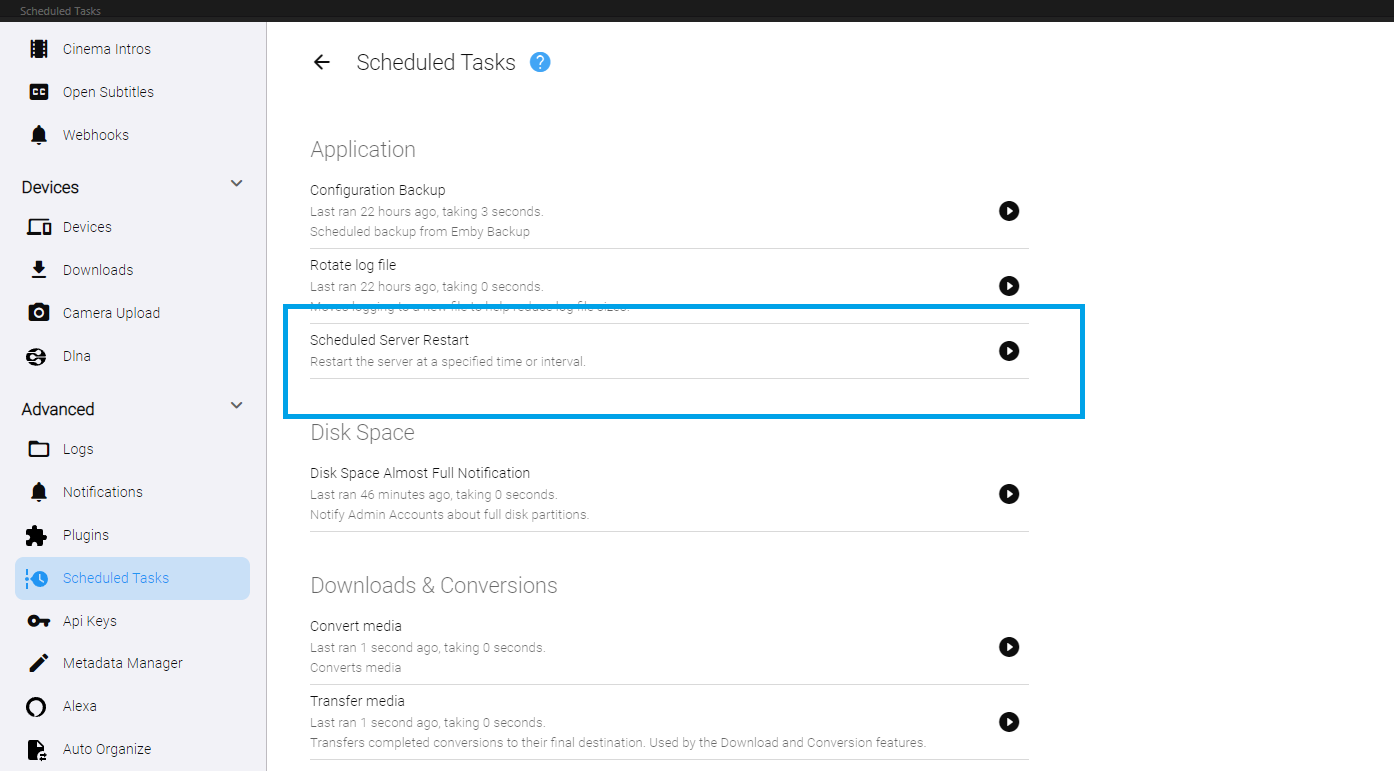
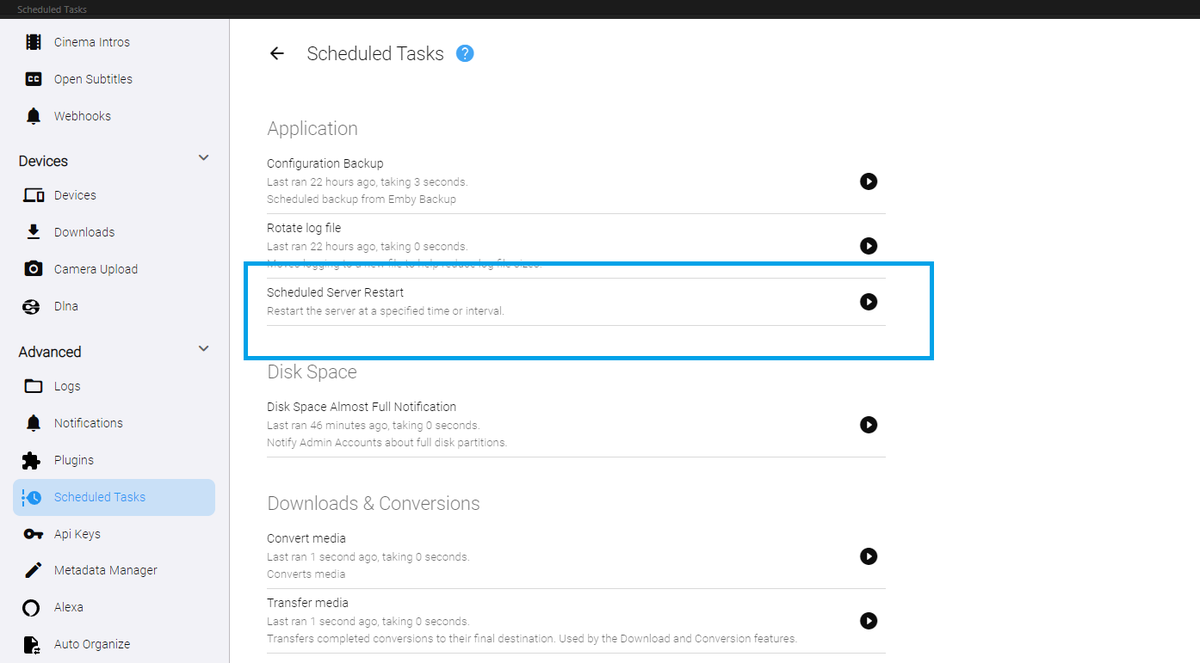
Yeah. I don't know what happened to the original version of this. EDIT: Actually... it might have been blocked. Should I have done this? I recreated it, and it works now. DOWNLOAD: Restart_v1.zip I realize the built in emby version will only restart when updates are available. But, this will restart the server no matter who is using it, every day at 3:45 am (default). Is that what you guys wanted. It could check for users being connected before restarting, and then wait for the next appropriate time to do it...
 2 points
 -
Thanks you for the answers. You guys are great with all the support. I really enjoy Emby very much! Have a good weekend. Jack2 points
-
I moved from Plex to Emby and even though I think Emby is superior in its flexibility there are some things I like better with Plex, especially in terms of its looks. This theme is trying to fix that by making it a bit more similar to Plex but with some, in my opinion, improvements. The CSS is attached to this post for anyone interested and below are some screens to show it off Good to know I only use Chrome so I can't guarantee this CSS works as expected in other browsers. If you want the sidebar menu to look like in the screens, make sure to pin the sidebar. Watched badge/banderoll is inverted which means that the badge will not be shown if media have been watched, like in Plex. For desired look, please use the "Dark" theme for both Theme & Settings theme in the display settings. Emby-Stable-style-v3.6.txt





 1 point
 -
Hey All, Firstly, excellent work! secondly, I noticed that this has stopped working in Emby 4.6.4.0, I have forked the repo and fixed if anyone is interested. (Have PR out for main repo) https://github.com/ShanePe/Emby.SmartPlaylist.Plugin/ Sorry also, I have made an update, if the playlist has NOT yet been generated, it will generate it, regardless of the playlist schedule trigger. So one no longer need to 'manually' run first to initialize the playlist if it falls outside of playlist generation schedule. (Make sense !?!?!?!) Version 2.4.0.3 Feature Create a copy of a playlist. (Duplicate) Decluttered UI by adding a pop up menu to playlists New Criteria: Added Audio Stream Codec Criteria (Stream: Audio Codec) Added Audio Stream Language Criteria (Stream: Audio Language) Added Audio Stream Display title Criteria (Stream: Audio Display Title) Added Subtitle Stream Language Criteria (Stream: Subtitle Language) Added Video Stream Codec Criteria (Stream: Video Codec) Added Video Stream Display title Criteria (Stream: Video Display Title) Updated Criteria: Parental Rating: Now uses official rating under the hood Resolution Height: Now uses video streams to determine the available video heights rather than the metadata. Resolution Width: Now uses video streams to determine the available video widths rather than the metadata. Added Monitor Mode to shuffle playlist type. Meaning that the playlist will be destroyed and recreated on a schedule, but between scheduled executions, media item changes will be batched and monitored for inclusion/exclusion. (So .... combination of live and shuffle modes but could have a perf hit on larger playlists, experimental) Collapsible sections in the playlist editor that keeps state, for more UI real estate. Added the ability to add notes to a playlist (limited to 256 chars). If there are notes assigned a pop up is displayed when hovering over a playlist (2 second delay). Order all selection lists on criteria with dropdowns alphabetically. ------------------------------------------------------- Releases Here -> (See change logs in this thread .... way down) Plugin for Emby Server 4.8: SmartPlaylist-2.5.0.4810.zip1 point
-
So as in the title Emby for iOS suffers from terrible judder when playing 24fps content regardless if it is transcoded or directly playing. I’m not sure if that happened with Emby or iOS update or when I upgraded from iPhone 11 Pro Max to 13 Pro Max but on iPhone 11 playback was smooth. In theory 24fps content played back on 120hz screen should be very smooth but that is not the case and it looks like it’s playing at 15fps. Playback in web browser (Safari) is fine and fluid but I can’t watch in full screen without cropping some of the video which is why I want to use the app. Is that the case for other iPhone 13 Pro/Pro Max users.? I think it might be related to variable refresh rate in iPhone 13 Pro which is using incorrect rate for playback in Emby app Thanks for any help.1 point
-
We are still in need of this. I guess it is way down on the overall importance list but it is pretty important to me. It has been over a year and a half since it was first requested. If I wish to add to a collection and the collection I want to add to is somewhere in the middle of all my collections it can be quite tedious to get to it without an alpha picker on the "add to collection" page. The delay implementing this is kind of perplexing to me as every screen I see that has collections has an alpha picker except the "Add to Collection" screen. Maybe it is not just important enough to Emby but it is quite important to me.1 point
-
Nice. Let me know if it goes into the beta releases so I can test it and give a proper feedback to help.1 point
-
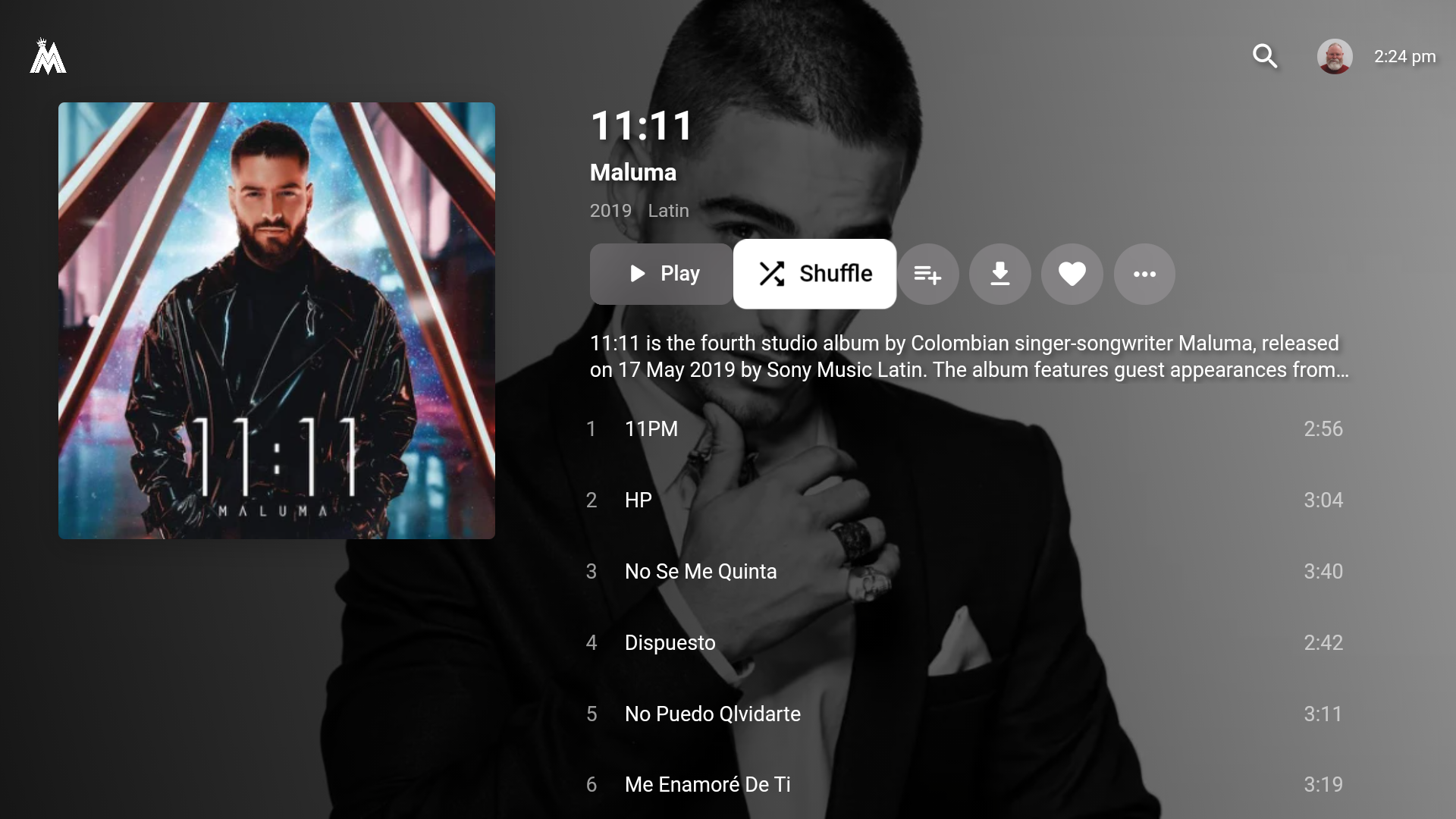
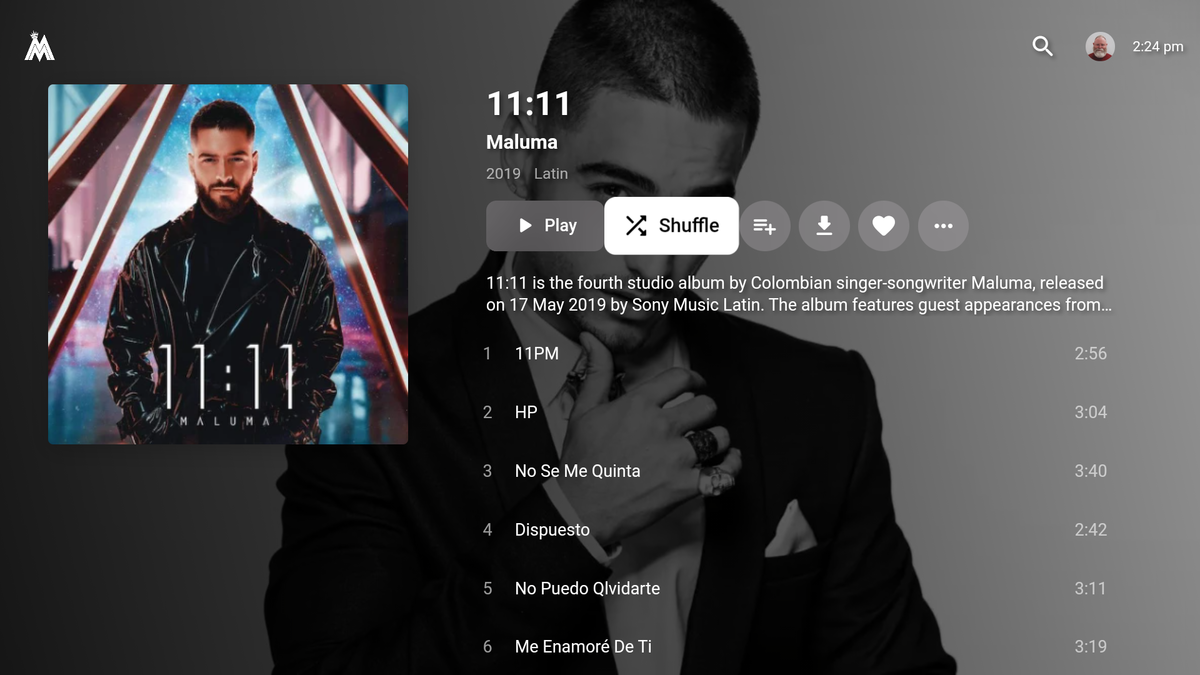
Yes, thank you. It is playing both video and music files. Plus, media sessions is working. Still have the issue with the Listenbrainz scrobbling for tracks with multiple track artists. Would be nice if that could get fixed. Plus, while media sessions works (i.e. you can go to the home screen and the album art and artist/track are displayed - plus this information displays correctly on the settings menu and screensaver) When you select an album to play within emby (either play or shuffle) the music starts playing but nothing else changes. In other words, it doesn't switch to the track playing, it just keeps the same information. I've attached a screenshot of what it looks like. But much much much better than what it was before... Thanks!
 1 point
 -
Under metadata plugins1 point
-
Thank you, I have it working now1 point
-
Hi, Emby doesn't care what the port number is. It's more a question of whether your server environment will allow it or not. If it does, then yes i can see how you'd prefer to do it this way.1 point
-
@ebr it did help....sorry... big fingers & spell check. Thanks.1 point
-
They're in the desktop version: https://emby.media/emby-theater.html Not in the store version at this time.1 point
-
I'm not sure if I can remember the exact steps. Next time I add a multiversion movie I will keep better track and raise the issue again with better details if the problem repeats.1 point
-
Shift to multi-select support is on the way. Thanks for the feedback.1 point
-
One way to word it is that there are ten million ticks per second.1 point
-
Hi Luke thanks for help, now its work fine. I don't know why this option was no longer enabled. Cdt.1 point
-
Thanks for the update. Seems like the drive failed. Now it’s offline altogether. Time to replace it. Appreciate the identification in the log. Not sure why I missed that.1 point
-
HDR10+ is just added metadata on top of HDR10. There's nothing to transcode, if your TV doesn't support the added metadata it should just ignore it. You can't transcode metadata unless you're talking converting it to DV RPU type metadata.1 point
-
Are your subtitles not Roku friendly? When those users enable those subtitles it will cause transcoding because the subtitles are not supported. What winds up happening is your Emby server will "burn" these into the video stream which causes transcoding on files that would otherwise direct play. What is the reason given for the transcoding on stats for nerds? Without more information we can only speculate. If this is about the IPTV plugin not direct playing the container and only copying the streams, then that is what happens, on purpose. We cannot direct play user submitted URLS from Emby on store applications. When that happens the app stores become aware of what exactly you are playing and from where. The app stores "see" the URLS you play. Where they originate from. This can mean if you are using pirated links or something else similar it can place Emby as complicit in your actions. To prevent the app stores from ever thinking Emby is associated with stream piracy we cannot direct play and can only copy streams from IPTV. Do you understand? Jellyfin does not care about you as a user. Do not become confused. They are not protecting you from app stores banning your devices. They are not protecting themselves. A foolish man believes everyone is only capable of good. You must protect the innocent and good from the bad around us. If that upsets you I apologize.1 point
-
Gillmacca01 Attached below is the code with Parental Rating on the bulk edit panel. Please test it to make sure it works as you expect. I just did a couple of tests. Vic emby_new_tool_37a.html1 point
-
Interesting. Can we build collections from this? There's this tool for Plex which allows you to create collections based on trakt or tmdb lists (or actors and other things) and you can specify metadata like the poster and description That would be a very useful capability in Emby1 point
-
Yep same here I tried everything. It’s only Emby app that suffers from that as when played in Infuse, MrMC or safari browser the playback is smooth but I need to use it when away from home network for transcoding to work and be able to use full screen without cropping. Also all betas I tested still suffer from it. All the answers from @Luke were asking for server logs but the problem clearly isn’t server related as it only affects iPhone 13 Pro/Max regardless if transcoding or not. I tried using new server on another machine and again the issue was still there.1 point
-
It shouldn't be transcoding at all - HDR10+ is fully backward compatible with HDR10 (ps - your TV's are HDR10 - there is no such format as 'HDR' - that's just a generic term for anything above SDR) The only reason it may need to transcode is the Audio - but as you are a) using Emby Theatre and b) using AAC - it should natively play HDR without transcoding.1 point
-
Same thing I noticed playing around with it and my copy and paste skills looking at other plugins but never could get it to load.1 point
-
No! Something is absolutely wrong with this thing. It will not load cheese! I updated all the nugets, added System.Memory, and the thing is broken somewhere. I don't understand... What is happening?? It is literally under a 1000 lines of code.1 point
-
Yup. Something isn;t correct. I'll be back EDIT: I see what I did... sorry... quick fix.1 point
-
Thanks, I tried everything I could find. I disabled the encoder and the decoder started to work..... with further research running as root echo "options i915 enable_guc=2" > /etc/modprobe.d/i915.conf and then running update-grub folowed by a reboot solved my issues and all is well now.1 point
-
Found the issue, something on my end. Sorry1 point
-
Thanks for this, really useful!1 point
-
Premiere will get you hardware assisted transcoding so the server can transcode faster if it supports it. This isn't converting video though, so not sure how much it would have helped here. As @SamES describes it the problem is on Samsung side. Even very fast servers can see the problem sometimes using the Samsung app. I have Premiere, but my server doesn't have a GPU for hardware assisted transcoding because I don't transcode. I don't even attempt converting. All my files have an alternate audio track I use. Even if I had a really fast server, I don't want any converting to happen after I click Play. I use my nVidia Shield if I want HD audio. Same goes with PGS subs. Always use SRT or ASS with the Samsung app. PGS subs will kill it if you don't have a fast server. It's a common issue though. As soon as I saw your title I figured you were trying to play an HD audio track.1 point
-
Update: Just took The Boys S03E01 as a test file. Original 14.2Mbps 4k HEVC HDR10+, 640Kbps EAC3 - severe stutter after ~30 seconds. Extracted audio & re-encoded to AC3 & AAC; remuxed new audio with original video - severe stutter after ~30 seconds. Re-encoded video to 14.4Mbps 4k HEVC HDR (8bit), original audio - normal playback. Tested with MPV player on Apple TV 4K tvOS 15.6 (latest), Emby app version 1.6.2 (latest). Possibly an issue with 10bit HDR?1 point
-
Can confirm. 4k HEVC playback is broken on iOS & tvOS for me. Audio is generally clear, but video is slow & choppy. Tried playing several files (Altered Carbon S01, The Expanse S05) that played normally a few weeks ago, but now exhibit the described behavior. In all cases, the playback shows as Direct Play, no transcoding or remuxing. Unfortunately, no change in quality settings enables smooth playback for me. All files are 4k HEVC HDR10, EAC-3 (384 or 640kbps).1 point
-
@Happy2Play Hey! Here is the fixed plugin ready to go! If there is anything else I can do for it. Let me know.1 point
-
Severance was great! Thanks!1 point
-
You guys had me interested right up until you mentioned "Lost". I sometimes felt "lost" trying to watch it. LOL1 point
-
Thank a lot. Year is there on ATV . Regarding Actor: Can't remember who it was. Need to look thru, but should just default "birth" resp "age" on the Act page should just generally default to year if no full birthdate present. Many thanks again1 point
-
I am also noticing this on 4k movies when direct playing on tvos. There isn't a way to post inapp logs from this platform, is there?1 point
-
They still have the same release group id, so try clearing that as well.1 point
-
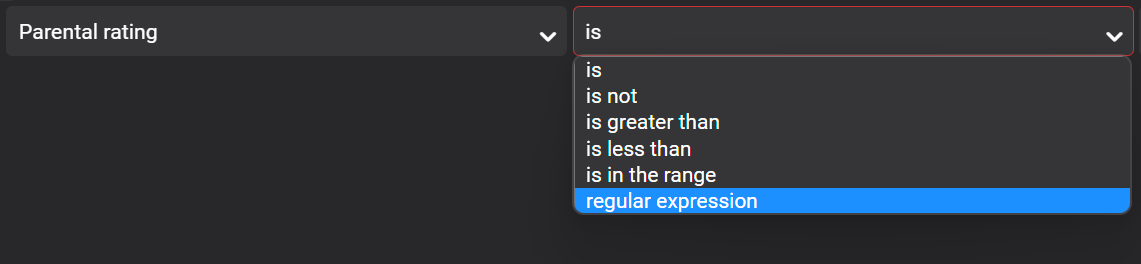
Would it be possible to allow for custom regex in some of the fields? For example, I'm trying to custom tag all of my NR/Unrated content, but also wish to exclude media that I've already set custom rating for. So something like select "Parental Rating" from the filter drop-down, then select "Regular Expression" in the adjacent drop-down, then the expression itself. Perhaps to indicate that it's an actual expression, you can force users to wrap it in forward slashes. Such as //^(NR|Unrated)$// For that matter, having a regex option on many of the fields would be useful.
 1 point