Leaderboard




Popular Content
Showing content with the highest reputation on 07/13/22 in Posts
-
I would like to lock a speed level (for example, 1.5x) on each new video. This could be set client side and not persisted on the server. My use case for this is that I use emby to watch training/certification videos, and they are very slow and only last a few minutes per video. One topic might consist of 20-30 videos. Currently, I need to keep speeding them up individually.1 point
-
Could we have possibility to customize, how runtime is being shown in table view or could we have seconds too? For Movies, TV Shows, etc. showing hours and minutes is completely fine. For Music though, I would personally like to see seconds as well. Otherwise, I really like this view, especially for music on mobile devices. Also, can somehow "Genres" column could be made sortable as well?1 point
-
@JamesTX10 I sent you a private message.1 point
-
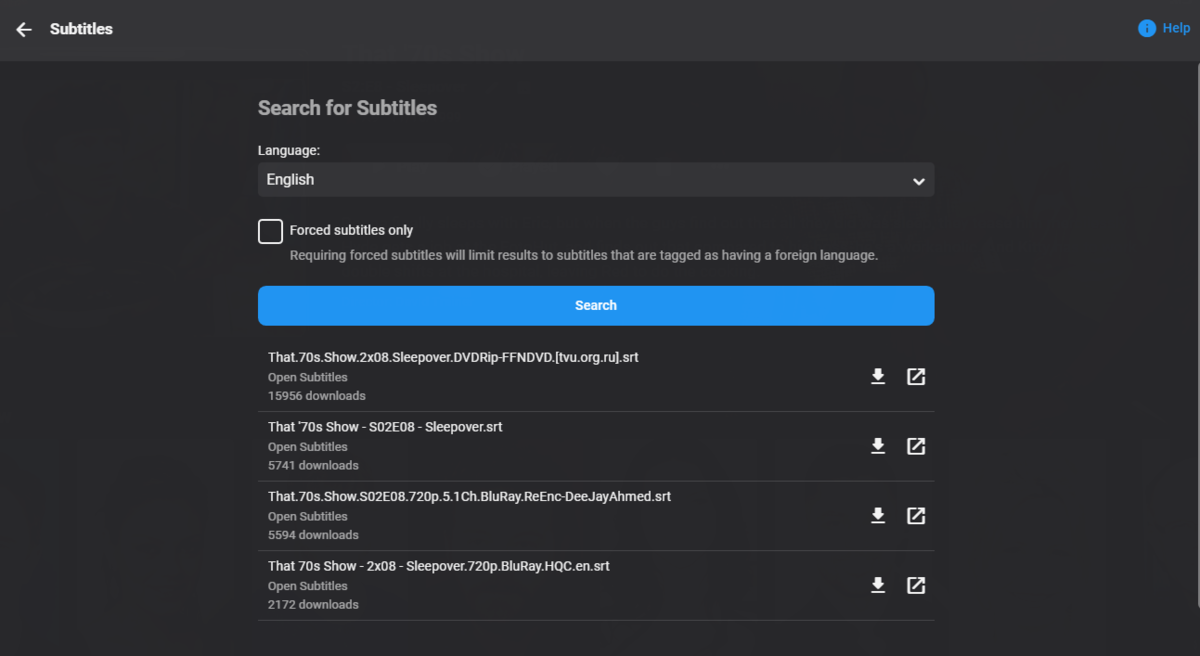
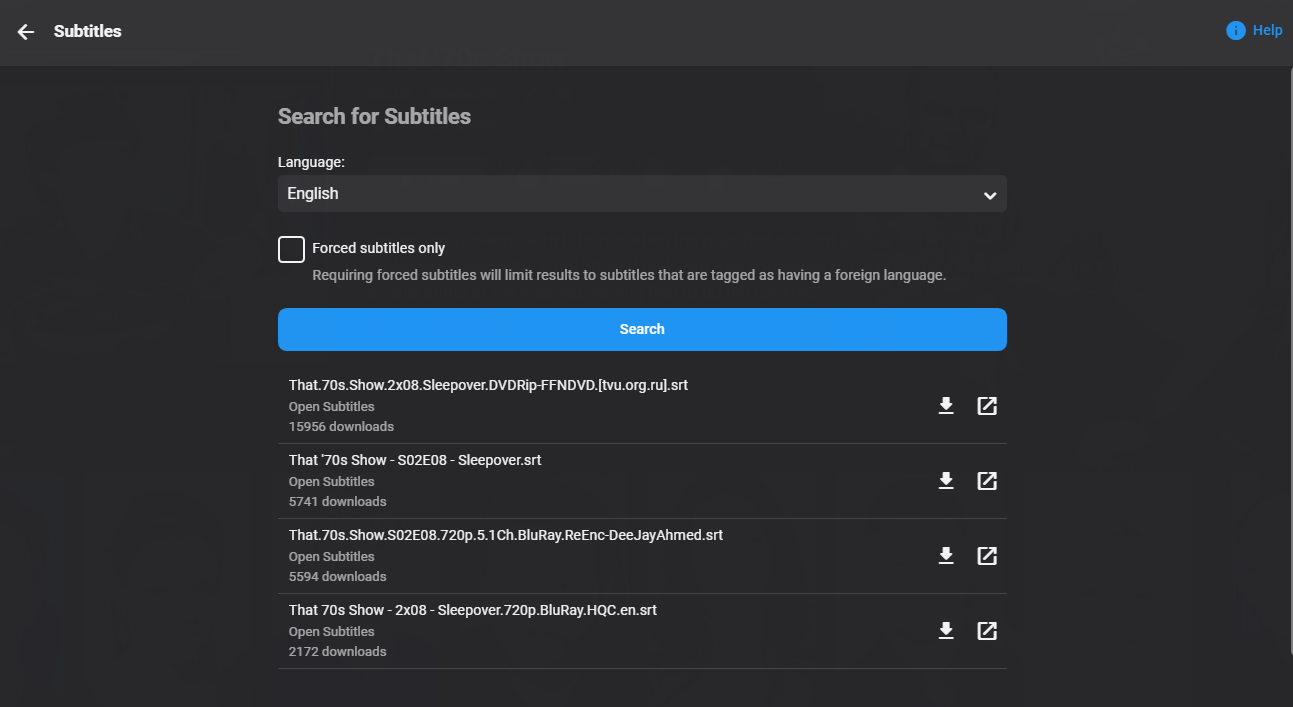
Not in my tests with this episode or random episodes from other series. Only tested OpenSubtitles.
 1 point
 -
Can you please also change "Don't record episodes that are already in my library" to something more generic like videos or items, so that it also takes movies into account?1 point
-
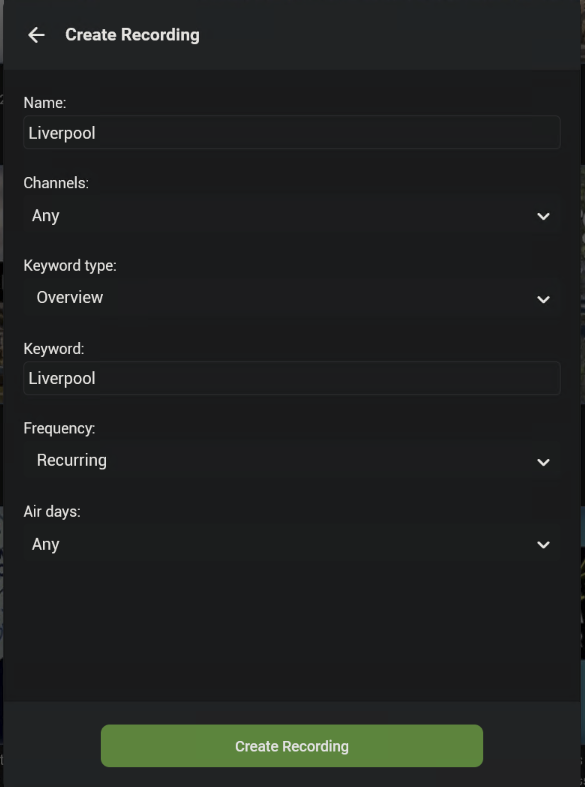
ok. as far as i can see this seems to be valid but after clicking on create recording twice now and waiting 15+ mins the above still shows. not sure what i am doing wrong? also as a future feature request - could i suggest having AND, OR and NOT options too. perhaps its already possible but not clear...
 1 point
 -
Oh god, I can't test this right now because the port is closed again due to the fact that my public IP changed and the ports I requested to my ISP are opened for the previous one so I have to wait until it gets back. I'll let you know as soon as I can. Thank you for understanding.1 point
-
Please try 3.2.55 and see how that compares. Thanks.1 point
-
thats not really the point of a keyword recording as i understand it. for that you could just search on your keyword and schedule any programs found. keyword recording is designed to automatically record all future shows that match the criteria. prime example - i want to record all the games in which my team features across all channels. i don't want to have to set them up each week1 point
-
It's only the beginning. Yes you'll be able to edit the existing keyword series, and I did some homework with WMC and I like the way it shows you a preview of what programs match the criteria when you're setting it up, so I'd like to add that as well. And yes of course matching on more fields than just what is currently there.1 point
-
Hi, yes it is only the beginning. We are continuing to work on improving it. Thanks for the feedback.1 point
-
As issue is clearly solved in last stable release, I don't think it really matters anymore though1 point
-
I think that the instructions Luke means are these: https://emby.media/synology-server.html As for the second question, I'd say that it doesn't prevent future updates through package center.1 point
-
Thanks for the plug ... I have actually been doing this. My original plugin started just to fix bad actor images born from frustration when tmdb moved the location of their images and updated their website, along my journey my plugin grew and grew and grew. I also could not program in c# when i started. I have had to learn that on the fly, and am still learning it. My custom provider plugin already sort of does this, but it is in need of updating which I am doing slowly. There are issues with it, that will get resolved eventually. I am starting to re-write it from base up so that it behaves as it should (so i have a sperate bare bones build in progress). The are things my Custom Provider plugin does that I dont think other plugins do at the moment is fetch individual music track images, not just the album cover. Fixes TV Channel logos, by removing them and allowing them to repopulate on tv guide refresh.... Theres a whole lot more... I am currently distracted a little by doing a seperate metadata plugin for adult content (XXX Movies), This is working brilliantly, although I am still testing it and trying to improve it. I have not shared that yet. It has a massive archive of about 120,000 dvd titles at the moment which it does not scrape, it gets them from my own built database hosted on my own server. Just xml metadata and a jpg poster. Eventually I am going to do this for almost everything, ie ebooks, artists, albums, tracks, actors, series covers, tv show covers etc..... I am still debating with my self whether or not to branch that away from Custom Provider and keep that as it was originally going to be... we will see. I will be wanting a few people to test my adult movie plugin soon. It currently does the poster image, metadata and actors - however no images or metadata for the actors just yet, just the place holder cards (it will happen though) Definately read it properly, it isnt perfect, and yes im definately interested in datasets .... There is loads of data available through the custom provider plugin, dont expect to browse on the website though, im not too good at php and html.1 point
-
Fix the external ports to match, it now works automatically (ETA i.e. with the port forwarding on my router)1 point
-
There are some proposed changes with the metadata manager utilizing the new table view that I think would do exactly what you want. I can't say exactly when that will happen but I really don't think a value that is designed to be transparent to the end user should be exposed in the UI to that user.1 point
-
Solved it. If I tell android chrome to view as desktop, then the option appears, it just doesn't appear in the mobile page yet1 point
-
That would still be confusing to an end-user. They still don't know what a custom rating is or why it exists. What you are asking for is really an administrative task so I don't believe it should be in the end user UI.1 point
-
If sorting already does that, it seems filtering probably should too...1 point
-
webOS 1.x FHD (not UHD) TV's don't support HEVC. This has already been fixed for the next release. Please let us know if this problem still exists after you have tested the next release (which is not yet available)1 point
-
Apple TV is definitely not the most suitable device to enjoy Emby. Especially if it is necessary to play MKV 4K HDR files.1 point
-
One last bit: rushed, I made a slight mess of the last post. There is a difference, as you know, between continue watching and next up tv. I wanted to get back sooner than later, after the long delay, and rushed it. More feedback: continue watching added with next up tv populates, i.e., it is not empty. removing next up tv, continue watching goes back to empty. strange, but as I said, minor. I have a populated continue watching as long as I leave next up tv on the home screen. done. sorry for the inept posts.1 point
-
Thanks for reminding me… I missed this, added to the list for next release1 point
-
After my server updated to 4.8.0.5 this afternoon this is happening with me too, nothing has been changed library wise.1 point
-
Hi, Tried the data base fix but that didnt work. But i decided to try the portable version and "installed" it on my c drive. It is currently working atm. Going to do more stress testing also.1 point
-
Probably not a good idea to listen to me (you were warned...) but personally, if thats as good a price as it seems to be, I'd buy it anyway. But its not my money. IMHO the Emby Apple TV app is fair to middling, so if it works for you jolly good, otherwise you can use Infuse and link it to your Emby server anyway. You might want to wait to hear from someone who knows what they're talking about1 point
-
Thanks for reporting, I think this is related to NextUp plugin or did you mean just the list? I'll perform some tests, and try to fix it in next version (If i can reproduce the issue). The plugin makes some assumptions on the progress reports (from Kodi). Maybe there is something wrong in combination with Embuary. Let me know, if you have instructions how to trigger the issue on a pattern.1 point
-
No problem and thanks for your help1 point
-
Hi, editing the metadata such as customizing sort titles or release date values will carry across to all devices and for all users.1 point
-
Considering that I have only 5 active users in my emby, and I use the server on a computer with good specs, and 16 gb of memory, I believe it is the best solution..1 point
-
I had the same complaint, but I was able to re-create my libraries so they were not mixed content. That process was flawless, pretty fast. Everything now displays nicely on the Roku screens. Thanks. Being someone that doesn't hold back with my complaints in the past, I want to say I'm impressed with the reliability and performance. Been a long time user and things have sometimes had a work-in-progress feel, but you've gotten it to a very good place.1 point
-
So the answer to this question is: Disable thumbnails in the library, then delete all the BIFs for the affected library (not easy if using the default storage location), then refresh the metadata. Now I know more than the Emby folks1 point
-
Sorry those are all per user, per client options.1 point
-
do you use cloudflare?1 point
-
1 point
-
I just restarted Kodi the message Emby Processing updating comes up and stay at zero % and remain for almost he entire time that played 1hr movies Log info Log1 point
-
Exactly what i see too. If i press forward for say 20 mins and release. Play will not resume automatically no matter how long i wait (i tried it, after 20 min i gave up waiting). I did not hit play once after releasing forward so i did not initiate pause. I must hit play twice to resume playback.1 point
-
If changed back to never will only apply to newly imported media, it will not remove from existing media. You have to manually delete bif files it stored with media or via /metadata/library.1 point
-
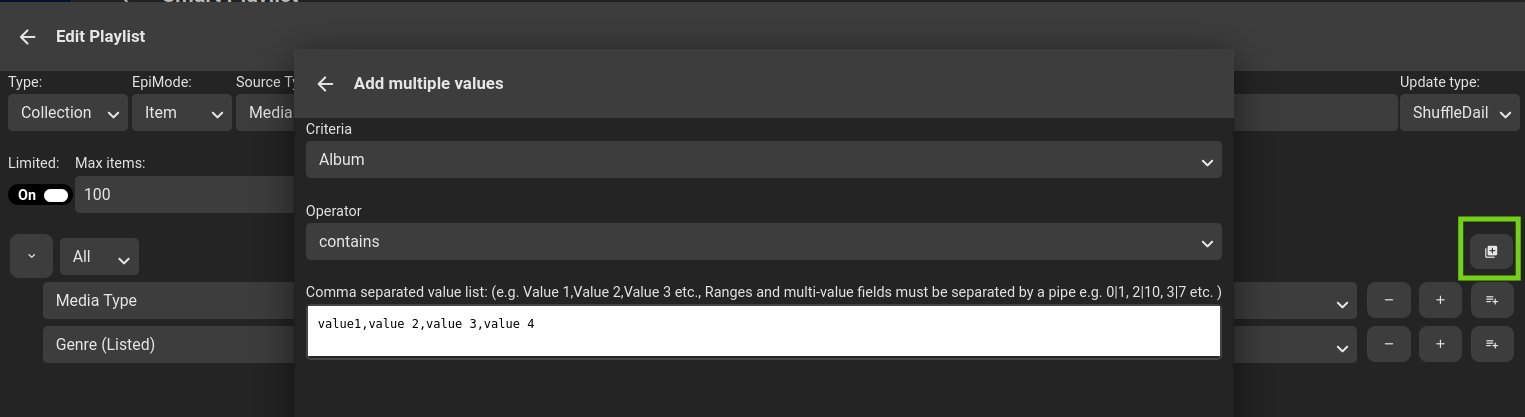
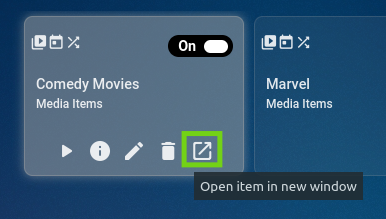
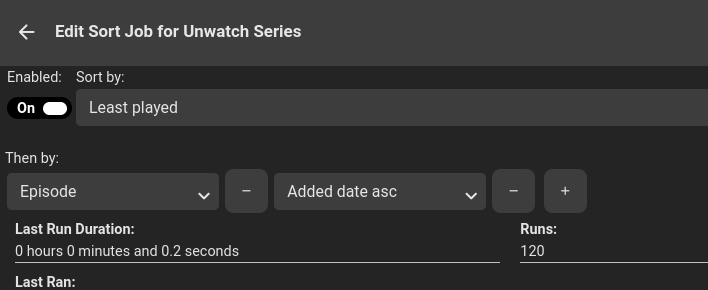
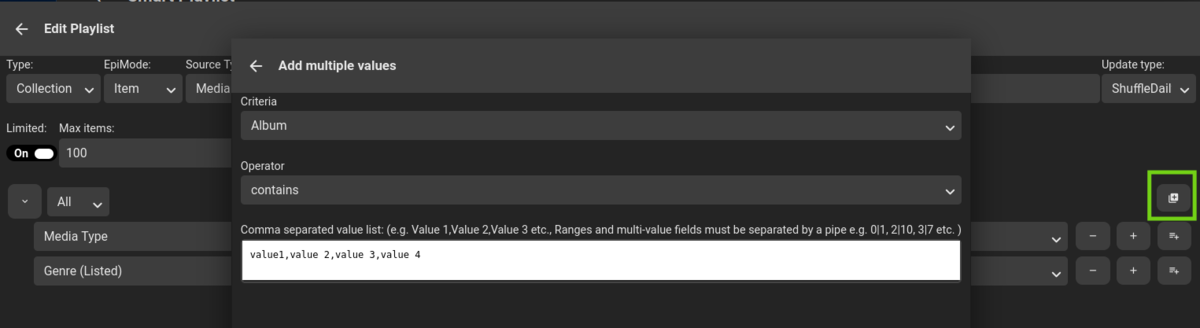
Version 2.4.0.0 Feature Added verbose log to info section. Added link to open up generated playlist. General optimization and clean up. Added Sort (Then Bys) to Sort Jobs. Added Sorting to source list. Added Multiple Add functionality to PlaylistEditor. Added user based criteria for following user metadata fields: Favorite LastPlayed Play Count Played Bug If any playlists backend files are corrupt, skips loading the playlist and moves the file to a *.failed file, and continues to load. Currently just crashes out with no notification. Fixed bug when source was playlist or collection not picking up source items. As always, code is https://github.com/ShanePe/Emby.SmartPlaylist.Plugin/releases Happy Testing Oh and let me know if I have missed anything. Verbose log: Detail -> Log button (Only if a log file exists, log is cleaned on ever playlist run, each playlist has it's own log) Link: Any 'user related' fields will now have a user selector: Sort Then By: Sort Job Multiple Add functionality -> Editor SmartPlaylist-2.4.0.0.zip

 1 point
 -
Personally, I think exposing the custom rating in this field list will be confusing to most end users as they have no idea what that is. What you need seems better suited to the metadata editor or reports plug-in to me.1 point
-
Hi, we haven't submitted 4.7 yet to Synology, so you have the choice of either waiting for it to be available in Package Center, or updating manually by following the instructions on our website. We'll be submitting it to Synology soon. Thanks.1 point
-
Hi Luke, Apologies for the delay in replying. I am currently running 4.7.5.0. However the problem fixed itself. I think what was happening was that WinTV 10 software was running in the background and preventing Emby from using the Hauppauge WinTV-soloHD tuner. I did read that installing this software (which Hauppauge charge separately for even though you have bought their tuner) was essential to getting this tuner to work with Emby. This is clearly not the case, as both WinTV and Emby seem not able to co-exist. Anyway problem solved and LiveTV is working fautlessly. Thanks1 point
-
Emby for iOS 2.1.7 Released: Features Intro Skip & Table View Requires: Emby Server 4.7 or later Emby for iOS Version Changes: • Intro Skip • Table View • Add new field options for display • Various playback fixes over SSL connections Click for Extended Blog Coverage Intro Skip One of the exciting new features recently released is the TV Show Episode Intro Skip feature. This allows you to jump right to the start of the action saving you a great deal of time. Intro skip can be setup on each client to do automatic skipping or manually skipped. In manual mode a new icon shows up on the OSD that can be selected to skip ahead. Combine Into Skip with Automatic Play Next Episode for a superior binge-watching experience! Here's Skip Intro in action using the manual mode. Anytime during the intro you can select the Skip Intro button. Each client's Playback menu will have an option to select the Intro Skipping method to use. Make sure to click the Intro Skip link in the table above for extended coverage on this new feature including setup on your Emby Server. Table View A new library view has been added to all libraries. It uses a grid (column & row) format displaying information about your media. This new view is completely customizable with selectable columns as well as column sort order. This view is ideal for many uses including the ability to see a lot of data on small screens. Because it doesn't use cover graphics it loads extremely fast as well. Here's a couple pictures showing the new Table View in action. Make sure to follow the Table View link in the table above for extended coverage. Other Changes Add new field options for display Various playback fixes over SSL connections View the full article1 point
-
Emby for Android 3.2.51 Released: Features Intro Skip & Table View Requires: Emby Server 4.7 or later Emby for Android Version Changes: • Intro Skip • Table View • Add new field options for display • Add new theme options Click for Extended Blog Coverage Intro Skip One of the exciting new features recently released is the TV Show Episode Intro Skip feature. This allows you to jump right to the start of the action saving you a great deal of time. Intro skip can be setup on each client to do automatic skipping or manually skipped. In manual mode a new icon shows up on the OSD that can be selected to skip ahead. Combine Into Skip with Automatic Play Next Episode for a superior binge-watching experience! Here's Skip Intro in action using the manual mode. Anytime during the intro you can select the Skip Intro button. Each client's Playback menu will have an option to select the Intro Skipping method to use. Make sure to click the Intro Skip link in the table above for extended coverage on this new feature including setup on your Emby Server. Table View A new library view has been added to all libraries. It uses a grid (column & row) format displaying information about your media. This new view is completely customizable with selectable columns as well as column sort order. This view is ideal for many uses including the ability to see a lot of data on small screens. Because it doesn't use cover graphics it loads extremely fast as well. Here's a couple pictures showing the new Table View in action. Make sure to follow the Table View link in the table above for extended coverage. Other Changes Add new field options for display Add new theme options View the full article1 point
-
@sundevil67 @EyeShore HI, apologies for the delay. We'll get the latest 4.7.X up for 10.13 this week. Thanks.1 point

















.thumb.webp.fda3469c139d4226e319e5dd65a9661c.webp)