Leaderboard




Popular Content
Showing content with the highest reputation on 07/12/22 in Posts
-
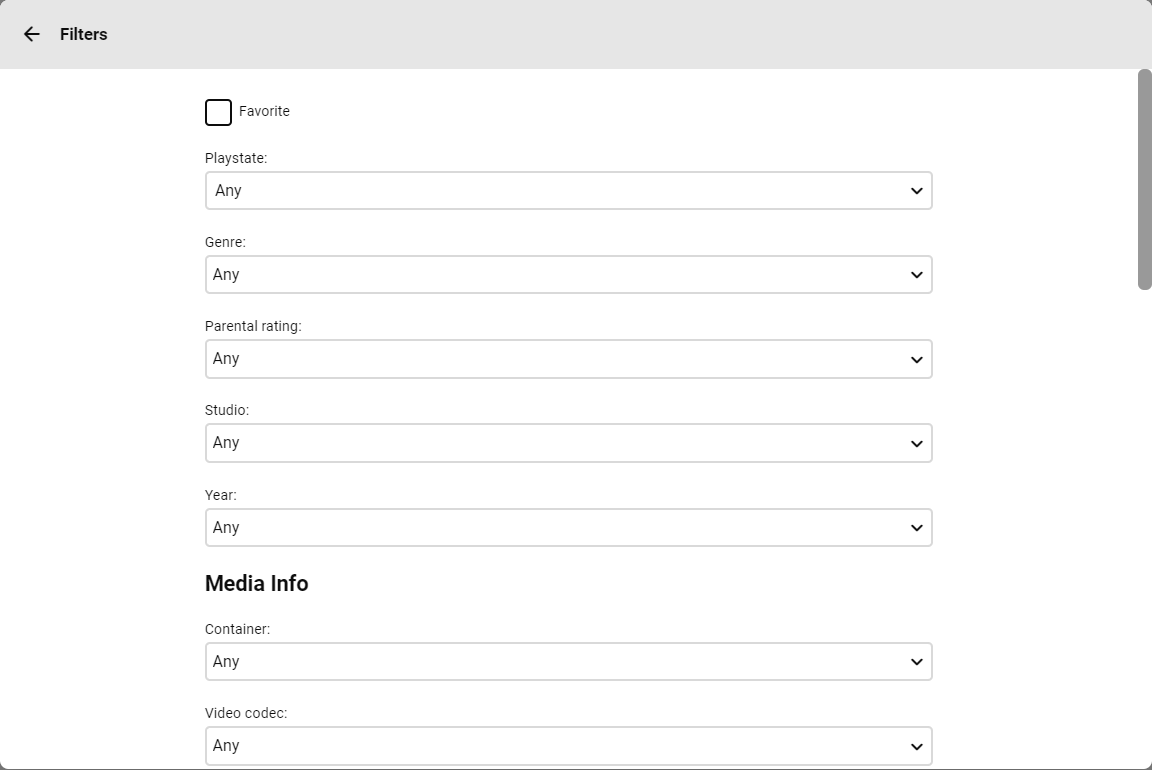
Hey, I just started using custom ratings for parental control and was wondering if there was any way to filter movies by custom rating? In the filter menu, I just see "Parental Rating" but that ignores the custom ratings (as I'd expect)
 2 points
 -
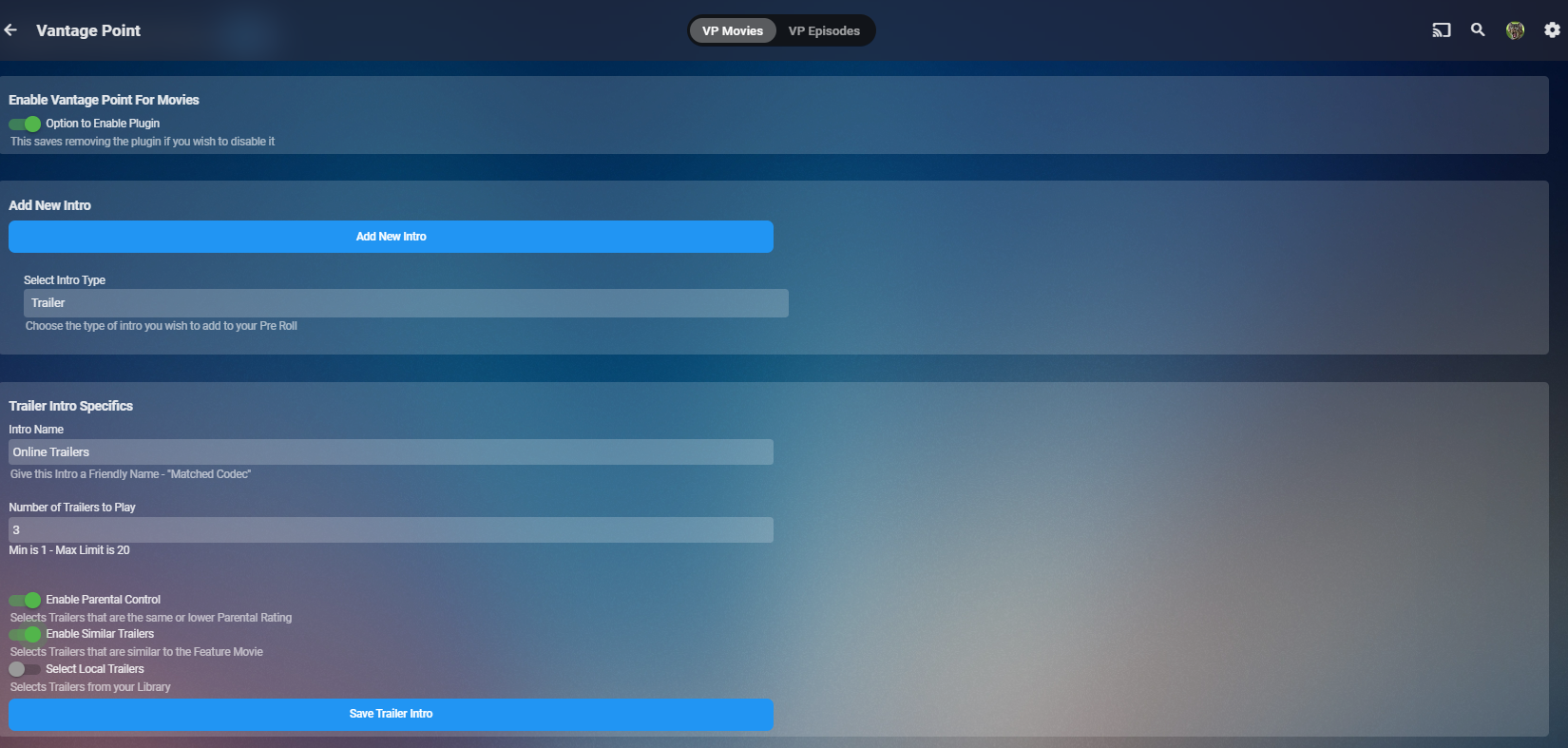
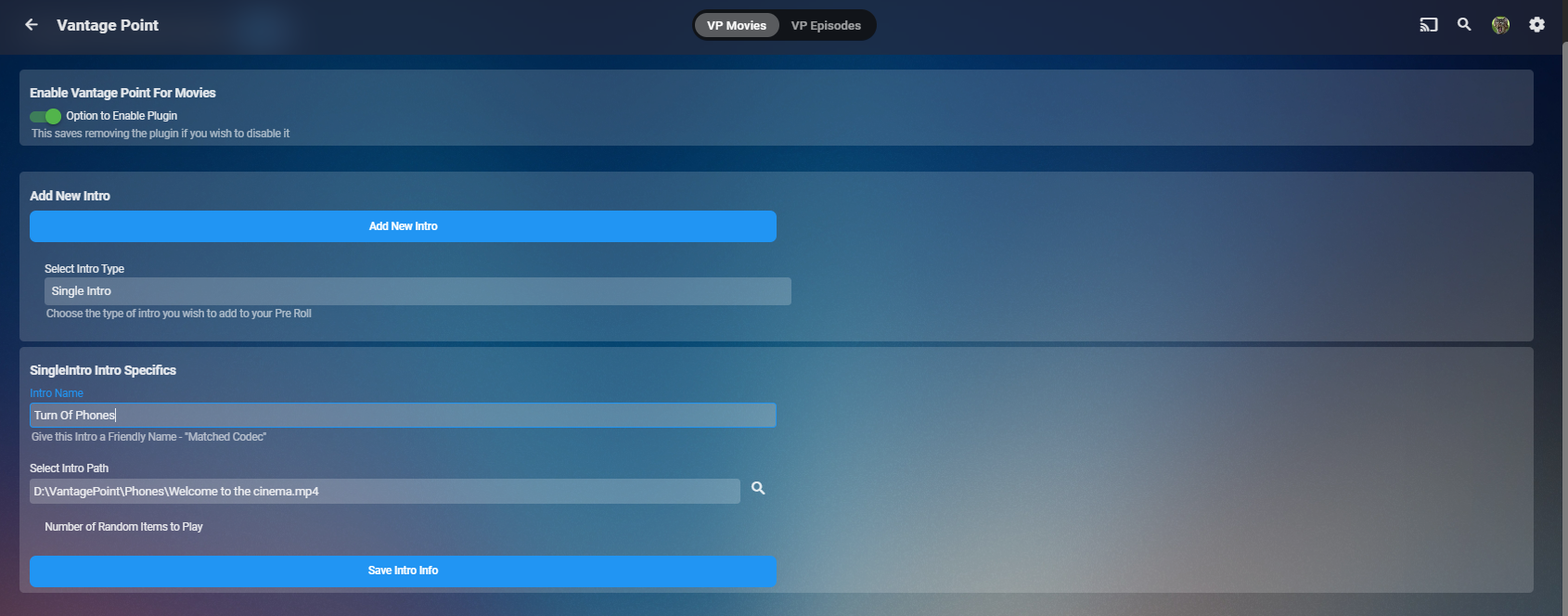
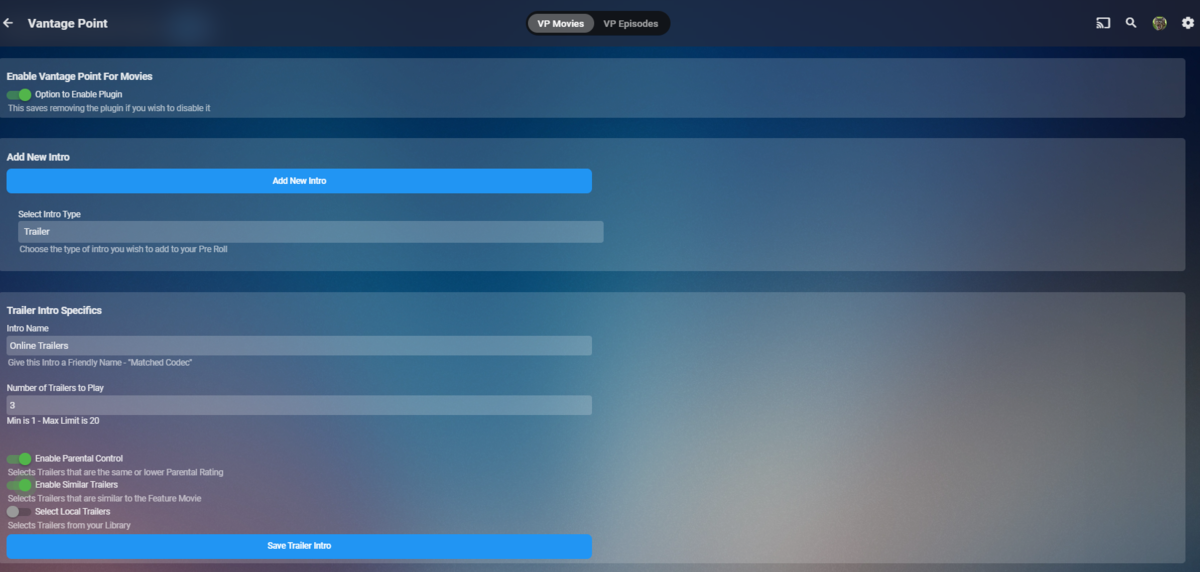
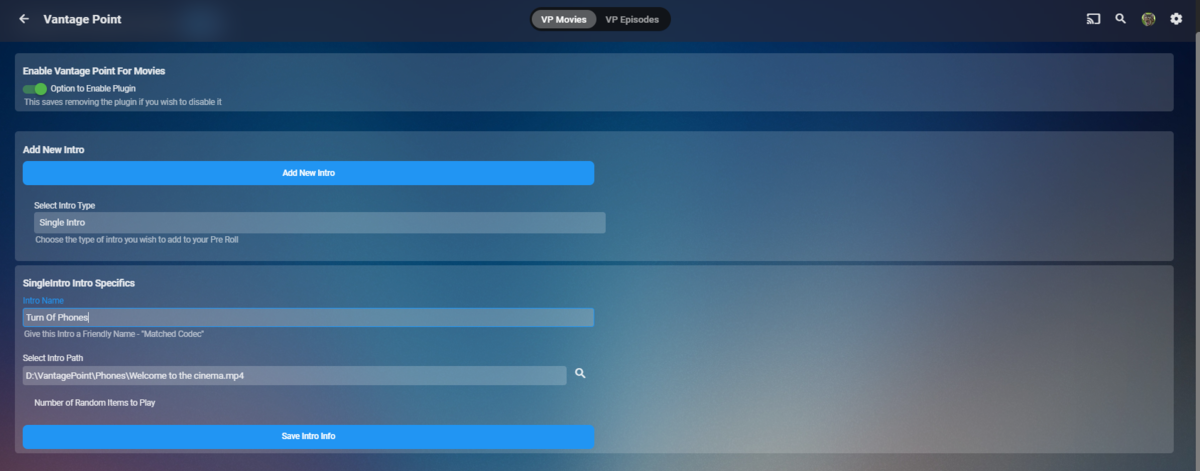
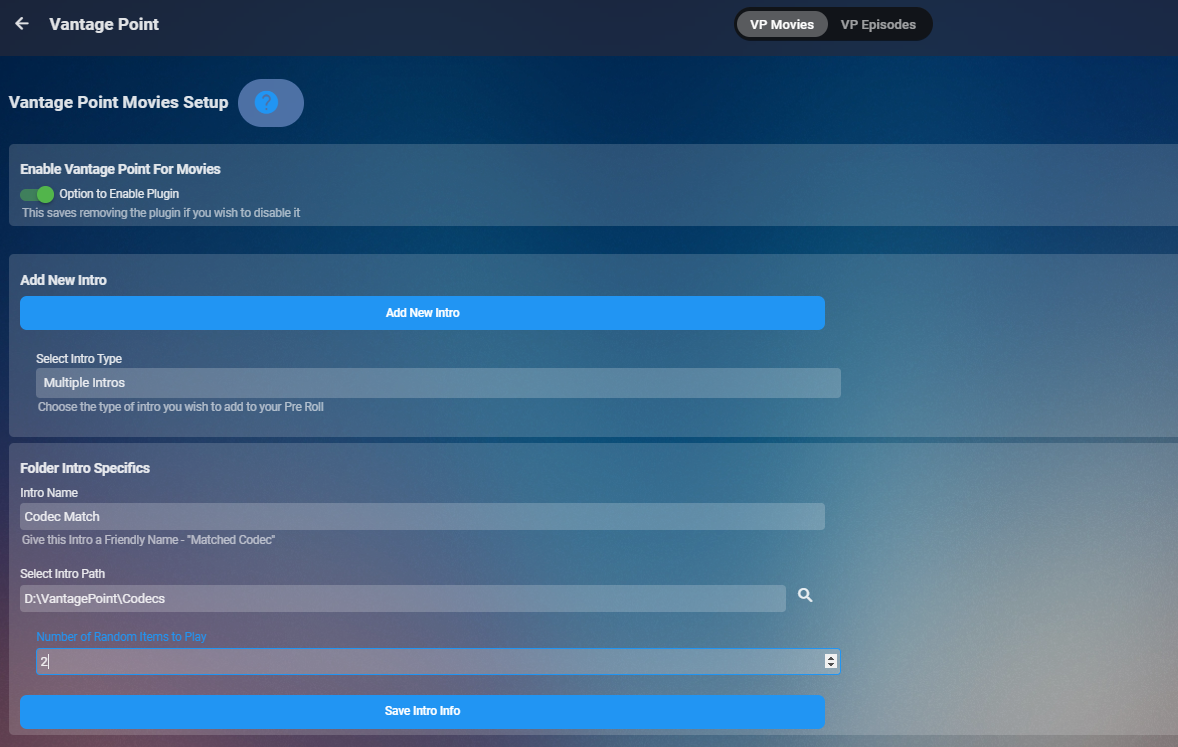
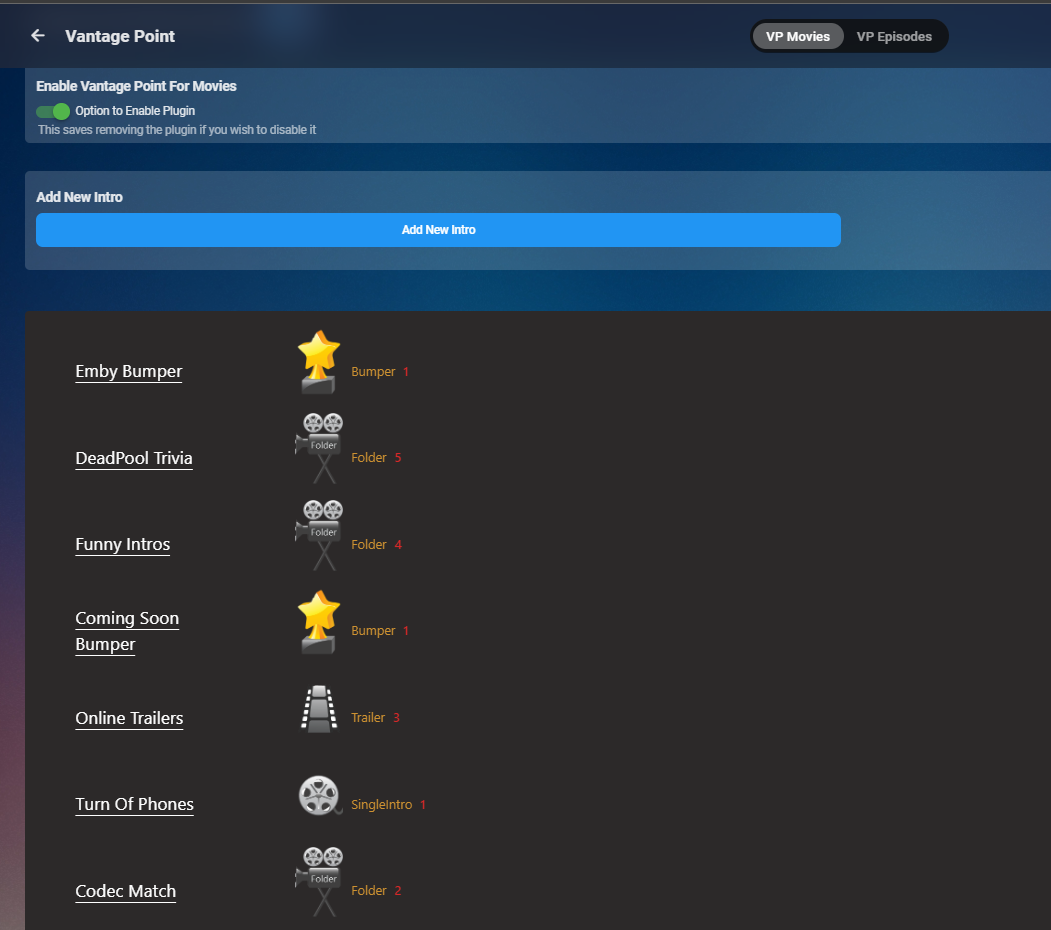
So insight to the new Layout.... So you can name your intro selection to allow for ease of identifying BUMPER OPTIONS & SINGLE (Specific) INTROS FOLDER OPTIONS - Allows you to Choose a folder and a number of videos to play from that folder in a random order. TRAILER OPTIONS This is then populated in a story board which will let you see the order. There is no limit to what you can add and you can set it up however you want. Some scenarios would be. if you have a specific folder full of trailers (not trailers in folders) then you can just select the folder option and set that folder. If you wish to select internal trailers use the trailers option and then set the Select Local Trailers to 2 The options are literally endless now. I plan to allow for drag and drop to aid in re-organising. still plenty to do but Progress!!!! Here is the story board
 2 points
 -
Say I have a custom collection of 56 Christmas movies. During the Holiday Season, I would like to show this on the main page as a Library. Now, I could make a drive folder called "Christmas" and put these movies in that folder. However, now we're getting away from using metadata for organization and moving back to using folders for organization. Something you've spent the last few years trying to get away from. So each collection should have a toggle to show it as a library on the Home Page. Then people can make collections for Christmas, Halloween, Summer Romance, Summer Slasher Films, whatever and show them on the front page where they are easily accessible. Don't want to show it anymore, switch the toggle off.1 point
-
Please go here for info, bugs, issues and feature requests Been working on a plugin that bring the big screen experience and is user driven. Introducing Vantage Point Plugin for Emby. It can be downloaded in the Emby Server Plugin Catalogue. the order is pretty much set at the minute, But so far I’m happy with how it works. At the minute these are the following sections Personal Bumper Trivia Section intros, funnies and adds, select upto a max of 50 intros from your selected folder - good to use while your movie guests get drinks, popcorn, hotdogs etc, Personal Bumper Coming Soon Bumper coming attractions, select number of trailers to play from various sources. Courtesy intro - be quiet or mobile phones off. Only 1 is selected Personal Bumper audio codec intro matched to feature presentation audio track, only 1 is selected Feature Presentation Bumper countdown to feature presentation, only one is selected MPAA, BBFC, etc - certification screen which is matched to the MPAA rating tag in the nfo file. Feature Presentation Starts. For Bugs and Issues, please post them in the below thread Vantage Point - Big Screen Experience Intros - Plugins - Emby Community1 point
-
So simple and worked...many thanks1 point
-
Personally, I think exposing the custom rating in this field list will be confusing to most end users as they have no idea what that is. What you need seems better suited to the metadata editor or reports plug-in to me.1 point
-
Du legst wie bei jeden Film nur einen Ordner an: Star Wars mit den Unterordner Star Wars - Episode I ....... .. Star Wars - Episode IV Eine neue Hoffnung (1977)(1 und in denen liegen die verschiedenen Versionen Star Wars - Episode IV Eine neue Hoffnung (1977)(- Kino.mp4 Star Wars - Episode IV Eine neue Hoffnung (1977) - Bluray.mkv Star Wars - Episode V .......977) Wenn du die so benennts werden dir nur Kino und Bluray in der Auswahl der Versionen angezeigt (Das funktionierte bei dir nicht, weil du nur bei einen Film hinter dem - was stehen hattest). https://support.emby.media/support/solutions/articles/440011591021 point
-
Hi, yes I guess we don't have a filter for this right now and that will have to be added. Thanks.1 point
-
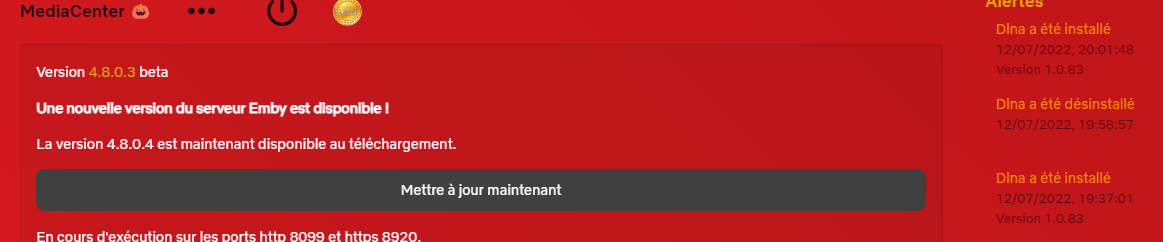
Ok i notify the problem come from the new beta update of MB serveur 4.8.0.4 Best regard ! Lazymonday.
 1 point
 -
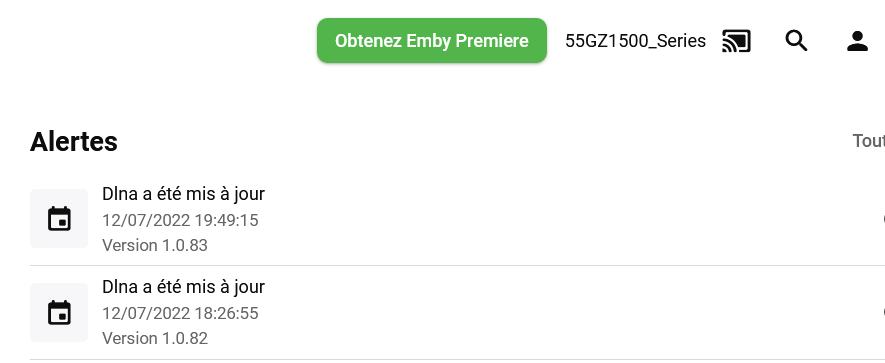
work with 1.0.83.0 now thanks you so much @Luke
 1 point
 -
Gracias!!! Ya sé cómo se hace!1 point
-
Working in my test on 4.8.0.4.1 point
-
I test it now and tell you the result1 point
-
OK I see the issue, thanks.1 point
-
This is in 4.8.0.4 and we'll backport it to a 4.7 maintenance release. Thanks.1 point
-
I tried version 4.8.0.3 Beta which works fine! Thanks1 point
-
Hi, we're looking into improving it. Thanks.1 point
-
i think the point though is dont have a feature that is half assed and broken. if its not going to be updated/ fixed it should be just removed. i personally have a file server running on windows, so im not going to go out and buy a nas. the photo upload works kinda once initial setup and all the garbage is removed. but organization is pretty bad. was looking for an alternative to google photos as they are pushing people to pay for data over 15 gig now.1 point
-
So happy with intro skip. Finally ran the task on my production server over night. It's awesome! So glad to have this option.1 point
-
Hi. Please see: Parental Controls Folder Based Access Control1 point
-
En la configuracion de cada usuario puedes: Limitar el acceso por librerias/carpetas Seleccionar un maximo de certificacion parental Restringir contenido en base a Etiquetas (tags) en1 point
-
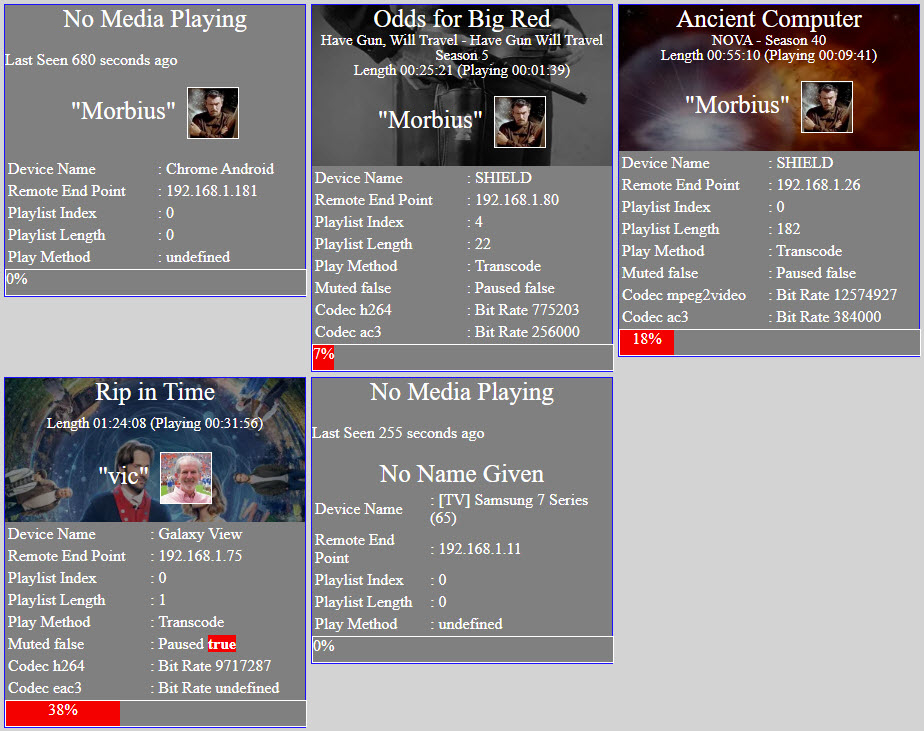
Attached is a picture of the dashboard. Vic
 1 point
 -
Zattoo is an streaming service from switzerland which also streams to germany and austria. It's quite populare these days in my country. Yeah, that's the old one written in perl. The new one is this: https://www.kodinerds.net/index.php/Thread/72127-Telerising-API-Zattoo-blue-TV-Sky-CH-für-tvHeadend-und-VLC-Web-App/ https://github.com/sunsettrack4/telerising-api But from the same author. It's an wrapper to get m3u playlist. It's handling the login, authentification, stream selection and so on. Than it provides an m3u, which you can use and get the streams from your machine running the api. I think there is no easy/other way of getting a plain m3u directly from zattoo. There is an native kodi pvr addon which is also as fast as the native apps (android, lg, ...). I dont want to blame emby for the slow channel switching times. Back than when i installed the api, also with VLC watching the streams has a few seconds delay. But i think it was half the time. Can recheck this. Because of that a native emby PVR addon/plugin would be nice. thx1 point
-
My apologies. I had a previous Emby docker (Linuxserver's) that I confused with the Official Emby docker I have installed/use. I will delete the dll's from there and report back. Thanks for your help with this!1 point
-
It's not a criticism of Emby. I get that you set it up based on how the databases have things segregated. TMDB and TVDB do not inter-connect; TVDB has a bunch of bureaucracy about how it needs to be arranged and has no real competition for western TV; I don't think you pull from AniDB or MDL or MAL; For bigger franchises the timeline orders are basically only in their respective wikis, etc and you can't easily scrape them. - I get that. But that doesn't stop me wanting my mixed media collection arranged in a particular watch order and wanting continue-watching / up-next to work correctly with it.1 point
-
@Happy2Play Thank you for the reply I realized that was the issue after I made the post but glad it was clarified.1 point
-
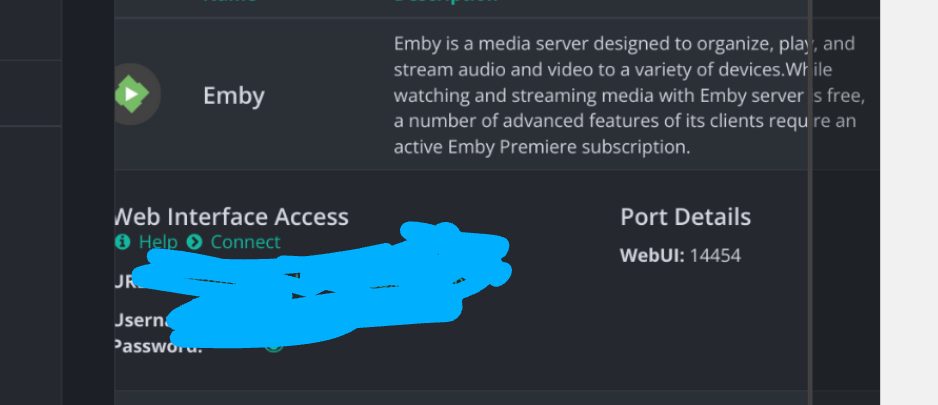
Sorry for the necro post... I use ulttracc and I had a hard time getting the emby apps to work, so hopefully this helps for ppl that had the same issue I did and a search engine brought you here (like me) -its possible to get the emby app to work if you log into the web version. Go to the dashboard and it will display the remote wan access IP. It will say something like 123.456.789.012:8096 When you install emby from the ultra.cc control panel it will look like the pic below. Use the remote IP given on the emby dashboard with the port displayed on your ultracc control panel and it will allow you to log in using the app.
 1 point
 -
We are working on it and we are dependent on the core providing us with information as well - the same question as teamB is asking above - is the core providing an editor or not ? The Plugin IS integrated with the Core - I use it everyday, this is what the chapter task does. It has a minor bug which creates duplicate chapters on some scenerio's - it's fix depends on the above - we are not gonna spend time on a plugin that has no future. To note - We all have busy day jobs - we develop/test these enhancements FOC - so please, respect that issues arise and take time to get resolved.1 point
-
This is an insane deal. The UHD 630 is a bit better than what I have, being a UHD 620, but the extra horsepower you get from the more powerful chip will help with any audio encoding, and any other processing, like subtitles and tone mapping, if for whatever reason it can't be done in hardware. The dev team has done some amazing things, and you will be happy with this little micro. I use a laptop because it's great to have a screen attached without needing another monitor or dummy plug to remote in. They can also be had for extremely cheap, and use the same asics as their desktop counterparts, usually.1 point
-
@DarKni8 may have some seedbox tips.1 point
-
Hi @Hawkwinter why exactly do you think that you had to go through all of that?1 point
-
Emby for iOS 2.1.7 Released: Features Intro Skip & Table View Requires: Emby Server 4.7 or later Emby for iOS Version Changes: • Intro Skip • Table View • Add new field options for display • Various playback fixes over SSL connections Click for Extended Blog Coverage Intro Skip One of the exciting new features recently released is the TV Show Episode Intro Skip feature. This allows you to jump right to the start of the action saving you a great deal of time. Intro skip can be setup on each client to do automatic skipping or manually skipped. In manual mode a new icon shows up on the OSD that can be selected to skip ahead. Combine Into Skip with Automatic Play Next Episode for a superior binge-watching experience! Here's Skip Intro in action using the manual mode. Anytime during the intro you can select the Skip Intro button. Each client's Playback menu will have an option to select the Intro Skipping method to use. Make sure to click the Intro Skip link in the table above for extended coverage on this new feature including setup on your Emby Server. Table View A new library view has been added to all libraries. It uses a grid (column & row) format displaying information about your media. This new view is completely customizable with selectable columns as well as column sort order. This view is ideal for many uses including the ability to see a lot of data on small screens. Because it doesn't use cover graphics it loads extremely fast as well. Here's a couple pictures showing the new Table View in action. Make sure to follow the Table View link in the table above for extended coverage. Other Changes Add new field options for display Various playback fixes over SSL connections View the full article1 point
-
Emby for Android 3.2.51 Released: Features Intro Skip & Table View Requires: Emby Server 4.7 or later Emby for Android Version Changes: • Intro Skip • Table View • Add new field options for display • Add new theme options Click for Extended Blog Coverage Intro Skip One of the exciting new features recently released is the TV Show Episode Intro Skip feature. This allows you to jump right to the start of the action saving you a great deal of time. Intro skip can be setup on each client to do automatic skipping or manually skipped. In manual mode a new icon shows up on the OSD that can be selected to skip ahead. Combine Into Skip with Automatic Play Next Episode for a superior binge-watching experience! Here's Skip Intro in action using the manual mode. Anytime during the intro you can select the Skip Intro button. Each client's Playback menu will have an option to select the Intro Skipping method to use. Make sure to click the Intro Skip link in the table above for extended coverage on this new feature including setup on your Emby Server. Table View A new library view has been added to all libraries. It uses a grid (column & row) format displaying information about your media. This new view is completely customizable with selectable columns as well as column sort order. This view is ideal for many uses including the ability to see a lot of data on small screens. Because it doesn't use cover graphics it loads extremely fast as well. Here's a couple pictures showing the new Table View in action. Make sure to follow the Table View link in the table above for extended coverage. Other Changes Add new field options for display Add new theme options View the full article1 point
-
Honestly for the price you are better off upgrading the CPU in your system for an 11th or 12th gen Intel and just use Quicksync.1 point
-
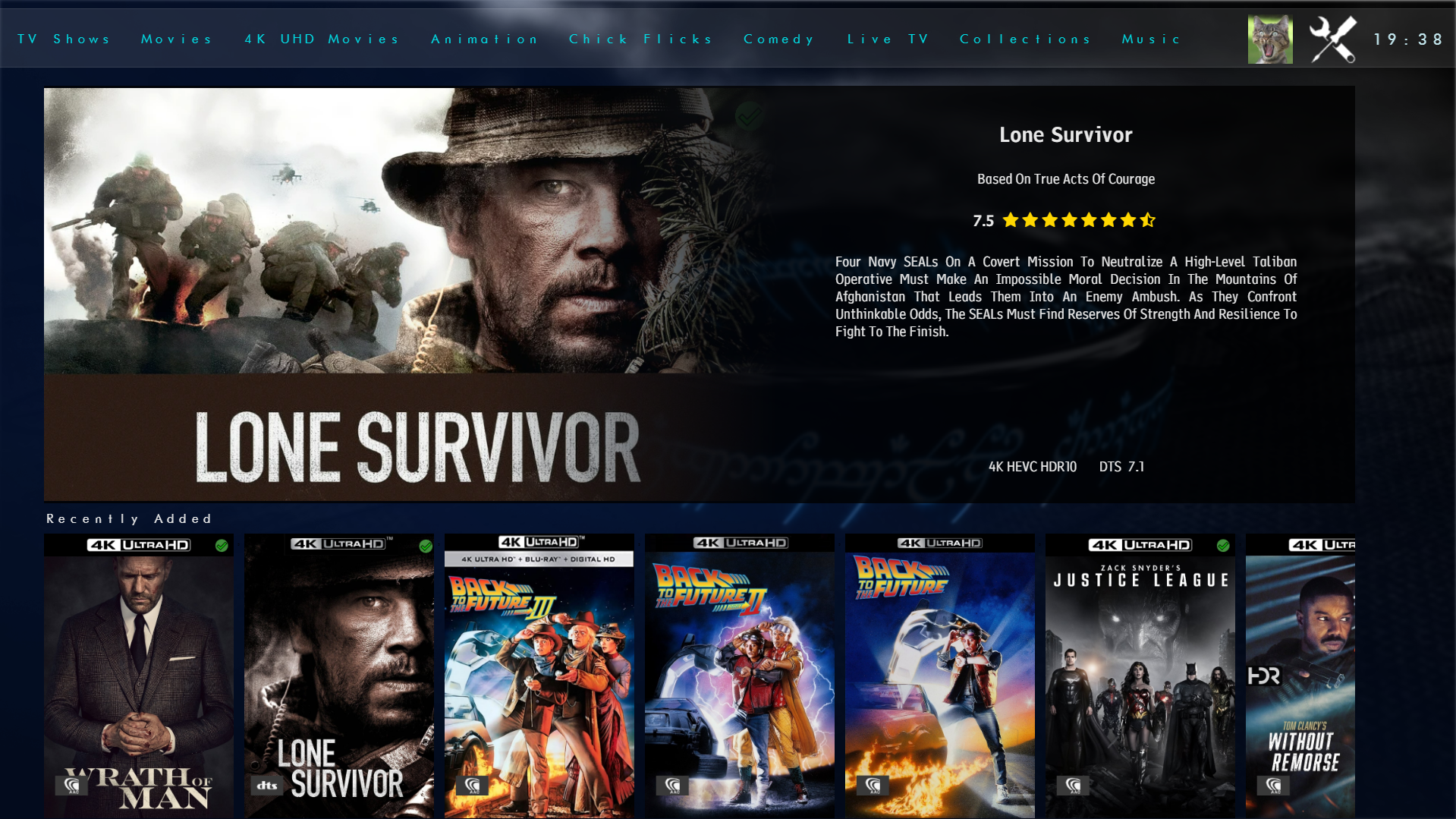
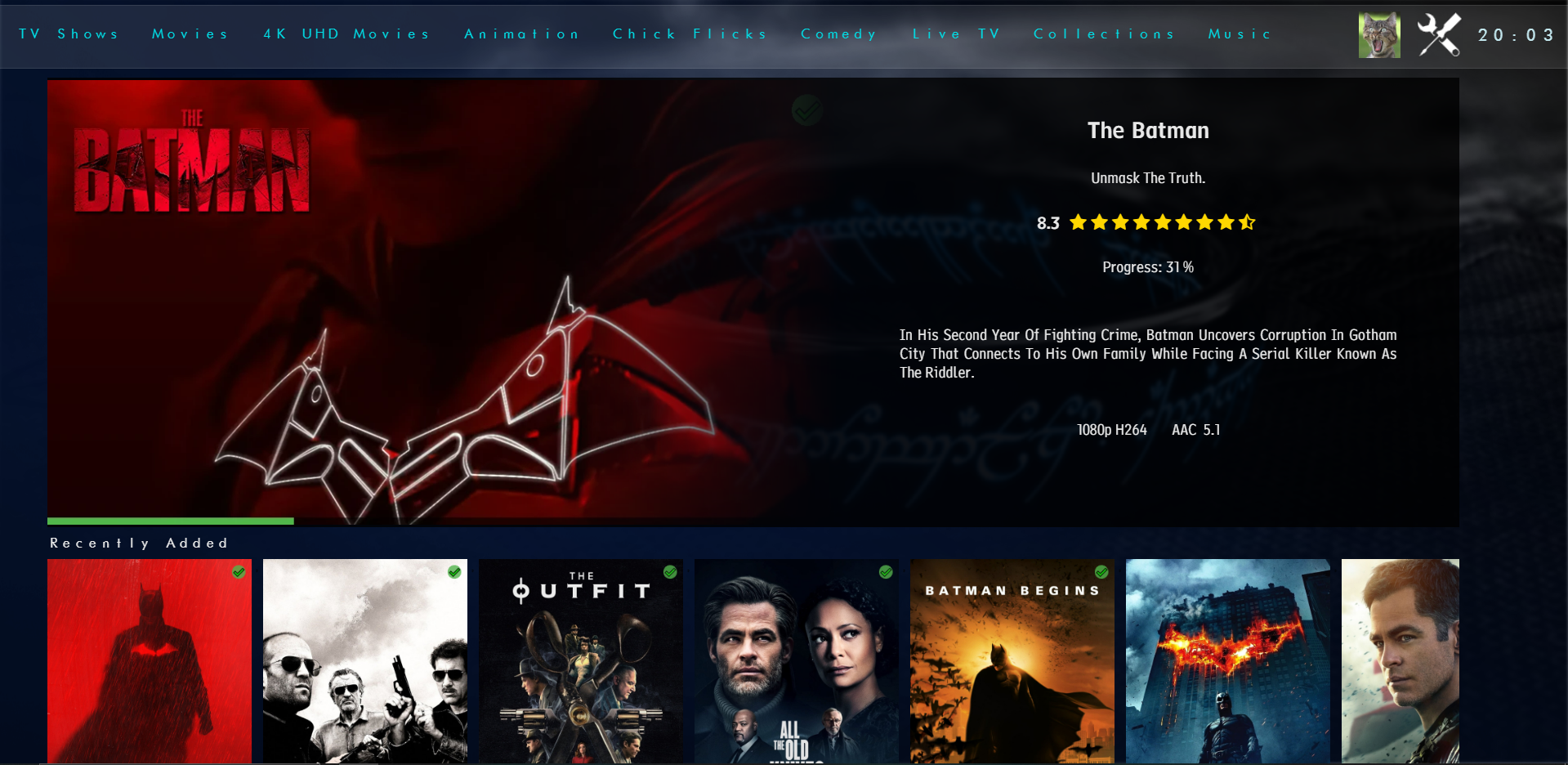
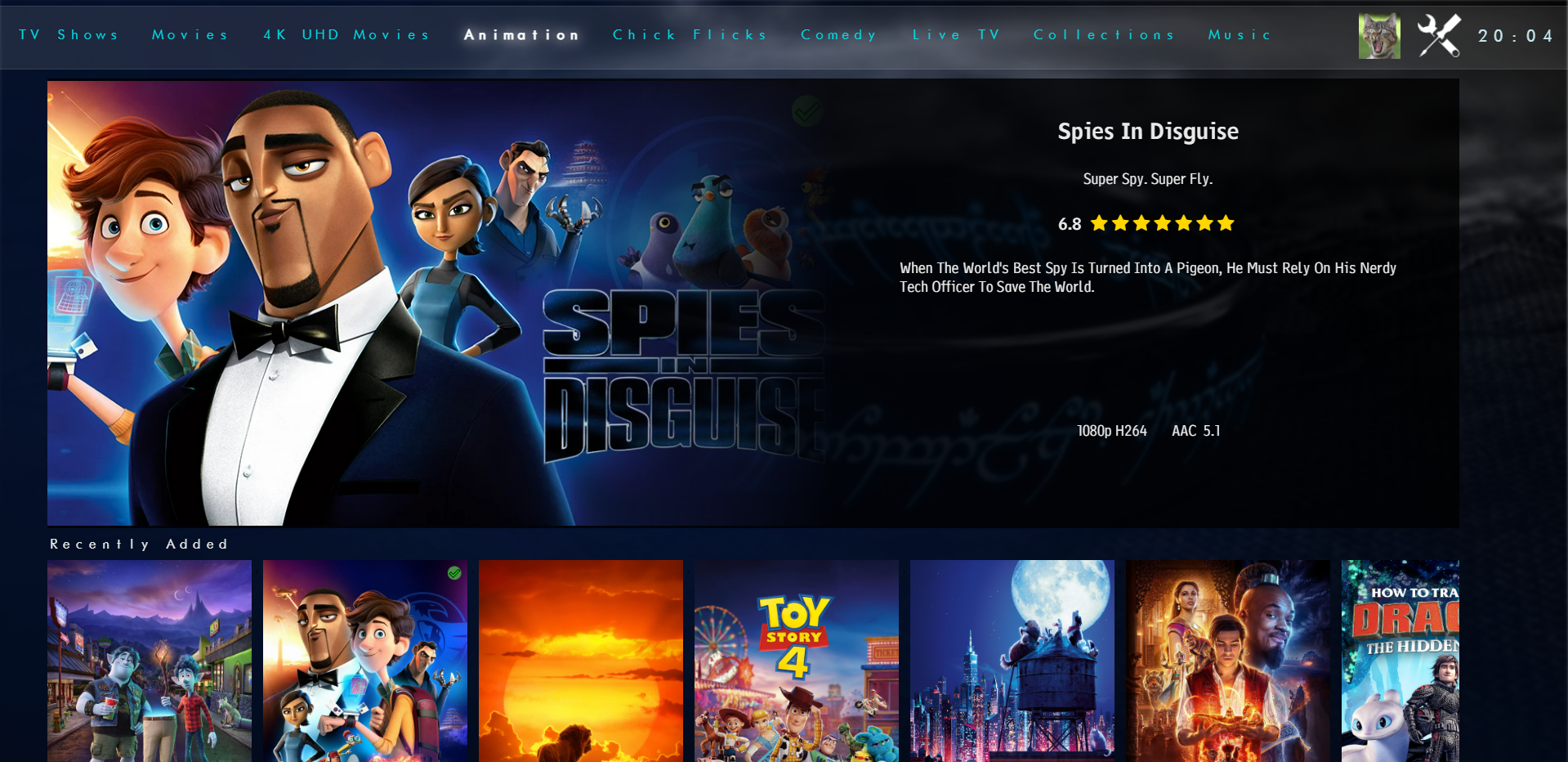
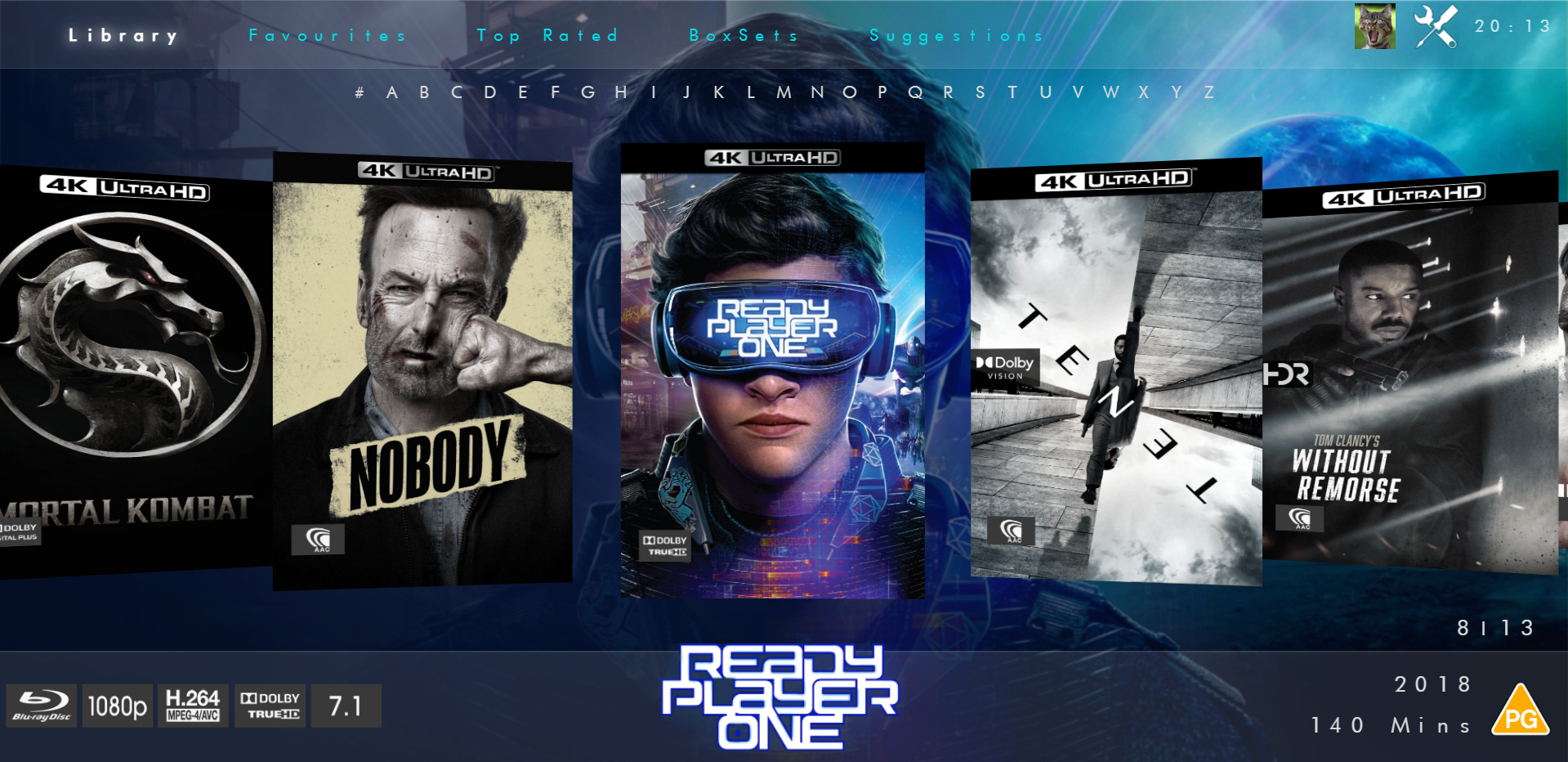
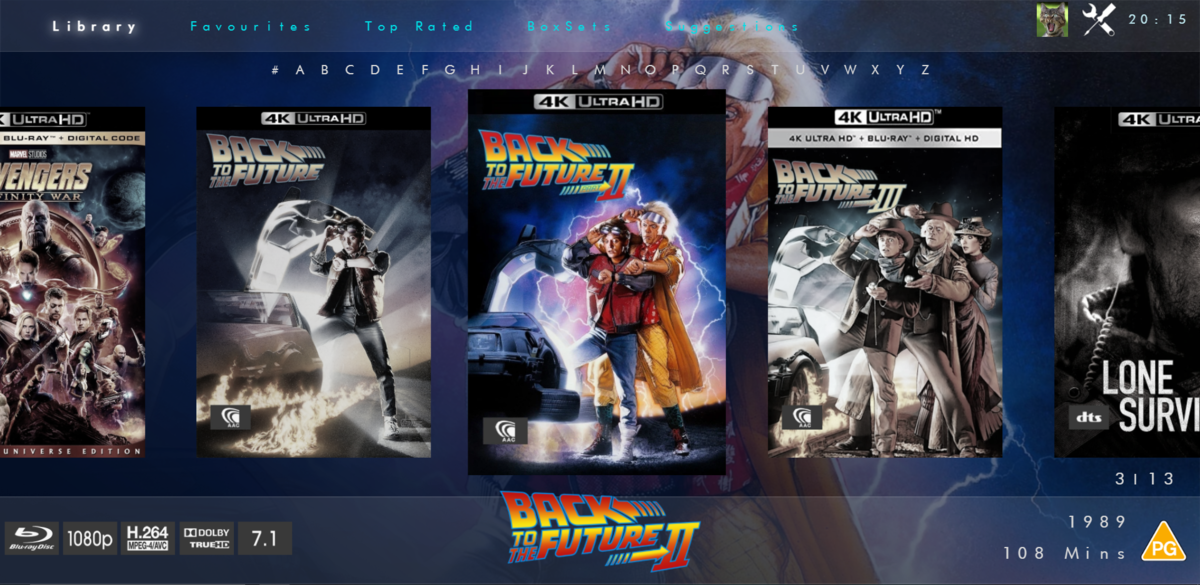
Not had much time to play but here is the new modern layout. Spotlight - chooses a random recently added item then a series of scrollers will go underneath for Recently Added Continue Watching Top Rated (this will be items over a certain community rating) Favourties Boxsets Now Playing - this will be whats showing in Cinemas/Digital Streaming Services (taken from TMDB) iHome Flat Coverflow View Coverflow View And you've seen the full details screen. Anyways... Hope you like it
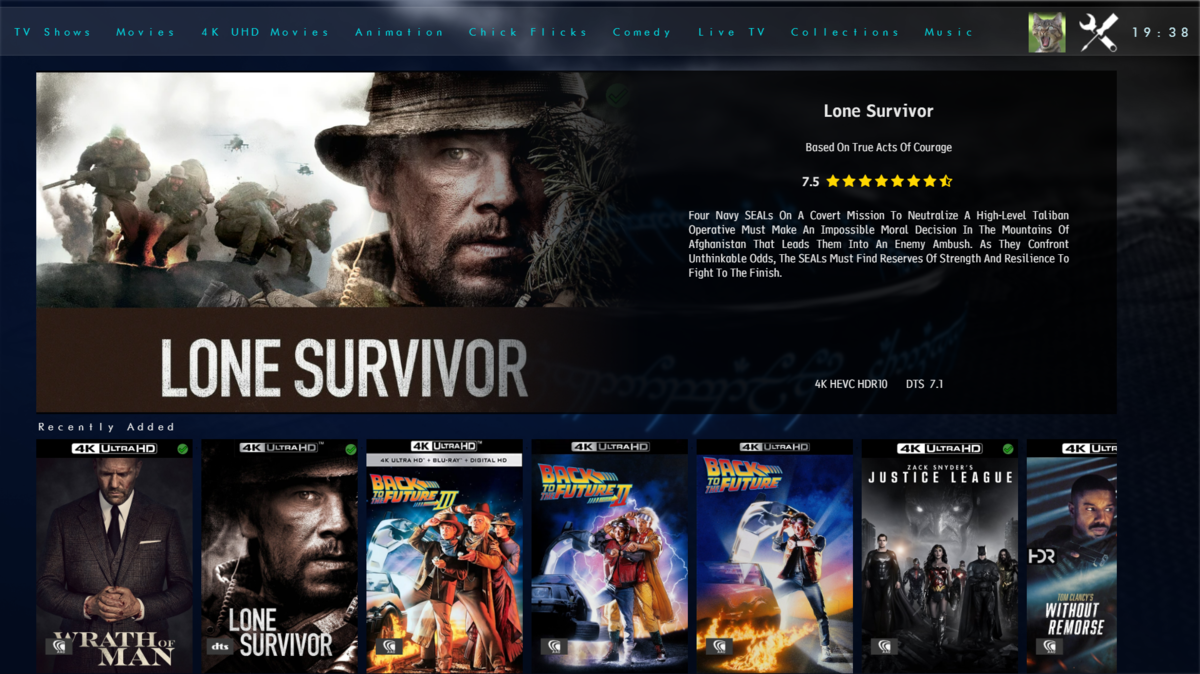
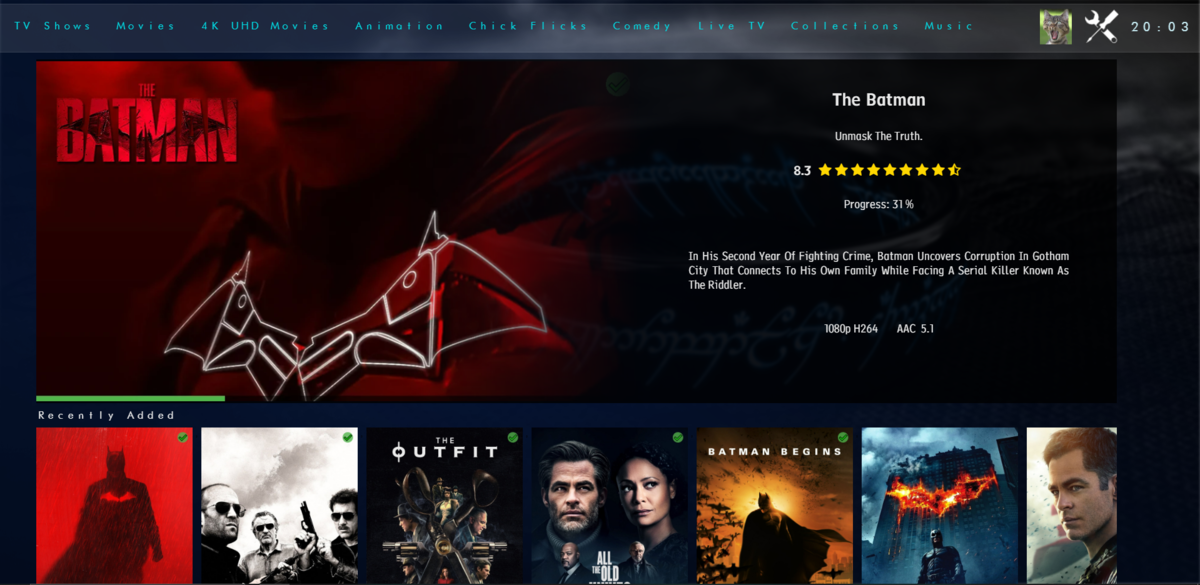
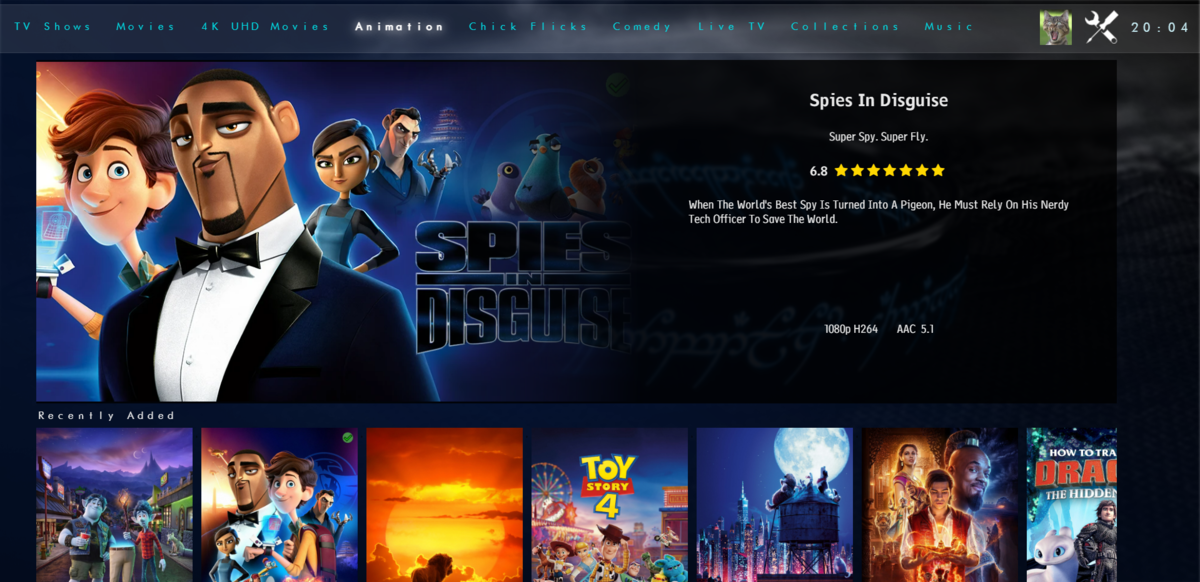
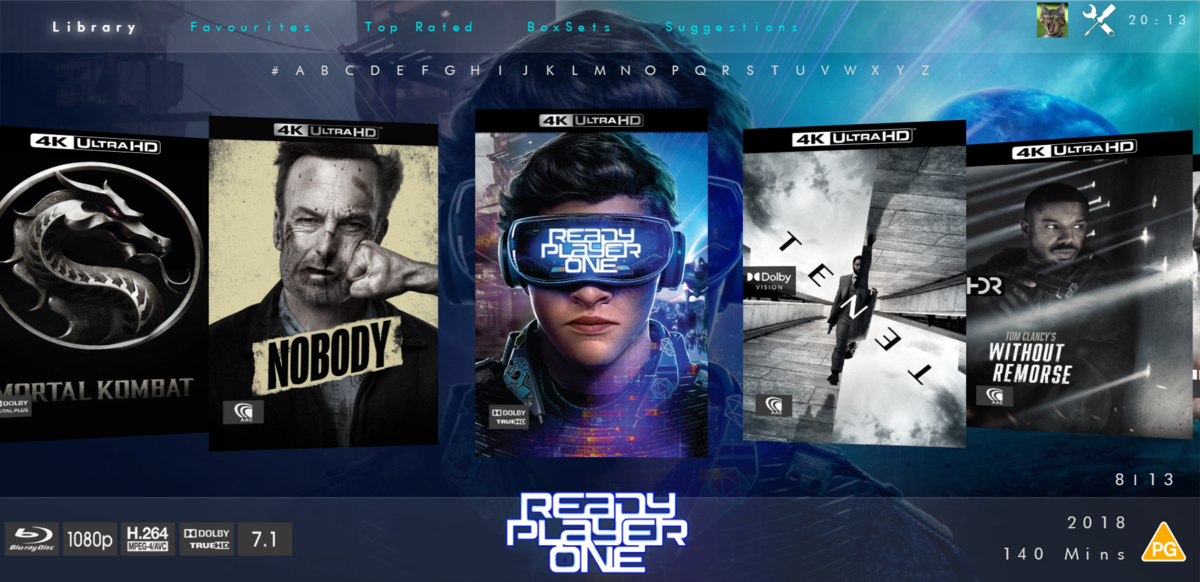
 1 point
 -
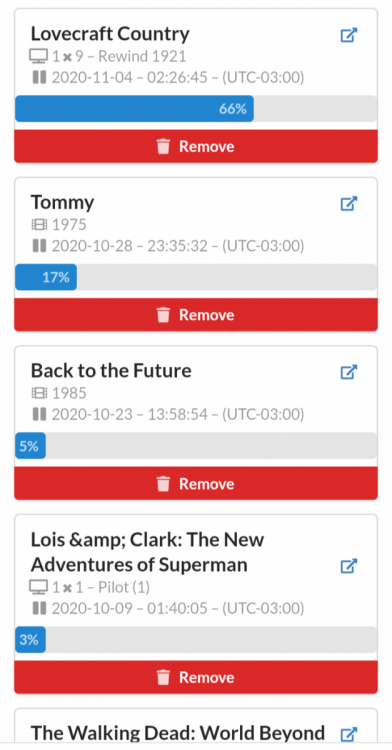
At Trakt, progress is normal.
 1 point
 -
This community is here to help you. Here are some guidelines on what information you should supply when reporting issues. Make sure to check out our Knowledge Base for more useful information. Reporting Emby Issues Please create a topic in the community. Describe the problem in your own words, including what you're trying to accomplish, and where you're getting stuck. Please mention some specific examples. In your description, be very specific about the steps you took and what happened with the system. Describe it like you are talking to a blind person - because you are. We cannot see what you did or what happened so be as specific as possible. If you saw error messages, please tell us what they were. If the problem is difficult to explain, please include screenshots that demonstrate the issue. Please attach the server log from the time frame the activity occurred. See the section below titled Emby Server Logs. Please supply the full and complete log file in txt format. Please don't zip or compress, and avoid attempting to extract relevant sections. Everything is relevant to us. If a server transcoding log (ffmpeg log) was also generated during playback (in the server logs folder), please attach that as well. If you are using the Roku or Android TV specific app, please also follow the instructions below to send a log from the app. Emby Server Logs Logs can be accessed directly within the server's web interface by navigating to Logs under Emby Server sidebar section. If you're having difficulty using the web interface, log files can be found in the logs subfolder of the Emby Server Data Folder . Note: Be aware that these log files would not be sanitized if obtained directly from the logs folder and should not be uploaded in the forums. If there is an error downloading the logs through the Emby Web interface for Settings / Logs, please enable debug logging, repeat the attempt to download the logs and report the problem in the forum indicating the logs download issue. The raw logs can then be forwarded to a member of the Emby Team when requested. Emby for Android TV/Fire TV and Emby for Roku Logs These apps have the option to send an app log to us electronically. You enter the settings page and turn on the "Debug Options". Now there will be a new tile on your home page settings row (or menu option on the user menu at the top) labelled "Send Log". Reproduce your problem and then use this button to send the log. Then add the following information to your report in the forum: Exactly what you were doing and what happened. Include the name of whatever you played if it is a playback problem The time you sent the log (in Eastern Time please - UTC -5) The name of the Emby user on the local server that was logged in at the time How to Post Log Files You can simply drag a file onto your post to attach it. Alternatively, you can upload your log file to Paste2 or a DropBox account and then post the link in your topic. Please avoid linking us to log files that require us to sign into a website. If the problem is occurring in the Emby Web app, please remove any custom CSS you may have created and see if the issue remains after that.1 point