Leaderboard




Popular Content
Showing content with the highest reputation on 07/04/22 in Posts
-
Save Time With Emby's Intro Skip Requires: Emby Server 4.7 or later In order to use the Intro Skip feature you need to edit each TV Show library and turn the feature on. Scroll down to the Markers section in the library and change the setting from NEVER to either "as a scheduled task" or "as a scheduled task and when media is added" depending on your particular needs. Once setup go to Scheduled Tasks and you'll see a new option has been added: By default this task is set to run every 24 hours. You can adjust it to run at specific time if you like. To add a new Task click the + sign above. This shows a new schedule that starts at 3 AM and is allowed to run for 4 hours. After clicking Add: We can now click the trashcan icon on the 24 hours schedule ending with: From our Scheduled Tasks menu we can manually run this job clicking the arrow icon. You will then see a status bar showing the percentage complete. There is nothing more needed on the server to use Intro Skip except to give it time to analyze all episodes and build the Intro Skip indexes. This process may take a while depending on the number of episodes you have. Client Settings Each client can be set to ignore TV Show Intros, automatically use Intros, or to prompt use showing a button. You can set this option in the client option's Playback Menu. Skip Intro Button With the Skip Intro button selected you can clearly see the button on the OSD immediately at the start of playback. The timeline is still at 0:00 before the show has started to play and we can already skip the introduction of the show. Clicking the Skip Intro button immediately jumps right to the start of the Episode. With the client option set to Automatically skip intros our TV show intros have been put on auto pilot. Right at the start of playback it jumps to the end of the intro right at the point of the fade in. View the full article4 points
-
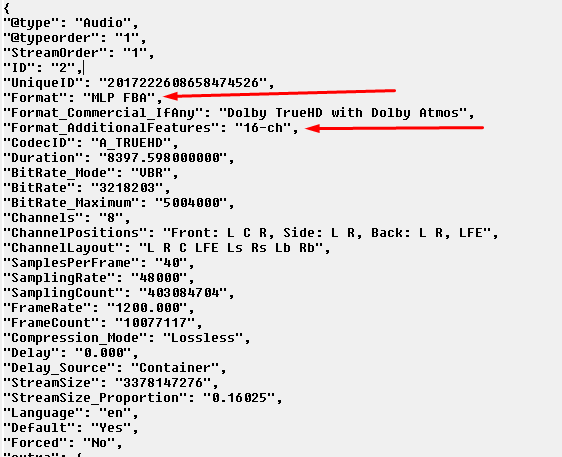
Nice catch ! I never caught that in my original script either. So MLP FBA + 16 Channels = TrueHD + Atmos MLP FBA Only = TrueHD2 points
-
No you cannot. I was suggesting that your plug-in actually add that ability, though. To do what the actual request is for directly, you need to discover all the items that need to be "reset" for the guest account and then go reset them all. I'm saying that an easier way to do that would be to simply re-create the account with default settings. You then don't have to know all the things that need to be reset because the system will just delete them when you delete the account. So, a way to accomplish the guest account reset would be to actually create a plug-in that defines user "templates" for default settings (you wouldn't have to re-create all the user settings - you could simply have the ability to select an existing account as the default). Then the ability to delete an account and re-create it with one of the templates. Admittedly more than the scope of this request but, in a way, it might be easier. Up to you what you want to do.2 points
-
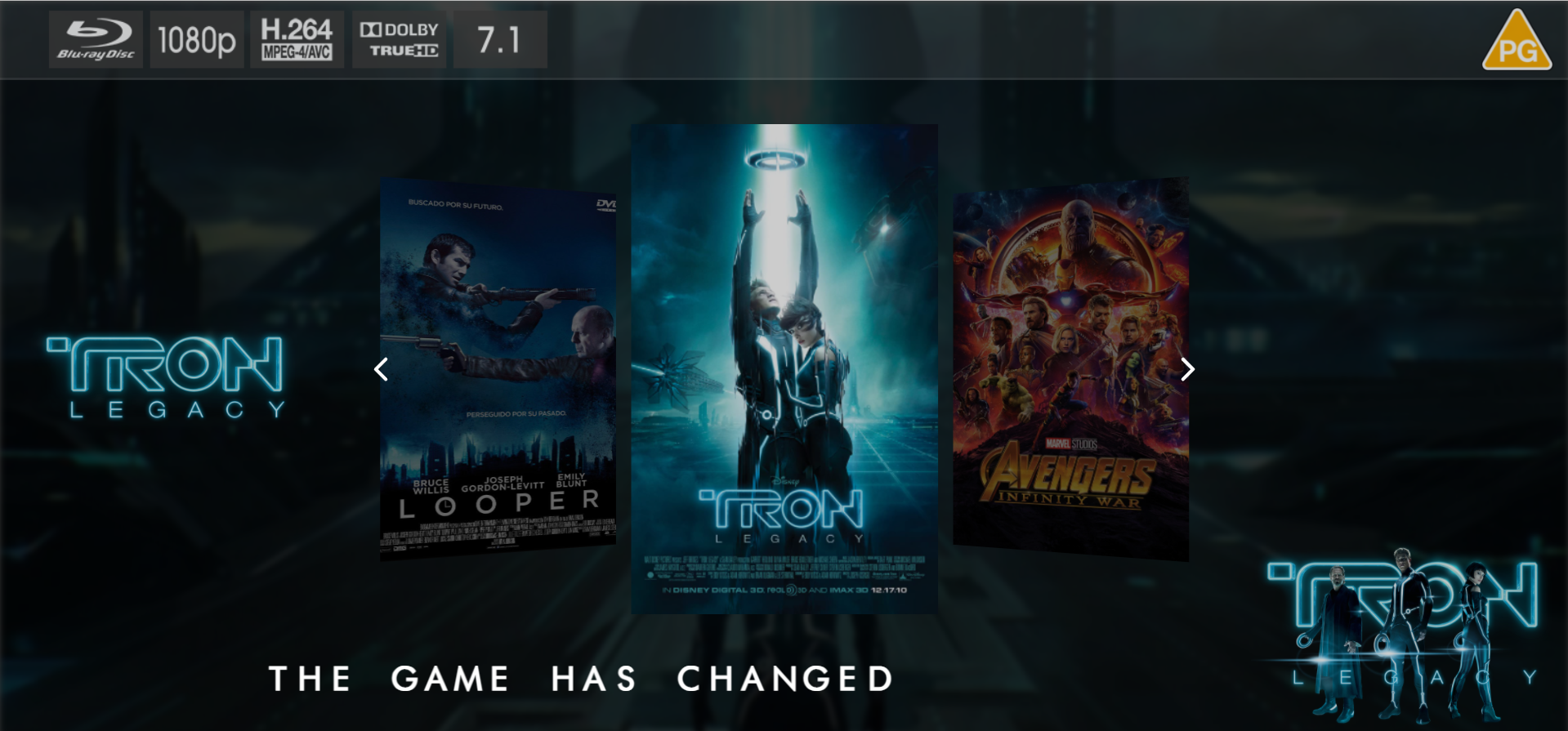
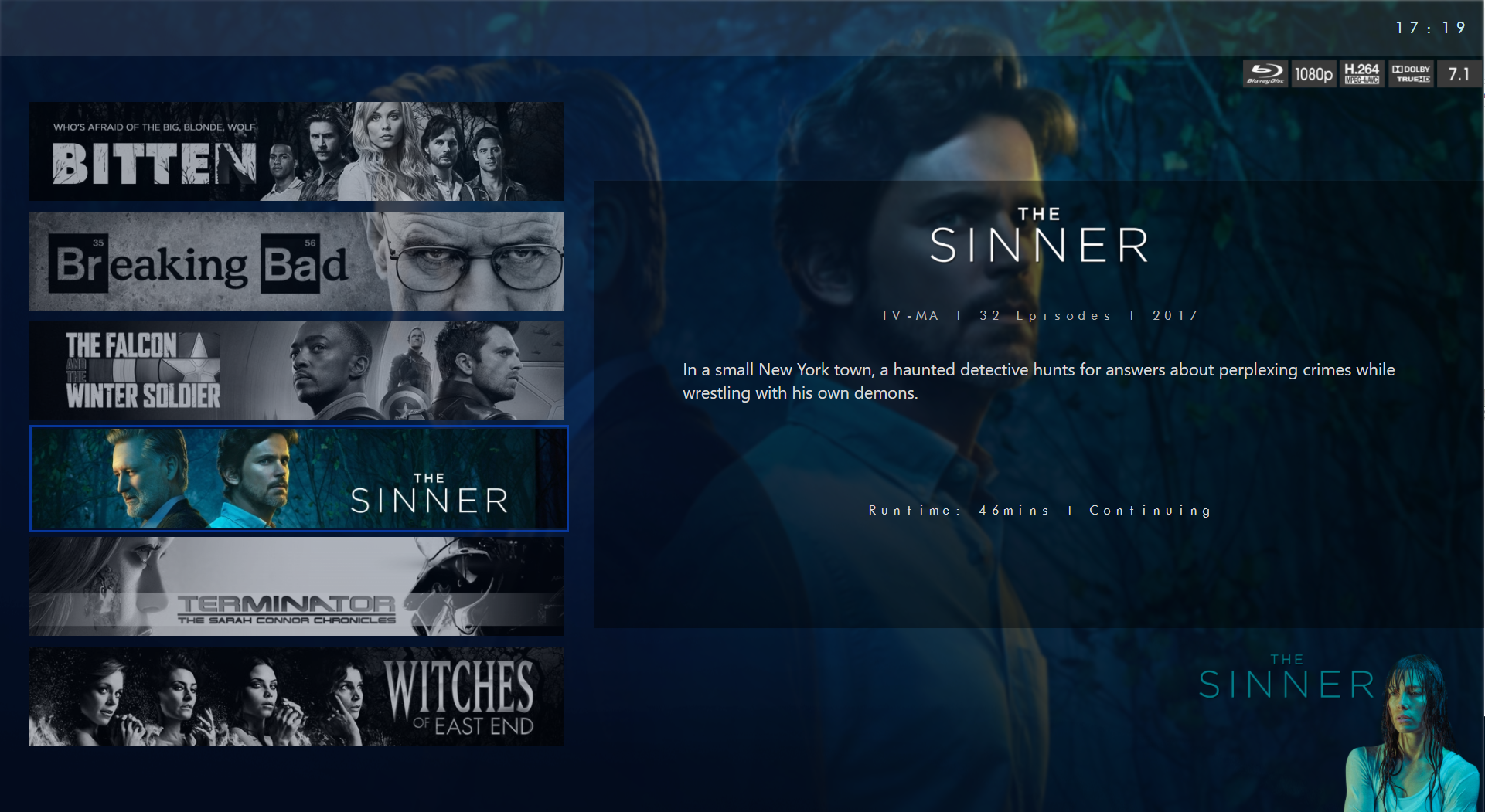
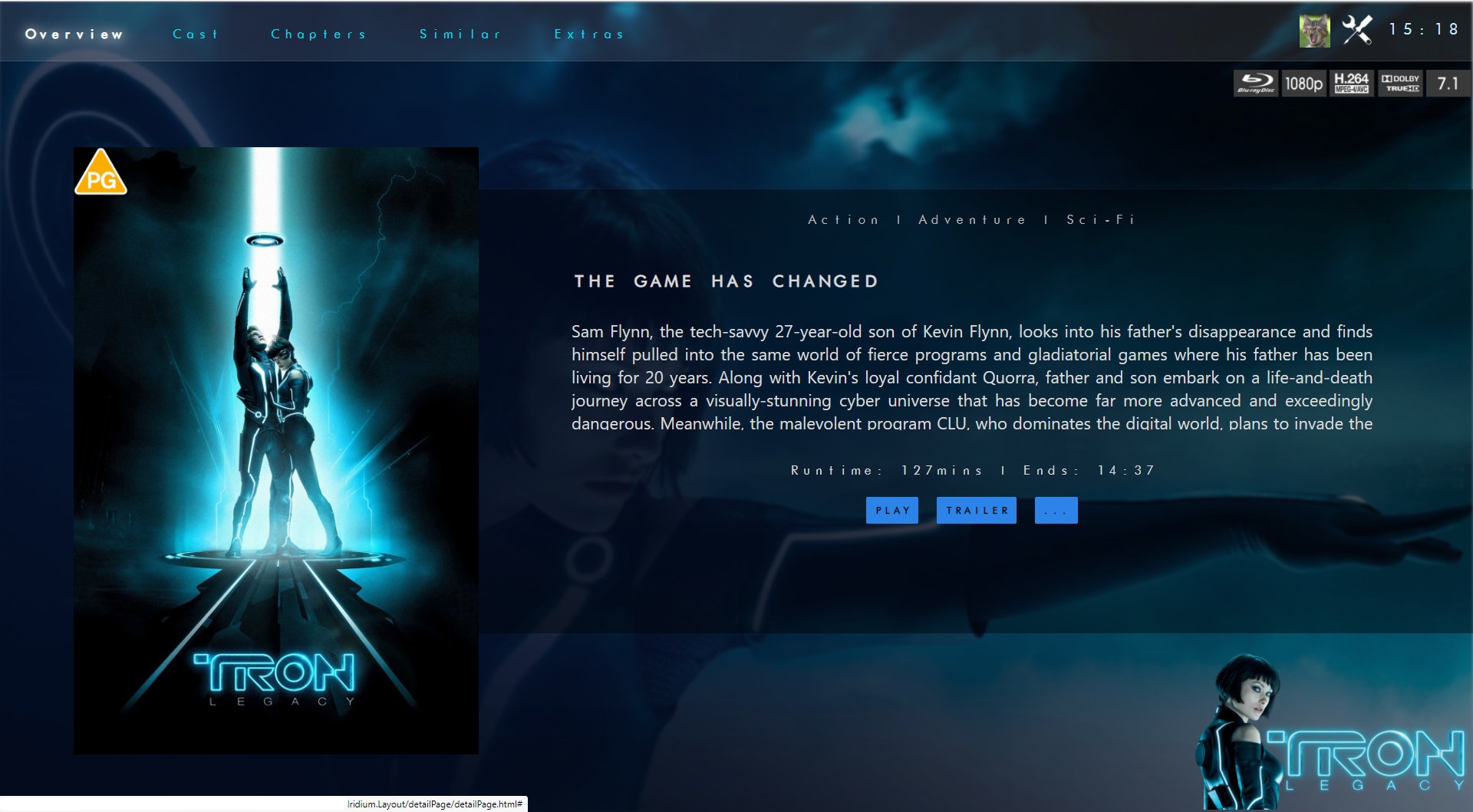
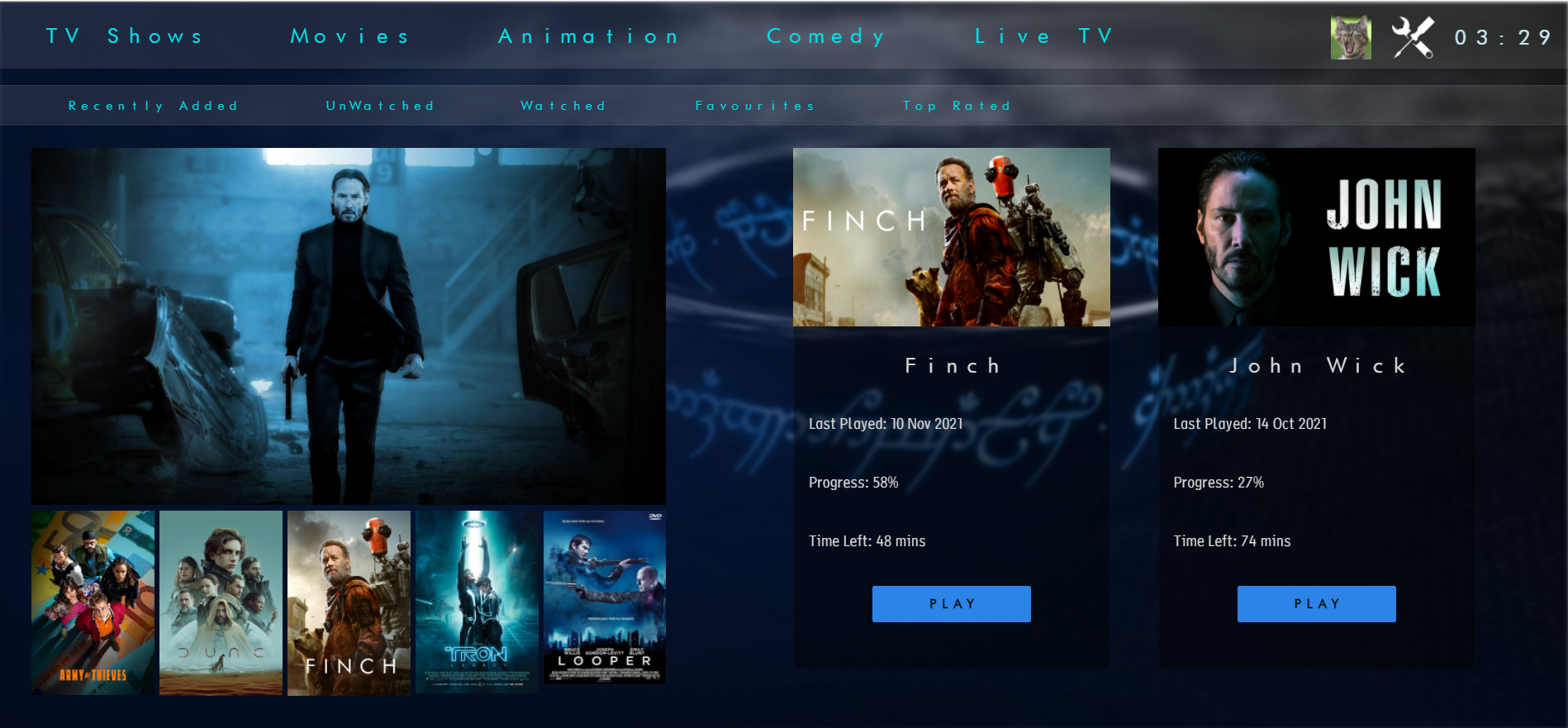
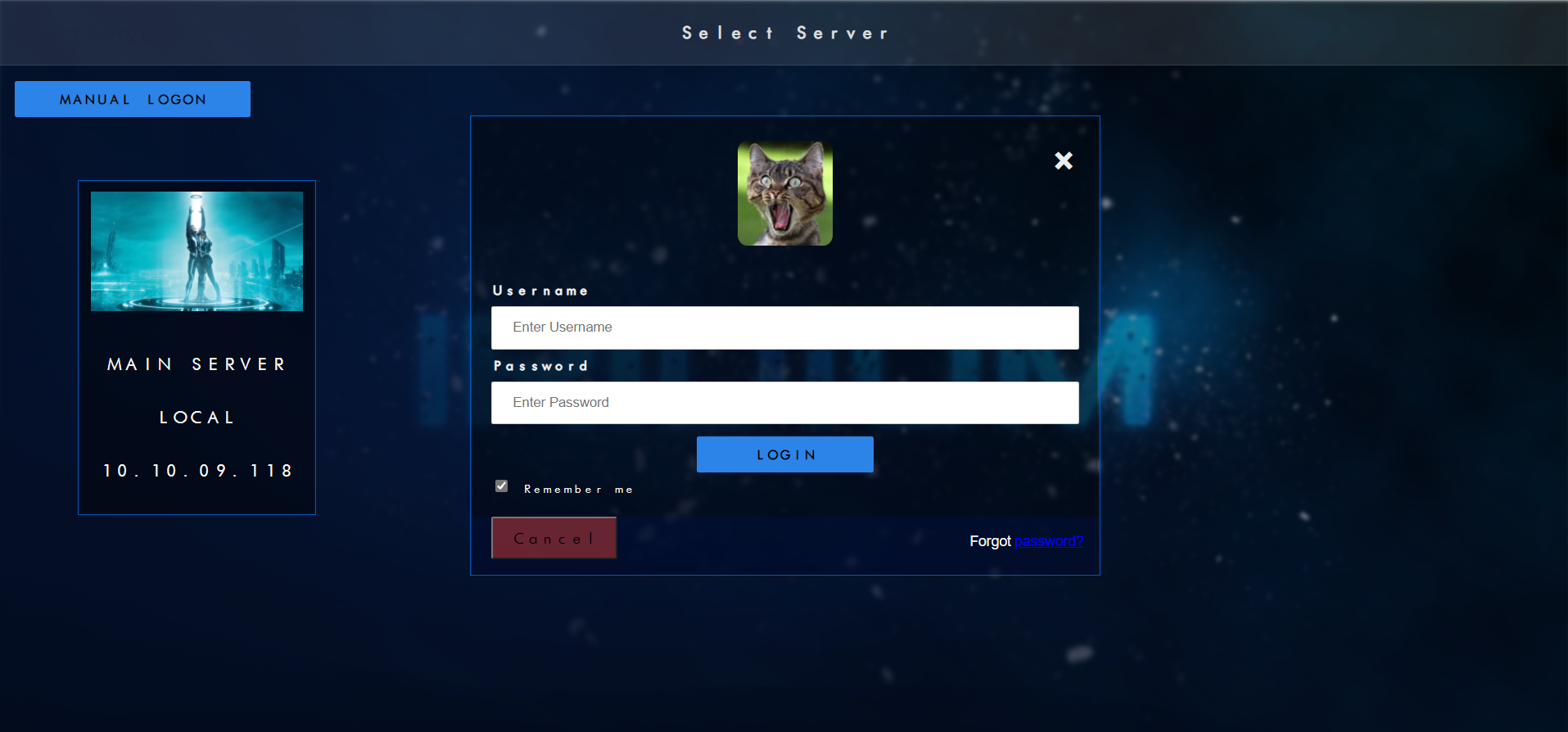
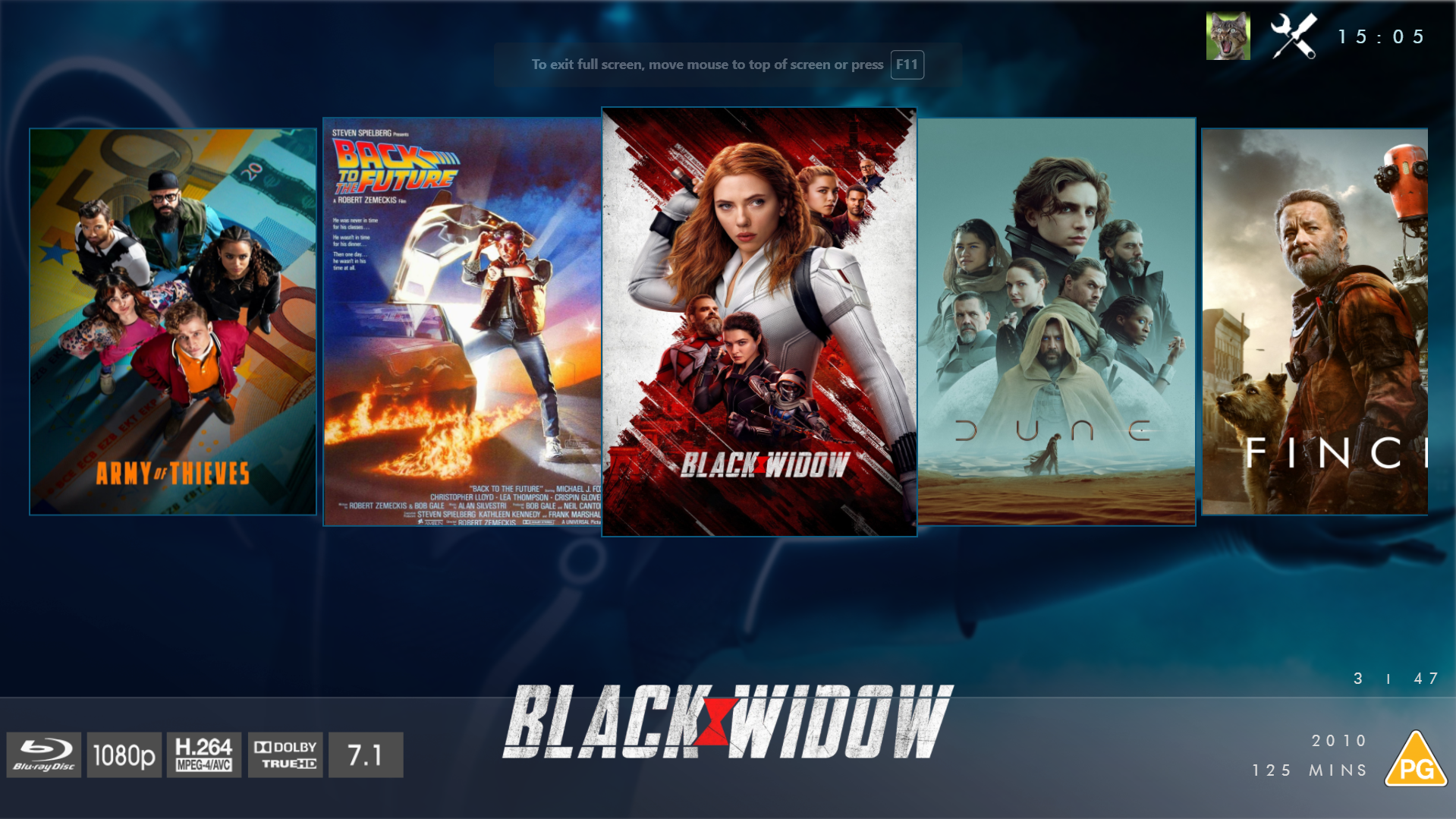
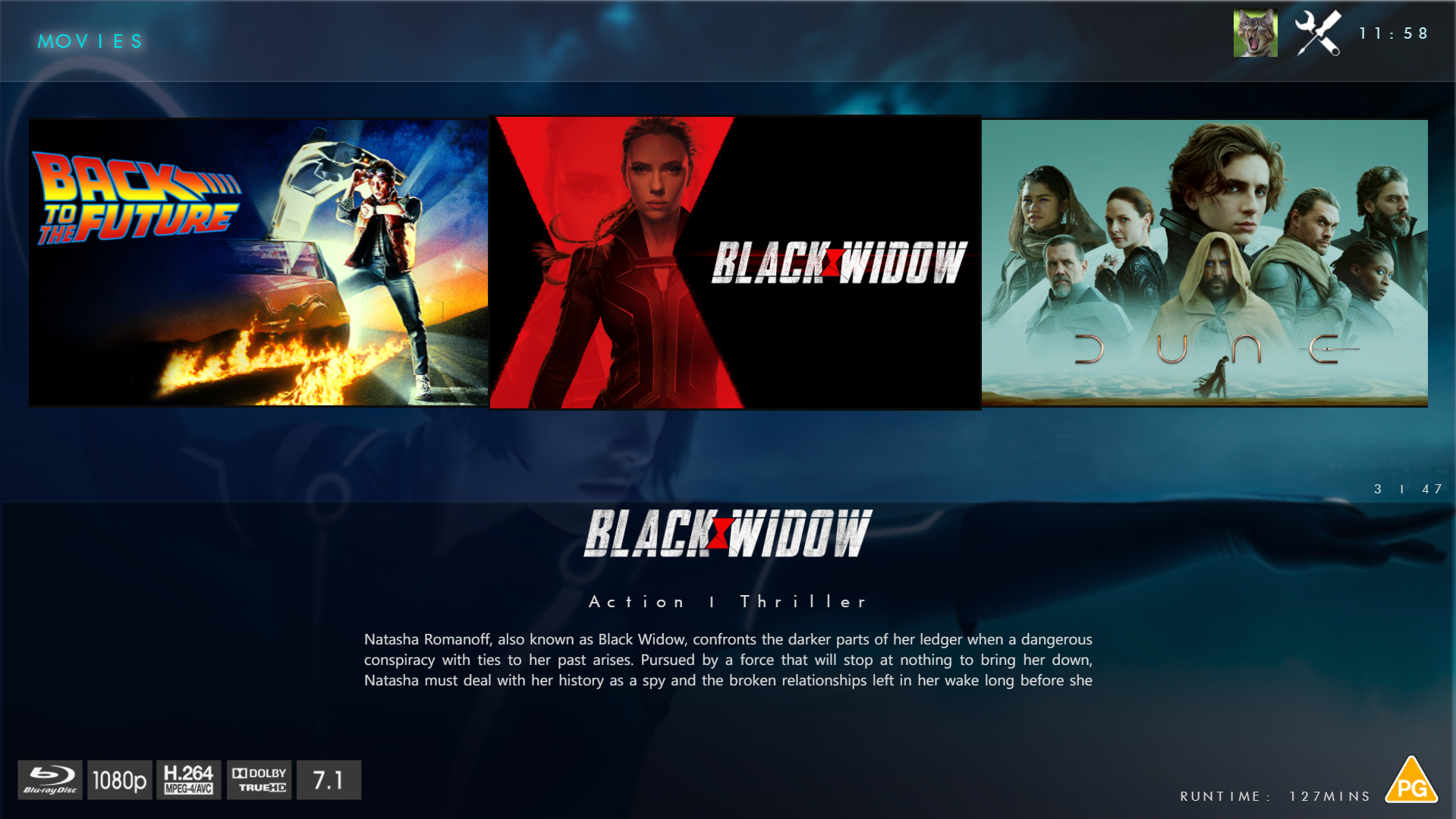
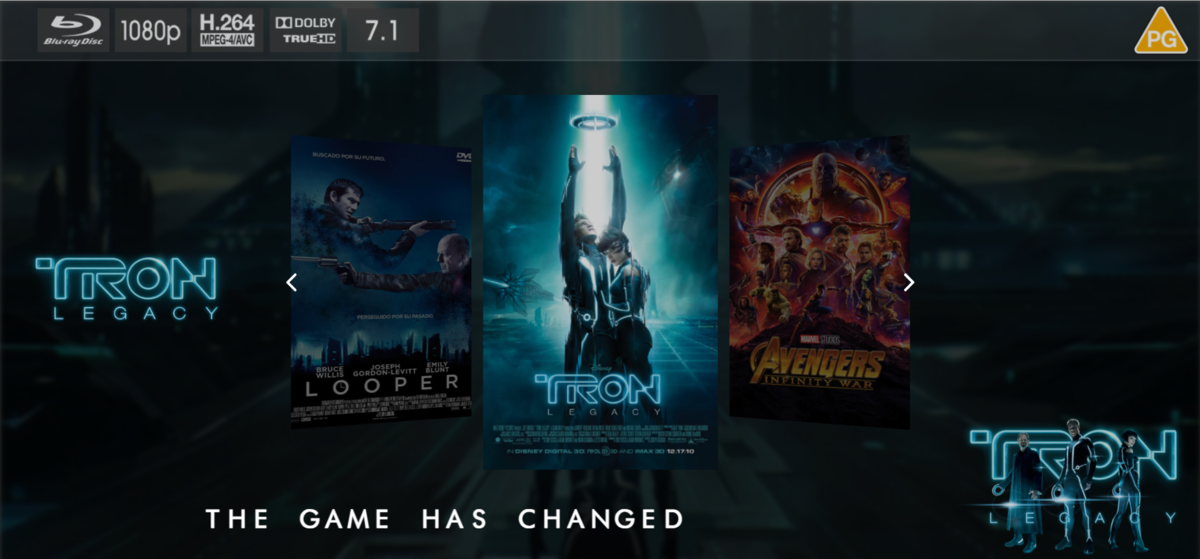
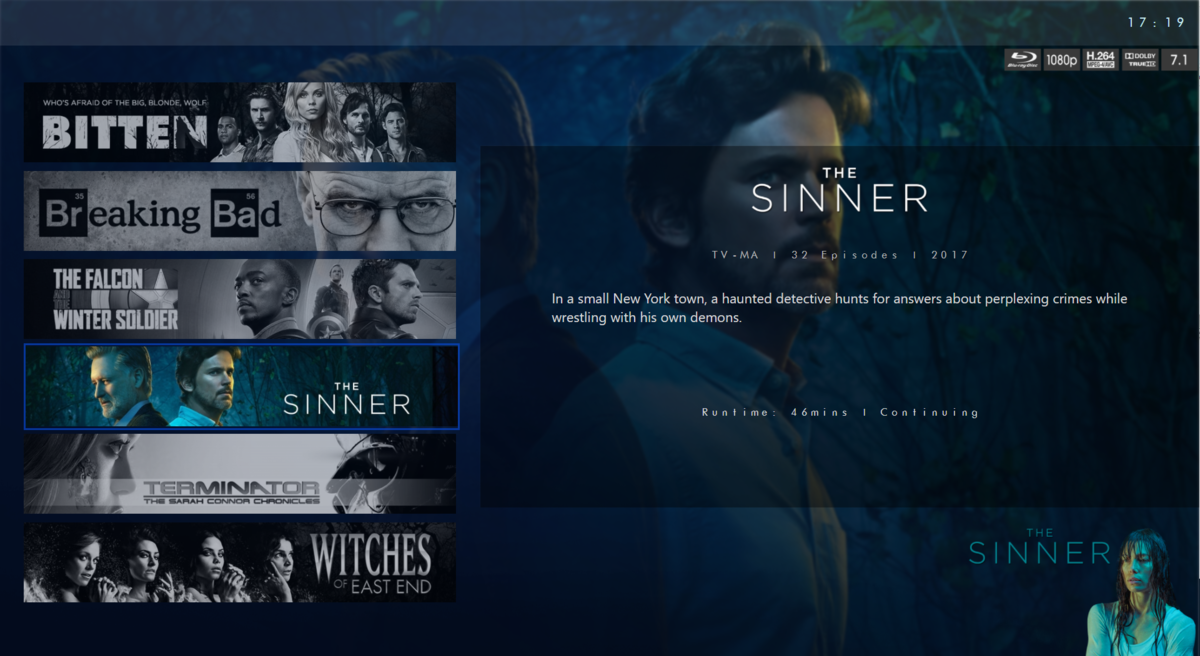
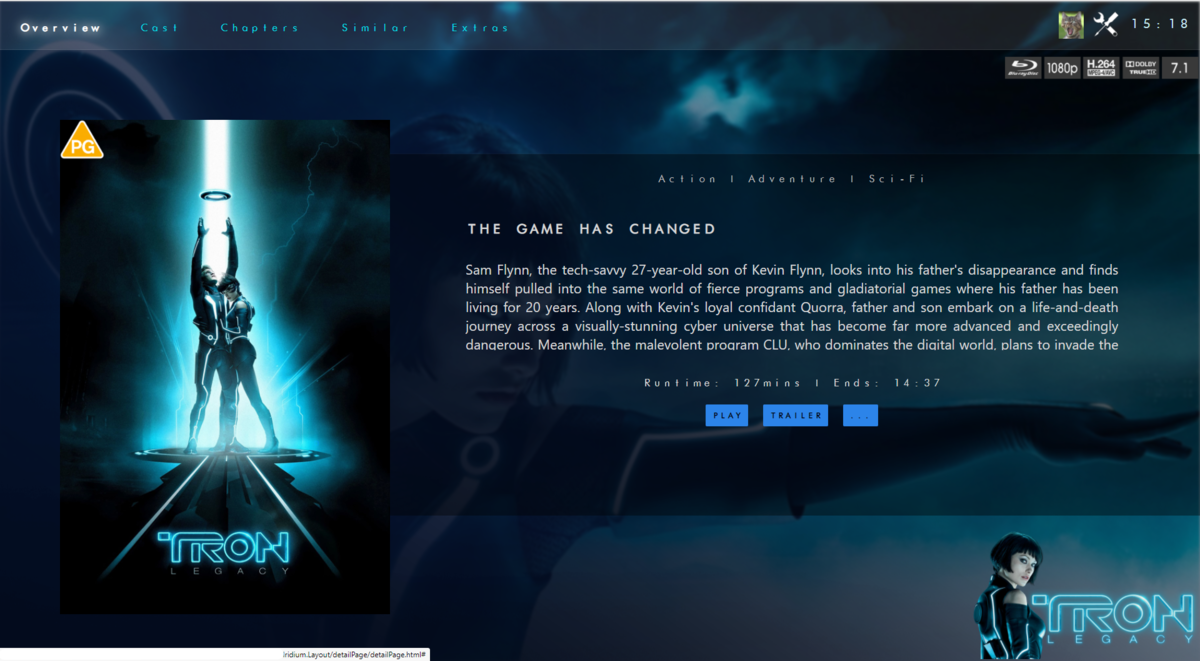
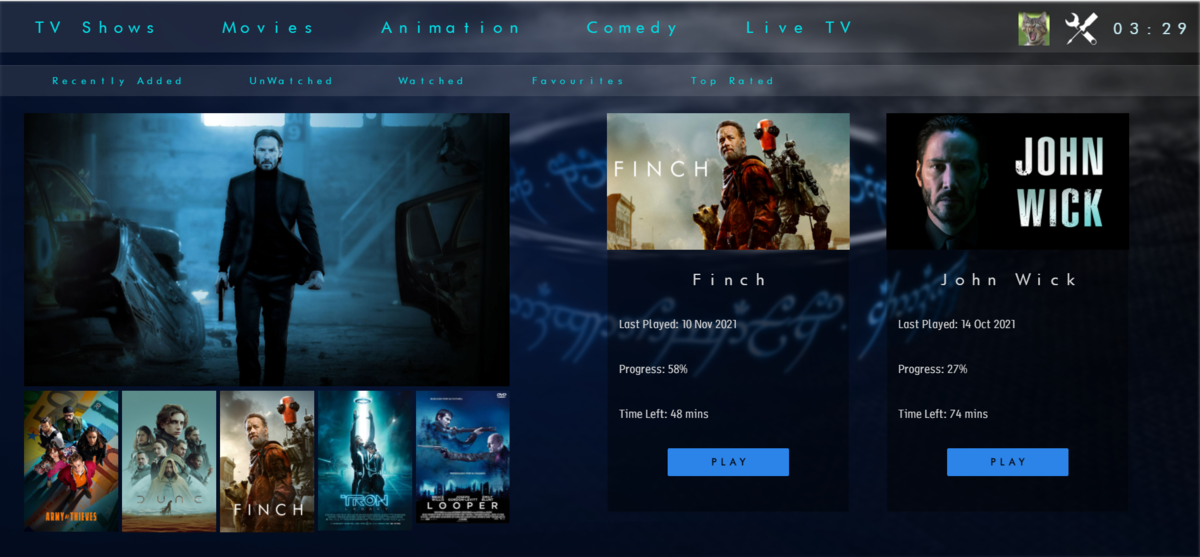
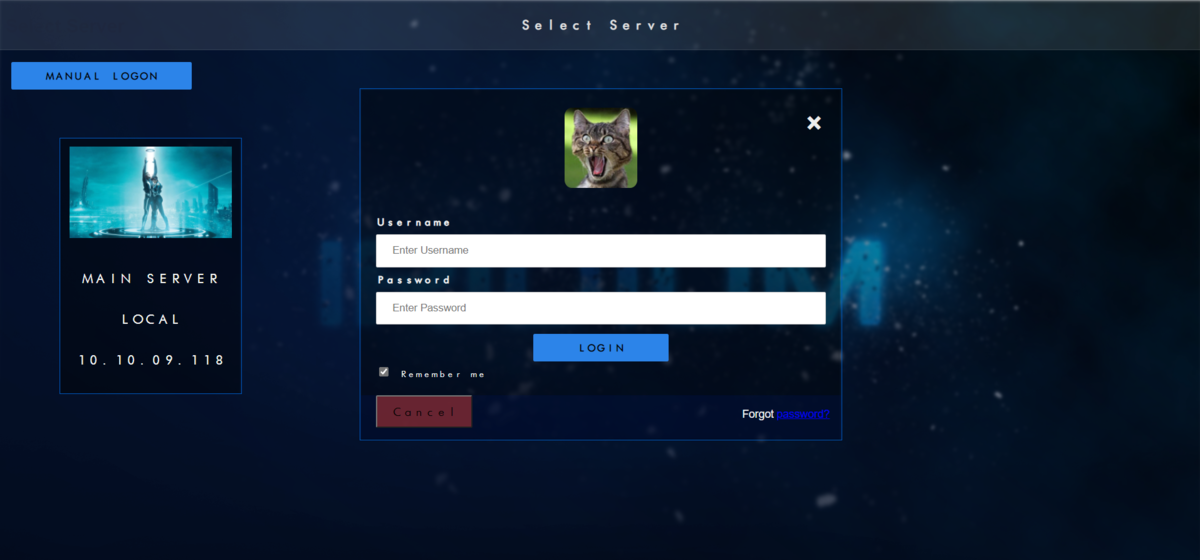
@chef @Cheesegeezer Another amazing production is about to be brought to you from devs - Cheesegeezer - I have started a new theme to bring to the masses. I am a long way off completion however we can continue to update you on the progress. The layouts are about 80% complete and once completed we can start to work on the code behind. We are interested in a closed group of testers when the time comes. I would just like to say that this was originally designed for Emby WMC back in 2014 and was just release there when M$ ditched support for WMC and the project died. @shaefurr did an amazing job with the concept artwork for me to work with back then, and this theme pays homage to him. So with out further ado... here's some of the layouts that are now coded. IRIDIUM - One theme to conquer all LOGON SCREEN HOME PAGE FIRST VIEW TYPE - COVERFLOW COVERFLOW 2 BANNER VIEW FINAL DETAILS PAGE LIST VIEW THUMB VIEW
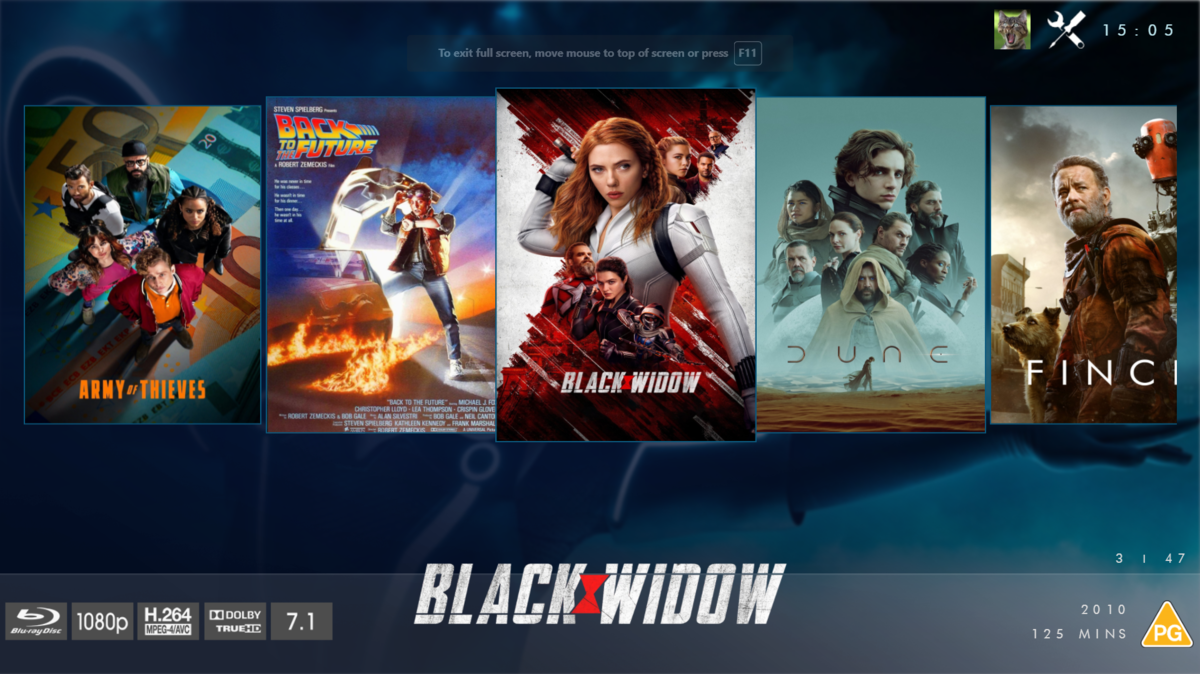
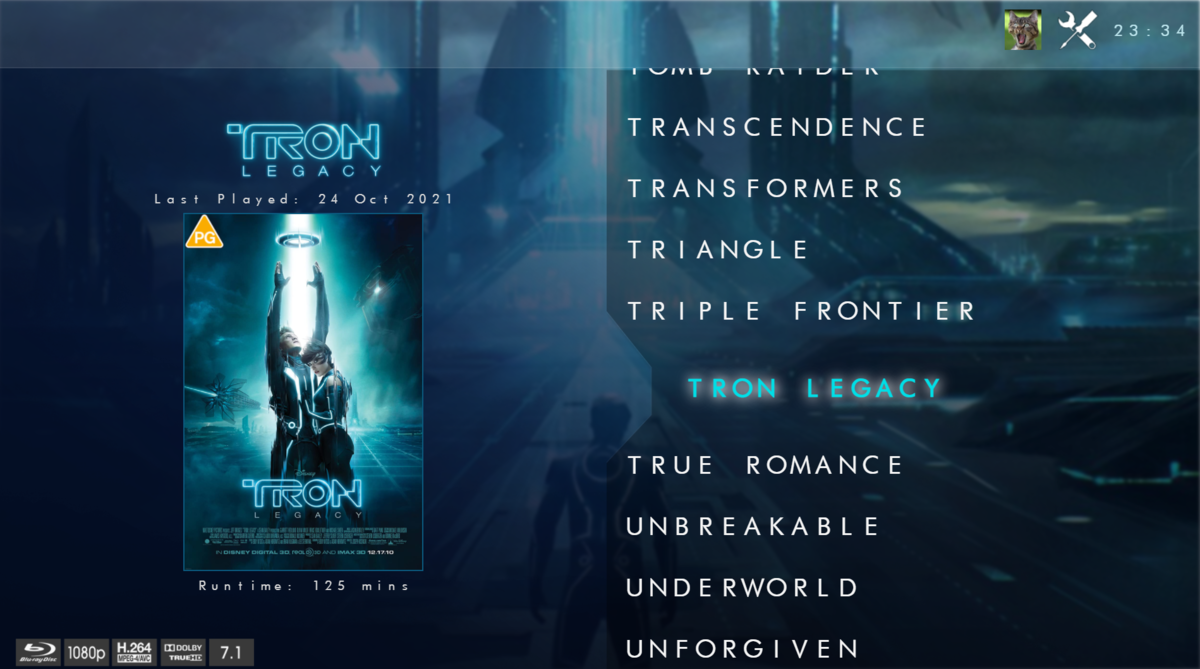
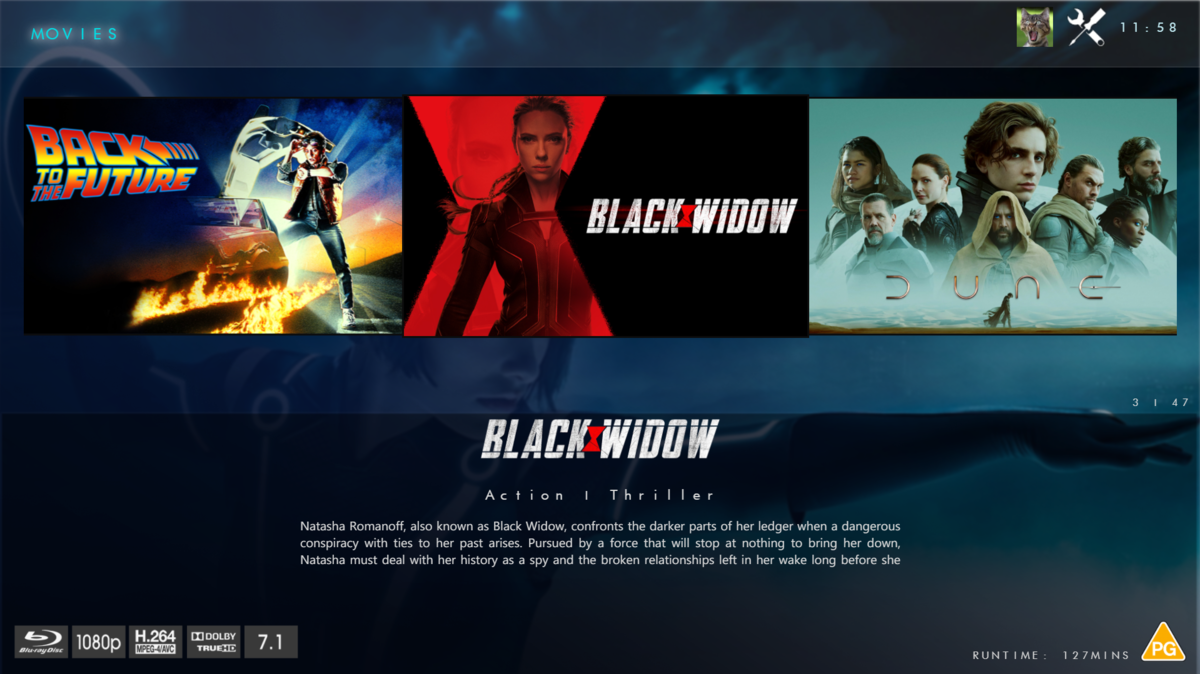
 1 point
 -
Hi, why do you think you need to keep doing this? The app already supports this.1 point
-
Thank, i buy it, i will return here for feedback1 point
-
Actually no its Dolby TrueHD 7.1 [Atmos]1 point
-
We're looking into it. Thanks.1 point
-
We are still looking into it. Thanks.1 point
-
The current folders in Backblaze do NOT have any MP4 files in them -- when the Genius Bar transferred my old data files to my new Mac mini (a few days ago) all the MP4 files were not moved over. However, I went back in Backblaze to a date before the new Mac mini and everything I need is there. So, again, thank you. I'll let you know how this all turns about...!! Michael1 point
-
I'll have a deeper look into your logs tomorrow. I can tell you this is not normal what you are reporting and surly not a general issue. As usual I recommend testing with stock skin and no exotic plugins and I know you have several of them. e.g. "screensaver.picture.slideshow" reports issues etc. This doesn't mean, you shouldn't use the plugins, but it's always hard to identify the issue. I need to know, if a regular (stock) installation causes issues (I really doubt that), and if it's fine I need to know what combination causes issues.1 point
-
Since I switched to Next gen 7 I have a number of issues. - No more fan art visible in Kodi. Everything is black and only when I turn off extra fan art I see 1 fan art on some TV shows. Everything just works fine in Emby. - Photos are not displayed full screen when I click on a photo. When I click on play from here, all photos go full screen, but so fast that it is impossible to follow. The photos can be displayed full screen from the widget. - Bookmarks and watched status icons are not visible until I restart Kodi. This was the case with 7.2.0 and 7.3.1 I will install the latest update tomorrow, but whether that version solves the problem? Thank you kodi.old.log embyserver.txt kodi.log1 point
-
I checked several movies with just TrueHD 5.1 (no Atmos) and they all got identified as having Atmos Here's the json for the movie Automata { "@type": "Audio", "@typeorder": "1", "StreamOrder": "1", "ID": "2", "UniqueID": "2", "Format": "MLP FBA", "Format_Commercial_IfAny": "Dolby TrueHD", "CodecID": "A_TRUEHD", "Duration": "6594.130000000", "BitRate_Mode": "VBR", "BitRate": "3197568", "BitRate_Maximum": "4500000", "Channels": "6", "ChannelPositions": "Front: L C R, Side: L R, LFE", "ChannelLayout": "L R C LFE Ls Rs", "SamplesPerFrame": "40", "SamplingRate": "48000", "SamplingCount": "316518240", "FrameRate": "1200.000", "FrameCount": "7912956", "BitDepth": "24", "Compression_Mode": "Lossless", "Delay": "0.000", "Delay_Source": "Container", "StreamSize": "2635647466", "StreamSize_Proportion": "0.14020", "Title": "Dolby TrueHD Atmos 5.1 (Default)", "Language": "en", "Default": "Yes", "Forced": "No" },1 point
-
That worked....thank you very much. I wouldn't have found that option on my own. If necessary, I was going to disconnect the Media Drive and then delete the Libraries (be no media files to also be deleted in the process). Your option is MUCH better. Michael1 point
-
Hi, yes this is something we should add. Thanks.1 point
-
Ok so i think i need to add in an additional feature for Atmos. Your example has no Format Additional features, but atmos has it for 16-ch. Nice wee cheeky find
 1 point
 -
In that case I'd say go with feature set you've listed above (and add Favorites there), i.e. stuff that can/will be modified/changed by the Guest user theirself and not easy/time-consuming to reset, and let Admin take care of User setting part, for now. My 2c.1 point
-
i have a lytmi - its better than that. also better than the hyperion solution i was using before the lytmi1 point
-
Cheers fella and i agree. But i need a scope to work too. Otherwise feature creep comes into play an nothing is ever released. All i'm after is an initial list of things to cover.1 point
-
Yeah, that's what I had in mind - and proper way to reset/purge that one. But you do whatever you see fit, there'll be some user feedback received once plugin released, upon which you might expand its scope in due time.1 point
-
Docker on a Linux Machine Emby Server: 4.7.5.0 Remote playback i have to look at home but should be latest1 point
-
Yeah, I think approach number 2 would be the best. Just define a template and then delete and recreate the account. That would obviously have other potential uses as well...1 point
-
DSM 6.2.4-25556 Update 6 Emby Server: 4.7.5.0 Local playback 1.6.0(1)1 point
-
I would have though the python perpetrator would be better at optimizing this sort of thing. the problem I have had in the past using a package level version of xbmcaddon.Addon() is that it does not persist any settings or some other weird behavior where I set a setting and it is not loaded in another instance of the xbmcaddon.Addon() until the first one is de referenced. I need to do a bunch more testing to see if this approach is viable or not, I have crashed Kodi at least once which is not unusual when creating modal dialogs due to Kodi having weird window event handling so will try a few different things to make sure I am happy with it.1 point
-
I am only referencing the ability to use ID3 tags in some kind of smart playlist functionality1 point
-
some tv shows have the intro at the start but a lot have it after some time, for example some of the newer start trek shows the intro can be anywhere form 10 to 18 minutes into the episode. I am working on a dialog that will prompt for skip into, bit like the other clients, it just uses a custom dialog with a similar look and feel as the other clients to prompt when the into markers are available.1 point
-
Hey up, Unfortunately ANDing multiple criteria within same property still ain't possible (they are ORed, but ANDed between different properties), nor has Search field support for conditional logical operators been implemented. Lend your support here: Some more topics discussing same:1 point
-
Hi, yes I tried to delete a show again, and in the popup warning I could see that it actually wrote it was going to delete /TV-Shows/ instead of /TV-Shows/TheShowToDelete so it seems to revert back to the root folder.1 point
-
User setting/icon-Display, Enable theme songs1 point
-
@dylan62370 Yes there are several topics on this and an iOS dev is currently looking into this.1 point
-
I have not been watching much TV, but the little I have watched, I have not had a pause. I'll keep you posted.1 point
-
Can you go over a specific example? What client/app?
 1 point
 -
Giving a try, will let you know if any problem occur...1 point
-
Not sure how you came to this conclusion? But ffmpeg does support this on the Pi4 via (-c:v h264_v4l2m2m) for one example.1 point
-
Next USB version with the fix is not released yet. Worst case it will be in 14 days as that's when the current USB release will expire, so it will be published before that. Hang tight, it will fix the issue for you.1 point
-
yes, it got a bit weirder when I realised none of them could playback either, so I have sideloaded the beta onto all 5 devices now and both login and playback is fine.1 point
-
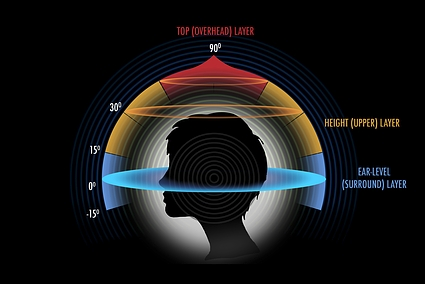
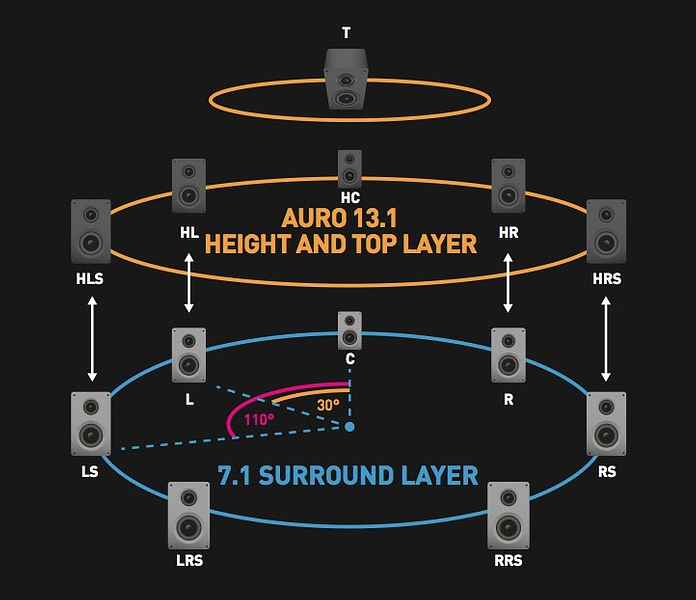
No it is not the same. To begin, we have 3 layers of Sound LOW or Surround Layer, HIGHT Layer and TOP Layer While ATMOS always is the TOP layer, 5.1 or 7.1 in a normal Setup without ATMOS is the LOW/Surround Layer. That means 5.1 or 7.1 WITHOUT Atmos is L,C,R,SL,SR,SBL,SBR <- Back Surround or Rear Surround but it is all on the same layer. the Hight Layer can also be a 7.1 Setup but is not automatically Atmos as 7.1 can be 5.1 base layer + 2 as HIGHT Layer eg. HR,HL <-Hight Right, Hight Left. ATMOS will always mean TOP Speakers so the speaker is always directed DOWN to you. Setups like these can also be used by AURO 3D which is not the same as ATMOS, what you mean with "AVR should get exact infos through the „place“ " is what AURO 3D does. Atmos is in a way bound to speakers or lets say LAYERS, so the Sound of a Helicopter over your head has to come from above, there is no way to "just send it to the back surround" this is what brings a TOP layer audio to the LOW layer and you know how this would sound, rain from behind instead of from above Auro is not bound to a fixed Audio setup and will locate where your speakers are. Atmos is a fixed configuration like 5.2.2 or 7.2.4 etc. which means 5 low layer, 2 subwoofer and 2 top layer speaker or the same with 7 low layer speakers. AURO supports almost infinite number of speakers (object based) <- Atmos is also called object based but the Setup is a bit more rigit while AURO really gives you full freedom in the ammount of speakers. I hope i could explain it a bit and this makes it easier for you to understand it
 1 point
 -
Please add the ability to skip tracks in the new view using the remote (not the OSD).1 point
-
Hi, yes this is inconsistent. We should probably remove it altogether from folder items. It was removed some time ago as an optimization because Emby apps don't use it and it requires database queries for every single item in the list. When you request a single item we happen to have all of that information already so that's why you end up getting it there. If you must have this, then currently I can see that requesting the field RecursiveItemCount will result in this getting populated, which will make queries slower and it's not intuitive so I can't promise it will stay that way forever.1 point
-
That's my opinion. If it is seemingly random or there is a lag at times, I can't give you a definite answer. I don't often go thru this workflow (looking at the different places for status).1 point
-
Yea their release schedule is roughly monthly so I guess this is going to be a problem for the next 30 days.1 point
-
Seems like FF102 introduces defects that don't exist on 101 or 103/104. But applies to all card hover options. https://emby.media/community/index.php?/topic/109590-4800-beta-hover-menu-missing-firefox1 point
-
The search function of emby is not very user-friendly, and it has poor support for Chinese. For example, it does not support Chinese character search starting from any position, nor does it support pinyin initial letter search. Looking forward to optimization, thank you development team.1 point
-
Before anyone asks, I've downloaded 4.7 and am starting work on updated the plug-in. More news soon.1 point
-
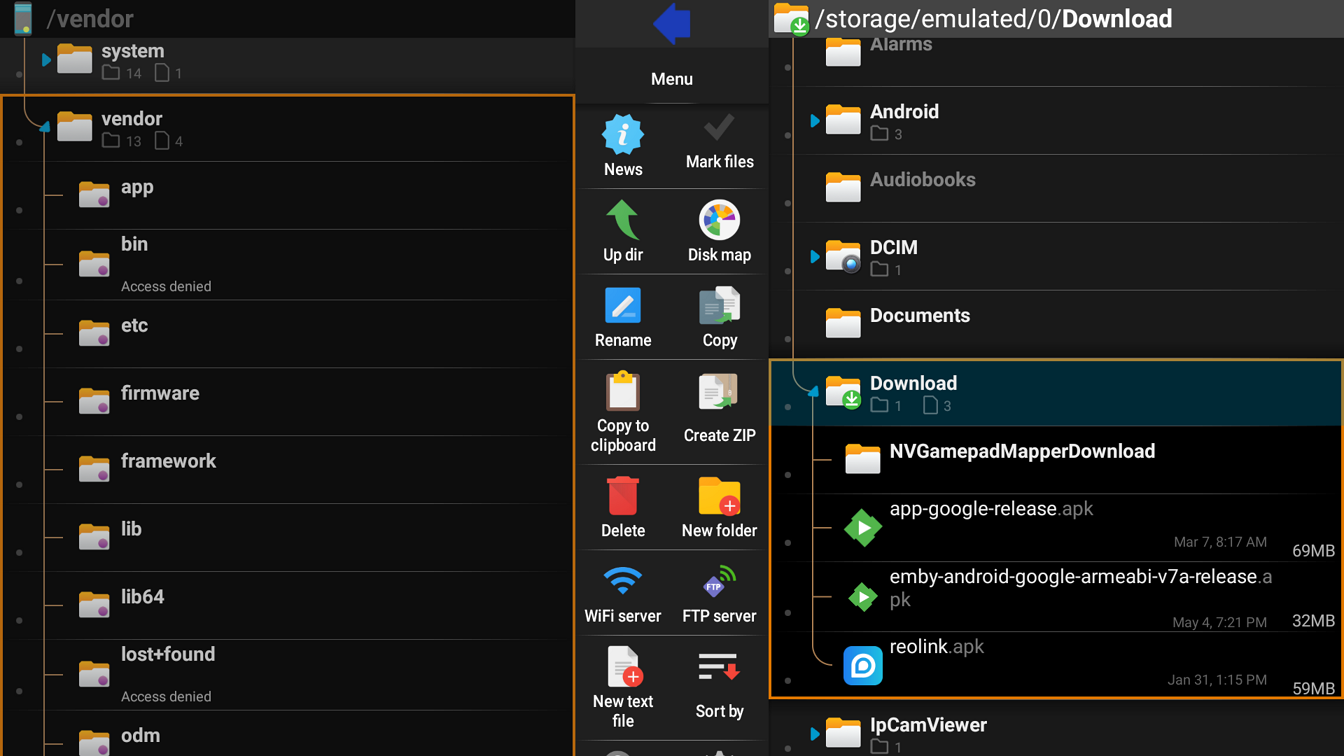
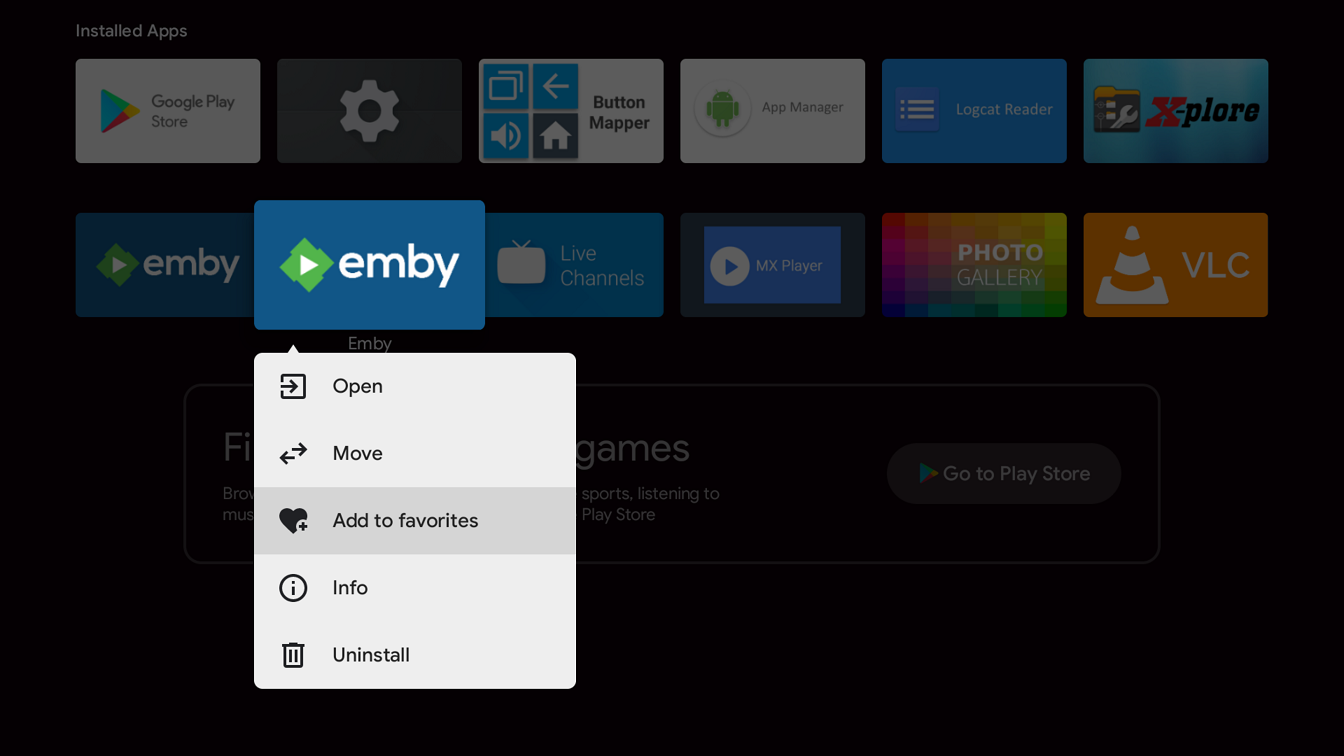
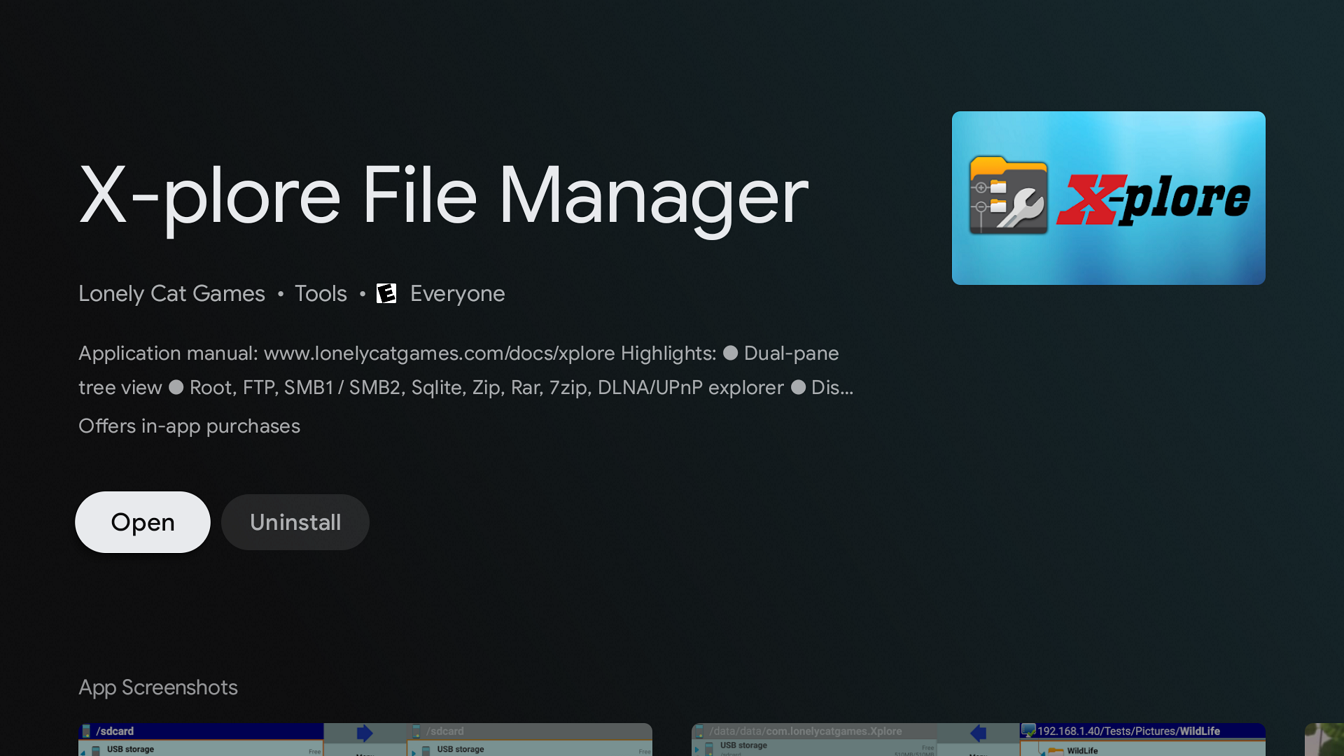
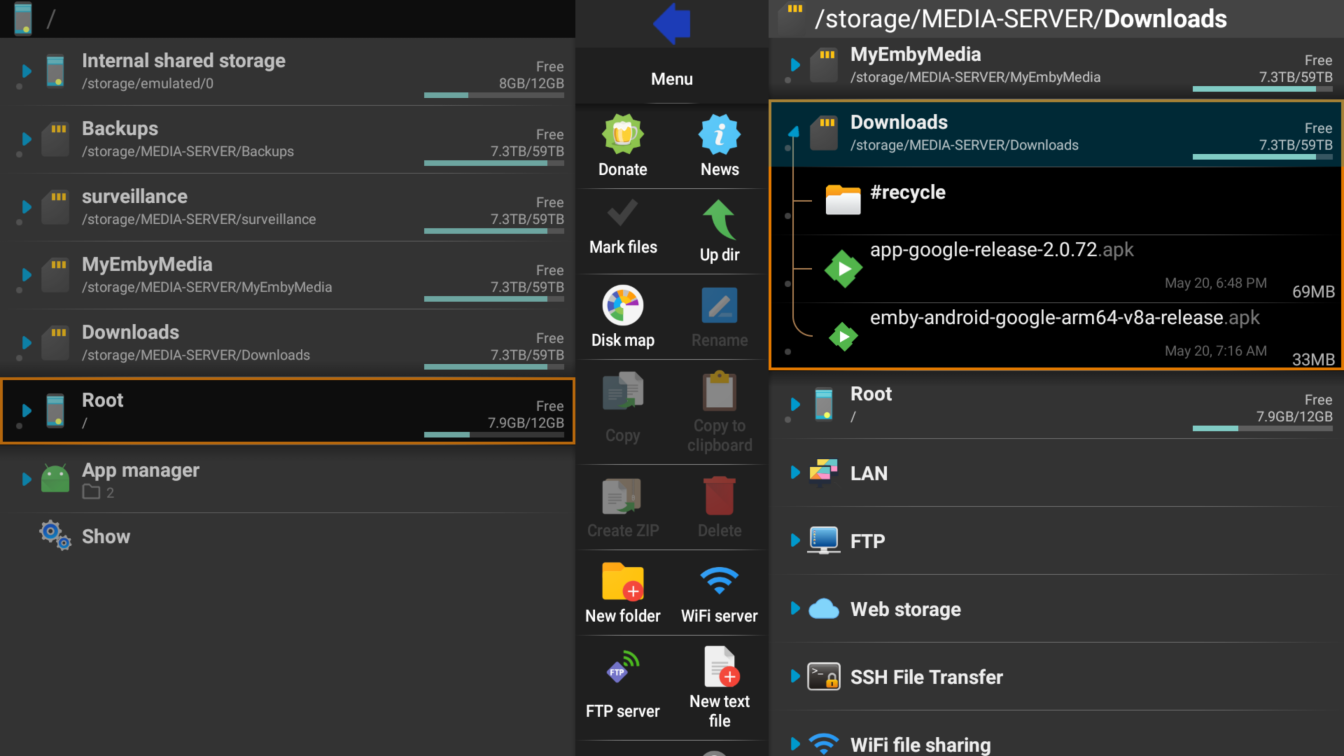
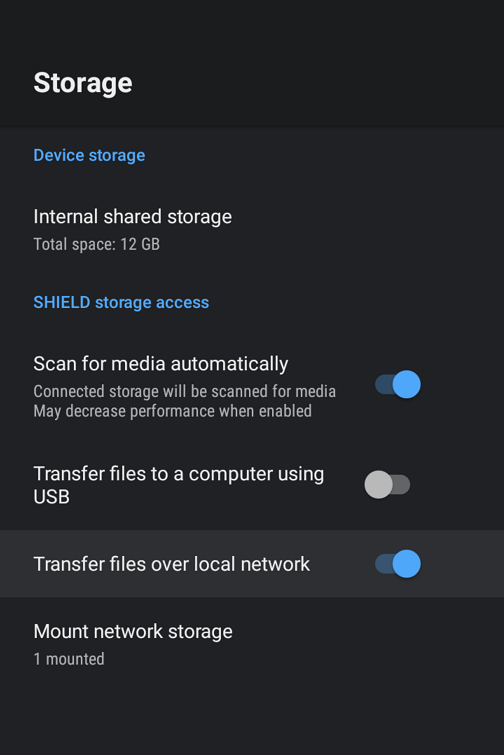
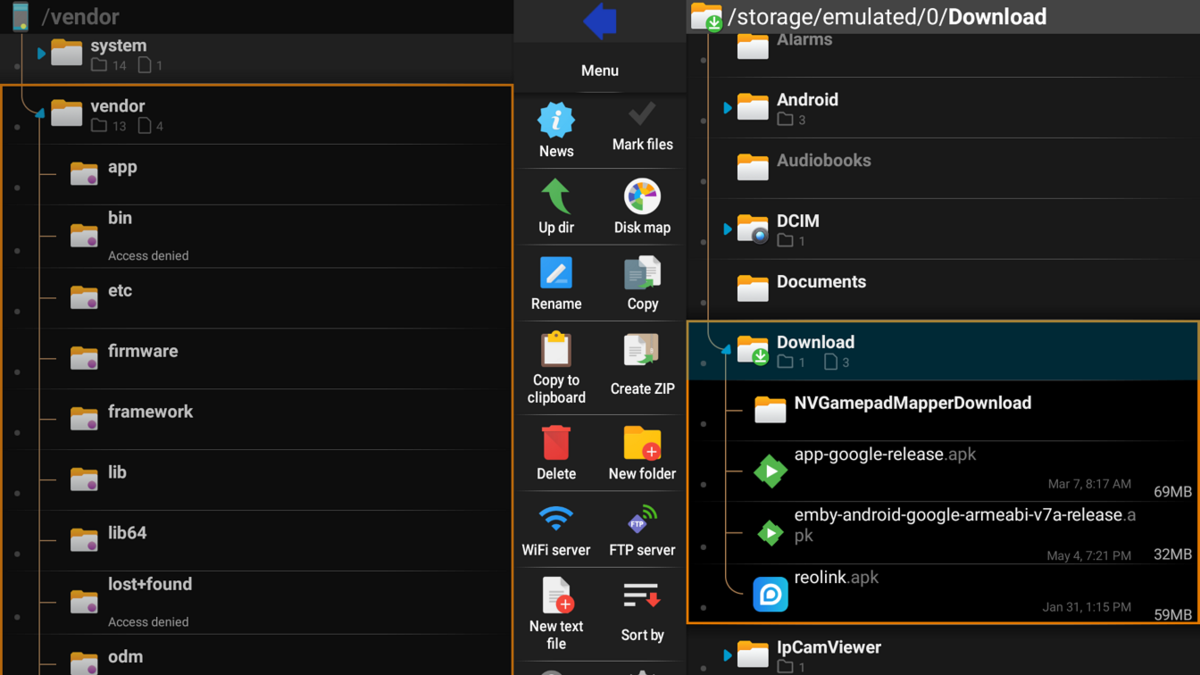
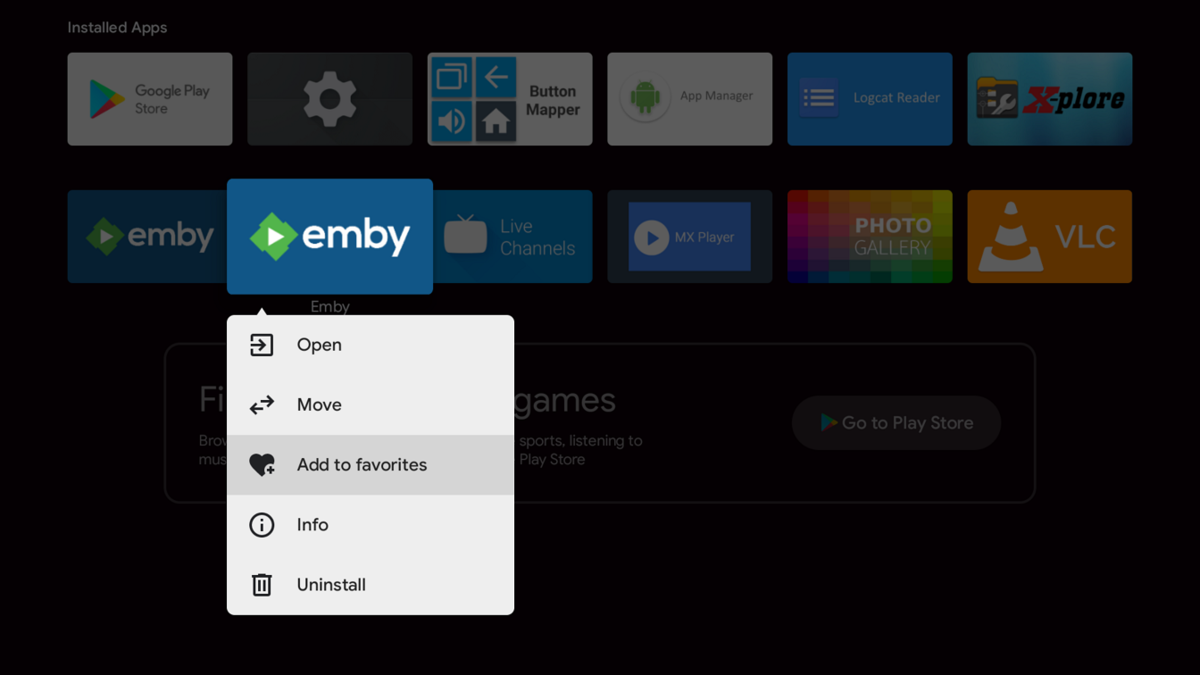
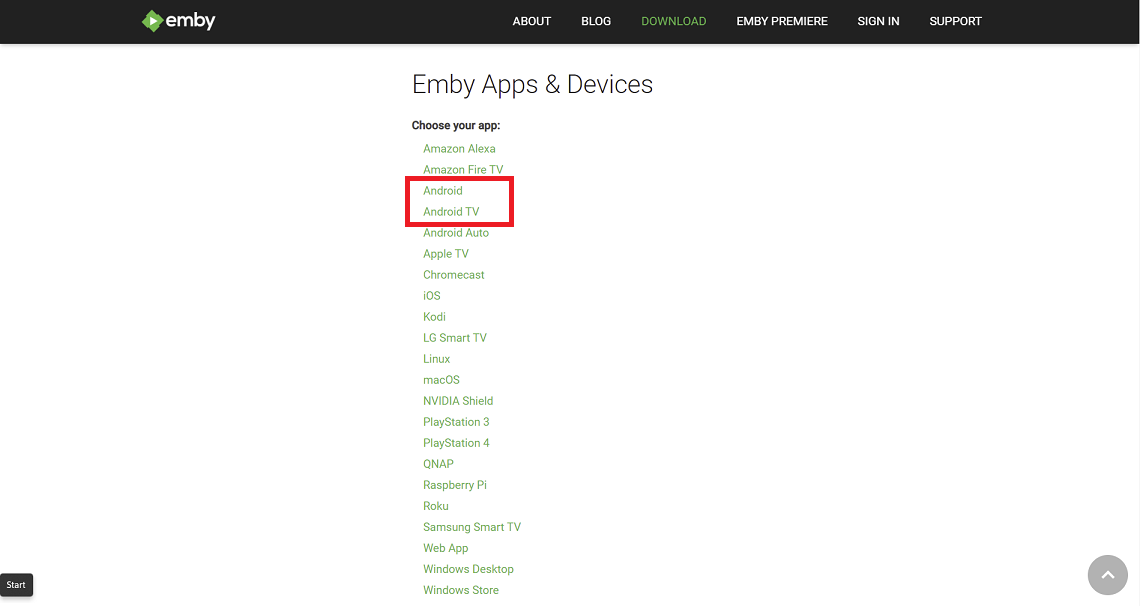
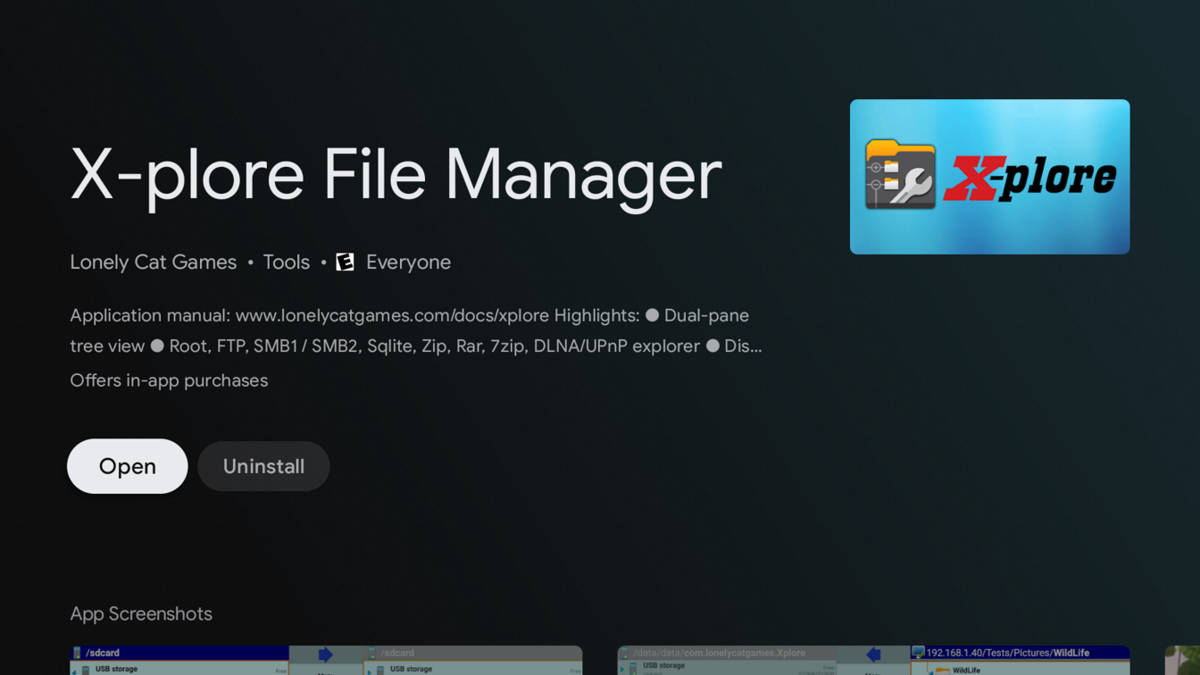
There are several methods to sideload an app on an Android TV device such as the nVidia Shield including by usb, smart phone, etc. The method described below uses smb3 from a Windows 11 client. Different Android devices and connecting clients may differ in steps The nVidia Shield uses smb3 as of SE8. If your Shield isn't upgraded to at least SE8 you should do so now. 1. Enable smb3 connections on nVidia Shield Go to Settings --- Device --- Storage Click and enable "Transfer files over local network" Note the Username and Password 2. Enable SMB3 on Windows client Windows 11 comes with smb3 already enabled. Older versions of Windows and other clients may require you to enable smb. 3. Download apk from website Both the standard Android (arm7 Shield, arm8 Shield pro) and Android TV apps work on the Shield. You can choose one or install both if you like. https://emby.media/download.html 4. Copy downloaded apk from Windows client to Shield (if you prefer to host the apk on a NAS see the second post) Start File Explorer Browse Shield by typing \\Shield (or IP address) in File Explorer (use the Username and Password from Step 1) Drag-and-drop downloaded apk from Window 11 to your folder on the Shield 5. Install X-plore File Manager on Shield start Google Play Store app search X-plore Install 6. Install Emby on Shield Start X-plore navigate to the folder where you copied the apk in Step 4 Click on the apk file Select Install and click OK 7. Add Emby to favorites on Shield Home Page (optional) navigate to Installed Apps hard press the Emby icon Select "Add to favorites"

 1 point
 -
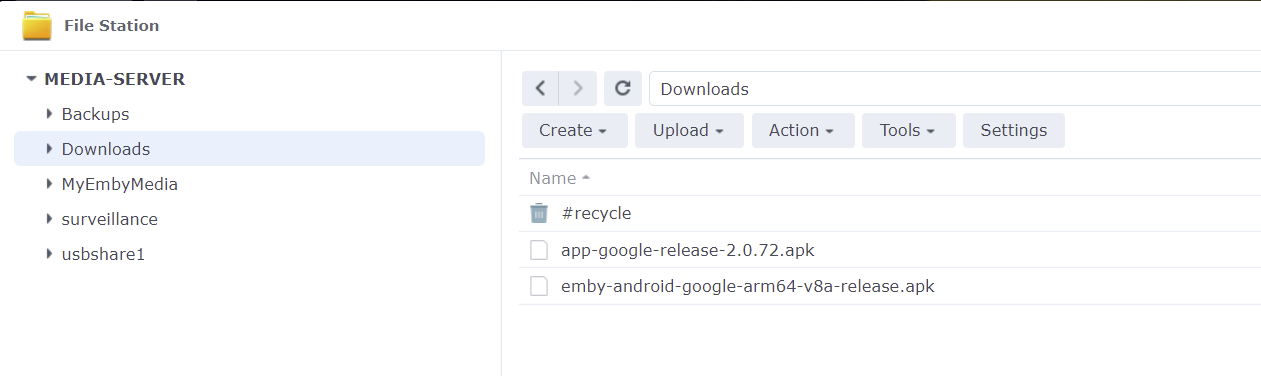
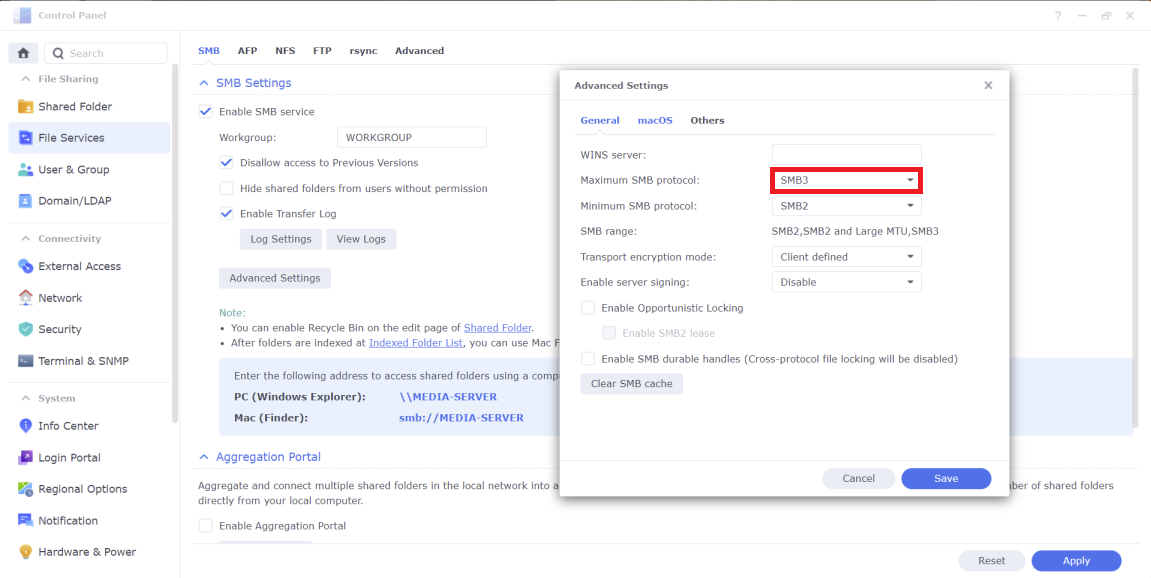
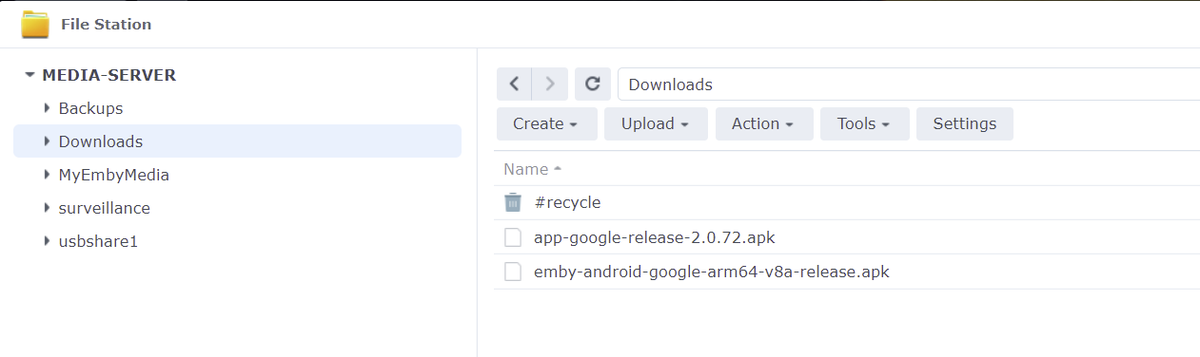
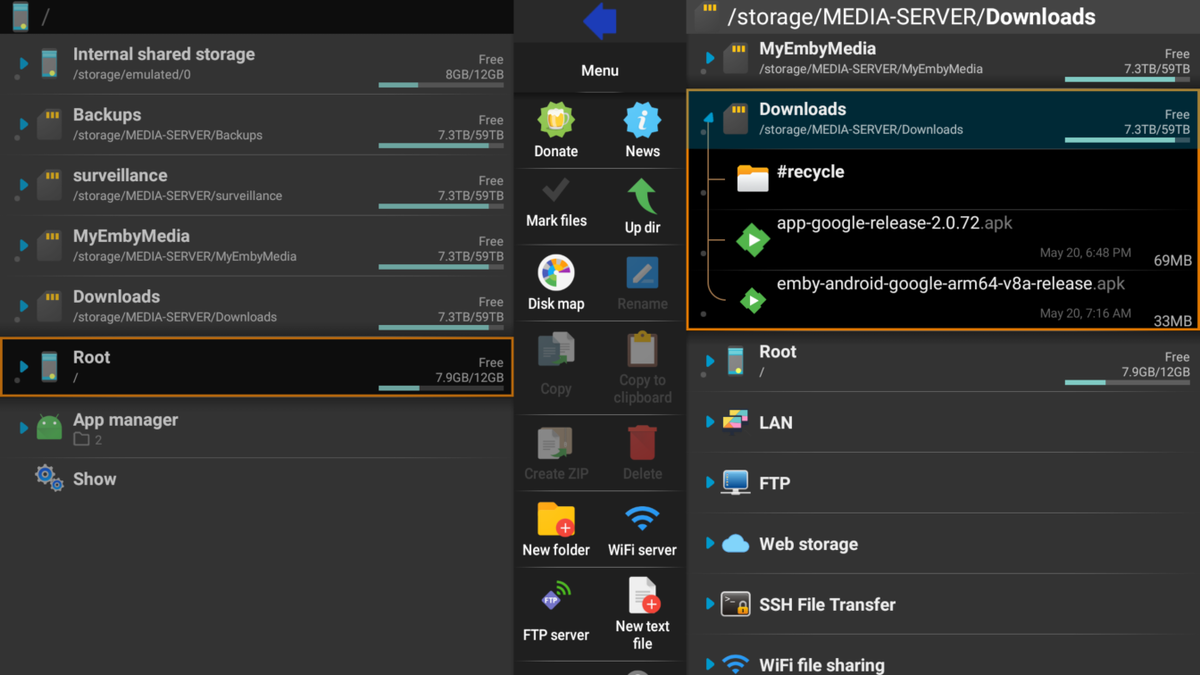
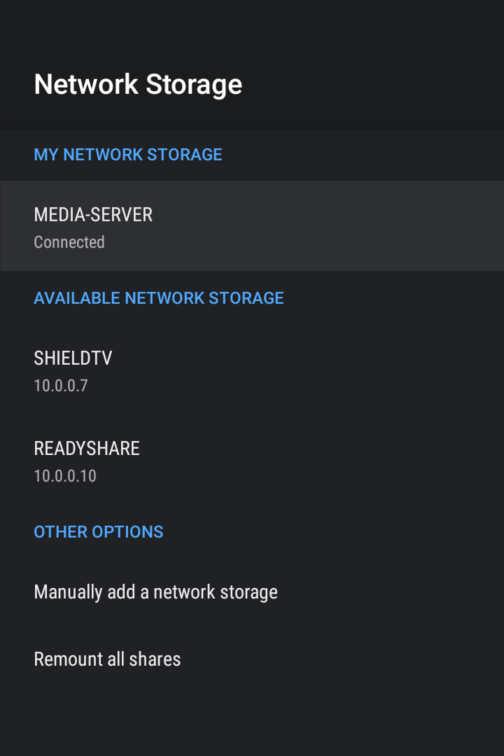
If you prefer to host the apk on a server such as Synology NAS and install the file to your Shield from your NAS you can do that too. This is good if you have multiple Shields or just want to have the apk in a central location. 1. Download apk file to NAS Create shared folder Place apk files in shared folder 2. Enable smb3 on NAS Make smb3 max protocol Click Save and Apply 3. Mount NAS on Shield Settings Device Preferences Storage Mount Network Storage 4. Install apk file Start X-plore from Shield Navigate to the shared folder on NAS Select apk and open Scroll down and click Install
 1 point
 -
This community is here to help you. Here are some guidelines on what information you should supply when reporting issues. Make sure to check out our Knowledge Base for more useful information. Reporting Emby Issues Please create a topic in the community. Describe the problem in your own words, including what you're trying to accomplish, and where you're getting stuck. Please mention some specific examples. In your description, be very specific about the steps you took and what happened with the system. Describe it like you are talking to a blind person - because you are. We cannot see what you did or what happened so be as specific as possible. If you saw error messages, please tell us what they were. If the problem is difficult to explain, please include screenshots that demonstrate the issue. Please attach the server log from the time frame the activity occurred. See the section below titled Emby Server Logs. Please supply the full and complete log file in txt format. Please don't zip or compress, and avoid attempting to extract relevant sections. Everything is relevant to us. If a server transcoding log (ffmpeg log) was also generated during playback (in the server logs folder), please attach that as well. If you are using the Roku or Android TV specific app, please also follow the instructions below to send a log from the app. Emby Server Logs Logs can be accessed directly within the server's web interface by navigating to Logs under Emby Server sidebar section. If you're having difficulty using the web interface, log files can be found in the logs subfolder of the Emby Server Data Folder . Note: Be aware that these log files would not be sanitized if obtained directly from the logs folder and should not be uploaded in the forums. If there is an error downloading the logs through the Emby Web interface for Settings / Logs, please enable debug logging, repeat the attempt to download the logs and report the problem in the forum indicating the logs download issue. The raw logs can then be forwarded to a member of the Emby Team when requested. Emby for Android TV/Fire TV and Emby for Roku Logs These apps have the option to send an app log to us electronically. You enter the settings page and turn on the "Debug Options". Now there will be a new tile on your home page settings row (or menu option on the user menu at the top) labelled "Send Log". Reproduce your problem and then use this button to send the log. Then add the following information to your report in the forum: Exactly what you were doing and what happened. Include the name of whatever you played if it is a playback problem The time you sent the log (in Eastern Time please - UTC -5) The name of the Emby user on the local server that was logged in at the time How to Post Log Files You can simply drag a file onto your post to attach it. Alternatively, you can upload your log file to Paste2 or a DropBox account and then post the link in your topic. Please avoid linking us to log files that require us to sign into a website. If the problem is occurring in the Emby Web app, please remove any custom CSS you may have created and see if the issue remains after that.1 point