Leaderboard




Popular Content
Showing content with the highest reputation on 07/01/22 in Posts
-
Can't you just right click?2 points
-
As suggested by @ebr I have split my original request to allow better monitoring of interest and progress. The original request is here https://emby.media/c...brary-overhaul/ If you are interested please like the post. It would be nice to including a face recognition that would allow us to sort our collection by people and give us the possibility to name them. As an example if I sear for "Mom" it would display all the pictures with my mother in the library ! This could also be done by scene (city, sea, mountain, etc.) or by place based on GPS coordinates this could automatically name the place and allow us to search or sort based on this item. I am not sure this is an easy one, maybe there are some existing piece of code that could help with this ?1 point
-
ok - so you can re-create the problem - that's a good start to pinpointing this. If you run the chapter task a 2nd time - do you get another 0:00 timestamp added ? @Cheesegeezer looking at the logs, it appears to be only happening on Intro's that start at 0:00 - could be a timing / accessor type error that we experienced the other day on another plugin ? Ping me on teams when you have a look and we can work together to get this one resolved and tested ..1 point
-
Never mind. I went through all of the instructions a second time and it seems to work now. I guess I missed something my first time around.1 point
-
Okay, glad you figured it out. For auto, we stay within the published specs of the device but sometimes, they can handle more.1 point
-
Hmm - time to see a log I think. So in my example below - this is playback in a web browser with the Auto-Skip features on the Plugin enabled - you can see it has both Intro and End credit info to skip - and when it skips the Intro - it logs it. Can you turn on Debug logging, Rotate your log file (in schedule), then playback an item that has a valid Intro - manually skip to say within 30 seconds of the Intro and then let it play up to the Intro skip point. Note you can only skip once per session. Then please send the log via PM and I'll attempt to see what is going on 2022-07-01 11:56:56.335 Debug Intro Skip: Stranger Things - Season 3 Episode 3 has credit sequence data. 2022-07-01 11:56:56.335 Debug Intro Skip: AUTOSKIP:Stranger Things - Season 3 Episode 3 preparing credit skip... 2022-07-01 11:56:56.335 Debug Intro Skip: AUTOSKIP:Stranger Things - Season 3 Episode 3 ready to skip credits. 2022-07-01 11:56:56.335 Debug Intro Skip: Stranger Things - Season 3 Episode 3 has title sequence data. 2022-07-01 11:56:56.335 Debug Intro Skip: AUTOSKIP:Stranger Things - Season 3 Episode 3 preparing intro skip... 2022-07-01 11:56:56.335 Debug Intro Skip: AUTOSKIP:Stranger Things - Season 3 Episode 3 ready to skip intro. 2022-07-01 11:57:15.030 Debug Intro Skip: AUTOSKIP:AUTOSKIP:Stranger Things - Season 3 Episode 3 skipping intro... 2022-07-01 11:57:15.030 Debug Intro Skip: AUTOSKIP:Sending Auto Skip message to Emby Web 2022-07-01 11:57:15.030 Debug Intro Skip: AUTOSKIP:Auto Skip message to Emby Web was successful. 2022-07-01 11:57:15.030 Info Intro Skip: AUTOSKIP:AUTOSKIP:Stranger Things - Season 3 Episode 3 intro has been skipped.
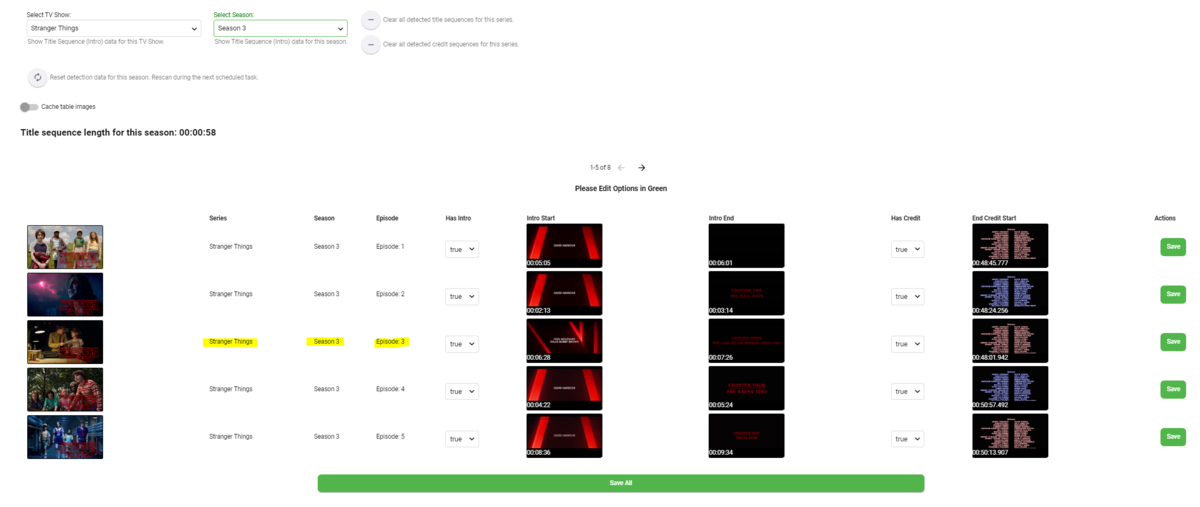
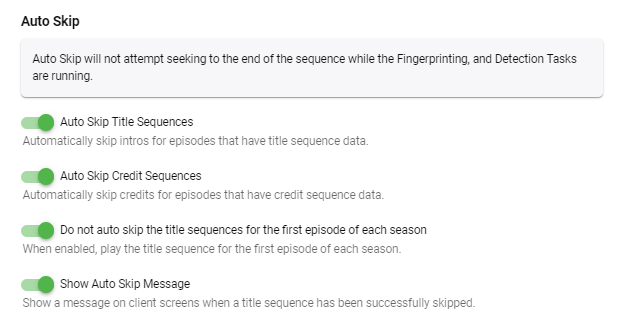 1 point
 -
Emby Beta support good
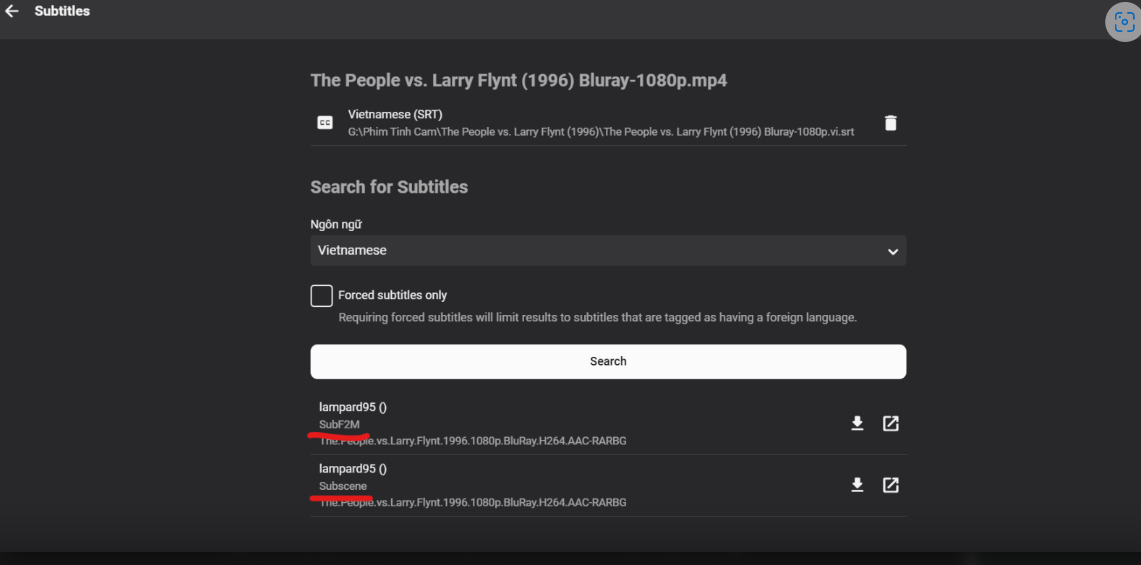 1 point
 -
Hi Disabled ipv6 and all working properly Thanks1 point
-
The worst part is this was largely implemented in ONE beta release, but a few very vocal community members complained loudly and it was removed instead of tuned/made optional. Until a server change made that client unusable it was the best version of the app. The logic used to justify it never made sense to me, since after 4+ years I have never once wanted to record a program in the current time slot. I truly hate this 'feature' and it annoys me on every single channel change. Luckily it is the only thing in Emby I hate and once a channel is tuned I get over it. Maybe you'll be more vocal that the group that got it removed and I won't have anything left to hate in Emby.1 point
-
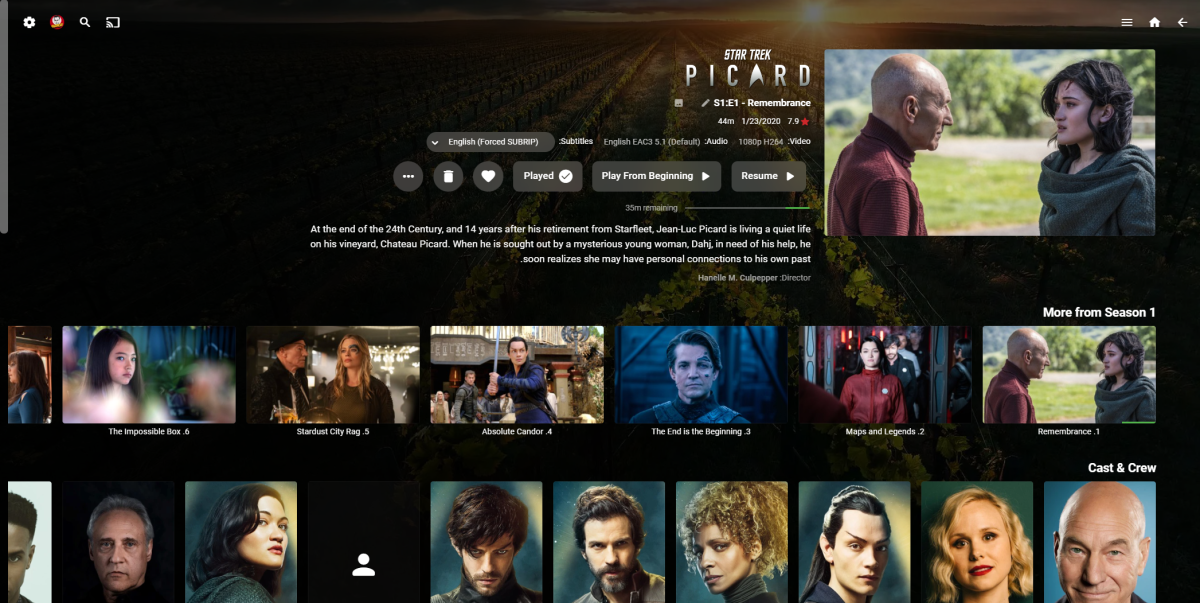
OK, little preview. @Abobader take a look at this:
 1 point
 -
Thanks, I figured it out -- there was something wrong with my docker container. I just had to reinstall the container with the same mapping.1 point
-
The one in the user’s playback settings is for Emby’s native implementation, while the one in the plugin is just for the plugin. Don’t think having both on should block the plugin from doing the Auto-Skip though. When playing back media on any client, do you see the playback controls (play/pause, stop) on the Emby dashboard for those clients?1 point
-
Are you talking about the option in the user’s playback settings, or the one specifically in the plugin settings? Just want to make sure there isn’t any confusion between the two.1 point
-
Yup, yup and yup I do have premier, I do have the auto skip option turned on. i have tried it with auto and non-auto enabled in the players, have tried different apps.. sadly nothing ever happens And no, I am not using chapers1 point
-
Shield Experience 9.1 has been released. It is the same as the 3rd ebeta installment. https://www.nvidia.com/en-us/geforce/forums/shield-tv/9/496476/shield-experience-upgrade-91-released-63022/ Today we released SHIELD Experience Upgrade v9.1 (33.2.0.125) for all SHIELD and SHIELD Pro units. This update is based on SHIELD Experience Upgrade 9.0 and includes the following fixes: Enhancements: Adds support to automatically enable game mode on supported TVs (ALLM) Adds night listening mode (HDMI audio only) Adds option specify network workgroup when connecting to SHIELD over local network Adds option to create your own password when connecting to SHIELD over local network [SHIELD Pro 2019] Adds AI upscaling support for 60Hz HDR10 video [SHIELD Remote 2019] Adds option to only wake SHIELD with power button or NETFLIX button [Game Controllers] Adds option to only wake SHIELD with logo button Adds option to match uncompressed audio with Dolby reference volume levels Adds option to disable displaying HDR/Dolby Vision content Adds notification when app uses microphone Bug Fixes: Display Fixes bug where Dolby Vision mode would become re-enabled after reboot Network Resolves issue where link speed was not reported when connecting ethernet cable Resolves issue where “Restart Wi-fi” in Quick Settings was not working properly Audio Resolve audio pops heard after hotplug of USB audio devices Fixes bug where some apps would only play through headphones after “Match content audio resolution” is enabled Resolves issue where HDMI fixed volume required disable-enable cycle to work properly Fixes bug where stereo upmix would not become enabled after playing multichannel discrete audio [SHIELD 2019] Disables comfort noise feature when Dolby Audio Processing is enabled Storage Improves file transfer speeds to attached storage Resolves issues where NAS would not reconnect after SHIELD restart Accessories Fixes bug where SHIELD Controller 2017 or SHIELD Remote 2015 would not auto pair after taking upgrade SHIELD TV app Fixes bug where SHIELD TV app would not send keyboard entries while streaming GeForce NOW Resolves SHIELD TV app issue where user could not copy/paste text (passwords, URL, etc) Other Resolves issue connecting to GeForce NOW servers while NVIDIA Share is active Improves stream to twitch duration indefinitely Resolves issue where system would become unresponsive after enabling Dolby Audio Processing from quick menu Resolves issue where SHIELD would wake up unexpectedly Improved HDMI-CEC compatibility with other HDMI connected devices Resolves issue where app switcher (double tap home) would not show most recent screenshot properly Resolves adb connection issue where host PC would need to be re-authorized after 7 days Fixes bug where D-pad "up" and "down" would not function after upgrade1 point
-
I misunderstood, thanks @Scott D. If I force refresh the individual media item and then manually run the thumbnail task it is created successfully as a workaround for the moment.1 point
-
Yes I have a play button, but it's an unnecessary step. My thumb is already on the d pad navigating the guide so the instinct is to just press select. Pressing select on a future program in the guide that hasn't started airing yet, yes it makes sense to bring up the record options and not tune to the channel which is airing something else at the moment. But if you're browsing the guide and press select on something that's currently airing, it should just start playing right away, with a press and hold of select to bring up the record options, just like the context menu for media items when you want more options. When something is already airing, more often than not you don't want a partial recording and intend on watching it live, the feature is called Live TV after all. This is how every cable or satellite DVR has worked from my experience. The channel guide displays the program info above it as you're browsing, the record options pop up just displays the same info. If you're talking about the On Now section of the home screen then yea an interstitial screen makes sense, but this is specifically about guide behavior. I'm just trying to advocate for this being a bit more seamless and intuitive, and selecting something in the guide that's already airing bringing up a recording options popup just feels wrong.1 point
-
Keyword-based recordings will be landing in the server beta channel in the next build. Thanks.1 point
-
Keyword-based recordings will be landing in the server beta channel in the next build. Thanks.1 point
-
I don't think we'll be adding Resolution by default but options are always possible. Thanks.1 point
-
That is correct; but note that not all devices have remote with Play button.1 point
-
@Luke would you please be kind enough to put the logo back where it was previously. Thanks.1 point
-
Or you know... you could also travel x km to that person and watch together. I'd say we should go one step further and shut down emby altogether. I mean you can just buy a Blu-ray player. That should also work pretty well.1 point