Leaderboard




Popular Content
Showing content with the highest reputation on 06/25/22 in Posts
-
Similar to this old post, I'm suggesting a tab that would be titled Watchlist and could be placed in between Suggestions and Favorites. The functionality would pretty much be a copy of Favorites, just with a + symbol added next to the heart and other symbols that let you favorite a movie etc. The previous post had mentioned extra functionality such as automatically removing a movie from Watchlist after it has been watched. This would be nice, but is unnecessary because after watching a movie you can simply click the + symbol a second time to remove it from Watchlist. I would imagine this would be very easy to implement as a rebranded copy of Favorites. Adding other features could come later. Edit: added link to old post2 points
-
Hi, We used to be able to click on the "Logo" of a TV series to immediately link to the "home" or main or first page of that series. (Unsure of the correct name. The base page which has seasons shown below). That functionality seems to be gone now. Any chance we could get it back? Thanks! Clark2 points
-
I hope you all understand that to cover costs i will need donations, to cover app costs. Other than that I’m willing to produce a fricken awesome app. However this will be after TV version of Iridium are released and tested2 points
-
That other thread appears to be a request for integrating the Emby guide with IPTV providers who offer catchup streams. Allowing the user to go back in the guide to select and play the catchup program from the IPTV provider. Your request is asking for Emby to maintain an active TV tuner stream and keep it going uninterrupted for days, up to 7, so that you can go back to any time in the buffer. Typical ATSC OTA FHD (1080i) channels stream at around 12-16 mbps. That is ~170GB per day and ~1.2TB for a week for a single channel. You mentioned wanting the ability to have multiple going. This doesn't account for what Emby does to make these seekable which is to create .ts chunk files and maintain an m3u8 list of the chunks. This doubles the storage requirement.2 points
-
OMG!thank you very much! Before I came to the forum, I didn't expect to be able to solve this problem. I wasted 28 hours searching for this problem on the Internet. I thought I needed to be proficient in programming to solve this problem, and I've started to reflect on why I didn't major in programming in college. Thanks again!2 points
-
Everything looks perfect chief. the button that appears is what the core has kindly added from their side however it is a premiere feature. Are you a premium member? This is the only reason i can see why the buttons dont show. @Luke @samuelqwe sorry i must have misinterpreted what you said in your post.2 points
-
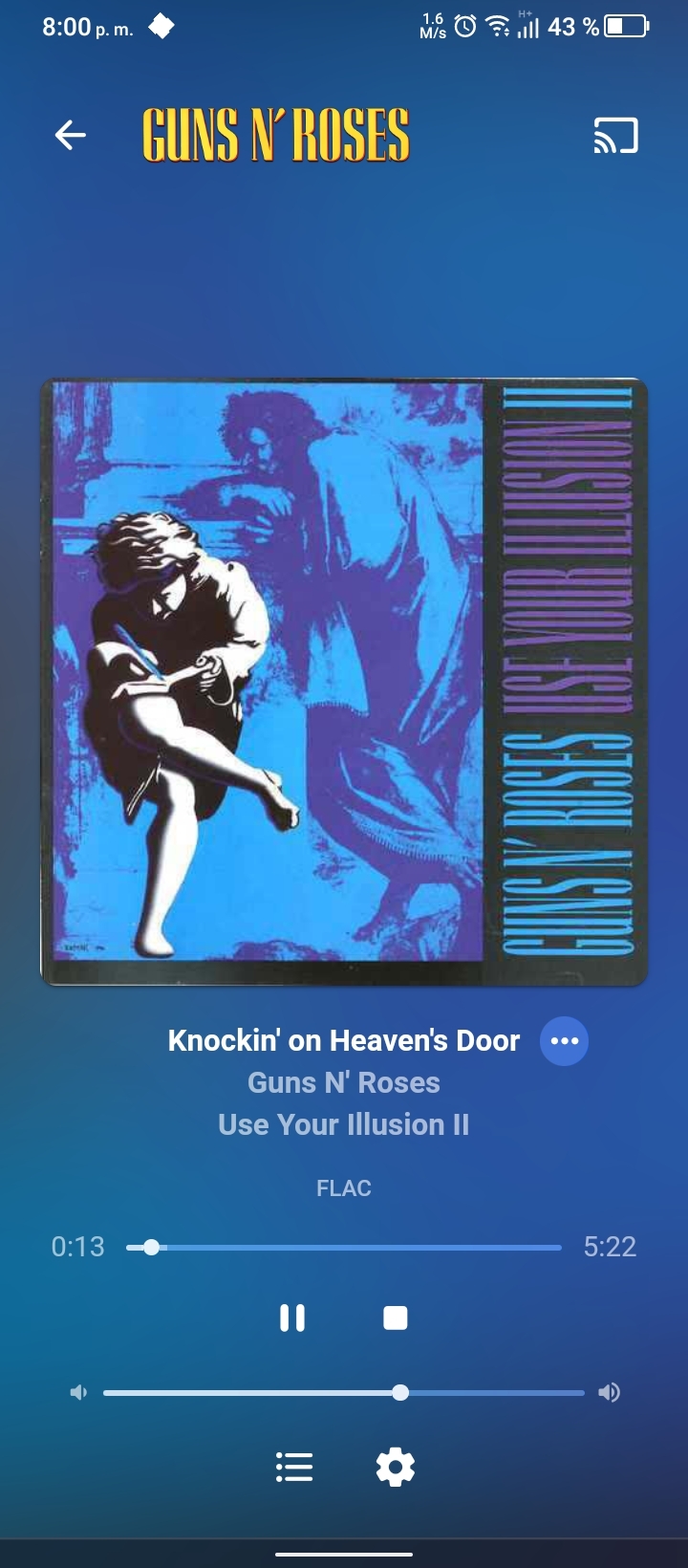
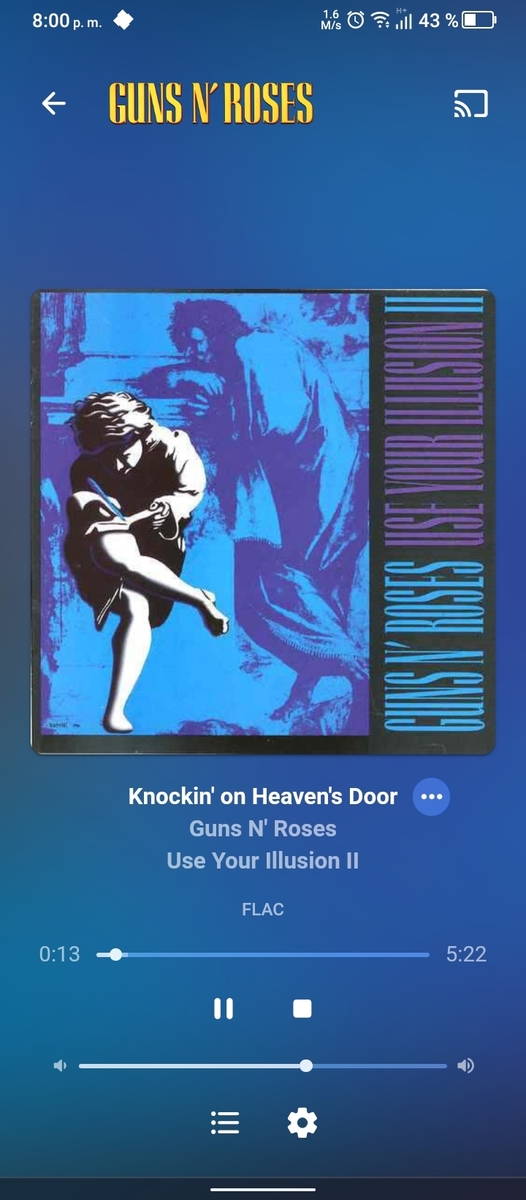
Thank you for adding the album name again... This "now playing" screen is beautiful but that "FLAC" word ... I still dream of being replaced with a "Directplay" and "transcoded to AAC 500Kbps" info instead...
 2 points
 -
It would be a great feature to allow an option for how many days back for the tv guide to go for providers that offer catchup services. You can then go back in he guide and play whatever you want like a PVR always.1 point
-
This is supported in iTunes/Apple Music, but for those of us who listen to multi-movement works (e.g., classical, some jazz, even some pop), it would be great if we could get playback by work, not movement/track, especially when randomizing. For example, I have a baroque playlist with many works, each having 3 or more movements (separate tracks). When I randomize the playlist, it would be great if there was an option to randomize by work, instead of it being randomized by track/movement. The workaround many use is simply to join the separate movements into one audio file, but that makes it more difficult to search/play individual movements.1 point
-
Recently I convinced myself my similar problem was Emby until someone looking at my log pointed out my episode naming error (even though I adhere strictly to Emby conventions, that didn't prevent me from simply getting it wrong!). So uploading the log as GrimReaper suggested would help a lot. Paul1 point
-
That was part of it. I also found that the Next Up functionality was deprecated on the server (but you can work around it by creating a custom widget). After clearing out the db and fixing the widget, everything seems to be in order. Thanks!1 point
-
ye it would be nice to position the sub into the black bars just so low as possible1 point
-
By "disappear" is it still technically in the "Recommendations Library", just not in the homepage? It's a slight nuance but I wouldn't want a forever growing list (even if I can't see it on the homepage). If it does indeed take itself out of both the homepage and the playlist itself, then yeah I think your feature seems to check most/all my checkboxes! Would be great to have it as part of Emby instead of a plugin, though... otherwise I'd be hesitant to even use it as I've had bad experiences with plugins (in a general sense) becoming outdated/the author goes MIA on maintaining it. Edit: Alright looks like it's from your topic @ I do want to add that adding things to playlist takes a few extra (too many clicks) to get it done. In my mind at least with my feature suggestion, I'd just right click the episode then add to Continue Watching. Additionally in your post you seem to say that it's scheduled (not instant). The other thing I'd want to mention is that it'd be good to try and get a bunch of non-technical people to try the system out, because by the description/images of your post it SEEMS potentially complex to setup + use.1 point
-
Yes. Its working again. Thanks for that fast fix1 point
-
Doing more tests, this is what it currently happens with the mobile app when playing music and videos: Quality Web app Android Mobile app FLAC 192Khz/24 transcodes correctly transcodes if the bitrate is higher FLAC 96Khz/24 transcodes correctly Doesn't transcode FLAC 88.2Khz/24 transcodes correctly Doesn't transcode FLAC 48Khz/24 transcodes correctly Doesn't transcode FLAC 44.1Khz/24 transcodes correctly Doesn't transcode FLAC 44.1Khz/16 transcodes correctly Doesn't transcode 320Kbps MP3 Plays directly Plays directly 192Khz songs get transcoded if the bitrate is higher than the limitation imposed in the server, for example, if the limitation if the server is 6.5Mbps and the song has 7Mbps, the song will be transcoded, however, the app is ignoring the download speed of the mobile connection, therefore, music below the upload limitation is NOT getting transcoded when the mobile connection speed is slower than necessary to play the file without stutter. Videos are also affected, they are not transcoded for the same reason as music. I repeat, the webapp is working correctly, the Android mobile is not.1 point
-
Yes, it resolved the issue. Thank you1 point
-
Hi, version 1.5.8 of the MovieDb plugin resolves this issue, although you'll need to update to the 4.7 server in order to get it.1 point
-
Version 1.5.8 of the MovieDb plugin should resolve this. Thanks.1 point
-
Hey up, same obseved in multiple threads today, waiting for Dev's input:1 point
-
Hugh thanks for the replies - I'm finally back up and running. All I needed to do was to add the permission in this new area, as mentioned above in this thread Many thanks. :1 point
-
It comes down more to what the device supports, not what Emby supports. If the device does support it then Emby will direct play or passthrough everything, and if the device doesn't support something then Emby will need to transcode. That way you can play everything on every device either direct play or transcode. The only thing I don't think Emby will convert is DV profile 5 if your TV doesn't support DV.1 point
-
Yeah lets have a look at this for sure. I think i need some real clarification, which we are discussing anyways1 point
-
My ultimate goal is to have an uncompromising viewing experience, with the maximum quality of the title. I do not care if it will be mkv / mt2s / BDMV / iso My intention is that if the highest quality is to leave the title as it is in the BDMV file then I will watch so. But if the same quality stays in the mkv file then I will watch in mkv because it is more convenient and flexible1 point
-
Answered in your other thread here - https://emby.media/community/index.php?/topic/109919-understanding-dolby-atmos-true-hd-with-ac3-core/1 point
-
There is no quality lost with Makemkv. It doesn't encode anything, it just remuxes. It's like taking the contents from one box and putting it into another box. The quality of what's inside doesn't change. If you really want to you can take your output MKV file and use something like Tsmuxer and put it right back into UHD folder format.1 point
-
So to sum it up. There is no difference in the quality of the audio and video whether I run a full Blu-ray (uhd) title or I rip it to an mkv file.1 point
-
I think he meant Makemkv creates a DV7 file. DV5 which is used with online streaming services doesn't have a HDR10 BL and will look green or purple on a non-DV TV. From your pic you don't see the 2160p and 1080p HEVC tracks because Makemkv hides them both within the first PID so that it can be played by most devices. Otherwise, you would need two HEVC decoders. This whole process can be reversed though, and everything put back in folder format (minus menus, etc) because in the end mkv is just a container. Yes, your file is good though1 point
-
Sorting that now thanks @rbjtech Interesting fact, the latest Android TV Beta still loads slow with refresh rate switch on, however doesn't try to skip until it's loaded.1 point
-
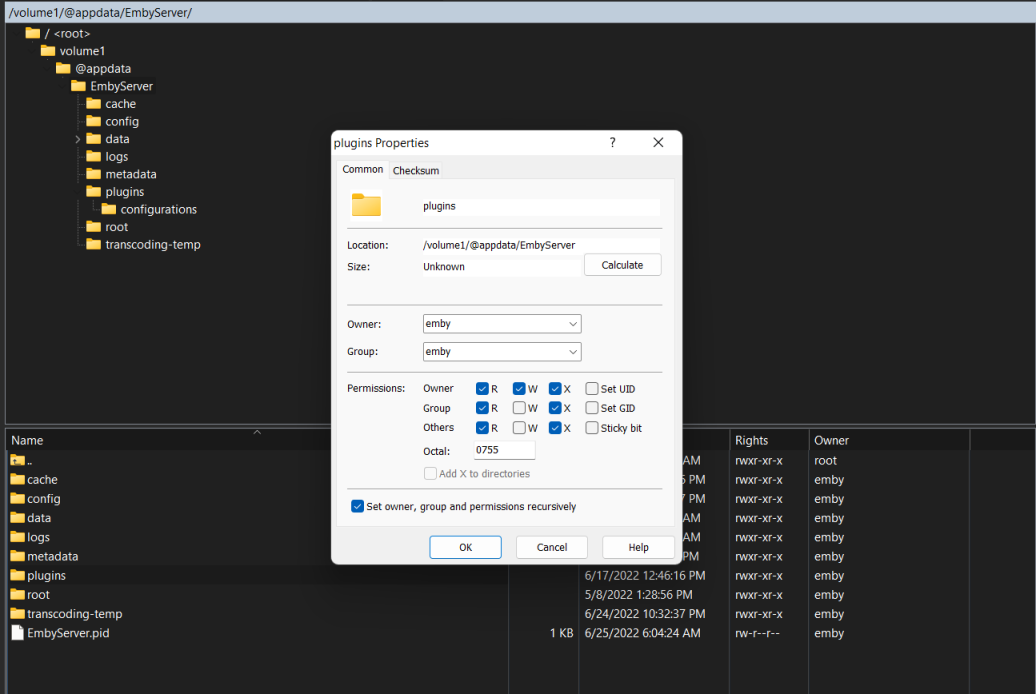
You can use WinSCP to change the permissions. From the position of your pic go back one level right click on the plugins folder. Then click Properties. Set owner, group, and permissions like my picture Check the set recursively box Click OK
 1 point
 -
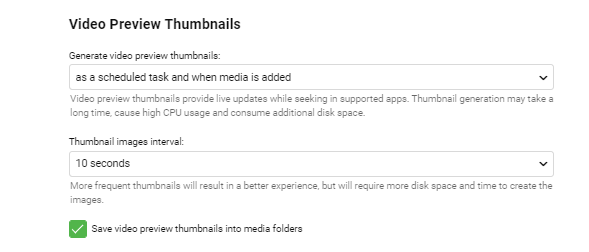
In the TV Series library - ensure you have Thumbnails enabled ? If you've never had this turned on - it will take a while to initially create them ! After which, the Plugin 'create chapters' task (just re-run it) will then create accurate thumbails for the exact Title Sequence/End Credit locations ..
 1 point
 -
Right - sorry, I thought that was a browser in your screen shot - but I guess not.. Yes, the clients a) need to have this feature included (not all do, you probably need to use Beta clients if they do) and b) it needs to be turned on in the client as it's a 'per user' setting. In this hybrid state of having both the Plugin and Core (for the button only) it's a little messy we agree - but once the Core catch's up with the Plugin - then things should get easier to setup and use ... This is the current state of play of what each version can and and cannot do .. https://github.com/chefbennyj1/Emby.IntroSkip.Release/wiki/Feature-List-Plugin-vs-Core1 point
-
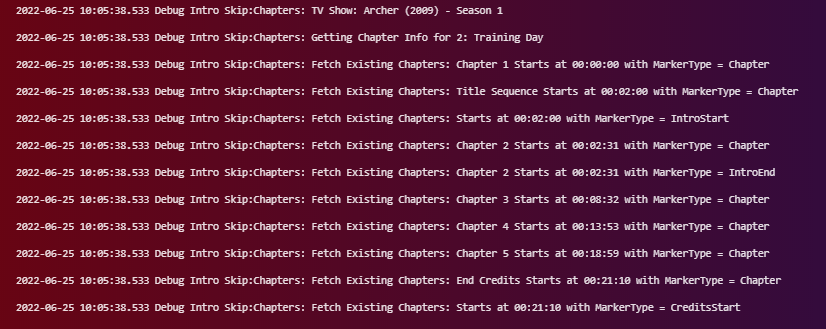
Server Windows (11) - 4.8.0.3 Beta
 1 point
 -
that process can be quite resource intensive depending on your server spec - has this task finished or still ongoing? I would wait until that's done its thing and try again.1 point
-
Yes in beta, see the response above1 point
-
Well, good news - last night's viewings from Emby in Docker went perfectly with no complaints from outside users either. Just one little error ... Configuration Backup failed: backup directory not found ... so I must presume I have to change my Plugins > Emby Backup location which is currently ... /home/paully/Downloads/emby/backup I created a folder for backup under my /var/lib/emby and then changed the web gui plugin settings to ... /config/backup I will report back tomorrow to confirm this worked.1 point
-
Emby Server 4.7.4 - Point Release: Round 3 Fixes This is the latest point release of Emby Server containing fixes for identified issues. Add Episode Intro Detection and Skipping feature Add new table view option Add more fields for selection in poster views Add new theme options Fixes for downloads automatically redownloading Remember subtitle selections even when user option is set to None Fix graphic subtitle position when burning in subtitles with transcoding Fix sporadic cases of errors when reordering live tv channels Improve automatic channel mapping with xml tv Support sort by composer Fix glibc errors on certain NAS devices Image processing fixes on FreeBSD/TrueNAS Original Blog posts for the 4.7 release: Emby Server 4.7 Release: Many New Features, Improvements and Fixes Emby Server 4.7.1 - Point Release: Round 1 Fixes Emby Server 4.7.1 - Point Release: Round 2 Fixes Please report any issues you may have in the General/Windows section of our Community Forums: Emby Community General/Windows Forum View the full article1 point
-
Yes, there are definitely two points of view on where it should be. I prefer my eyes focused on the middle of the screen. I don't think anyone believes one line should be in the picture and one line in the black bar though. That's just hard on the eyes.1 point
-
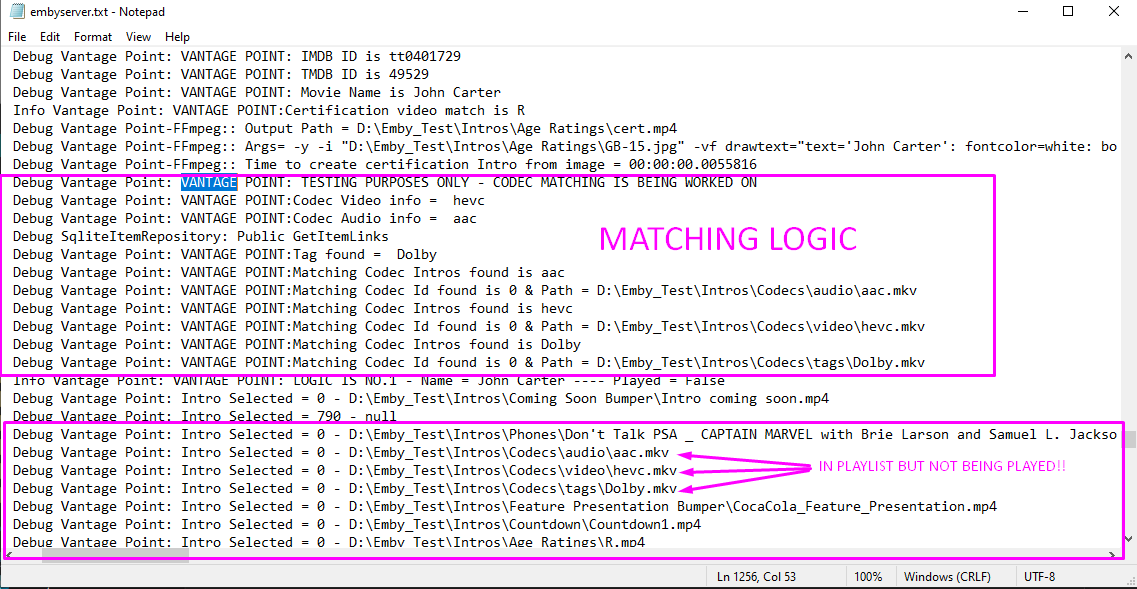
So I have nearly sorted the audio, video and tag issues. They are added to the introplay list but for some reason are not playing, a couple of things to figure out here! But here is something cool that the Brits might like.... not sure how it works for foreigners (MPAA, FSK, AUS) - if you have the movie title displayed on your Rating Certification However i've devised a way to dynamically insert the title into the BBFC Rating Slides.... All i need to do now is to work on the logic for when to use this and allow the user to enable it. Here is a short video that shows the text slide, dynamically taking the movie input amending the image with the title and overwriting the original one. creating a movie from the jpg is childs play. this is just using a test library. Hope you like BBFC Dynamic Title Coolness.mp4
 1 point
 -
Hey, Just for notice, this is the function that would made me go emby premiere. When you have a decent iptv provider and an iptv app providing catch-up support, you don't have to think anymore to record anything, because you have 15 days (in my case) where all your tv programs are accessible, and it does not use disk space. For the moment i have to use a standelone iptv app and an other for my media. I hope one day i can have an app that can handle all my medias and my live tv including catch-up !1 point
-
The future is now....Any Progress @Luke1 point
-
That's a clever way of adding that to the M3U file. I wonder how many different ways there are for this with different IPTV vendors. I don't use these types of IPTV providers so I've never seen this before. I basically record everything I'm interested in and have enough tuners that I always have my own "Catchup TV" But I could really see the use in this: Some type of sporting event that goes into overtime and mucks up the schedule causing your recordings to get muffed so you could use this to grab the show with a modified schedule/timeslot. Not enough "tuners" to record everything you want when broadcast live. Not knowing about a new show or the first episode of a new season. Movies that were broadcast that you forget to look for or check AHEAD of time. Almost makes me want to subscribe just for the reasons I just mentioned. Anybody else have a provider with "Catchup TV" that has it differently in the M3U file?1 point
-
@@cayars - For determining if a provider supports it check my link above. The m3u defines it per channel. Here is an example of one I have; #EXTINF:-1 tvg-id="somechannel" tvg-name="Some Channel" tvg-logo="http://providersurl/somechannel.png"tvg-chno="1" channel-id="1" catchup="default" catchup-source="http://providersurl/${start}/streamid.m3u8?token=mytoken&duration=3600" the ${start} param is a utc unix timestamp of where in time you want to shift.1 point
-
I'd like to see catch-up support in live tv. Many iptv providers support up to 7 days of catch-up. See http://niklabs.com/catchup-settings/ for a quick overview of the attribs in a m3u.1 point
-
This would be great and would make Emby super powerful for IPTV users with compatible playlists. +11 point
-
Not yet, sorry.0 points