Leaderboard




Popular Content
Showing content with the highest reputation on 06/14/22 in Posts
-
Finally. Just got it today.2 points
-
Is it possible to add seperate folders when uploading images from mobile the app creates camera roll, but then adds all the other folders like whatsapp, messenger, screenshots, etc, etc under the same location so they are all mixed up. In Plex before they discontinued the feature it was able to do that, so would love a similar feature within Emby1 point
-
Hi @mofa2016, I think you might have posted this prior to trying out auto organize 2.0. @Luke I believe there may have been (or maybe still on going) issues with some of the providers. I'm seeing this error across the board. But we're keeping an eye on it. I'll let you know if thing change.1 point
-
The 4.8.0.1 beta has added a (hidden for now) configuration value for the scan time. Paul1 point
-
As this is a repeating question - I've now added the comparison to the Plugin Wiki Page - link here https://github.com/chefbennyj1/Emby.IntroSkip.Release/wiki/Feature-List-Plugin-vs-Core As I haven't used the Core Introskip since the early Beta - can somebody please confirm this is an accurate list of what features the Core currently has in the emby Beta release ? if it is planned for an imminent feature update, then please also advise and I will add to the notes in the table so people can make an informed choice. @Luke / @ebr / @chef / @Cheesegeezer - FYI1 point
-
For the ones who need to renames a lot of files / folders, here is an awesome FREEWARE. Lot of options but stay simple to use, works very well. http://www.joejoesoft.com/vcms/108/ Pout tous ceux qui veulent renommer leurs fichiers ou classeurs, ici est un bon programme gratuit. beaucoup d'options mais simple a utiliser, marche tres bien. http://www.joejoesoft.com/vcms/108/1 point
-
Thanks, and no. Immediately copy the kodi.log and also kodi.old.log out from the box. You can stop Kodi, but DON'T restart Kodi, this will wipe the kodi.log. kodi.old.log is the one before restarted Kodi. In other words, kodi.log (Current Kodi session) and kodi.old.log (previous Kodi session). The rest of the logs are gone/overwritten. (sort of history) If you rebooted Kodi just once after the issue happened, there is a chance it's still in the kodi.old.log. If you rebooted more than once, it's overwritten.1 point
-
No, we have enough. Thanks.1 point
-
sadly no...i've shut down Kodi and restarted a couple times times since then...i'll add the tracks again and make sure to get the log next time so to confirm, once i see the problem happen, i'll close kodi and send you the log?1 point
-
If you are using just the plugin - then I would recommend not enabling the Core Introskip schedule. Show the task by all means, but if you schedule it to actually run, you will be wasting cpu as any results will be overwritten by the Plugin when you next run the Plugin Chapter Task anyway. ie - use one or the other - do not try and use both.1 point
-
@Cheesegeezer and @rbjtech this error has to do with the db not closing properly on reload. The shim must still be open when it tries to create the connection string.1 point
-
Unfortunately not. We store our start and end points in our own database and haven’t even looked at the possibility of migration from core to plugin for obvious reasons. so you would have to run our FP, detection, Chapter insetion and image extraction to get all the features. We do have auto intro and credit skip also… so no remote is required lol i have asked @chef to have a conversation with the core devs.1 point
-
So you'll need to know some linux to get this working. As you're using WSL this could save you a couple steps. first you need to install the tools you need. 1. In your WSL shell: apt-get install jq mkvtoolnix -y 2. download the script I attached. Edit lines 12,13 with your Emby internal URL and an emby API key. Edit line 19 if you want other subtitles besides English and Russian. If you add any languages or change any of them you'll need to edit or add lines between lines 33-38 (i can help if you need) after that is done you need to copy the file into your Ubuntu WSL installation. Keep note Capitalization maters in linux, so do spaces. Do if your file has a space in it you need to quote the whole path or escape the space with a \ (example hello\ there or 'hello there') the TAB button in linux is your best friend. It will auto complete out of available options, unlike in windows if there is multiple possibilities it will complete as far as it can until it reaches the blocker. If you hit TAB again it'll show you all the possibles now matching, you can then type until you clear the blocker and hit tab again to complete the rest. 3. Best way to do this is from ubuntu do cp /mnt/c/PATH_TO THE FILE ON YOUR WINDOWS MACHINE /usr/bin 4. in WSL shell: if you have renamed the script from what I named it, then change the last portion chmod 755 /usr/bin/movie-subtitle-extract-emby.sh 5. you'll need to change directories to where your movies are stored. in linux cd will change directory and ls will list. IF you're on WSL and your files are mounted on your machine you should be able to see the drive mounted in WSL under /mnt/ 6. Once you're in the perticular movie folder of the movie you want to change then simply type the name of the script and enter. movie-subtitle-extract-emby1 point
-
So good news. After disabling everything I could think of on the server and in kodi it all came down to the memory being eaten up whenever the emby next gen plugin decided to do a sync. All it was executing was a query so no idea what was going on. I then decided to just blow away the Emby Server config and start from scratch. After recreating everything, I no longer have the issue. Memory remains low and everything is working. I'm thinking there may have been some database corruption along the way causing the queries to run amock. Its been a number of years since I did that so doesn't hurt to restart fresh.1 point
-
Well good news. Rebuilt the emby server from scratch and the issue is no longer occuring. There must have been some kind of db corruption causing the queries to eat up all of the memory. I'll keep an eye on it but I'm pretty sure its resolved now because it was pretty easy to duplicate. Thanks again for the help.1 point
-
Thanks that looks like it was likely the issue. Although I swear I never turned it on.1 point
-
They have the following format: <Name> - SxxEyy - <Episode Title> - 1080p SDR <Name> - SxxEyy - <Episode Title> - 4k HDR They show up with the versions "1080p SDR" and "4k HDR" as expected I even have an episode title with a dash in it, and it still works.1 point
-
Luke will have to look into it. I've never seen this happen before without the user actually being logged in.1 point
-
Thank you @GrimReaper that works great.1 point
-
If you move your media at any point, the NFO file moves with it. Otherwise you have to rescan because Emby won't shift the internally-stored metadata. Changing that setting also won't create NFOs for any existing media, it only affects new media. So it's worth doing sooner rather than later if you want to go that route. Can make bulk editing a bit easier as well, as you can just find-and-replace rather than having to manually edit each item. Turning those fetchers off will only affect newly-added media, it won't affect existing media.1 point
-
If you want the scheduled task now edit system.xml and restart server. <ShowIntroDetectionScheduledTask>true</ShowIntroDetectionScheduledTask>1 point
-
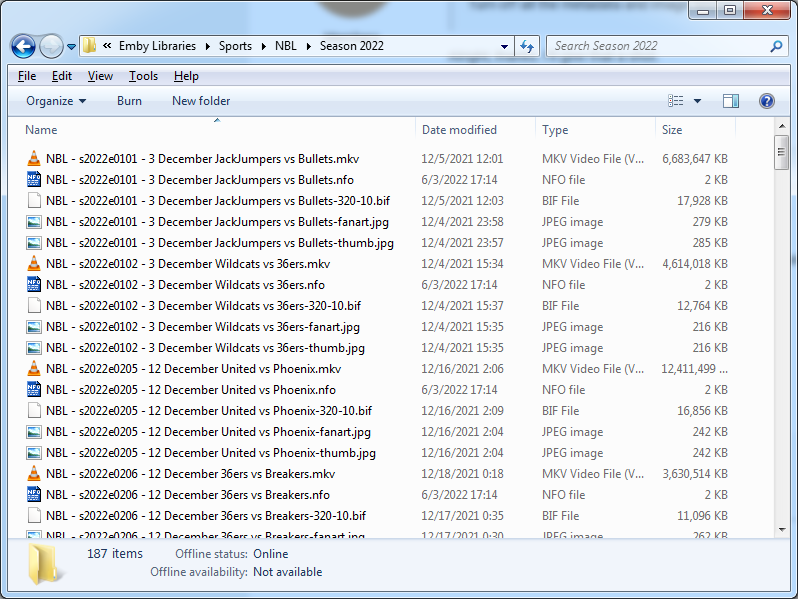
The other thing to try would be removing the date from the episode name. Here's what I have:
 1 point
 -
good, today and tomorrow I'm out . Asap I will come back I will test the procedure. in the meantime I dowload the tool and start to have some feeling with it I'll keep you updated many thx for your help \Gianni1 point
-
I have a production and a test installation, which I can switch between, and I always test new versions before upgrading my production. I learned the hard way that one should never ever ever ever update the production version without testing the new releases because after database upgrades there is no way of going back.1 point
-
New version available 7.0.8 delta changelog: fix database threading issue for an egde case add translations fix QNAP database opening issue fix watched/unwatched/progress updates for multiselection content fix watched/unwatched/progress updates for slower devices (timing issue) comment: the alternative "use playback method from Emby server" is still not fully reliable. Just use it for test cases.1 point
-
really good theme, thanks!1 point
-
The query is going to be large and hard to break down. It's just a reflection of the amount of features we have to support. So just brace yourself.1 point
-
Thanks. Doing that now. I only access content via Kodi. I use emby as the server component. It was running quietly until I launched kodi and it started to sync data. Then it quickly shot up in memory and maxed it out. I'll shut them all down and see if the server acts up over night. I also see that the plug dev QuickMic has released a few point updates to the plugin so I am also reviewing the change logs to see if anything was mentioned.1 point
-
OK I guess you could try this. I would backup library.db first. If that doesn't pan out, then if you go to your config/system.xml and set LogAllQueryTimes to true, then enable debug logging, then the query will get logged to the server log. you can take that and run it in a standalone database browser and that might help reveal the problem.1 point
-
Finally got the logs, installed 7.0.7 and got the same error again... Seems not able to connect to the server from 7.0.2 Build 58... kodi.log1 point
-
Thanks I just noticed you can search for the images within the edit images tab, I didn't see any before and it works perfectly.1 point
-
Server has now been rock solid , thanks guys.1 point
-
SMART shows a bunch of dead sectors. Not horrible, but on it's way out. Reloading from b.up now, at least temporarily.1 point
-
Hi, yes, subtitle position options are possible for future updates as well. Thanks.1 point
-
Only in the current beta release.1 point
-
You can always see where via Emby. Go to "Manage Emby Server", and right there on the dashboard on the right it shows the log file paths.1 point
-
pls add that we can move the subtitle under the video just like in kodi.1 point
-
The basic MKV container conversion is a good thing to have in the toolbox - as it's basically an enabler for the main MediaInfo function that only works on MKV's But for other more complex DV conversions, then we would be going down a rabbit hole that we really don't wanna contemplate entering .. !! I'd like to see the DTS to 'Add Dolby track' added - but that is very simple process. btw - we are just testing the new formatting of the Plugin - each function now has it's own tab (like Introskip did) - it looks very wizzy now - Dave has done an amazing job of making it all look as nice as it functions He is also adding an event listener to run the task on demand - ie as you add new items. Once final testing is done - then it can go into the catalog. @Cheesegeezer1 point
-
To add - the Plugin and Core are 'compatible' with each other with regards to the end 'Intro Start and Intro End' data. This is the bit which actually fires the 'Skip Intro' button. The data import is also compatible - ie once imported, the Core does not need to scan that item again. As you have already identified, the Plugin has a few benefits over the Core - End Credit Detection (shows) Manual Edits (Intro & Credit) Works with Intro's that happen after 10 minutes Initiates the 'Next Up' at the exact EndCredit marker time (thanks to the Core adding this in the clients) Auto Skip to next episode on EndCredit marker time Statistics & Reporting Comprehensive Logging These may be coming to the Core in the future (and we hope they do) - but as of today, they are missing. Personally, I'm still using the Plugin for all the features it brings above in addition to the Core. Functions appearing in both Core/Plugin (ie feature parity) - Intro Detection (where Intro happens in the first 10 minutes) Intro Skip (manual via client button) Intro Skip (option for Auto - Plugin also gives you the option to turn on/off associated message) I hope this helps. I may put some of this in a table in the Introskip Plugin thread actually - as it's a common question ! edit - I've now added this to the Introskip Plugin Wiki - https://github.com/chefbennyj1/Emby.IntroSkip.Release/wiki/Feature-List-Plugin-vs-Core Thanks.1 point
-
It's working again for me. Thank you Luke!1 point
-
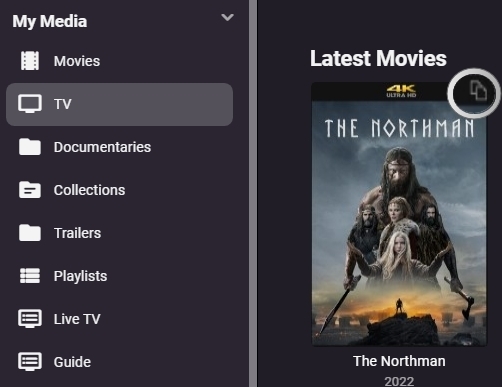
That was it! Thank you. Even see an icon now that apparently indicates more than one file is in there. I use the Emby auto organize plugin that adds the dot in the file names, didnt realize this was the issue.
 1 point
 -
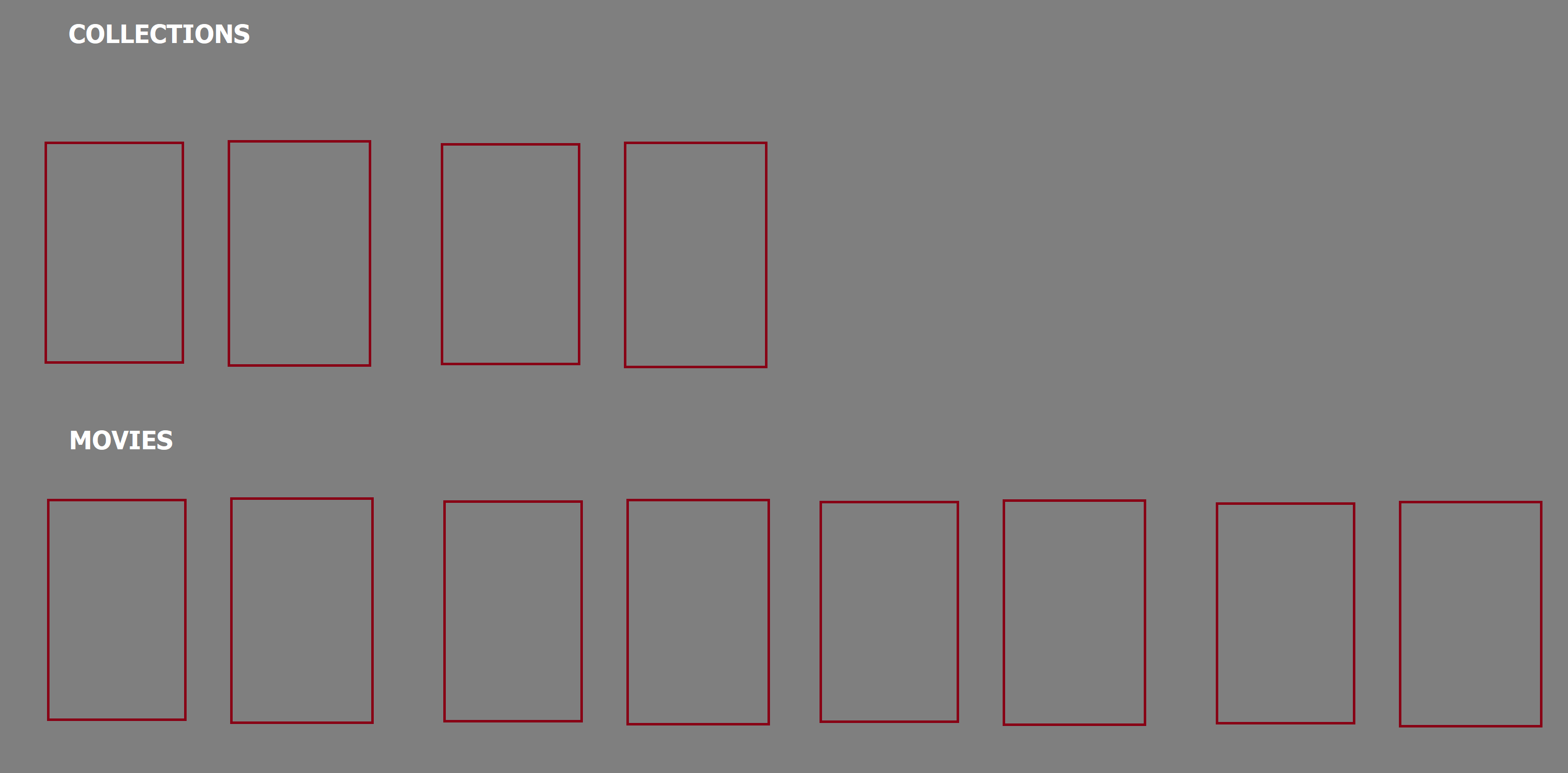
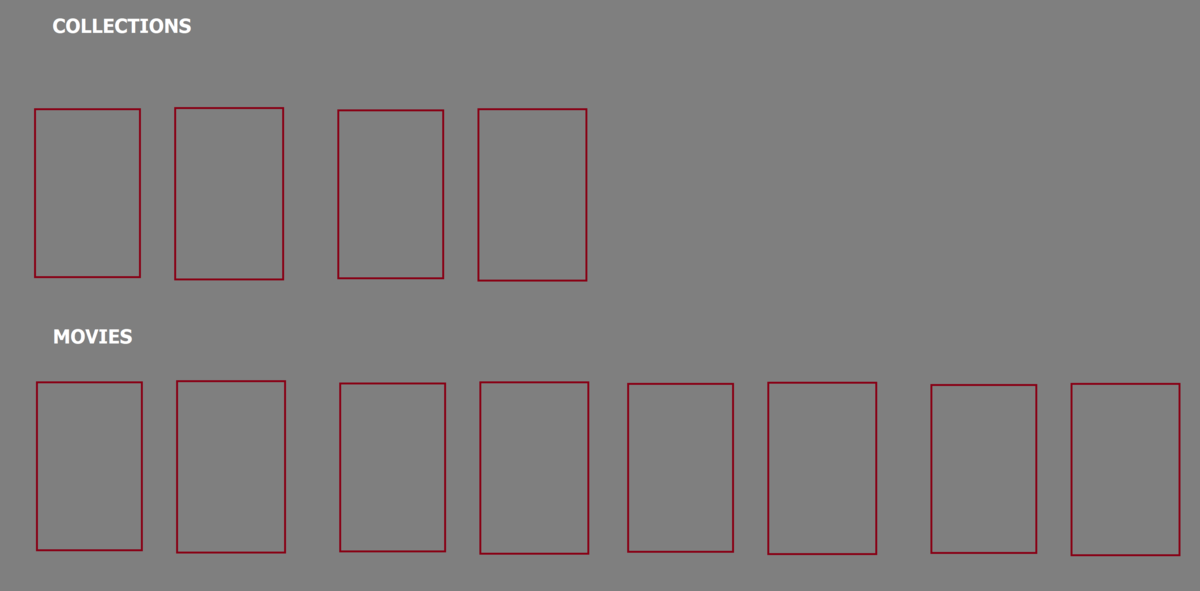
I like the collections to show on the movies tab, but I think some older members of my family cant tell the difference between a movie or a collection of movies. I think a quick distinction between when the collections stop and the movies start would help a lot. Something like what I uploaded as an example.
 1 point
 -
That would be nice. However you may still want to look at this node as last resort if uniqueid not available. people may have older nfo format.1 point
-
Hey Luke, I can vouch for this as well, and have tried in Firefox and Chrome. I have found that it works better if you only drag channels one spot at a time, but that doesn't always work either, and oftentimes when trying to move one channel a completely different channel gets moved.1 point
-
Hi, there is currently no way to do this, although having a way is not a bad idea.1 point
-
Ich habe mal auf die schnelle durchgeschaut es gibt leider keinen extra Filter dafür. Das sind Filme die ich habe die DTS-HD HR haben diese werden bei mir alle nur mit DTS ausgegeben aber wenn ich VLC als Player benutze wird DTS-HD HR korrekt wiedergegeben. Filme mit DTS-HD HR: Blow, City of God, Crank, Dead Snow, The Fitfth Element, Grotesque, The Hunt, Lucky # Slevin, New Kids Turbo, New Kids Nitro, Postal, Requiem for a Dream, Resident Evil (2002), Resident Evil - Apocalypse, Resident Evil - Extinction, Resident Evil - Afterlife, esident Evil - Retribution, Resident Evil - The Final Chapter, Scary Movie, The Texas Chainsaw Massacre, Tron - Legacy Bei diesen Filmen tritt kein ruckeln beim Skippen auf da sie ja nur mit DTS abgespielt werden. Ich habe mal ein paar DTS-HD MA Filme getestet es tritt fast immer nur bei Filme mit DTS-HD MA Stero auf und nur sehr selten bei normalen DTS-HD MA (5.1) Filmen. Das sind Filme mit DTS-HD MA Stero die ruckeln beim skippen: Evil Dead 1-2, The House that Screamed, Cannibal Holocaust, Cannibal Ferox, The Blood on Satans Claw, Man Bites Dog1 point
-
I really want a dedicated Mac app that can add tracks to playlists. Like PlexAmp.1 point
-
I have noticed that if I have a corrupted video file (usually because it was interupted during a copy) the thumb images in Emby will be blank, or emby will show a generic black film thumb images. Wonder if that could be used to flag the file with an issue?1 point
-
I use collections as my watchlist. You can create a collection and name it in such a way that it appears at the beginning of all collections. I originally had just one huge collection for everything I wanted to watch but it made Emby slow to a crawl and almost unusable. So be careful of a super huge collection with several hundred movies to watch (but maybe it's okay and I just had some unique issue). Anyways, I ended up breaking my watchlist into different basic genres and I use that. I agree though that a watchlist feature would be great. Edit: I just realized the background color on those posters is off. It's supposed to match the top bar. That's going to annoy me to death unless I fix it. Ughhh.1 point
-
Yea it's a good idea.1 point