Leaderboard




Popular Content
Showing content with the highest reputation on 06/01/22 in Posts
-
Emby Server is now a TrueNAS Scale Official Application. Very few applications ever get to have that privilege! Emby Server has been available in the community catalog. Emby is now forefront on the first screen when entering the Applications Menu. This is where Official Apps are shown. https://emby.media/truenas-scale-server.html To learn more about TrueNAS Scale: https://www.truenas.com/truenas-scale/ Overview of Hardware Packages: https://www.truenas.com/systems-overview/ Customer Support : https://www.ixsystems.com/support/ View the full article5 points
-
We have this forum which includes a way for you to support the requests you want but that is very incomplete information. Such a system is only used by a very small subset of, what are usually, power users. So it only gives a piece of the puzzle and one with a very distinct bias. However, the thing that actually is slowing down this request is more its complexity and overall impact on the system. These factors mean we have to sacrifice working on a lot of other things to implement it making it very costly. I'd say we're getting much closer to attacking it though.3 points
-
I believe you are incorrect. What you are doing is knocking out what you believe to be the high priority items. If you had a feature request system, which I believe was something that was already mentioned multiple times, you would know exactly which items are high priority. More so, the community would know which items are a high priority. You don't have to look far for an example. https://features.jellyfin.org/ I am really not trying to hate on anyone here, I liked the latest updates, but you sure don't make it easy.2 points
-
You are entitled to your opinion, and I am sure you are right for you. But that does not apply to everyone and I doubt anyone asked. This is a request by those of us who (obviously) do care about the issue. If they are just words, then, you should complain to Emby forum admins as such language we want to get rid of is not allowed on this forum as well. Along with many other places in life. Recent quote from Luke: "Hi, please refrain from profanity as this is a family friendly environment. ". Which exactly matches what we are asking for!2 points
-
@Mibok Standby… things are in the pipeline for end credits. It’s already a feature in a plugin and core team are bringing this to Emby. Vantage Point plugin will be adding home automation command points to do things at various points during trivia and ads(commercials), trailers, movie build up and also as soon as movie starts.2 points
-
Since we can now detect end credits, or manually add them in other cases, it would be nice to see this, rather than an automatic percentage/time remaining, trigger the "next episode" popup and decide whether an episode is resumable or not. Even better if it could expand to movies for the latter point.1 point
-
As I mention in a related post, I love the additional subfolders for Movie Extras (eg, Shorts, Scenes, Interviews, etc.)! It would be awesome to extend this functionality to TV Series as well. Specifically to add support for many/all of the same folders supported for Movie Extras, eg, extras specials shorts scenes featurettes behind the scenes deleted scenes interviews trailers As well as any additional folders that get added in the future (eg, hopefully Galleries). Support Placement of "Extras" Folders Within Each Season Folder, Plus A Naming Scheme to Link A Particular Extras Folder with a Specific Episode (eg, "\Season 1\E1 - Deleted Scenes\" for episode 1 deleted scenes): I want to clarify that it would be great if these various "extras" folder types could reside within each Season folder. So for example, within a Season 1 folder we could then have an "Extras" folder, a "Deleted Scenes" folder, a "Featurettes" folder, etc. And furthermore, that we could designate a particular folder to refer to a specific episode (eg, "\Season 1\E1 - Deleted Scenes\" for episode 1 deleted scenes). See more below, particularly why I think this would be so useful: https://emby.media/community/index.php?/topic/55915-emby-server-theater-additional-extrasspecial-folder-types-for-tv-series-similar-to-movies/&do=findComment&comment=587195 Thanks for your consideration! PS - If this is something you might like to see implemented, be sure to "Like" this top/first post (as well as any subsequent posts in this thread that highlight particular aspects of what you are interested in) -- "Liking" the top/first post helps the Devs to know how much interest there is in a given Feature Request.1 point
-
It appears that any playlist that any user creates is public--all other users can see it. I can appreciate the benefit of a public playlist. I could create a playlist called "Harv's Favorite Horror Films" for example, in case other users are interested in checking out what I like. However, the way most of my users are using playlists is to keep track of things they want to watch in the future. They are typically things that the user has not watched yet, so it's not meant as a recommendation to others, just as a way of them personally keeping track of what they want to watch. Having that kind of playlist be public is of questionable benefit to other users. Additionally, it is not clear when you create a playlist that other users will be able to see it. That has the potential to cause some embarrassment. He hasn't created one yet, but I wouldn't want to see my nephew's "movies to fap to" playlist, for example. If I could make a suggestion, I would suggest associating each playlist with the user who created it, and giving that user the ability to make the playlist private or public. For example, the following two checkboxes could be shown when creating or editing a playlist: Allow other users to see this playlist Allow other users to edit this playlist Initially, both checkboxes would be unchecked. Since another user cannot edit a playlist they cannot see, the second would be allowed to be checked only if the first were also checked. (You could grey it out to make that clear.) Depending on your UI preference, it could also be a drop-down menu. Playlist visibility: (Only me | all users can view | all users can view and edit) Thanks for considering this.1 point
-
It's not what is on the list that matters. It's the list that matters. Fair, but the community is still left in the blank on what's being worked on. Also, a forum has to be by far the worst form of managing requests, workflows or pretty much anything. I guess what I am trying to say is, that some transparency (or structure) to these things would be welcomed by the community. Very interesting, would love to hear more but not entirely sure if you are trying to make a point in favour or against private playlists? Either way, for me it is the only thing that is separating me from moving my music library to Emby, there is no need for everyone to see my 15 playlists. Not to mention the extra confusion and overall navigation issues it would cause.1 point
-
I think I found a bug when uninstalling windows and reinstalling you have to make that you stopped on episode finish all way or the continue watching gets stuck. to fix just make a if statement check if the video was not full played and make it fully played automatically if the user is father head in the series like if you skip head or reinstall my computer. but my issue is fixed @Luke1 point
-
Somehow I missed it. Thanks!1 point
-
Thanks for the chromecast rate limiting option, works great and great thinking for an easier fix Luke.1 point
-
Right.1 point
-
Hi. If they are external SRT subs, then there is a menu option in the subtitle menu during playback. Internal subs cannot be altered.1 point
-
@Cheesegeezer1 point
-
Sorry, should have posted. I was trying to play mixed media (audio & video). Put them in separate playlists. All working like a dream1 point
-
Hi, we're looking into it. Thanks.1 point
-
Server is Win 10 on Emby Version 4.7.1.0 And the Client where i saw it is Samsung Tizen 1.2.81 point
-
Hi, yes we're looking into this. Thanks.1 point
-
Great I've got some tv coming through now! Looking forward to having a good test of the new version. thanks all1 point
-
I did run "Vacuum Database" under "Manage Server -> Database" and all problems are resolved for the time beeing. I don't know if that really was the problem or if i tried something else that fixed it, but right now Safari 15.5 is playing all videos again. I will report back here should i have further issues.1 point
-
A timely thread - @Cheesegeezer and I are just constructing an HDR>SDR Chapters/Thumbnail generator plugin based on the 'quick-image-series' emby ffmpeg syntax (with tonemapping added into the mix). I've been using this as a script for some time now with perfect results - but did wonder why threads was set to 1 - now I know1 point
-
This is still happening on 4.7.1.0, just tried it and created 150 libraries. I have disabled uploads until this if fixed.1 point
-
Hi, I recently came across the same problem as well. This only happens to my TV shows type library, and in the same library, some will show season row, and some don't, so it's a mixed situation where some shows don't have the season showing. Using "Scan Library Files" or "Refresh Metadata" does nothing to improve the situation. Upon inspection, I realized for the shows not showing seasons, it usually would have the "Season #" structure mentioned above, and inside that directory, a "season.nfo" would be missing for the show that are problematic, and quite consistent for the dozens of shows that has the same problem compare to the dozens of shows that are okay. So as a test, I manually created an empty "season.nfo" file under the "Season 1" directory of the show where the show is not showing seasons, and upon a metadata refresh within Emby for that show, Emby populated the "season.nfo" file successfully, and the season row showed up in emby almost immediately. Here is part of the logs that sees the empty "season.nfo" file and error out after I clicked "Scan Library Files" on the show, then populates it: ************************************ Beginning of quote *************************************** 2022-06-01 11:07:32.097 Info LibraryMonitor: Season 1 (/mnt/Video/sonarr/Spy X Family/Season 1) will be refreshed. 2022-06-01 11:07:32.182 Error App: Error in Nfo *** Error Report *** Version: 4.7.1.0 Command line: /system/EmbyServer.dll -programdata /config -ffdetect /bin/ffdetect -ffmpeg /bin/ffmpeg -ffprobe /bin/ffprobe -restartexitcode 3 Operating system: Linux version 5.15.43-Unraid (root@Develop) (gcc (GCC) 11.2.0, GNU ld version 2.37-slack15) #1 SMP Wed May 25 11:54:05 PDT 2022 Framework: .NET 6.0.2 OS/Process: x64/x64 Runtime: system/System.Private.CoreLib.dll Processor count: 16 Data path: /config Application path: /system System.Xml.XmlException: System.Xml.XmlException: Root element is missing. at System.Xml.XmlTextReaderImpl.Throw(Exception e) at System.Xml.XmlTextReaderImpl.ParseDocumentContentAsync_ReadData(Boolean needMoreChars) at System.Xml.AsyncHelper.CallBoolTaskFuncWhenFinishCoreAsync[TArg](Task task, Func`2 func, TArg arg) at System.Xml.XmlReader.MoveToContentAsync() at NfoMetadata.Parsers.BaseNfoParser`1.Fetch(MetadataResult`1 item, String metadataFile, XmlReaderSettings settings, CancellationToken cancellationToken) at NfoMetadata.Providers.BaseNfoProvider`1.GetMetadata(ItemInfo info, LibraryOptions libraryOptions, IDirectoryService directoryService, CancellationToken cancellationToken) at Emby.Providers.Manager.MetadataService`2.RefreshWithProviders(MetadataResult`1 metadata, TIdType id, MetadataRefreshMode metadataRefreshMode, MetadataRefreshOptions options, LibraryOptions libraryOptions, List`1 providers, ItemImageProvider imageService, CancellationToken cancellationToken) Source: System.Private.Xml TargetSite: Void Throw(System.Exception) 2022-06-01 11:07:32.184 Info HttpClient: GET https://api.themoviedb.org/3/tv/120089/season/1?api_key=f6bd687ffa63cd282b6ff2c6877f2669&append_to_response=images,keywords,external_ids,credits,videos&language=zh-CN&include_image_language=zh-CN,zh,null,en 2022-06-01 11:08:06.063 Info Server: http/1.1 POST http://192.168.0.23:8096/emby/Sync/data. UserAgent: okhttp/4.9.2 2022-06-01 11:08:06.064 Info Server: http/1.1 Response 200 to 192.168.50.234. Time: 1ms. http://192.168.0.23:8096/emby/Sync/data *********************************** End of quote *********************************** I also repeated this process for a couple of more shows that are not showing seasons as well, and result is very consistent. As soon as the season.nfo is populated by Emby, the season which the file created in will show up in Emby immediately. So in my personal case, I would conclude that the missing/permission of "season.nfo" seems to be the root cause. I'd assume this is also somewhat consistent with svdasein's finding, which would force the season.nfo to be created as the directory structure is then new to Emby. How the file is not created automatically in an existing path by EmbyServer might require some look into. A catch-all I can recommand is to have a stronger enforcement of the creation and population of that "season.nfo" under each season folder, if possible. I'm not trying to raise a question or anything, just hope this information helps. Update: Here are the command I used that fixed my entire library. Please change the permission and owner that matches your own setup. cd to where your tv show library is, and run the below 3 commands: find . -type d -name Season* -exec touch {}/season.nfo \; find . -name season.nfo -exec chmod 666 {} \; find . -name season.nfo -exec chown nobody:users {} \; Now my problem is all solved. Hope this can help.1 point
-
That's what I thought. I don't even use IPV6, I have it disabled so I know that Emby does not require or need it to run. I will let you know when they reply. Thank you again for all your help.1 point
-
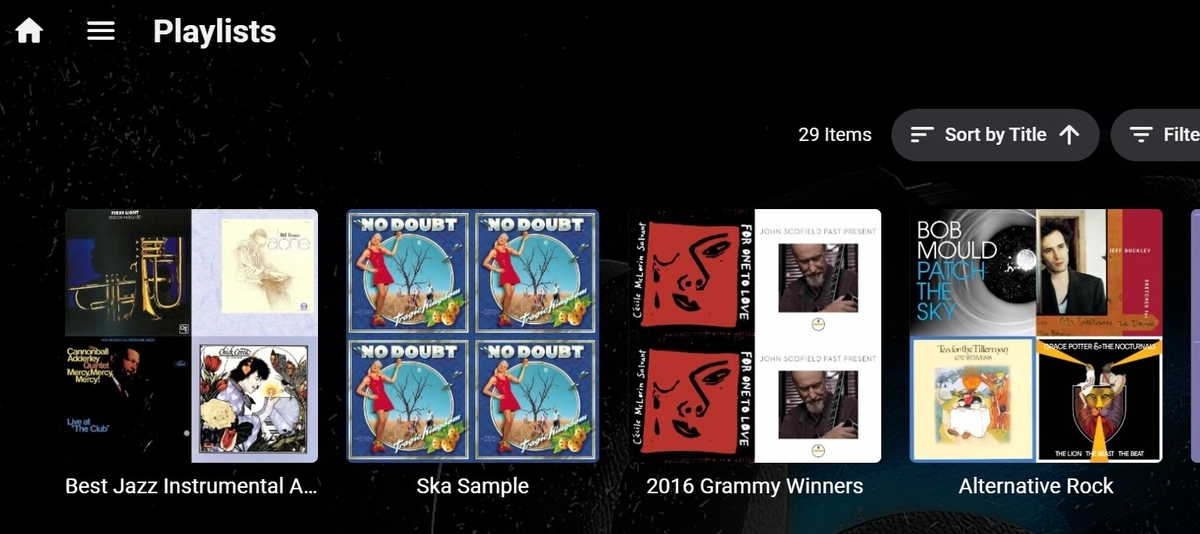
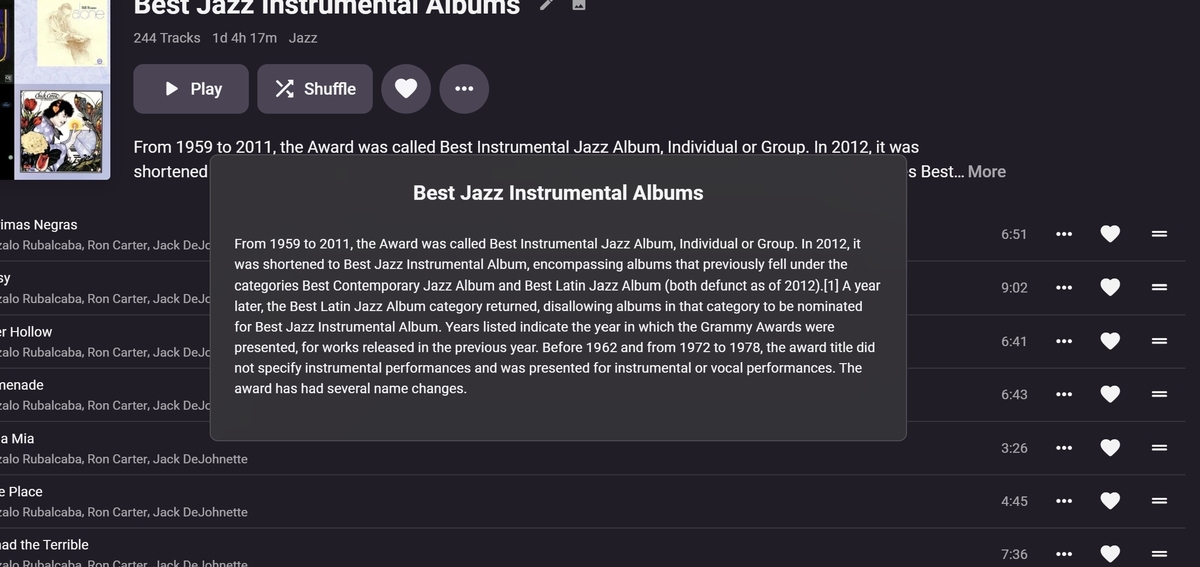
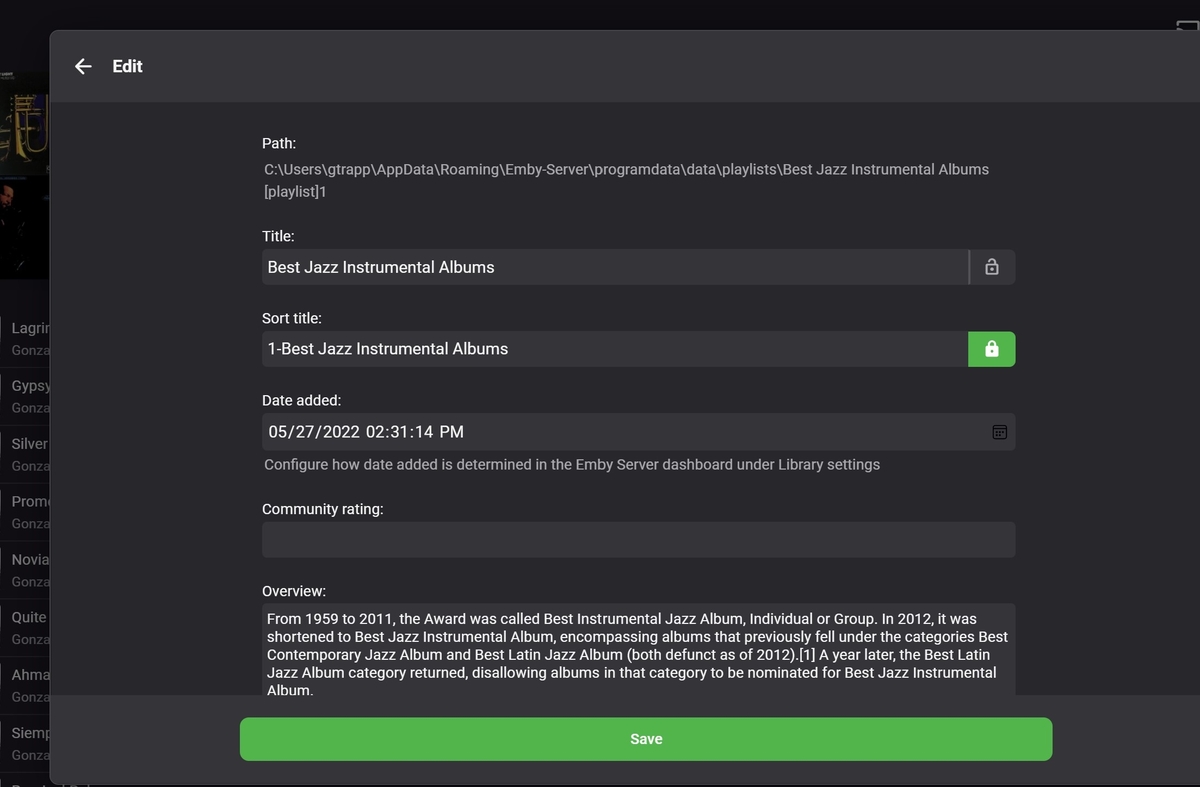
Hiya @ebr (How's it going?) There are challenges in any feature request system. (my 2cents latter). @cayars I disagree with the above for a variety of reasons. Let's start with the obvious. " Playlists could use an overhaul from a cosmetic standpoint to me more like collections and it should move to storing the information in the database vs file which will alleviate problems when people move files. Of course private/public/shared access can be added as well." Thanks @ebr, @Luke Playlist's display is looking much improved. I really like the custom sort order. I personally have about 30 different playlists. Having ones I am working on, or select frequently At the top is a real plus, particularly when navigating. with a remote. The description can be helpful, especially for what should be a "Public" playlist. The Metadata edit screen just needs an "Access: " with a drop choice of "Private" or "Public" with a default of "private" Cayars -"Most of what people want with playlists is already there with a bit of work. Each user can have a private playlist or two" In my opinion, Playlist by definition is private to the user logged on to the system. A list of items that the user frequently plays. So having playlists by default as public I feel is incorrect and therefore exclude access to playlists for all my users. Again, In my opinion, Public playlists are generally a workaround for functionality that is missing. Even in my example the Grammy Awards "Best Jazz Allums" is a workaround not being able to correctly shuffle a "Tag" -Thanks -vicpa
 1 point
 -
I found searching around that Luke mentioned he posted updated 4.7.1.0 versions so I downloaded it again and the file sizes were different by 100k, Installed it but it still showed the same sub version -704070100. I restarted the NAS clean and started replace all images. This AM everything was there across all three clients. Not saying somehow permissions didn't get messed up but don't understand how on 1 client everything showed, on another some were missing, and different ones were missing on a 3rd. I did see that the emby web clients were 2 different versions. Anyway, close this one out something along the way fixed it and it's back to normal and thanks for everyone's help. And oh Luke, part 2 about the transcoding path showing up as the default in the log when it's not is still present as above. Just verified it again1 point
-
Make sure you test with Direct Play clients and and not the apps web clients. I am confident that with NextPVR only we can reduce the time. the near WMC times since they both use the BDA infrastructure. After configuring NextPVR, you can then hook up Emby which seems to add less than one second in my testing. I don't consider either Emby or NextPVR replacements for WMC. WMC lacks so many features of a modern PVR, they are really upgrades. Plus for many using an old-school HTPC as a client is dead. Martin1 point
-
Thanks. I did have my favorite channels set in the Homerun. And I've just changed the channel sort order to "Channel number" which now displays them correctly. I was just wondering why it had suddenly changed.1 point
-
Maybe, i found a fix to this problem in the last version, in the library option i uncheck the option "Save the ilustration in the folders" . Then, i forced scan metadata in the new title without picture and works again, have a picture to show!1 point
-
Yes, it is a known "feature" that beta 4.7+ introduced. Stable 4.7.0.60 brought it back, while it appears that in 4.7.1.0 is gone again. Same as above, any links to Season view from Episode detail screen have been removed in 4.7+, likely as they were considered redundant in new design language. Reported in several other topics.1 point
-
Kann den Fehler bestätigen. Löschen der beiden Plugins geht nur manuell über den Plugin-Ordner.1 point
-
That will be down to whether the Bitdepth field is populated or not in the media container and what is in the mediaInfo file. I don’t think i put any conditions in to show only 24-bit or higher, but I’ll double check. Nice catch again.1 point
-
Good point, they're indeed 16bit. Emby seems to get it wrong here. So only 24bit is supposed to show up? I ask, because i have a movie with a DTS 2.0 track that gets tagged with 16-bit, others don't. Also found a 4k file with a slightly off resolution (3836x1912) that doesn't get recognized as 4k. Similar to those earlier mentioned HD-movies.1 point
-
I get no compatible streams with video level 52 on android device. i mentioned in other thread1 point
-
Hi, yes that helped. Thanks1 point
-
The bulk of your 7 or 8 seconds will be Emby, rather then NextPVR. NextPVR will be delivering the stream to Emby within a quarter second or so of the tuner having locked the signal. Players (like Emby in this case) often add a lot of their own delays analysing/buffering/transcoding the stream Watching in NextPVR.exe, channel changes often take about second here with my Hauppauge DVB-T tuner.1 point
-
You probably know already, but in NextPVR v5, in their web app, under Devices, there's a setting to 'Keep digital tuners primed', which might help. You won't get it down to a second though.1 point
-
like this. take mouse right and save it will get 684*1080 Resolution. but my image is 3167*5000 Resolution. if in phone to view. it's looks same to eye. but if in 4k Tablet, the emby will very vague.
 1 point
 -
This would be a great feature for audiobooks. Plenty have an accompanying pdf.1 point
-
Yes it is working now thanks1 point
-
Hi, have you taken a look at this? Possibly similar discussion.1 point
-
Hi, if someome is having this problem, i found something that doesnt solve the problem, that i dont know wich is, but it works for me, disable error message in the Kodi Options this will stop the annoyng behavior.1 point
-
It seems you are not aware of the dimensions I'm talking about, so please look at this: Classic Extraction - 1 Thread ffmpeg -threads 1 -i "U:\TestMedia\Movies\Big Buck Bunny\Big Buck's Bunny.mp4" -an -sn -threads 0 -vf "fps=fps=1/10,scale=min(iw\,320):trunc(ow/dar/2)*2" -f image2 -vsync cfr C:\tmp\out2\xmg_%05d.jpg 205 s Classic Extraction - 8 Threads ffmpeg -threads 8 -i "U:\TestMedia\Movies\Big Buck Bunny\Big Buck's Bunny.mp4" -an -sn -threads 0 -vf "fps=fps=1/10,scale=min(iw\,320):trunc(ow/dar/2)*2" -f image2 -vsync cfr C:\tmp\out2\xmg_%05d.jpg 91 s ffmpeg -threads 16 -i "U:\TestMedia\Movies\Big Buck Bunny\Big Buck's Bunny.mp4" -an -sn -threads 0 -vf "fps=fps=1/10,scale=min(iw\,320):trunc(ow/dar/2)*2" -f image2 -vsync cfr C:\tmp\out2\xmg_%05d.jpg 74 s Quick Extraction - 1 Thread ffmpeg -threads 1 -skip_interval 10 -i "U:\TestMedia\Movies\Big Buck Bunny\Big Buck's Bunny.mp4" -copyts -s 320x180 -f image2 -r 0.1 -vsync cfr C:\tmp\out1\xmg_%05d.jpg 4.7 s Quick Extraction - 8 Threads ffmpeg -threads 8 -skip_interval 10 -i "U:\TestMedia\Movies\Big Buck Bunny\Big Buck's Bunny.mp4" -copyts -s 320x180 -f image2 -r 0.1 -vsync cfr C:\tmp\out1\xmg_%05d.jpg 4.7 s - but sometimes incorrect results If you want to reproduce, it's the BigBuckBunny video with H.264, 4k, 60fps1 point
-
1 point
-
m3u in Emby einbinden (Server verwalten -> LiveTV -> TV-Quelle -> M3U -> Pfad zur M3U angeben) xml in Emby einbinden (Server verwalten -> LiveTV -> Programmführer-Datenquellen -> Land auswählen -> XMLTV -> Pfad zur XML angeben) Sender zuordnen. Ich habe in meiner m3u bei jedem Sender die TVGID hinterlegt. Diese TVGID passt zur gleichen ID des jeweiligen Senders in der EPG XML.1 point
-
Hi there, you can use our Live TV feature to import the m3u and xml guide data: https://support.emby.media/support/solutions/articles/44001160415-live-tv-setup1 point
-
I've been running SATA II controllers for years without issues and still do (on SATA 3 disks) - you simply do not have bottlenecks using SATA 2 interfaces when streaming media - If you do, then you have something set up wrong.. SATA II in real life ~150-200Mbytes / sec, with that in mind, even a 4K Remux only needs 13 Mbytes/sec read speed. On a multiplexed SATA channel, this still gives plenty of headroom for streaming I/O for many many clients. Would I buy a SATA II backplane now - likely not, but I think for typical use, having SATA II instead of SATA III is not going to impact the OP at all.1 point