Leaderboard




Popular Content
Showing content with the highest reputation on 05/22/22 in Posts
-
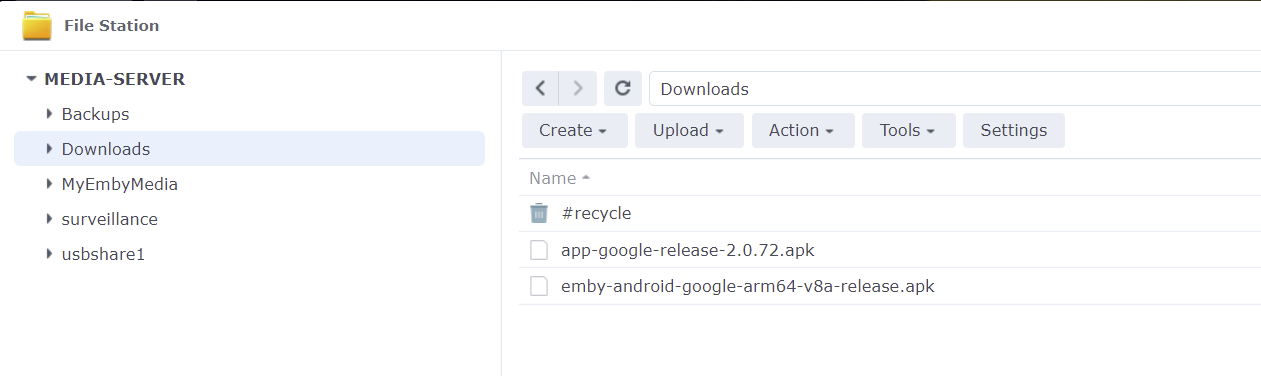
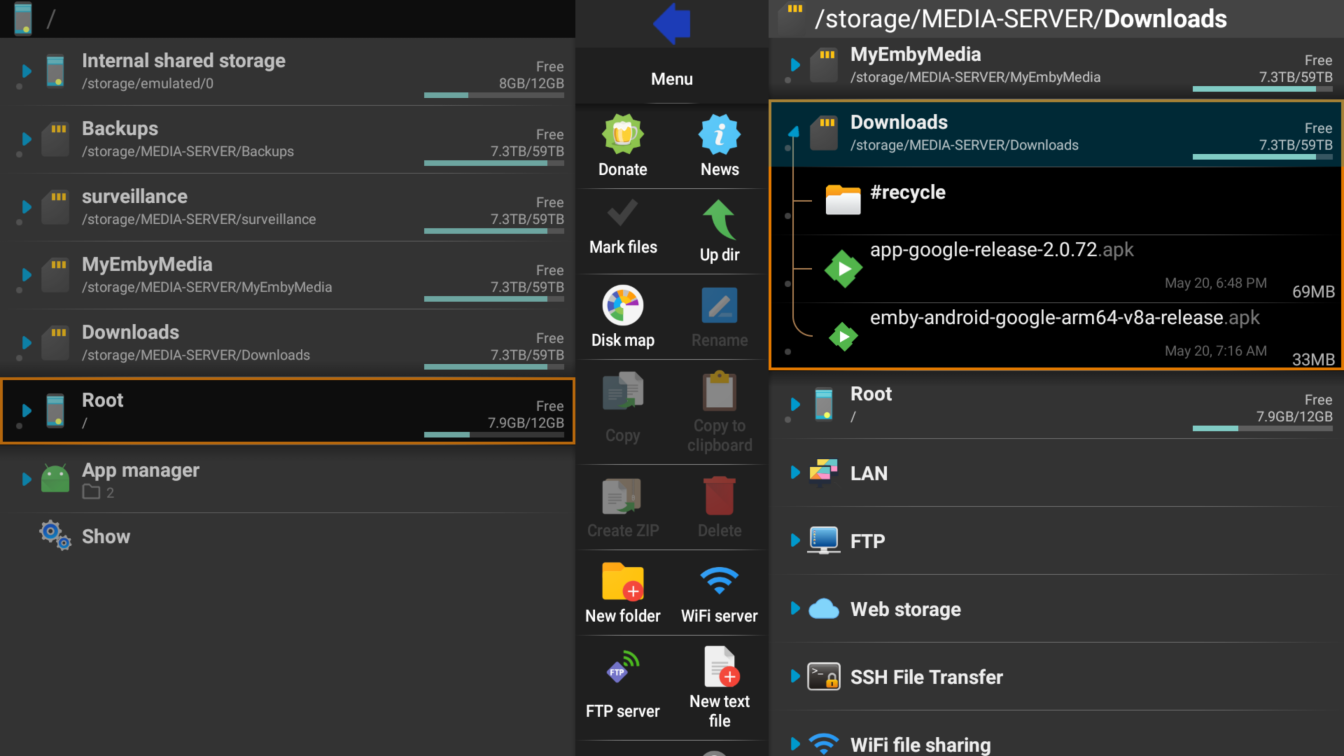
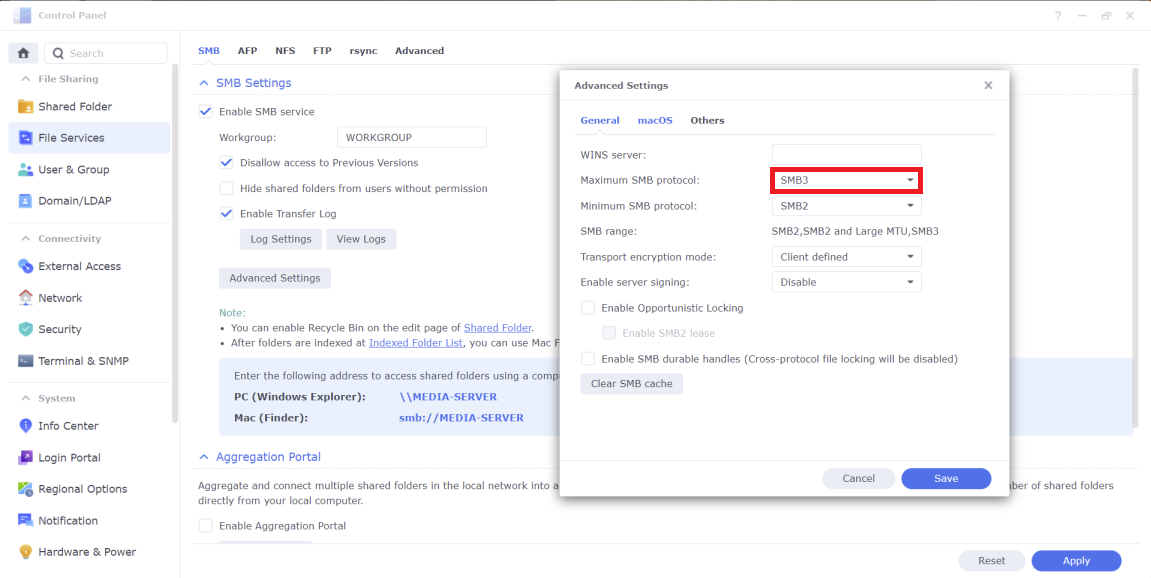
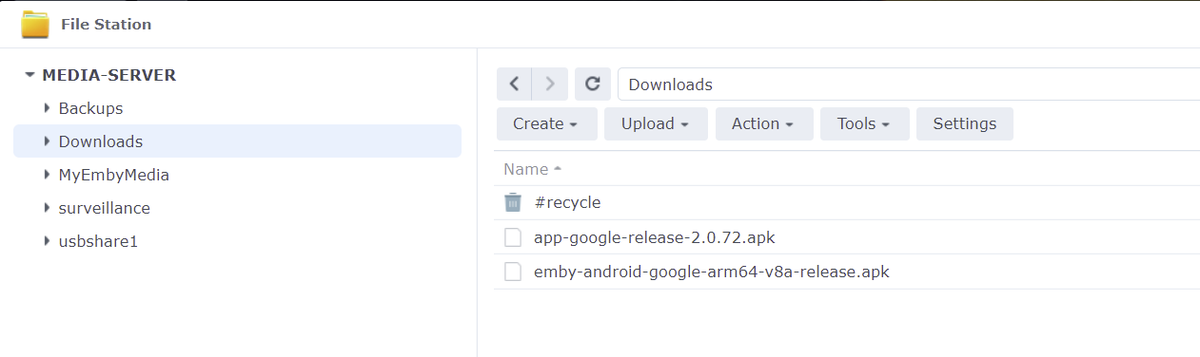
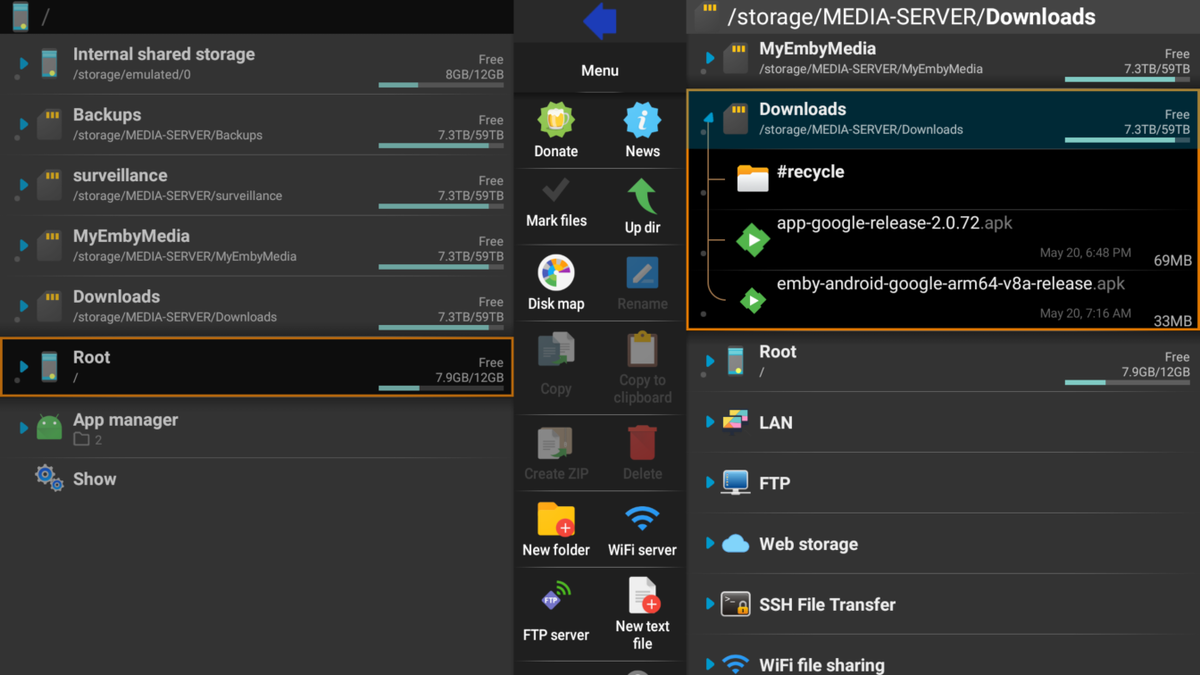
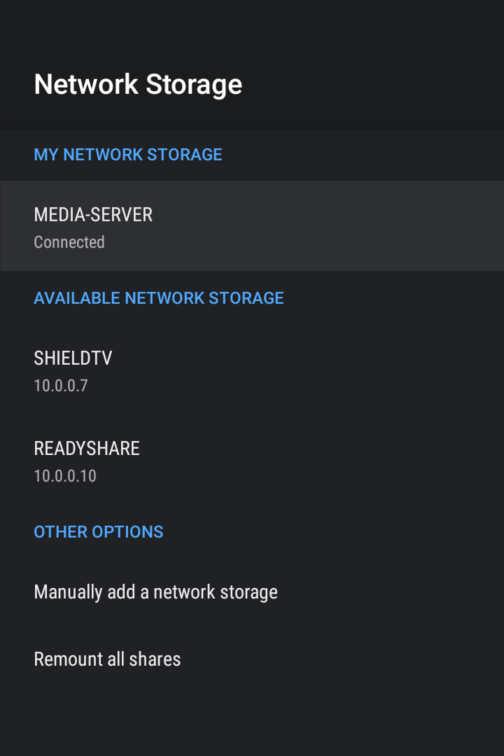
If you prefer to host the apk on a server such as Synology NAS and install the file to your Shield from your NAS you can do that too. This is good if you have multiple Shields or just want to have the apk in a central location. 1. Download apk file to NAS Create shared folder Place apk files in shared folder 2. Enable smb3 on NAS Make smb3 max protocol Click Save and Apply 3. Mount NAS on Shield Settings Device Preferences Storage Mount Network Storage 4. Install apk file Start X-plore from Shield Navigate to the shared folder on NAS Select apk and open Scroll down and click Install
 2 points
 -
Hi, finally had time to run the the migration plugin and most of my peoples images I had manually added have returned. Wish I had heard of this plugin in sooner. Just wanted to say thank you to @GrimReaper and @Happy2Play for your help! Solution of using migration plugin to fix my metadata folder issues accepted.2 points
-
Thank you for the 4.7 update! The subtitle option makes the morning and evening news much more enjoyable for me as I have trouble hearing these days. (Stay young! Don't get old.) I am using a Roku Ultra box, and I have a newer i7 Windows 10 PRO as a dedicated server. The server also handles six HD security cameras with 24/7 recording. The new release works smoothly and I have had no troubles with anything since the rollout. I appreciate your hard work on this! Sincerely, Jack2 points
-
Yes the colors have changed slightly with the change from hex to hsl, mentioned in many topics. I doubt we will see the exact same theme colors as previously. And unfortunately what is perfect for you other may not like. And changes will continue to evolve potentially in every server release. Have to be specific on the OSD, but are talking about the three tab to show you Info, Chapters, Cast & Crew shown in empty space under then control buttons? If so div.videoOsdBottom-tabs {display: none;} As for Header tabs you could do something like this. button.emby-tab-button:focus, button.emby-tab-button-active {background: none;} div.tabs-viewmenubar-slider, div.tabs-viewmenubar-slider-backdropfilter {background: none; backdrop-filter: none;}2 points
-
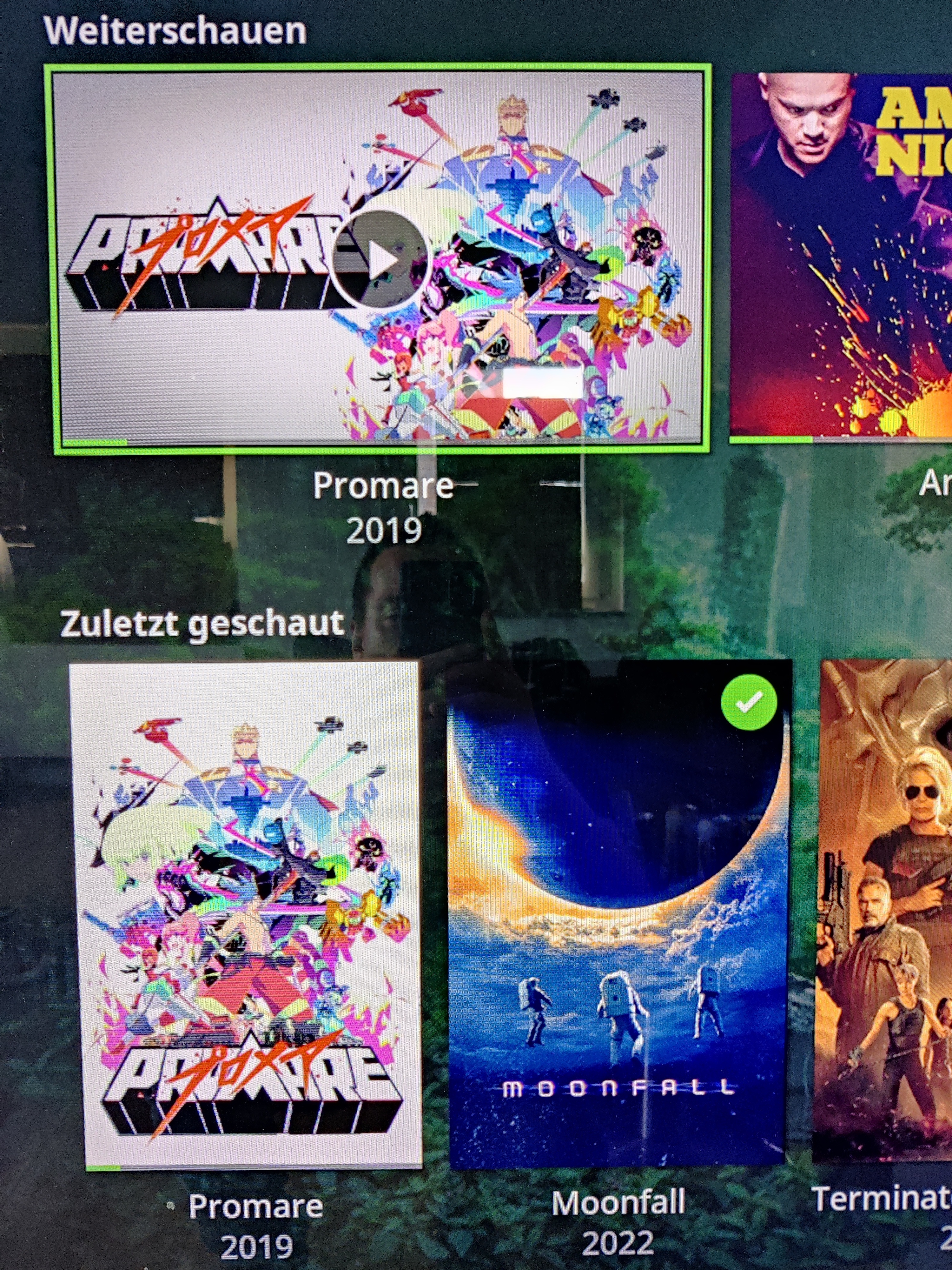
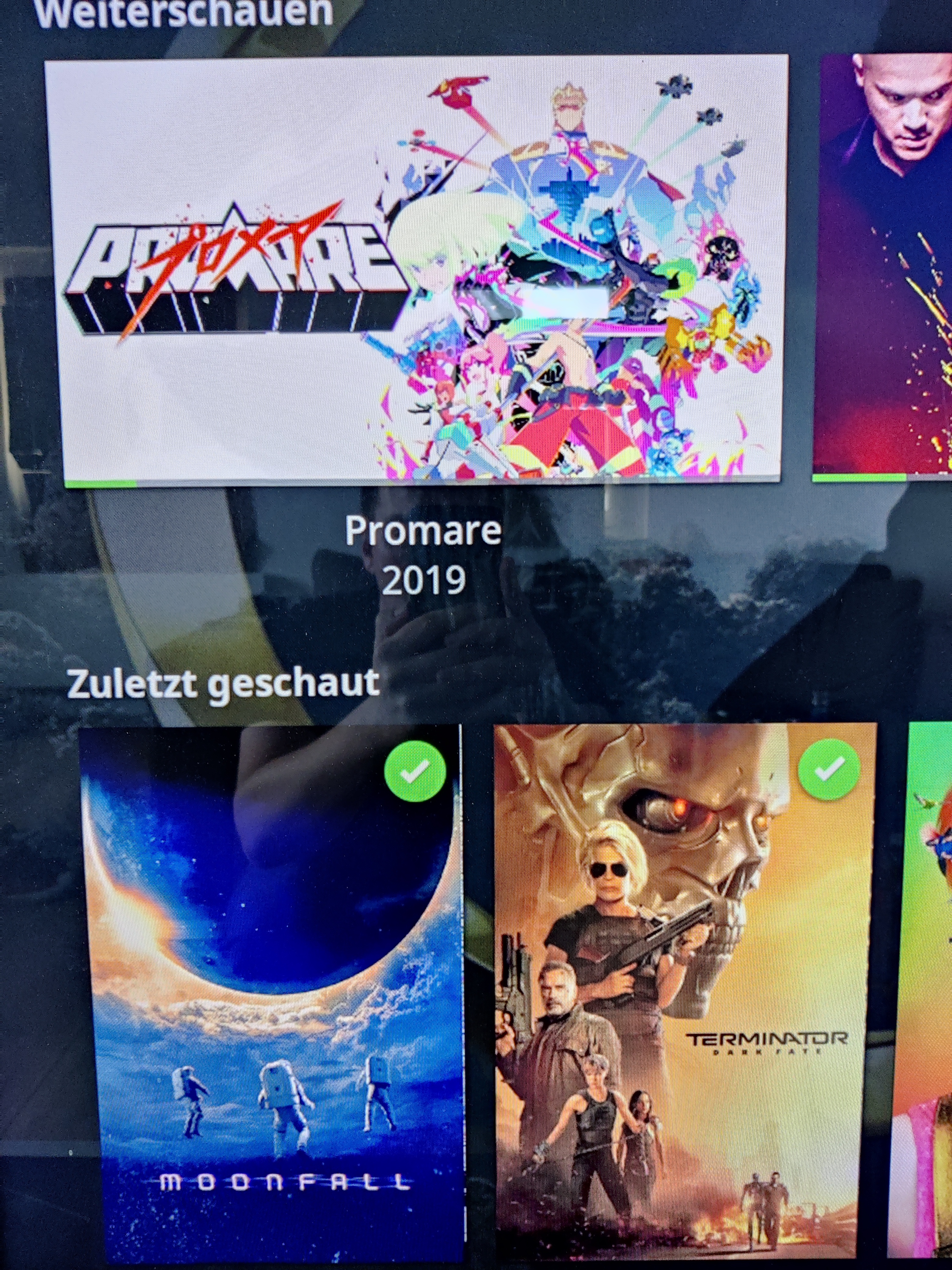
I moved from Plex to Emby and even though I think Emby is superior in its flexibility there are some things I like better with Plex, especially in terms of its looks. This theme is trying to fix that by making it a bit more similar to Plex but with some, in my opinion, improvements. The CSS is attached to this post for anyone interested and below are some screens to show it off Good to know I only use Chrome so I can't guarantee this CSS works as expected in other browsers. If you want the sidebar menu to look like in the screens, make sure to pin the sidebar. Watched badge/banderoll is inverted which means that the badge will not be shown if media have been watched, like in Plex. For desired look, please use the "Dark" theme for both Theme & Settings theme in the display settings. Emby-Stable-style-v3.6.txt





 1 point
 -
I'm a plex life time member, but I have been using Emby for over six years continuously, but there is a feature which I have always thought is missing in Emby which I would like and encourage the developer to consider including especially in this dispensation where families can social or commingle due to COVID 19. Today, I received a notification from Plex about it new feature titled Watch together you can read about it here https://support.plex.tv/articles/watch-together/ The feature allows friends and families at distance to watch same movies together instantly, you simply invite all your buddy, once they signed to the system which can be seeing in the server then play and pause as needed, this I think is cool feature should be added to emby. Let's here your though if Emby developer should consider adding this feature to our beloved Emby Media https://www.bing.com/news/search?q=Plex+Watch+Together&qpvt=plex+watch+together&FORM=EWRE1 point
-
Could the way User Settings are handled be changed so that: 1 - Every setting that is changed via the Admin/Server - Users settings page becomes the new default for that particular user (instead of the Emby supplied default). 2 - Any setting that is changed appropriate for an end user to change from within that particular user account being signed in is saved at the local device level, and would be used instead of Server specified defaults. This wouild: A - Allow us to adjust the default behavior when NO local settings exist. B - Still have local device specific settings override what have been set as Server defaults. (Allowing the same User to have different settings per Device - as it is now.) It doesn't seem like the logic would be that much different than it is now. Assuming if no local settings already exist today, the Server has to pass along what it has them as for a starting point. The change wouild just be allowing us to alter what any of those base default settings are.1 point
-
Please delete. I will update here1 point
-
Hi @Luke, team - I am just wondering if the cast and crew featured in the OSD will be ported over to Emby for Samsung TV soon?1 point
-
It seems to be happening with multiple videos. Didn't get the notification of the update, I'll take a look and update it over the next day or so1 point
-
Curious, what is the reason you are frequently having to run a manual scan?1 point
-
Thanks for your research @Luke hopefully they fix it soon!1 point
-
OK I can confirm this although unfortunately the issue is not with us but in the .net runtime. What's new is that we're now reading the m3u ourselves instead of having ffmpeg do it. The server hosting the m3u is doing something a bit non-standard, which is that is has both transfer-encoding:chunked and content-length in it's response headers. Usually those two things don't go together because if you're using chunked encoding, it's typically because you don't know the content length. Anyway I found some open issues about it: https://github.com/dotnet/runtime/issues/34402 https://github.com/dotnet/runtime/issues/68581 The good news is that it looks like they're trying to get it resolved sooner rather than later and then backported into the .net version that we're using. I don't expect many people will run into this issue because most severs are not using chunked responses.1 point
-
Something like this /* OSD Now Playing Bar & Now Playing Page */ div.emby-slider-background-lower {background: #6CCF65; } div.emby-slider-thumb {background: #6CCF65;}1 point
-
Hi, yes it will still be coming. Thanks.1 point
-
Ops, I missed that "Secure Connection Mode" option completely. Thanks for pointing it out. Now the dashboard page is showing the correct HTTPS link url.1 point
-
OK stay tuned. In the near future we'll be doing a whole new video OSD for both the native and mpv players, finally unifying them and making them the same, and we'll make sure these options work with both players. Thanks.1 point
-
And your MODE on Network page?
 1 point
 -
Thanks guys!1 point
-
It's something we can look at adding. Thanks.1 point
-
If possible, could you check if it's possible to sync from the server to Kodi? In Emby each library can have its own setting, to my understanding Kodi has a global setting.1 point
-
I have a number of short music files which I'm trying to load into Emby, when I imput the file path, emby "sees" the files but they fail to show in the video folder. All the music files have worked seamlessly. All video are in the MP4 format1 point
-
Hi, yes one other user reported this. We'll have a 4.7.1 maintenance release tomorrow that will resolve this. Thanks.1 point
-
thank u again quickmic! problem solved you made my day hoping you have a good day:)1 point
-
I'll experiment with that. Maybe I can disable or sync Kodi progress "assumptions".1 point
-
As usual thanks Luke, was wondering why it weren't loading1 point
-
Hmm. I wonder if the updated .NET runtime and aspnetcore are requiring something not supported by the older version of windows.1 point
-
Its really hard to please all of the people all of the time. so i try to please some of the people most of the time1 point
-
I know, I agree, tried to argument back in the day with the basically same example - no joy.1 point
-
ok, another version available to fix the Emby-server-Pause issue. Once again, resert the nodes via config menu.1 point
-
I see, the "old" issue is back with latest version. movie is tagged as "watched" when pause on Emby server. I'll try to fix that too.1 point
-
New version available 7.0.1-build 165 fix several nodes add "--NO INFO--" when genre is missing add "--NO INFO--" when studio is missing add remote picture playback remove unnecessary database openings Clean code fix issue when trailer is not available fix iso playback for dynamic content Comment: rb reset not mandatory, but: --NO INFO-- changes only available after full db reset nodes updated requires a db reset OR there is a new option in config menu available -> sync -> node reset1 point
-
I found the issue. It's a combination of db sync and node parameters. Other nodes are also affected, will fix it in next version.1 point
-
Exactly as you wrote, movie will be shown in "recently played" after stop even not fully watched. But after restarting Kodi the movie will disappear from "recently played" and only movies that were fully watched are shown. Before restarting Kodi: And this is how it looks after restarting Kodi:
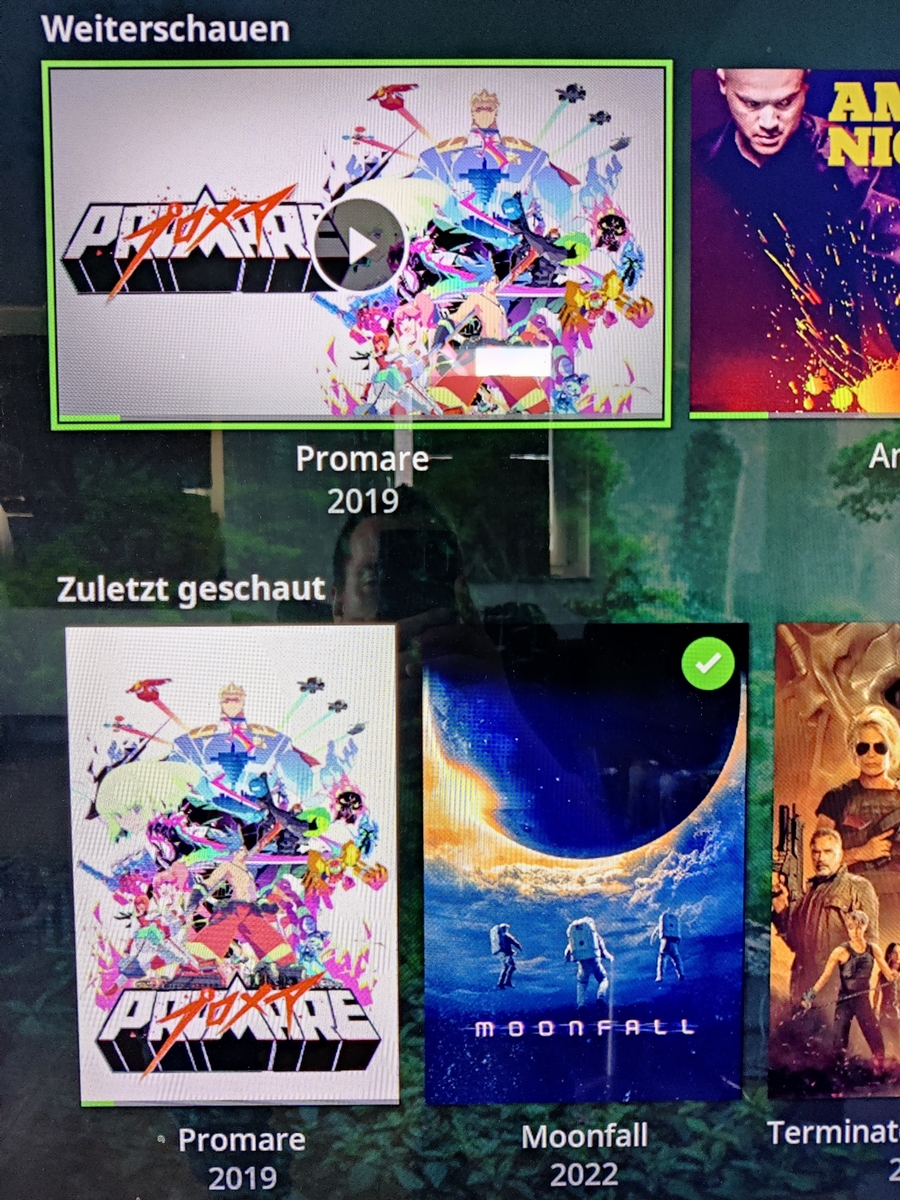
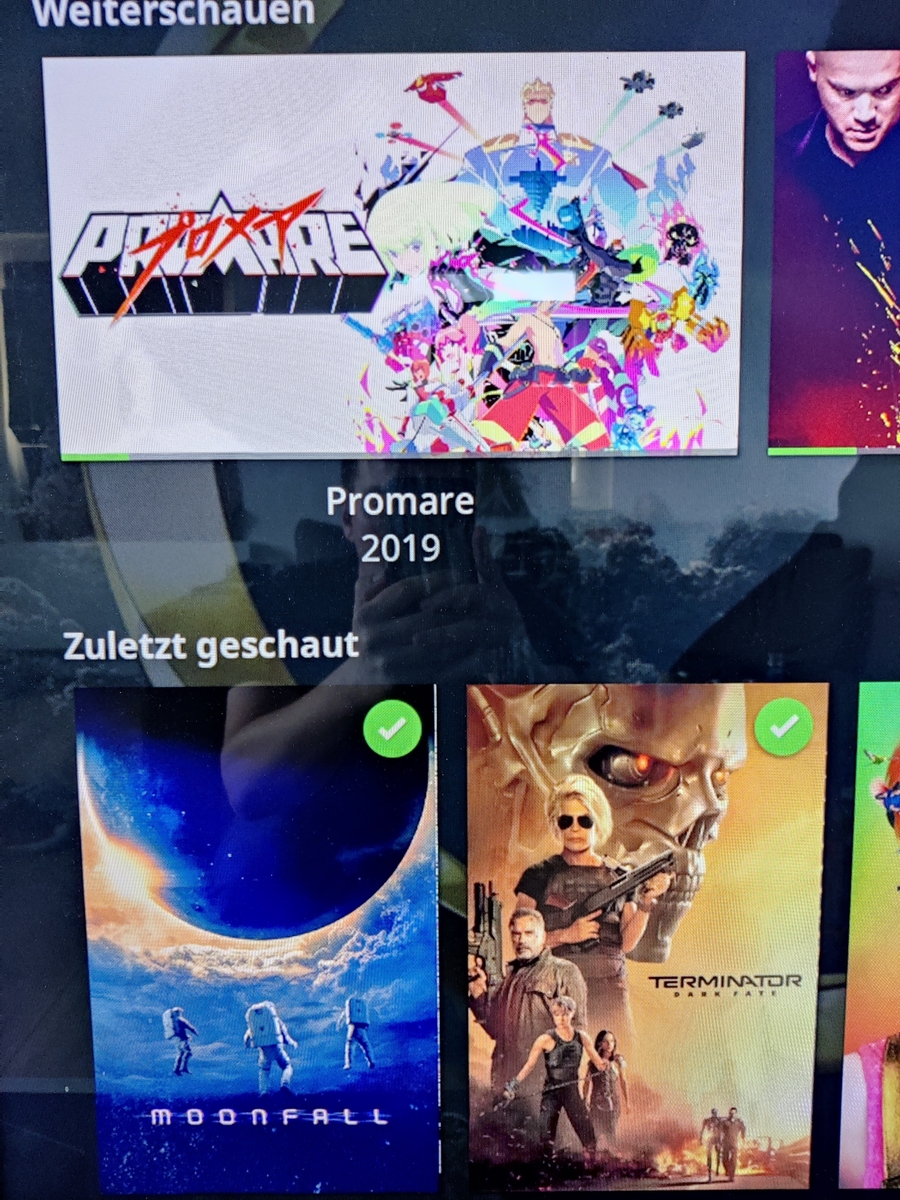 1 point
 -
Hello, You'll need to check and see if SSH is enabled within the configuration. Usually, SSH is enabled by default, but there have been installations where it isn't enabled by default; security reasons. And, most won't allow you to log into the system using ROOT by default; another account needs to be created so you can SSH into the system then through the use of SUDO, do what you need to do. Doing a quick search, I came up with these two items you can run to see if SSH is running $ sudo service ssh status $ ssh localhost This should help you in determining if SSH is up and running.1 point
-
This is known, and fixed for the next update. Paul1 point
-
Thanks. It's gone after the restart.1 point
-
Guess what? I've just had to restart my server which also restarted Emby and I only got 1 Pushover notification. #eyesroll1 point
-
Not sure how high the demand is for this feature, but would love to see it brought into reality so tossing my hat in the request ring! After seeing the lyrics next to the songs in the latest build (awesome feature btw) it really got me thinking how fun it would be to have karaoke for parties...1 point
-
That's a sat tuner correct? 4.7 gives us a better framework for adding new tuner types like this. Yep, most people have no idea how big a deal that is. If that's been happening more than a day it's likely nothing to do with this release. Have you looked at the log files at all?1 point
-
Hi pünktchen, thank you very much for the explanation. And thank you also for the work you're doing to keep the mp plugin alive! Your plugin is one of the most important reasons why I use Emby and some of my friends also do So be assured there a lot of people that are using your plugin!!! I would be very thankful if you keep supporting the mp plugin! If you need someone to do some testing don't hesitate to contact me! greetz nanuk1 point
-
Just query library.db etc at a database level - as a general rule, the database schema naming matches the API.
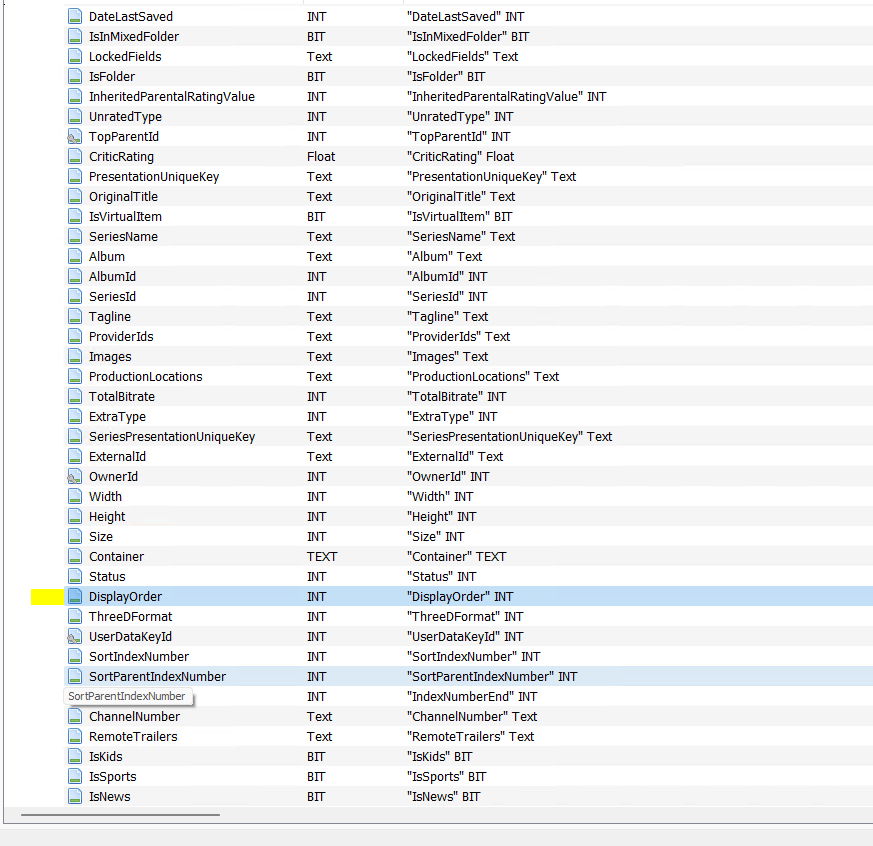
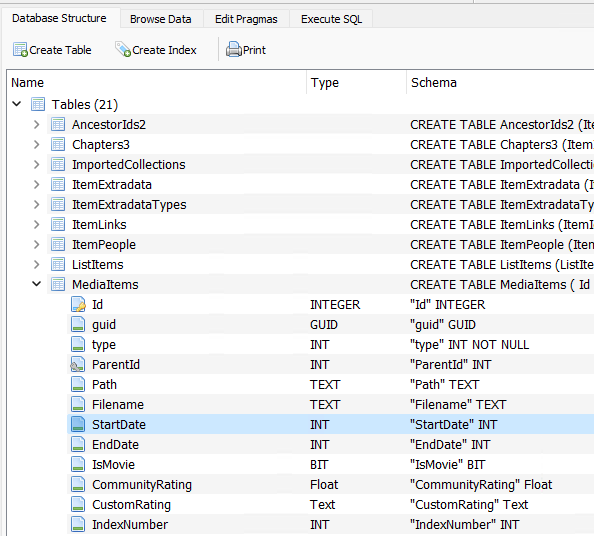 1 point
 -
Hi, yes it's a good idea. Thanks.1 point
-
1 point
-
Hi Luke - no, was just providing a link to the Blog that's all...1 point
-
Hi. We have to prioritize our development time on the features that will impact and improve Emby for the largest possible audience and also take into account the cost of implementation. This is still something we are potentially interested in but this feature request has 9 likes in that time period. So, the antithesis of your analysis is that only 9 people have shown support for this in that fairly long time period. This would also be a very large undertaking encompassing the entire suite of apps so the "cost" of implementing it is fairly high. At this point in time, that cost/benefit simply doesn't make this something that we can prioritize over many other items. Thanks.1 point
-
Yes, there are several ways to do this but one in particular that I've I've been testing with a good half dozen Emby users that needed something like this. I had been testing this personally for maybe 6 months as well. I can't find a downside to this method unlike typical VPNs or typical reverse proxy use. It's not really a secret but I wanted to get some use of this on multiple different platforms first to work out any kinks and be able to support it. The only requirement is that you need to have your own domain name that you can control. It can be a paid or free domain but you need to be able to change the Name Server for the domain to point to cloudflare. Here's the overall list of steps involved: Register a domain name. Signup for a free Cloudflare account. Add your domain to Cloudflare. Change your Name Servers to what Cloudflare gives you to use. WAIT This takes from 15 minutes to a few hours to kick in and transfer to Cloudflare. In the meantime you can configure Cloudflare with the specific settings needed to work with Emby Server and not abuse their services. You will be able to setup any type of DNS record you will need like A and CNAME records but we will handle the "emby" sub domain programmatically so don't set anything up specifically for Emby use. At this point you can get your own domain certificate from a 3rd party like Let's Encrypt or use a private cert directly from Cloudflare (what I do). We have to convert this cert to the pk12 format Emby needs and install this in Emby. Up until this point you are basically doing the same thing anyone would do setting up Emby for Cloudflare use. Now the fun/tricky part and it's a wee bit different depending on OS platform is setting up an Argo Tunnel. This used to be a paid only feature but they opened it up to free accounts as well (hence me starting to play with it). This tunnel is created using a single piece of software called cloudflared which is a CLI (command line only tool) that is used to establish an encrypted connection from your Emby Server machine to the Cloudflare Edge network. There are 5 steps to this but for Emby use I've got pretty much "cut and paste" instructions. These steps include getting authorized by Cloudflare (you do this from the CF dashboard), setting up PEM certs (used between you and CF), setting up the actual tunnel, configuring the tunnel for services (ie https, web sockets & SSH) and port, joining this to a location, creating a special DNS record with PEM cert associated with it (used by tunnel) and giving it a name such as "emby". Now you just start the tunnel and if done correctly you will be able to open a web browser or any Emby app and type in emby.your_domain.ext and it will work. At this point you just set this up so your computer establish the tunnel every time you restart the computer. On windows I create a service to start automatically so you don't have to do anything. After that long process it just works. You do not need to open any ports on your router so this is actually a good solution for anyone! The only way into your network is going through Cloudflare which is setup to only allow secured ports 443 and web socket access. If your ISP gives you a different WAN IP every single day it also wouldn't matter to you either because your computer always initializes the tunnel with an outgoing connection. You could use this on a notebook, walk over to your neighbors with a different IP and it starts working again. Once setup it just works! There are a lot of positives to this approach except for the detailed setup (not hard). If you already have a domain name or want to get one, open a free account on Cloudflare and start the process of updating your Name Servers. Once Cloudflare has control over your DNS records, I can run through the rest of the steps in stages which will give me a chance to write it all down and make a tutorial out of it for everyone's benefit. Carlo1 point
-
That change was completely uncalled for. Say you're playing next/resuming S5E20 - in order to check episode overview, is it now required to scroll down to Seasons, go to Season 5, scroll down again to E20 and select it? For something that was one click away? I just hope that ain't coming system-wide.1 point
-
This is great information, thanks! Requested screenshot attached.
 1 point
 -
ok, that seems like an incredibly complicated way to get SSL for your emby. personally i use this https://blog.awelswynol.co.uk/2017-06-emby-server-https-reverse-proxy/ but the guide you are following has you forward a port from your router to emby. if you cannot access emby on your LAN using that ip and port combination then its not going to work externally either1 point