Leaderboard




Popular Content
Showing content with the highest reputation on 05/07/22 in Posts
-
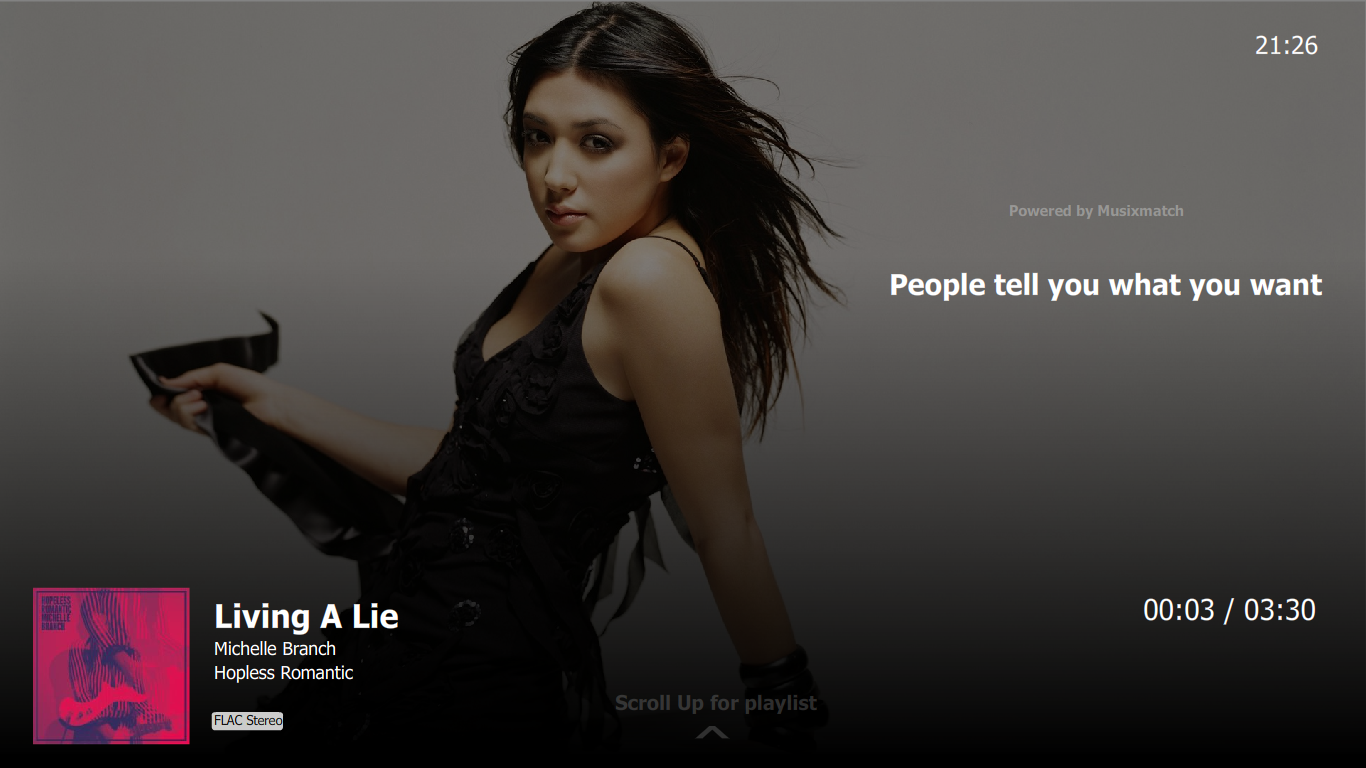
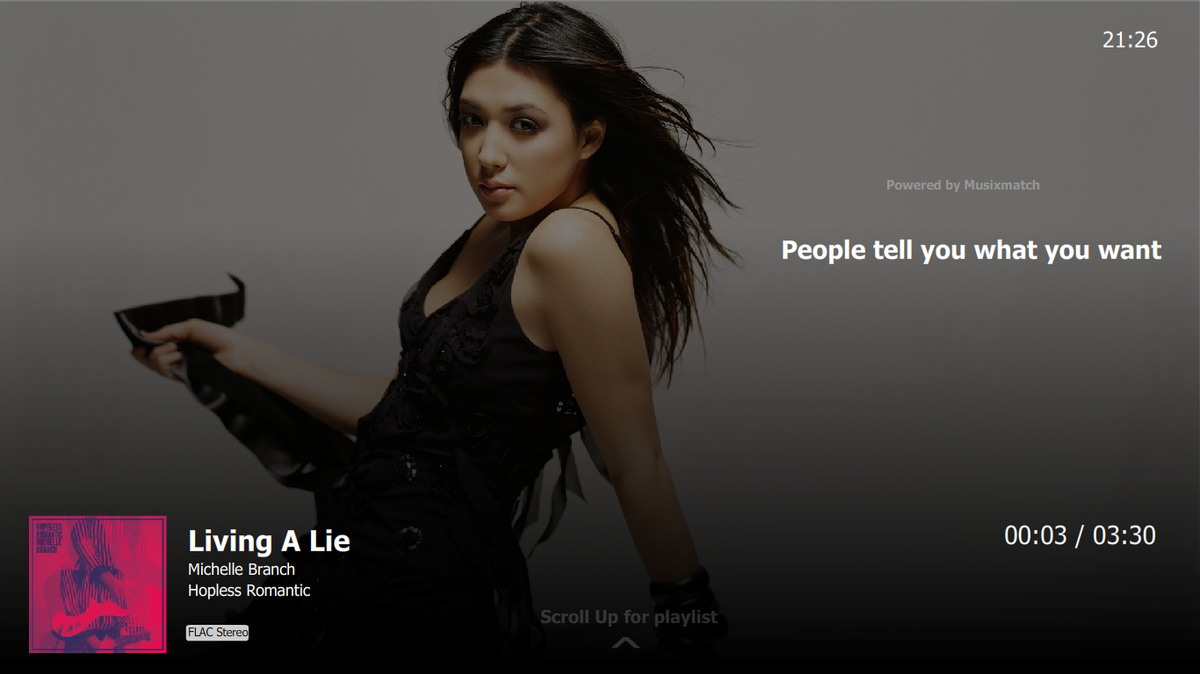
Please make an option in the next update to choose between the backdrop or the album art because most people love the backdrop including myself. or if its not an option you can make it look something like this. "showing both album art and backdrop.
 2 points
 -
Quick update: The Emotiva MC-1 processor was the culprit. For some reason it wasn't allowing PCM audio from the Sony X-series TV and it wasn't handling refresh rate switching. Even with a NVIDIA Shield in the middle, I still wasn't able to get automatic audio and refresh rate switching - manual intervention was the only way. As soon as I switched out to my older 5.1 Onkyo, everything worked as expected. Result: I returned the MC-1 within the trial period and bought a Denon. I'm now enjoying 7.2.4 ATMOS through Emby and it's GLORIOUS!!!2 points
-
The Mult-Select in the Server web app is super-useful (I'm so grateful to those that introduced me to it!). But given that the Server web app has some excellent filtering functions (eg, in my case I make use of filtering by Tags) it would be very handy to have a "Select All" functionality, so that I can filter down to the results I'm looking for and then easily add them to a Collection (or, when eventually we have Bulk Editing abilities, open a Bulk Edit view on all the Selected items). Thanks! PS - If this is something you might like to see implemented, be sure to "Like" this top/first post (as well as any subsequent posts in this thread that highlight particular aspects of what you are interested in) -- "Liking" the top/first post helps the Devs to know how much interest there is in a given Feature Request.1 point
-
Can we have an option to flatten series if there are XX episodes or less. Just provides the ability to eliminate one frustrating click. I wouldn't want it on my 1,000+ episode Looney Tunes series. However, when you only have one or two seasons in a series, it helps drill down easier.1 point
-
Like formatting and starting over. It makes no sense. Anyone else have this problem sometimes ? I don't do it everyday just when I feel like I need or want to start fresh.1 point
-
The problem is your friend may not be able to ever upgrade to a newer version. They can try, but a while back Samsung stopped accepting Store apps for 2015/2016 sets which seems to have rolled over to usb updates also for a lot of people.1 point
-
YESSSSSSSSSSSSSSSSSSSSSSS Thank e good weekend mate Hispa1 point
-
Have them try this version Emby.Releases/tizen at 92afc41c33186f72195d22392d8f43273314f7d0 · MediaBrowser/Emby.Releases (github.com)1 point
-
Hi Roaku, Just a heads up for the issue for the config page loading on windwws Beta 4.7.0.38 It seems to be a follow on from the comment detailed earlier in (page 19) - the config loading issue I am seeing is connected to the changes in the font file names in the beta server... from my log file the code seemed to be looking for the file ... - LDItaoyNOAY6Uewc665JcIzCKsKc_M9flwmJ_2.woff however in 4.7.0.38 these appear to have been replaced by the LDItaoyNOAY6Uewc665JcIzCKsKc_M9flwmJ_3.woff file. Manually copying the file to the old name allows the config page to load correctly. Copying the file manually however does not always have the correct icons referenced I assume due to changes in the font definition.... Thanks for the Status rule on the Series ... It works fine from the basic testing I've done. Wanting to test this was how I discovered the config page issue. Thanks again for a great plugin.1 point
-
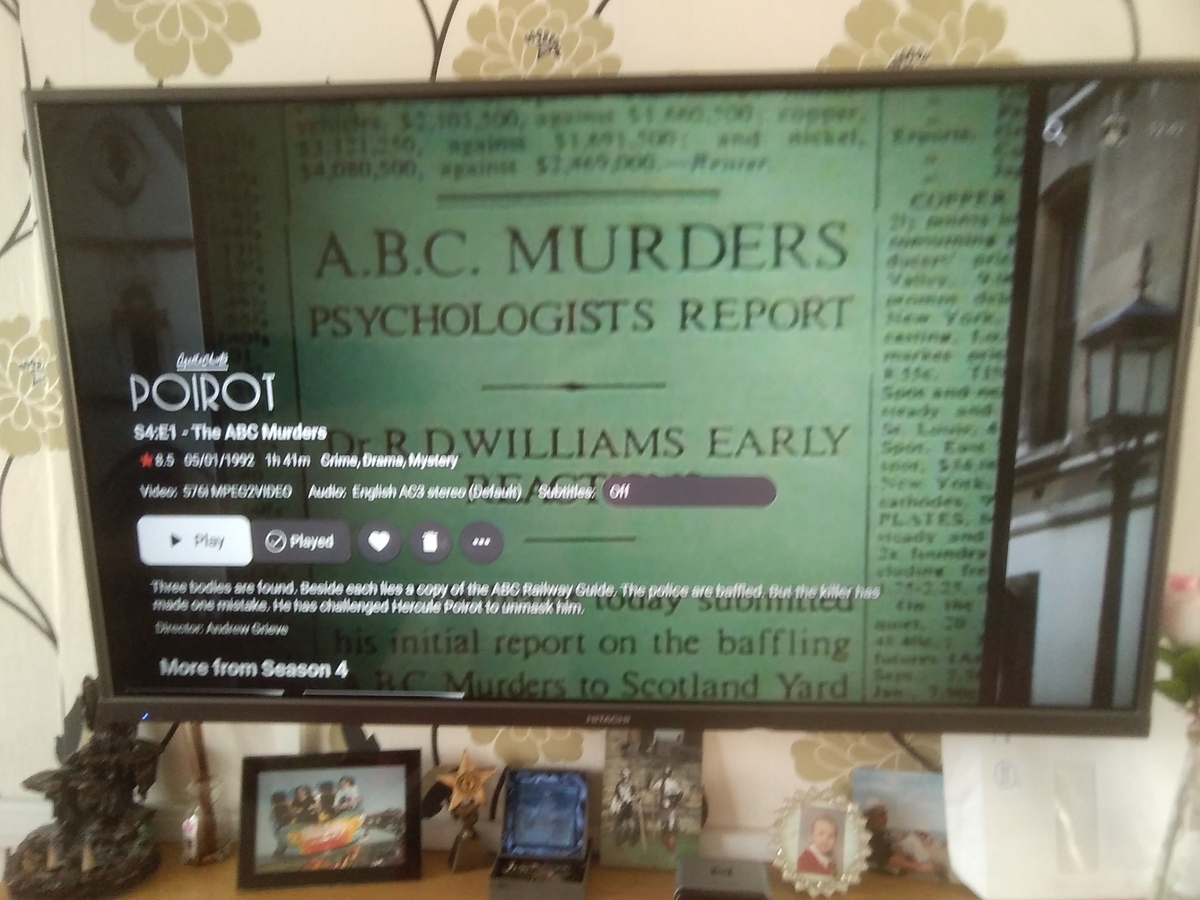
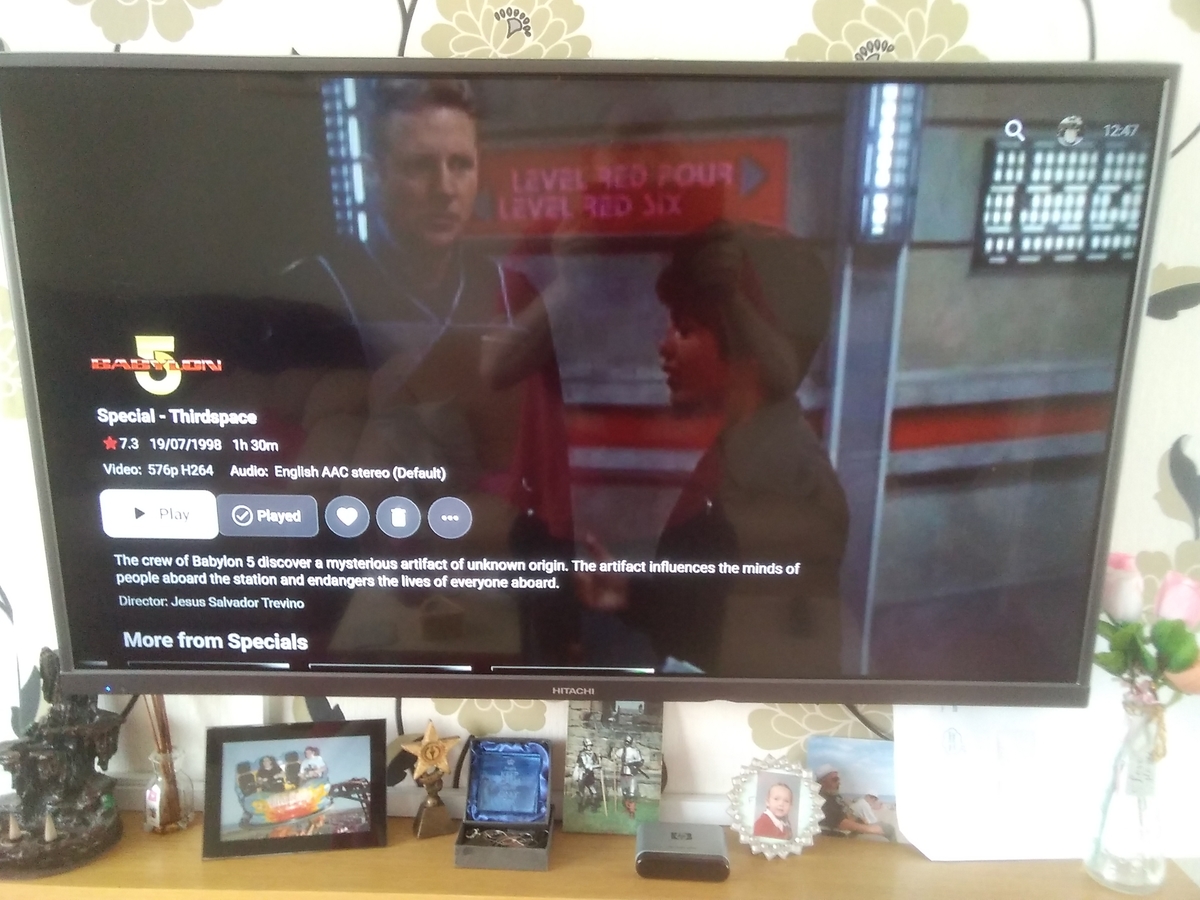
Just checked again and this is how it's looking at mo! The 4:3 is still showing part of the frame and the 16:9 appears to be back to normal.
 1 point
 -
It looks like my problem. I've merged my thread with yours.1 point
-
Hi, I tested it some this week and I did not get this problem again. I guess there was really an problem with my Emby Version. Thanks!1 point
-
no problem. As you say it may change again yet ... It is only on the config page so far. I'll let you know if I find anything when dig into the log files later.1 point
-
so I guess we'll come to the point that the same will arrive on the android tv app?1 point
-
We don't currently do that, but yes we probably should just take whatever is available in this situation.1 point
-
Hi, yes inline editing is something we can look at in future updates. Thanks.1 point
-
I think it was around the update to 0.36 when I first noticed something odd with the episode counts. Unfortunately I don't check those stats enough to know with any certainty. Having said that, the oldest backup on my Windows server is from back when 0.35 was installed. So I'll restore that backup and do some testing.1 point
-
Well I have done something right somewhere as I was watching something last night and I went "ooh look Emby they are white, drop shadow etc and I didn't need to do anything" So I think I can successfully say my Subtitles issue is resolved minus Ozark1 point
-
I too was running into this issue. Movies are syncing fine, what I'm watching is syncing fine - just my TV collection is not getting synced/added to Trakt. When I looked at my Trakt history of collected series, the last series that it showed I collected was Friends from nearly a year ago. When I looked at the logs in Emby, I saw a few errors related to the Trakt syncing, and Friends (as indicated by the ID) in particular: 2022-05-06 13:50:50.719 Info HttpClient: GET https://api.trakt.tv/sync/watched/shows 2022-05-06 13:50:50.933 Info HttpClient: GET https://api.trakt.tv/sync/collection/shows?extended=metadata 2022-05-06 13:50:52.675 Info Trakt: Episodes to add to Collection: 150 2022-05-06 13:50:52.702 Info HttpClient: POST https://api.trakt.tv/sync/collection 2022-05-06 13:50:53.004 Error Trakt: TraktResponse season not Found:{"ids":{"imdb":"tt0264263","tvdb":78111}} 2022-05-06 13:50:53.004 Error Trakt: TraktResponse season not Found:{"ids":{"imdb":"tt0264263","tvdb":78111}} 2022-05-06 13:50:53.004 Error Trakt: TraktResponse episode not Found:{"ids":{"imdb":"tt0264263","tvdb":78111}} 2022-05-06 13:50:53.004 Error Trakt: TraktResponse episode not Found:{"ids":{"imdb":"tt0264263","tvdb":78111}} 2022-05-06 13:50:53.004 Error Trakt: TraktResponse episode not Found:{"ids":{"imdb":"tt0264263","tvdb":78111}} 2022-05-06 13:50:53.004 Error Trakt: TraktResponse episode not Found:{"ids":{"imdb":"tt0264263","tvdb":78111}} 2022-05-06 13:50:53.004 Error Trakt: TraktResponse episode not Found:{"ids":{"imdb":"tt0264263","tvdb":78111}} 2022-05-06 13:50:53.004 Error Trakt: TraktResponse episode not Found:{"ids":{"imdb":"tt0264263","tvdb":78111}} 2022-05-06 13:50:53.004 Error Trakt: TraktResponse episode not Found:{"ids":{"imdb":"tt0264263","tvdb":78111}} 2022-05-06 13:50:53.004 Error Trakt: TraktResponse episode not Found:{"ids":{"imdb":"tt0264263","tvdb":78111}} 2022-05-06 13:50:53.004 Error Trakt: TraktResponse episode not Found:{"ids":{"imdb":"tt0264263","tvdb":78111}} 2022-05-06 13:50:53.004 Error Trakt: TraktResponse episode not Found:{"ids":{"imdb":"tt0264263","tvdb":78111}} 2022-05-06 13:50:53.004 Error Trakt: TraktResponse episode not Found:{"ids":{"imdb":"tt0264263","tvdb":78111}} 2022-05-06 13:50:53.004 Error Trakt: TraktResponse episode not Found:{"ids":{"imdb":"tt0264263","tvdb":78111}} 2022-05-06 13:50:53.004 Error Trakt: TraktResponse episode not Found:{"ids":{"imdb":"tt0264263","tvdb":78111}} 2022-05-06 13:50:53.004 Error Trakt: TraktResponse episode not Found:{"ids":{"imdb":"tt0264263","tvdb":78111}} 2022-05-06 13:50:53.004 Error Trakt: TraktResponse episode not Found:{"ids":{"imdb":"tt0264263","tvdb":78111}} 2022-05-06 13:50:53.004 Error Trakt: TraktResponse episode not Found:{"ids":{"imdb":"tt0264263","tvdb":78111}} 2022-05-06 13:50:53.004 Error Trakt: TraktResponse episode not Found:{"ids":{"imdb":"tt0264263","tvdb":78111}} 2022-05-06 13:50:53.004 Error Trakt: TraktResponse episode not Found:{"ids":{"imdb":"tt0264263","tvdb":78111}} 2022-05-06 13:50:53.004 Error Trakt: TraktResponse episode not Found:{"ids":{"imdb":"tt0264263","tvdb":78111}} 2022-05-06 13:50:53.004 Error Trakt: TraktResponse episode not Found:{"ids":{"imdb":"tt0264263","tvdb":78111}} 2022-05-06 13:50:53.004 Error Trakt: TraktResponse episode not Found:{"ids":{"imdb":"tt0264263","tvdb":78111}} 2022-05-06 13:50:53.004 Error Trakt: TraktResponse episode not Found:{"ids":{"imdb":"tt0264263","tvdb":78111}} 2022-05-06 13:50:53.004 Info Trakt: Episodes to remove from Collection: 1 2022-05-06 13:50:53.004 Info HttpClient: POST https://api.trakt.tv/sync/collection/remove 2022-05-06 13:50:53.171 Info Trakt: Episodes to set watched: 4 2022-05-06 13:50:53.172 Info HttpClient: POST https://api.trakt.tv/sync/history 2022-05-06 13:50:53.250 Error Trakt: TraktResponse season not Found:{"ids":{"imdb":"tt0367439","tvdb":79060}} 2022-05-06 13:50:53.250 Info Trakt: Episodes to set unwatched: 0 I looked at my Friends episodes and noticed for whatever reason, some had not been correctly matched to a particular episode ID from IMDB or TVDB. So what I thought was happening, is there was some sort of Friends episode maybe that is preventing syncing from happening - but the logs don't say which file name. It simply lists the IMDB and TVDB numbers (which both seem to correspond to IMDB and TVDB correctly as Friends). What I thought to try to fix this is simply fix the episodes that aren't being correctly identified. In order to find these, I went to the following: 1. Dashboard 2. Reports 3. Change dropdown from Movies to Episodes 4. Click the 3 dot settings icon right next to it 5. Click Filter on the newly opened sidebar 6. Only have "Missing Tvdb Id" checked. What this does is show you all your media files that haven't been able to be scraped (due to wonky file names mostly, in my case, I had some "Special (S00)" episodes that were screwing up). But I went down the list and fixed everything that was there so that the report no longer showed any files. Friends and some others I wasn't even aware of. Then I went and did the aforementioned manual Trakt sync (though just allowing it to do it on its own would probably suffice) and it fixed my issue. It did take quite a bit of time to sync the rest of the series I had added to Trakt - not sure if it was due to how many I had collected, or if the API has some sort of rate limiting to it - either way, this fixed my issue. After about ~30 minutes, all shows were showing correctly collected on my Trakt profile.1 point
-
thanks so much @DarKni8, I promise I won't let it die, Things are just very hectic with work at the moment, we are pushing out a rather large feature for public preview, so don't even wanna see code on the weekends :D, things will die down soon enough and I'll be able to dedicate the time I need to this project, I really enjoy it, and wanna make it super kick ass!1 point
-
HI, not yet, but it's possible for the future. Thanks.1 point
-
Moin moin, ich mache das selber so mit einer DiskStation 209+ und einer DiskStation 718. Enby läuft auf der 718 und von der 209 sind Ordner eingebunden. Dazu habe ich auf der 209 die NFS Berechtigungen auf die Freigabe, beispielsweise video, gesetzt.. Hier habe ich * und lesen/schreiben konfiguriert. Vermutlich würde auch die konkrete IP der anderen DiskStation reichen. Auf der 718 habe ich dann auf der Freigabe, beispielsweise video, für den internen Systembenutzer emby Lese und Schreibrechte gesetzt. Über die File Station habe ich dann zur Freigabe video über Extras => Remote Ordner bereitstellen => NFS den video Ordner der 209 eingebunden. Fertig. Gruß Eddie1 point
-
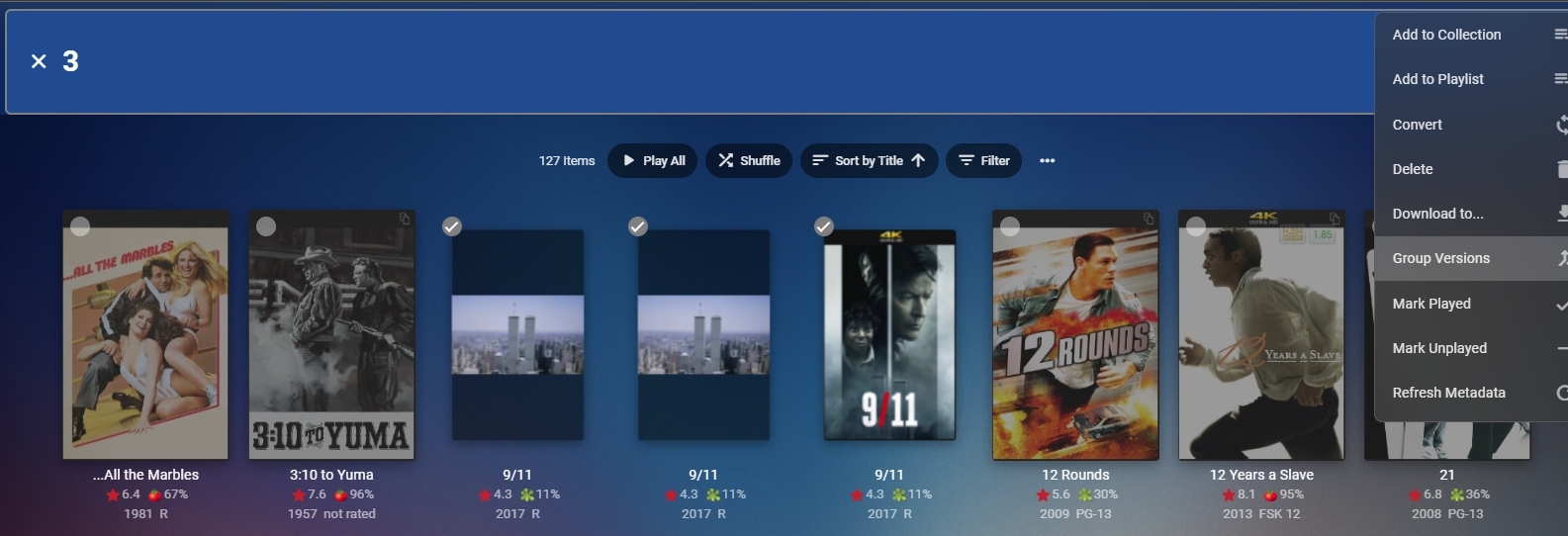
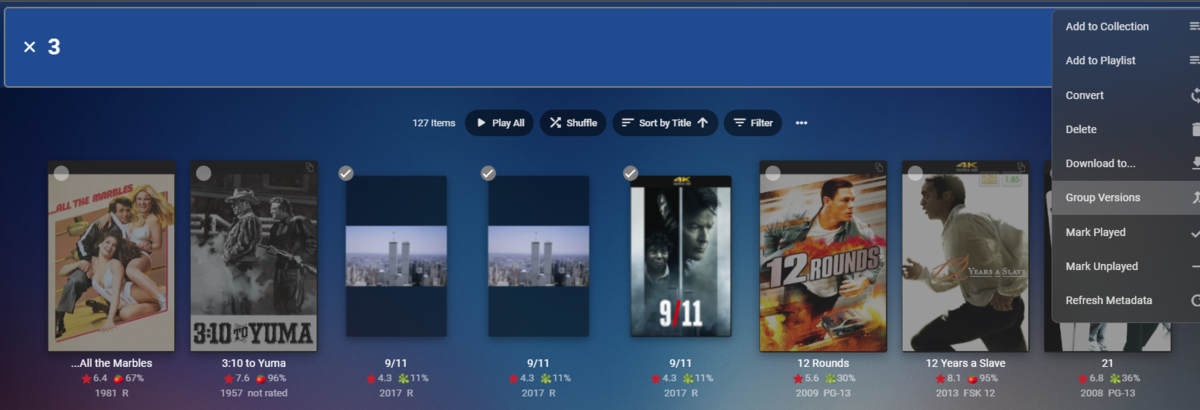
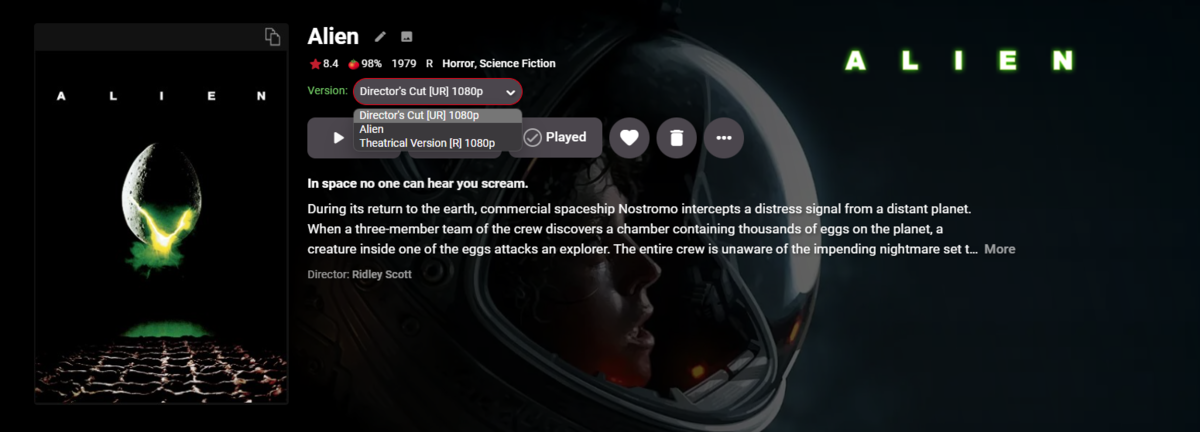
There are three ways you can get grouped multi-version. 1. Multi-Select and manually group them via three dot menu in header. 2. Automatic grouping per naming convention. Yours is close but is outside the automatic process. https://support.emby.media/support/solutions/articles/44001159102-movie-naming#:~:text=Multi-version movies 3. A community plugin that automatically groups item located anywhere by providerid. https://emby.media/community/index.php?/topic/63643-automatic-version-grouping-for-movies If grouped you will have a version drop down list (but believe it varies across client/apps) Client will pick the one it beleves is most capable of playing but you can change version to the one you want to play.
 1 point
 -
That would explain why I didn't mention it to you when remoted in. Probably the person I was helping after you had the GPU as it was fresh on my mind. Keep us updated and like I said, don't hesitate to reach out if you need help.1 point
-
Thanks! Its works as well in Linux. Simply added added these lines to reverse proxy conf file: .... # Send websocket data to the backend aswell proxy_http_version 1.1; proxy_set_header Upgrade $http_upgrade; proxy_set_header Connection "upgrade"; ....1 point
-
it's the reason why swagger on pc only works on local server. @rbjtech can enlighten you some more, but a heap of extra security hoops to jump thru. Some Cross Origin security. Cross-Origin Resource Sharing (CORS) - HTTP | MDN (mozilla.org) Edge and Chrome have implemented it, so using firefox or safari is a work around to get on swagger etc.1 point
-
Turning of VA API doen't help. Can I ask a simple question? Why does Emby play Live TV flawlessly, same network, same NAS, same Android TV boxes, and use 15% CPU. But then playback of recorded TV fails due to CPU running at 99%?1 point