Leaderboard




Popular Content
Showing content with the highest reputation on 04/21/22 in Posts
-
The Diagnostics Plugin has been updated (for Emby Server versions >= 4.7.0.32) Most prominent changes can be seen in the "User Sessions" view. Improved rendering and width adaption Better theme support/coloring Filters are presented in separate lanes (rows), depending on context Filter boxes are clickable to display details CPU graph width adaption many more details pipeline_video.mp4
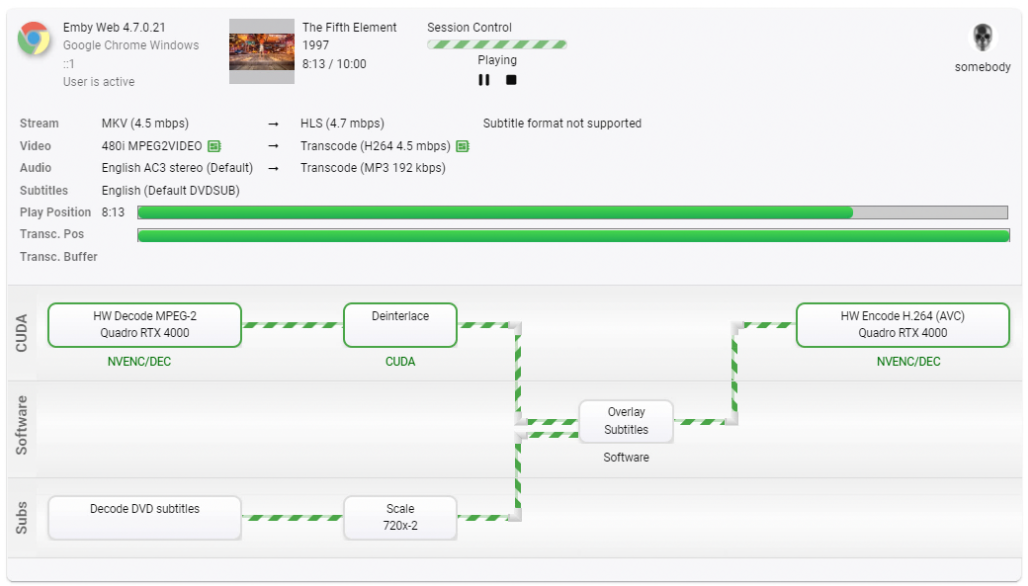
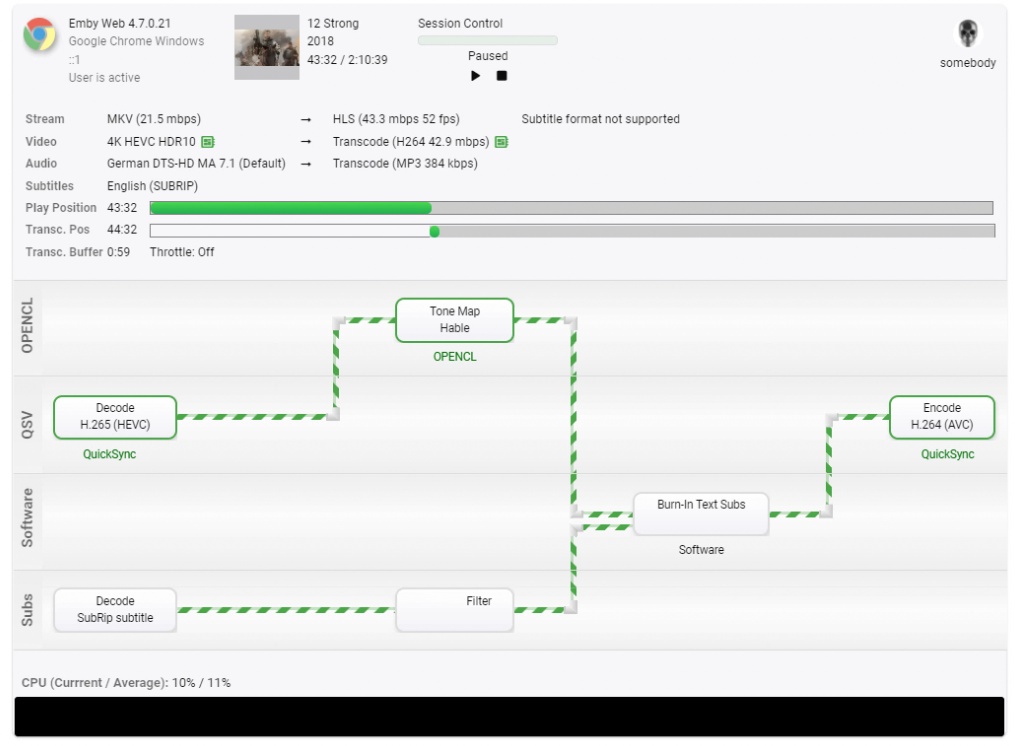 10 points
 -
Also your screenshot indicates you have forwarded port 8086, but Emby is running on 8096.3 points
-
If testing goes well, there will be an option for fixed scrolling with wrap in the next release. The caveat is performance and/or any other big problems we find with it in testing. Stay tuned.3 points
-
You would need to be on the beta server 4.7.2 points
-
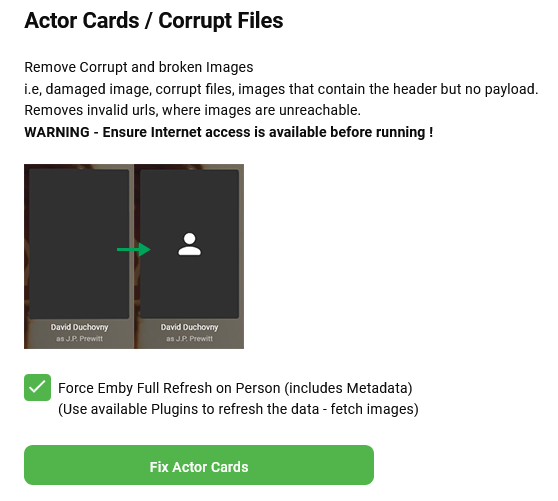
Im not sure whats exactly wrong, but my answer is that it is very likely., Under the repair tab, this removes corrupt image links arnd forces a metadata refresh. The metadata refresh will use the configured plugins such as tmdb, tvdb etc. If you try it make sure that you have internet access! This plugin. Use one from the latest/last entries in the thread. https://emby.media/community/index.php?/topic/94263-backup-restore-actors-beta-with-local-or-web-based-restore/&do=findComment&comment=1134427
 2 points
 -
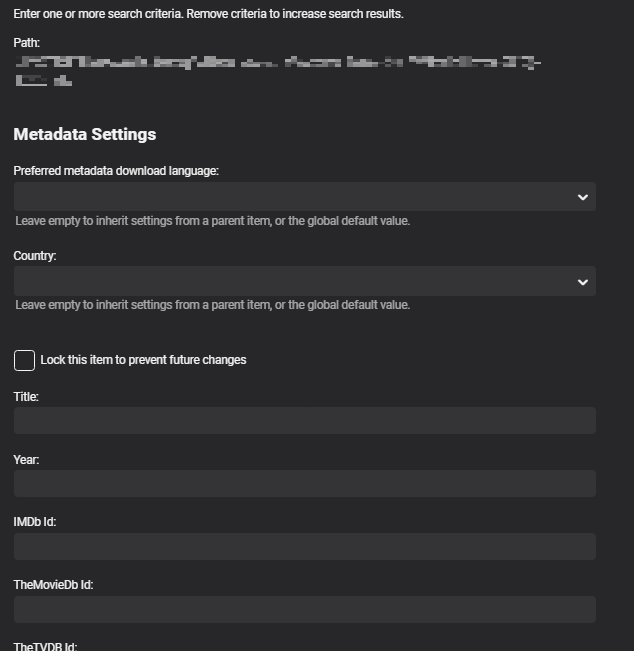
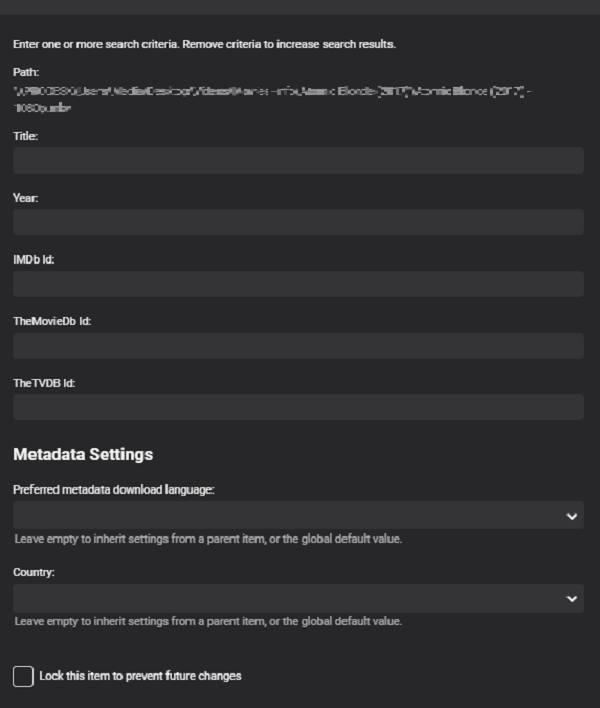
Yes exposing this info via Identify would be beneficial. Mockup for Identify but either above or below input fields. Probably at the bottom as it will not be used by the majority as global settings will apply.
 2 points
 -
Hi @Bert. I can say that mine is a considerable improvement, but I had to tweak a couple of things. The process certainly made it clear what other bottlenecks were going on, but before I addressed them I had the same reaction as you. The most obvious one was increasing the "Database cache size" in emby. I had done this on my old server, but I forgot about it when I moved to Synology. The value was previously something like 96MB. Once I increased it to 512MB things became super snappy. Emby was restricting the amount of data in the cache at the previous value, so the system was still having to spin up the slow HDDs all the time. You might start there if you haven't already changed the default. The other, less drastic issue was that I had a single drive in my volume that was half the performance of my other drives. It's a long story as to why this drive got mixed in with my others, but after running the benchmark utility on all of my HDDs this one stuck out like a sore thumb. I replaced it with the same model as my other drives, but the volume just finished rebuilding. I will need to use it for awhile to see if makes much of a difference. I hope that helps.2 points
-
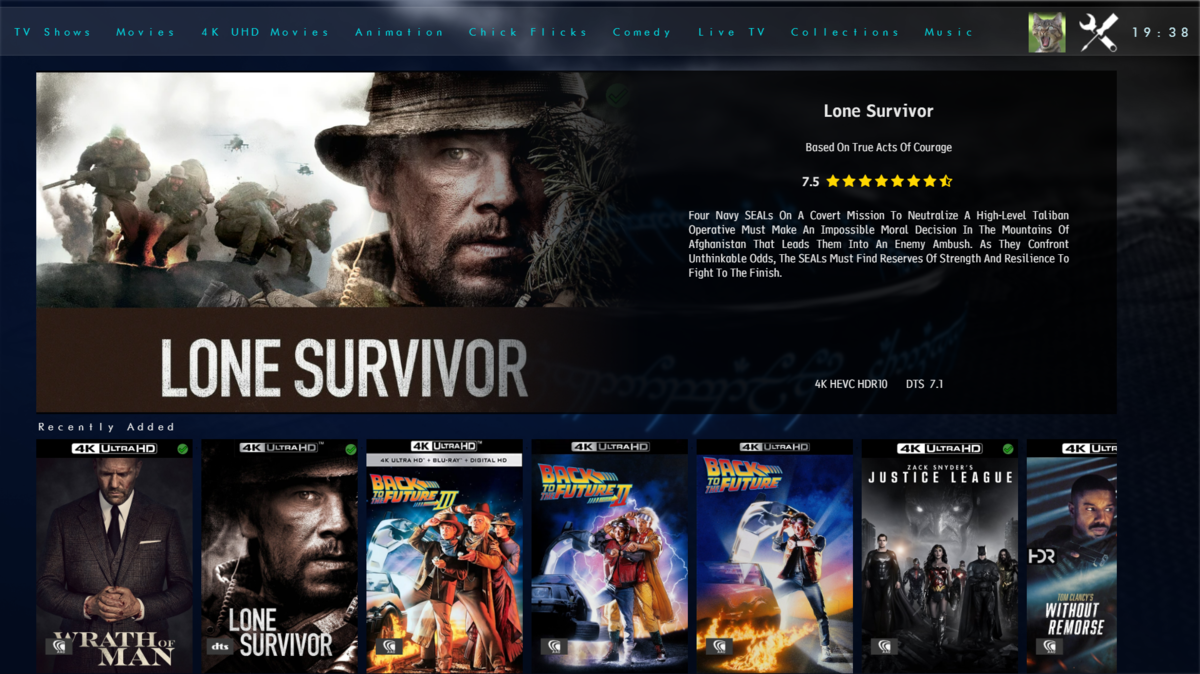
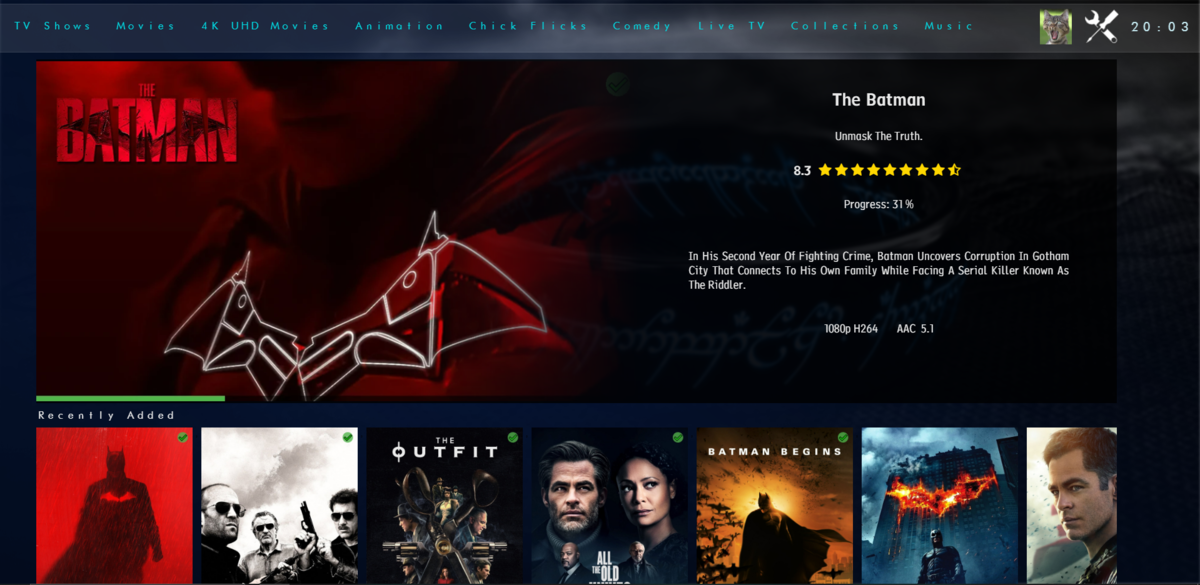
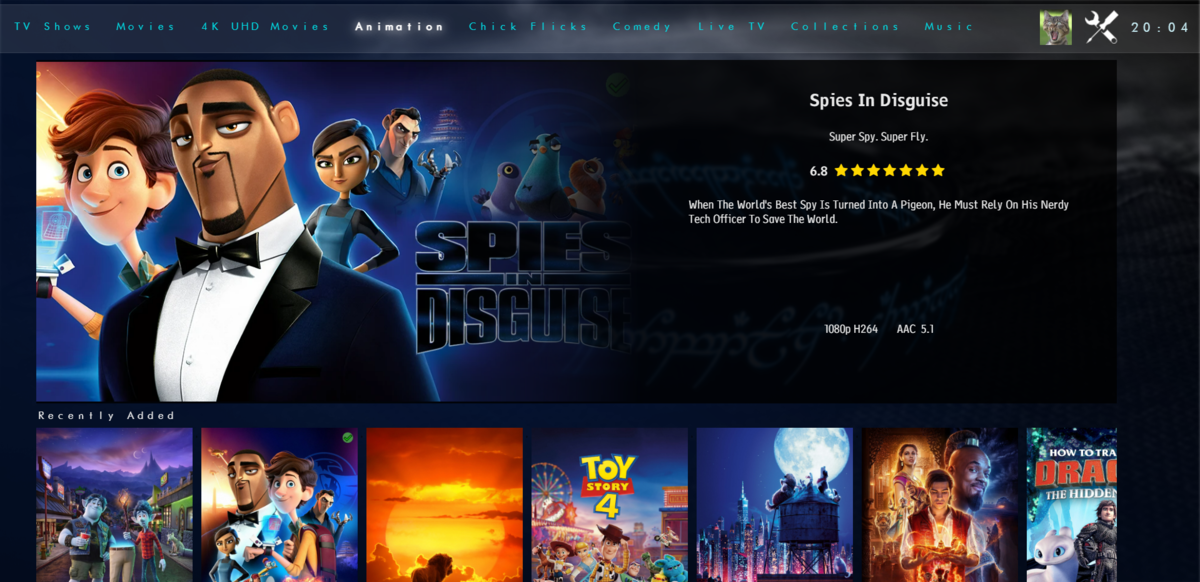
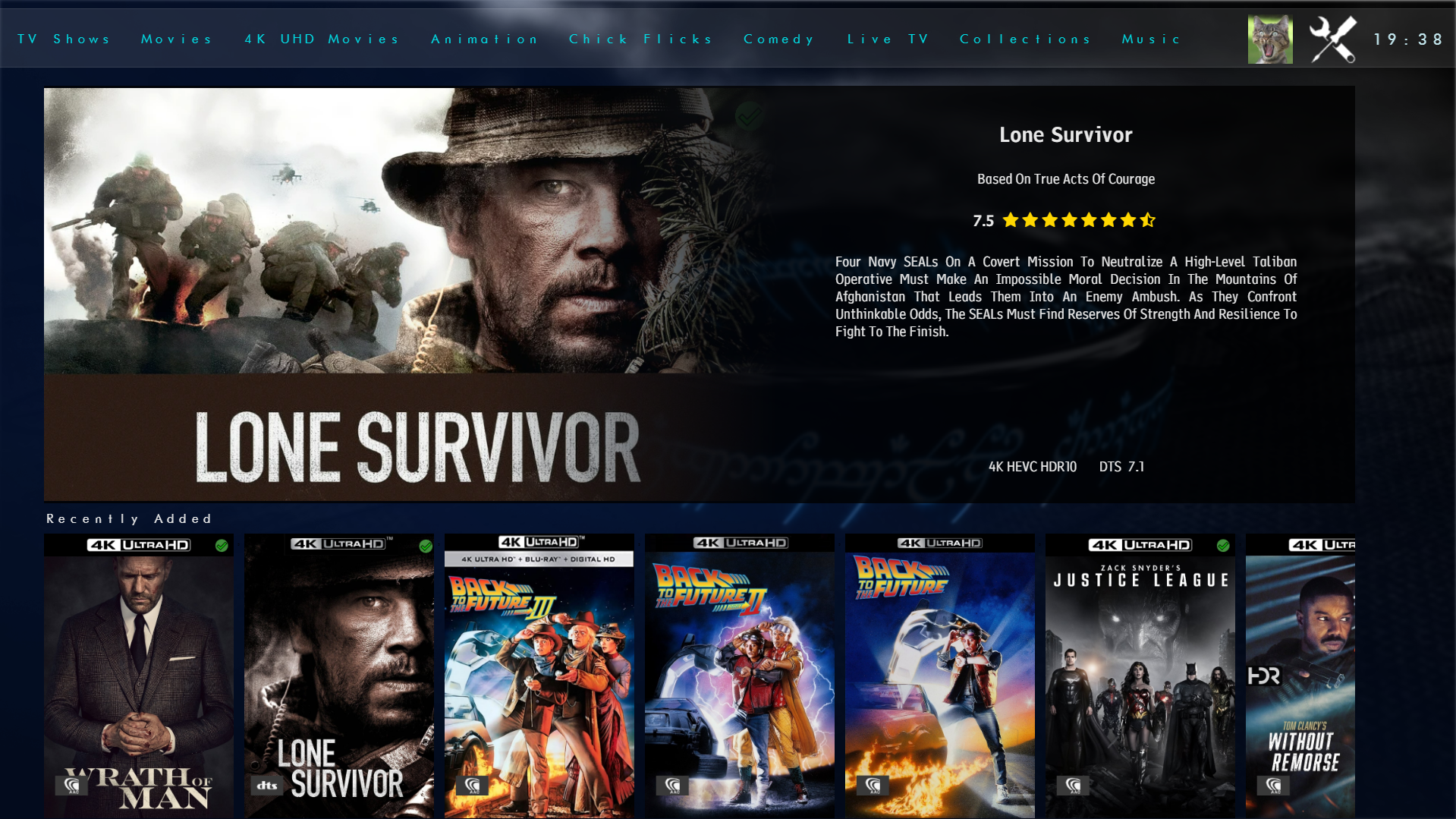
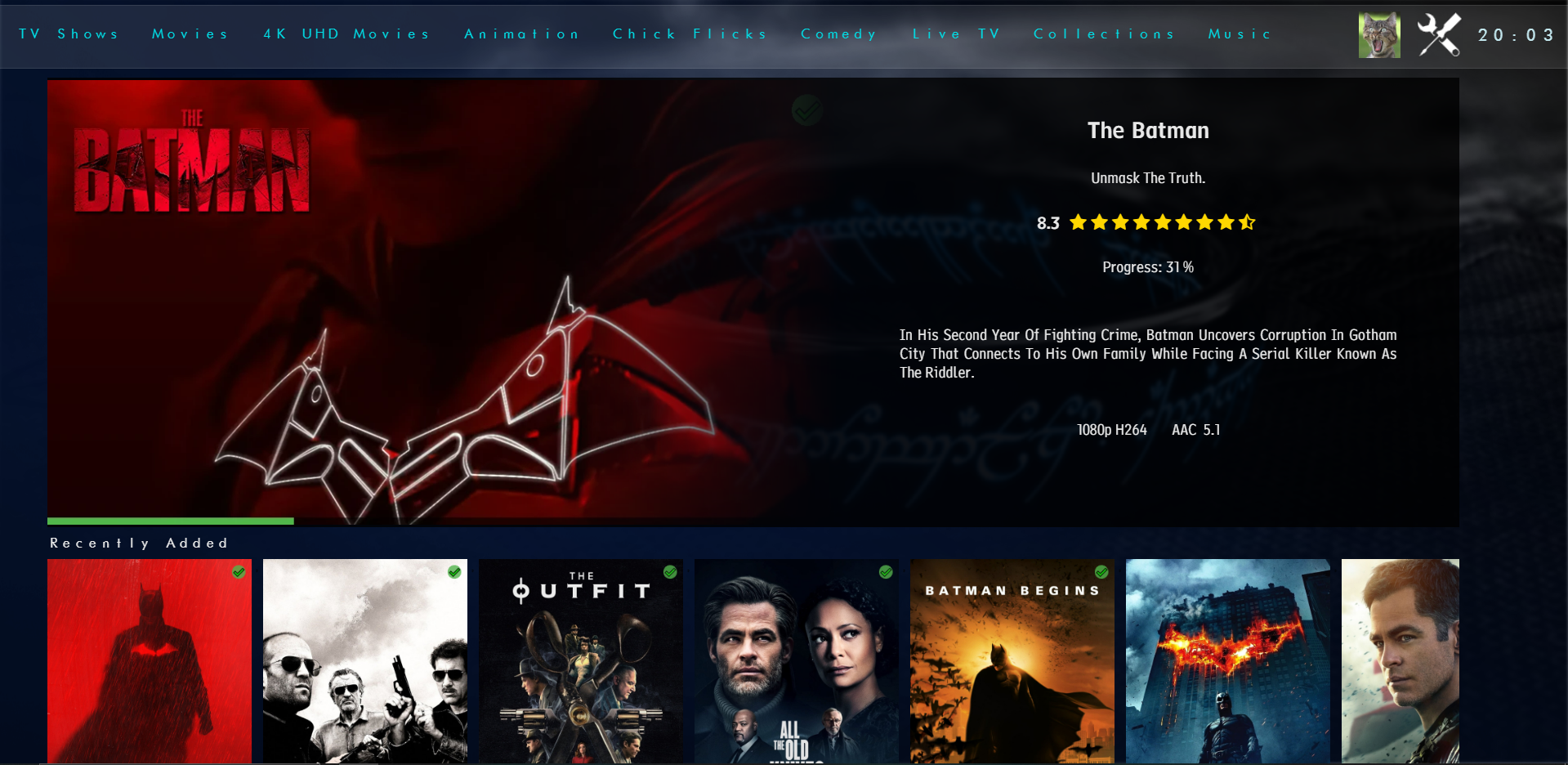
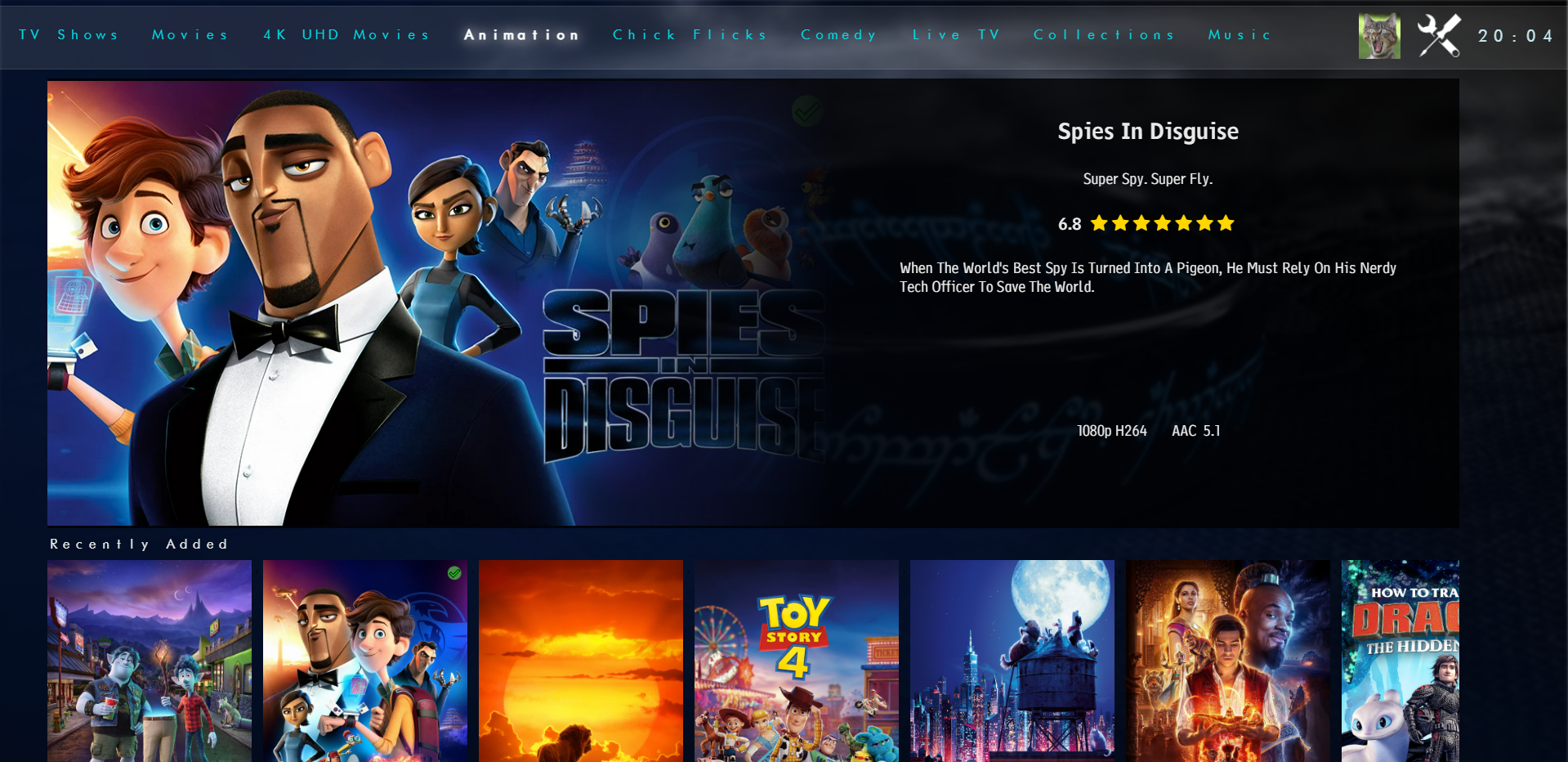
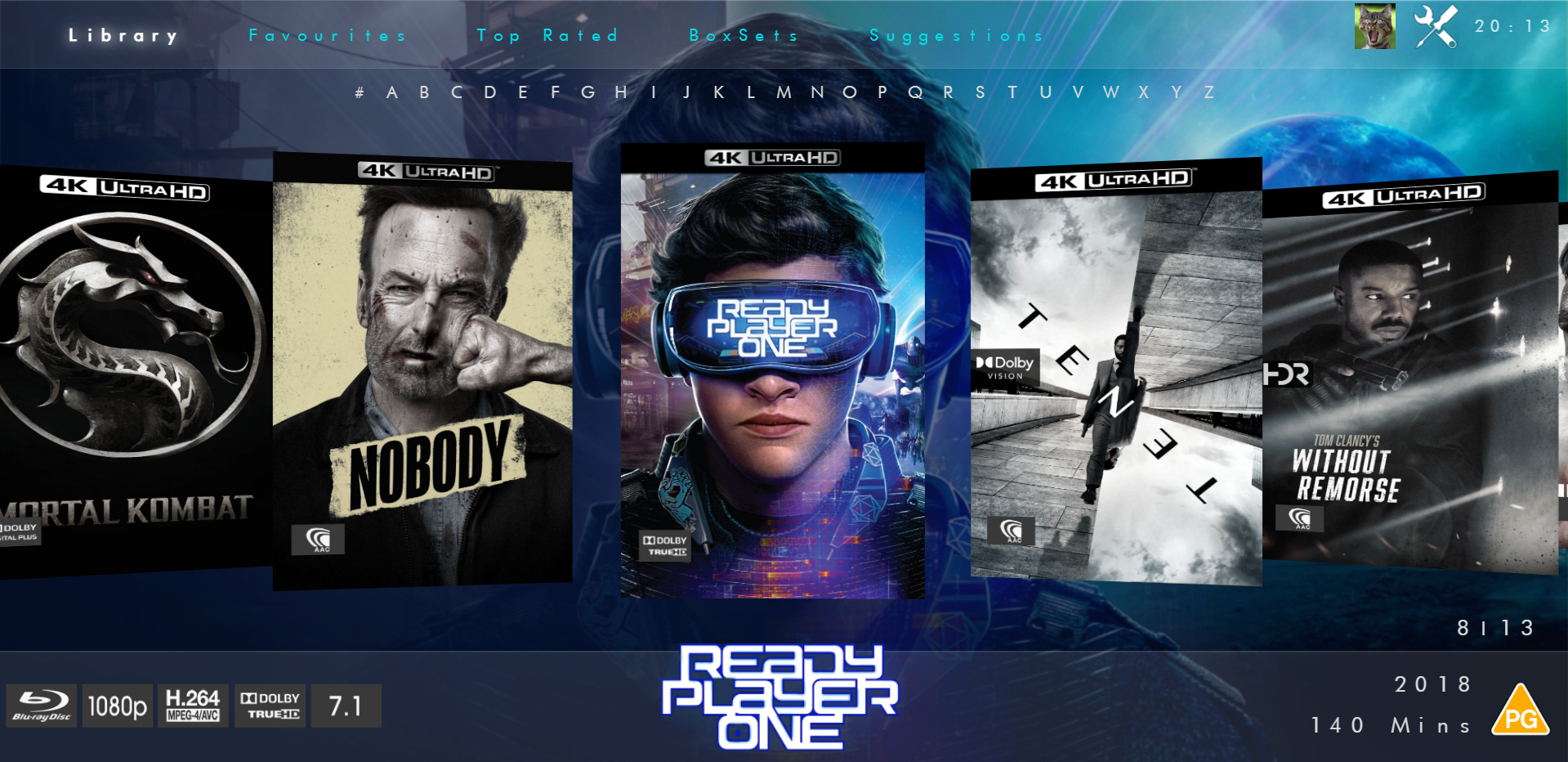
Not had much time to play but here is the new modern layout. Spotlight - chooses a random recently added item then a series of scrollers will go underneath for Recently Added Continue Watching Top Rated (this will be items over a certain community rating) Favourties Boxsets Now Playing - this will be whats showing in Cinemas/Digital Streaming Services (taken from TMDB) iHome Flat Coverflow View Coverflow View And you've seen the full details screen. Anyways... Hope you like it
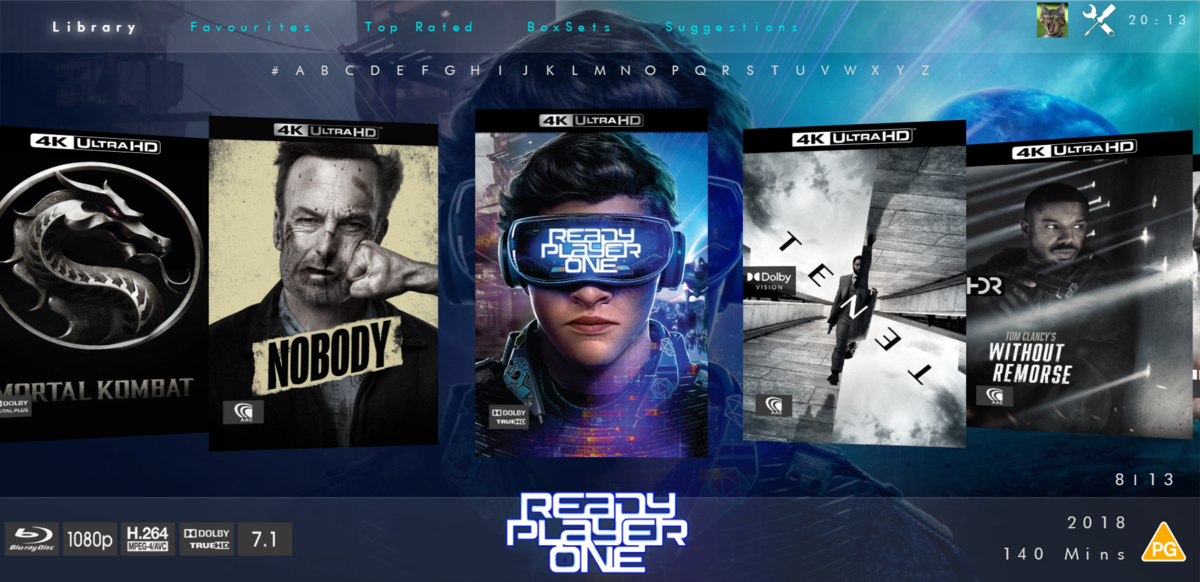
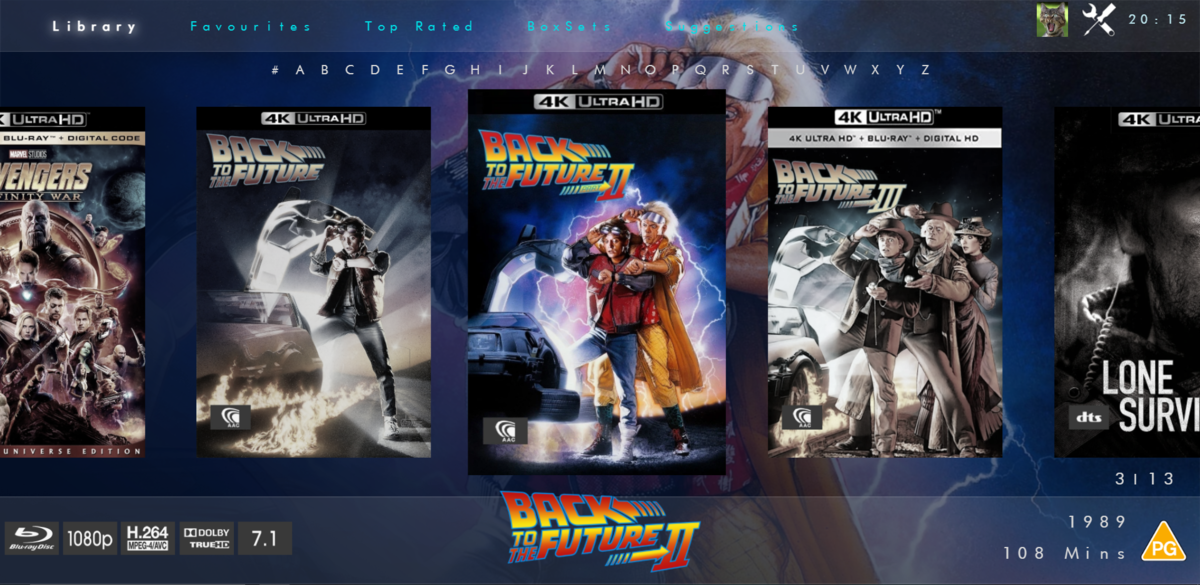 2 points
 -
ComSkipper ... A Emby Plugin that skips commercials in recordings using output from comskip. This plugin will work with EDL files generated by Comskip, ShowAnalyzer or any other application capable of generating them to automagically skip past commercials when playing back recordings in Emby. A visual localized notification will be presented on the screen when this happens. UNC network mappings are fine - as long as the .EDL file is in the same filename as the media file. A PDF is included in the download that explains all of the details. But one thing should be made clear up front. And that is this plugin does NOT contain comskip, show analyzer, or any other program that detects the commercials and creates the EDL files with the skipping information. Also, the donator version of comskip is required because Emby stores its recordings in .TS format. I'm told the donator version is no longer required. User @vdrovergraciously created a PDF file on how to get this working on Ubuntu. It can be found in the Github repository in the doc folder and will be included in future releases. The PDF file also shows an easy way to configure Emby to automatically run comskip after each recording on a Windows server. Linux server users will need to figure out the best way to do this for their flavor of Linux. I am not a Linux advocate or user, however I did find this information in the NextPVR forum that is encouraging, and I encourage Linux users to help each other out with this as I will be of little to no help in this regard. https://forums.nextpvr.com/showthread.php?tid=60803 Building Comskip is really quick and easy on Ubuntu, so probably the same for any Debian based distro: $ sudo apt-get update $ sudo apt-get install ffmpeg libavcodec-dev libavformat-dev libavutil-dev autoconf automake git libargtable2-dev libtool $ git clone git://github.com/erikkaashoek/Comskip $ cd Comskip $ ./autogen.sh $ ./configure $ make $ sudo make install Once this is out long enough where I am pretty sure it is stable, I'll make its GIT repository public. Git Repo Getting it into the plugin catalog could follow after that, assuming the Emby team approves. I rarely record, my main use case is NFL football games. I record our local teams game, which when complete runs comskip on the recording which takes about 40 minutes. We then watch the game while eating dinner that evening. Skipping halftime (manually) it brings the time from 3-4 hours to 2 to 2.5 hours. Comskip does a very good, remarkable really, job on all of my recordings including the games to date. I have attached the comskip.ini that I use. It works well for me in the US. If you add this to your ini (make sure your system has the processing power to handle it), it will greatly reduce he time comskip takes to process your file (requires donator version). thread_count=2 Have fun and enjoy commercial free recordings Current Release Version 2.2.0.0 - Updated Emby library to latest. Version 2.1.1.0 - Added popular .editorConfig for consistent coding standards. Upgraded to latest Emby library. Version 2.1.0.0 - A change in Emby 4.8 caused a code update to be required in how DL files are read. If the plugin stops working in server 4.8, update to the latest plugin. Version 2.0.0.0 - Allows for chapters to identify commercial points if they exist. PlayOn and perhaps others identify commercials that way. Version 1.6.0.0 - Allows configuration of time message is displayed on the screen. Allows configuration of message displayed on the screen. Optionally displays the skipped time in minutes:seconds. Version 1.5.0.0 - Added optional commercial duration skipped to the on screen message by request. Version 1.4.0.0 - Made a couple log messages info from debug by request. Version 1.2.3.0 - Upgraded to Emby server 4.7. Version 1.2.2.1 - Added German (de) translation. Version 1.2.2.0 - Culture set so EDL file can be parsed everywhere. Version 1.2.1.0 - Real time no longer experimental. Session ID fix for LG (and maybe other) clients. Version 1.2.0.0 - Experimental feature to allow commercial skipping when watching during recording Initial open source release. Version 1.0.0.2 - Initial release. Version 1.0.1.0 - Addition of configuration switch to disable on-screen notifications. **Note** You will need to clear your browser cache due to the config UI change. comskipper.ini1 point
-
Please add these two filters to Movie filter view: - Decades - Country1 point
-
Partly played content already is shown in the Continue watching section. So there's no need to have it twice on the screen both under latest media and continue watching. An option to hide partly played content from latest media would be great. Thanks.1 point
-
Add alpha picker to the "add to collection screen. The title pretty much says what I would like. It is slow to move through the collections to find the one to add to without it.1 point
-
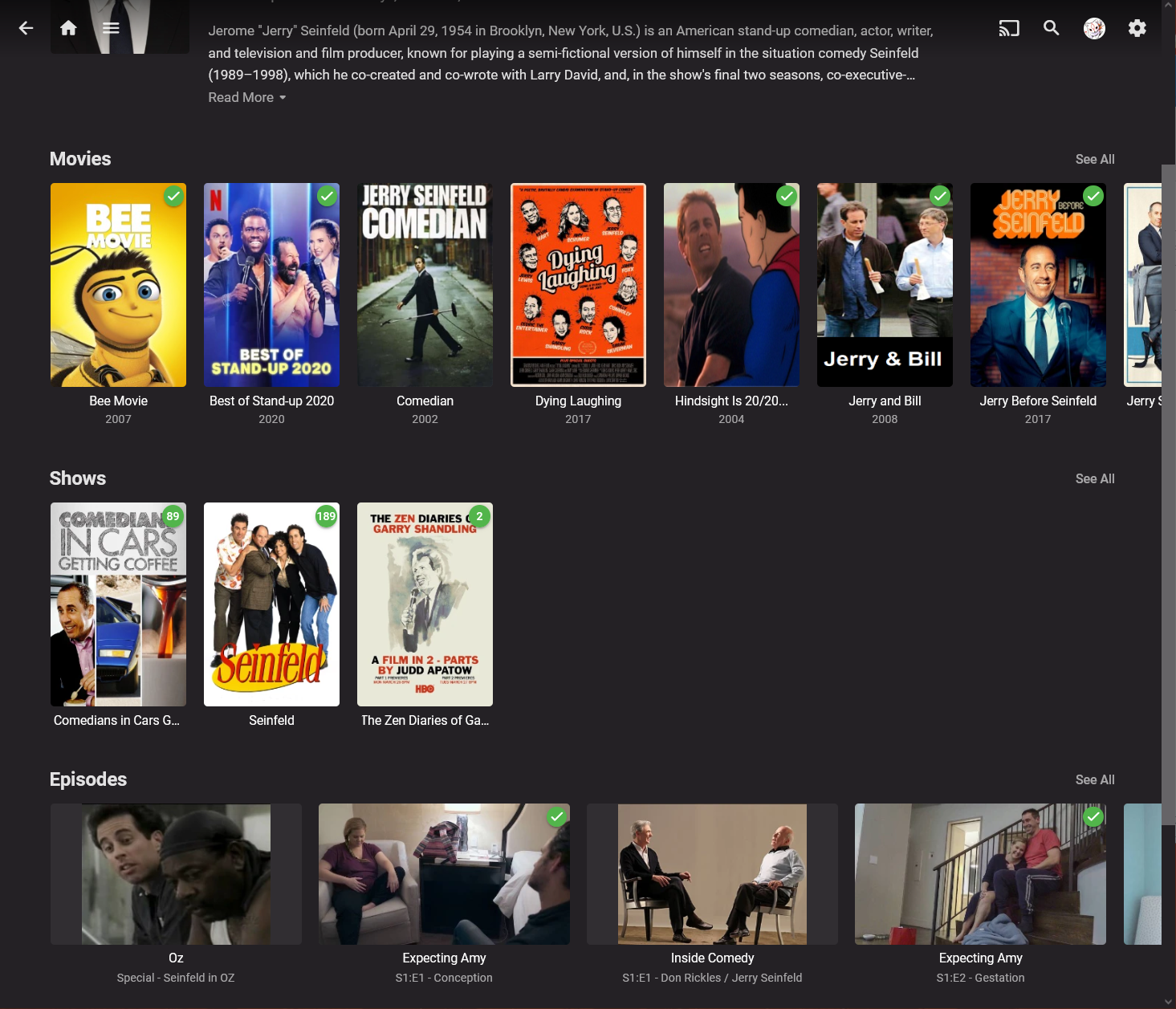
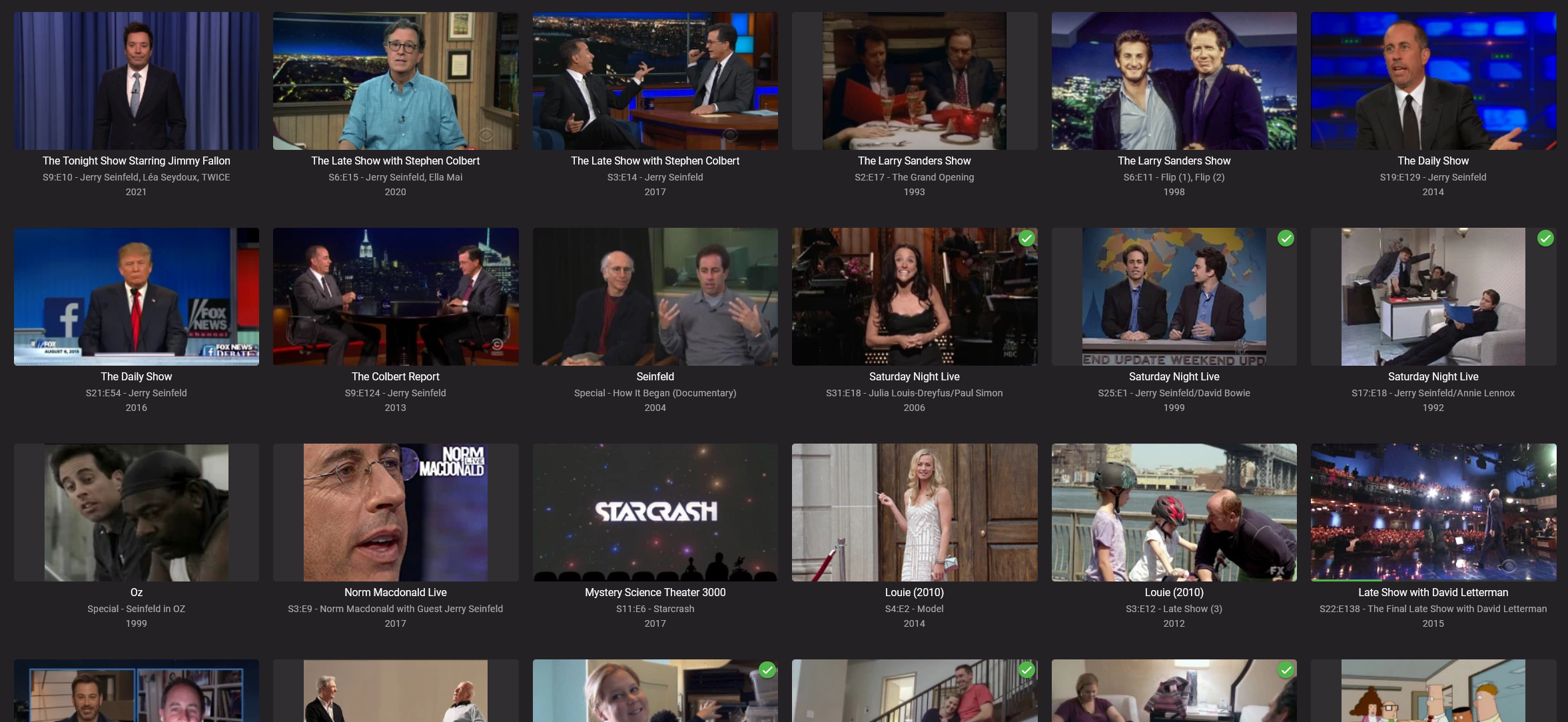
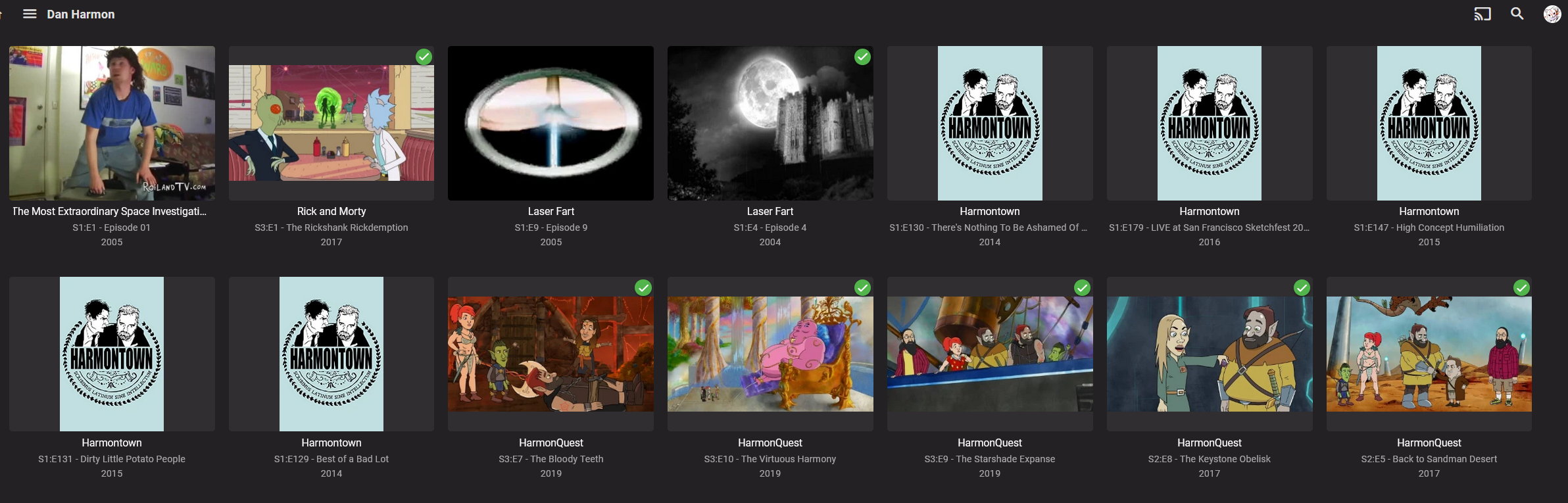
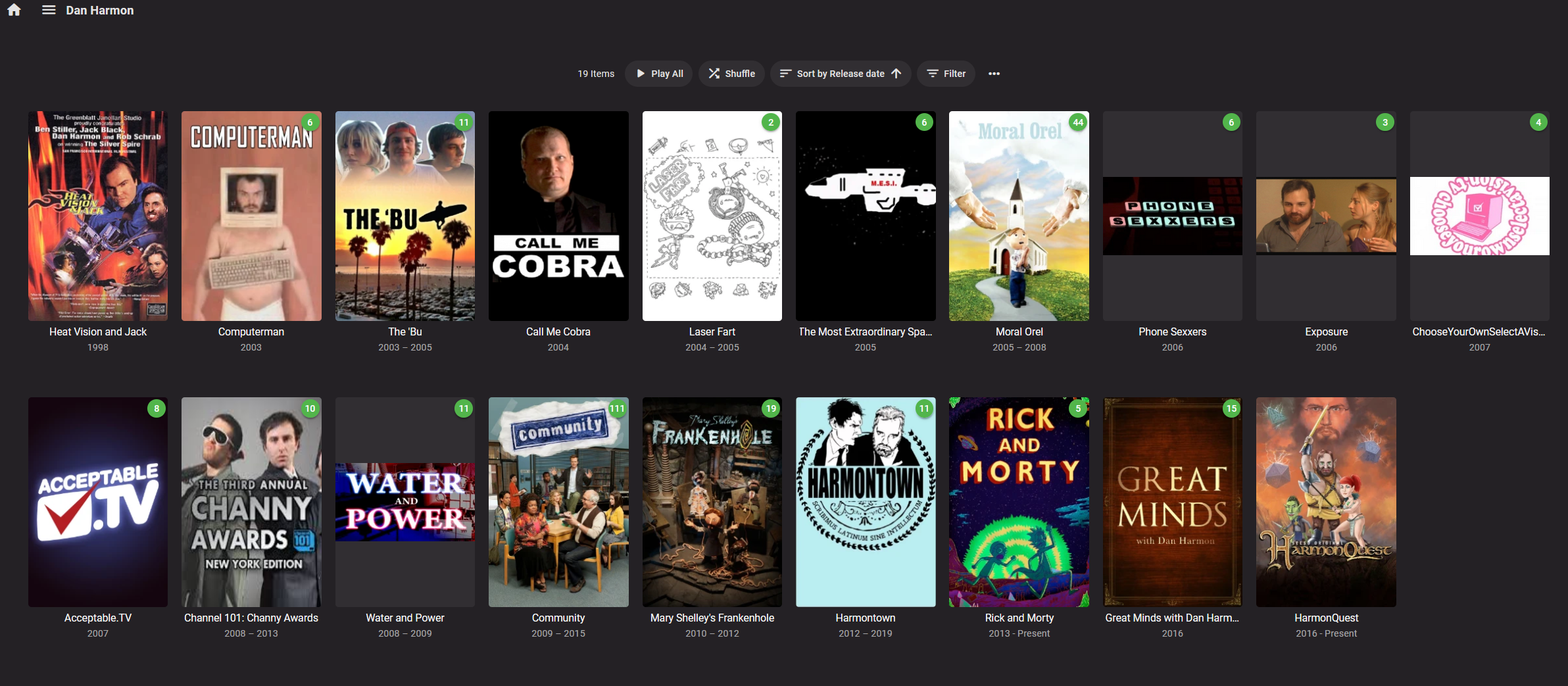
Hello, So something I'm getting a lot of feedback from people that would make Emby more useable. When searching by Person in Emby, there is a lot of "Noise" in the Episodes section. People who are credited for the entire Series are often individually tagged for every single episode which makes it hard to find the genuinely interesting cameo style appearances that the "Episodes" view is very useful for. The feedback is to remove individual episodes if the person is credited for the whole Series. Let's look at a real world example that looks correct, Jerry Seinfeld. When I view his Actor page I can see Movies / TV Series / Individual Credits in Episodes When I click on just Episodes: It's awesome, I can see Jerry Seinfeld on Late night talk shows, Hosting SNL and Guest Appearances in other shows like Louie and Mystery Science Theater. This is exactly what I would expect. I pick a different actor Dan Harmon and view Episodes; Every episode of Harmontown, HarmonQuest and Rick & Morty come up. So I never can see his Cameos as there are pages and pages of just episodes. Dan Harmon is already credited at the Television Show level for Harmontown, HarmonQuest and Rick and Morty. So my suggestion is to exclude from the Person view the episodes if the person is already credited at the Television Series level to make this screen more useful. Thanks
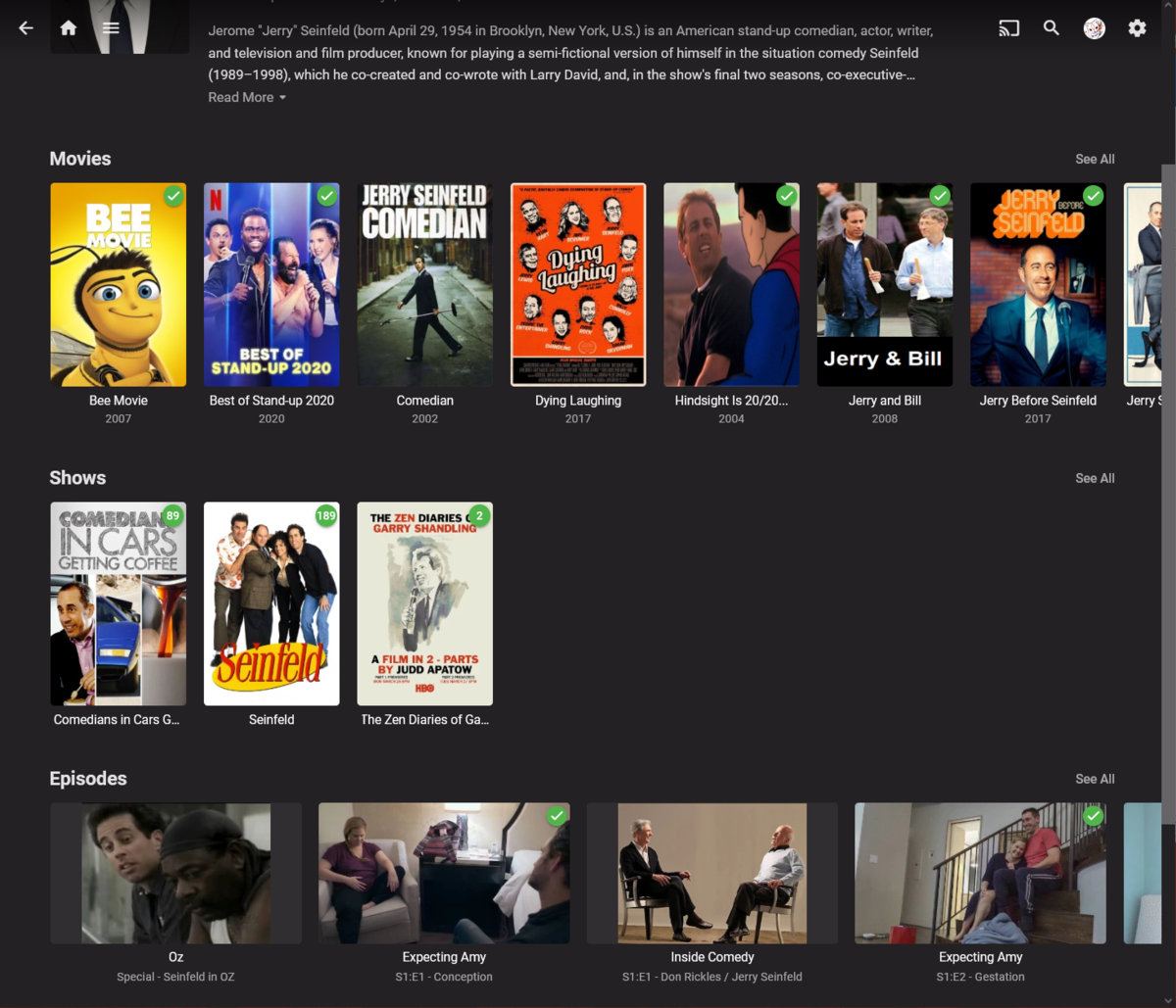
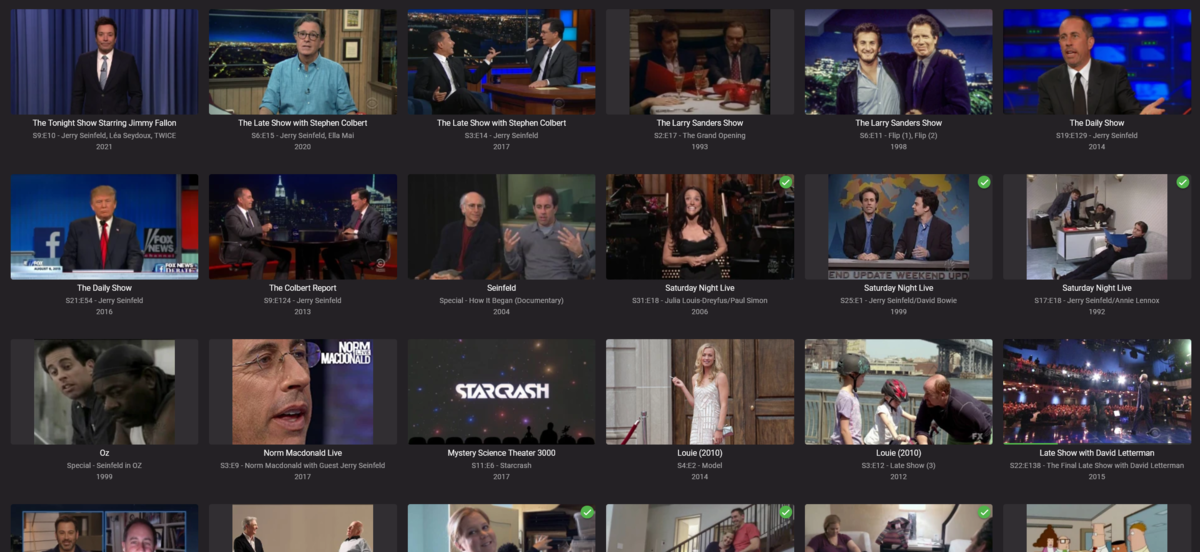
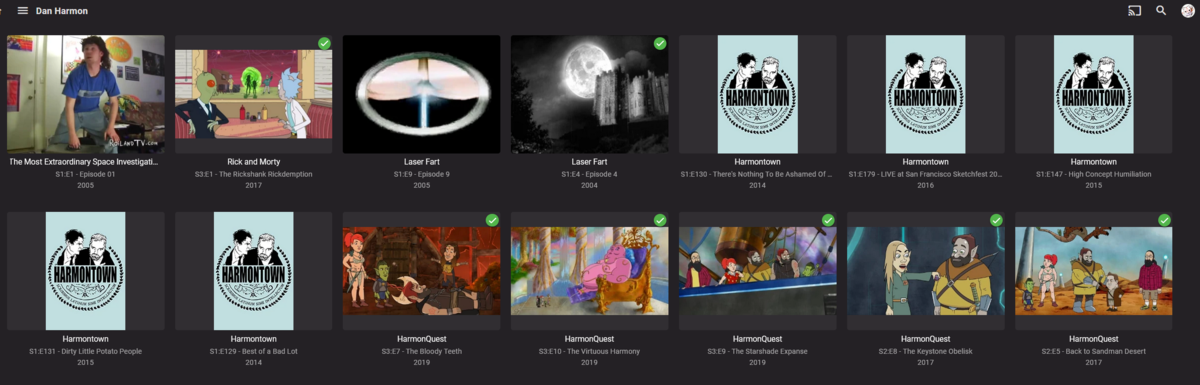
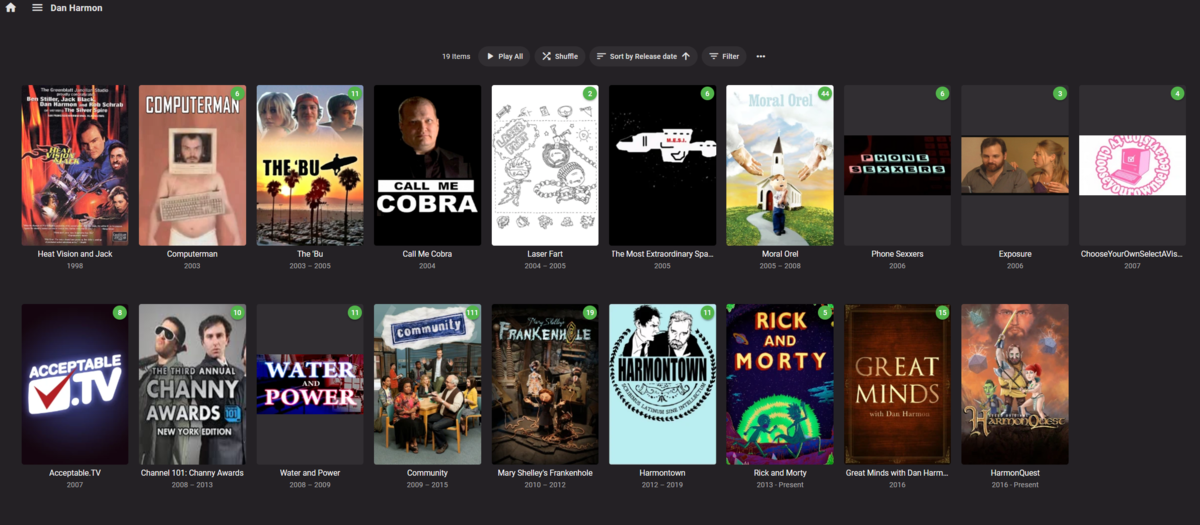 1 point
 -
Antenna is good. WinTV works. So does Plex.1 point
-
For months I have been consistently getting a "failed" message after any attempt to sync my watched history to Trakt. But it actually did work. It also took over 10 minutes to report that it had failed. Whatever Trakt did has caused my "failed" messages to go away and the time to return is down to 2 or so minutes. Simply Trakt was working correctly but reporting an error and this has been happening for months. Trakt changed something and Trakt now works and does not report a non-existent error upon return. So I thank Trakt and Emby. Whatever was broken is now no longer broken so I am quite content.1 point
-
Now fixed by Trakt.1 point
-
I am a little confused as your server is reporting 2 local addresses. But would appear listening on both. Detected local ip addresses: 192.168.0.237, 192.168.0.222, 2022-04-21 21:09:41.775 Info App: Init BeginReceive on 192.168.0.237 2022-04-21 21:09:41.775 Info App: Init BeginReceive on 192.168.0.222 Have you tried forwarding the .222 address also? I would disable Port Mapper also. Can disable on Emby Network menu or uninstall plugin. @cayarsis that a double NAT with the first two addresses being gateway .1 addresses in the tracert?1 point
-
library := "U:\" restore := 0 loop, files, %library%*, D { if !(restore) { o:="" if fileExist(A_loopfilefullpath "\movie.nfo") loop, files, %A_Loopfilefullpath%\*.nfo { if instr(A_Loopfilefullpath, "movie.nfo") { fileread, file1, %A_Loopfilefullpath% loop, parse, file1, `n,`r if instr(A_loopfield, "<tag>") || instr(A_loopfield, "<genre>") o.=strreplace(strreplace(A_Loopfield,"</tag>","</genre>"),"<tag>","<genre>") "`n" } if !instr(A_Loopfilefullpath, "movie.nfo") { nfoname:=A_loopfilefullpath fileread, file2, %A_Loopfilefullpath% loop, parse, file2, `n,`r if instr(A_loopfield, "<tag>") || instr(A_loopfield, "<genre>") o.=strreplace(strreplace(A_Loopfield,"</tag>","</genre>"),"<tag>","<genre>") "`n" } } if (file1) AND (file2) { nfo := "" loop, parse, o, `n,`r if !instr(nfo, a_loopfield) nfo .= A_loopfield "`n" fileread, file, %nfoname% o:="" loop, parse, file, `n,`r if !instr(a_loopfield, "<genre>") o.=A_loopfield "`n" append(nfoname) o:=strreplace(o, "</movie>", nfo "`n</movie>") filemove, %nfoname%, %nfoname%.bak fileappend, %o%, %nfoname% } file1:="" file2:="" } else { if fileExist(A_loopfilefullpath "\movie.nfo") loop, files, %A_Loopfilefullpath%\*.nfo if !instr(A_Loopfilefullpath, "movie.nfo") nfoname:=A_loopfilefullpath if fileExist(nfoname ".bak") { filedelete, %nfoname% append("restoring " nfoname) filemove, %nfoname%.bak, %nfoname% } } } so i used tmm to scrape info to "movie.nfo" - then i wrote a little script to check directories for the presence of an existing nfo, and movie.nfo, if both are present, it collects data from both, merges them and creates a new nfo file, backing up the old one, code is awful but in theory i should only need to run it once, maybe again in a couple years. the result of this is as the attached image, many many many many genres! fantastic, an absolute mess, but genre cleaner can now cull this down to something useful fantastic solution, thankyou i will be busy playing with my new data
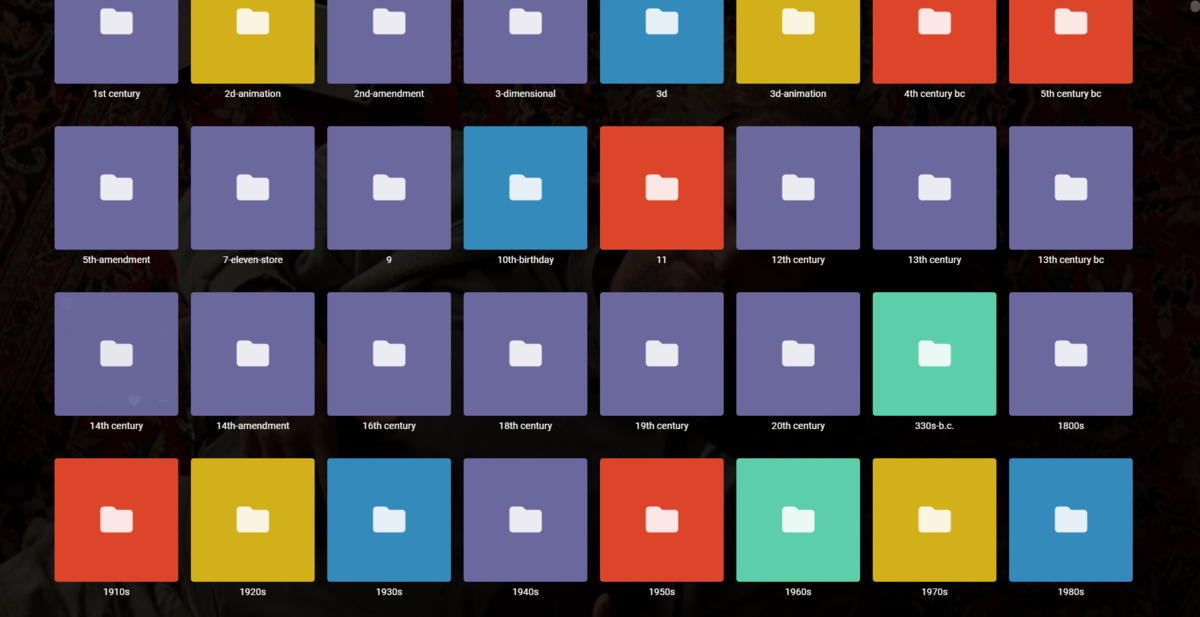 1 point
 -
Installed the server beta right now and added an Ended Tag to all my series. Works fine No issues detected so far with the updated plugin. Ubuntu Server 18.041 point
-
G'day @kirkj! Thank you for your feedback mate. The Package Installer in 3.0.5.5 doesn't work due to synchronous calls in the backend; which I've fixed in v4.0.0.5 however 4.0.0.5 requires Emby Server Beta 4.7.35+ and above, I'll be releasing 4.0.0.5 up onto the catalog sometime in the next 24 hours, just have to finalise a couple of loose ends and test. Thanks again mate, I'll let you know as soon as everything is ready1 point
-
What you see there are keywords and there is absoultely no way to convert those to Genres save manually. Within Emby, you can't even scrape those. Some 3-rd party tools enable you to scrape those as tags, which still wouldn't satisfy your requirement and would be a bit overkill for that purpose alone. As I see it, you can approach that in either of two ways, both would involve some manual labor: 1) Use community-made tool for bulk-editing and simply assign desired tag(s) and/or genre(s) to multiple items at once 2) Use 3-rd party tool to scrape keywords as tags, afterwards batch-rewrite <tag> tags to <genre> tags in resulting NFOs via text editor, Notepad++ Find in files, for example.1 point
-
Hello. Thanks for the plugin. I'm trying to install the Telegram notification package but when I click the install button nothing happens. Emby 4.6.7.0 and ScripterX 3.0.5.5. Thanks in advance.1 point
-
I noticed this a few weeks ago on my Roku, and have been looking for how to fix it or suggest it to be returned to how it was. After I finish a movie, I like to look at what else the director has done, so I press down, left, select. Suddenly that doesn't work anymore. I have to now press down, hold right for up to a minute or press it 80+ times depending on the movie, then press select. Thanks to this thread I now understand why it was done, and also learned RR and FF provides some relief, but I have two ideas. 1. A director, IMO, is a very important part of a film. Wouldn't it make more sense for the director to be at the beginning of the cast and crew list, rather than at the end with the extras. Can that be implemented or made an option? 2. Make the director's name listed under the movie's title a selectable item, as it is in the webapp.1 point
-
thank you1 point
-
Update: 6.2.15 merged from beta into stable1 point
-
cool, thanks. Now I'm also waiting for a beta fix1 point
-
No, it'll be mix together, the server will see the virtualTv as if they were regular channels1 point
-
The collections are created automatically using TMDB collection ID from the Metadata. Every movie (star trek in your case) has a movie ID and along with the descriptions, rating and other information a collection id is downloaded if the movie is part of a collection. So is likely that emby groups the movies with the same collection ID no matter their location. You can try using coverart plugin so your 4k movies shows on the poster a banner with 4k resolution. Or you can edit the Metadata and delete the collection id, lock that field and run a library scan.1 point
-
Ok, thank you for the information! True, I can filter by the user-agent, any user could fake that though. Anyway, if there is no dedicated endpoint, it makes no sense to filter anything here.1 point
-
Just discovered the pre-roll function of cinema intros and i love it! A couple things I'd like to see though: 1. It seems that if a movie has a TrueHD track, it will always play the TrueHD Codec Pre-roll, even if I have selected a different audio track. Would be nice if the pre-roll matched the current track. 2. Would like to see a way to play a "4K" pre-roll for content above a certain resolution (1608+). The codec doesnt determine the resolution, but I'd like to add a little drama when watching 4k content 3. There's so many great emby pre-rolls out there for Custom Intros, but we only get a random one. I would love if maybe it could match intro name to Genre (so you could have sci-fi based pre-roll for sci movie) But Obviously that's hard cause movies have multiple genres. Just an idea 4. In a similar way based on the awesome mock-studio pre-rolls @Xenom posted, it would be cool if you could match studio-name to a specific intro in the custom folder.1 point
-
Sure thing. I'll work on that today.1 point
-
Also, for audio, Yea - that's why I had thought about it And then drop all the smaller lines above..1 point
-
I guess it would just be more 'complete' to show what all tracks/codecs are doing in the swim lanes. I agree anything in Audio certainly won't be crossing multiple lanes (I think..) so maybe you are right and it can just stay in the top section and possibly add things such as Audio Boost level / Destination Channels etc ?1 point
-
Hey, guys. I'm experiencing the same issue, Import playstate from trakt.tv just doesn't work. :(1 point
-
Very nice @softworkz - this makes it extremely clear what is happening to the video/subs streams during transcoding. Maybe for the next update, but it would be nice to also include the Audio transcoding/conversion as a swim lane ? - especially details of the number of channels mixed would be perfect.1 point
-
Have you looked at the call made when you refresh a person? http://localhost:8096/emby/Items/{ID}/Refresh?Recursive=false&MetadataRefreshMode=FullRefresh&ImageRefreshMode=FullRefresh&api_key={APIKEY} You would need each persons ID from the database.1 point
-
I think I might have asked for something similar a while back, in the sense of being able to have a movie as an extra. Even in situations like Criterion packaging Killer's Kiss as an extra for The Killing, or Columbia Territory as an extra for High Sierra, it would be useful, but it's definitely even moreso in terms of things like Charles Laughton Directs The Night of the Hunter or the absolutely massive WB doco in the special edition of Casablanca.1 point
-
I will try that in the next day or so and get back to you.1 point
-
@arrbee99the reason I suggested NextPVR without the plugin is I don't feel there is enough information in the original post to confrim that Emby is "worth" investing in. Clearly if you post on the Emby forum and ask if Emby PVR is worth it subscribers are going to say "yes". I was giving an alternative point of view. Once the op becomes a knowledgeable user, they can decide, with the help of this forum, why transitioning to Emby is worth it. Martin1 point
-
Hi, you can already set the metadata language and country per item using the metadata editor. But yes I agree, having it in the Identify dialog would be handy as well.1 point
-
That did it! (By the way, the Libraries still show up but no content is inside. I'm happy with that result.) So the "trick" is to not be in the Home screen and right-click on the library to select "Scan Library Files". Nor is it to be in "Manage Emby Server", under Library, and right-click on the given libraries to scan for files. The solution is to go to "Manage Emby Server" \ Advanced \ Scheduled Tasks \ Library \ and hit the Play button under "Scan Media Library". After that, all the .ignore files are working properly! Thank you, @Happy2Play and @ebr for your feedback. They led me to the correct solution. Solved.1 point
-
Hi there, please check out our Quick Start Guide and let us know if this helps: https://support.emby.media/support/solutions/articles/44001159034-quick-start Thanks.1 point
-
perfetto. ho risolto mettendo indirizzo ip corretto. grazie mille!!!!!1 point
-
1 point
-
Haha, sure. I need to click once on the media library cover to get to the poster wall, so I've now adopted the strategy of adding the cover manually on the TV side myself. Thanks for your reply!1 point
-
In recent months, it's about 2-3 weeks. Yesterday we got a response that they rejected our last submission over something very minor that only affects only model year, which unfortunately is very typical. So today we made the correction and resubmitted.1 point
-
If you're counting comments as complaints that translate into behavior changes, then please add my comments to the complaints pile. As always, thank you for listening. Jack1 point
-
The banner looks awesome. It would be very cool to see something like that on all the clients.1 point











.thumb.jpg.9095306fe361dd5e158b9ff35622e2e9.jpg)









.thumb.jpg.6c666f1cd8800f391f1574a4f8c6feef.jpg)