Leaderboard




Popular Content
Showing content with the highest reputation on 03/31/22 in Posts
-
I'm a plex life time member, but I have been using Emby for over six years continuously, but there is a feature which I have always thought is missing in Emby which I would like and encourage the developer to consider including especially in this dispensation where families can social or commingle due to COVID 19. Today, I received a notification from Plex about it new feature titled Watch together you can read about it here https://support.plex.tv/articles/watch-together/ The feature allows friends and families at distance to watch same movies together instantly, you simply invite all your buddy, once they signed to the system which can be seeing in the server then play and pause as needed, this I think is cool feature should be added to emby. Let's here your though if Emby developer should consider adding this feature to our beloved Emby Media https://www.bing.com/news/search?q=Plex+Watch+Together&qpvt=plex+watch+together&FORM=EWRE2 points
-
Hi, only if they're going to watch 10 different channels at a time. If they all watch the same channel, the streams will be shared.2 points
-
Correct - My understanding is the tuners cannot be shared - but as I am not a big Live TV user - somebody like @cayars should be able to confirm this.2 points
-
In the past, I've used a trick with the backup plugin provided you already have that installed. If you save backups to a shared folder you should be able to drop in the new plugin .dll next to the backed up plugins. Then you go to the emby dashboard and restore from that backup (you can choose to restore plugins only). The permissions should be set correctly since the emby user is moving the files from the backup. Haven't done it in awhile but it would save me from having to ssh into the system for a quick update.2 points
-
Google Play store is available on Philips TV’s, but there are very few filemanagers (and even less decent ones) that you can actually install via Play store. For example, my personal favourite Total Commander cannot be installed via store, as it will tell you that your device is unsupported and it won’t even show up if you are browsing store via TV. My personal process involves “hacking” Total Commander and it’s LAN plugin APK (obtained from developer website) into Philips TV, installing these and then I can already access my NAS or open/run/install all sorts of APK’s (including Emby) via Total Commander from USB. Dialog to allow untrusted sources will pop up, when you try to actually sideload your first APK. Only difficult thing would be to get that first APK, preferrably somesort of decent filemanager into device and sideloaded.2 points
-
OK, thanks for the info - seems to have done the trick. Will post back if it starts doing it again.2 points
-
So I deleted the folder and then transferred over my backup copy and everything looks perfect right now. I guess the lesson learned is to do any or as much editing before transferring any files over to emby.2 points
-
I'm requesting a feature addition to Emby Theater: a way to change the vertical positioning of subtitles in Emby Theater. I want to raise them up about one line height. I'm comparing native playback of subtitled movies as discs in PowerDVD to MKV in Emby Theater. Emby theater positions the subtitles significantly lower in the screen than the disc playback does, about one full line lower. This worsens the overall experience. For a letterboxed movie like "Amelie", the subtitles fall across the letterbox boundary in Emby while they're within the movie frame natively. And in all cases (also seen in a 1.85 movie like "Kiki's Delivery Service") the subtitles are too close to the bottom of the screen, farther from the natural viewing location, making it a bit harder to read and watch simultaneously. If subtitle height can't be made a user preference, based on my sampling of four or five foreign language films, subs should be about one line height higher to match native Blu-ray playback. The Emby Theater setting is too low, from my small sampling. Thanks1 point
-
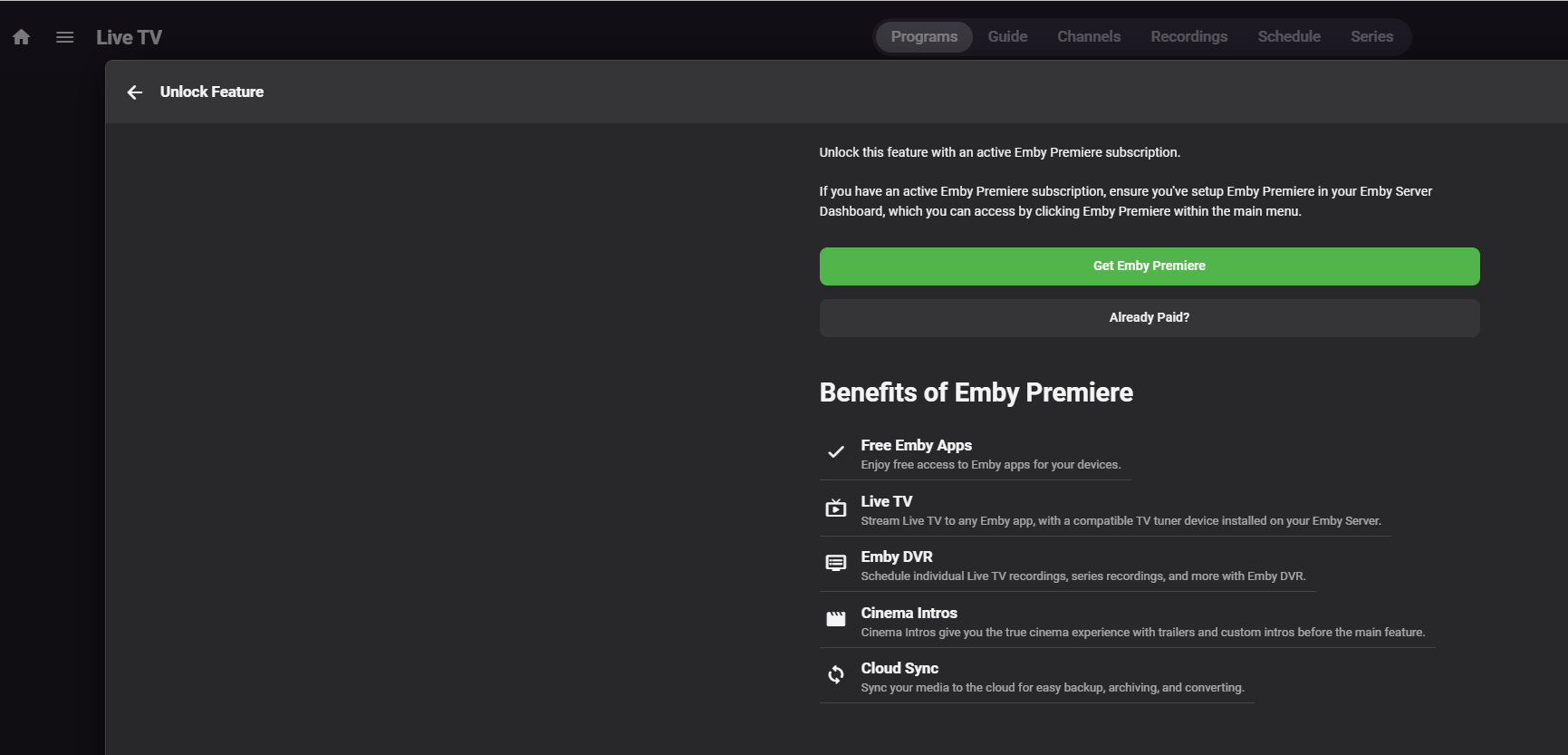
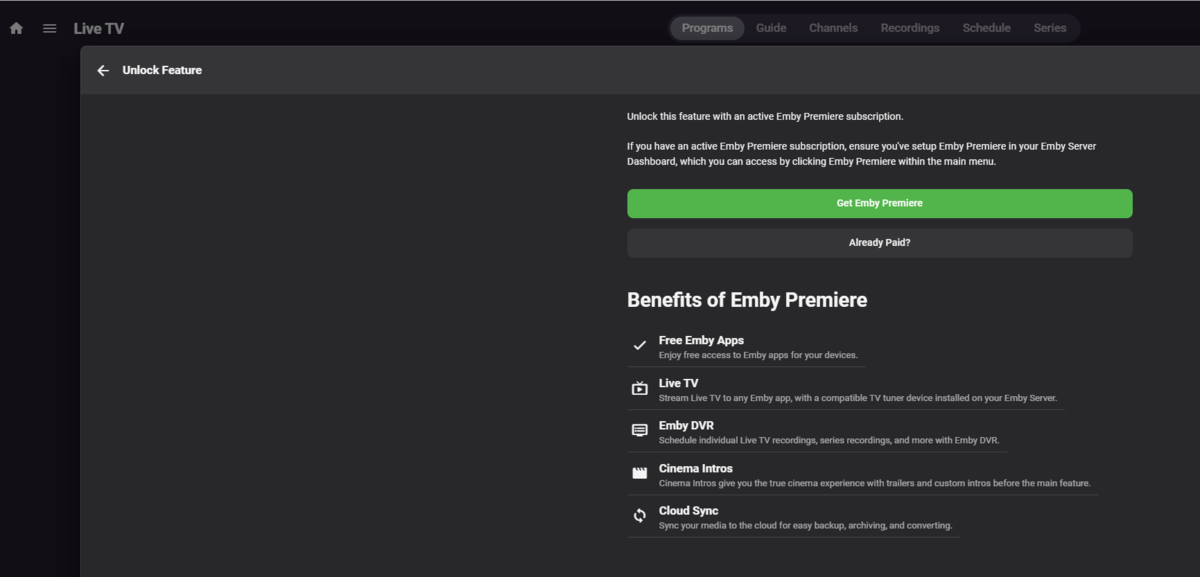
Yesterday, much of the east coast was slammed with storms. We had fires caused by blown down transformers, ambulances were going everywhere, and wind was reaching 50 MPH at times. Of course, my internet went down during this time so it made it difficult to check the weather and follow the news. But luckily, I have an OTA antenna connected with a HDHomeRun device to Emby, which is all on large battery backups. I got on Emby to check the weather to make sure there weren't any known tornadoes in my area and much to my surprise, despite having Emby Premiere for years now, I was told I need to get it to access Live TV from my phone and desktop. I don't use it often, I mostly use emby on our Samsung TV, which our kids were using to watch Emby because the internet got knocked out. My question is, is there any way I can avoid this in the future? How can I be sure that when the internet goes out, I can still access emby. I have had an Emby Premiere Perpetual license for years now and when I needed it the most, it failed. I also remember a time when the activation server went wonky a few years ago and it caused everyone's Emby to hang. On a side note, the Samsung TV app seemed to hang every few seconds, I assume that is not related as I have been having a few other issues in my lab. But wanted to ask if it could be related.
 1 point
 -
Thanks for the feedback. That is good news for the TV app because ultimately it will get the same updates to the video player.1 point
-
And your Episode downloader settings? Note image downloader will need altered also at least for episodes.1 point
-
The only way to fix this is to remove the fileorganizer.db in the data folder, and restart the server. I'm having some problems learning how to update the Sqlite table. It drives me nutz. After that, all the column names are present. I don't think we need to write new columns to the db ever again. So hopefully that isn't a deal breaker.1 point
-
Thanks for the feedback.1 point
-
Which is neither a solution to his problem nor a revamp of the device access control.1 point
-
Have seen topics where you may have to verify permissions on custom plugins placed in plugin folder.1 point
-
Wow! Adjusting database cache size really sped things up for me. I have 32 Gigs in a windows 10 Pro that I am using for a dedicated server. I set it to 256 via the system.xml edit, rebooted and went in and out of the App several times and BOOM! Thank you for this! My Roku Ultra just screams through the Emby app now.1 point
-
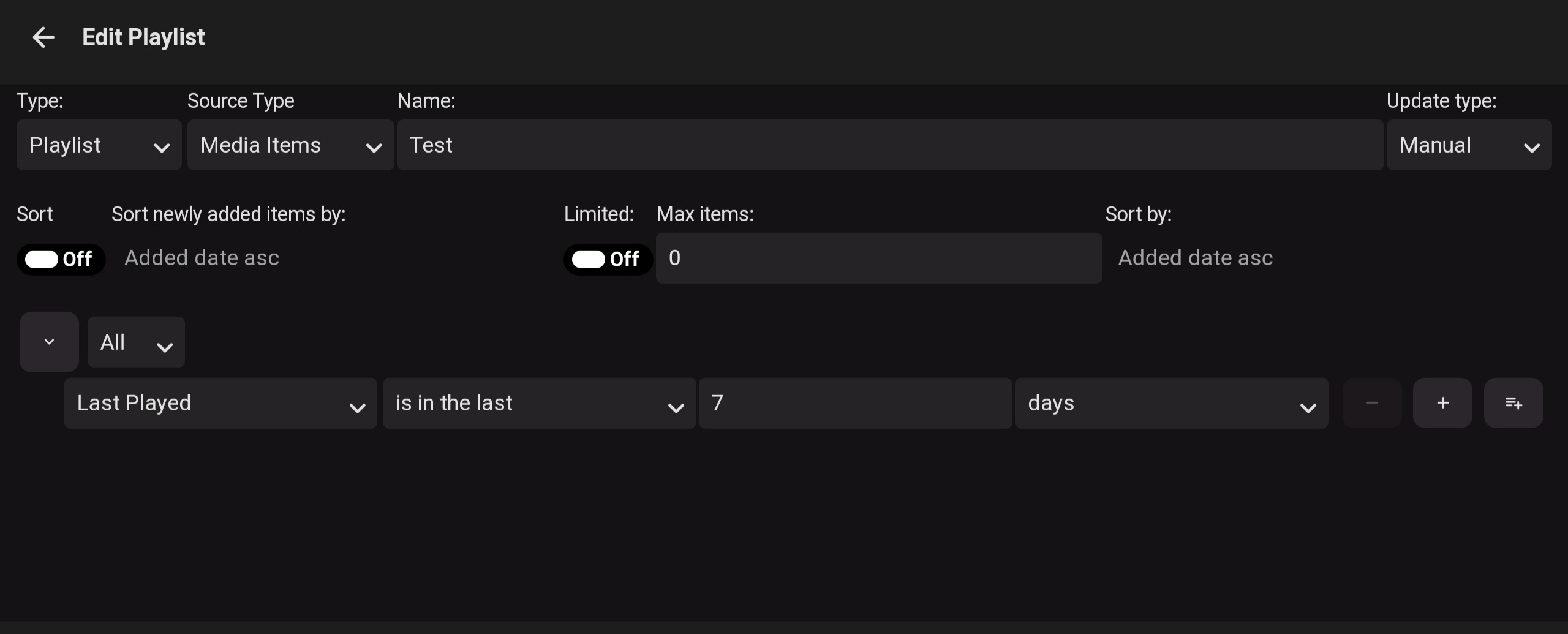
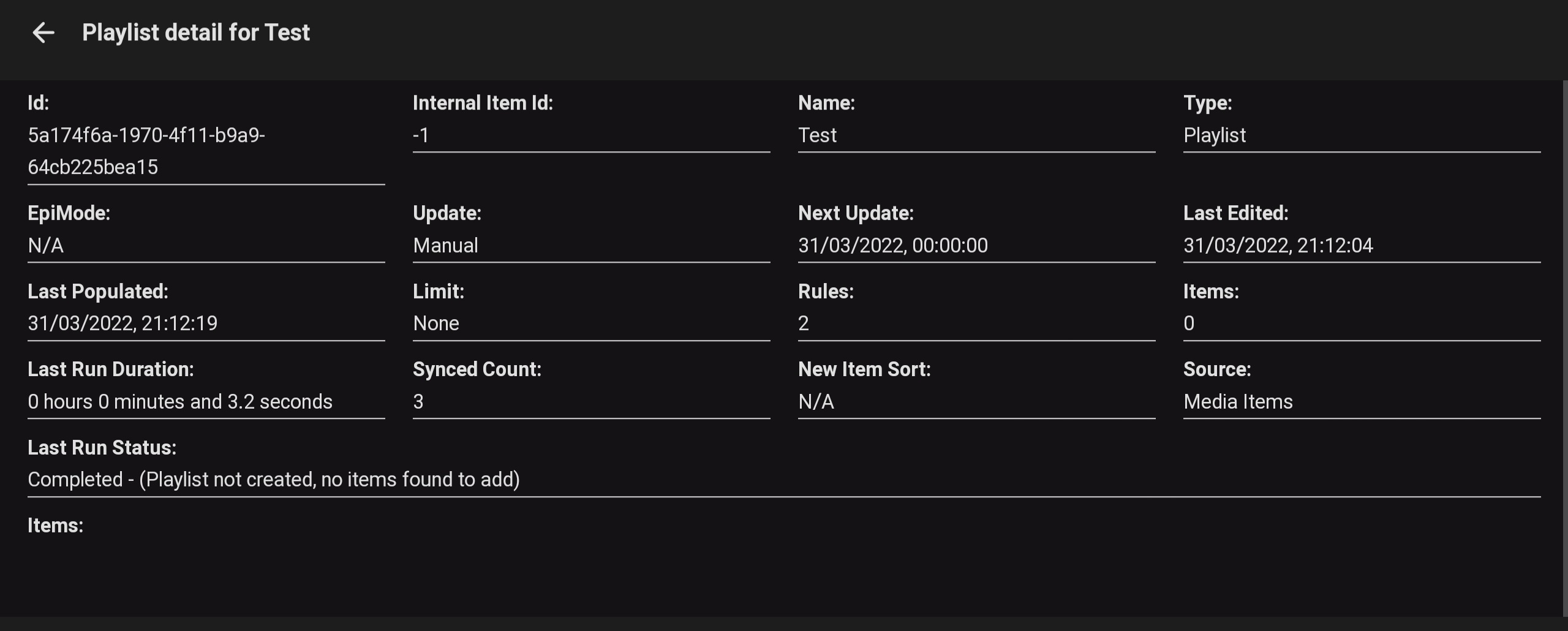
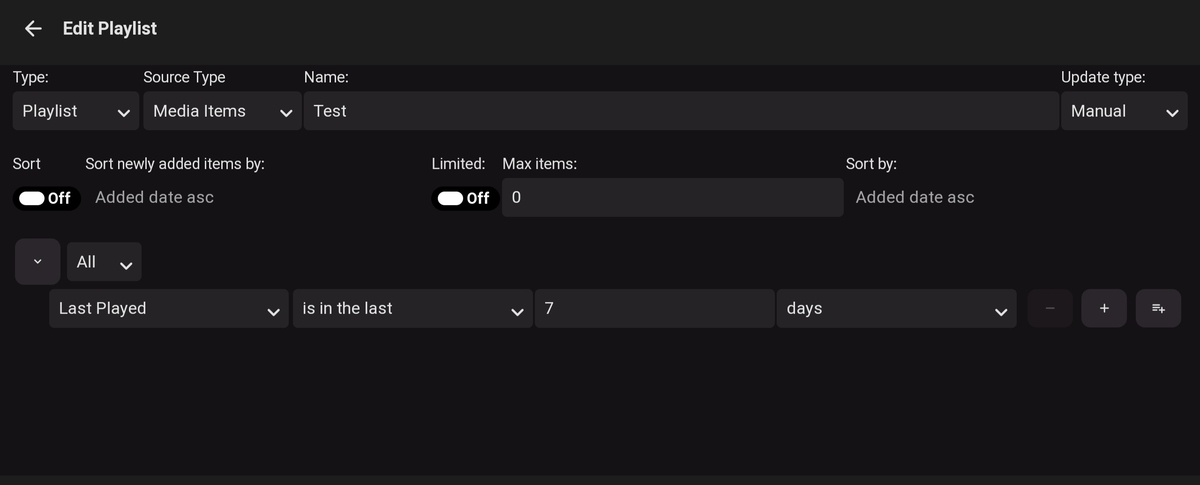
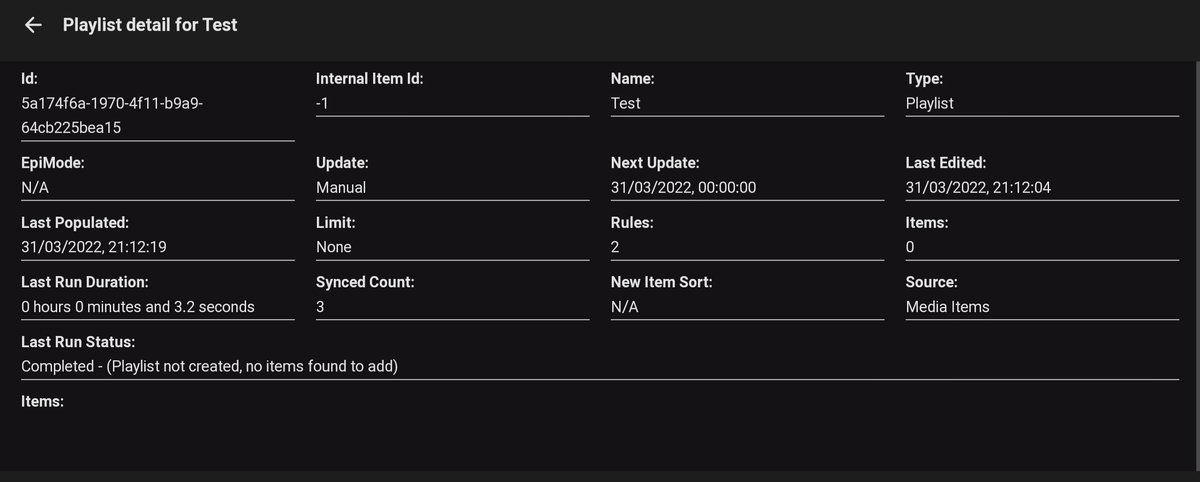
This does indeed work, thanks! I'm testing a new playlist but is giving no results when it should. I suspect it's me doing wrong, but any help? Thanks
 1 point
 -
Yes that's certainly possible.1 point
-
Not that I know of. I think you'd need more than one.1 point
-
The situation is likely to go into next week. We'll let you know when it's back up. Thanks guys.1 point
-
Ah really - ok, I knew that worked on the HDHR App but wasn't aware this worked in Emby as well - Nice! - Thanks for confirming Luke.1 point
-
There is no correlation between quality and being able to skip or not skip, so there's no detection there. The only thing we could do is offer an option to just transcode all .ts files, but that's not something we can do by default because many won't like it.1 point
-
Haven't tested this in awhile but there is the plugin also.1 point
-
Can this be a value users can adjust even if hidden in config file? As this is still coming up.1 point
-
Since they aren't the exact same concert, you might want to try a playlist or collection for now1 point
-
1 point
-
The HDHomerun will just use a single Ethernet port on your network switch. The number of tuners on the HDHR will dictate how many simultaneous Live TV users can access it. So if you had the Quad version - then you can have up to 4 users watching live TV at the same time. The same applies to recordings/PVR - you can record up to 4 channels at the same time. To add more than 4 - then you need to add a 2nd or 3rd HDHR. Accessing the TV channels is via the Emby Clients and will work over the LAN or WAN, the same as normal media. I hope this helps.1 point
-
Just tested, I have 2 of the 7.x clients at home and both connected again as described in your post. I have 1 of the 6.x remotely connected with a VPN that I also checked, that did not. However..... Afterwards I updated an episode on the server, this was not synced to the 7.x clients. I can play unchanged content on the server, but the episode I updated failed and in the log it displays the name of the old replaced mkv.1 point
-
Please don't mention device access in emby, because you probably never used it and don't know what a horror it is when u have many users and devices. Just to click for every user and configure devices for them would take weeks. That section really need total revamp, square one.1 point
-
Exactly, it could be related to this issue. I'm currently working on a better server online detection for 7.x. If it works, I'll backport that. Does your log include... 2022-03-31 16:50:33.819 T:10433 INFO <general>: INFO: Emby.hooks.websocket: --->[ websocket reconnecting ] 2022-03-31 16:50:35.822 T:10433 INFO <general>: INFO: Emby.hooks.websocket: ---<[ websocket reconnecting ] ...on a hard shutdown?1 point
-
The standard app now has a TV mode also and can be installed on AndroidTV devices just like the ATV app. Emby.Releases/android at master · MediaBrowser/Emby.Releases (github.com)1 point
-
The issue @linds1234 is experiencing seems very similar to When I kill my container it doesn't issue the shutdown command in the Emby server and does a "dirty exit", I assume the same happens if the NAS is powering down. @linds1234 Have you tried to execute Shutdown Emby from the Emby server control panel and check on your client if you get a popup that the server is offline? Then restart the NAS and start the Emby server and see if the client reconnects.1 point
-
I have no doubt the reason the app was removed from the Play store in the first place is because Emby collects payments externally, avoiding Google fees.1 point
-
I think the long pole in the tent is those that require their unlock license from the play store.1 point
-
Ahh. It's doing more frames than it needs to to fill up the buffer!!! D'oh, didn't think of, or see that . Then it's really awesome, and I get about the performance I would expect. Thanks for clearing that up for me!1 point
-
Sideloading on Android TV's depends on device manufacturer, on some (like Shield) it is very easy and on some (like Philips TV's) it can be really difficult. Especially on Philips TV's you have to jump through burning loops to even get APK into device and then install it. For some reason Phlips does not trust their customers (pun intended) and does not provide easy option like Sony. In fact quite opposite they are removed all relevant options from menus and also restricted built-in filebrowser to media files only.1 point
-
Yes, you could try removing and adding again. Don't know that debug logs are necessary, but it wouldn't hurt as long as you remember to switch it off once you've captured the log.1 point
-
That's okay, Emby would have picked up the changes dynamically if Real Time Monitoring is enabled (which I can see in your screenshot, it is) Just find the embyserver.log file that has timestamps that cover the period where you uploaded or moved those files.1 point
-
Looks like you have some sort of database corruption SQLitePCL.pretty.SQLiteException: Corrupt: database disk image is malformed SQLitePCL.pretty.SQLiteException: Exception of type 'SQLitePCL.pretty.SQLiteException' was thrown. There may be some things you can try on this page to help you out: Corrupt Database1 point
-
I have to agree with what others have said... Love Emby, but this missing feature is a problem. I have a lifetime license for both Emby and Plex.... I maintain both, plex only for this one feature. If Emby implemented this premier feature, I suspect you could pull a lot of Plex users over. Plex has become very commercial and people are looking for a better alternative.1 point
-
I was having the same issue, not sure if any found a fix to this but under the playback settings - audio output I set to "Downmix to stereo" been streaming smoothly on 4k ever since.1 point
-
Only issues will be your library paths, but just copy C:\Users\username\AppData\Roaming\Emby-Server\programdata from one Emby install to the other. Or if you use the Server Configuration Backup plugin you can restore configs/user/userdata to the new server. Then remember to update router port forwarding if you have setup remote access.1 point
-
It excludes "Samples" from displaying in the library. Wouldn't think it should apply to music at all but would appear to be applies to all libraries. Was primarily added to prevent "Sample" videos from appearing in Emby. As for the value, you would need to make it smaller then the audio track sizes, I would try zeroing out the value.1 point
-
There is a per library "SampleIgnoreSize" you can adjust in the options.xml. You would have ssh into your Synology to edit this file. <SampleIgnoreSize>314572800</SampleIgnoreSize>1 point
-
Are any of them named theme.mp3, or have the word sample in the file name?1 point
-
Can we get an ETA on an Android app that doesn't have broken background videos? (Basically, they play OVERTOP the interface right now, like opening the movie, and getting a trailer playing that you need to back out of). thanks!1 point
-
I do a lot of side loading of apps on my Android devices. I made a simple video on how to easily install apps that are not on the Play store, using a Windows machine and an app that is in the app store. I download the app on my PC and use X-plore running the Android device to install the app. Very quick and simple.1 point
-
I am also wondering how to get past the one-off fee.1 point
-
How do I pay the once-off free to unlock the app without it being in the store? My trial ran out and I'm stuck with Emby refusing to play anything.1 point
-
This will work for you for now, but may I suggest you download a copy of MakeMKV and give that a test run on a couple of discs? It will allow you to repackage the main moving into an MKV selecting only the audio and subtitle tracks you want. This can make them direct playable as long as the device can play the codecs used or there isn't a bandwidth limit in place. They should play back in your own network well this way (except some browsers). It's worth a couple of test runs.1 point