Leaderboard




Popular Content
Showing content with the highest reputation on 03/23/22 in Posts
-
OOps im too slow as always2 points
-
Ok so i messed up, i understand what you mean now. it appears that even within the online trailers section that movies stored in your Movie Folder are not being played along with the with online. The other option I referred to was if a person had a single folder full of trailers, which is not your case. Let me look into this. It will require a bit of work to split out them but i can do your request and add in a Bumper for "Trailers from your Collection"2 points
-
It is resolved in 3.2.44. Thanks.2 points
-
So basically this. I have TV Shows, Movies, and Anime libraries. For anime; I'd prefer to set the default to Japanese with Subtitles. For movies, English and no subs unless forced. For TV Shows, the same. However, Emby only allows one overall setting this for this, for all libraries, instead of just one. I think it'd be a pretty nice little feature.1 point
-
As I mention in a related post, I love the additional subfolders for Movie Extras (eg, Shorts, Scenes, Interviews, etc.)! It would be awesome to extend this functionality to TV Series as well. Specifically to add support for many/all of the same folders supported for Movie Extras, eg, extras specials shorts scenes featurettes behind the scenes deleted scenes interviews trailers As well as any additional folders that get added in the future (eg, hopefully Galleries). Support Placement of "Extras" Folders Within Each Season Folder, Plus A Naming Scheme to Link A Particular Extras Folder with a Specific Episode (eg, "\Season 1\E1 - Deleted Scenes\" for episode 1 deleted scenes): I want to clarify that it would be great if these various "extras" folder types could reside within each Season folder. So for example, within a Season 1 folder we could then have an "Extras" folder, a "Deleted Scenes" folder, a "Featurettes" folder, etc. And furthermore, that we could designate a particular folder to refer to a specific episode (eg, "\Season 1\E1 - Deleted Scenes\" for episode 1 deleted scenes). See more below, particularly why I think this would be so useful: https://emby.media/community/index.php?/topic/55915-emby-server-theater-additional-extrasspecial-folder-types-for-tv-series-similar-to-movies/&do=findComment&comment=587195 Thanks for your consideration! PS - If this is something you might like to see implemented, be sure to "Like" this top/first post (as well as any subsequent posts in this thread that highlight particular aspects of what you are interested in) -- "Liking" the top/first post helps the Devs to know how much interest there is in a given Feature Request.1 point
-
How to make the emby theatre 12hr, It is set to date/time locale set to auto. My windows 10 clock is set to 12 hour. So whats up?1 point
-
I'm opening this topic for issues related to people like me who are looking for a theme or a css code that makes the emby homepage more dynamic like netflix. I have some knowledge in html, php, mysql and css, not much but with the little I will also be trying to help our friends who, like me, are looking for a pleasant interface in emby. I come across this dilemma at home, I have netflix subscription and update emby daily, but my kids and wife still use emby because of the home screen. for this reason I look for a way of the emby system to be better.1 point
-
LOL, yea, you're probably right.1 point
-
Thanks, been on this beta for so long I forgot when it was added. Still probably should have been in the notes for those who never look at the betas.1 point
-
Nope, only on beta server Release notes.1 point
-
You could try these settings enabled and try it with downmix audio as well to see if it makes a difference. Allow TrueHD Pass-thru Audio Output Downmix to Stereo Enable Refresh Rate Switching Match Video Resolution1 point
-
Thanks, I don't think it mentions the server version in the release notes.1 point
-
You need to be connected to beta 4.7+ server, I don't have it either connecting to stable 4.6.7.0.1 point
-
Emby was installed in a custom location which I'd never seen before so we left no stone unturned looking for any signs of a previous version but there was nothing to find. We ran a few iterations of "find / -name library.db" and different config/database file names looking for any signs of previous files. We also grepped every log file on the system with a mention of users.db, library.db, emby or Emby for any clues but there was nothing to find. Unfortunately the new version was installed over top the old version in the same custom directory /volume1/Emby. Unfortunately we had no system or Emby backup, no system snapshots, nor was the server backup configuration plugin installed (using it now).1 point
-
Bigmack3000 isn't on .70, his log says he is running .48 still. I would suggest installing the latest stable first, just in case that helps and so that we're all on the same page when testing.1 point
-
Me too... I wonder if the act of copying and downloading the file had an effect.1 point
-
I don't really know, but as long as the data isn't changing too drastically then it shouldn't happen. Who knows, maybe they changed how they construct the tvg-id's in their new version. just a guess.1 point
-
Thanks, we'll take a look.1 point
-
Thanks for the feedback.1 point
-
Sounds like the data coming from channels dvr changed sufficiently enough that they appeared as brand new channels, and that's why this happened. I would just uncheck them again.1 point
-
That’s a great workaround lol. I’ll consider doing that as well if it doesn’t get fixed.1 point
-
Hi, we spend more than 2hours on finding some old data. But without any good result. Nevertheless big thanks to Carlo @cayars for helping me. I will now do also the DSM 7 migration on my Synology and after that rebuild the Emby server. For futur problems like this i post my "Upgrade" logfiles. Log.txt Thank you1 point
-
I suspect it will be okay and that the issue is related to attempting to bitstream those formats without something that can really handle them.1 point
-
Despite some files only having stereo, non-dts audio It seems to fix both issues, thanks. I want to get a DTS X and Dolby Atmos soundbar in the future though so how will this work out then?1 point
-
I just created a folder and added some trailers i just knocked up, Ticked Local trailers added the path. Result - No Trailers played and also No Certificate bumpers played. Removed trailer link and the certs played again HOWEVER There is always a way around it lol so i just added the trailer path (no library just a hidden folder) to the Ads/Funnies section as i dont use that section and boom, random trailer plays and then the certificate preroll plays fine Obviously they could get the same trailer over and over lol however1 point
-
@Dodgexander am I correct that you are just using the TV speakers for audio? If so, please go into the playback settings and select "Mix down to stereo" for the audio option and see if that corrects your issue(s).1 point
-
Because 127.0.0.1 is supposed to be localhost... Carlo beat me to it.1 point
-
I am currently using XMLTV-Link for EPG so I have a program guide. Only Schedules Direct and XMLTV are available in Emby's configuration.1 point
-
Hi @Cheesegeezer Welcome back! Would it be possible to have a dedicated trailers folder and have Vantage Point use that instead of online ones? I’d like to be able to download upcoming high quality trailers and have VP use those instead. Online trailers stopped working for me. Thanks again for your hard work!1 point
-
I reinstalled Emby desktop and it seems to be working. Don't kick me out!1 point
-
Ok I've uninstalled those 3 plugins, I'll get back to you when a Roku user plays something. Thanks1 point
-
Fixed, I agree. All back to normal now. Thanks Luke.1 point
-
FYI: Stable 4.6.7.0 same issues as with Beta 4.7.0.321 point
-
Well, I wasn't wrong, definitely was user error. The one piece that genuinely wasn't (I think) my fault was that it appears the Trakt token somehow went bad. The fact that I didn't notice was fully down to my own stupidity looking at multiple accounts. Effectively no accounts were syncing with Trakt, but that was being hidden by looking at the admin account which did show a large watched history. Thank you again.1 point
-
Seems to be only the actual episodes. Everything else appears to be working. I'll try the sync date and let you know1 point
-
Looks like you were right! Thanks for telling me the right thing to see the error in the log. I assumed (wrongly) that the emby user having read/write permissions to the share in Synology DSM would allow that user to read/write in the folder even though it was owned by dockerlimited (my docker user). That wasn't correct, so I changed the ownership to emby:emby (and added dockerlimited to emby group) and all look well now. Thank you for the help everyone!1 point
-
Haven't figured it out yet but appears resolution related. Sort of random, I can't get it to do it full screen and only sometime windowized. Have to adjust width to cause it to happen. But yes, appear related to the padding-top.1 point
-
For those of you living on the edge, I just pushed a 4.7 beta compatible version of Iconic to the catalog. If you're running Emby 4.7, you should see an option to install Emby 2.0.1.0 (Beta) in the version dropdown of the Catalog Page for Iconic. Let me know if you have any issues with it. @horstepipe1 point
-
Greeting Embians! Just wanted to share a TIL. (I am currently running version 4.7.0.31 beta on Fedora 35). If you are having problems getting, say, logo images for a piece of media, and your Emby logs say something like a Fanart SSL connection couldn't be made because a certificate date/time wasn't valid, it may be because of an expired Let's Encrypt root certificate on your end - not a problem with Fanart per se. The root certificate expiration date was September 30, 2021. For background and remediation steps for Fedora/CentOS, you can check here (steps worked for me). But TL;DR for Fedora/CentOS: trust dump --filter "pkcs11:id=%c4%a7%b1%a4%7b%2c%71%fa%db%e1%4b%90%75%ff%c4%15%60%85%89%10" | openssl x509 | sudo tee /etc/pki/ca-trust/source/blacklist/DST-Root-CA-X3.pem sudo update-ca-trust extract Cheers!1 point
-
THANK YOU!, I need my glasses checked I have been totally overlooking the filter option next to view. I was thinking it was the 3 dots. So Now I am going to see if it has got all my shows. This is helping but I am missing a truck load. It has only reported 100 missing episodes when I am missing above 1000 episodes. For example there are 19 seasons of Top Chef there are 276 episodes I have 118 meaning just there I am missing over 100 and they haven't reported in the missing episodes list. I thank you all for the assistance but I think it is just going to be a painstakingly long task getting it all together1 point
-
Thanks for the clarification, hopefully this can be improved in a future version!1 point
-
Thanks Luke it works perfectly now. With regards to my Emby Theater having the exact same issue on 3 PC's that I mentioned earlier in the post, was there an update pushed out as well, as all 3 PC's started acting normally again this morning.1 point
-
You're also missing Lethal Weapon Collection in Library view, which should be there between Leon and Logan. And your Nightmare... Collection should have more CDs on poster (like on Rocky Collection), as there's are 8 items within. Do you have any Filters enabled in your Movie library (Filter button will be blue)?1 point
-
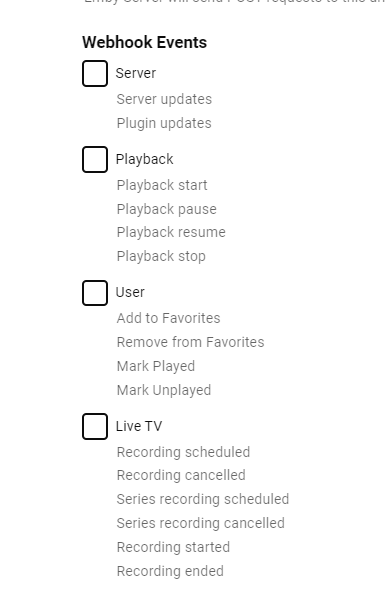
OK so the next webhooks plugin update will have six new events related to live tv that you can subscribe to. It will be available for server versions 4.7.0.32+:
 1 point
 -
Yea I know how that goes. Just waiting for it because it keeps me from having to fix the disaster that's my roommates media management. The beta works fine for him for now.1 point
-
Emby For iOS 2.1.3. Has Been Released, Featuring New Timeline Seeking and Thumbnails Graphics! Visual Timeline Seeking including Thumbnail Graphics Included in our new 2.1.3. release is support for visual seeking. You can Rewind, Fast Forward or Jump to any position in the timeline quickly and easily. Best of all our thumbnails graphics help you pin-point the scene you want to re-watch or queue up. The above pictures shows how easy it is to find a scene you want to watch. You even get the chapter name embedded in the thumbnail picture. Speaking of which, Chapters make use of our thumbnail graphics as well with their own set of information and use of graphics. The above screenshot shows the use of Thumbnail graphics in our Chapter selector available from the easy to use OSD menu. This screen demonstrates how easy it is to view the Name, Starting Time as well as Thumbnail showing the action taking place at the start of the Chapter. Improvement to Audio On Screen Display (OSD) You can now toggle the play queue on and off, allowing you to choose between seeing the list, or just the artwork. This change makes room for additional space needed for a new user requested feature that is quite popular. New Use of Graphics Elements This release of Emby for iOS uses additional graphical elements in subtle ways that sure to please. It still has the classy interface you've come to love but uses additional graphics in a modest manner giving it an elegant and refined look. The screenshots above demonstrates this with a couple simple changes from a text based titles to the graphical logos. Pretty sweet! Of course that's not all. Release 2.1.3. has additional new features including: Fixed intermittent app crashes on device rotation during video playback Addition of a Resume Rewind Playback Option Additional Info in the OSD including Chapter, On Now and a Guide for Live TV Newly added Support for A-Z Picker with Descending Order New Support for A-Z Picker when Sorting by Album or Album Artist New Subtitle Background Color and Opacity Options to make Subtitles Easier to View Improved Audio Book Detail Screen Updates to the Top Tab Design to be More Discoverable and Easier to Use Improved Performance of Playlist Detail Screen Various Subtitle Improvements View the full article1 point
-
Yes I do believe that's enough information to stop asking you questions as the quest for finding your old Emby location has come to an end. And you found it! At least it looks like it but I wish you would have done an ls -l (with lowercase L) so we had date/timestamps and sizes. But let's not touch it any more. I'm sending you a PM right after typing this so we can arrange to do a remote support session and try our best to help you out. Carlo Edit: PM sent.1 point
-
Resolved my online trailer issue - Found the trailers plugin was uninstalled1 point
-
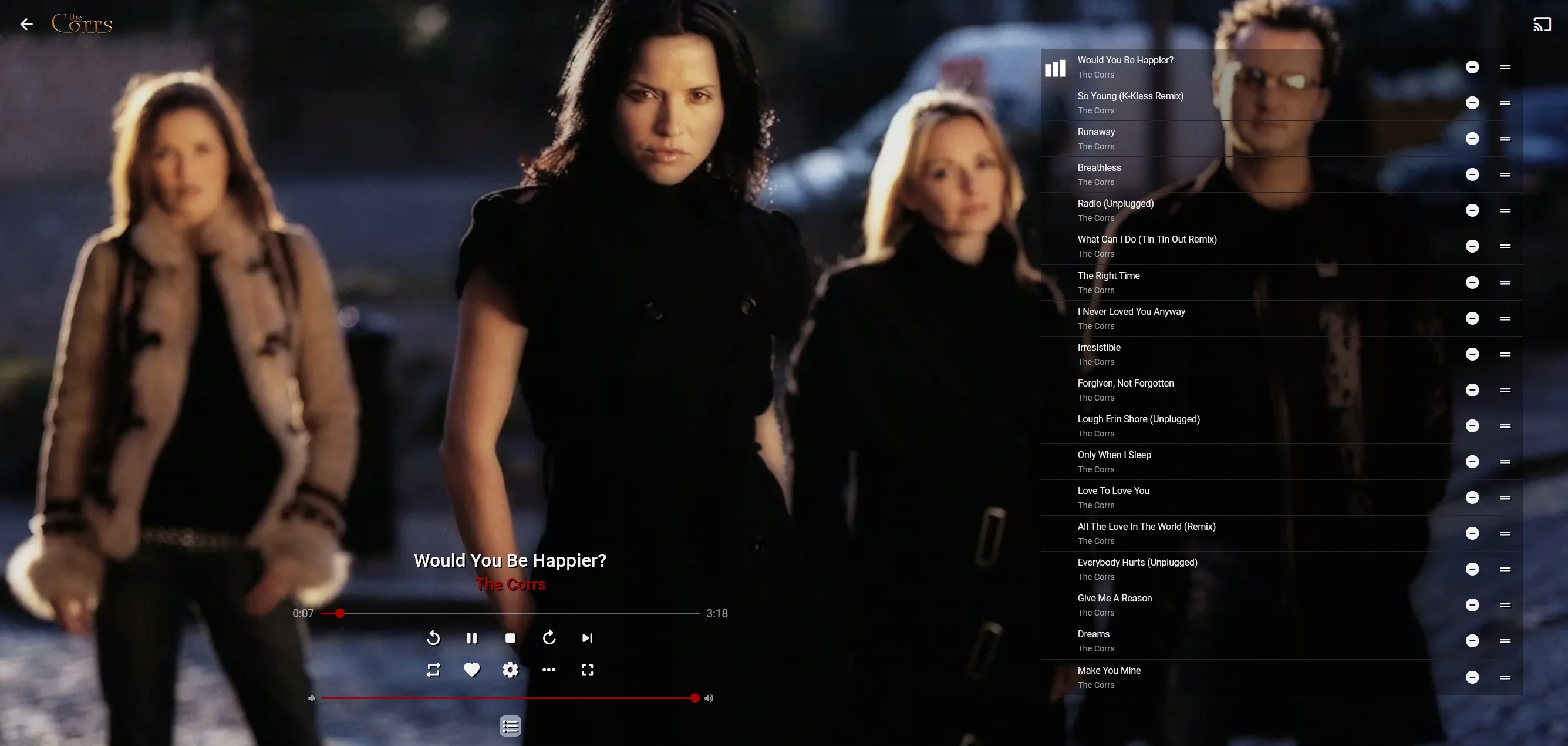
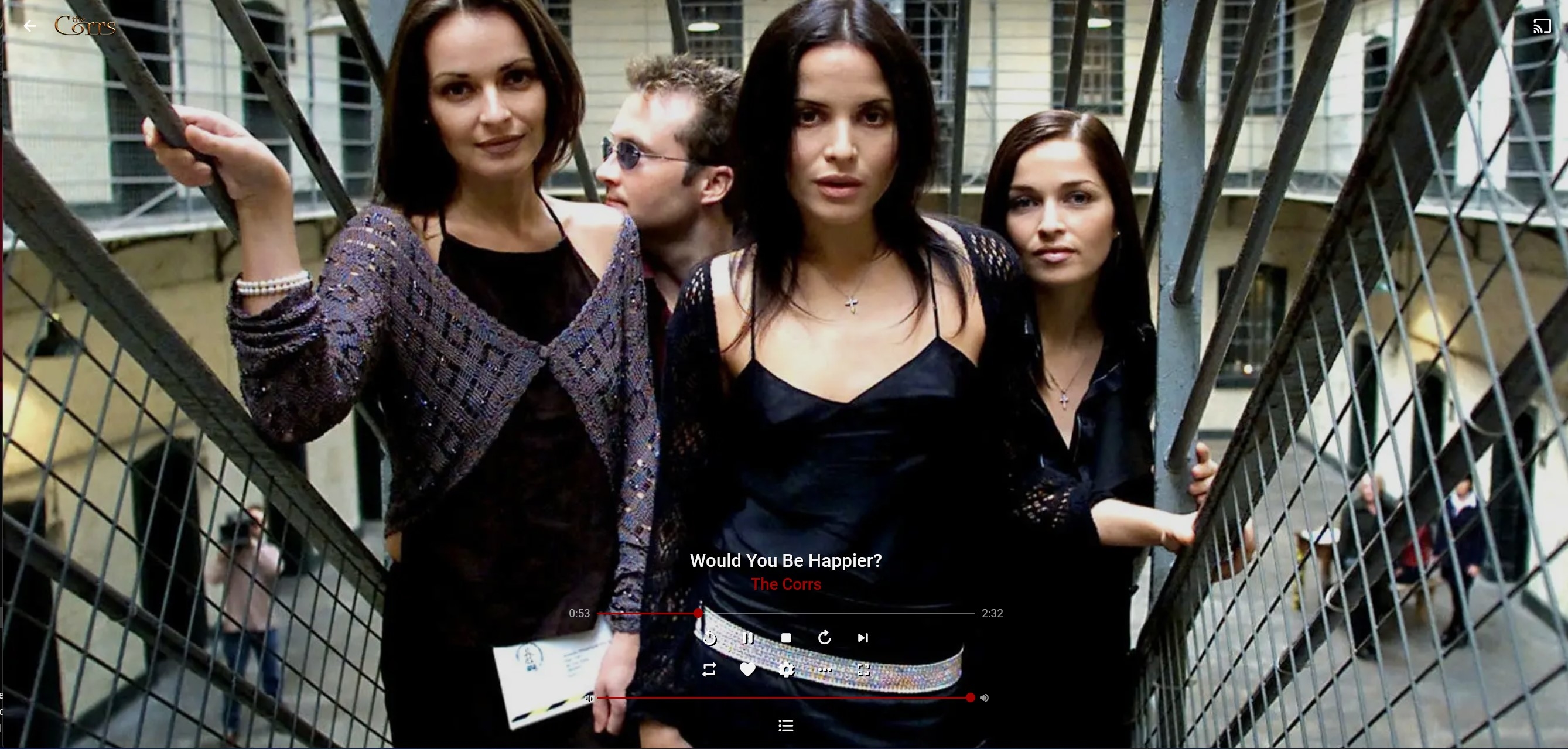
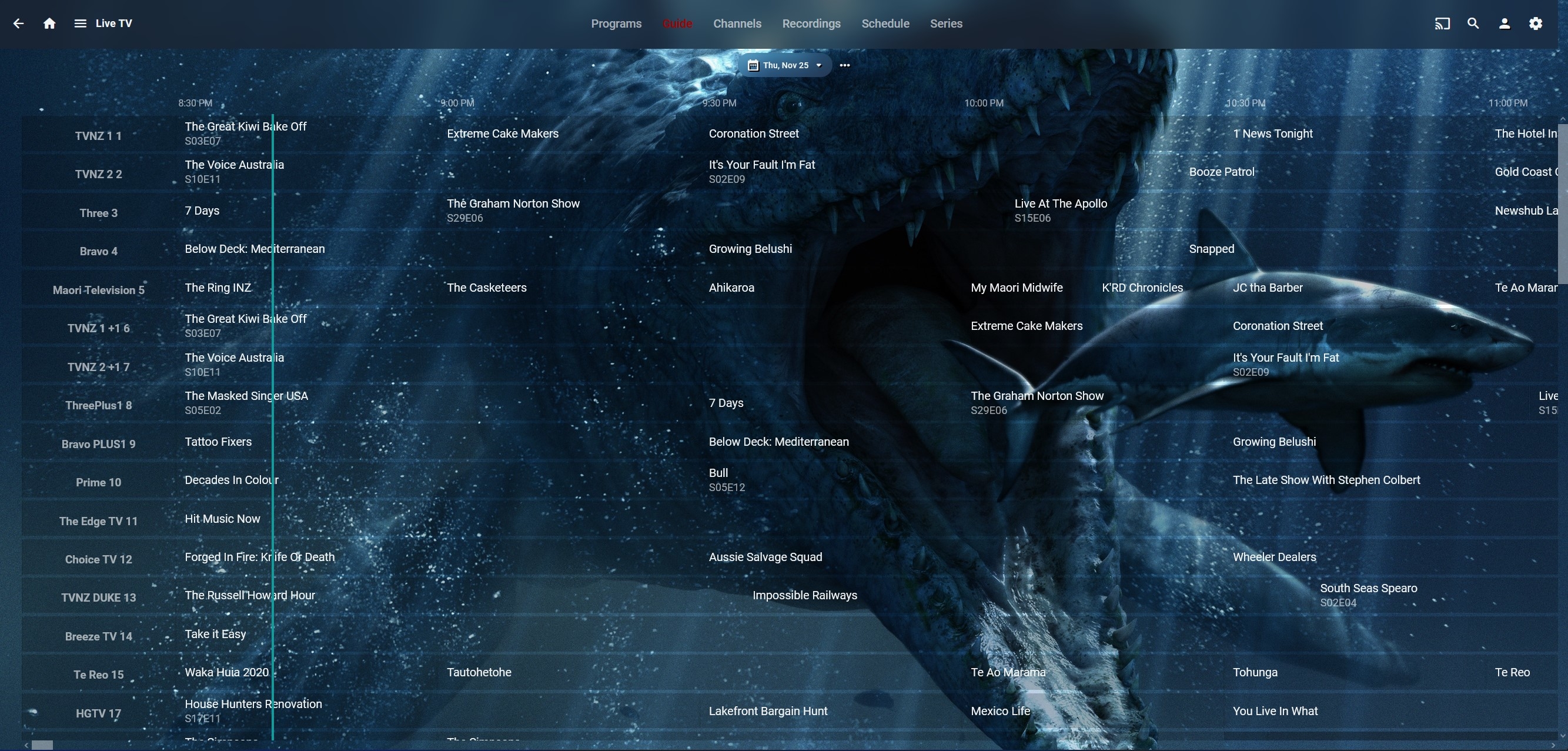
Wasn't going to do screenshots, but got bored, so - you obviously don't have to like them, and the TV guide at least needs a bit of work on grid lines, even for those who don't go urrrgh Home page - A collection - A movie - TV series - Music - TV Guide -
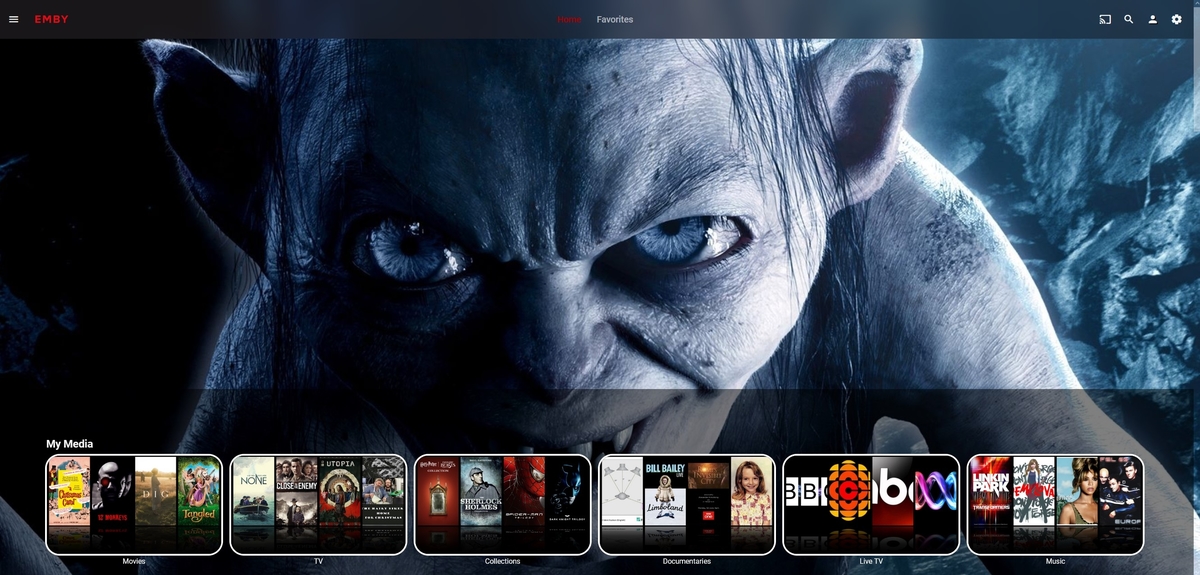
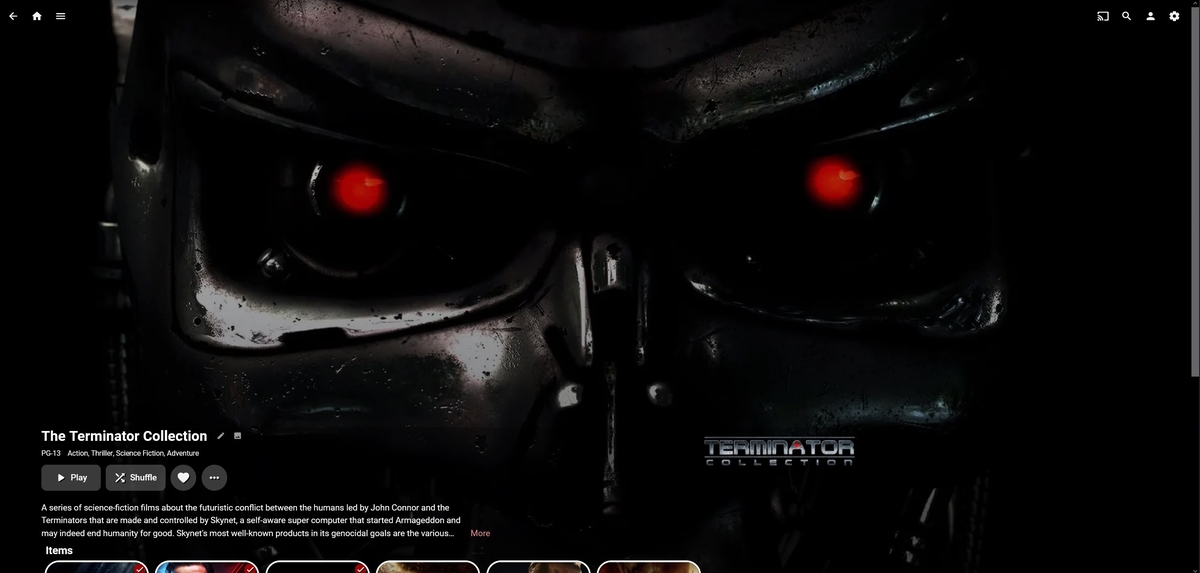
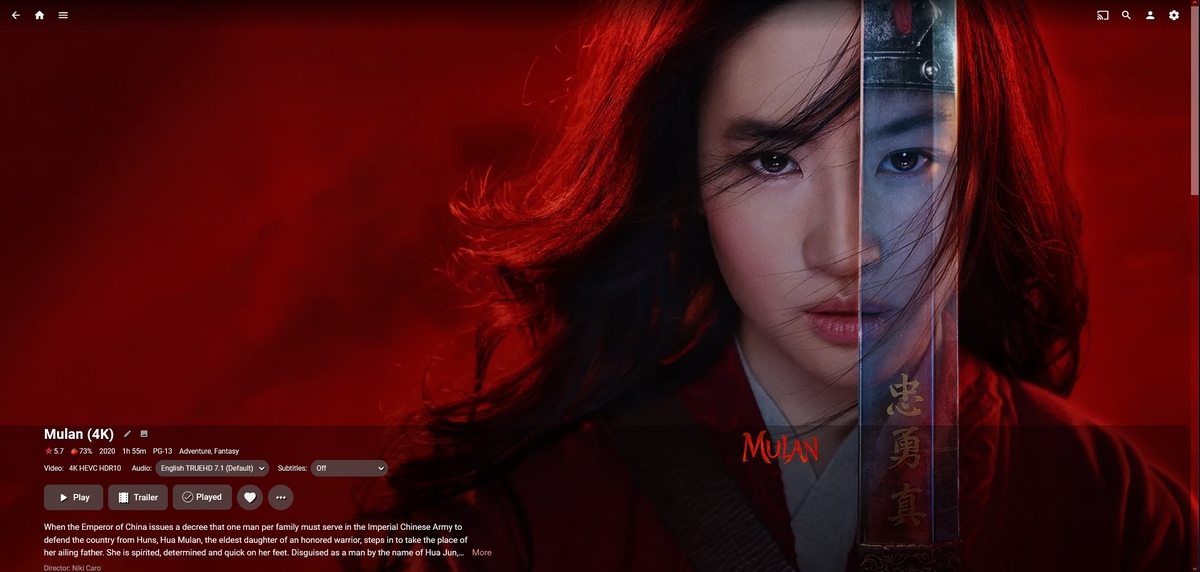
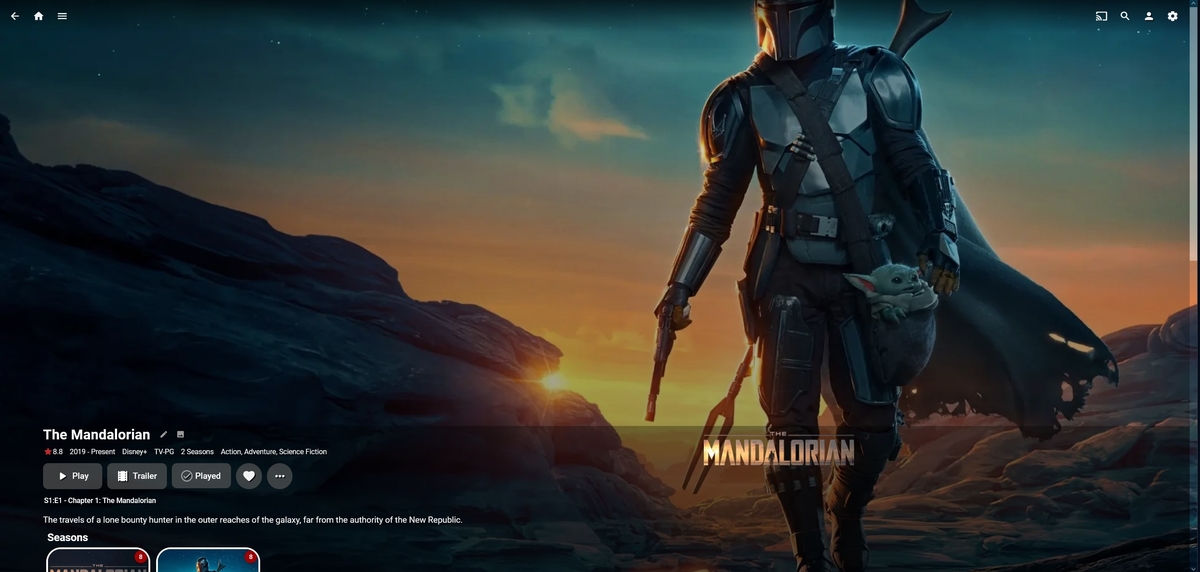
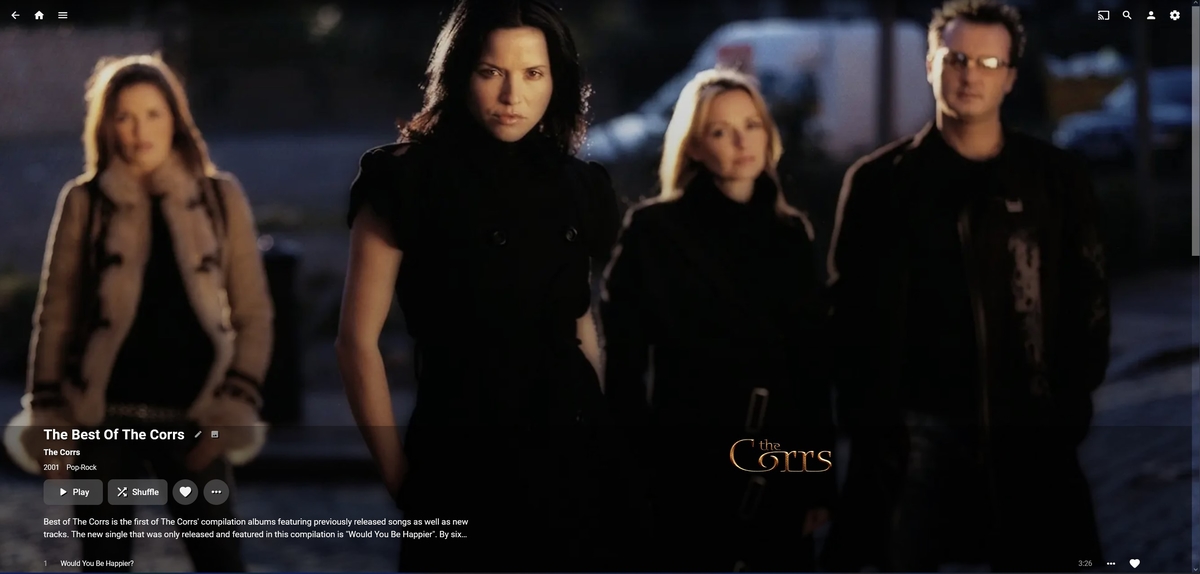
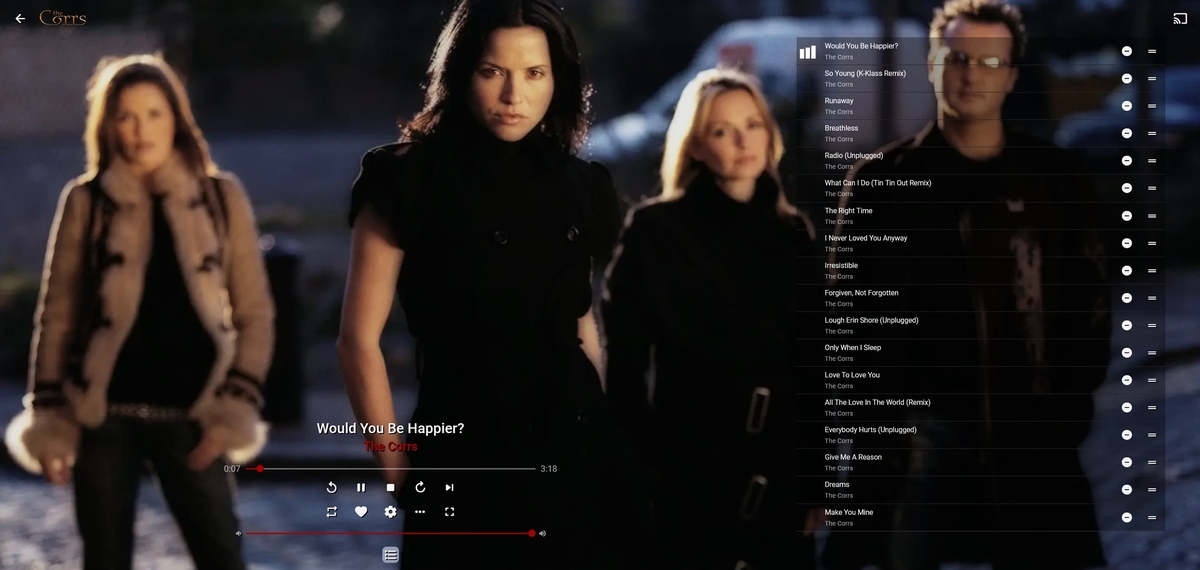
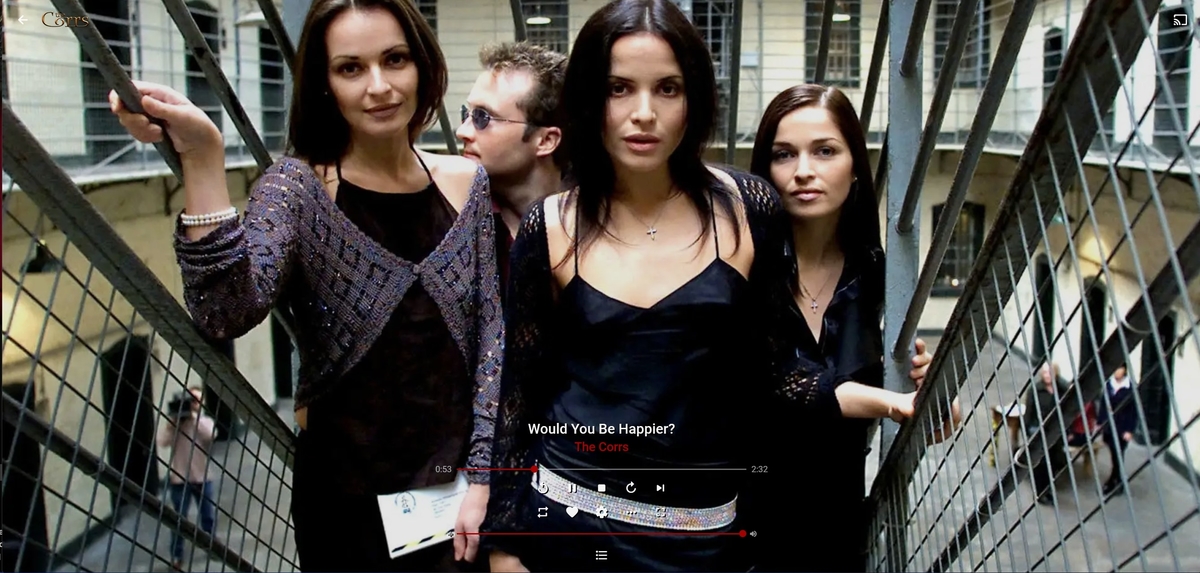
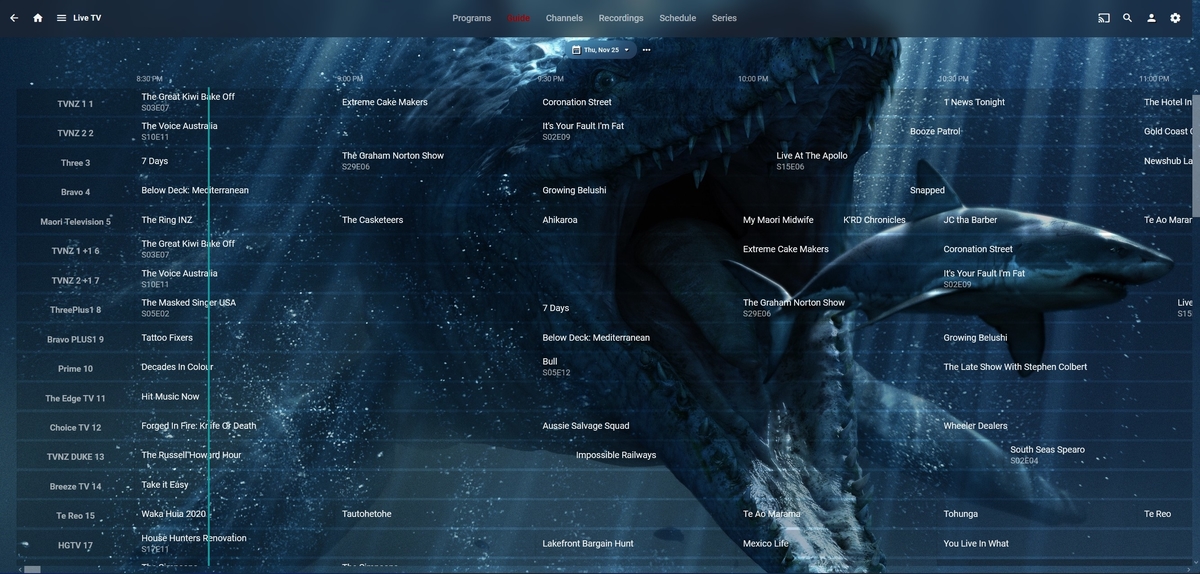 1 point
 -
After recently re-installing emby onto newly built servers i was horrified by the new dynamic collage genres and also discovered they had been re-sized (shows how often i use genres lol) This new abomination could not be allowed to exist (sorry @@Luke but they really are horrible) so i made same new 1:1 images using the old emby .psd from github, resized the layers etc.. and got the ones below. They may not be to everyone's taste but i like the clean look and they looked good on all the themes i checked them with, thought others might too, so have dropped them in a box for anyone who wants them... Grab them here. The .psd is there for anyone wanting to play and make their own, although i didn't use a background pic i did resize the activer layer and blacked it out so you can use a background colour or pic if you choose. If anyone wants transparent labels done to suit their libraries and has no access to photoshop then i am happy to do some up for you, just let me know what genres you need.1 point



















.thumb.jpg.21d888786f2104b4f688825203ce7598.jpg)