Leaderboard




Popular Content
Showing content with the highest reputation on 03/09/22 in Posts
-
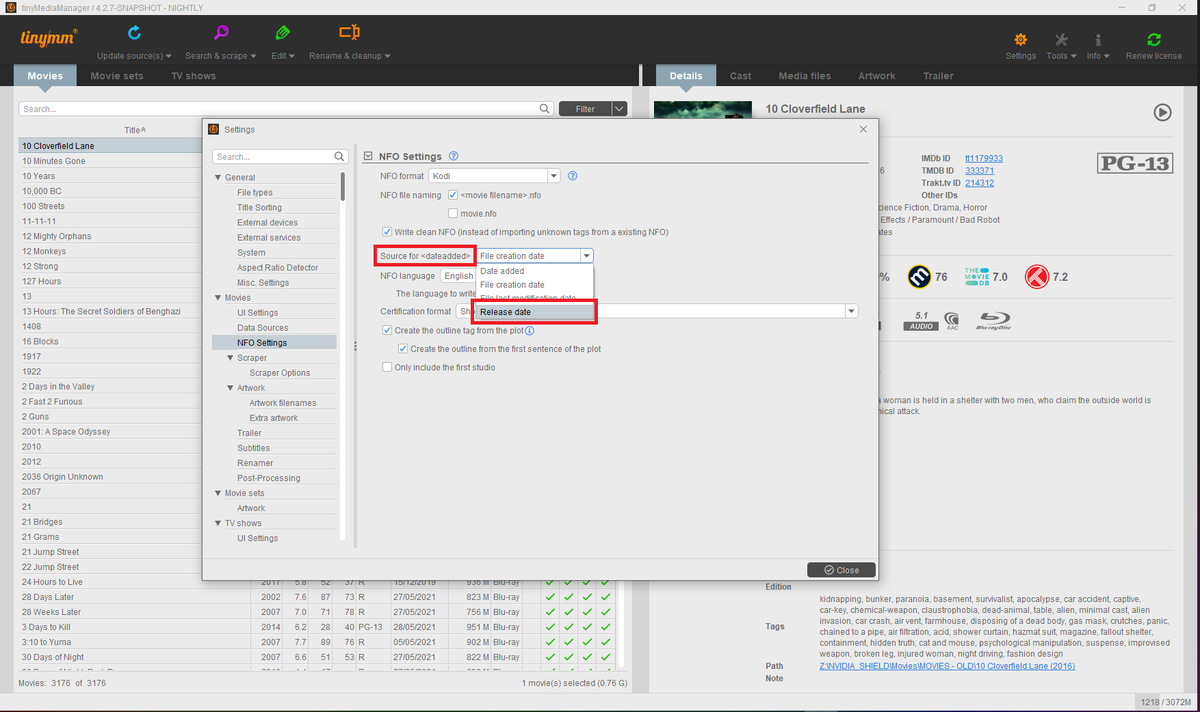
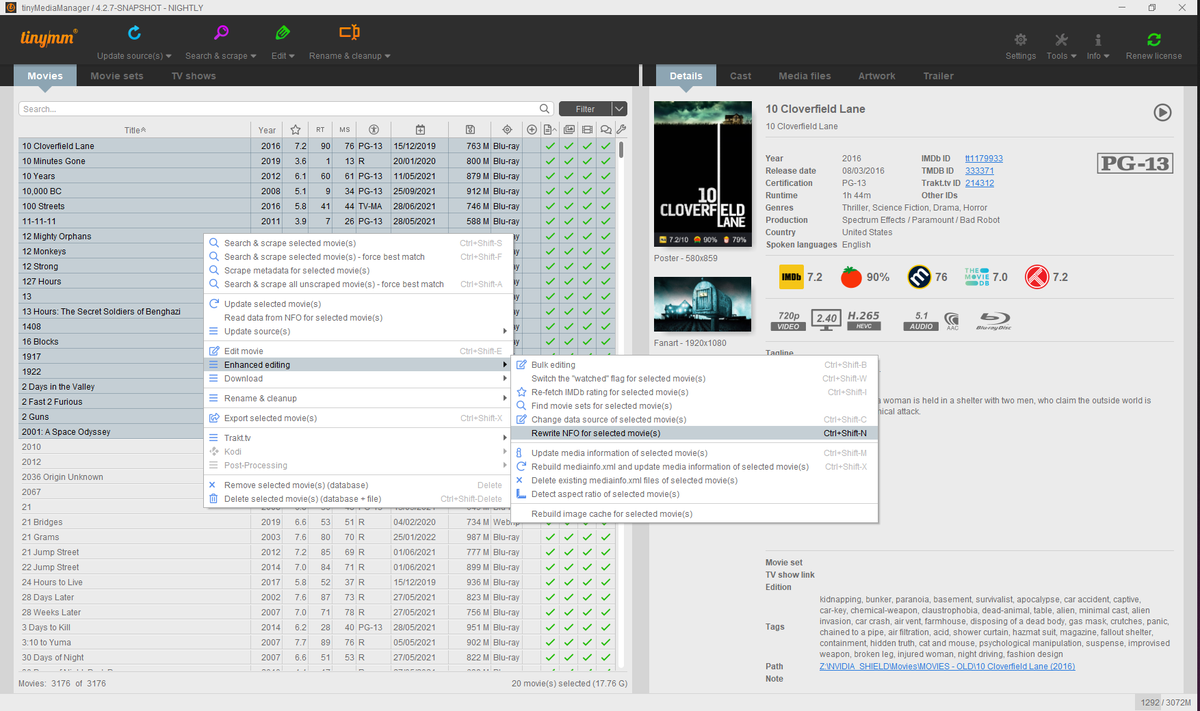
You can use a 3rd-party tool and get that done in few clicks by batch-editing.
 2 points
 -
DOH! Sorry! False alarm. It was 7.0.1 update 32 points
-
Any plans to give us the ability to create custom skins? Not looking for super fancy stuff like Kodi has but most around onscreen layout. Emby's native skin is 'usable' but not the most efficient or intuitive as Kodi's native skin (left side menu, etc)1 point
-
Hi, I would like to have an option to choose H265 instead of H264 in the Transcode option. It will be smaller for all bad bandwidth (2~5Mbit ADSL), but will have a great quality. Mobile phone can benefit of it greatly too with the 4G and the limitation of download.1 point
-
http://comicbook.yanapax.com/ OPEN SOURCE READER Would be great to integrate that into EMBY, create a library for people to read comics/pdfs/ebooks etc on the emby server instead of just a download link..... what do you guys think?1 point
-
With the multiple versions feature you get a pulldown in the web client to select the version. When you do, the other pulldowns for audio tracks and subtitles also change for that version. However the duration and the Ends At display remain the same even though the versions have different durations. Would it be possible to have those two fields in the display change with the chosen version? Thanks.1 point
-
i have thousands of obscure things... lots of shorts, things not on imdb, alternate versions of things etc.. and every time i have to move and redo my setup/re-import everything i have to spend days identifying things in my movie library... but there is no real way to do it... have to manually add an image and name etc... with plex i can just click one button UNMATCH and it removes the usually misidentified match/metadata and replaces it with the thumbnail and filename. just finding the mismatched items that aren't on imdb is a full days work ; ) : ( i'd kill for an unmatch button : )1 point
-
Hi folks, I've dug through many places in server and Emby Theater, not to mention the web interface, and haven't yet figured this out. When I open up Emby... usually on Emby Theater but sometimes on the web browser or on Android, I either know what I want to watch, or I want to scroll through what's there. I have no interest in Emby or anyone else suggesting anything to me. But on many views and apps, Suggestions is right there often as the first, and highlighted-by-default, option. I want this off. All the way off. Across all devices. How do I do this? This is of course a quibble in the grand scheme of things, and I love Emby, but I'm chafing a bit with various interface issues and this is the one that's bugging me right now. Please help me put it to rest. Thanks! Marc1 point
-
I was looking to get secure remote connection but dealing with security certificates just seemed a bit too much. So here's my approach to get secure remote connection by setting up a local VPN server on host. (Read downsides and upsides at the end of the post to see if this method will work for you) Step 1: Get a DDNS to automatically update your IP. Go to https://www.noip.com/, sign up and confirm your email. Login and setup a username. https://my.noip.com/account Setup a host name incase you didn’t do it at the signup page. https://my.noip.com/dynamic-dns Download their update client from https://www.noip.com/download, log in and choose the host name for updating Step 2: Setting up Wireguard Server Install WireGuard. https://www.wireguard.com/install/ Go to https://www.wireguardconfig.com/ Make the following edits, Number of clients depending on the number of devices you wish to access the server. (You can choose more than you need) CIDR to 192.168.200.0/24 Client Allowed IPs to 192.168.1.0/24 (This is so that only the local network requests are passed on the server) Endpoint to the name of hostname you made. Eg: myembyserver.ddns.net:51820 Delete Post-up and Post-down rule Generate the config. Copy the server config. (Don’t close the browser, we’ll need the client configs later) Open wireguard, click on the arrow beside add tunnel > Add empty tunnel Choose adapter name as “wg0”. (You can choose something else too) Paste the server config here and activate the VPN. Step 3: Allow port 51820 through windows defender. Create allow rules for both TCP and UDP protocol, and inbound and outbound. https://www.windowscentral.com/how-open-port-windows-firewall Step 4: Enable network sharing Open control panel> Network and sharing center > Change adapter settings Choose your adapter > Properties > Sharing Tab Check mark “Allow other network users to connect ……… connection” and choose “wg0” from dropdown. Step 5: Set your network to Public Click on the Wi-fi button in taskbar Right click on your Wi-fi > Properties Change from private to public Step 6: Enable port forwarding on router for port 51820 https://www.wikihow.com/Set-Up-Port-Forwarding-on-a-Router Go to https://www.canyouseeme.org/ and check if port 51820 is visible. If everything went as intended, it should be visible. Step 7: Configuring Client Download WireGuard on your phone/other clients where you need to access your server remotely. Now we have to import the client config here. You can directly scan the QR code. Or create text files of client configs and transfer them to the device. Activate the VPN. Now switch to a different network and check if you can access Emby remotely. (You won’t be able to access Emby if you both client and host are on the same network) Downsides of this approach: You'll need to turn on VPN before you can access the server. (Alternatively, you can also let it running all the time, it won't slow down your internet since VPN only captures the local network requests and passes them on to the server) You can only access content on devices if you have authenticated beforehand. Adding more clients will require additional setup. Not viable if you want to give access to other people, you'll need to setup VPNs on their devices. Upsides: Easier to setup than dealing with certificates in my opinion Since clients are authenticated beforehand, Greater security.1 point
-
If you go to the specific category (Latest movies/Movies-Archive/Collections/Kids Movies/TV shows, etc) and THEN select favorites, then all your favorites in that category will show up on the Apple TV. It's annoying, but we discovered that's how it works on the Apple TV device. Apple TV doesn't seem to be as user friendly with Emby as Fire TV or Roku or other devices. Hope this helps...=)1 point
-
Awesome. I'm interested in seeing what the Apple "M" series APU is capable of for transcoding support. Mac Mini might end up being one a hell of media server.1 point
-
Wow, Thanks @grimreaper. That did everything I wanted currently, for free, and instantly. It also opened my eyes to a few issues I had with other movies.1 point
-
Regarding stop and scrobble, maybe we should just drop the scrobble event and add more information to the stop event to indicate if it was played to completion.1 point
-
The fact that pause happens right before the stop is not a fault of the server and simply due to the way the audio/video players stop on the client-side. They are in fact, stopping, which must trigger a pause event first, followed by stop. That really should be cleaned up individually in each app to have special handling to not fire that when we know we're stopping. Having said that, I don't think it's a big issue.1 point
-
Thanks ! Don't hesitate if you need more input from my side.1 point
-
Here's the latest test build, updated today with mpv 34.1: https://www.dropbox.com/s/77rxtiuexrsnlf9/emby-theater.zip?dl=0 We'll finally update the published build soon. Thanks.1 point
-
We will certainly look to support their new TOS. Right now we are just trying to help users climb out of the mess that they've created with the updates they've been pushing1 point
-
I don't deal with certificates either - I installed Caddy, provided a config file with one line (other than the one specifying the server name) which makes it a reverse proxy for Emby, and that's it. Apart, that is, from setting up the domain name and router forwarding, which are both more complicated jobs than running Caddy. Caddy does all the certificate work itself - it gets them, uses them, renews them. Paul1 point
-
So weird. Okay well I'll have to test things once OpenSubtitles allows me to download again, whenever that will be. For now I'll disable the plugin and just use FlashRenamer to quickly add the .eng to all my subtitles. The correct format would be: Day the World Ended (1955).en.srt is that correct? Awesome. Thank you guys so much! I'm hoping to be able to give back next week when I get paid and purchase Emby Premier. I love the program. Now to scour the boards to find out how to set up access for remote users. Thanks again!1 point
-
Unless you are seeing sql errors I would just be patient and allow the scan to finish.1 point
-
Hello Horstepipe... I increased the field length to 200. If you want another length, just let me know. As for the other changes, I can't get to them until next week. I have some family obligations that I must attend to. All good stuff. Vic emby_new_tool_19.html1 point
-
It's just about ready so stay tuned.1 point
-
@LukeThank you for your advice. Disabling subtitles did help. After locating the problem, I decrease the video quality in the playback settings at last. Now everything works just fine. Thanks again.1 point
-
Hi, yes and what happy2play said is correct.1 point
-
Just overwrite the DLL, clear the browser cache and re-start emby. No need to re-FP or re-detect anything .. https://github.com/chefbennyj1/Emby.IntroSkip.Release/wiki/7.-Version-&-Release-Notes1 point
-
Testing - please ignore. One Two Three Table Tag somthing Spoiler Emoji hmm, I need more coffee1 point
-
Here we go. The Releases tab on the github has the most recent release. https://github.com/chefbennyj1/Emby.IntroSkip.Release/releases/tag/beta_intro_skip_0.0.1.961 point
-
Just to be fair, since Plex is mentioned here, the auto setting does the same thing on their platform for me. You have to set it manually on every single client or it will transcode for no good reason.1 point
-
any update on this? based on Admin response this isnt really a FR but more of a UI update that's been overlooked or ignored for the last 10 beta updates Thanks1 point
-
Yes, as you specified. I'll watch it for a few days.1 point
-
Thought I'd just note this for interested minds. This morning my 920+ advised that DSM 7.1 was available for upgrade, so I let it update. No issues with this NVMe configuration noted. All seems well.1 point
-
Horstepipe... I will make the field longer ASAP and I will look at the other requests tomorrow. I have to allocate some time First quick look doesn't reveal any problems. Vic1 point
-
I've done both the unsupported NVMe to volume trick with the upgrade to DSM 7.1 about a dozen times in testing and it seems to work fine. I did experience 4 crashes at the start which I thought were NVMe related but found out it was a system root space issue and a good lesson I'll pass on. This is a "Linux" tip in general not Synology specific. If you SSH into the NAS and "sudo df -H" you'll get a display similar to this. The line above for /dev/md0 is the root mount for the system. In the above picture it shows 22% full which is totally normal. When I was having an issue it was 88% which wasn't enough free space to do the upgrade to DSM 7.1 and the beta package upgrades (I had configured). It was filling my root "/" and would lead to system instability/crash. Once I figured out what was taking up so much space in /dev/md0 and fixed the issue everything was very smooth upgrade wise. PS It was a rogue 3rd party development package (reported and fixed) that was the cause of md0 filling up. Just to be clear, when I said "crash" above I didn't mean a Windows "blue screen" type event. On Linux when the root fills up you have no working space left which leads to some programs or commands failing to execute properly. As an example I couldn't "sudo", I couldn't add/remove packages, etc as there was no working room. It would get to the point I could even login via SSH. Once more space was freed up the system would work fine until it again filled up. I never had any actual files or data at risk but it's a bit "alarming" until you figure out the issue and address it. If you want to upgrade to 7.1 you should be fine but as always have a verified good backup which should go without saying.
 1 point
 -
I had that happen a while ago and what had happened was the trailers plugin which seems to still need to be downloaded for mine to work had no unseen trailers left. I had to go and uncheck all the trailers before it started to show them again. But i have never been able to have trailers unless i have the trailer plugin installed as well.1 point
-
OK we'll try to chase down why that happened. Thanks for following up.1 point
-
Thanks, found the problem!1 point
-
HI, yes we can add this for the upcoming 4.7 server release. Thanks.1 point
-
Hi, this is resolved for the next update to the Emby Apple TV app. Thanks.1 point
-
From what I've seen so far I would strongly assume that it can easily hold up with two streams at a time - probably even a few more. I would even my i5-8250U (older notebook cpu) would keep up with it. Only assumption based on my results though...1 point
-
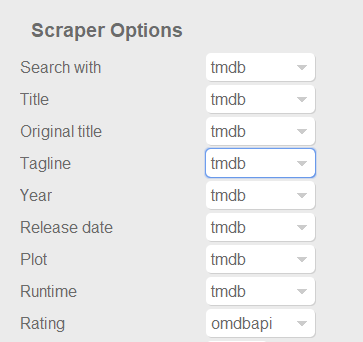
Dont know if this was already posted. For example something like the capture below at least for ratings, to use omdb or another scraper as first priority for this field, and similar for tvshows with the available scrapers for that library type of course. Also It would be nice and handy to have some language options per field, at least for Title, Tagline, Plot, Episode Title, Episode Plot and Genre fields. Handy if you want to have your tagline/plot/episode-title/episode-plot in spanish for example or your native speaking language but want to use the title of the movie or tvshow in english for english movies, or the title on the native language of the movie (spanish, french, german, etc). With the current setting you get absolutes, english: everything english, spanish: everything spanish. And would be nice to apply this language options to images too. I scrape my data with TMM before adding it to emby to have this type of settings, but I would be really good if emby could handle some of this variables. Update: Also, give the option for "None" to skip scraping for this field and "NFO Only" as @picotrain1 suggested.
 1 point
 -
Do NOT create a user or use that user you made You have to click on the permissions tab for the shares and the click the down arrow to change it to "System internal user" and that's where you give read/write permissions for each Emby library share1 point