
Leaderboard




Popular Content
Showing content with the highest reputation on 02/28/22 in Posts
-
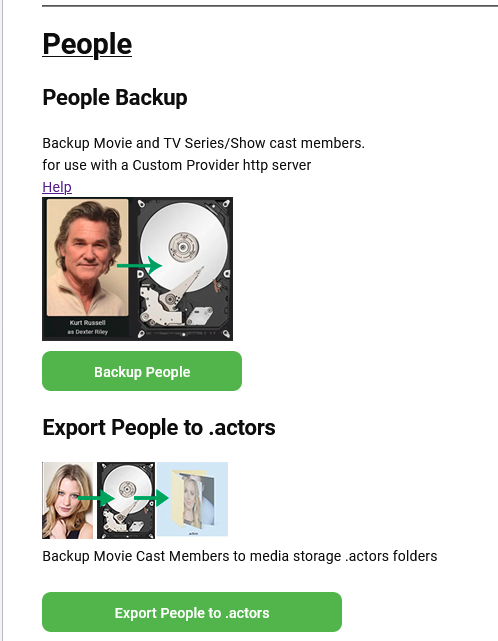
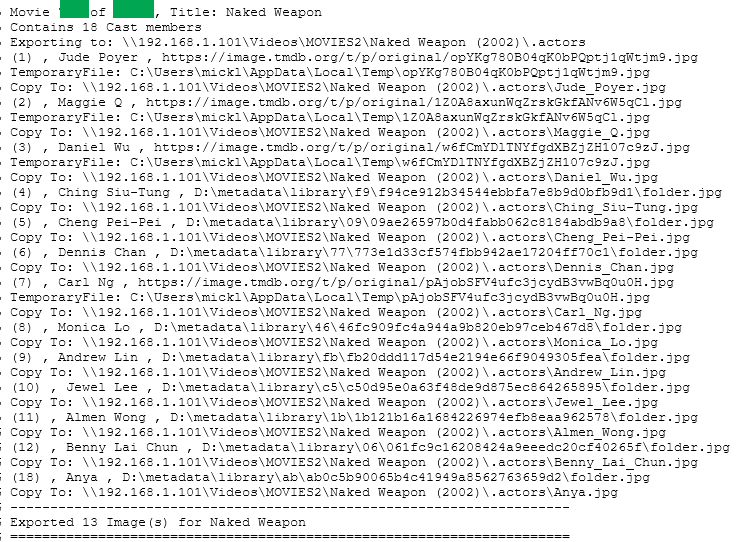
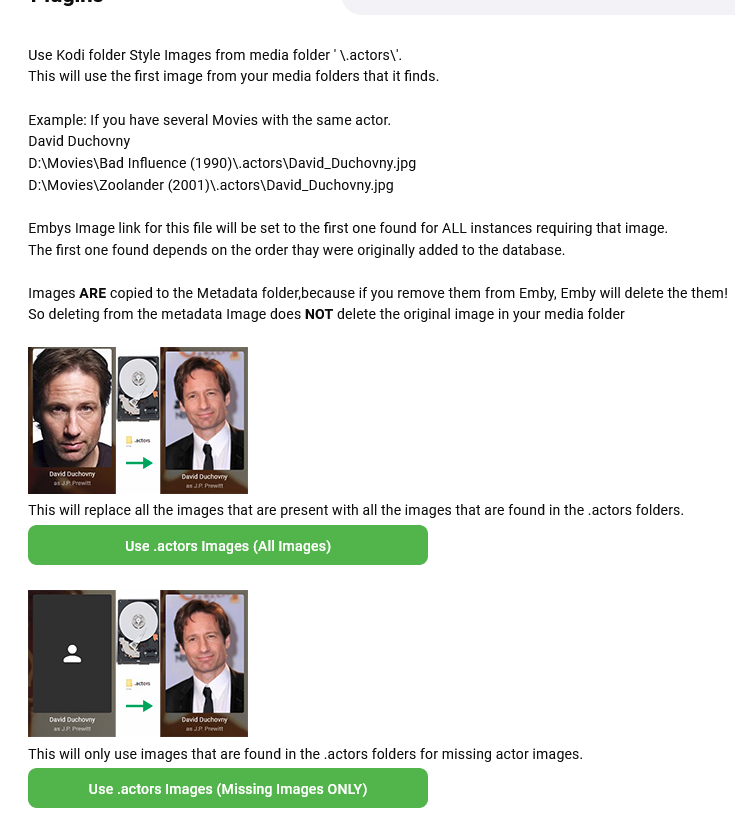
Added export to media folders ".actors" folder. (Backup Tab) Currently export is only MOVIE types and not for Series or Episodes, this will come later. So now you have import people to Actor Cards for (Movie and Series/TV Shows) and export People from (Movies) to the \media folders\.actors\ folder on this function Un Checking the Overwrite backed up images will stop files existing being overwritten. Example shown has missing images hence only 13 of 18 written. NOTE: I have not removed images from the temporary file cache either yet. The export (Backup Tab) Internet urls are downloaded and written there too. The import (Repair Tab)
 2 points
 -
I mentioned it in another thread, but thought I'd put it here since this looks like a new section--just for posterity. Would like to have a bulk meta data editor function. For example, if I have 750 videos whose producing studio is the same, I want to select those videos and apply the name of the studio to those videos. Similarly, if there is a custom tag I want to apply to a subset of those movies, I want to be able to select them in bulk and apply the tag to those videos (instead of selecting them one by one).1 point
-
It appears that any playlist that any user creates is public--all other users can see it. I can appreciate the benefit of a public playlist. I could create a playlist called "Harv's Favorite Horror Films" for example, in case other users are interested in checking out what I like. However, the way most of my users are using playlists is to keep track of things they want to watch in the future. They are typically things that the user has not watched yet, so it's not meant as a recommendation to others, just as a way of them personally keeping track of what they want to watch. Having that kind of playlist be public is of questionable benefit to other users. Additionally, it is not clear when you create a playlist that other users will be able to see it. That has the potential to cause some embarrassment. He hasn't created one yet, but I wouldn't want to see my nephew's "movies to fap to" playlist, for example. If I could make a suggestion, I would suggest associating each playlist with the user who created it, and giving that user the ability to make the playlist private or public. For example, the following two checkboxes could be shown when creating or editing a playlist: Allow other users to see this playlist Allow other users to edit this playlist Initially, both checkboxes would be unchecked. Since another user cannot edit a playlist they cannot see, the second would be allowed to be checked only if the first were also checked. (You could grey it out to make that clear.) Depending on your UI preference, it could also be a drop-down menu. Playlist visibility: (Only me | all users can view | all users can view and edit) Thanks for considering this.1 point
-
Can we lock the movie order in a playlist? I want to make a MCU movie sequence, but anyone can change the order in it and i need it to be always the same order.1 point
-
I'd like to share with you my 80s and 90s Movies Collections artwork. I didn't create the backgrounds, those sources are cited in the PSD files' image info, but the rest of the designs are mine. I'm including a poster, logo and thumb image as well as the PSD source files and fonts. I'm also including the collection backgrounds I'm using which I sourced from freepik. Enjoy! 80s backgrounds.zip 90s backgrounds.zip 80s Collection-images.zip 90s Collection-images.zip





 1 point
 -
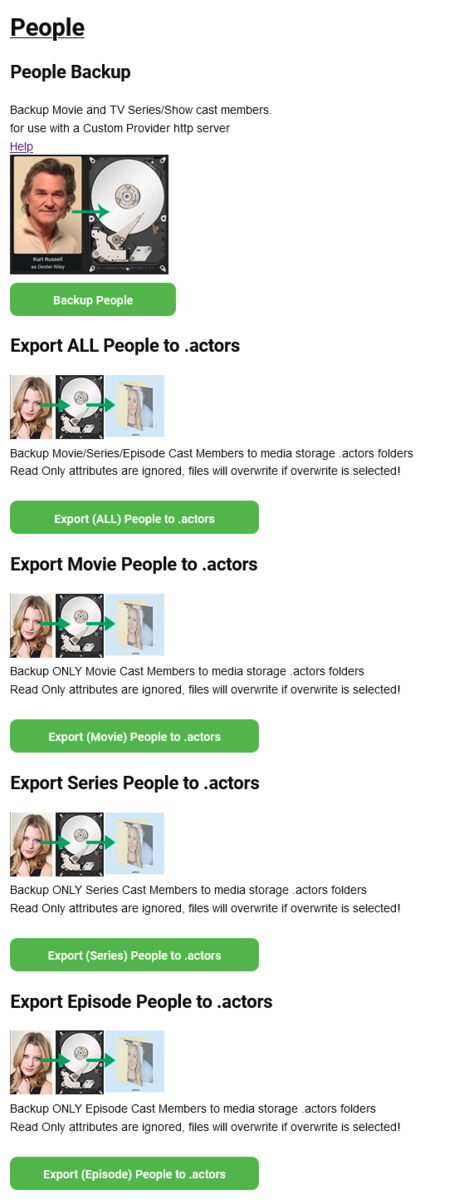
Todays update, brings backing up Series and Episode actors to the \.actors folders inside your media directories. I have done a backup ALL , or your can backup individually. The ALL will do all Movies, Series and Episodes Whats the difference between Series and Episodes? Well the difference is that some people (cast members) in Episodes are not main cast members so do not appear in the series entry! The Episode backup allows you to capture more people for this series than series alone. Why seperate? That is because you may only wnat to do certain libraries or even certain people - user has the choice... CustomProvider.zip
 1 point
 -
@andreaxheli Sorry no there is no way to maintain default images/disable dynamic images. You would have to add your own custom images. But there are other options in that section of the forum.1 point
-
There was no error with the service I remember that it had simply stopped. So I did like this. This way when the service stops for no reason and without errors it restarts immediately Using Restart=always is ideal in this case when the service closes, whether without or with error, it restarts immediately, even if we turn off the server in the dashbord. with systemctl stop emby-server it stays closed so it's perfect like that. Usually Restart=on-failure is used [Unit] Description=Emby Server is a personal media server with apps on just about every device After=network.target StartLimitIntervalSec=60 StartLimitBurst=3 [Service] Type=simple User=emby Group=emby EnvironmentFile=/etc/emby-server.conf WorkingDirectory=/opt/emby-server ExecStart=/opt/emby-server/bin/emby-server Restart=always [Install] WantedBy=multi-user.target1 point
-
i played around with adjusting the cache settings as described in your link to the Kodi Wiki and disabling HTPP2, but no improvement i did not try putting memorysize to 0, as i don't want to use my drives so much...i do have 8GB of RAM could be a coincidence, but another thing i've noticed since using Add-on mode for most of the past year, is that often times Kodi locks up when i try to exit, so i have to use Windows to force it closed i'm going to use Native mode for a while to see if these behaviors improve1 point
-
This proves that Kodi has an issue. What you can try to fix it: Adjust Kodi network cache settings -> https://kodi.wiki/view/HOW-TO:Modify_the_video_cache Also try disable or enable http2 support (possible in plugin settings)1 point
-
ok, thanks for the explanation so i played the stream with VLC, and as you expected, it plays smoothly...so i guess it must be a Kodi issue as you suspected1 point
-
You play regular content via Kodi in addon mode. This always uses the plugins webservice (proxy) cause the plugin in addon mode acts as proxy. Kodi always calls 127.0.0.1 bla url which is the plugin proxy. The Proxy redirects to the actual Emby server url. Here an example from kodi.log 2022-02-28 18:46:07.537 T:32455 INFO <general>: Loading skin file: DialogContextMenu.xml, load type: KEEP_IN_MEMORY 2022-02-28 18:46:08.761 T:32455 INFO <general>: VideoPlayer::OpenFile: http://127.0.0.1:57342/movies/f137a2dd21bbc1b99aa5c0f6bf02a805/embyvideo-2a38697ffc1b428b943aa1b6014e2263-9113-a114f27adeb425418fd202b4f3d9e0bb-a114f27adeb425418fd202b4f3d9e0bb-8900-5260-5260-movie-6471341-False-1-1-2-hevc-Lay_Bare__2012_.mkv 2022-02-28 18:46:08.761 T:35830 INFO <general>: Creating InputStream You can see, Kodi calls "http://127.0.0.1:57342/movies/f137a2dd21bbc1b99aa5c0f6bf02a805/embyvideo-2a38697ffc1b428b943aa1b6014e2263-9113-a114f27adeb425418fd202b4f3d9e0bb-a114f27adeb425418fd202b4f3d9e0bb-8900-5260-5260-movie-6471341-False-1-1-2-hevc-Lay_Bare__2012_.mkv" When the plugin is running, you can drop that same URL in VLC and it's piped through plugins webservice/proxy. If you test it like that, you can simulate what Kodi is actually doing. It calls a Network stream, the plugin redirects to actual Emby server url. In debug mode you can actually see the redirection URL as well, but DON'T drop a debug log here. The redirection URL will include your Emby server keys!1 point
-
Well you should to perform a proper test. Also you should use plugin's webservice as proxy. When you start a Kodi playback via addon mode, you will find in kodi.log the query address. Something like 127.0.0.1 bla. When Kodi is running, you can use this url in VLC as network stream address and you perform a complete test of the stream functionality from next-gen plugin. If this is fine, and that's what I'm expecting, then it's a Kodi issue.1 point
-
It's nice.I tried to enable mix mode of QSV and VAAPI.It's working now. Here are logs. ffmpeg-transcode-4cdb7290-11d0-4746-b5b1-8a9e24ed1718_1.txt hardware_detection-63781632547.txt1 point
-
Thanks for the quick reply and will check it out!1 point
-
Horstepipe... You are right. All of the tags will be copied to all of the selected items. I think what you want is to copy only the added tags across the selected items. Is this true. I think it's a good idea. Vic1 point
-
Awesome, Thanks for the heads up on the 3D naming1 point
-
I tried that again and got the [retrieve changes] message to be updated appropriately (I moved the date back to the 25th). I see more things in the syncing (probably because it's syncing watched/updated movies from the past couple days based on the titles shown), but still not my new TV Show episodes.1 point
-
Hey all! Just to let everybody know that I am working on a Subsonic API compatibility layer plugin as I have time (busy dad here). Feel free to bring up any issues or questions over at the repo. I have been able to create a basic boilerplate plugin that extends the Emby API to allow for Subsonic calls and return a properly formed Subsonic response XML. Can't promise when it'll be "done", but I am of the mind that this is the hardest part, unless I find a Subsonic API task that really can't be implemented with Emby API calls. I'll be sure to post periodic updates here.1 point
-
So far so good, uploading my music now. Hopefully album art and meta data will update smoothly1 point
-
UPDATE MADE TO POST #1 PLEASE REVIEW.1 point
-
https://support.emby.media/support/solutions/articles/440011591161 point
-
Nice to see this activity I wish I was able to help but above my head I am afraid, happy to test though!1 point
-
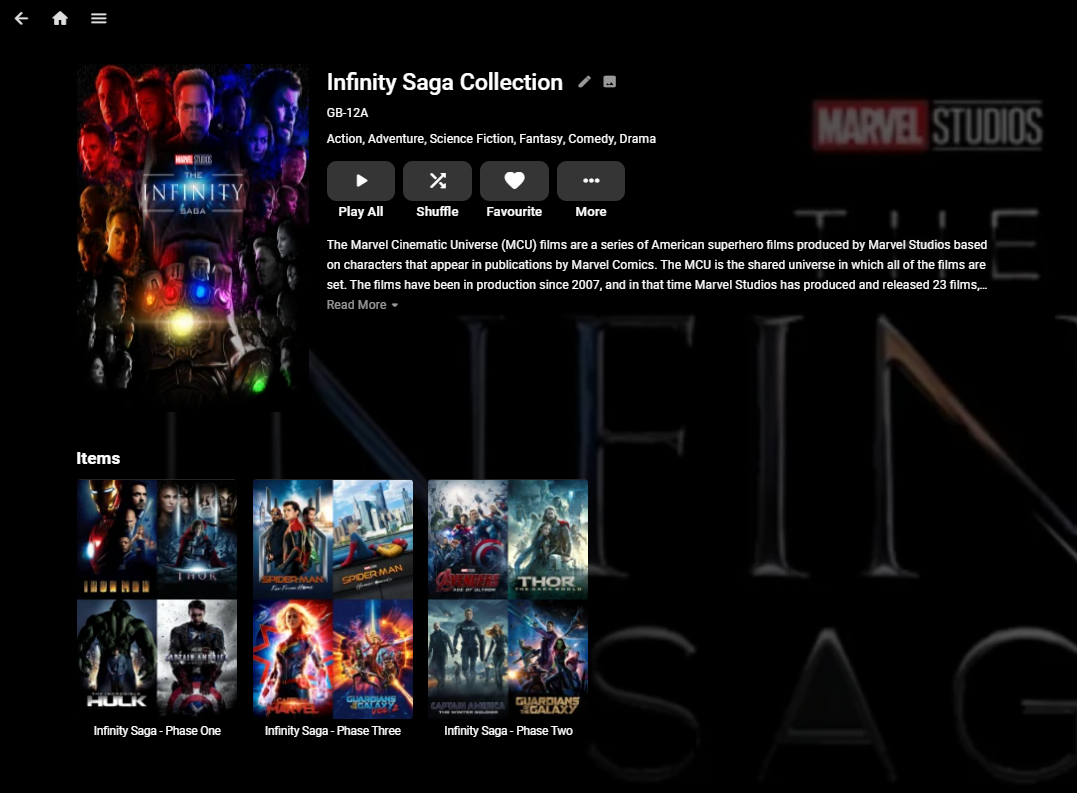
I've been running with Nested Collections for a while now and have not seen any issues. Creating them involves creating the links directly in the database which is strictly unsupported, so if you do not want to wait for the official support, then ping me a PM and I'll share the document I wrote on how to do it. edit 2nd Feb 2024 - This no longer works ... As an example - This is the Infinity Saga Collection comprising of the Phase 1,2 & 3 (Collections).
 1 point
 -
I agree and have requested this in the past as well. A setting to auto stretch or auto zoom 4.3 content would be nice. And for everyone who would like to watch there show as intended, it is a setting you don't have to use.1 point
-
Please no personal attacks. This is a valid request.1 point










.thumb.jpg.21d888786f2104b4f688825203ce7598.jpg)





