Leaderboard

.thumb.jpg.21d888786f2104b4f688825203ce7598.jpg)


Popular Content
Showing content with the highest reputation on 02/21/22 in Posts
-
Hello and good day! FWIW: I am an Android user and my favorite Subsonic API apps of course can't use Emby (need Emby app, Yatse, etc.). No app is perfect but, for me personally, DSub comes pretty damn close. I had the idea last night to create an Emby plugin that can in essence extend the Emby API by implementing a Subsonic API layer that "translates" those calls to Emby's native API. From what I've been able to glean so far this is possible, so I started on it this morning. Going this route, no separate server app is needed and plugin install would be relatively straightforward from the interface. Hopefully my thinking is correct here. I don't want to duplicate work although I can't find any mention of this being done anywhere yet. The plugin wiki docs are kind of old but they are a starting point, and could possibly increase Emby adoption by opening up Emby to the Subsonic app universe? My two cents anyway3 points
-
Update: first, I forgot to mention that I was still on SE 8.2. Second, the poor performance of HTTP streaming was due to "oplocks" being disabled for a couple of shared folders on my NAS. That thing actually messed with the DFA too, as in streams from those folders needed more than one minute to load up With that said, DFA is still faster on high bit rate files. I tested with Tenet (62mbps) and skipping back and forward was instant with DFA, while, with HTTP it would take about a third of a second with automatic changing of the refresh rate and about double (so about half a second) without it. On the flip side, with DFA, streams take a little longer to start up, like a second or two3 points
-
Say I have a custom collection of 56 Christmas movies. During the Holiday Season, I would like to show this on the main page as a Library. Now, I could make a drive folder called "Christmas" and put these movies in that folder. However, now we're getting away from using metadata for organization and moving back to using folders for organization. Something you've spent the last few years trying to get away from. So each collection should have a toggle to show it as a library on the Home Page. Then people can make collections for Christmas, Halloween, Summer Romance, Summer Slasher Films, whatever and show them on the front page where they are easily accessible. Don't want to show it anymore, switch the toggle off.2 points
-
https://github.com/trifleneurotic/EmbySub2 points
-
I know a few of you guys are waiting on this and probably wondering what's the delay. I couldn't really say why, until it was formally announced but here you go. Synology has just started rollout to beta of DSM 7.1 https://www.synoforum.com/threads/version-7-1-42555.8026/ There are at least 3 changes specific to this of interest/concern that need testing. SSD Cache Groups can be allocated to multiple volumes, allowing for more flexible management of SSD cache capacity. Storage Manager now supports the management of the drives and storage of both active server and passive server in a Synology High Availability cluster. If there is a file system error, DSM will unmount the volume to run file system checks without interrupting the services on other volumes. Besides just DSM there are changes to many of the apps with new/change features including backup & replication features. I'm holding off posting instructions so I can test for breaking changes with 7.1 first due to mainly the changes to SSD Cache Groups and Storage Manager. I'm going to test doing the upgrade with an NVMe already setup as a disk/volume vs cache to see if it survives the upgrade to 7.1 or find out what happens to it. Then I also want to remove it and set it backup under 7.1 to see if there are any issues on this front as well. Assuming all seems good, I'll test the interactions of a few new features to make sure we have no conflicts or potential issues. If one or two of you wants to volunteer to run through the instructions while I watch via TeamViewer that would be a good addition if we can fit that in. Hopefully in a few days we'll have this wrapped up.2 points
-
As I'm transitioning from Volumio and Plex to Emby to centralize my usage to one app, the one thing I'm missing the most is gapless playback. This is particulary annoying when listening to albums like "Dark Side of the Moon" by Pink Floyd. I'm experiencing a buffer of about 1 second in between songs, which really ruins the immersion. Would be awesome if this would be implemented in both the Chromecast, and web player.1 point
-
Request that Emby server store Dolby Vision (including profile), Dolby Atmos, DTS:X, HDR10+ (smpte2094) and HLG for appropriate video in the db and use it for display in the media info and track selection sections of movie/episode details screen. This information once in the db can then also be used in numerous other areas like: Mediainfo Cover Art, Stats for Nerds, Distinguishing different DV profiles for hardware support and tone mapping Example Mediainfo app display of HDR10+ ffmpeg patch for HDR10+ https://patchwork.ffmpeg.org/patch/11491/ Related requested that may require DV profile information in order to prevent unneeded TM1 point
-
@chef I know why the series dropdown on the configuration page is showing duplicates. It's listing all the folders contained within each library. So if you have multiple folders that are named the same thing and they are spread across different librairies, they will show up multiple times in the series dropdown. One entry in the dropdown = one folder in your library. This might have to do with some virtual folders thing, but I haven't quite pinned down what the right API call is to list only Emby media items rather than all the folders.1 point
-
That will definitely help some playback issues with high bitrate files. The issue that the op is seeing is different in my experience, but the limitations of the lan port are worth keeping in mind as well. Thanks.1 point
-
That might be good actually. What's important isn't doing a copy paste of commands because that won't work or should I say won't produce results you'll appreciate. LOL This isn't a "novice" type project by any means but isn't hard at all. It's really just a matter of being able to identify the drive names/ids in use and available on your system vs the examples and making sure the commands you use are purposely constructed for your system. Kind of like us all adding a new drive to Windows then going to Drive Manager, picking the correct device to partition and format and then assigning a drive letter. The more drive bays your NAS has the more info to process, etc1 point
-
I can take a look after the TVDB api upgrade.1 point
-
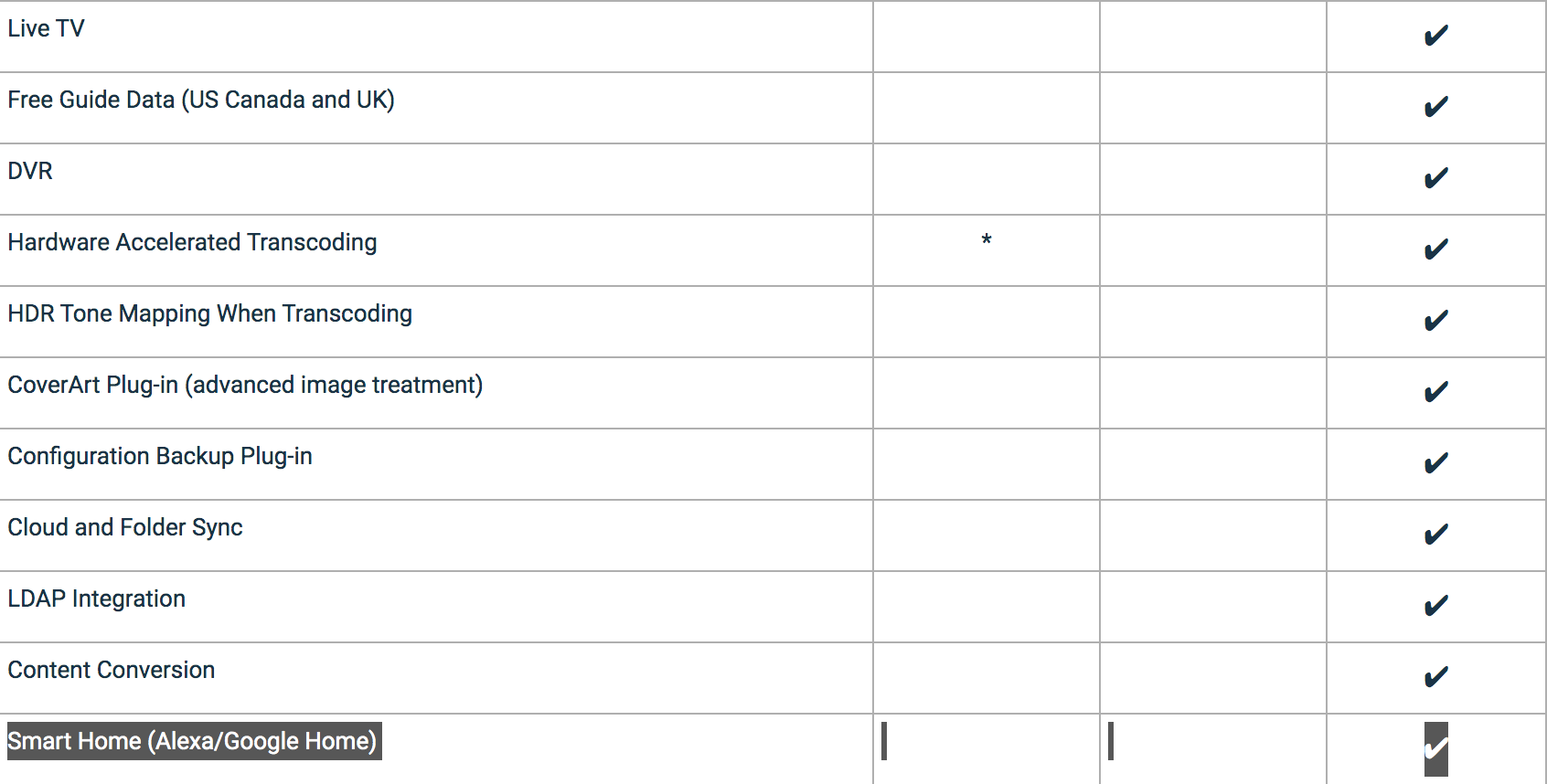
If using Premiere features, like LiveTV, any device will count against device limit. That said, number of client apps offer full playback for free or upon one-off unlock, you can check Feature Matrix per client/platform: Emby Premiere Feature Matrix : Emby1 point
-
Nice to see this activity I wish I was able to help but above my head I am afraid, happy to test though!1 point
-
Yes that will work. You'll need to run the scheduled task to scan the metadata folder after the server starts.1 point
-
Yeah, normally Synology reports package updates being available in its own UI (and I log in and process these every month or so). Emby would have updates in once in a while, but then there weren't any for a long time and I just passively assumed there were no updates to be had.1 point
-
Ok. Perfect. Thanks. Imdbid for movies and tvdbid for series.1 point
-
I will try that one too1 point
-
OK moving to Kodi section. We'll see what @TeamB thinks. Thanks.1 point
-
That's exactly it! Indeed I have mixed up "transcoded" vs "convert function"... If there is something I can do to help you with these "convert function" test , please let me know. Thanks again for all your support!!! A+1 point
-
Autoskip working fine for me on latest Emby beta (4.7.0.24). Make sure Autoskip isn't by chance running any of the scheduled scans, since it will not autoskip while the database is locked during the scanning process.1 point
-
For c# development, check out early videos from:Tim Corey and also Jamie King on YouTube. Tim taught me almost everything I know about c#. Jamie King is hilarious to watch. For css/html, for the front end check out: Kevin Powell on YouTube. For JavaScript check out: freeCodeCamp, JamesQ Quick, and Developing with Mosh. But, FreeCodeCamp can teach you a lot for free. And also, trial and error.... A lot of trial and error. Console apps are the easiest way to learn. I can also answer any questions you have. I became intermediate in coding. Not a pro, but I learned a lot.1 point
-
Offered for consideration: Sorry if this was mentioned. Are you using wi-fi or Ethernet? The Ethernet ports on practically all TVs are limited to 100Mbs, where wi-fi can do 300-400Mbs with newish wi-fi routers. You could be bumping into the limits of the Ethernet port? I solved one of my issues by using a Cable Matters Ethernet to USB dongle on my year old Sony.1 point
-
I have it sorted by a few favorite channels at the top....and although those show first in "On Now" after them is an endless array of useless channels. Personally I don't want "On Now" at all. It just wastes home screen space for something I never use and won't use. I don't care what is on now as my favorite channels are the ones I record everything I want from so in a short time they are going to be HEVC files in my library. I rarely watch TV live.1 point
-
Hi @chef, thanks for videos, i am trying to learn c# and move from scripting against api to be able to actually write a plugin, its a steep learning curve. Something that would help myself and perhaps others who can follow a programming language logic once they understand the syntax, would be a run through of a plugin, explaining the c# language structures in play, so they can go away and learn more about them before trying to understand in more detail. I think these videos are at a bit later stage than i am at. as someone unfamiliar with c# but who feels quite confident following logic, i am disheartened by how incomprehensible a plugin on github is...if there was a video signposting the c# language structure/concepts involved in a simple plugin, then i think that would help me learn more and get started. eg This is a interface, this is a lamda expression, this section defines this for the purpose of that, the developer uses 'programming concept x' here because reason. I appreciate i may not have enough experience to be the target audience for the type of content you are producing. and i dont under estimate the effort. but you did ask if more videos would be appreciated. (And even if my thoughts above miss the mark, any more videos will certainly be gratefully received) Now that i have actually watched 100 videos on youtube about c#, i think i will have a fighting chance to follow a plugins source code, but there's probably a bit of gap between understanding how a console app flows from "main".....to appreciating the concepts in play in a plugin and where initialisation points start and where they flow. its seems a different world and that saps confidence. maybe rather than a noddy video thats beneath you , can you suggest any particular subjects that should be searched for to help appreciate a bit more about the structure of a plugin rather than a console app.1 point
-
I just installed a 500gig Nvme. All ready to configure for Emby. I'd follow the previously posted guide by Frostbyte, but that was written under DSM6, and I'm on 7, so a bit concerned it won't be accurate... and I'm eager to see what Cayars comes up with.1 point
-
It goes on a per season basis. So it would have to restart the season it was working on from the beginning, but any already processed seasons would be fine.1 point
-
4 years and its the same damn response. I'll believe it when I see it.1 point
-
I see the problem, switch to "setting mode" to expert. (left side menu at the bottom).1 point
-
Yes, it should be more than that. We'll take a look.1 point
-
Hi, yes we'll get that promoted from beta to production as soon as we can. Thanks.1 point
-
re: live. my most common use case is keeping a list of recently played episodes up to date....i use it regularly so should get a sense pretty quickly how it works inc. performance wise in real world use. so a regular update is pretty usefull but maybe Live could be hooked (webhook?) into a set of useful server events..like i say episode played is a useful one for me. so its reevaluating when neccessary. It feels like there would be a finite list of events that would be relevant...mediaadded, mediadeleted,mediaplayed. re: limiting scope/count personally i would miss the mediaitems source (isnt this the primary useful source, i cant forsee the need to make playlist out other playlist/collection content myself). The biggest case i can think of is maintain a list of played music in the last period of time....so maybe 2500 tracks.1 point
-
I think it's better to do this in separate sections as one part is about increasing Emby performance using NVMe as HDDs vs system cache and the other things I'm working on are more about expanding or extending what the NAS as a whole can do for Emby. Although one of those can greatly increase system performance. So another way of looking at it will be specific instructions for different things that can be done. So we'll knock out the first section specific to increasing Emby performance using NVMe as HDDs vs NAS system cache. I'll get this up this weekend.1 point
-
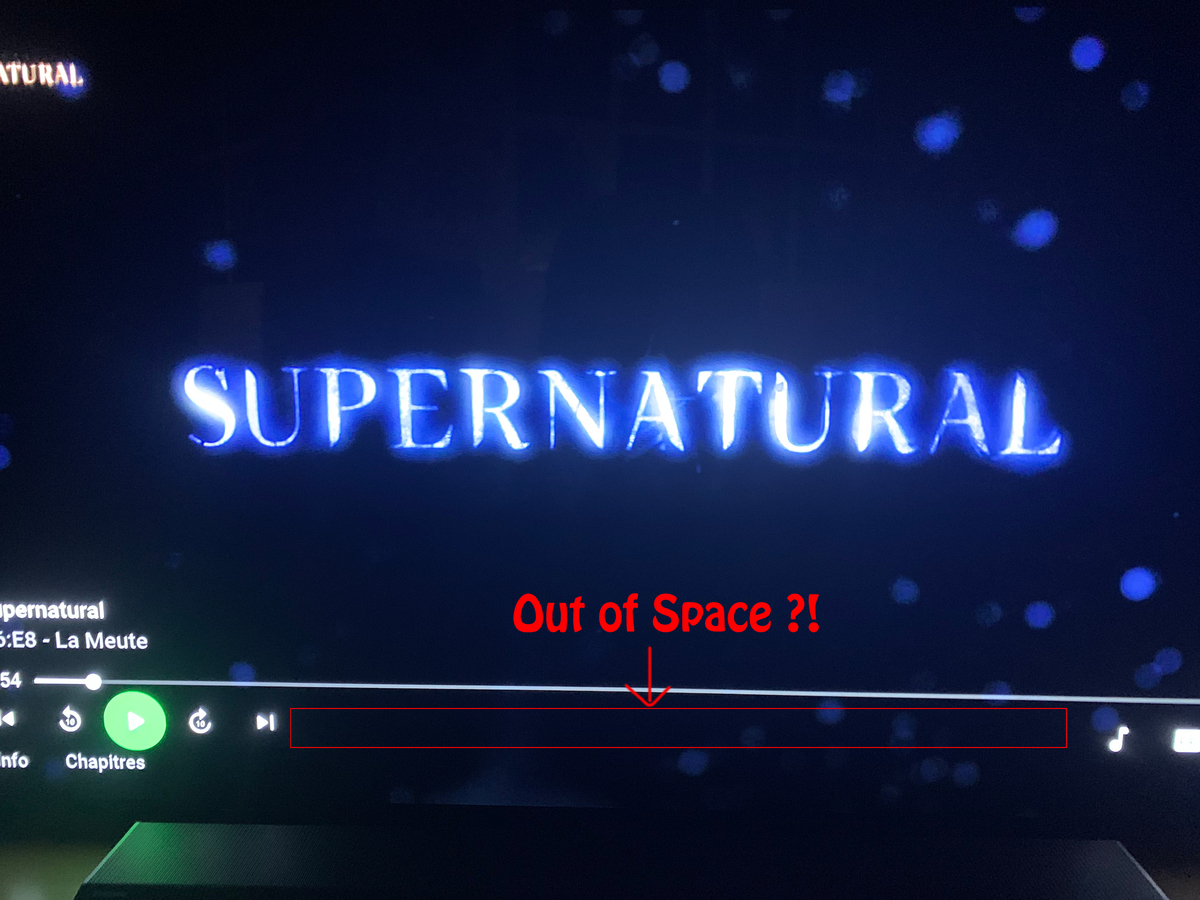
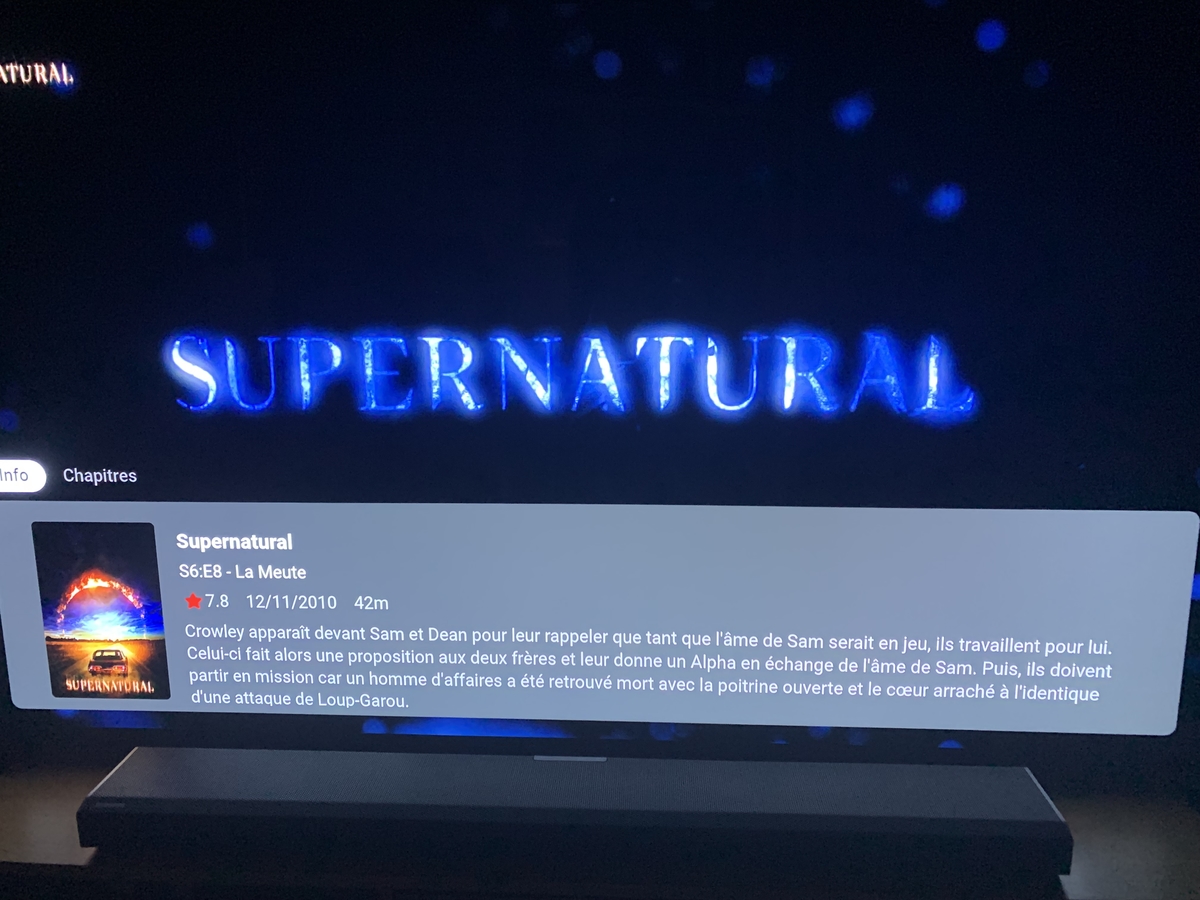
Didn't have it on info, and on player there is the place to put it back.
 1 point
 -
Hi, at what time did you start playing, and at what time did the problem occur?1 point
-
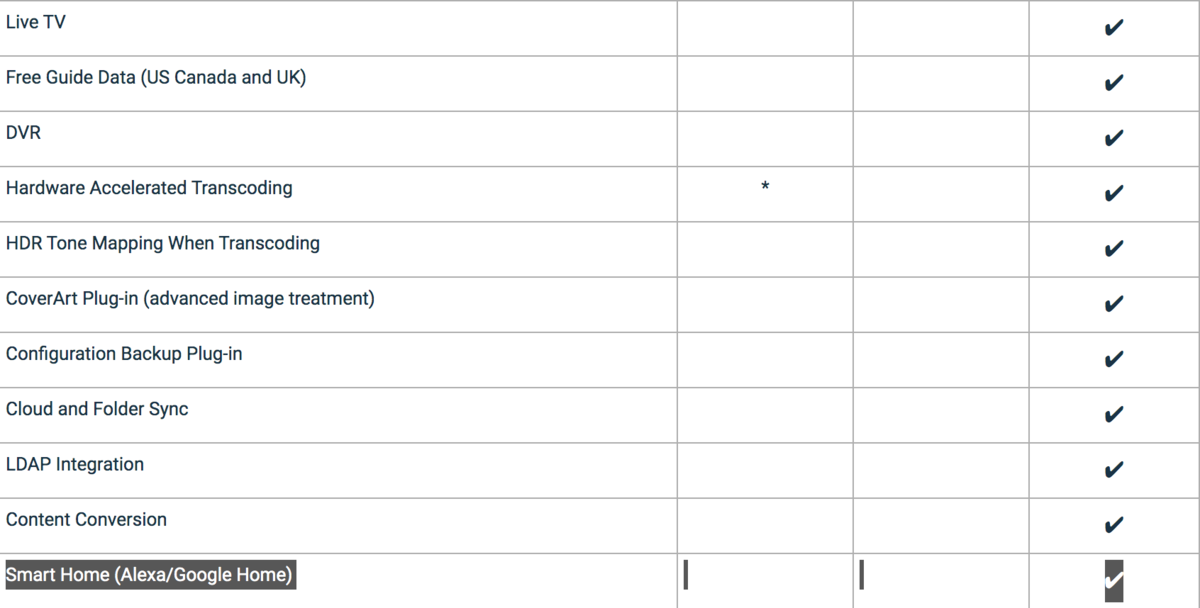
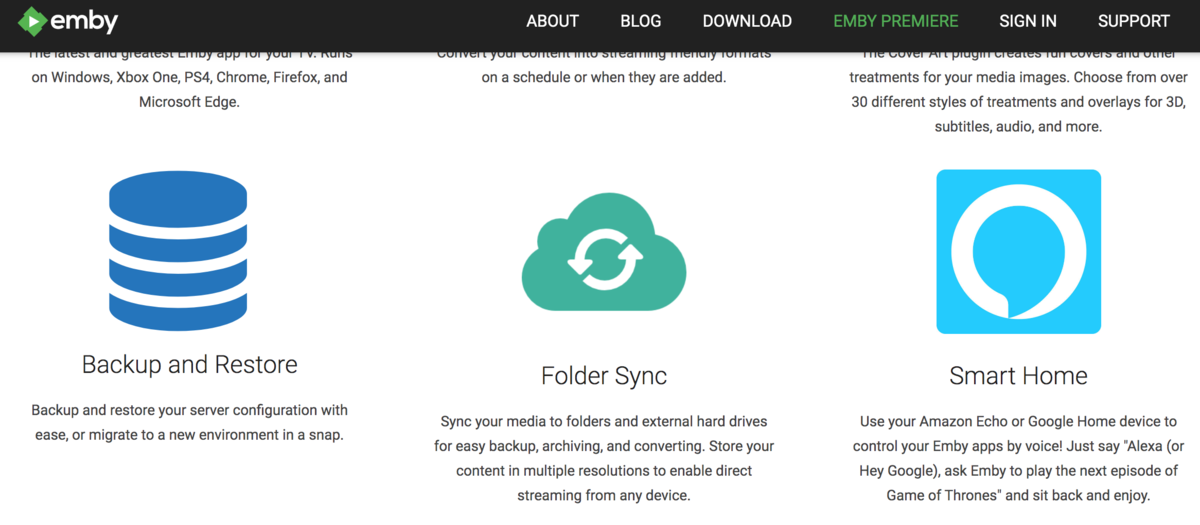
You are promoting Home Assistent as a premiere feature and not just for US or UK like you do with the Free EPG Data. You are promoting it as a feature for all Premiere users so please make it work.
 1 point
 -
Are there any news?1 point
-
@hackthis02Is this something that can be added?1 point
-
Hi, we do support tvg-shift in m3u files.1 point
-
I see this was posted awhile ago is there any updates at all about when/if this will be implemented1 point
-
+1 would be awesome1 point
-
@Luke Currently what emby displays is technically 'correct' - however, people want to see the full layer of detail for the stream. ie for Audio - they want to know if its Dolby Atmos if TrueHD or EAC3 and DTS:X if it's DTS-HD (plus other flavours of DTS:ES for example). for Video - they want to know the HDR profile used - HDR10 (the default/fallback), Dolby Vision (+ profile), HDR10+, HLG etc In fairness, a users AVR or TV will show them these details when they hit play .. but having them on the emby screen as filterable objects and to therefore know what to expect before you hit play should be made available. However, ffmpeg/ffprobe does not provide this info - The only product I'm aware of that can get this extra info (through 'unofficial means') is Media Info/CLI - as Dolby nor DTS have released publicly available tools to analyse the streams. MediaInfo CLI works well, and I have scanned my entire library to grab the details, but storing this info in emby metadata/db is proving to be a challenge as while I could store in the 'codec tag' fields - these are not currently used/displayed - so fairly pointless.1 point
-
Would also help me with my Live TV collections too...1 point
-
+1 for me on this - I have all my Christmas films tagged with 'Christmas' and search for them by Genre currently- this would be a big improvement!1 point
-
+1 Though I expect to see this feature with smart playlists.1 point
-
1 point
-
I would like to add my support behind this feature! My post requesting, and EBR tagging this original request: https://emby.media/community/index.php?/topic/77407-allow-collections-to-populate-home-screen-section/1 point
-
Hi, I just made this intro for Emby.. hope you like it https://mega.nz/#!xhJiGI6L!qTwq403bSAEp6vRLxJY6QHoZ2ydF7mWi_VlDWIfSAjs Regards, Spirit1 point
-
It's a nice idea.1 point
-
this is a great idea.. i would also have sort of "temporary uses" for promoting a subset of media easily on/off1 point
-
+1. This would help so much w/ kids stuff too.1 point