Leaderboard




Popular Content
Showing content with the highest reputation on 02/12/22 in Posts
-
Check this article to see if it helps.2 points
-
Version 0.0.1.96 Please update to version .96. There was a small issue in the editor that attached to many event listeners to the season select box. This has the fix in it Thanks, IntroSkip Team IntroSkip_v0.0.1.96.zip @Painkiller8818 thanks for catching that sir!2 points
-
Will you consider manually batch import of time spots in a certain way, like json import or csv, thus enabling me to fetch the already measured result provided by Netflix according to their private API (which you can capture and get the result). Data from Netflix is just like this: "skipMarkers":{"credit":{"start":0,"end":0},"recap":{"start":0,"end":0} And I wish I can import it in batch, with my scraper or something, instead of editing the database directly to avoid possible failures.2 points
-
Hi. No, you do not have to do that. No changes to your file system should be necessary. You just need to change your library setup to be much more simple. In the case of your movies you would create a single library called "Movies" (or whatever you wish) with the Movies content type. Then under folders you would add two folders: K:\videos\movies\a K:\videos\movies\b OR if you have only those two subfolders under movies and may add more in the future that you want included, you would just specify: K\videos\movies Now that library will show all of your movies and present them to you in a much better way in all of the interfaces. Note: if you make this change, either start from scratch (probably easiest) or be sure and delete all of the other libraries you created that point to your movie folders now and let a library scan complete before adding the library as I indicated above.2 points
-
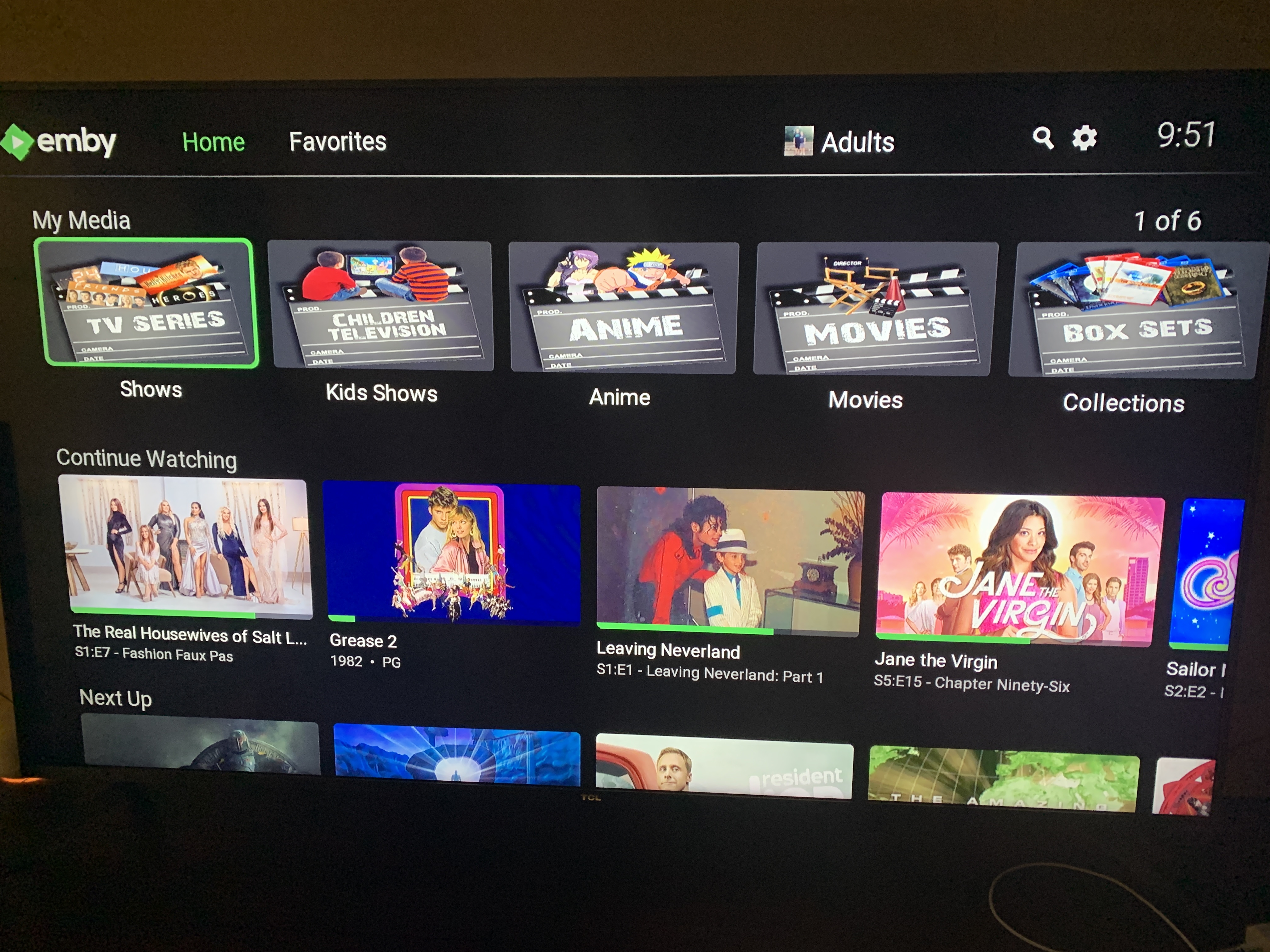
I'm confused, isn't the 'My Media' row meant to show libraries only? Why are there individual items like Big Bang and Boba Fett in your My Media row? Ohh I see, you've created actual libraries for each individual series - is there any reason why you set up your library structure this way? That's certainly not recommended. I'd suggest taking a look at this guide to see how to properly structure your TV Series so that you are not 'creating' new libraries for every series: https://support.emby.media/support/solutions/articles/44001159110-tv-naming2 points
-
It could rotate or something, like in the theater Of coarse it would have to be able to be turned off I suppose for people who don't like the idea.1 point
-
Could you allow users to customize the order of movies in collections instead of only having it by alphabetical or by release date? Example: I want to have a collection of Batman movies, both animated and motion pictures but want the motion pictures together followed by all the animated ones. With the current order options, this isn't possible. Thanks!1 point
-
I like listening to my music through my roku/emby setup. However, I don't need to know how the artist is while listening. I was wondering if there is some way to set up a virtualization like on windows media player? I can wait and my roku will go to it's screen saver, but I would like to make a choice. Or even display the lyrics on screen, all of my music files have the lyrics embedded.1 point
-
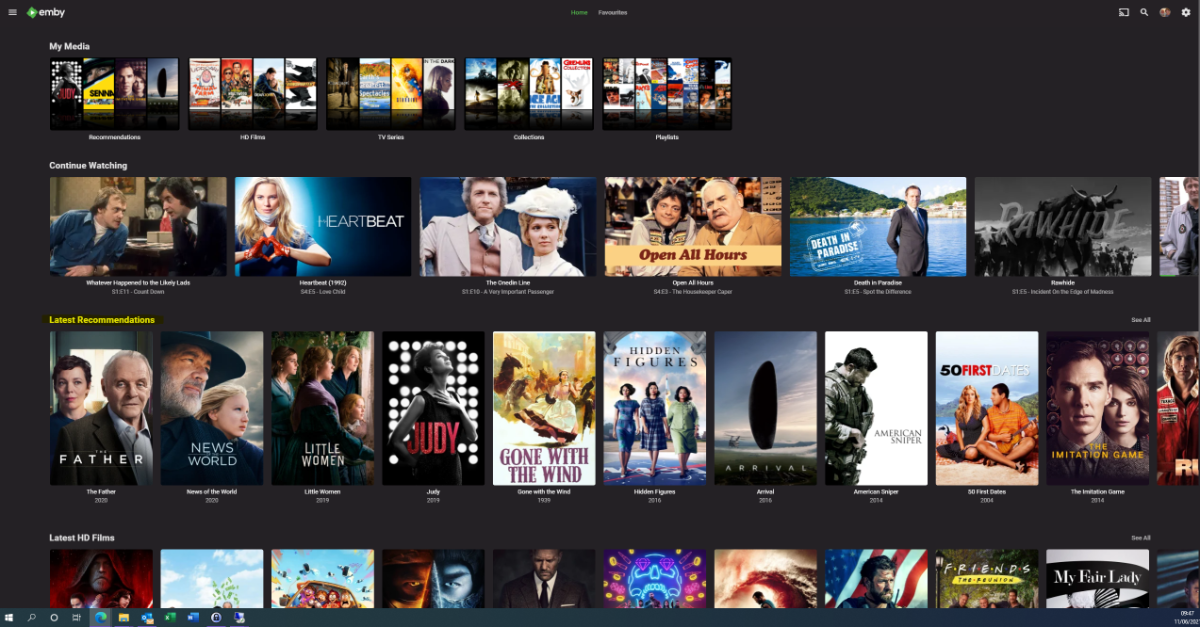
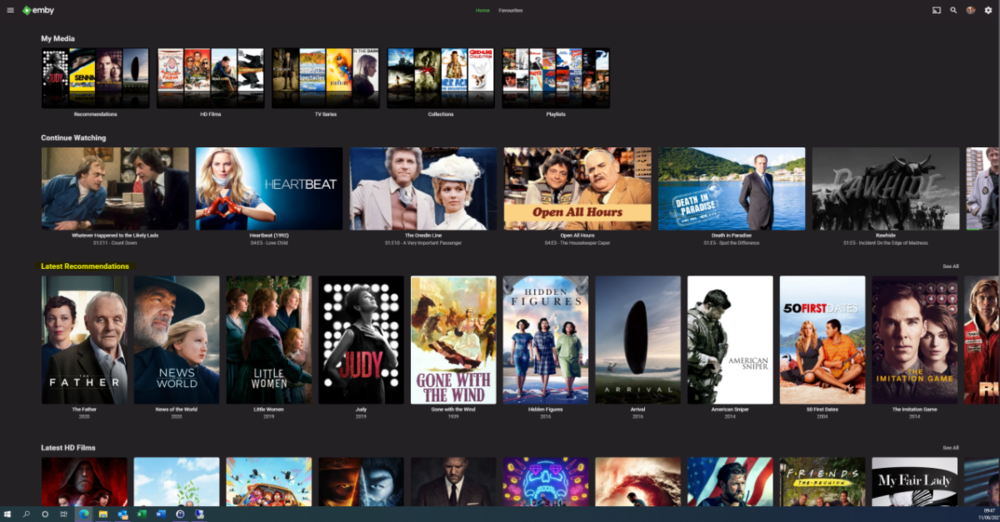
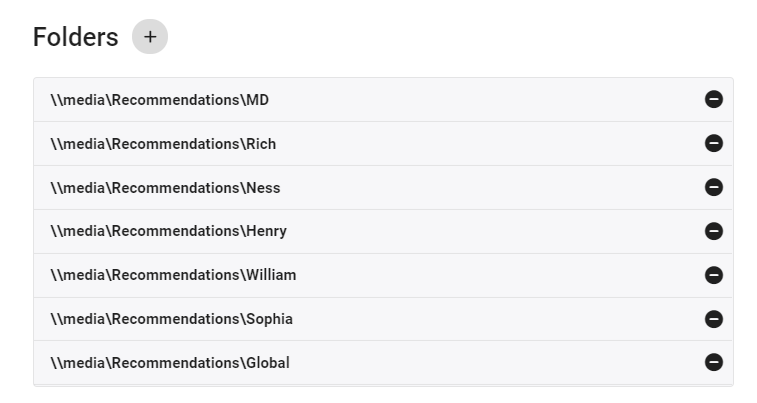
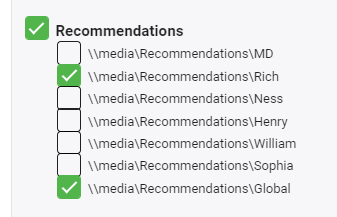
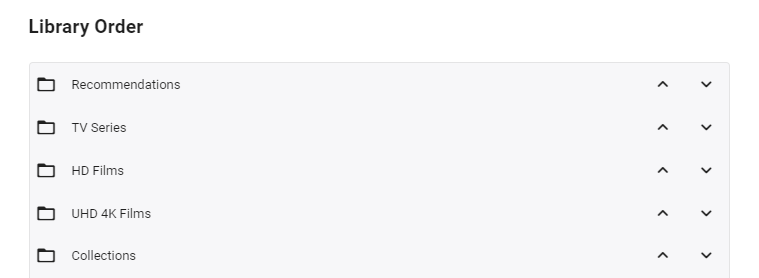
I'm posting here to gauge interest in this potential tool/utility - I use it for my parents and it works really well - but to be useful for the masses, it will need some more time spent on developing the code to make it more universal. However, before doing that, I wanted to see if this is useful as I don't want to waste my time.. What does it do ? It creates a 'Recommendations' library for each user based on items added to a Recommendations playlist. This library is then displayed in the usual 'Latest' list. As items are watched, they disappear off the list. Example (Actual) screen grab - (note 'Recommendations Row') How does it work ? A new library is setup and each user plus a global entry is given their own folder :- In these folders will be links (STRM files) to the real media. These are automatically created on a schedule via a standard playlist file (see below). Individual user based permissions can be applied to these folders - therefore, personalised recommendation lists can be created or globally set if added to the global recommendation playlist. So for this user - they will just see Recommendations for Rich and Global. The Recommendations 'library' needs to go to the top of the list for it to be easily visible :- Note - if there is nothing in the Recommendation library for that user (ie it is empty) - then the Row will not be shown. How do I flag an item as a Recommendation and to whom ? The script pulls the recommendation file locations from the XML playlist - thus you can just use the normal emby playlist functions to add or remove recommendations and add them to the relevant playlist. Anybody can add any entry to any playlist (as playlists are not permissioned), so be wary of that.. If you want everybody to see the Recommendation - then just add it to the Global Recommendation playlist. How often does it update ? Currently my script just runs every night and automatically creates any new entries added to the playlists. Now the initial library and playlist setup is done, this is now fully automated for me - I just add recommendations to the playlist and the following day it appears on those users screens. ... Of course, if emby allowed a playlist to have permissions and allowed it to be shown on the main screen in a row, then there would be no need for these scripts to hack a 'virtual' library... Any thoughts ? Is this worth progressing to make the initial setup more automated ?
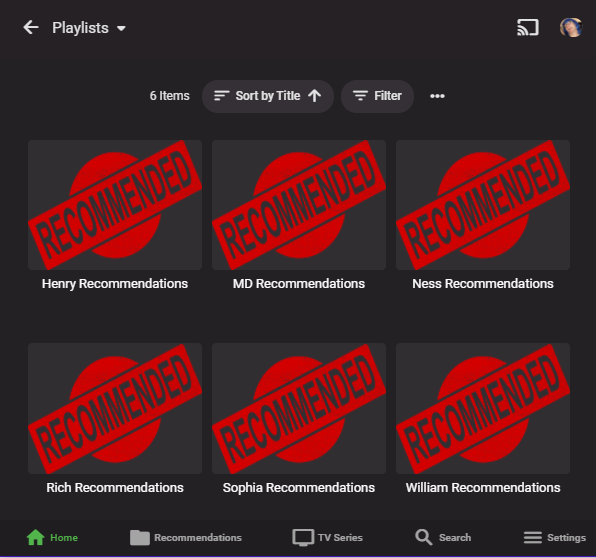
 1 point
 -
This is just a stupid curiosity question. I use a Sony BDP S3700 to stream from Emby and these DLNA only devices never show up in the dashboard. I have seen them show up for an instant and then disappear, maybe a couple of times of times over the last year. Today, one is showing up persistently. Is this a new feature or just a glitch? It isn't a big concern, except that it is nice to be able to see if it is direct playing or not without having to look in the logs to find out.1 point
-
Hi, Just installed the new update 1.2.3 for Tizen (Q90R 2019) And found the new settings for movies and music where i can set background or blur. if i activate blur for music every keystroke lags and the running time and everything freezes for a few seconds. so navigating is not working flawless and makes no fun. if i deactivate it and set it back to background everything is fast as before. please check this thanks1 point
-
All fixed guys1 point
-
1 point
-
I'm not quite following why you don't make a "Shows" library, especially since you already seem to have the file structure in place with your VIDEOs -> Shows -> [Different Series] that you show in this picture, so it wouldn't take any extra work in terms of creating directories, renaming, etc., really. From the media that you have, and what you've explained about how you're storing your files, your "My Media" section should only have two libraries ("Movies" and "Shows," for example), if it were set up the way Emby is intended (and nicely structured to facilitate). All of your TV shows would then fall under that one library, the same way your individual movies fall under a Movies library. All it would take, at it's simplest level, is making sure your "Movies" library has both your "A" and "B" folders you mentioned attached to it. Likewise, you would just set up your "Shows" library to directly be tied to the base "Shows" directory, at which point Emby goes out and sees all the subfolders, like Transplant -> S01/S02, and creates a Transplant show listing within your Shows library. At that point, in reference to your latest comment about library images, you set one collective image for the library (if you want to), but you wouldn't need to hunt and find a certain format size of image for each series, because those would be displaying correctly within the library for each respective show. Each to their own, certainly feel free to keep your server set up the way you have it and disregard my comment, if you prefer, but it might save you a lot of time and effort down the road as you keep adding more content. -Roh1 point
-
Nothing particularly special about PIA compared to other VPNs. Just a case of recommending what you're familiar with that should give reproducible experiences for others. I just happen to have used it for years and know it has all the features needed to work. It has good coverage and lots of servers for a pretty consistent experience. That surely doesn't mean it's the best for any particular user or geo area which would need private testing.1 point
-
depends on what he means by VPN, i assumed he meant a private VPN into his network hosted on a router. but could be a public vpn hosted on PC1 point
-
I even tried turning the world on it's side for the shot, hence the volcano blew up 2 weeks ago... (not doing THAT again!)1 point
-
It appears that the item limit isn't restricting properly in the latest release. I have two smart collections, Bottom 100 and Top 250, whose rules are only to include every movie but are limited in count and sorted by community rating desc/asc. Both playlists now include every movie regardless of the limit. I've deleted and rebuilt them, and changed to playlists instead of collections, but none of that worked.1 point
-
https://www.netflix.com/nq/website/memberapi/vc6296241/metadata?movieid=81237994&imageFormat=webp&withSize=true&materialize=true Try it with your Netflix logged in. And there's more than that. It is a private API. However you can use it at ease.1 point
-
Making it possible to save this as well to the media folder for backups or quickly re-adding media would also be a great feature.1 point
-
Awesome! I'll give it a try sometime today and let you know what I see.1 point
-
Thanks @Marlor for the bump this and @cayars for the explanation! Customizing tuner priority and channel stacking will be a huge benefit and I'm really looking forward to seeing it in action. I know the next major release is already bringing huge improvements to live TV (looking forward to hearing my ATSC 3.0 streams lol). Keep up the great work!1 point
-
Hi. Only one of those rows should be showing now. This is something that somehow was never noticed in beta. Thanks.1 point
-
Hi. Others have mentioned this but the way you have your system setup is not how it is intended to be done and you are creating a huge amount of work for yourself that you don't have to. The way you are doing it you have to create a new library every time you add a new series. Instead, if you had it setup the intended way, it would all just work automatically when you add a new series. Also, I think you are giving up a lot of features the way you have it setup because the system is not going to properly recognize these series folders as TV series.1 point
-
Tremas... I changed the code to display trailers. You can now select an assortment of trailers and put them into a playlist. The resulting playlist will play in Emby. I am still trying to figure out why they don't play in the tool. The new code is attached. Vic EmbyTagApp32.html1 point
-
Yep, few of them, @cayars likes PIA, I prefer AirVPN, and surely there are others.1 point
-
NordVPN does not support Port Forwarding, which you would need to remotely access Emby server with VPN connection active. Do you offer port forwarding? | NordVPN Support1 point
-
On the movies page with all the posters, far right you should see a row of vertical icons. Try clicking the last one which looks like "..." Ensure you have 'Show Labels' checked.1 point
-
And again this is a huge problem. When is Emby going to understand this. They are different interfaces with different size screens needing different layouts.1 point
-
Totally going to be that guy again here.... I'm just trying to see where things can break on large libraries at this point It's not possible to load the tv show list if too many items excluded I have absolutely no idea where the limit is for that but I sure as hell hit it when I hit the button to add all series to the scan exclusion list! No big deal as I just took the easy way out and reset the plugin, and I think in close to every use case this wouldn't happen unless people only want a handful of series scanned in a large library for whatever reason, so I'd say this is just more of a heads up really The actual error I get is a 414 Request URI too long error. Peek at the console from edge shows: Firefox actually specifically shows the error code as 414 request too long I'm also noticing duplicates in my list but I've never actually paid attention to the list itself either so I'm also pretty useless in working out when they started occurring! I'll try a few of the older versions and see if I can spot which version it starts happening in Edit: Now I can't reproduce it either so I think in my case it must have been cache shenanigans and one of those moments where I thought I had cleared the cache but didn't or only cleared one browsers cache but not the others while testing one of the updates last night I'll keep an eye on it and mention it if it occurs again Edit 2: Magic number to start hitting the 414 error is somewhere between 900-1000 items in the exclusion list, pretty sure that's going to be pretty rare so maybe just a warning if the "add all series" will result in more than 500 shows in the exclusion list or something? I don't know, I feel like this one isn't something to focus dev time on really
 1 point
 -
Read this thread (https://emby.media/community/index.php?/topic/104833-episode-actor-images-not-downloaded-from-tmdb-when-using-nfos/#comment-1104216), as I identified this issue. It's happens because Tiny Media Manager adds <lockdata>true</lockdata> to NFOs, which tells Emby not to allow a refresh of metadata because it's reading it from the NFO. However, when you import a show or movie using these NFOs, Emby will not download the actor images despite the presence of a TMDBID. They said they're going to fix the issue.1 point
-
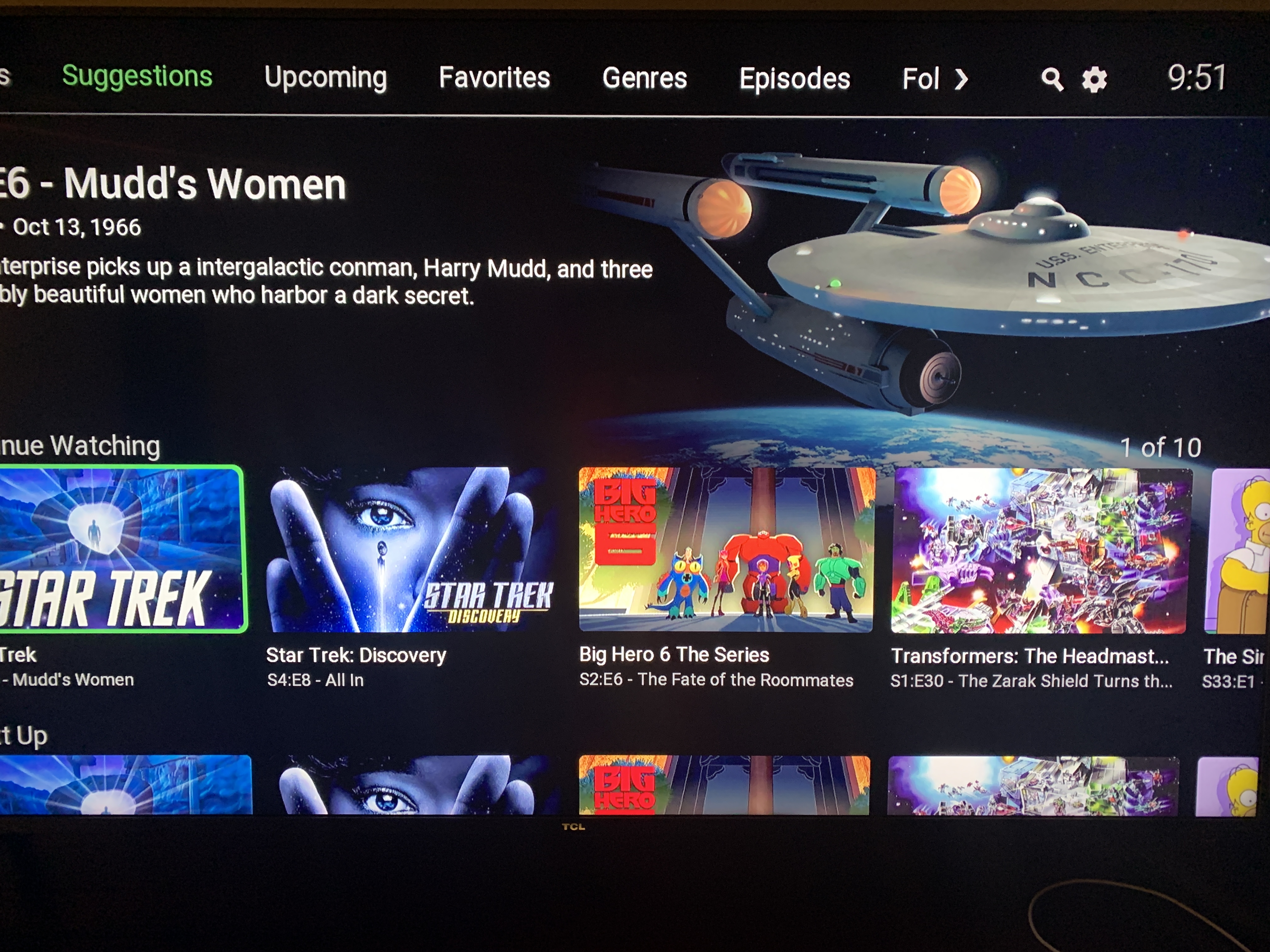
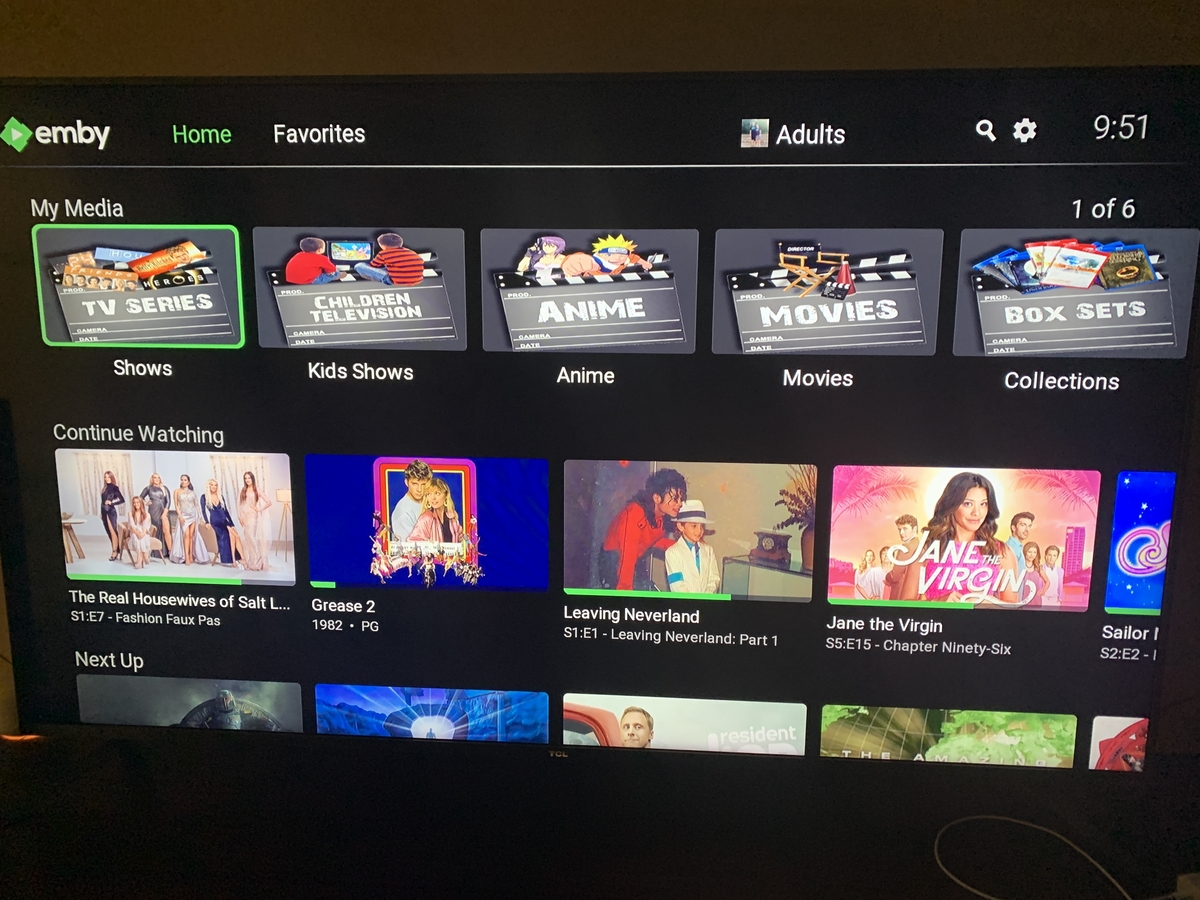
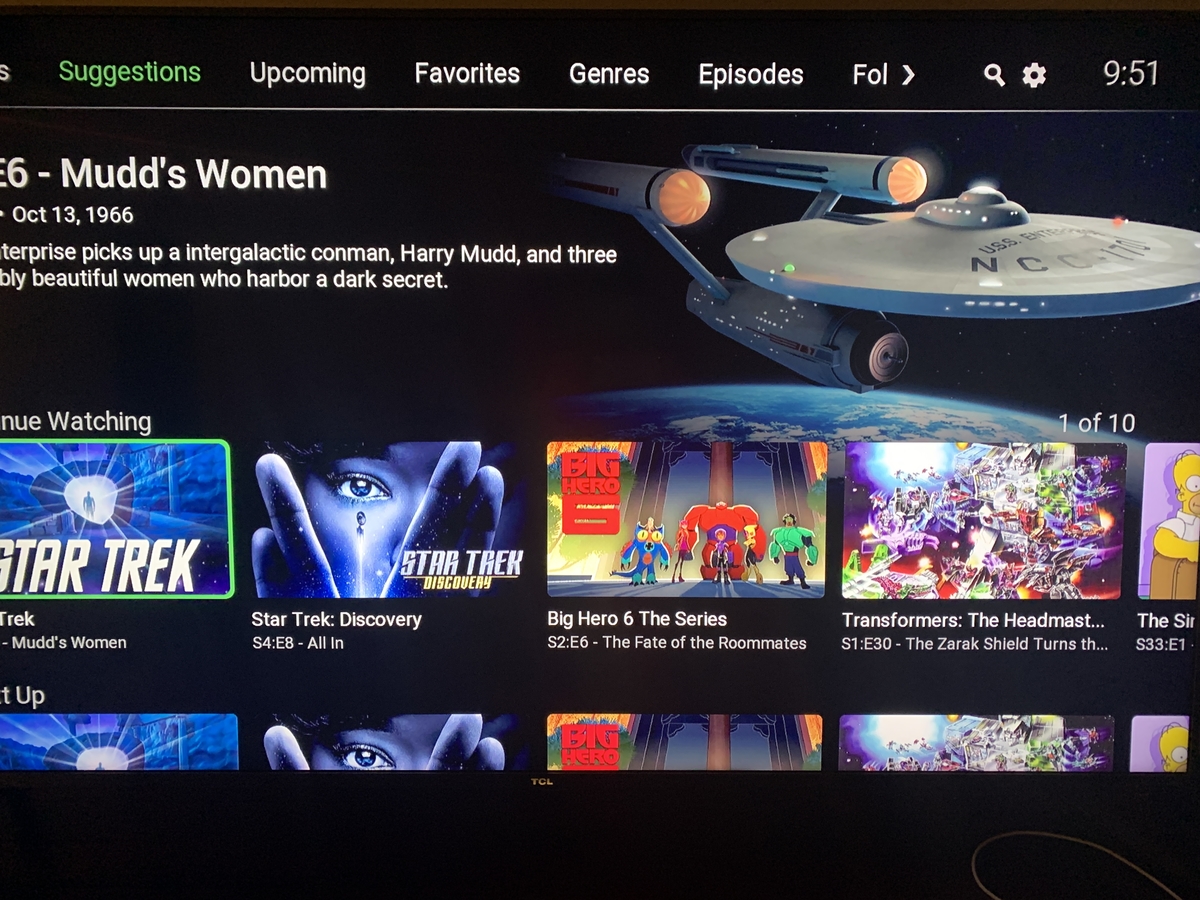
Here are two screens from the Roku. First the My Media stretching. Second is the identical Continue/Next Up
 1 point
 -
Figured out whats wrong with linux in the backup part of the plugin, but now totally broke that on both systems, lol. Linux permissions is a / directory seperator issue. Linux cannot handle a trailing / on .net create directory. Going to have to re-write the backup functions for this to be supported in both OS just because of the way i did it for windows. no worries, i'll do it but It'll be at least a week or so... No problem. I fixed the logging but as above broke the backup. It is backing up the images on both systems, just not the rest of it for the restore or fetcher to work yet. The ones you have do work online from my website still for people, album covers, music artists, and song track covers.1 point
-
GrimReaper, Thanks so much for starting this new forum for me. The latest code is attached below. emby_new_tool_11.html1 point
-
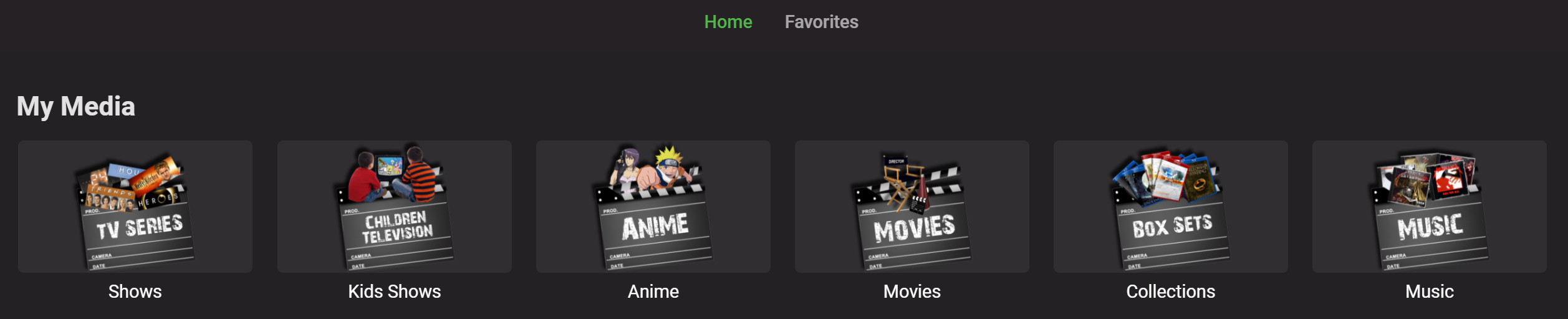
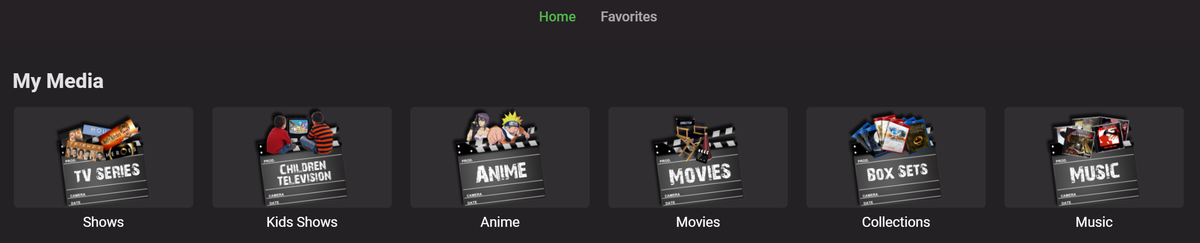
The web client does not. I only use web and Roku and have always used Xzener's icons (I know, I'm old school MB) without a problem, but as you mentioned, the ratio now causes them to be squished only on Roku. I think the web client wraps the 2:3 icon inside of a 16:9 black box. Roku interface is now stretching the icons in the 16:9 box. I'll just have to look for some new icons. There is however a bug that was introduced. On the home screen it's fine, but if I go into any TV library and go to the suggestions, The Continue Watching and Next Up sections are identical. Both show the Next Up content now. I verified all the affected libraries are configured as TV Shows not Mixed Content. edit: Just wanted to add that I checked the web interface and the Continue/Next Up issue is only on the Roku. On the web, turning Next Up (Legacy) on/off only affects the home page. The suggestions on the libraries only has Continue Watching ever. On the Roku, the Home Screen is obeying the Next Up (Legacy) setting, but it's almost like the suggestions are stuck with both rows (and both showing the same data) no matter the setting. Here's a sample of the web client not stretching the My Media icons:
 1 point
 -
Also, it is never recommended to use the root of any drive as Emby can pick up the drives hidden system folders. So, you should have items with a parent folder on said drive.1 point
-
The problem I see with your current setup is, every time you acquire a new series, you are having to add a whole new library in the libraries setup page - that's not what that is for, nor should anyone need to do that. If you simply had a 'TV Series' top-level folder as a library, you would only need to drop that new series folder (eg. Boba Fett) under there and Emby would take care of the rest, i.e. less admin overhead for you.1 point
-
From a library level why would anyone want to make hundreds of individual libraries to spam the home screen/My Media? One library containing all Series makes more sense to me.1 point
-
Speaking of Emby server, I'm very interested in using the Steam Deck as a portable Emby server—among other things—so the kiddos can stream videos to their iPads. I know I can install Windows on it and then just run the Windows server app, but it'd be great to get a native version for SteamOS. I currently use an RPi 4 for this, which works pretty well, but having a more general purpose device is ideal, especially given that it has better/faster/more M.2 storage.1 point
-
Emby uses the folder name in preference to the file name. If something is misidentified, you can force correct automatic identification by adding to the folder name one of: [tmdbid=...], [tvdbid=...], or [imdbid=tt...] filling in the actual ids found on a manual lookup. Note that IMDB is not used as a source by Emby (for cost reasons), but its id can be used in a lookup in the other databases. Paul1 point
-
We had to change our version numbering slightly for Synology which we've done so it will take one new install (webpage or package store) and then package store updates should be smooth from that point on. So if it were me I'd pull down the latest release version from our website and manually install that. At this point you should be all set moving forward installing from our website or the store. Our website will almost always have the version available before it shows up in the Synology store so it will be perfectly fine to download and install from our site one release and use the store for another so you aren't locked in to one way or the other! Carlo1 point
-
Easy solution, start filming correctly with cell phone1 point
-
Just to add some clarity around my responses, here's a rough work-up of my data. First, I dumped the output of the stats to a CSV using PowerShell. Here's an example code snippet: $Stats = (Invoke-RestMethod -Uri "http://<your-emby-host>:8096/emby/GetSeasonStatistics?StartIndex=0&Limit=30000&api_key="<your-api-key>").Stats $Stats | ConvertTo-Csv -NoTypeInformation | Add-Content -Path .\stats.csv Replace <your-emby-host> and <your-api-key> with appropriate values. Once I brought the CSV into Excel, I hid all rows of seasons that had 0 or 1 episodes (I don't care about the former, and the latter won't work because there's no other episode to compare it to...that's not IntroSkip's fault). I was left with 1794 seasons worth of data. In total, 23,623 episodes across those seasons were analyzed of which 16,057 had sequence data (intro, credit, or both). Only 62.43% of my episodes had detected intro sequences (of which, I'm not sure how many are actually correct. 68.42% of them had detected credit sequences (likewise, I'm not sure how correct the results were). I hope you'll find the PowerShell code useful if you want to similarly analyze your data. Overall, I'm quite impressed with this beta thus far. Considering I provided next to no input (other than excluding shows which had high episode counts in a season), I'm happy with the detection rate thus far. I look forward to seeing further improvements to this capability in Emby!1 point
-
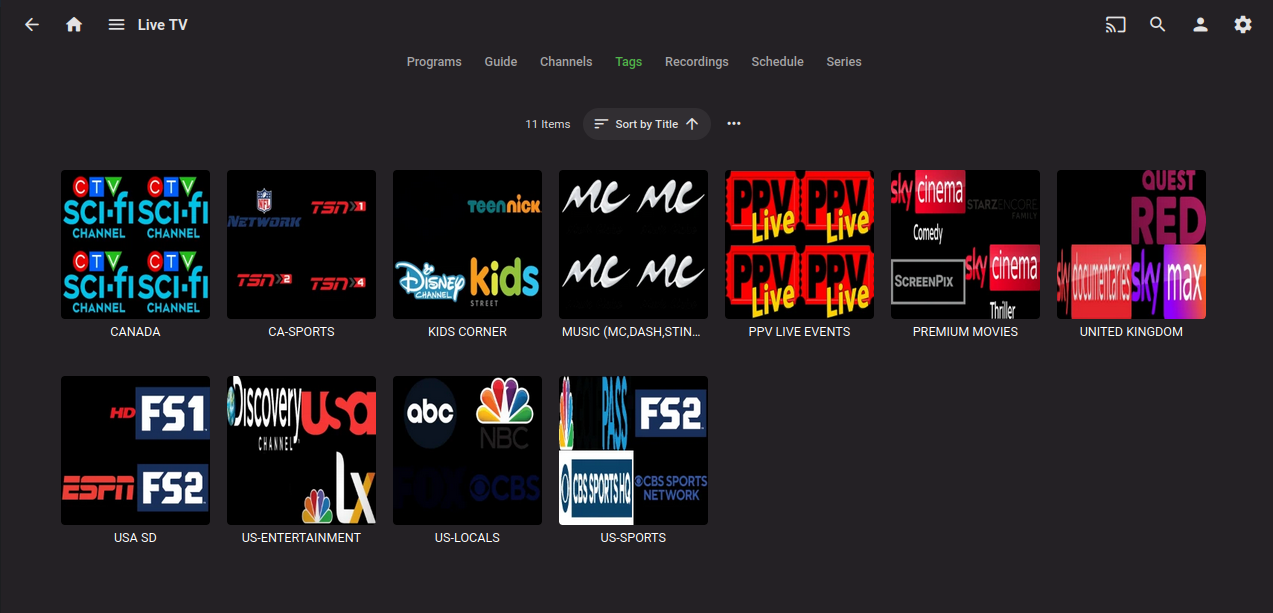
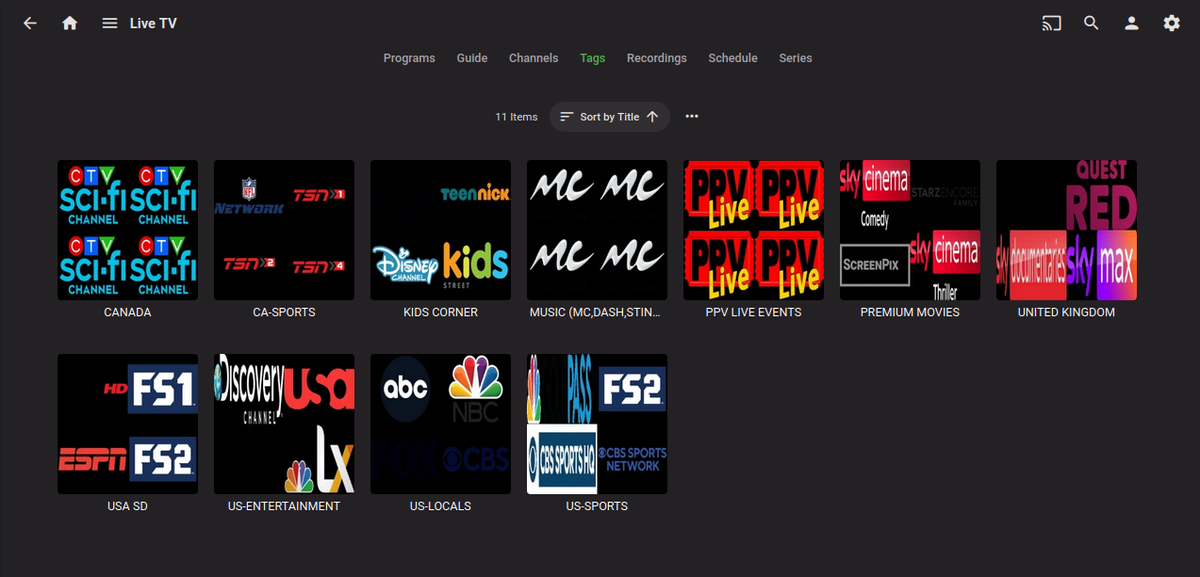
Are you downloading the m3u_plus version of your m3u? That format is the only format that contains groups (tags) > Should look like this url.... http://192.168.1.8:9004/get.php/?username=test&password=test&type=m3u_plus&format=mpegts
 1 point
 -
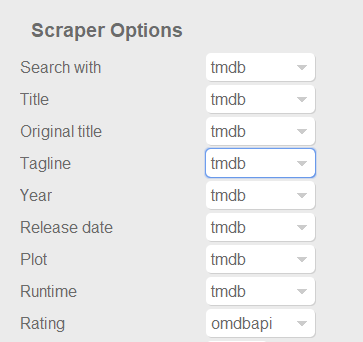
Dont know if this was already posted. For example something like the capture below at least for ratings, to use omdb or another scraper as first priority for this field, and similar for tvshows with the available scrapers for that library type of course. Also It would be nice and handy to have some language options per field, at least for Title, Tagline, Plot, Episode Title, Episode Plot and Genre fields. Handy if you want to have your tagline/plot/episode-title/episode-plot in spanish for example or your native speaking language but want to use the title of the movie or tvshow in english for english movies, or the title on the native language of the movie (spanish, french, german, etc). With the current setting you get absolutes, english: everything english, spanish: everything spanish. And would be nice to apply this language options to images too. I scrape my data with TMM before adding it to emby to have this type of settings, but I would be really good if emby could handle some of this variables. Update: Also, give the option for "None" to skip scraping for this field and "NFO Only" as @picotrain1 suggested.
 1 point
 -
My Emby server is entirely automated, except for this one aspect. I must manually enter the admin account simply to checkmark this setting and vacuum the database. Very inconvenient when everything else is working flawlessly. Without vacuuming regularly [almost daily], the server quickly becomes unusably slow. I appreciate that the setting was implemented in the beta version of the mobile app. I humbly request this be added to the scheduler to make things significantly easier. Please, tell me this is already on the roadmap.1 point
-
Hi. I just purchased a premiere lifetime subscription (located in Canada) with the Black Friday deal to have control of my Emby server through Google Home. In fact, I had the "talk to Emby Home" action previously set up with my Google Assistant. Now it tells me it's no longer supported. This is hugely disappointing. Any ETA on getting this resolved from the Emby team would be greatly appreciated.1 point
-
Yes it is for like tuners. I have 3 HDHomeRun Primes each with 3 tuners. In Emby I have one set of channels only but Emby will roll over to the 2nd then 3rd tuner as needed. I also have OTA via Quatro tuner. Even though some of the OTA channels like ABC, CBS, NBC, FOX, PBS are present on cable as well these will not get merged as they have different channel numbers. In the future it may be possible to merge these as well so I could use OTA first when possible saving the cable tuners for channels not available via OTA. This type of functionality is in the new version of LiveTV currently in dev and early testing. I'm able to set OTA first, Cable 2nd, and m3u tuners 3rd for priority. Then I can manually "stack" the channels that are the same between the dissimilar tuners. It still automatically stacks/merges tuners that are the same type. Hope that helps, PS don't ask when this will be released. The answer is when it's ready.1 point