Leaderboard




Popular Content
Showing content with the highest reputation on 01/06/22 in Posts
-
Hi, I would like to have an option to choose H265 instead of H264 in the Transcode option. It will be smaller for all bad bandwidth (2~5Mbit ADSL), but will have a great quality. Mobile phone can benefit of it greatly too with the 4G and the limitation of download.2 points
-
Yes, I can copy my key also using Edge.2 points
-
Which browser? You might have some extension/add-in preventing it. I have no issues selecting the key either by double-click or right-click-hold-select on Edge, Firefox, Vivaldi, Chrome or Chromium (yeah, checked all 5 out of curiosity).2 points
-
We'll look at improving it. Thanks .2 points
-
Hi Personally I would like the option to hide at the minimum the path info from all users except admins2 points
-
I think it would be nice to have the Audience Rating (icon) / Audience Score for movies along with the Critic Rating (icon) / Critic Score. It looks like the data is available from the Rotten Tomatoes API via the ratings field. 14 "ratings": { 15 "critics_rating": "Certified Fresh", 16 "critics_score": 99, 17 "audience_rating": "Upright", 18 "audience_score": 911 point
-
Request No. 1: Implement Metascore rating for movies, from Metacritic.com, in Emby. OMDb api provides this information. Request No. 2: Also, fix an option in settings to enable or disable a ratings source according to the user's choice.1 point
-
Hi. Can you please add an option in the settings to hide the "Media Info" section? When using emby on my phone, it pretty much takes more then half of the page. On top of that, not having it be showing, it would clean up the page. At least gives us that option to hide it. Thanks.1 point
-
Server: QNAP V4.6.7.0 Hi, I just imported my music library and was disappointed to see that Artist Sort Title field was not populated. This is available as part of the musicbrainz data set for an artists so I am curious why it is not imported. Amazing how many Joe's and Steve's I had in my Library when I was manually adding the field to get some sensible ordering to the ~3,000 artists I have in my collection currently. Regards, Gary.1 point
-
It would be great if we could turn off the Rotten Tomatoes score. I don't agree with their scores ever and have no need to see them on the screen.1 point
-
Thanks, I'll cut out the reverse proxy in the meantime, and do a bit more tshooting from my end to suss You've pointed me in the right direction, I appreciate it1 point
-
Not behind reverse proxy so couldn't test that scenario, but tested every other I could: localhost and remote, local and online web app, http and https - can't make it NOT selectable.1 point
-
I just tried on both chrome and firefox; no dice. I do use an https reverse proxy though?1 point
-
No worries Luke. It's a fickle beast them permissions1 point
-
I will check this out ASAP. Vic1 point
-
Hi, yes it's not a bad idea. Thanks.1 point
-
Good luck bro! It's affecting lots in our neck of the woods this time around. Be safe and get your rest!1 point
-
Hi. It is going to depend on your exact requirements but, if you require a lot of transcoding or have very high bitrate content, then I wouldn't think it would perform as well as you would like. With very high bitrate content, you are likely to have some issues with being I/O bound trying to have the device serving as both a server and a client. The device simply isn't designed for that kind of thing. With "normal" content (2-20Mb) and few transcoding requirements, it may work well. You would need to test it for your specific situation.1 point
-
Hi, after moving my Emby Server from Synology Diskstation to Raspberry Pi with DietPI, the real time monitor on my mounted network shares does not work. On Synology I had no problems, but with the mounted shares on my Raspberry I did not get it to work. I tried to mount my Synology drive with SMB and NFS, but no success. I searched for a solution mainly in this forum, but no luck. So I found another solution/workaround for this problem: a script running on my Synology NAS, which triggers a library refresh task, if a file has created, changed or removed in my media folder: 1. install inotify_tools Install from synocommunity: https://synocommunity.com/#easy-install https://synocommunity.com/packages 2. Create script Create script such like this: #!/bin/bash # check for mkv and ts files which have at least a character or a bracket # NOTE: the PATTERN does not work in --include param (don´t know why...) set -e -u trap ctrl_c INT function ctrl_c() { echo [$(date)] Monitoring media files canceled >> $LOGFILE exit } WAIT_SEC=60 # add additional file extension here and to --include pattern! PATTERN="[a-zA-Z\(\) ].*\.(mkv|ts)$" # adjust the IP and the api-key to your settings! COMMAND="curl --data '' http://192.168.xxx.xxx:8096/Emby/Library/Refresh?api_key=<api-key>" LOGFILE="/volume1/media/notify.log" echo [$(date)] Start monitoring media files >> $LOGFILE while true do while read directory action file; do echo "[$(date)] The file '$file' appeared in directory '$directory' via '$action'" >> $LOGFILE if [[ "$file" =~ $PATTERN ]]; then # wait for other changes for not re-trigger during the sleep time echo [$(date)] Trigger scan in $WAIT_SEC seconds >> $LOGFILE sleep $WAIT_SEC echo [$(date -Is)] Trigger library refresh >> $LOGFILE $COMMAND &>> $LOGFILE break fi done < <(inotifywait -q -m --include "\.(mkv|ts)$" -r -e create -e moved_to -e delete /volume1/media/) echo [$(date)] trigger done, wait for the next change >> $LOGFILE done echo [$(date)] Stop monitoring media files >> $LOGFILE The script can be easier, because I wanted to exclude files, which only have numbers. So if you don´t need it, you can remove the part with the PATTERN or change the regex (I´m not a regex expert, but it works like expected...). The wait time is also optional or can be de-/increased... 3. Create Task to run script on startup Create triggered task for startup in Synology which is calling this script. I would suggest to test it before... ;-)1 point
-
I updated the script for better usage: #!/bin/bash # check for mkv and ts files which have at least a character or a bracket # important some PATTERN does not work in --include param (don´t know why...) ### Configuration: # list of file extension separate by | FILEEXTENSIONS="mkv|ts|mp4" # special filename regex pattern (without extension!!!) .* for all FILENAME=".*" # folders to monitor (recursive) separate by space " " MONITORDIR="/volume1/Media/" # logfilename LOGFILE="/volume1/Media/notify.log" # emby server address with port EMBYSERVER="192.168.xxx.x:8096" # emby API key API_KEY="<replace with your API key!>" # time to wait before trigger library scan in seconds WAIT_SEC=60 ### End of configuration # config variables (DO NOT CHANGE!) INCLUDE_PATTERN="\.(${FILEEXTENSIONS})$" FILE_PATTERN="${FILENAME}${INCLUDE_PATTERN}" COMMAND="curl --data '' http://${EMBYSERVER}/Emby/Library/Refresh?api_key=${API_KEY}" ##### start of the script set -e -u echo [$(date)] Start monitoring media files > $LOGFILE while true do while read directory action file; do echo "[$(date)] The file '$file' appeared in directory '$directory' via '$action'" >> $LOGFILE if [[ "$file" =~ $FILE_PATTERN ]]; then # wait for other changes for not re-trigger during the sleep time echo [$(date)] Trigger scan in $WAIT_SEC seconds >> $LOGFILE sleep $WAIT_SEC echo [$(date)] Trigger library refresh >> $LOGFILE $COMMAND &>> $LOGFILE break fi done < <(inotifywait -q -m --include "$INCLUDE_PATTERN" -r -e create -e moved_to -e delete $MONITORDIR) echo [$(date)] trigger done, wait for the next change >> $LOGFILE done echo [$(date)] Stop monitoring media files >> $LOGFILE You only have to change the Configuration part. (After the topic has moved, I could not edit my first post...)1 point
-
I've never done it myself (I use MKV also) but I don't think you can just remux to an mp4 container with ffmpeg - I think you need to use tsmuxer and some other tools to fix the 'layers'. As SamES has alluded to, I think you also need to remove or the very least re-order any HD Audio tracks as HD Audio within MP4 is not officially supported (this may have changed, it's been a while since I looked at MP4) and the LG Emby App doesn't like you changing default Audio track ... In summary, this is why I gave up on the LG Client years ago and moved to the Shield - it plays DV MKV files with HD Audio direct from MakeMkv and/or Mkvtoolnix without all the authoring and hoop jumping needed for MP4's...1 point
-
As of last night it looked like the current released version seemed to be working properly, and the issue with the guide data that I had seen previously seemed to be fixed as well. I'll have to see what the release version I got updated to was.1 point
-
Thank you. I checked the NFO files against new created ones. I found two errors 1. My NFO files conained a "<br>" between the <plot> tags. 2. The first line has to be "<?xml version="1.0" encoding="utf-8" standalone="yes"?>" for movies. Changing the NFO worked. Now emby is reading the files like a charm :-)) My second problem was between VIDEO_TS folders. Mymovies does export the NFO files with the name movie.nfo. These files are not read by emby. Renaming/copying them to video_ts.nfo corrects the error.1 point
-
ffmpeg.exe -i input.mkv -ss 30 -to 50 -c:v copy -c:a copy output.mkv This creates a 20s video starting from second 0:00:30 until 0:00:501 point
-
Beside a small issue, the paylist method did already work in one of the Roku beta apps. Another app beta that should fix the issue, instead broke playback completely. I don't know the current situation. But maybe @crfloyd0932 or @kanipek can say a word. I don't know if the Roku app allows direct playback of a mp4 live tv stream (Android does it, if you set the option and if you don't need timeshifting) or if the app always requests hls from the Emby server. If the latter, than the problem is the hevc codec. Emby server doesn't support hevc over hls, so it will be transcoded to h.264. The error reason "audio channels not supported" is just wrong. A ffmpeg transcoding log will show more.1 point
-
@francoiscn are you sure it's not defaulting to the first or last in the list? That would seem to make more sense then the lowest quality. Are these public streams or from your provider? Any chance I could get a couple channels to test with for an hour or so?1 point
-
Note IMDB is never used, info is relevant to changes on TMDB and OMDB depending on your enabled options. But a specific example would help. IMDB wants $50,000 a year just for IMDB ratings. And $150,000 a year for full metadata.1 point
-
I regularly watch DV content with the LG app with no problems. It must be MP4 though.1 point
-
Hi, yes I agree that in the places where we have you selected preferred languages, we should allow you to select multiple and prioritize.1 point
-
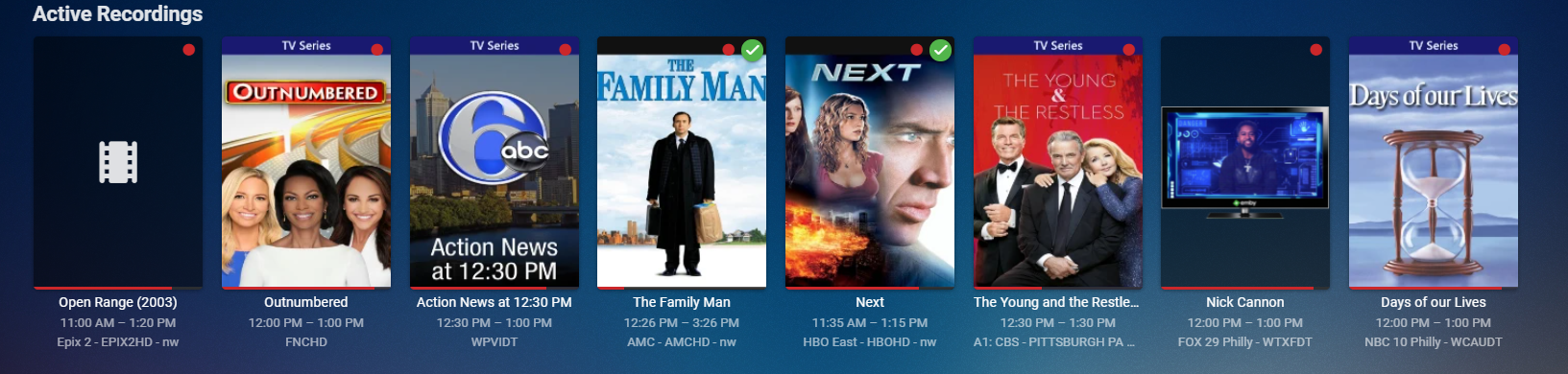
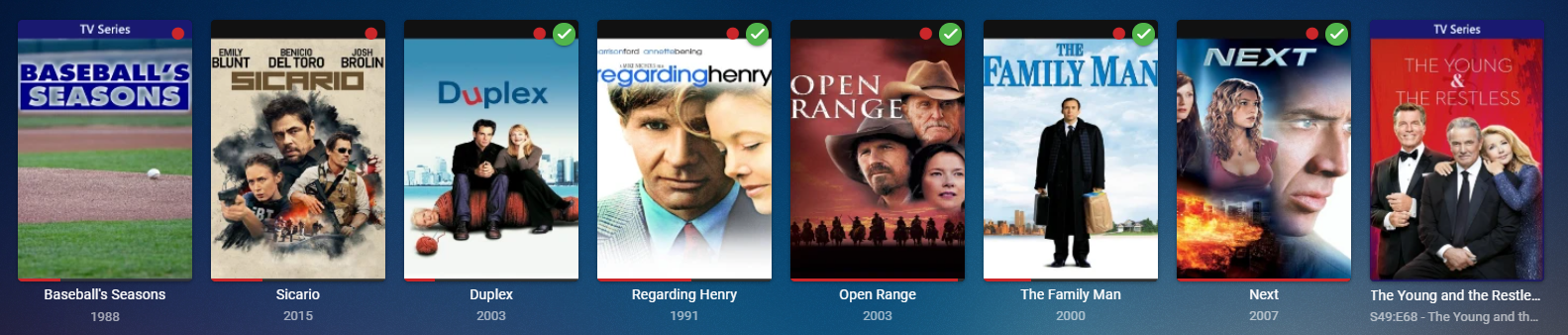
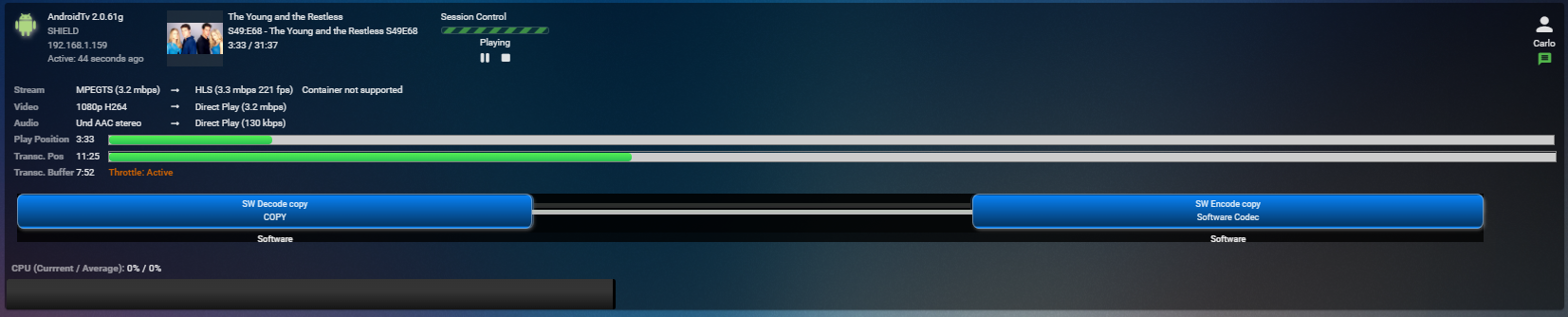
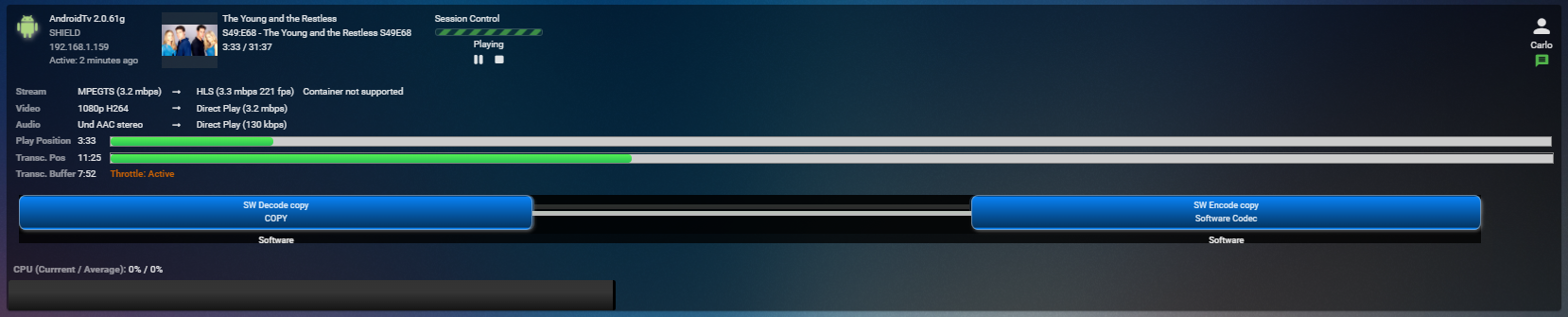
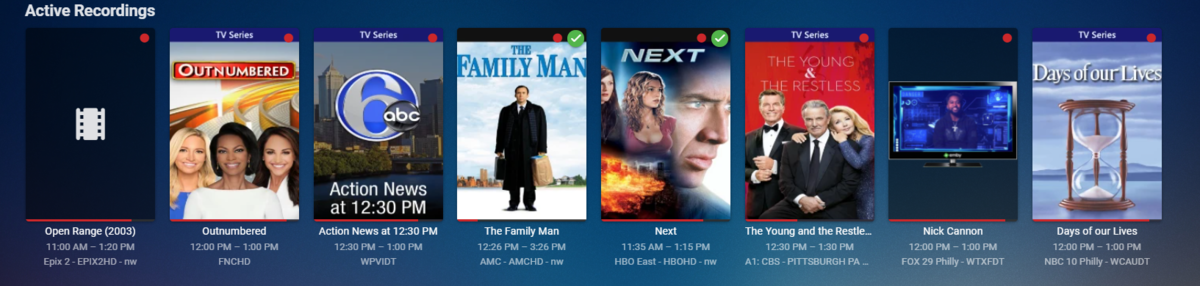
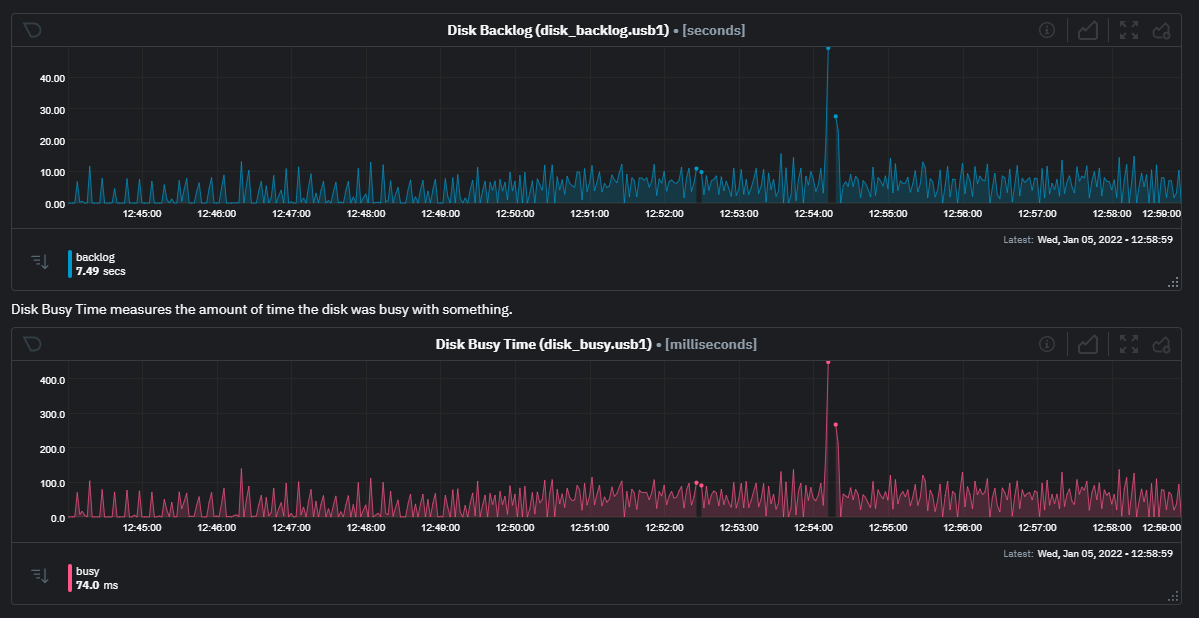
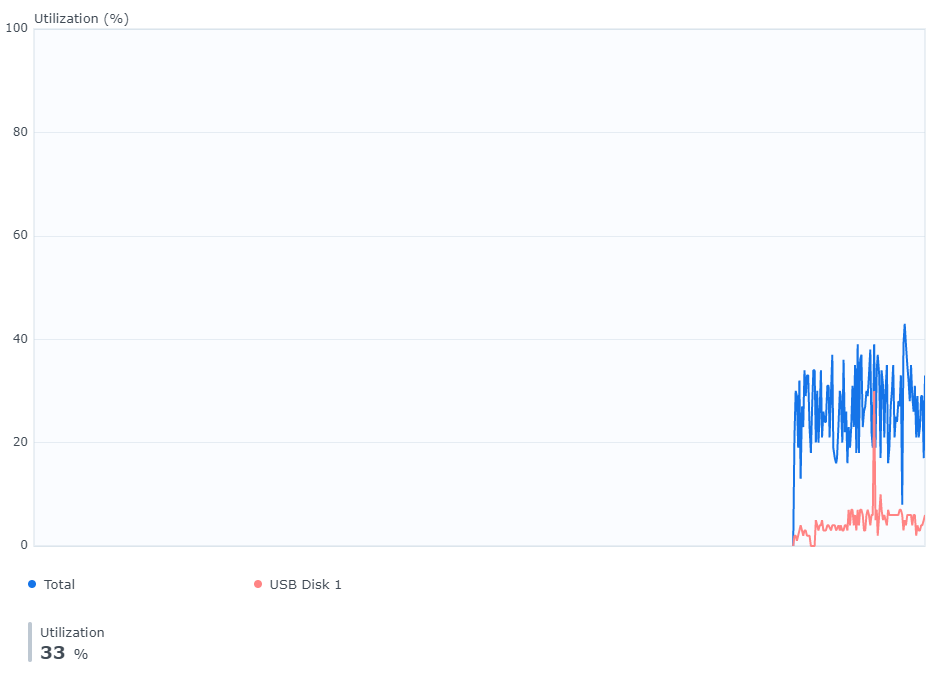
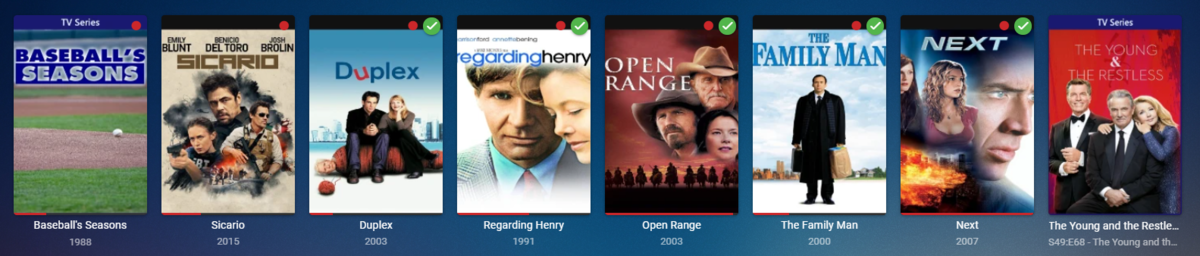
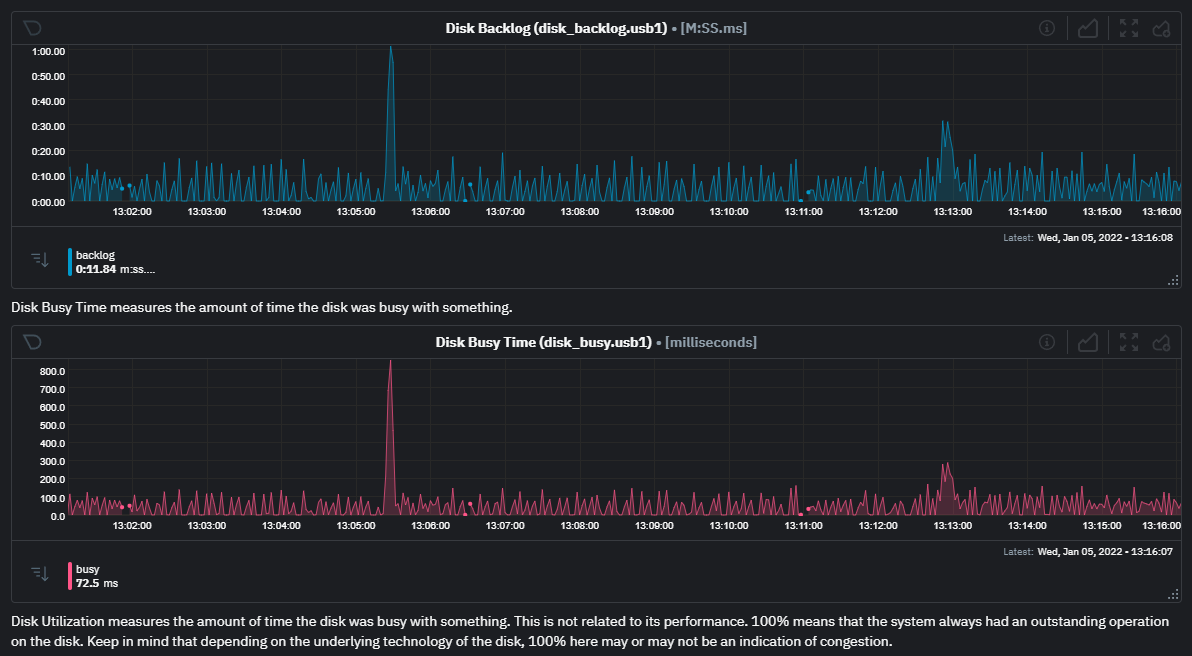
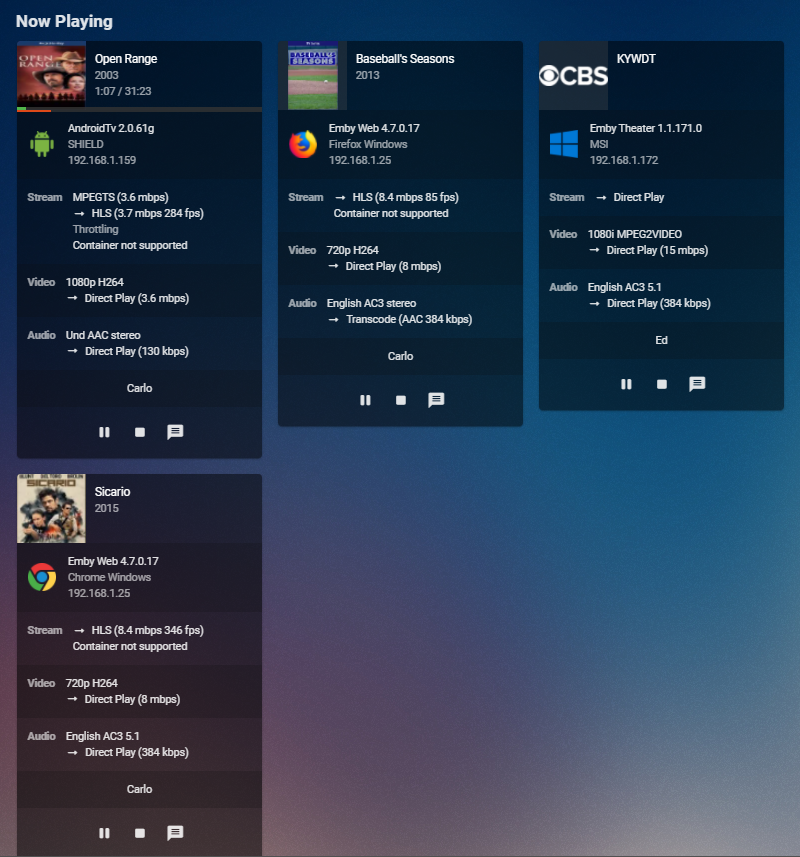
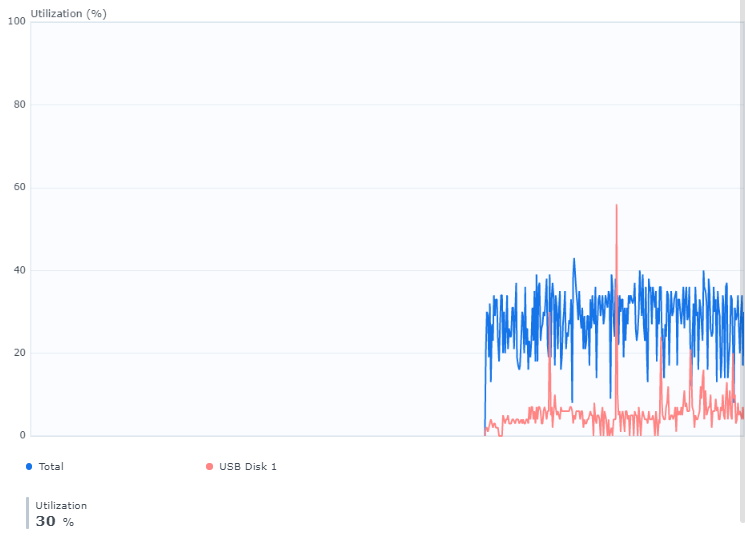
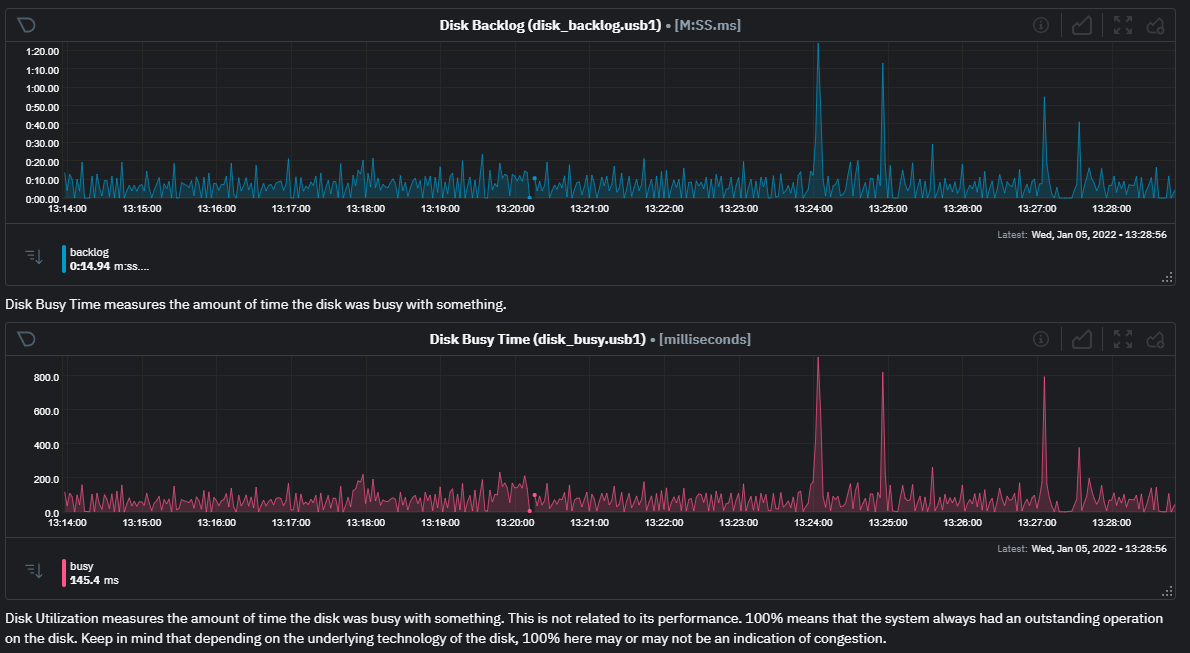
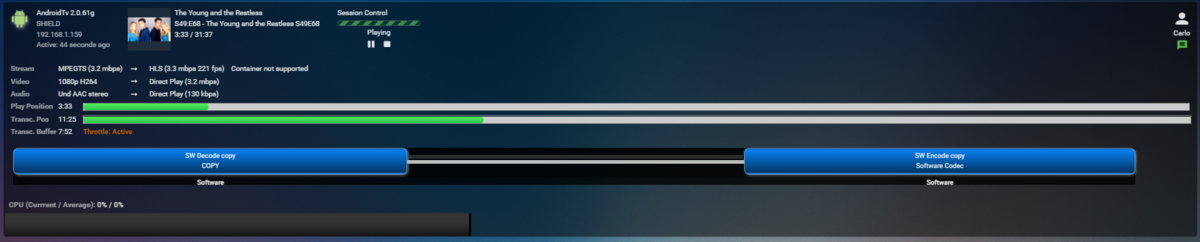
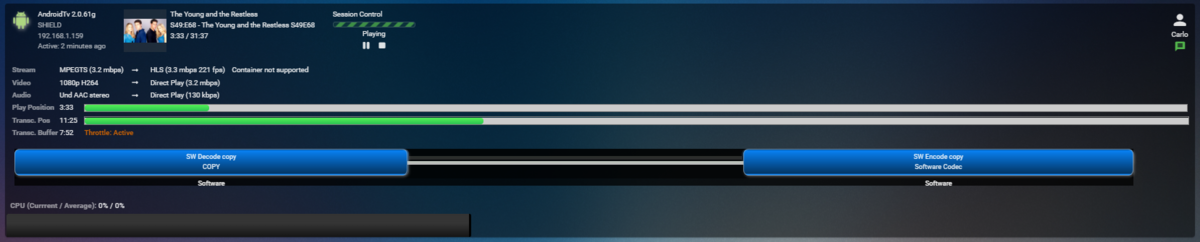
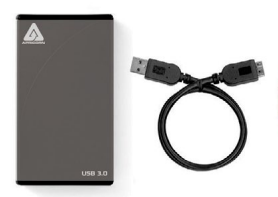
I don't want you guys to think I've forgotten about this as I haven't. It's just turning out exactly how I expected and I'll show you what I mean. First, trying to use built in Synology monitoring tools is hit or miss depending on system load. At a certain CPU load the monitoring doesn't update making it less than useful. I've since tried to make sure nothing was going on in the system to avoid this issue. What I used for this test was an Apricorn EZ Upgrade 3.0 casing with a Samsung SSD 850 Pro 1TB Drive. https://www.samsung.com/us/computing/memory-storage/solid-state-drives/ssd-850-pro-2-5-sata-iii-1tb-mz-7ke1t0bw/ This particular drive will not be a bottleneck as it's a lot faster then what a USB3 connector can handle. Sequential Read Speed: Up to 550MB/s Sequential Write Speed: Up to 520 MB/s Random Read Speed: Up to 100K IOPS Random Write Speed: Up to 90K IOPS This was attached to the front USB3 port on the Synology 920+. I've set Emby to use this drive for DVR recording as well as transcoding. So this drive will handle both of those ops taking the storage array and 2 nvme cache chips out of the picture. Here I have 8 channels being recorded with no playback. DSM Monitoring tool set to real-time utilization of just this USB drive shows: If I look at NetData info for this drive I'm pulling from the Synology 90+ I see these two items which are the most helpful of the stats. These two stats are very respectable. So now I open Firefox and start playing back the MLB recording which plays via Direct Stream so it's being remuxed. I open another tab and start playing back Sicario which also Direct Streams. Using another computer I start playing back the young and the restless. Then another: DSM Resource monitor still shows: Netdata info is still respectable: Busy time went up a bit as well as the backlog but still plenty left. You can see a few spikes in Disk Busy Time when new sessions were started but it quickly recovered. At this point this were straight recording and playing. On the Shield TV if I FF it was pretty responsive if the channel was an IPTV channel already in H.264 but when it was a channel from an HDHomeRun in mpeg2 format the FF with a single click or two was usually OK but if I did any substantial jumps (ie trying to skip half time) it seemed to freeze. The above recording is only 3.2 mbps so it's pretty light for mpeg2. What this tells me is that there is a difference between the codecs and how it affects FF. I think this plays into user issues of not being able to FF during sporting events like NFL games as these will most likely be mpeg2 format on cable and most certainly from OTA tuners. But what this set of tests do show is a single 6 gbps SATA SSD plugged in using a USB3 port at 5 gbps does work and doesn't seem to be a bottleneck. Actually when used through USB3 the throughput limit is probably more like 3.5 gbps. I'm going to try testing a slightly different way by recording some mpeg2 channels and then playing back those recordings to see if the issue is the same from disk or tuner.
 1 point
 -
Hmm, are you certain the video is direct playing?1 point
-
I dont really understand.... Movie just on the same page when they are Seen have a marker... I understand the change you made for tvshow showing only remaining épisodes and nothing when all IS watched. This was disturbing but in fact was a good Idea. But collections (movie sets) are not tvshows. So they are shown among movies with no rule at all (nothing) I would understand that you dont show a number (as with coverart we Can Do something) But i dont really understand why when all are watched the collection IS not marked juste like the individual movies that are exactly on the same page just next to it.1 point
-
HLS and TS are two different things. HLS is a Live Streaming protocol while TS is a container (albeit a very rudimentary one). The Emby Server isn't really designed to accept a live streaming protocol and then pass that on to a different device. TS is actually the container we use within HLS. Your provider is giving you the option to either deliver the streams as raw TS (transport streams) or via HLS (as a m3u playlist). The latter is only really very useful if the stream is being directly consumed by the playback device. Before you ask the next question no, we cannot just allow the app to directly consume the stream from the provider - at least not in any of the apps in an app store.1 point
-
@chef joined thanks in advanced!1 point
-
Hello, I don't know if the 4.7.0.19 beta borked it or that Tesseract got updated to version 5. Because I updated Emby and the jail at the same time. But all was fine with 4.7.0.18. I got the same error as you did. Error FfmpegManager: ProcessRun 'ffmpeg -hide_banner -version' Error Output: ld-elf.so.1: Shared object "libtesseract.so.4.1.3" not found, required by "libavfilter.so.8" System.Exception: System.Exception: Error running ffprobe for file:"/tmp/test.mkv" - ld-elf.so.1: Shared object "libtesseract.so.4.1.3" not found, required by "libavfilter.so.8" I fixed it by compiling Tesseract 4.1.3 from source and symlinking libtesseract.so.4.0.1 to libtesseract.so.4.1.3. Because for some reason the lib got compiled to libtesseract.so.4.0.1. Since Emby is asking for the 4.1.3 lib and I couldn't find a built package for it I had to compile it myself. But it would probably work with version 4.1.1 too. ln -s /usr/local/lib/libtesseract.so.4.0.1 /usr/local/lib/libtesseract.so.4.1.3 During the build process I got errors about timeval and fixed it by adding #include <sys/time.h> in file /src/ccutil/ocrclass.h.Which you can find in the folder you get after unpacking the source.1 point
-
Hi, it's hard to guess what might have happened in the past but if you can get it to happen again then please capture the emby server log and we can go over that example. Thanks.1 point
-
I was asking about port forwarding not port management. Forwarding is the rules setup on the router to tell it to take inbound traffic on a specific port from the outside and send it to a specific IP on the inside of the your network. Without that setup Emby Server would have no way to receive any Internet packets (it didn't solicit).1 point
-
Yeah, that fileorganization.db was a wall for a few mins, but I just read up a few comments and it was covered. I will rename the files, but here is a bit of a twinkle of an insight.... I looked at my BACKUP of my media UNRAID media folder (which lives on a windows machine still, using stablebit drivepool) and noticed that the files this was "updating" were all AVI files EXCEPT for S01E21 which happened to be MP4. So I noticed it OVEREWROTE all of the avi's which was what was expected (that's how it was set, although it seems like on windows with same settings it put them side-by-side but that might just be with mp4 and mkv... something used to behave contrary to my settings of move and replace/overwrite existing, but I can't recall exactly what the settings were and it probably doesnt matter as things have "moved on" with the plugin it seems) Anyway, I just thought it strange the one file that just got dropped into a black hole, was the one that wasn't overwriting an avi file (doesn't explain why it showed a problem with E20 at all though)... but I still have the windows embyserver installed (disabled) on my backup location, and I need to start that up and disable all of the metadata updating (everytime I start that server it is jacking up my backup script when it makes changes) So I will see how THAT (old plugin handles it on windows VS how the new plugin handles it on UnRAID and let you know if anything is not as expected) Sorry for rambling... it was kinda stream of consciousness and I don't have time to go back and edit it atm.. -G1 point
-
New beta version available 6.2.5: delta changelog: add support for Kodi delete function @SwanStream please perform a test fix artwork issue (landscape) Comment: This is probably the next stable version. Let me know if there are any issues. Also let me know, if I forgot any reported issues. Currently I have no more bugs on my list. @jaybird2203 The music compilation (soundtrack etc.) feature request is still on my list, but probably after the next stable version. As mentioned, this requires a lot of work and I don't want to implement these major changes yet. It's too risky that something else will break.1 point
-
Thanks Mbarylski... I had all the fun programming it. Everybody on this forum has contributed, including you, to make the tool better. Vic1 point
-
Please make it stop.1 point
-
I think ATV is one of the few clients with an option to hide the mediainfo on clients. To me it's nice on the webclient where I do my admin stuff (can be turned off with css), but when viewing on the TV it is information overload and distracts from the viewing pleasure by my wife who understands nothing that is down there.1 point
-
I had built a stream relay that I use for something else. When I saw their site I too wondered what the catch was and figured I'd setup a little honey trap with an m3u file using streams that ran through my system that was already in place. Logs always clean of IPs except the ones I expect to be there. That of course proves nothing but I've not had any issues with any of the services I've ran through them either. What I mean by that is if they were doing something like reselling your streams it would be cause problems when you're over the limit and get cutoff, etc. I think they do it because they needed that for themselves and just made it available to others with a donation. I know some providers do not like them and probably for good reason. They can convert the "unspoken" format that has become popular back to m3u/xml files which makes them ok in my book. But like anything else when you put a bit of trust in someone you don't know, keep an eye on things and stop using them and immediately change your provider password if something is wrong. Personally, for the value they add to my m3us vs what I'd actually be out if something was wrong is a no brainer for me.1 point
-
Good trip at least? LOL Yea, it's quite simple to use with powerful results. One of the things I really like is creating your own Groups like News, Kids, Premium, Local, Sports, etc and move the channels into your own groups. Emby imports the groups as tags and allows you to filter or show only the tags/groups you want to see. This is useful when you don't want to see Reality TV or Kids channels, Wife doesn't want to see Kids or Sports channels and the kids nothing but their Kids channels. Each person can setup the guide their own way with groups and sorting. Not sure if this is available in all Emby client apps yet but it's on most.1 point
-
Yes it makes sense. Thanks.1 point
-
Hey, @Luke, about this page, may I suggest adding a note to say that the conversion settings are controlled by the Transcoding page? Actually, this is a confusing paradigm. We have three places to control the same thing and there is no way for a user to understand or predict the outcome. The conversion should not be connected to the transcoding settings since the conversion cmd has its own quality settings, and they are really for different purposes. I'd want diff settings for transcoding on the fly where it could make or break my viewing experience, but I can run conversions when I know I don't care about hardware capacity and I can get better quality.1 point
-
Hi, The rotten tomato audience score would be nice as it is closer to the reality. It would also be nice to give our own score (0-100 or 0-10) instead of just a heart (and sync this data with our TMDB/IMDB account). This way everything would be in sync. Thanks1 point
-
Oh that is interesting... just to make sure I understand. The expected behaviour is to replace the file in the library? On windows the file is copied, but on Linux the file is replaced? Except for the one file which just disappeared. You guys will have to forgive me, I might be absent for a couple days here. I am battling that famous virus. I will be back!0 points