Leaderboard




Popular Content
Showing content with the highest reputation on 12/12/21 in Posts
-
No, Emby does not use log4j.4 points
-
Sometimes you just can't have everything3 points
-
Hi, Since I am using more and more TMDb, (since tvdb is more and more a mess), I am missing a very important feature. tvdb had the feature of grouping stuff into aired, DVD and absolute, which is supported by emby. TMDb had also this feature. See this example for "La casa de papel" (Money Heist, Haus des Geldes): The Original Order is allways the "aired order" of the original country. "La casa de papel" was originaly released by "Antena 3" and was taken over by Netflix, which results in different episodes ordering, which is a mess. They solved it in episode grouping. This feature is missing from emby, but it's integrated in their API and is allready supported in other apps, like kodi. At least, Banana a TMDb Mod claims it, that it's supported by Kodi: https://www.themoviedb.org/tv/71446-la-casa-de-papel/discuss/5e7032d84f9a99001152704f?page=1#5eb76872ca7ec6001f7c53cb Is it possible to add this feature into emby? It is the last scraping feature, I really really miss for TMDb on emby. It adds much flexibility and is overall a much better solution, than on tvdb with their aired, dvd and absolute order. Another great example is Dragonball Super: As you see, it adds much more flexibility for different regions over the world. It's in my own eyes a must have for emby!

 2 points
 -
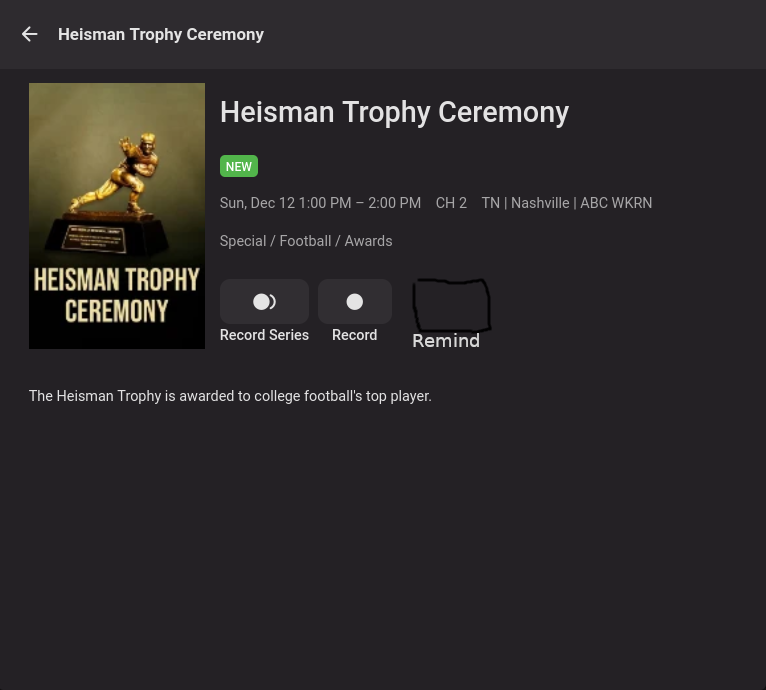
Not sure if this has been requested but it would be nice to click on a future scheduled program and have a reminder to switch or just automatically switch to that program when it begins.
 2 points
 -
Not currently, no, you can only partially hide them. But Playlists are due for revamp, hopefully issues discussed in below topics will be addressed:2 points
-
Or disable UPnP altogether and do manual port forwards?2 points
-
Please post a server log to show the actual sql error but you will have to follow the KB depending on the error. If a corrupt malformed db you will have to do the last step. Corrupt Database : Emby2 points
-
Yes, and at some time, transcoding only worked with every second or third file2 points
-
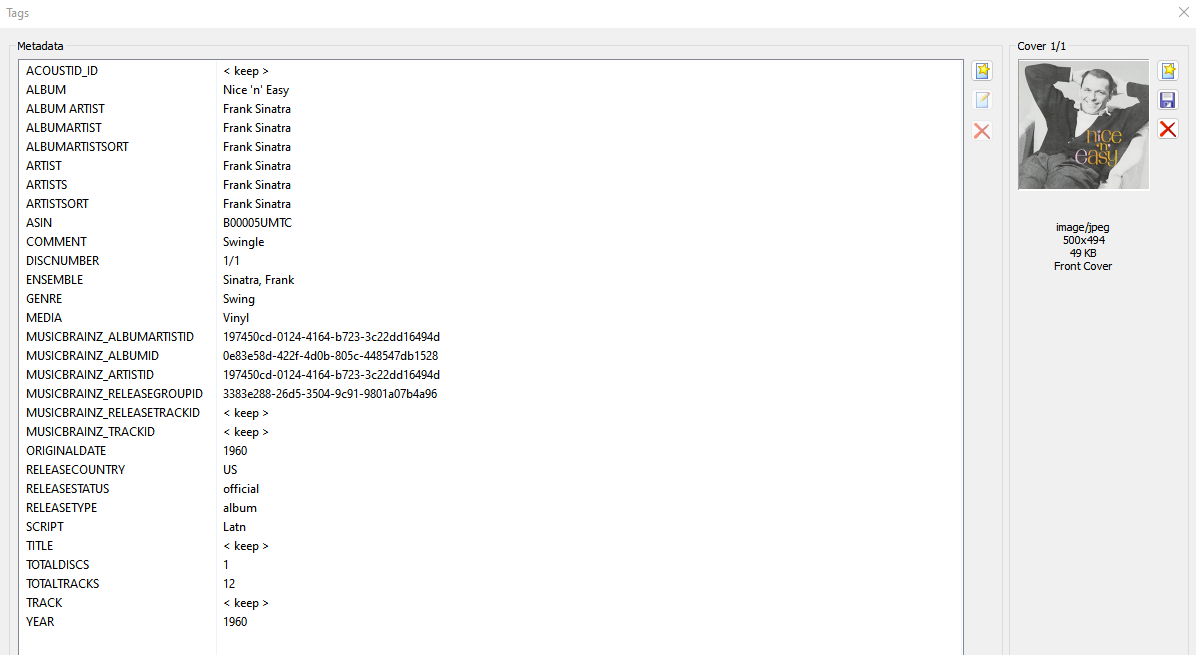
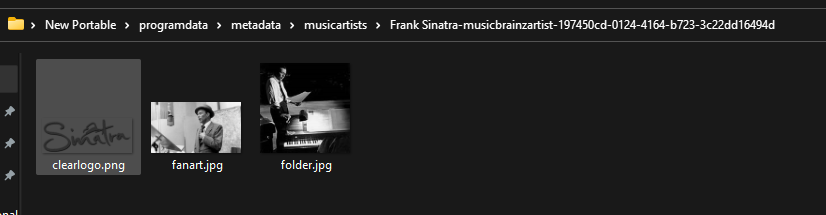
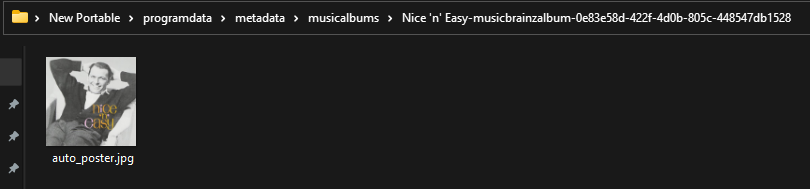
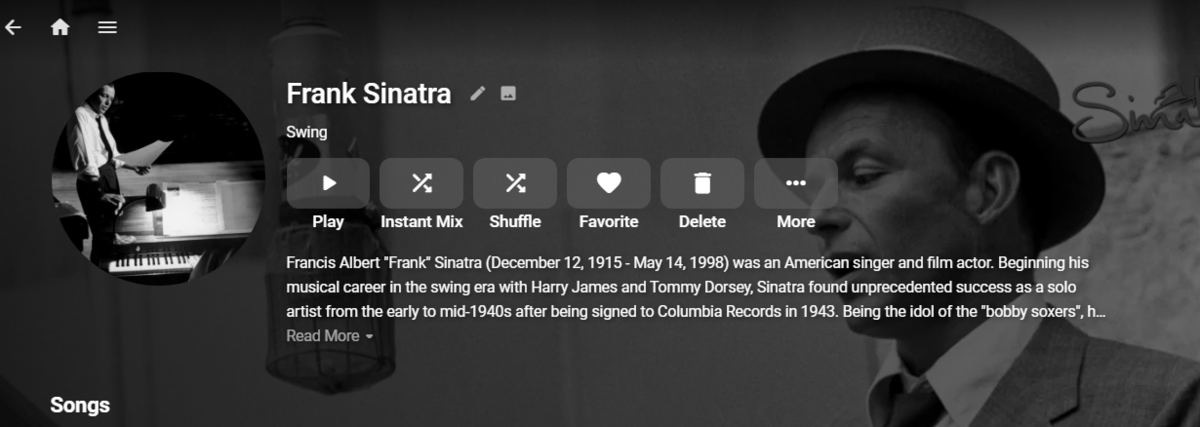
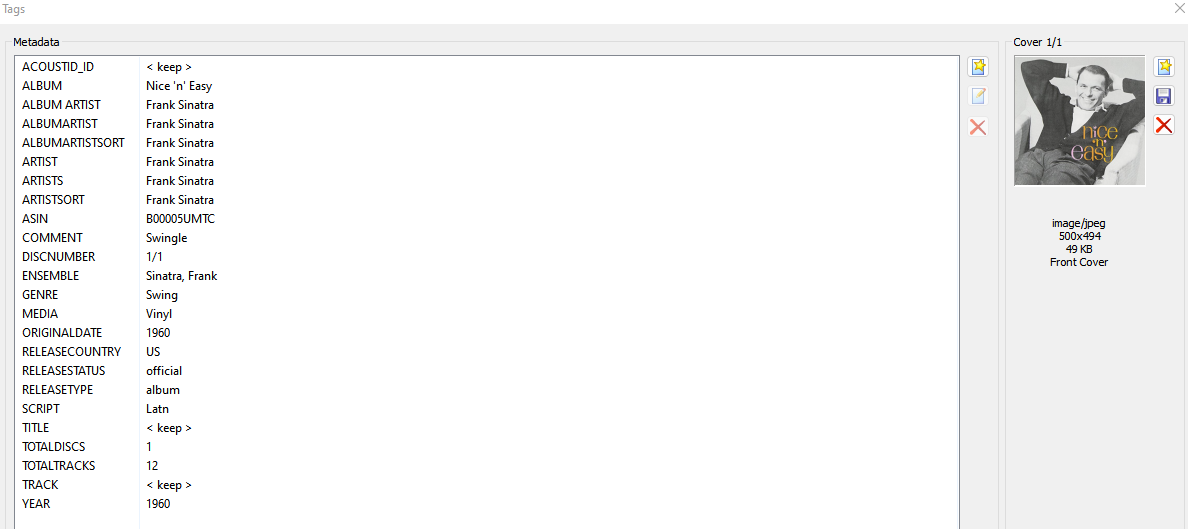
Can only guess this comes back to possibly embedded track metadata as I had no issue on a new portable with your library settings (only thing I did not set were the language fields). 12 tracks with this But as you can see each track is providing an MBZArtistID so it has an id already provided for lookup making artist name irrelevant. C:\Users\Media\Desktop\Videos\Music test5 Frank Sinatra Nice 'n' Easy (1960) tracks Only issue was it wrote to /metadata instead existing structure. So we need to break it down from track to structure, to include server log.
 2 points
 -
I've also locked all the doors and pulled up the bed covers really tight! Krs Mark2 points
-
I can open any bif file. Open the exe, click view, then click file and navigate wherever the bif file you want to open.2 points
-
The Mult-Select in the Server web app is super-useful (I'm so grateful to those that introduced me to it!). But given that the Server web app has some excellent filtering functions (eg, in my case I make use of filtering by Tags) it would be very handy to have a "Select All" functionality, so that I can filter down to the results I'm looking for and then easily add them to a Collection (or, when eventually we have Bulk Editing abilities, open a Bulk Edit view on all the Selected items). Thanks! PS - If this is something you might like to see implemented, be sure to "Like" this top/first post (as well as any subsequent posts in this thread that highlight particular aspects of what you are interested in) -- "Liking" the top/first post helps the Devs to know how much interest there is in a given Feature Request.1 point
-
add :not(.padded-right-withalphapicker) as those elements apply to Songs tab scroller, don't know why filter would cause this action though.
 1 point
 -
Did you try ":not" for that element?1 point
-
Correct as this update would be more than just a plugin update as the server core has to be updated also.1 point
-
AFAIK in beta thread (4.7+) only.1 point
-
It will likely get implemented eventually at some point with v4 plugin update, as TVDB v3 API (which is still widely used) does not provide such functionality.1 point
-
I have heard both - if you have never heard discreet, then you'll be impressed, if you have, then you'll be disappointed with an Atmos soundbar - just my opinion.1 point
-
Hi, yes it's not a bad idea. Thanks.1 point
-
I'm not sure if all the blame is with Tizen tbh, because the Plex app is available on Tizen, in any version. Thanks for the suggestion but Emby is not listed with that setting.1 point
-
Nope sure can't. I forgot about that and the problems it brought with it. I guess that's one of those things that sounds better than it is. LOL1 point
-
Very clear explanation. Thanks as always!1 point
-
It's just letting you know about a common exploit that's been found that does affect many people. Unless you're running those apps you have nothing to worry about with a typical Emby or Emby/NGINX setup.1 point
-
Yes, first i updated my response and now my recommendations a) Download Handbrake and convert the file to something more common b) Avoid level 5.2 stuff as it really makes no diff stick to 4.x level stuff which has better compatibility c) rip your own Dvd's and Blu-Rays hell Laserdisc if ya like, as thats the right thing to do1 point
-
@GrimReaper I appreciate the quick update, thank you. I was poking around in the interface and online looking for answers so thanks for validating the current behaviour.1 point
-
Good morning Yarafie... Glad to see it working. I will implement your suggestion to make the tag/lock menu more directed to what you are doing. First, I want to get the functionality correct and debugged. I learned a great deal from implementing locks that I never knew existed. I am learning the Emby API one step at a time. All learning is fun. Vic1 point
-
No, I have not added filters to liveTV yet. I got so interested in trying to figure out how to do locks that nothing else got done. Vic1 point
-
You add locks just like you add tags. I tried to fix a bug but didn't have time to test it. The attached code may work better for you. In any event test with caution to make sure everything is as expected before changing a lot of locks on things. Vic EmbyTagApp12.html1 point
-
Having temp transcodes running in the default location could give the impression of a much higher than normal usage. Having BIF files not stored with media can easily put your Emby folder over the TB mark if you have lots of content. Those are probably the two leading disk hogs but neither has to be under the Emby folders.1 point
-
Also waiting on the answer. Shut down my Emby server in the mean time.1 point
-
Well these are a per library option to write nfo files and save images into media folders. There is an option for a custom /metadata location on Library, Advanced tab. But note if this is not set before ever creating libraries you will have entries in the database that will point to default location and all new items will point to applied custom location. So you will have to maintain both unless you are going to Refresh everthing. There is no custom location for nfo files, they are with media or info only contained in the current database.1 point
-
Also note debug logging will/can provide additional info but does create additional overhead. Line 489: 2021-12-11 19:03:34.805 Info HttpClient: GET https://musicbrainz.emby.tv/ws/2/artist/?query="Frank+Sinatra"&dismax=true Line 501: 2021-12-11 19:03:35.212 Info HttpClient: GET https://www.theaudiodb.com/api/v1/json/2139078587215309723505/artist-mb.php?i=197450cd-0124-4164-b723-3c22dd16494d Line 510: 2021-12-11 19:03:35.483 Info HttpClient: GET https://webservice.fanart.tv/v3.1/music/197450cd-0124-4164-b723-3c22dd16494d?api_key=5c6b04c68e904cfed1e6cbc9a9e683d4 Line 517: 2021-12-11 19:03:36.550 Info HttpClient: GET https://assets.fanart.tv/fanart/music/197450cd-0124-4164-b723-3c22dd16494d/artistthumb/sinatra-frank-505d2c41b3d89.jpg Line 531: 2021-12-11 19:03:38.165 Debug ProviderManager: Saving image to C:\Users\Media\Desktop\New Portable\programdata\metadata\musicartists\Frank Sinatra-musicbrainzartist-197450cd-0124-4164-b723-3c22dd16494d\folder.jpg Line 532: 2021-12-11 19:03:38.171 Info HttpClient: GET https://assets.fanart.tv/fanart/music/197450cd-0124-4164-b723-3c22dd16494d/hdmusiclogo/sinatra-frank-505d28cbde91e.png Line 533: 2021-12-11 19:03:38.479 Debug ProviderManager: Saving image to C:\Users\Media\Desktop\New Portable\programdata\metadata\musicartists\Frank Sinatra-musicbrainzartist-197450cd-0124-4164-b723-3c22dd16494d\clearlogo.png Line 534: 2021-12-11 19:03:38.481 Info HttpClient: GET https://assets.fanart.tv/fanart/music/197450cd-0124-4164-b723-3c22dd16494d/artistbackground/frank-sinatra-4e4af7c6e04e2.jpg Line 541: 2021-12-11 19:03:38.874 Debug ProviderManager: Saving image to C:\Users\Media\Desktop\New Portable\programdata\metadata\musicartists\Frank Sinatra-musicbrainzartist-197450cd-0124-4164-b723-3c22dd16494d\fanart.jpg This could just be a timing issue also as it will take a while to process this much information. I am testing with 1 Artist/Album, so it is almost instant.1 point
-
Performed the same test on a clean install with your library setting, with all MBZ tags remove and same results as above. Line 293: 2021-12-11 18:43:05.512 Info HttpClient: GET https://musicbrainz.emby.tv/ws/2/artist/?query="Frank+Sinatra"&dismax=true Line 295: 2021-12-11 18:43:05.978 Info HttpClient: GET https://www.theaudiodb.com/api/v1/json/2139078587215309723505/artist-mb.php?i=197450cd-0124-4164-b723-3c22dd16494d Line 297: 2021-12-11 18:43:06.299 Info HttpClient: GET https://webservice.fanart.tv/v3.1/music/197450cd-0124-4164-b723-3c22dd16494d?api_key=5c6b04c68e904cfed1e6cbc9a9e683d4 Line 300: 2021-12-11 18:43:07.384 Info HttpClient: GET https://assets.fanart.tv/fanart/music/197450cd-0124-4164-b723-3c22dd16494d/artistthumb/sinatra-frank-505d2c41b3d89.jpg Line 325: 2021-12-11 18:43:08.858 Info HttpClient: GET https://assets.fanart.tv/fanart/music/197450cd-0124-4164-b723-3c22dd16494d/hdmusiclogo/sinatra-frank-505d28cbde91e.png Line 326: 2021-12-11 18:43:09.059 Info HttpClient: GET https://assets.fanart.tv/fanart/music/197450cd-0124-4164-b723-3c22dd16494d/artistbackground/frank-sinatra-4e4af7c6e04e2.jpg So, a log should provide us info for a specific example.
 1 point
 -
That makes total sense but still makes debugging harder when we see what's on the detail screen and it's not accurate. It would be cool if we could default to using media info instead for these types of files if it was user supplied and the location entered (assuming we can't distribute it). That could be quite helpful for users with ever growing 4K collections. Even though we may not be able to transcode such files, we still have some clients that can play them.1 point
-
Follow up, actually since "Save images into media folder" is disabled it would apply to both Artist and Album. So Emby is doing what it was told to do.1 point
-
Yes thank you cayars. It works great.1 point
-
Until/if ever core supports identifying those (read: ffmpeg/ffprope), no plugin can present any kind of badge, colored or not. Some lenghty reads here:1 point
-
Another vote for this feature because it's something that I've been hoping for years, so Emby Homescreen is not limited to just libraries and the few Home screen sections . Users should be able to show custom playlist or ONLY playlists on home screen if we want to, because let's face it, categories like TV, Movies can't simply categorize all the different topics, genres, watch sequence etc.1 point
-
نظرًا لأننا نتحدث عن مكتبة المجموعات ، فلا توجد طريقة فعلية للإزالة بمجرد وجود المجموعات. ستحتاج أولاً إلى تعطيل الخيار لكل مكتبة لإنشاء مجموعات ، ثم حذف جميع المجموعات التي تم إنشاؤها بالفعل ، ثم هناك طريقة يمكننا بها إزالة تلك المكتبة. يمكنك الانتقال إلى الإعدادات - الشاشة الرئيسية وإلغاء تحديد العرض على الشاشة الرئيسية. Since we are talking about the Collections Library, no there is not really a way to remove once Collections exist. You would first need to disable the option per library to create collections, then delete all already created collections, then there is a way we can remove that library. You can go to Settings-Home Screen and uncheck show on Home Screen.
 1 point
 -
@ShanePCan you expand Smart Playlist to include "Music Videos" and "Home Videos" as they appear to be excluded? Music Videos are Type: MusicVideo / MediaType: Video Home Videos are Type: Video / MediaType: Video Movies are Type: Movie / MediaType: Video which works.1 point
-
The billing team came through. Its working again1 point
-
Thanks, it changed. In the mean time I found this, which can help too -1 point
-
This guide just saved my ass All iPhone, iPad, Apple TV, Fire tv and Smart tv users could not scrub, or resume playback correctly when the CF CDN was enabled. It was fine without it, but the peering was still bad. After following this guide the issue is now resolved!! instantly resolved. I had no idea CF was doing some weird caching of the Video as default that was screwing with the playback. Interesting the issue did not persist on Android TV apps, or web browsers. PS. Still don't see any HIT's showing in cf-cache-status yet, but like you said could take a while to show up1 point
-
Experience has shown over and over again it doesn't help. It's not about the throughput on one disc but the overhead of writing the small files and reading them back from slow media. Switching the transcoding path from one slow disc to another slow disc likely on the SATA bus doesn't help. We already know the answer to the question you asked because I always suggest people pick up a cheap SSD to use for the transcoding folder and their issues go away. Just moving the transcode folder to another HDD offers little or no improvement. Moving it to an SSD helps but it's usually still on the SATA bus which is what I'd like to remove from this by having a ram disc option.1 point
-
I disagree a lot and you can read this over and over in our forums. We see many systems IO bound all the time. Often it's the difference between Live TV working and Live TV not working when recording even sometimes just with one recording. My Synology 920+ wasn't good for DVR and watching at the same until I dropped two 1 TB nvme sticks in and set them up to do read/write caching which acts very similar to a ram disc since I have writes delayed. But it's still only a fast SSD and using a pure RAM disc would still be a lot better and faster if the size was managed. My two i7 computers are the same way. I can't run Live TV well on either of them either without using an SSD as the IO is a problem. It's NOT about the total throughput but the queue management of reading/writing all these files when they can't be written immediately. The slower the write media the worse this becomes even though it's the same IO throughput. This is especially true with SATA vs SCSI or SAS for example as the CPU has to be involved in the process. Ram disc change the way this works as the files don't touch the SATA bus. <cough>the competition has done this a while back removing the oldest files from the transcode folder and you can easily run 5 or 6 transcodes with a small ram disc and things work pretty well. Obviously if you remove older parts of the media being transcoded and the person backs up it might need to get transcoded again but that's a fine trade off on small ram discs and the person can always add more memory and expand the size from 2 or 3 GB to 8 or 16GB. But it does make a huge difference. Even going from HDD to SDD can make a substantial difference to Live TV and recording!1 point
-
So I've started working on a full page UI for desktop resolutions >1400px width. My main goal is to reduce the amount of items or information that are hidden below the scroll line so that users don't miss out on content that they haven't scrolled to see. In addition, I would like to leverage the additional artwork items that Emby stores for each media item like the ClearArt, extra Fanart, etc. I've used the cast CSS in the Midnight Campfire thread, so credits to @@VaporTrail for that. I haven't worked on anything except a mockup for the Movie detail page. I'm still trying to figure out the best way to place all the elements, but I wanted to post here in case anyone was inspired or had any feedback. Ideally I'd like to have all the controls on the left side above the poster, but that will lead to a fairly small poster size unless I can figure out a better solution. Still thinking about how to best approach this. I'd like to maintain some consistency between the views for Movies, Series, Seasons and Episodes.1 point
-
Was looking for previous topics but code has changed over time. But this is section dependent. As my code is for My Media in section 2 via User Settings-Home Screen settings /*Replace Section Header title*/ div.homeSectionsContainer div.section1 div.sectionTitleContainer h2 { text-indent: -9999px; line-height: 0; /* Collapse the original line */ } div.homeSectionsContainer div.section1 div.sectionTitleContainer h2:after { content: "Libraries"; text-indent: 0; display: block; line-height: initial; /* New content takes up original line height */ }
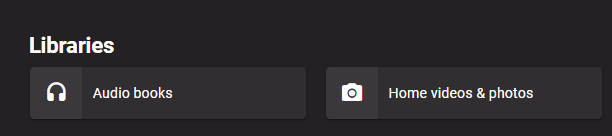 1 point
 -
My 2 cents and my case: I just installed Emby and got to flag -almost- everything in my libraries as "viewed": the actual UI/UX is a little cumbersome for that task. I understand it's a little of a "corner case" but it's likely to be the first impression a new user will form about the application. A simple "select all (/ deselect all)" *inside* the various library view would be appropriate; a dedicated "list" view to be used with arrow keys and space bar as selector would be marvelous; a click and drag to select multiple item at a time even better! ;) Cheers1 point
-
How to take a screenshot on the (new) Google Chromecast with Google TV. You will need to install the Button Mapper app onto the Google Chromecast with Google TV device, so that you can create a shortcut button for taking screenshots. The long-press of the HOME button on could be used capture screenshots. The images are then stored in the Pictures folder, so you will also need a file manager app, such as X-Plore. From there, you can copy/move etc., like any other file.1 point
-
Keep in mind Emby is a media streaming and aggregator of metadata for your media but wasn't designed to be a file manager or media manager. Many people over time wanted the ability to delete a movie/episode after watching it as they sort of use Emby as a DVR and only care to watch something once and remove it so Emby accommodated that request. People over time have wanted all kinds of features like using Emby as an FTP server so they can "upload" files to the server (probably nice for remote servers) or to allow friends to add to their collection. Others have wanted to be able to use Emby to move folders or relocate files, etc There is the Auto Organizer plugin that can help a bit with this especially used in combination with the upload directory of an FTP server. Of course there are tools specific to doing these types of jobs like FTP servers for handling the uploads, media managers that make working with the content directly, etc... A lot of the old timers wouldn't want Emby to spend time adding "media management" features to the product as they feel it's not needed and a waste of dev resources trying to build another mouse trap that already exists in other forms. Yet some feature that are geared to the metadata would be welcome. It would be nice to multi select files and be able to add a TAG to them all at the same time. Same with being able to select a few files and do a meta refresh on them. These latter types of things I'd personally love to have but not things that change the media or move them.1 point