
Leaderboard




Popular Content
Showing content with the highest reputation on 12/08/21 in Posts
-
What would you need that for with family and friends only accessing your server? Don't see the usecase tbh...4 points
-
I have to agree with fallenwitch3r here. Apart from storage usually not being that big of a deal, once you have verified the intros are correct you can disable the option and let it extract them on-the-fly again. I think, for verification this would be real benefit. But, I am repeating myself, you already know my view on that.3 points
-
No thanks for the ideas ! It's the usual problem of having too many great ideas, but not enough time to implement them ! Remember - none of the IntroSkip dev's are Emby staff - they all have full time jobs and are giving their free time to develop this awesome plugin2 points
-
How about now?2 points
-
I don’t know if anyone is interested, or if you might already be doing this, but if anyone wants to cut commercials from recorded shows automatically and not have to use another program, such as MCEBuddy, there is a way to do the entire process on a Freenas box. Personally, I think this makes EmbyTV a killer DVR app. You can adapt it in many ways, but what I have below is what I use. It cuts commercials from over the air shows and converts the show to .mkv format for easy viewing. You can also add commands to move shows to other folders if you prefer. Caveat: this will not work for copy-once or copy never content (from many cable companies), since, as far as I know, you cannot cut commercials from those recordings. This guide is only very slightly adapted from the excellent work of bollar and a few others in the Freenas forum. The original thread outlining these steps for Plex users can be found here: http://forums.freenas.org/index.php?threads/plex-dvr-commercial-skipping-with-comskip.46081/ Start by installing dependencies. Go to the jail and open a shell session. You can do this in the Freenas GUI either by navigating to the jail and clicking on the shell/terminal icon on the bottom of the page, or by opening a shell session and using jexec 1 (if 1 is the number of your jail – find out with the jls command, which will give you the jail id of jid of your jails). For anyone using an iocage jail, use ---- iocage console <jailname>, then cd / (the latter to get to the primary root in the jail) Then install the following (this is the updated version): pkg update pkg install git argtable autoconf automake libtool ffmpeg Say "y" to all if you wish to install them. If interested, git is added to fetch comskip (later step and the heart of the process) and everything else is needed to either compile or help comskip work. Change pkg-config references to pkgconf and install pkgconf pkg set -o devel/pkg-config:devel/pkgconf pkg install -f devel/pkgconf Set the compiler to clang. Probably a totally unnecessary step, but clang did not work well with the initial instructions and gcc was used. Clang now seems to work fine; setting the environment to clang is just for safety in case you have changed to any other compiler. I believe clang is still the native compiler in freenas. setenv CC clang Get comskip and a version of Brett Sheleski's comcut that I modified -- the latter can be used as your post.sh file in Emby. And make post3.sh executable. You can also go to Brett Sheleski's github page to fetch his original comcut if you prefer. The command would be -- fetch https://raw.githubusercontent.com/BrettSheleski/comchap/master/comcut. If you go that route you will need to install bash since his script is written in bash (post3.sh is a pared down version of the original comcut using sh, so employing fewer dependencies). I'm not sure how well comcut will work as a post.sh file since it uses bash. if you want to use the original comcut you will likely need to create your own post.sh file (there are good examples in the thread and in the original thread from the Freenas forum), most which use handbrake for video conversion (you can add handbrake with pkg install handbrake). The original comcut does not include a command to convert .ts files to .mkv or .mp4, but most of the post.sh examples you will see do. These post.sh files are simply another step that calls comcut just as comcut calls comskip to do the work. I use ffmpeg to do the video conversion since handbrake is mostly just a gui wrapper around ffmpeg -- that is what is in post3.sh (the script is in another post near the end of the thread). /usr/local/bin/git clone https://github.com/erikkaashoek/Comskip fetch https://raw.githubusercontent.com/pawhite/Commercialcut/master/post3.sh chmod +x /post3.sh Then, compile comskip, which is in the Comskip folder that you just downloaded. cd /Comskip ./autogen.sh ./configure make install Last, fetch a copy of comskip.ini to help comskip do its job. fetch https://raw.githubusercontent.com/pawhite/Commercialcut/master/comskip.ini And that is all you need. This sequence of steps will put all dependencies in their proper place to work with post3.sh. You then simply add post3.sh to the dvr post-processing section in Emby, and you can then cut commercials, convert the file to .mkv, and remove the original .ts file (so that you do not end up with two copies of the same program).1 point
-
Hello, Perhaps I am not the first one to ask this question but it will be very cool if this feature could be implemented. I have 2 servers one at home and the other at work. ( and soon a third one...) So I have a movies library called movies on each server. I would like to see all the movies from a single 'virtual server location' when I use the app (ios or android ) where I will see only one movies library containing movies informations from the movie library at work and the movie library at home. It's an aggregation of movies informations from the movie library at work and the movie library at home. In fact when a user have multiple servers it will be perfect if another choice in the server list called "all servers" for example appears automatically with a merge of media informations from librairies with the same name on different servers.1 point
-
I know there is already the option to update the metadata of a library every 30, 60, or 90 days. The problem is when new TV episodes are added to the library before the metadata provider has a chance to add the information, often things like the episode title or the plot are missing. The information is usually up to date a few hours later. It would be great if TV episodes could be refreshed automatically at a set interval, say 6 hours, after being added to the library.1 point
-
a user should also be able to set the start and end time of a recording. example: if the first hour of a movie is missed and a re-airing is scheduled, a user can set emby to only record the first hour. disk space will not be wasted, no wasted drive activity,etc.1 point
-
you should add password complexity and minimum length to stop family members from using too simple of passwords1 point
-
Thanks I am a plex pass user but I like Emby media layout and config more so I am evaluating all the options I am using in Plex to see if Emby does it better, so far that search function keyboard input is a show stopper for me, get it working and I will sign up premiere life time1 point
-
Easiest thing is probably taking the existing one and adding hevc into the direct play profile for mkv. We can probably do this with the provided LG plugin. It seems like a safe change anyway.1 point
-
No not all of them. EG Knight Rider is always right at the beginning.1 point
-
This uses a technology called Chromaprint which is an AUDIO comparison. The bulk of the processing time is actually used up creating the 'Fingerprint' - which is a 'summary' of an entire portion of Audio per episode - say the first 15 minutes of a 60 minute show. This is pretty CPU intensive task to create this - I'm not 100% - but I don't think this would lend itself well to being a parallel task - this is where GPU acceleration shines. The only way to speed up the entire process, is more threads coupled with more disk I/O that can keep up with the demand1 point
-
No numbers don't need to be set. I'm using the same m3u in Tivimate on 4 different Android TV boxes and Solar player on a phone and the channels appear in the groups in the order they are listed in the m3u. It has been the same in any IPTV player I've ever tried on Android1 point
-
Blame Google Translate - that's where I got the translations from ! But thanks, a human touch always provides a much nicer translation1 point
-
Good Idea. Can you guys create a plugin which display the contents and rating on start of each episode? Netflix, Disney and Amazon has such overlay. It shows if the running episode include violence, flashing lights, rude speech and it shows the age rating.1 point
-
Yeah... my suggestion was to just give the user a text box and they can write in what they want to display. "Binging Enabled"1 point
-
Hello flokicat, ** This is an auto reply ** Please wait for someone from staff support or our members to reply to you. It's recommended to provide more info, as it explain in this thread: Thank you. Emby Team1 point
-
Hi , I would like to request one feature , customer expire date, and auto stop when reach expire date.1 point
-
I just want you to know what your plugin can do1 point
-
Yep - All of these are already in development, a few are in testing - we just haven't released them yet as we need to focus on the core Intro capability first1 point
-
You can do so much more with this plugin. Using your mechanics like audio fingerprinting opens the door for commercial skip on recorded TV shows or a skip recap feature. A themed style like the Netflix skip button which is in many languages. Or a play next episode button which is not using a static countdown like the the emby one. The next episode can start a few seconds after the end credits has started. I would really love to see this features1 point
-
Thank you for your help. Here the log file... kodi.log1 point
-
Ok I've found the files and saved them locally. I won't know if it works until I have to try and put them in a new install. haha thanks very much1 point
-
Back to normal.1 point
-
TrueNAS Core = FreeBSD based TrueNAS Scale = Linux based So on scale you would use a linux version if you want to set it up manually. IMO, TrueCharts is the way to go here. (01 - Adding TrueCharts to SCALE - TrueCharts) It will give you a 1-click installation to a ton of linux apps, emby included. It sets it up using the linuxserver.io docker image which is very well maintained.1 point
-
Perfectly working! Tnx so much for the super fast solution also for old os Just the Emby-next-gen plugin for Kodi now look not able to acces to the library but maybe need a local library reset. I will report on the plugin thread in case of issue.1 point
-
One other odd issue I ran into. Full scans kept failing on one server after just a minute or two. Turned on debug logging and it was a manually installed discord notifier plugin causing the fault. Removed it, scan works now. Also didn't realize how much faster fresh scans go without the screen grabber agent enabled!1 point
-
Hi, yes the backup plugin can handle this for you: https://support.emby.media/support/solutions/articles/44001159936-backup Please let us know if this helps. Thanks.1 point
-
Don't know whether it works for music (with it being tag-driven now), but Server Configuration Backup plugin would ideally take care of that. @Luke1 point
-
But not the nas, i just leave it on all time now. Anyway im happy with how its set-up. Thanks for the hints & tips1 point
-
Yeah, may not have been the place to pose this question. I guess I am looking for other UNRAID users experiences and things they maybe wished they had known going in that made things easier. Maybe somewhere like Redit would be more appropriate. Although with the official uraid docker I am curious about the pid and gid being set to 2... most use 99/100 (nobody/users) for those... but like I said, I am new to this, and just trying to decide on the best containers to use to build a similar mediaserver stack as I did on OpenMediaVault (via portainer) I may just end up modifying the paths/variables/etc in my old stack and just building that... I'll get there, but wanted user experiences, was not looking for dev "support" - so like I said, probably NOT the place here... However, if you know of a great place to get the kind of info I am seeking, please let me know! -G1 point
-
Hi, just download and install from the website again on top of your existing version. Thanks.1 point
-
1 point
-
IPTV that Plex decided to stop supporting. That's why I went from Plex to Emby some time back.1 point
-
Good news @rexerm, I was able to reproduce with test1.mkv in the exact spot you mentioned. We are working on resolving that for the 4.7 release. Thanks.1 point
-
Universal closed caption support is coming:1 point
-
Thanks for that and good tip on the Auto Movie Versions plugin!1 point
-
I would like to rate shows and movies like in plex by clicking on stars that appear under the movie. Then to be able to sort shows in library by my user rating.

 1 point
 -
Hi, yes, more book features are coming in future updates. thanks for the feedback.1 point
-
I know you didn't want staff to comment so I waited to let other users comment on value first. I think you'll find a few big differences between Plex and Emby and I'll try to cover them. I'll give you a honest review of where Plex is easier to use as well. Fair? One: Plex "owns" your friends and family members as no login credentials are stored on your Plex Server. With Emby the accounts are setup on your server (exception is Emby Connect which I'll cover later). This is a fundamental difference of who owns the user. With Emby they are 100% your users! Two: Plex pushes it's own content at your users front and center. You can adjust this somewhat at the client level but have no control at the server level to admin this for most content. It's certainly the first experience your customers get using the Plex interface. Emby is 180 degree opposite of this and we are passionate about keeping it that way. We do not push any content, never had, never will, period, end of story. We're not looking to cut license deals for mediocre content and annoy your users so we can make a few cents on advertising. That's not Emby. Plex is actually multi-tiered as there is both the admin's Plex server as well as their backend both with their content made available to all users. With Emby everything runs from your server including login credentials. All media is 100% yours and in your control. There is just a couple small exceptions. We offer some content such as trailers for your shows or movies you can enable and use as well as a couple of plugins that have content from 3rd party sources but this is up to you to install and configure. This content is streamed to your users from your server and is integrated with your server. Just wanted to point that out. The other exception is Emby Connect, which leads to the 3rd point. Three: Plex is easier to configure for remote access. It's downright simple to do. Even if you don't open ports on your firewall properly Plex can still work as it creates it's own tunnel "home" for remote users to route through to get to your server. This does add flexibility especially for those who don't know much about networking. The tunnel that's created however is pretty limited in bandwidth so each user only gets a couple of Mb to stream though which isn't good. Decent tradeoff. Emby "out of the box" uses common sense security measures by not putting your server on the internet for remote access. You need to configure it for remote access otherwise is a local only server (what many people want). Typically to get Emby setup for remote use is enabling "remote access" for the server and opening 1 or two ports on your home router/firewall. We have clear instructions in our Knowledge Base how to do this and links to the KB from the server itself. Here is an example:https://support.emby.media/support/solutions/articles/44002137137-remote-setup Emby will not "band-air" your connection with a tunnel but will require proper setup. For a server I don't think this is unreasonable. Emby Server is essentially a dedicated standalone web/app server. Setup can be slightly harder than Plex but because it's a real web server it has many advantages as well. You can register your own domain name and get a free cert that you can setup directly in Emby for secure transactions just like your bank. You can run Emby with local reverse proxy servers. With a domain name you can run your Emby server behind Cloudflare (free plan) for extra security and without anyone knowing your actual IP address. You can even setup and use both Cloudflare and a local reverse proxy together. This of course is only a one time setup but quite powerful. Emby does run one service that it controls called Emby Connect. An Emby Connect username is essentially a forum account (each is unique) but can be used to login to your server if configured. It's 100% optional to use. I for example use my own domain name and user accounts from my system. None of my family members have Emby Connect usernames as it isn't needed for them. When setting up or modifying a user there is an optional field you can input an Emby Connect username. Once you add this to your system (can be removed as well) it updates the Emby Connect database with your server's IP address and ties the EC account to one account on your system. This is useful for a couple of things: If you don't have a domain name you would have to remember you IP address which might change at any time. EC tracks this for you so once you login via EC (not direct to your server) it presents your server to login without you needing to know it's address. It also shows you any other servers you have access to (admin setup an account and added your EC account). This makes it very easy to login to multiple different servers using one set of credentials. You could setup an account on your server called Carlo, cayars or EmbySupport but as soon as you add "cayars" as the EC account I have access and don't need to know the account name or password you setup for me on your server. I could be setup locally on those servers as Carlo on one server, EmbySupport on another but my single "cayars" EC accounts allows me to use either without having to know IPs or domain names. It's really nice for that type of thing but again 100% optional and fully in your control. Four: Support and friendly forums. I'll go out on a limb and say support for Emby is a lot better than Plex. This starts with our super knowledgeable users who are really helpful and quite knowledgably and really willing to help others. It's not just a few users but a large amount of them that post daily helping others! Then there are the mods who often are experts on specific things related to Emby be it the OSes they run on, the hardware devices and apps used to playback Emby media, etc Then there are the various staff members that do everything from development to customer care. Unlike Plexland where you won't see devs and staff participate often in the forums, it's the complete opposite here. The heaviest posters are staff members and mods that live in the forums supporting users and answering questions. We even turn this up a another notch by offering free remote desktop support (to all server owners, free or Premiere) when needed to either help users (ie getting remote access working) to OS migrations out of our control caused by vendors (ie recent Synology DSM/OS upgrade with completely different security and apps) to doing remote sessions to gather real-time information for debug purposes to normal everyday general Emby support when an admin just needs help understanding something. I certainly don't want you to think I'm saying we do everything better, because that would not be fair or true. I know this was a lot to read but I tried to point out some of the major differences as I see them (hopefully not too biased) between the two platforms and philosophical differences between the two companies in general. Feel free to pushback on anything I said or ask any questions you may have. Carlo1 point
-
The saddest part in all this is that Plex has zero native integration with (or interest in) Trakt unlike Emby. However the clients do show the pesonal ratings given and aligns perfectly with the Trakt rating. (Thougn it does require the rating to be set via a Plex mobile client) Perhaps Im a rare breed who thinks my own opinion of a movie or show is far more important than the opinions of 300,000 strangers on IMDB. I revisit Emby every now and again as a long time Emby Premiere owner, and actually thought I would be back for good this time just for the integrated Trakt syncing. But i guess its not to be. For me Trakt is about ratings too and not just about watched status syncing. It's a shame really that Plex have zero interest in Trakt and yet they (purely by accident) somehow fit my workflow despite that. We like or we dislike a movie? Yeah sorry, I watch some movies far more than once and there are to my mind different levels of "like." Although I have never really felt the need for a 1-10 rating sytem in anything (1-5 makes more sense as in) 5-All times favorites 4-Really enjoyed it 3-Was OK 2- Not very good 1-WTF was that Cr*p Basically Emby offers only 5-All times favorite or 1-WTF was that Cr*p as an alternative. A shame really.
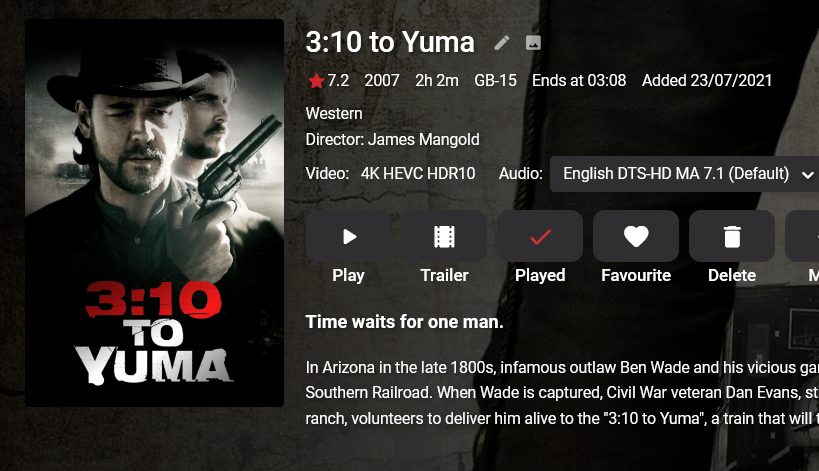
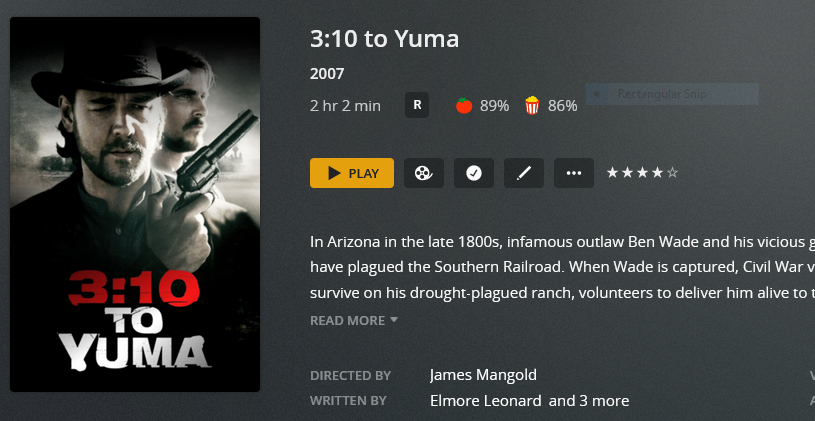
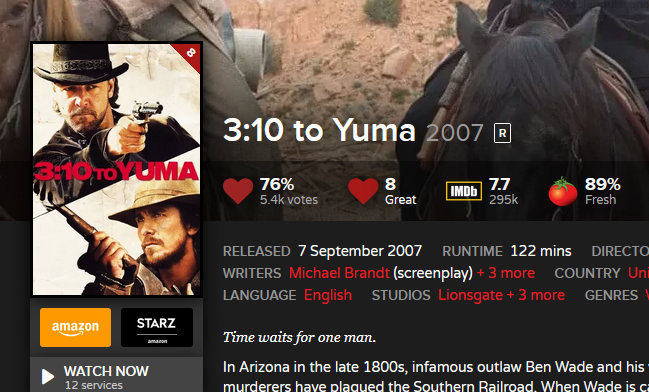 1 point
 -
This would actually need to be done as a Scheduled task rather than a switch. As it would take time to go thru and extract each thumb for the episode. Which would be intro start, intro end and end credit so 3 thumbs. a switch to display the thumbs would be better on the UI, so if enabled FFmpeg runs it's course. If disabled, ffmpeg and your cpu can have a rest0 points






















.thumb.jpg.9095306fe361dd5e158b9ff35622e2e9.jpg)