Leaderboard




Popular Content
Showing content with the highest reputation on 12/02/21 in Posts
-
After I was hacked I purchased some okay networking equipment. Especially since I had forward facing services running. I decided on Ubiquity. It isn't top of the line but it allows me to see what kind of attacks on my domain/network are. They are stopped by either the Firewall router, or Sophos if the attack gets through to my server. But I get attacked everyday. Sometimes a lot, and sometimes a little... but everyday.3 points
-
One thing that I would like to see implemented is the abilty to display lyrics in all of the apps. For those of us who have libraries with lyrics embedded in the actual files, it would be trivial. Simply scrape the lyrics from the lyrics tag and display them. As far as scraping from online lyrics databases, I don't see that working very well as just about every app that I have seen use it either doesn't get the correct lyrics or they are truncated with an add for the website.2 points
-
Not a huge issue, but sometimes when transcoding media from the server, if the playback progress gets close to the transcoded progress endpoint, the material loader will flash on the screen during media playback. The media plays flawlessly, but the loader appears. It could also be when switching chapters... but I'm not sure... Is it possible to stop that from happening? No point in showing it if media playback is not interrupted and the stream is perfect (like it always is in emby) It'll happen in the xbox theater, and also in the web client as well.2 points
-
absolutely. We'll definitely make a point to be more active here. Sometimes we get caught up running iterations of the plugins we're developing. It would be in our best interest to post here often, as features are getting finalized. It looks as though we have finally gotten some really cool localization working. We were able to get the subtitle or audio streams the client is playing, and we can change our 'Intro Skipped' message text, to the language the user is watching (or reading) the stream in. Very cool stuff. We were able to translate to many languages. It will definitely be something to look for in the next release.2 points
-
I would like to see an option to allow users to hide or remove the spinning wheel when loading trailers, pre-roll, and feature presentations. The spinning wheel takes away from the cinematic experience and can be annoying to see when the next trailer is loading in the queue.2 points
-
This Request is open since 3 years and nothing happend so far? This is a 10 Minute thing to implant...Make it user specific or generic for all ppl who allowed to manage the server....2 points
-
The other potential vector could also have been a compromised router. I recently had to replace a few friends' routers on their businesses as they were being DDOS'd with attempts to log into them, all were older DLINK routers. It was so bad that their internet refused to work, and ISP support said "not our problem, internet is working". I ended up replacing their routers with high end ASUS routers, and the problem vanished instantly. List most knowledgeable people I do any "sketchy" stuff off my main network, or isolate in a sandbox. I have a router setup specifically out of subnet range so it can not see anything on my main network, just in case. Crytpo locker sucks, and sadly I've seen this hundreds of times, and really, if they want in, there ain't much you can do to stop them. We had an entire province's hospitals in Canada taken down by it just recently. As others have said, replace/wipe/reload. It's horrible that this has happened and it is my biggest nightmare.2 points
-
DSM7 Upgrade for Emby.mkvEDIT: The instructions assume default Synology install volume of /volume1. If your location is different use that instead! This is based on the release version of Emby which at the time of writing/video creation was 4.6.3. The video will become dated so just use the latest DSM 6 Emby version from the website https://emby.media/synology-server.html. If you happen to be running a beta version update to the latest beta version before the DSM 7 update. The idea is to do any updates on DSM 6 first before installing DSM 7. Since the creation of the video Emby Server is now availing in the Emby Package store (release version) so you can install Emby on DSM 7 now from that. ----------------------------------------------------------------------------------------------------------------------------- Attached is a quick video of upgrading DSM 6 to DSM 7 with Emby Updates. The video will show only browser items and not the PUTTY/SSH commands but everything done in browser is recorded. The SSH commands are included below. I converted this to MKV/H.265 to make it small enough to download and view offline. DMS7 Upgrade for Emby.mkv21.57 MB · 78 downloads Instructions used were: Download and have ready DSM 7 package for update. https://www.synology.com/en-us/DSM70 (I will be downloading both a virtualDSM 7 & for 920+) Download and have ready Emby Server 4.6.3 for both DSM 6 & DSM 7 https://emby.media/download.html - update Emby Server to current release of 4.6.3. - restart Emby Server and verify your on the latest release version. - uninstall Emby - update DSM to v7 - install Emby 4.6.3 (or same version that was running above (dsm7 version) - You can now install the DSM 7 version directly from the Synology Package store! (still on our website too) - stop Emby - remove emby_pkg user and video group - enable admin account if needed - enable ssh in Synology settings (Terminal & SSH menu) Not shown in video: - connect with Putty to Synology, login with admin user and get root rights with: sudo -i - copy files from old Emby share to new data location: cp -rv /volume1/Emby/* /volume1/@appdata/EmbyServer - adjust owner from copied files: chown -R emby:emby /volume1/@appdata/EmbyServer - close putty Shown again in video: - From Control Panel go to Shared Folder and edit each share that is used by Emby Server. Click the share, then EDIT, go to permission tab, select System internal user from drop down, grant emby user read/write access. - start Emby Notes: You can now disable the default admin account as well as SSH. You may also want to rename /volume1/Emby to /volume1/Emby6 as well. This will help make sure you don't have anything referencing the old directory. If you don't notice any issues in a week or two you can delete this old folder/share to free up space. DSM7 Upgrade for Emby.mkvDSM7 Upgrade for Emby.mkv1 point
-
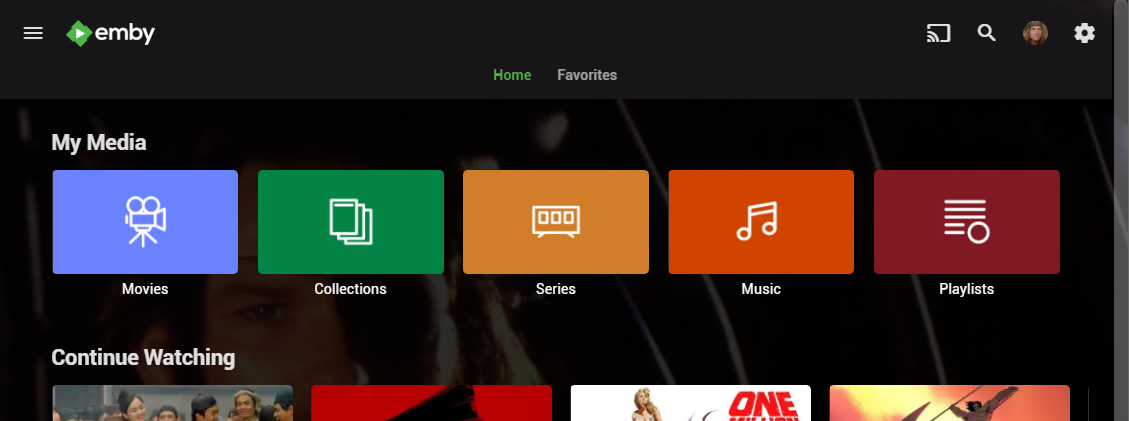
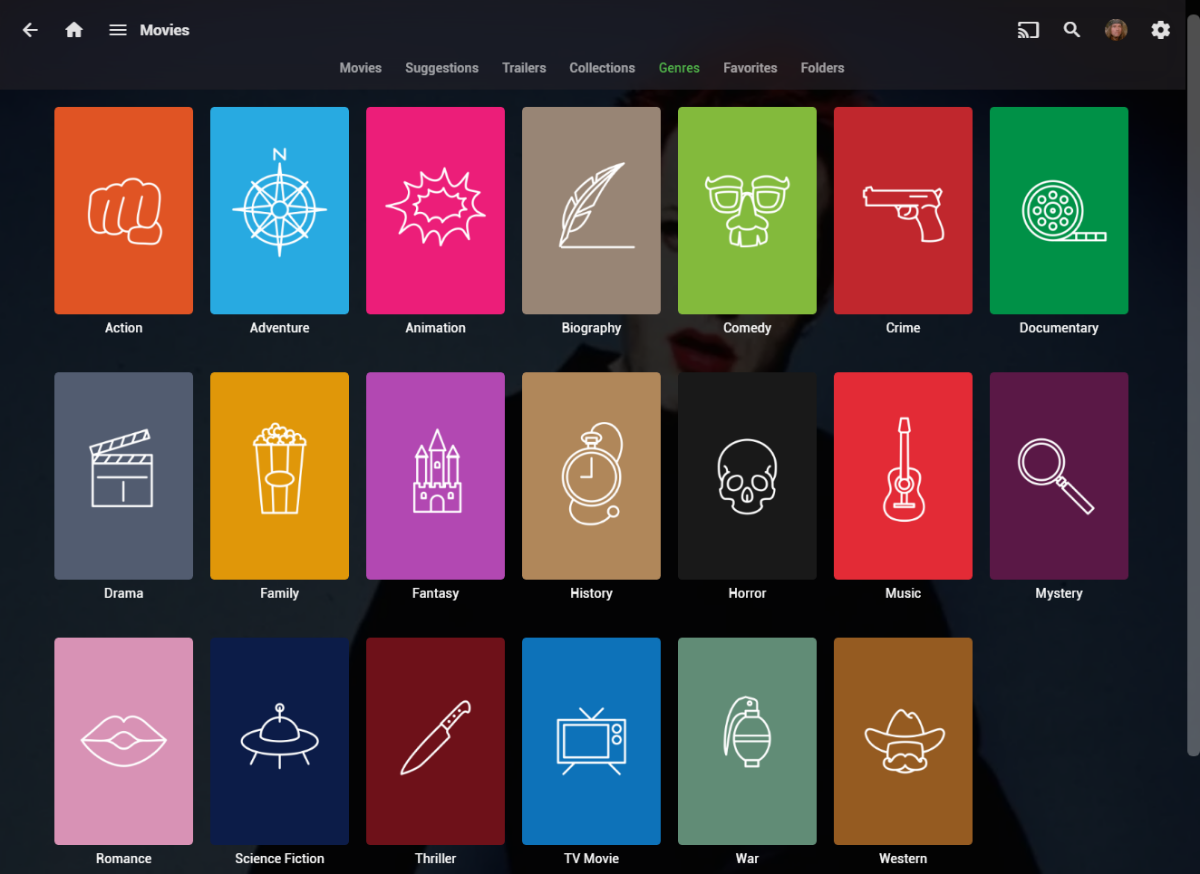
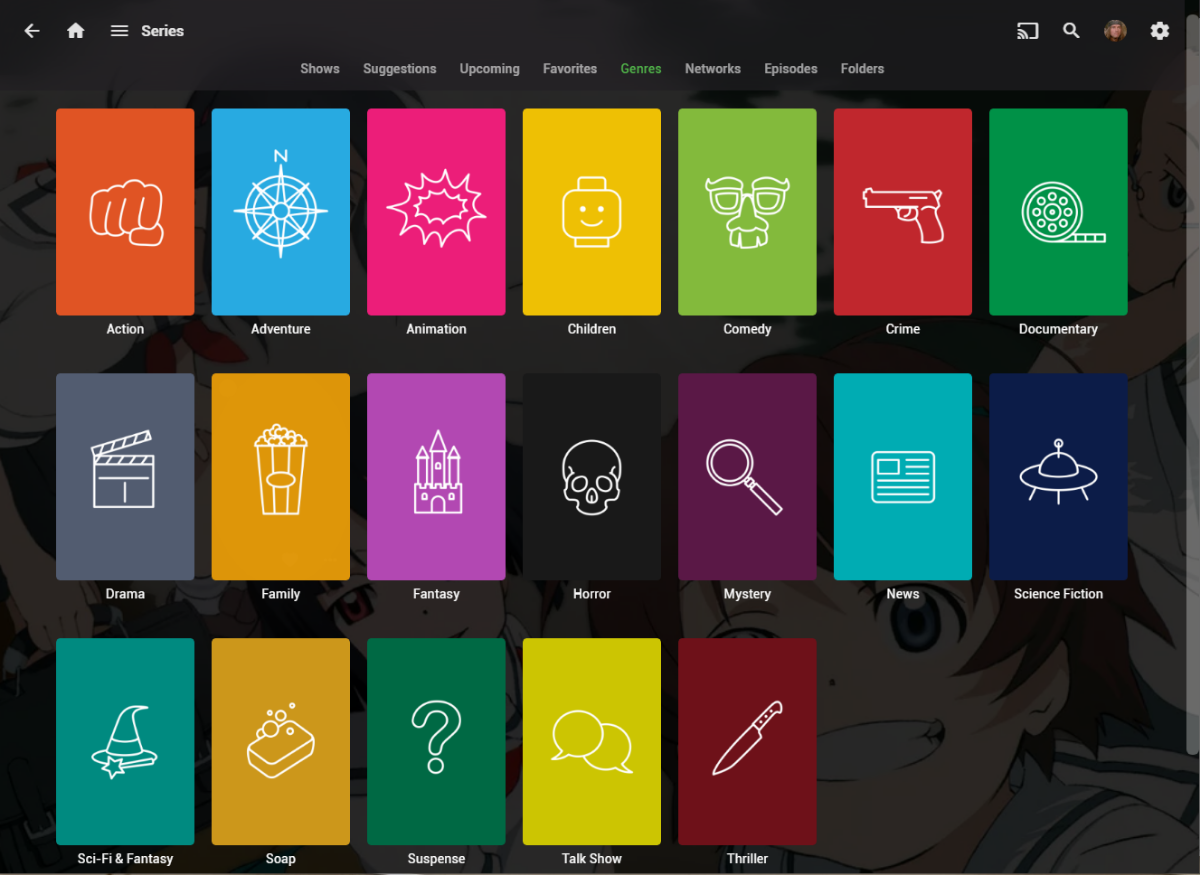
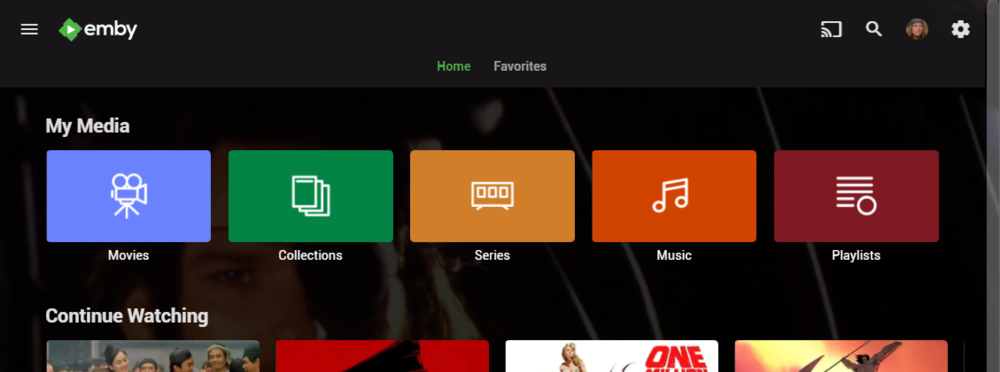
I wanted a colorful, but minimalist set of Library and Genre icons for when I'm using Emby on Roku, and something that stood out dramatically from the movie posters and thumbs. Here's what I did for the My Media set. Here's my Movie Genres: And the Series Genres RAR file attached with the full set as PNGs, and there is some in the archive not shown above (like Sports and Adult). Enjoy! -Mickey EmbyIcons_v4.rar
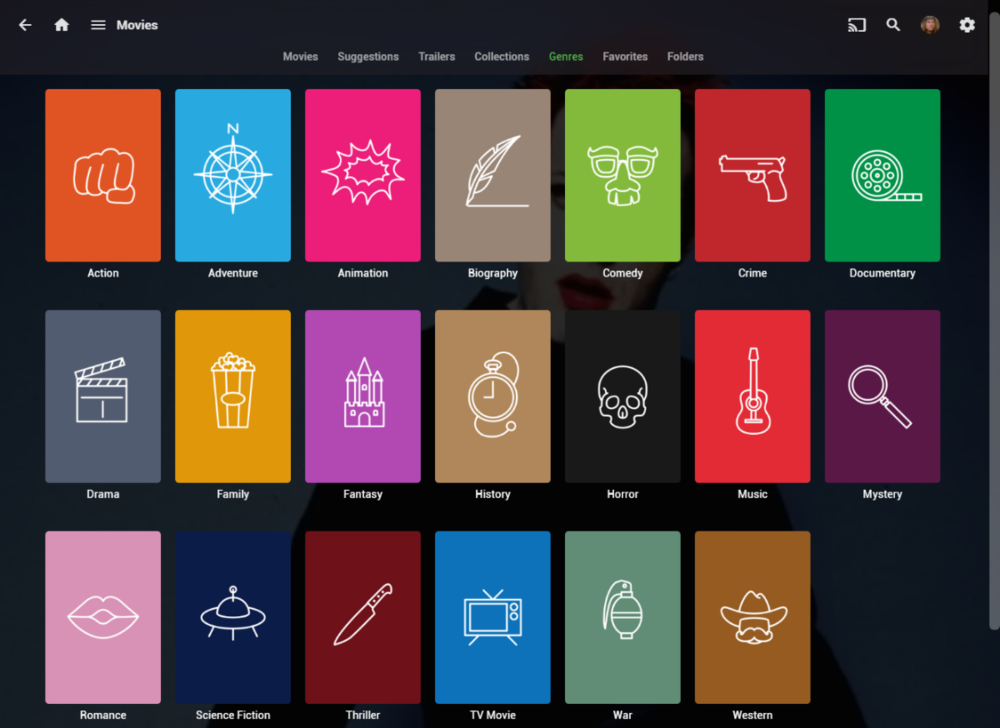
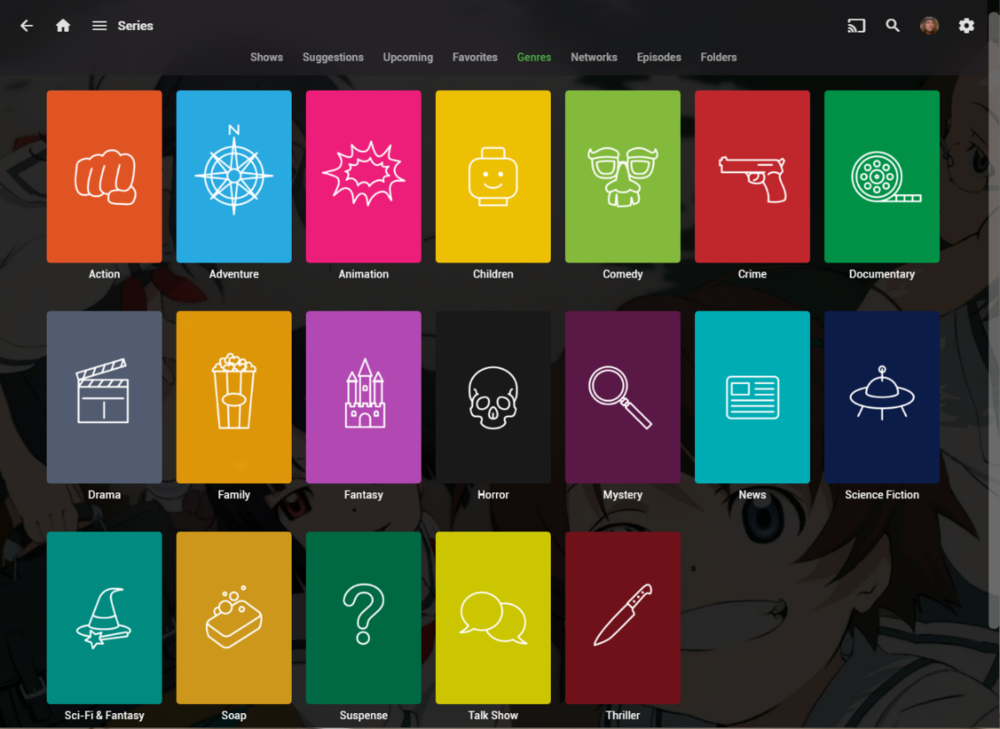 1 point
 -
Hi. Can you please add an option in the settings to hide the "Media Info" section? When using emby on my phone, it pretty much takes more then half of the page. On top of that, not having it be showing, it would clean up the page. At least gives us that option to hide it. Thanks.1 point
-
Can we lock the movie order in a playlist? I want to make a MCU movie sequence, but anyone can change the order in it and i need it to be always the same order.1 point
-
If you go to an individual Movie or show, and click on Edit subtitles, there is an option to return only Forced subtitles. This option is not available in subtitle configuration in the Library section. Would be great if this could be added there, so only download forced subtitles for shows/movies. Or better would be to add it as an option of "Forced subtitles for language matching audio language". Seems most of this functionality is already in place, just needs to be linked up. If it helps, I would like to offer a bounty on this option. I can personally add $100 to bounty for it.1 point
-
Hi, I'm a big fan for emby server, and I love to fill my metadata with useful information about the content using Tags; I feel it will be much more powerful if Tags can be auto-completed based on previous tag entries. a drop down list also will do a good job. thanks, DaN1 point
-
sub directory reverse proxy doesn't work well with emby.. I would suggest sub domain.. emby.yourdomain.com /emby/ breaks things. not all apps support it. its difficult to get and keep working if you don't know the ins and outs of nginx. Plus you need the headers and (minus the security section) in my example config to allow emby to play media correctly, and pass websockets info. also most apps do not follow redirects! you must enter https://yourdomain.com:443 in the emby apps.1 point
-
Well, I installed the beta and have started the long and tedious process of converting folders, but the good news is that everything is working as advertised, and this solves a problem I've had and griped about for many years now. I finally feel confident that we have a great long-term solution, and I'd like to thank everyone on this thread, in particular those who had to actually do the work, but also to those who supported these changes. I really think this will help everyone in the long run.1 point
-
It doesn't matter what settings Emby is using internally as long as a web page displays at the end. The reverse proxy can point to it with no issue. The file location in FreeBSD is /usr/local/etc/nginx/nginx.conf Are you testing externally or internally? Does it work fine internally? Have you tried using the config that I posted, replacing the <> variables with your own?1 point
-
I finally gave up on getting emby on vizio. But then, I guess it is no big deal for me since I already had a Roku ultra for the previous tv...anything I could do with the Vizio I can do with the roku... Just hooked that up and I am good to go. Guess I won't be getting a vizio when the next tv purchase time comes around. Good thing THIS Vizio was on sale at a great price or I would really be kicking myself for getting a smart tv that ain't all that smart LOL.1 point
-
That's not really very helpful in my opinion.1 point
-
If by chance you still have these on disk and have 1 or 2 files with the before and after results it's possible to recover from this. https://id-ransomware.malwarehunterteam.com/ allows you to upload the good and bad version of the files. It does a check to establish the difference between the files then checks that against it's every growing database. If you get a match from them your files can be fixed with a recover key. It's also possible to add it to a system setup for forensics that appears to be Internet connected and of course doing packet capture. Once it starts to do it's thing you can track it byte by byte as well as capture the key it's going to upload for that system. Normally this is done from memory not the transport (typically encrypted). Either way you also get the before/after versions of the files as well as be able to attach a debugger to it and step through the machine code. It's a lot of work for sure and but the average person only needs a file or two in the before/after state to upload to that site to see if a solution is available yet.1 point
-
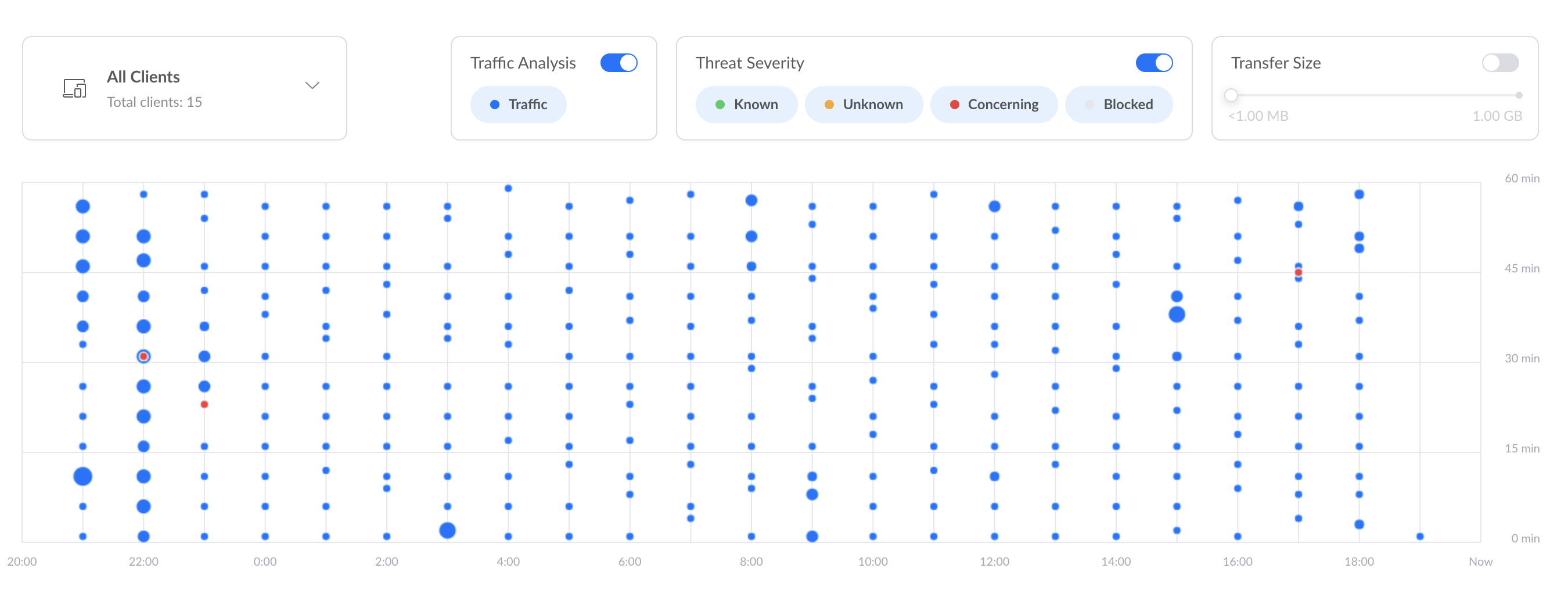
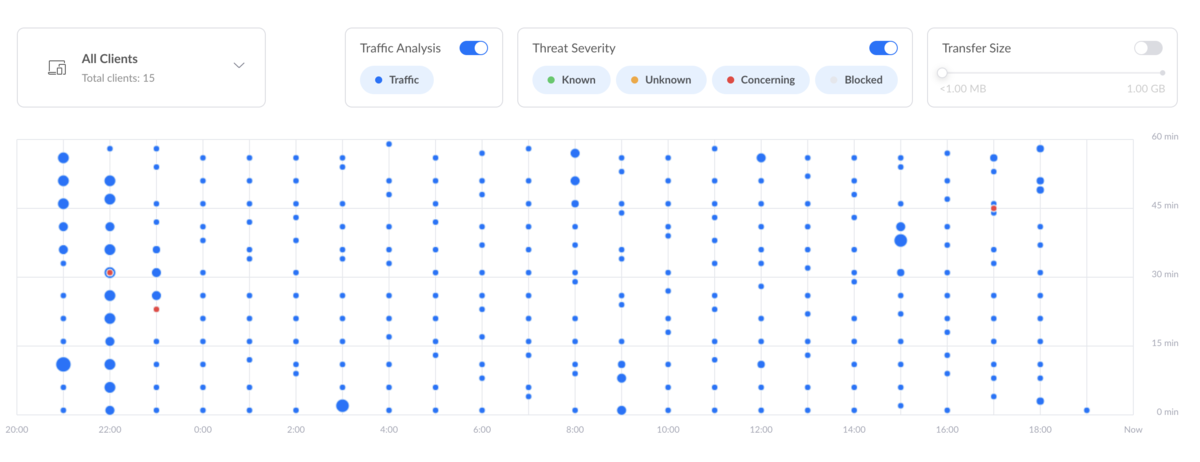
Aww that brings good memories of threat detection in Unifi, i am on the Early access release software and can confirm their latest version of Traffic Inspector (TD) is utter rubbish and tells you nothing, in fact the Whole EA UI has basically taken all the relevant info you would want about whats going on your network and chucked it in the recycle bin and now you get really stupid screens like the attached, that make no sense and are utterly pointless. But to be fair the Dream Machine has been solid and has a pretty decent firewall on it. Can you guess what this means?
 1 point
 -
Hey man yeah just to hide from my ISP. Built my Emby media server full of movies and tv shows! They definitely can stay the heck away from it
 1 point
 -
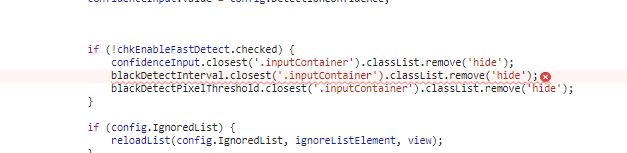
Now we do this ApiClient.getPluginConfiguration(pluginId).then((config) => { titleSequenceMaxDegreeOfParallelism.value = config.MaxDegreeOfParallelism ? config.MaxDegreeOfParallelism : 2; fingerprintMaxDegreeOfParallelism.value = config.FingerprintingMaxDegreeOfParallelism ? config.FingerprintingMaxDegreeOfParallelism : 2; chkEnableItemAddedTaskAutoRun.checked = config.EnableItemAddedTaskAutoRun; chkEnableDetectionTaskAutoRun.checked = config.EnableIntroDetectionAutoRun; chkEnableFastDetect.checked = config.FastDetect; if (config.IgnoredList) { reloadList(config.IgnoredList, ignoreListElement, view); } loadSeriesSelect(config, view); });1 point
-
i suspected that between version 22 and your code this was probably not present anymore. Don't worry i will dig as much as i can on the next release.1 point
-
@Cyberbob2021 Just wanted to check in with you to find out how you're making out and what your current status is? Do you actually have a copy of the virus/malware? If so could you zip it up for me. I'd love to have the real deal to test with in a virtual cloud environment. I'd like to see what tools are best against this type of thing first hand.1 point
-
There is a misunderstanding, the problem is not dual audio as described on OP, but a multi-version scenario. Each client chooses the most compatible version by default, at the moment there is no option to control this.1 point
-
Exactly there But maybe its already corrected on your side and the version we will have tonight
 1 point
 -
Hi, sorry for my late response. Today I found time for testing. It´s a Embuary issue, other skins I tested have worked.1 point
-
Actually it's on my to do list. Thanks.1 point
-
This was raised in 2016 - If it hasn't gained traction in ~5 years, then I suspect it's not coming any time soon. Maybe reach out to @Luke or there may be other options using the API for example.1 point
-
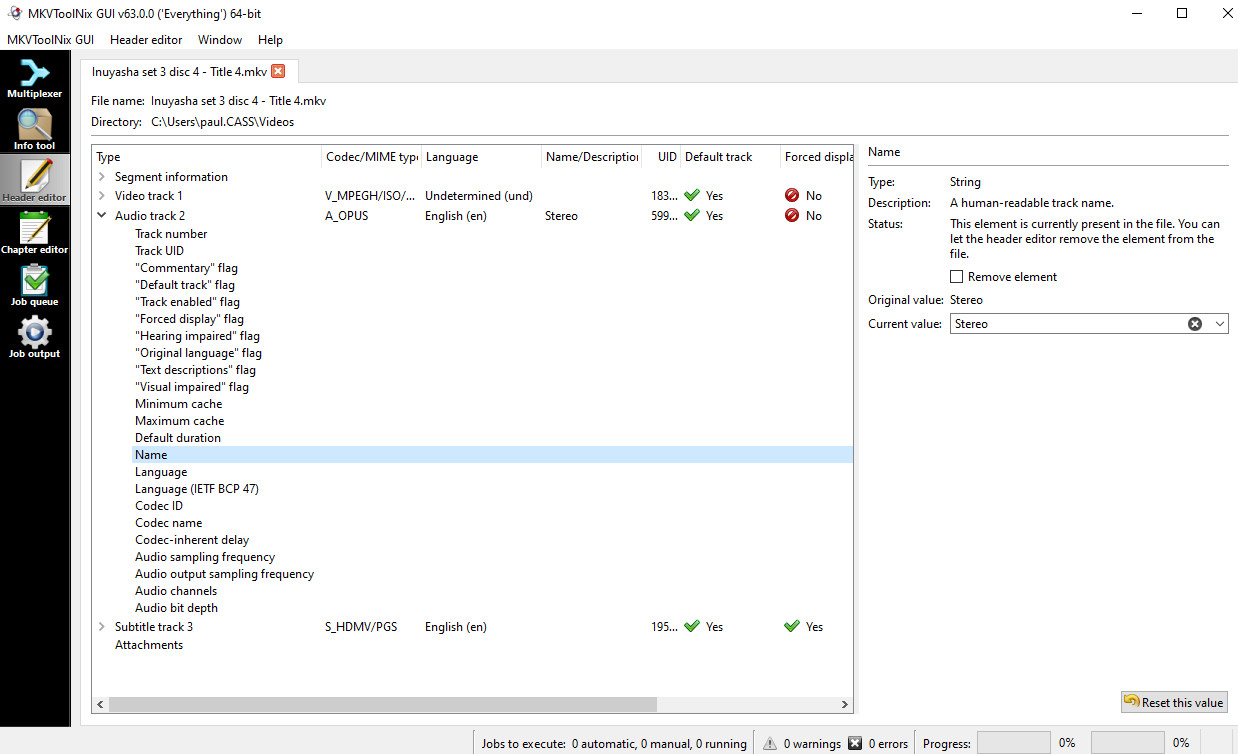
Click the chevron next to the track to open the drop-down of fields; highlight the field you want to edit; edit in the right-hand panel. Then from the top menu "Header editor / Save" to write back into the original file. Paul
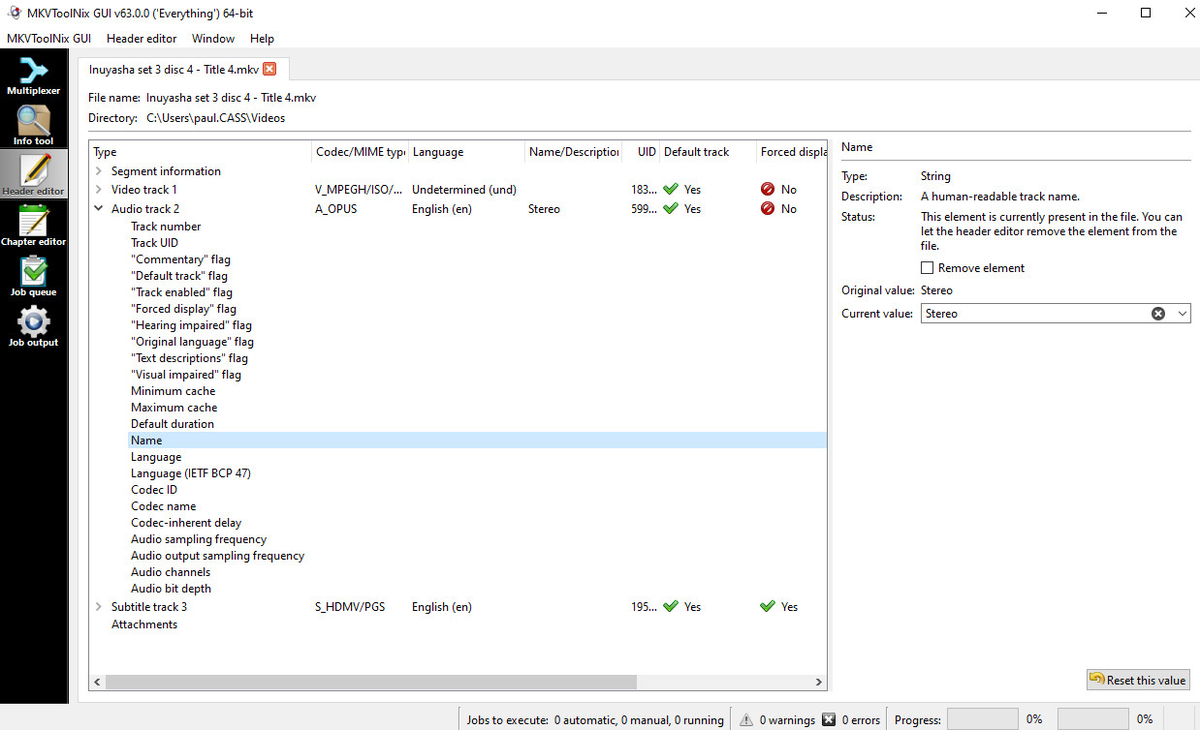 1 point
 -
Lock the playlist to prevent other users from editing or deleting I found that emby’s playlist is open to all users, and all users can edit it. Add or delete the ones I created. I shared my emby with my friends. As a result, my playlists was deleted by them by mistake. I hope the creator can lock the playlist , you can share it with others, but not allow them to add, edit, or delete1 point
-
Your question might get better exposure in a new thread. You can try re-adding the account in Emby Connect. Or Unlinking and re-linking you Emby Account to your Google Home/Nest. When you open the Emby Home service in the Google Home > Explore section there is a very tiny RESET button down the bottom you can click to reset the app.1 point
-
Honestly couldn't care less - there are far more important things that need implementing imo. Feature requests imo need a dislike button1 point
-
Almost all 'hack' attempts are simply bots scanning all public IP addresses for KNOWN vulnerabilities. Once they get a 'hit' they are targeted and/or added to a list for sale. It's all about money. Zero Day vulnerabilities are actually pretty rare (exploits that do not have available patches) - so on top of all the layered protection, it is also essential that all updates are applied - although this does potentially open up supply chain backdoors - so on key gateways, personally I never 'automatically' update - but it's still better to Auto update than not update at all. At the end of the day - any data that is critical/personal/irreplaceable - should be backed up/verified/encrypted and then taken off any form of connected network - ideally with multiple copies in multiple locations.1 point
-
Hello, problem solved by new installation1 point
-
OK, that worked like a charm....thanks so much!1 point
-
Just had a look over there at the guys of Jellyfin. Okay they dont have a WebOS Client on the Store, but what they do is to give their users a manual method how to build an install IPK's on WebOS. https://github.com/jellyfin/jellyfin-webos Instead of trying now for two years to get an update into the LG store, wouldnt it be a better idea to simple share the source or an precompiled IPK to the Emby community and tell them: Here you got it, this is the way to install it. Take precautions and do your best! I dont know if that would have been a problem back in the days when Emby was still Open Source and the Community was really involved.1 point
-
I read your story when you first broke it and felt really sorry for you and researched Sophos, but decided to use BitDefender $90 for 3 years for 5 devices did the trick for me. Having something that is connected to malware still on the system would drive me nuts. If it is on a PC have you tried running your AV software while the PC is in safe mode? But I guess as long as it is jailed in the recycle bin you should be good. If you are not allowed to kill something, jailing is the next best thing. How many TBs of your content were effected and did you get it all back?1 point
-
It's a combination of changes both in the apps, and in the upcoming 4.7 server, so updates are needed on both sides. Thanks.1 point
-
Hello @chef, is there anything new about subtitles and the versions (Special Edition and co.)? Would be cool if there was something. And I know I'm annoying and you have other things to do. I'm just curious to see what happens next.1 point
-
I used to think that, and was strongly in the 'keep 4K separate camp', but with recent development in the ability to hardware transcode and tonemap for what is largely an unnoticeable performance penalty - having just a single source 'may' be a reasonable option now. I think a lot depends on your clients - if you don't have many 4K HDR capable clients, then stick with 1080p/SDR but as the majority of my TV's are now actually 4K HDR capable, then it makes sense to use 4K as the master, and transcode/tonemap to 1080p on the older TV's as required.1 point
-
A new release of Emby Server is currently rolling out, and this is largely a bug fix maintenance release while we work on new features for future updates. Here is the list of improvements and issues resolved: Fix regression with local network multiple subnet detection Improve cleanup of transcoding processes View the full article1 point
-
One of the problems with HEVC to AVC conversion is that HEVC compression/codec is so good it often requires the AVC video to have twice the bitrate to be a similar quality. That's the assumption the transcoder often makes. When you set an upper limit for playback it tells the transcoder the upper limit it's allowed to use, solving the problem for these already high bitrate videos. Ideally, it would be nice if we could set a limit on the server for transcodes only. This way for example anything transcoded could be tamed down to 40Mb as an example while still allowing a 60Mb video to direct play if possible.1 point
-
Glad you got that working! What did you change the settings to on your side?1 point
-
Mais si tu as besoin que d'un logiciel qui renomme les fichiers à voir si cela-ci n'est pas le meilleur (je ne le connais pas) FileBot: App Reviews, Features, Pricing & Download | AlternativeTo1 point
-
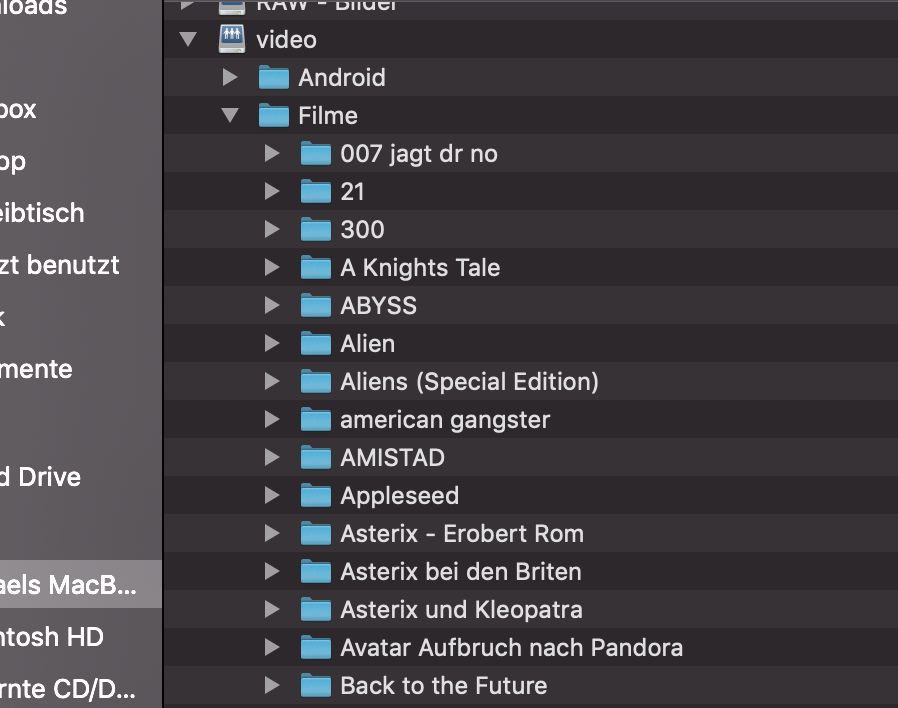
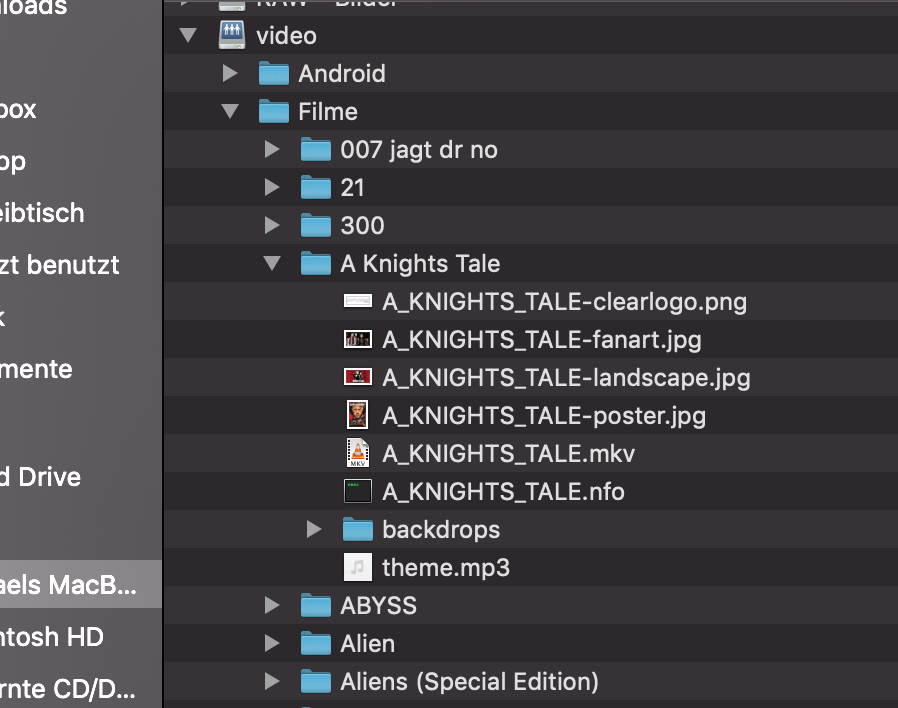
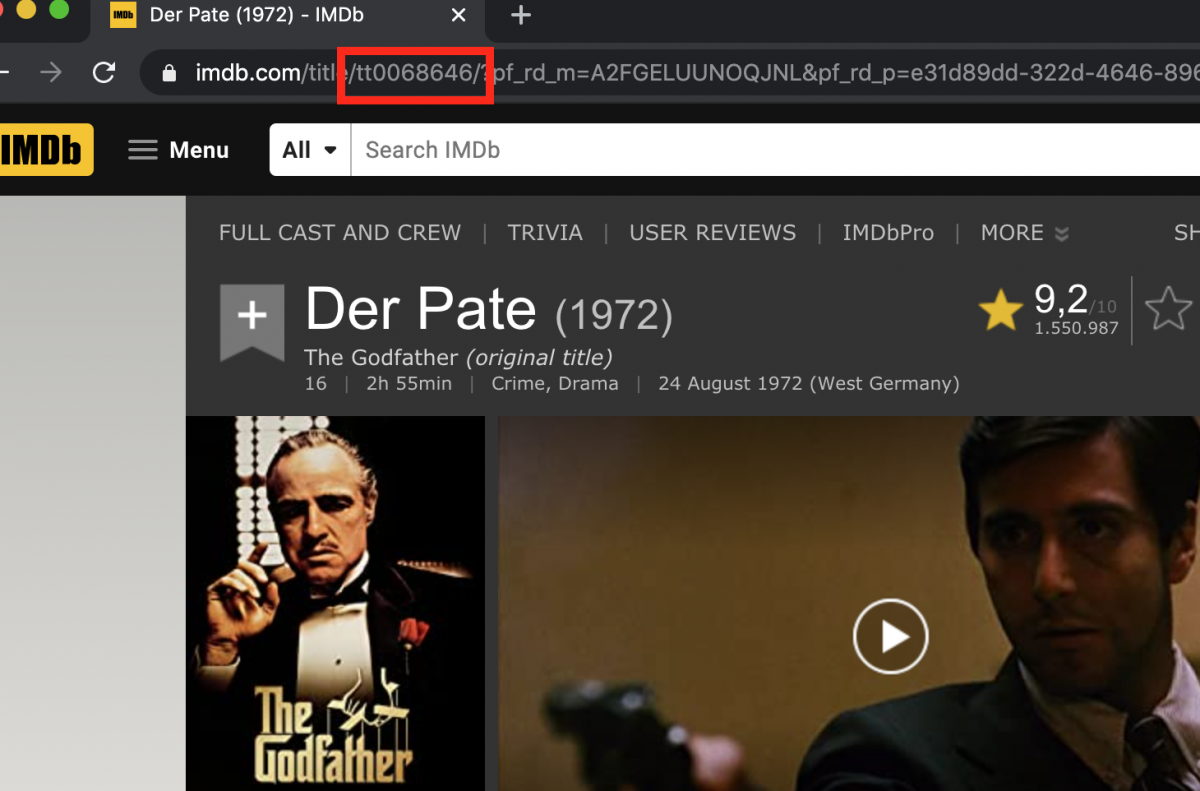
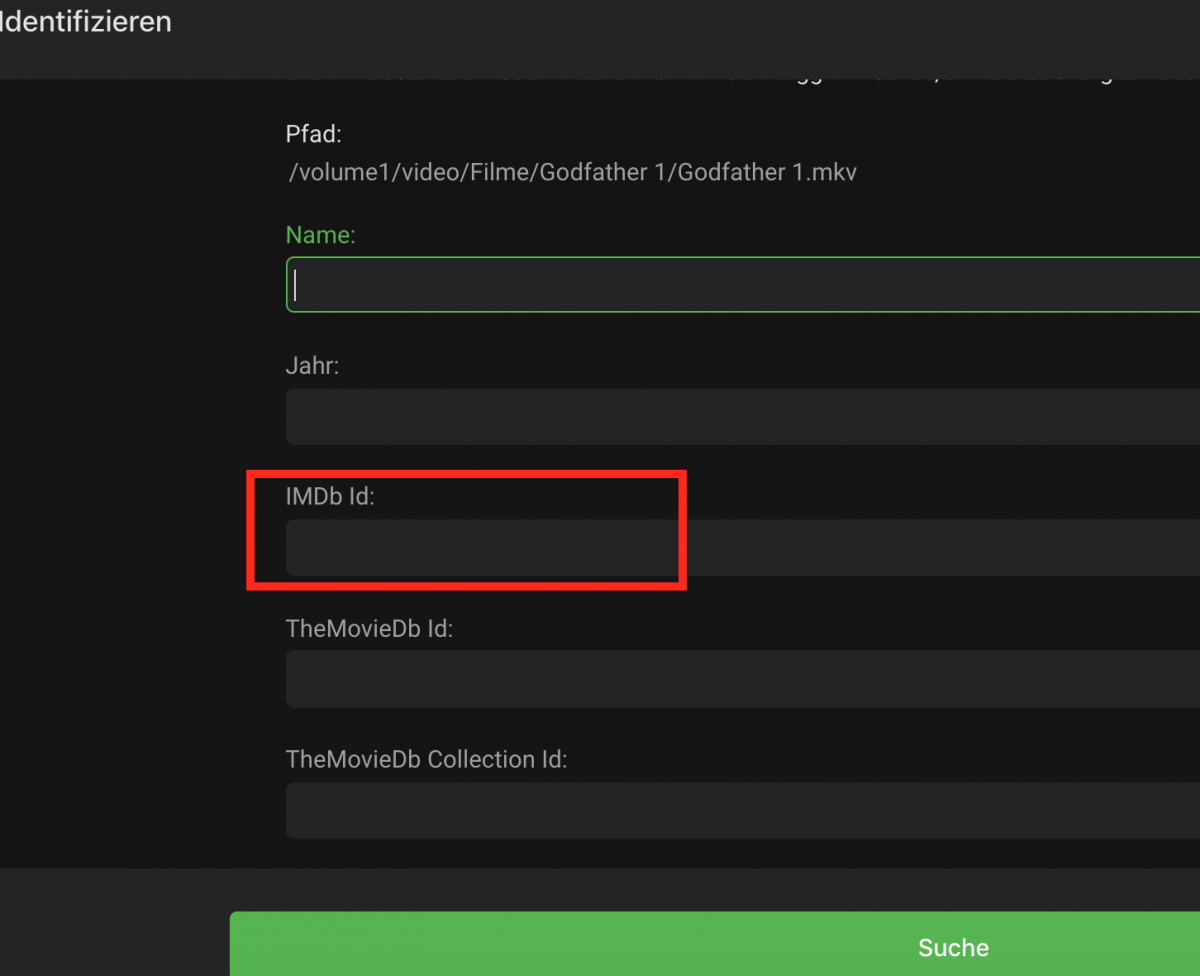
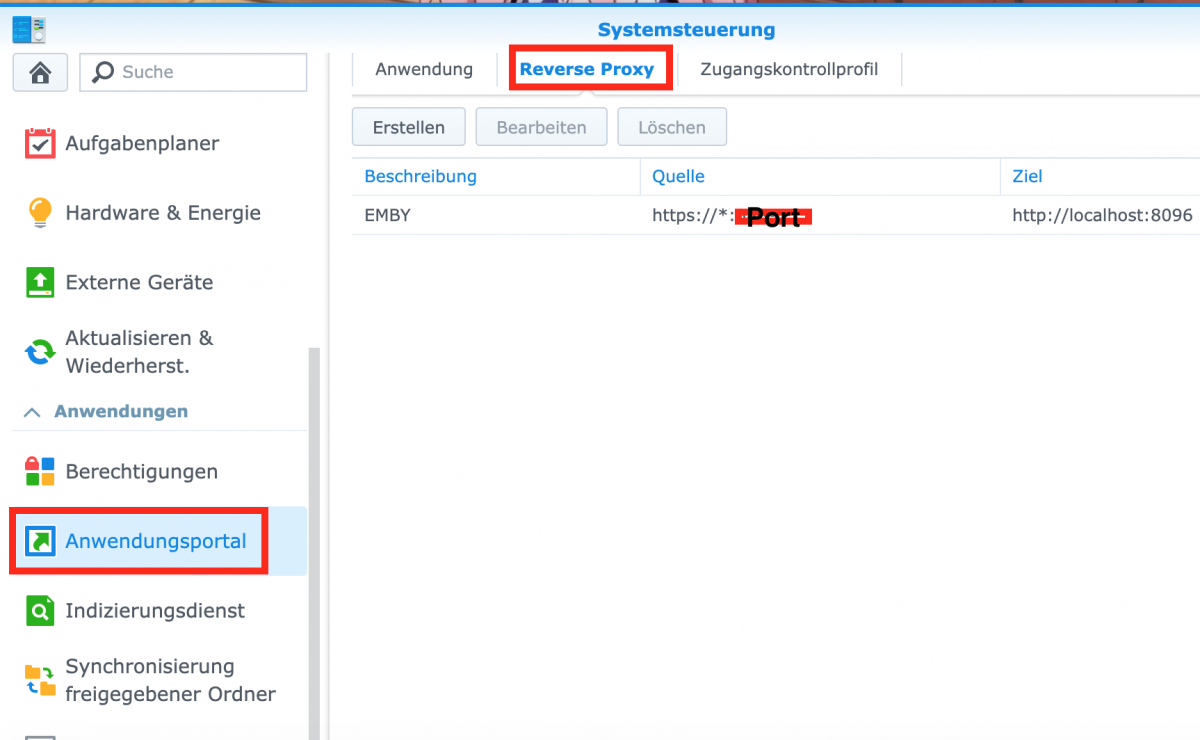
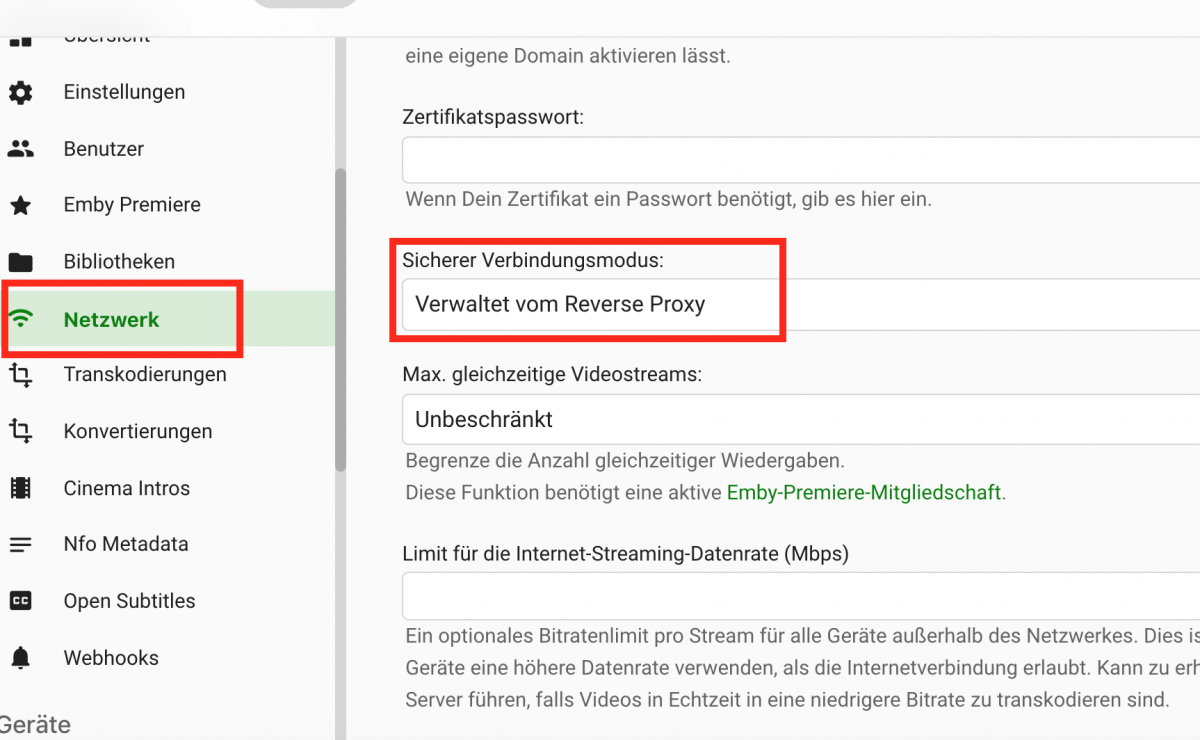
Switching from PLEX to EMBY Mit ist aufgefallen, dass hier immer wieder die gleichen Fragen von Leuten auftauchen welchen von Plex zu Emby wechseln, weshalb ich mir gedacht habe ich schreibe mal so einen kleinen Wechselguide. Zu diesem Guide: Er erhebt nicht den Anspruch der Vollständigkeit. Der Inhalt basiert ausschließlich auf meinem Wissen und meinen Erfahrungen. Er ist kein Vergleich von PLEX und EMBY. Warum jemand das eine System dem anderen vorzieht muss er schon selber wissen. Sollte irgendetwas verglichen werden, so beruht das auf meinen Erfahrungen und Vorlieben, ist also weder neutral noch objektiv. (Vergleiche lassen sich hier einfach nicht vermeiden.) Ich habe nach wie vor einen aktiven Lifetime PlexPass und der Server läuft auch noch, wird aber nicht mehr aktiv genutzt. Bei mir laufen beide System auf einer Synology DS916+, und genau darauf beruhen auch meine Erfahrungen. Ich kann also nix zu Win usw. sagen wobei dass meiste gleich sein sollte. :-) So, nun zum Kern: Datei Struktur: Grundsätzlich kann die Plex Struktur beibehalten werden hat aber, wenn man z.B. alles wie ich in Masterordner hatte (Film Ordner —> alle Filmdateien), Nachteile. Da Plex alle Bilder, Untertitel, usw. codiert irgendwo in seinen Eingeweiden speichert ist das da nicht so wichtig, geht aber auf Kosten der Verwaltbarkeit. Für EMBY ist es geschickter für jeden Film einen eigenen Unterordern im Film Verzeichnis anzulegen und EMBY dann zu Es gibt wohl Tools die einem das Abnehmen, ich hab es damals mit der Hand gemacht. (ca. 400 Filme). Ich erwähne deshalb nur die Filme da Plex eine ähnliche Struktur bei Serien auch bevorzugt. (Pic 1) Theme Musik: Plex lädt die Theme Musik im Hintergrund runter, benennt die Datei nach einem Hash System und speichert sie irgendwo. (siehe auch Punkt 1) In EMBY muss die Theme Musik als theme.mp3 im Ordner des jeweiligen Films oder im Hauptordner der jeweiligen Serie abgelegt werden. Man kann sich die Dateien selbst generieren oder auf ein Plugin setzen (kostet einmalig) welches das für einen erledigt. Großer Unterschied ist hier, dass EMBY Theme Musik auch bei Filmen bietet. Die Datei Struktur (Punkt 1) macht es hier wieder möglich die Theme Musik einfach durch etwas mir genehmeres auszutauschen. Und ehrlich, ich liebe Theme Musik bei Filmen. (Pic 2) Du hast jetzt evtl. das unter Punkt 2 erwähnte Plug In als Set gekauft und hast keine Hintergrundvideos? Liegt einfach daran, dass dieses Feature bis dato nur in der Web App unterstützt wird. (Ich glaube Emby Theatre kann das auch, da ich es aber nicht nutze bin ich mir da nicht sicher.) Hintergrundbilder: Du kannst in EMBY, im Gegensatz zu Plex, mehrer Hintergrundbilder haben welche sich bei Betrachtung der Detailansicht abwechseln. Hier musst Du Dich eigentlich nicht drum kümmern, das tut EMBY für Dich. (Siehe Bild 2) Wie gesagt, Du musst nur die Mediendatei und ggf. die Theme Datei in den Ordner kopieren, den Rest macht Emby für Dich. Fehlerhafte Identifikation von Inhalten: Beide Grabber, sowohl Plex als auch Emby, sind nicht perfekt und liefern gern mal, wenn auch selten, falsche oder gar keine Zuordnungen der Mediendateien. (Vor allem, so mein Eindruck, wenn man deutsche Bezeichnungen hat.) Hier ist EMBY deutlich komfortabler. Einfach die zugehörige ID von IMDB (Pic 3), oder einer anderen DB, in das entsprechende Feld kopieren (Pic 4) und gut ist. Funktioniert besser als die Suche nach Name (sowohl bei PLEX als auch bei EMBY) Verschlüsselte Verbindung von Extern zum Server: Hier sind die Unterschiede wieder richtig deutlich, da Plex dies von sich aus realisiert. Hört sich im ersten Moment besser an, oder? Falsch! Der Plex Ansatz funktioniert nämlich nur dann wenn die Identifikation des Zertifikates über die Plex Domain erfolgt, Plex ist also immer online und einige Services, auch solche die nur auf den eigenen Content zugreifen, funktionieren nicht mehr richtig wenn die Internetverbindung gestört oder die Server von Plex nicht erreichbar sind. Aber wir löse ich das jetzt bei EMBY? Hier braucht es jetzt eine eigene Domain auf die das Zertifikat ausgestellt werden kann. Dann kann man entweder auf das Zertifikat verweisen oder, was sich bei einer Synology anbietet, das ganze über einen Reverse Proxy zu lösen. (Meine Lösung Pic 5 & 6) Ansicht der GUI: Cool, jetzt habe ich alles aufgesetzt aber EMBY gibt mir dennoch die Designs der Kategorien vor. EMBY baut für die einzelnen Kategorien von sich aus Bilder auf welche sich aus Bildern von verschiedenen Inhalten zusammensetzen. Die sollten eigentlich zyklisch neu generiert werden was aber einige Zeit nicht so recht funktioniert hat. (Weis nicht ob das inzwischen funktioniert.) Jetzt gibt es zwei Möglichkeiten: a) Man löscht die vergebenen Bilder unter Einstellungen -> Server -> Bibliothek -> Bilder verwalten und man erhält dann Standard Icons wie sie Plex auch bietet oder man löscht die Bilder und lädt sich was eigenes hoch. Da sind der Fantasie dann keine Grenzen gesetzt. Ich habe mal zwei von mir mit angefügt (cinema & TV-Serien) IP-TV: Während Plex hier gar keine native Unterstützung bietet ist es in EMBY ziemlich simple. Man braucht nur geeignete Streamlisten (https://github.com/jnk22/kodinerds-iptv oder https://db.iptv.blog/multicastadressliste,) die zu finden das schwierigste ist, und eine saubere Lösung für das EPG (https://github.com/sunsettrack4/easyepg) Musikunterstützung: Hier hinkt EMBY Plex leider wirklich hinterher. Das Verwalten, Kopieren und Abspielen von Musik ist auf Plex deutlich komfortabler. Das sind die Dinge die mir jetzt so eingefallen sind und ich habe garantiert was vergessen. Die Liste darf also gerne ergänzt werden und wenn ich versehentlich was falsch wiedergegeben habe so ist eine Korrektur erwünscht. Ach ja, wer Rechtschreibfehler findet, darf sie behalten. Zum Schluss, noch der Link zu offiziellen Support Seite: https://support.emby.media/support/solutions/44000259558 @Admin: If something like this isn't allowed, feel free to delete it, correct it and / or modify it. I hope this post find your approval.


 1 point
 -
After some struggling (and plenty of the help from the community, especially @@Luke and @@funwithmedia), I have managed to get VLC launching correctly as an external player. I thought I would share the steps I used to enable it for anyone else who may need some assistance in getting it working. 1. In Emby Theater, click on your user icon in the upper right hand corner of your screen 2. Click on Settings 3. Click on External Players 4. Click the Add button 5. For Media Type make sure that Video is selected 6. For Player Path enter the path to VLC The default path on Windows is c:\Program Files (x86)\VideoLAN\VLC\vlc.exe 7. Chose the files types that you would like to have VLC handle. Personally I like to use VLC for all file types 8. For Additional filters, make sure that 3D is NOT selected. Even if you are trying to play 3D files, you still want to leave this unchecked. 9. For the Command line arguments enter {path}. Make sure you enter this in lower case, if you enter it in upper case {PATH} then it will NOT work (a big thank you to @@Luke for catching this one). 10. Finally, click on Save and you are done. Now when you go to play the files types you selected in step 7, VLC should launch for you. For step 9, there are all kinds of command line arguments you can enter to control how VLC launches. I hope to add some of these to this post later. If anyone else has a list they would like to add please feel free. Cheers!1 point
-
Thanks Jaaem! I just tried and it works perfectly. HA is really awesome, and so is Emby!1 point
-
If you do mean homeassistant (https://www.home-assistant.io/), then there is no need for a new plugin. As you stated, Emby is already supported. https://www.home-assistant.io/components/emby/ If you want to "control HA from Emby", all you need to do is create an automation to trigger off a state change. I did a quick test and it works fine. Setup Emby in Homeassistant. Make a new automation in the homeassistant gui: Configuration->Automations Trigger Type: State entity: media_player.emby_androidtv_livingroom_firetv (or whatever the your emby player is called) from: paused to: playing You may need to add another trigger from standby to playing. Trigger Action Type: Call Service Service: light.turn_off data: { "entity_id": "light.living_room" } repeat this for anything else you want to turn off.1 point
-
Currently when downloading large amounts of music downloads are listed as single items with no real sorting. Please maintain the same sorting style as online browsing1 point