Leaderboard




Popular Content
Showing content with the highest reputation on 11/23/21 in Posts
-
There may be a Christmas or Thanksgiving sale. There may not be. It's not a consistent annual thing. While I get that everyone's financial situation is different, I have to say that the price of Emby isn't even high if you're pirating your media. Hell, just the hard drives to store enough content to warrant a solution like this cost more than the software that makes that collection useful. I recently crossed 2000 movies on disc, about 2000 CDs, and several hundred TV series. Those discs cost tens of thousands of dollars over the years. To play them back I've got a TV with 5.1 sound in 4 rooms in the house, each with a shield or xbox one. To store the digital files there are two NAS enclosures with 9 drives plus a few drives on my Emby server PC that hold overflow. I spent more on every other element of my collection than Emby costs. I'm pretty sure I've spent more on speaker wire than the piece of software that ties everything together so it's usable. Emby is cheap. Emby is generally the least expensive part of most user's collections so it's hard for me to take price complaints seriously.4 points
-
This is a bad look from a Mod. Emphasizing that you have a power dynamic over regular users is never helpful when popping in to a thread to discuss something "as just another user." I haven't bought a subscription yet because it's not currently a good value for me. I've used Plex locally for years. Checked out Emby when I came across it a while back, but the Android TV UI was clearly behind Plex, and I moved on. I keep tabs on Emby because at some point I think I'll want to start DVRing IPTV and Plex seems to be moving away from supporting that and Emby looks like a promising alternative once support improves in the future. But any search of the forums clearly indicates that functionality isn't yet ready for prime time. Hell, I happened to notice a bug in Emby's Android app months ago — tapping the 30s skip button jumps to the next episode instead of skipping 30s — and it STILL hasn't been fixed. That's a pretty huge bug to have gone unfixed since the summer. And yet I came across this thread because I woke up and wondered if Emby had a sale significant enough to deliver some future value. People like me don't need a lesson in how our purchase should be evaluated, we're weighing a potential purchase based upon a product that is not yet a good value at full price.2 points
-
According to Paul and Art, quite a bit...2 points
-
I don’t give up to ask is it meanwhile on the horizon downmixing dts to Stereo on iPad side?2 points
-
New experimental version available 6.2.0-build 174 (ex20) Delta changelog: fix homevideos sync fix audiobook sync fix podcast sync fix special features progress updates add translations add bookmarks Comment: Bookmarks support is new. To test it you need to resync/repairsync your db otherwise only available for new/updated content. If a videostream has chapters embedded, bookmarks are disabled due to a lag of Kodi functionalities. It would create double chapters/bookmarks if both are available.2 points
-
In the users settings you can restrict each user from transcoding or even remuxing stuff.2 points
-
Hi. No you cannot. Please see: Is there a limit to Emby Premiere Sorry but that would not be legal and would violate our terms of use. As for this specific request, I really cannot see the need for it when using the system for its intended purpose. Thanks.2 points
-
With this version of the client everything is OK on my TV, 4k files are play without transcoding Regards2 points
-
Ah gotcha - so Emby discounts are like features - as there are plenty of those that may never ever come as well2 points
-
Only other thing would be checking the flag in the system.xml. C:\Users\username\AppData\Roaming\Emby-Server\programdata\config <IsStartupWizardCompleted>true</IsStartupWizardCompleted>2 points
-
And my channels play, so what should i do now?2 points
-
Be able to create playlist based on a certain criteria, like genre and or year, in order to create a dynamic playlist that it refreshes automatically when new content is added. This way you can for example, create a tv comedy playlist from the 90's, or a new sci-fi Movies playlist. Some other criteria for rules could be the rating, watched/unwantched, score, tags, language, audio codec, etc The possibilities could be endless1 point
-
I'm a big fan of services such as Rifftrax, and I hate having to manually mux files every time I purchase another release. Much in the same way that external subtitle file support was added, it would be nice to have external audio track support for TV and movies added as well. I wouldn't expect Emby to handle the offset calculations needed to sync the audio. It's not too difficult for me to modify that now.1 point
-
Thought I'd stick my css up here. Mostly its actually from Happy2play, Penkethboy and others who OK, I admit, I can't remember. Anyway, bear in mind, there's undoubtedly bits that have been done in a weird way (my stuff), bits that don't work any more (my stuff), bits that accidentally get applied twice (ditto), alternative ways to do the same thing, variations in general of similar things. And a few bits at the end not much good for anything, but I left them there anyway. So its not in the same league as The Plex Inspired Look, and others... But it might possibly count as a theme. Hope I haven't posted this somewhere else already... Don't say you weren't warned (full stop) EDIT - mostly tested in Firefox, though hopefully OK for Chrome, and its only really set up for the Dark Theme for both Media and the Dashboard. EDIT 27 Dec 21 - There's a slightly newer version a few posts further down... EDIT 06 Jan 22 - Another (third) version added here (dated 06 Jan 22)... EDIT 06 Jan 22 - fixed (I hope) bug in previous 06 Jan version, well the one I spotted anyway... EDIT 15 Jan 22 - appears the blur effect I added no longer works (temporarily I hope) in Firefox. Chrome and Edge seem to be OK... EDIT 23 Aug 22 - bit of an update, fixes a few bits, adds a few things, can't remember what, hopefully an improvement... Emby css for posting 23 Aug 22.txt Emby css for posting 06 Jan 22 mod.txt Emby css for download.txt1 point
-
Could you please add a Webhook for the New content added notification?1 point
-
A few people wanted me to document my LONG overdue Alder Lake build - so here is a quick write up. It's not overly exciting - but may give a few ideas on what's involved. I'm restricted to a 550mm deep server chassis - as my rack is wall mounted, thus it's a bit of a tight fit with a full sized ATX board. The old 'server' was a mini ATX case on it's side with all the 5.25" bays removed to accommodate the three 5 x 3.5" HDD Enclosures .. This ran a Intel i5 750 (yes Gen 1) with 12Gb Memory for the last 6 or 7 years, on 24x7 .. so time for an upgrade as it was struggling. Upgrade :- Intel i7 12700K with 64Gb (went with DDR4), 2Tb NVME Case is a servercase.co.uk SC-43550B All HDD bays are stripped out, meaning I can just insert the 3 x enclosures without getting out the Dremel .. Prep the PSU and cables to run under the motherboard (to be as neat as possible, there is no hidden cable tray on a server case .. ) On the Corsair modular PSU, you get nice flat cables which allows you to neatly bend then to right angles .. Mobo main power (90 degree adapter to keep the wires neat..) and 12v power installed (under the mobo) The case did come with a fan wall - but I removed it in the end as I had no need for it - nor did I have any room for it .. These are the main storage pool controllers - three - 4 x SATA3 PCIe x1 - so each have 5Gbps each - plenty of throughput for the disk enclosures (4 per enclosure) I also used 3 of the onboard (intel) controllers for the 5th disk in each enclosure (higher performance) and the other 3 of the onboard - 1 for an SSD (emby Cache) and 2 'spare'. Main OS storage is a 2Tb Samsung NVME sitting under that heatsink next to the 16x PCIe slot. Cabling looks reasonable given each disk is individually cabled (15 hot swap HDD's + 1 SSD, 2 spares) The enclosures are Dual Molex powered, so each one gets it's own run from the modular PSU. Enclosure fans (9W 60mm Nidec 35mm DEEP industrial fans.. hence the finger guards!) blow air OUT the front of the case. CPU cooling is a Dual 120mm Artic setup - temps even under full load are about 70 Degrees, so perfectly good enough. Idle is mid 20's. It's still on the bench atm (haha) but it should go in the rack just fine - I'll have to change the centre drive labels around as I had to put the enclosure in upside down to make the cables reach .. No graphics card as there is zero need for it - QSV in Emby absolutely flies - I'll do a separate thread for this, as to be perfect honest, I'm astonished how quick it is (~1000 fps to an SD transcode!) Any questions, feel free to shout. edit - other random pics I forgot to annotate ..
.jpg.546fbe0f5f21bf094fbca8f8e8bd9c2f.jpg)
.jpg.ed1ade7f808aa548f4545af03b8cec2e.jpg)
.jpg.615413e44158952d56a0d49e29c0c446.jpg)
.jpg.b73d87a8a626535491bb9cda4f224dd5.jpg)
.jpg.221619fccb7a99731a3dd055e267c748.jpg)
.jpg.89e0bc5e57e6c23fe4d61bad11e890ac.jpg)
.jpg.5b0b850117e7d923d4b8078b586f2437.jpg)
.jpg.9ff317a6be12d74859a4f0c0a72d3374.jpg)
.jpg.e05478902edc754388dd705814807592.jpg)
.jpg.99bf152cbb8acd411260f80fa06bf3b0.jpg)
.jpg.ea1760c6605860d6abe7568145509924.jpg)
.jpg.8d8d715194ac5f0b5fdf1b8103ada212.jpg)
.jpg.cfcb3914563ed3359da90b661e04c611.jpg)
.jpg.271c5fc615295ada610bf722e46c28b1.jpg)
.jpg.7ebb8e28dbae38b3349d064b5211db98.jpg)
.jpg.25250ae419bd5c61a1a1fd6113d43fdf.jpg)
.jpg.960cbb54abc2c34ac89d865ec2e3423f.jpg)
.jpg.eea3f6260a6e3651323855f1264d9ce4.jpg)
.jpg.ead2c4eb624c92de6b829c7e5b9db7f2.jpg)
.jpg.f0f2a15a45c71f4bcac309d76e236763.jpg) 1 point
1 point -
I'm trying to login to Emby, but I can't get the keyboard to pop up. I've tried every button and nothing works. I used to be able to open up the keyboard just by pressing A on the controller, but that doesn't work anymore. Is there a workaround I can use? @Luke Can you please fix this? I'm stuck and I can't watch anything at the moment.1 point
-
ohhh. I read the website wrong. So you get the ability to sync to the cloud not the actual storage. I'll just shutdown the PC and shut up now. Thx neik1 point
-
Disregard, I completely had forgotten you can add a redirect instead of a cname record, thanks again for all the work you all do. edit: I could have just made a cname going to http://app.emby.media/ oh well, all good now anyway, but in case anyone else wants to do something similar.1 point
-
I don't generally comment on topics like this but would like to add my perspective on the topic for a balanced view. I'm a long time Kodi user and decided to see what else is out there at the same time as I'm updating my house network; it so happened to be near Black Friday... I have tried Emby, Jellyfin & Plex. Jellyfin works fine but clearly is not mature enough with some basic annoying omissions so the real decision is between Emby or Plex. The paid features are a nice to have which I'm only considering due to getting a 'better' deal than usual. In reality Plex suits my requirements better than Emby in their "free" variants. Emby app on Roku is dire compared to Plex. On Firestick TV they're equally as good but only Plex is completely free. It is also hard to ignore Plex is generally more polished and mainstream. In their paid version the two are very comparable. All being equal I would favour Emby over Plex as it's simplicity works well in the same way Kodi has served me for years, even if it is less mature than Plex. In the UK Plex and Emby are approximately the same cost before discounts. Plex offer 25% off discount on something that I don't need but I am considering buying anyway. To use Emby I NEED to buy Premier... that is the only bit which is annoying. I'm currently running both on Docker so can switch any one off at any time. With this perspective, I'll simply wait a few days before making my final decision... Call me tight but it's my money and I want to get the most out of it, no different to buying anything else!1 point
-
He can't help you right now because he does not know what the problem is. If you want help, you need to be as detailed as possible. "My channel don't work" isn't gonna cut it. What exactly is the plugin doing/not doing? What did you put into the fields when programming the channel(s)? What troubleshooting have you already attempted? Can you upload any logs or screenshots that might give a hint at what the problem is? Chances are, there is a simple solution to your problem that can be found IF there is enough background information to solve the problem. This is standard practice when asking for help on forums like this. We can't help you if we don't know what the problem is. If you are using EMBY and VirtualTV, I assume you are at least somewhat of a power user. You probably know your way around computers better than your average Joe. Get with the program.1 point
-
I've tried VLC as a standalone player and yes TrueHD is fine but no Dolby Vision. Never tried to use its as an external player with Emby, though I guess the results will be exactly the same as using VLC as a standalone.1 point
-
No, no question by me. Yes, I am fully aware that Folder selection is only for non-synced content. Which exactly is what I need for my 'concerts collection'. Because for concerts almost no internet databank entries exist and I really do not want to tag my video concert files. Now I can select the files via Folders again. For Films/TV Series I use normaly synced libraries.1 point
-
I have been having some problems with my Ultras but it did not seem to effect other Rokus like the 3. The problem suddenly went away a few days ago. I wonder if this "fix" by Roku had anything to do with the "fix?" How to Fix Your Broken Roku (article from Lifehacker) I "think" my Rokus may have installed the update for the fix a few days ago when my issue suddenly disappeared. But who really knows? Roku hides what they are up to quite well.1 point
-
This has been fixed in the latest Pre-Release of XML from Channels DVR.1 point
-
Oh, I know that, it is just that I don't want it to ever try. I want it to fail to show instead. A planned failure if it cannot play what I have. Doing it on purpose as a way to find what I have that cannot play without transcoding and what needs it, using a cudgel. But thank you for the link, I am going to make sure I read that as well.1 point
-
Maybe you have misunderstood - but emby does not transcode because it wants to, it is transcoding because it has to to ensure playback. Have a read here : https://support.emby.media/support/solutions/articles/44001159897-transcoding1 point
-
I don't see anywhere to turn it off in the transcoding section. Where would I find it? EDIT: Just found it, in the actual user itself. Gotcha!1 point
-
Marmaduke's Chromium...?1 point
-
Hi. Not at this time.1 point
-
Some weeks ago I experienced strange problems with Kodi/Emby and my solution was to delete/reinstall Kodi. I then only installed Emby Alpha 5.3.2. I have now installed Emby Beta 6.1.9 and did find the added Folder selection. This Folder selection works just fine (and with the JPGs I saved in the folders (Artist banner, Covers, Fanart) everything looks nice again too). Thank you very much for your support.1 point
-
Because people in general are tight-arses and always try to get something for nothing, me included. But when you know there is no movement in a price, you have to suck it up and pay for what it is you want.1 point
-
OK I'l try this new version. I also upgrade the firmware of my TV1 point
-
And I wonder how the people that paid the full price feel now Should they get a refund?1 point
-
Just had a look again and saw this: What do you guys do with this information? Edit: High confidence score just happened again...1 point
-
@Centrox send me a PM and we'll try to do a remote session right away or schedule it based on your preference. Carlo1 point
-
Thank you all the input. I was able to get some help to solve this using .strm file to link to the actual file.1 point
-
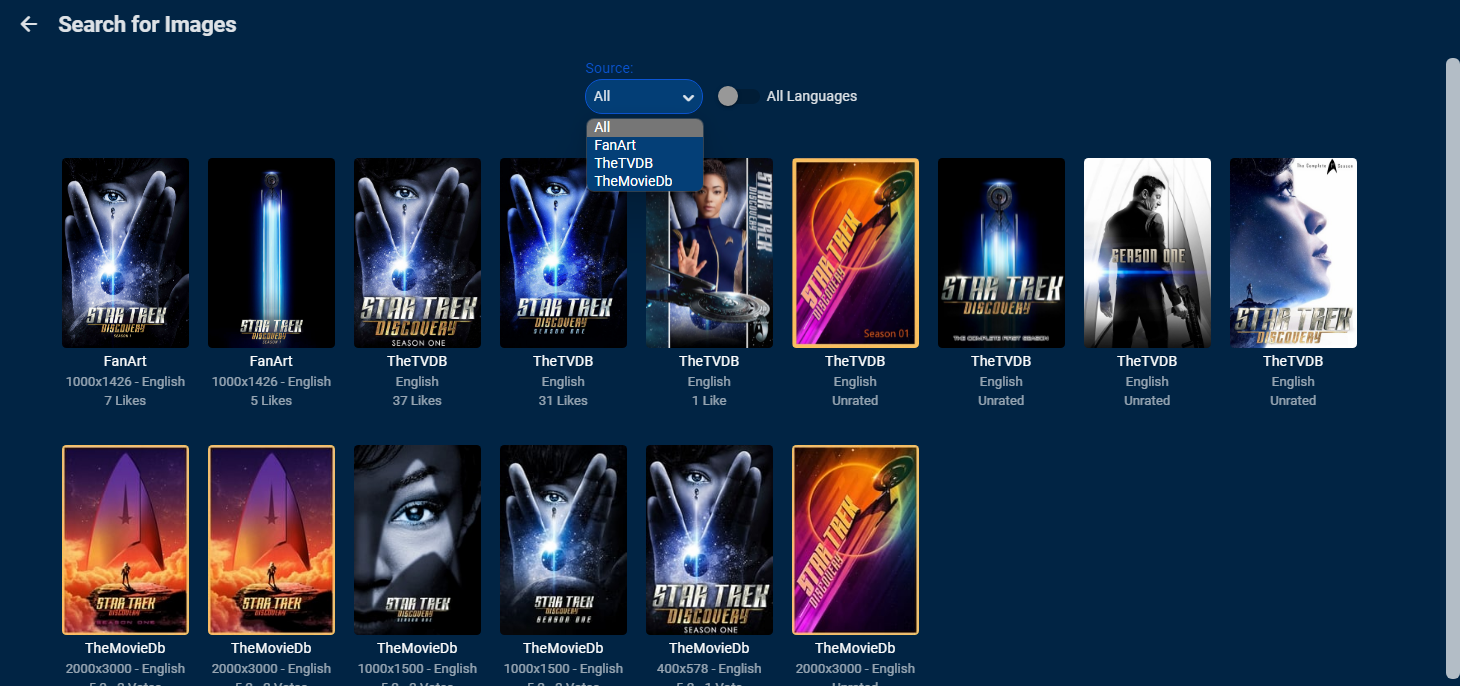
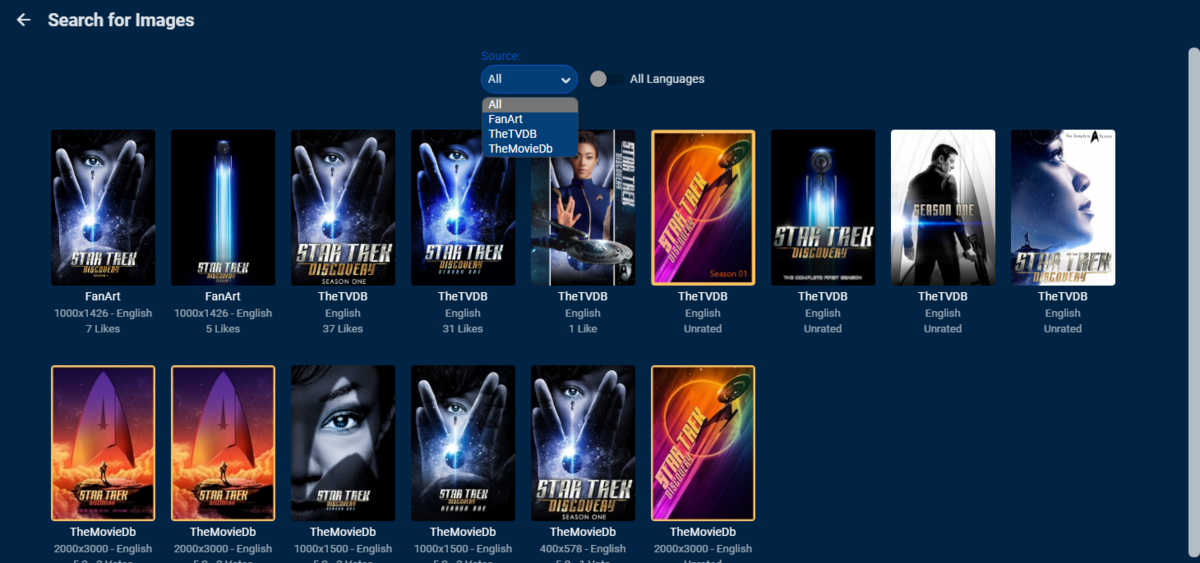
Without logs of when this happened it is impossible to say, but can say I don't not see this behavior on any of my systems. In the image editor do you get images from each provider? Star Trek Discovery Season 1
 1 point
 -
You could try to remote control your XBox from an Android Phone or XBox app on a PC.1 point
-
Before worrying about or allowing disks to sleep you need to investigate to see just how much energy will be saved and look into the wear and tear of spin up/down cycles and how much starting and stopping will reduce drive life. I have not looked into this for quite a wile but the last time I did it turned out that it actually cost a lot more to allow drives to sleep than it did to just keep them running and the reduced access caused by waiting for drives to spin up caused inconveniences for server access that were, to me, not even near worth the marginal savings of even allowing the whole serving computer to sleep. Things may have changed in the last few years but it still seems counter productive to allow servers, either drives or the whole thing, to sleep. I have 13 external drives connected to my server and, at last test, keeping them on all the time only cost about the same as a 15 watt light bulb (Incandescent) burning all the time. A very tiny cost with the advantage that you never have to worry about access. It is my belief that servers should never sleep and that even fancy WOL settings or other energy "saving" do not mitigate the problems. My neighbors do not even run any computer systems at all, basically they have a house that thinks it is 1960 or so. Their power bills are about where mine are. I run about $5.00 to $10.00 more than theirs. The only time my bill jumps above theirs by a good margin is in the hottest months as I like it cooler and so my air conditioning run a bit more. BTW: My server is simply a top end computer from about 10 years ago and I never shut it off. But you need to make your own choices. I just wanted to indicate that there were other considerations that might effect decisions. BTW: In the fall/winter/early spring I move my server to my main living area so it can help keep the area warm.1 point
-
Not sure if you guys care but figure more info is better than less. Updated one 4.5.4 server straight to 4.6.7 - went perfect, as well as 4.6.4 & 4.6.6 to 4.6.7. This is with both official emby docker repo and linuxserver repos. I did run into one odd error - upon the update, when logging into emby, it kept stating that attempting to update official plugins had failed. When I checked the plugins folder, based on the modify date/time stamps, they did indeed update. Since it was in the process of doing the db upgrade/initial scan, I let it get through that first, then restarted, and the plugins were properly reporting the latest version. For anyone using the Auto Movie Versions plugin, make sure you update to the latest for 4.6+ support.1 point
-
UPDATE Yessss, LG problems with Let's Encrypt SSL has been fixed by using ZeroSSL instead. Now, friends using LG televisions can use the Emby app again. Thanks to all who suggested ZeroSSL1 point
-
Oh, I see what you mean. I just tried this on my xbox which I finally got back from my son. Yes, no keyboard anywhere in the app. In a couple places they have the A..Z letters but it's not a keyboard. Also noticed right away it appears you can't get to the search icon as there is no indicator but it still works if you keep track of where you are. No keyboard on the search screen either which makes that a bit hard to use.1 point
-
Given that you guys are now detecting credits as well are the devs aware that they could use this to further improve the "play next" feature? Right now it sometimes shows up to late or to early but if the correct credits time is available it could be tweaked, I guess. Just a thought I had right now while detection is running. PS: From what I see in the logs the detection has been tweaked, will report in a couple of days when it's through my library.1 point
-
If you buy lifetime the probability of using the software for more than at least few years is quite high I would say. Assuming 3 years of usage would mean all this (software + support + development) costs less than 5 bucks a month. Really...?!1 point
-
One of the things I don't like about the played/unplayed button on either touch screens or with a mouse, is that the button moves. For example if a movie that I previously watched and I started to watch again and I stop before it is finished. We have the resume button. If i click on played to mark it unplayed the resume button disappears and the played button moves accordingly. That doesn't allow a double tab or double click to marked a previously watched program that is in progress as watched.1 point
-
I've tested tags against Season 0 and special episodes and it's working fine here.1 point
-
Maybe it's dead post but I'll try to give my feedback. Please consider adding "Dev Diary" once per week/two weeks. Current Emby Blog section sometimes feels dead. Adding more content may improve visits counter and help with "promoting Emby" mission Good example of "Dev Diaries" is for example those on Paradox games forum, also devblogs from Microsoft etc. Just to show users that Emby is alive and active and have some sneak peeks for upcoming futures, challenges etc. I try to visit Blog from time to time and I'm always disappointed seeing how stale it is.1 point
-
https://support.emby.media/support/solutions/articles/44002137137-remote-setup1 point
-
Liking and bumping this. Hard to navigate when you have a growing playlist and it's upward of 200 tracks. Also it's in XML and not m3u so I can't just open it in mediamonkey and sort.1 point