Leaderboard




Popular Content
Showing content with the highest reputation on 11/10/21 in Posts
-
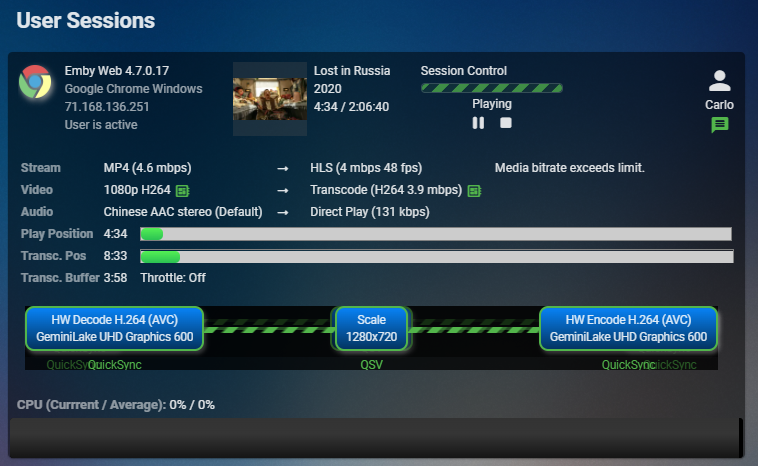
Yep, one part of the Diagnostic plugin but I'd like to see it moved to the base install since it's great! The version you see in that picture requires 4.7.0.17 or greater which is the current beta release. Earlier versions of the plugin don't have as much info or look as nice as that does. I use that page more then the Dashboard view.2 points
-
On the beta server!2 points
-
Install Diagnostics plugin.2 points
-
You have several notification plugins to do that; seeing you're on iOS, you might go with Prowl, but also Pushbullet, Pushover, Telegram or whatever. Check Plugin Catalogue.2 points
-
Yup, Most of these "Providers" oversell and have the Servers and Network overloaded. It's Cheap TV, you get what you pay for.2 points
-
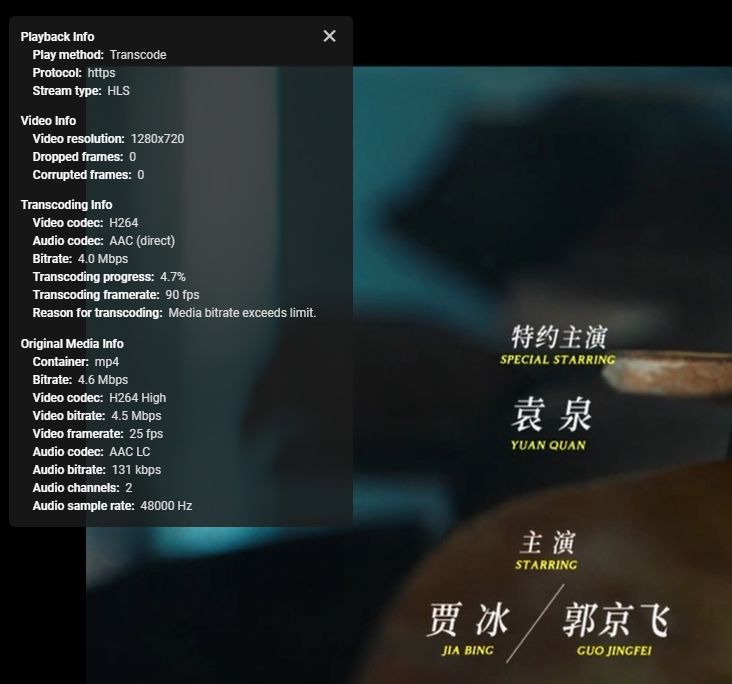
I too did not realize this was xpenology as the title says DS918+ which it isn't. 918+ is a reference to the actual hardware, not the software running on which would likely be DSM 6 or DSM 7 these days. Xpenology is neither as it does hardware emulation and includes a patched (not true) version of an older DSM release. Generally speaking xpenology will work ok for normal things that don't care about hardware but may have issues with actual hardware interaction as it's not really present. As an interesting test I created a VM on my actual Synology 920+ and installed xpenology in it. I was not able to get hardware transcoding to work this way either and that's on actual Synology hardware. I did not spend a lot of time on this so I'm not saying it can't be done, but it would probably require a lot of tinkering with at the OS level and isn't something Emby can directly support. Here is the actual file downloaded playing on my actual Synology. Work with VAAPI or QUICKSYNC.
 2 points
 -
Hi, we have a fix for this issue coming. Thanks.2 points
-
@Campsight - Can you try to disable subtitles before starting playback? @SamES - It means that no further segment has been requested yet by the client (probably because we didn't even manage to get out the first one at all)2 points
-
I tried subsync some time ago good results, but then tried alass, got same or probably better success rate with it, the difference is is much much faster doing the syncing process.2 points
-
There was recently a similar thread, gimme a minute to find it. Edit: If it were me, I'd go with any of the AndroidTV devices; kudos to Roku app, but ATV is still THE client app. Of course some will disagree, I guess.2 points
-
Then you need to email billingsupport@emby.media2 points
-
Thanks for your help, managed to get it work and let the NAS go to sleep. In the end it were the Emby DLNA settings. Switched off all DLNA and after 30 minutes it went to standby.2 points
-
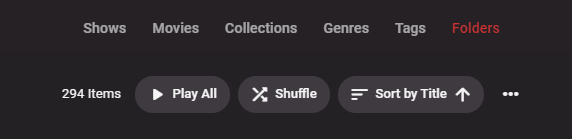
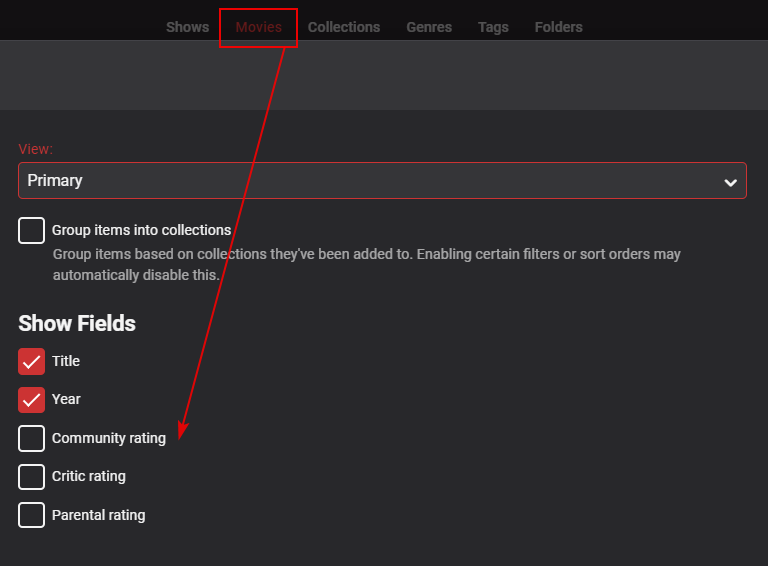
Could you show us the top row of that screen? If you are in 'Folders' view, you will be limited to Show Fields of just 'Title', but if you select either 'Shows' or 'Movies' you should then see more options available. Hope that helps.
 2 points
 -
I was able to fix it, I had to reset the complete TV from the factory, a bit tedious but it worked perfect. Thank you all for the help2 points
-
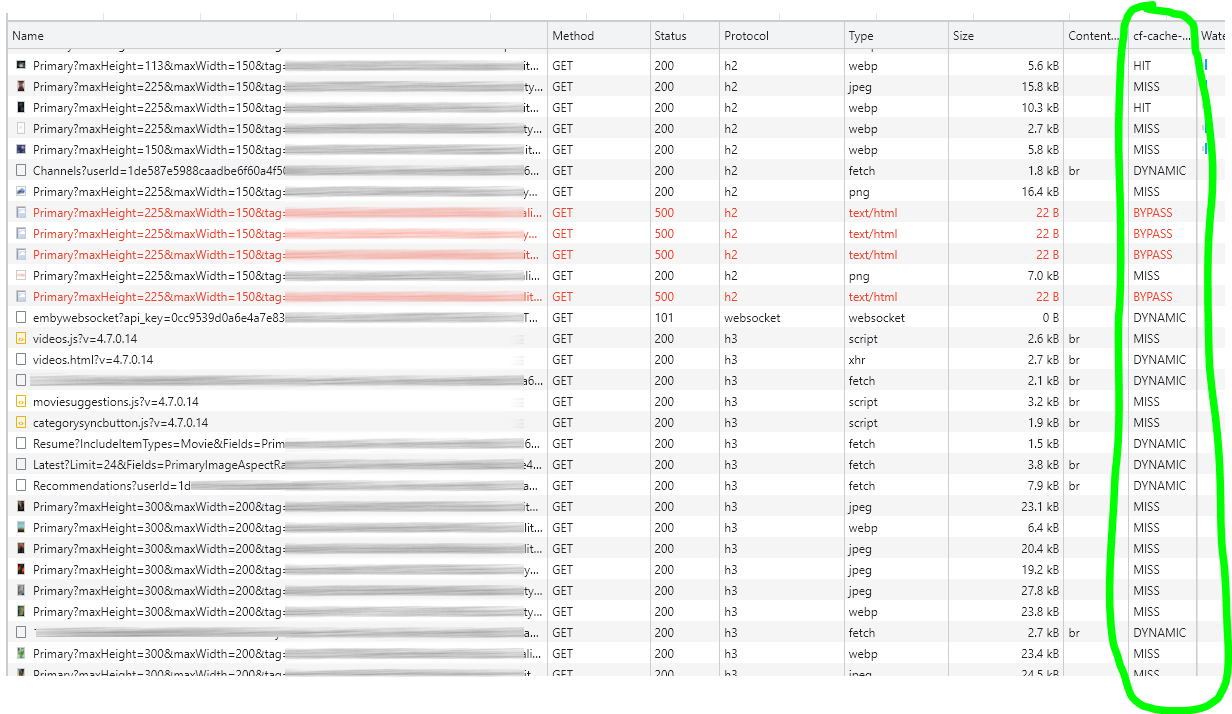
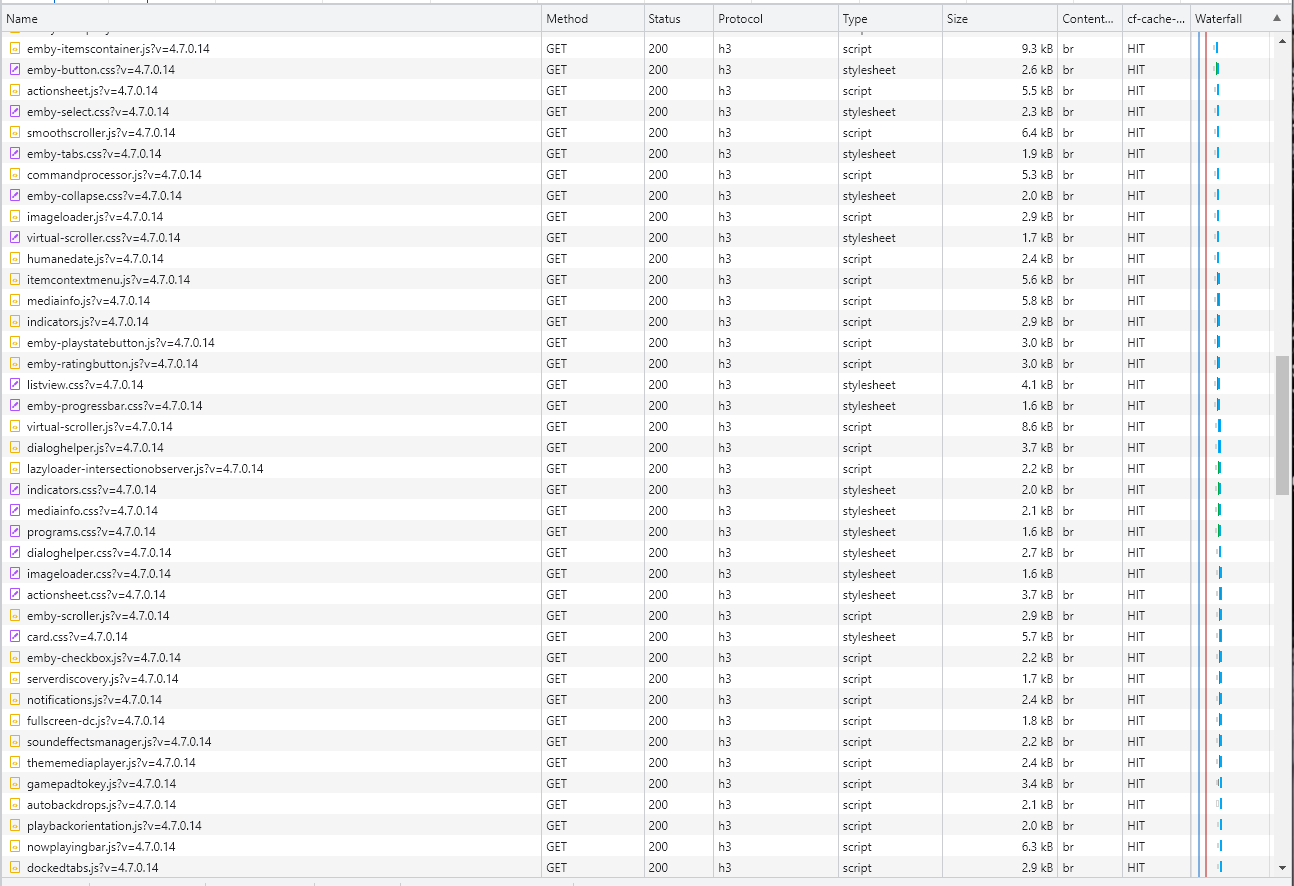
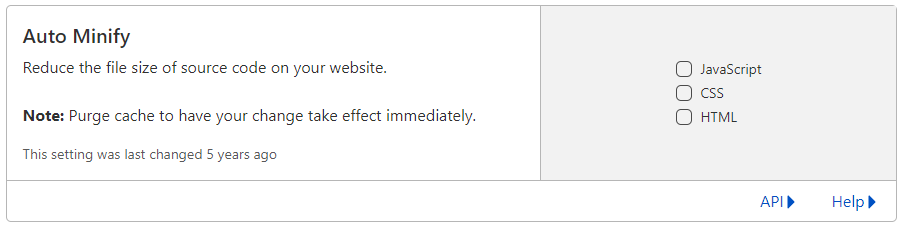
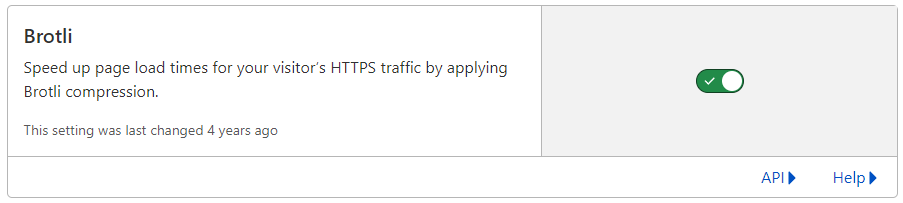
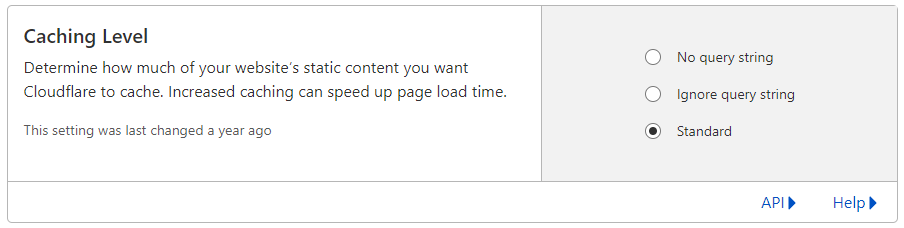
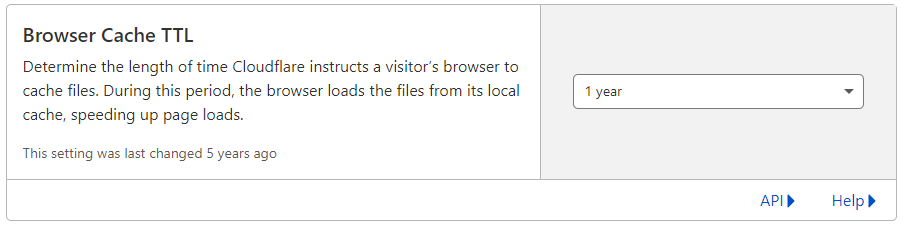
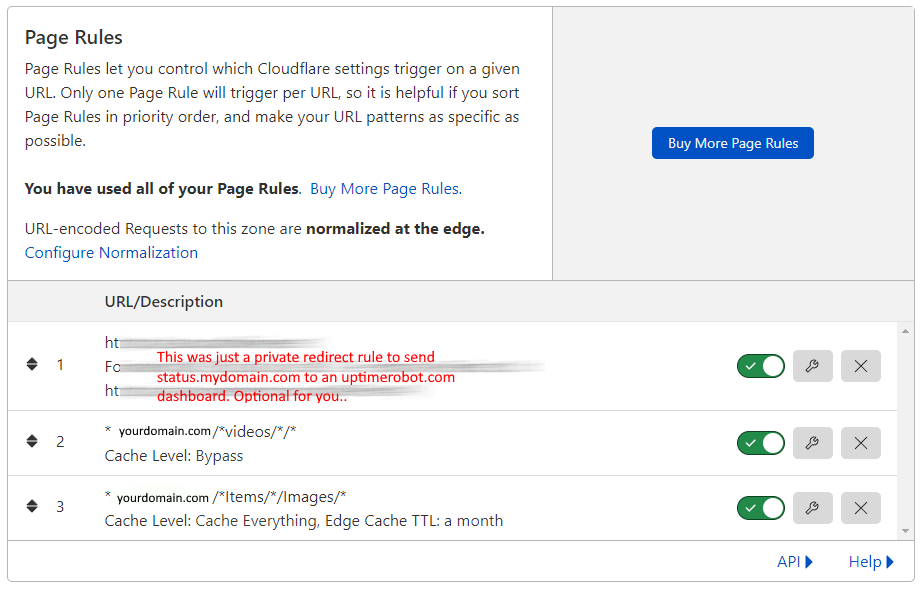
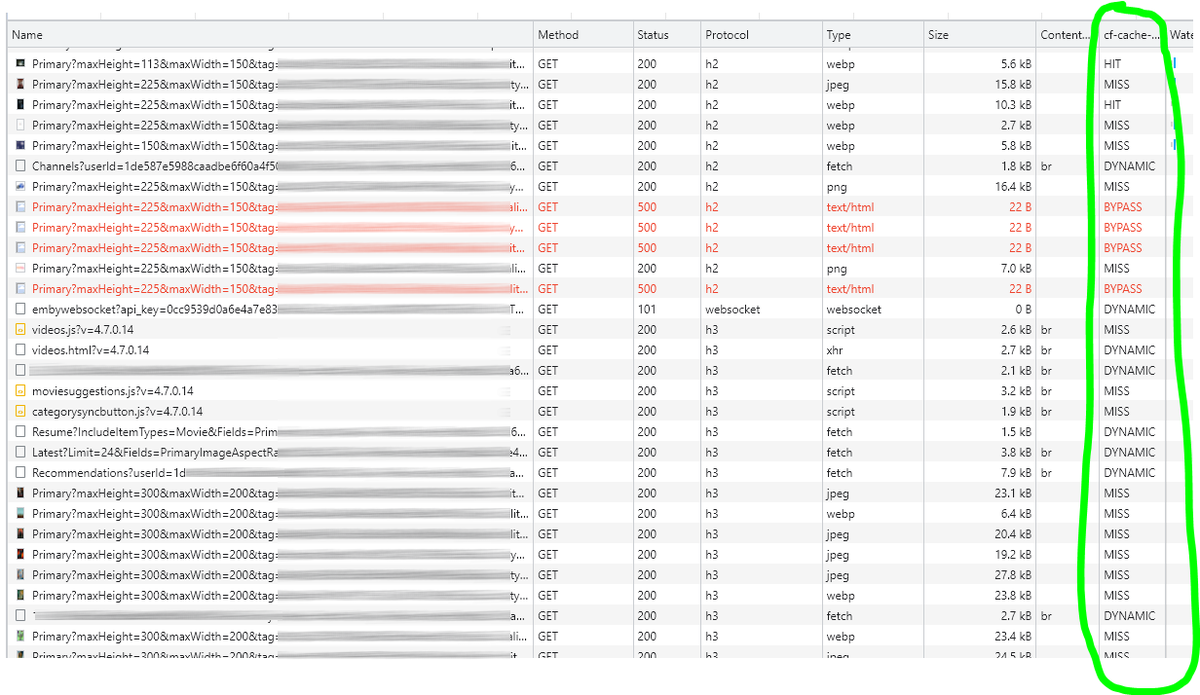
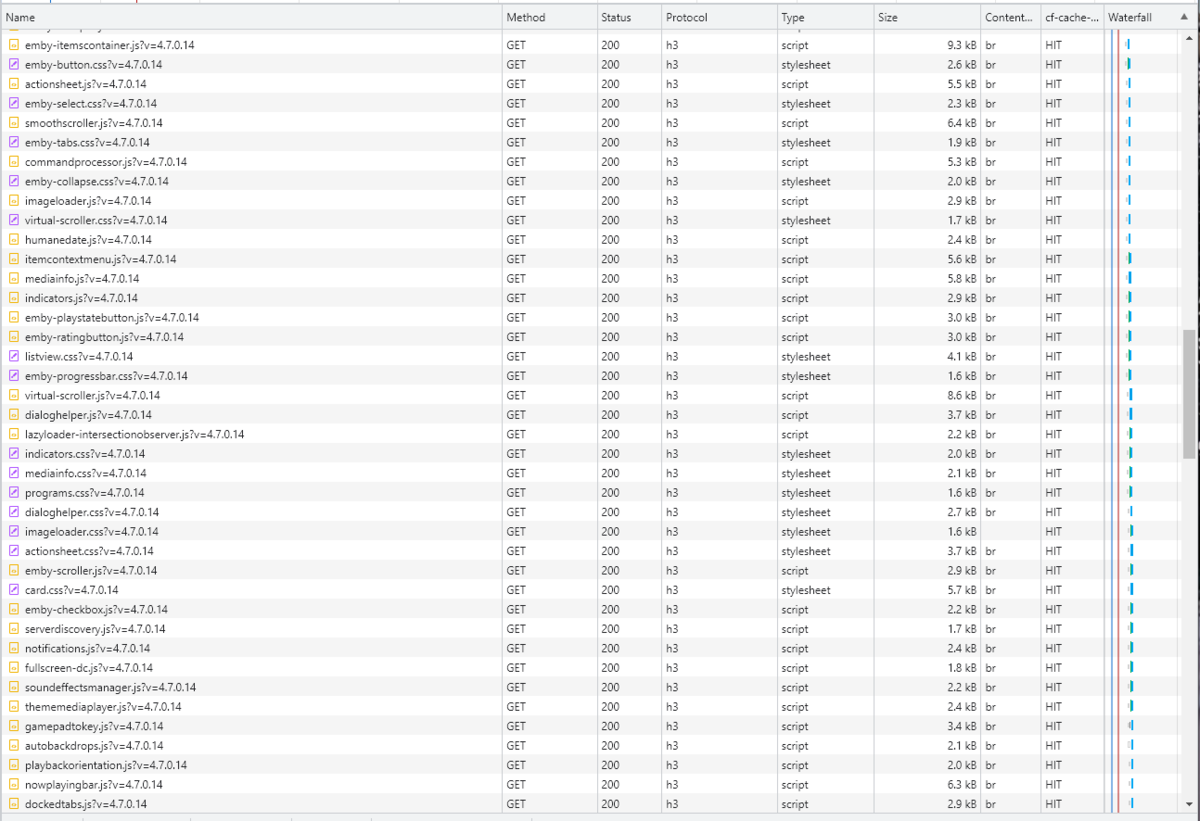
Cloudflare and emby Config Version 1.0.0 Last Update 02-25-2022 Update by Pir8Radio ** UPDATE: I AM HEARING OF EMBY USERS GETTING VIDEO FILES BLOCKED WHEN USING CLOUDFLARE (FREE TIER). IF THIS IS THE CASE, I NO LONGER RECOMMEND USING CLOUDFLARE. Even with the cache bypass rules, your video still passes through their system and is technically against their TOS. Use CloudFlare at your own risk if you choose to continue. I'll update if I get more info. Please post in this thread if you find you have video loading/playing/downloading issues while using cloudflare or have received an email from them about this. MESSAGE FROM CLOUDFLARE: Free, Pro, and Business Plans serving videos or a disproportionate amount of non-HTML content can be in violation of Section 2.8 of the Self-Serve Subscription Agreement (TOS). This will turn into a full Cloudflare how-to. Others are welcome to edit this or PM me with suggestions.. However right now I'm just going to post some recommended settings for people who already have Cloudflare setup. There are a few cloudflare settings that break emby, some break it in obvious ways, some only certain apps in certain situations.. These are the settings I found that work well as of today. I'll try to maintain this post and update the header info should new features come out, or the community discovers better settings than these. As of today, these are the settings available to us in Cloudflare FREE account: First disable the two main things that will break emby, go to the "Speed" tab then "Optimization" sub-tab. DISABLE Auto Minify and Rocket Loader! (screen shots are in the recommended state) Other options on this settings page are optional to enable, I suggest enabling Brotli compression. It's a good thing. Now head over to the "Caching" tab and select the "Configuration" sub-tab. Set your Caching settings as shown below. THIS IS OPTIONAL: Other settings in this settings tab are optional to whatever you like.. I have "Always Online" enabled, its kind of a neat feature that caches as much of your emby server as it can in case your server is down, users will at least see an emby splash screen, that's usually about it.. but its something... kind of useless otherwise.. Handy if you have other websites, it will totally cache normal html websites and users can continue to use your cached site when you have a web server outage. Next head over to the "Rules" tab. Create these two rules: Rule #2 here we will bypass caching 99% of all video. Caching the video will actually slow down the client experience. It screws with the chunks and often times has to fully cache 1 chunk before cloudflare sends it to the client, causing playback delays. Rule #3 here will cache all images on the edge servers for 30 days. We need this rule, because cloudflare only caches known file urls, like picture.jpg or poster.png emby serves up webp images with NO EXTENSION so cloudflare doesn't know to cache these items. But 99% of emby images come from the /items/XXXXXX/images directory so we will just force cache everything that comes from this URL, it should be only images. Keep in mind when you enable this it can take some time to build up cache.. emby serves up different sized images based on browser screen size, apps, etc.. so if you load a page that is minimized to a small window on your desktop emby will serve smaller sized images, if you make your browser full screen, now emby will serve up larger images and those images may load slow the first few times until they get cached too. Go below this screenshot and I'll show you how to check if caching is working. Check to see if Cloudflare Caching is working Well, how do you know Cloudflare is doing its thang'? Use a browser like chrome, or the new Microsoft edge (which is just a rebranded chrome). Open the browser, right click in the browser window and go down to "Inspect" (there is an F key for this too I forget what it is, I should add that here lol). Once the dev window pops up adjust it so you have a good view on the right, click the "Network" tab, hit the reload button on whatever page you are on so some info populates on the right dev screen. You should see something similar to this: Right click on the table header (Name, Method, Status, Protocol) anywhere, just right click the "Name" one. Go down to "Response Headers" then "Manage Header Columns". A little window will pop up hit "Add custom header..." and then add this header: cf-cache-status Now select the little sub tab that says "all" now surf your way to your emby server, and you should see something like the below screenshot. Hit is well..... a hit! this image came from cloudflare and was never requested from your emby server, saving you from sending this image to the client, saving time and bandwidth. MISS is also kind of obvious, it was a miss, either due to never being cached yet (first time Cloudflare has seen this image or document) if you hit refresh a few times, cloudflare will then cache it and it will turn to HIT. BYPASS I'm actually not sure why my server is returning server 500 errors below, this image is being called for by emby clients but the server has no image to serve, but usually you should only see BYPASS on playing video's if your rules above are correct. Or in my case, a server error will not be cached. DYNAMIC this is also a NO HIT response.. this is usually due to Cloudflare knowing this resource changes a lot and doesn't want to cache it so your clients don't get served stale data, or its a video, websocket, or some other format Cloudfare's great automated intelligence deems it should not be cached. That is the basics that will save you a lot of headache and blaming emby for things not working.. There are lots of cool options to enable outside of these basic settings above, ask questions here, send ideas that maybe I have missed that work great for you.. I just wanted to throw this up due to a lot more of you guys using Cloudflare. In the end you should start to see more "HIT" responses... and a noticeably faster loading time for the clients, less bandwidth usage for your emby server, and everyone is happy.. Well..... within reason....




 1 point
 -
Well, all those notification events are built in, hence plugins, as we all have different preferences, you find out which one works best for your usage-case.1 point
-
Thanks it worked!1 point
-
Install app on your phone. Head over to pushover.net to register app, as you'll need auth token. Download plugin from Catalogue, enter that token and user key. In Dashboard>Advanced>Notifications, configure events you want to be notified of. If you want daily summaries (Users watched/Media added) , install Playback Reporting Plugin.1 point
-
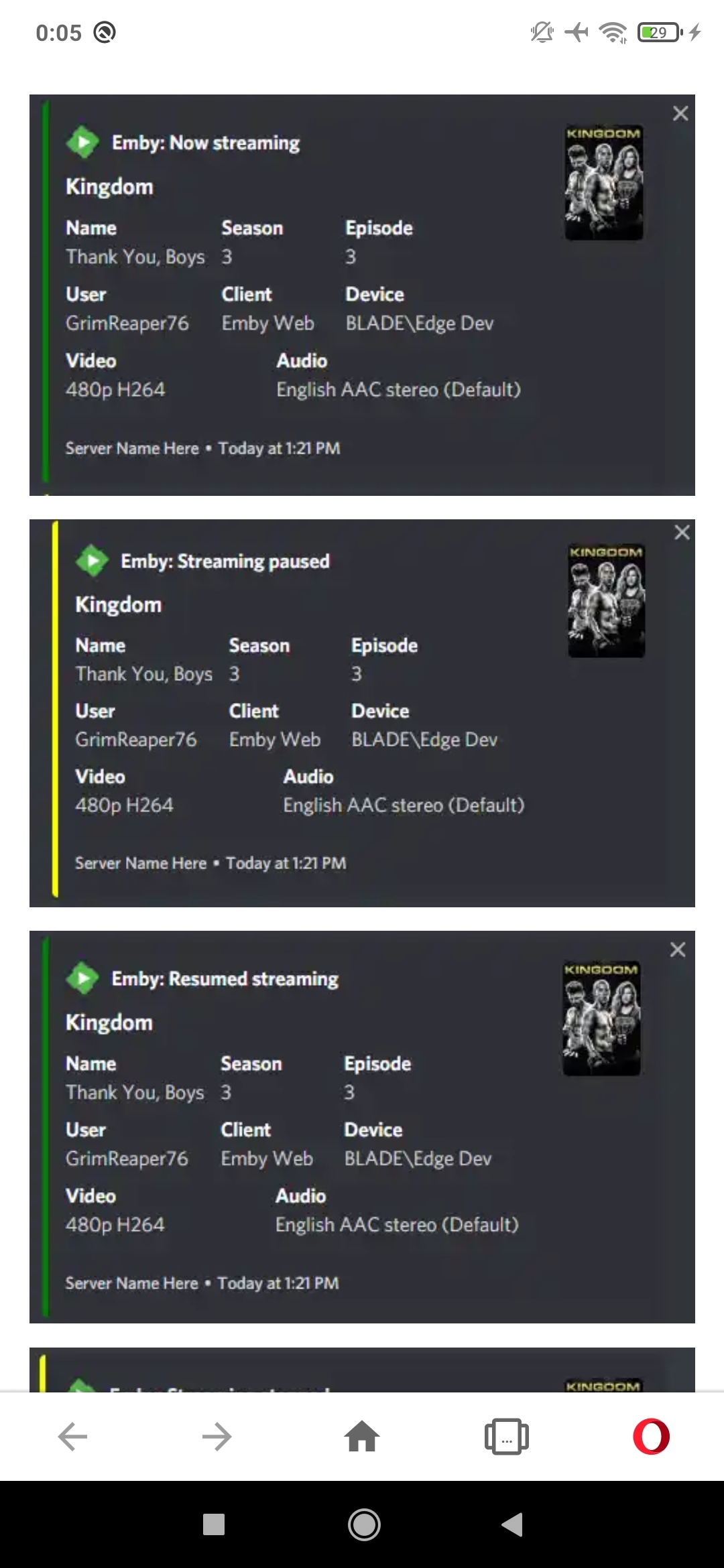
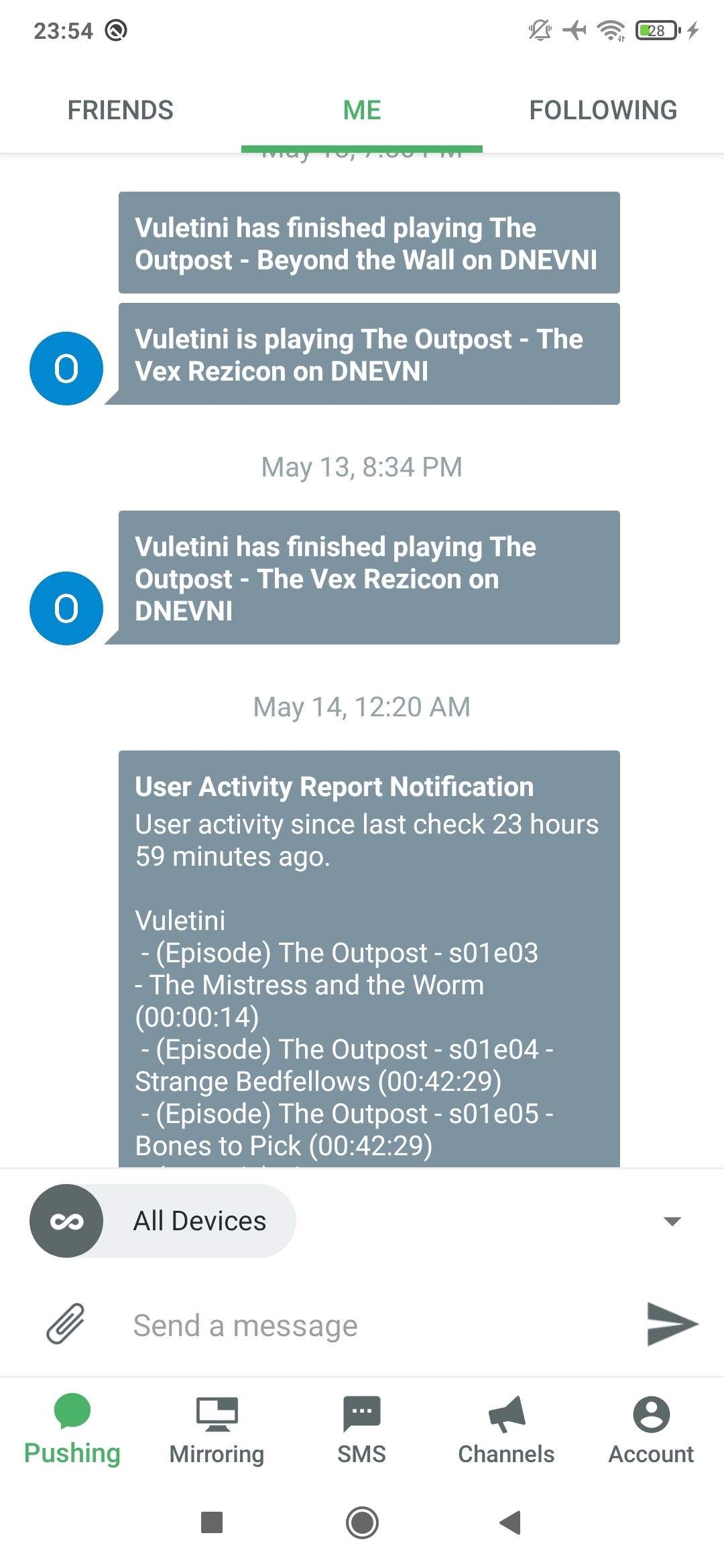
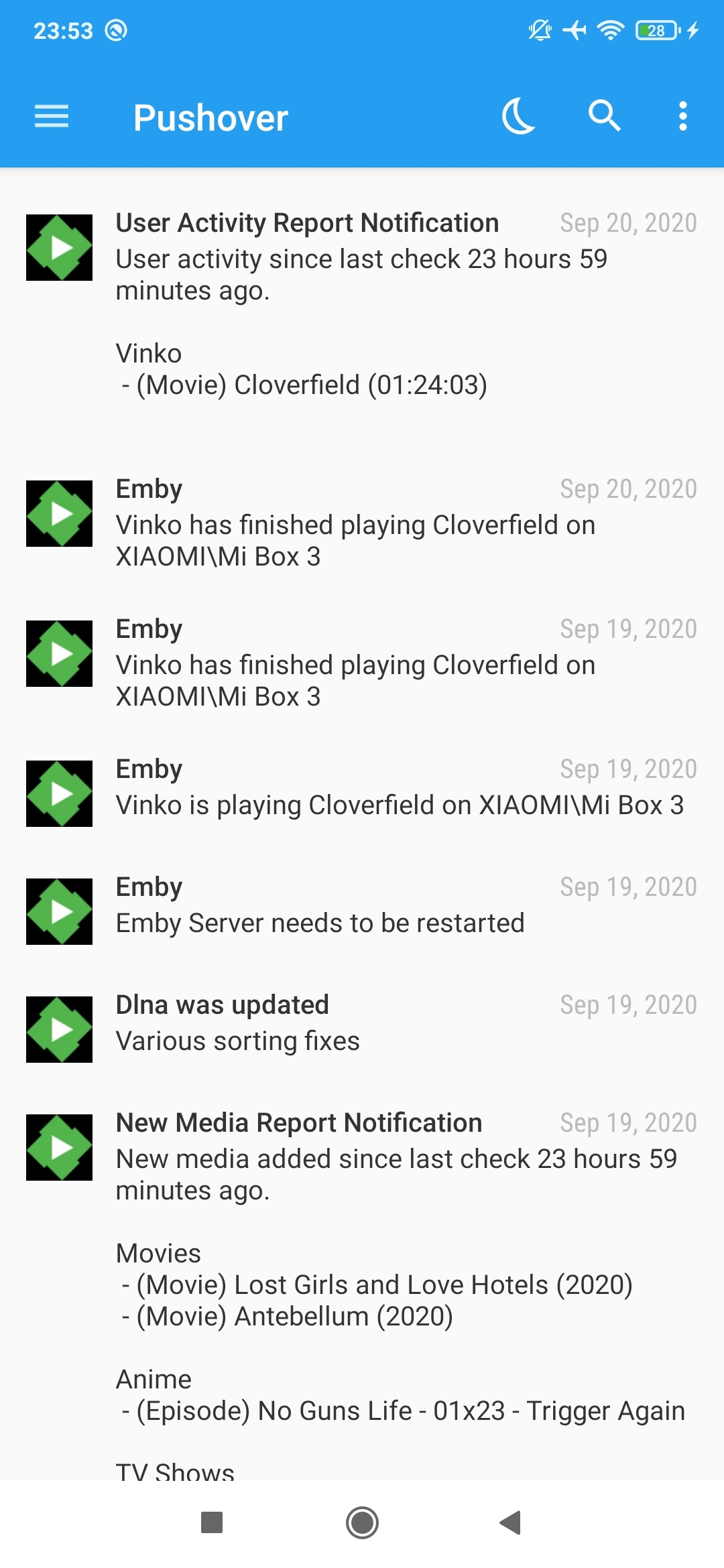
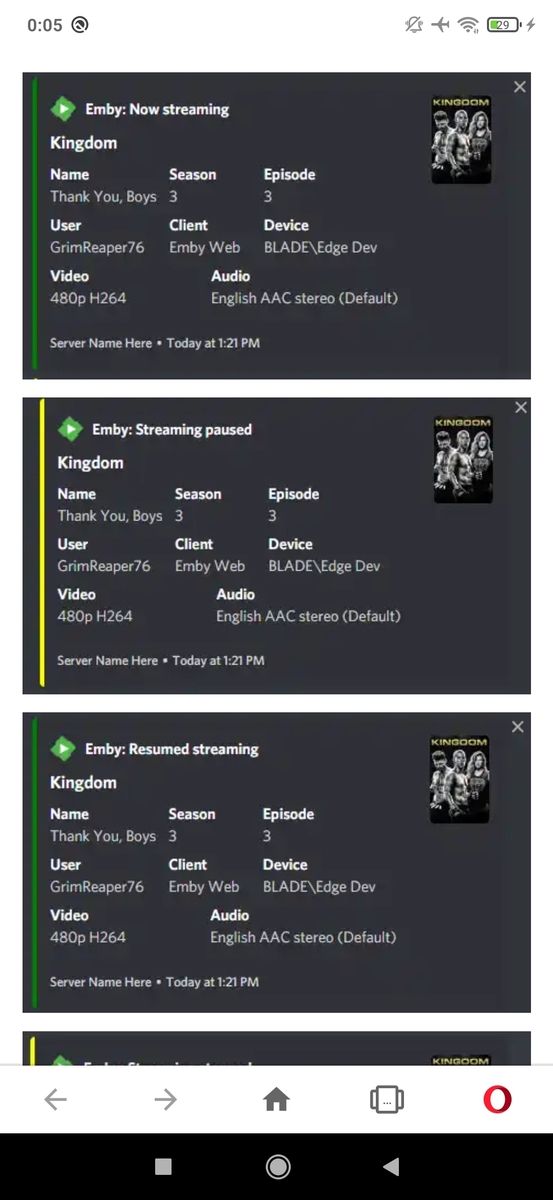
There's screenshots of both Pushbullet and Pushover above, which one you fancy more? They both work bassically same, not any notable differences there. For some eye-candy, notifiarr+discord.
 1 point
 -
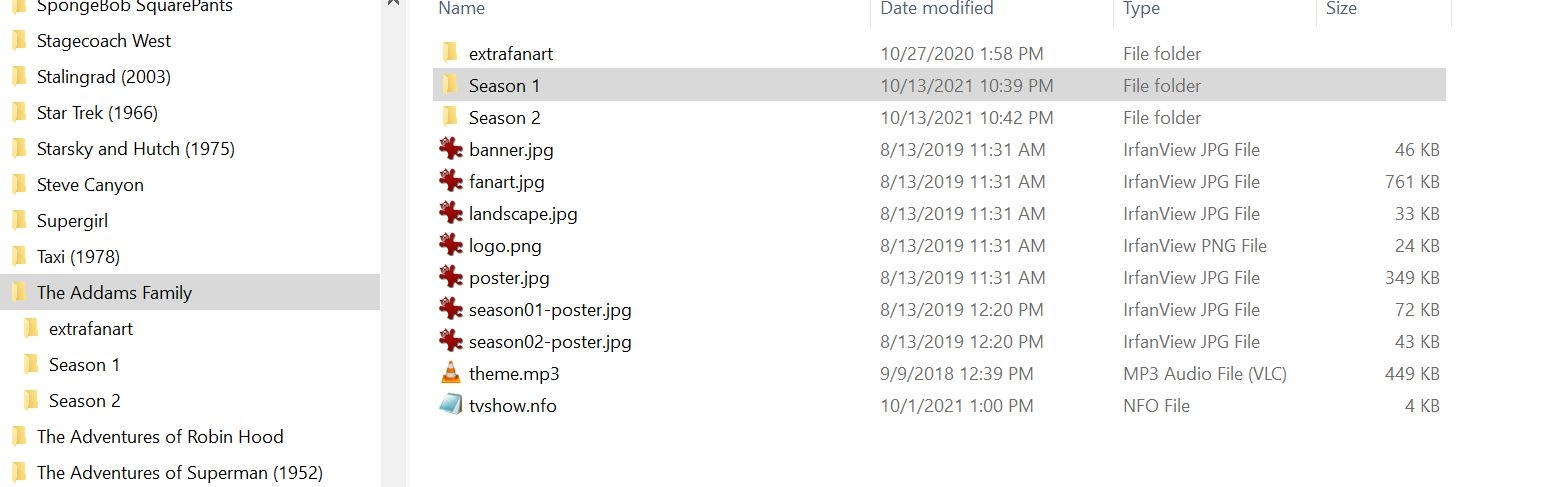
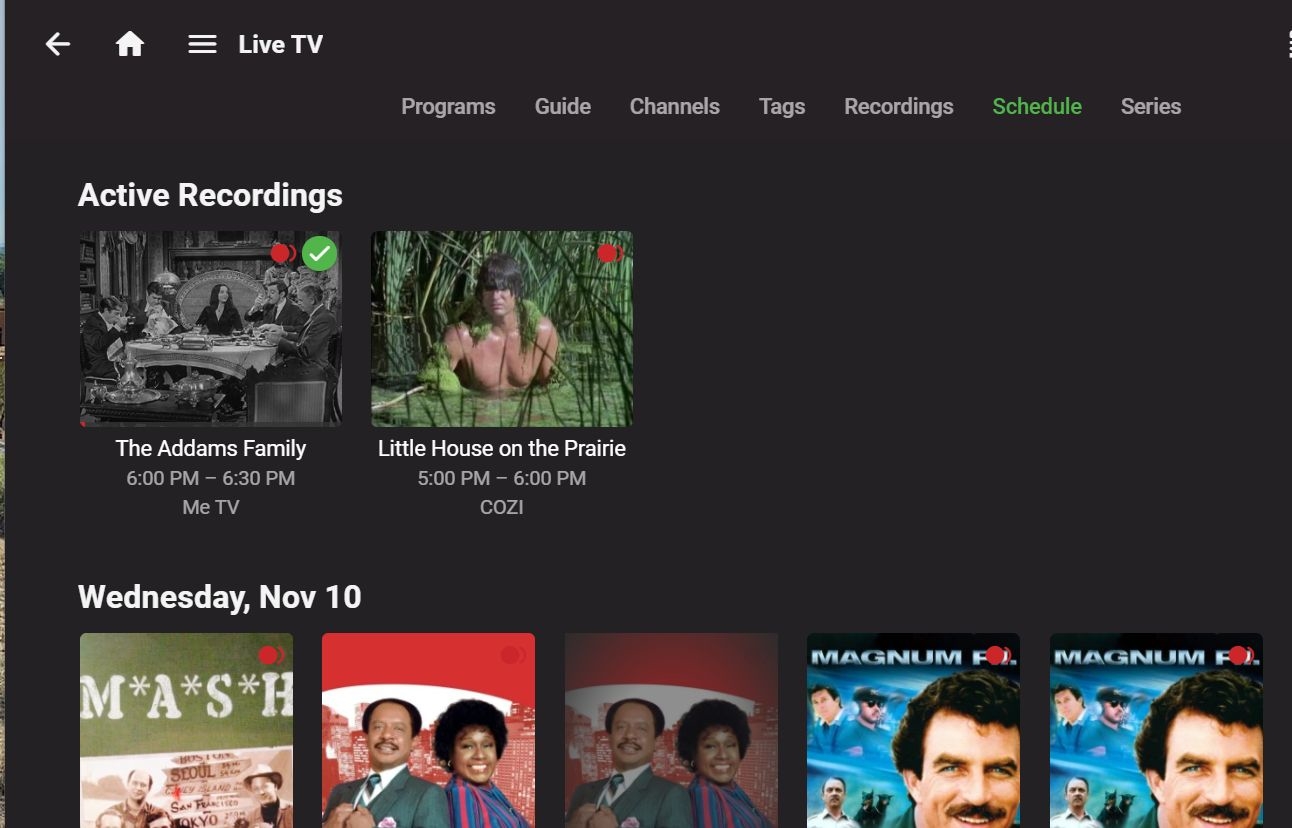
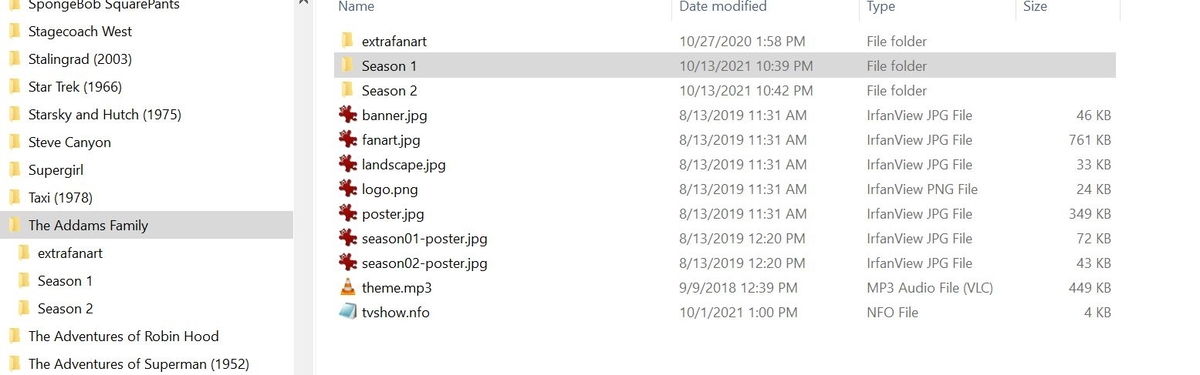
Something has seriously changed. The Adams Family has 2 seasons with a total of 64 episodes. I have all of them on my storage device where I keep my completed series. Now, Season 1 episode 11 of the Adams Family is scheduled to record again in a few minutes............. Something is happening here, not exactly clear, but a man with a gun over there is telling me to beware!!!! Sorry, I had throw that in "For What It's Worth by Buffalo Springfield" But, seriously, something has to have changed. Either that, or I just came out of a coma and noticed it. ..
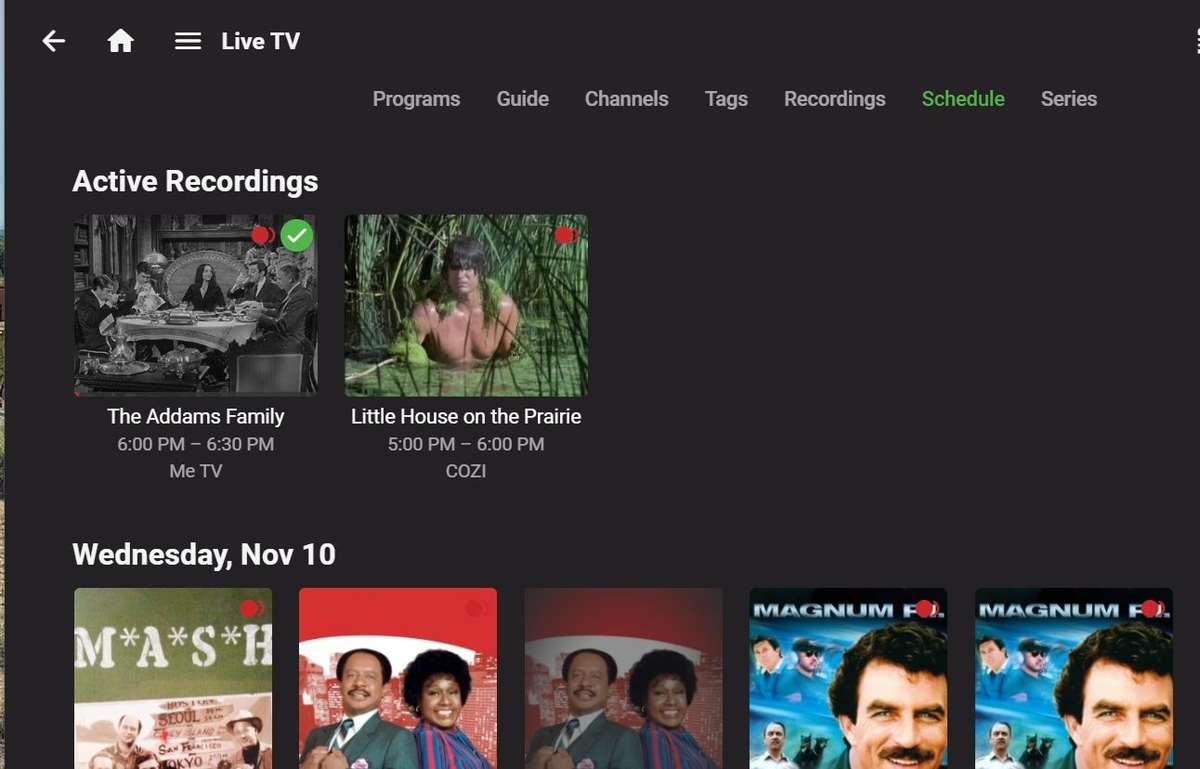 1 point
 -
I was using both Pushover and Pushbullet at some points in the past, haven't for some time, though, went next-level with webhooks and notifiarr, but sure, let's try to sort you out, what do you need help with?
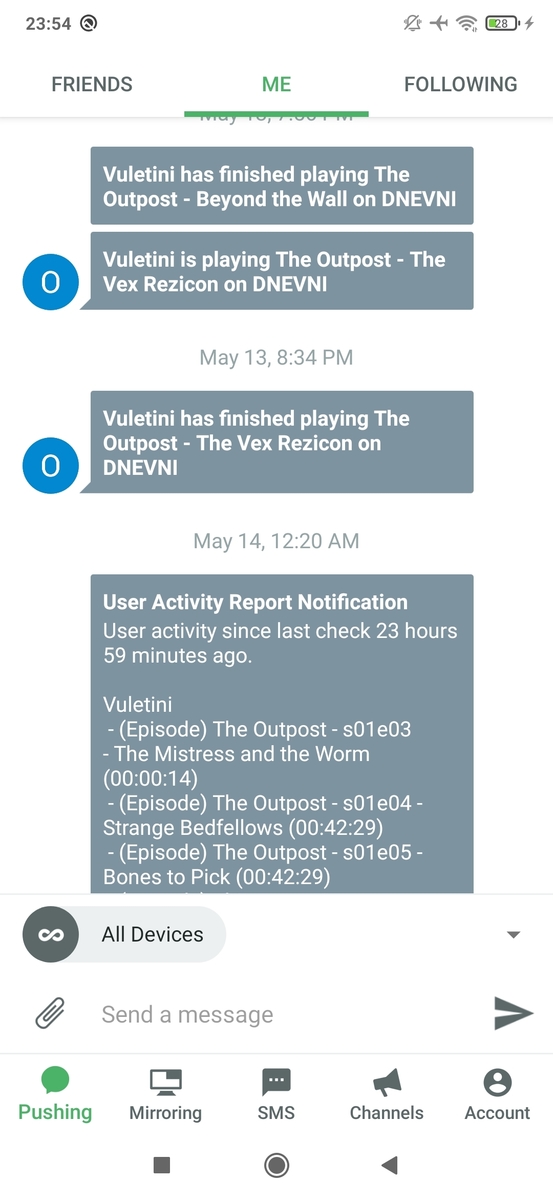
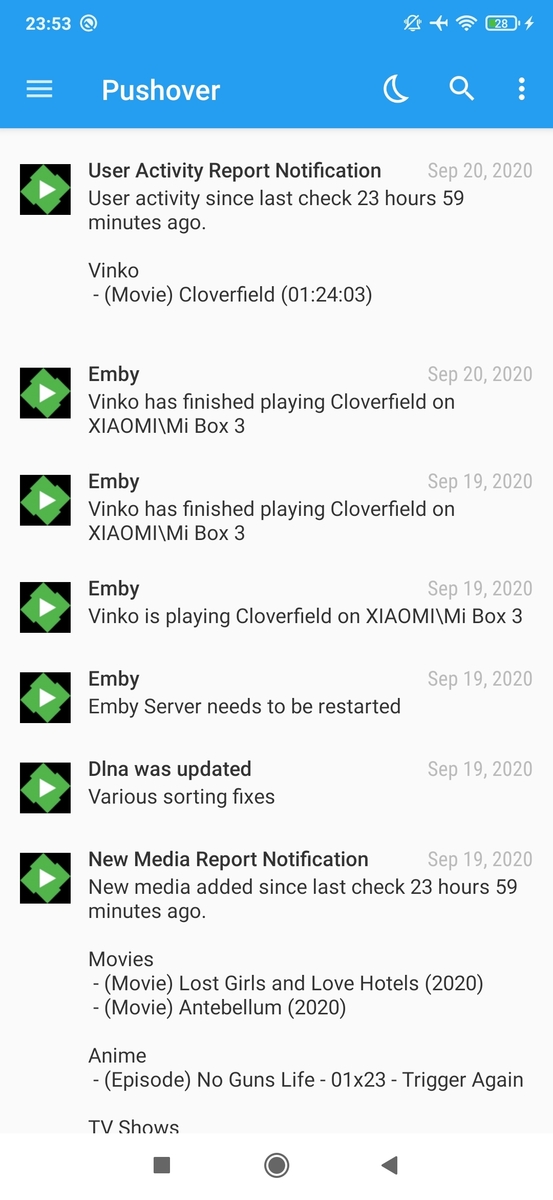 1 point
 -
No, I think existing databases will be OK. It may take a couple library scans though.1 point
-
Thanks all. I just updated to 4.7.0.17 and the plugin. The plugin is great. Agree it should be standard. Prefer it over the dashboard one now!1 point
-
Thanks Softworkz I remembered having to disable the subtitles once before to remedy the problem. In my future attempts to solve similar problems it will be the first thing I try. If that was unclear to anyone having the same problem, I needed to disable the subtitles. You don't have to permanently disable all subtitles, just do the movie you're watching. Cheers and thanks again1 point
-
In order for a service to be available on the Internet it can't be hidden away in a network without at least one open port to allow an Internet service to connect to it. Netflex, Prime and any website you access on the Internet will normally have ports 80 and 443 open or you would never get to them. This isn't a matter of "easy" but the way the Internet works. Almost every home router will allow outbound connections but not inbound connections unless a computer on the inside requested something. In that case the router tracks this and will allow communication back to that host on a specific port for X amount of time (until connection is closed). This is done for security reasons as well as how basic networking has worked for 50 years. Some underhanded software once installed in a local network can/will open a tunneled connection to the outside and can allow anyone in and this is exactly how exploits and security issue abound on the Internet. It's also why you get pop up messages from firewalls asking for your permission to allow the outgoing connection. This type of software is highly objectionable to anyone that cares about safety and security. When you want to allow Internet based services into your network on purpose (ie you run a server) like when running a web or media server you the admin take responsibility for doing this by opening the needed port(s) on your network to allow those connection types to access your server while blocking everything else that shouldn't get through the firewall. Opening a single port on your firewall is a 2 minute operation for anyone who has done it before and maybe a 20 minute exercise if you need to Google instructions for your router. That assumes as a home network your ISP allows inbound connections to your network as not all do and actively block such requests. With all that said, we're not about to start doing things differently then the rest of the Internet or do things considered bad practices. However we would love to help you open the port on your home router so remote users can use your server and so Emby Connect will work for you. Have you followed our Guide for setting up Remote access? https://support.emby.media/support/solutions/articles/44002137137-remote-setup1 point
-
Correct without the specific <set> it will not be a created and without the Collectionid it will not be able to follow the library rule if applied. If Library option is disabled then only removing the <set> node is required.1 point
-
Hmmm.... indeed... So you propose to delete the collection reference I don't want and then lock the Nfo? Like, remove this from Nfo: <set tmdbcolid="151"> <name>Star Trek: The Original Series Collection</name> </set> <uniqueid type="TmdbCollection">151</uniqueid> <tmdbcollectionid>151</tmdbcollectionid> But leave this one: <set tmdbcolid="115575"> <name>Star Trek Collection</name> </set> Interesting idea! I'm going to try this, thanks!!1 point
-
@Happy2Play i have corrected the language The only doctors that have found the cure are the plex devs because during tests i have made with 3 friends 0 mkv files were out of sync. I think they May use another approach in order the Samsung internal player not to be in a "buggy" mode. the language was against samsung not you. on 48 mkv files with dts inside, all 47 files samsung tv are "out of sync" with the emby tizen app (only in direct stream mode). so for me it is a sufficient proof that the tizen emby app needs a better approach to deal with subtitles. have a Nice day1 point
-
Do you save NFOs with your media?1 point
-
Have you emailed the address just above to start the actual discussion of the likely pricing (which may depend on the nature of your usage, I suspect)? At present you're just shouting at people who can't help. Paul1 point
-
If you want the automatic boxed sets the you have to accept the way it is done. That is if you like the beauty marks the you need to accept the warts. What I did shortly after the automatic feature was introduced was to allow it to create its collections as it wanted and the turned it off and then fixed the stupid stuff it did. I then left the automatic feature off as the collections were created and did not need recreation. The only thing I need to do now is add movies to collections any "new" movie that I get that needs to be in a collection. The automatic collection feature is not dynamic in that it creates the same collections over and over but does not often revise the collections once created unless the minimum wage clerk that revises the database makes some changes and the changes she/he makes are usually unmade when it is discovered how bad the choices are. Also if it creates a collection that just really makes no sense it never deletes that collection.1 point
-
In the next version, I'll add a warning if the websocket connection is not established.1 point
-
非常感谢,我在浏览器中找到了合集的移除按钮,这个按钮在客户端中并没有。另外非常希望能添加显示本地歌词的功能,非常期待!1 point
-
I've not read anything like that nor have I had any issues at all in R/W mode.1 point
-
This will not apply to you then. If you're provider is giving you EPG info for the PPV you are gold. This is about providers who do not give EPG data for the PPV channel but instead do something like this with the name of the channel. PPV 1 - Joe Somebody vs Mike Somebody Else 11/11 9pm There is no EPG info, just info in the channel name. So what's needed is a mechanism to take that info (on only some channels) and turn that into PPV 1 and create all the proper EPG info for that channel. But that's not the only problem. The stream associate with that PPV 1 9pm event may be different than the stream on the same "PPV 1" channel that came on at 6pm. We're still getting started with issues. That stream wasn't there yesterday but only today. It' will be gone again tomorrow. You can't even pass these channel in if you have setup "favorites" or selected channels only either. How the heck does Emby or xTeVe suppose to handle that? This is what I meant by garbage in = garbage out. The way most providers handle this now is terrible. For those using TiviMate or other like programs it may not be bad because you can switch to a PPV group and not get any EPG info which then allows you to more easily see the channel name. But use this m3u/xml info in any true DVR program and it's a no go.1 point
-
Small update - Excluding the plug-in from the OpenVPN settings allowed messages and the perpetual sync is now working as expected. Thanks for that. Weird though, as Emby itself was working and getting/giving updates normally and my setup uses IP not hostname. Great to have a solution - I think I will be moving to beta on all my installs1 point
-
Thanks for the detailed response. Ethernet would be nice but I got a pretty good 5G coverage and don’t have many BD images so WiFi should be enough for my content. I think I’ll go with the Fire TV Stick (3rd Gen) as the Mi Box S is twice the price in EU and I have 1080p TV anyway. Plus I’ll use it exclusively for Emby so if the interface won’t actively try to stop me, I will be fine Thanks again1 point
-
Hi, yes we'll try to do more frequent blog posts. Thanks for the feedback.1 point
-
I updated the title to reflect this.1 point
-
Fire stick is OK and I have one. I also have a couple MiBox S, Vbox and Shield TV all running the same Android TV version app. My favorite as well! The Fire stick is my least favorite for 2 reasons. One is the home page is full of stuff I'm not interested in. It's not a big deal as I quickly enter Emby and don't see it as much. But it's WIFI only. I prefer to use Ethernet connections for all my clients so I have zero issues with high bitrate files and don't tie up my WIFI with video. Vbox and Shield have built in Ethernet. MiBox S can use $10 Ethernet dongle (works great). So that's my reasoning for putting the Fire Stick or any other WIFI only device in last place on my personal list. I have other clients as well but prefer the Androids as they offer more functionality IMHO.1 point
-
Yeah, went a bit OT somewhere down the line, but you got the gist of it. Nope, I have Fire Stick 4K and Mi Box S. They offer very similar experience, though I'm more inclined towards Mi device. However, for your usage case, Fire Stick gen 3 might be a better buy, as it lists Atmos support: https://developer.amazon.com/docs/fire-tv/device-specifications-fire-tv-streaming-media-player.html?v=ftvstickgen3 whereas Mi Stick doesn't: https://www.mi.com/global/mi-tv-stick/specs/ as per: But someone with actual Mi Stick experience might chime in, as some reviews DO mention Atmos as supported.1 point
-
Sorry, I just realized that xpenology is a hack for running Synology software on any computer. I'm not familiar with this and can't provide much help here. The only other reason I can think of is that maybe the kernel is too old or something else is wrong with that OS image.1 point
-
I forgot to mention. I really appreciate the help thus far! I absolutely love this community.1 point
-
Having a bit of trouble downloading the file. Downloading now at a steady 2Mb. Waiting to see how the changes softworkz mentioned work out as well.1 point
-
Thanks glad we were able to resolve your issue.1 point
-
Are you sure Emby Server is running?1 point
-
We are looking into improving it. Thanks for the feedback.1 point
-
I don't like the idea of downloading all non-english trailers on my own and include them into my Emby database, when the Trailers plugin is doing that quite fine, but in the wrong language. Trailers are the way to get informed about movies you otherwise would have missed. If I have to download them on my own, the sense of trailers is fully lost. I don't know who is responsible for the Trailers plugin, but I would appreciate if that person / those persons will add a possibility to configure a favorite language for trailers for automatic donwload.1 point
-
As for copy to users that would apply to FR: copy user / user templates - Feature Requests - Emby Community1 point
-
Wenn dir die 5 Öcken zum Freischalten der App auf dem Shield zuviel sind und Du die Arbeit der Entwickler nicht unterstützen möchte wünsche ich Dir, dass die deinige Arbeit ebenso entlohnt wird.1 point