Leaderboard




Popular Content
Showing content with the highest reputation on 11/09/21 in Posts
-
Honestly, this discussion has been beaten to death multiple times. You can turn off the seasonal themes if you wish You can also select one of them manually any time you wish If you have allowed the seasonal themes to apply automatically, then the Holiday theme will start about a week before Christmas That really seems like it should put this whole thing to bed. Turn them on if you want them, off if you don't and manually select it if you want it now.4 points
-
Can you include an "add tags" option in the context menu for all library types? It would make it much easier to add tags which I use frequently.3 points
-
Interesting, this one is working for me. Apart from fanart other problem was with the old versions, when going to details screen for a movie/show the fist time the poster and clearlogo didnt load, so I had to enter a second time to details screen to at least force load those 2 with the absent fanart. This version appears to finally fix the delayed image problem with cloud libraries mounted through rclone. Thanks for all the effort and interest on fixing this, this is one of the reasons I support emby and this type of things are what marks the difference with the competition.2 points
-
Hi. Can you please try this with the latest beta of the app?2 points
-
Yes it's something we can look at. Thanks.2 points
-
Hi, it works just fine in the player. We'll be supporting it on the video detail screen in the next release as well. Thanks.2 points
-
Hoping for support for the new apple shareplay feature being released in the fall for FaceTime on all apple devices! Would be awesome to be able sync playback with family members to watch movies and shows together without being in the same location1 point
-
Thanks all for the help! Emby server is now working from the NAS.1 point
-
Thanks for the feedback !1 point
-
Dude you and I go way back lol - that's funny. I've figured out some tricks hahaha1 point
-
On first glance, (haven't shut down the emby server yet...) but it does seem to be auto-updating as new items are discovered by the server... Since I changed two things, not sure if anything's different, but can't really shut the server down willy nilly.... Constant access to AV content can be a matter of life or death around here (mine that is)! more in a day or two if I grow the balls to shut-off the universe.... Thx for the support effort(s).1 point
-
Hi, where did you get /embyserver/index.html ? That's not a valid url that we've ever used before. All you need is: http://ip:port1 point
-
Yeah, this does only occur with a handful of channels and their associated recordings...and only on my Fire TV stick Lite. e-charge1 point
-
Or just switch to ZeroSSL ...1 point
-
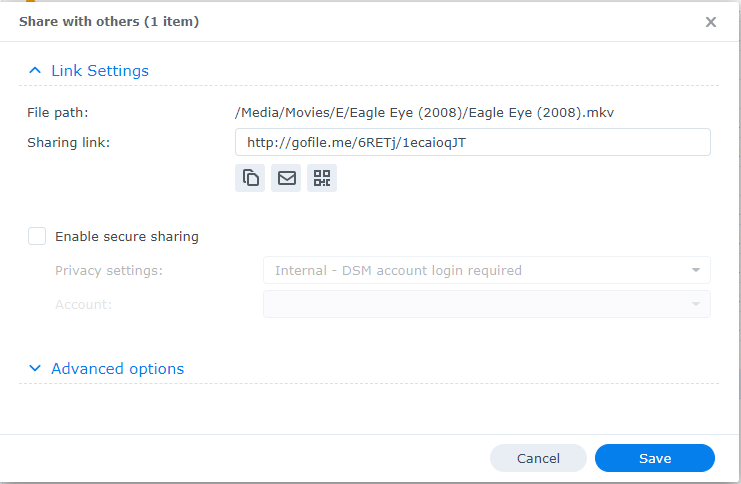
I've been watching as @GrimReaper has been giving you excellent advice on what to try to diagnose this and I would have done exactly the same thing. Can you upload your latest hardware_detection log file for us to look at? Can you share Lost in Russia for us to use to test with? You can probably right click on the media file and choose share: Then just PM me the link you see above. You can adjust how long the link is good for in the advanced options if you like. If you don't have this configured on your NAS then you could also upload the file to dropbox, google drive or similar as well. Thanks.
 1 point
 -
Works like a charm . It takes a couple of seconds extra for some shows, but loads 100% of the time. I'm very happy, kudos to the emby team.1 point
-
Will do when I get home this evening, thanks for the assistance1 point
-
Or even easier, the provider puts the program data in their xmltv file where it belongs instead of the m3u file.1 point
-
Hi, thanks. That's exactly what I tried but the Debian installation throws some dependencies errors. I will try to install it under a Docker container with it's own OS.1 point
-
Never mind, it turned out to be a runtime problem: https://issueexplorer.com/issue/NVIDIA/nvidia-container-runtime/157 I solved it by downgrading to the previous version. I'll leave this here for reference for people with the same problem.1 point
-
Got it installed with apps2fire. and the beta app works. it also did not pop up a ssl warning. it just connected right up1 point
-
I was performing some tests to simulate brute force login and found that emby lacks some pretty basic security measures. If you try to login using an invalid (non existing) username and password, failed login attempt is not displayed in the Dashboard UI alerts. You only get a dashboard alert when a valid username login attempt fails due to a incorrect password. This provides no visibility into brute force attacks. 1. Can you add dashboard alerts for this type of login failure? 2. Can you add these security Notifications and enable by default? For example, I was like to received failed login attempt emails after multiple failed login attempts.1 point
-
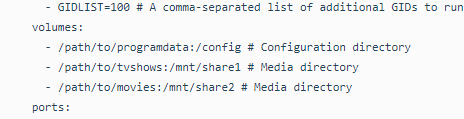
So, I figured out the Volume structure for docker. It was really confusing because I'm an idiot that mounts volumes using /mnt, so ultimately I got lost my self. Just in case anyone is stuck like me where you can't figure out why emby/docker is not seeing any of your files, the volume structure for docker is /path/to/movies:/mnt/share. What happens is that because it's a container, docker will create it's own volume within the container itself. So if you have a mounted volume, what you want to use is /path/to/your/mount:/MountFolderName For me, I have a mounted volume called /mnt/MediaServer1/Shared which is on my host machine that houses docker. Therefore, I would need to use /mnt/MediaServer1/Shared:/MovieFolder Docker will create a /MovieFolder directory inside the container, that is virtually mapped to my shared folder /mnt/MediaServer1/Shared Thanks @CassTG for the info though using the command line, but I was able to get my Emby Server on Docker up using docker-compose using the EmbyServer docker container. I was hell bent and determined to figure out how to use docker like a pro. Et hoc transibit. Finally, my frustration is over.

 1 point
 -
1 point
-
Hey Cayars - I just wanted to let you know that my issue was due to me using the URL they sent me when I should have been using a different one due to the fact that I was using a 3rd party APK. My provided didn't know and I actually found out myself. Thanks again for your help!1 point
-
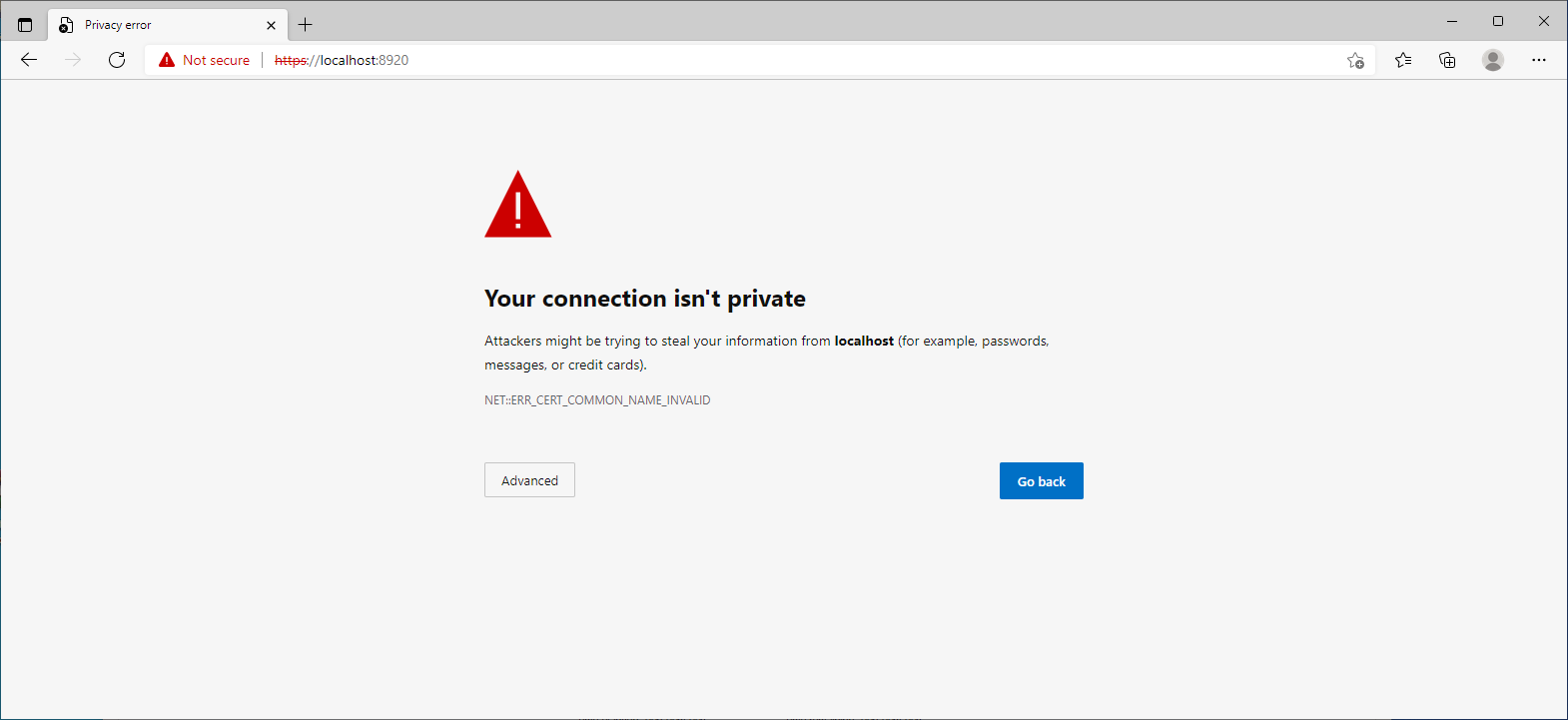
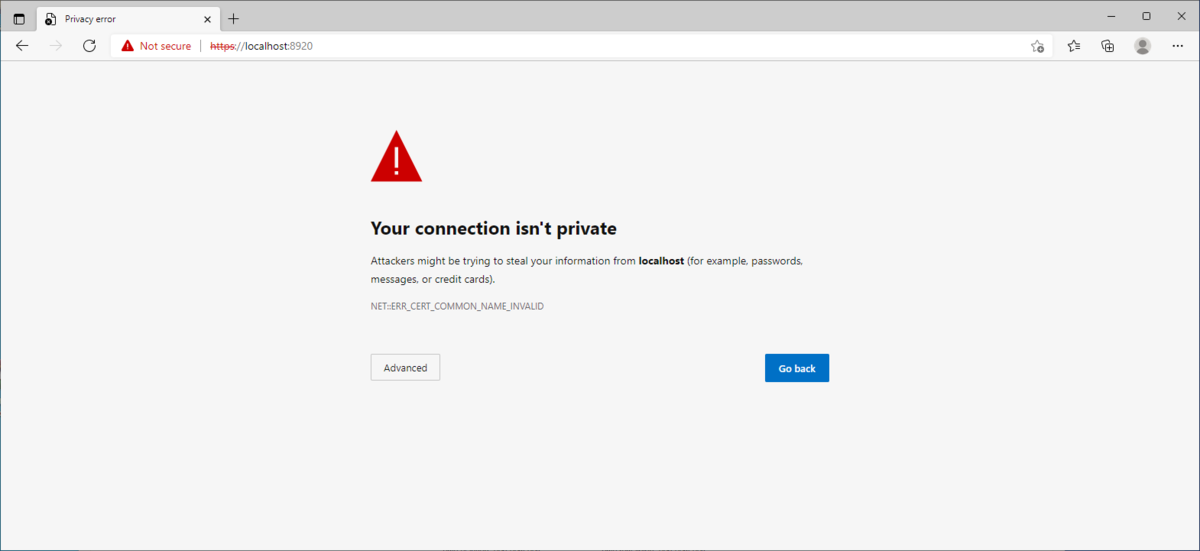
But this is a internal configuration issue as I know my Windows setup returns the proper error. internal connection attempt via https localhost. I would get defaults ports working again before changing ports again.
 1 point
 -
That'd be superb if it did. For now I"m just using filters to prevent getting any DV.1 point
-
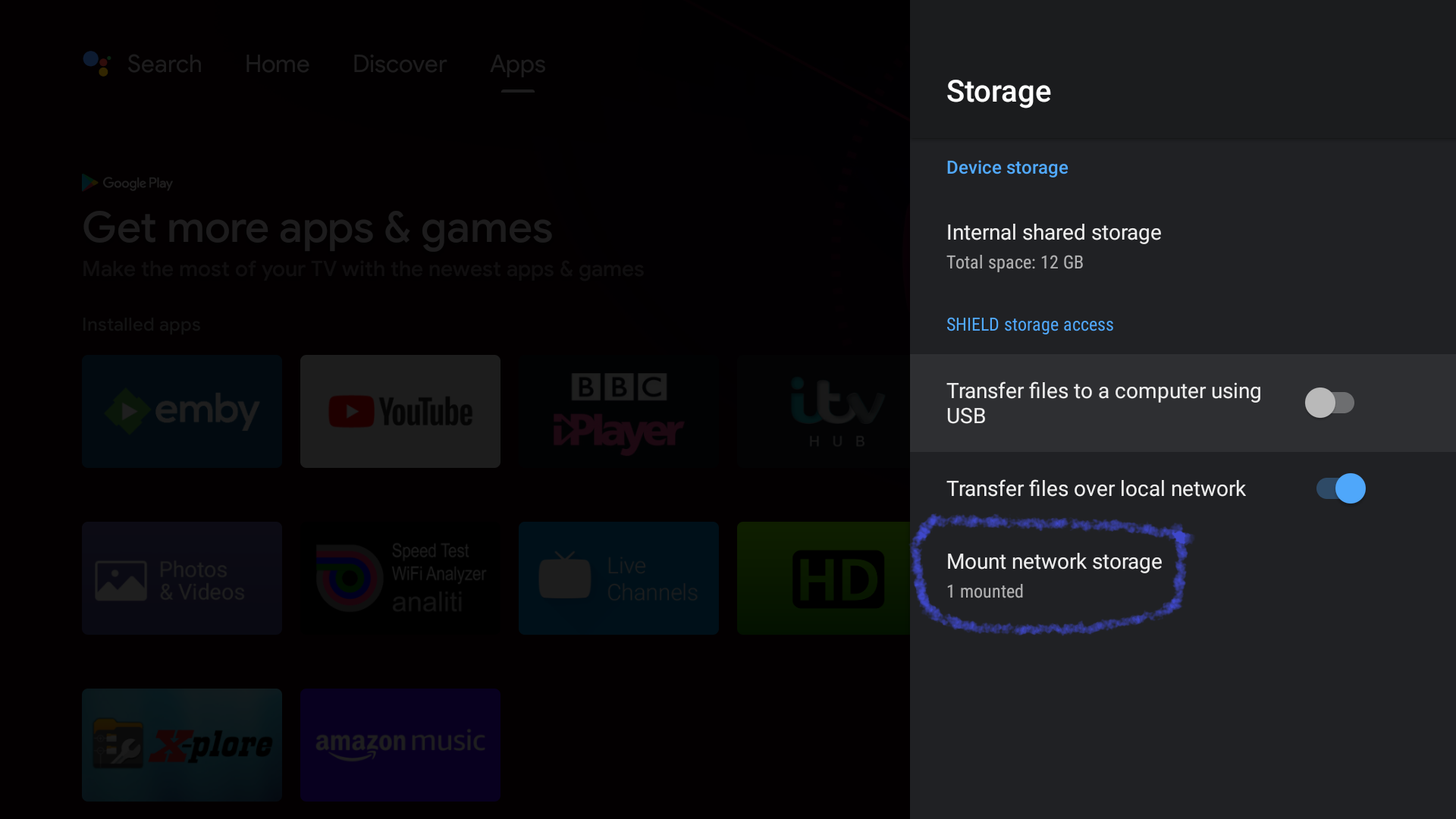
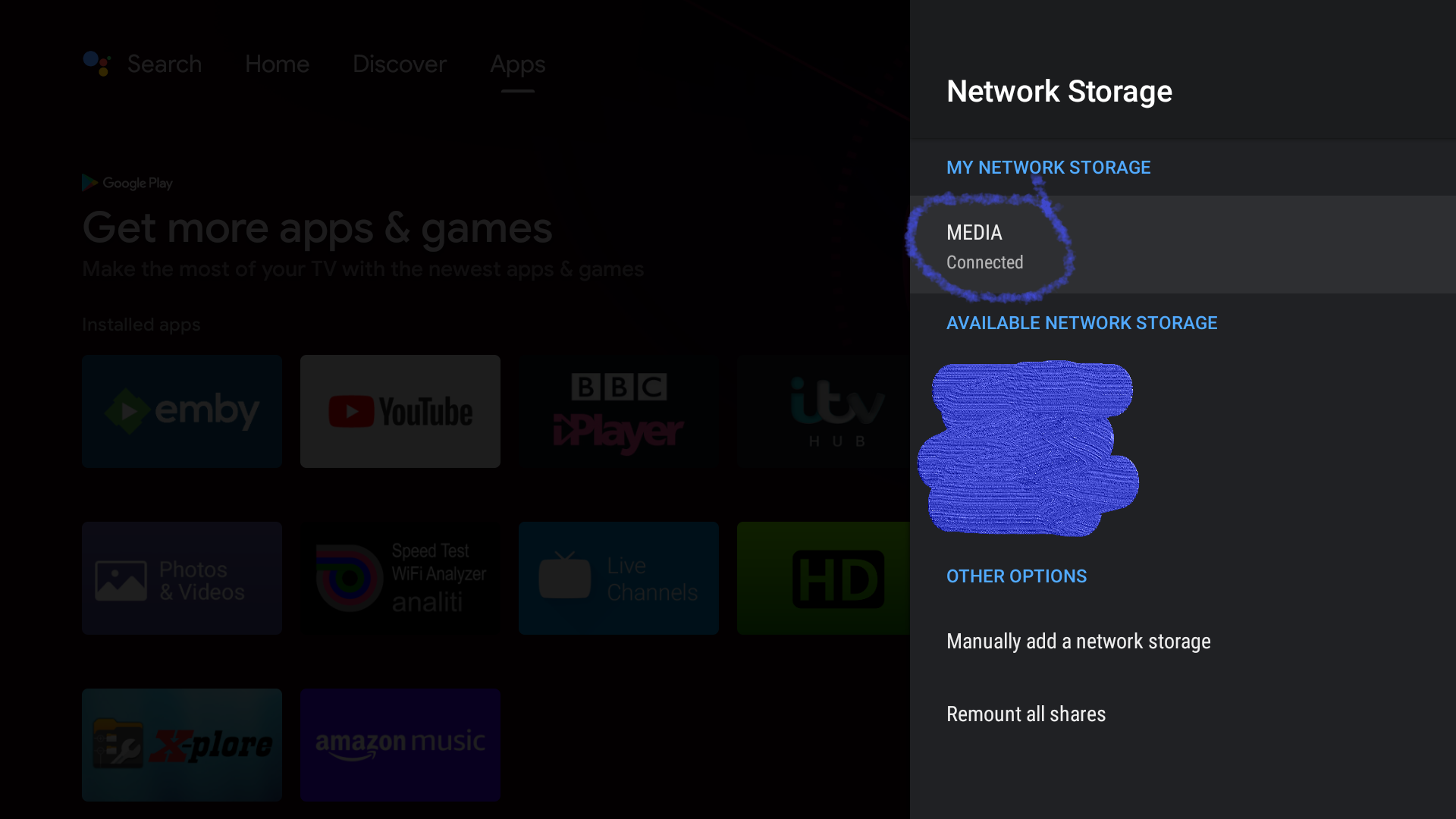
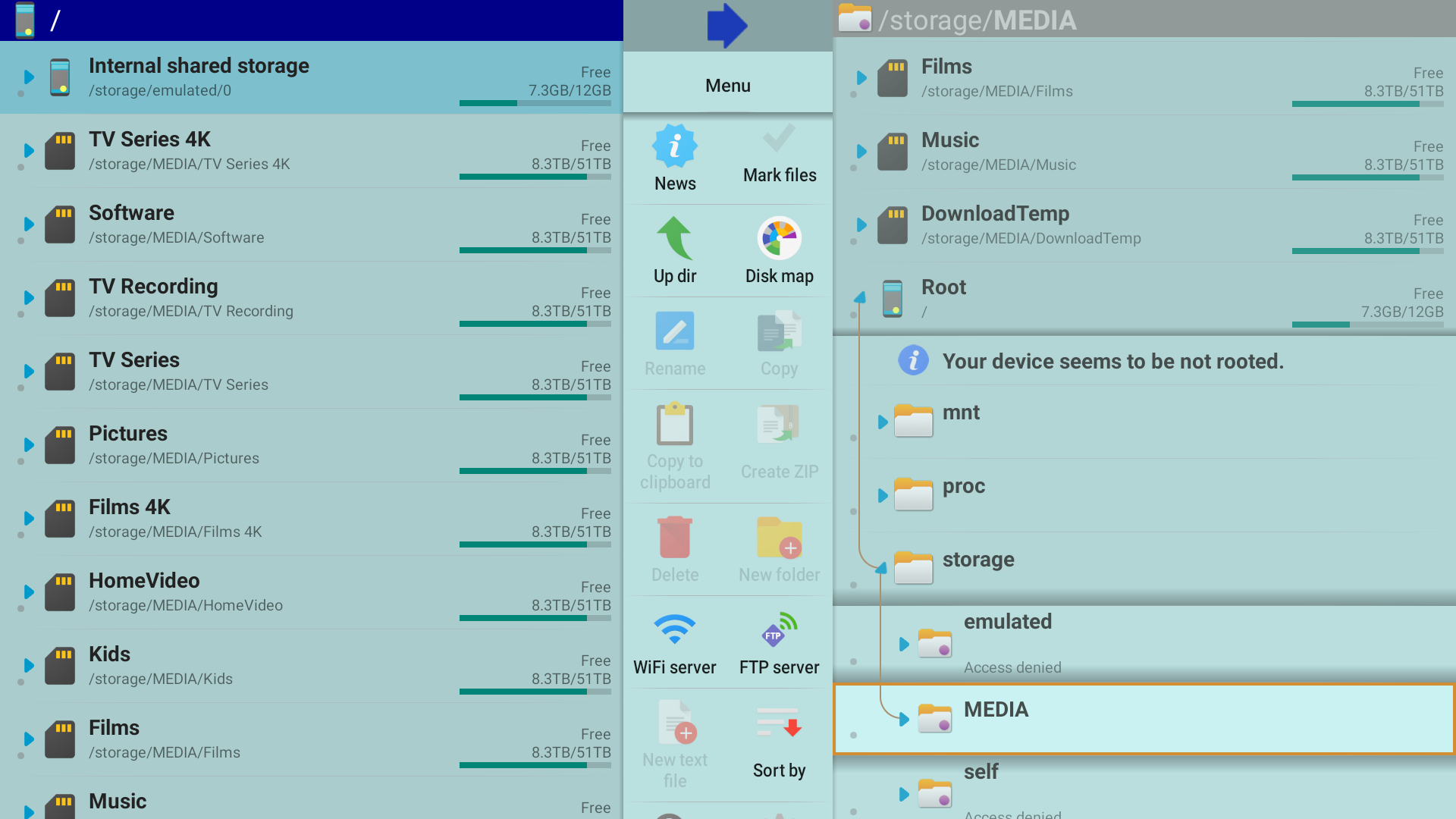
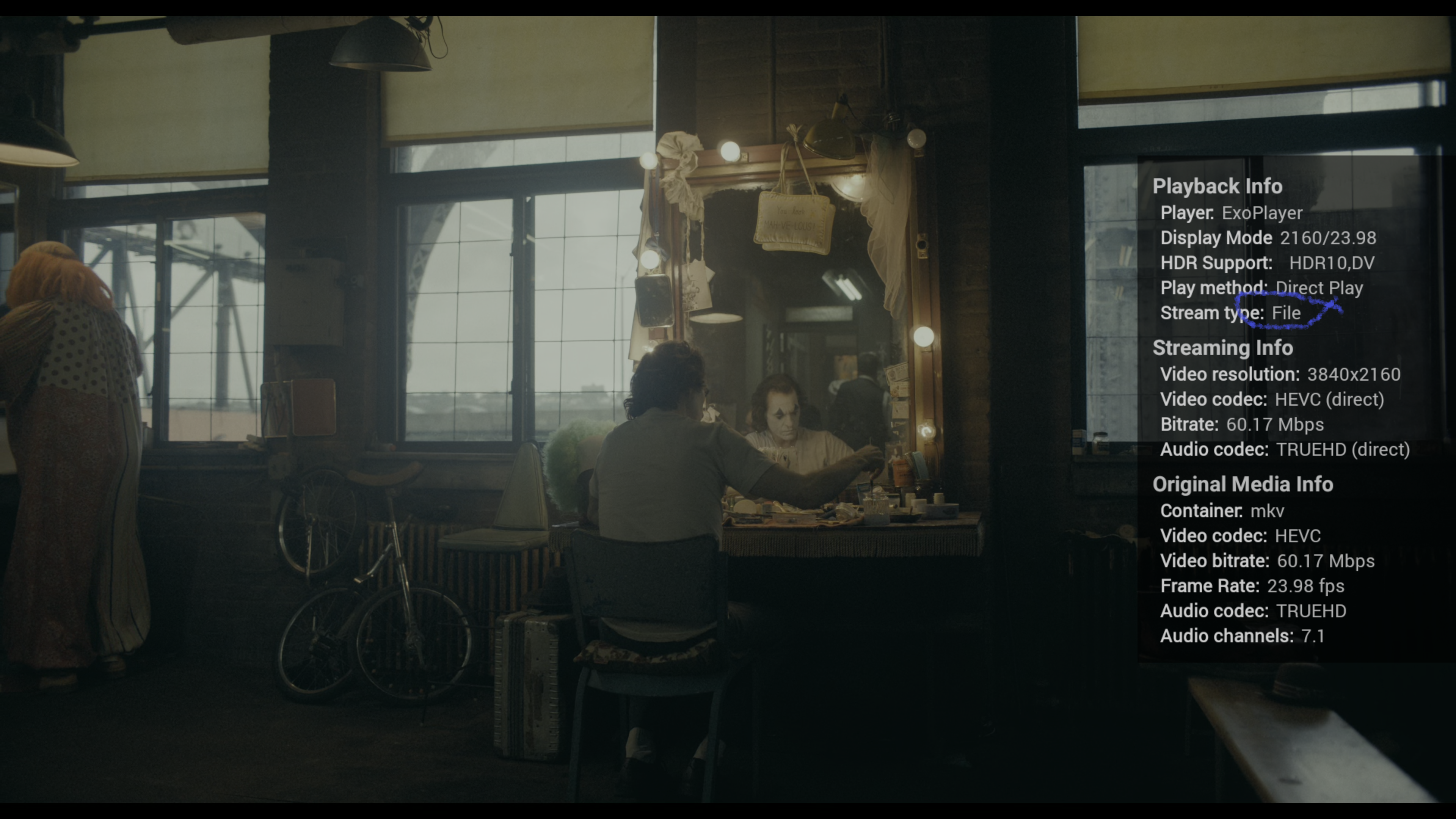
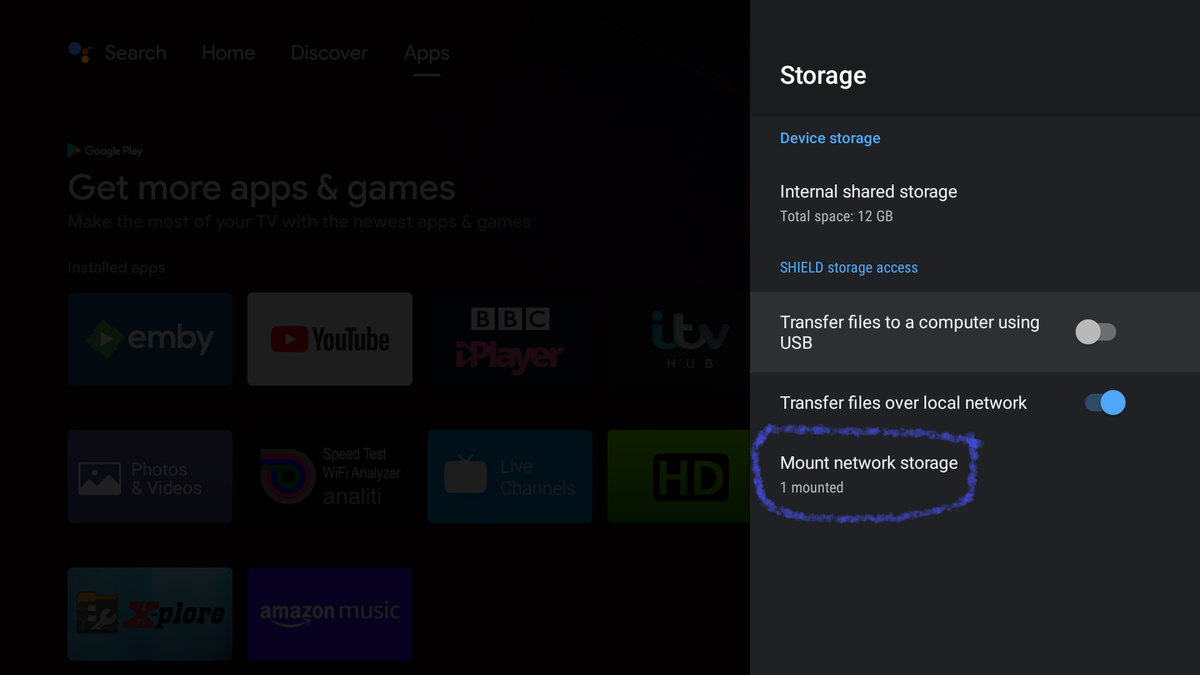
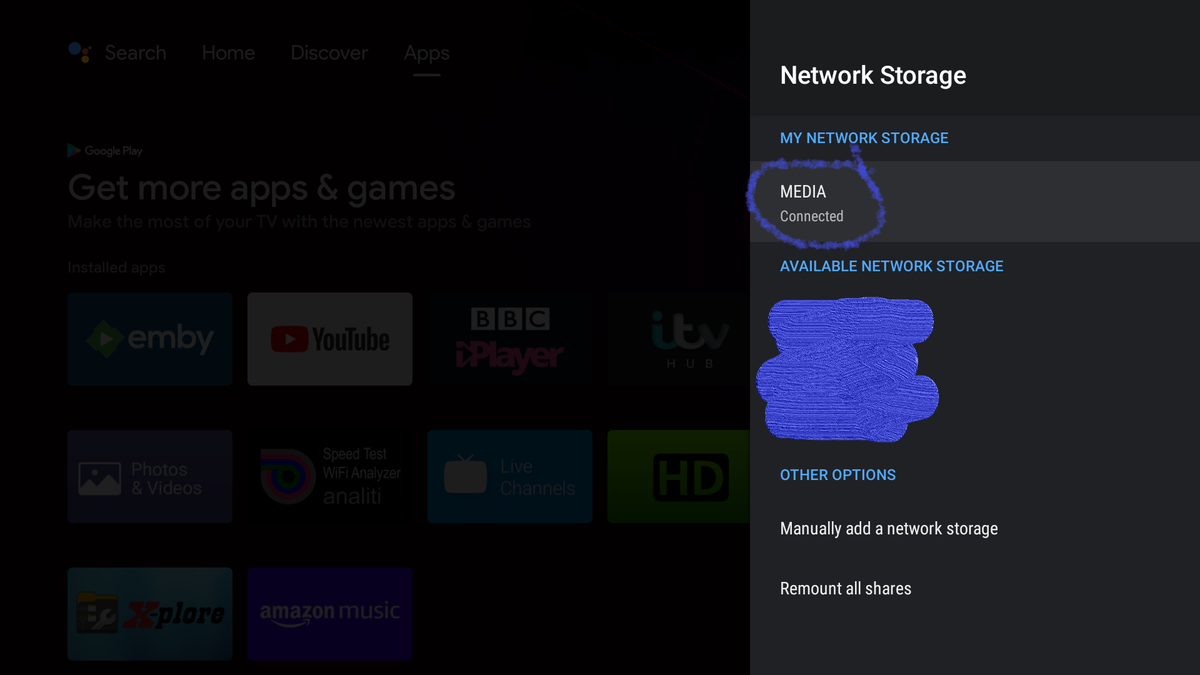
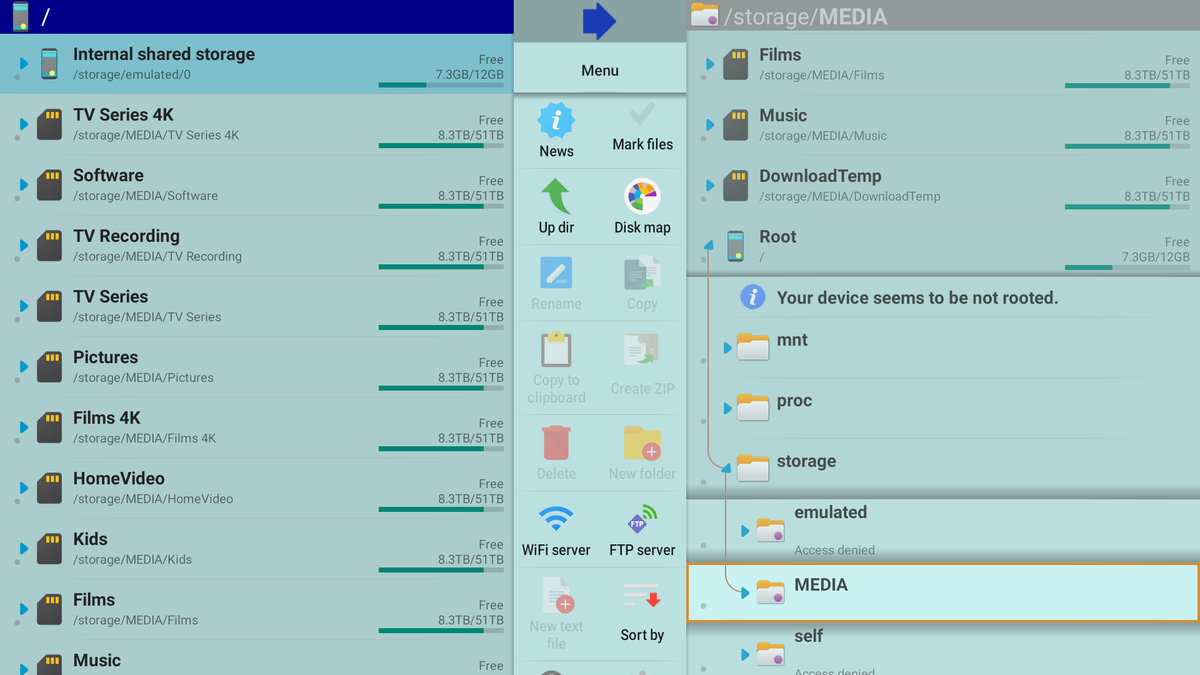
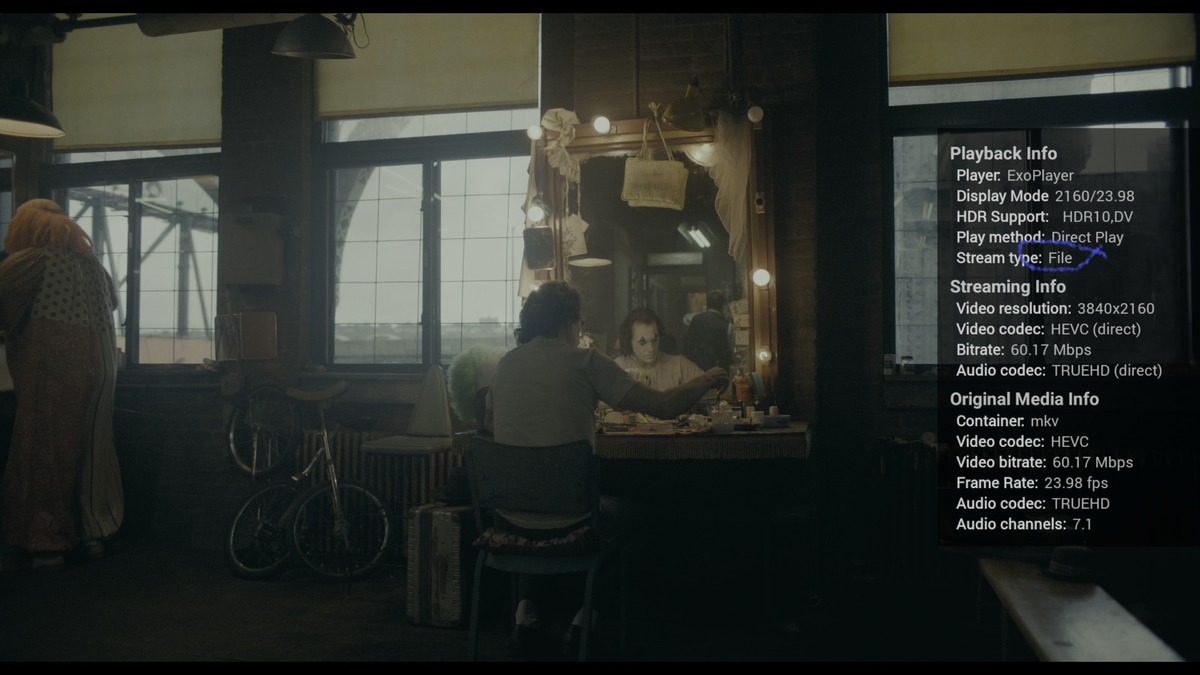
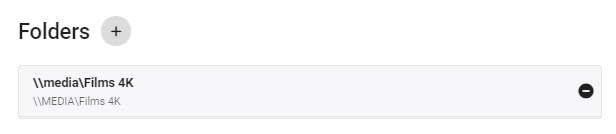
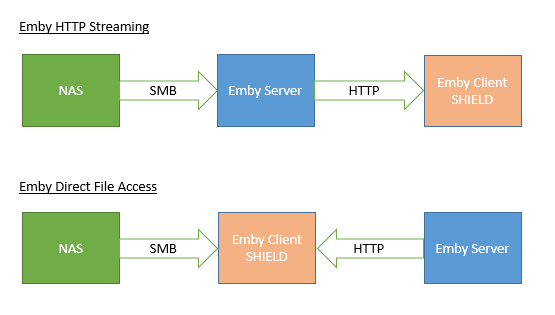
As a quick reference - here is my setup on the shield Note CAPITAL letters In something like X-Plore (Android Free App - you should be able to see all the mounted storage - ie In Emby itself - in the library settings - this is how I have it setup :- Note - the \\MEDIA in caps for the (Optional) Shared network folder. You need to give the Shield some time to mount all the storage - this may takes a while. Set Emby to use 'Direct Path' in the Android TV Shield client. When working - you'll see the playback method change to 'File' If you can monitor the file system - then you will see a direct file connection from the shield to the nas (in your case), the file request will not be from the emby server.
 1 point
 -
Well; That sure does make a lot of sense. Hahaha. I completely misinterpreted what that number was representing. Thank you, you're entirely correct.1 point
-
Those are not available episode counts but unwatched episodes indicators. Try selecting Played/Unplayed on TV Show level.1 point
-
It depends what the extras are. You can put extras like documentaries, interviews, and suchlike, in a subdirectory called extras (!); trailers can be included alongside the film; you can have multiple versions of a film treated as one, with a selectable option for which version to watch - but you have to follow the naming rules for this to work. I am getting the impression that you simply want Emby to behave like some other software; Emby will behave properly like Emby if it is given a chance by being allowed to scan your media and collect the necessary metadata and images - yes, it'll take a while with 5000 films, but it just gets on with it so long as the starting conditions (folder layouts and the like) are within the parameters set out in the various wiki articles about naming (yes, there is plenty of documentation that tells you what you need to know to make things work). Paul1 point
-
Hi, first LG would have to add support for this subtitle format. We support whatever formats the LG video player supports.1 point
-
Yes, we should have updated the configuration xml when the plugin started. It was looking for it, but it didn't exist yet. Ops! We'll be good to go tomorrow with the next release. The database has changed for the newest release. Unfortunately, this will mean building it from scratch. But, it will most likely be the last time we would ask testers to remove and rebuild the database.1 point
-
would be great, i tried with the suggested type of library but in the first impression there will be a limited research option, so i’m back with the video one and maybe with a matching NFL there is less situation whetr happen1 point
-
hi, it's way too early for the christmas theme. You won't see that until just before christmas.1 point
-
Not worried much about the repo thing, @quickmic's response explains it well enough for me. I ask, then I learn. appreciate the explanation. Here's another issue I keep seeing. Nvidia Shield TV Pro - Emby updates it's library and kodi on the shield starts to update and freezes. with this log seeming relevant: https://paste.kodi.tv/zowuhesoxu.kodi1 point
-
Solved! The problem is related to Fanart and its Let's Encrypt certificate. Its DST_Root_CA_X3 cert has expired at the end of september and the ISRG Root X1 certificate validates it since October 2021. There are several posts related to it. To solve it in FreeBSD is not as easy as in Linux. In fact, I did many, many things, but based in this TrueNAS article. I can summarize the steps as follows: Install latest beta Emby 4.7.0.13 with mono 5.20 as stated before. It seems (but I cannot confirm, since everything is quite confusing) that mono 5.10 could have some issues updating the certificate repo and that is solved in mono 5.20. Besides, mono 6.8 does not work at all at retrieving any metadata. @Luke, please, take a look at it, just in case is Emby-mono compatibility. Perform the necessary certificate update: cert-sync /usr/local/share/certs/ca-root-nss.crt The thing is that the former DST Root CA X3 is (still) in that file. We have to substitute it with the new ISRG Root X1 certificate. Ideally, this should be fixed one day, but I am not sure if only in mono, in the ca-root-nss certificate (latest cacert.pem, for example, is from 30th of Sept, which is just before the change), in both... Download new ISRG Root X1 cd /usr/local/share/certs/ fetch https://letsencrypt.org/certs/isrg-root-x1-cross-signed.pem cat isrg-root-x1-cross-signed.pem >> ca-root-nss.crt cert-sync /usr/local/share/certs/ca-root-nss.crt Now, we have the new ISRG Root X1 too, but we have to get rid of the old DST Root CA X3: cd /usr/local/mono/new-certs/Trust grep -i "DST Root CA X3" * In my case: 2e5ac55d.0: Issuer: O=Digital Signature Trust Co., CN=DST Root CA X3 2e5ac55d.0: Subject: O=Digital Signature Trust Co., CN=DST Root CA X3 Then, move it to somewhere else (just in case): mv 2e5ac55d.0 ~/ Now, reboot the jail (including Emby server) and, perfect!, refresh metadata and everything is fine again: fanart images are retrieved, collections are built up... I hope it does not break again, soon...1 point