Leaderboard




Popular Content
Showing content with the highest reputation on 10/19/21 in Posts
-
Luke, it is commendable that you are still regularly replying to posts and I believe people here appreciate the fact that Emby doesn't simply ignore the thread. Still, after 19 months of being told you are waiting for LG to approve the update, it is difficult to buy into the narrative. "We are working on the update but LG won't let us" is not a sufficient answer any longer. I remember installing an absolutely awful application 7-8 month ago called AdriaTelekom. Terrible glitchy interface, crashing every few minutes. I didn't remove it right away and what do you know, it received an update a few days later (not that it made it any better). I looked it up it just now, it had the most recent release yesterday. Can you please explain to me how is it that they are getting past the rigorous LG testing who knows how many times, yet Emby is still unable to do it once after 18 months?! And no, they are not a hosted web app. No offense but I don't think at this point a single person here buys the story about LG holding things back. We would all prefer if you would just level with us. If Emby doesn't intent to support the webOS any longer, so be it. Be straight with us and save us the trouble of coming back to this thread every so often. I still find the Emby setup (when it comes to QNAP / LG) better then anything else out there, updated or not and will still appreciate the effort that went into building and supporting it. Thank you.7 points
-
Future proofed in case you start using JellyFin2 points
-
Ok thank you, figured out I need to turn collections back on in the home screen to be able to see it in the meta manager, pretty silly since it's still there just hidden, once I did that I changed display order on the ones I wanted and hid collections again and it's fixed. Thank you very much for all your help!2 points
-
Yeah, it should be done in line with how "Allow Media Deletion From" is done in User settings.2 points
-
You can sideload the Android app and there download is available. I know it's just a workaround but it is a working one..2 points
-
2 points
-
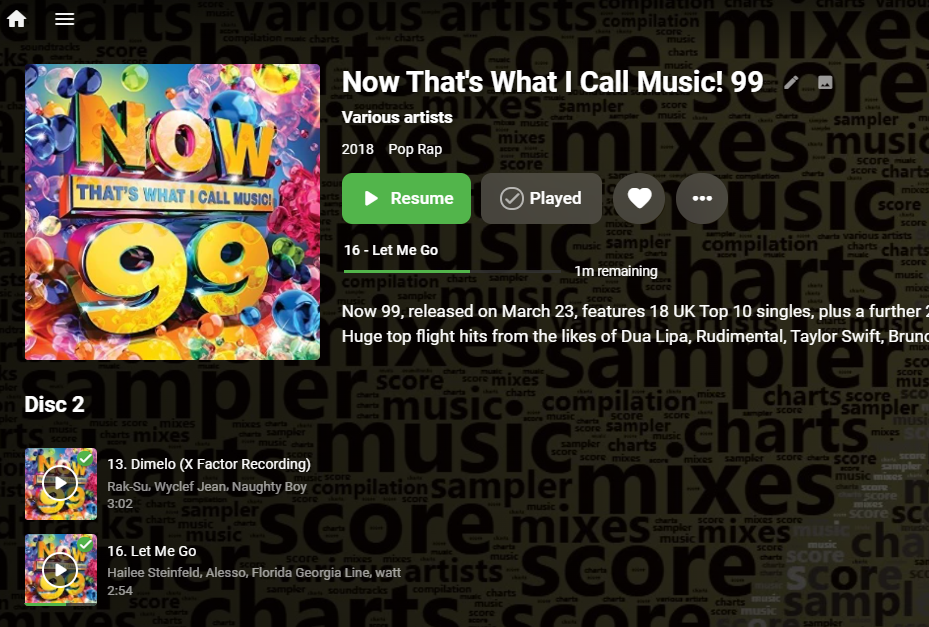
Audio book level resume is coming in Emby Server 4.7:
 2 points
 -
Audio book level resume is coming in Emby Server 4.7:
2 points
-
I'd like to be able to allow users to download home videos and things, but not movies.1 point
-
As I mention in a related post, I love the additional subfolders for Movie Extras (eg, Shorts, Scenes, Interviews, etc.)! It would be awesome to extend this functionality to TV Series as well. Specifically to add support for many/all of the same folders supported for Movie Extras, eg, extras specials shorts scenes featurettes behind the scenes deleted scenes interviews trailers As well as any additional folders that get added in the future (eg, hopefully Galleries). Support Placement of "Extras" Folders Within Each Season Folder, Plus A Naming Scheme to Link A Particular Extras Folder with a Specific Episode (eg, "\Season 1\E1 - Deleted Scenes\" for episode 1 deleted scenes): I want to clarify that it would be great if these various "extras" folder types could reside within each Season folder. So for example, within a Season 1 folder we could then have an "Extras" folder, a "Deleted Scenes" folder, a "Featurettes" folder, etc. And furthermore, that we could designate a particular folder to refer to a specific episode (eg, "\Season 1\E1 - Deleted Scenes\" for episode 1 deleted scenes). See more below, particularly why I think this would be so useful: https://emby.media/community/index.php?/topic/55915-emby-server-theater-additional-extrasspecial-folder-types-for-tv-series-similar-to-movies/&do=findComment&comment=587195 Thanks for your consideration! PS - If this is something you might like to see implemented, be sure to "Like" this top/first post (as well as any subsequent posts in this thread that highlight particular aspects of what you are interested in) -- "Liking" the top/first post helps the Devs to know how much interest there is in a given Feature Request.1 point
-
I don't use the TrakT plugin so I don't have a synchronization issue. But I did learn a few options to try to fix my problems. I can try pulling the shows out and do a rescan and then put them back. I'm still not sure why it wants to get back to that s5e12 episode so badly, but I am up to s5e3 so I'll be past it soon enough and things may work normal then. I was just hoping that clearing all the Played checkmarks would make re-watching a show work correctly. I don't know where to look up that last played date so I can't confirm anything for you to see if that was the issue or not. If it's in a sqlite file or xml file somewhere, let me know and I can try and find it for you. I turned on the legacy Next Up section on my home screen and now the Continue Watching only shows unfinished episodes. I'll have to test it tonight to see what happens in the Next Up when I finish an episode. Thanks!1 point
-
Overview is already there for 4.7, yes.1 point
-
I've seen one or two Frame users in here, but they don't post often. It's always possible Samsung fixed it in a newer OS version, but I wouldn't bet $2000 on it This link below shows the Frame is running the same level of OS that their regular TVs do. So if you can't find an actual 2021 Frame user then it's very possible the 2021 regular TVs will display your videos the same as the Frame TV Model Groups | Samsung Developers1 point
-
Okay, so they haven't updated those formats. XBMC is the old incarnation of what is now Kodi and MediaBrowser is actually the old incarnation of us . Both of those, probably are in XML and not NFO, correct? It's possible our XML plug-in would read one of those two formats properly.1 point
-
@cayars can you go through this with his sample files and test what he's doing to see if you find an issue? It sounds to me like he might be expecting his selection from one video file pass to another, which we don't do. Thanks.1 point
-
LOL, you never know!1 point
-
That's why I said I prefer it to jump back to the earliest. I'm sure someone agrees with me, but probably not many.1 point
-
There might be some shortening opportunities we can find in the meantime that will help.1 point
-
If you are watching a particular season, it makes much more sense to continue with that thread of consumption rather than jumping back to some other random point.1 point
-
No problem. I think it would be a good enhancement for the plug-in for it to set the last played date after it sets the watched status. However, I don't know if that information is available to the plug-in and, actually, I'm not sure if there is a way to manually set a last played date in our API...1 point
-
Not sure why anyone would use an external tool to manage watched/unwatched statuses, unless you are migrating content, but with the level that Emby has evolved to now, you don't need to do that. Only the corruption of the library.db would require something like that, but then you should be using the Backup plugin. Thanks.1 point
-
I stated it above. Has always been like that.1 point
-
It would be nice to hear what the code/logic is supposed to do. That would take a lot of guess work out of this.1 point
-
Depends what state S8E4 was. If unwatched, S8E4 would be next up. If watched, then S8E5 would be.1 point
-
Yep sure is, but on your screen it's called Next Up. LOL Good catch.1 point
-
Long thread, but in my mind, the Next Up (legacy) logic is to display the first unwatched episode. I have all seasons/episodes of TBBT and all are watched, so none appear in the NU (L) row. As a test, I marked S4E3 as unwatched and that now appears in the NU (L) row, so it seems the logic of displaying the first unwatched episode is correct. I then marked S8E5 as unwatched, but S4E3 is still in NU (L). So I marked S4E3 as watched and now S8E5 shows in NU (L). This is how I expect it to work. Thanks.1 point
-
If you want a outside source to control this then this is a different story. I probably will never use something like trakt or want any of my watching habits tracked in a database like this. But devs would have to comment, but I can see in your scenario this never working how you want, and I personally would not want it to work the way you want.1 point
-
Is that a new row on Home screen?1 point
-
Continue Next is really only useful when watching episodes in order without jumping around and when you have all episodes entered in order. If you add episodes but have some missing and continue past the missing they are gone from next up.1 point
-
I would assume devs would need the entire scenario, not bits and pieces. You have shown images with episodes watched in multiple seasons and talked about adding episodes in the middle of a series. The logic in this entire series would be useless to me.1 point
-
I've seen that happen as well regardless of client used. Week signals can be a problem. Anything less than reliable probably should try to be fixed or removed from the lineup. Ideally, Emby Server should handle this however. Luke has made a lot of progress on this but in my mind we still need a cleanup routine to cover all situations and things that still might get passed the code in place. What is needed is a simple routine that runs on a schedule/loop that looks at the tuners. If any tuner is internally shown as locked it checks to see if the user/device is still online and sending a beacon showing it's still active else remove the lock and free up the tuner. Same with the user/device being active but in some other part of the system like streaming a movie or pulling back TV Show Episodes. In that case it's not a valid lock and should be freed up. Basically if you know the device is using some other resource other than watching that specific channel it's an invalid lock and needs to be freed up. That type of simple check would be fast and hardly any impact on the system performance. If no tuners are locked the check is skipped.1 point
-
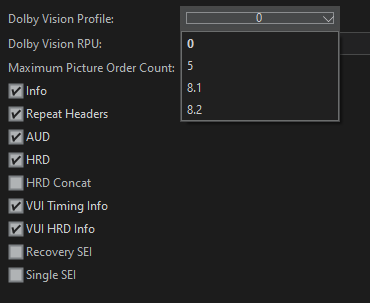
Yes it works I have plenty of rip with DV P8 it works. I looked at that the software does not have to put DV P7.
 1 point
 -
In my case though with Supergirl, when I decided to rewatch the series from the start, I marked then entire show as played, then as unplayed so all the checkmarks were gone. But I think I might have been up to s5e12 last year when I stopped watching. Now that I restarted a couple months ago, it still remembers that s5e12 is next despite me clearing all those previously played episodes. In my mind, it should be either looking at the currently played episode and adding 1 to the number. Wrap to the next season if needed. OR, it should look for the episode with the next Release Date closest to the one I just watched (this would handle specials). And then skip over any episodes if I already have them marked as played. It shouldn't be looking at a last played date at all because that could have been any time in the past. I did check the metadata for the s5e12 episode and those around it and I don't see a last played date field in there. The Release Dates were all in order, as were the file create dates. Is there somewhere special that I have to look for where last played is stored for the series? Or will moving the show out of the library and re-scanning clear all that data out? Thanks for everyone's help here!1 point
-
I plan to buy a Shield for my living room tv BTW1 point
-
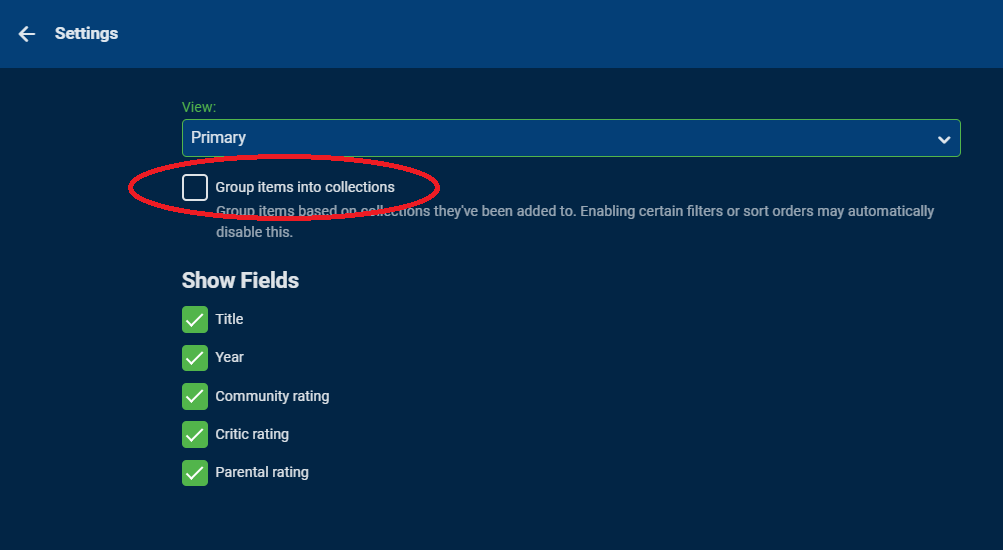
Just so you know, you don't have to have Collections showing in the main menu (My Media). Collections will also show up as a tab in the Movie Library. Each user can also choose to group movies by collections as well in the main view using this from the 3 dot menu. That would show only the collection in your movie view vs all the movies individually. PS sorry for any confusing on the sort order already covered. You can change it but it's system wide. It doesn't allow re-arranging specific items like you can in a playlist which is what I was trying (badly) to convey.
 1 point
 -
You already have a good TV, why not just buy a Shield or Firestick.1 point
-
Shouldn't OP be rewarded somehow? Maybe get a "Compatibility Tester" badge?1 point
-
Well it's newer, so i guess there's a good chance.1 point
-
Me personally, what I have tested on is just a browser instance of Emby. I didn't even think about Emby Theater. Wow...Stupid me. After doing some additional testing, Theater is the way to go. All of my other users that use Windows also use Theater, so this works out great! Thanks for the common sense punch in the face, mate!1 point
-
Ah, tv shows...good call! Thanks!1 point
-
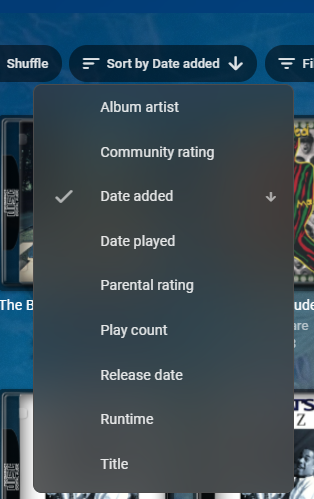
Hi, yes you can sort your music a bunch of different ways as well as filter it. I would setup an Emby Server and add a sampling of your music content just to test out how things will work. That's probably the best thing you can do. Then ask any questions on configuration to tweak your setup. Carlo
 1 point
 -
Yes, unfortunately it's a very generic error message that doesn't give a clue as to the underlying reason. 100 different errors will always produce that same message. The only way to find the underlying reason is by looking at the log files @softworkz is requesting along with commentary to match the logs. i.e. at 6pm tried playing back Top Gun which worked fine but at 6:15 tried playing back Days of Thunder which gave me the no streams available message. This way we have something to specifically look for in the logs.1 point
-
Just tested on 4.7.0.14 and no change.1 point
-
This will be in Emby Server 4.7:1 point
-
Once in awhile after an upgrade I have audio issues like HD audio being downmixed. A restart of the Shield as ebr mentioned usually clears it up1 point
-
Hi. Did Reaper's explanation answer your question? The main difference to understand with us vs the other guys is that your server users are actually YOUR users. You set them up in your own server dashboard and we (Emby as a company) don't have to know anything about them and they don't have to go through any of our servers to get to your server. This is fundamentally different than what you are used to where the users are actually registered with an external company and then attached to your server. We do offer Emby Connect which then gives your users an easy way to find your server without having to know the address but that is completely optional. Make sense?1 point
-
Honestly the best and safest method is just to move the data and let Emby rescan it from it's new location. If you have NFO files and graphics saved with your media you can greatly speed up the new library scan by going in the library config and turning off all meta-data providers. Allow only the NFO read and NFO save options to be enabled. Try a test by turning off the meta-data providers as mentioned above and move half dozen movies or a couple of TV shows as a test and then either wait for RTM to pick them up or run a library scan. They should load up quickly this way. You may want to check this setting and adjust based on what you want this outcome to be for any media without an NFO (just in case) When done turn back on your meta-data entries you had turned off. If need be take a couple screen shots of your settings before you changed them so you can put them back the same way afterwards.
 1 point
 -
Happens to the best of us at times.1 point
-
1 point
-
That is my experience as well. Also I completely agree with storing bif files, nfo files and images alongside the video files. I fought that idea for years but, once I set it up, I quickly saw the advantages. For me the biggest advantage is not the avoidance of regeneration but rather it is that fact that support files only need to be generated once. I have multiple servers pointing at the same file structure and storing the support file with the media means that only one copy of all the support gets generated or used and only one server actually has to do the work of generating support files and then the other servers will use it. Also I do find that the creation of bif files is very fast now. When I add a movie the bif file shows up about as fast as the artwork and metadata shows up often faster.1 point