Leaderboard




Popular Content
Showing content with the highest reputation on 10/17/21 in Posts
-
You can use chromium, it's the only browser that really supports reliably hevc in windows. It has built-in hevc support, supports both software and hardware hevc decoding. Edge with microsoft's hevc codec mentioned before supports only hardware decoding and not all hevc profiles. It's not a solution for all your hevc videos. Chromium can run in portable mode and it's very easy to update with chrlauncher. https://chromium.woolyss.com/ https://chromium.woolyss.com/f/chrlauncher-win64-stable-ungoogled.zip Make sure you choose to download the Marmaduke build because it's the build with hevc support. Also make sure to enable the hevc flag on it. chrome://flags/#enable-clear-hevc-for-testing3 points
-
I switched from Plex Pass to Emby Premiere a few years ago. I couldn't be happier with that decision. I currently have about 5.7T of [compressed] media that I access using Emby. Sure, there are features/tweaks that I would like to have that haven't bubbled up to the top of the priority list. But that's the case with any software. HOWEVER: The Emby team is one of the most responsive I've ever seen in forums, they are actively/continually improving the product, and the Emby community is hugely helpful. I think you'd be hard-pressed to find a more constructive forum atmosphere. Taking a look at the current Emby feature matrix (at the time of this post) I make frequent use of the following features not available in the free version: Live TV (I use one of the Emby-supported tuners from SiliconDust) Free Guide Data DVR Emby Theater (on Windows) Offline Media So for me, the additional cost of lifetime Emby Premiere was well-worth it.2 points
-
I moved from Plex to Emby a few years ago. Best move I made really. I have many family members who remote in to watch media from varied devices, (premiere for some devices) and have had no complaints from any members with regards emby and how it works. I do really prefer the layout of Emby, but obviously each owns preference. As you can see in the forums, the staff are really helpful to the best that they can I suppose. and there is always plenty of input from members too. Overall, emby seems a more professional looking media server. Any bugs that I have seen arrive, soon enough they are rectified. I use the Beta Server and Beta Apps personally, and most if not all the bugs are normally worked out before the public version get updated. (I have Emby, Jellyfin and Plex installed on different servers and also a spare emby server just in case, but my main Emby server is all that is needed to use)2 points
-
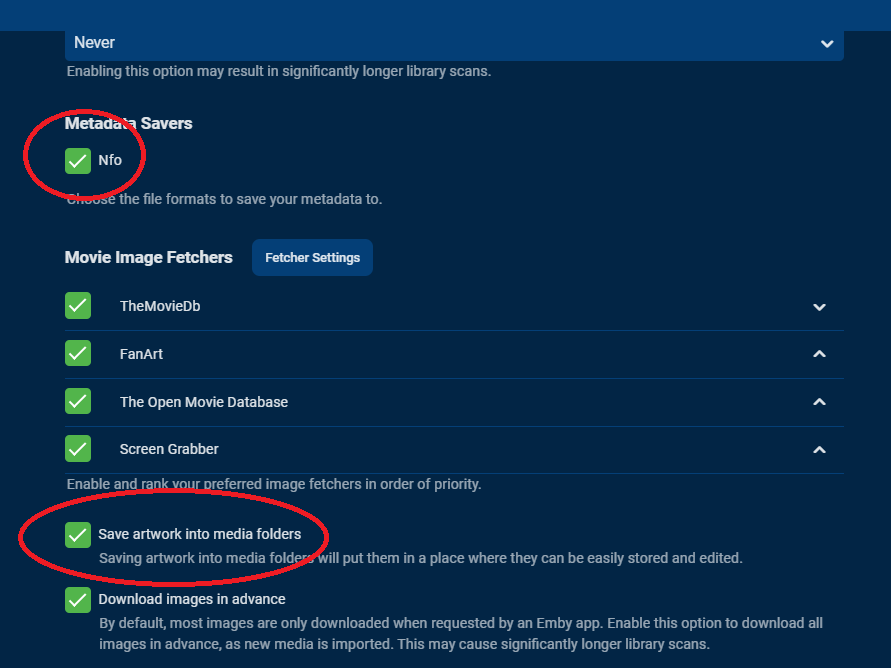
There are 2 options you need to enable: 1) NFO metadata saver 2) Save artwotk into media folders Not that it only applies to new and/or changed items, for other exiting ones Refresh Metadata is required in order to trigger writing.2 points
-
hope I don't get on your nerves now, but wouldn't kind of that be usable for lots of people who use different folders for different editions? So in general this would be really handy, e.g. you can then use CoverArt to style 4K/non 4K movies: -> Choose more than one destination folder for movies and shows. -> make some rules which folder to use, e.g. if file name contains "2160p", move it to 4k folder - if file name contains "1080p", move it to HD folder. Or if file metadata video resolution is 2160p, move it to 4k folder - if file metadata video resolution is 1080p, move it to HD folder.2 points
-
Yes, overall @softworkz did a fantastic job with this and the speed is incredible compared to other platforms.2 points
-
Thanks for the feedback @softworkz I was not actually aware the Tonemap preference got saved as during your initial testing it did not - @Q-Droid corrected me on this earlier - but I think that is a very positive step (and I've now set mine to Mobius haha). I think you are correct - one setting does not fit all and if anything, I think this should be a 'per device' setting - as it's more likely to impact the device you are using as opposed to the media you are using. ie a TV may need the brightness, so Mobius should be used, but on a Browser, you are closer so need more detail - so you choose Hable. The key thing though is the tonemapping core and associated transcode streams such subtitles are now working very well - so it's just a few tweeks here and there to get it perfect2 points
-
Updates Emby when running as a service. .\EmbyServiceUpdater.ps1 -ApiKey "YOUR_API_KEY" -ServerUrl "http://YOUR_SERVER_URL:PORT" [-InstallTask] [-UninstallTask] [-UpdateScript] Github: https://github.com/hatharry/Emby.ServerUpdater/blob/master/EmbyServiceUpdater.ps1 Note: An Emby api key and url is required, The api key can be created using the dashboard advanced menu, security tab.1 point
-
@ebr, could we get a possibility to insert custom text in BoxSet treatment style, or at least make few templates with text "Collection", as current (and only available) "Box Set" doesn't quite cut it for the larger part of my Collections? And as it would surely be more in line with the terminology used throughout Emby. Thanks1 point
-
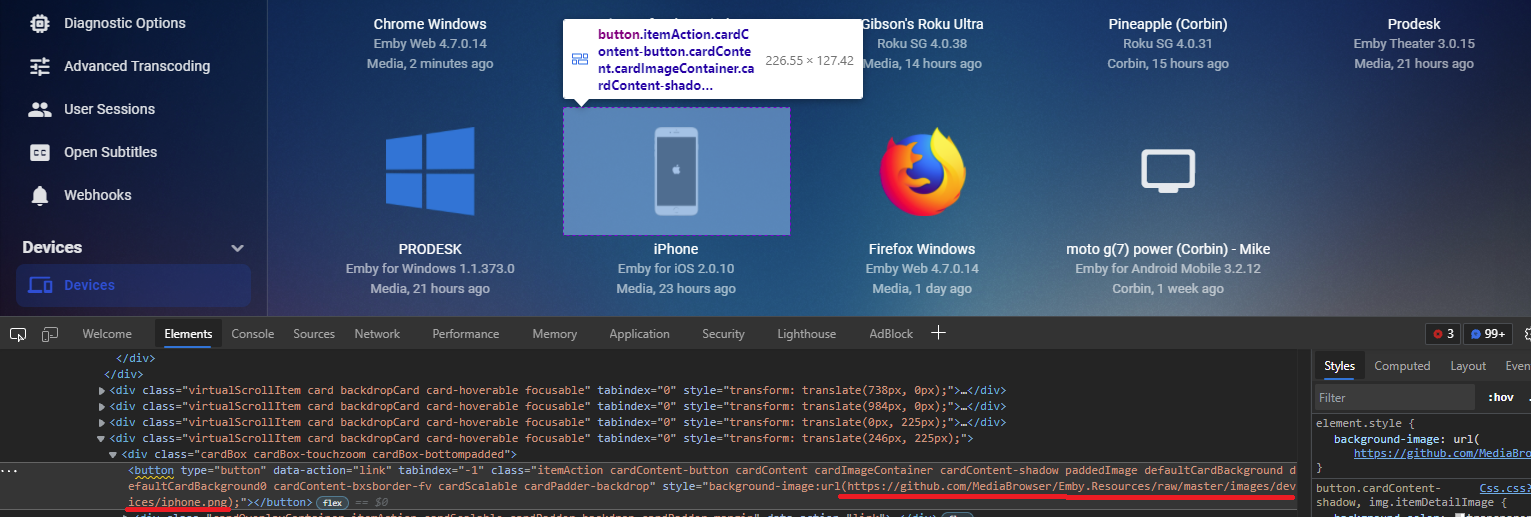
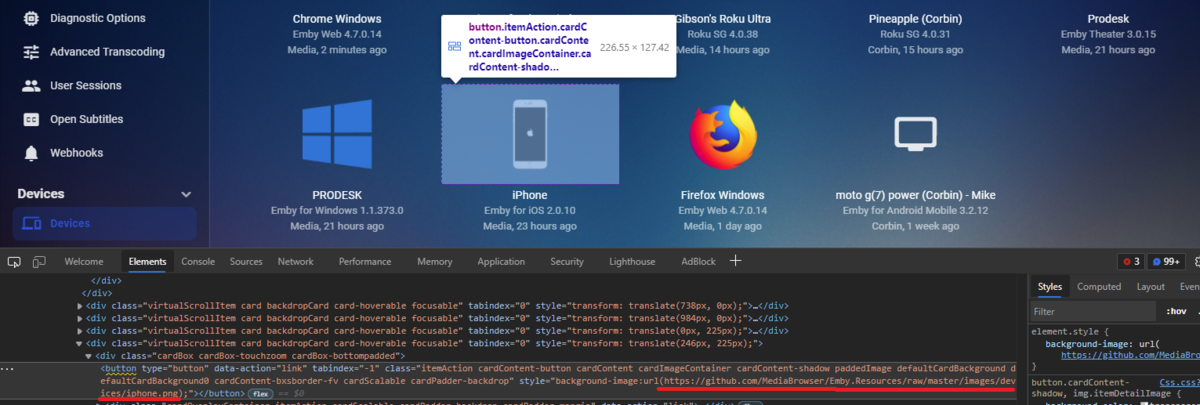
Yes these are a online resource via github. Looks like we can target the device id for the Now Playing section for you to potentially target your own images, but not currently seeing a way for Device page. You would have to place these images in Emby system folder with every update, to work with Now Playing. Should be able to provide you an example shortly. Or @Luke needs to add Edit Image to these to allow them to be stored locally via \library or \metadata.
 1 point
 -
Moin Serpi habe es ausprobiert hast wohl recht gehabt funktioniert alles perfect sowie es haben wollte. danke für schnelle anwwort1 point
-
Either KB or a Tutorials and Guides topic.1 point
-
Would you mind testing this on that one file, just to confirm that reordering the tracks resolves it?1 point
-
Your original content at 1280 x 720 is 16:9 and the browser should play back that pixel aspect ratio correctly, but does not pay any attention to whatever squeeze or stretch is happening inside this 1280 x 720. Usually, this is not an issue. Most video content of this size is using square pixels and is already formated correctly. A widescreen video 2.39, would have top and bottom black bars inside the 16:9 area. mkv can use PAR settings inside the video file that forces a Aspect Ratio change for dedicated players, like VLC. This forced aspect change is rare. Any h264 content online should not have this, because browser playback ignores the internal PAR settings. You might run into this, if someone encoded into .mkv and fixed the playback AR, using internal file PAR settings, rather than resizing the width and height. Forced PAR is more likely to happen from content pulled from a DVD, which has a built in problem of using 0.9 rectangluar pixels. Emby encoding conversion probably accepts the PAR internal settings from a .mkv file and this probably results in proper playback from the transcoded video copy. I have not tested this. These internal PAR settings can be removed using mp4box software. Although, that probably does not solve anything other than making the playback with VLC look wrong. A lot of online content has incorrect AR. The preferred way to fix this, is to find the highest quality original master, crop out any black bars and then resize the cropped video back to it's correct AR. For published content, you can look up the AR of the original if you are a member with imdb.org. The AR is listed at the bottom of the content pages for members. Resetting the size of the video to it's correct AR is sort of tricky. You have to pick even pixel sizes and it's very easy to get the AR off by a few percent. You need to know which pixel sizes work. To make matters worse, sometimes online content is not original AR and cropped to fill 16:9 TV's. I have a worksheet with calculators that helps you do cropping out black bars and resizing the content to the correct AR, using AVIDemux. This calculator page goes very deep into AR issues. But, it can also can double as a good way to fall alseep late at night. Just read the first couple of pages. Ha! https://www.producerelease.com/blu-ray/parcalc.htm Hope that helps.1 point
-
Status update: The latest beta has issues with folder removal -> if a complete folder was removed, next gen doesn't remove the content correctly also there are Apple TV issues ...and some minor db lock issues (affecting Android boxes) I'm working on that...1 point
-
Yepp, Theatre has no issues with this, it prebuffers and plays seamlessly.1 point
-
Right, playlists are based on the raw paths to the media file, so if that changes, then it will have to be added back to the playlist.1 point
-
Hi there, yes it is planned for the future. Thanks.1 point
-
Les bandes-annonces sur ATV sont arrivées. MERCI !!!1 point
-
These should get added back to the collections if you have import into collections turned on for your Movie library as Emby will pull the collection info from the meta-data provider when it finds the new movie. Playlists are a different story because of how they work.1 point
-
I have been meaning to add this info to the KB. There seems to be a couple different ways to do this. For example you use the GUI to set this on startup and I tend to use a "sudo" command to make a permanent change. I seem to recall this working slightly different on a couple OSes as well but can't remember specifics right now. It probably wouldn't hurt to start a new thread to ask a few people to try changing this value using specific commands to make sure it sticks on restart to verify commands that work and keep updating the KB as we go. Gotta start somewhere.1 point
-
Satisfied? - Yes, very. Is Premiere worth it? - Yes, but I'm not a fan of Lifetime. The rationale being that Lifetime Premium might feel like a shiny badge to have, I prefer to continue supporting the project for as long as I use it therefore choose yearly license option. Is Emby (staff) slow and deaf? - Some might seem to be hearing impaired. No, not at all. It was the first thing I noticed when going between Plex and Emby forums. You get the feeling that Plex is run and supported by ghosts and Emby has real people.1 point
-
Hey @FrostByte thanks! Yes I'm aware that I can reorder the streams, and that would fix the first issue for sure (the desired track selection), still not second one maybe (track switching at playback time)... as you say, it can be a temporary workaround, but not very feasible on the long run and with multiple files. Especially because it would require human inspection or scripting, and would double the space requirements to hold the modified copy if keeping the original is required. Anyway yes, it's sad many apps have issues with ordering or default selection. The internal media player on Tizen is no exception (via dlna or usb stick), but at least I can switch between tracks there.1 point
-
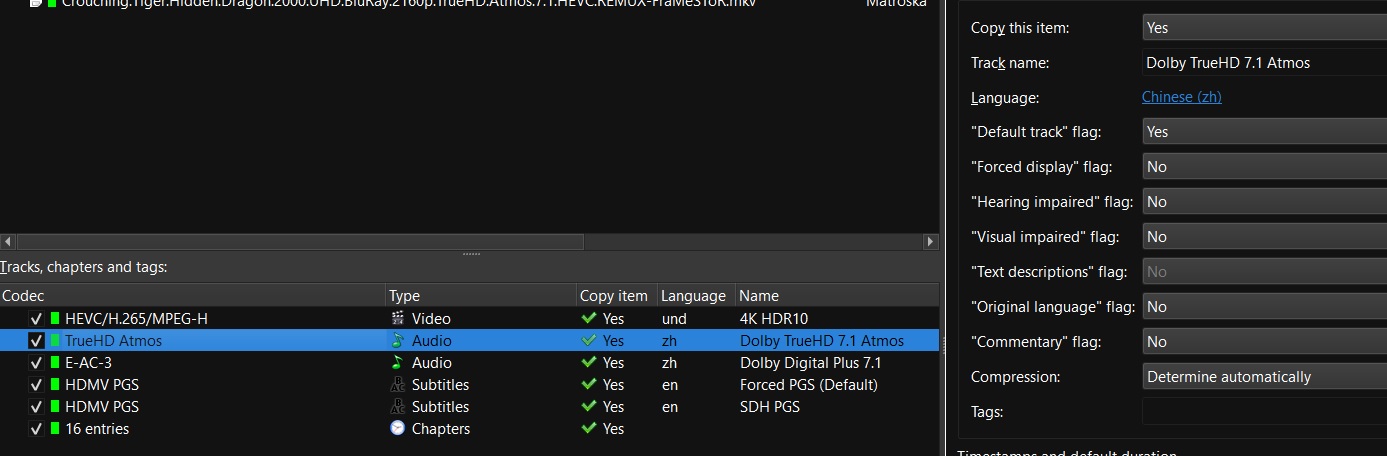
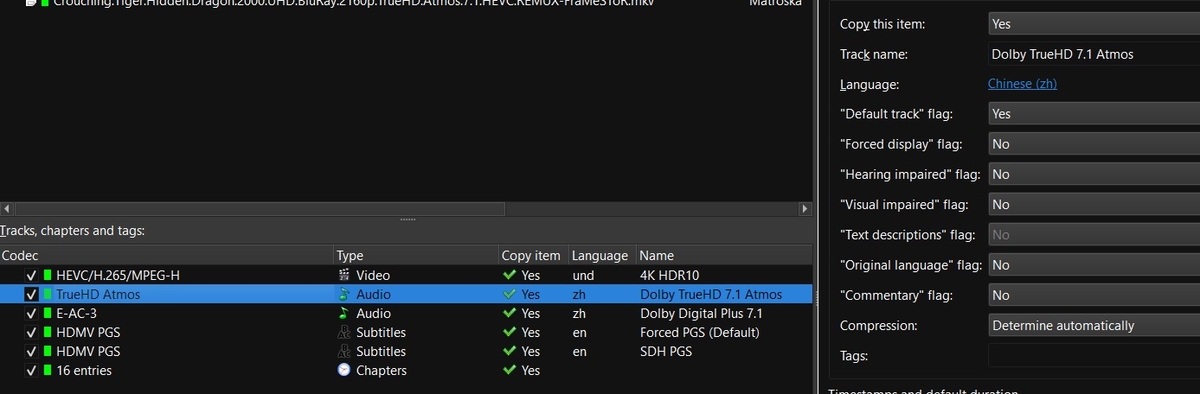
While SamES is looking at it there is something you could do to fix the file so that it's in the normal order. Mkvtoolnix will allow you to easily reorder them using drag and drop (just grab a track and move it up or down). You can also set the appropriate default/forced flags then too if needed. Then just remux. If you have a lot of them it could take awhile, but at least the file should be good no matter what app you're using for playback. Typically, tracks should be grouped together in video/audio/subtitles/chapters order. Then you usually want your default tracks to be the first in each section also as some apps have issues with that.
 1 point
 -
The icons would show on the primary and thumb images for each individual episode that matches the rule.1 point
-
So I'm not sure what's happened but it's working now. On Friday, I individually deleted the shows that were scheduled to record. At that time I was still unable to cancel a series. I didn't try doing anything again until last night when I found that the series were no longer there. I scheduled a new recording and was able to cancel it. I had moved a few recorded shows from C:\Users\TV\AppData\Roaming\Emby-Server\data\livetv to a different drive and changed the recording path Friday morning, but didn't delete that folder. Thanks for all the help and I'll let you know if anything changes.1 point
-
I reckon if it was implemented as separate category within CoverArt settings (which would make sense seeing images provided come from a different source), those that find it too slow might opt for "no treatment" as other categories whereas those that want to keep it would accept the the trade-off.1 point
-
These are the two.
 1 point
 -
^ Much appreciated, clarified a few things for me on the conditions for enabling transcoding.1 point
-
Maybe this should be in the kb? This seems to come up every week and we're always linking to an old thread for someone to sift through. There are a couple ways to fix it with me preferring to use a bootup task to change both values, but maybe cayars can use one with a little explanation of why/what.1 point
-
Hi. You said you didn't want to hear from us but we would be happy to answer any questions you have. Thanks and welcome.1 point
-
hl-dt-st bd-re bu40n was recommended and works1 point
-
i've never yet seen a h265 conversion that i havent been almost immediately been able to identify as a conversion even without the original material to benchmark it against. my approach has been to throw more and more hard disk space at the problem and retain original quality. but i've got >400Tb now...1 point
-
Yep. Anyway, we're getting OT, it's working for the interned purpose, thanks again all. Cheers1 point
-
OK i'm not sure what's causing this right now. Are you willing to reset all recording schedules? If so then please shutdown the server and delete this folder: C:\Users\TV\AppData\Roaming\Emby-Server\data\livetv Then start back up, recreate schedules and see if you run into it again. Thanks.1 point
-
This probably explains a lot.1 point
-
I've linked a thread with the exact same issue, here it is again:1 point
-
But it is a platform/OS issue not a Emby issue. I guess in theory Emby could script update inotify for you but I don't believe Emby should be modifying system files like this.1 point
-
One thing to check would be permissions for the dll you placed in that folder. But may need to see a server log showing the load process ie a startup log.1 point
-
But multiversion isn't really about audio it is about resolution ie 4K, 1080p, 720p versioning. Currently there is no way to point to this custom icon, but they resides in \cache\coverart\{each CA version}\resources. So yes you could manipulate the resource image to generate your own but you need to in sure the resource is the correct size. Also note this folder is updated with every update to CoverArt and part of the Cache cleanup task removing all cache that is older then 30 days old.1 point
-
Hi Guys. This is a must for me, as a lot of the music I listen to are mixes, so can he an hour or more in length. Listening to 15-20mins and then having to remember where I stopped is frustrating Is this continue listening to music a feature in the roadmap? I would assume its not a difficult feature to enable, as its already there for movie, TV and audio books? Thanks1 point
-
Ich nehme an, deine Freunde melden sich über remote an? Du hast die Möglichkeit in den Einstellungen, unter Server / Benutzer für jeden Benutzer einzustellen, dass dieser nicht auf lokalen oder Remote Anmeldeschirmen angezeigt werden soll. Diese Benutzer müssen dann Benutzer und Kennwort eingeben, anstatt den Benutzer einfach anzuklicken. Das heisst dann, für deine Freunde stellst du ein, dass diese auf dem lokalen Anmeldeschirm ausgeblendet werden, für deine privaten Konten stellst du ein, dass diese Remote ausgeblendet werden. Generell würde ich dir aber empfehlen, alle (administrativen) Konten auf verborgen von Remote zu stellen. Es kam in der Vergangenheit bei Emby schon vor, dass Benutzer-Konten auf privaten Servern gehackt wurden. Wenn du die Konten Remote verbirgst, macht es das zumindest etwas schwieriger. Ciao, Alfred1 point
-
Hi, we'll take a look at this. Thanks for reporting.1 point
-
You might remember the initial testing and that there weren't any conclusive reports. Some said, Hable, some Reinhard, some Mobius, others reported something like for movieA, algorithmX would be better and for movieB, algorithmY, or also preferred different algorithms depending on the playback device. Even after it became a public feature, I haven't seen any clear majority favoring a specific algorithm, that's why the default has been kept. Yes, it was like that during the initial testing, where we weren't sure about it. But we have recognized that there's a need to let users adjust it (permanently). There are also plans to move this into the main UI, which hasn't happened yet, but at least the settings are kept.1 point
-
We'll look at improving it. Thanks for the feedback.1 point
-
I think eventually when we have a tabular view option, that would be a place that makes sense, having it as a column.1 point
-
Hey all, thanks for the fast Support, great Team, great Members :). Today i changed all entries in my database from German into English, also added the Movies Date at the End. A few hundred entries...Line by Line, i'm done xD. Changed in Emby the Settings into English, Metadates included. Problem Solved, tired but happy :). Terlos1 point
-
Hi. The inability to resume playlists (or multi-file audiobooks which are basically the same thing) is a known (and well-discussed out here ) limitation at this time. If you can get your book into a single file then this functionality will work much better for you until we can get multi-item resume functionality.1 point
-
I also think it would be useful to have this for music.1 point