Leaderboard




Popular Content
Showing content with the highest reputation on 10/14/21 in Posts
-
2 points
-
It's never been in the local web app.2 points
-
Good day, I am closing this since soon we will update the forum and as always will open new thread. Thanks. My best2 points
-
Buy me a couple of tickets and I'll give you a detailed report back. LOL If you're doing your vacation correctly you should wonder after the trip if they even had WIFI on board.2 points
-
Oh, right! This was the first version with extracted thumbs. That makes sense now. So this issue is actually squashed in the next release then.2 points
-
Yes linux TerraMaster’s F5-221 5-bay NAS unit comes with an Intel dual-core processor, a frequency of up to 2.0 GHz, a read speed reaching 119 MB/s, and a write speed reaching up to 118 MB/s. These devices are compatible with both AES hardware encryption and 4K HD video transcoding, making the F5-221 an ideal candidate for home multimedia entertainment and small office applications. I upgraded the RAM from 2GB to 10GB if that matters2 points
-
One of the happiest days of my life was when I cancelled HughesNet. I got better internet from a Verizon hotspot at half the price. So glad Starlink has arrived though.2 points
-
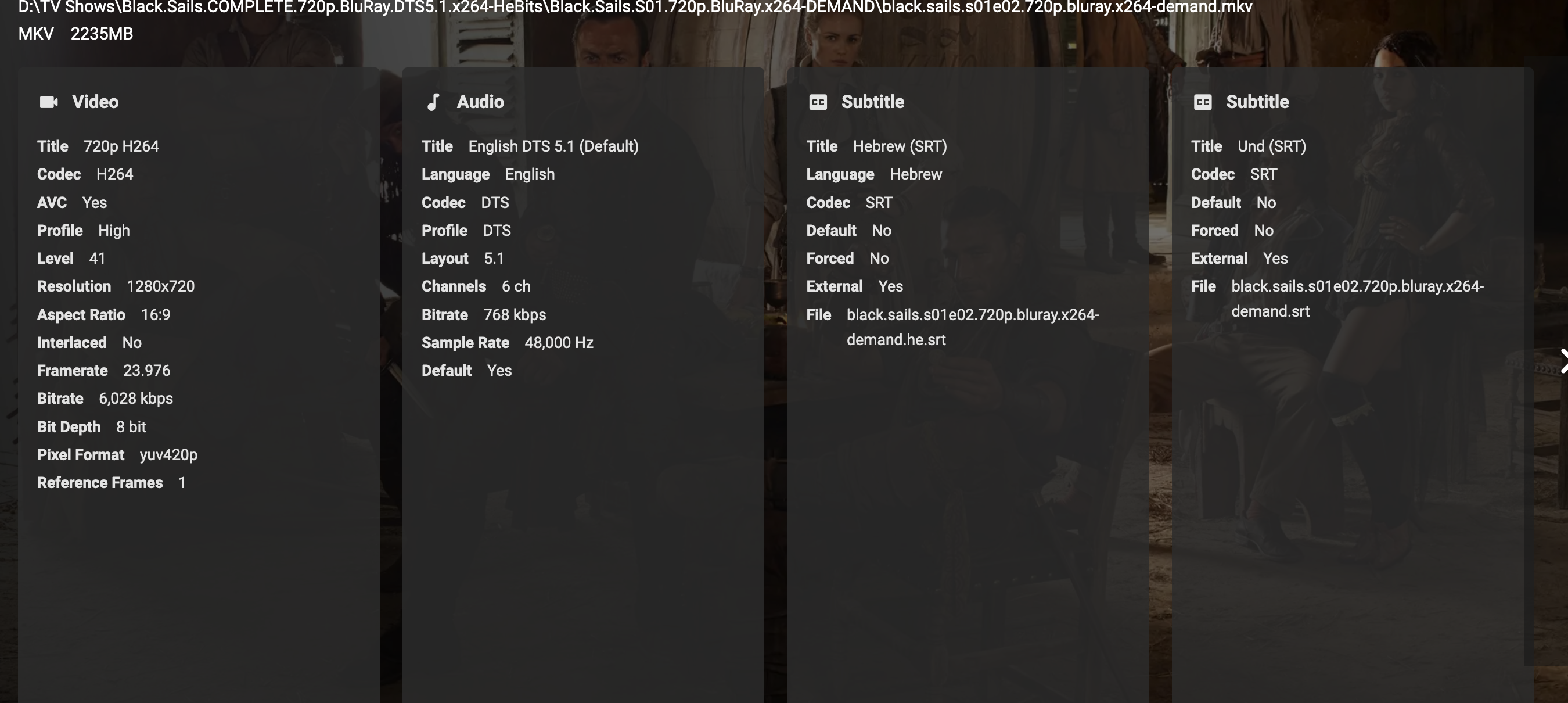
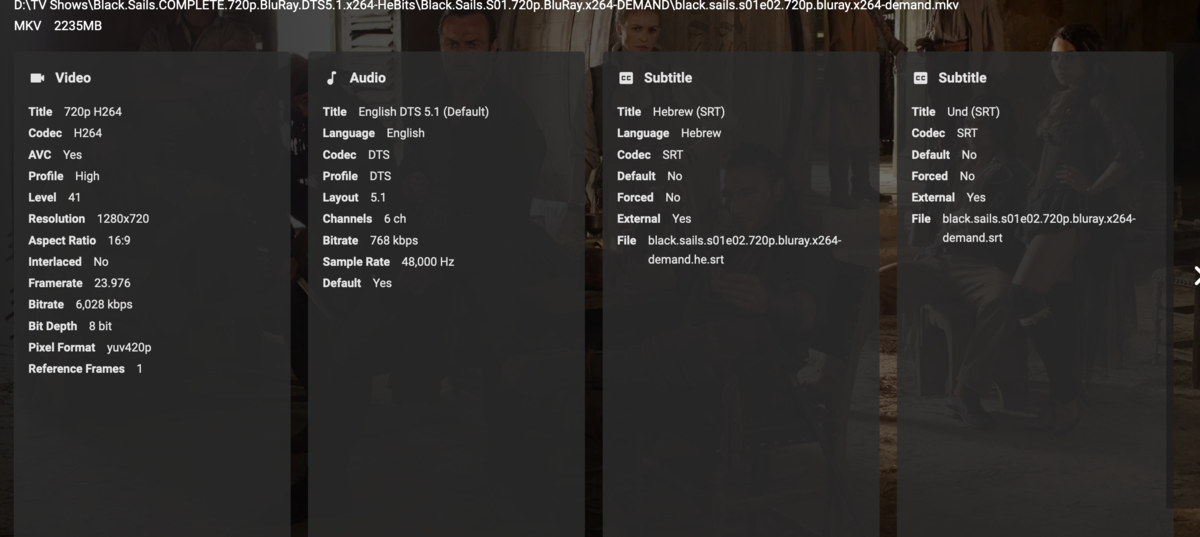
Samsung model number: UE55TU8000UXSQ Samsung firmware version: T-NKLDEUC-2014.1 , BT-S Samsung Emby client version #: 1.0.97 After watching a 2 episodes of tv show, I switched to another tv show and start watch, the emby client was crashed. I opened my laptop to check if it happen in web client, but seem to work fine. Then I restart the server and try again, but it's crashed again. You told that if the problem specific video, attached video details, so here is it also attached with the logs. embyserver.txt ffmpeg-remux-16657af1-4297-4867-86cb-1f179c2cea28_1.txt hardware_detection-63769845617.txt hardware_detection-63769845707.txt
 1 point
 -
Appreciate the info, Mr. GrimReaper. I hadn't noticed the Trailer tab in my libraries until you forced me to look for it.1 point
-
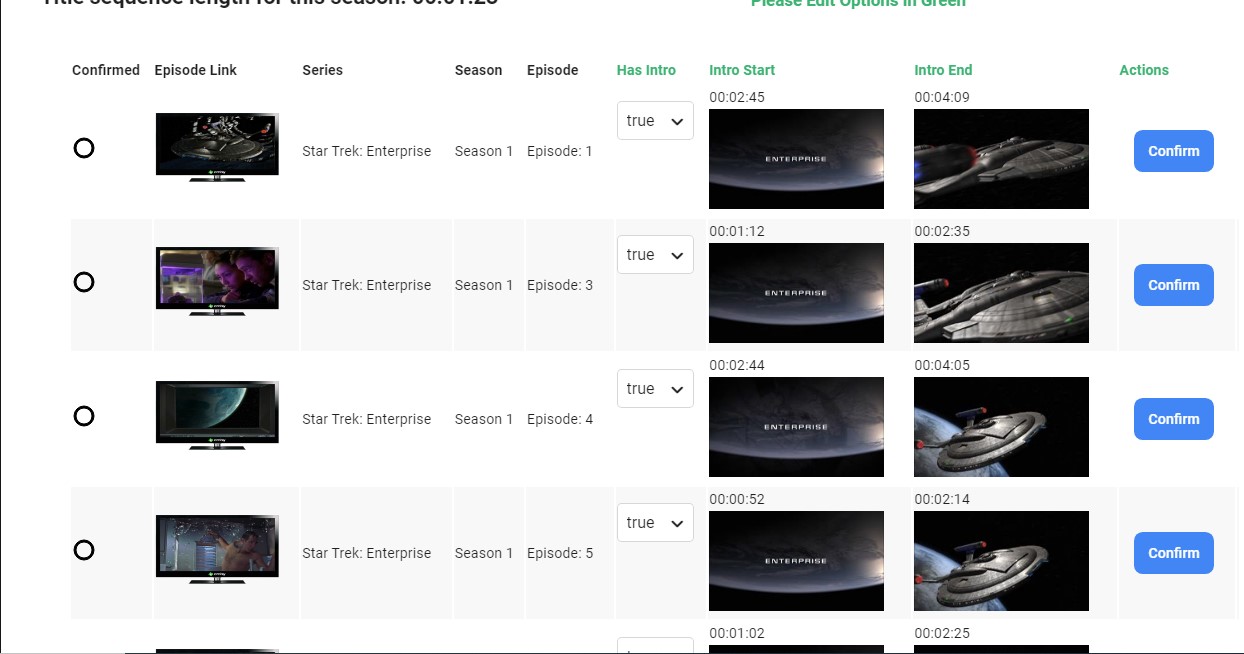
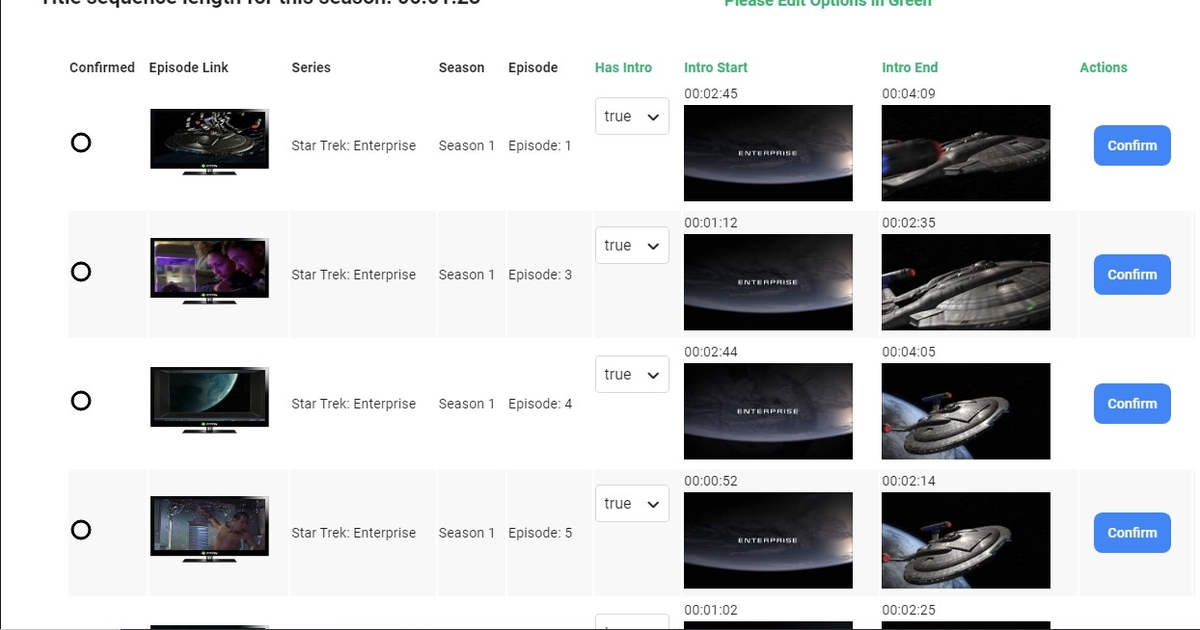
So the addition of the thumbnails is great because now i can see that all your intros are detected correctly just by looking at the images. They are pretty much all identical, which would suggest that the title sequences have been identified correctly.1 point
-
I checked my outcome for star trek and it shows the intros to be true but the numbers are not the same... don't know if this means anything or is it fine, just sharing.
 1 point
 -
Thanks again, restarted the Emby server, an update occurred and it works great.1 point
-
Yeah, I redircted my domains dns to cloudflare today... And I like the tools better. BUT, I think I resolved everything by just using 443 in the app. It wasn't clicking for me that I needed to, because nginx forces port 80 to ssl (so I don't have to specify a port in a browser) so I figured 80 would work in the apps. and it does on my oneplus phone, but not on iphone... quirky. but definitely a thing.1 point
-
Like I said, security by obscurity isn't ideal, however, publicly posting a URL that resolves to your home server, on a forum that is about a consumer level media server is just asking for issues. I agree that most people that are hackers already know it, but other things can happen as well. not to mention that the logs also have my user name for said server. Coming from someone who works with networks a lot, having this info public just doesn't seem wise. And yes, I can do the find and replace, and I am aware that I need to do that, others may not be aware.1 point
-
No, it only does playback activity1 point
-
This is what I'd like to do with the plugins, if the developers of them are OK with it. But first I need to expand it a little bit so that the tuner can also provide it's own guide data if it wants too. Once I've added that, then I may switch one over like TVH.1 point
-
cool. It should be prioritized. They want logs, which I get, but it puts our servers in danger to publicly post these details. I know security by obscurity isn't great, but at least it's something.1 point
-
One possible reason is that nfo saving is not enabled, so you have bad data in an nfo file, but you're not allowing the server to update it after fixing it manually. So that's why a refresh just brings it back.1 point
-
Which is what the online web app is.1 point
-
I believe that is already here.1 point
-
The localhost/direct IP web client has no Connect capabilities so there is no change server options.1 point
-
If i was going on a cruise, I would have fun. Not sitting i a cabin, watching things that could wait. If I should, i would bring my media on a external HD. And not having to deal with bad internet.1 point
-
No problem! Thanks for trying to resolve this.1 point
-
Seeing one or two (of 10+) libraries down in the bar seems both redundant (moreso as likely exactly those two are present onscreen) and out-of-place while wasting screen estate, that space should be reserved for additional features and options that are not within easy reach. Above suggestion makes perfect sense, until customization is introduced eventually.1 point
-
Ok... why don't make it like?: For the web app: Home, Favorites, Search For mobile apps: Home, Favorites, Downloads, Search1 point
-
Ups, I think forgot a disconnection option. Only possible if you remove the server manually. delete the json file from here: .kodi/userdata/addon_data/plugin.video.emby-next-gen/ If you don't know which one, delete both. You can reconnect to the actual server again. No resync requried, just skip the sync wizzard after removal.1 point
-
1 point
-
I honestly didn't know if I was remembering wrong or not. Apparently I was! Getting old sucks!1 point
-
That's what I've been saying the whole time - while everyone else was stating the opposite, so much so that I started to wonder whether I'm really that senile already?1 point
-
@cayars can point you in the right direction.1 point
-
Are you planning to take a cruise after you recover at the hospital?1 point
-
It would be possible to implement a chat on emby or the opportunity to comment on the film?1 point
-
@Luke I can reproduce this as well.1 point
-
Here's what it seems like to me. Luke "got" access to an Emby server via Discord. Likely joined a couple different Discord channels. Had trouble connecting to said server. Asked about this on Discord and was told you need to have your own Emby Server. Husband downloaded and installed Emby Server locally thinking that would fix Emby Connect. At which point Luke got ahold of the person he "got" access to and gave that person his Emby Connect username which was added. Now he can connect to that other server.1 point
-
So, it sounds like we did have an issue with a corrupted db file, probabaly from prior testing if the plugin. This is good news. Keep us updated, and let us know how things go for the other 53% of the scan. Then, you'll be able to run the detection task, and see some results. Looking forward to it!1 point
-
You can use chromium, it's the only browser that really supports reliably hevc in windows. It has built-in hevc support, supports both software and hardware hevc decoding. Edge with microsoft's hevc codec mentioned before supports only hardware decoding and not all hevc profiles. It's not a solution for all your hevc videos. Chromium can run in portable mode and it's very easy to update with chrlauncher. https://chromium.woolyss.com/ https://chromium.woolyss.com/f/chrlauncher-win64-stable-ungoogled.zip Make sure you choose to download the Marmaduke build because it's the build with hevc support. Also make sure to enable the hevc flag on it. chrome://flags/#enable-clear-hevc-for-testing1 point
-
Many Thanks Cayars You solved my Issue Originally I typed in "Camera Upload" in the Camera Upload path and missed the Magnifying glass to actually browse to the correct path on my NAS,. All sorted and works a treat1 point
-
The trailers that show up on Movie or TV Shows is pulled in from the meta-data providers we use to get the other info like description, cast members, etc. OR can be local media trailers stored with the main movie. The trailers plugin is a virtual library all by itself and has nothing to do with your other libs. Just install both plugins and configure them with the options you want to use and call it a day.1 point
-
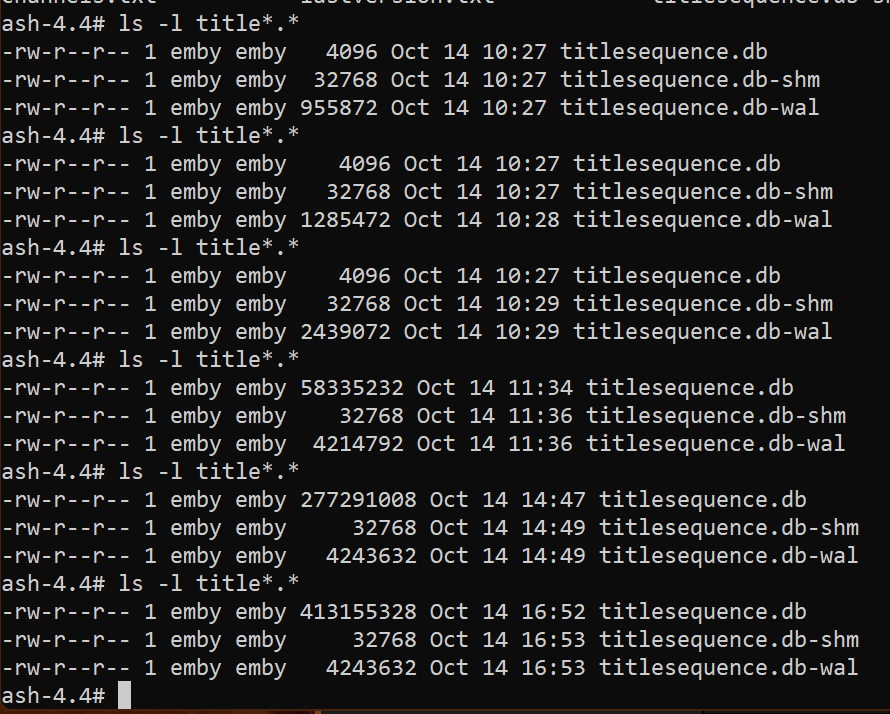
@chef Update: Already on 47%, so running 4 processes seeming to make a difference...database increasing nicely..
 1 point
 -
Chef I don't think we have released that one yet. Because the yellow/green icons aren't there either.1 point
-
I am assuming this is because of the same Letsencrypt Root Expiring so your options are this: The second one (switching to ZeroSSL) is recommended since I am not sure whether the new LE Root will be trusted on the PS4 or not.1 point
-
A few things: 1) A 1050ti would work perfectly fine (well, as far as the buggy nvidia driver recognition goes at least) and have the exact same performance as the P400 on pretty much any QNAP. The compatibility list is just a list of GPUs they have tried, but that does not mean you are out of luck if you buy something else. Pretty much any Nvidia GPU will work fine. As I said, between the P400 and the 1050ti, the 1050ti would maybe have a very small edge but I really doubt it would be noticeable. Get the cheapest one. 2)There's one thing about the original post that is weird. It should be clarified that out of those 5 streams at once, only 2 (maybe 3 depending on driver version) have been using the discrete GPU. You can check that in the dashboard, but the drivers are limited to 3 transcoding streams (2 in the older drivers) for that card. Every consumer card is limited to 3 transcoding streams and if you want to have unrestricted streams (meaning, as much as your gpu would be able to handle anyway) you need to go Quadro P2000 or higher. There is a way in Windows and Linux to hack the drivers, but the patch won't work in QNAP NAS because of a) the weird location of the drivers and the way it handles those drivers and b)something weird is going on with the "sed" command. I have managed to manually patch the drivers for my Quadro P1000 card though and I'll make another topic explaining what I did so people can replicate that.1 point
-
Ok it looks like it finally prohibited me from playback on firestick after trial ended. I did the $4.89 purchase to unlock and it's working now. Thanks.1 point
-
On Samsung, generally it will be using DirectPlay, and seeking during live playback isn't possible on that platform. Your second issue is that seeking in the Samsung client is also a terrible experience at any time I have a work around, but it is two steps and not a bad option Start playback, then drop the playback quality just enough to force transcoding. This will add load to the server, so keep an eye out for performance issues, but it will mean that seeking during playback is now possible Using another client (I use Emby on my phone), connect to the Samsung TV using the cast button, then once connected select the cast button again and select remote control. You can then use the timeline to seek. I end up just using my phone as the remote control. Initially this may be slow depending on the transcoding progress, but it at least makes this watchable without spending money.1 point
-
..and this is highly likely to be your issue. The advertised speed on these powerlines is frankly marketing BS - you will probably get a 10th of that if you are lucky. If you connect the server and shield using 1gig Ethernet (direct connect) - you should not see any issues. I have been running 4K Remux's above 100Mbit/sec without an issues on the Shield for many many months (using File method from a Windows share). A good way to really test the Shield throughput is to use something like iPerf3 in server mode on the host and client mode on the Shield.1 point
-
I'm getting really tired of asking for this. Is there any multi-track album-level resume feature yet?1 point
-
Version 1.0.6.4 This is working for me. Please let me know how it goes for you guys. Hopefully we have gotten to the bottom of file sorting. Emby.AutoOrganize_v1.0.6.4.zip1 point
-
That fixed the issue. Thank you.1 point
-
Everything Worked Great! Thanks for all your inputs!1 point
-
Hi, it's planned for the future. thanks for the feedback.1 point