Leaderboard




Popular Content
Showing content with the highest reputation on 10/01/21 in Posts
-
Thanks everyone! I converted the audio track to AC3 with FFMPEG, grabbed an srt from OpenSubtitles and was finally able to watch this last night!2 points
-
Edit: Obviously misunderstood query. Was an honest reaction, though.2 points
-
Please Luke, any more info than the standard response?2 points
-
You've grown up with watching live tv but on television only runs garbage? You have a big library but don't know what to watch next? Then this for you: "VirtualTV" - my new live tv plugin that allows you to create custom channels based on conditions of your Emby library content. What's missing: Maybe codec conditions Known problems: Needs Emby Premier to work (Playback) Emby's live tv and playback api is very limited, so i've had to make some detours to get things working. The plugin has two general playback modes: "continous" and "playlist" playback. With "continous" mode you can also choose between "live", which bahaves like real live tv or "archive", which plays the videos from the start. In "Continuous" mode multiple videos are queued and concatenated to one big file with the help of ffmpeg. To make this happen every video in the queue has to have some common features (video and audio codec). That's why it often happens that the video also has to be transcoded by ffmpeg. For transcoding the plugin relies on Emby's internal transcoding engine. If there's a problem, not uncommon with hardware acceleration enabled, the plugin also has a problem. Nothing i can do about it. The availability of subtitle tracks is mostly dependant of the Emby user playback settings. In continous playback mode only one (the default) subtitle track can be used and this one has to be burnded into the video (transcoding takes place). In "Playlist" playback mode the videos are pushed as a playlist to the Emby clients. It's like you would play your videos directly from your libraries. This way you get all the features you are used to. Audio and subtitle selection, pause, skipping around and similar things. "Native" playback method was created by the Emby Devs. Similar to Playlist playback it will play the real library videos, but with the big difference that playback is purely initiated by the client app, without any remote command execution. This is why it also works for Roku devices on a WAN network. And although the real videos are played, the whole thing is treated like live TV. This means that channel zapping is possible and no dialogs for playing the next episode are displayed. Unfortunately, the new playback method does not yet support all features. As the name "Archive" suggests, it will currently always start all videos from the beginning. In addition, only very few Emby apps automatically advance to the next video. If you want it to be improved even further, each of you should raise your voice in this thread. To get things started install the plugin via Emby's plugin catalog and restart Emby. Setup your channels with a name and number and choose your playback mode. In the channel conditions you'll have to select an Emby account. This account is used to get library access, respect parental rating, reading watched states and selecting the stream language. At least one textual input field of the conditions has to be filled to get some program data. Fields with an asterisk are either evaluated with an "AND" or "OR" condition among each other. Finally, if you've chosen "Continous Playback" for one of you channels, take a look at the transcoding settings. Save your channel line up and manually trigger a "Guide Refresh". Now have fun! Version History: After a plugin update, always clear your browser cache. If your settings still don't load in the config screen, you have to move the "VirtualTV.xml" out of ...\plugins\configurations and restart Emby. Start from scratch. 2.0.0.0 Unlimited number of channels; New playback method "Native (Archive)"; New security concept for the Export API 2.0.2.0 Performance improvements to Guide Refresh; Preview for Add/Edit Channels; Option to disable Program indicators 2.0.3.0 Fixed missing Playlist sort order for some Content Types; Added support for Seasons with Content Source Collections 2.1.0.0 Selectively enable channels for specific users; Create copies of existing channels; Ordered unwatched episode playback 2.1.5.0 Added option to (auto)enable channels on a specific date range; Bug fixing1 point
-
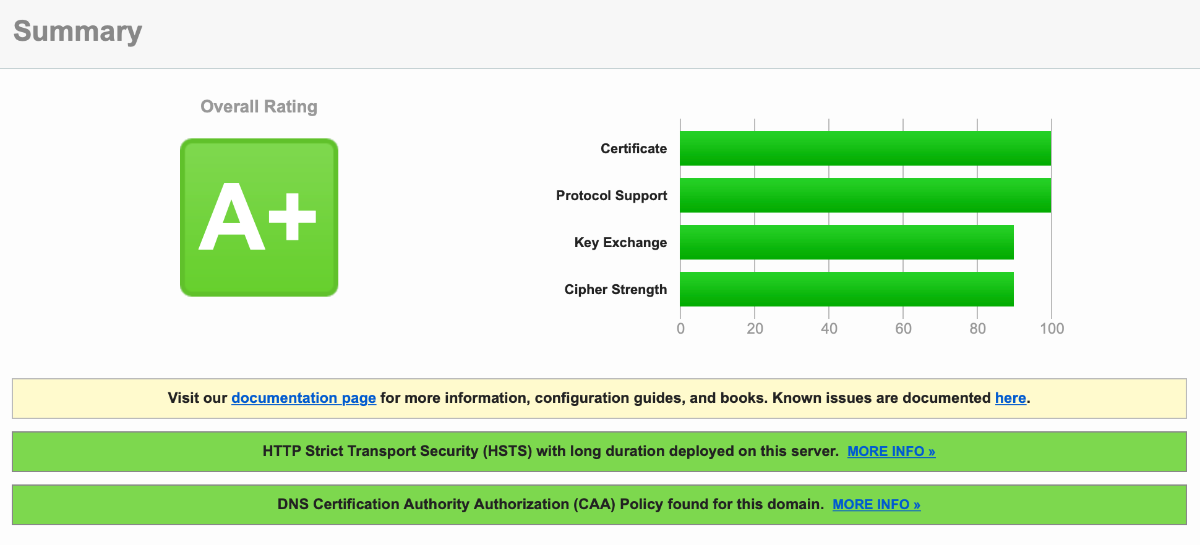
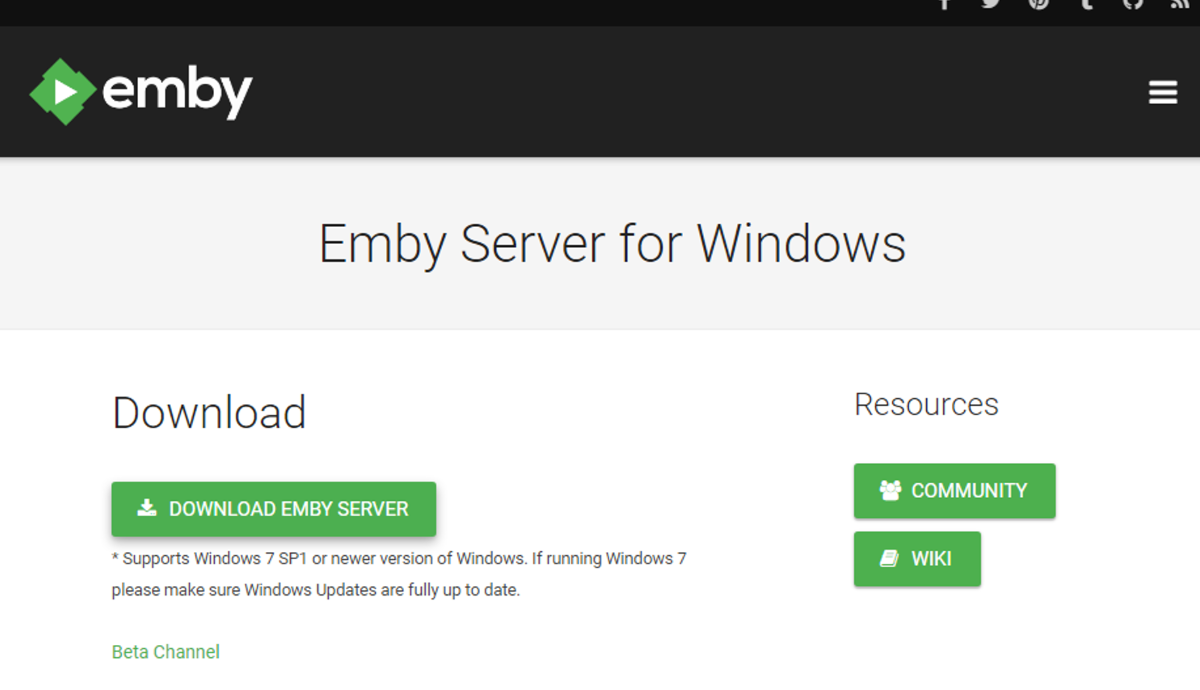
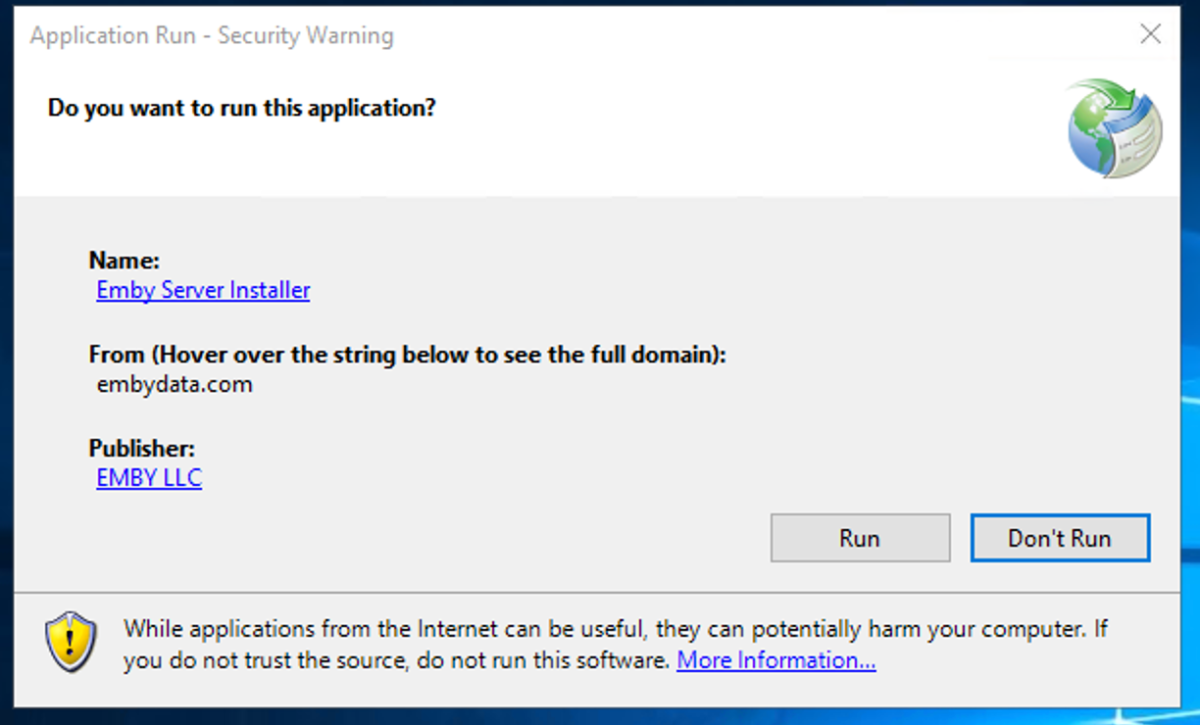
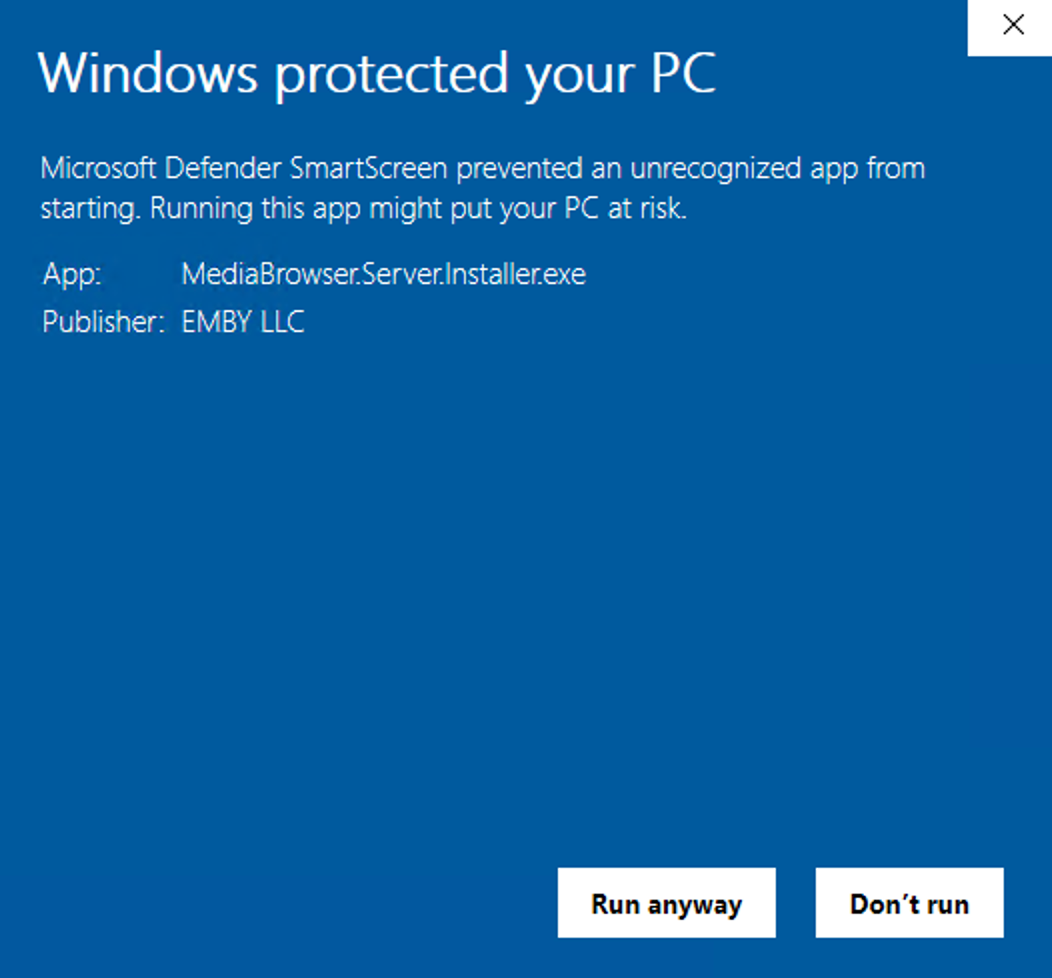
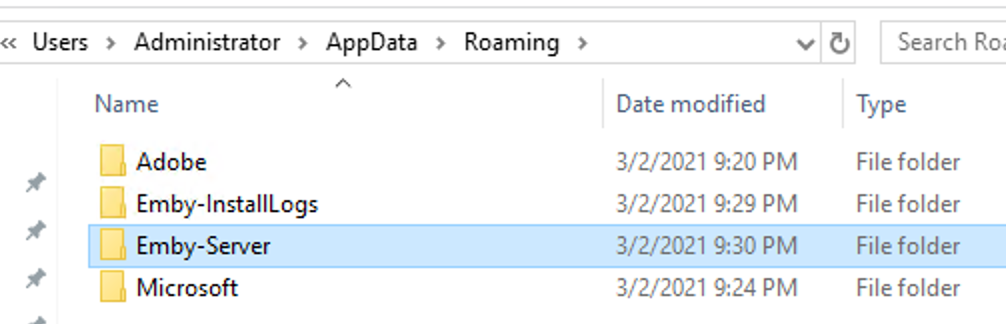
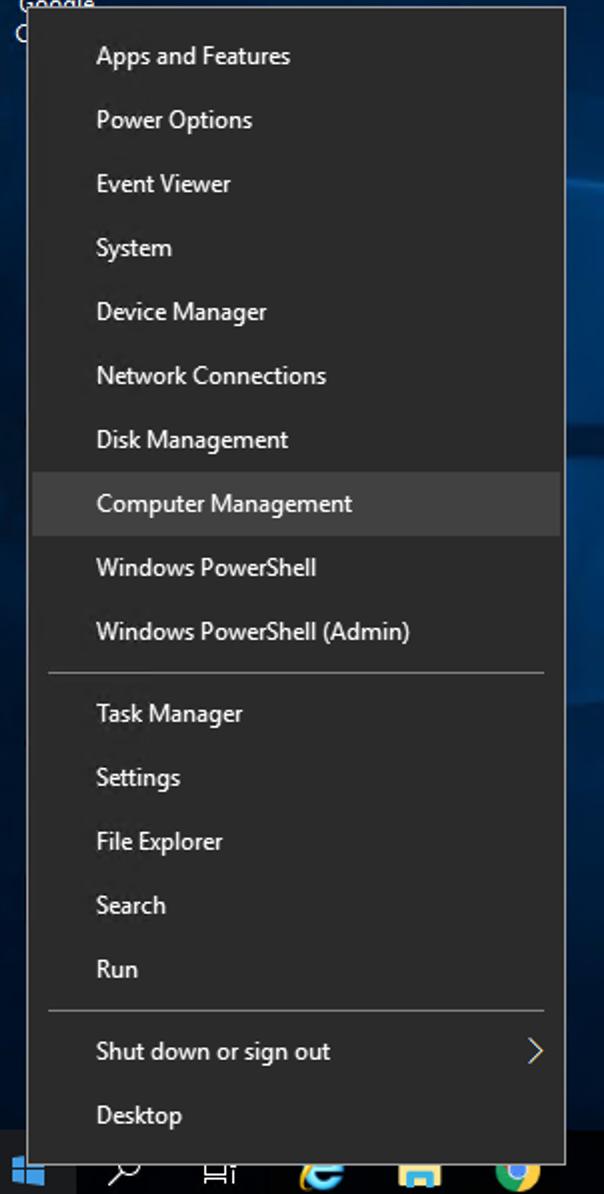
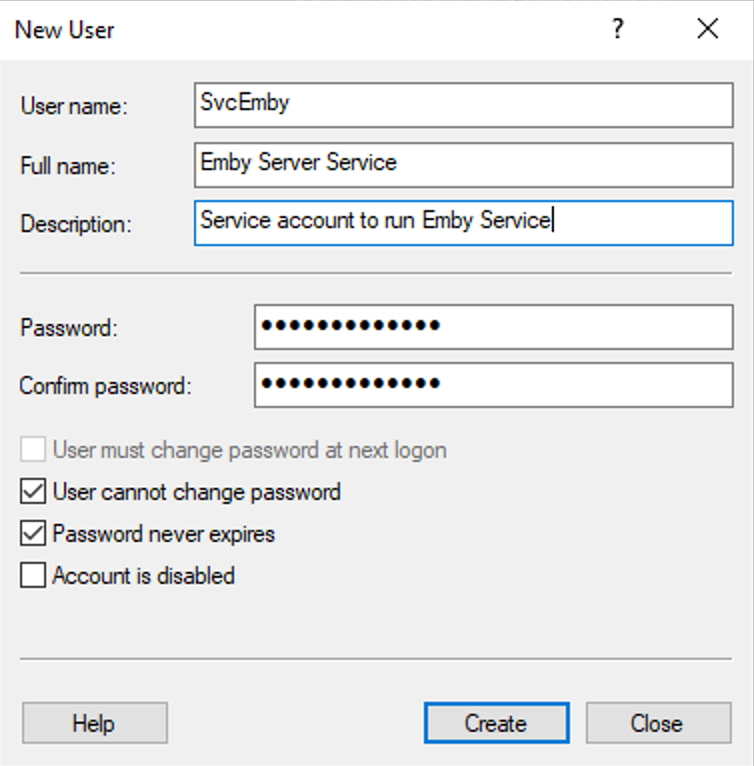
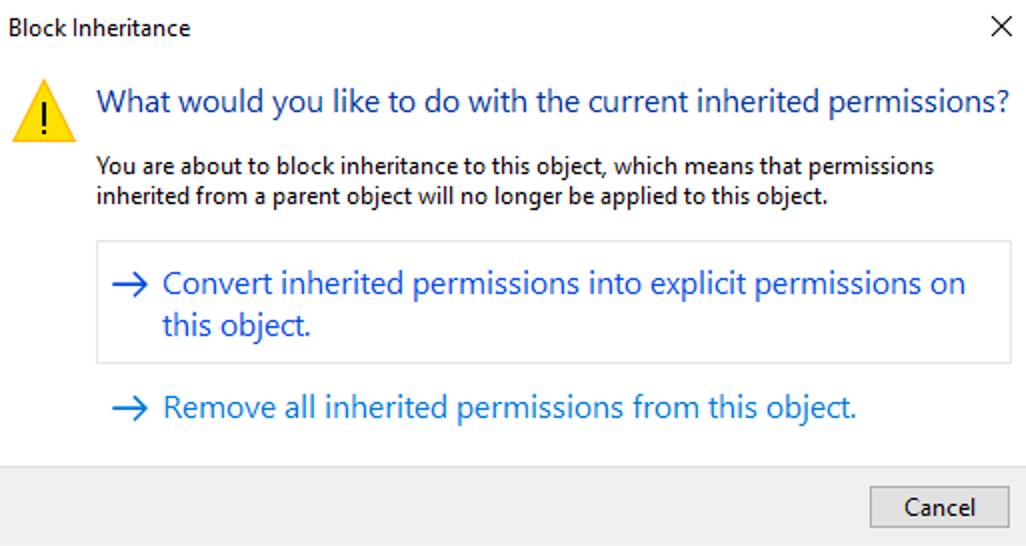
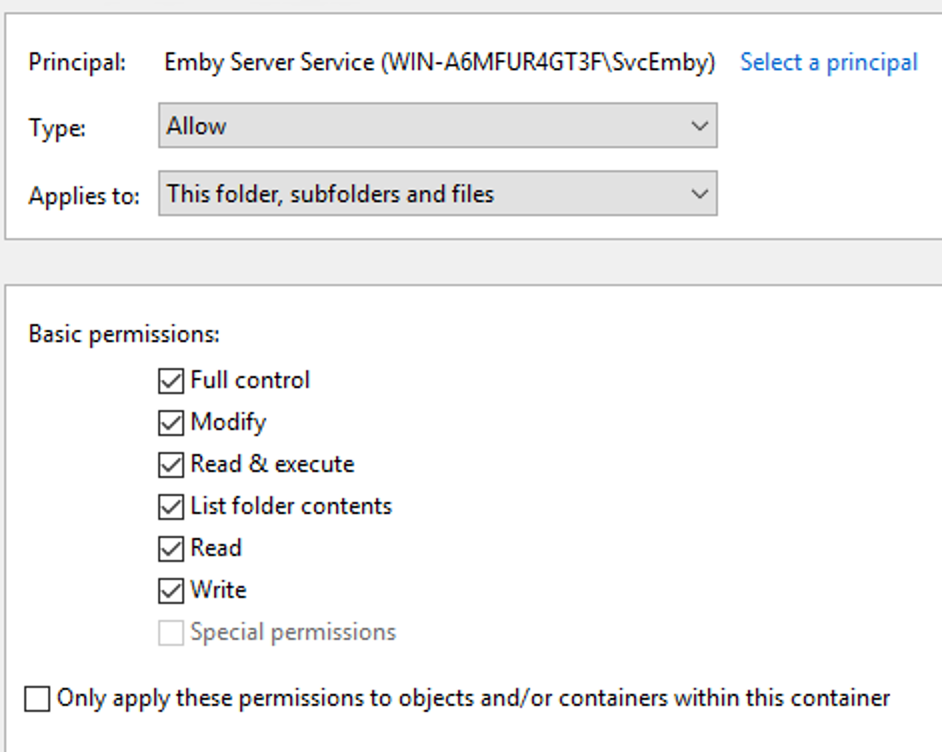
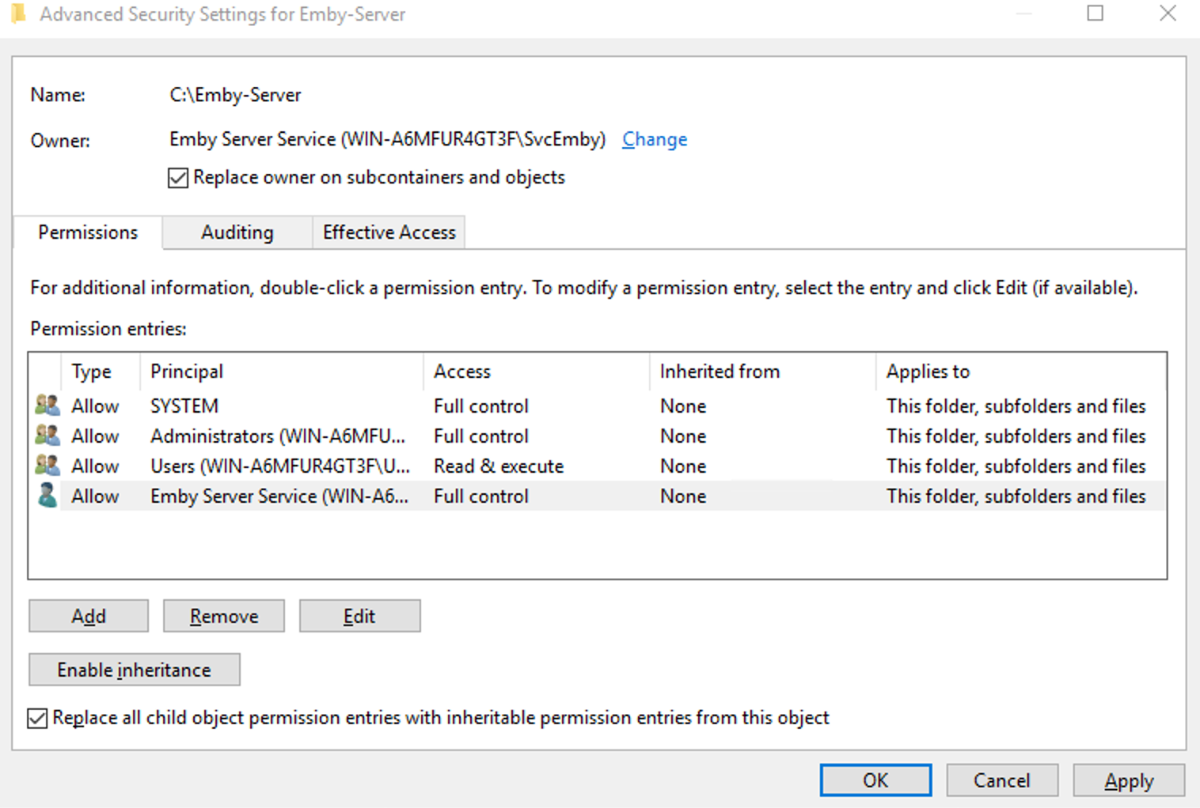
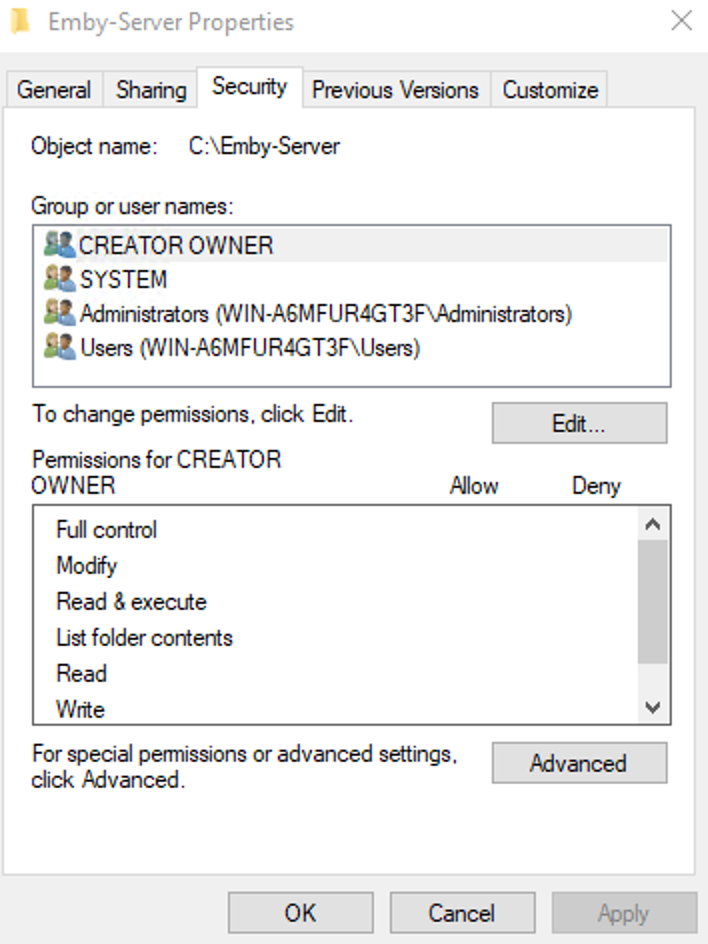
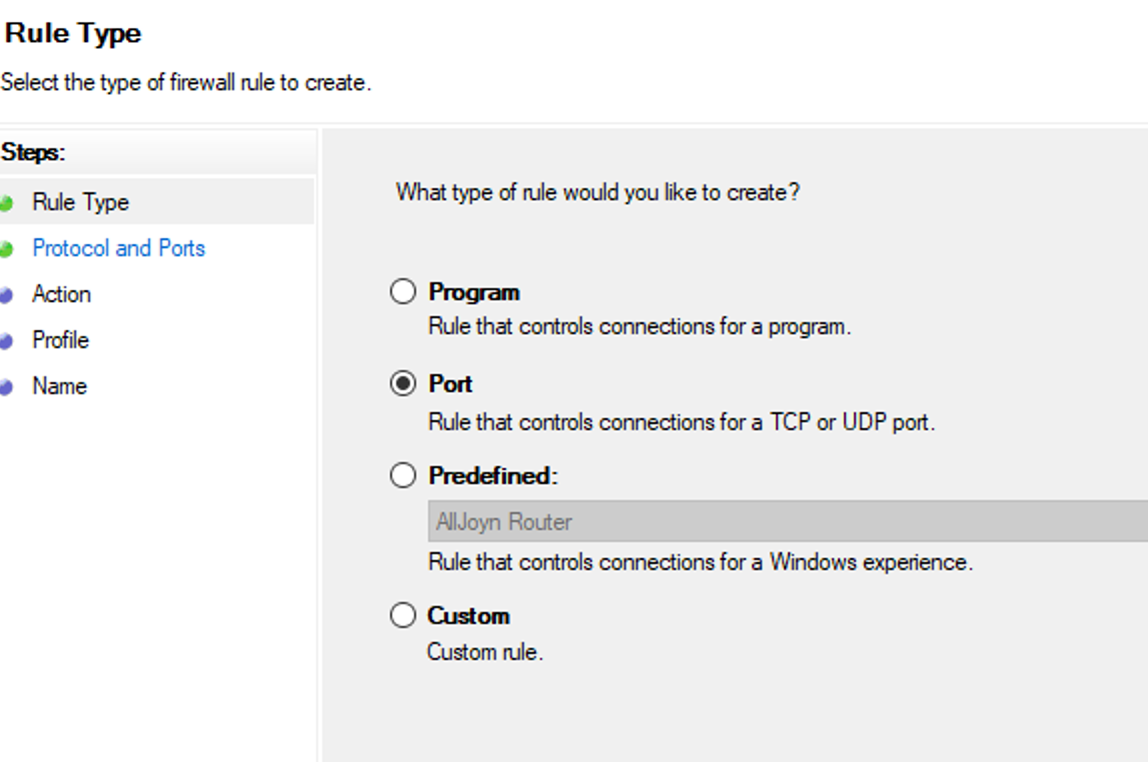
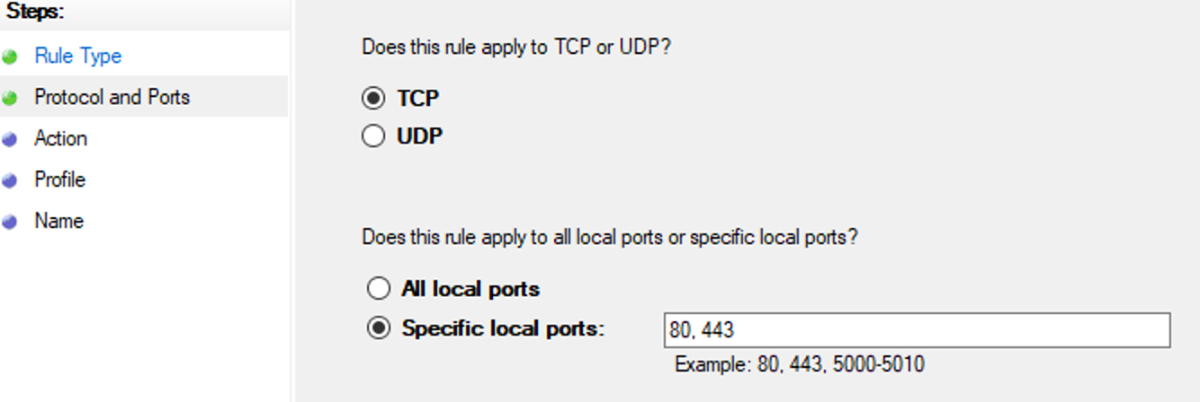
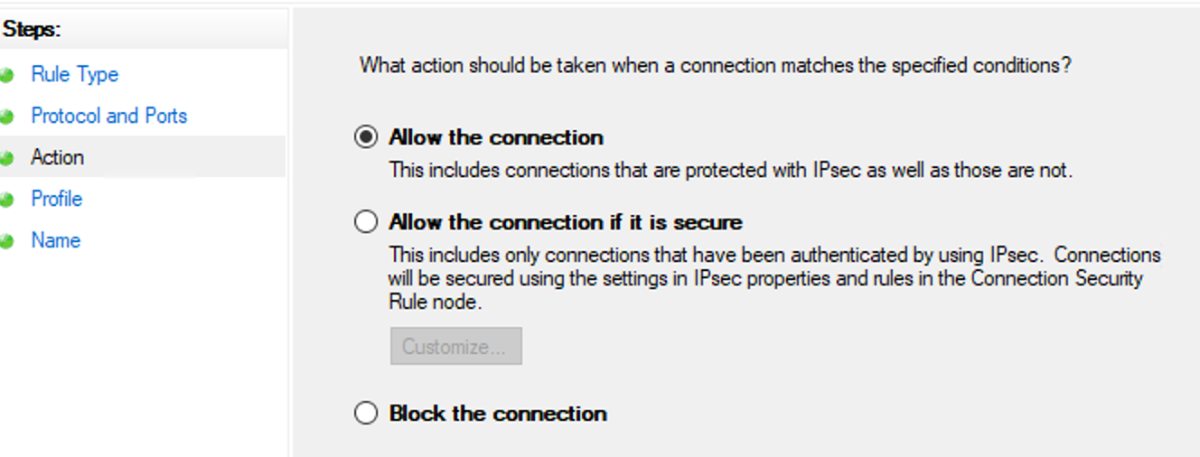
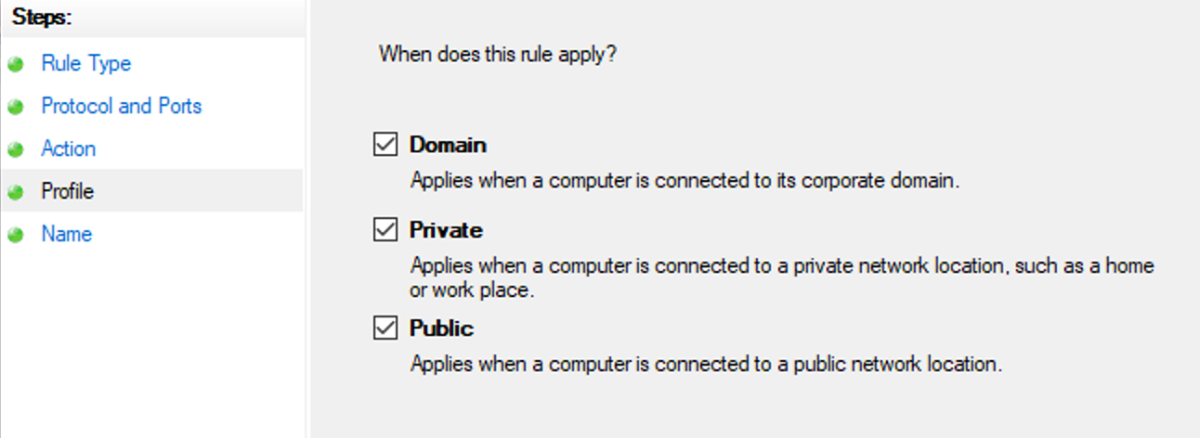
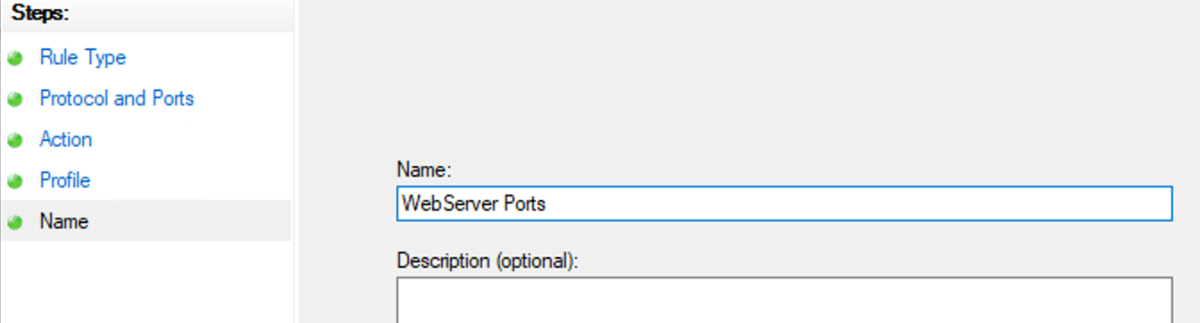
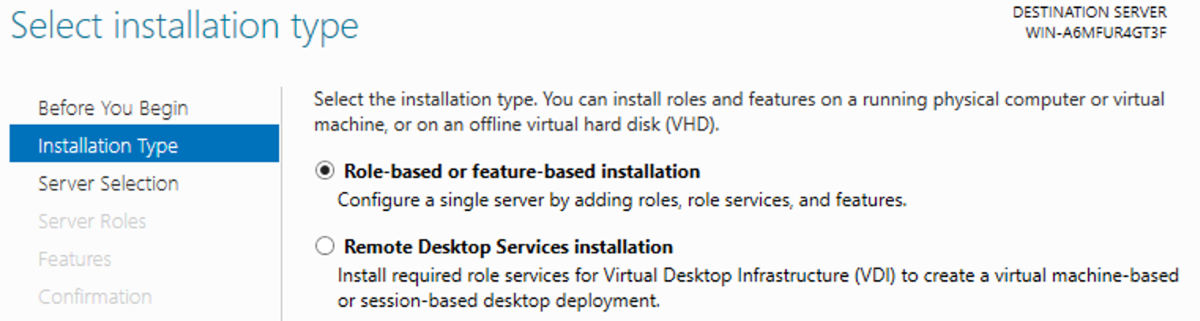
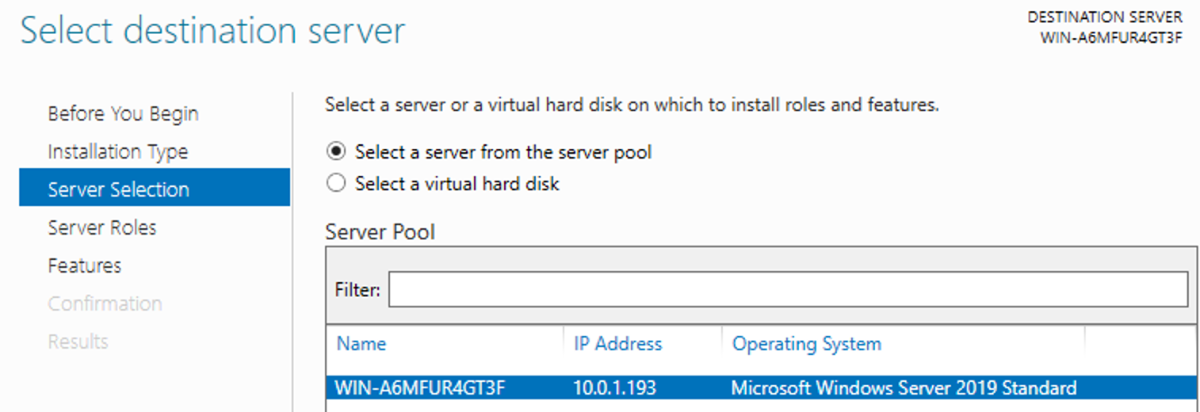
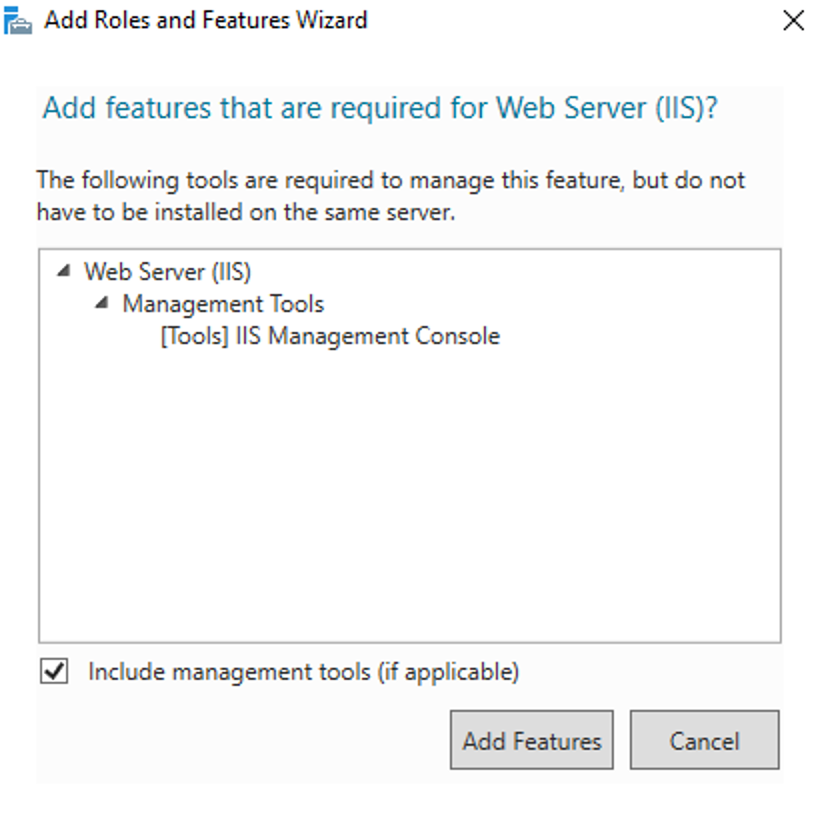
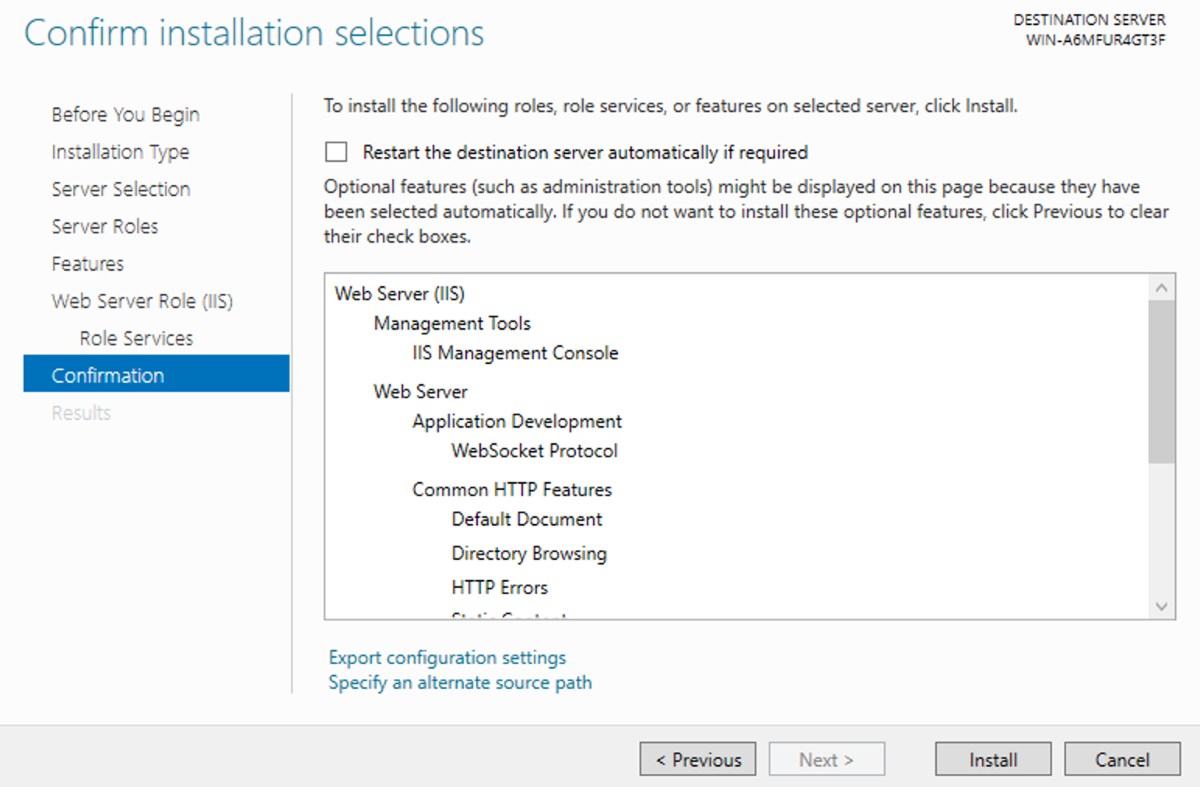
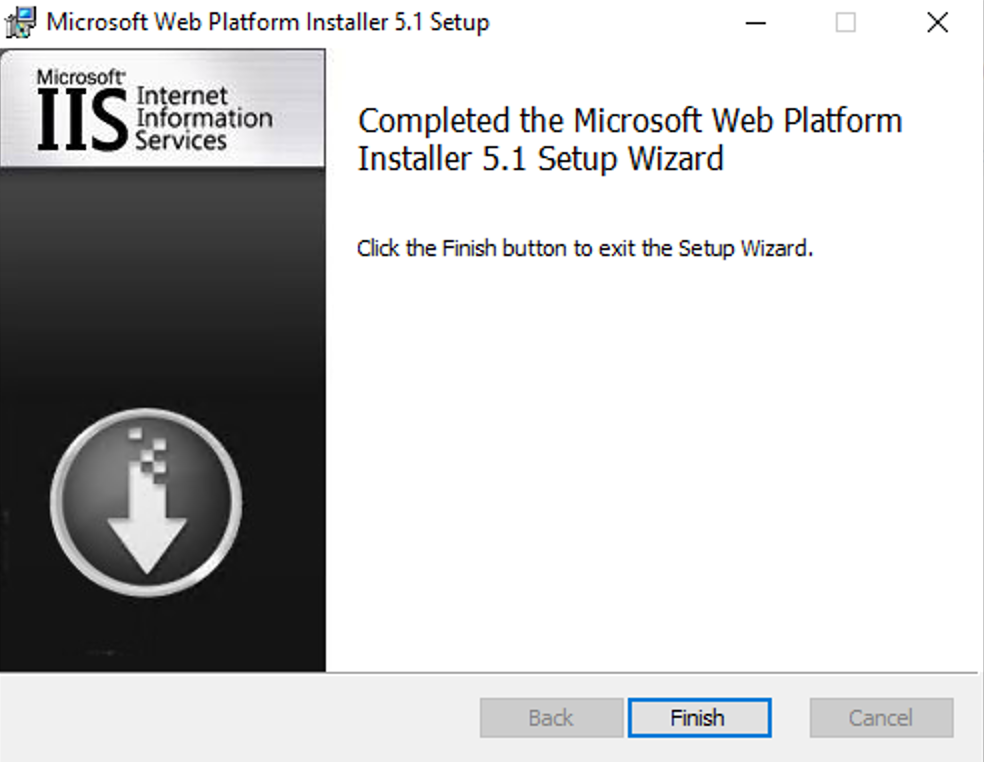
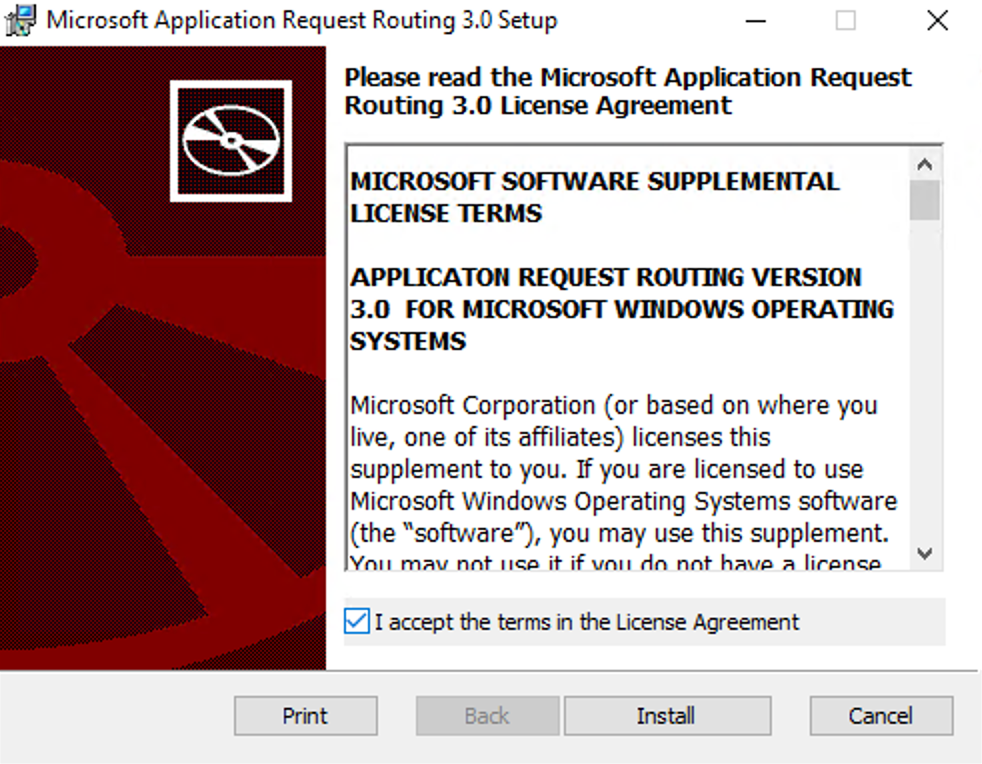
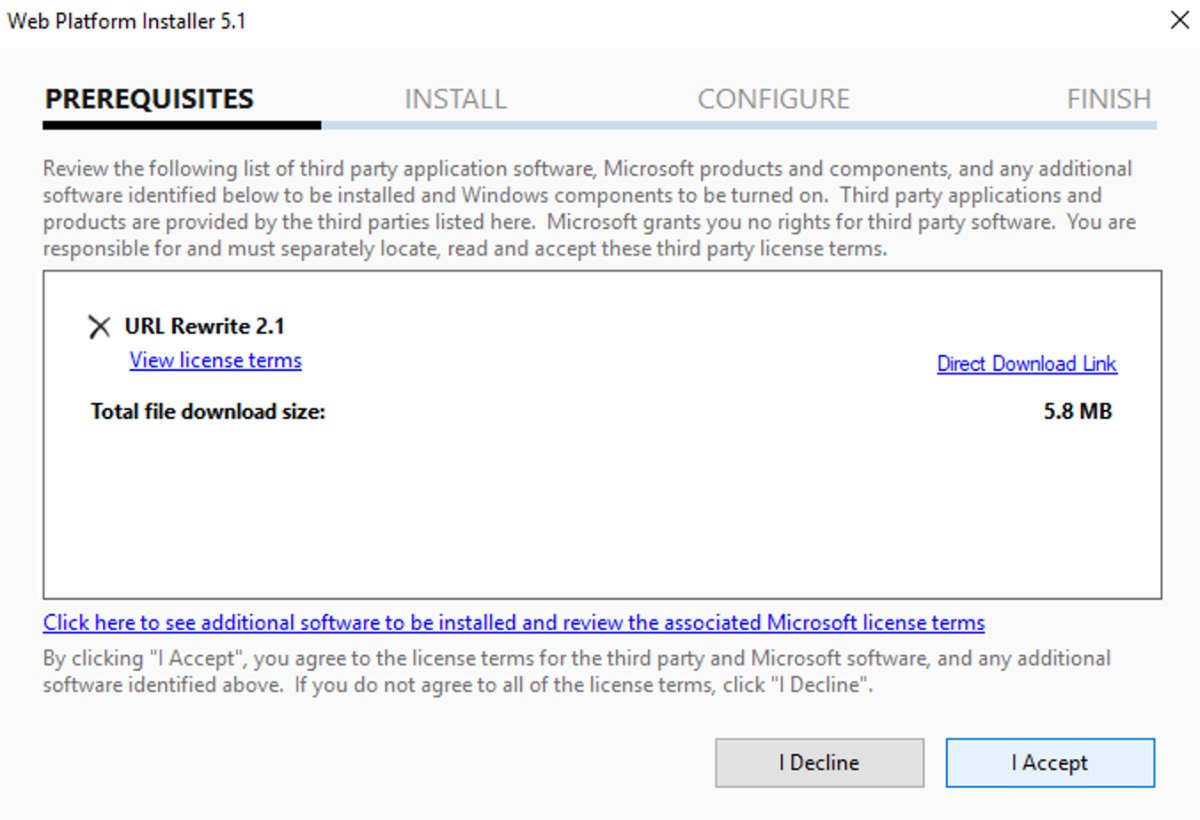
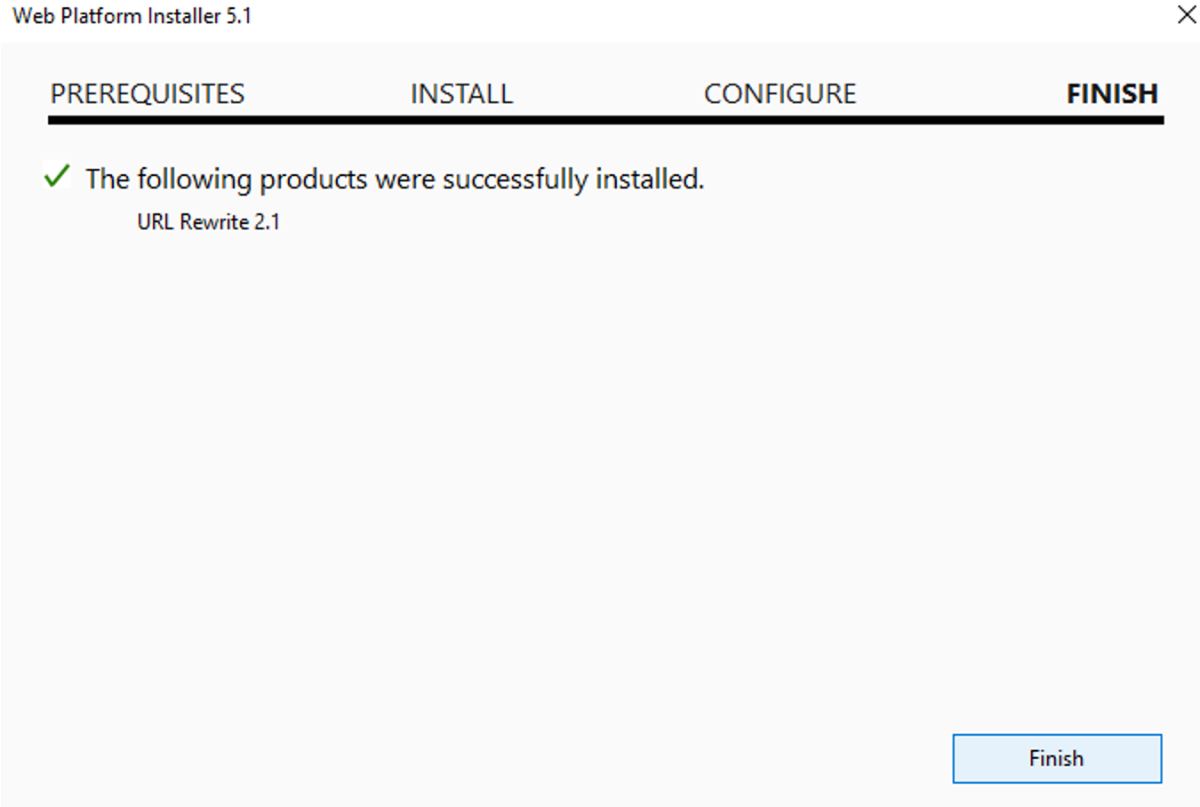
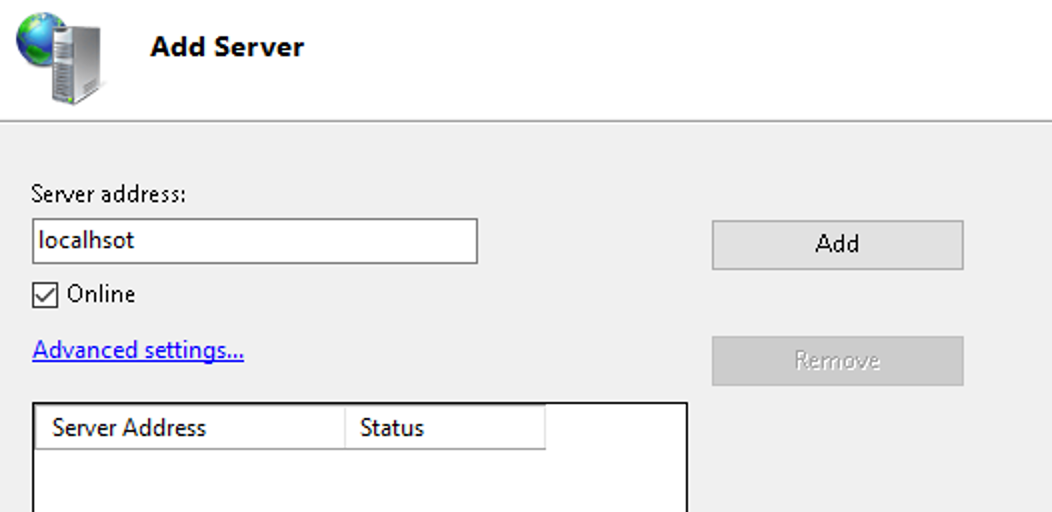
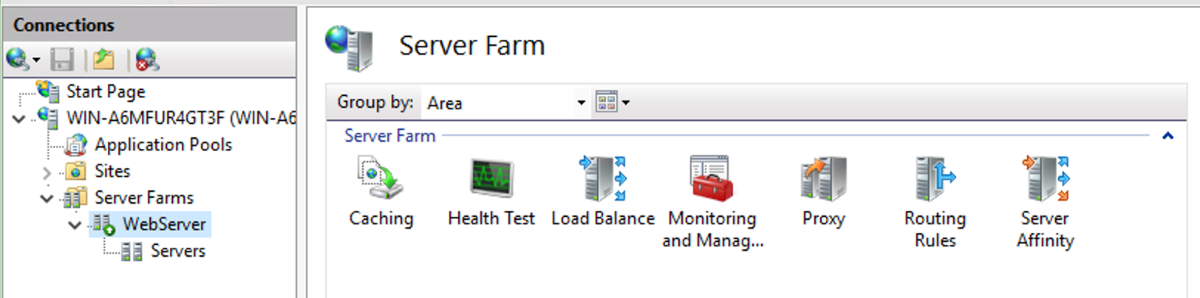
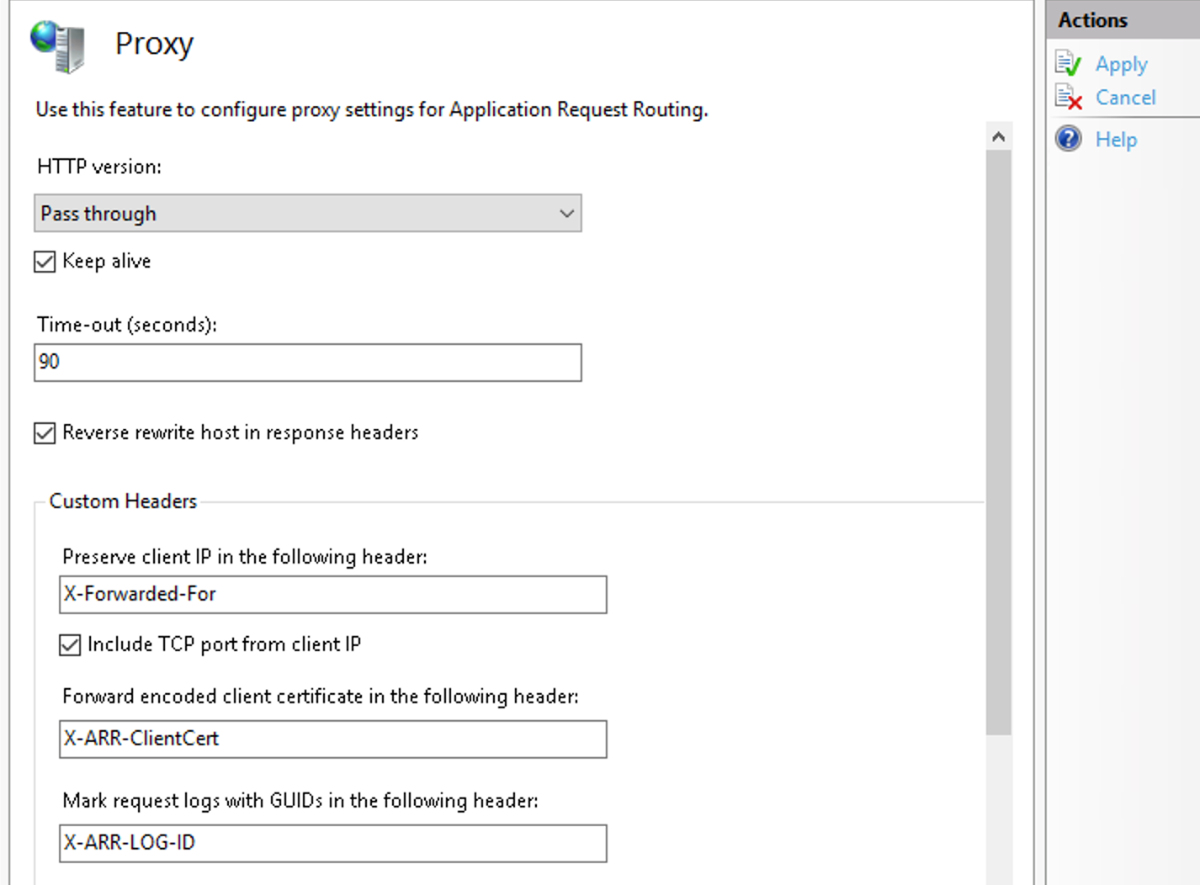
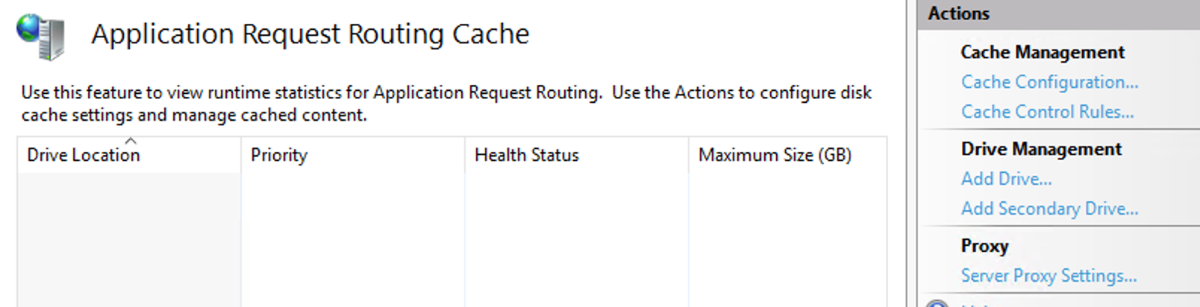
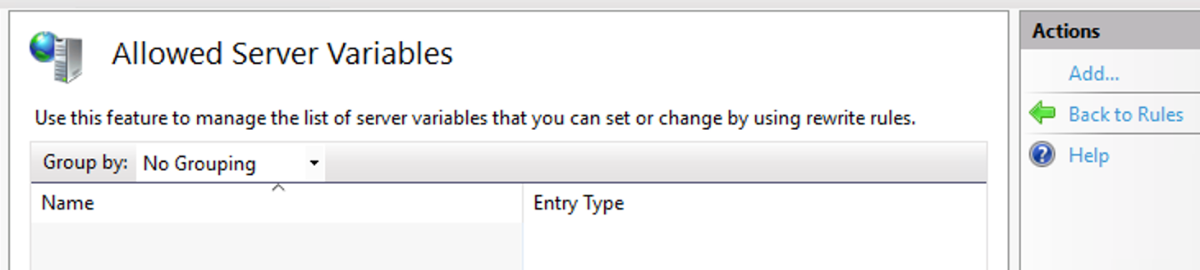
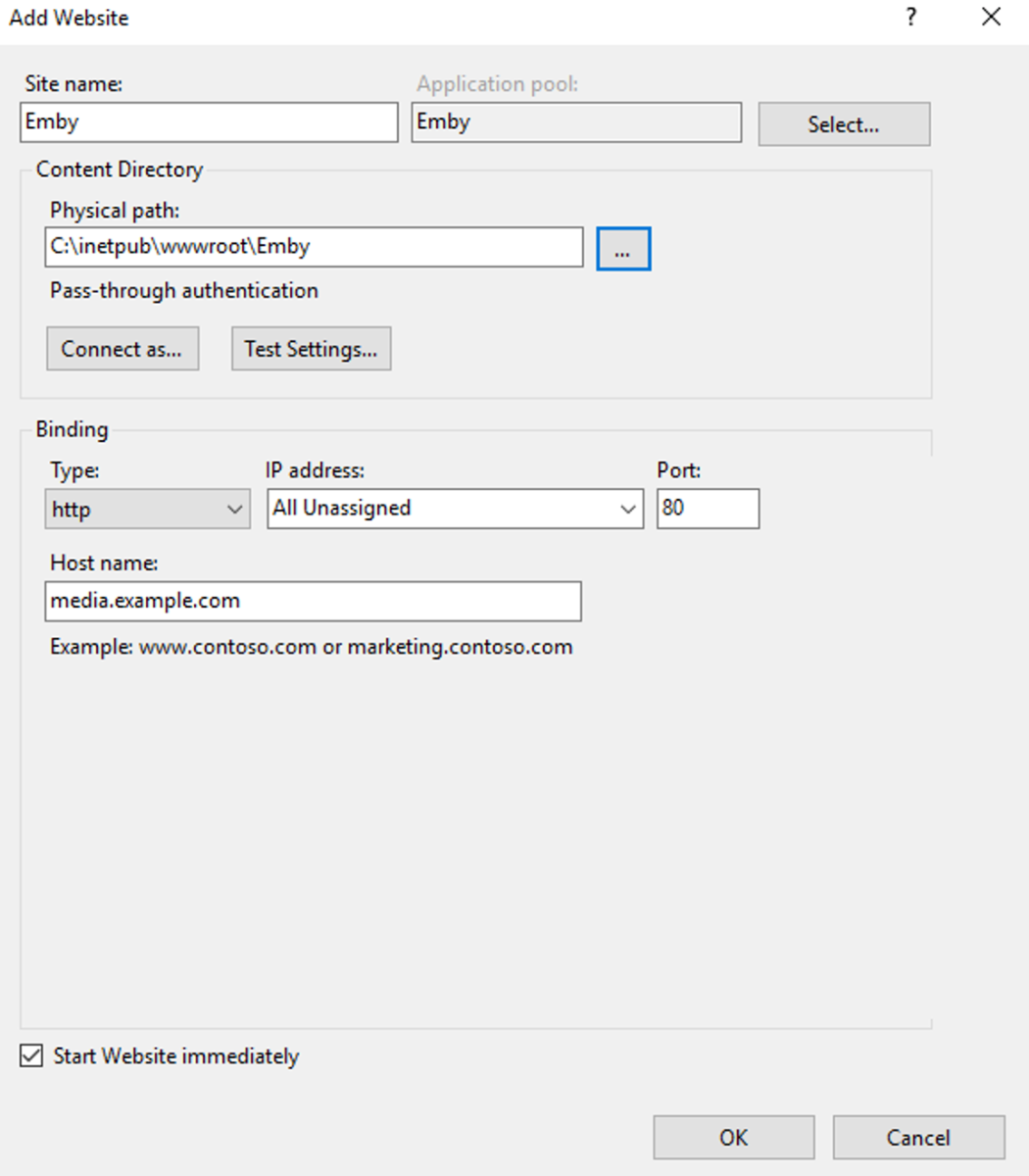
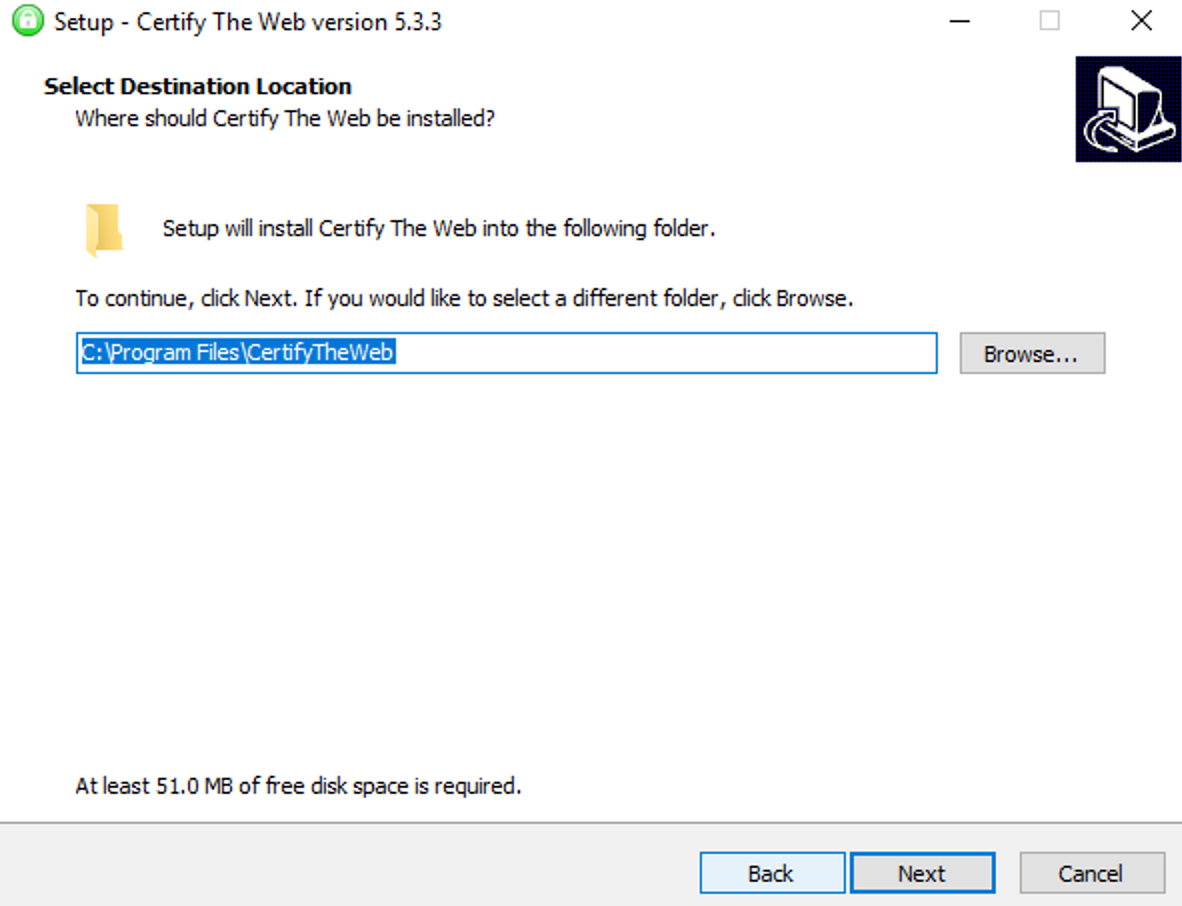
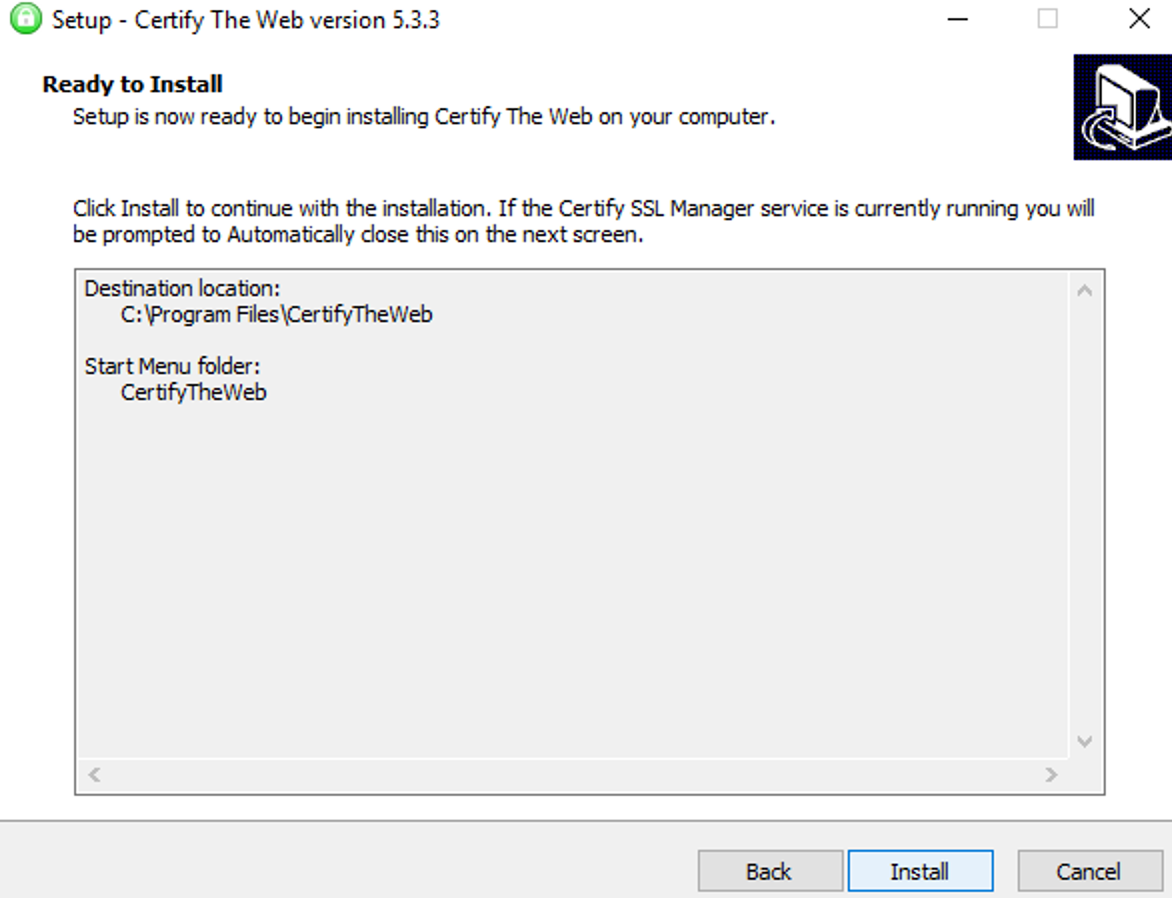
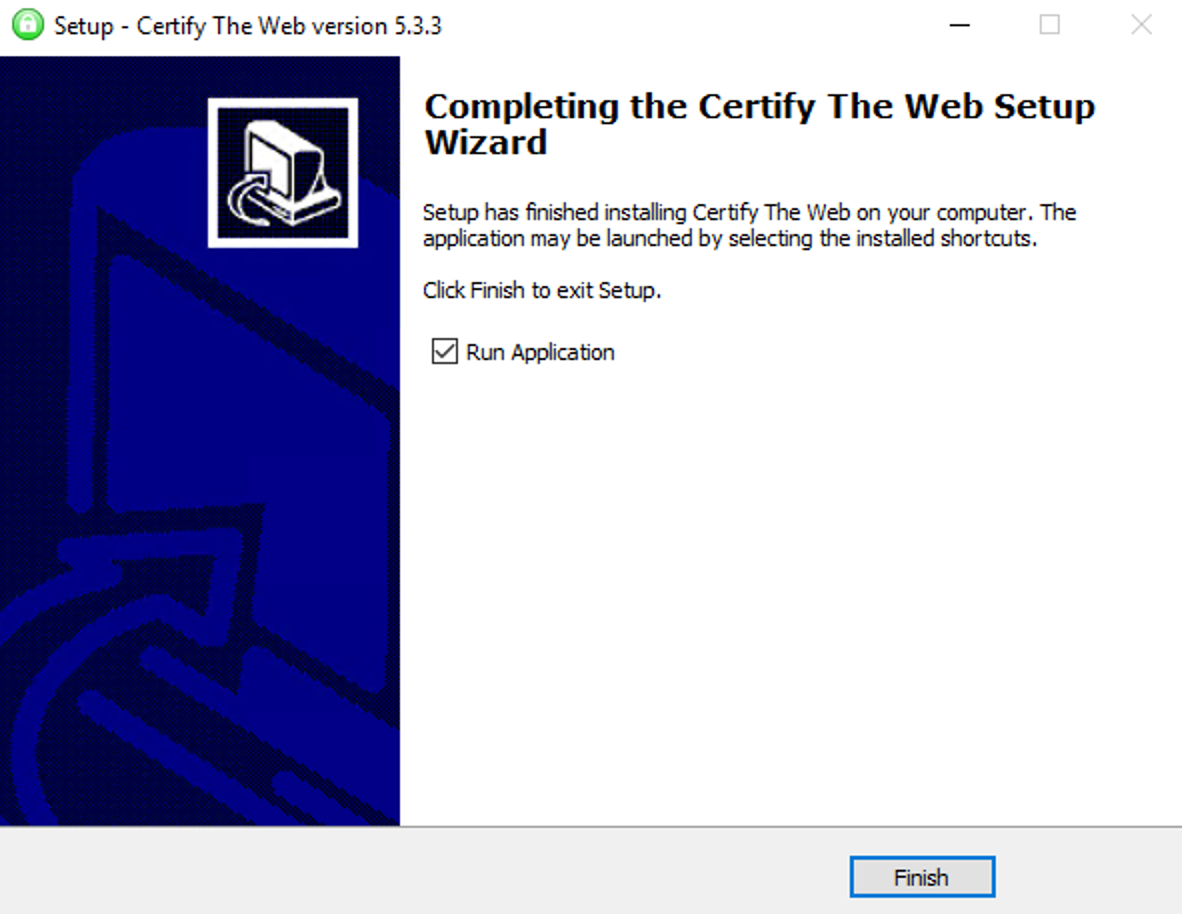
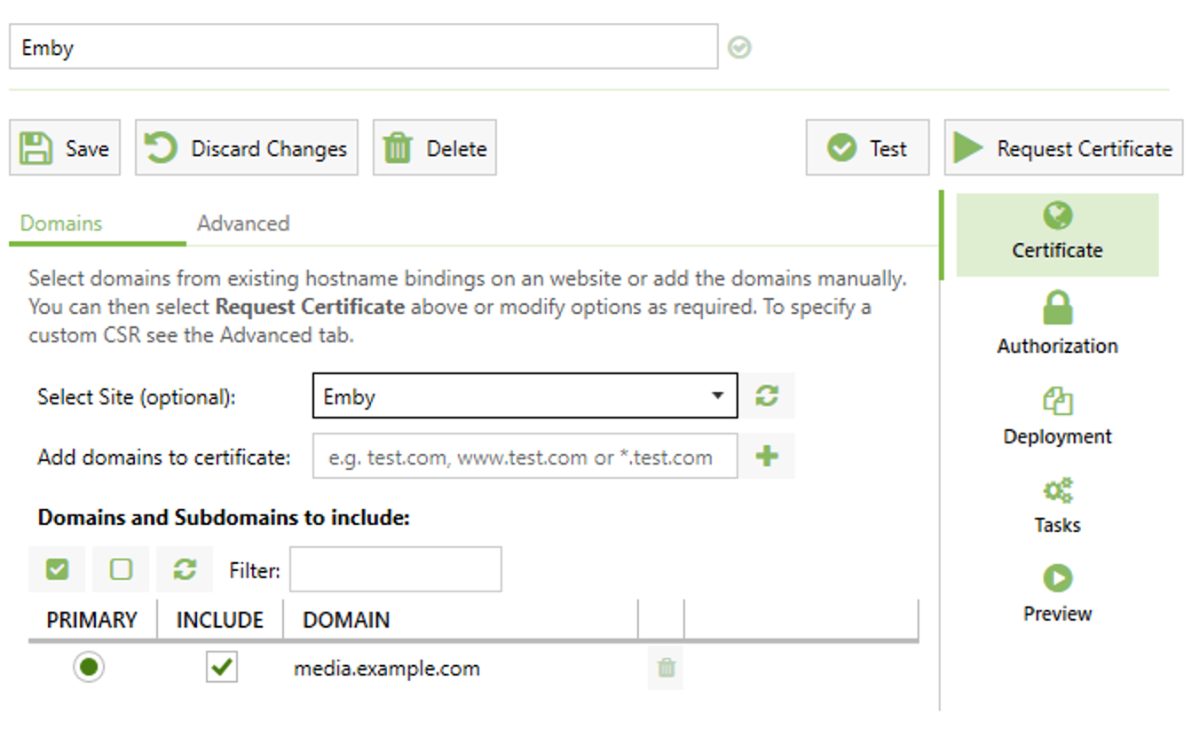
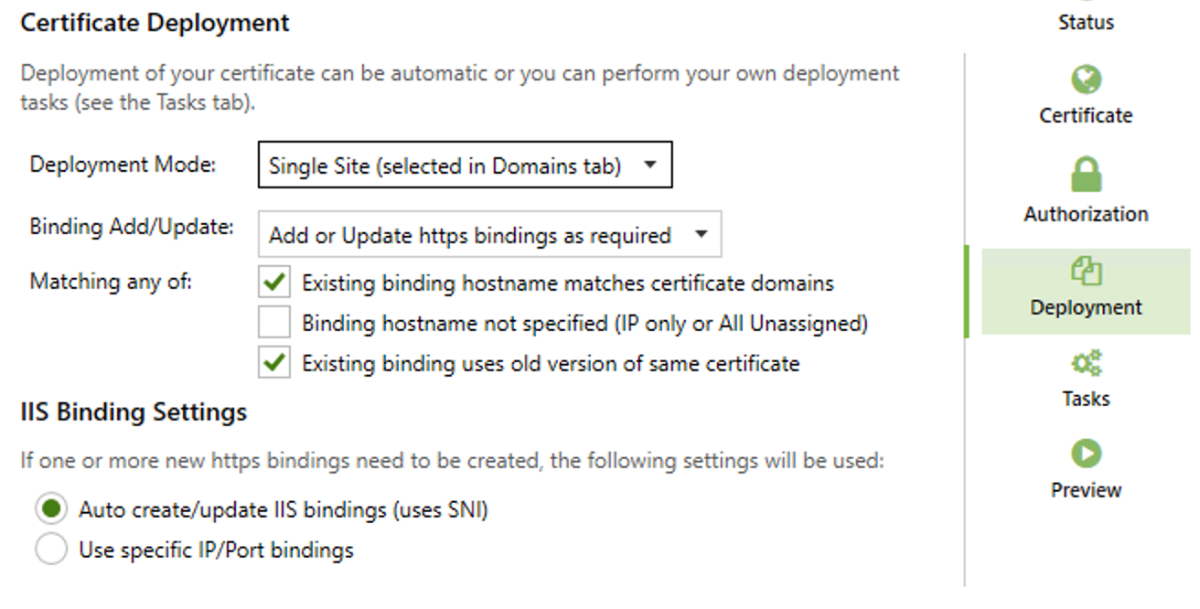
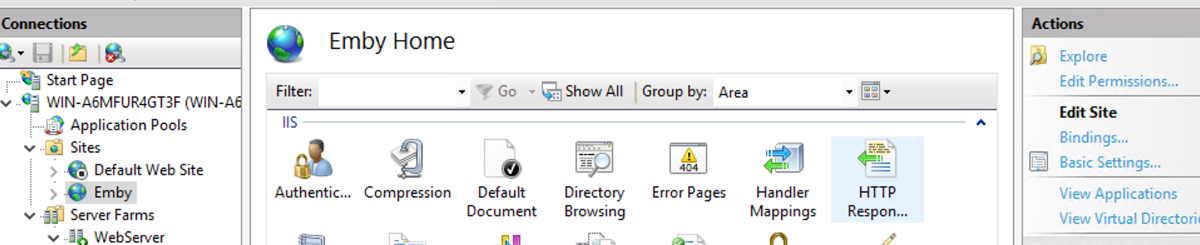
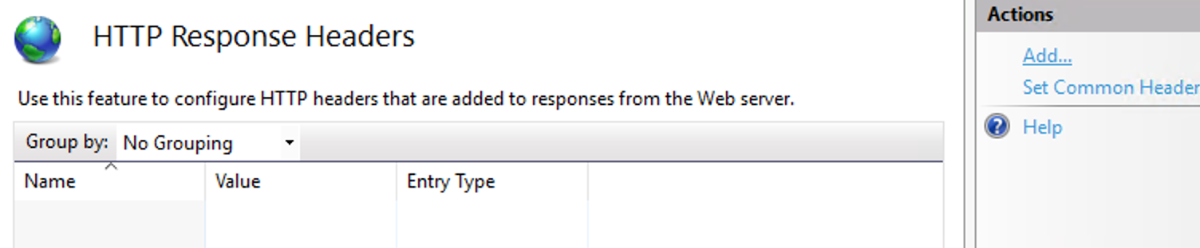
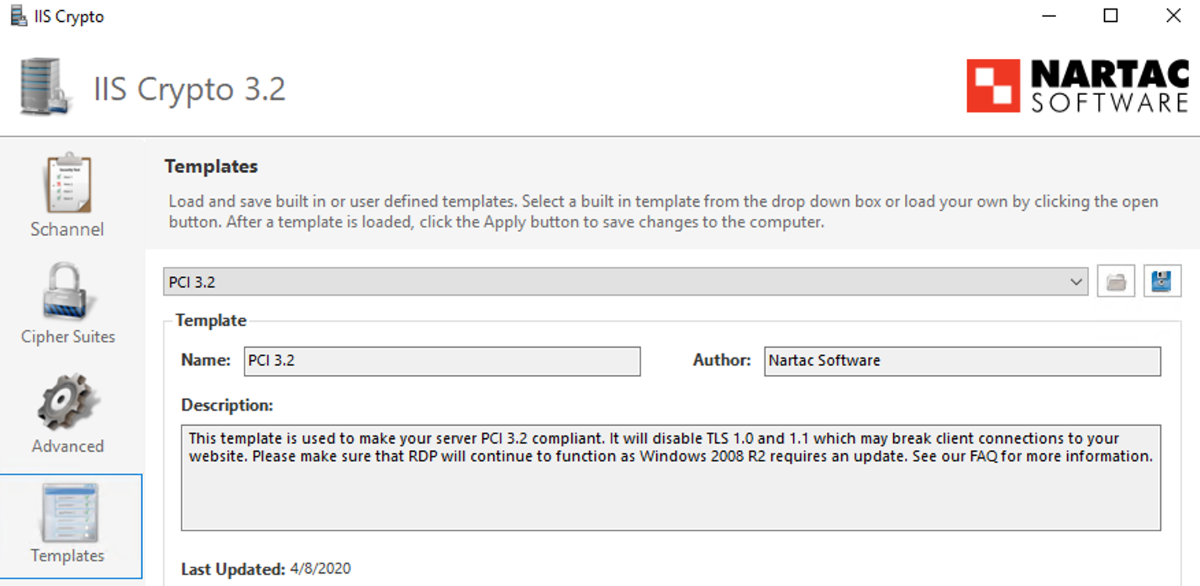
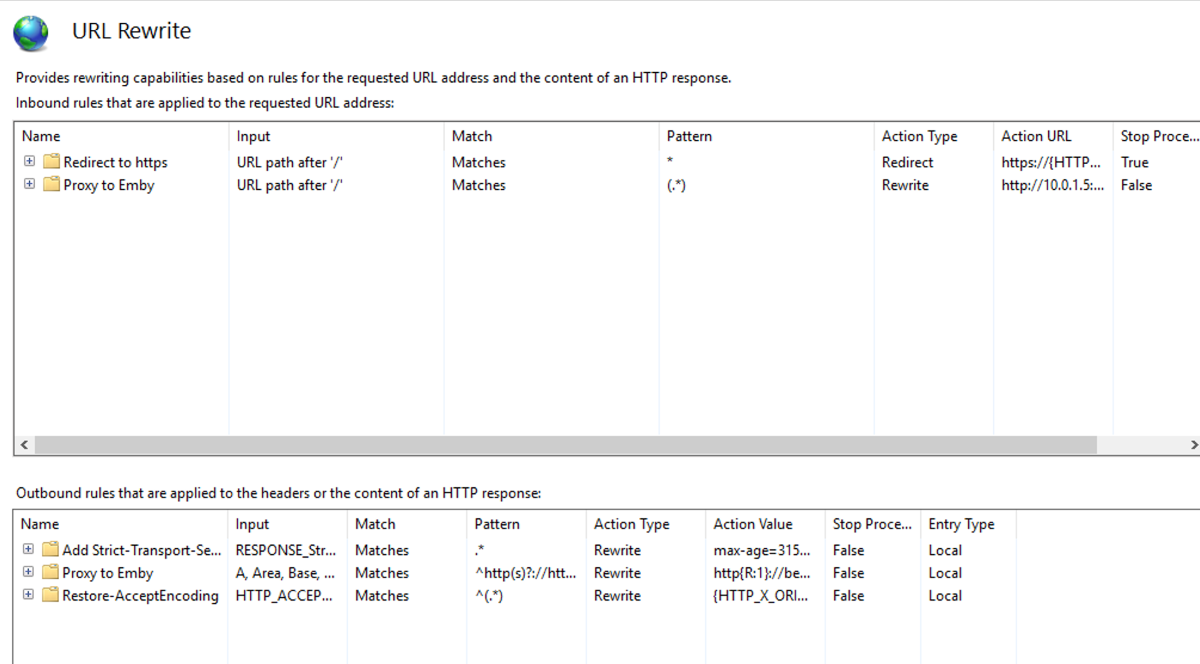
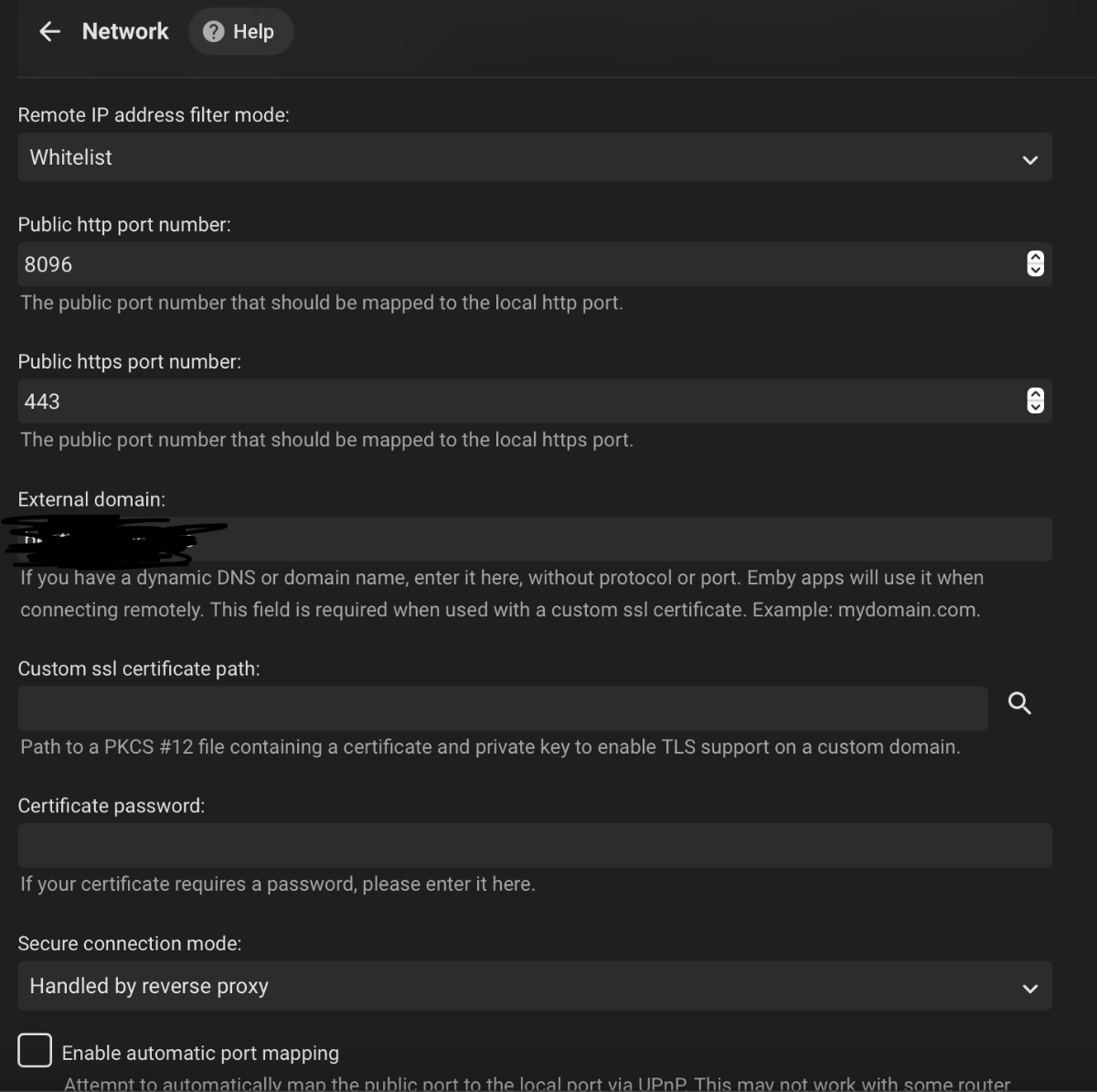
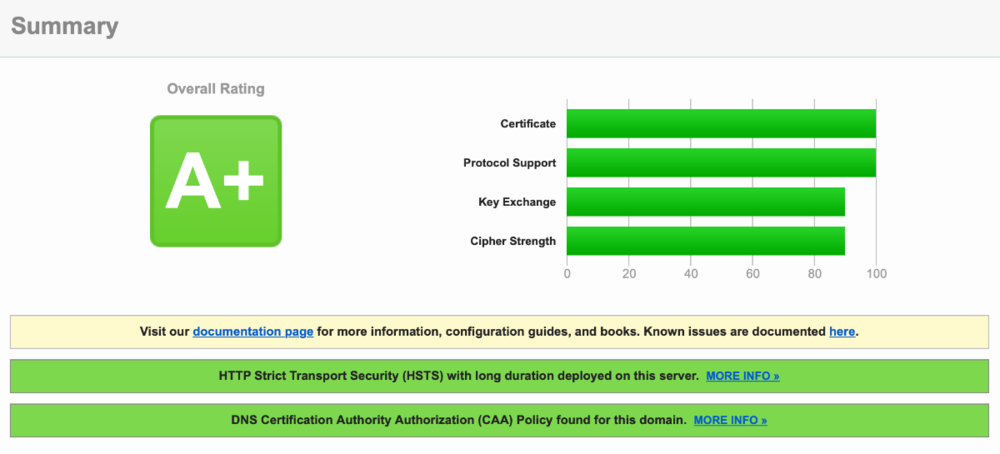
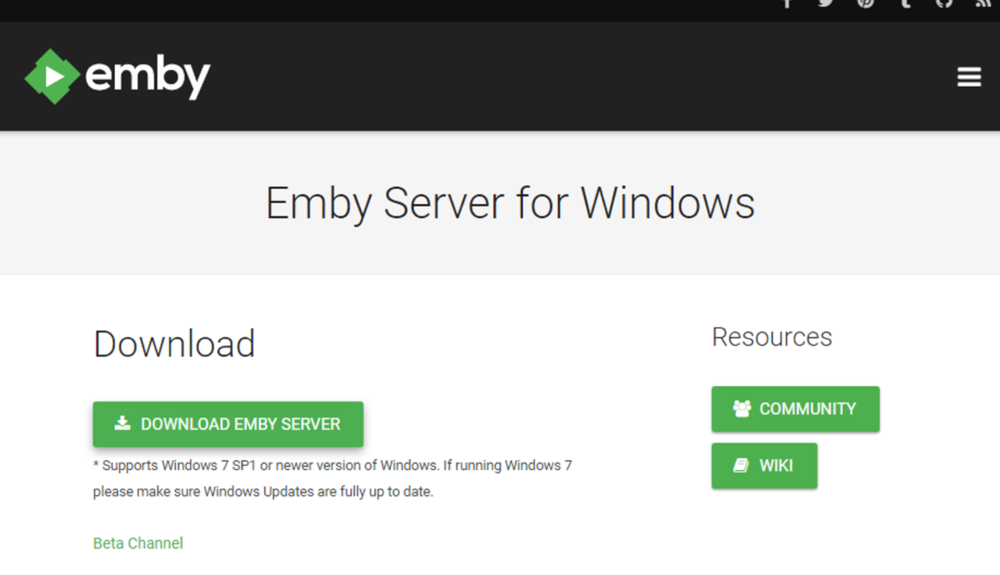
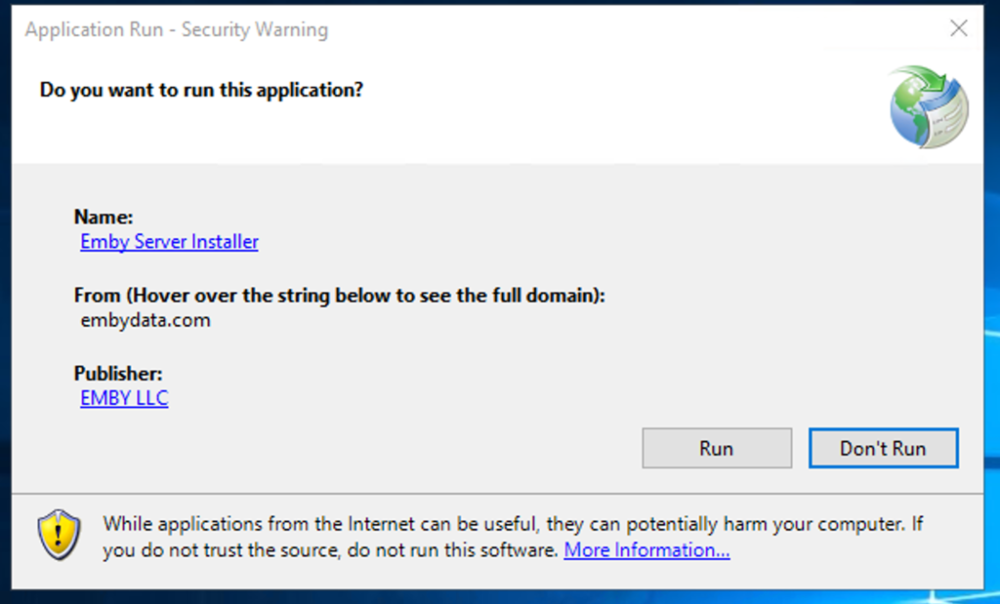
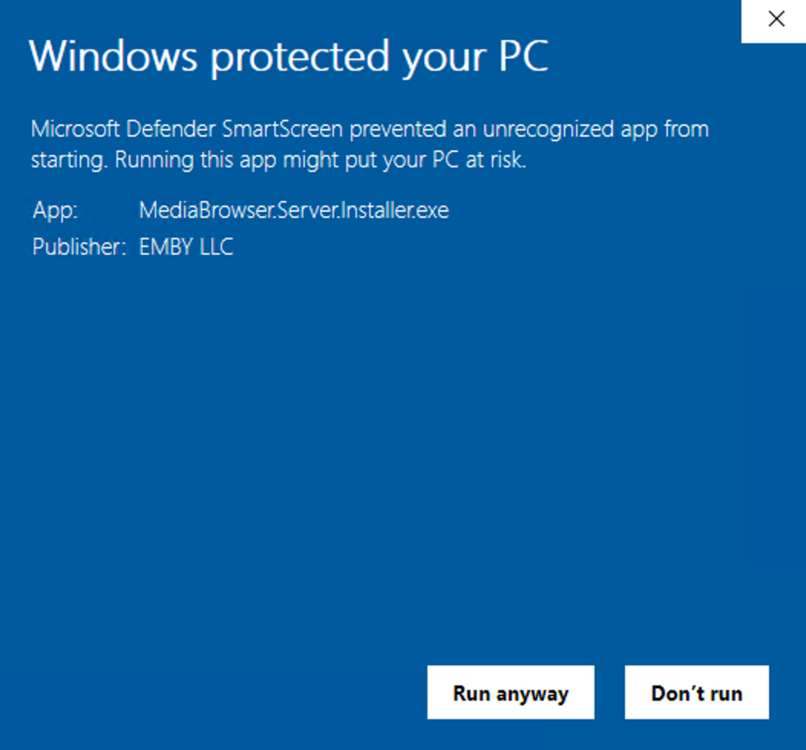
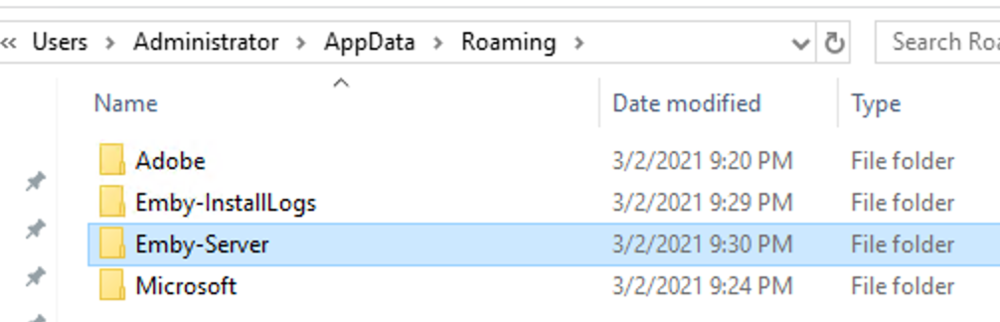
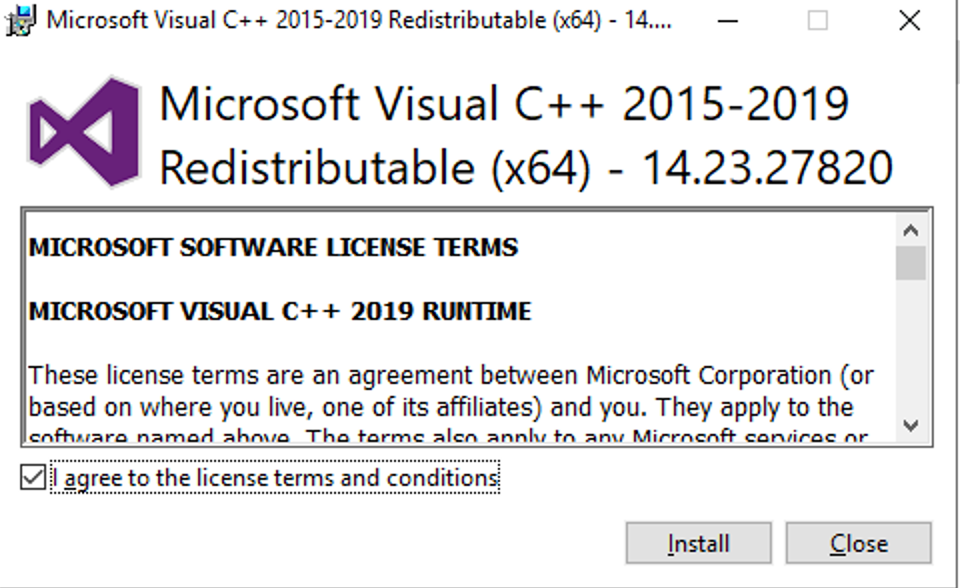
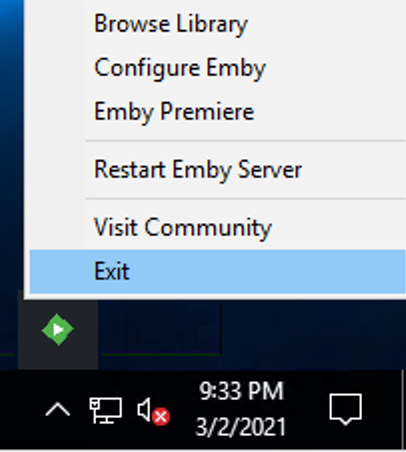
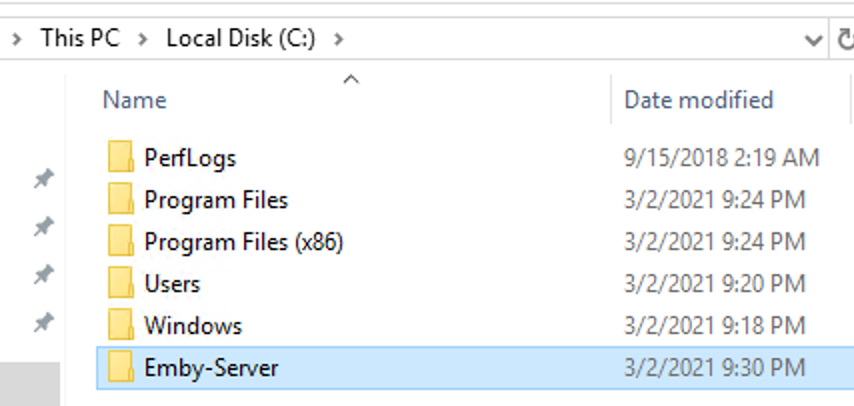
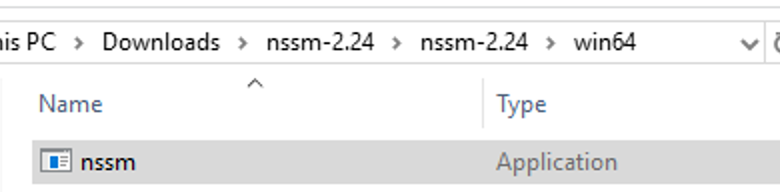
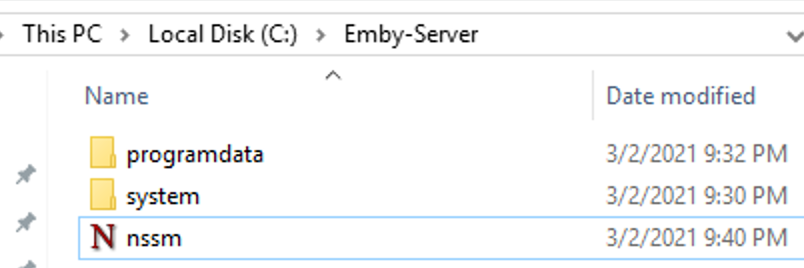
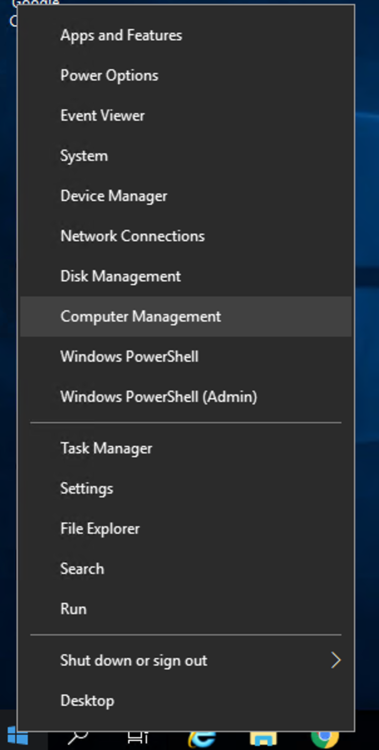
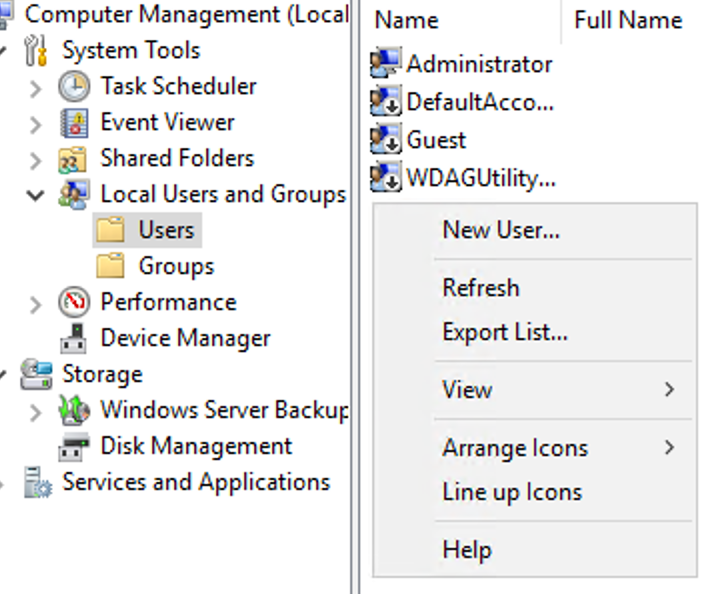
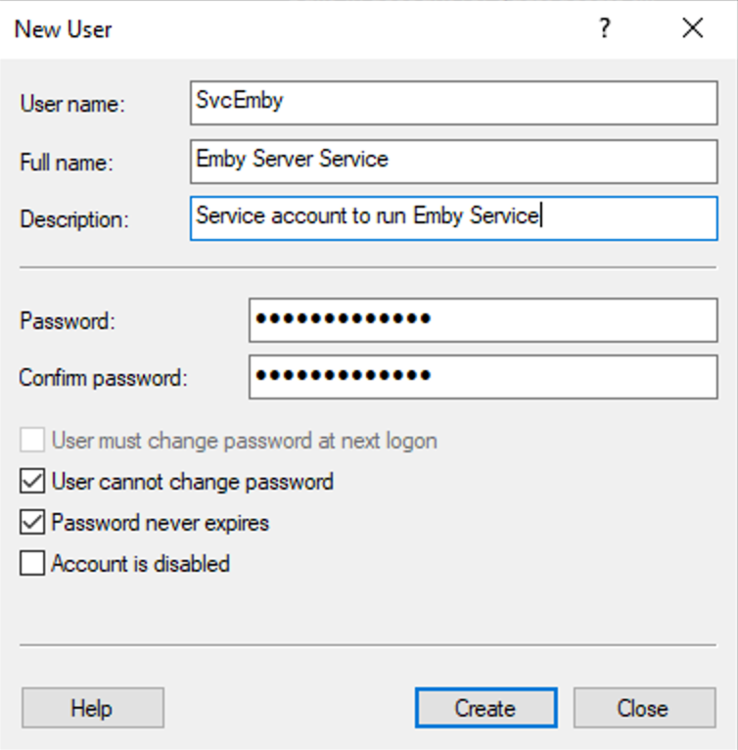
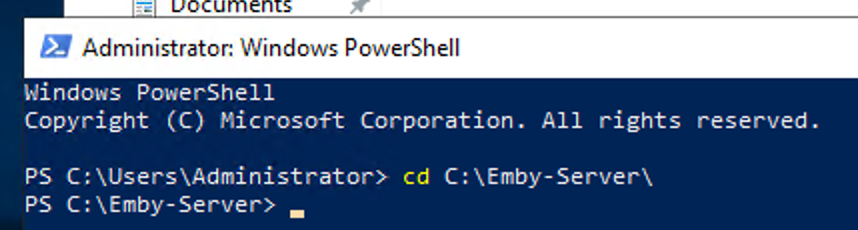
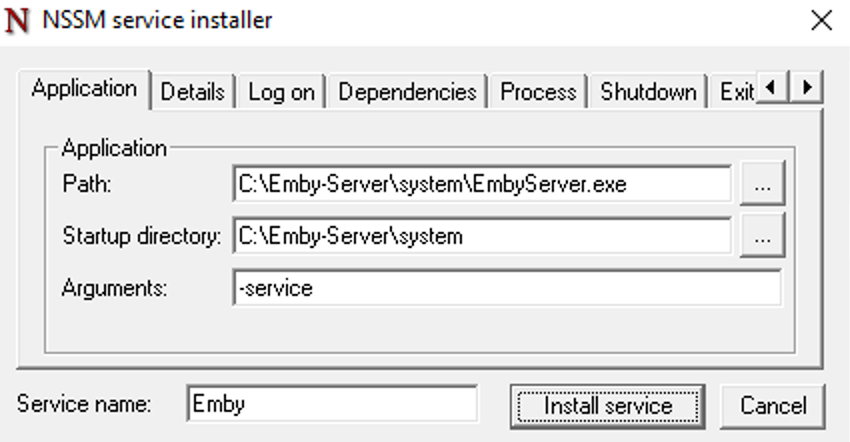
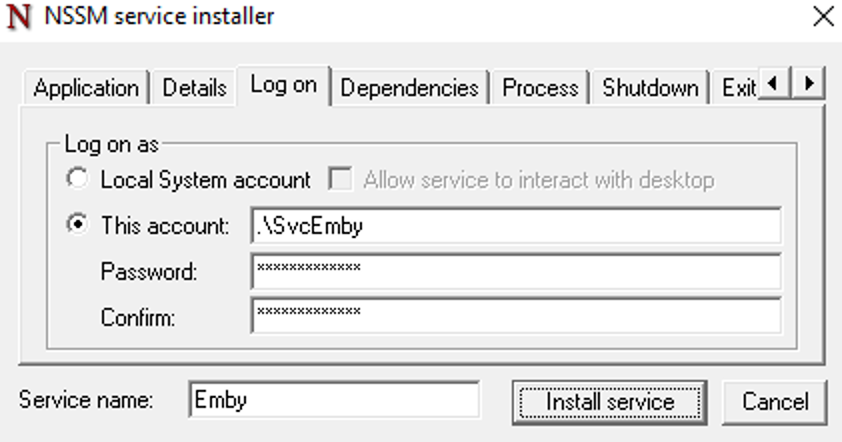
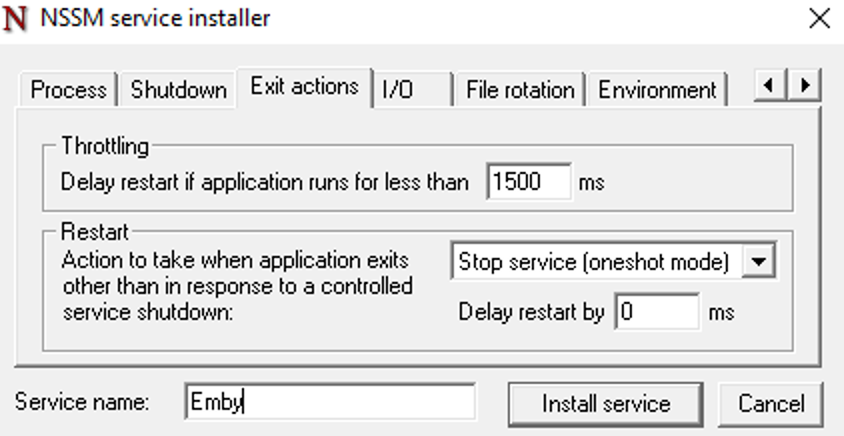
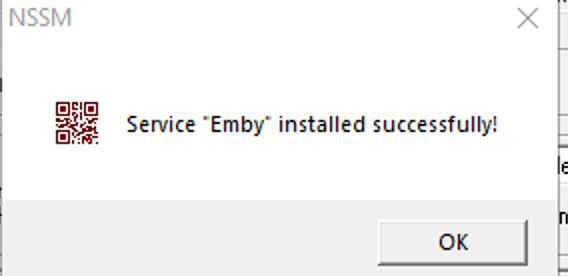
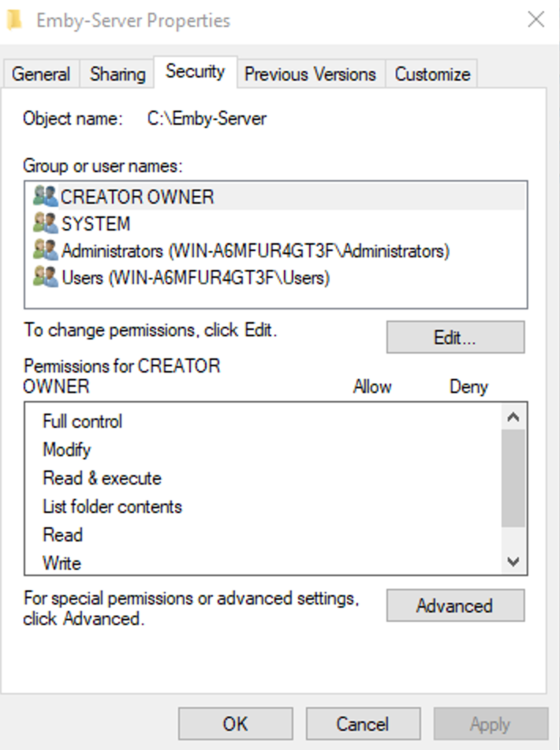
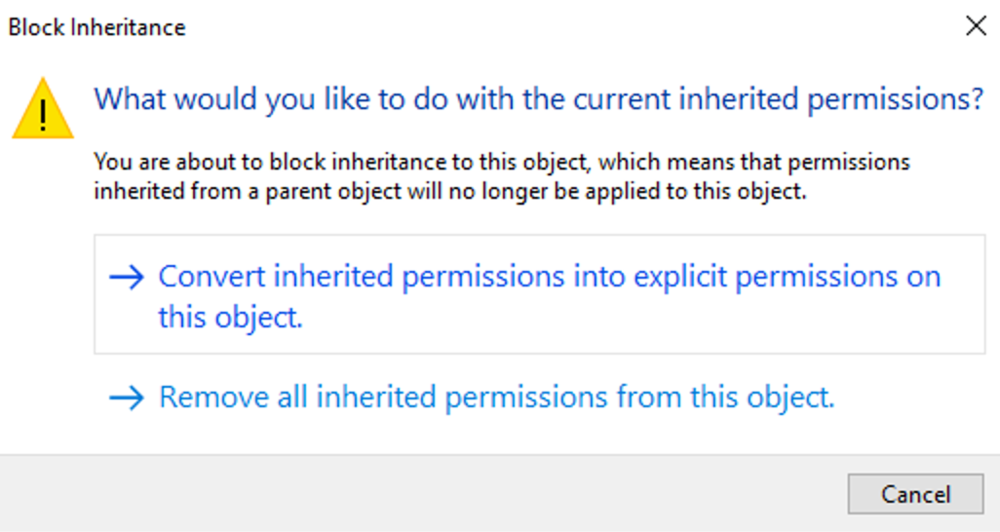
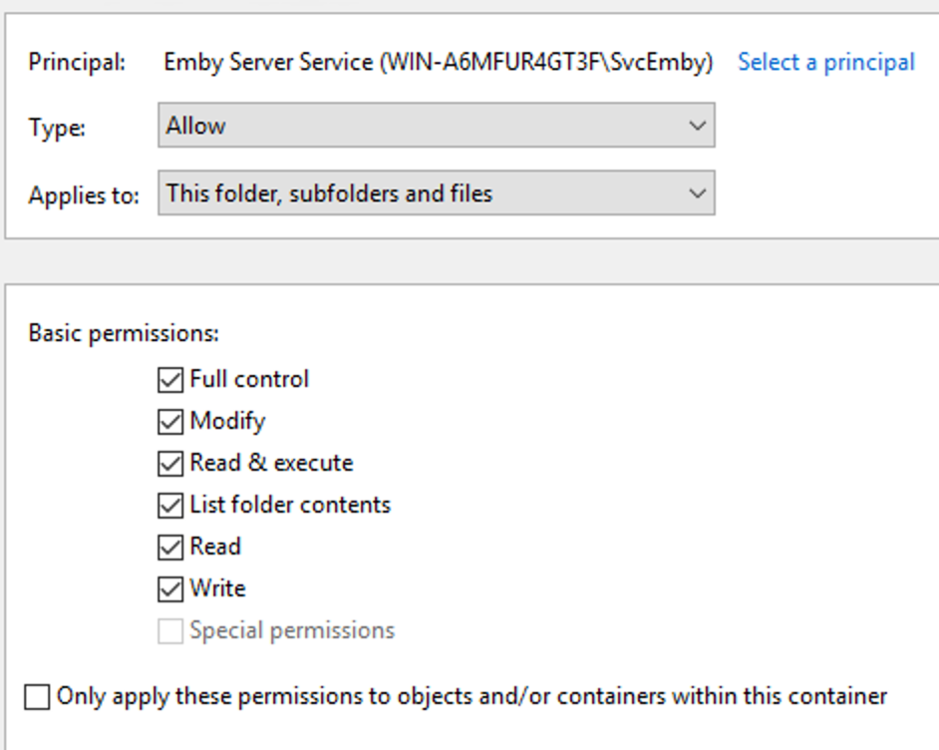
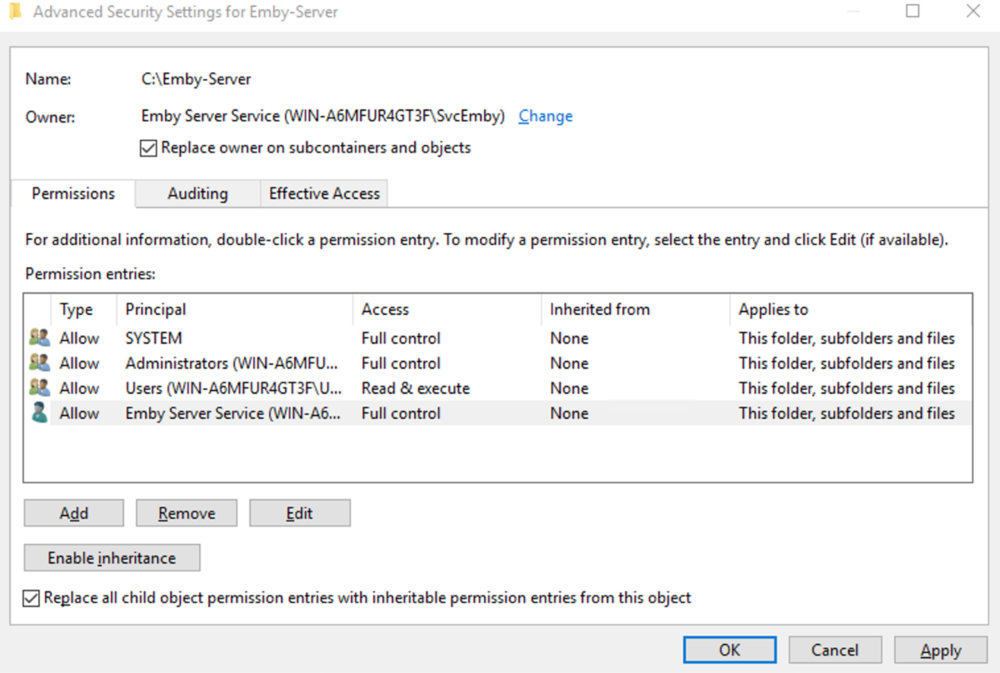
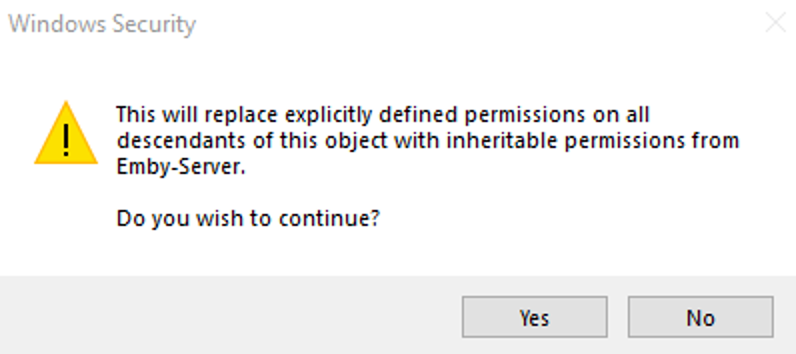
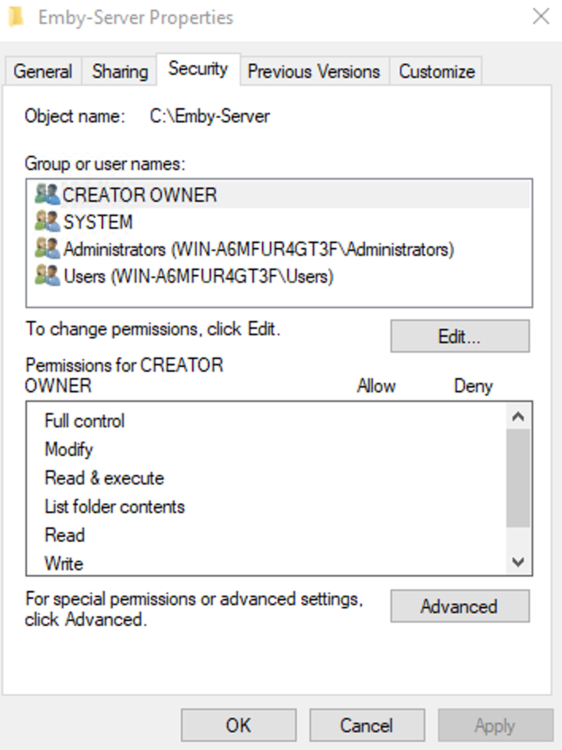
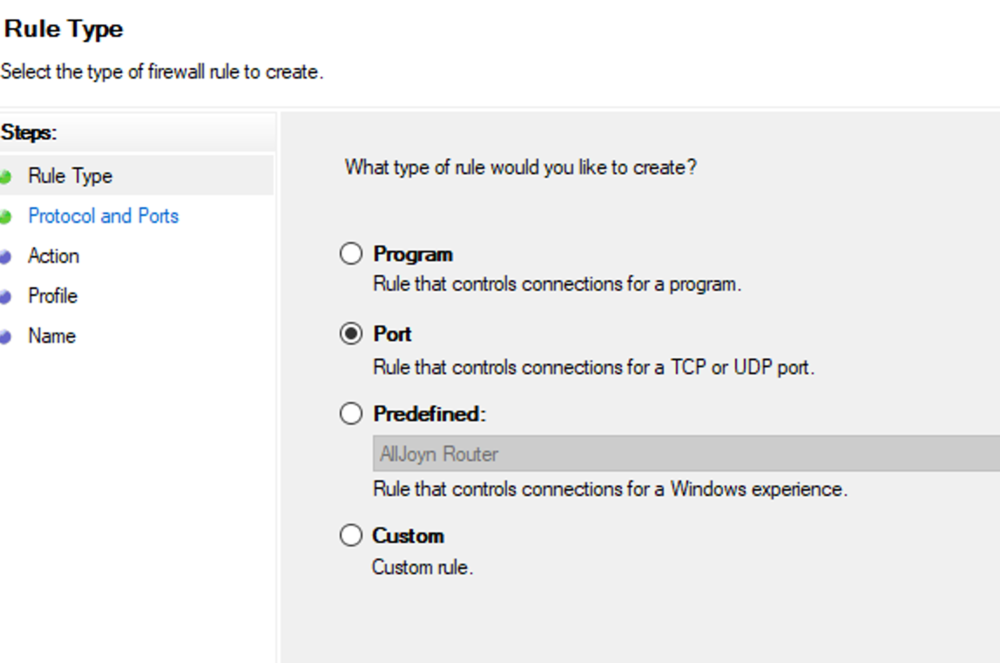
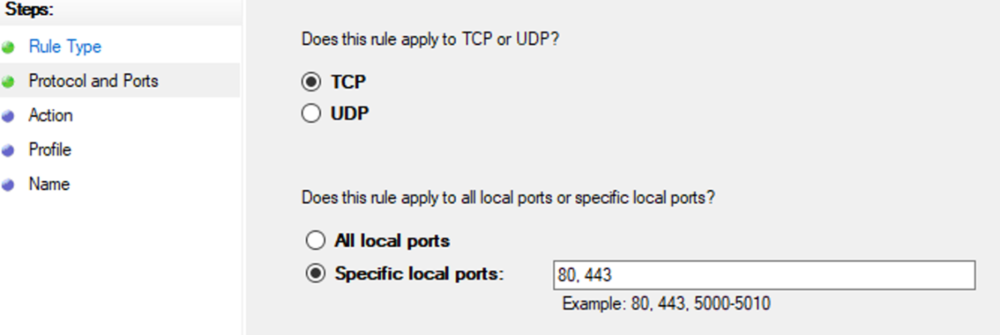
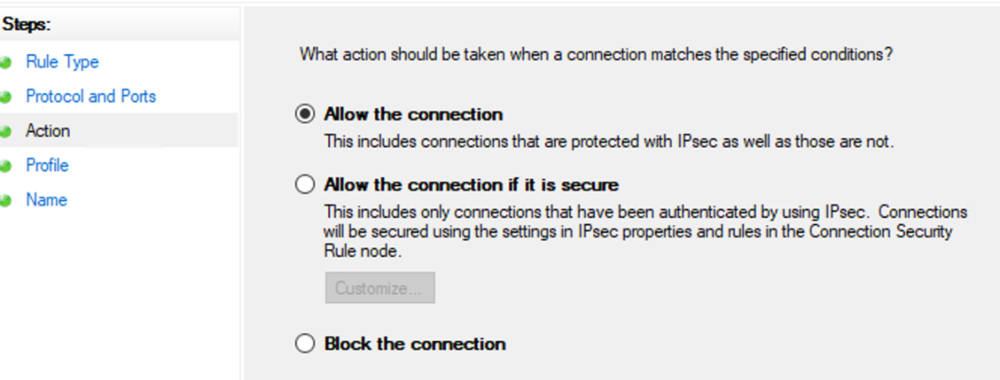
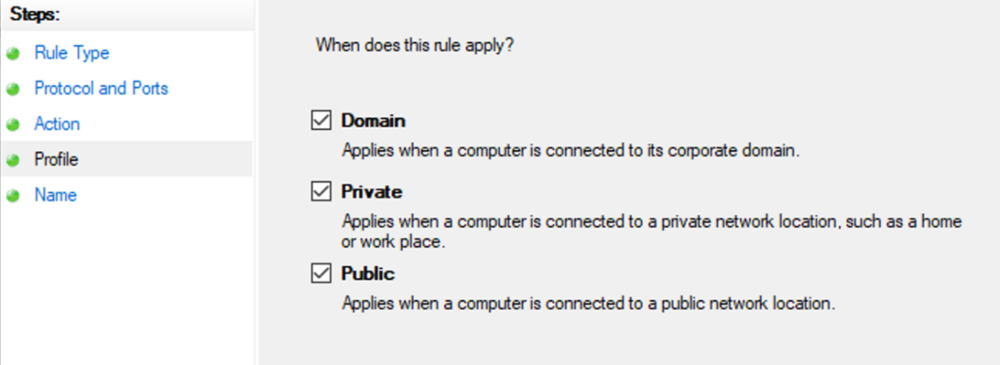
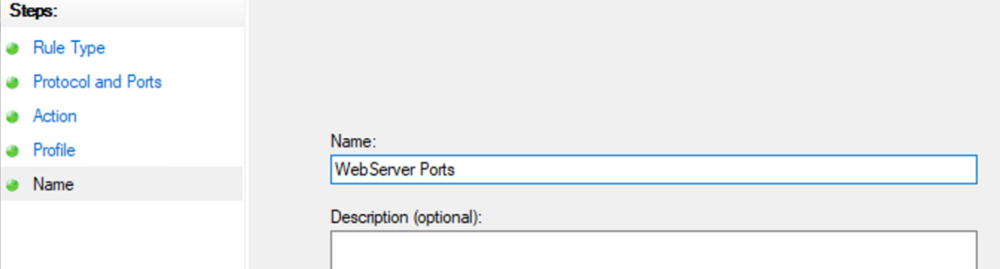
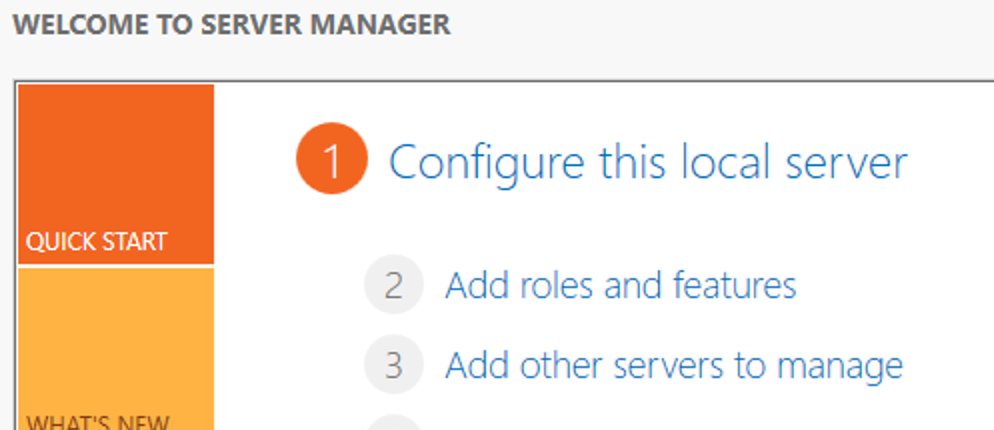
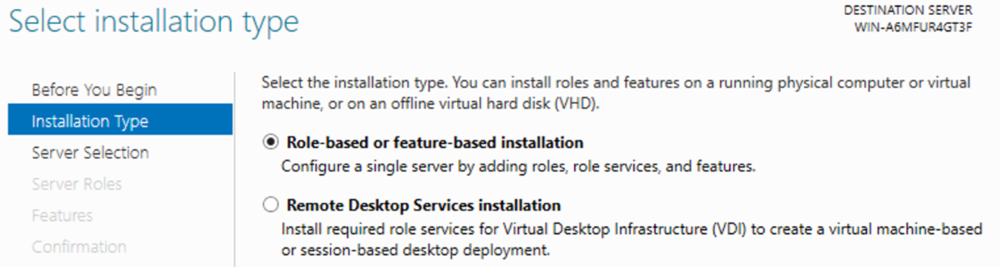
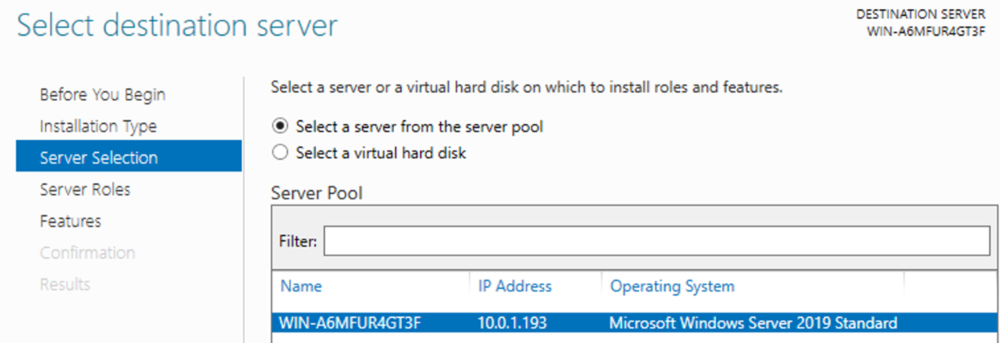
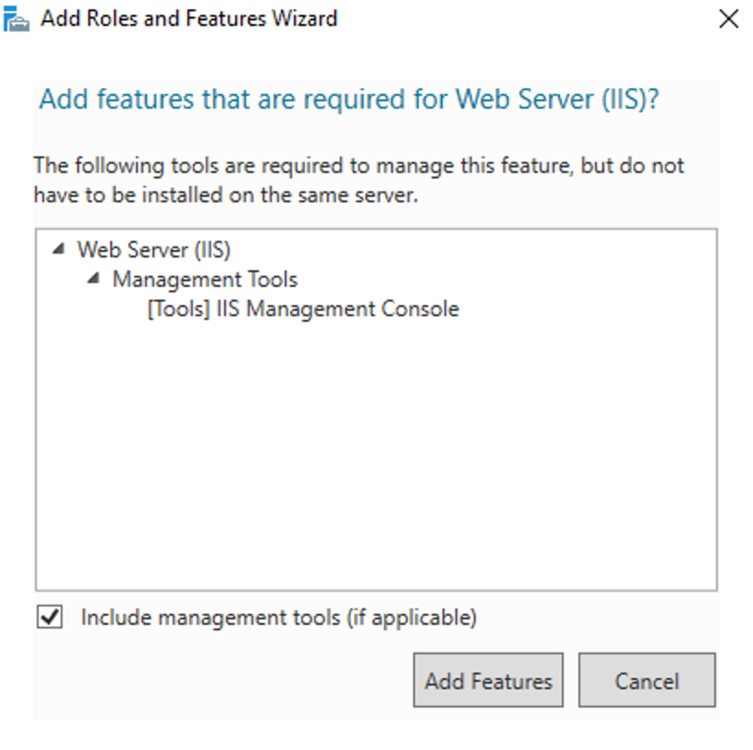
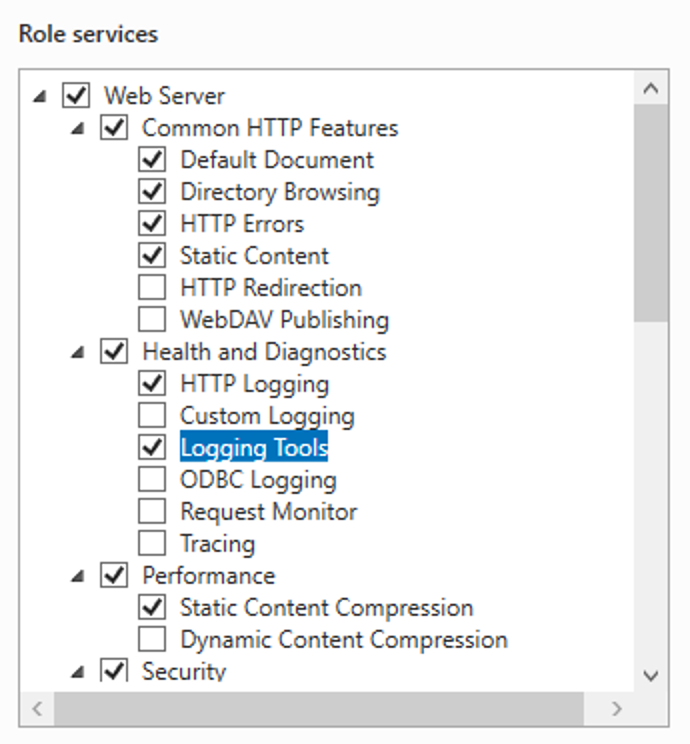
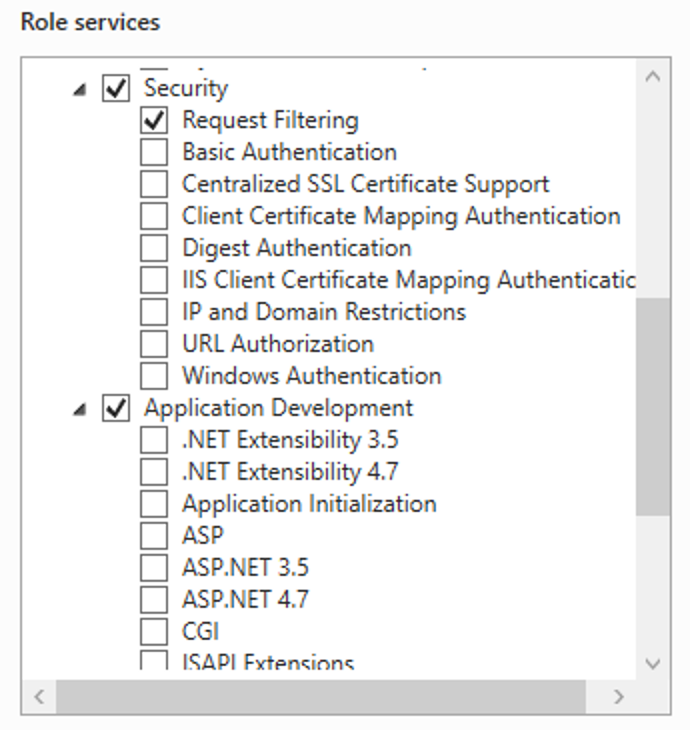
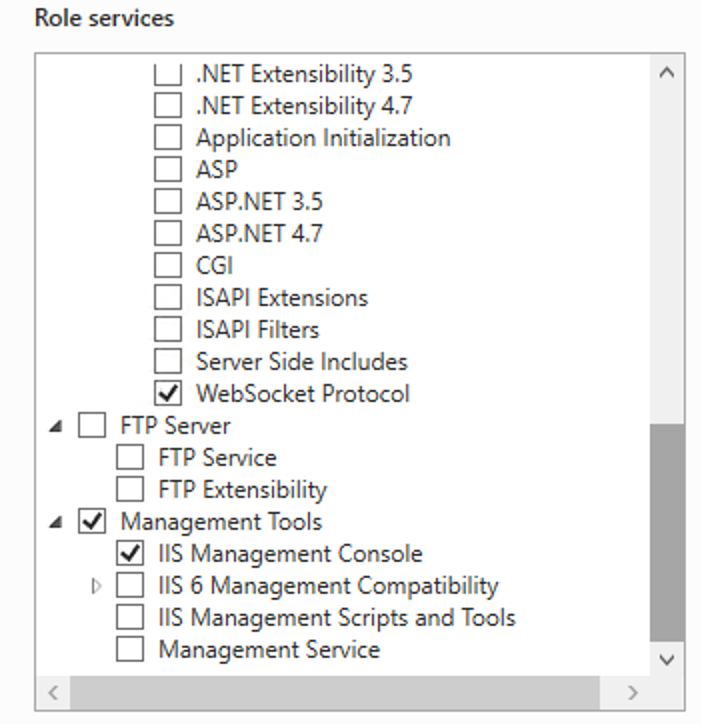
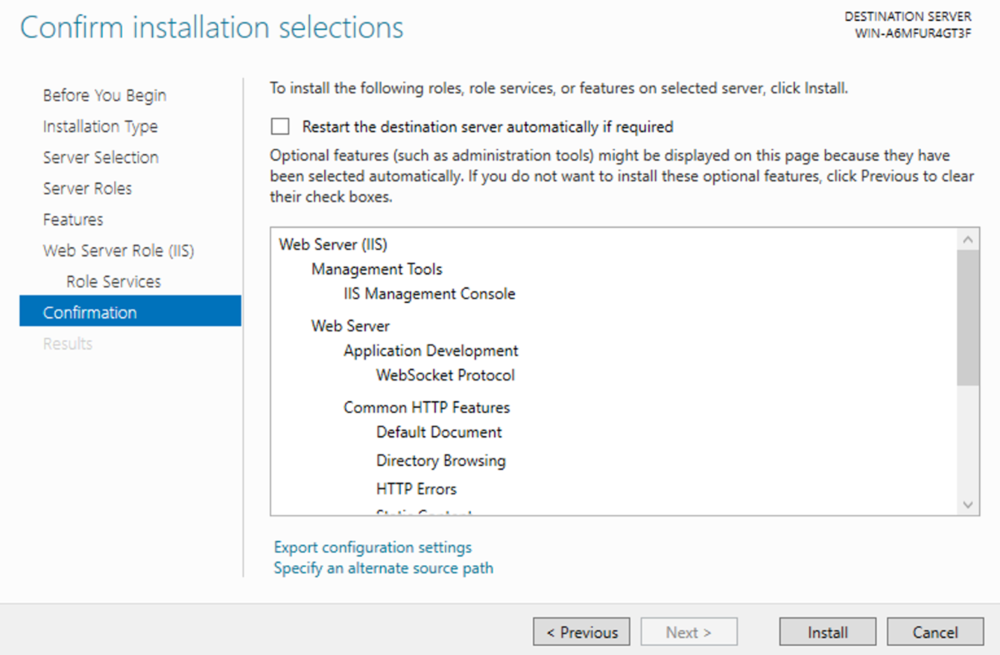
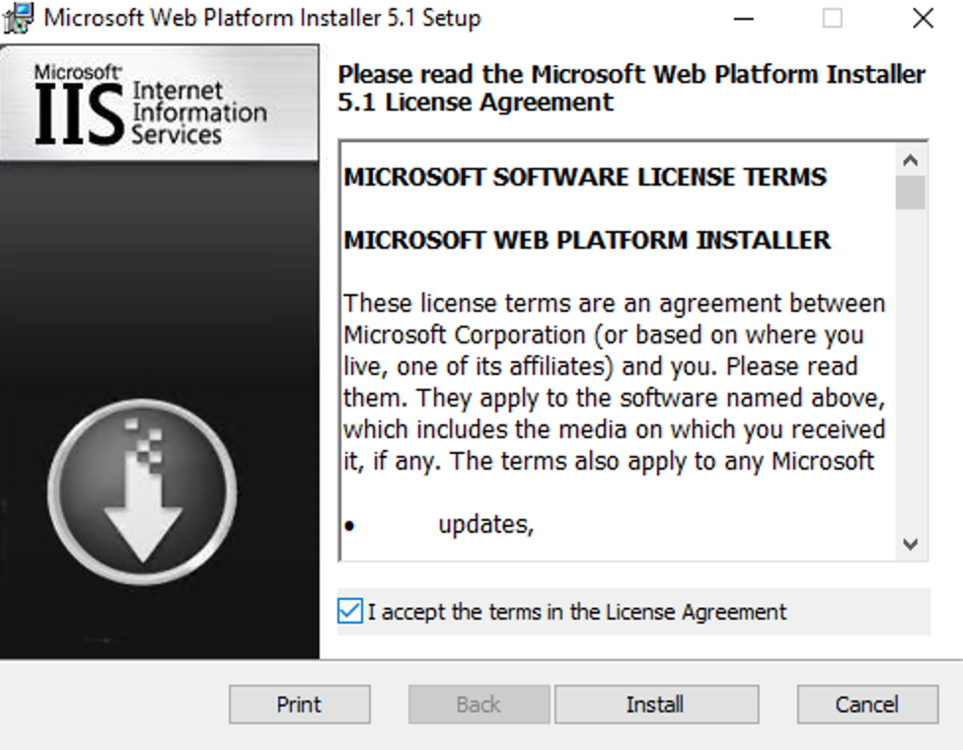
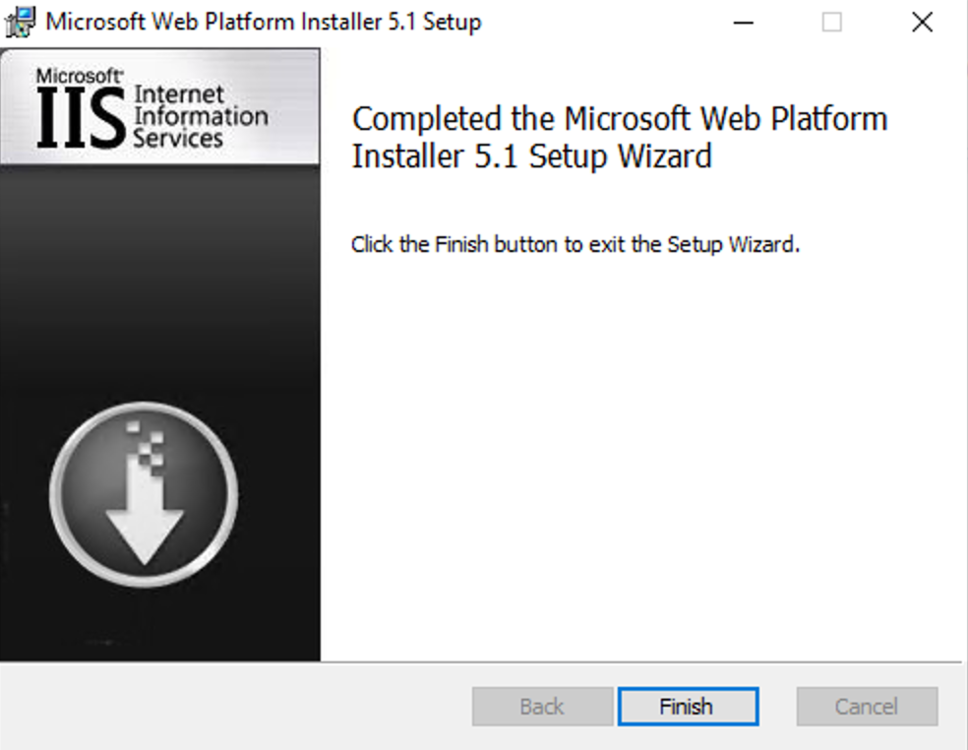
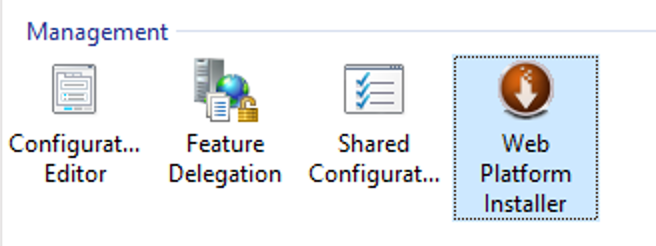
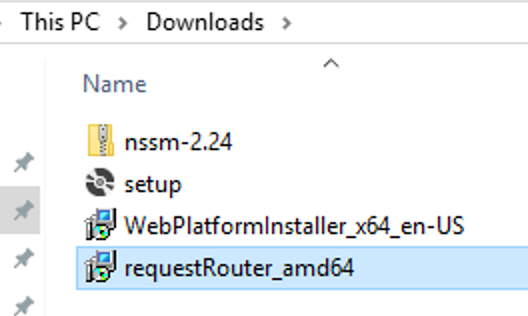
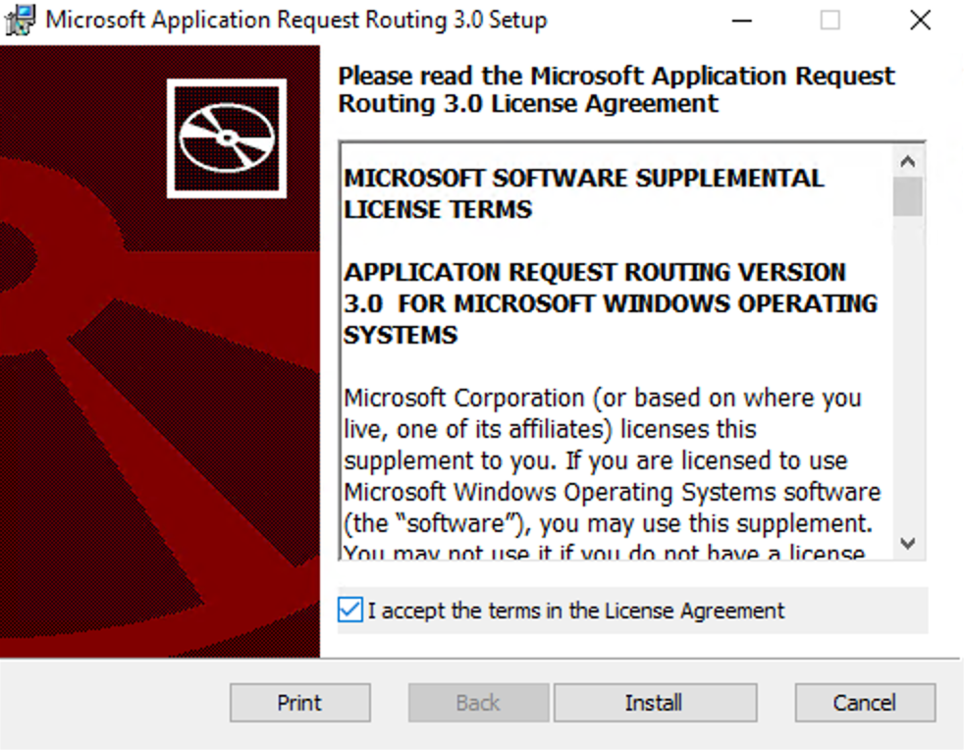
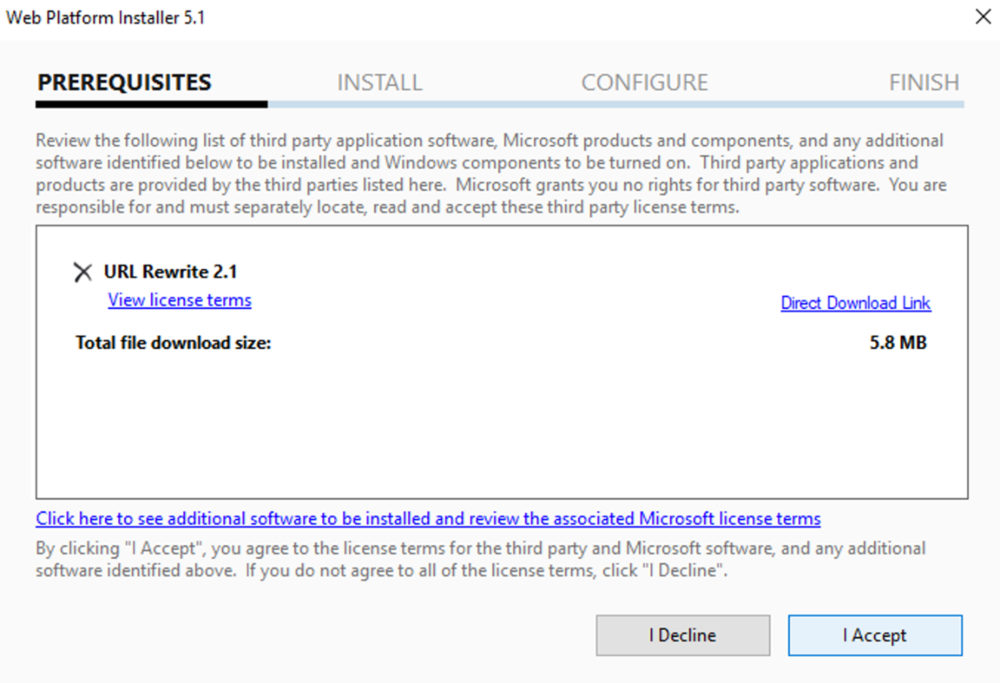
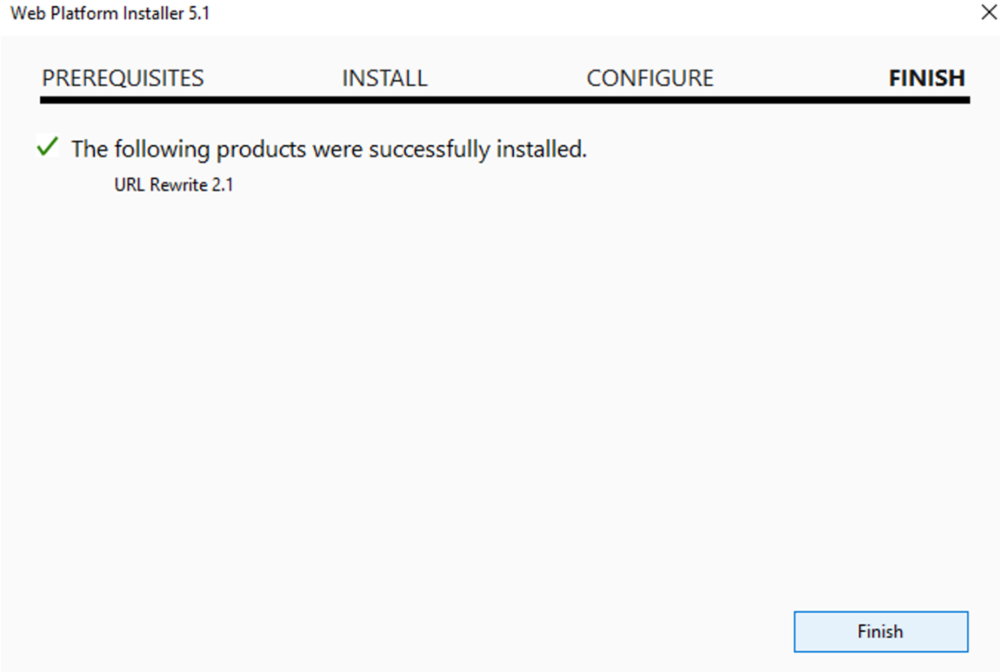
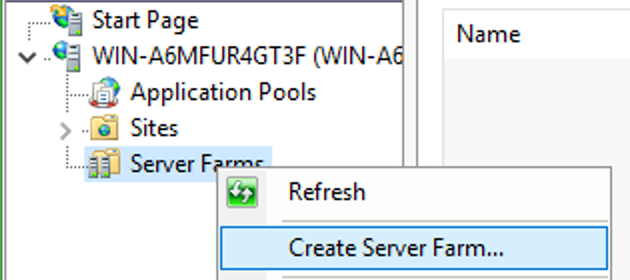
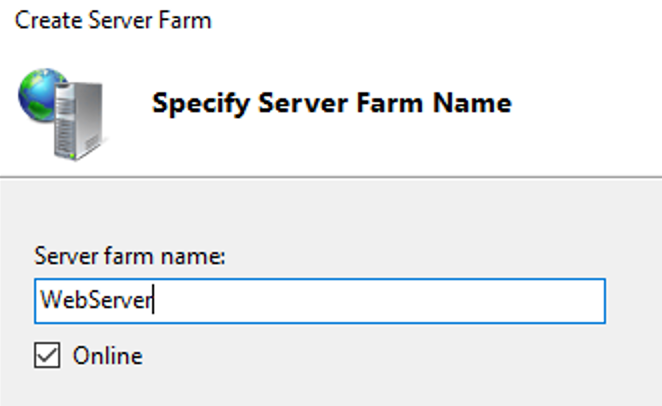
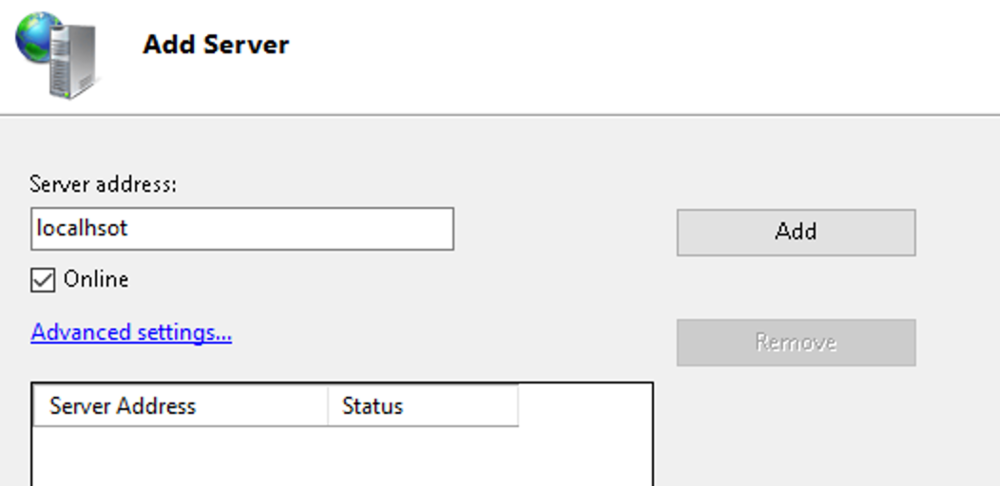
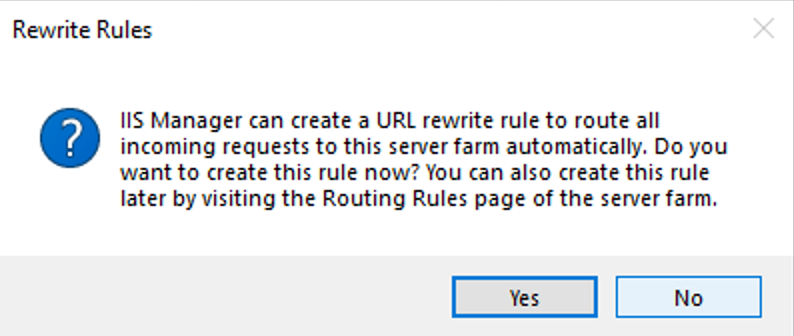
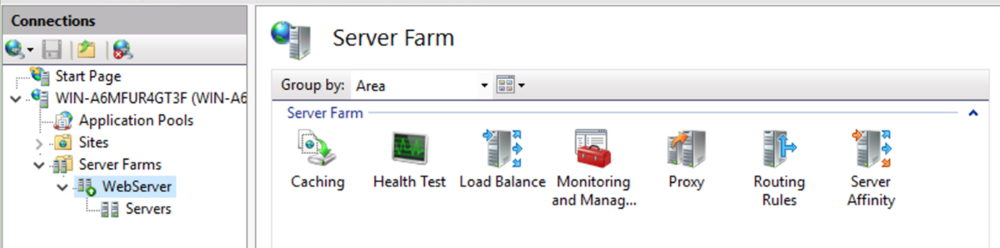
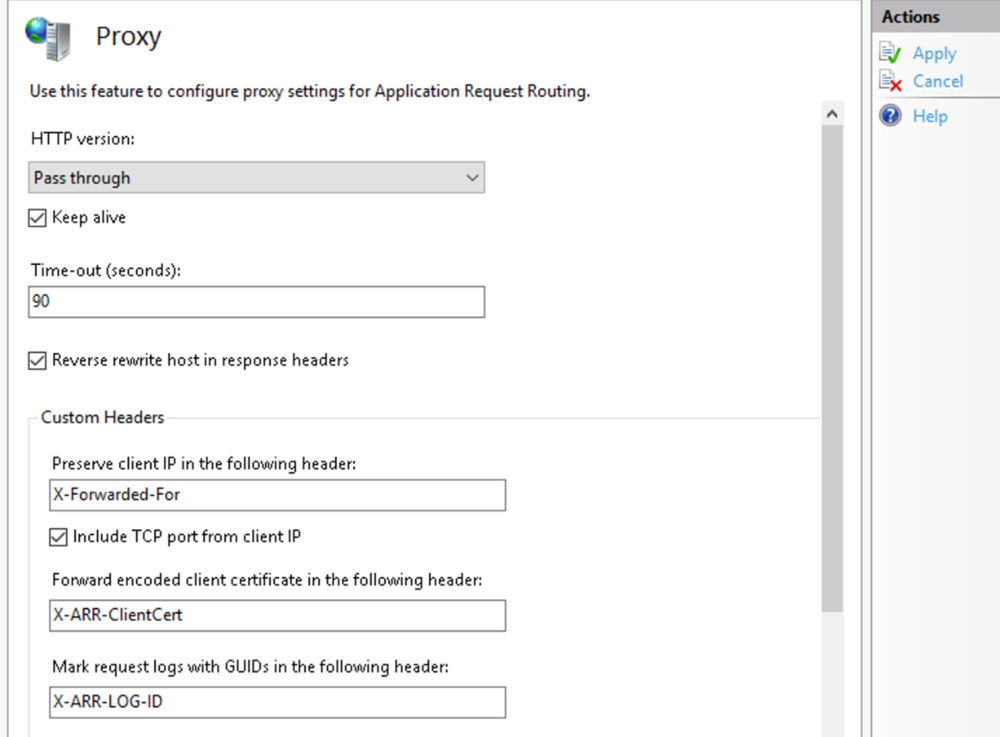
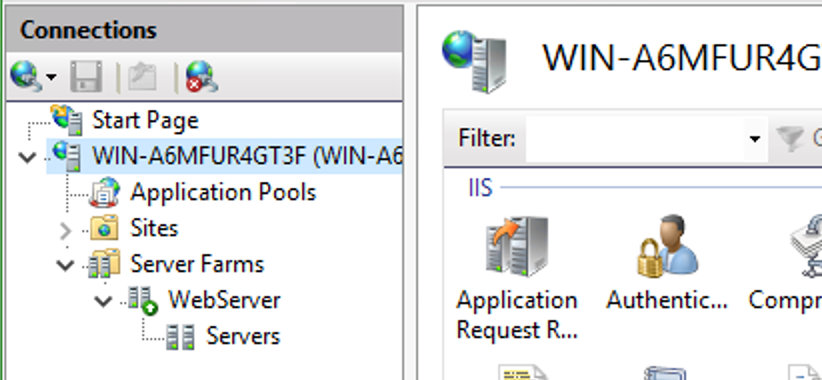
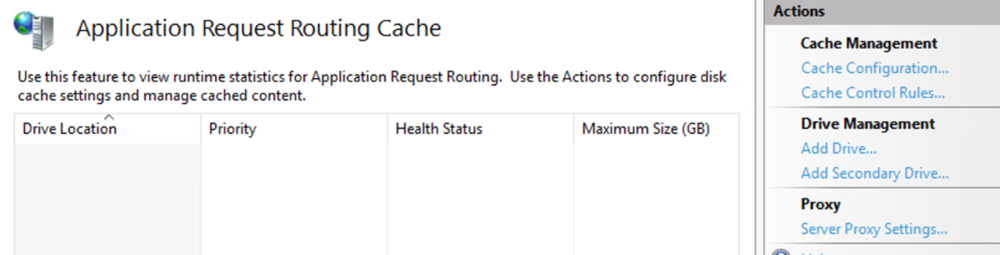
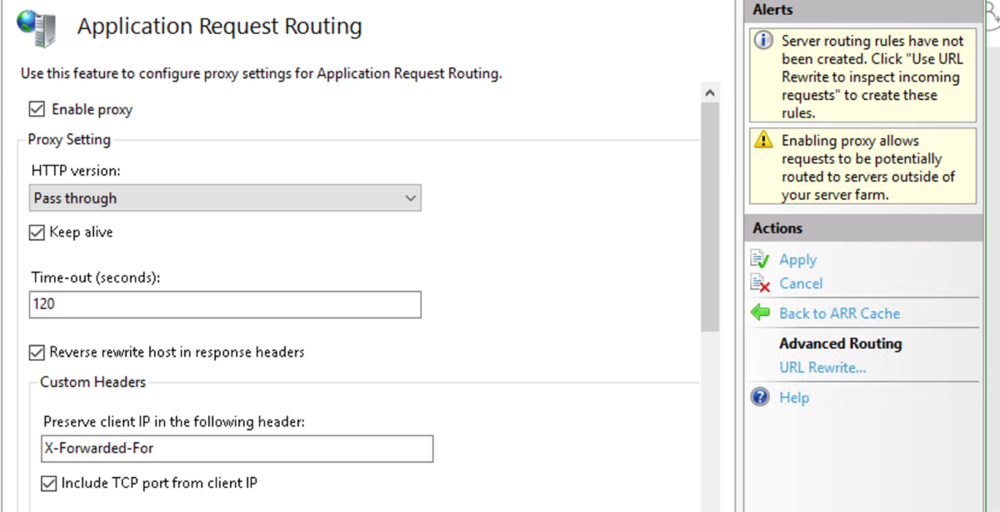
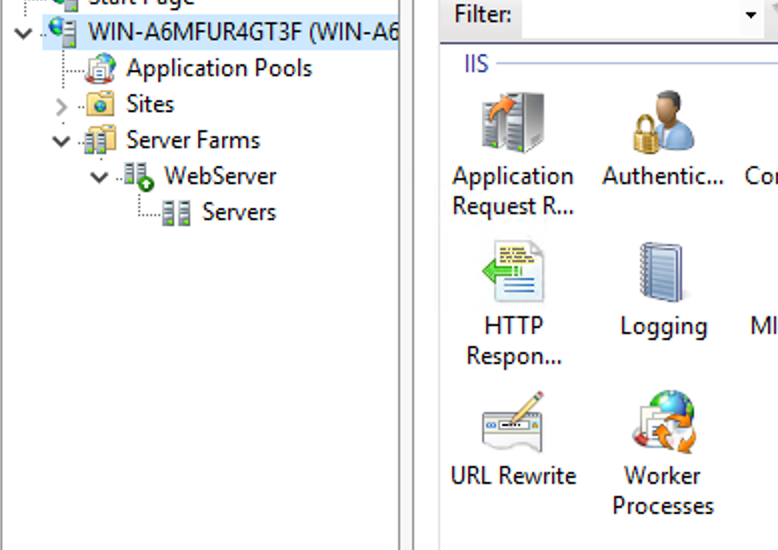
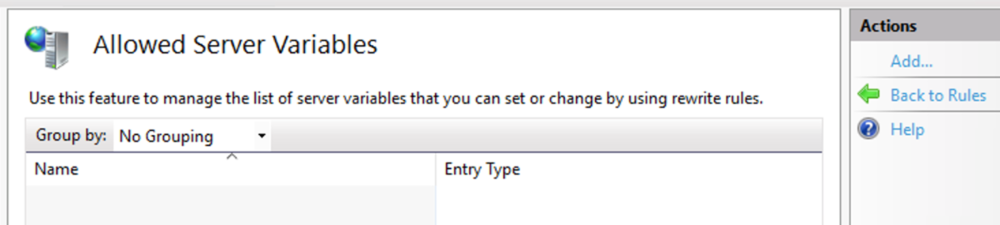
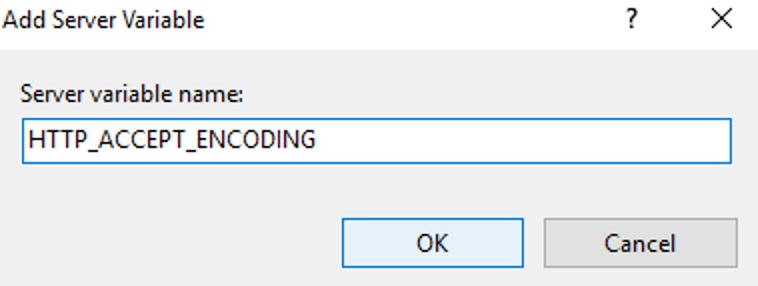
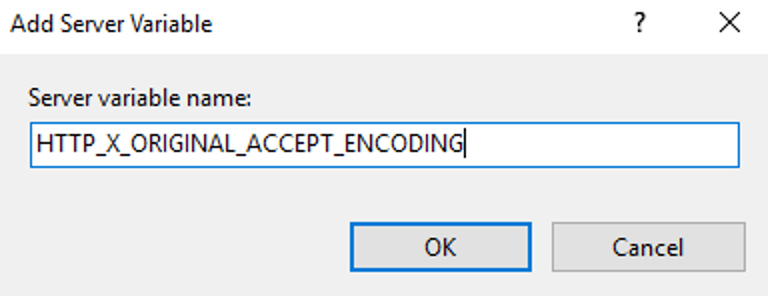
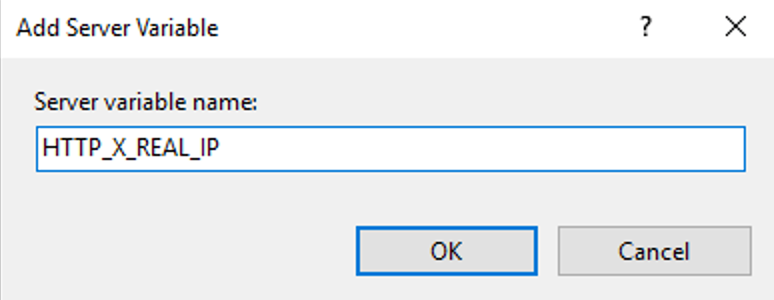
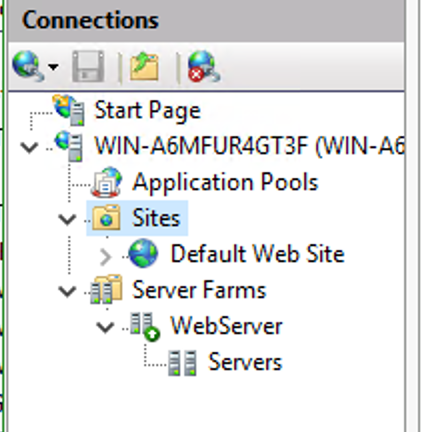
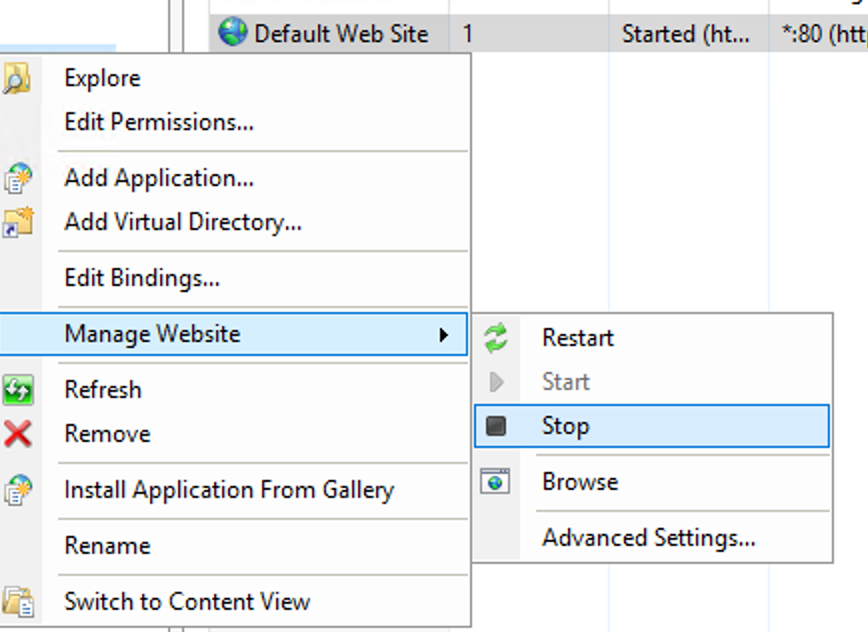
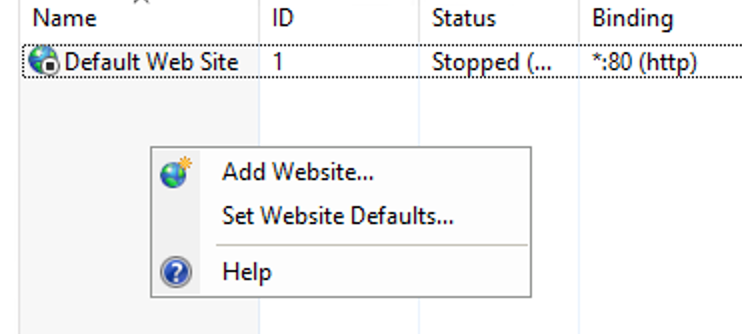
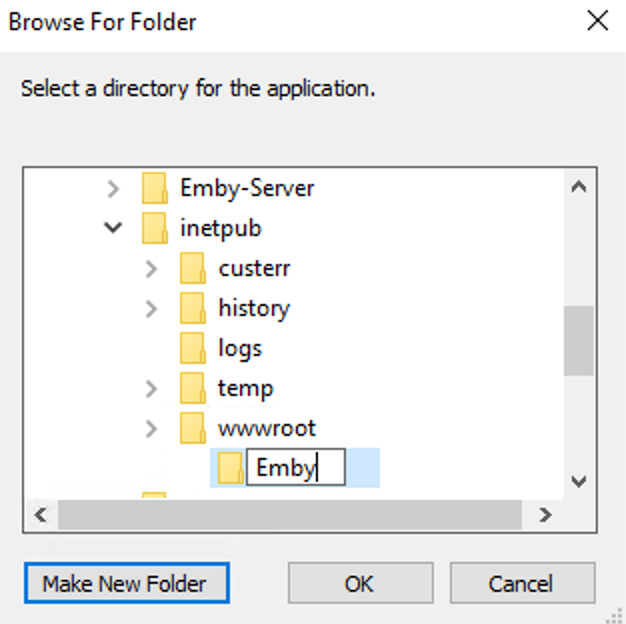
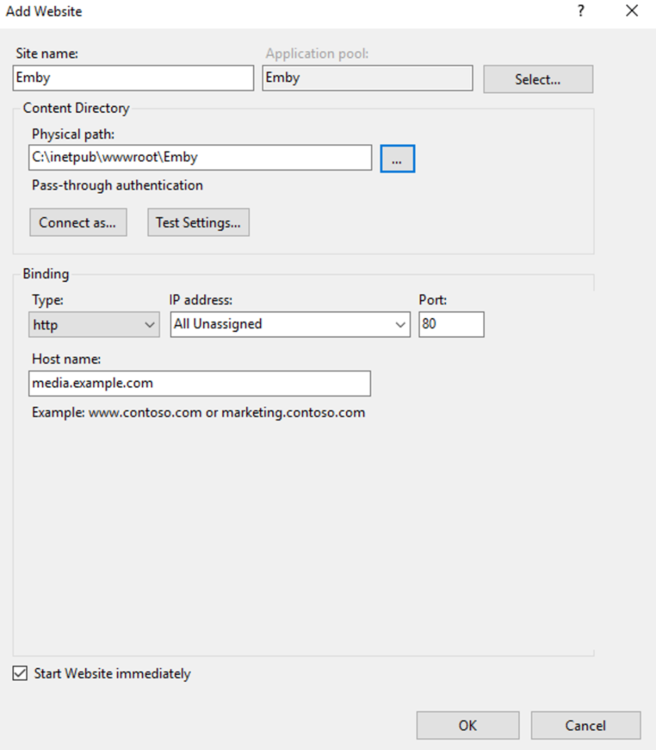
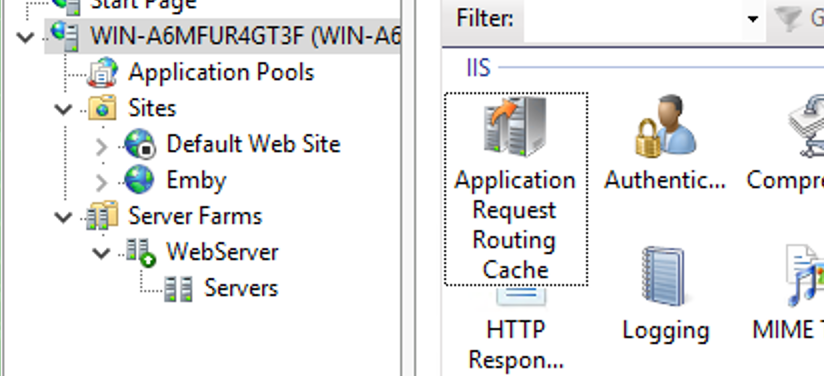
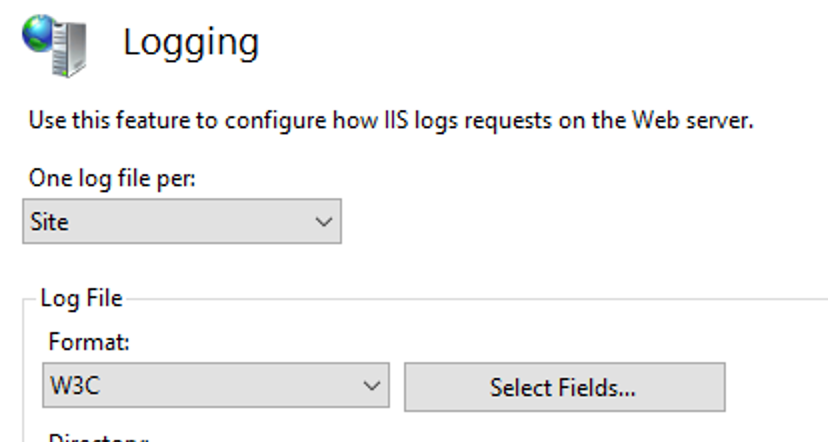
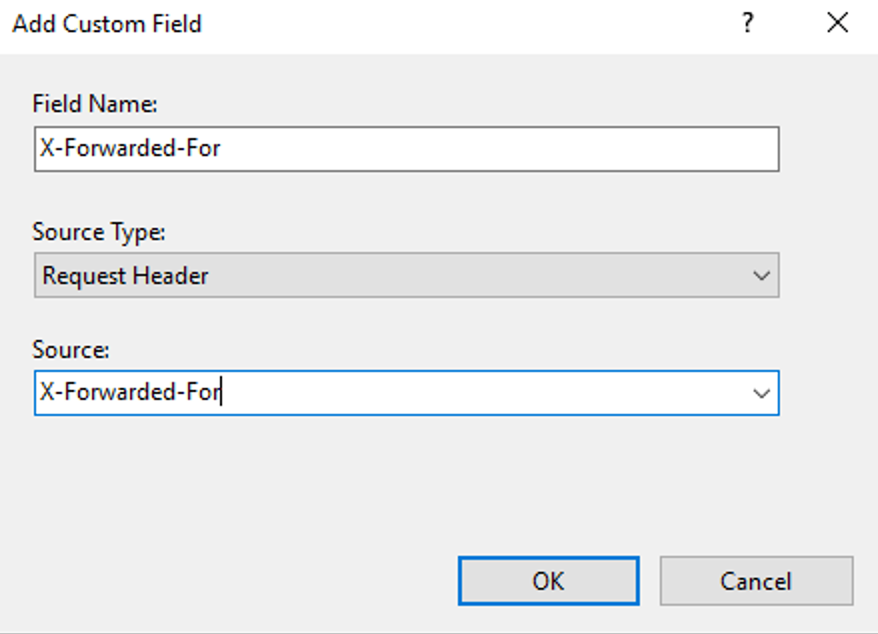
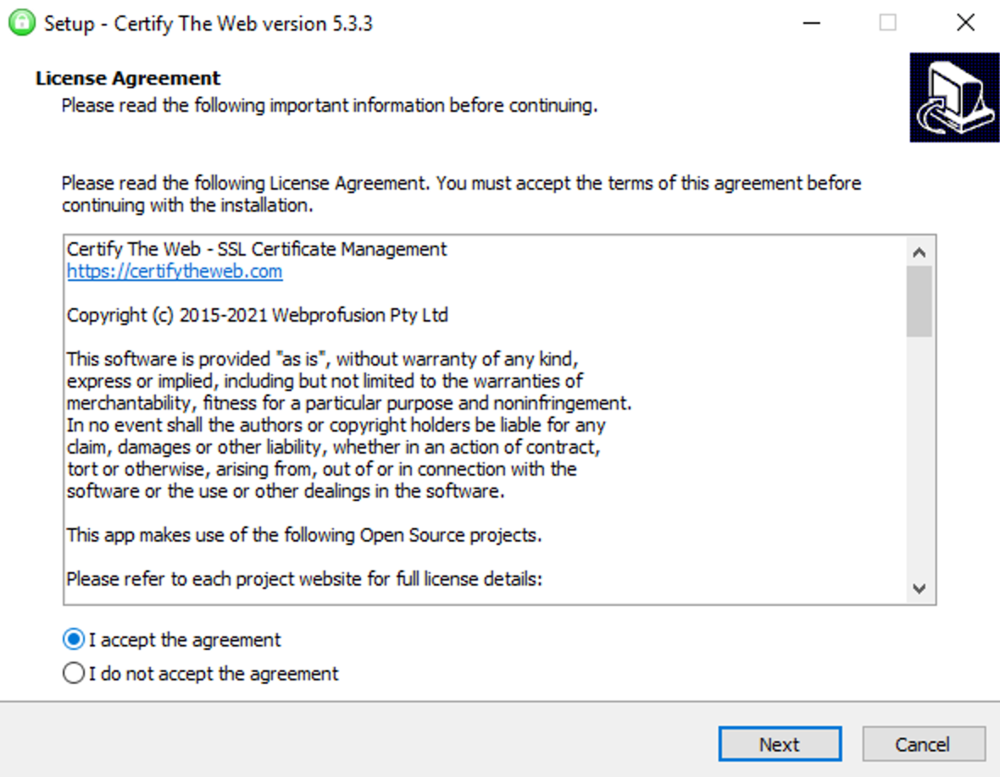
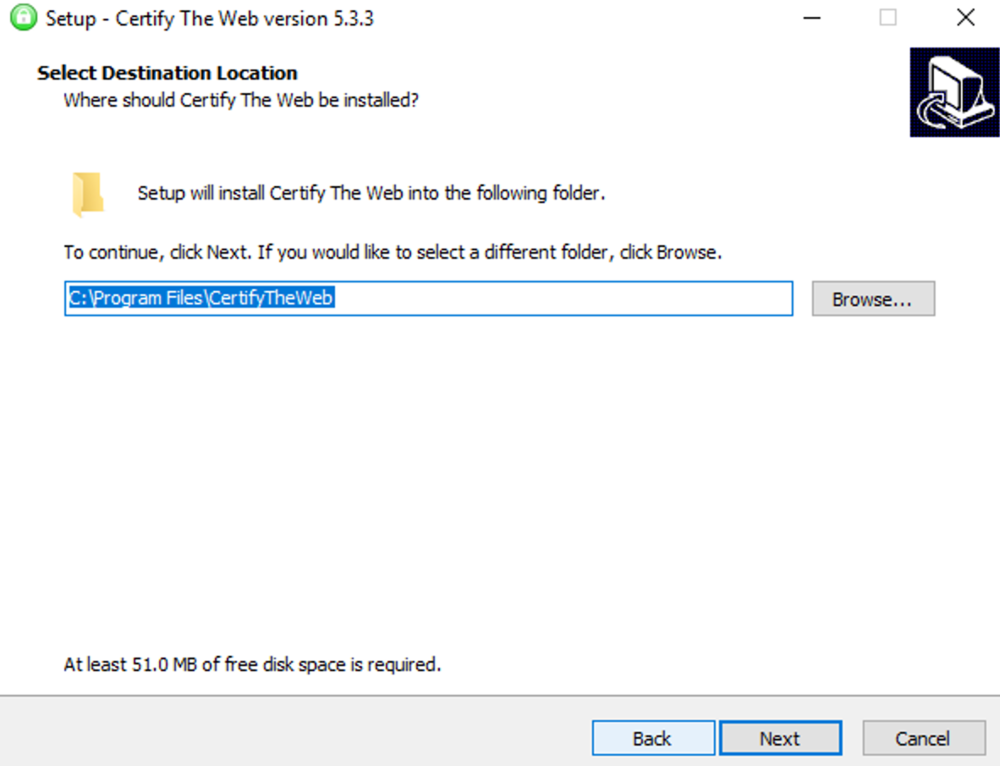
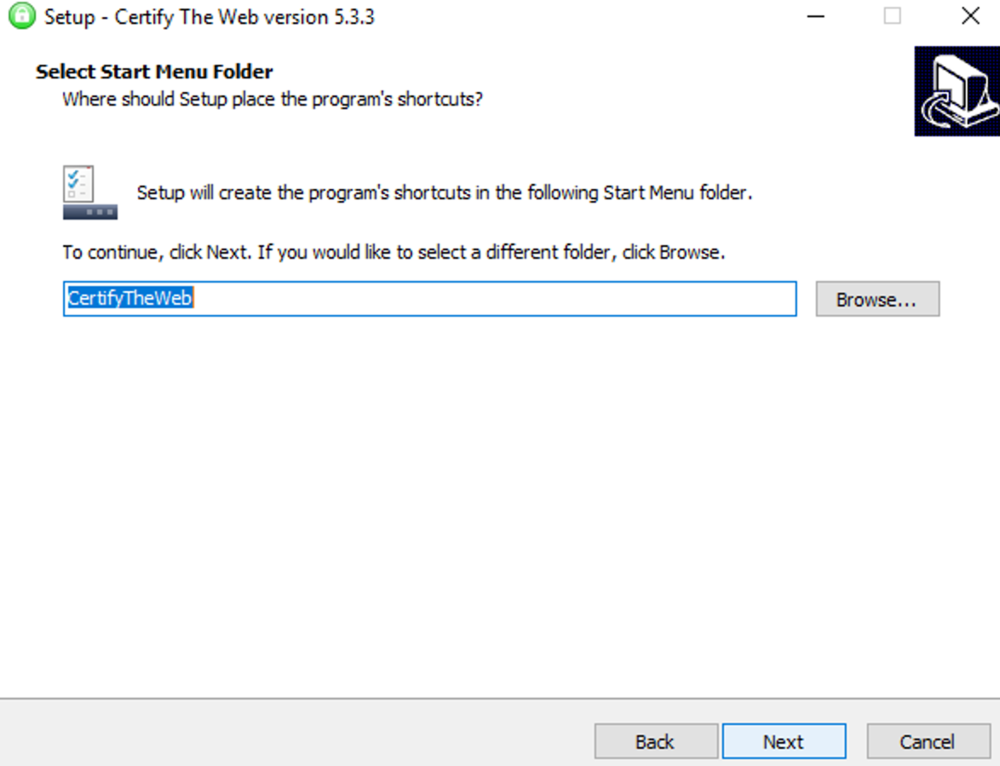
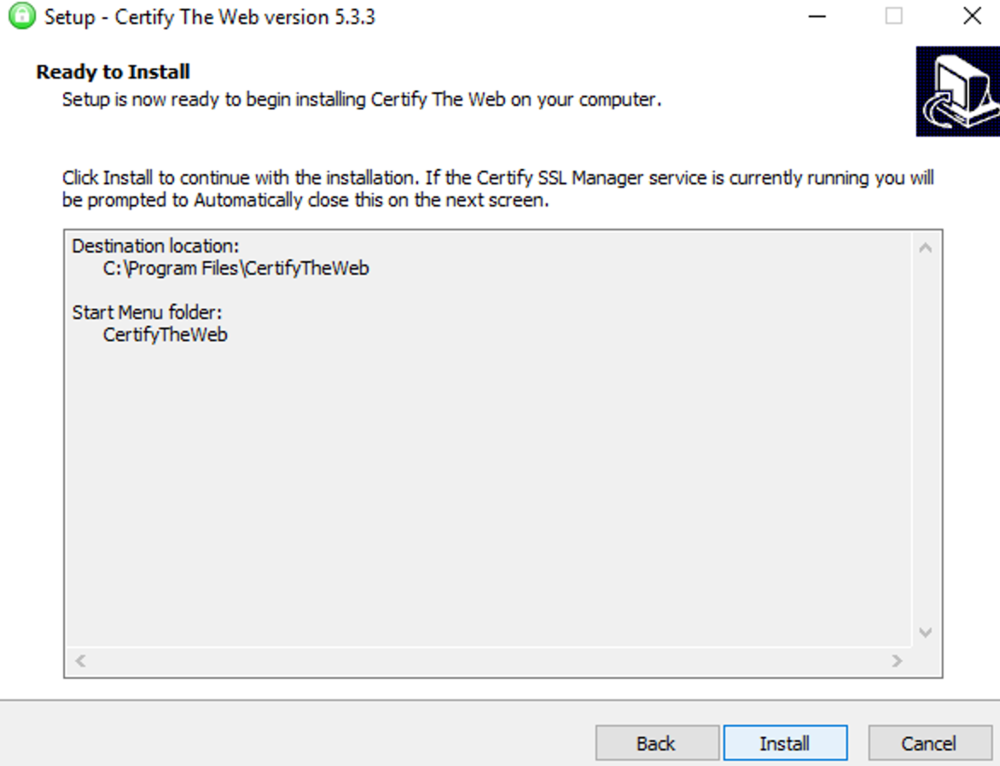
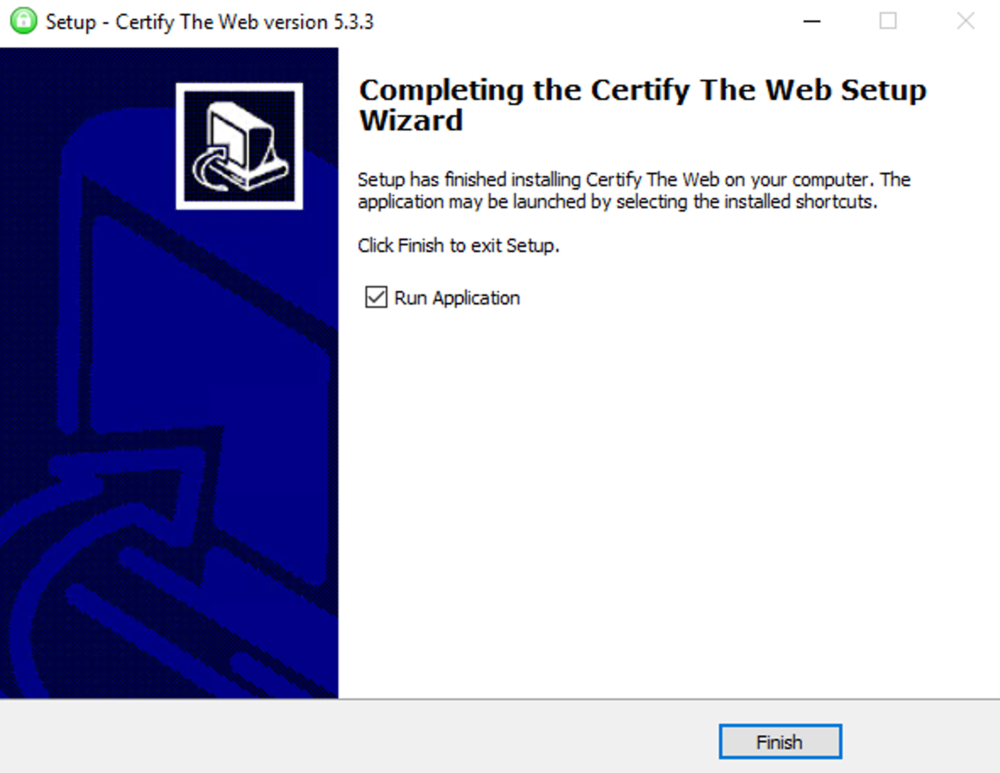
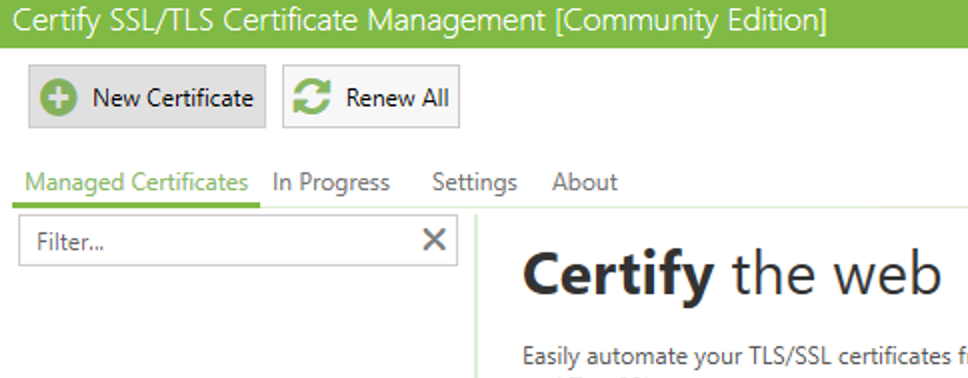
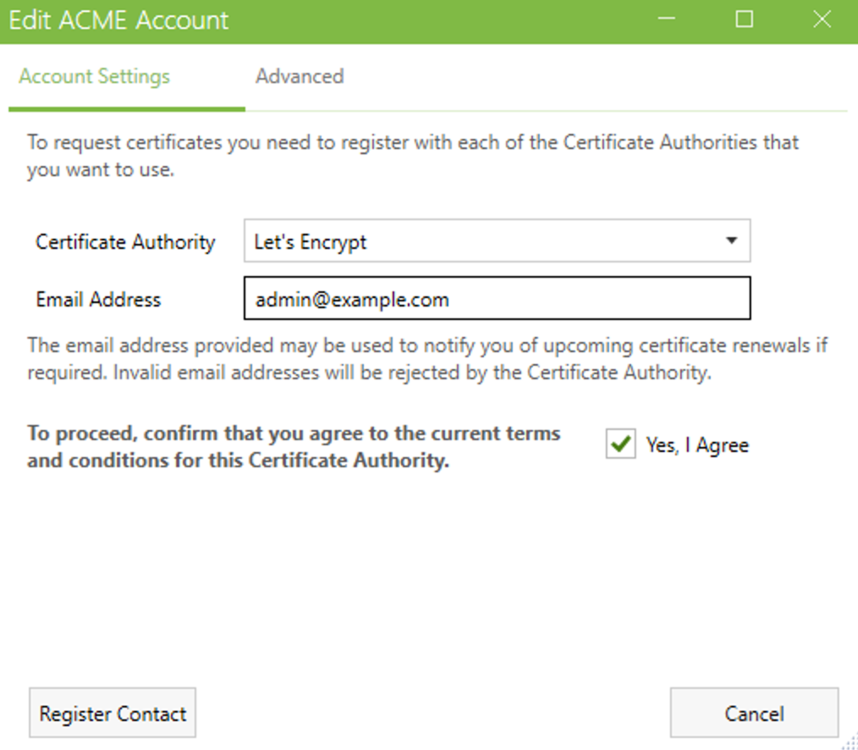
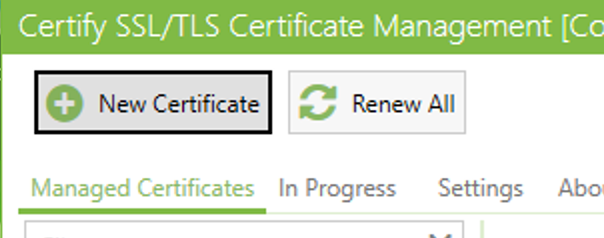
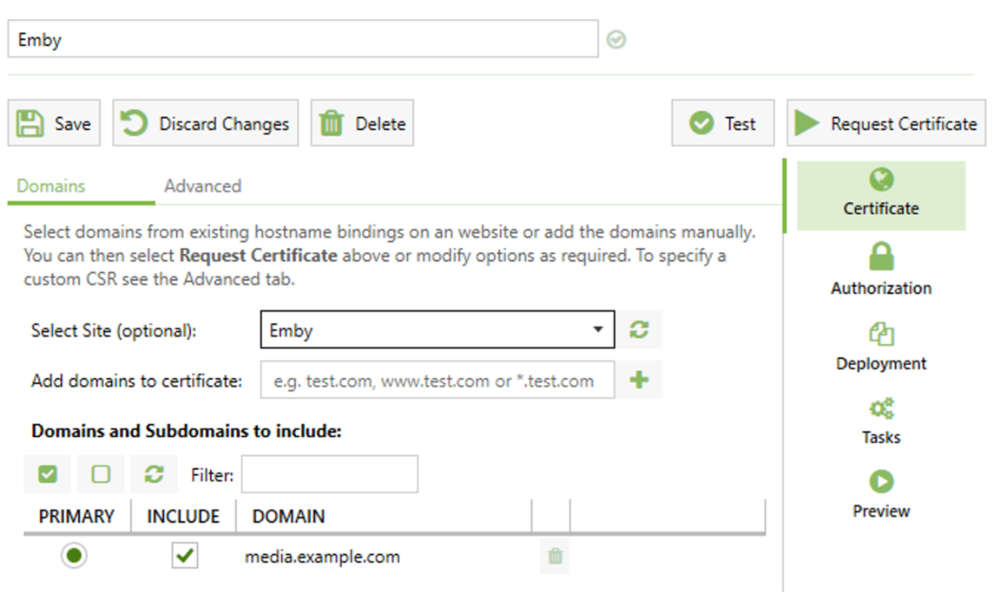
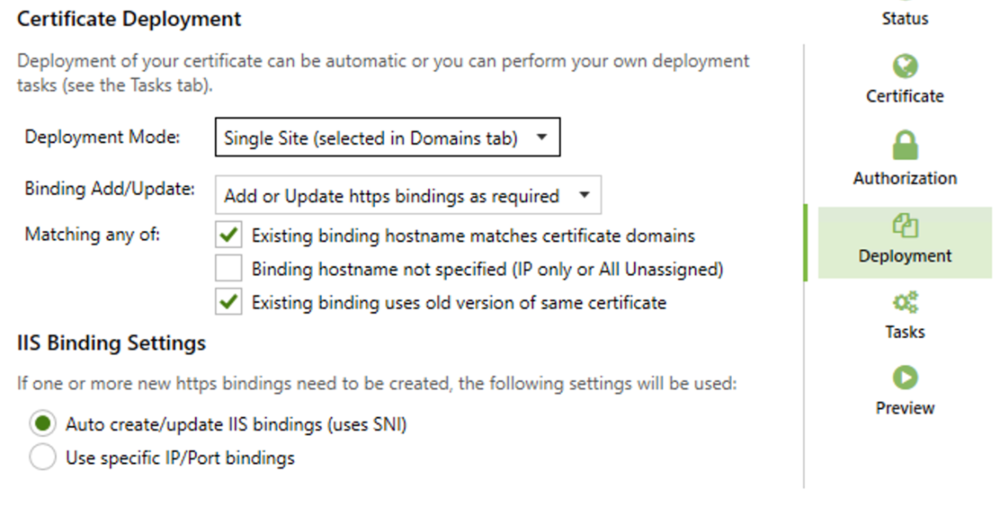
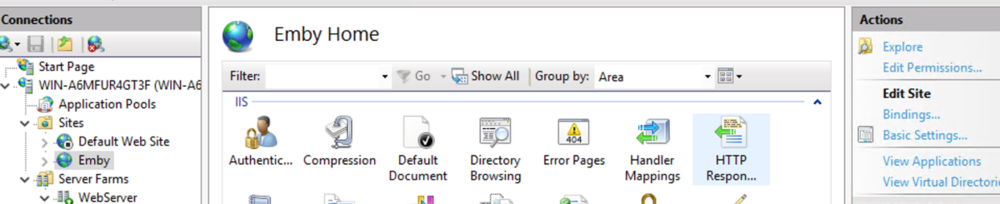
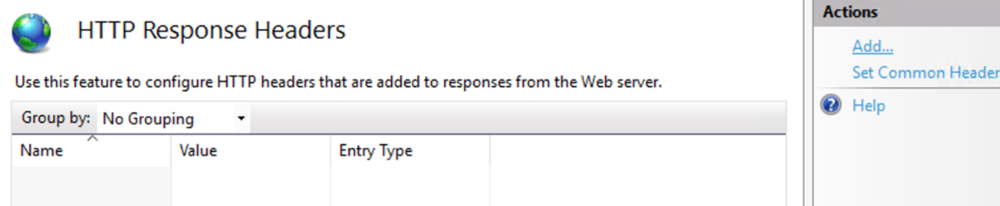
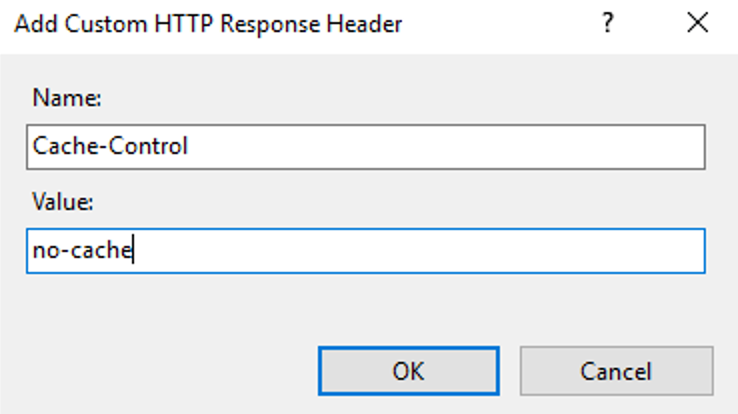
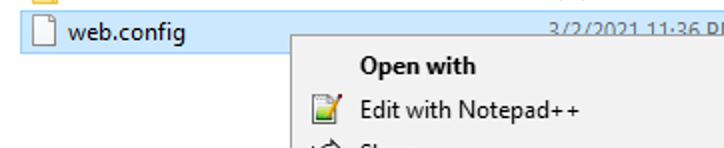
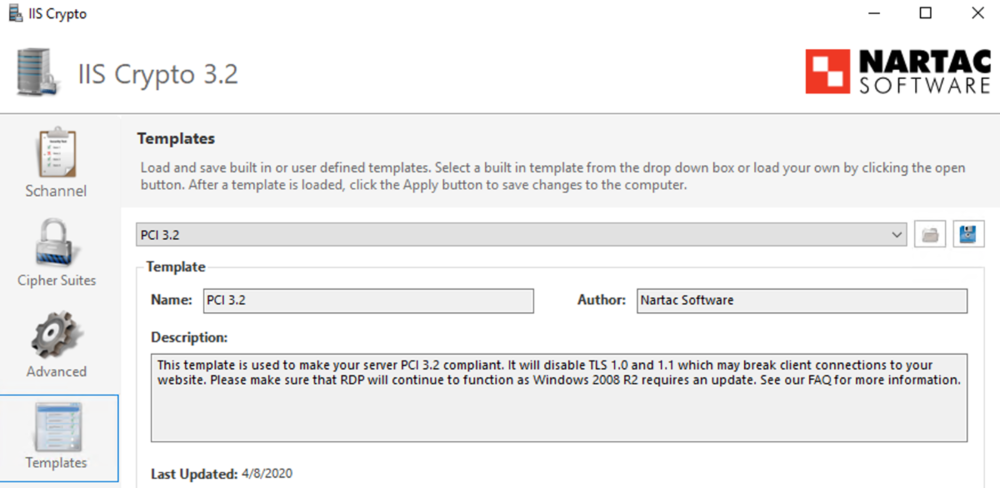
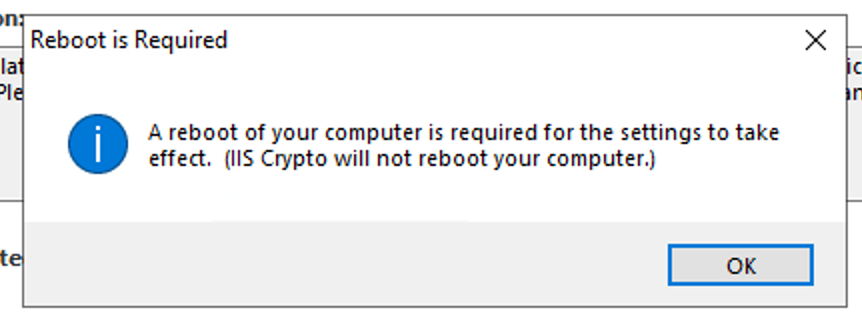
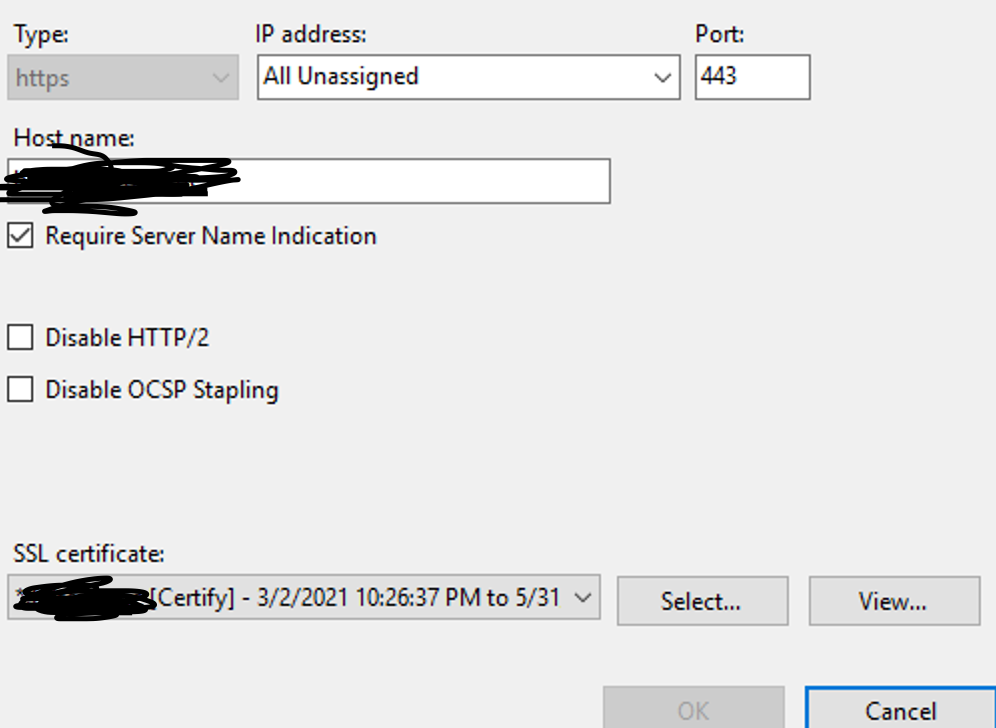
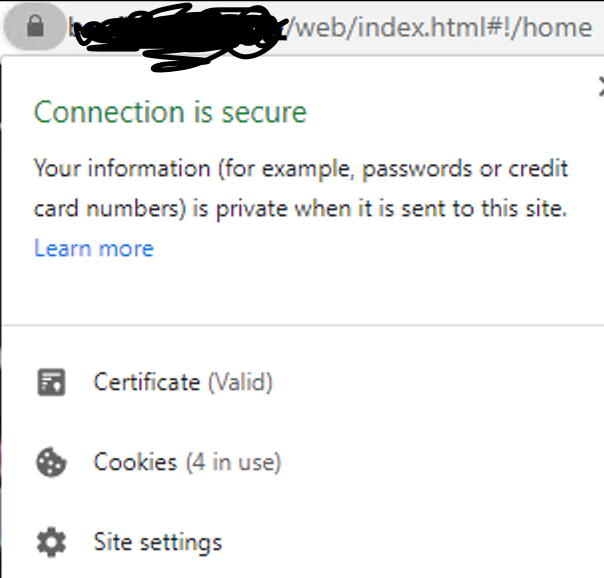
This guide will explain how to setup a Windows Server instance of Emby server with IIS as full transparent reverse proxy with SSL offload and auto-renewing certificates via Lets Encrypt. First, What is IIS? IIS or Internet Information Services is the web server service provided with Windows and Windows server installations. It is industry standard technology and is widely supported and regularly maintained by Microsoft. Second, What is a reverse proxy? A reverse proxy will take requests coming into your server (in this case HTTPS on port 443) and route them to a backend application (in this case Emby Server on port 8096 on the same box or another). Reverse proxies are very useful if you only have 1 public IP and multiple services you would like to run on a single port (443, for example is standard secure web traffic) or multiple servers that need to appear as one. Third, Why do I want a certificate for my site from Lets Encrypt? Well, most sites now days are secure (read they encrypt your traffic to prevent people from seeing your data), browsers these days flag sites that are not using properly signed certificate chains or run on insecure ports. If you use a self signed certificate in Emby, you may have difficulty getting things like the iOS app or Roku app to work properly outside your home. (Not sure about the rest of you, but Emby on the kid’s iPad is a life saver for long car rides). Let’s Encrypt provides free SSL certificates that are signed by certificate authorities that will be recognized on all devices and platforms. I will be using Windows Server 2019 with IIS 10 and AAR 3. All of this should work with Windows Server 2012R2 and Windows Server 2016 as well as Windows 10, however there may be some differences. You can use either stable or beta version of Emby Server, however in this guide we will use the stable version. At the time of writing, this guide will get you a full A+ rating from SSLlabs.com security test. (For comparison purposes, Facebook’s rating is a B.) In this guide we will: Install Emby Server Move Emby Server Installation to a non-user-locked location Setup a service user to run Emby Server as Configure Emby Server to run as a service Configure Windows Firewall Install IIS Install AAR Install IIS Rewrite module Configure AAR Configure IIS as a reverse proxy for Emby Configure SSL cypher suites for the server Install the Certify the Web client. Configure Certify the Web for auto-renewing SSL certificate for your domain Note: To be externally accessible, you will need to configure your route/modem to port forward 80 and 443 to your server. Pre-reqs/Assumptions: A physical server or VM running Windows Server An Internet Connection A DynDNS/No-IP URL (or similar routable dns name pointed at your router’s public IP) You have port forwarded ports 80 and 443 through your router to the machine you will use as a reverse proxy (in this guide we will use the same box for the reverse proxy and Emby server, but these can be run on different hosts). You have installed Notepad++ on the machine you will be setting up. Install Emby Server Download Emby Server Run the Installer Click Run when prompted If prompted by smart screen, click run anyway If prompted to install Visual C++ runtime, click install It will install to default location of %APPDATA%\Emby-Server. Move Emby Server to Non-User Locked Location Ensure that Emby Server is not running (right click icon in system tray if present and click Exit) Navigate to default location of %APPDATA% (%userprofille%\appdata\roaming) Right click the folder and click "cut" Navigate to C:\ (or root of the drive you wish to have Emby run from) Right click in the whitespace and paste. (if prompted to provide administrator permission, approve) Create a Service Account to run Emby as Note: Instructions show how to do this using local users and computers, you can also do this with Active Directory Users and Computers if your server is running that role. Right click on the start button (Windows flag) on the left side of the task bar Click Computer Management Expand Local Users and Groups on the left side Click Users Right click the whitespace and click new user Complete the new user dialog as shown (make sure you save whatever password you use as you will need it later, ProTip: don't re-use passwords) Click create Click close Close the computer management window Setup NSSM NSSM (Non-Sucking Service Manager) is needed to run Emby Server as a service as Emby Server does not include the nessicary components to run as a Windows service by default. Download here: https://nssm.cc/download Double click downloaded zip to open it in windows explorer Navigate to /win64 folder inside zip Copy/extract 64 bit version of the file to C:\Emby-Server Setup Folder Permissions Navigate to C:\ Right click the Emby-Server folder Click Properties Click Security tab Click Advanced Click Disable Inheritance Click Convert to Explicit Select CREATOR OWNER Click Remove Select Users (special) Click Remove Click Add Enter SvcEmby in the dialog Click OK Click Full Control Click OK Click Change next to owner at the top of the box Type SvcEmby in the dialog Click OK Check the Replace owner check box Check the Replace permissions checkbox Verify the dialog window looks similar to this (computer name will be different) Click OK When prompted if you want to replace permissions click Yes Verify security tab looks like this Click OK Setup Emby as a Service using NSSM Right click the start button on the left side of the task bar Click Windows Powershell (Admin) Type: "cd C:\Emby-Server" and press enter Type ".\nssm.exe install Emby" and press enter The install service dialog will launch, fill out as follows: Application Tab Details Tab Logon Tab (note, if you are using active directory it should be: YOURDOMAIN\SvcEmby) Exit Actions Tab Click Install Service Click OK Config ure Windows Firewall Click Start Click Control Panel Click Windows Defender Firewall Click Advanced Settings on the left hand side Click Inbound Rules Click New Rule on the right hand side Click Port Click Next Type 80, 443 in the ports box Click Next Click Next Click Next Name it Web Server Ports Click Finish Install IIS (Internet Information Services) Click Start Click Server Manager Click Add Roles and Features Click next on the Before you Begin page Click Role Based install Click Next Verify you are installing on your local server Click Next Check the box for "Web Server (IIS)" When prompted to install management tools Click Add Features Click Next Under Features, click Next Click Next again to get to role services Check the boxes for all of the following role services Make sure you check the box for web sockets under Application Development, this is needed for various features of Emby to work right. Click Next Click Install Once installation completes, click close Install Web Platform Installer add-on Download from: https://www.microsoft.com/web/downloads/platform.aspx Run the Web Platform Installer add-on installer Click Install Click Finish Install AAR (Advanced Application Routing) Download from: https://www.microsoft.com/en-us/download/details.aspx?id=47333 Run the Request Router installer Click Install Install IIS Re-Write Module Click Start Click Administrative Tools Open Internet Information Services (IIS) Manager Click the name of your server on the left Double Click on the Web Platform Installer In the search box type "url rewrite" Click Add Click Install Click I Agree Click Finish Configure AAR Click Start Click Administrative Tools Open Internet Information Services (IIS) Manager Click the name of your server on the left Right Click Server Farms Click Create Server Farm Name your Server Farm Click Next Enter the IP address of the server or "localhost" Click Add Click Finish Click No in the dialog that pops up Expand your newly created Server Farm Click Proxy Configure settings as shown Click Apply Click your Server Click Application Request Routing Click Server Proxy Settings Configure settings as shown Click Apply Click Your Server Configure IIS Server Variables Click Url Re-Write Click View Server Variables Click Add Type "HTTP_ACCEPT_ENCODING" Click OK Click Add Type "HTTP_X_ORIGINAL_ACCEPT_ENCODING" Click OK Click Add Type "HTTP_X_FORWARDED_FOR" Click OK Click Add Type "HTTP_X_REAL_IP" Click OK Click Your Server Create Emby Site Expand Sites on the left hand side Right Click "Default Web Site" Highlight "Manage Website" Click Stop Right Click the white space in the Sites list Click Add Website Click the "..." button to the right of Physical Path Browse to C:\inetpub\wwwroot Click it Click Make New Folder Call it Emby Click OK Under Binding Fill in with your public host name (see dynamic dns mentioned in pre-reqs) Click OK Configure Logging Click your server Click Logging Click Select Fields Click Add Field Configure as shown Click OK Click OK Click Apply Install and Configure Certify The Web client Download From: https://certifytheweb.com Run the Certify the Web installer Click Next Click Next Click Next Click Install Click Finish Click New Certificate Click on on Contact Prompt Fill in your contact email Click Register Contact Click New Certificate again Select Emby from the sites list Name and domain will populate automatically. Click Deployment Configure as shown Complete certificate verification process Click your site in IIS manager Click Bindings Verify there is an HTTPS binding and that it looks similar to this (with your domain information) Edit Web.Config for Emby Site Click HTTP Response Headers Click Add Configure as show (we are just creating a header to get the web.config to exist, we will paste in a premed one below, so these values dont really matter) Click OK Open an Explorer window and Browse to C:\inetpub\wwwroot\Emby Right click web.config and Edit with Notepad++ Replace existing content with web.config below <?xml version="1.0" encoding="UTF-8"?> <configuration> <system.webServer> <rewrite> <rules> <clear></clear> <rule name="Redirect to https" enabled="true" patternSyntax="Wildcard" stopProcessing="true"> <match url="*" negate="false" /> <conditions logicalGrouping="MatchAny"> <add input="{HTTPS}" pattern="off" /> </conditions> <action type="Redirect" url="https://{HTTP_HOST}{REQUEST_URI}" redirectType="Found" /> </rule> <rule name="Proxy to Emby" stopProcessing="false"> <match url="(.*)" /> <serverVariables> <set name="HTTP_X_ORIGINAL_ACCEPT_ENCODING" value="{HTTP_ACCEPT_ENCODING}" /> <set name="HTTP_ACCEPT_ENCODING" value="" /> <set name="HTTP_X_REAL_IP" value="{REMOTE_ADDR}" /> </serverVariables> <action type="Rewrite" url="http://localhost:8096/{R:1}" logRewrittenUrl="true" /> <conditions> <add input="/{R:1}" pattern=".well-known" negate="true" /> </conditions> </rule> </rules> <outboundRules> <rule name="Add Strict-Transport-Security when HTTPS" enabled="true"> <match serverVariable="RESPONSE_Strict_Transport_Security" pattern=".*" /> <conditions> <add input="{HTTPS}" pattern="on" /> </conditions> <action type="Rewrite" value="max-age=31536000; includeSubDomains; preload" /> </rule> <rule name="Proxy to Emby" preCondition="ResponseIsHtml1" enabled="true"> <match filterByTags="A, Area, Base, Form, Frame, Head, IFrame, Img, Input, Link, Script" pattern="^http(s)?://http://localhost:8096/(.*)" /> <action type="Rewrite" value="http{R:1}://media.example.com/{R:2}" /> </rule> <rule name="Restore-AcceptEncoding" preCondition="NeedsRestoringAcceptEncoding"> <match serverVariable="HTTP_ACCEPT_ENCODING" pattern="^(.*)" /> <action type="Rewrite" value="{HTTP_X_ORIGINAL_ACCEPT_ENCODING}" /> </rule> <preConditions> <preCondition name="ResponseIsHtml1"> <add input="{RESPONSE_CONTENT_TYPE}" pattern="^text/(.+)" /> </preCondition> <preCondition name="NeedsRestoringAcceptEncoding"> <add input="{HTTP_X_ORIGINAL_ACCEPT_ENCODING}" pattern=".+" /> </preCondition> </preConditions> </outboundRules> </rewrite> <caching enabled="false" enableKernelCache="false" /> <httpProtocol> <customHeaders> <add name="X-Frame-Options" value="SAMEORIGIN" /> <add name="X-Xss-Protection" value="1; mode=block" /> <add name="X-Content-Type-Options" value="nosniff" /> <add name="Referrer-Policy" value="same-origin" /> <add name="Feature-Policy" value="sync-xhr 'self'" /> <add name="Cache-Control" value="no-cache" /> </customHeaders> </httpProtocol> </system.webServer> </configuration> Save changes (if prompted to restart Notepad++ in admin mode allow it and then try saving again) IIS will now be properly configured as a reverse proxy for Emby. Under IIS Manager > Rewrite you should now see the following rules: Configure Server Cyphers Download here: https://www.nartac.com/Products/IISCrypto/Download (GUI version) Run the IISCrypto too Click Templates In the template drop down box, select PCI 3.2 This will disable IIS from being able to serve via SSL 2.0, 3.0; TLS 1.0 and TLS 1.1. This will leave just the industry standard TLS 1.2. Click Apply Click OK. Reboot your server. Emby Internal Settings Navigate to your server via the localhost:8096 address Click the gear in the top right corner Click Network from the list of tabs on the right Configure as shown (use your hostname in the external domain box) Conclusion Upon rebooting your computer will start IIS services and Emby server as a service. Traffic coming in on port 80 (if someone just types your url without HTTPS in their browser's address bar) will be automatically redirected to port 443 and the HTTPS:// version of your host name. Your certificate will auto-renew every so often and re-bind to the site in IIS without any interaction on your part. This allows for a server that you can for the most part setup, and forget about and just manage your Emby installation via its web ui. There are a lot of ways to set up Emby server depending on your environment and other factors. For my environment this made the most sense and since large portions of this took quite a bit of digging and research to get working just right, I figured Id make someone else's life a little easier if they were trying to do something similar. These instructions can be adapted for Windows Server 2012 R2, Windows Server 2016, Windows 8 and Windows 10. In the end browsing to your domain should look like this in the browser Additional Information for Updating When Updating your Emby installation. Simply stop the service for Emby, install like you normally would, then just cut the system folder inside the %appdata%\emby-server folder and paste it into the C:\Emby-Server folder. When prompted replace all files, then start the service again once the copy completes. Additional Information about Connecting with Emby Apps When connecting to your Emby installation remotely with Emby apps remember to prefix your domain name with https:// and use 443 for the port number. <Edit> Additional Information about changing Emby Server Title: For those users who wish to change their page title in browser (as discussed here), here is additional Web.Config information that will let you do just that! Using IIS Re-Write rules to change the page title means, you don't have to edit files to reset it every time you upgrade your Emby Server! Add these 3 rules at the bottom of the rules list, replace whole <preConditions> block too.: NOTE: Make sure you replace ALL 4 instances of NAME_OF_YOUR_SERVER with what you want your server to display in the tab bar. <rule name="RewriteTitle" preCondition="ResponseIsHtml1" enabled="true"> <match filterByTags="None" pattern="<title>(.*)</title>" /> <action type="Rewrite" value="<title>NAME_OF_YOUR_SERVER</title>" /> </rule> <rule name="RewriteAppHeaderJs" preCondition="ResponseIsJS" enabled="true"> <match filterByTags="None" pattern="document.title="Emby"" /> <action type="Rewrite" value="document.title="NAME_OF_YOUR_SERVER"" /> </rule> <rule name="RewriteAppHeaderJs2" preCondition="ResponseIsJS" enabled="true"> <match filterByTags="None" pattern="title.Name||"Emby":"Emby"" /> <action type="Rewrite" value="title.Name||"NAME_OF_YOUR_SERVER":"NAME_OF_YOUR_SERVER"" /> </rule> <preConditions> <preCondition name="ResponseIsHtml1"> <add input="{RESPONSE_CONTENT_TYPE}" pattern="^text/(.+)" /> </preCondition> <preCondition name="ResponseIsJS"> <add input="{RESPONSE_CONTENT_TYPE}" pattern="application/javascript|text/javascript" /> </preCondition> <preCondition name="NeedsRestoringAcceptEncoding"> <add input="{HTTP_X_ORIGINAL_ACCEPT_ENCODING}" pattern=".+" /> </preCondition> </preConditions> </Edit>









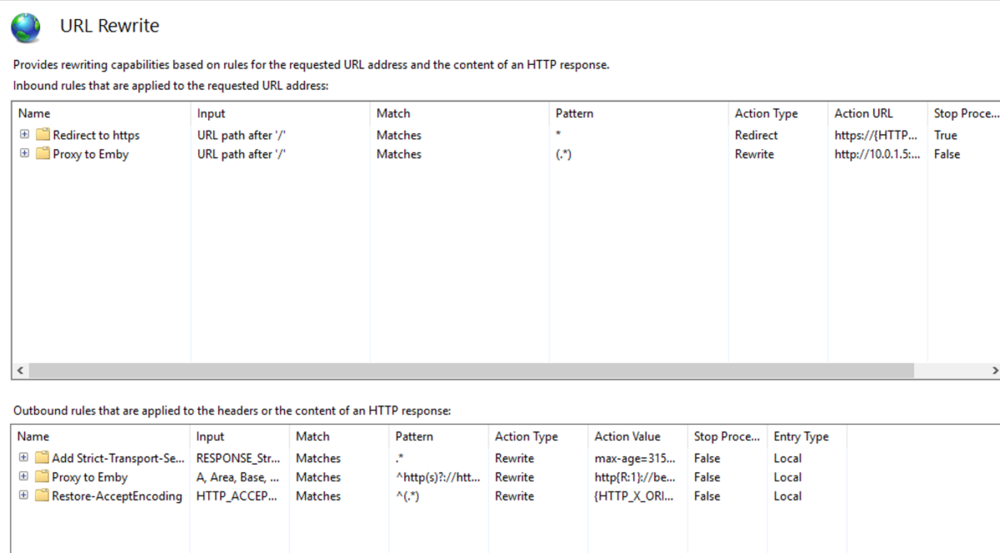
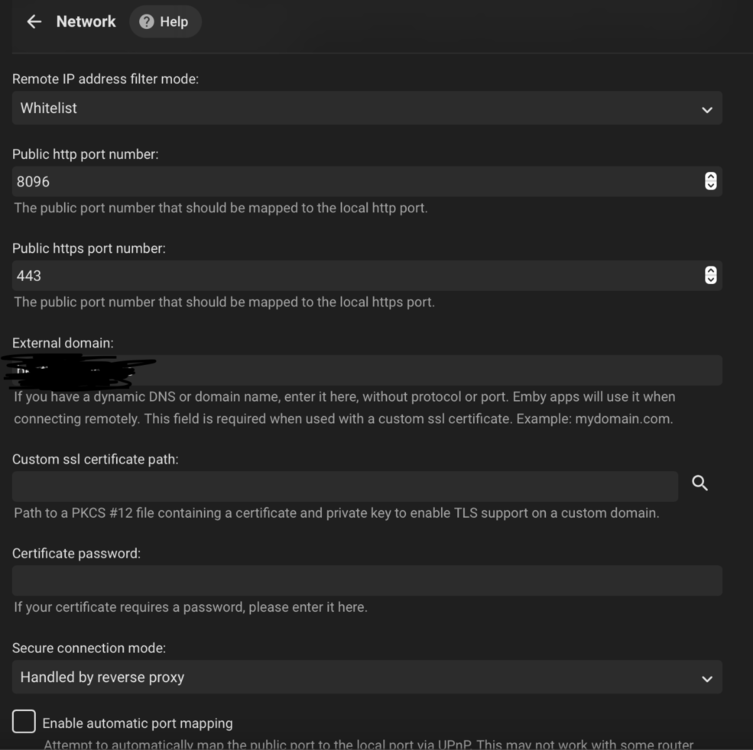 1 point
 -
VERSION 6.2.22: Download link for manual update: https://github.com/MediaBrowser/plugin.video.emby/archive/refs/tags/6.2.22.zip Release Notes: https://github.com/MediaBrowser/plugin.video.emby/releases/tag/6.2.221 point
-
I'm trying Emby for the first time today, so total newbie, so I have a question: Using Chrome, I tried casting an album from my iMac to Chromecast Ultra, which worked, except it didn't have gapless playback. You can't listen to Dark Side of the Moon without it, for example. Does Emby support gapless playback, and I need to adjust something in the settings? If so, what precisely? Thanks in advance for any help you can provide!1 point
-
Added the first movie of a Collection Collection was successfully created on update with the 1 movie in it I have the kodi option "Show collections with only 1 movie" turned on (if it matters) Added 3 more movies of this collection and noticed they weren't in the collection Ran refresh box set option in emby-for-kodi The 3 movies went into the collection for a total of the 4 Noticed that an old collection consisting of 8 movies was now completely gone. All movies were lying flat in the library. Reran refresh box set 8 movie collection was now correct again 4 movie collection returned to the state described in #3 (first movie in collection, 3 outside). All of these appear as expected in the emby library. Very strange.1 point
-
Install the portable version of emby - ensure to not install it over the top of your current Emby install. ! Then run that (you'll need to do a basic install to get it operational). If the portable version works (doesn't crash your system), but your real Emby install does - then you may have a corrupt emby binary or library somewhere - possibly caused by your SSD errors ?1 point
-
ahh sorry,, that was the url that was posted here, hence my confusion.1 point
-
You have access denied om libraries and can not find on movie library System.UnauthorizedAccessException: System.UnauthorizedAccessException: Access to the path '/volume1/_media/music/Air Supply' is denied. System.UnauthorizedAccessException: System.UnauthorizedAccessException: Access to the path '/volume1/_media/tv_shows_archive/Gilligan's Island' is denied. System.UnauthorizedAccessException: System.UnauthorizedAccessException: Access to the path '/volume1/_media/tv_shows/Nine Perfect Strangers/Season 1' is denied. System.IO.DirectoryNotFoundException: System.IO.DirectoryNotFoundException: Could not find a part of the path '/volume1/_media/movies/A Dog's Journey (2019)'. Would first look at permissions across all media.1 point
-
I too have Spectrum internet and have added TV. I spent some time researching and I found that, at least for the promotional period (between one and two years) the total cost of TV+Internet+Mobil is less than any similar package I could find. Also I find that the "guide" on Spectrum's Roku app to be pretty usable and not really any slower than most other TV apps on the Roku. However Spectrum provided me with an Apple TV box and, although I detest it for almost everything else, it works very well for Spectrum TV. Of course I use a quite inexpensive phone setup as I do not use data on my phone so I can have a very basic package that runs about $19.00/month but I do have their top internet package. The total for everything, TV+internet+phone is about $110.00/month. I cannot find a more reliable service or combination of services that gives me everything I need/want for anything close to the combined price. I may have to rethink this when my promotional period runs out but even then Spectrum's full package like I currently have seems like it will be at least competitive with others. It is well to keep in mind, when calculating costs, that you must take everything into account: Internet - at the speeds that will really give you the comfort you need. Phone - Cell+Home(If you need a land line which I do not) TV - I need just the basics here but I also need some sports. Note: Due to being a soccer (Real football) fan I have found the need for a few additional premium services in particular Peacock, Paramount + and ESPN +. I figure it this way. At my age I do not really need "party" money and I an not supporting anyone else and my basic needs are quite simple. so my only real entertainment expense is my TV services and even being on a fixed income I do not run out of money each month. One more thing: What I am doing may well not work as well for others but it does for me. Also I have no automobile expenses at all as I use an electric scooter for basic getting around and public transportation for all other "getting around" needs. The bottom line is that Spectrum is a pretty good service but, to get good prices, you have to shop a bit and remain on top of changes when promotional periods end so that the bill will not spike. When your promotion)s) run out if you contact Spectrum they will often give you another promotion if you threaten to change TV services. But be sure you are really willing to change in case Spectrum calls your bluff.1 point
-
That's not true: HDR passthrough is only supported by Apple TV native player (MPV player does tone-mapping) MKV direct playback is not supported by Apple TV native player, so direct streaming is required HLS HEVC streaming in Apple devices requires HLS fMP4 Emby Server does not support HLS fMP4 So, HEVC in MKV container is full transcoded using Apple TV native player. I hope it is understood, this is an Emby's limitation not Apple TV.1 point
-
They will appear to be from the server machine.1 point
-
If you're interested there are a couple scripts written by others which convert DTS-HD to DD+ 1536 kbps.1 point
-
Isn't this just a matter of enabling saving to movie nfo files so that both servers can use the contents?1 point
-
Awesome, glad they got this done for you!1 point
-
What error? What file do you think it's looking for?1 point
-
Thanks for the feedback.1 point
-
There are actually a lot of differences. The former is designed to get a large group of items to display in a list or grid and, for that, we don't need a lot of the bulky information that exists for items. So, many fields are optional. You can include the ones you want with the "Fields" query parameter. The latter retrieves all information for a single item.1 point
-
cloudflare is running nginx.. that's how their service works. all cloudflare is, is hosted nginx. but they charge you to make certain changes.. like load balancing, and other things.. The advantage of having your own nginx is you have full control of all features, while still being able to use the cloudflare CDN and edge servers..1 point
-
the config can be intimidating at first.. but its really easy to learn if you have any kind of coding experience that helps, (html even) but i would suggest not using the proxy manager.. but that is really just my opinion since ive never used one, its hard for me to help troubleshoot.. I have no clue what the manager is doing to the configs.. it could be you change something manually, and the manager moves and rewrites things based on what it thinks is correct.1 point
-
you can remove that worker processes line in the config.. its probably pasted into the wrong spot..1 point
-
yea certain parameters in the config need to be in certain locations, its tough to copy/paste using those proxy managers... they use config "includes" and grab various config files and inject them in different spots of the main config... its often tough to follow.. This is why i like one big config file (unless its really big and complex production setup). I host like 10 or so sites and have a decent sized config, but still all in one file.. At my work we use includes due to the complexity.1 point
-
I'd be interested in having a look for sure, you can never have too many sources1 point
-
I have this model and changed my region from Aust to UK a month or so ago. The continual usb update drove me nuts, so glad not to worry now.1 point
-
I'm going to post a curated m3u file shortly from one of the providers I use showing how this can be done. The links will not be valid as it will require your own username and password (easy search/replace). Anyone with a Premiere license would be able to set this up to see how easy it will work in Emby. I've got maybe another day of work on it (with everything else) to clean up a couple logos and try to find a couple more station matches. I have the data I used in raw form. I can try and clean this up and organize it so it would be useful to more people. HBO Zone stationId: 59845 callSign: HBOZHD ListingsId: USA-DITV-DEFAULT ChannelNumber: 509 ListingsId: USA-ECHOST-DEFAULT ChannelNumber: 308 LogoURL: This will be a generic logo. The guide will replace it. Guide Logos will range from 1 to 3 depending on station
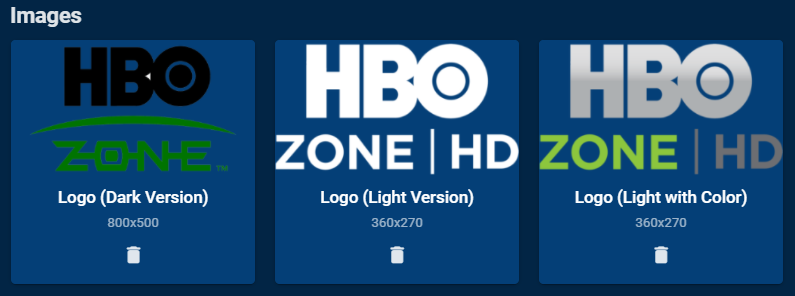 1 point
 -
Does this not circle back to this topic? https://emby.media/community/index.php?/topic/91295-transcode-throttle-appears-to-be-broken/&do=findComment&comment=951429 But yes we would need to see the ffmpeg log.1 point
-
Sweet thanks @Luke1 point
-
Can you post the ffmpeg for something that is transcoding as it will say why it is transcoding.1 point
-
The 1621+ should also support Link Aggregation as long as your switch supports it also. I have my 1821+ configured as two 2GB ports instead of 4 1GB ports1 point
-
You said stop, so it sounds like you just stopped the scheduled task but did not actually delete the conversion job. And that means it will just end up running again later.1 point
-
For those who would like to help test and report issues: Thanks.1 point
-
OK please try the next server build. Thanks.1 point
-
After several tests, and user agent changes now it seems to work, as per the set photos, if I change it they don't work. the log gave access denied 403, mha only on emby other prog etc it worked Dopo vari test,e cambi user agent adesso sembra funzionare, come da foto impostati,se cambio non funzianano. il Log dava accesso negato 403,mha solo su emby altri prog etc funzionava
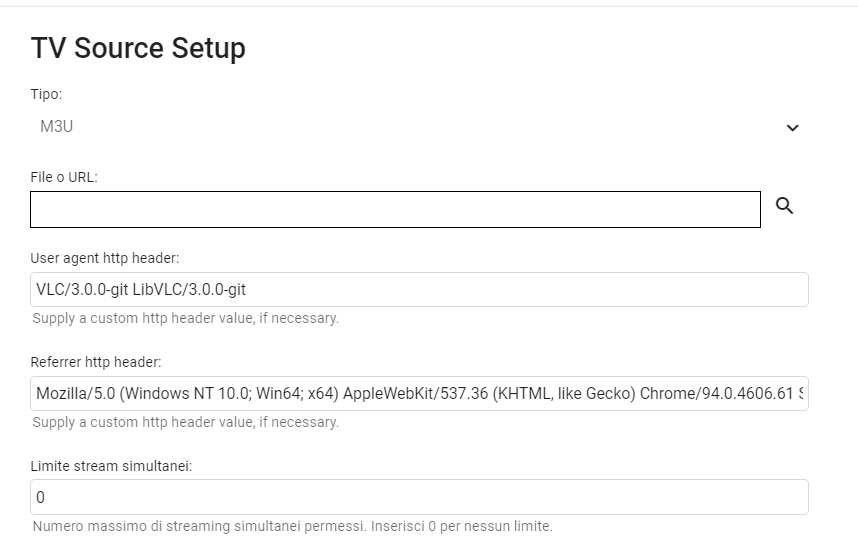 1 point
 -
Thanks for the feedback.1 point
-
Yarafie, I am trying to figure out how to make remote access work. I am not a professional programmer and have much to learn Vic1 point
-
The only issue I see is that auto update for Emby is disabled in PC which I hope works itself out after the first install from the store1 point
-
There is another issue a couple people are having with Cloudflare and video files that we have been testing. That is something I just started testing today on my Cloudflare account so it hasn't gotten much testing. If you don't get any complaints of people not being able to playback MP4 and MKV files you should be fine. Yes Cloudflare is correct on that general assumption and why I don't personally run nginx. However, some people aren't running just Emby with nginx or may be using redirection, header modification and other slick features. You yourself might be using it for load balancing. So nginx can do a lot more than the little part they are talking about.1 point
-
1 point
-
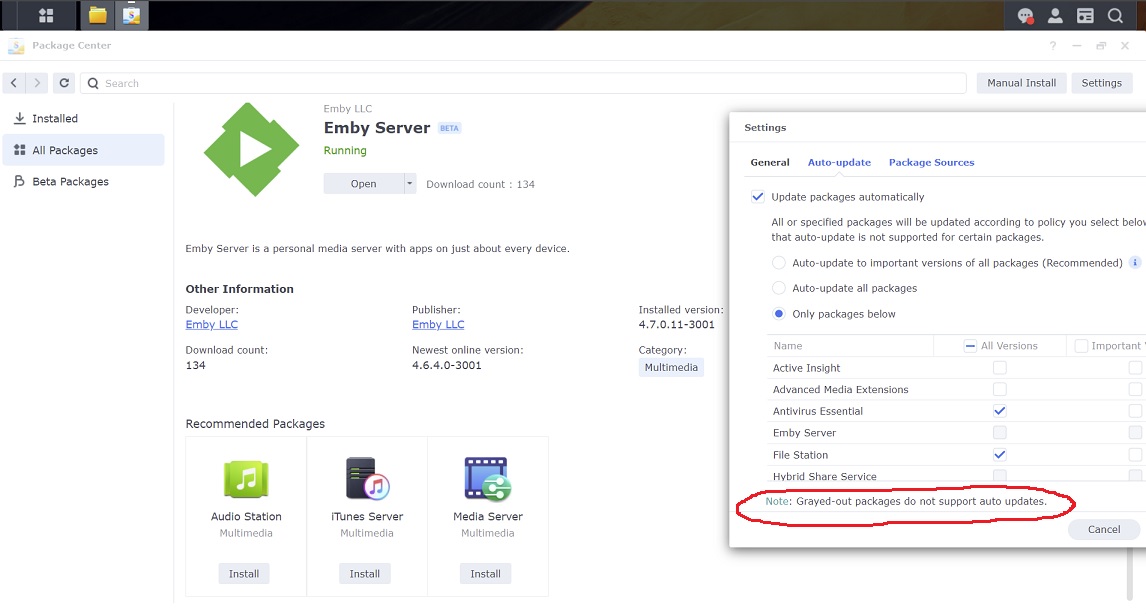
Check the Auto-update setting in Package Center. I'm on beta, but if you're on the stable release and it's still grayed out, then it may require you to manually update once from the Synology store before you can check that box. Someone else on stable reported theirs is grayed out still. I don't know if the Synology store will auto-update the releases Emby puts out for download in spk as there may be no link there so it may take until the second update for it all to work out. Also, make sure Auto-update is on in Emby dashboard. If it's still not auto-updating after the second update then something may be wrong.
 1 point
 -
Word of advice. When I did this from a backup a lot of things had quirk's. Main thing is remapping all your folder paths. 2nd if an item like cover art or playlists is not working, uninstall and reinstall. most every issue I had was to do with the backup trying to use the old file path in some way and reinstalling the app/item or remapping to the new path on the qnap fixed the issue1 point
-
I still don't understand why this is so hard to implement, even the Jellyfin cousin has implemented it, not glitching while remuxing HEVC content using classic iOS app: /usr/lib/****-ffmpeg/ffmpeg -fflags +genpts -i file:"/media/4k/****.mkv" -map_metadata -1 -map_chapters -1 -threads 0 -map 0:0 -map 0:1 -map -0:s -codec:v:0 copy -tag:v:0 hvc1 -bsf:v hevc_mp4toannexb -start_at_zero -vsync -1 -codec:a:0 aac -ac 6 -ab 640000 -copyts -avoid_negative_ts disabled -max_muxing_queue_size 2048 -f hls -max_delay 5000000 -hls_time 6 -hls_segment_type fmp4 -hls_fmp4_init_filename "98b65c4d2ef149d56fd0b74b6e9feaac-1.mp4" -start_number 0 -hls_segment_filename "/var/lib/****/transcodes/98b65c4d2ef149d56fd0b74b6e9feaac%d.mp4" -hls_playlist_type vod -hls_list_size 0 -y "/var/lib/****/transcodes/98b65c4d2ef149d56fd0b74b6e9feaac.m3u8" BTW the new iOS/tvOS version Swiftfin (in very early status) direct plays DTS without remuxing.1 point
-
we need https://imgur.com/gallery/jELGma51 point
-
Are you still having an issue with this?1 point
-
Could be useful for TV shows as well1 point
-
I don't have high hopes right now. Someone posted they installed clean from the store and the option to auto update is still grayed out.0 points