Leaderboard




Popular Content
Showing content with the highest reputation on 09/26/21 in Posts
-
Banned, and this will apply to anyone coming to the community support forum that do not respect other members, we do not allow or want these kind of personals.4 points
-
I'd like to request that the Playlist library have a displayed category and, "widget" on the homescreen in the similar fashion that movies, TV shows, music are shown. I create topical/seasonal playlists that I'd like my family members to see displayed from the homescreen with "recently added" carousel style. Currently, to the best of my knowledge, playlists are only accessible via their shortcut in the, "My Media" section. Thanks for your consideration!2 points
-
New version available: 6.0.10 build 59 (ex5) Delta changelog: - add option to reload skin after plugin start -> default = true - improve music nodes abstraction - fix photos - fix homevideo updates2 points
-
Remoted in and we found the domain provider had charged him for a renewal but show the domain as expired. So he's contacting the domain provider to get this fixed.2 points
-
These issues should be fixed in the next version2 points
-
I mentioned it in another thread, but thought I'd put it here since this looks like a new section--just for posterity. Would like to have a bulk meta data editor function. For example, if I have 750 videos whose producing studio is the same, I want to select those videos and apply the name of the studio to those videos. Similarly, if there is a custom tag I want to apply to a subset of those movies, I want to be able to select them in bulk and apply the tag to those videos (instead of selecting them one by one).1 point
-
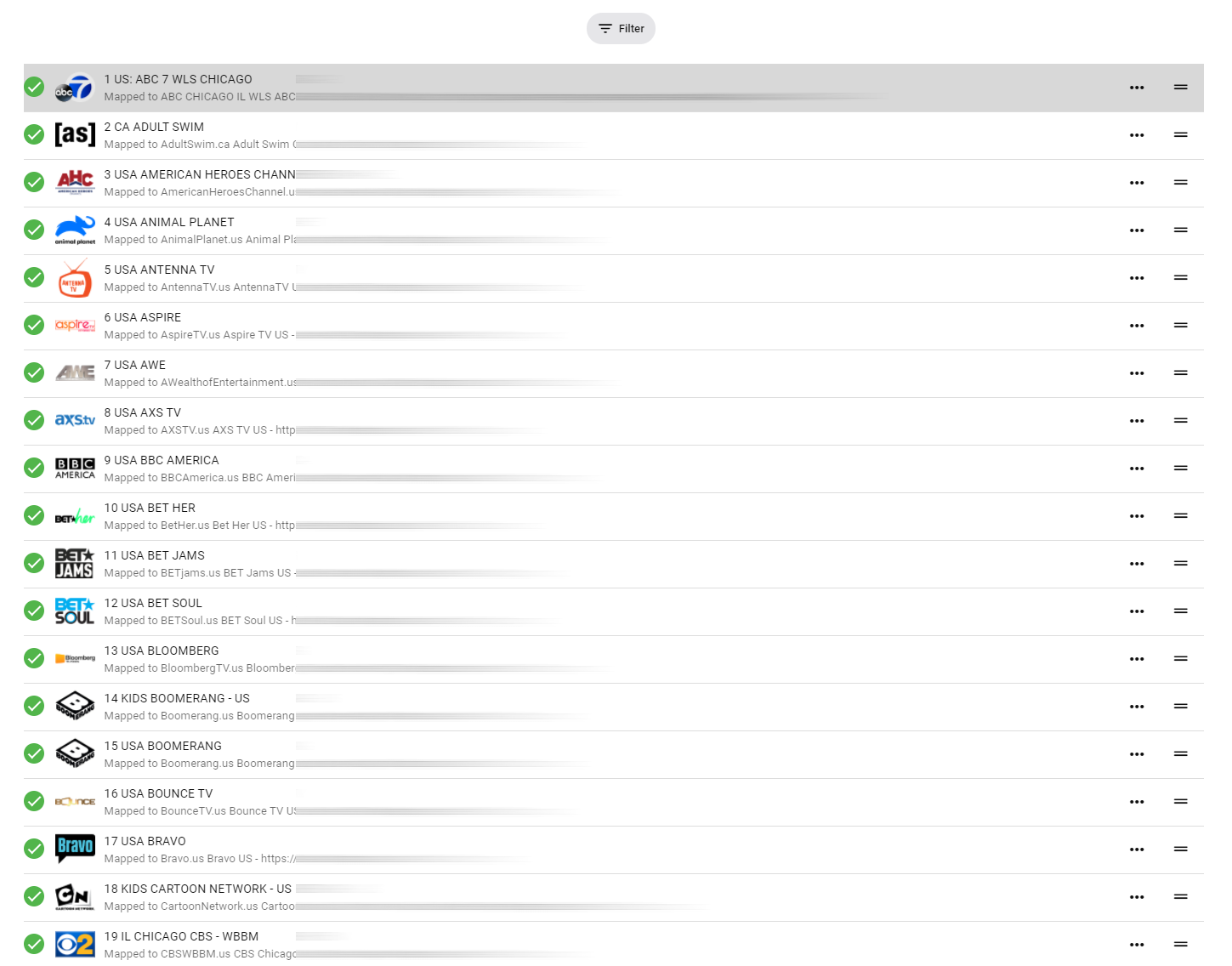
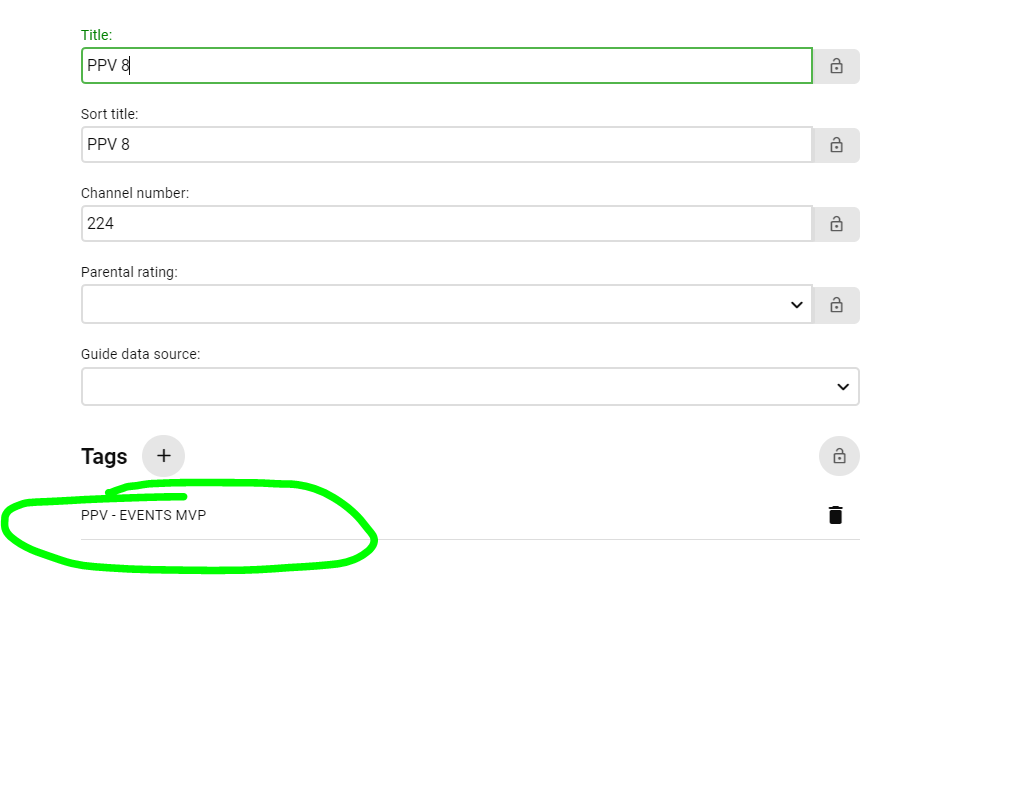
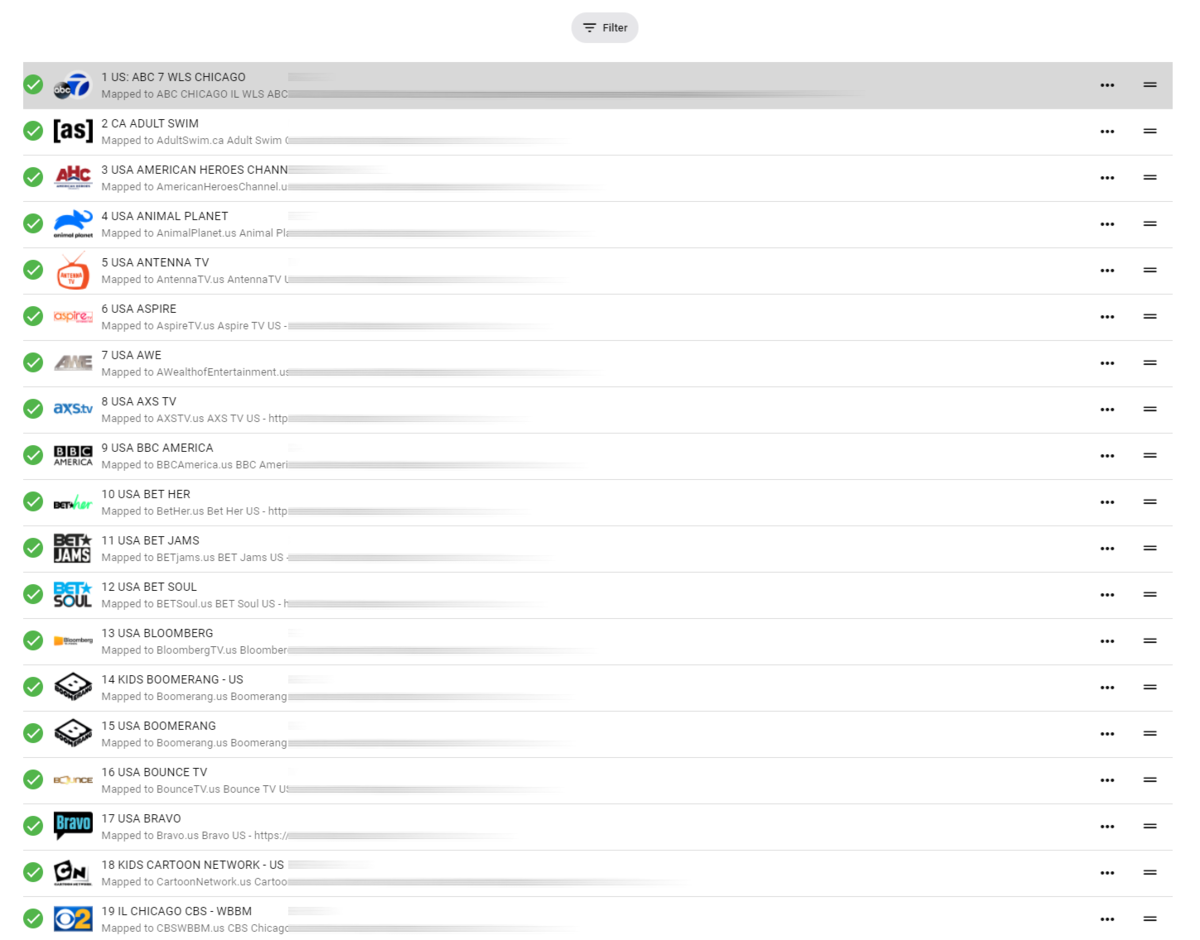
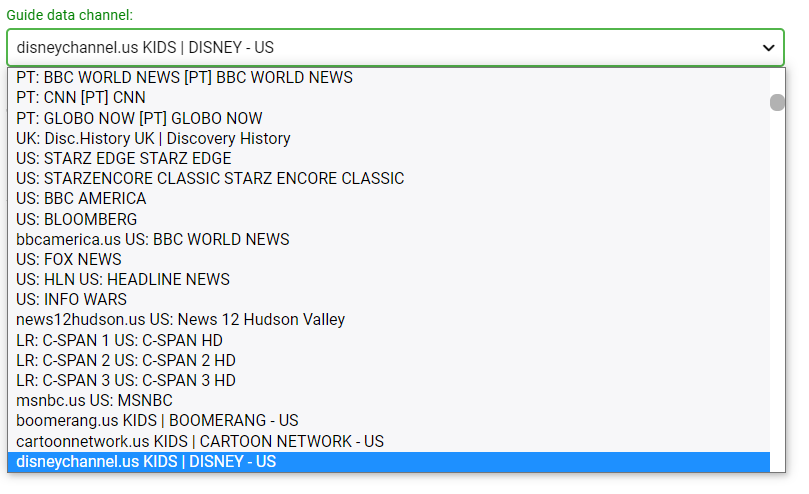
Emby is getting closer to having useable iptv channel setup... can you please add the following features. after channels are assigned, named etc.. allow us to sort the list by TVG-ID aka "Guide data channel" (and/or channel title), then once sorted by alphabetical order (or whatever order we choose) also have a one button re-channel based on order.. for example, i have sorted all of my channels by TVG-ID even though the channel title may start with US or CA (us Canada) the channels are still in alphabetical order based on network or TVG-ID. then all channels are numbered 1-XXX automatically (re-channel based on order button) Its horrible to do this by hand... so what I'm requesting is sort list, and one button re-channel based on order. see how i have the channels below. these were all in a crazy order, but i sorted by network name or TVG-ID then i re-channeled them 1-XXX so its neat and tidy in emby. Still typing lol, The second part, the ability to "HIDE" complete "tag" groups. this may already be a feature, maybe i just don't know how to use it.. But i want to be able to hide all adult channels based on the default m3u group, the group shows up (as shown in below screenshot) i just want to be able to hide full groups/tags from being displayed in emby at all.... This includes other countries channels etc. And lastly, the list of "XML Guide Data" what order is this even in? can you make it so this is searchable? my XMLTV data is in no particular order, so it's REALLY hard to find a channel i have to scroll and read every line to find my matching channel.. So having a small search box to search for a string or something would help ALOT!!
 1 point
 -
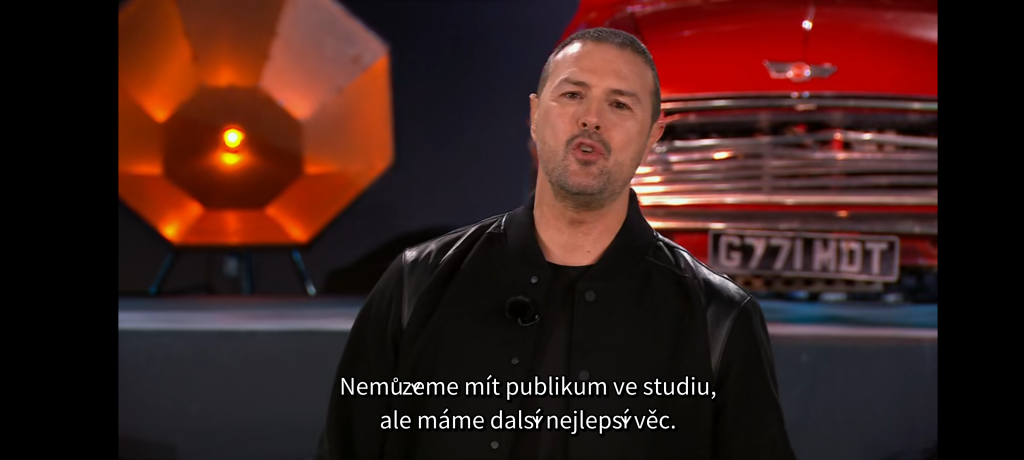
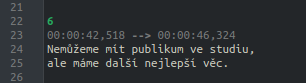
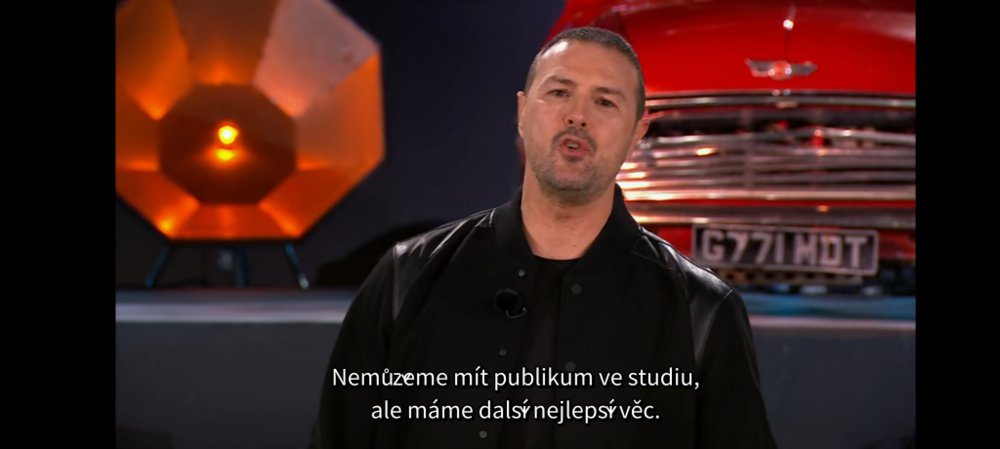
Noticed that in Android app (Emby plugin for Kodi works OK). Some characters of the subtitles are incorrect, see the attached images. Expected: Actual: Subtitles file (UTF-8, Linux line endings, no language in the file name): Top.Gear.S30E01.720p.HDTV.2CH.x265.HEVC-PSA.srt Server logs: embyserver.txt hardware_detection-63762911635.txt Please, let me know if anything more is needed. Thank you.
 1 point
 -
Hi, NFO's or the xml saver are used to backup and restore (written and read) for all media types except music. Music is only written never read. The changes to music primarily relying on actual tag values, is great but does not capture all the rich metadata emby provides or allows users to enter. Rather than kludge around with nfo etc. which are used by and can be created by other programs. A simple approach would be for emby to create and read as needed, it own metadata file, of only the elements that are not derived from the tags in music files. A small xml or json file designed and controlled by the emby team, saved with the media would provide recoverability, ability to rebuild the main library.db. Thanks -vicpa1 point
-
@ebr Im pretty sure this has been requested so my apologies but I cant find it so I am requesting this again here. Please move if you feel the need. What are the chance of getting the ability to bring up the guide when using the excellent Virtual TV plugin in Playlist mode? Really ruins the experience to have to stop playback just to see what else is on "TV". Thanks!1 point
-
Hi, the play all button is the way to do it. It may not be in our Android TV app yet @ebr, but we'll get it added. Thanks.1 point
-
Send me a PM if you need help remotely.1 point
-
Thank you I'll try it1 point
-
@cayars k, I restarted it, let it sit for a couple of hours (because I had some things to do), and just added a new episode and refresh scanned on the tv library. As soon as it's done and I can see the episode I will reply with the server log... embyserver.txt1 point
-
Yes if Emby is getting same name show but wrong year, Identify is the best way to correct the issue, but knowing your folder naming scheme can assist also. as "Outcasts" and "Outcasts (2010)" will provide different results. All same named shows should be in name/year folder to avoid same name conflict.1 point
-
The issue isn't just cost its also getting accepted by Sony. They are picking and choosing selectively who they approve for app development. But we can try applying again.1 point
-
Yarafie, I made a mistake, the latest code is below. I was too quick with the mouse and sent the note before reading it. Be sure to edit the top of the HTML and change the server address and the Emby API key to your own. Vic emby-tag-tool-25c.html1 point
-
That's great information, thanks! Exactly what I needed to know.1 point
-
Whatever you change there will be reflected in AndroidTV app.1 point
-
I'm right in the middle of fingerprinting stuff and haven't had a quota issue so far and I let it run 24hours/day. So, from my experience quota isn't an issue, at least for fingerprinting.1 point
-
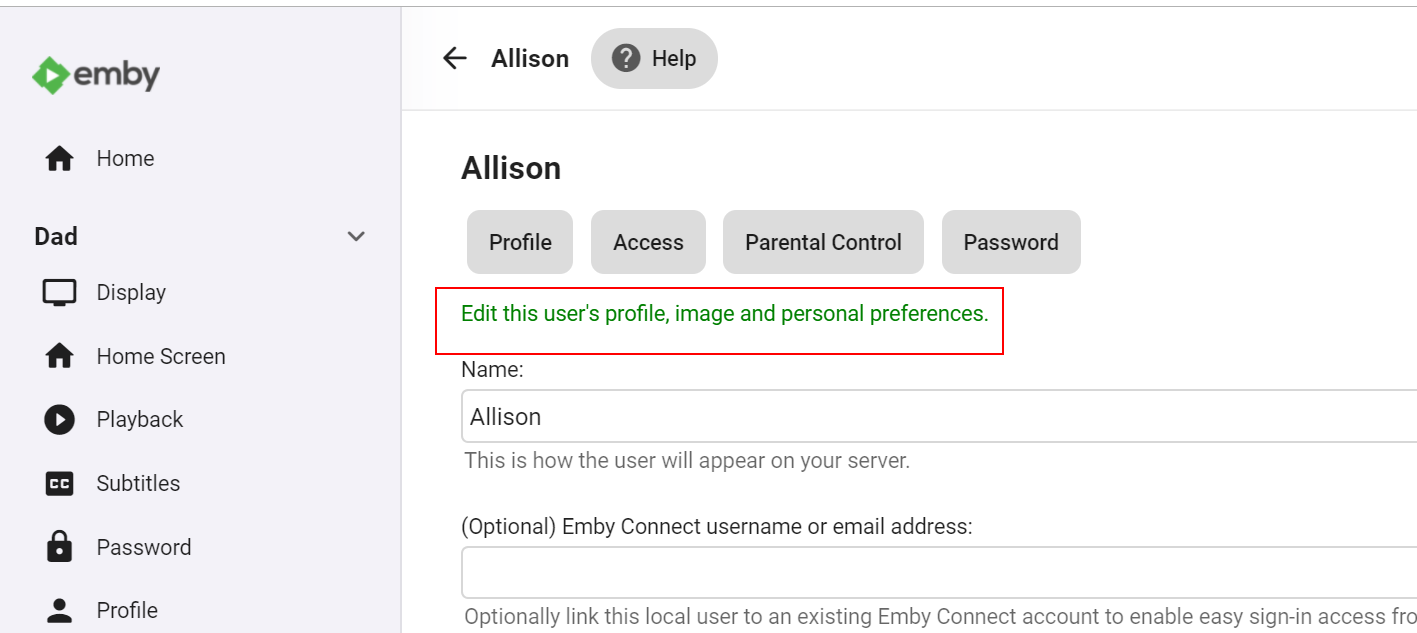
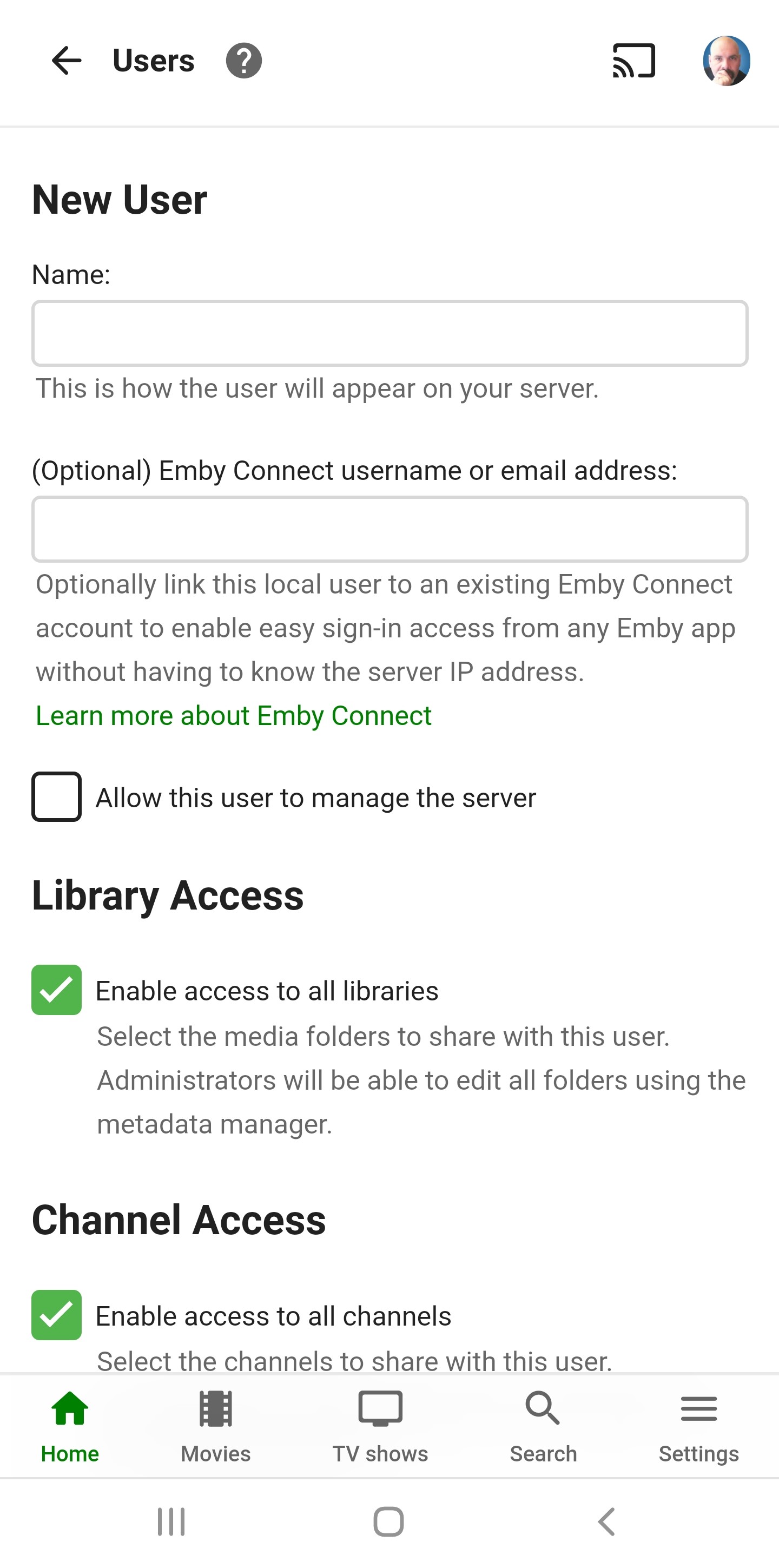
Hi. You can already do this. Go to the user's setup page in the server and click on the link there to edit their settings.
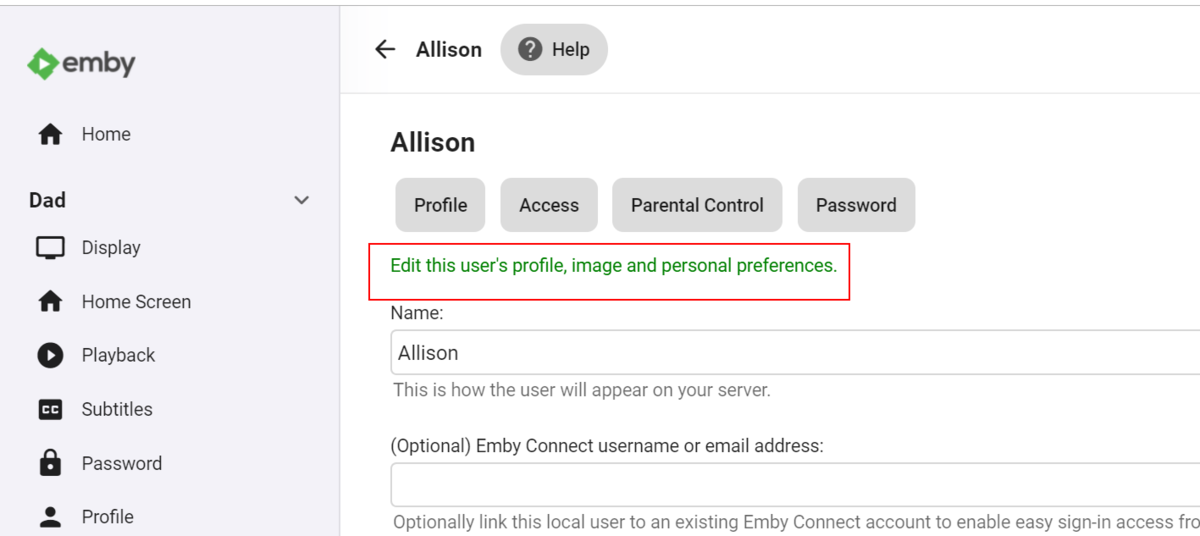 1 point
 -
@Cadkey Why not just run the native Synology package? It's more efficient, I believe, than running in docker.1 point
-
We did have a user previously that was accessing their media via VPN and some virtual server, his internet was 60MB/s (not Mb/s) and he experienced long processing times for each episode (which is to be expected) There is a lot of Disk I/O and memory I/O, so you will be limited to the speed of your network. If you can access you media directly to run the processes this is advised. You could set this yourself in the Schedule Tasks to run for 1hr/2hr, what ever you are comfortable with for Fingerprint & Detection The biggest hit will be your initial scan, then after that it will be very low usage. to give you an idea, a person with 30000 episodes will take approx 2 days to get the chromaprint. then another 11hrs to complete the detection. My advise for you is to wait until the plugin is deemed for official release before going for it on your main system.1 point
-
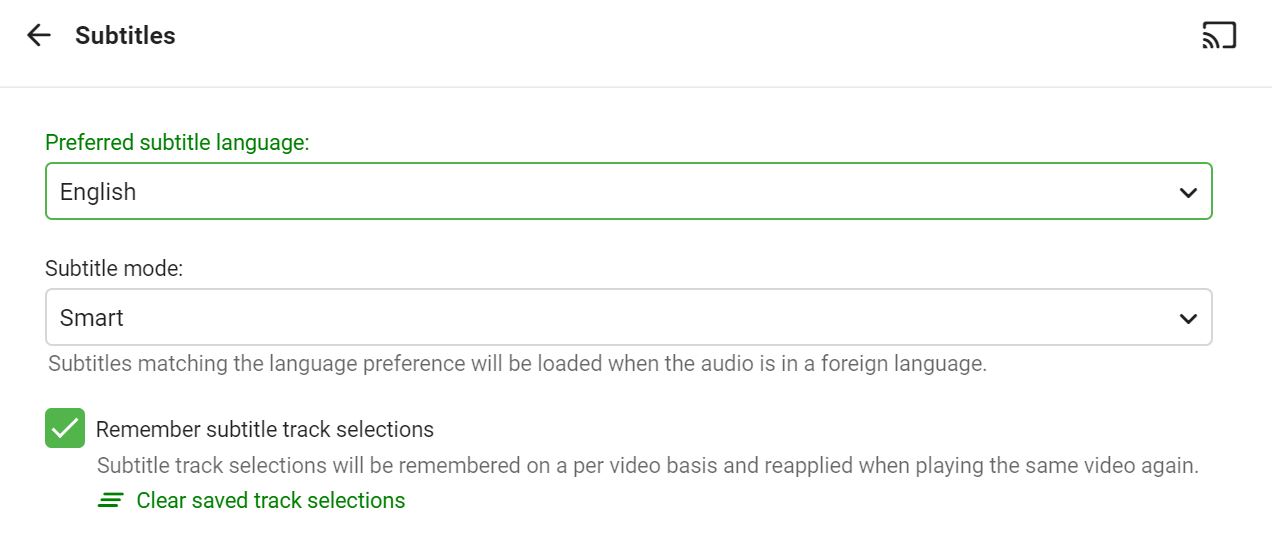
Most other similar films are unaffected, but one or two are like this. That said, I seem to have resolved it...I clicked "Clear Saved Track Selections" on the subtitle menu, and this seems to have resolved it. Perhaps at some stage I purposely clicked on "none" while testing? If that's the case, then Emby remembered this (as per the check box shows), and retained it. Obviously my bad here, apologies for wasting time, thanks so much for the help!
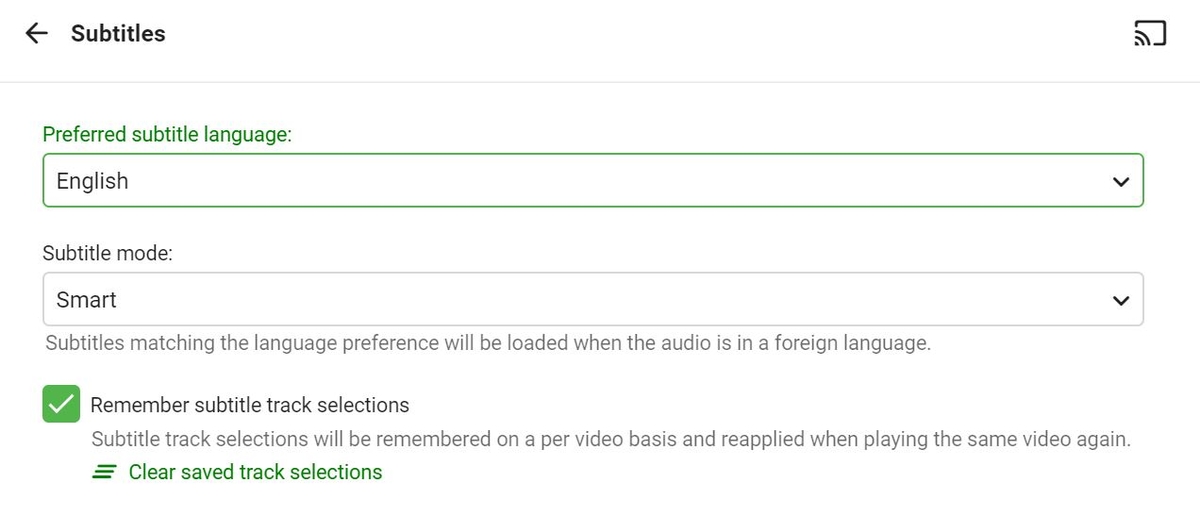 1 point
 -
Not at all. There's some convention to it such as enclosing filename embedded info about subber group, release group, release resolution, hashes, and such in square brackets "[ ]". Season numbers may or may not be included. Instead, the episode count is incremented all the way from first season even though canonically it would be, for example at season 3 episode 2 the episode number would instead show (S1) 24 + (S2) 23 + (S3) 2 = 49. Tho I'm mostly cynical about completely automating this. If you would like to see more samples I urge you to take a peek at Nyaa torrent hub.1 point
-
Well, it shouldn't, same logic should apply accross all modes: Default to selected, if manually overridden - remember selection (if opted for in settings).1 point
-
Just wanted to report same problem. It seems there is problem with sub font in android app which doesnt correctly display č, ž, š(czech letters with hook). But othres "hooked" letters ě, ň, ď, ť, ř are correct.
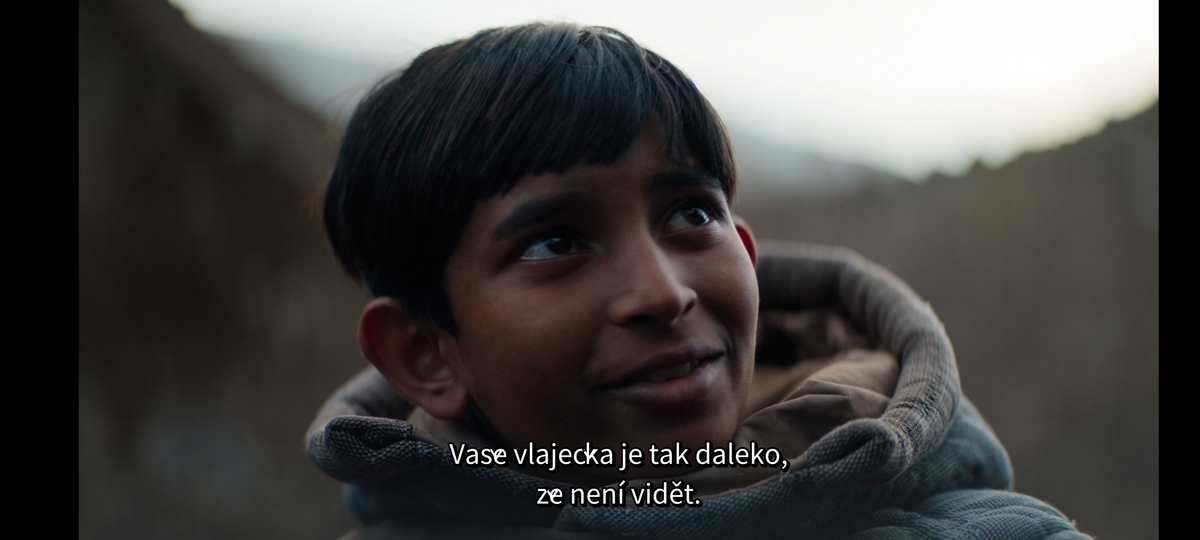 1 point
 -
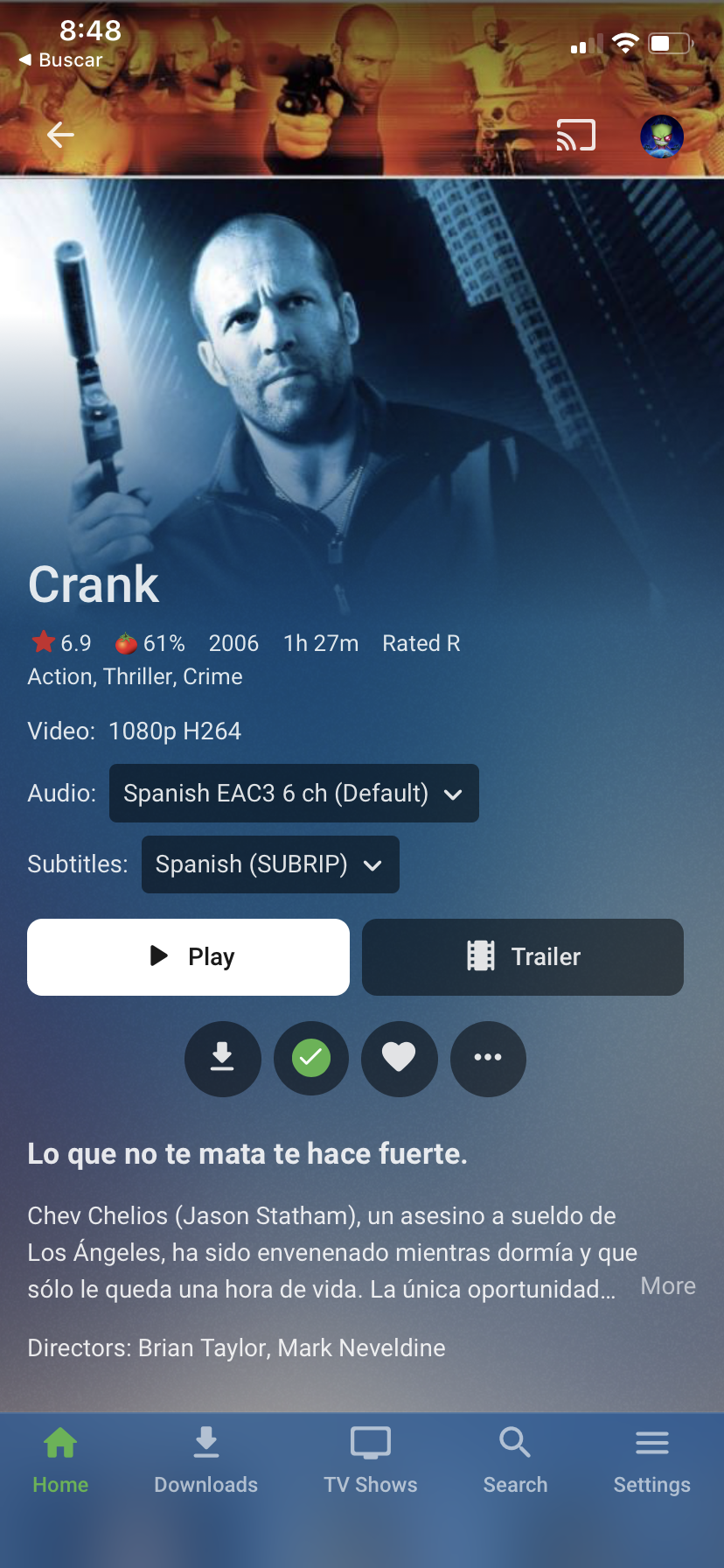
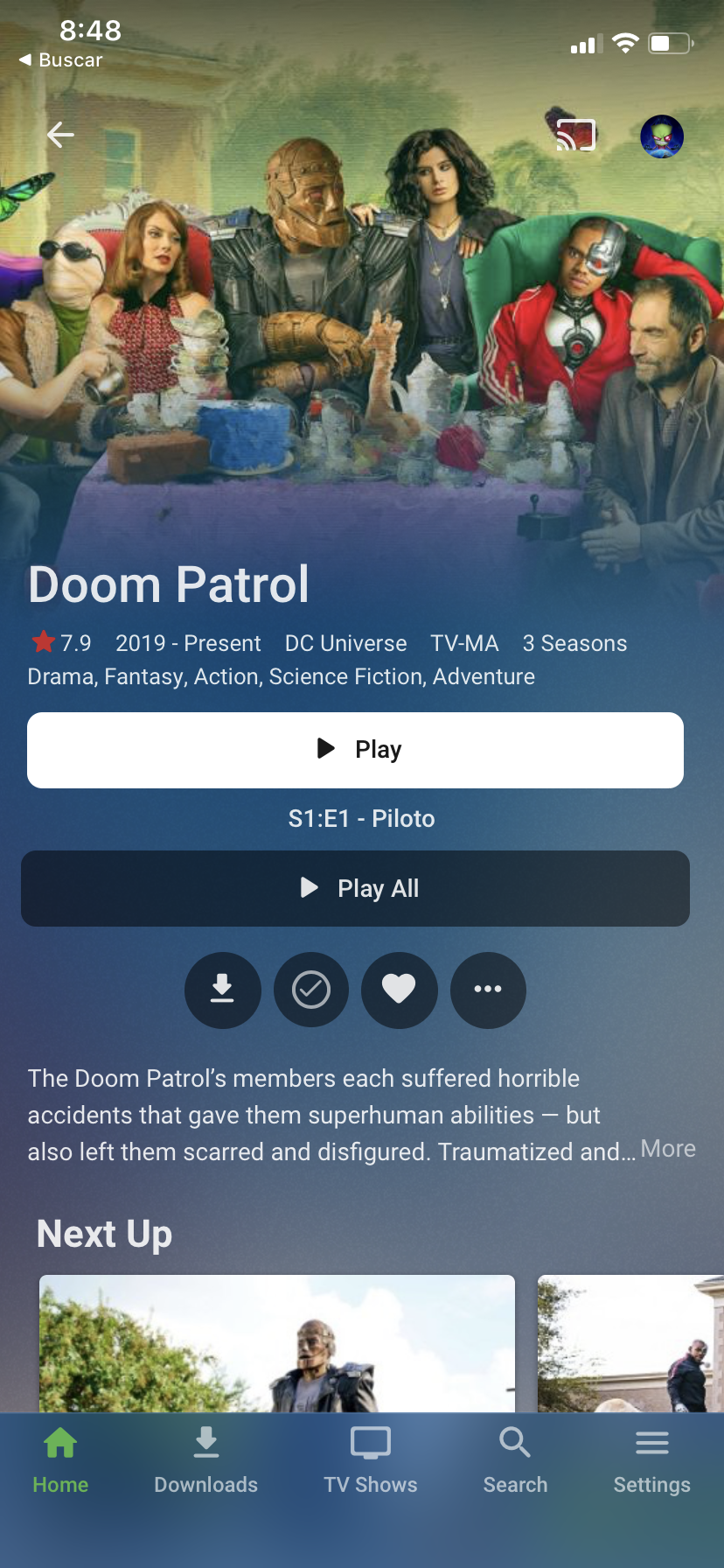
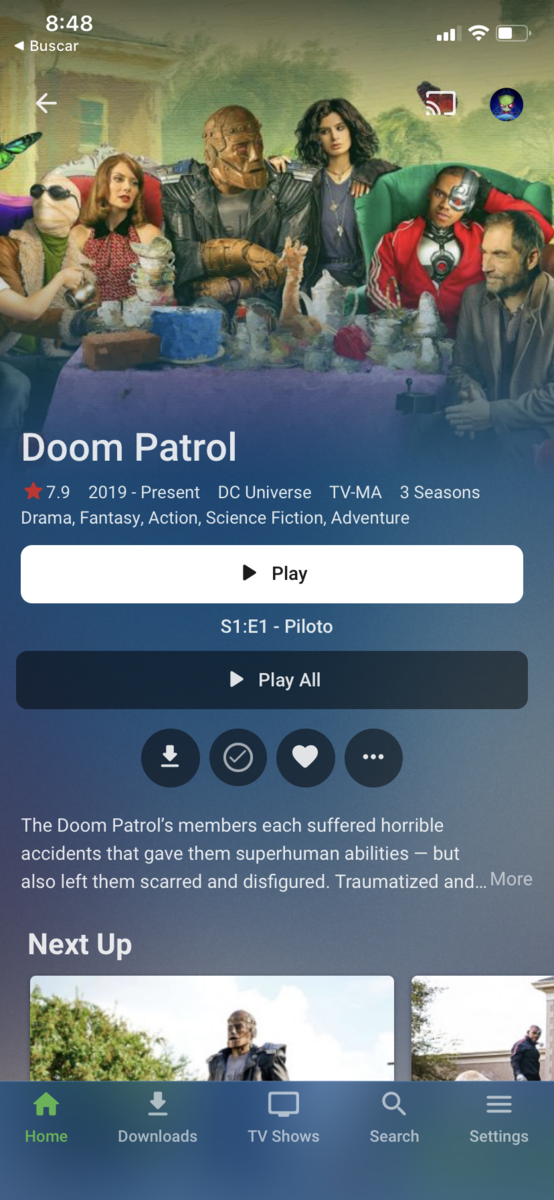
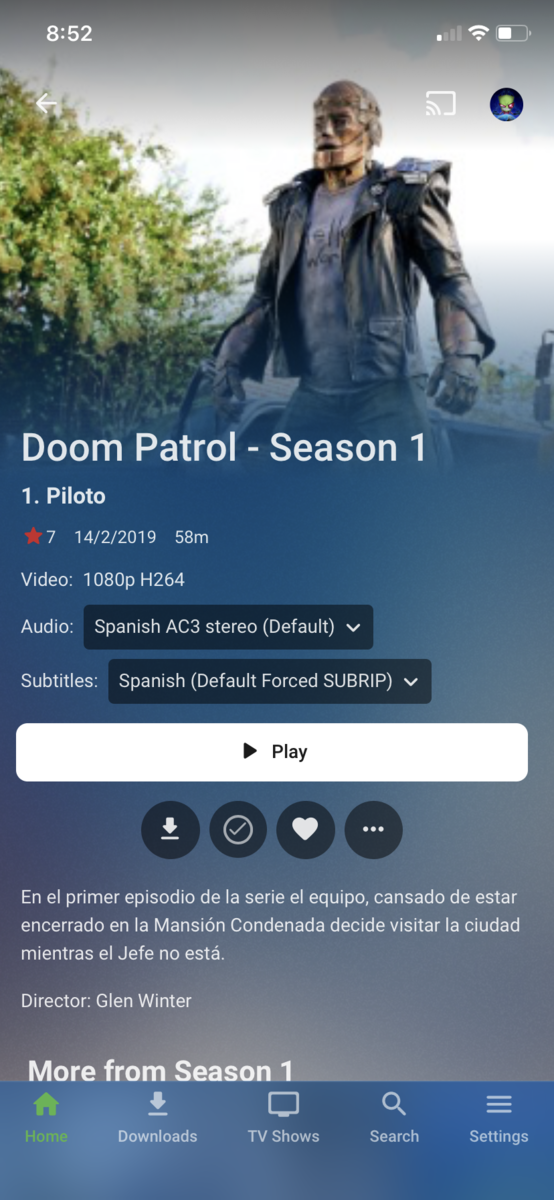
I think the buttons need to have more consistency too, between the movie and tvshow view, and full width (horizontal length) is overkill. Just my opinion.
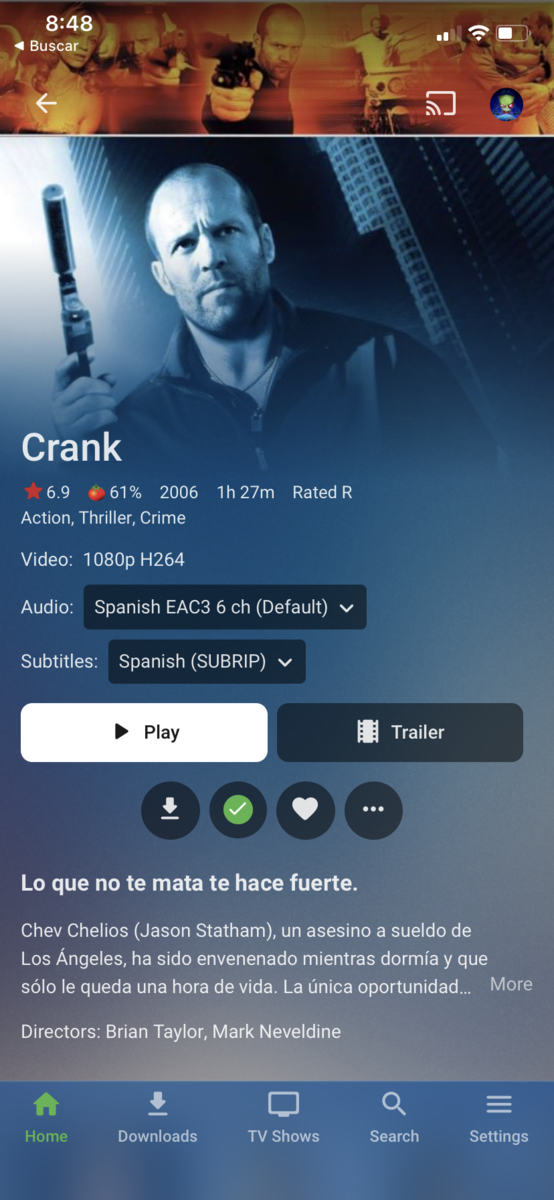
 1 point
 -
Not quite clear how does it scroll less while at the same time offering less information onscreen: Director row has been dumped, even less synopsis is shown (whereas you could expand it on old design and read more on the same sceen estate), those round buttons look like an afterthought, attached like an appendix, an unwated child - at least make them rectangular.1 point
-
I think so. I can try.1 point
-
I record to an m.2 SSD then use MCEBuddy to strip commercials, convert from mpeg.ts to HEVC.mkv then move them into my 65 Tb Drive Pool. @cayars assisted with this.1 point
-
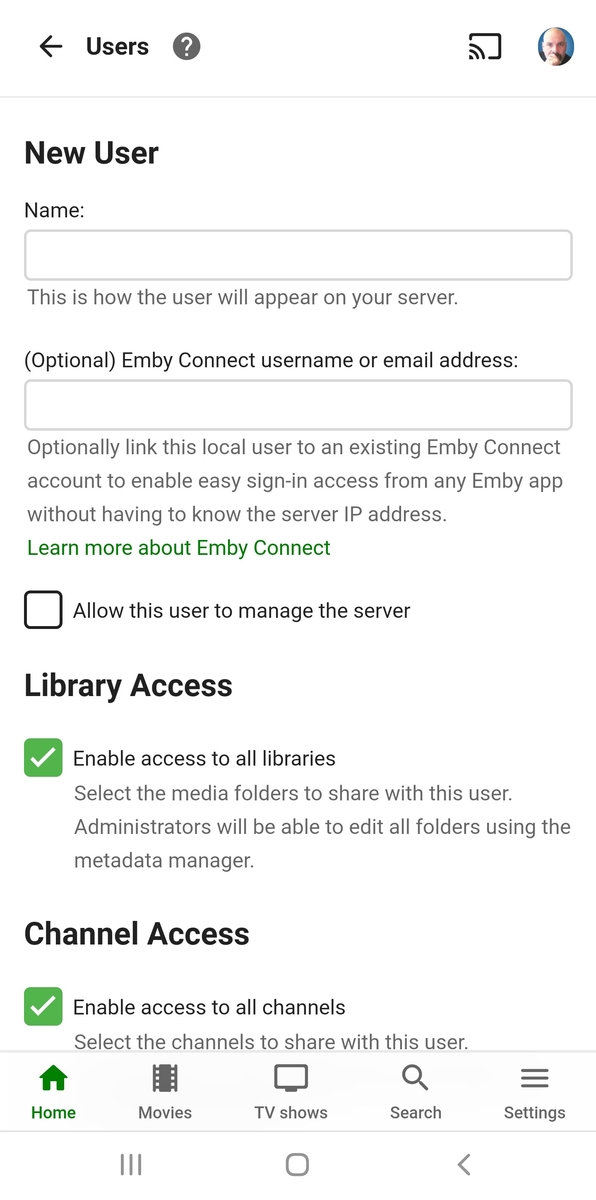
This is all I see today when adding (same on web, windows app as well as mobile web and mobile app)
 1 point
 -
Hello @chef, is there any way to specify the files to be deleted on the part of the name? Currently this is only possible with file extensions.1 point
-
Actually just the option to deselect themm all and just pick the ones you need would be very helpfull. But yes having some CLI to get rid of some large groups would be helpfull.1 point
-
Good morning from Germany @chef, yes, with the trick it works again. Only as long as it is active, but it works. And yes, I couldn't keep my hands off the Skip Intro Plugin as a seriesjunkie. ^^ Hopefully it will be over with time. Those who try new things also have to live with what they need. I'm more than happy that someone is dealing with the topic. Unfortunately, I don't know much about it.1 point