Leaderboard




Popular Content
Showing content with the highest reputation on 09/24/21 in Posts
-
Two things - it's transcoding in software and doing the whole thing as fast as it can. I don't know why your server would shutdown from the load, could be any of a number of reasons. You could try: - Getting the drivers and setup needed for HW acceleration working. I have no idea how well supported your APU is. - If the server setting Transcoding Thread Count is set to Auto then change it to a lower value, 3 or even 2. If it's already set to a higher number or Max then try Auto. These are meant to reduce the CPU load but the playback on Chromecast will still try to convert the entire file. Lower threads would slow that down but still faster than playback fps so you shouldn't see a difference.2 points
-
Thank you both, I always assumed that is the logic - as same does apply on my Croatian/Always mode, whatever item is played with English subs, even for a second, gets remembered. However, same does not apply on None mode, tested both on AndroidTV app and WebApp, put a movie on each, selected Cro subs, smoked a cig (so 4-5 minutes playback) - NEITHER is remembered, both default to Off upon revisit.2 points
-
Yea, my NAS does no HW transcoding most of my clients are family members connecting remotely, so I have to limit their speeds which in turn means it will always be a transcoded stream. This is why I opted to have a dedicated PC with a dedicated SSD drive for the temp transcoding folder and dedicated GPU for HW transcoding. The only direct playing is me playing locally.2 points
-
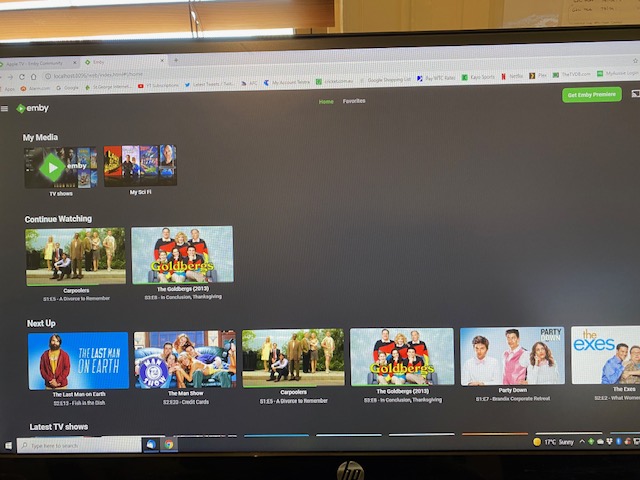
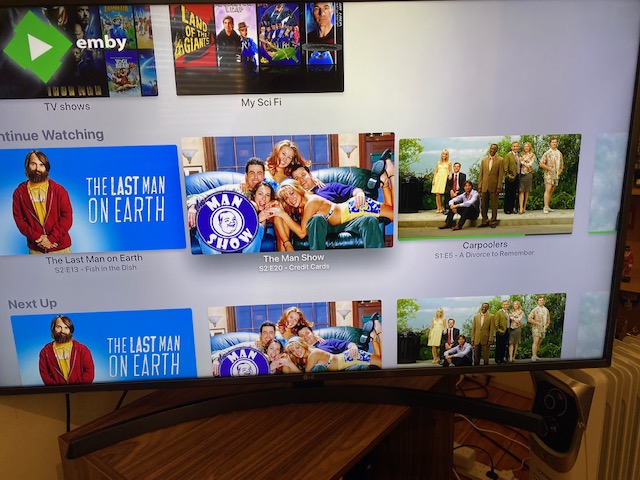
Hi folks (new here), I have put in Next Up (legacy) as I want to separate what I am currently half way through watching and whats next up. It works perfectly on the website (see pic 1) but on Apple TV it is all mixed in with Next Up (pic 2). So basically the two rows (CW and NU) are identical on Apple TV. The two shows I am currently watching are 3rd and 4th along in the row along with all the other shows. How can I get my Apple TV setup to mirror exactly what I have in My Library on the PC? Maybe this is a bug that about to be fixed at the the next Apple TV update which I believe to be imminent? Please help, many thanks in advance
 1 point
 -
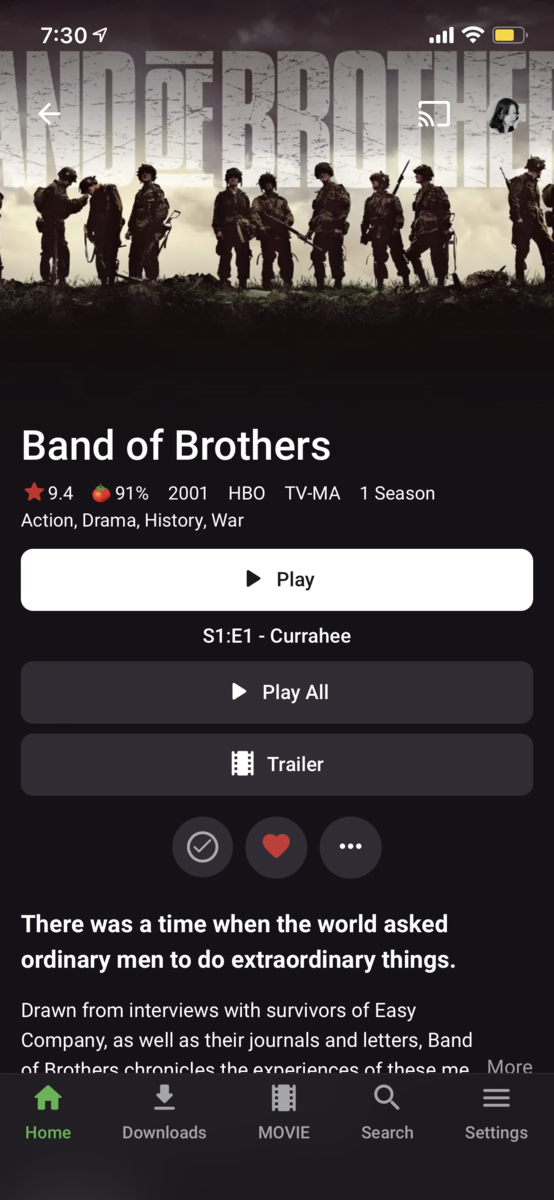
Are the buttons intended for this update? Small and round shapes are much better before.
 1 point
 -
There could be but, in your case, probably not.1 point
-
That is just the nature of ffmpeg as it uses as much power as it takes to get the job done. Also as mentioned throttling fails when casting to Chromecast so the entire file gets transcoded all at once, instead of as needed. If you system is shutting down with this intensive task then yes it may not be up to the task. A guess is it maybe overheating and shutting down to prevent hardware damage.1 point
-
I've read about going over 8GB but never knew anyone that had done it. Definitely good to know for an upgrade path. Also, which hardware transcoder do you like? I'm playing around between the QS one and the VAAPI but see almost no difference performance wise between them, but then again I'm only streaming out to a single client FYI - nbd since @kandimanhad already done the memory upgrade but the linked memory wouldn't work in a DS918+, another change was that they went from DDR3 memory in ours to DDR4 in your 920+ and other 2020 models.1 point
-
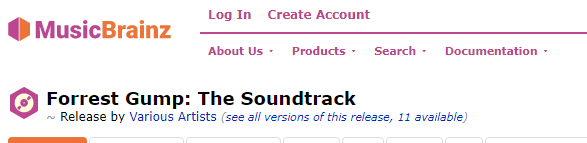
Es gibt mehrere Themen dazu, aber Alben benötigen dasselbe Album und denselben Album-Interpreten, um in einem einzigen Album gruppiert zu werden. So sollte zum Beispiel der Forrest Gump - The Soundtrack einen Album-Künstler von "Various Art" haben There are several topics on this but Albums need same Album and Album Artist to grouped into a single Album. So for example the Forrest Gump - The Soundtrack should have a Album Artist of "Various Art
 1 point
 -
Yes, that is a very good idea......... Thanks As I think about it, Emby MUST check for season numbers to decide if that episode is already in the library. What if, Emby also checks the season "name" to see if it is already in the library ........ The season names ARE the same, just NO numbers from "Decades".1 point
-
Thanks Luke I'll check it out!1 point
-
With those speeds you should have absolutely no issues.1 point
-
I bought the set weeks ago, finally getting around to ripping it. Wouldn't you know, I'm sitting here watching all 10 hours of it so good, best war documentary ever.1 point
-
Thanks, I didn't even know that existed, haven't seen it yet. Just ordered it, will be here tomorrow. Continuing the saga...1 point
-
Great info! I think I'll give it a shot and see how it copes via WiFi. Most of my clients are family members connecting remotely. Since I no longer have access to Fiber, the most I can upstream right now on my plan is 20mbits. So I have to limit my streaming speeds for clients at 2mbits which means that ALL my clients will always be transcoded. Only direct play is me when playing locally.1 point
-
That sounds reasonable, I have it as Always so never looked into it, just made test with: 1. Preferred audio language: Swedish 2. Preferred sub language: Croatian (as I have no swe subs), although it is irrelevant in this scenario 3. Subtitle mode. None Played english audio movie: a) If subs selected prior playing movie - NOT remembered b) If subs selected during playback, from OSD - NOT remembered @ebr, is there a time limit for how long an item had to be played for subs to be "remembered"?1 point
-
"Smart" wil load your preferred language subtitle (in your case Swedish) whenever audio language is NOT your preferred language (in your case I don't know what audio language you have as preferred).1 point
-
No, since your PC is doing the processing, you'd be doing it twice: NAS>PC>NAS. Ideally, transcode-temp would be on a dedicated SSD in your PC, although any path will do, faster acces to it - better the performace. There's nothing wrong with that setup if you leave transcode-temp folder on your PC, your WiFi will likely have more than enough bandwidth for content access and streaming, everything else would be done on PC. Depending on your needs, of course, and number of users, and how high the bitrate of your media items generally goes. For reference, currently I have 10ish users on purely WiFi setup, there ain't a single wire anywhere, with my NUC (and laptop as a substitute every now and then when NUC is down for maintenance, both connected wirelessly to the router) running server and handling all transcodes, which are usually 5-6 at any given time.1 point
-
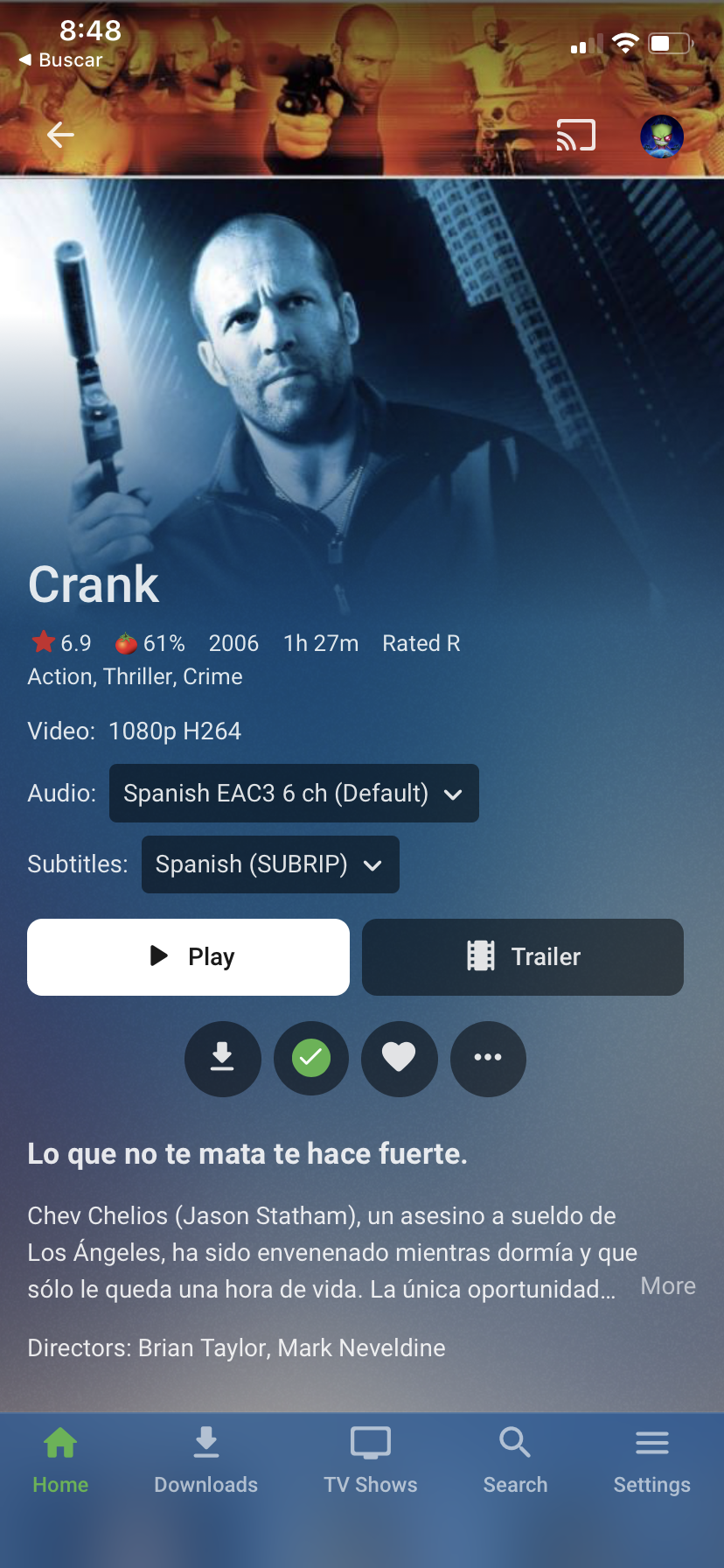
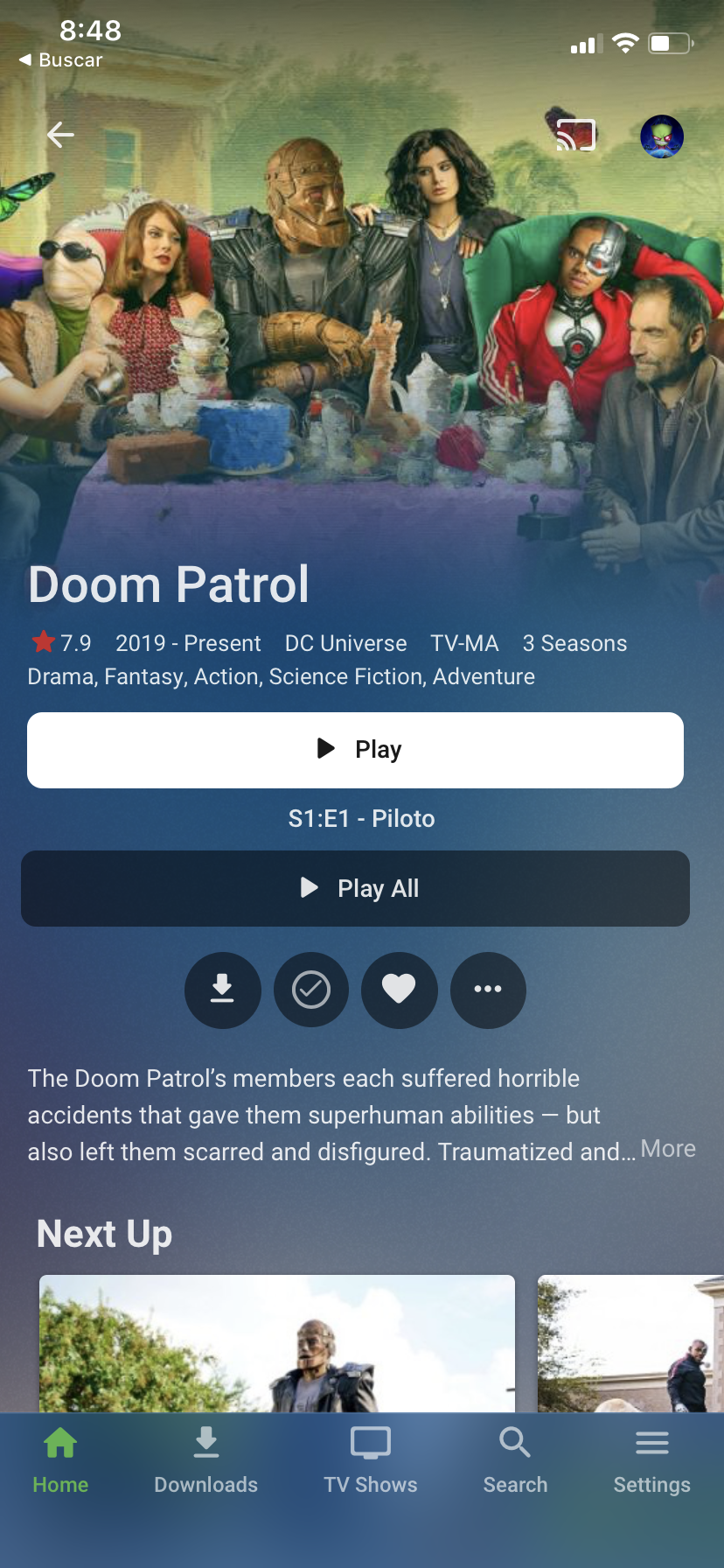
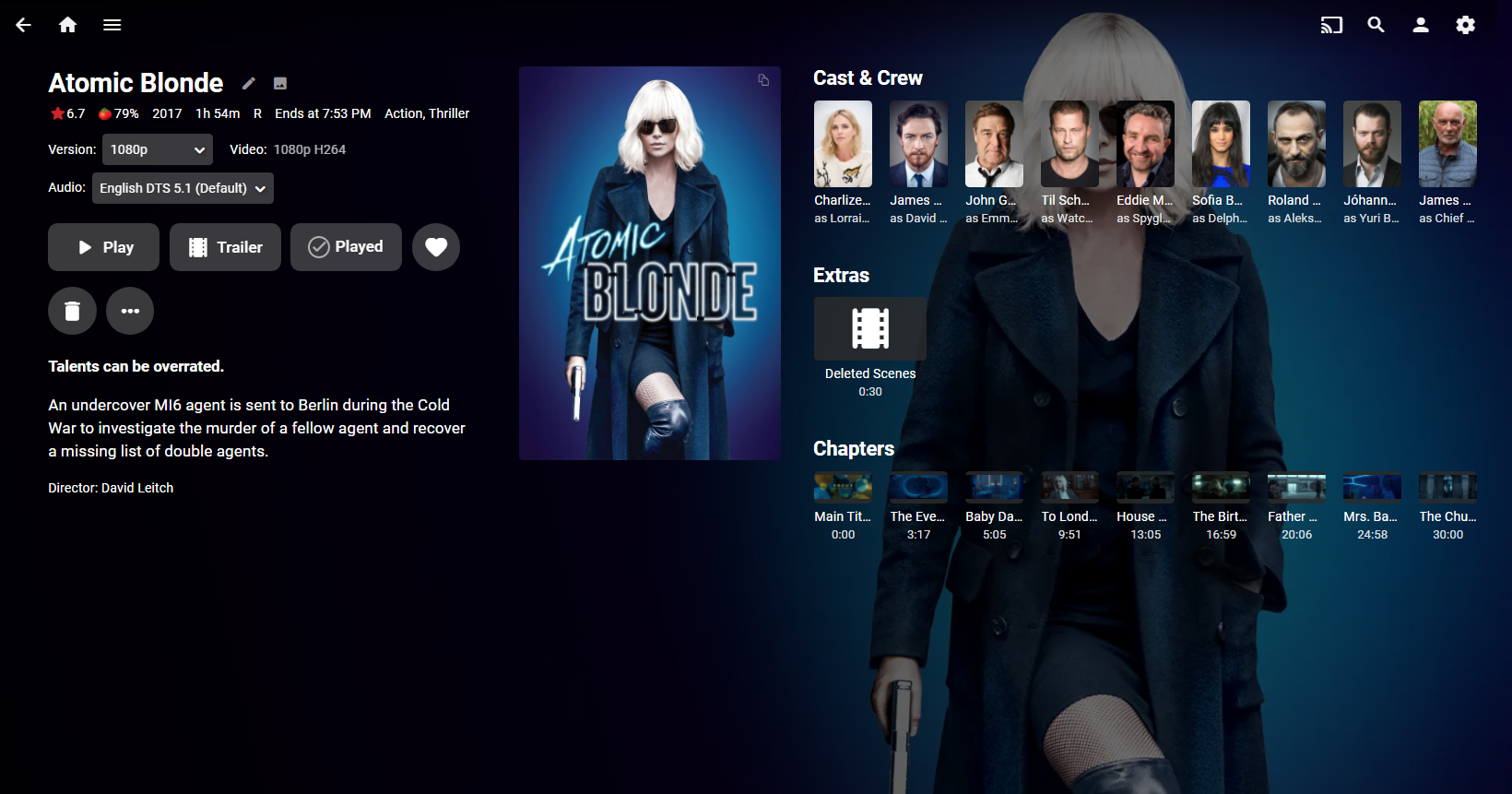
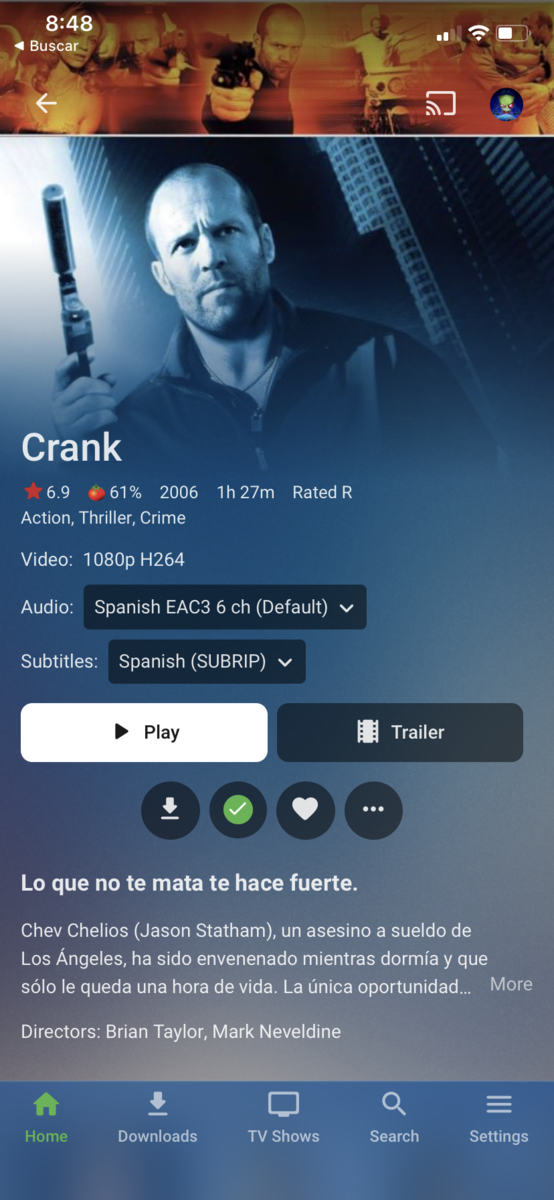
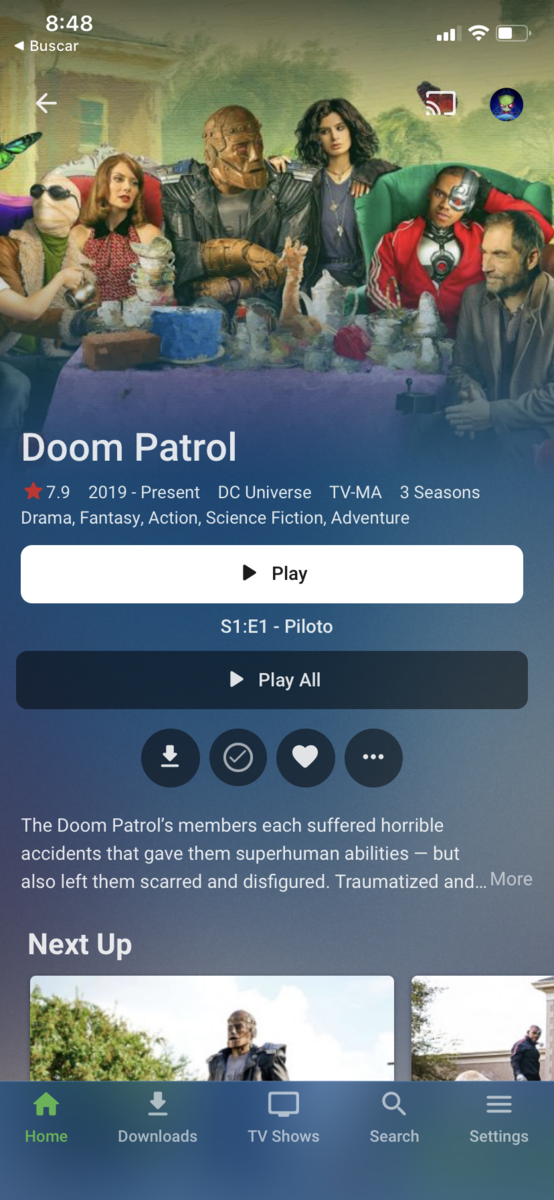
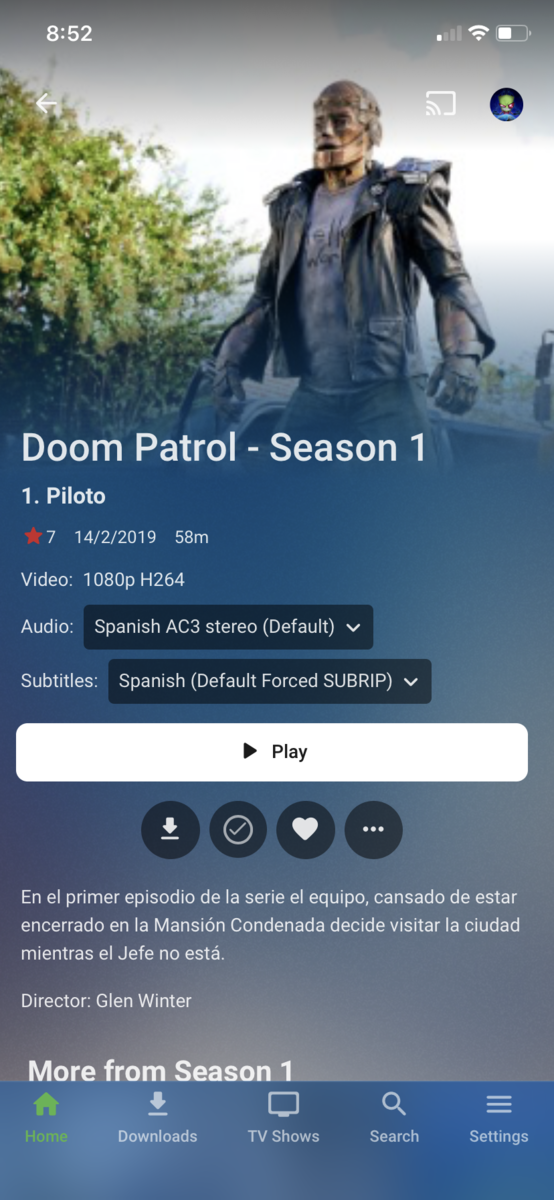
I think the buttons need to have more consistency too, between the movie and tvshow view, and full width (horizontal length) is overkill. Just my opinion.
 1 point
 -
Could we, in that case, have those Play and Play all halved and put in a single row, to at least make it look like something concise, cause Full width button-Row of text-Full width button-Round buttons really doesn't seem so. And that's an understatement.1 point
-
Is there a possibility to put a translation engine in the different Emby apps? As Google does this through its translation mode on its web browser. When you translate, it translates everything from the emby server and also the metadata to your desired language. (This is just an Idea) regards1 point
-
Nope, it ain't only you, that redesign didn't sit well with me either (to say the least), which is an odd occurence, as I usually do like where the Devs go with updates and design choices implemented. Old design would look even better with Play button present in the buttons row and increased padding, hence utilizing full width of the screen. Those full width buttons look almost ridiculous on large size screen, with literal WTF effect - and not in a positive way. However, it has obviously warmed up to majority of the users as it looks like it's here to stay, so not much to do but bite it down, hoping I will swallow it at some point.1 point
-
not really sure how windows docker works but it seems to me you need to map your volumes. hve a look here https://hub.docker.com/r/emby/embyserver1 point
-
@Cheesegeezer Hi, this is the guy from Youtube. I found the bumpers, thanks soo much. The one I really want isn't there though, it's the one with the Emby logo. Also, two questions, firstly, I tried using an Imax intro, but it plays 3 times, once after each segment. Is it possible for it to only play once at the start? Secondly, can I select which users have access to Vantage? I have multiple users on my server and while setting it up, my 10 year niece and her 7 year old brother tried to watch Captain Underpants, but were greeted with the trailers for Bye Bye Man and Wrong Turn.....they're scarred for life. lol. Is there a way to at least keep using the plugin but for myself only? Thanks again!1 point
-
I record to an m.2 SSD then use MCEBuddy to strip commercials, convert from mpeg.ts to HEVC.mkv then move them into my 65 Tb Drive Pool. @cayars assisted with this.1 point
-
Thanks for the advice on the nvme I might invest sometime in the future.1 point
-
I must say, this is an extremely useful plugin. Thanks a lot @chef! I did have issue with inputs from subbed anime releases, but what I did was stage the files and rename prior to injecting them into the watch folders. The issue being that the metadata search was not finding any relevant results. I'm not too sure how it internally handles my input. Giving it a more meaningful format and removing some texts clarifies it for the search to work. However, the unedited files still work when just placed inside Emby's media library folder. This got my head scratching a bit. For anyone who may be interested on how: Use the rename (PERL rename) utility on linux that uses a RegEx substitution syntax with the following RegEx: rename 's/(\[\w*\])\s([\w\D]*)\s(\d+)\s\(\d+p\)\s\[\w*\](\.mkv)/$2 S1E$3$4/' * This is valid for the following name strings with the caveat of replacing the Season identifier at the end with the appropriate Season number (.e.g. S1 for Season and S2 for season 2): For the last one you'd want to change the RegEx as follows: rename 's/(\[\w*\])\s([\w\D]*)\s(S\d+)\D+(\d+)\s\(\d+p\)\s\[\w*\](\.mkv)/$2 $3E$4$5/' * For anyone wanting to use these, add the -n flag to test it out first. After which, I just let Emby do the minutiae of managing the files in bulk.1 point
-
Why do the extra files bother you? Do watch your recordings through Emby or a file explorer?1 point
-
This may or may not work. In 4.6 and beyond collection information is kept in the database and not in xml files. Emby should store the collection info in NFO files which can be imported on the other system. So what I'd ask you to do is check the files that make up any collection that's missing and see if there is an NFO generated and if it has the collection info in it. It's possible you turned on NFO writing at some point after the library was already in use so you would not have some NFO files (until the metadata is changed).1 point
-
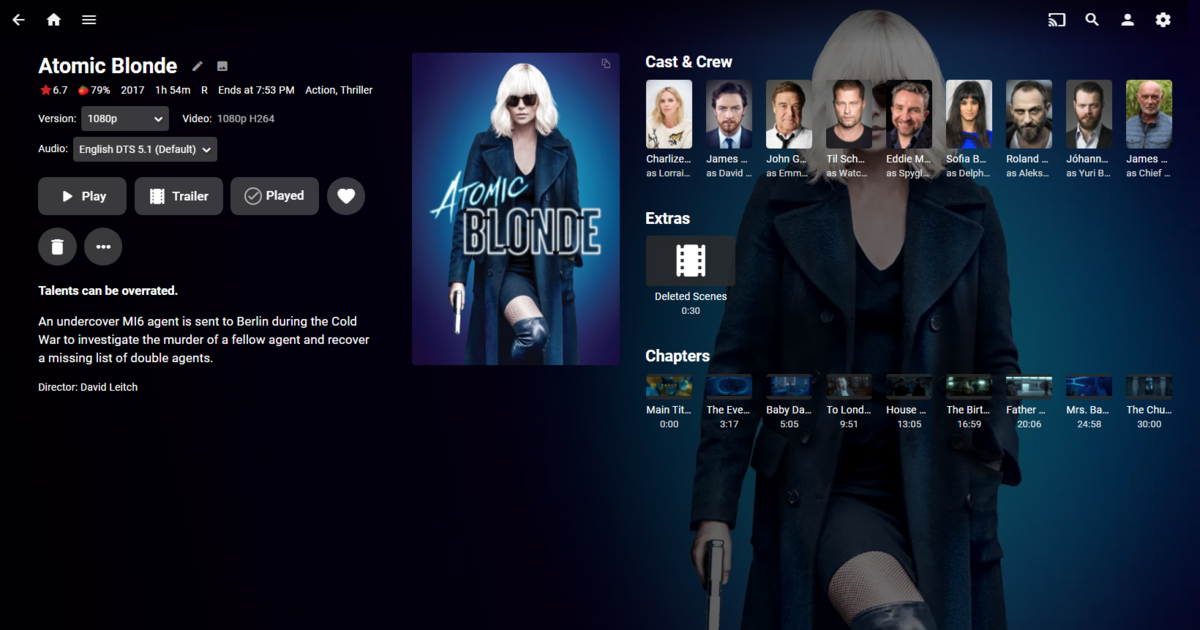
quick and dirty but works pretty good on movies, can scroll right side but hide the scrollbar (mouse or arrow keys). But as mentioned about this affects all content types unless you apply pageids to each content type htlml and target code per page. But obviously can be tweaked to fill space better. Removed logos as there size differences was problematic depending on where you want it. Each sections is still scrollable but overlaycards are not scaled. div.detailMainContainer { width: 45%; } div.detailImageContainer { left: 68%; } div.detailTextContainer { position: absolute; width: 28%; } div.details-additionalContent { left: 54%; width: 45%; top: 0; position: absolute; margin-top: 4.5em; height: 30em; overflow: scroll; } div.details-additionalContent::-webkit-scrollbar { display: none; } div.details-additionalContent .portraitCard-horiz, div.details-additionalContent .smallBackdropCard-horiz, div.details-additionalContent .squareCard-horiz, div.details-additionalContent .backdropCard-horiz { width: 5vw; } div.detailLogoContainer { display: none; } div.detailImageContainer-main.detailImageContainer-portrait { width: 40%; } div.overview-text { display: block; } div.details-additionalContent div.scrollSlider, div.details-additionalContent h2 { padding-left: 0; }
 1 point
 -
Here are the current goals for the next release: Enable User Fonts Add New release/Newly Added Time Rule This would allow for showing icons based on when an item was added to a library or release date. Any collection rule option Apply to Folder specifier And to be clear: Work hasn't started on any of these yet. I don't know when the next release will be published. Any given feature might not end up in the next release. The final outcome for a feature could be 'no'.1 point
-
Report sent to developer! (yay!) Debug option is under "general display" I'm sure I seem like a moron, but, there is also a debit option on the server management web page-- and it doesn't really specify. God, I feel like I bother you people constantly. I am sorry.1 point
-
Hi, Open Movie Database does not have any language options, so if you set that as your top priority provider, then essentially you get whatever they have. Either that's the reason, or perhaps you have a pre-existing nfo file containing the title and therefore Emby is using it.1 point
-
You'd only need to keep the fingerprint of the most recent season with more than one episode, though.1 point
-
Is that the latest Google Chromecast with Android TV ?1 point
-
As the message states you need to grant at least read access permissions to the folders and files on the disk. Is the internal drive formatted with NTFS? Ext? Any other type of FS? Depending on how are the current permissions settings it may be enough to add the emby user to the group that have access to the files. Another approach would be to change the file and folders ownership; or change the ownership plus the perms. A quick and dirty fix would be to run this commands as root: chown emby.emby /media/sean/1TB -R chmod 755 /media/sean/1TB find /media/sean/1TB -type d -exec chmod 755 {} \; find /media/sean/1TB -type f -exec chmod 644 {} \; Is not the best approach but it should work. This commands will: Change the ownership of all the files and folders on the disk to emby user and emby group. Give read and write access to the mount point for emby user and read access for group and everyone. Same as 2 but to all subfolders, recursively, under the mount point. Same as 2 and 3 but to all files, recursively, under the mount point. You must read/learn about users, groups and file permissions in Linux. There are loads of information about it in google. Hope this solves your problem. Happy new year and welcome to Emby! Edit: fixed html characters that broke the commands Sent from my iPad using Tapatalk1 point