Leaderboard




Popular Content
Showing content with the highest reputation on 09/08/21 in Posts
-
Overall I would like the clients to offer a skip button. Chapters are a fine thing to do now, but in the future, if the data is solid enough, that is what I would like to see.5 points
-
This should be the default setting at 2 and let users increase it.2 points
-
If you don't want to help - that is fine. We are just trying to get to an intermediate step. NONE of my shows from retail disks have a chapter start and stop point for the Intro - they just expect you to press 'next chapter' when the Intro starts. Why would anybody want to skip to when the Intro STARTS ? But we need that if we want Emby to pop up the button with the 'Skip Intro' - I'm not sure why people don't get that...2 points
-
I've done it Now we save it back using the ItemUpdateService.2 points
-
New version available 6.0.6 build 45 (ex6): delta changelog: - studio info fixed - cast fixed - rating fixed - fix progress report when playing native Kodi content - fix for musicvideo progress - fix unicode loghandler issue2 points
-
At least it's not at the pool hahaha!!! just update git and i'll download, I think it needs to be implemented as part of the plugin because the videoOSD would need to see the chapter marker in order to create a popup "Skip Intro" button that appears at the start and disappears at the end of the Intro.2 points
-
Yesterday morning, I brought the desktop over to the shop I bought it from 3 years ago. Owner called me a few hrs later to confirm the motherboard had a power issue. As it was still well within its 5 yr warranty, a RMA process is underway with asus.2 points
-
See the example above - this is the reason for the discussion. Yes it works fine for Intro's 'anywhere' in the first 30% (?) of the show duration. If the Intro was at the start - then we could simply write the IntroEnd - hit 'next chapter' and off we go...2 points
-
I think you nailed it. Episodes added during the night are added to the Kodi dB. Also the long standing issue I had with metadata updated with tmm not being synced seems to be fixed. Edit: checked on both Shield and Fire TV, everything is now working on both devices.2 points
-
i have, i changed the environment file, made and edited a second systemd service file and bin/emby-server, and a new dir in /var/lib for the embydata variable. and it works. thanks edit for others: make sure you stop the first instance on first run because it will try to use default ports, or change the ports on the first instance and restart it before trying another instance, or it will fail2 points
-
Hello quickmic, I like your addon very much. I had in the German Kodinerds forum already a small exchange. With your addon embyforkodi nextgen, the local trailers (which I have in my media directories), only played in "native mode", never in addon mode. You fixed that now and it works very well. But what doesn't work at all for me in the version 6 is to call up the information of a movie in the movie list with the shortcut"i". This is only possible via "c" and then select information from the context menu. And what never appears in the version 6 is the cast of a movie. In the 5 version this works perfectly, but the trailers do not. As you can see in the pics below: Is this already a known issue? This is from 6.0.6 build 32 (ex3) and this is from 5.3.4 It is a bit irritating that one file is from 07.10.2004 and the other from 08.10.2004. It is the same folder, the same scan, just different versions of your addon. In the movie nfo it says 08.10.2004
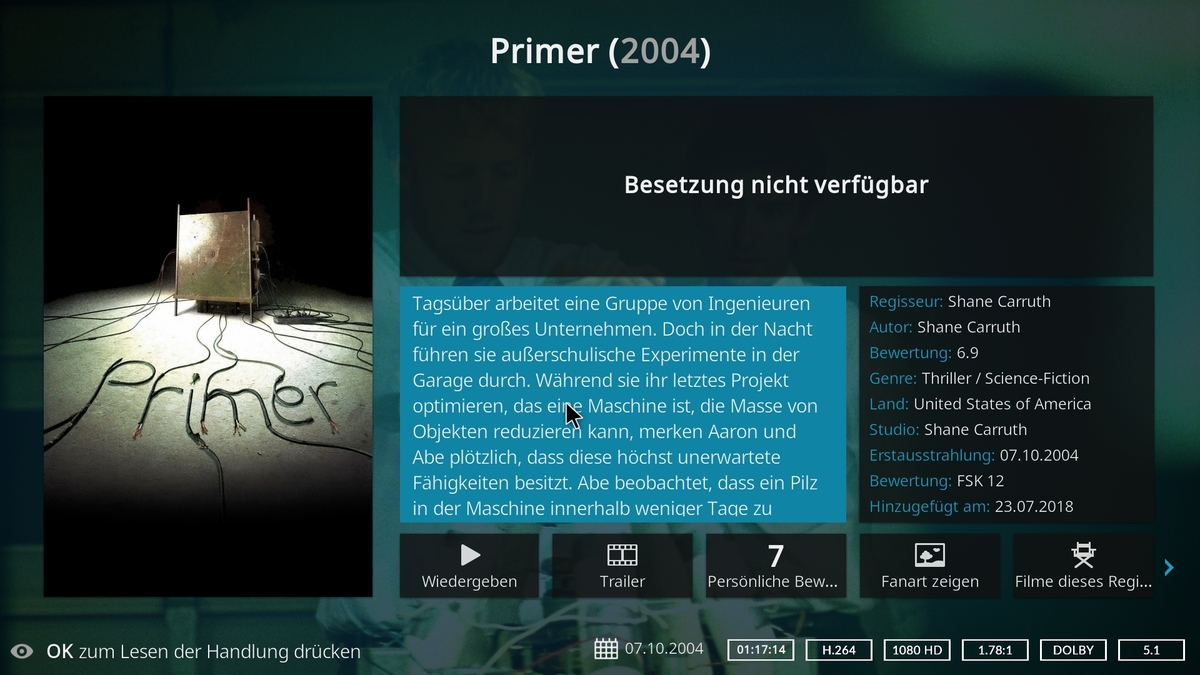
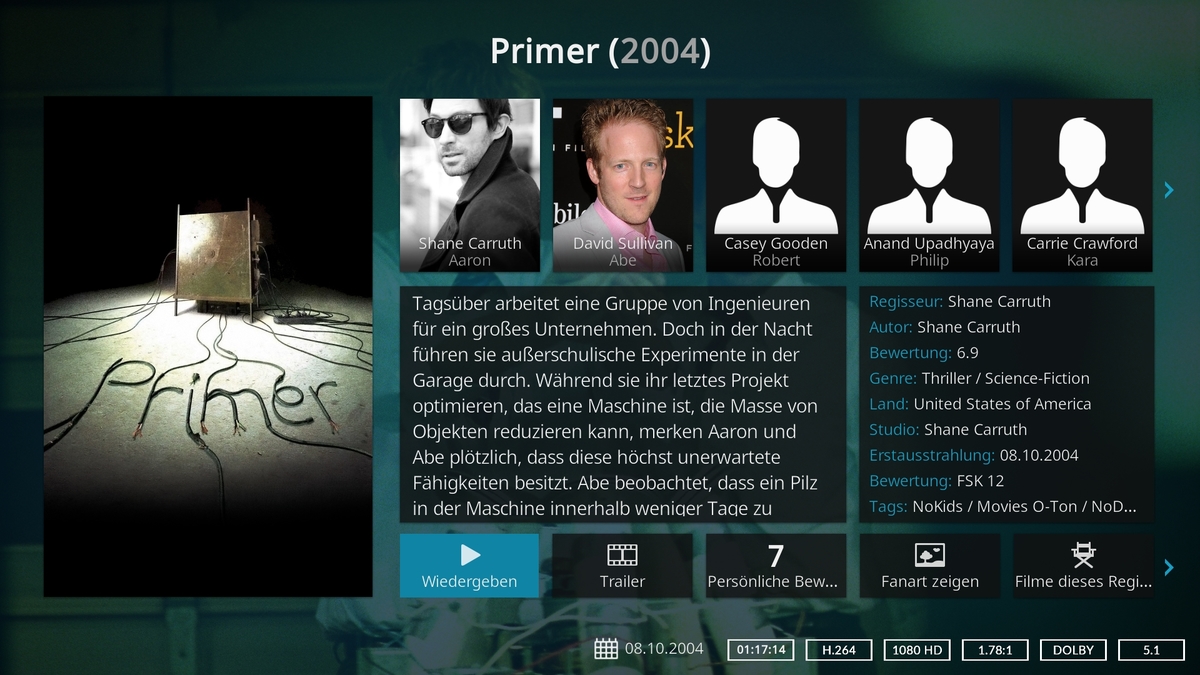 2 points
 -
My request is to be able to chose to add items to the home screen. Specifically in my case, I am thinking of playlists and collections. Here's some reasons I'd like to see this: The home screen is the first piece of the user interface a person will see when they pull up Emby. I often places movies in bulk into my media library. This sometimes means people never see the new movie I've made available. Happens a lot, actually. While all movies are searchable or can be found by sorting, I believe the interface would benefit from having the customization option. I have created a "Justin Recommends" collection and would LOVE to be able to put that on the home screen. By keeping this optional, no one is forced to use it. If you don't have a use-case, then it's just a feature. If you look at things like Netflix, many movies and shows get "featured" and by doing that, a lot of people end up watching that wouldn't otherwise (imagine if The Tiger King was just another buried documentary you had to hunt for, no one would have heard of it). I appreciate your time. If you've considered this before and decided against for reasons other than difficulty implementing the feature, I'd ask you to reconsider. I believe that being able to customize our servers helps us personalize and tailor them to our audience and our needs, and that helps promote a feeling of ownership. I also truly believe that this small change could lead to some powerful results. In my case, I know that it would be of huge benefit to accomplishing what I would like to do with my Emby server. Thank you.1 point
-
I think it'd be nice if there was an option to bookmark parts of videos so I could quickly jump to my favourite parts.1 point
-
It would be nice if we could have an additional level in audio books for book series, rather than just author, book, chapters. It would be nice if they were listed in series order too. Author > (series) > Book > Chapters. I just realised.. this is probably not really doable if you're pulling data out of tags in the file... ah well. I guess it'd be more hassle than its worth, I dont see many people opting to add in series tags into each of their files...1 point
-
This will probably need to happen after books are treated as a single item regardless of tracks, but be able to bookmark various spots in the book and jump back to various timestamps. Might need to account for playback speed. Raising concern here for the checklist.1 point
-
What if instead of having it auto handle those, you changed it to allow more than one watch folder and destination to be set up? So if I put a file into watch folder 1, it goes to destination folder 1. If I put it in watch folder 2, it goes to destination 2. This would be ideal for me personally. I have multiple libraries for both shows and movies with my files separated into folders based on resolution. It looks like this: Movies Library Folders: 4K, HD, SD Kids Movies Library Folders: 4K, HD, SD I would love to be able to set up a watch folder for each of those folders and have auto-organize move them to their respective library folders. So if I drop a file into KidsMovies4KReady, it moves it into Kids Movies/4K. Currently I have to manually change the Default Movie Library every time I have a different type to add.1 point
-
Check out Auto-Grouping plugin, it works accross folders.1 point
-
I would like to chime in here, a listening event is already in the client on run time ticks and chapter markers, i believe. Or it used to be anyways. I will have to check again, It wouldn't be too difficult to add this. Essentially we are creating 2 flags and a listening event... 1. when runtime.ticks = chapter.introstart.ticks display a onscreen button... or when chapter name = "Intro" display onscreen button until Intro chapter ends 2. if the introskip button is pressed.... move to next chapter (already in the code) it's like select chapter button. Lets get the nuts and bolts of the plugin working first and accurately, we can worry about bells and whistles later.1 point
-
Wouldn't that be nice ! With HUGE respect to @chef, I do not think Core functionality is going to rely on a PlugIn Database for the lookup. There is a Core Chapter table - it contains all the chapter points of every film and every show. We need to get the IntroStart time from 'somewhere' - it maybe in this table with a special Chapter Name ? It may be in another table entirely ?1 point
-
They don't have anything. They're basically just home videos but I name them as episodes and put them in a TV library because it seems like the best presentation for them.1 point
-
It seems the size issues are resolved so I will get back to helping test the new plugin you added above... I had to step back as my nas was crashing because of the size issues. Thanks again everyone for the hard work.1 point
-
Found the problem, will be fixed in next version.1 point
-
OMG your name is program. You are very quick! I have checked the new build, but unfortunately the cast problem isn't completely fixed. It is working with movies, but not with series This is from 5.3.4 and this from 6.0.6 build 45 (ex6)
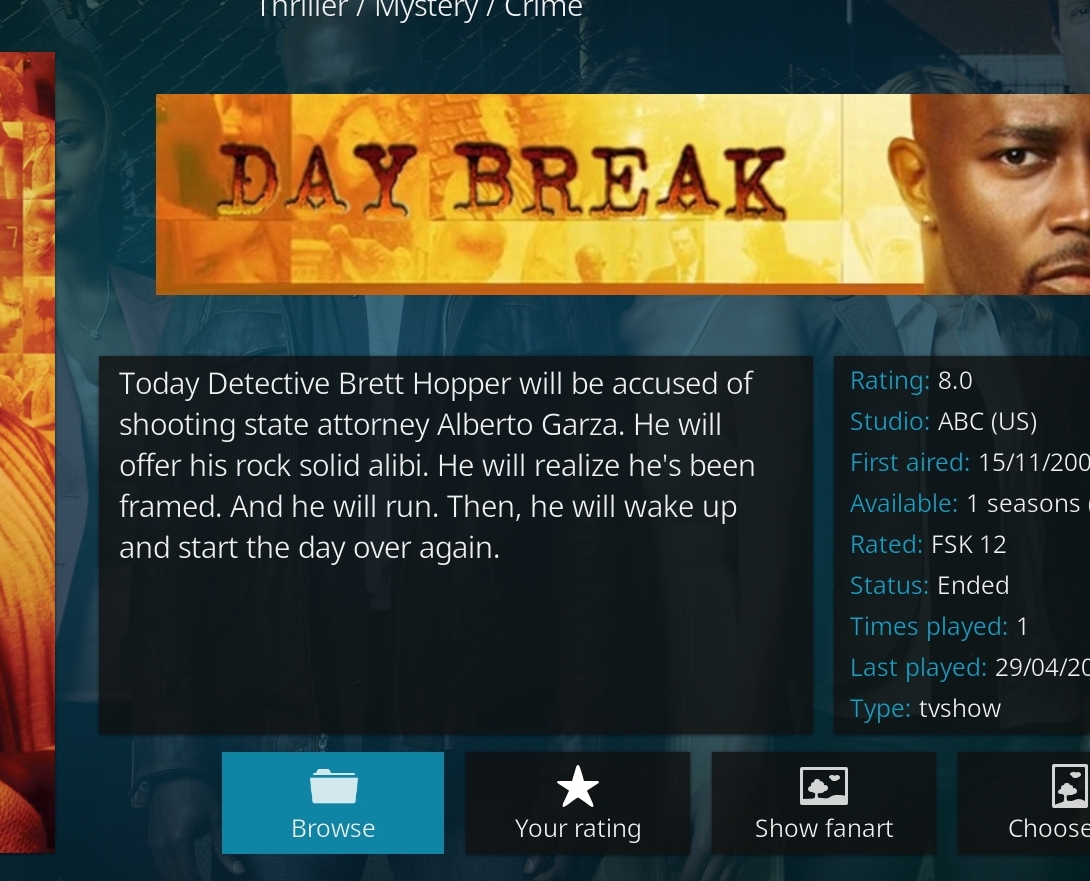
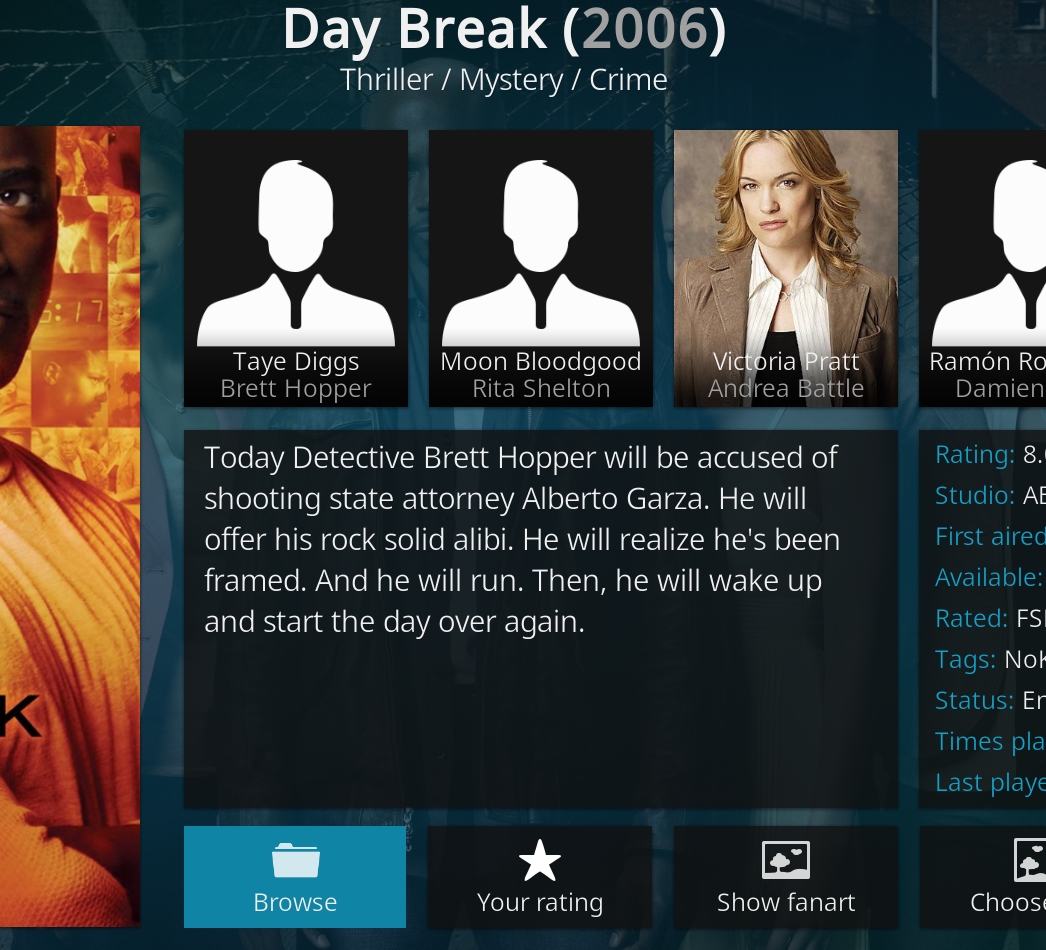 1 point
 -
It's all in the ItemRepo. Create a field, Initialise it and then use the GetChapters() to get the list, insert the intro and then SaveChapters() with the new intro added private ILibraryManager LibraryManager {get; set;} private IDtoService DtoService { get; set; } public static ChapterManager Instance {get; set; } private IItemRepository _ItemRepository; private ILogger _logger; public ChapterManager(ILibraryManager libraryManager, IDtoService dtoService, ILogger logger, IItemRepository ItemRepo) { LibraryManager = libraryManager; DtoService = dtoService; _logger = logger; _ItemRepository = ItemRepo; Instance = this; } public void EditChapters(long id) { var item = LibraryManager.GetItemById(id); var itemDto = DtoService.GetBaseItemDto(item, new DtoOptions() { Fields = new ItemFields[] { ItemFields.Chapters } }); List<ChapterInfo> getChapters = _ItemRepository.GetChapters(item); List<ChapterInfo> chapters = new List<ChapterInfo>(); //Lets get the existing chapters and put them in a new list so we can insert the new Intro Chapter foreach(var chap in getChapters) { chapters.Add(new ChapterInfo { Name = chap.Name, StartPositionTicks = chap.StartPositionTicks, }); } if (titleSequence.TitleSequenceStart == TimeSpan.FromSeconds(0)) { //do all the required logic to create a new point and insert to index point 1 in the chapters list, then save the new list _ItemRepository.SaveChapters(id, chapters) }1 point
-
Perhaps. What we'd like to see is the clients implement the button. I'm not as keen on the chapter idea, as I am about having the client skip to the timestamp provided by the plugin. There are the following endpoints currently available in the API: TitleSequenceStart, TitleSequenceEnd, HasSequence This is so the client can request that data with the BaseItem while setting up the stream. The client can look for HasSequence, if its true, show the button at the TitleSequenceStart timestamp using the PlaybackProgressEventArgs, Then skip the stream to TitleSequenceEnd, if the button is pressed. But, for now, we can allow the user to edit their chapters if they want, even though overall a button would be preferred. Yes, it will run on Synology. That device was one of the first test machine. It just takes a while to get all the info.1 point
-
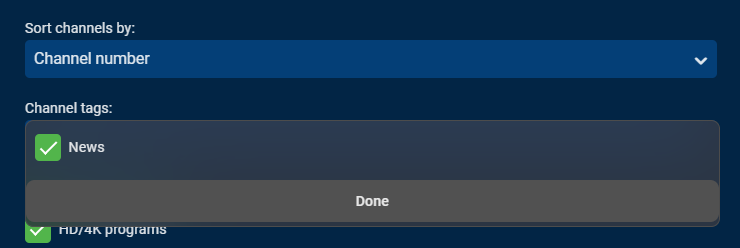
If using tags to show items via parental restrictions then you will never see any items anywhere that doesn't have a tag. This is likely not the expected outcome you are trying to achieve. If you want your wife to have access to all the normal content but only channels with a tag in Live TV then what you want to do is tag only the channels you want her to see then set a filter for those channels right in Live TV. The tags in Live TV work like groups. If you click on the 3 dot menu you can then do something like this to show only news channels:
 1 point
 -
It's something that could be added1 point
-
Emby took for this serie the wrong metadata. I changed it and now it is seen as a serie. Tonight this serie will be recorded and I have seen earlier that it was recorded into a different new added folder. I will see what happens tonight and let you know.1 point
-
Hi, I try the new Experimental on Windows 10 PC in Kodi 19.1. It works fine, and extrem quickly!1 point
-
I don´t know if this is important @Luke, but I forgot to tell you that the file sec.txt is still empty.
 1 point
 -
We'll take a look at that. Thanks.1 point
-
I edit the meta data directly for the individual extra in Emby which changes the nfo for each. That changes <sorttitle> for each to something like "Bonus 1", "Bonus 2", etc.1 point
-
Chapter thumbnails are working now, they're a great help for long titles. It seems Emby won't generate thumbnails for files that have already been added to the library. Thumbnails aren't shown for FF/Rew on my devices but the 5-min chapters solve the problem. Thanks for the help everyone!1 point
-
here is the log kodi.log1 point
-
I've altered the ChapterManager Code to just use the Mediabrowser.Model.Entities.ChapterInfo set the start time ticks and name and also insert at chapter 1 position. Question Chef, Did you add the code to run ChapterManager and on what task is it run. At the end of Sequence detection. I'm just trying it now, but didn't check that bit lol1 point
-
I think so. I think the API is doing that... But, I'm unsure. So I will test it out and see what it does. It's probably best to know for certain what the Api is doing anyway, for future projects.1 point
-
There is no one size fits all answer, that's why you need to try them both and see what works better on your machine with the media that you play.1 point
-
Yes, when i click to update the error code appeared. I got a article to solve this error code here https://appuals.com/fix-windows-failed-to-install-the-following-update-with-error-0x800f0986/ and now success to install the latest windows update1 point
-
The Core emby code/clients are calling the shots on any sort of 'Intro' button. We know this is 'doable' simply because the clients today bring the 'Next Up' to the front of the UI (based on X minutes to the end of the show) - so it just needs something similar to 'watch' for the Intro markers/chapters (whatever you want to call them), show the button when it's hits the IntroStart and remove the button when it hits IntroEnd or you hit the 'action' button and it skips to the IntroEnd - or possibly even Auto Skips if you decided the markers were reliable and accurate. All tbc .. But for me TODAY - hitting 'next chapter' when I see the Intro Start, is significantly better than FWD (30 sec), FWD (30 sec), FWD (30 sec), BACK (10 sec), BACK (10 sec) - to get to the end of an Intro !1 point
-
Hi , I have weird problem with latest experiments version 32 the problem emby stop scanning after movie named (...tick...tick...tick...) The log show something about unicode ! my OS is Windows 10 Kodi 18.9 the beta version of addon working without problems1 point
-
Search flood been changed. So restrict apply to 15 seconds now.1 point
-
I think only DV profile 7 is likely to be supported.1 point
-
This worked for me! Not sure what I installed that would have caused this, but running these commands brought my configuration back. Thank you!!1 point
-
If the PSU is working the next suspect would be the MB, it could be because of a power surge.1 point
-
@lukeoslavia Are you exiting the channels you are watching correctly depending upon what client you are using to watch? This is the big issue. If you don't use the back button for instance on my Firestick then the tuner is not released. If you just exit the application before exiting the channel then emby does not release the tuner....which is complete crap and I have no comprehension how anyone thought this was a good way to do it. I have had to completely stop using LiveTV in my house except on my server for recording movies and show I am keeping in my library. Let a woman or child use emby LiveTV and no matter how many times you explain how to exit a channel an hour later all your tuners are locked and can't be released without restarting something. This is supposed to be fixed in the new LiveTV but no one here will even talk about "when". It's been promised since last year but things move at a snail's pace.1 point
-
Got it! Will do tomorrow and let you know how it's going!1 point
-
This will be in the next release of the server.1 point
-
This happened to me today! Although, as far as I know, I did not experience power loss (or Macos update, or anything else out of the ordinary for that matter). Restarted my iMac this morning and emby server starts on boot as expected, then prompted me to create my first user. Definitely not expected. I went through the wizard, but it did not restore my existing library as I had hoped. I had nearly given up and started recreating my library from scratch, but the above terminal commands got me right back up and running!! Thanks so much for this post!1 point
-
Good to know Plex can play 4K HDR on Apple TV. I have a lifetime Emby and Plex pass, so I will move back to Plex, however I prefer Emby. But I really want to get the most out of my HomePods with Apple TV. Shame on Emby developers and the silence on this matter.1 point
-
I'm going to have the tab just not show for audio book libraries.1 point