Leaderboard




Popular Content
Showing content with the highest reputation on 09/01/21 in Posts
-
I moved from Plex to Emby and even though I think Emby is superior in its flexibility there are some things I like better with Plex, especially in terms of its looks. This theme is trying to fix that by making it a bit more similar to Plex but with some, in my opinion, improvements. The CSS is attached to this post for anyone interested and below are some screens to show it off Good to know I only use Chrome so I can't guarantee this CSS works as expected in other browsers. If you want the sidebar menu to look like in the screens, make sure to pin the sidebar. Watched badge/banderoll is inverted which means that the badge will not be shown if media have been watched, like in Plex. For desired look, please use the "Dark" theme for both Theme & Settings theme in the display settings. Emby-Stable-style-v3.6.txt





 2 points
 -
Thanks again guys. Appreciated2 points
-
Cayars did a remote session and got me back up a running. Many thanks for the awesome support! Way above my paygrade...2 points
-
All TV Shows - hence the issues .. If you'd like to try - I would highly recommend another Emby instance running on a different Port with a small test TV library. You can use symbolic links to create a virtual library in the OS and point your new Emby instance to that - or just copy the files if you only want to test one or two shows .. The plugin does not touch the Emby data or dB's, but it will hammer the resources if used on a shared system ..2 points
-
Thanks FrostByte I think i got the first on of these from you. hope all is going well. Thnaks Again Bdub442 points
-
Am not following. You can disable transcoding on the server settings, users, disable transcoding for the user. Or on the client app go to playback, and set the bitrate limit to maximum size 120mbit/4k.2 points
-
Say I have a custom collection of 56 Christmas movies. During the Holiday Season, I would like to show this on the main page as a Library. Now, I could make a drive folder called "Christmas" and put these movies in that folder. However, now we're getting away from using metadata for organization and moving back to using folders for organization. Something you've spent the last few years trying to get away from. So each collection should have a toggle to show it as a library on the Home Page. Then people can make collections for Christmas, Halloween, Summer Romance, Summer Slasher Films, whatever and show them on the front page where they are easily accessible. Don't want to show it anymore, switch the toggle off.1 point
-
There are no plans to do so because under DSM 7 an installer script can't get "admin/root" access to copy files. We already tried a few different ways. Having the specific one-time migration instructions is likely the best we can do. It's something we would have liked to do via software but it's out of our hands. DSM 7 has a much better security layer in place, so that's the upside. No one knows what the future will hold with DSM 8 (if/when it arrives) so we honestly don't know what will happen then.1 point
-
@cayars Thank you for your suggestion. I tried it and it worked. Hardware transcoding is active and I have no issues while playing a movie that is in need for transcoding1 point
-
Ah sorry no it's in mediaitems - Status=1 (Continuing), Status=2 (Ended). EndDate is stored in Metadata but doesn't appear to be used. there is also an 'IsMissing' Boolean - I'm just testing to see if this flags missing episodes from the entire Show - if yes, then this could also be used to maintain the FP data - maybe.. ?1 point
-
yes, I can now confirm that it is possible from a VU+ box to stream to Emby via Live-TV (but I will have to investigate a little further to get the EPG up-and-running). I use the linux receiver "VU+ Duo 4K SE BT" <-- pretty impressed about the possibilities. A native emby client app running on the VU+ box would be also cool.1 point
-
Perhaps this is deduced from the 'mediaItems' table EndDate having a value ? edit - yea, that's confirmed - a 'Ended' shows has a value here (assume a date), while a continuing show has NULL. While this is true - the 'Status' shows this - 1 = Continuing, 2 = Ended1 point
-
No that's about if it's a full video file or not. It would be false if it were a recording in progress.1 point
-
Ok cool, This code will do it. Just have to find where in the API Emby marks a series as 'continuing'? var processedEpisodeResults = titleSequences.Where(s => s.SeasonId == seasonQuery.Items[seasonIndex].InternalId); if (processedEpisodeResults.Count() == episodeQuery.TotalRecordCount) { if (processedEpisodeResults.All(result => result.HasSequence || result.Confirmed)) //Look for both confirmed or found sequences { Log.Info($"{series.Name} - {seasonQuery.Items[seasonIndex].Name} has complete title sequence profile."); foreach(var result in processedEpisodeResults) { result.Fingerprint.Clear(); //Empty fingerprint List repo.Delete(result.InternalId.ToString()); //Remove the db entry repo.SaveResult(result, cancellationToken); //Add the entry back with the empty fingerprint data } continue; //move on } } @Luke Does the "IsCompleteMedia" flag the item when the series is no longer in production (the series is complete)? or does it mean that the series DTO has a complete set of metadata? Thank you sir.1 point
-
Yes by 'Show' I mean 'Entire Series / All Seasons' (The term Emby uses) but I guess there is no reason why you could not do it per Season - again, as long as the Season is Complete. But how would you know until you got to the end of it ? A single 'show' (and all it's seasons + episodes) is not a problem - I'm testing on 5 'shows' now (~150 episodes) and have zero issues.1 point
-
Sure, why not? It would take less space overall and it’s unlikely you’ll need the data again, unless an episode is unexpectedly added.1 point
-
Can we do it for each season? The reason I ask is because we need Show A's fingerprint to scan Show B. If we scan an entire season and get all the proper sequences, then we can delete the FP for each episode in that season. If the season is continuing we would have to save the FP data, but everything else could go.1 point
-
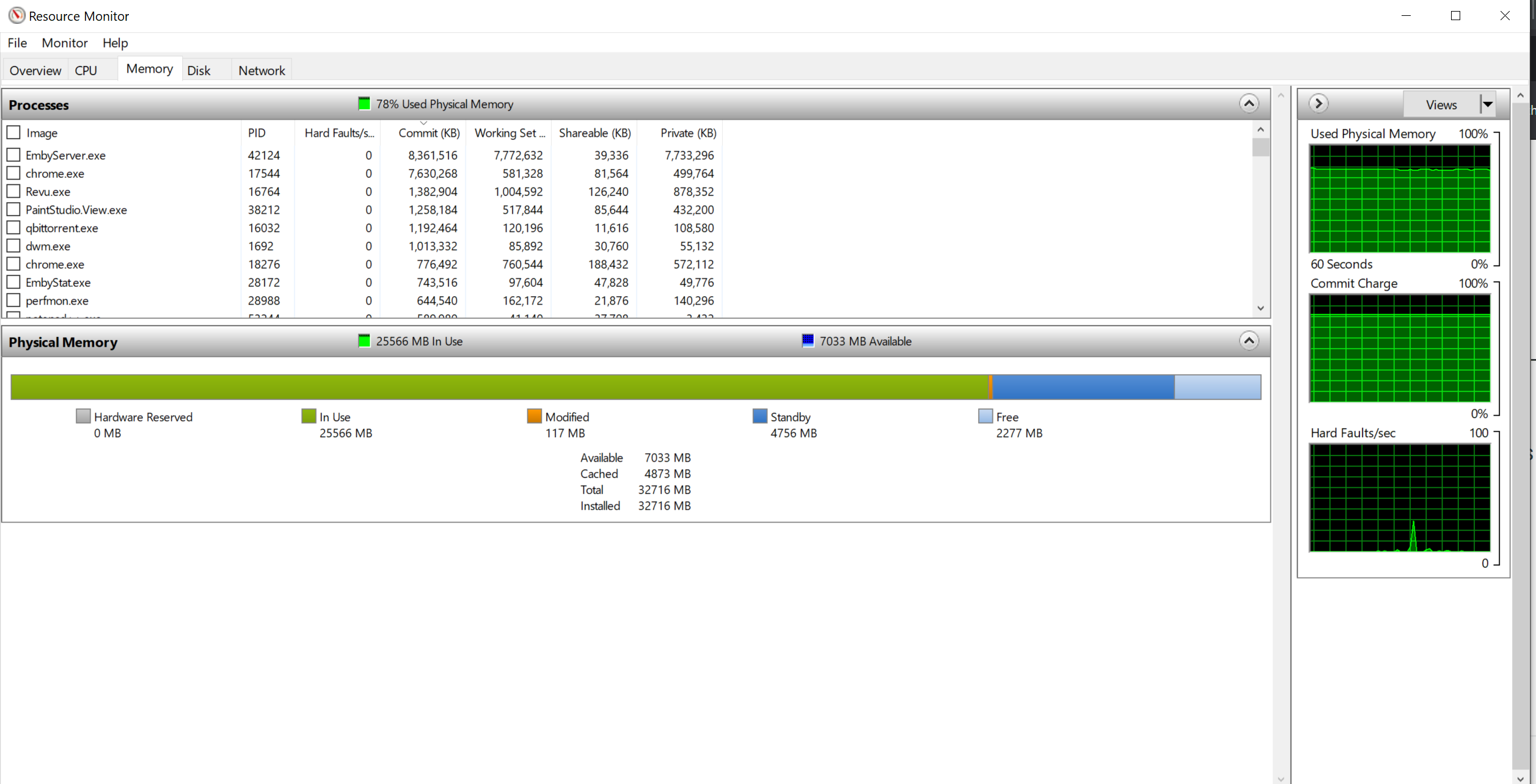
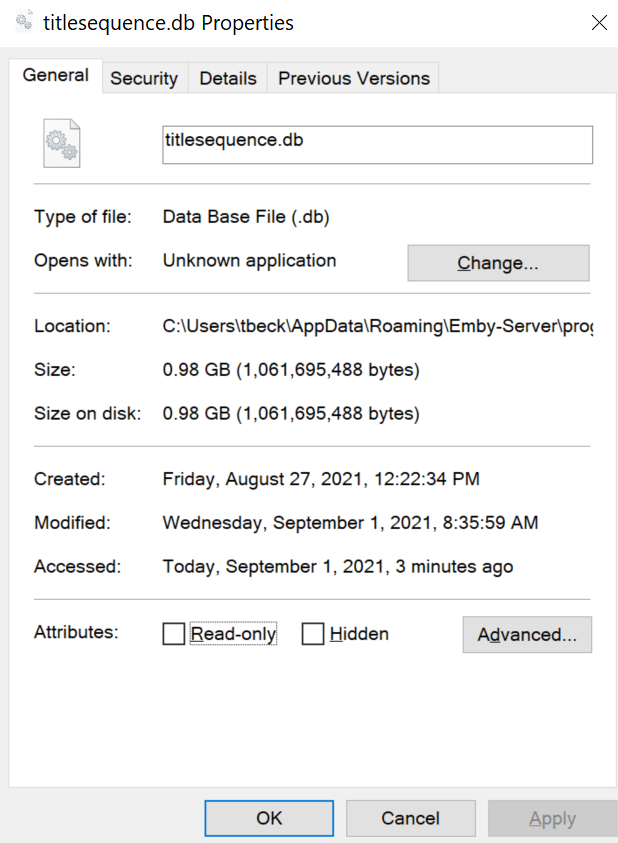
My view is once the show has 'finished' and the Detection has been completed - then remove the FP Data - it is not of use anymore and will not be re-used ? This needs a little though if you are trying to backfill a 'finished' show (for example) but if you have a 100% completion rate (ie no missing episodes) than I see zero reason for keeping it post Detection. so 1. FP all data for Show A 2. Detect IntroSequence for Show A 3. Remove FP Data for Show A 4. Vacuum dB after X number of Shows 5. Re-start the process for Show B .. ok - this is cool - Currently I have to wait nearly 70 seconds to view any IntroSkip dB query (I just get a spinner for that time) - and I *think* this is also causing a major memory issue for the Detect processing as presumably, it has to do the same query ?1 point
-
Both bugs are fixed for me, changed the poster again to the big one and the 4k icon is the size i want Perfect. Thx1 point
-
Ok, I will send You link to that episode on my nextcloud in pm.1 point
-
The bad news is they lost their lawsuit ...1 point
-
This plugin is just full of surprises. I fix one thing, and something else pops up. Fixes movies are run as episodes first. If they fail (and they will because they are movies) they were never removed from InProgressLists, and therefore they were stuck in "Progress" Status. I fear that the more movies and episodes I collect, the more I keep finding little bugs. For instance, we are relying on an OrganizationException to stop file sorting in the Episode task. However, the task is "ConfigureAwait(false)". This throws away the Exception, and therefore causing the return data to get lost. We can't rely on a lost Exception. I'll keep 'trying' to fix things as they come up. If it's actually fixing it, and not breaking it. Emby.AutoOrganize.zip1 point
-
Why can't you run Emby as a normal user? Emby does not need to run as a service, nor does it need admin rights.1 point
-
Yes absolutely. I can do a remote session to take a look and help test a few things to try and find any issues. Please send me a PM and we can arrange a support session to help you out remotely.1 point
-
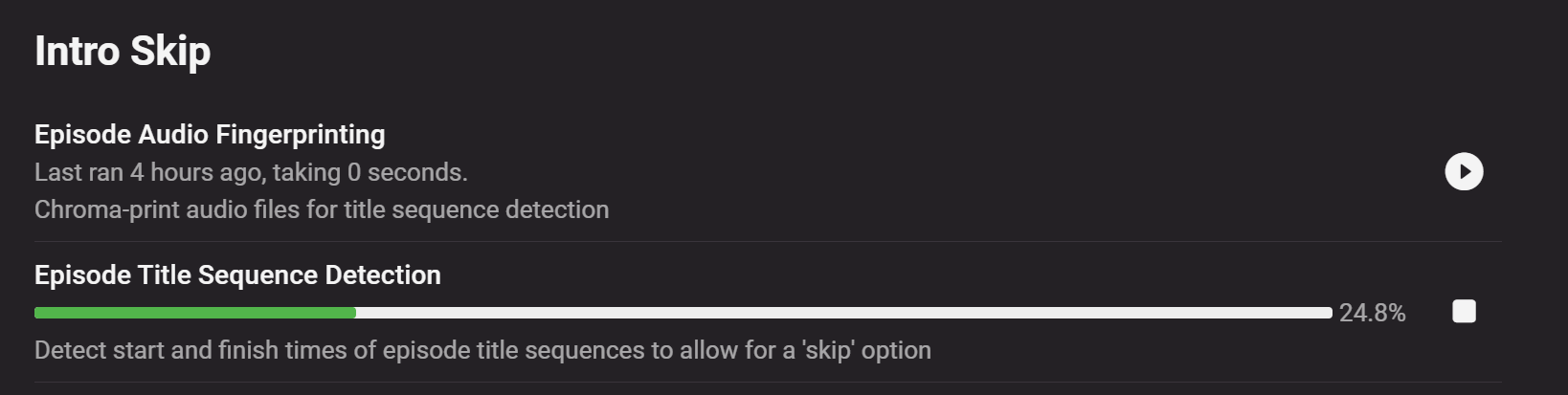
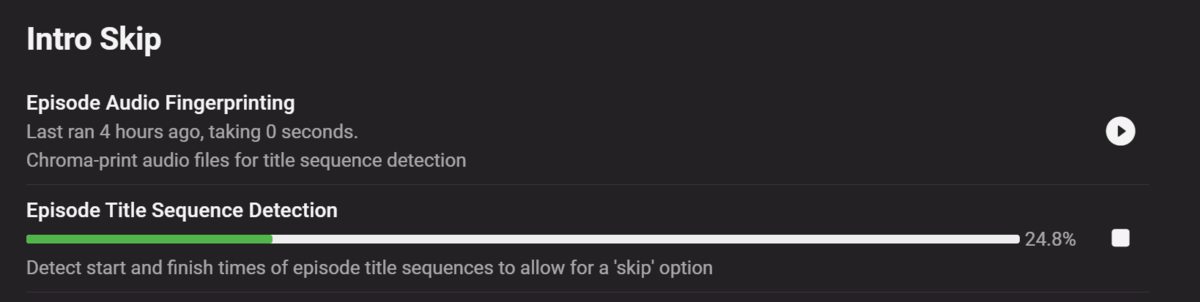
I think Detect Title Sequence gets started again on schedule before it ever finishes so I'm going to delete the schedule and see what happens.1 point
-
@rbjtech @chef size of titlesequence.db currently
 1 point
 -
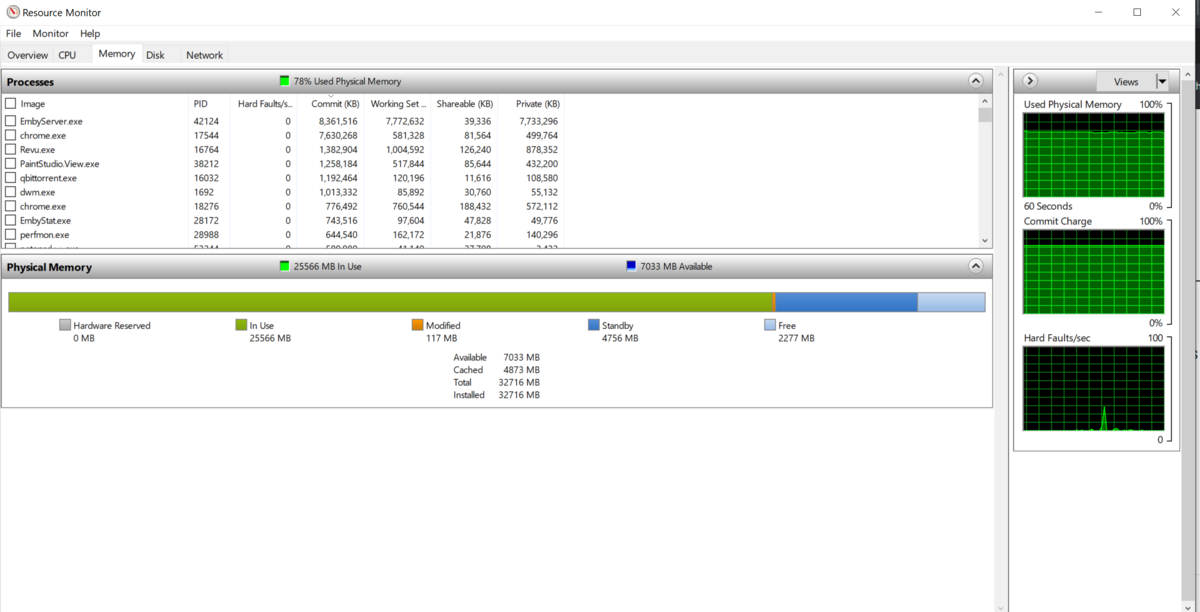
@rbjtech @chef It seems that every time I check it is running again as the percent complete actually goes down. Memory Usage:
 1 point
 -
This is planned for future updates. thanks for the feedback.1 point
-
I love your theme, it is functional and pretty esthetic. Thanks a lot!1 point
-
Just a reminder, though: keep your libraries paths same.1 point
-
Yes, just copy the entire Emby directory and save it on a separate hard drive. When you're done with the upgrade, don't reinstall Emby, just copy the Emby folder back to the original drive and double click the Emby exe. That's it! One tip too, you might want to put your Emby directory somewhere else other than the user folder. That way it's easy to get to and back up.1 point
-
I mean it does not sync while Kodi is on. After restarting Kodi those those missing episodes still won't sync. The only thing that synced after the restart was a second test recording. I did two of those today, both are visible as new recording (Folder image)but only the second one has an episode visible.1 point
-
I reckon your Broadwell CPU has no muscle for HEVC 4K 10-bit, even its QuickSync (v4) has no HEVC hardware decode, it was introduced with QSv5 (Skylake, 2 generations later). Reason that there are no issues on your phone is that your mobile is likely several times more powerful and it's taking the load, your NUC is simply serving the file as-is, by DirectPlay.1 point
-
Yeah my Home Screen is just Movies, TV Shows, Collections across the top, then Continue Watching. That's it. I get it. My use-case is unusual. C'est la vie. I appreciate the suggestions, however.1 point
-
I don't use strm files. Library is mixed content done by Emby. When adding the recording path in the server config Emby automaticly adds the recordings library as mixed content. It has always been mixed content for as far as I know.1 point
-
Lucky me :((. thank you!1 point
-
Thanks generiq - that makes perfect sense and thanks for talking the time to explain it to me. Cheers1 point
-
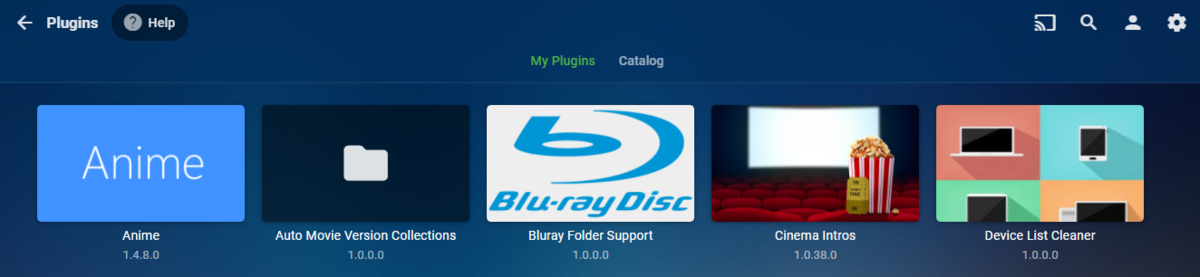
That should be it as that is your data path. I know that is all I did on my Windows system, downloaded the file and place it in the plugin folder and restarted Emby. If it is not loading for you then we may need to see a server log.
 1 point
 -
What folder did you put it in?1 point
-
<div class="Personal-Links" style="top:120px;text-align:center;position:relative;"> to <div class="Personal-Links" style="top:100px;text-align:center;position:relative;"> I just understood the problem but I don't know why it happens. You need to change the "top" of the "Personal-Links" class from 120px to 100px. This will bring up the links that are hidden by : <h2 class="sectionTitle sectionTitle-cards padded-left">Mes Médias</h2>1 point
-
The very simple solution here is to have it disabled by default , in advanced settings in the dashboard with a big warning stating that it is only for users with h265 transcoding hardware (or with it not showing unless h265 transcoding hardware is detected)1 point
-
No if your device and TV can't handle HDR then you can't get true HDR. The Shield can down convert HDR to SDR itself doing tone mapping and the picture looks quite good. The Shield TV Pro is hands down the best device for Emby in my personal opinion.1 point
-
Hi, @Florian2000 have a quick read through this thread which will give you a couple of options.1 point
-
By updates in place, I mean I'm sitting in the Movies list around, let's say the letter S. I download a movie starting with S and I'm staring at that area in the list. On the older plugin, I'd see the update bar kick in and the movie appear in place, without having to change menus to "refresh the menu" so to speak. I just tested it again on 5.3.4. I had to back out of the Movie list and re-enter. Then the movie appeared.1 point
-
Yes it's something we can look at in future updates. Thanks1 point
-
That's correct, only the new models that don't support DTS will transcode/convert audio. Older models will continue to play DTS natively.1 point
-
Had some discussion here about this also. https://emby.media/community/index.php?/topic/99517-windows-css-questions-or-maybe-one-enhancement-request/1 point
-
Wow! That's cool! Is the navbar always closed or does it open on hover?1 point
-
ye l had to move hosts and at the same time changed the back end. will see if i can find the images.1 point
-
@Swynol - Hi Swynol, could it be possible for you to fix the tutorial on how to set up cloudflare on emby? On your blog/website there are missing pictures (404 page not found error). Thanks1 point