Leaderboard




Popular Content
Showing content with the highest reputation on 08/27/21 in Posts
-
I am switching over from a Win7 box running MBC to Chromecast dongles. With the Win7 box I had a HDMI to Cat6 setup that allowed me to stream to up to 4 displays/TVs simultaneously. It was great while it lasted, but involved stapling cables to the ceiling to run it from room to room - plus it has borked Can there be an option to multi-cast to several receivers at once? i.e. simultaneously play to Chromecast dongles in my office and living room and kitchen simultaneously so i can walk from room to room without stopping and restarting the movie or show all the time? I realize that bandwidth could POTENTIALLY be an issue, but i have a fill gigabit network and a multi-port NAS so that really is the least of my worries... Thank you!3 points
-
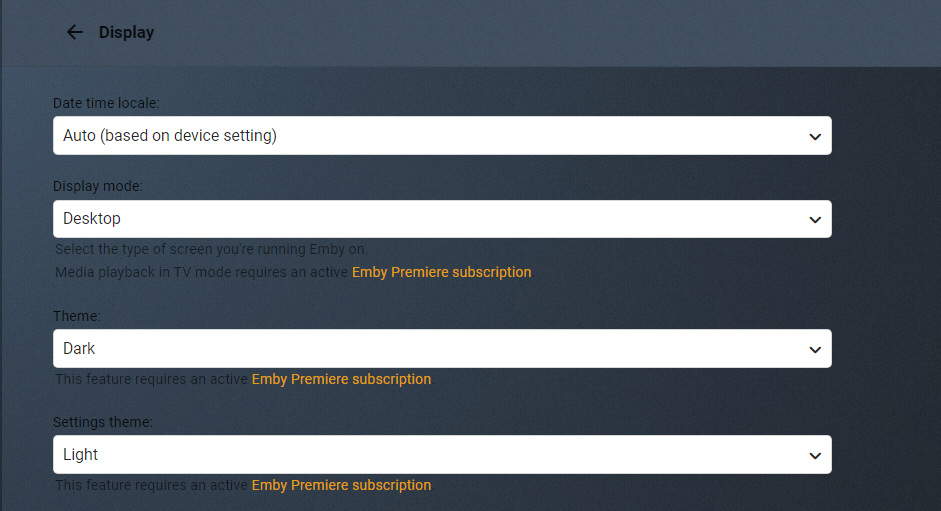
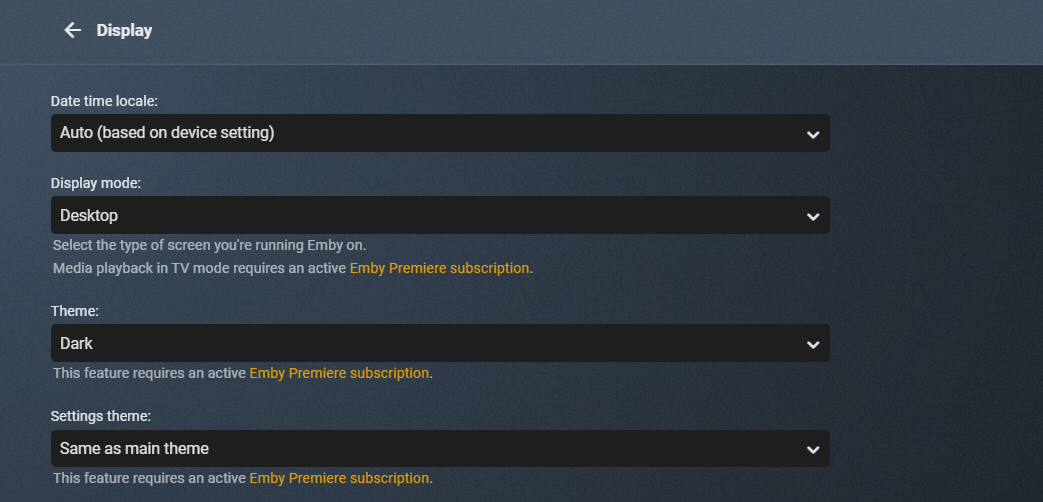
I moved from Plex to Emby and even though I think Emby is superior in its flexibility there are some things I like better with Plex, especially in terms of its looks. This theme is trying to fix that by making it a bit more similar to Plex but with some, in my opinion, improvements. The CSS is attached to this post for anyone interested and below are some screens to show it off Good to know I only use Chrome so I can't guarantee this CSS works as expected in other browsers. If you want the sidebar menu to look like in the screens, make sure to pin the sidebar. Watched badge/banderoll is inverted which means that the badge will not be shown if media have been watched, like in Plex. For desired look, please use the "Dark" theme for both Theme & Settings theme in the display settings. Emby-Stable-style-v3.6.txt





 2 points
 -
We developing a dashboard (web) to watch movies or series together. Our proof of concept was successful and works as we wanted. Proof of concept: We have tested the proof of concept and are now continuing to expand the platform, which is of course linked to Emby. Tested functionality and implemented; Connect users with external dashboard (connect uid's) Link devices to user Make groups / invite other users Sync video with each other or group Resync in group Groupchat Possible ideas Discord connection (chat, sync, profile pictures) Discord auto voicechannel (only users who are in the group) Share this dashboard with the community Dashboard: Join room (select device): Active group session with chat: Will be updated!2 points
-
Dialog content is scrollable2 points
-
It's been said a few times, we don't want to batch encode, we want to transcode on-the-fly using h.265 encoder hardware so we can pull the best stream that session can handle. Transcoding in advance permanently reduces quality or makes for multiple copies of files at different encoding levels.2 points
-
Saved buttons are now actual submit buttons.2 points
-
@hygorfragasit has nothing to do with browser. It has to do with Dashboard being set to Light theme, it affects the custom theming as a lot of stuff get reversed. So this could be a issue for all non-premiere users as Emby defaults to Light theme.
 2 points
 -
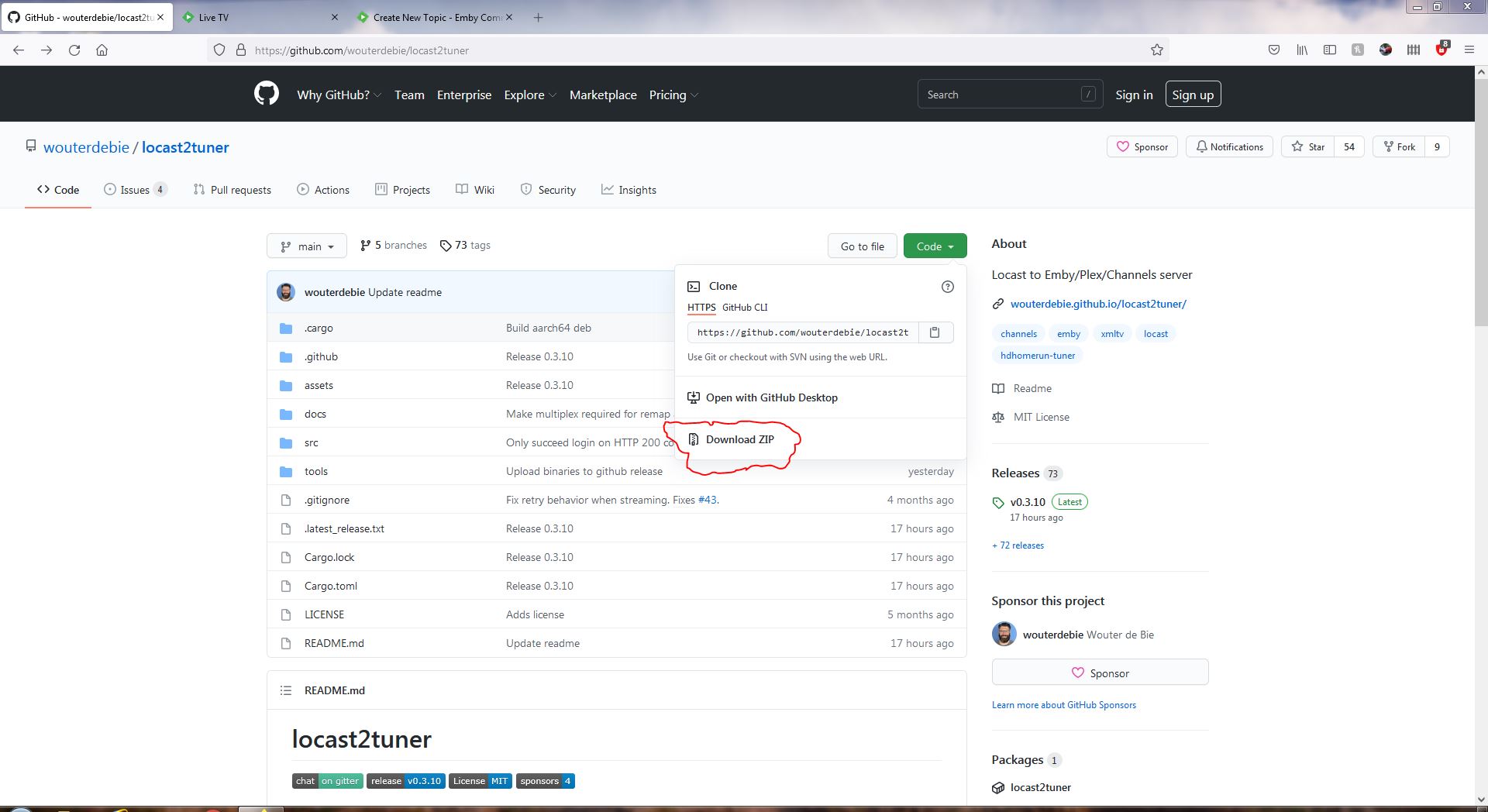
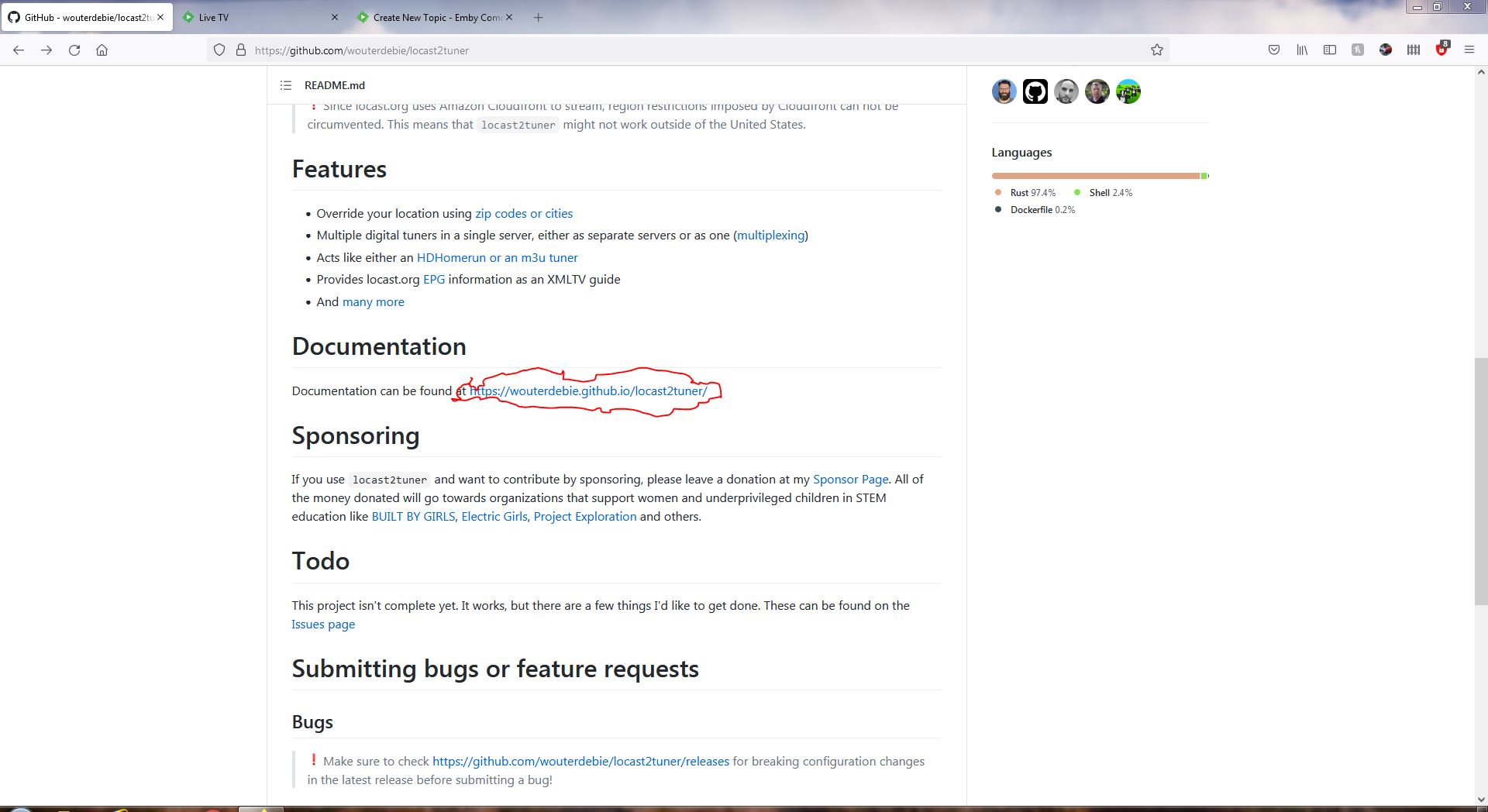
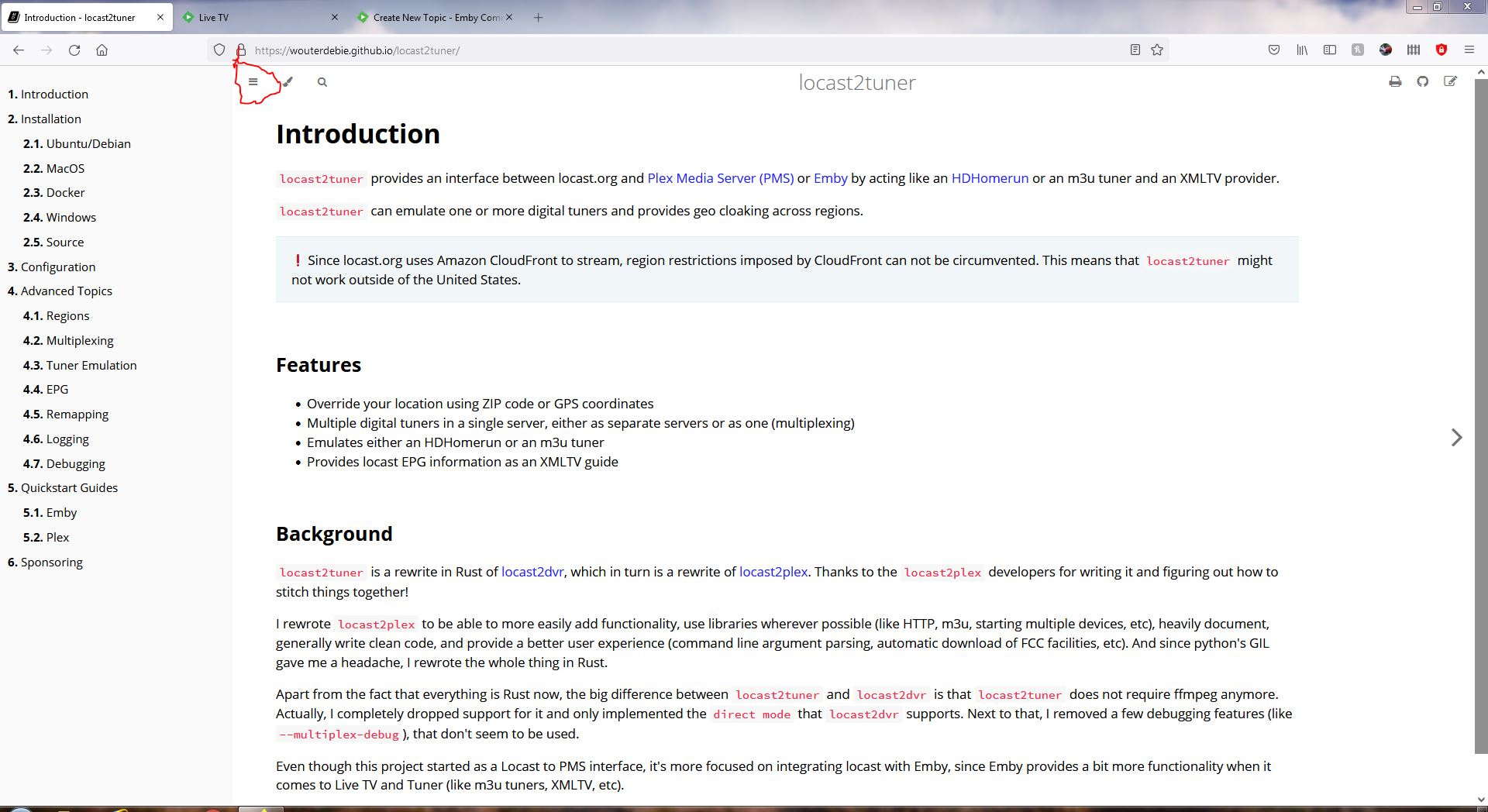
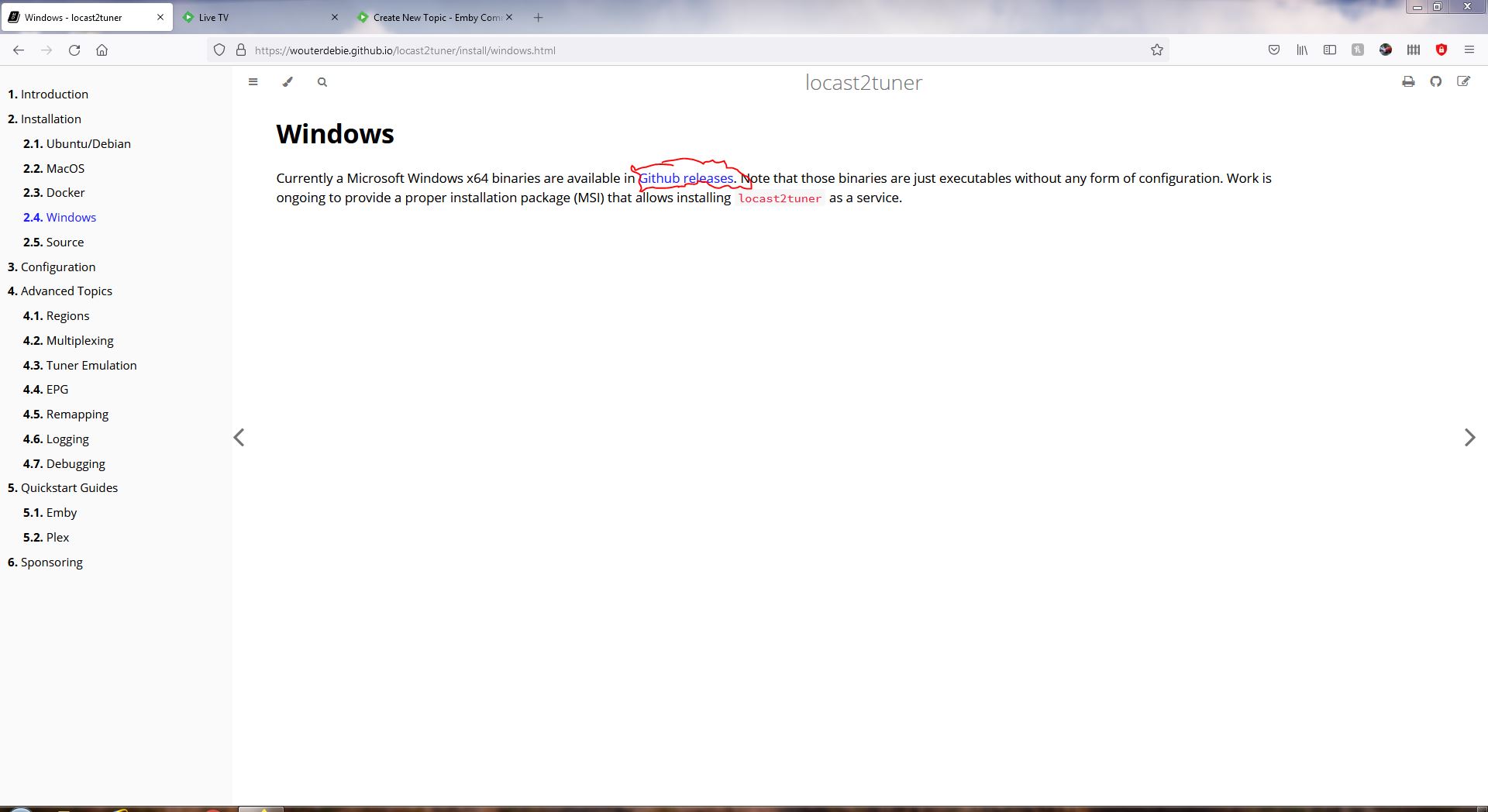
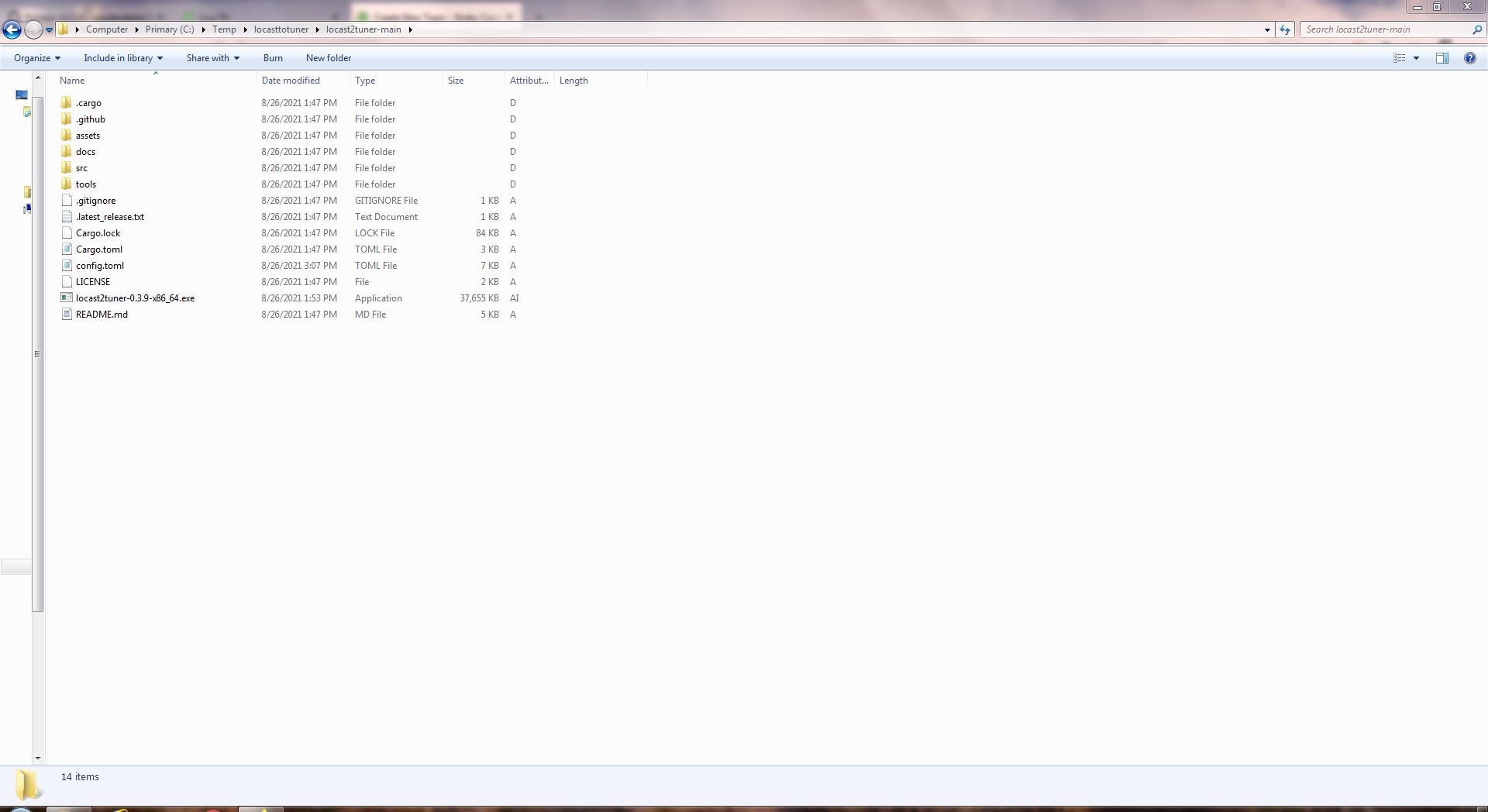
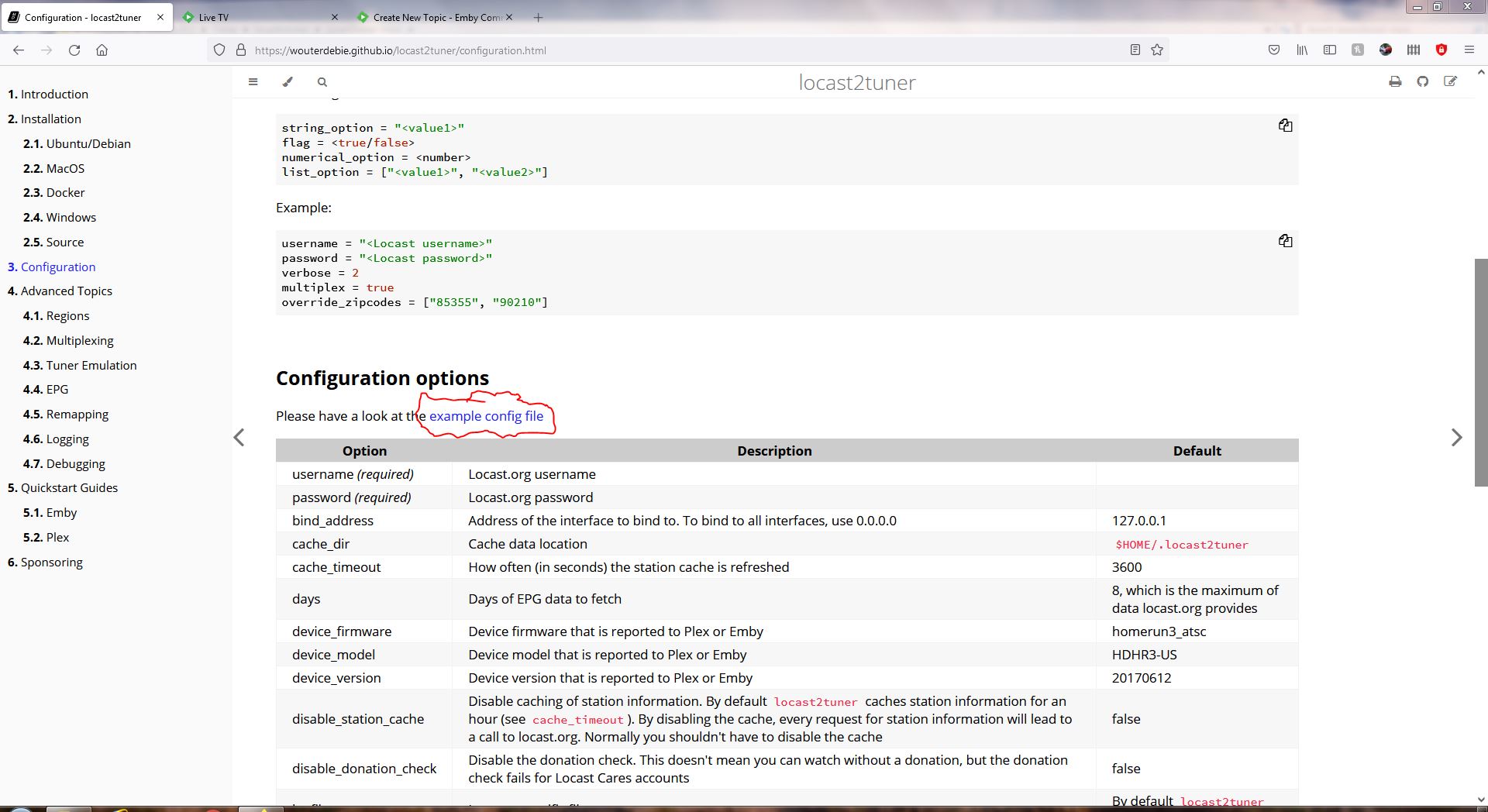
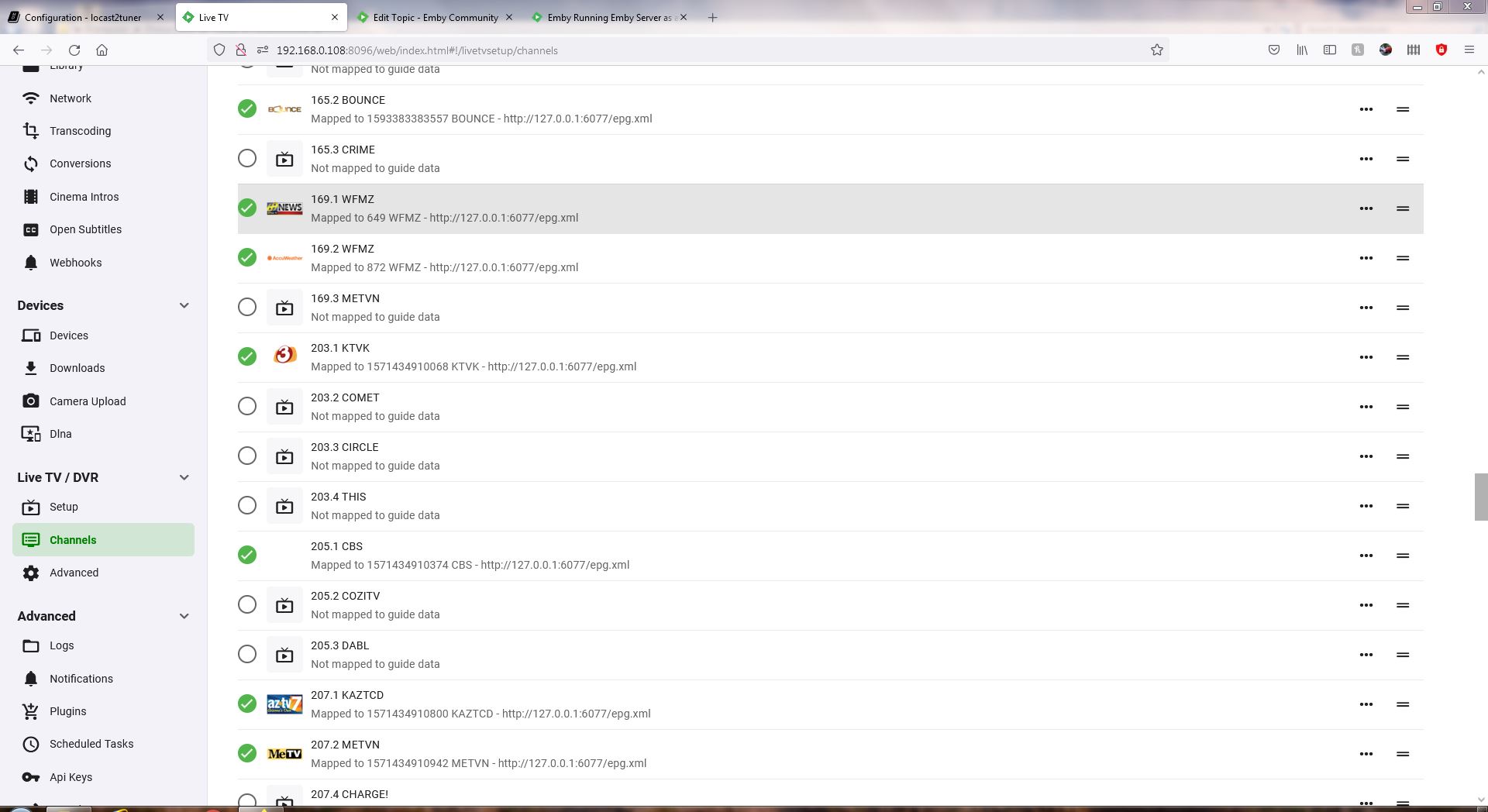
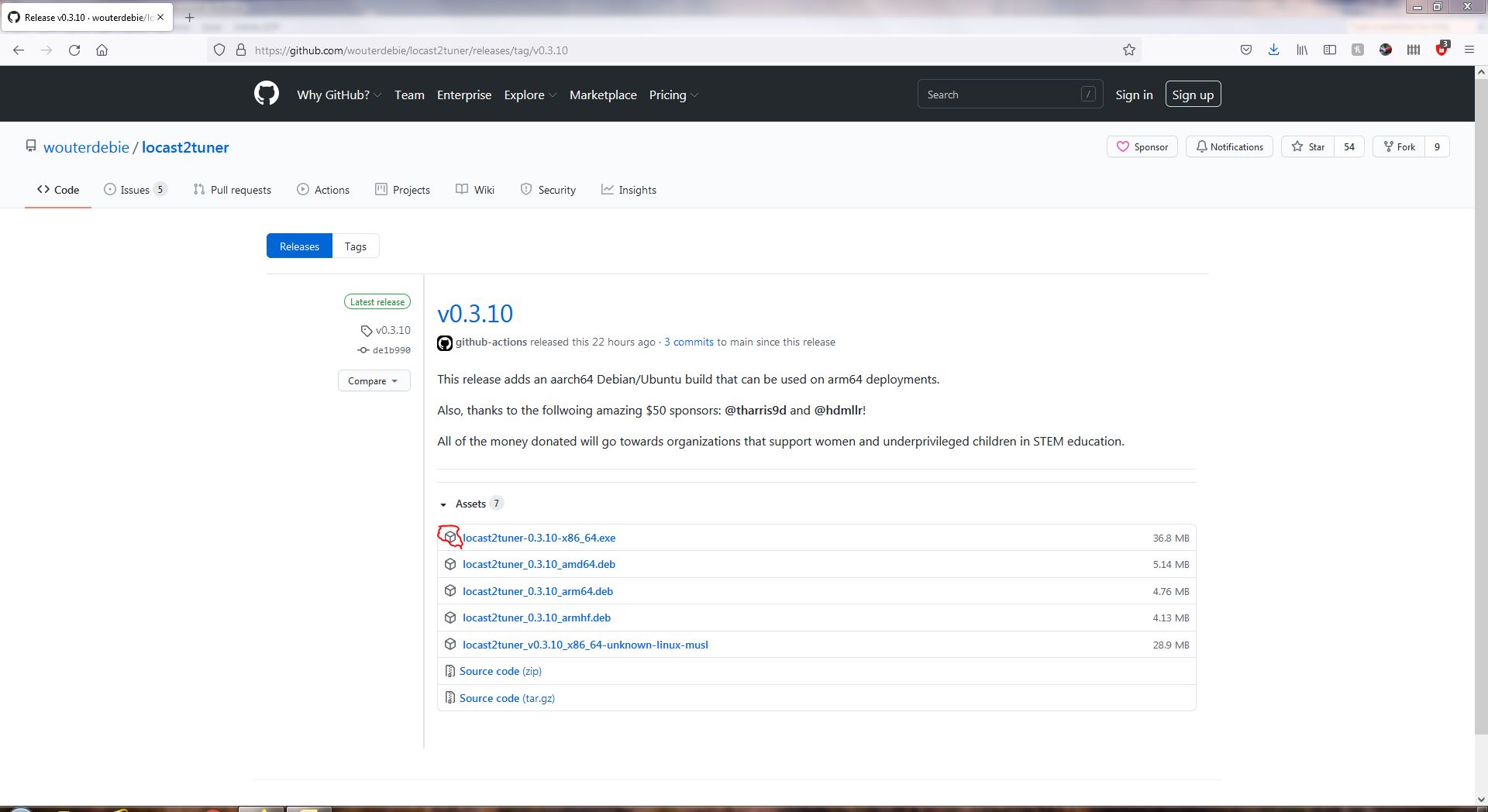
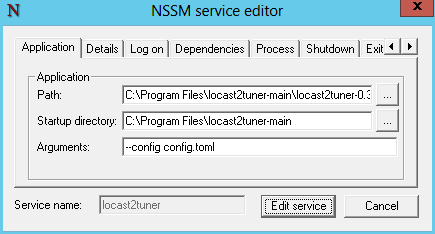
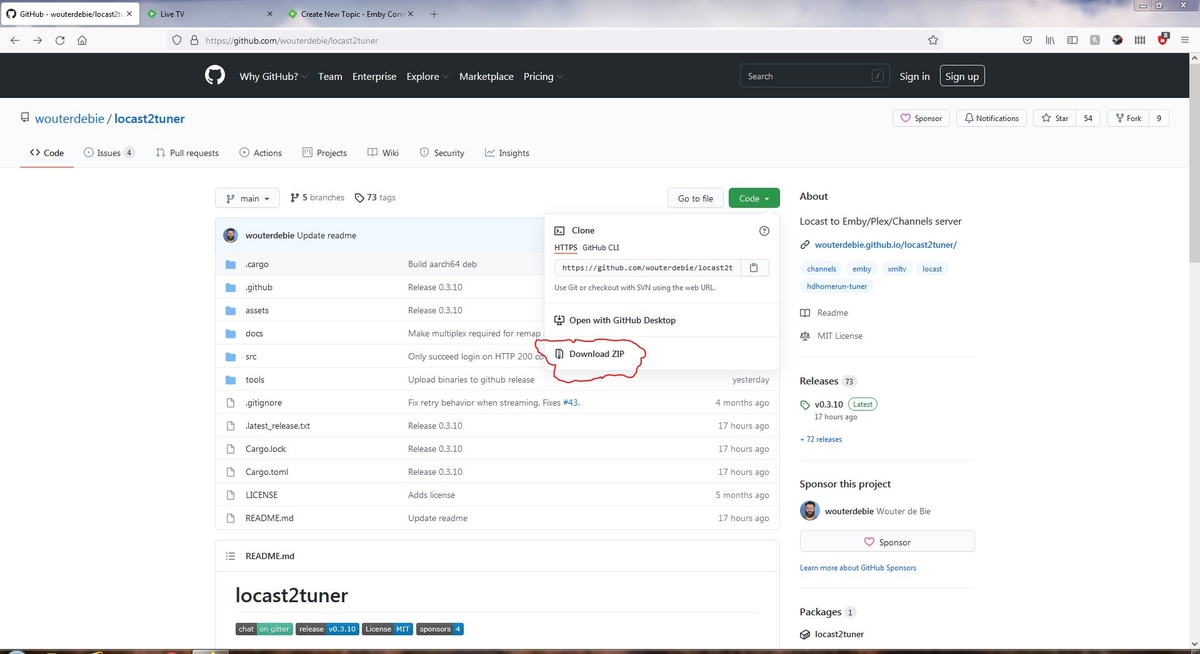
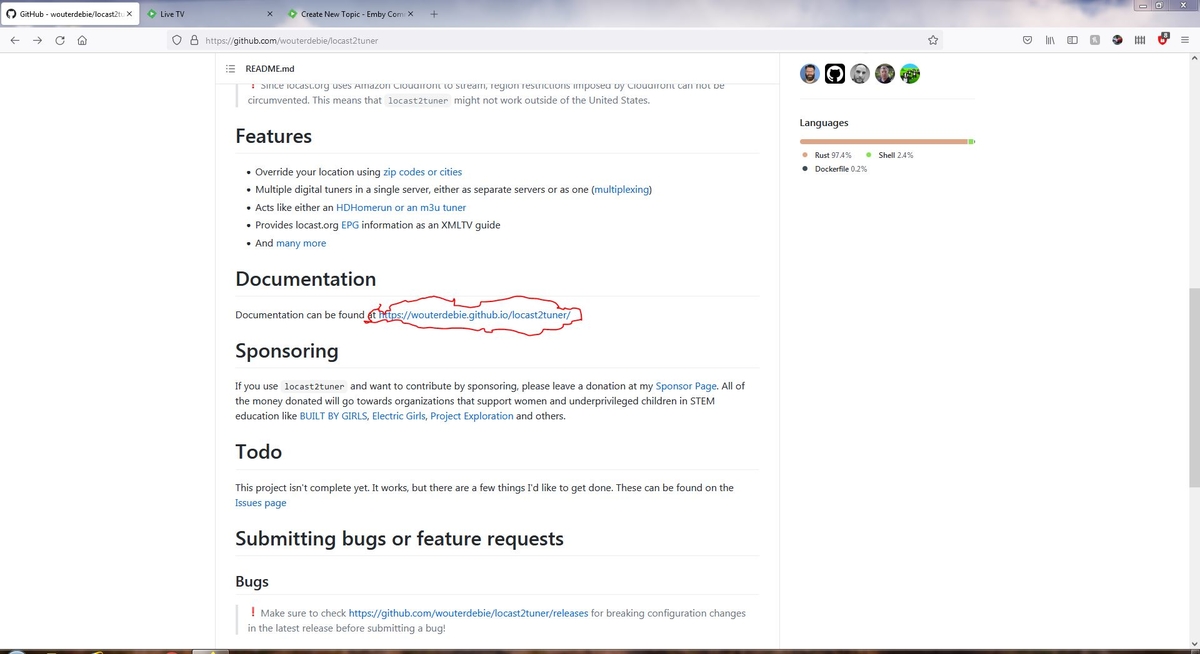
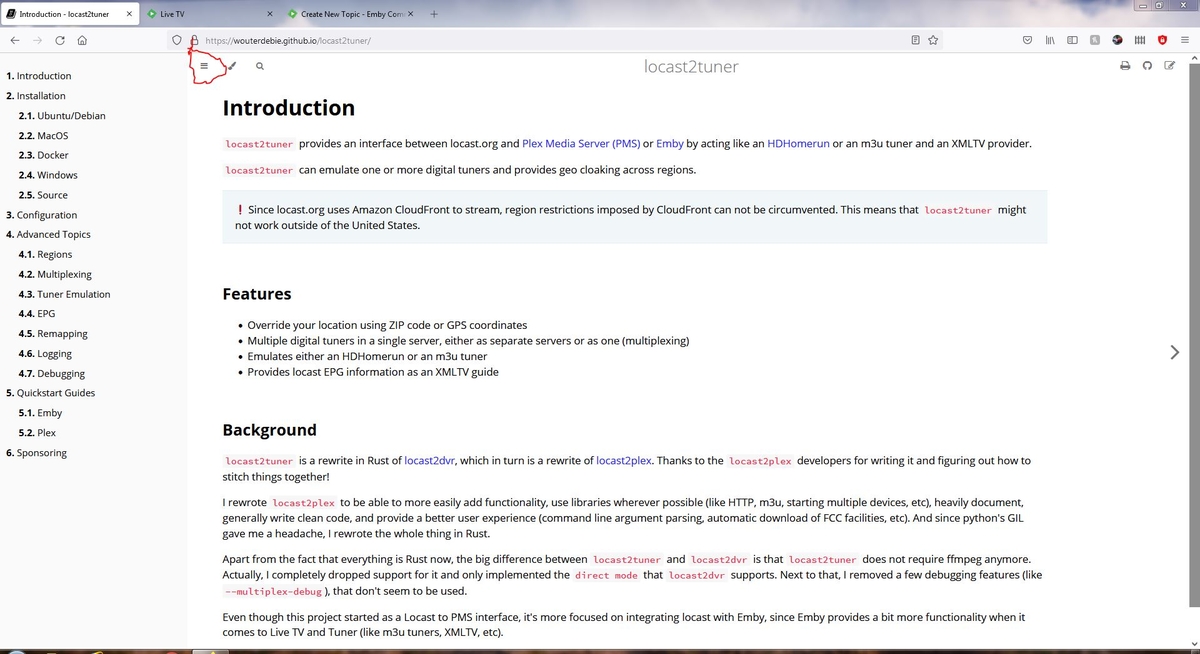
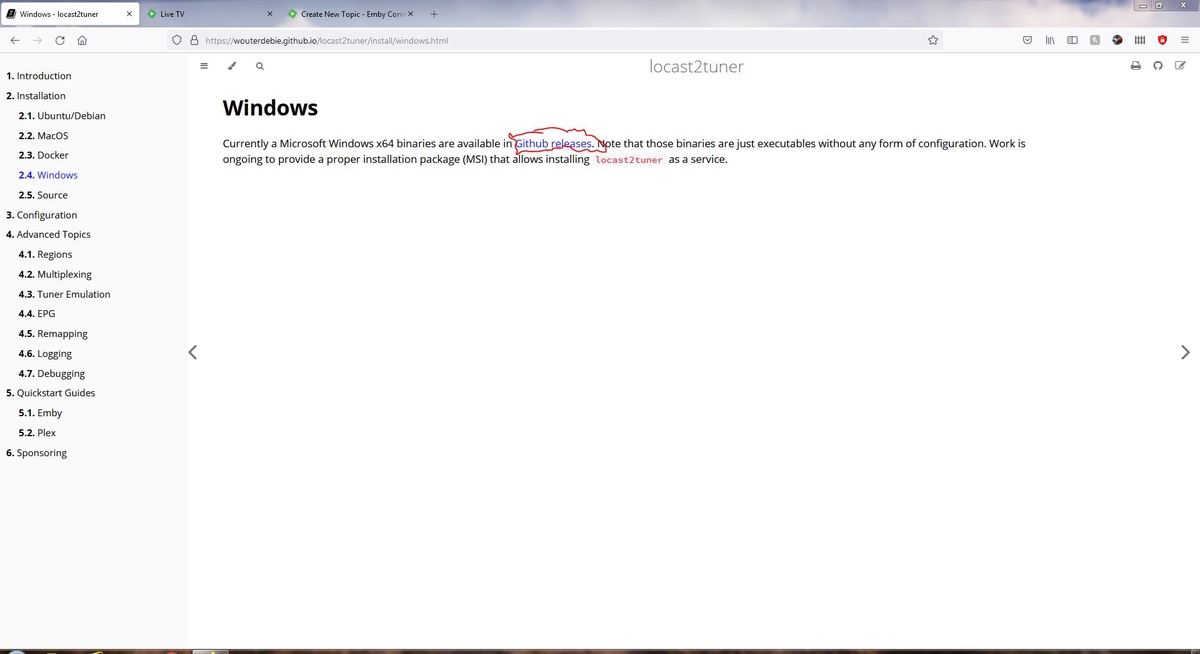
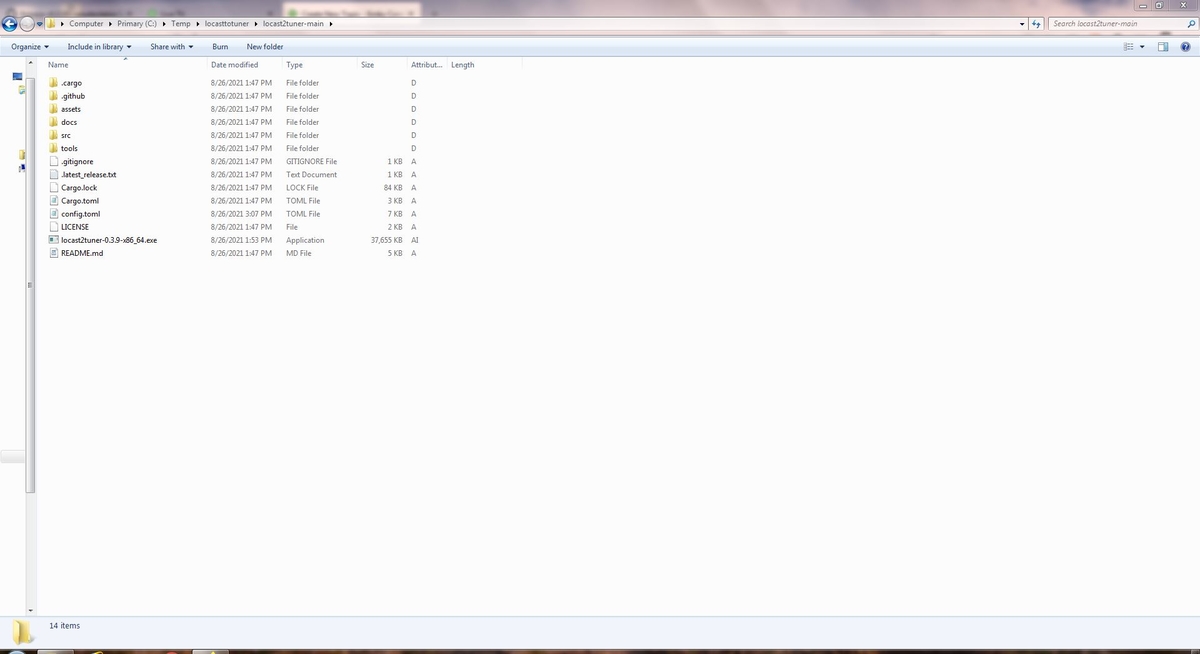
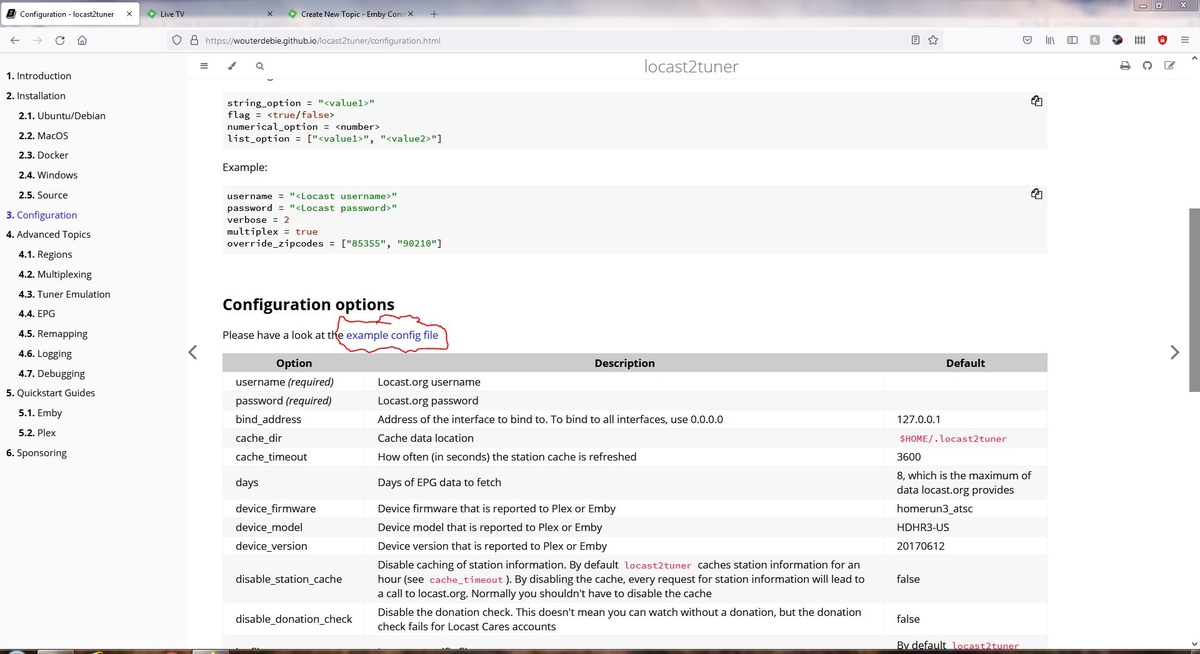
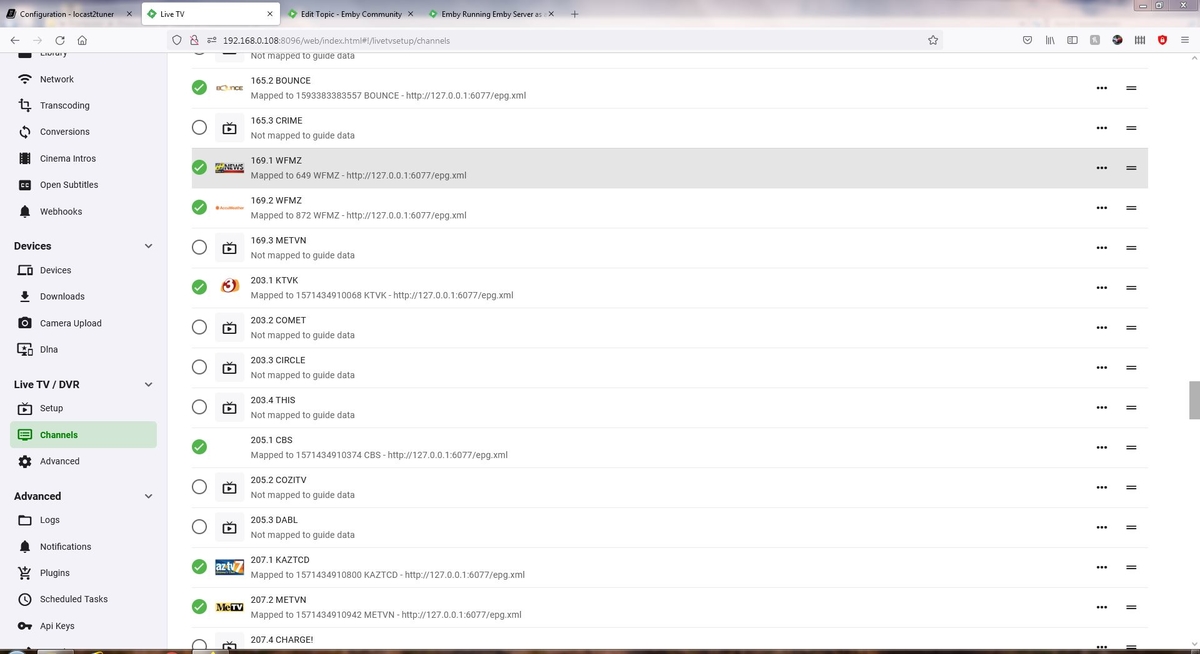
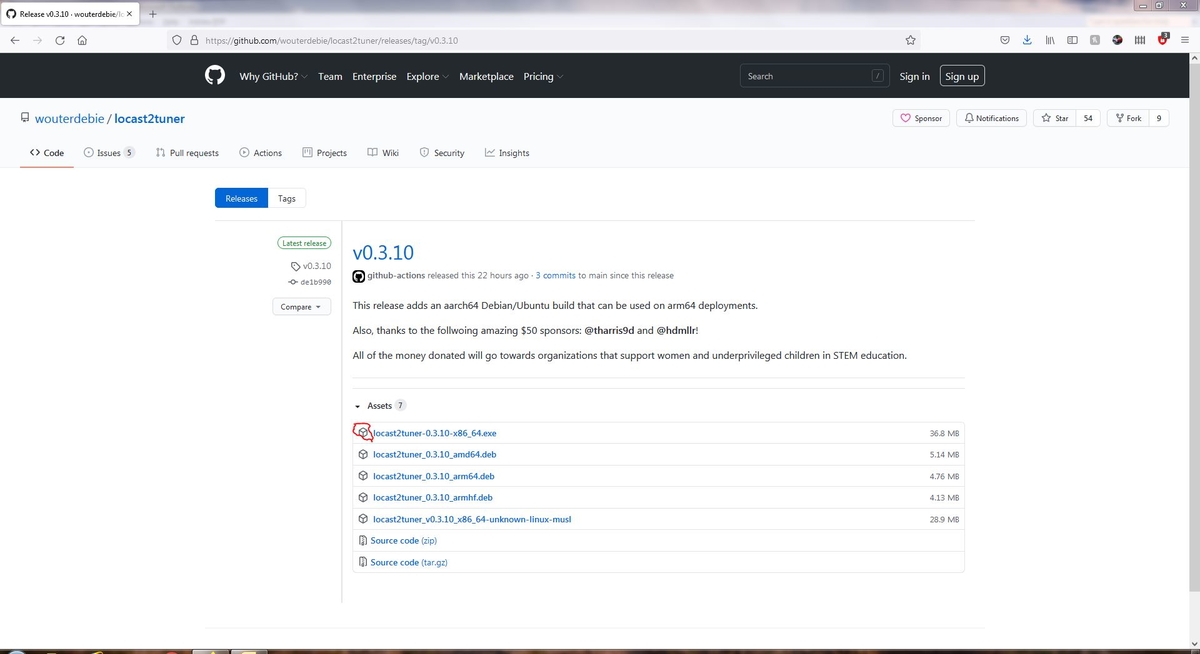
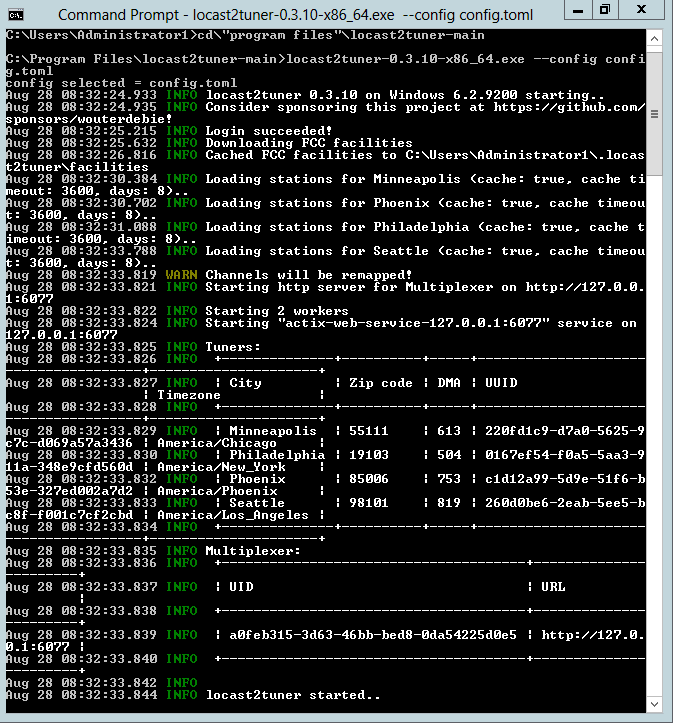
Locast2Tuner is another utility for integrating Locast to Emby and other media servers. It functions nearly identical to locast2plex, but offers a number of other features. Most significantly, the ability to simultaneously stream multiple locations. It is also simpler to install, requiring no additional, supporting, applications such as Python. The software is located on github.com and is free of charge. The author encourages a donation, none of which he retains, but passes the funds to non-profits that support girl functions. If you write code for a living, it is probably obvious what the chain of events are to install it. If you're a mere mortal such as myself, a fair amount of head scratching is required. Many just don't have the hair to spare for the scratching process. The following are instructions for us mere mortals: Step 1 Download the application supporting files from https://github.com/wouterdebie/locast2tuner Step 2 Extract the directory/files to your desired location. I extracted them to "C:\Program Files\locast2tuner-main". Step 3 Open the documentation link and utilize it as an installation and configuration guide: If the contents listing is not displayed, click the contents icon in the upper left corner: Step 4 Click "2.4 Windows" in the contents listing. Within those instructions, click the link for the Windows binary file: Step 5 Copy the binary file and paste into the directory you created when extracting the files in step 2. Note: The other files listed are for different operating systems. Step 6 Click the "3. Configuration" tab in the contents listing to open that window. Within the configuration window, click on the link for the example config file. Copy the contents of the example file and paste them into a text editor, such as Windows Notepad. Step 7 Within the text editor (Notepad), edit the user and password entries supplying your Locast login credentials. Be sure to retain the quotation marks around each entry. I did not and that added a half an hour or so of head scratching. At this point, if you save the file "as is", locast2tuner will function with channels determined for the region in which your internet IP address is associated with. If you desire a stream for a different location or multiple locations, additional parameters will need to be edited. In my application, I desired Locast streams from my nearest city (Minneapolis, central time zone), an eastern time zone city (Phillidelphia), a mountain time zone city (Phoenix), and a pacific time zone (Seattle). I desired to multiplex all these streams within a single "tuner" to Emby. Further, I desired that each additional stream's channel numbers be remapped by adding 100 to each successive stream. This is explained very well within the documentation, so i will not digress into it. Save the text editor configuration with the filename "config.toml" into the "locast2tuner-main" directory. I've attached a copy of my config.toml file, less my Locast login credentials. config.toml Step 8 At this point, you can runlocast2tuner within a command prompt window. This would be done by starting the windows binary (executable) file, with arguments, within the "locast2tuner-main" directory. Actually, this is a great place to test your installation as any errors will be displayed, if encountered, or the actual command line reports. Below is an example of the run command. This is version dependent, so it will likely change soon. The author is very proactive with updates. As an example, the version release incremented at least three times the day I installed it! "locast2tuner-0.3.9-x86_64.exe --config config.toml" omit the quotation marks when entering Step 9 Starting locast2tuner from the command prompt is anything but handy. We have a dedicated server just for our media. It runs 24x7 and is configured to re-start automatically after a UPS shutdown, due to an extended power outage. As such, we have Emby configured as a service. In this manner, it re-starts automatically upon power up of the server. Likewise, we desire locast2tuner to start automatically upon power up. Configuring both Emby and locast2tuner as a service is documented well here: https://support.emby.media/support/solutions/articles/44001159984-running-emby-server-as-a-windows-service Below is a sample NSSM configuration for locast2tuner: Step 10 With locast2tuner and Emby running, configuring Emby within the dashboard is next. The locast2tuner documentation provides an illustrated step-by-step procedure. So I, again, will not digress further. However, I will offer a few notes based upon my installation experiences: 1. Emby will accept either a HDHomerun or m3u tuner emulation. I tried both. The HDHomerun would not provide the xml guide, but would the Emby guide. According to the locast2tuner documentation, the stream is first routed through locast2tuner and then Emby. I'm going to speculate the xml guide data was lost in the locast2tuner pass thru. When I configured lcast2tuner with a m3u tuner emulation, the xml guide functioned. The m3u stream is not routed through locast2tuner but directly to Emby. 2. I chose to utilize the xml guide. The Emby guide functioned well. However, I'm going to speculate there is a re-occurring cost associated with this guide. As such, to minimize the operating expenses to the Emby administration, I opted for the xml guide. 3. With the multiple Locast streams, there were many duplicated channels and the guide became quite long and laborious to utilize. To reduce the size of the guide, I displayed the guide on a TV and then utilized the Emby dashboard to deselect duplicates with identical programming at the same instance in time. I retained those channels closest to me as primary, as they have relevant advertising, which pays for the programming. To deselect a channel from the guide, uncheck the green arrow:
 1 point
 -
Hi There I would like to request a metadata plugin for theinfosphere.org/ Just to give one example for this please compare the two links "Futurama" Fry and the Slurm Factory (TV Episode 1999) - IMDb Fry and the Slurm Factory - The Infosphere, the Futurama Wiki As you can see the information on IMDB is wrong it is also locked by a admin that will not respond to changes and the website is very hard to become a admin to fix these issues plus more from across multiple different tv shows. The website Infosphere information is based on the DVD information the IMDB information is based on original broadcast information. Thanks John Green1 point
-
The guy you want to message at Amazon is Jeff Blankenburg. If you join the YouTube "Alexa developers", every Tuesday they have a live stream where you can submit dev questions and requests. Just as well as a thread on their user voice.1 point
-
I've had this running for a while now. I'll report back later my results in a few hours.1 point
-
I went out the Alexa developer site and created a feature request to support SSL steaming on Alexa via a port other than 443 (e.g. 8920) so people don't have to jump through these hoops in the future. If you like, please go vote for it so perhaps they will consider the change. https://alexa.uservoice.com/forums/906892-alexa-skills-developer-voice-and-vote/suggestions/44048211-add-support-to-stream-audio-from-ssl-on-ports-othe1 point
-
Thanks for reporting. For reproduction purposes, did you replace the queue while the other song was actually playing?1 point
-
You've been busy @chef ! Amazing progress on the GUI items .. looking much more polished now. Yea, on the detection threshold - I would set it as a minimum value in the config XML - but not accessible/changeable from the GUI. That way, if people do want to 'play' then they can edit the config files themselves (and restart emby) and if they are doing that, they probably know what they are doing .. maybe..1 point
-
Thank you for your support! Much appreciated. I'm sure you have your hands full with this. I've replied to your PM and I'm sure we'll get this sorted out. Cheers1 point
-
thank you so much for that @Luke - updated the metadata on the album and single in MB Picard - immediately sorted the problem! Thanks @koopa8840 for your help as well - much appreciated!1 point
-
If the tracks have the same album name, albumartist and musicbrainz album ids (or blank), then they will be grouped into the same album. What you can do is one of the following: Update the album title for all tracks you wish to separate Update the musicbrainz album id value for all of the tracks Ideally you would do this in the embedded metadata of the tracks and then run a library scan and Emby will adjust to it. This way it becomes permanent. You can also do it in the Emby metadata editor but you may lose the custom values later if you refresh metadata.1 point
-
On emby webui for example, right click on the TV Show, Edit Metadata, Go to Display Order Field, Change it to your desired order, after that refresh go to Edit Metadata again, and check lock this item to prevent future changes.1 point
-
No, if you manually install our pkg file then you're fine. It's only if you use the freenas provided Emby Server plugin that you run into this problem (which unfortunately is what most people are going to start off with given it's high visibility).1 point
-
Just wanted to say thank you for the work you've done. It is inspiring.1 point
-
In movies for sure. In TV Shows it may be working. It does not work in TV Shows either.1 point
-
Thank you for your reply. It's useful to know it works for you (even the "send message" through the dashboard doesn't work for me). I am at work now, but I will verify plugin version and repo later tonight (UTC-6) and will provide that info and attach a log if I still can't get it working.1 point
-
Great to see such amazing progress!!1 point
-
@rbjtech Boolean is now set with select box.1 point
-
Hopefully I'll have time to test over the weekend running as a Beta instance on my main system. Up until now I've been using my own PC with media local on the SSD, the old HDD was saturated with more than 1 FP session as you know. My main system has about 30K episodes - all local DAS but multiple disks - but it's only a Gen 1 i5 cpu - so is going to struggle (I think) with the detection .. I'll let you know !1 point
-
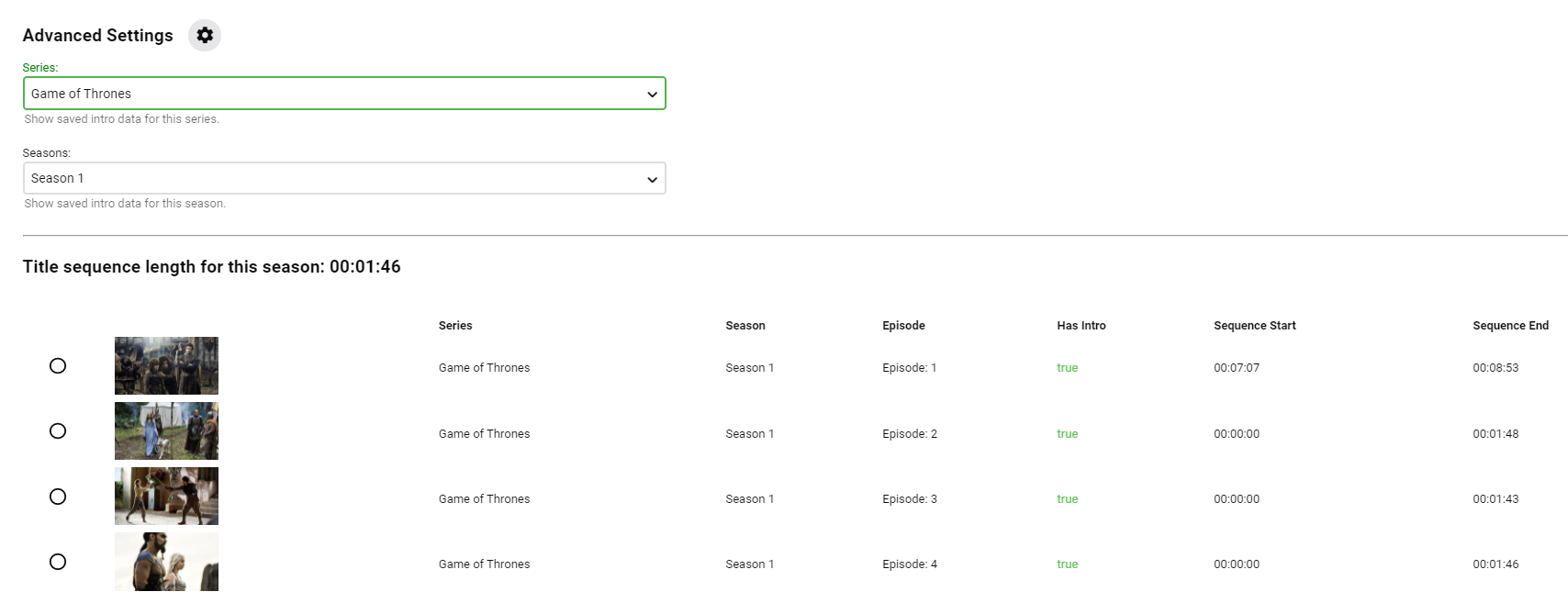
@rbjtech Great News! Thank you! There are several UI adjustments that need to be corrected today. I'll make sure those are added! If chromaprint is added, it won't be long before it will be simple for lots of people to try this out. That means, it had better work the best it can, or else it'll lose traction. I updated the version numbers in the project file to keep track again of what changed. There is a private Github repo with the code as well. Not that I didn't want to share, but there were other parties snooping around the code...LOL! If it actually works well enough for implementation, Emby should be first... before Team Purple. ------ @Sammy I haven't had issues with this. I was able to fingerprint, and collect title sequence data. IntroSkip_v2.0.2.3.zip1 point
-
ok cheers guys, i'll give it a go. Just have bad memories of old inconsistent guide providers. Thanks!1 point
-
So a couple of updates - a) Latest Windows Emby Beta (4.7.0.8) now includes the chromeprint ffmpeg version 4.4.0-emby_2021_08_23 - Installed during the beta update. b) Editing the values directly works ok - after using the 'tick' to confirm the change but there are few odd behaviours that possibly need sorting out down the line. It allows setting a 'true' to a 'false' but keeps timings - not sure if this would cause any grief down the line ? ie a false should set them both to 0 ? Setting a 'false' to a 'true' turns it green (good), but setting a 'true' to a 'false' does not turn it black. Maybe put the editable values in boxes as its not obvious how you edit items other then clicking on them.. A 'tick' box is used to save, again not ideal - maybe rename it to 'save' or something - or a short header advising this. 'true' / 'false' should probably have a dropdown selection box only - as currently you have to over type it. (it doesn't save anything other than t/f though, I tried.. ) Fingerprinting and detection all working very well for me using v1.0.2.2 Thanks !1 point
-
I'm going to check my results this morning. Make sure they re not broken. BRB Sammy!1 point
-
I am anxiously awaiting the next version to test!1 point
-
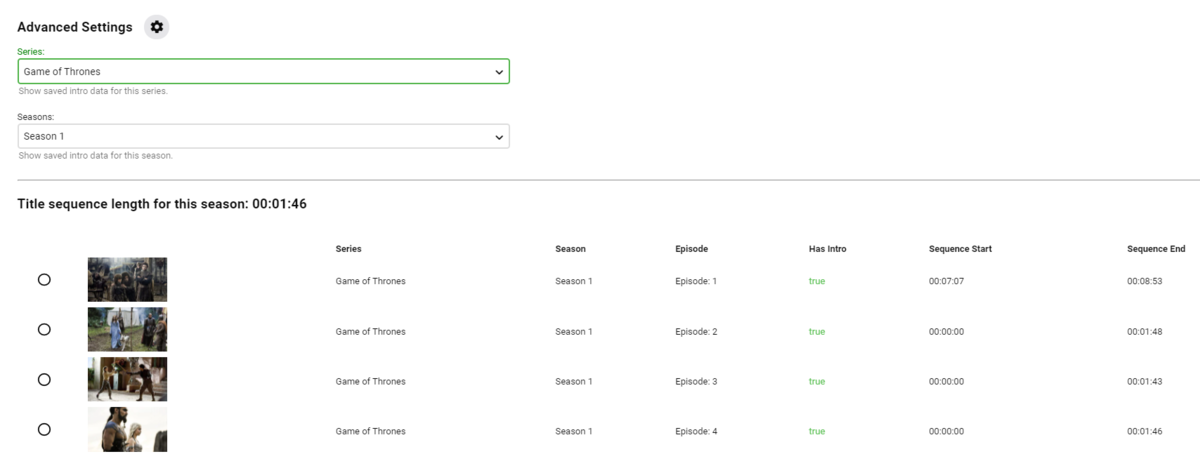
Yea GoT Season 1 is troublesome. GoT Intro is ~1min 50 secs - not 31 seconds .. The issue is Ep1 has an immediate 'HBO', a 7 min content, then the GoT Intro. All others Eps have (maybe a recap) + the HBO, then the GoT Intro. Thus - I would actually expect it to show 'false' for s01e01 - and this is correct, because it's not the same intro as all the others. The only way I have managed to get GoT (Season 1) appearing properly - is to insert the full Intro (HBO+Intro) into Episode 1 - THEN I get the correct detection. Of course this was just testing a theory - but now we can edit the results - for GoT s01e01 - we can simply edit the details.
 1 point
 -
https://support.plex.tv/articles/watch-together/ As described here. Trying to watch stuff with friends isn't too difficult now, but it can be annoying to keep in sync. Sometimes if someone pauses by accident ectera.1 point
-
@Mkilbride This is the feature request that's getting tracked for Watch Together. Multi-Cast Support - Feature Requests - Emby Community It's up to 68 votes, but add another. Hopefully they'll add it soon. I too am eager for Emby to get the Watch Together feature. Plex works for now, but I'd prefer to just use Emby.1 point
-
Change or remove this. div.peopleSection .cardPadder-portrait { border-radius: 100%; overflow: hidden; width: 150px; height: 150px; margin: 0 auto 5px; padding-bottom: 0px; }1 point
-
Have a look at this, I have not tried it. But look promising.1 point
-
Stranger things have indeed happened1 point
-
Great, thanks.1 point
-
@LukeI found the variable here. If played from itemdetails the logo appears. If played from any other area via card playbutton no logo appears.1 point
-
One thing I noticed is that the dashboard is hard to see but the work is amazing1 point
-
Hi. I am just using 6.0.4 build 42 (ex8) on a Kodi 18.9 with default Estuary skin. I have seen a couple of issues: In the movie list, when I press "i" to get information about a movie, nothing happens. However, "c" works and, if I choose "Information" from there, the upper part where actors and actresses are displayed is blank, saying "Cast not available". This was working properly with 5.3.2. Still, when I play a movie, the subtitle language is wrong. Instead of the one chosen in Kodi for the default case, another is used. I use external .srt subtitles, as follows: movie.ENG.srt movie.SPA.srt Thanks.1 point
-
A visual distinguishment would be helpful for the pure-white folder icon, to support use cases where the upper-left corner of the thumbnail image is also white. Both of the items below are folders, but only one is obviously so:
 1 point
 -
@samuelqwe your episode selection idea is just bangin' em out! LOL! Every 4 seconds at least 2 are found! So good! There are a couple times where episode 1 is scanned and is recurring to find episodes.. . not exactly sure why... Yet.. Plus, this is only at max parallel of 2.1 point
-
My plugin can also export stream links for playback of past and future programs as archive video (SimplePVR calls it catchup streams) to a channels.m3u. The stream links are urls with a placeholder for the "CatchupId" that is provided as part of the program from a xmltv file. I must admit i didn't try if the CatchupId accepts such a long parameter like the ones that are needed for your addon. I thought i would ask for a simpler method before i start to code. The reason why i also write EmbyNextGen urls in the export function of my plugin is, with the channels.m3u of your addon users that have a live tv plugin in Emby and the same as a Kodi pvr addon, get duplicated channels.1 point
-
Yes the one in the main post is the updated one.1 point
-
HI, yes it's a good idea. Thanks for the feedback.1 point
-
Updated the style with some small fixes. The header should now not be transparent no matter if you are using docked or undocked sidebar.1 point
-
I would guess your structure will not work as your subs folder has no association with the flat media structure of Vikings. Now if your structure in per movie item folders is would work. D:/drama/Viking (2016)/ Viking (2016).mp4 /subs/Viking (2016).srt Now if you want to maintain your flat structure you would have to have the subs along side the actual media so no subs folder. But have not tested this.1 point
-
Check out the Backblaze Storage Pods. They have very detailed build instructions AND part list. You can get an idea of generic parts you need from there. Ie, HBA, Backplane, etc. They include brand/models as well.1 point
-
All sounds good - at the end of the day, the drive temps tell if you have enough cooling and by the looks of it they do. 35 to 41C is perfect - I personally warn/alert at 45C and shut the server down if any drive reaches 55C - but they can probably take 60C without damage so I'm being over cautious.1 point
-
rebooting emby server wont do it - you need to clear the browser cache for the change to be shown and you will have to redo it on every update to the server1 point