Leaderboard




Popular Content
Showing content with the highest reputation on 08/18/21 in Posts
-
I would just like to add that this is a hi10p file which NOTHING can do in hardware, so the file will have to be transcoded. If you are trying to play it back on a device that will play h264 files in hardware, the server will be "stupid" and think that the device can play it back properly and it will cause it to stutter, lag and just become a horrible mess. Stop using hi10p, period,3 points
-
You would have to manually group them via multi-select or install the plugin. https://emby.media/community/index.php?/topic/63643-automatic-version-grouping-for-movies3 points
-
I would follow this topic as it should be the same issue.3 points
-
More likely in plugin settings itself and/or separate Dashboard tab in line with how Open Subtitles and Addic7ed plugins do it.3 points
-
HBO bit will be ignored because its duration is less then the default threshold of 10 seconds. But the plugin will take the first match as being valid. There is the possibility have having more then one match. Right now if episode 1 and episode 2 match we don't bother trying to match them again, but we could try episode 1 and episode 3. Then see if there is a discrepancy. if the results are off, test 1 and 4 to try and resolve any inconsistent results.2 points
-
Agreed - Level 5.1 is also completely unnecessary for a 1080p/23.976 file (4 or 4.1 should be used) - a lot of players will reject it on this fact alone ...2 points
-
Just FYI - we (Emby as a company) have no knowledge of your users logging in directly to your server. This email was generated by the forum software.2 points
-
Because your Emby Connect (forum) account and your users on your server are two different things.2 points
-
Wow.. how to make things overly complicated - Unless you have no other choice, and need to use SNAT and DNAT to avoid conflicting networks, double NAT on any home install is just a 'hack' as will lead to poor performance, impossible configurations for the likes of consoles, network broadcasts for IoT devices etc. A world of unnecessary pain. I'm glad you got it 'working' - but a simple 'Modem' > [NAT] router [DHCP] > switch setup would be your best option to get working properly.2 points
-
@BillOatmanyou can still keep it simple. Go to the channels dvr website. They have a free 7 day trial. You will put your spectrum login info in channels & then you will set it up in emby so you dont even have to use channels & y ou u get to stay in emby. You will be able to view live tv, record etc. This is how I run my setup.2 points
-
Thanks for your help!! When you took the time to test that level editor and library scan I knew something had to be off with the video files and not emby. In the emby log i found the ffprobe command emby runs: Info MediaProbeManager: ProcessRun 'ffprobe' Execute: /app/emby/ffprobe -i file:"/data/something/something.mkv" -threads 0 -v info -print_format json -show_streams -show_chapters -show_format -show_data Running this in bash confirmed that the video level was still reported at 5.0 by ffprobe but 4.0 by H.264 level editor. The problem was solved when I extended the search area in H.264 level editor (size limit: 100 000 000, count limit: 10) then I saw the first two hits were at level 4.0 and the other 8 were at 5.0. Changing all to 4.0 and making a new library scan solved the problem. I'm sorry it was my own fault and nothing wrong with emby. Hopefully this can help someone else in the future when they are wondering why transcode reason shows "video level not supported" and how to fix incorrect video levels... Edit: 10mb size limit and 3 count limit also worked. My guess is that ffprobe searches for 3 hits and is using the highest level detected of those hits.1 point
-
I have an idea on how we could possibly get around this, but we would need to test it to see if it works or causes issues. Essentially, my idea is to look at how long the "interruption" is and if it’s shorter than a certain amount (fixed or based on a percentage of the length of the intro we have detected so far) we simply ignore it and keep going, otherwise stop.1 point
-
If you read this computer science pdf, it looks like they add a layer of noise to the audio stream which... for some reason creates a better detection, they also drop the audio quality to 11025. Dunno... IJCSET17-08-05-021.pdf1 point
-
I have all of them it seems.. My library is a bit of a mess but Emby seems to get it right.. Whereas the plugin shows this:

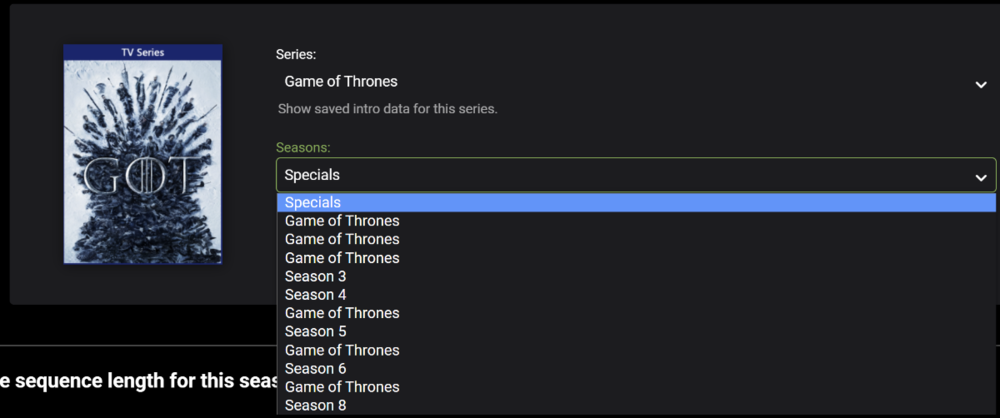
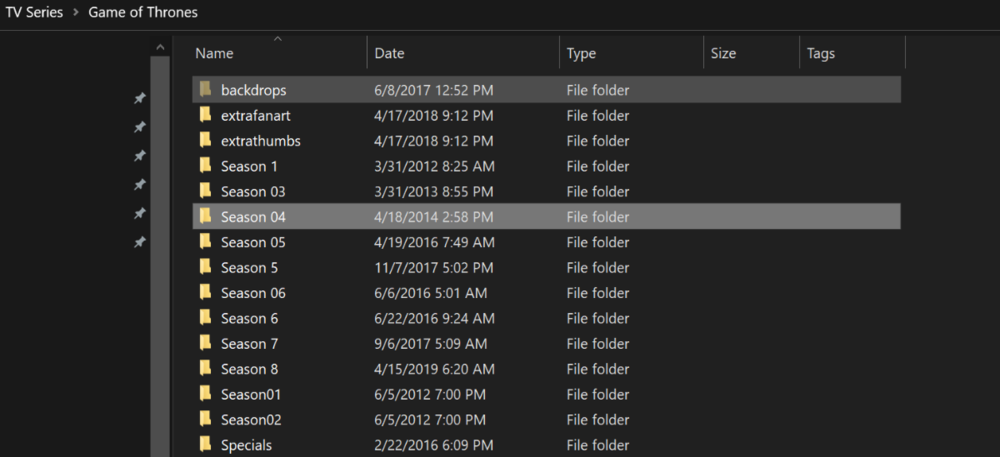 1 point
 -
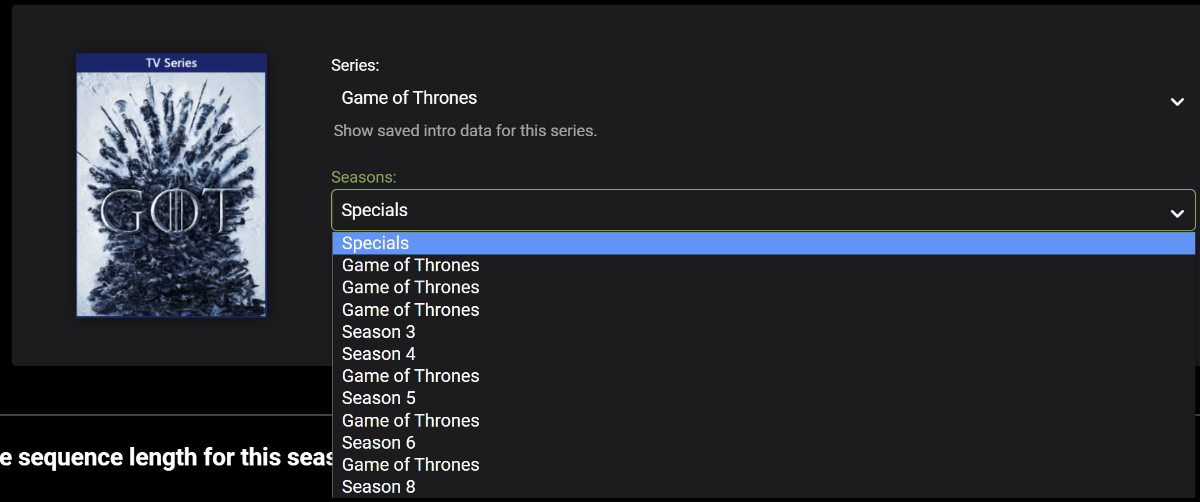
Here are 20 minute .bin files for GOT ep1 and GOT ep2 GOT.ep1.bin GOT.ep2.bin1 point
-
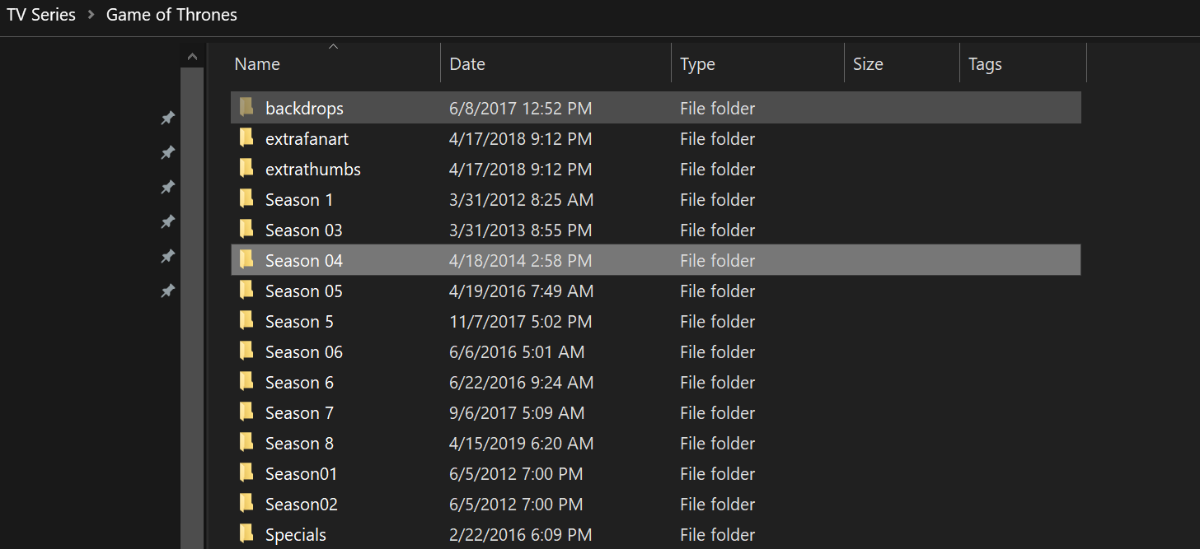
@samuelqwe If you mean the json fingerprint files - then i zip'd both Season 1 (bad) and Season 2 (good) - they are attached to this post. If not, then please ignore .. https://emby.media/community/index.php?/topic/48304-show-intro-skip-option/&do=findComment&comment=10578941 point
-
Start times seem to be fine, so it would be interesting to see why it’s going wrong at the end. If possible, could you send me the .bin fingerprint files for season 1? I’d like to perform some tests to find out why it isn’t working.1 point
-
is that correct ? the Intro for GoT is 1min 52 Seconds long. - Most of those are nowhere near that ? Your header even says is only 31 seconds long ?1 point
-
Thanks guys for your responses! My issue is now resolved! I actually followed another suggestion by you "rbjtech" from the "Latest Server Update - Dolby Atmos Issues" topic which said to enable the "Pass Direct Path" option under the "Playback Settings" and that did it. Apparently it didn't like the software decode in the Audio codec for TRUEHD. Changing it to direct via the "Pass Direct Path" option made my files playback correctly just like they use to. Thanks again!! I knew that there had be something going on with Emby's settings or something on Emby's side because other apps i.e. Kodi could access those same media files and pass them on to my AV receiver just fine with Dolby Atmos. Other streaming apps all on my Nvidia Shield were able to do so as well, which kind of ruled out the HDMI handshaking issue for me. Hopefully this helps others who might be experiencing the same thing... By the way keep up the great work as Emby is definitely the best media server/player that I used by far!1 point
-
Ensure HDMI-CEC is enabled on all the devices. Ensure 'power on/off' other devices is enabled on the devices. Ensure all your HDMI cables use CEC. Always turn on the end 'Client' first - which then turns on the AVR - which then turns on the TV. If anything in the 'chain' is already on, then there is a chance the HDMI handshake may not work - and thus you get PCM (as the default bitstream). I've experienced this a few times myself with my Denon AVR if used without the Shield. If I then turn on the Shield (from standby), I get PCM. If I turn off the Shield and back on again (which then turns the AVR and subsequently the TV off and on again..) everything is ok. Could be some issues with CEC I guess - but it's an easy enough fix.1 point
-
However, I would not set it to scan every 5 minutes as you suggested. A library scan can easily take longer than that. The bottom line should be to discover why your real time monitoring isn't working for you.1 point
-
Thank you so much cayars for the remote help!1 point
-
@luke I somehow suspected as much. I think I've figured out a fairly expeditious way to accomplish that. If I come up with any other way to work around this I'll certainly let you know. You are always right on top of things. Thank you so much.1 point
-
Thanks, for your efforts, liking Emby so far so. I am comfortable with docker but not a guru. Looking to keep things simple and well supported in the community as I transition my setup to run from my NAS from my aging Win7 htpc. BTW, I have experienced artifacting on the Win7 Home Theatre app when I scroll it ghosts and you can see the background desktop. Also, some random crashes. As a result we moved to the native Google TV Emby app and things are way more stable for us. I am sure there is a lot of focus on Win10 and beyond and not much time spent with Win7. I have several other client endpoints so I chose not to linger and spend any time troubleshooting a platform I am in the middle of trying to make obsolete. I am not in a hurry to go DSM 7, I have seen a lot of posts related to heartburn for various other apps so I will let the dust settle before jumping on it. Will stick to DSM 6.2.4.x for the time being until there is a compelling reason to go to DSM 7.1 point
-
I personally would always try and use a native app on any OS over a docker install when possible as it's one step easier to use without an additional layer of configuration and abstraction which can make things like hardware transcoding easier to setup and use as well as setting permissions. With that said if your environment already makes use of docker and you're comfortable with it then it could be a good fit. As Luke mentioned the native server app will get the bulk of testing. I for example do the bulk of my server testing on both Windows and now DSM 7 version of Emby Server for Synology.1 point
-
Hi, they both will work, but on Synology the native package is what gets the bulk of our testing time.1 point
-
If your machine can handle it, then it should be ok.1 point
-
Just let me know if there is anything I can do to help.1 point
-
Very similar case was reported by @hstamas It's still under review.1 point
-
Cayars, Thanks. Using your instructions, I was able to search and record if it was in the current guide listing. I guess it was bad luck I tried it with Rebel when I did not know it was not in the guide lately.1 point
-
Ideally we would want to troubleshoot why Realtime Monitoring is not seeing your newly added media.1 point
-
No, it doesn't. And the Devs tend to keep Admin tasks out of this client app.1 point
-
Thanks. Finally got it working. Appreciated.1 point
-
So with the help of @Happy2PlayI was able to set up double port forwarding and get it to work that way1 point
-
A 20 minute default seems like a good idea especially if it’s fast. Personally, I think using a percentage could be even better, but it may be slightly harder to implement. So it’s probably best to keep it simple for now. I’m really looking forward to seeing just how much faster it is by using only FFmpeg.1 point
-
When I set the intro encoding length to 20 minutes, I got almost every title sequence missed at 15 minutes. I think the default needs to be 20min. The good news is the scan is really fast because we are only using ffmpeg, so it will be hardly noticeable. In fact we probably don't need to log the successes anymore, only the failures, and that will keep plugins log writing minimal.1 point
-
I'll check with our package developer on how we might be able to debug this. To be honest, the Synology builds are templated, so we put together the PPC package mainly because we could, however we don't actually have one of these really old models on hand for testing. I'll find out what we can do. Thanks.1 point
-
It would be far cheaper to buy a Shield for playback that doesn't require transcoding than to buy the hardware for faster transcoding for your server.1 point
-
Please follow the steps listed in the thread @FrostByte linked to. If you are still having an issue after trying this again, let us know and we can try a remote session with you.1 point
-
Hi. We might put a link to this during playback at some point but there are already so many options available on the OSD that it just starts to get to be overload. Thanks.1 point
-
You should be able to get everything back after you accomplish the steps you may have missed while not using the guide.1 point
-
If you would like some remote help with this send me a PM and we can setup a remote support session to help you get your port forwarding working correctly.1 point
-
Hi. Exactly how did you setup the library?1 point
-
Doesn't look like anything is being collected from the internet and identified to me. No pictures, no text, nothing. Do you have a working internet connection from your Emby server?1 point
-
Please post a server log after a library scan.1 point
-
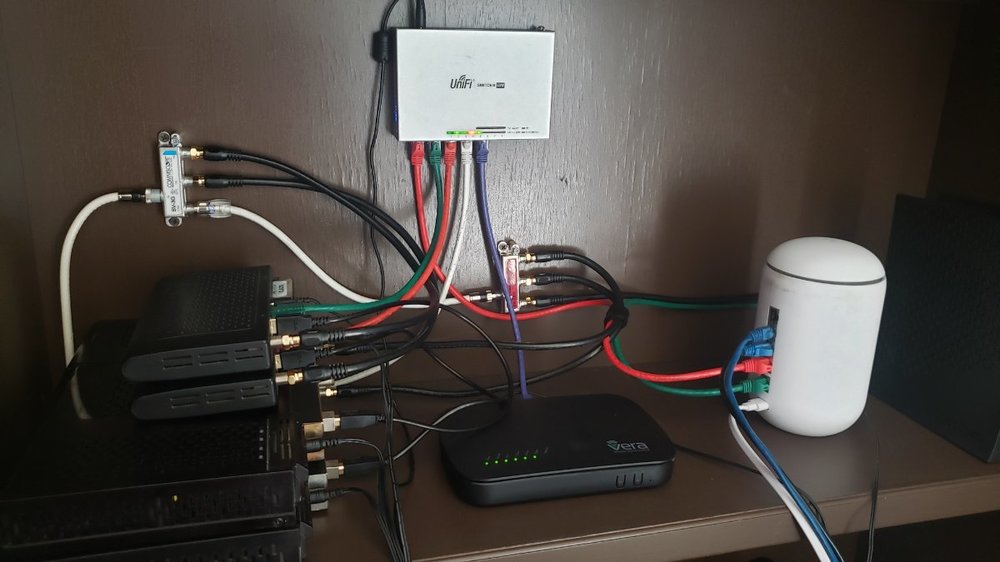
I have two HDHomeRun Primes and all but two channels aren't DRM. Emby works just fine with this setup saving around $100 a month in STB fees and DVR taxes. It is available anywhere I have an internet connection including in Cancun and Cabo. I record with it then run the recordings through MCEBuddy to strip commercials and compress the ts files to h.265 movies saving space. It just works..
 1 point
 -
And here we are back in the UI reading from the database properly just have to wire up some of the removal commands, and we're back where we were before... only this time we are saving to a database, and we only use FFMPEG. So it's quite an upgrade actually.1 point
-
some interesting moves from the competition https://www.plex.tv/blog/super-sonic-get-closer-to-your-music-in-plexamp/1 point
-
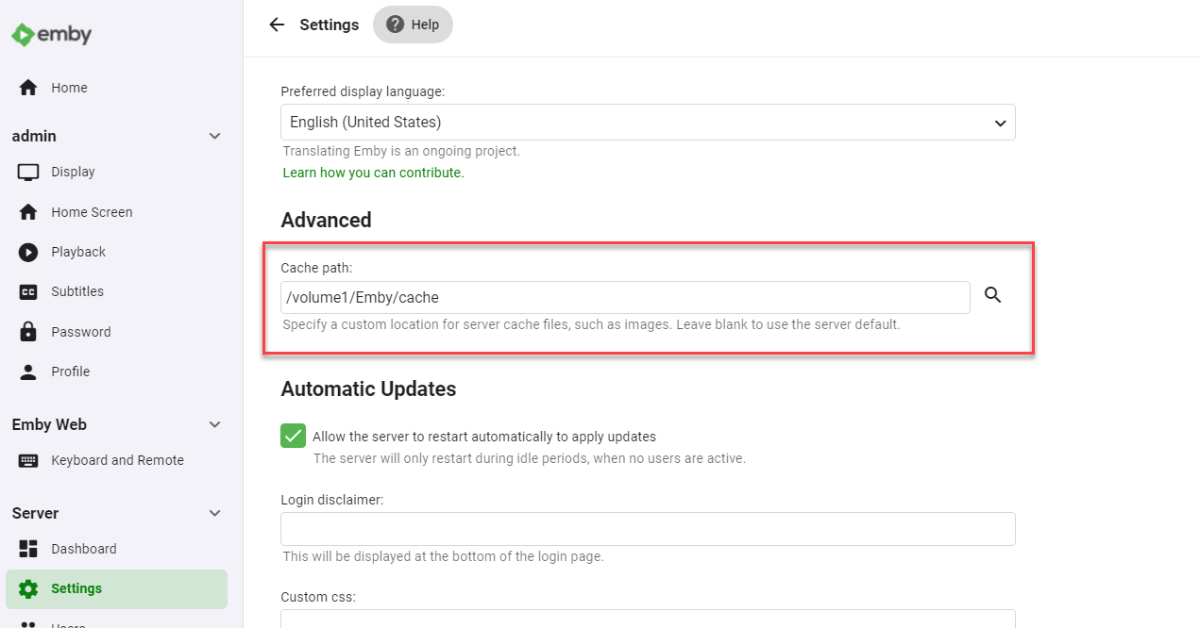
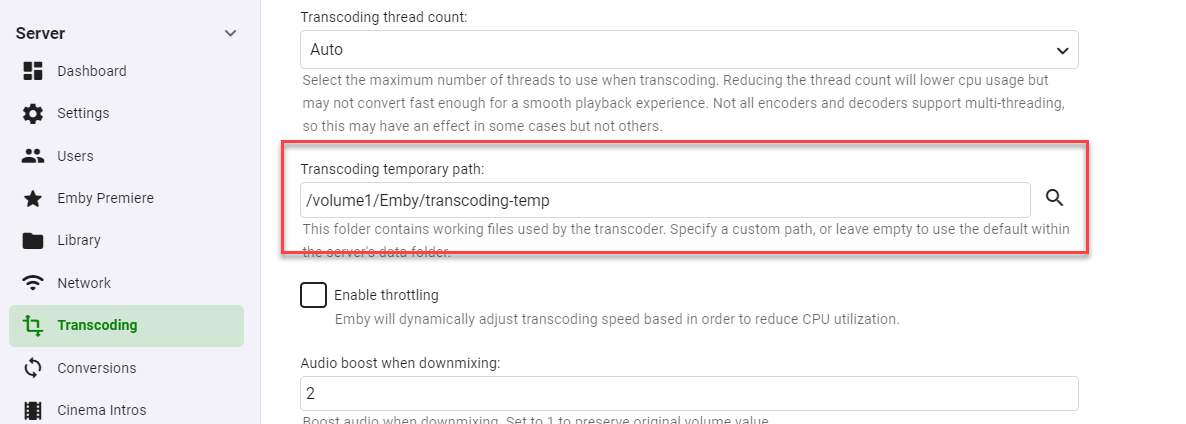
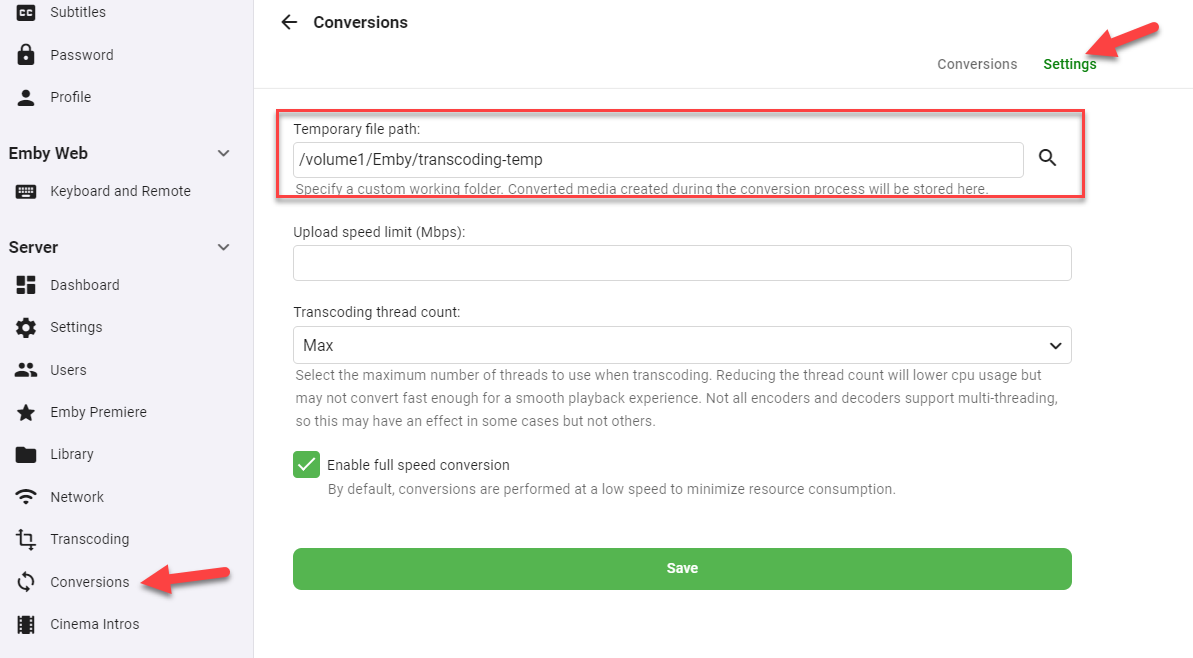
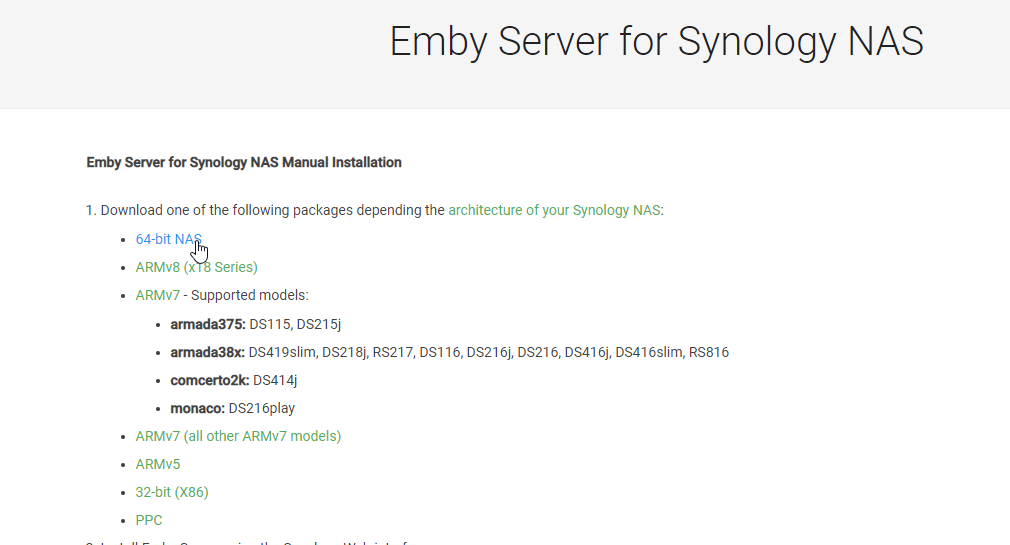
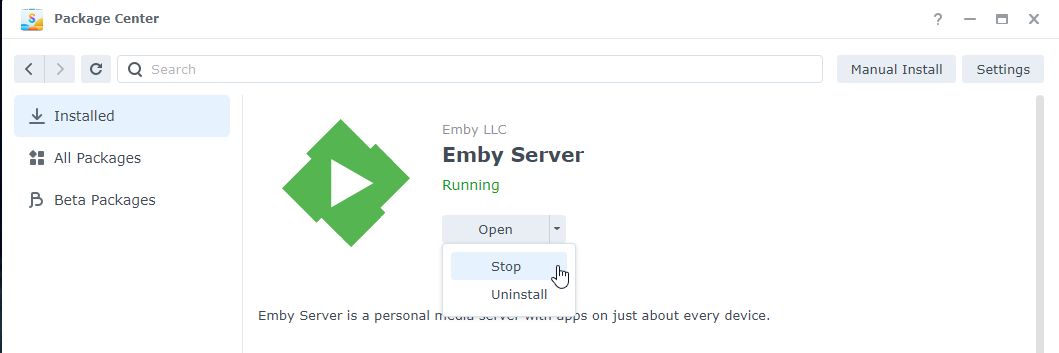
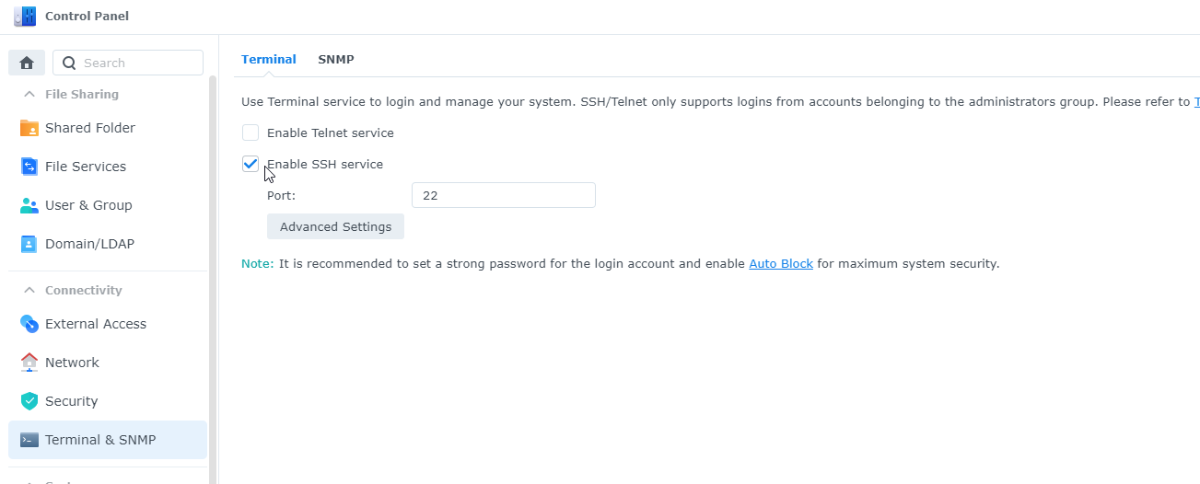
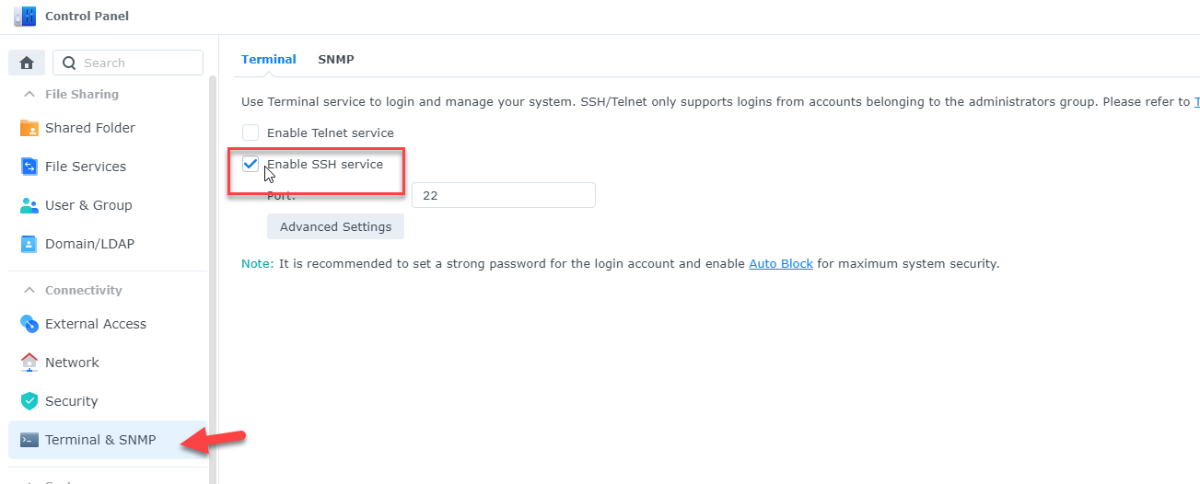
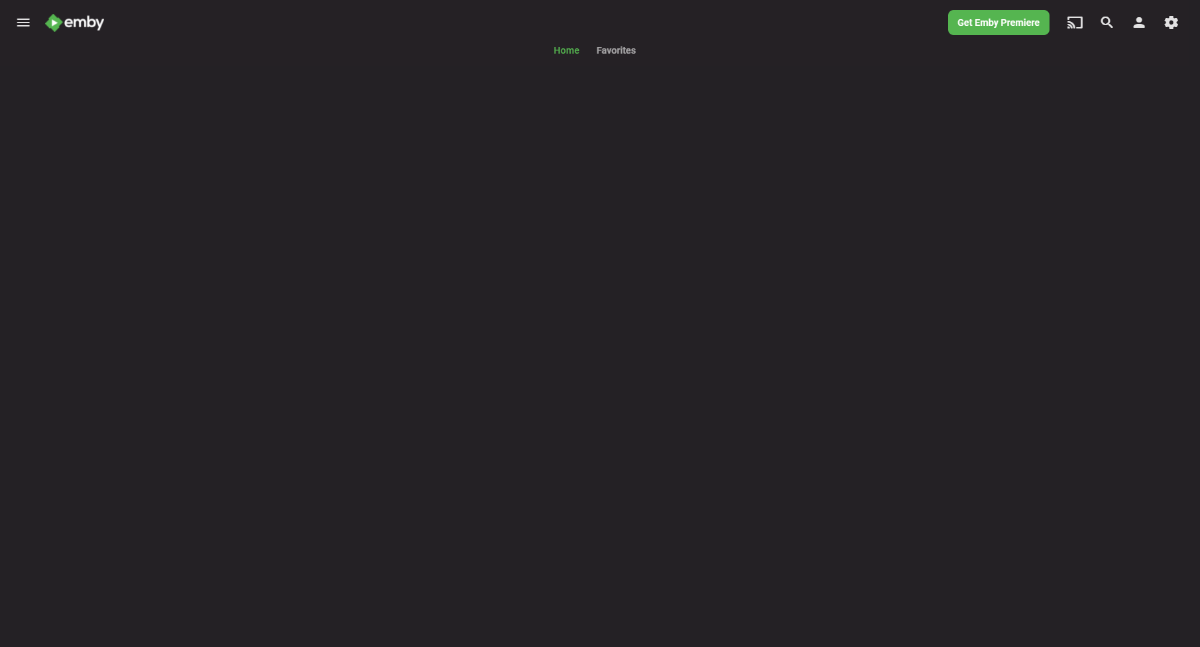
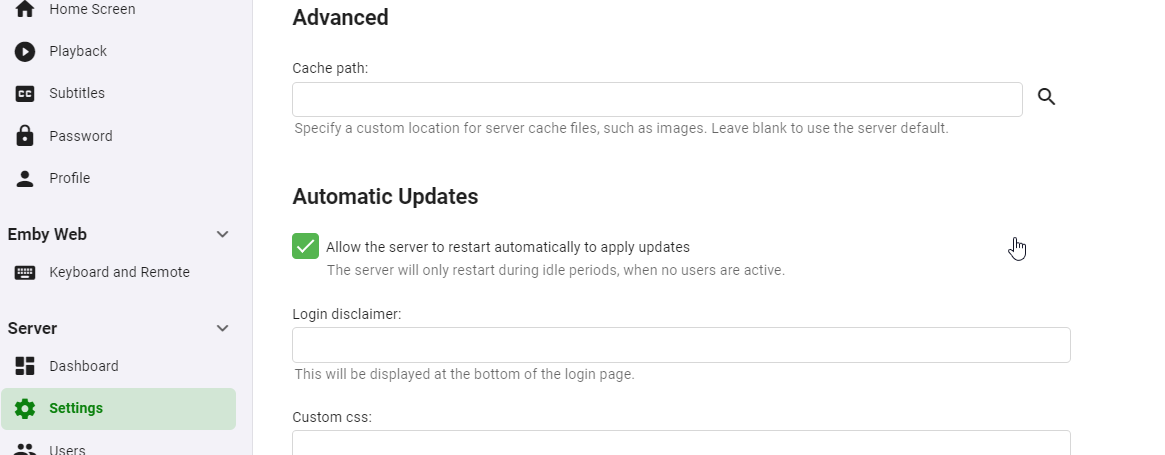
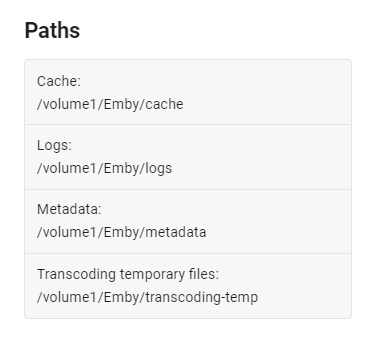
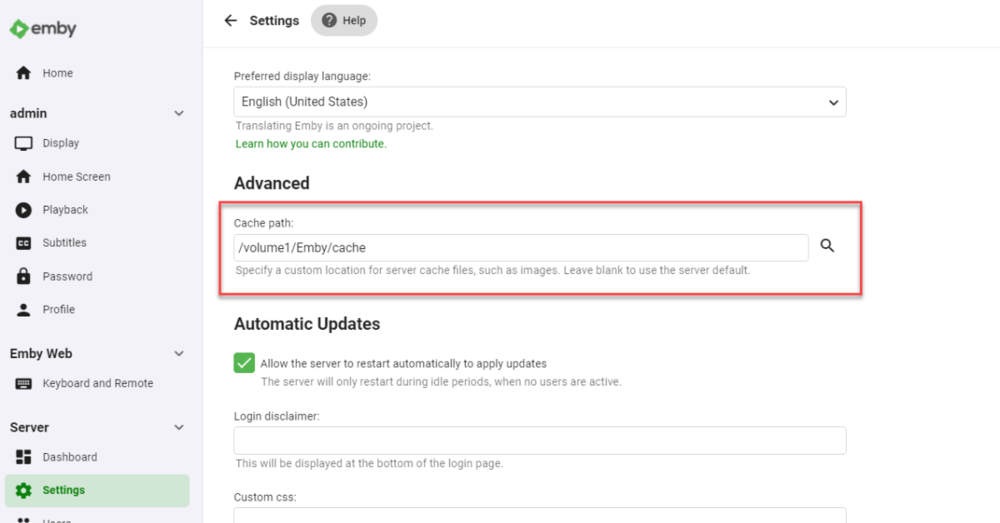
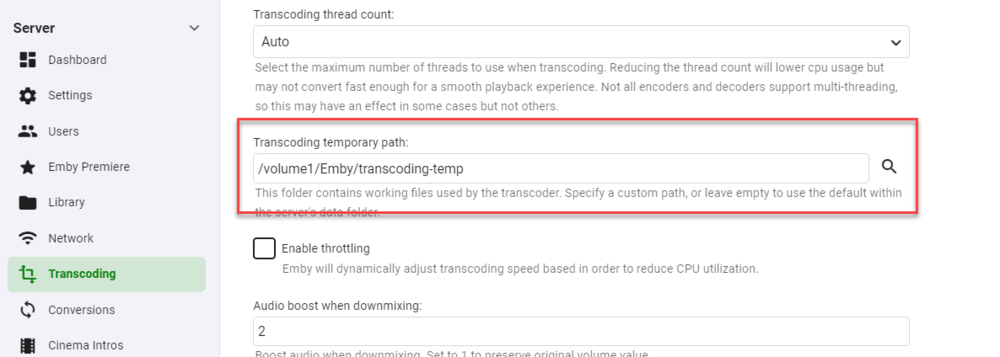
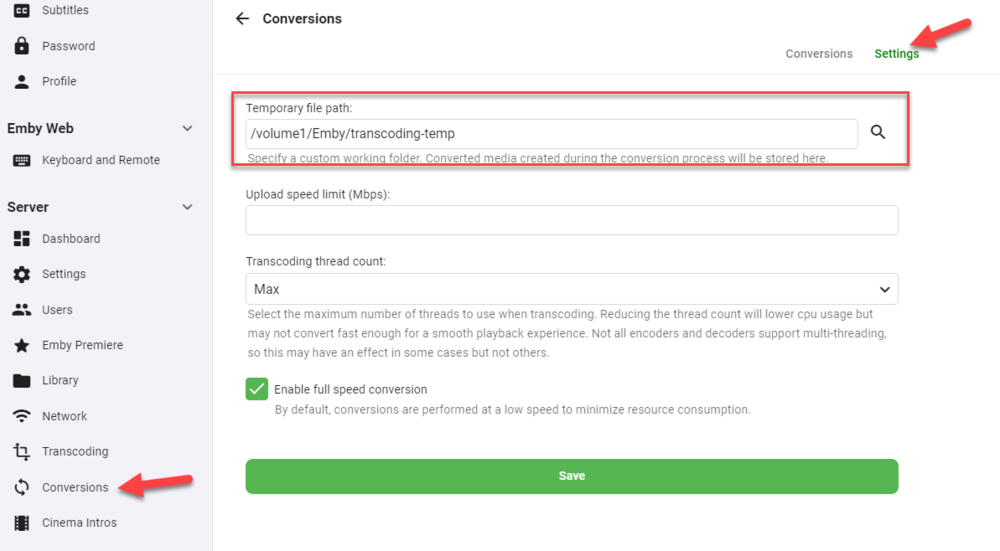
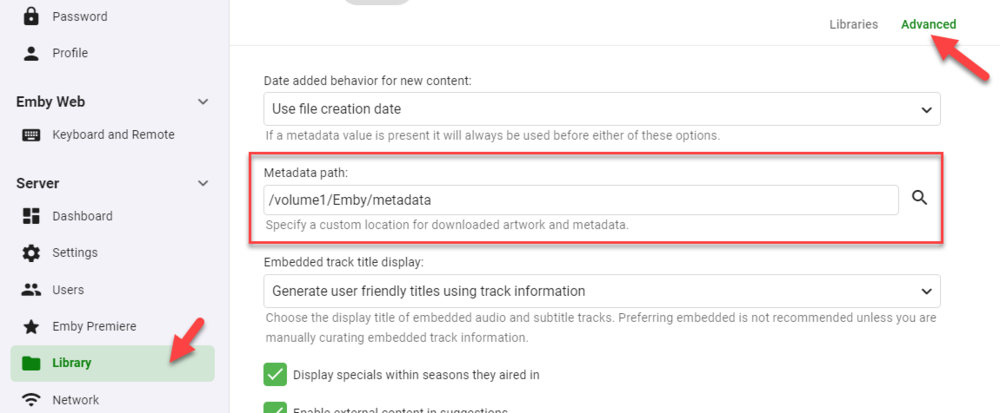
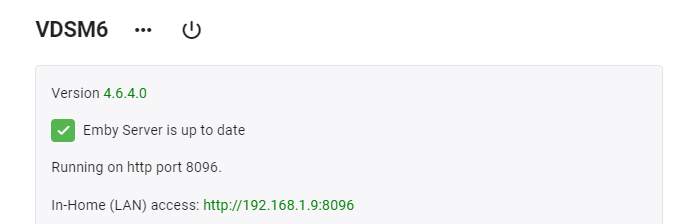
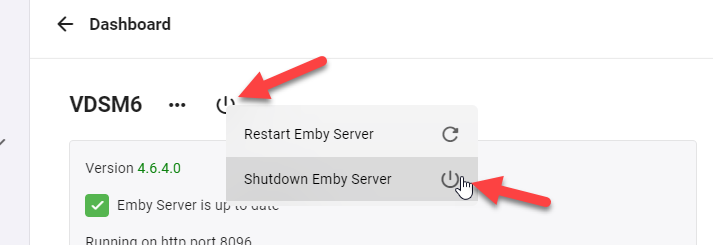
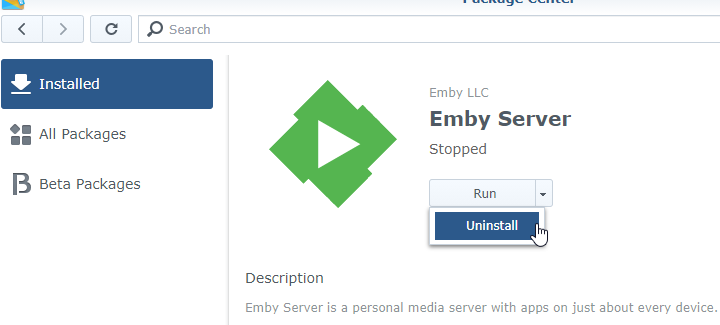
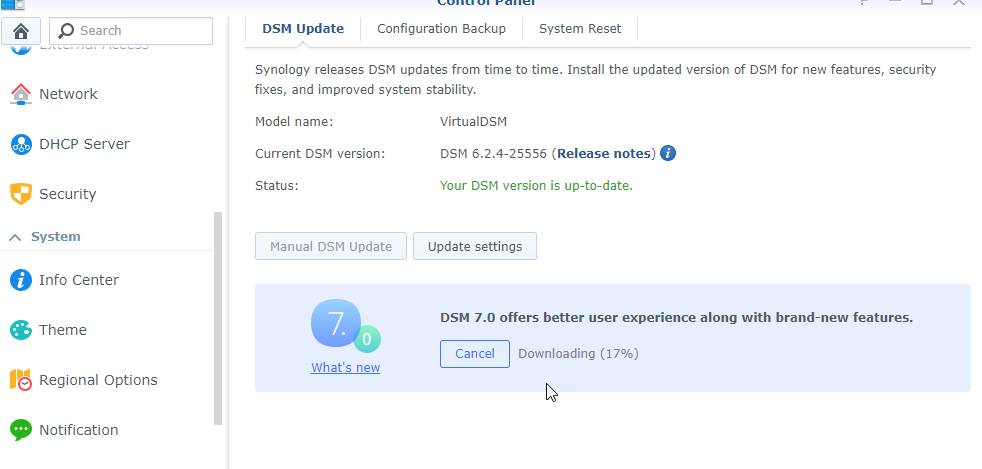
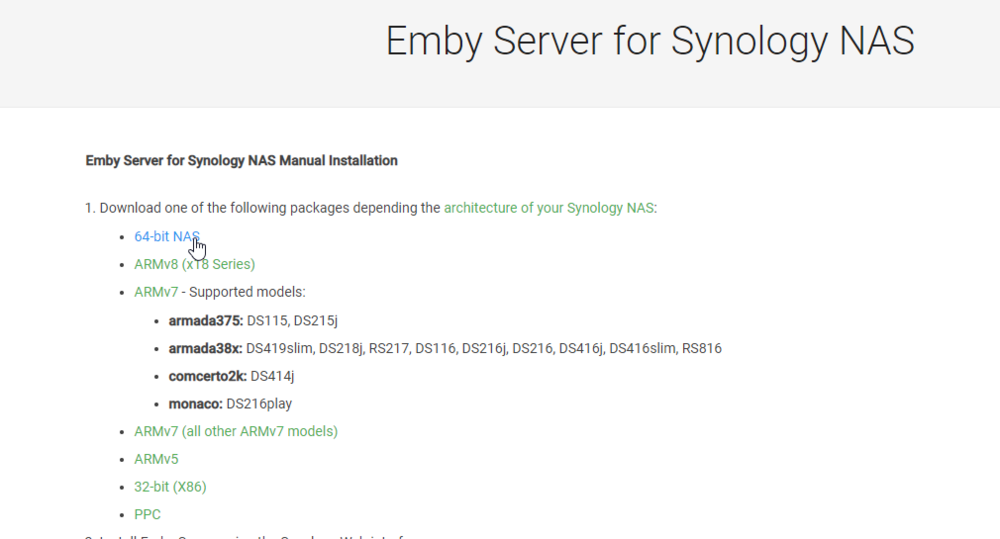
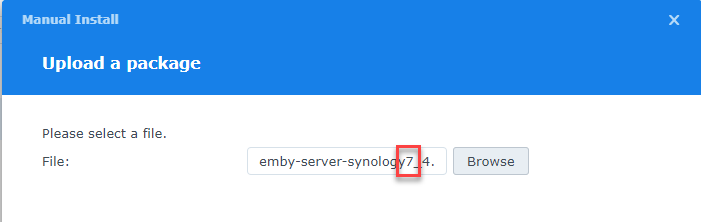
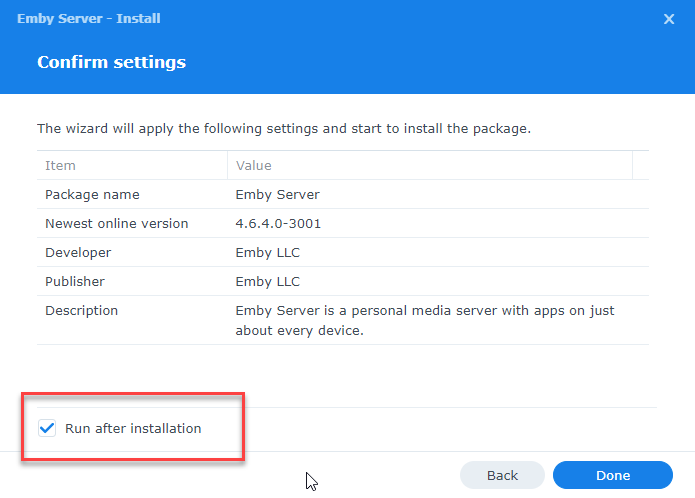
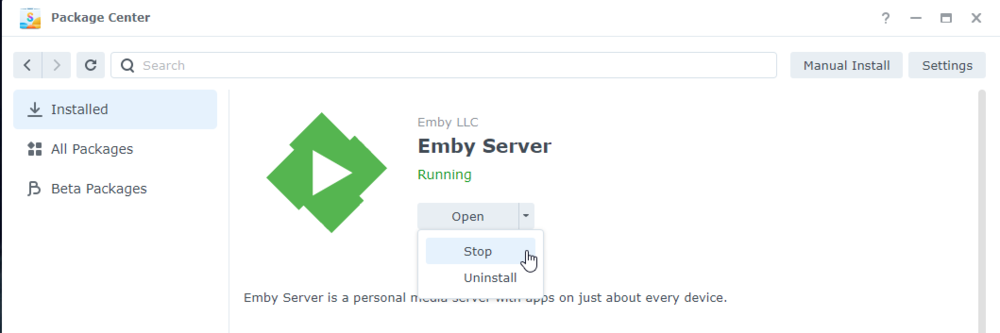
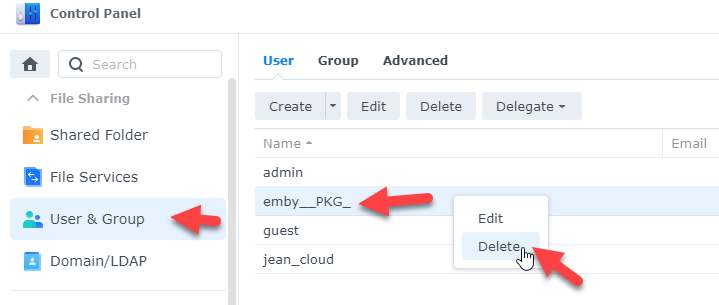
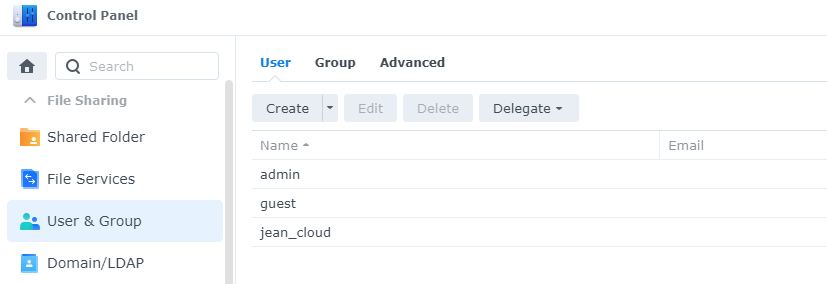
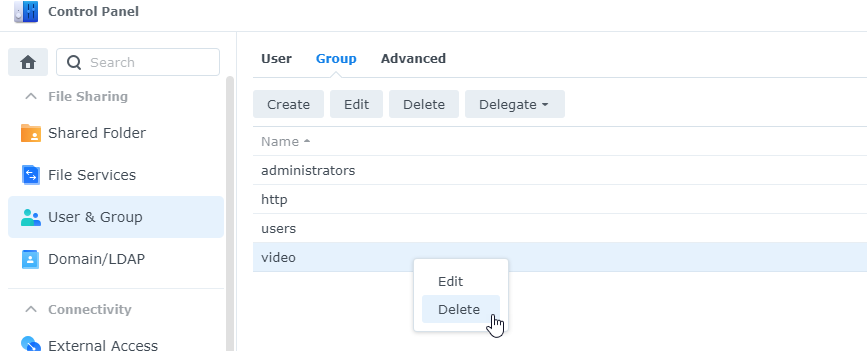
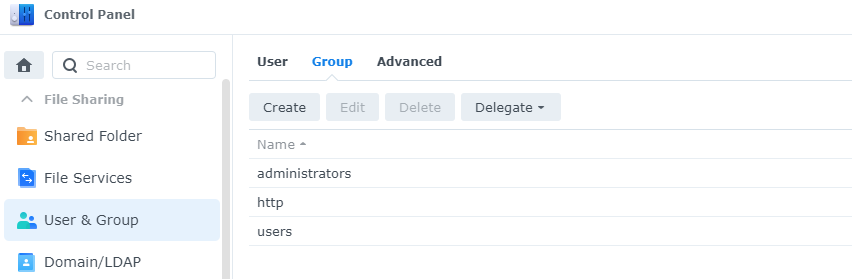
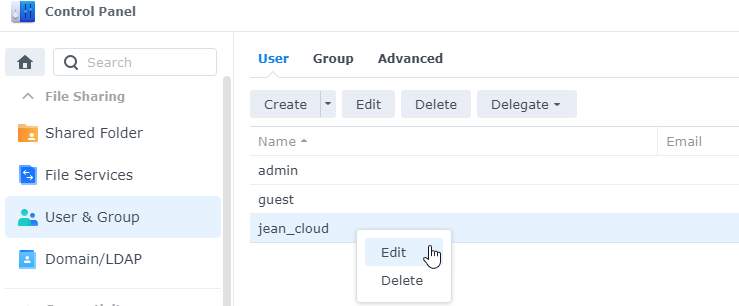
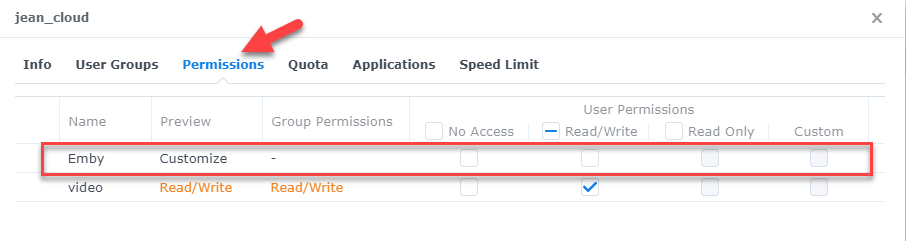
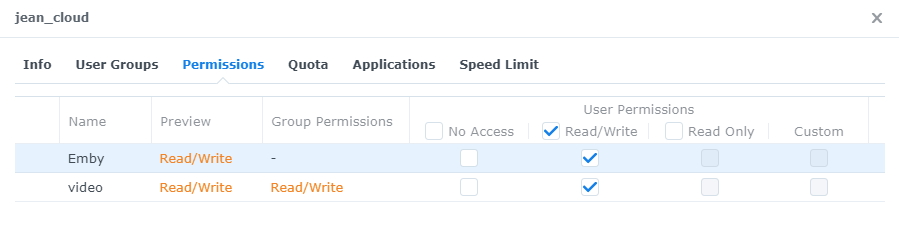
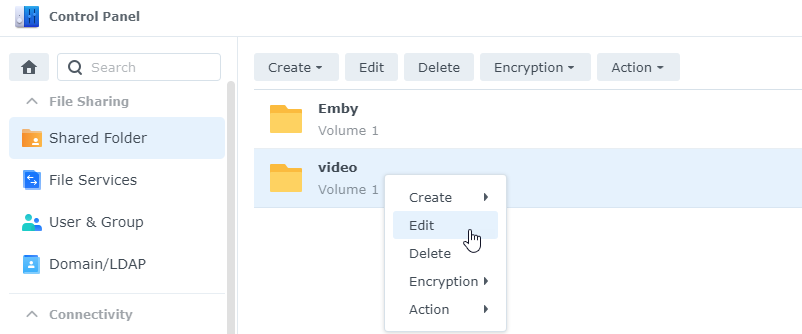
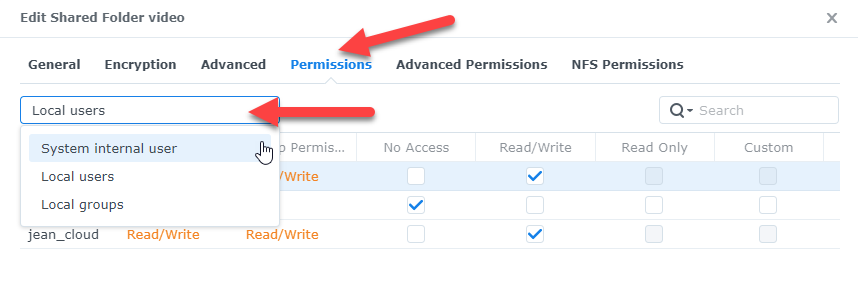
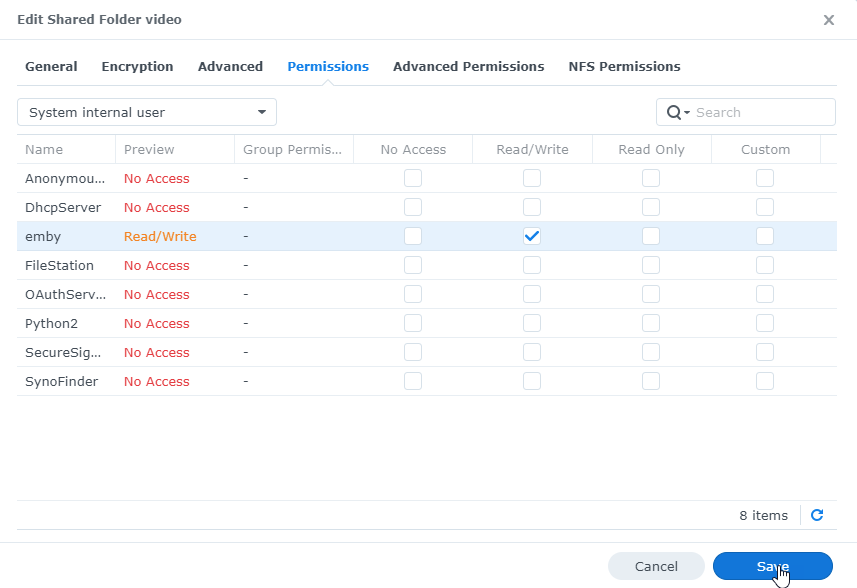
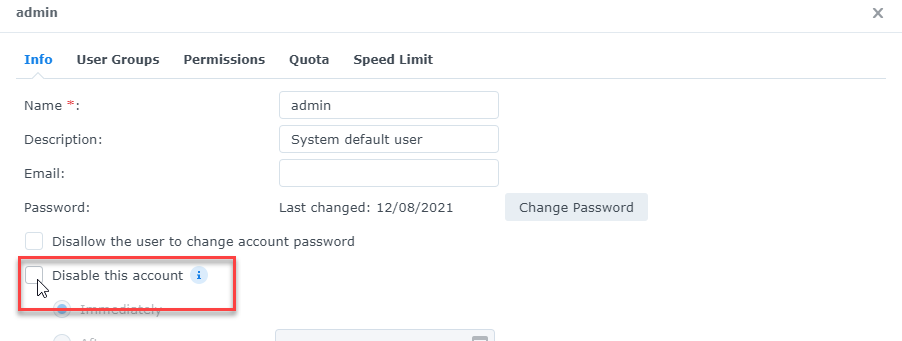
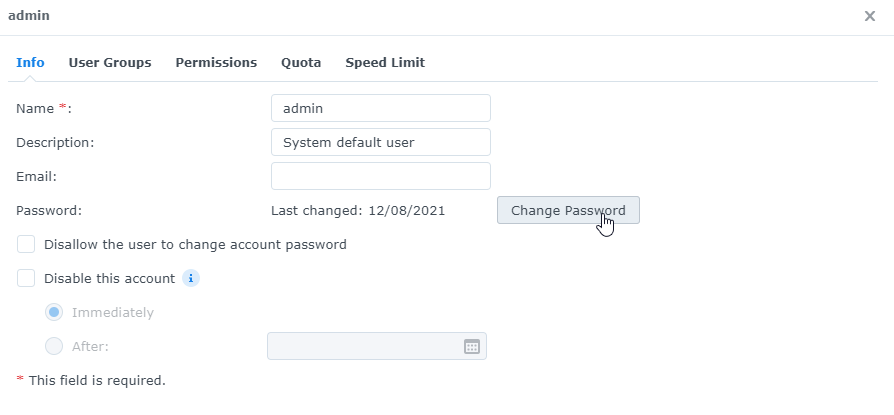
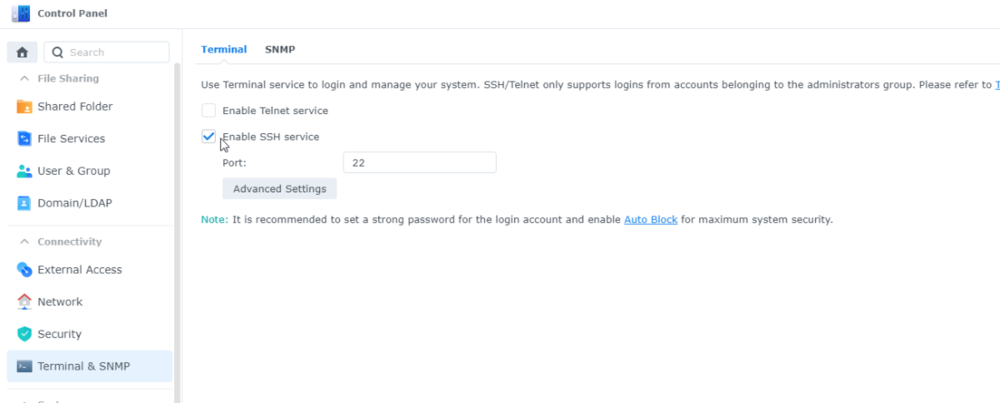
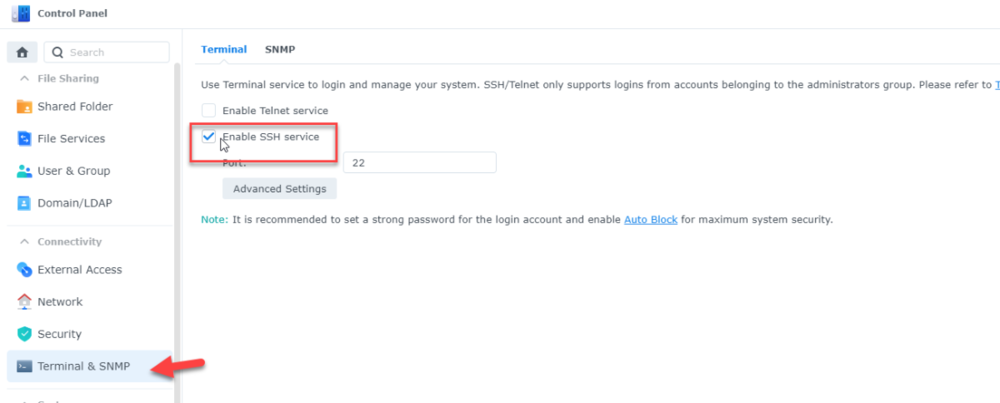
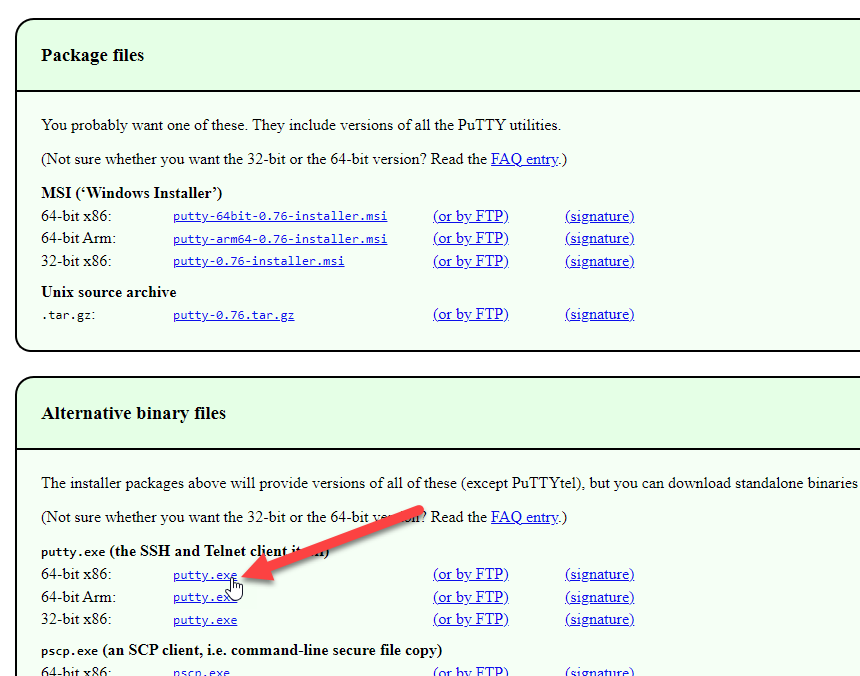
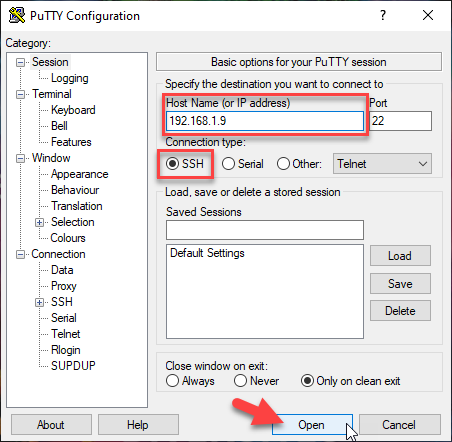
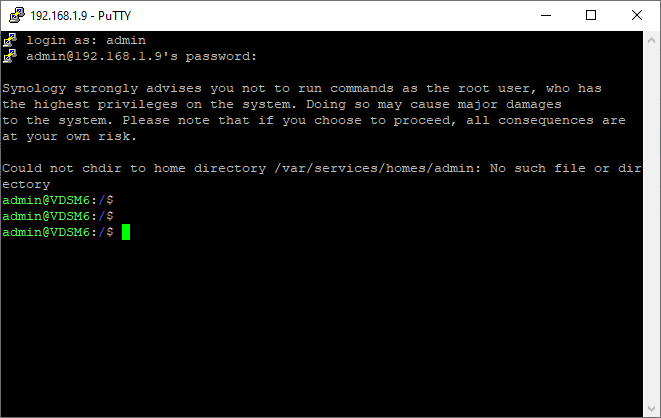
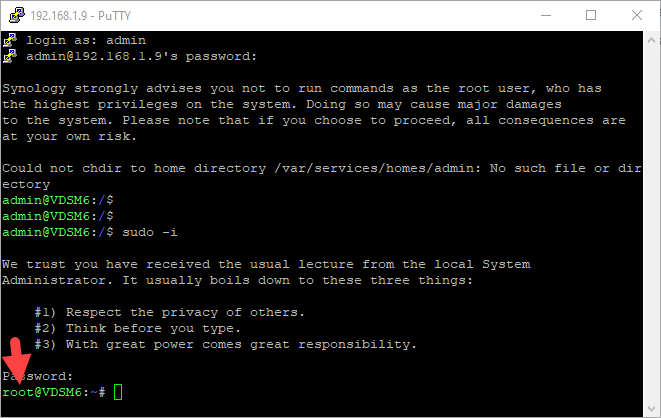
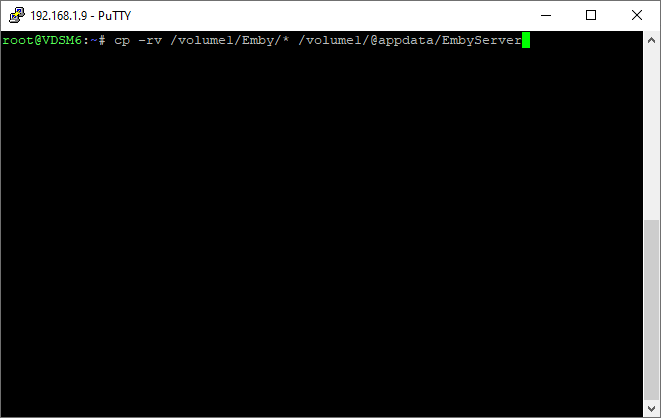
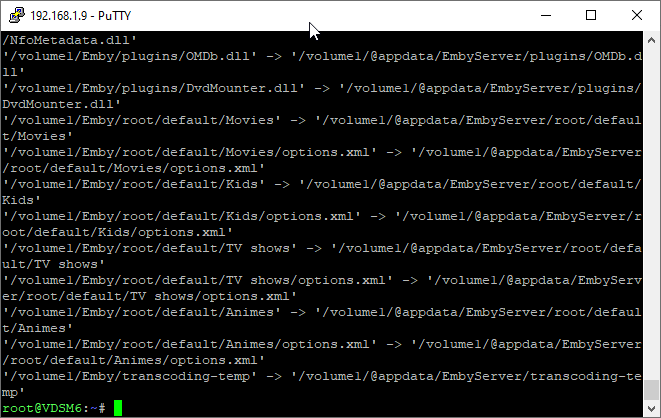
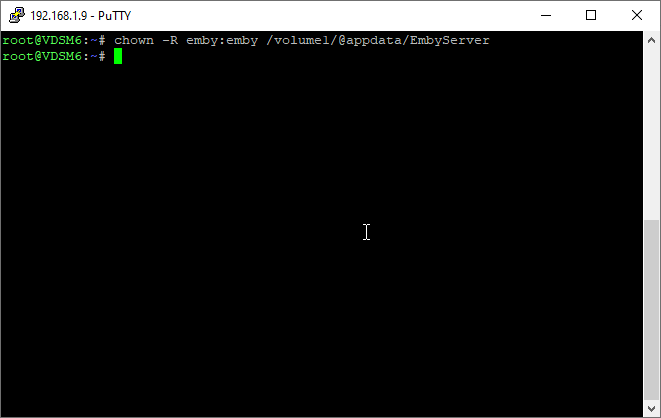
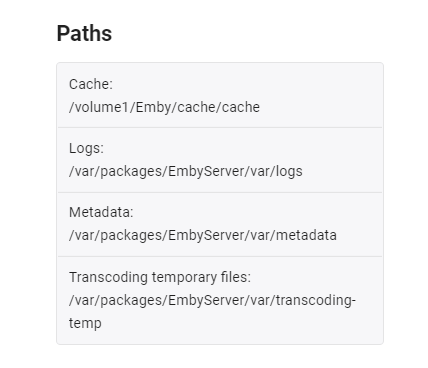
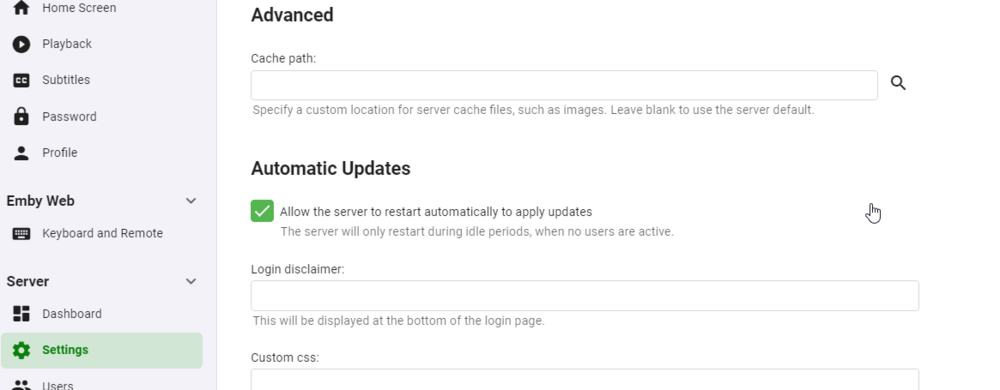
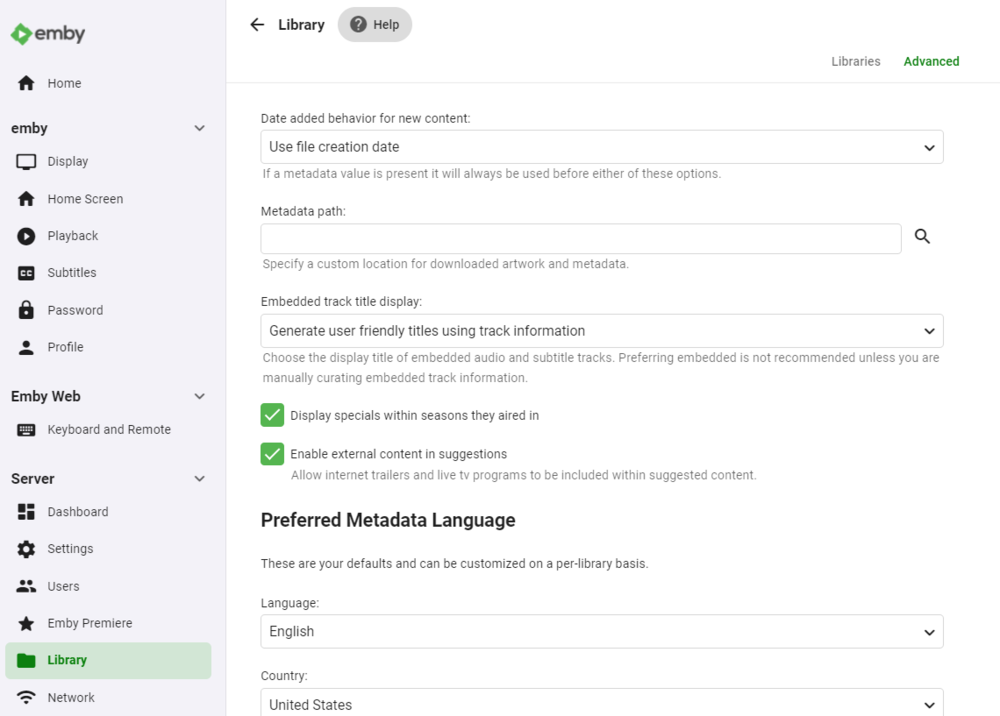
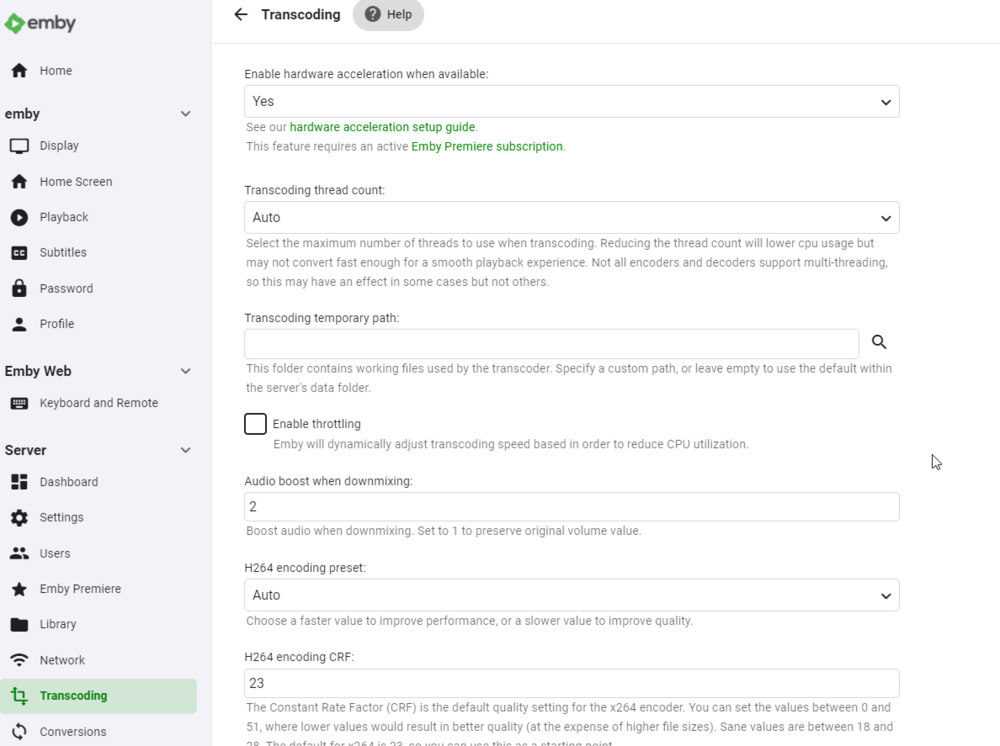
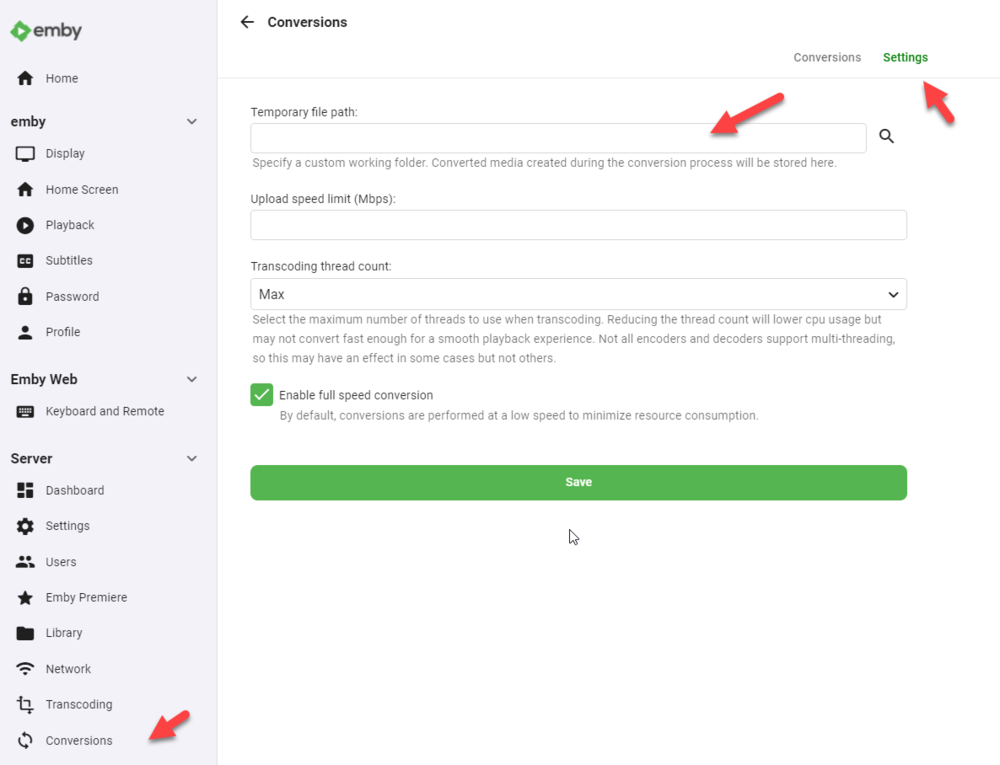
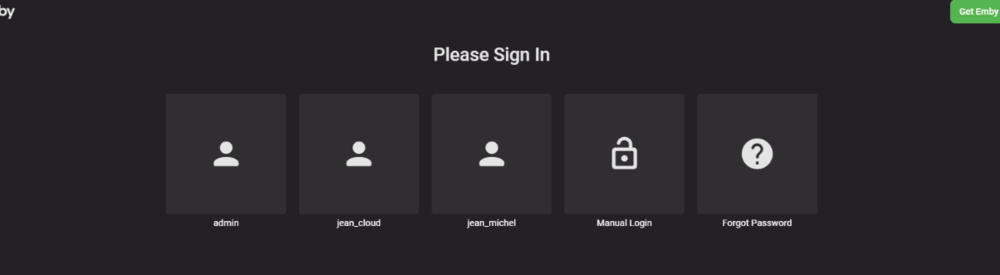
Hi guys, trying to do a complete tuto for those who don't understand what to do. hope it helps first, DSM migration is not a simple upgrade, there is a lot of changes that's why there is a DSM6 and a DSM7 version of emby ! it's not as simple as that, historically synology let devs to do some tricks to get access to some ressources that is not possible anymore in DSM7, emby guys need to recode the app. I created a VDSM6, last version, Emby last version, same configuration as I had before migration (at the difference I was in beta) : 1 share video with subdirectories DSM EMBY user full rights on it custom cache, logs, transcode files and metadatas paths some users by the way I recommand the nfo metadatas files creation for all your files and libraries... STEP 1 : DSM 6 - where are my datas ?? start by looking the paths on the dashboard then take a look on the settings go to the library advanced options then the transcoding temporary path and the conversion temp path keep in mind where are your datas ! wrote it somewhere. STEP 2 : Am I in the latest version of emby ? check it, double check, if not, stop emby, go download the latest package and upgrade. let's do a restart to be sure STEP 3 : stop and delete emby from DSM STEP 4 : leeeeeet's GO upgrade your DSM to version 7 now we can do hard stuffs STEP 5 : install emby FOR DSM7 https://emby.media/synology7-server.html choose the right package (to me 64-bit), and install it manually. the package is called synology7_4.6.4.0 let the run after installation check box, we need to let emby starts to let it create its files and stop it STEP 6 : remove emby_pkg user and video group go the control panel - user and group and remove the emby__PKG_ user no more user still in user and group, go to the group tab and delete de video group no more video group now, to be sure, go edit your user account to check if you still have all access to your shared folders. return to the user tab and edit your user, if you have multiple users, edit them all then go to the permission tab, I lost my access to the emby shared folder in the migration. check and double check your access to all your folders (if you have sonarr, radarr... you will do the same to give back the sc-xxx groups rights, but it's another subject) do the correction and SAVE for those who use the admin user, we talk about it later but yes you have to do the same with it STEP 7 : give rights to the emby user on your shared folders the emby user is a local system user, it is hidden, we need to give it the right to access the folders. stay in the control pannel and go to the shared folders, remember the paths on the step 1 ? in my case it was the shared folder called emby for the custom paths and the share called video to my libraries. edit your folders. go to the permissions tab, the emby user is not here, that's normal, click on local users and select system internal user now you can give read/write access to the emby user do the same FOR ALL THE SHARED FOLDERS emby has access to STEP 8 : technical stuff emby is still down, user rights are clean, now we have to copy/paste all the previous files from emby on DSM 6 to emby on DSM7. the reason is simple : the package is not installed in the same directory. to do that we need to go in cli (Command Line Interface) but synology is not that simple, you can't do it with your "classic" user you need to do it with the admin account and get an "elevation" to the root user. AND, the admin user is, for mostly people, disabled by default. (for those how the admin account is enable because they use it, just check if you can access all the folders, some rights disapeared with the migration) so, let's go the control pannel, user and group and edit the admin user, by default, it is disabled uncheck the box disable this account now go change password, because if you never used this account, it has no password the account is now ready to get access to the cli, we need to activate the SSH service, stay in the control pannel and go to terminal & snmp to activate the SSH service, let the port 22, don't forget to apply modification now you need an ssh client, I use mobaxterm but for you let's use putty, you can download it here https://www.putty.org/ we don't need to install the whole package, juste download the exe file then run it, check if you are in SSH and enter you synology IP if you can't access to your NAS, you did not apply on the SSH service page, go back and check.. accept the keys and log in with the admin account we now need an elevation, type the command sudo -i the password is the same as the admin account, you are now root STEP 9 : copy old file to the new location still remember the path of your files ? we have to copy them now with the command cp -rv /volume1/Emby/* /volume1/@appdata/EmbyServer it means Copy -RecursiveVerbose <old emby path/all file> to <new emby path> depends of the number of your files, the copy will take some times, when you returns to prompt, the copy is done now we have to give back the good rights to the user emby on those files, so we have to pass the command chown -R emby:emby /volume1/@appdata/EmbyServer keep putty open, just in case there is a users and library problem... FINAL STEP : START EMBY dark screen, starts good... check the paths (remember step 1..) and delete all custom, some paths keeps the old one, some paths are still in the emby shared folder settings, delete cache path library (empty, here we go...), metadata cache empty, save just in case transcoding path empty, save convertion, settings, delete path and save check all the previous old custom path and restart emby FINAL FINAL STEP : where are my users and libraries ??? now got a empty users and empty libraries, but the configuration is ok. don't panic. stop the emby server return to putty and do the command rm -r /volume1/@appdata/EmbyServer/* it will delete all the file in the new installation path of emby, don't delete file until emby is not completely down. then redo the command cp -rv /volume1/Emby/* /volume1/@appdata/EmbyServer and redo the command chown -R emby:emby /volume1/@appdata/EmbyServer start again emby and voilà ! all good ! when all done, you can close putty. you can also disable the SSH service and disable the admin account if you don't need it. remember control pannel user and group for the admin user, terminal and snmp for the SSH service




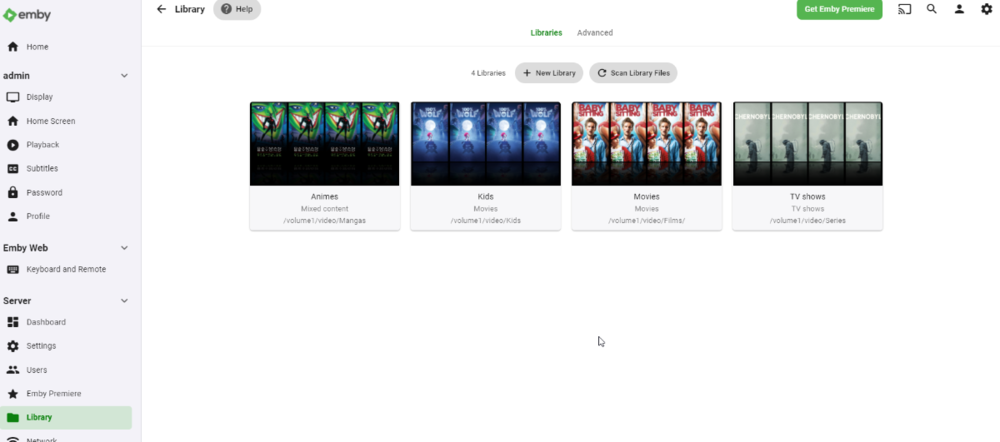 1 point
 -
I haven't run an Emby server on one of these, but I did put windows on one. I found it very sluggish doing basic tasks in windows, granted I only put in 8gb of ram. I ended up using them all with LibreELEC to run Kodi. Now they're sitting in a box in my basement since I switched to NVidia Shields and the android app.1 point