Leaderboard




Popular Content
Showing content with the highest reputation on 08/16/21 in Posts
-
Now there is a beautiful sight! Only problem is that the duration integer is saving as zero after the the episode title sequence data is found. So I have to figure out why. But look at all those wonderful title sequence start and end times for tv episodes! @samuelqwe <-- That's for you man!4 points
-
Strm files. https://support.emby.media/support/solutions/articles/44001159147-strm-files3 points
-
some interesting moves from the competition https://www.plex.tv/blog/super-sonic-get-closer-to-your-music-in-plexamp/3 points
-
And here we are back in the UI reading from the database properly just have to wire up some of the removal commands, and we're back where we were before... only this time we are saving to a database, and we only use FFMPEG. So it's quite an upgrade actually.2 points
-
Use strm file that points to the original file. search the forum for more examples. Cross Series Naming and Playing2 points
-
I guess it's a torrent thing. That would also explain why he doesn't like nfos in his (seeding) movie folders2 points
-
After looking at the database table again, it looks like the duration has shifted columns after the title sequence detection task. I can see all the duration integers sitting in the seriesId column. Now I know where to look. I think the duration has to be saved with the data incase the user changes it in the settings. We would want to know what the saved encoding duration was, or else we might be trying to compare two different lengths. Probably have to have a condition which checks the current duration settings with what is saved.2 points
-
Hey Everyone, My journey from Plex to Emby has been pretty smooth with the exception of setting up SSL encryption. There are lots of great posts on this forum and elsewhere on how to do this, and I consider myself pretty computer literate. But I'll be honest, this was a bit overwhelming for me as I have no experience at all in hosting web servers, DNS, or encryption certificates. After many hours, I've got it all working, so I thought I'd share what I've learned. I'm going to try to write this for the newbie, so don't be offended if it seems like I'm explaining lots of simple stuff. That's really what I needed a week ago, so maybe it'll help someone else in my shoes. Also, this is for Windows, although most of it applies to any OS. There's lots of text, but it's really very easy. Let me also say, I understand that a reverse proxy gives you lots of benefits and flexibility for securing your server. But that was a step too far for me. If you want a reverse proxy this post is not for you, but there are many posts in this forum to help you. If you want to access your Emby server from outside your home network you will want to require secure connection mode for all remote connections (see "Network" tab in Emby server configuration). To do this you need an SSL certificate. To get an SSL certificate you must have your own registered domain name. Here's a step-by-step. Domain Name Registration A domain name is the readable text part of a web address. So emby.media, or google.com, or media.yourdomain.net. Most home users don't have one, but you need one to get an encryption certificate. While (Edit:)There are many options for purchasing a domain (godaddy.com being very popular), I chose to buy my domain from domains.google. It cost me $12/year, and this is the only cost to getting your Emby server working with encryption. Go to https://domains.google, pick a domain, pay your money, and you're ready to go. For the rest of this discussion let's say you registered the domain name yourdomain.net. Now you need to associate your new domain with your home IP address. Most home users get their IP address assigned to them by their internet provider and it is "dynamic," meaning it can change. So you need to be able to tell your domain provider what your address is and update it when it changes. This can be done automatically, and is called dynamic DNS (DDNS). (Edit:) Before obtaining a domain, ensure the provider supports Dynamic DNS. Google domains supports this easily, here is the help page explaining how to set it up. Fortunately, my ASUS router has this capability built in so it was easy, but it's easy even if your router doesn't (follow google's directions). (Edit:) In case you have a static IP (obtained from your ISP), DDNS support is not mandatory. That's it for domain name registration. Now yourdomain.net points to your home network IP address. SSL Certificate Now you need to get an SSL certificate. This has the encryption keys you need, and must be issued by a recognized certificate authority or it gets blocked by your browser. Lets Encrypt will give you a free SSL certificate but it has to be renewed every 90 days. This was the part I was most confused by, but it's actually really easy. The part to understand is that Lets Encrypt must have some way of proving you own your domain name before they can issue you a certificate. There are two options, 1) they give you a little text file to place on your web server in a certain location. I don't have a web server so this is a no-go. 2) They give you a text string to add to your DNS registration in what is called a "TXT Record." You do this with google domains, it's very easy. To get a certificate you need an ACME client program that knows how to talk to the lets encrypt server. They recommend certbot, but it doesn't work in windows. Dig enough and you'll find ZeroSSL, they have a nice downloadable program that does it all and is really easy. Download here. Make a directory on your computer (I used c:\ZeroSSL). Put the le64 (or 32) exe in this directory. A single command will create your certificate. I think the easiest way to do this is create a text file in the same folder as the program, call it "get_cert.bat" and put the following three lines of text in the file. Edit the second line to have your actual domain name (instead of "yourdomain.net"), and to have your actual password for your PFX file (whatever you want it to be, just replace "yourpasswordhere" in the code below. @[member="Echo"] off le64 --key account.key --csr domain.csr --csr-key domain.key --crt certificate.csr --domains "yourdomain.net" --generate-missing --handle-as dns --export-pfx “yourpasswordhere” --live pause Save the text file as get_cert.BAT and then double click it to run. This runs the le64 program, creates the public/private key pair, asks lets encrypt to generate a certificate, saves that certificate, and converts it to a PFX file format that Emby requires. All in one command! When you run this, a command window will appear and you can see what it's doing. After a few seconds it'll pause and ask you to place the TXT record in your domain. It gives you a name and value, the name will be something like _acme-challenge.yourdomain.net, and the value will be a bunch of random letters and numbers. The program pauses here for you to put this into your domain. So now you just log in to your google domain again, go to "DNS" on the left menu, scroll all the way down and enter a "Custom Resource Record." The type is TXT, the name and value are what le64 gave you. Put them in, wait a few minutes for the change to take effect (took just a couple of minutes for me). Then go back to the command window where le64 is running and press enter to continue. It'll then verify your TXT record is there and issue your certificate. You'll find a file certificate.pfx in the le64 directory, that's it! Emby Setup Now log in to your Emby server setup. Go to "Network," in the field "External Domain" you put your domain name, so yourdomain.net or whatever you chose. For "Custom SSL certificate path," browse to the .pfx file that was created by the le64 program. In the "Certificate Password" field put whatever password you used in the .BAT file above when you created your certificate. Then for "Secure Connection Mode" I recommend you choose "Required for all remote connections." You also have to log in to your home router and forward port 8920 to the computer running your Emby server. I'm not going to give directions on how to do this, it depends on your router, but it's super easy. That's it. You need to restart your Emby Server, and then you're done! You can now access your server remotely and securely at https://yourdomain.net:8920. Certificate Renewal Now, I mentioned before that the Lets Encrypt certificates are only good for 90 days. So every 90 days you have to renew the certificate. Take that "get_cert.bat" file you made earlier and make a copy of it called renew_cert.bat. At the end of the second line, just add the text "--renew 20" (without the double quotes). When you are within 20 days of your expiration date run this file, it'll renew your certificate. I believe it'll ask you to place a new TXT record in your domain, so certificate renewal cannot be made fully automatic. You'll have to run it manually and add this TXT record into your google domain just like when you created the certificate in the first place. But it takes just a few minutes and then your certificate is renewed. You'll have to restart your Emby server for it to take. The file locations all stay the same, so you don't have to update anything in the Emby setup, just restart Emby. That's it! Well, I hope this helps someone. Sorry for the long post. I would have benefited from this level of detail a week ago, so maybe it'll be good for someone. If anyone sees something wrong here, feel free to correct me.1 point
-
Please read this post first. I was wondering if it would be possible to add something that would allow you to skip the intro to shows automatically while binge watching. When watching Netflix it does this for some shows, and im not sure if thats a feature of Netflix itself or a Chrome extension i use called "Flix Assist" but it would be a nice feature to have within Emby as well. and possibly even create a custom timed skip for specific shows1 point
-
I love listening to my music using my android phone with Emby android app, but currently the app lacks support for internal equalizers, my phone has one and I would like to take advantage of it.1 point
-
Have you verified that this is in fact the actual address of the server machine? Every once in a while in some environments emby server may not detect the correct LAN address, though this is very rare.1 point
-
Hi @cayars thank you very much for your time and Help. Now it Works perfekt. :-) Sorry war leider etwas Krank und konnte nicht früher. Als wir die Bibliothek von SMB auf direkt umgestellt hatten und die Bibliothek noch mal neu gescent hatten funktioniert es endlich wie ich wollte. Vielen Dank noch mal an alle1 point
-
Let's work on this in just one place here:1 point
-
@budokaiman we are looking into it. Thanks for reporting.1 point
-
Una cosa mas, tienes desactivado los demás proveedores de metadatos? esta TheMovieDB como la opción numero 1 en la lista de proveedores? También es una posibilidad que te esté descargando los metadatos de algún otro proveedor como TheTVDB. Si descartas eso, entonces lo mas probable es que si se trate de un bug1 point
-
No haven't tried a skin reload. I can try that after tomorrow's tmm run.1 point
-
Some shows will have different intros per season, also the pilot episode of a series will have nothing to compare. There are shows like "WandaVision" which change the intro each episode. These are definitely drawbacks. We should most certainly attempt to scan a new seasons first episode with the prior season if one exists. Shows like WandaVision's intro kind of add to the whole experience of the show, so maybe it's not so bad. I'm not sure if anyone has checked The Madalorian, but that is another show where an "intro" is debatable. What is considered the intro of that show? Is it the Star Wars Disney intro, or is it the "Chapter" screen?? The plugin will say it is the Disney Star Wars intro.1 point
-
Add the Field "Chapters" to the ItemService with an Item.InternalId under "Ids". This will list all the current chapters in an Item, and their current StartTImeTicks. http://localhost:8096/emby/Items?Recursive=true&Fields=Chapters&IncludeItemTypes=Episode&Ids={THE_ITEM_ID}&api_key={API_KEY}1 point
-
@chef I'd say it's probably worth keeping the data regardless, as these days you never know when a new episode / limited run season etc might pop out. Or the Friends reunion! For a new season do you do a quick match against the previous season's intro to see if they are the same, or do you assume a new season has a new intro?1 point
-
Ah, I found the duration column problem and fixed it. @rbjtech I'm looking at the API and trying to find the endpoints for chapters. If we can edit chapters like what you did using the API, that would be cool.1 point
-
Send a PM.1 point
-
I have to check again, but I believe it‘s for movies and series. Not shure about the english naming for this part, thought it would be crew because there are not only the actors, also regiseur etc. so… but yes all actors etc. maybe correct naming is cast. Within Emby App all metadata for the cast are present and before these were synced. The loading seemed a littlebit slower than before „next-gen“ but it was there. Since next-gen it was more like selecting an other movie, still seeing the actors of the movie before this, waiting 1-? seconds and the actors got refreshed to the selected movie. Before it seemed to really sync and save the actors in KODI database. Since next-gen it seemed to be a every time request without sync and save in KODI database. But at the moment I get no cast data, only similar movies.1 point
-
Because some series are still on going, and when a new episode is released, we have to run it's fingerprint against other episodes from the season. If we didn't save the print, we would have to reprint other episodes in the season until we got a match. This way the prints are readily available to us. I suppose if a series has ended, we could remove the print data after we find the time stamps.1 point
-
I have no interest running Kodi or mashing up with any other applications. If it does not run native Android TV - then we are not comparing apples to apples...1 point
-
Difficult to say, I do not have any other albums with so many tracks. I will make an effort to try and repeat this with another artist/album.1 point
-
I'll check it soon. I was busy on the weekend. I was onsite at MotoGP1 point
-
Longtime Subsonic user here who loves his iOS app 'play:Sub'. But Subsonic is abandonware and I have little hope it that Apple's walled garden will see Subsonic die. I've been messing with Plex and the PlexPass only Plexamp almost does it for me. It has a rudimentary equalizer. But it's doing some weird sh!t with my library and so I found my way to Emby. I like it quite a bit, considering. I saw the thread re: music specific app and so +1 for that. But I need that equalizer. It is a must! One time I'll be playing solo instrument chamber music, the next System of a Down. And in between there's no telling! At the beginning of this thread Luke said an equalizer was a "possibility for the future". Any closer than three years ago?1 point
-
I've been running on Bullseye for a couple of months, no issues at all.1 point
-
Thanks, seems like a good idea since phones are only going to get higher quality and larger and larger file sizes. Not to mention people recording longer videos as we don't have video cameras anymore, well there action cams but that's a different story.1 point
-
So good news. I couldn't get Roku to throw any errors this morning. The last time it happened was in the middle of the night and I couldn't even come close to identifying a date and time. I know we've had this happen in the other apps which is why I assumed it was an issue with my files. Now??? I mean I'm not complaining that things are working even thought aht's what this sounds like. I just hate gremlins Do you want me to move this question over into the LG section of the forums?1 point
-
Have not read through all of these pages, but have a question on buffering. I have your next-gen app running on one of my devices running CoreELEC. Problem is that the high bitrate videos buffer because "source too slow for continuous playback". Been awhile since I used this device, so not sure when this issue popped up. When I play the same file directly using Kodi, there is NO buffering. When using the high bitrate files under Android, I have to change the "max streaming Bitrate". under settings from auto to a minimum of 120 Mbits/sec. Not sure if there is a setting in your Kodi next-gen to change the default bitrate to a min. of 120 Mbits/sec. Edit: Running your Emby for Kodi app under Android does NOT have this issue. Edit 2: Updated to your latest beta and problem solved.......... NO more "source too slow for continuous playback". Great job!!!1 point
-
deleted DB and re-installed emby NG. Ran perfectly with all the folders and files that it froze on last time.1 point
-
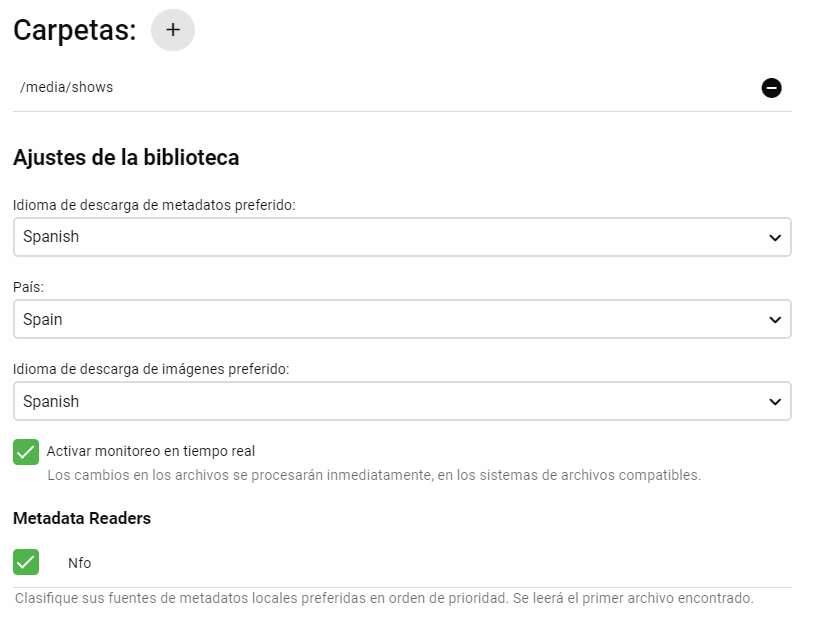
Si, verifica la configuración de la biblioteca:
 1 point
 -
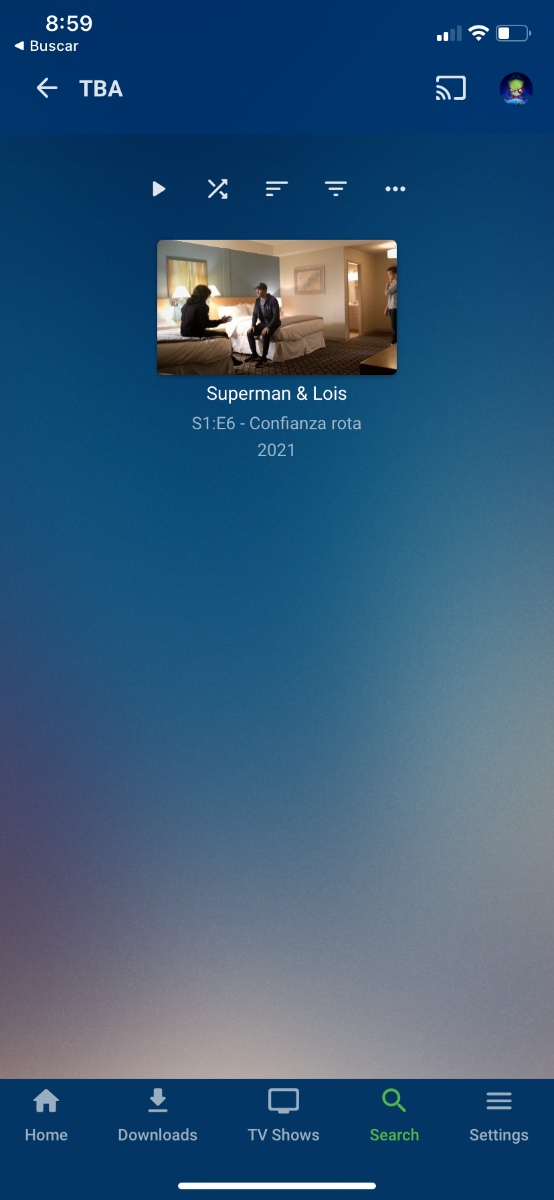
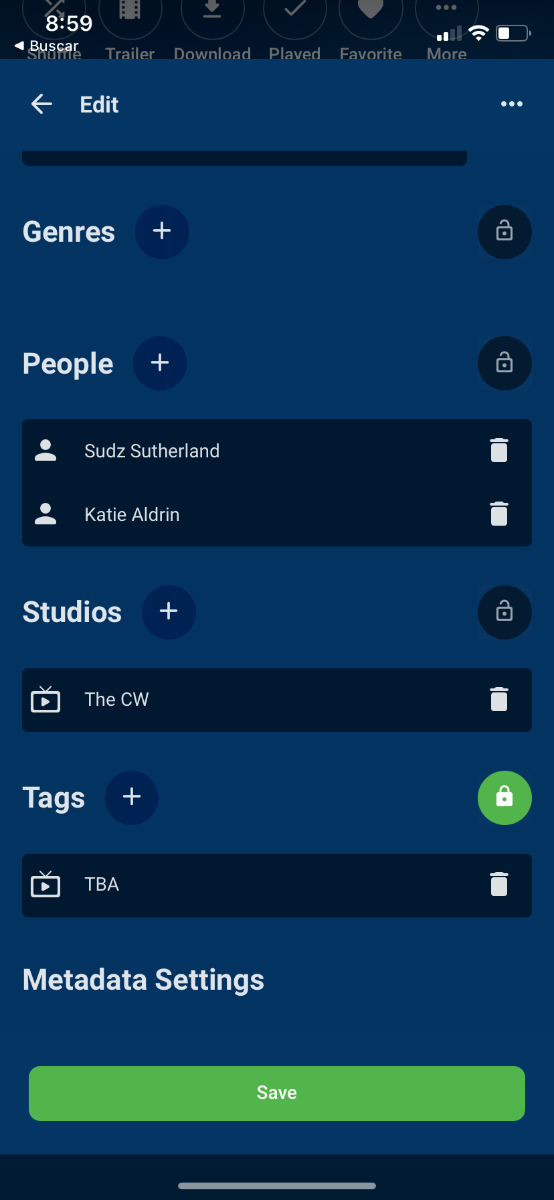
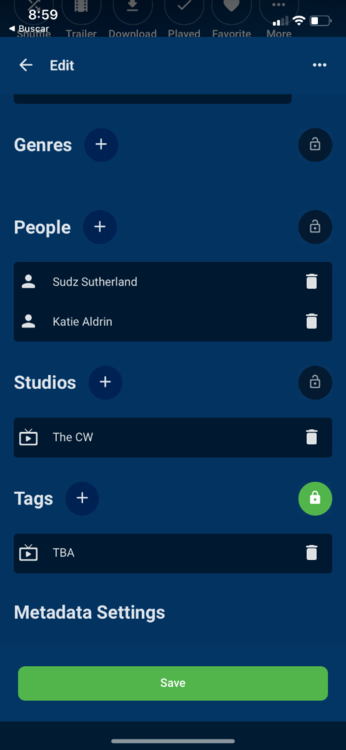
What would be the best way to manually (or ideally, automatically) correct this? Just refresh/replace meta data on the affected episode once the provider is updated? Yes, refresh with replace metadata at episode level, a time later when the api is refreshed, it will get the updated info. Would there be a way to have Emby "flag" any episodes with "TBA" as the name, to check again at set intervals for an update? You can tag your episodes then search the tag, I dont think is a way to do it automatically.
 1 point
 -
Hi, I suppose it's possible. Perhaps a floating button that only appears once you've scrolled down a certain amount.1 point