Leaderboard




Popular Content
Showing content with the highest reputation on 08/12/21 in Posts
-
Just wanted to say, as a new user who first found Plex and then migrated to Emby, that I am very impressed with the server and clients and forum support offered by the team. I have been looking to do this kind of setup for years and can't believe I never had heard of either Plex or Emby until this summer. How I managed to sit out in the cold so long, I don't know! The reason I chose Emby in the end was simple...flexibility and customisation and the fact the developers have direct contact with the customers and listen to their issues. I know there are so many devices to support and several clients to maintain as well as keep the server working on several different operating systems and it must be a mammoth task to try and keep everyone happy as well as fix issues while implementing new ones.4 points
-
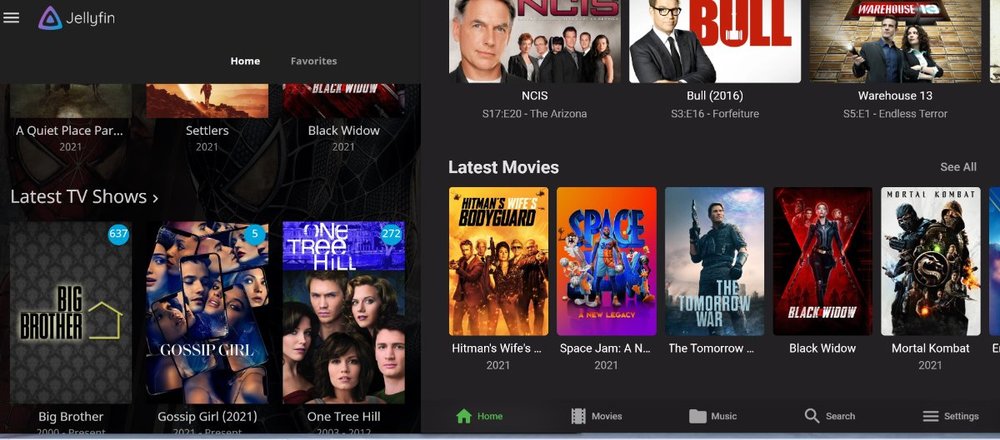
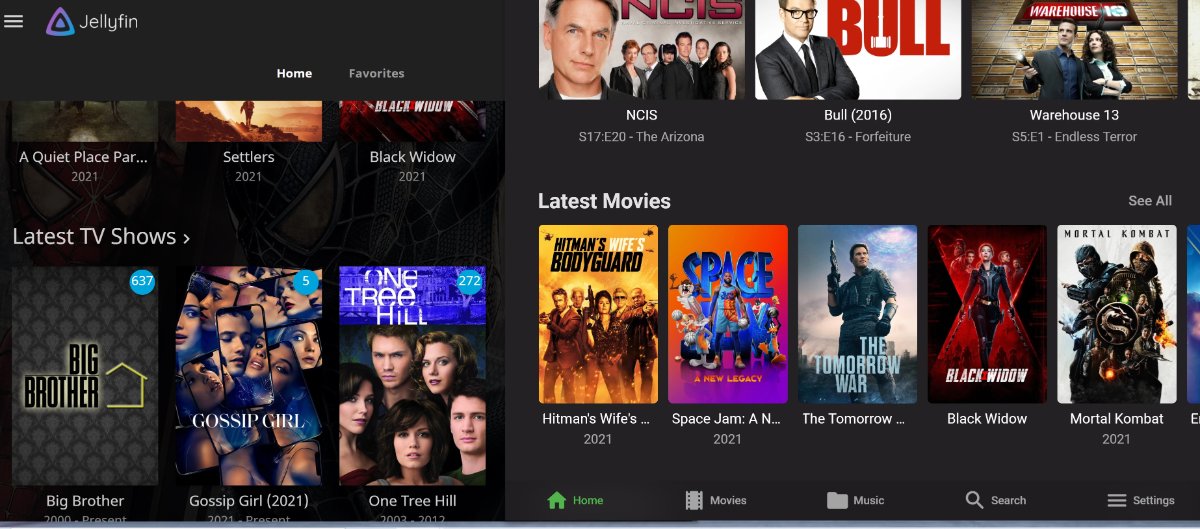
I like big movie covers, don't care about browser but I like being able to have big covers. Bigger the better imo would be great, jelly has big covers but I would like even being able to have bigger on emby for fire tv please thnx.
 2 points
 -
Hi again! Below is (from what I can tell) a working proof of concept for the IntroSkip Plugin. Please keep in mind, the initial scheduled task is HUGE! I mean HUGE. You'll have to run the Audio fingerprint task first. It might take upwards of a day to complete. What does it do? It will scan your entire library and take audio snippets of your tv show. The audio snippets are then compared for similarities using chromaprint technology. When similarities are found we consider these TV show title sequences. The Sequences are then marked and saved. The plugin will open an endpoint on your server for Emby clients to request title sequence data. What this doesn't do... This plugin does not actually enable "skip Intro" on any of the Emby clients. Note: higher powered machines may change the max degree of parallelism in the plugin options. This will run the task on more series at once. Please KEEP SETTINGS SANE! Probably don't do more then 8 at a time for high powered computers. Default is 5. I knew a user who ran the scan on 25 series at once... He had a really powerful server... probably don't do that, okay. Last thing, make sure the "Duration of fingerprinted audio" is set to 15 minutes. Sometimes a title sequence doesn't happen right away, like if there are recaps. DOWNLOAD: IntroSkip.zip This proof of concept plugin was created by a lot of really talented community members. So many people put a lot of time into it. A lot of thanks to everyone who had the ideas, and helped build the thing. Have fun if you try it2 points
-
Guys - there was always some groundwork needed on the emby server and/or clients before this even could be a possibility. Even if you did have a precise 'intro jump point' - how would you jump to it if the majority of clients could not even jump to a chapter point ? The great news, is some significant progress has recently been made in this area - and the new Beta allows chapter points and other 'jump to' points from the OSD for all of the clients (excl LG I believe). https://emby.media/community/index.php?/topic/100330-osd-updates-are-coming/ I don't know what the plans are, but assuming you had 'Intro Skip' points available (in the dB as maybe special chapter points), then a 'Intro Skip' button on the OSD seems the next logical step to me ...2 points
-
I would say some of us use drivepooling software to pool all of your drives.2 points
-
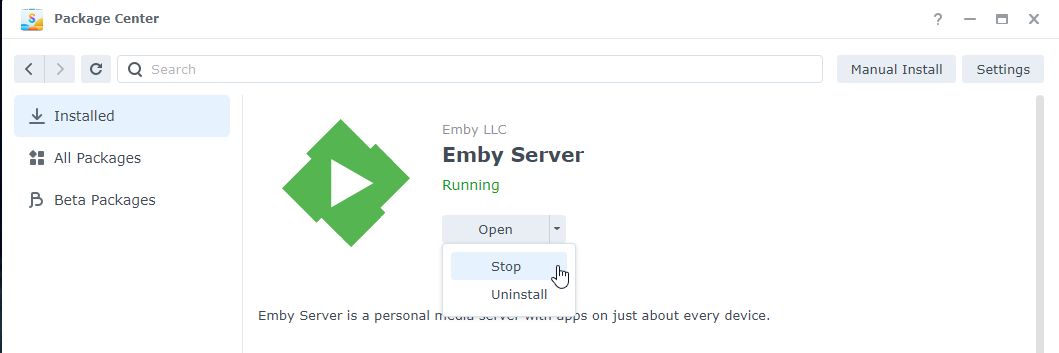
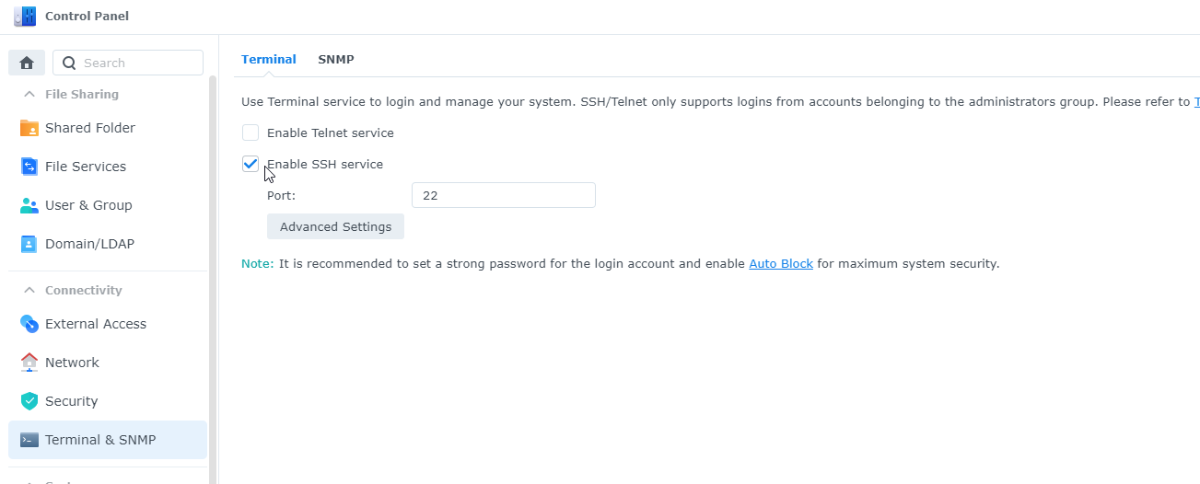
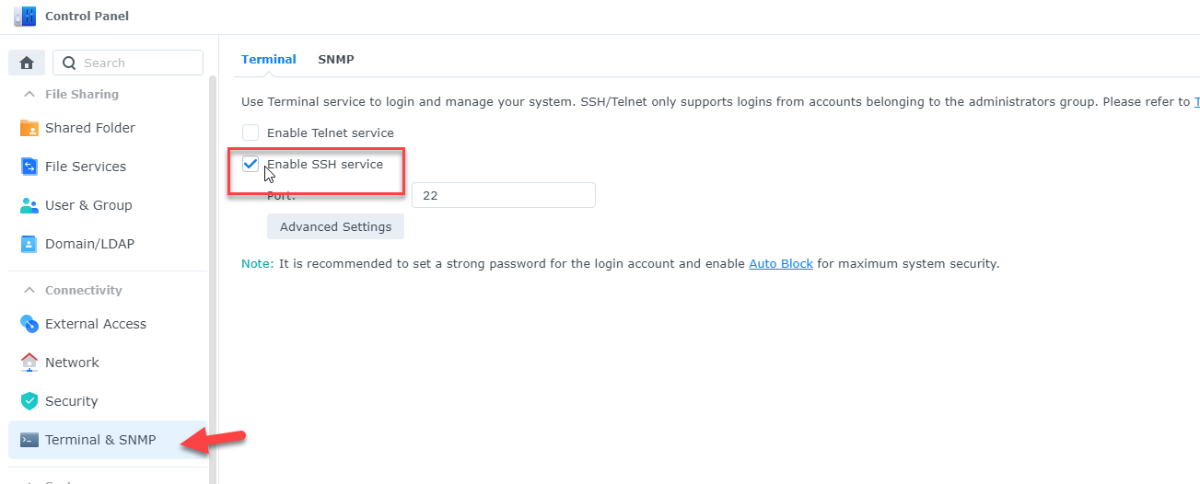
DSM7 Upgrade for Emby.mkvEDIT: The instructions assume default Synology install volume of /volume1. If your location is different use that instead! This is based on the release version of Emby which at the time of writing/video creation was 4.6.3. The video will become dated so just use the latest DSM 6 Emby version from the website https://emby.media/synology-server.html. If you happen to be running a beta version update to the latest beta version before the DSM 7 update. The idea is to do any updates on DSM 6 first before installing DSM 7. Since the creation of the video Emby Server is now availing in the Emby Package store (release version) so you can install Emby on DSM 7 now from that. ----------------------------------------------------------------------------------------------------------------------------- Attached is a quick video of upgrading DSM 6 to DSM 7 with Emby Updates. The video will show only browser items and not the PUTTY/SSH commands but everything done in browser is recorded. The SSH commands are included below. I converted this to MKV/H.265 to make it small enough to download and view offline. DMS7 Upgrade for Emby.mkv21.57 MB · 78 downloads Instructions used were: Download and have ready DSM 7 package for update. https://www.synology.com/en-us/DSM70 (I will be downloading both a virtualDSM 7 & for 920+) Download and have ready Emby Server 4.6.3 for both DSM 6 & DSM 7 https://emby.media/download.html - update Emby Server to current release of 4.6.3. - restart Emby Server and verify your on the latest release version. - uninstall Emby - update DSM to v7 - install Emby 4.6.3 (or same version that was running above (dsm7 version) - You can now install the DSM 7 version directly from the Synology Package store! (still on our website too) - stop Emby - remove emby_pkg user and video group - enable admin account if needed - enable ssh in Synology settings (Terminal & SSH menu) Not shown in video: - connect with Putty to Synology, login with admin user and get root rights with: sudo -i - copy files from old Emby share to new data location: cp -rv /volume1/Emby/* /volume1/@appdata/EmbyServer - adjust owner from copied files: chown -R emby:emby /volume1/@appdata/EmbyServer - close putty Shown again in video: - From Control Panel go to Shared Folder and edit each share that is used by Emby Server. Click the share, then EDIT, go to permission tab, select System internal user from drop down, grant emby user read/write access. - start Emby Notes: You can now disable the default admin account as well as SSH. You may also want to rename /volume1/Emby to /volume1/Emby6 as well. This will help make sure you don't have anything referencing the old directory. If you don't notice any issues in a week or two you can delete this old folder/share to free up space. DSM7 Upgrade for Emby.mkvDSM7 Upgrade for Emby.mkv1 point
-
Hi, I find myself constantly using a fanart/backdrop as the thumbnail because there is no Thumb image from the metadata providers yet. There is often a fanart/background that works as thumb. When I'm in the Edit Images mode of an Item, I would like to have a button that makes a backdrop the thumbnail image is then removed from backdrops. Since drag and drop was intruduced recently that could also be a way to handle it. I just want a quick way to handle this without having to manualy rename files. Cheers.1 point
-
I believe a nice added feature is to have the ability to timeout partially watched shows automatically. Being able to set an expiration of resume point on titles. My kids love to watch videos but never seem to finish then, so they have a ton of titles that have resume points. What would be a nice addon would be the ability to either set the resume point to expire after X number of days. By default the resume point will be kept indefinitely. Adding in, let's say, "30" will then set all the resume points last set 30 days ago to expire and the resume point data be removed from the title for the user. This should be a global setting that applies to all users in the system. Wording of the feature can be different. Thanks, \ above11 point
-
Guys, The ebook side of Emby/MediaBrowser has been long stalled or rather stagnated. I would like to offer up a couple of suggestions. Many people use calibre as an ebook/comic book tool for scraping data and general management of their collection already. This program is absolutely astonishing in its ability to pull metadata from post calibre scans, as well as draw in metadata from the file source and/or directory structure. http://vaemendis.net/ubooquity/ Its a self contained .jar server/reader combination. And honestly I am very impressed by it's small footprint and wide range of abilities. The other option is COPS , which was written specifically with calibre in mind. It is open source, so making it work with emby I would think would be fairly easy. https://blog.slucas.fr/projects/calibre-opds-php-server/ Ever since the original release of MediaBrowser's bookshelf I have always wanted something that would allow me to 'read' my collection, rather than being basically nothing more than a place-set for images of books I own. I am sure that those who mainly have audiobooks are thrilled with bookshelf , but it's nothing more than an extension of the music library IMHO, not new features. We can have both right? Here I give you two suggestions free of charge.. Just because I love you, and Emby Personally I plan on running the Ubooquity Server along side of Emby from now on, just because of it's massive functionality and tiny footprint. But I sure hope that someone decides -- "yeah, ebook support should be in here too" and do something about it - rather than allow this now very very ancient issue to continue to remain an issue. And so I don't have to have 20 different ports open, some with SSL support - some not, because Emby isn't delivering the 'complete package'. (Please take some of this with humor, I know you have your hands full with improvements/bugs/suggestions/requests)1 point
-
When the Emby server is exposed to the public net, then every item image is accessible without authentication or api key! This is especially critical if someone has private photo libraries in Emby. With a simple brute force attack to http://{public domain}/emby/items/{increment number}/images/primary it's possible to compromise every piece of someone's private life. This has to be fixed immediately!1 point
-
So the Steam Deck is pretty hyped now. They showed it as a streaming device in some videos today. It's powerful enough to play pretty much anything directly, heck it could even be a server quite easily with it's specs. A lot of people got to talking and now people are saying Plex is going to release a version to Steam so that it'd just run through that and play onto SteamOS without the user having to muck about outside of Valves ecosystem. There are plenty of free tools / video players in Steams Software section, so it'd be a pretty neat little thing I imagine.1 point
-
Hi, I’d love that audio and subtitles choice would be saved per show, according to what you select on the last episode you watched. The main audio/subtitles parameters is a good point but there are many cases it is not enough and you need to adjust audio and subtitles at the beginning of every episodes. For example i like to watch Casa de Pale in Spanish with french subtitles, The Big Bang Theory in English with french subtitles, French TV shows in french without subtitles, ....1 point
-
It would be nice to have the option of displaying the login screen (who's watching?) when you load up the app while also remembering the login details of accounts logged in before on that device. This way the user is asked who's watching without having to keep putting in their password on that device. Thanks1 point
-
Was just going to say the same.1 point
-
It doesn't display neither the title nor the synopsis of the second episode. I'd say it still ain't reading that nfo in full / concatenating. Where is that "1-2" coming off - have no idea.1 point
-
I run it offline 6-7 months a year. Works like a charm, although it needs to occasionally call home for Premiere verification. Edit: If you ain't subscribed to Premiere, you can Unlock app on Shield for full playback.1 point
-
I would guess real live tv images don't get scaled because they are already at a relative small resolution, but the library images that VirtualTV is using are exceeding some internal max. resolution and do get scaled down with a very bad algorithm.1 point
-
Those are my local posters with RPDB treatment, they all have ratings row at the bottom. Edit: To make it more clear: all poster.jpgs look like that, it is original artwork.1 point
-
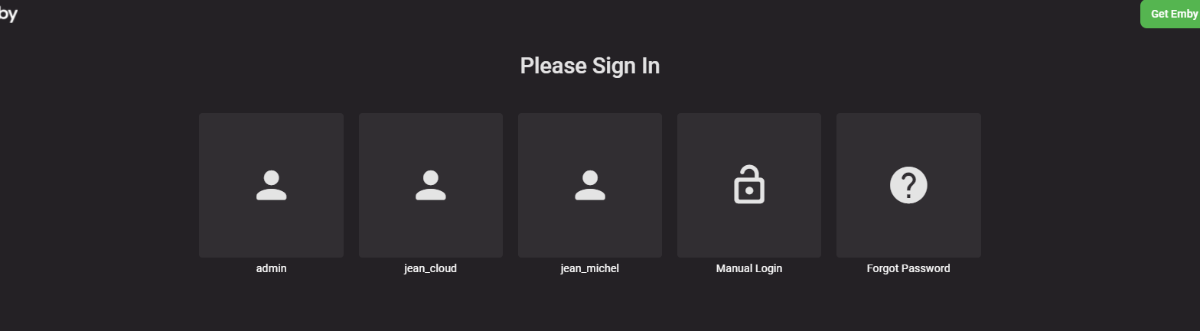
You can disable remember last user in the Android TV app and then you will have this at the app load.1 point
-
I'll upload.1 point
-
When updating the meta-data it should use your system info settings so make sure the library has the correct language and country settings. Yes a meta-data refresh will update all information about the movie/episode unless you have locked fields.1 point
-
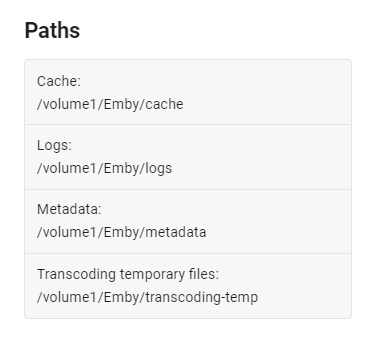
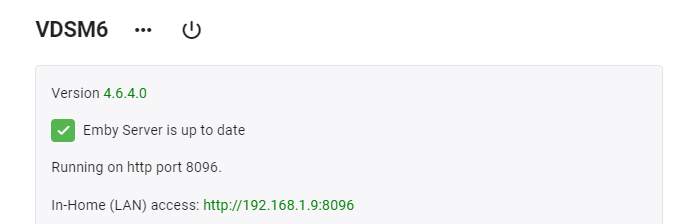
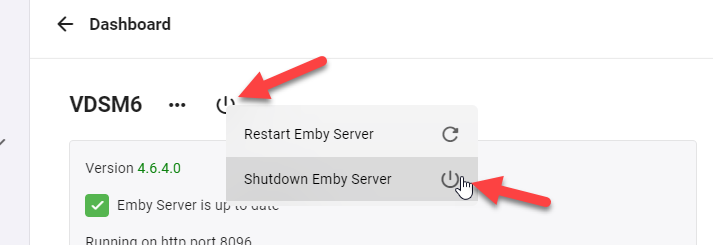
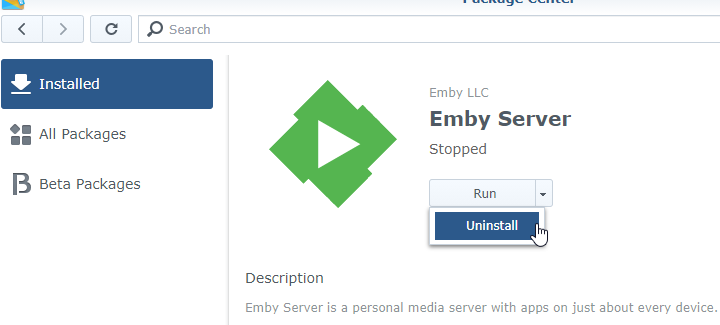
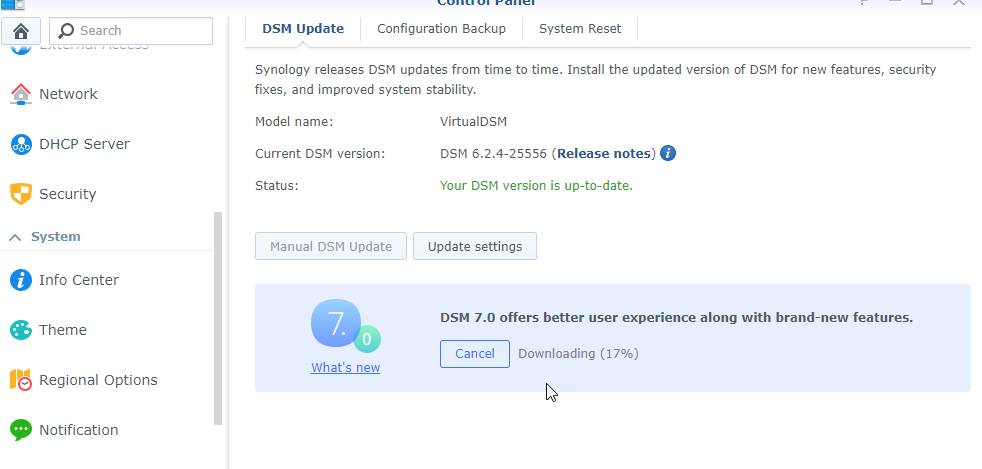
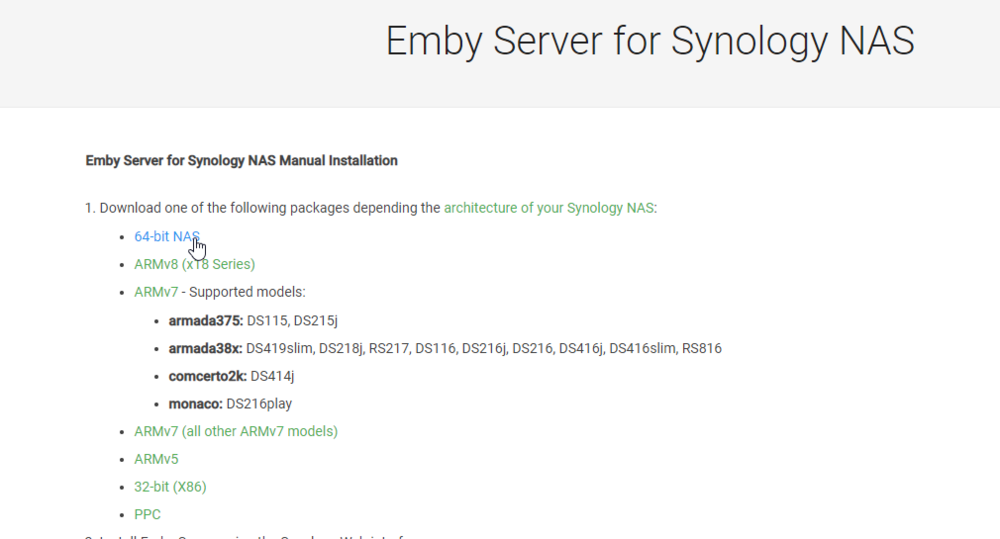
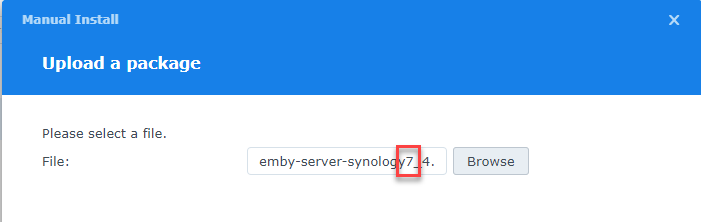
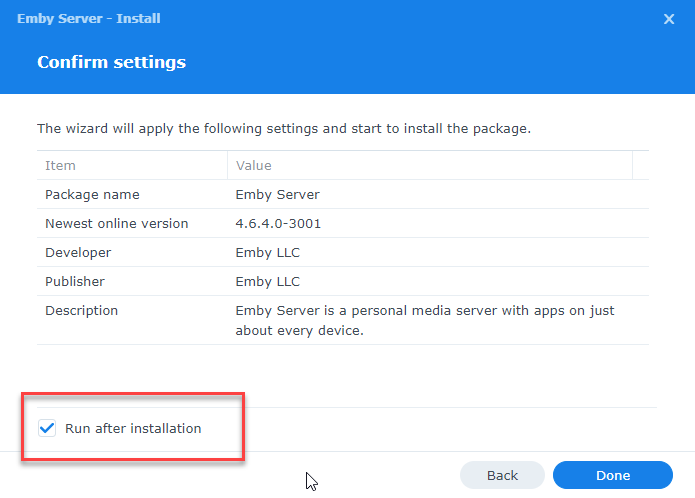
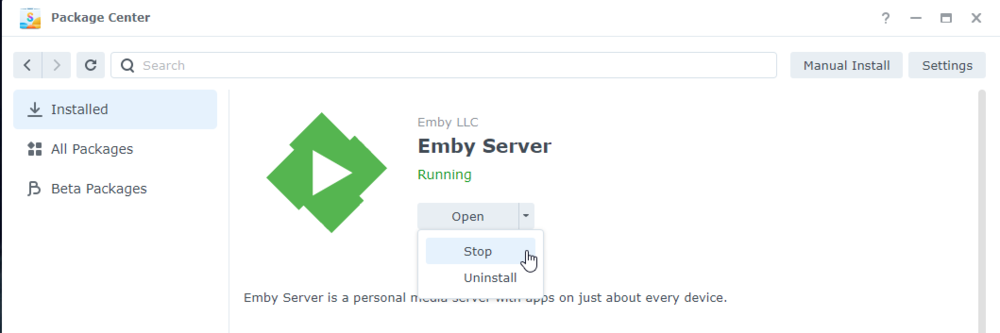
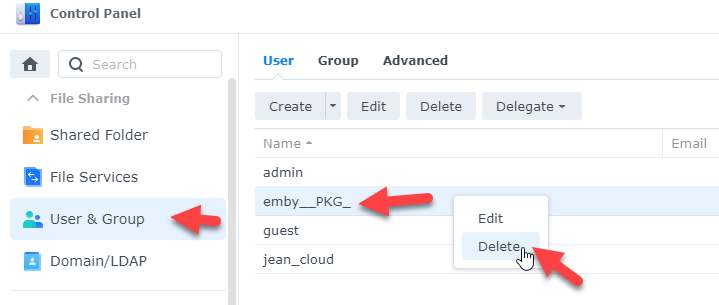
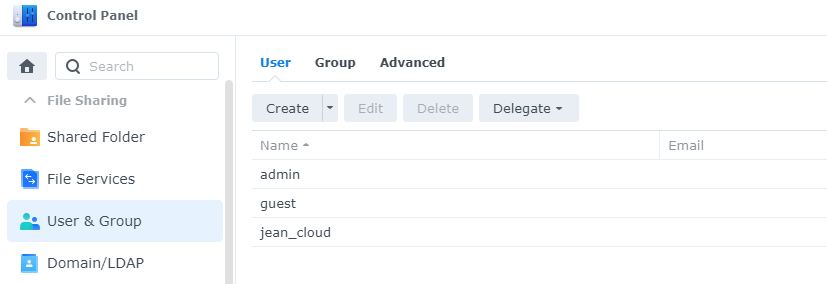
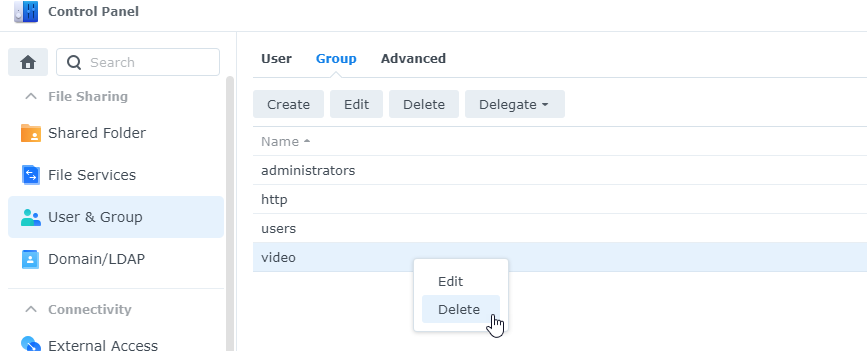
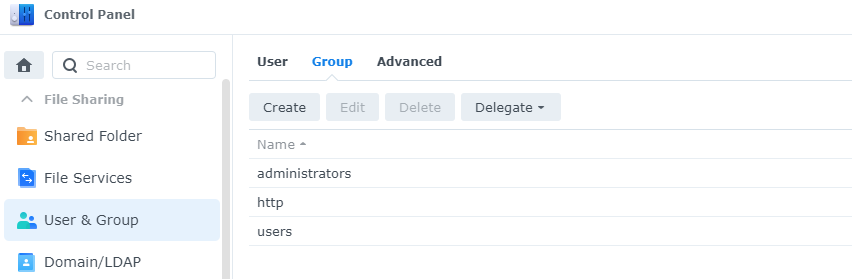
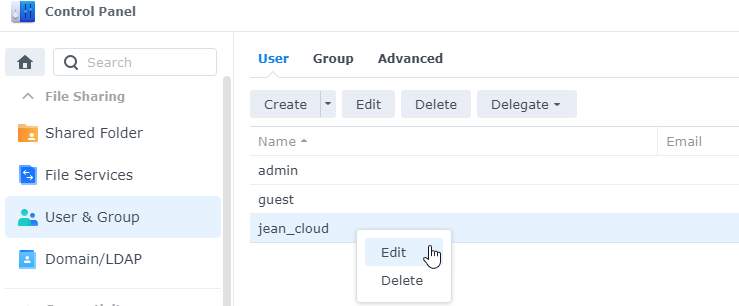
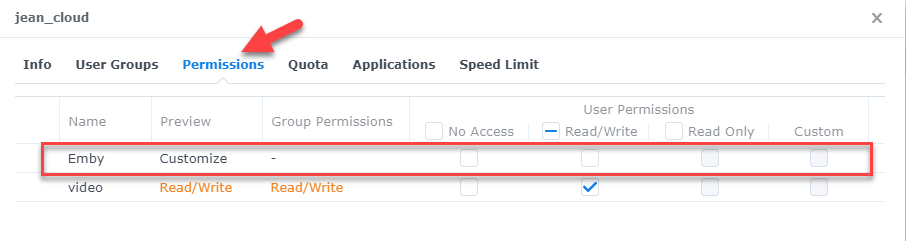
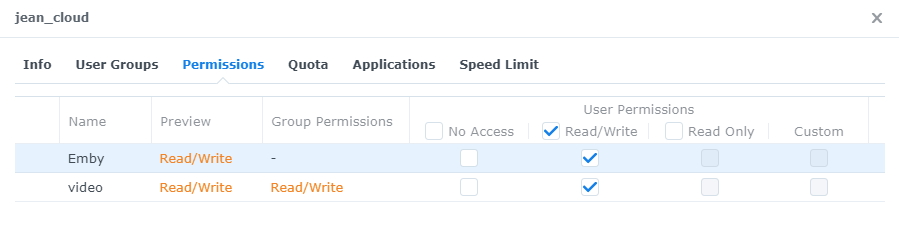
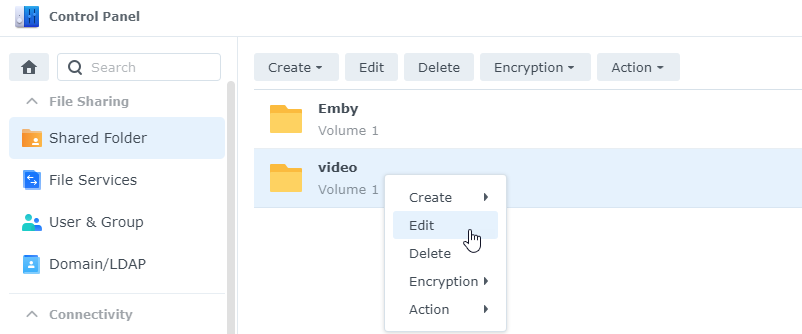
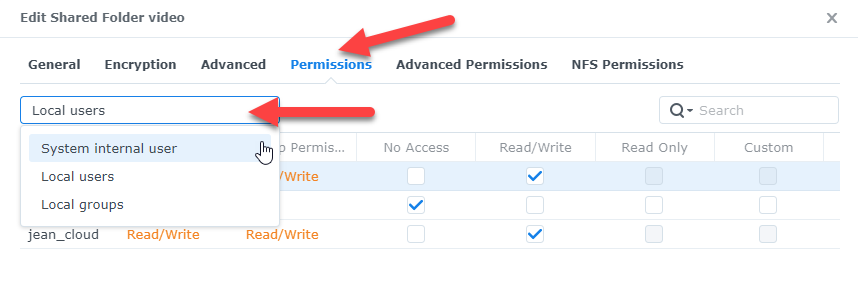
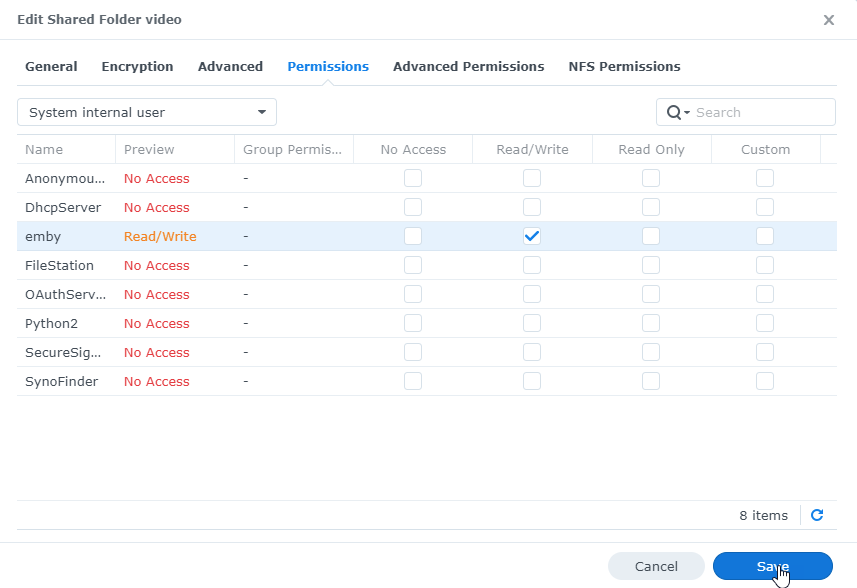
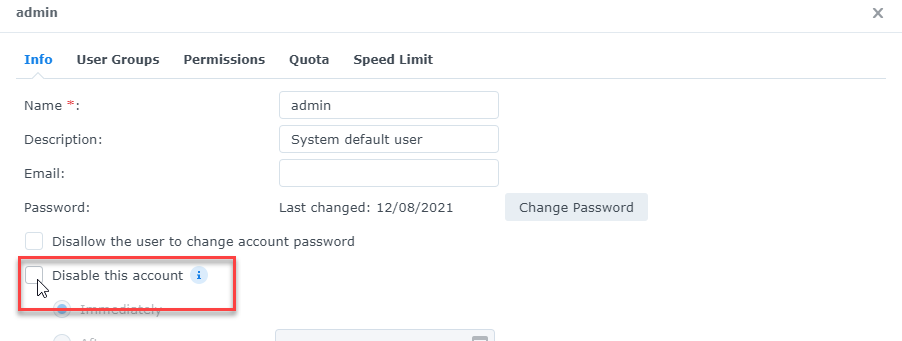
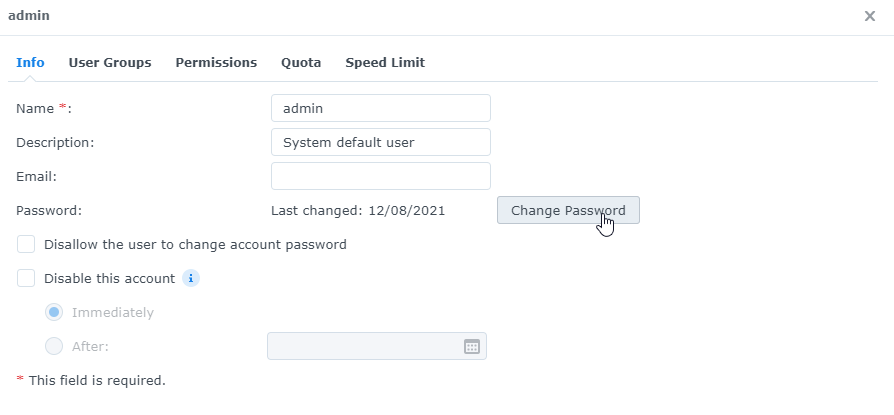
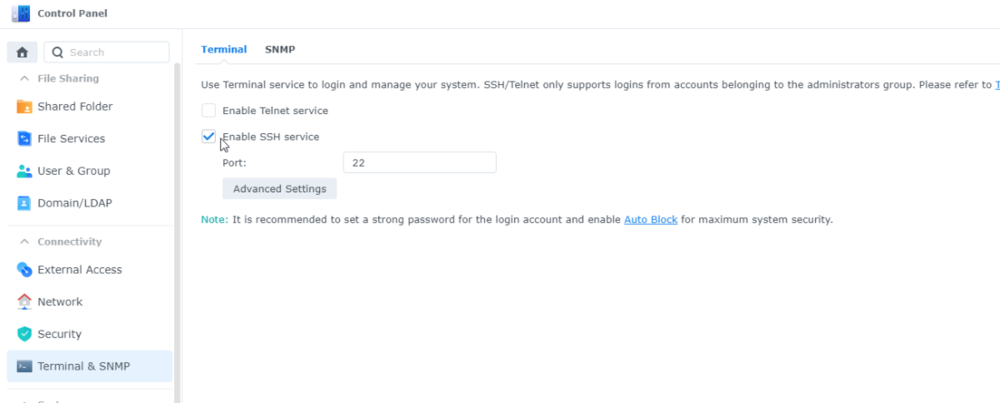
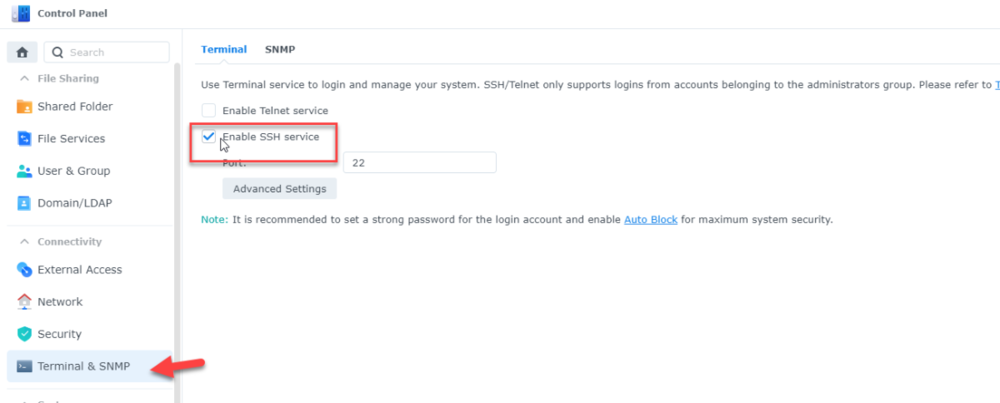
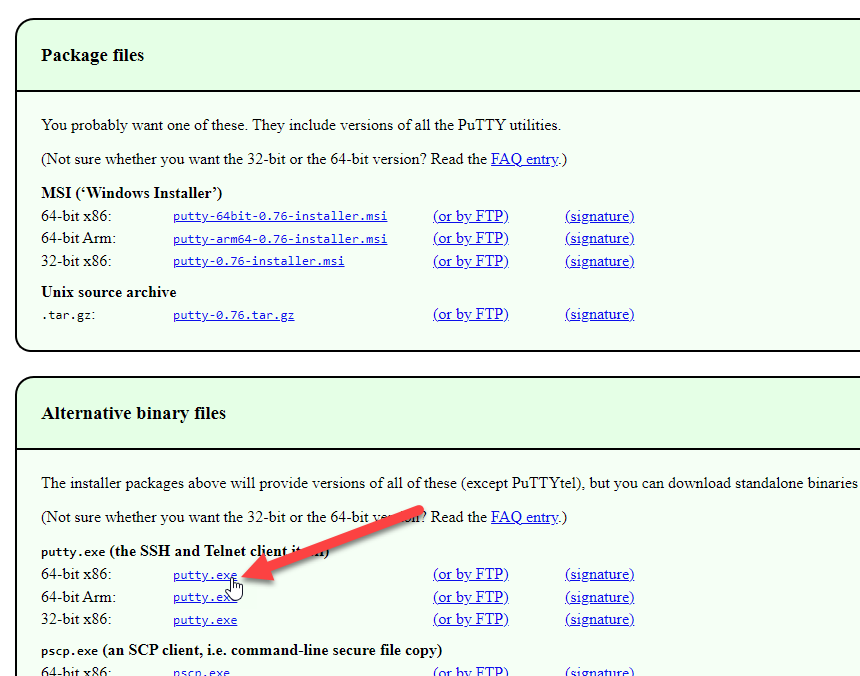
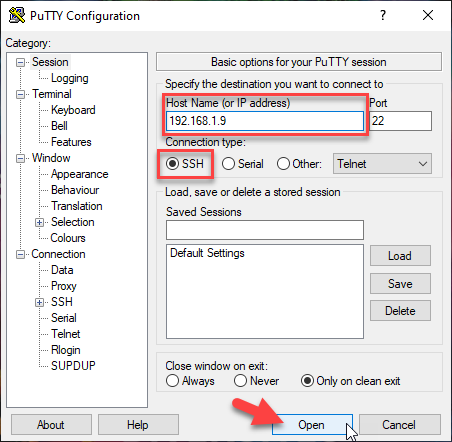
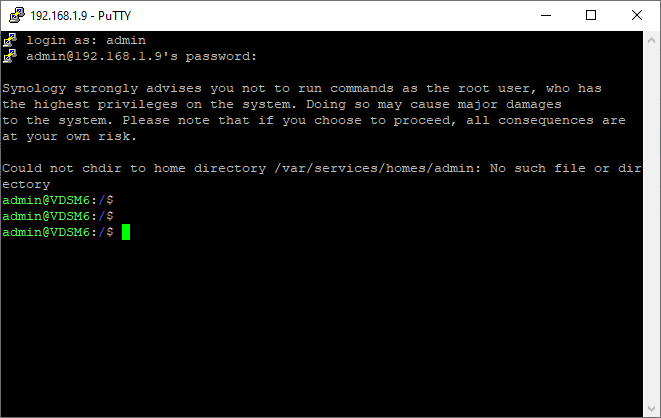
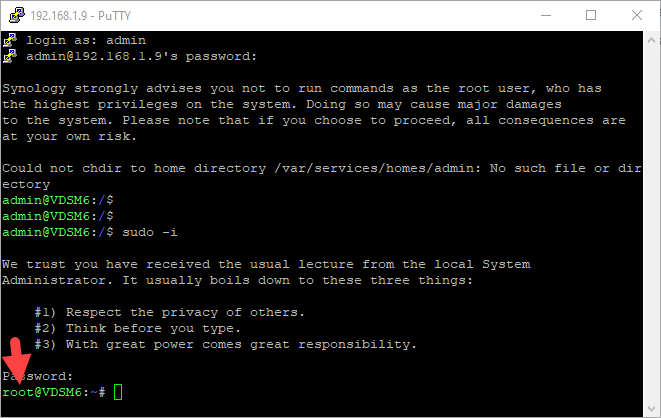
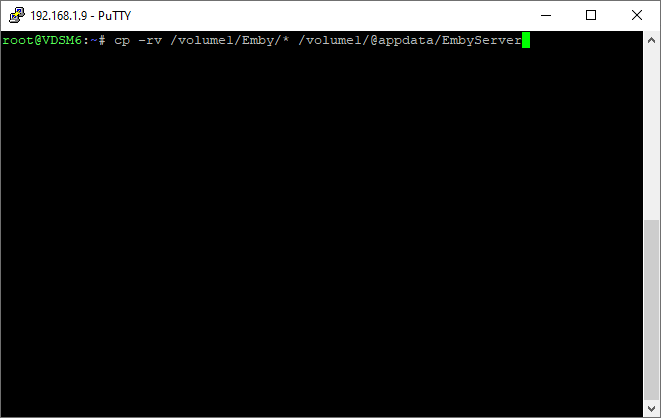
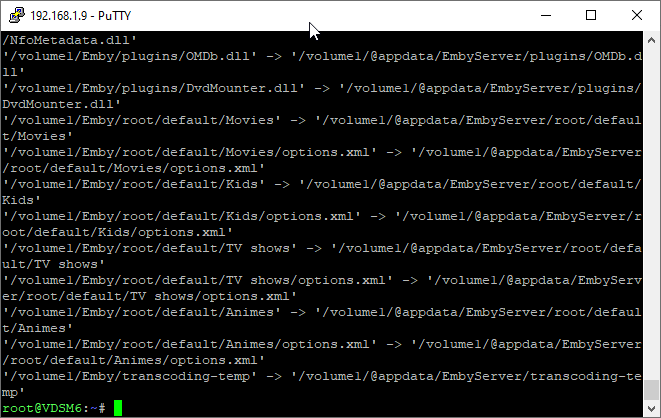
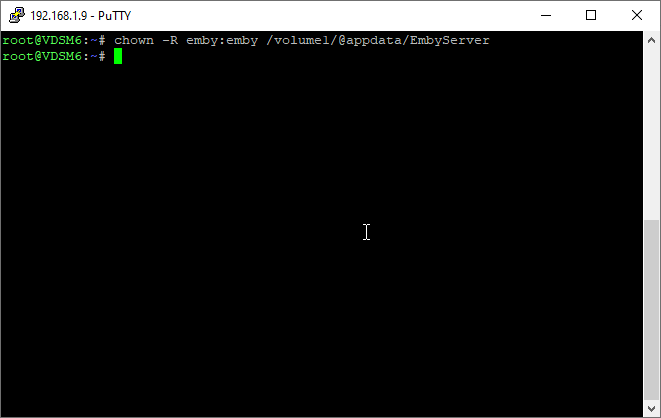
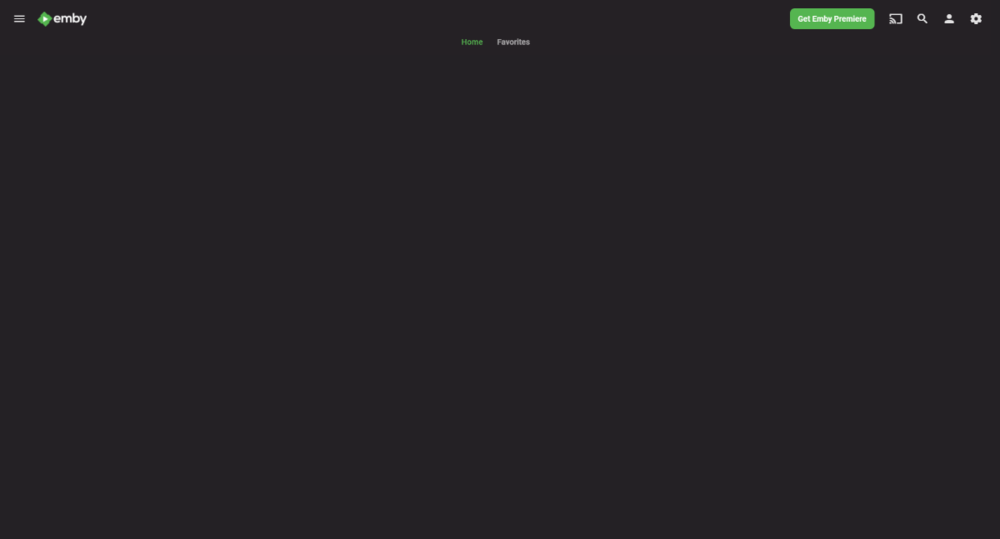
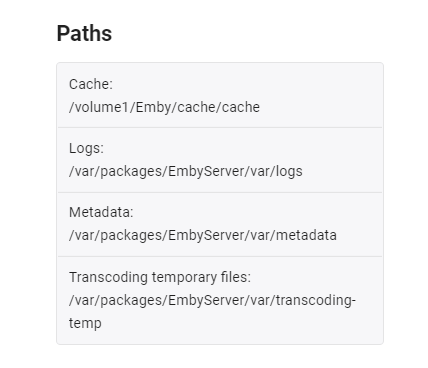
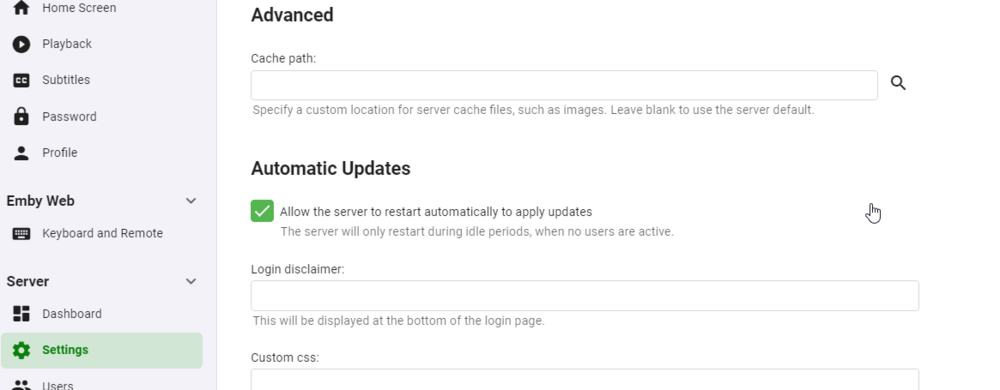
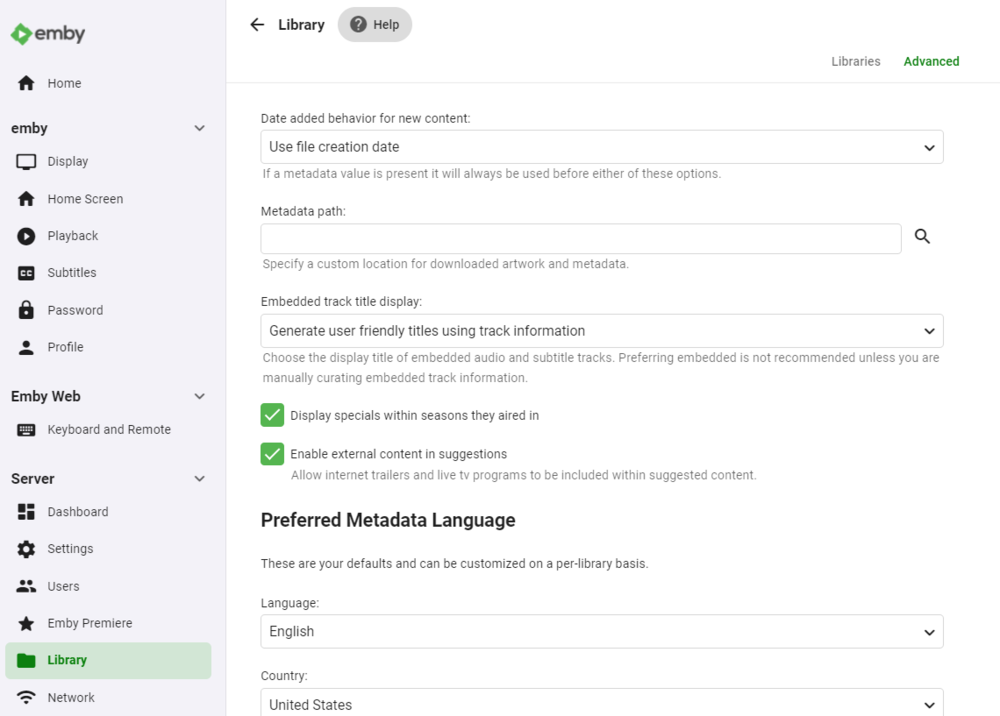
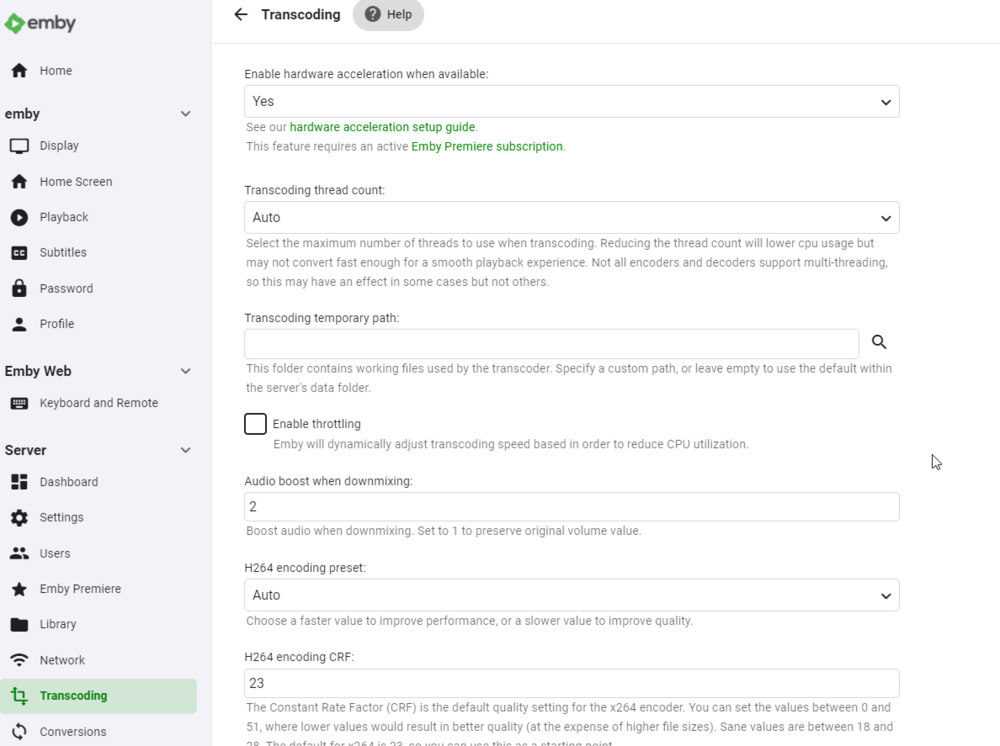
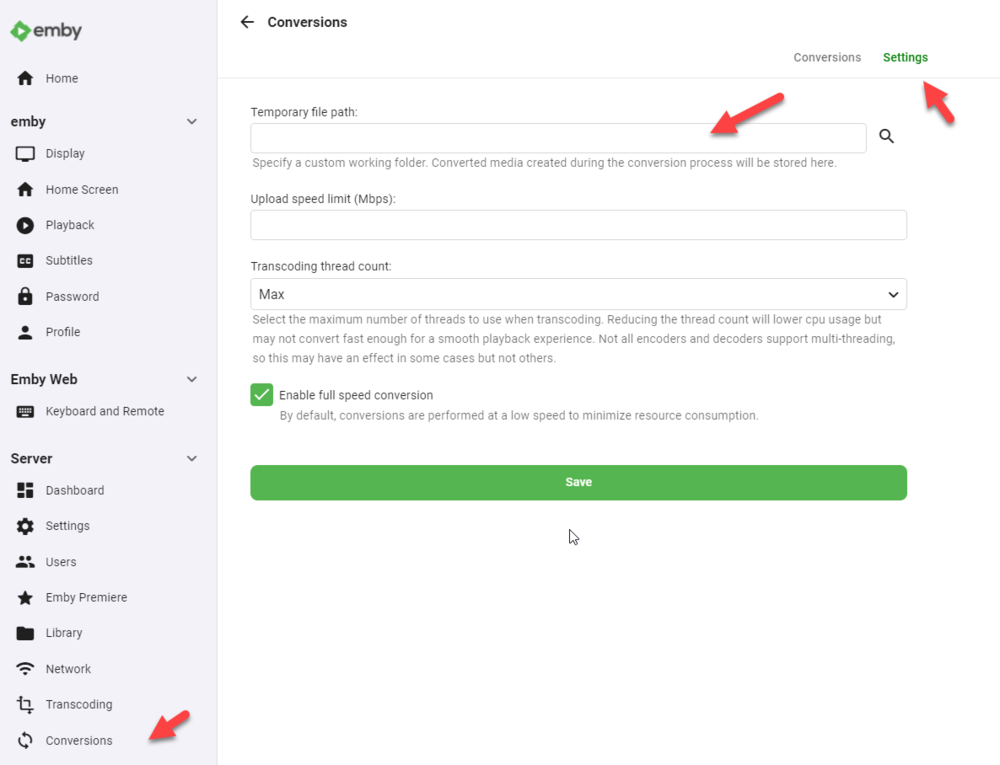
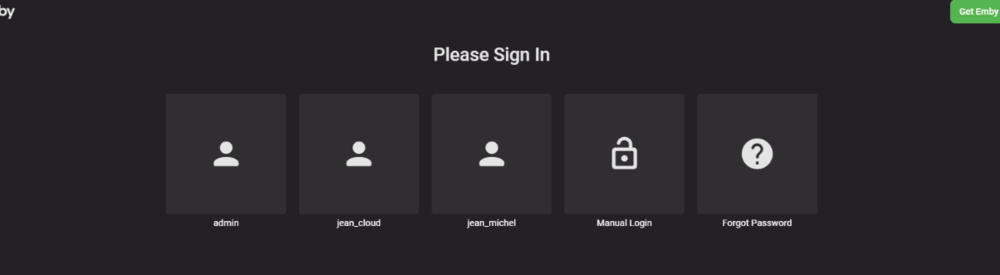
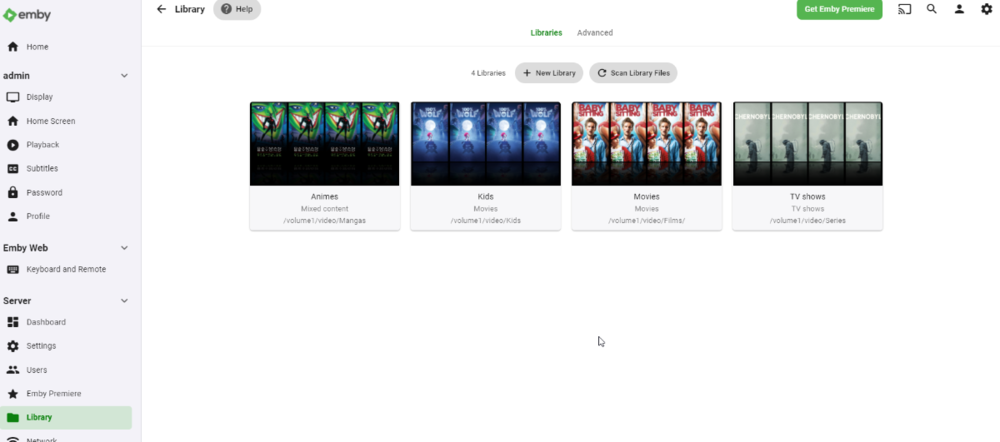
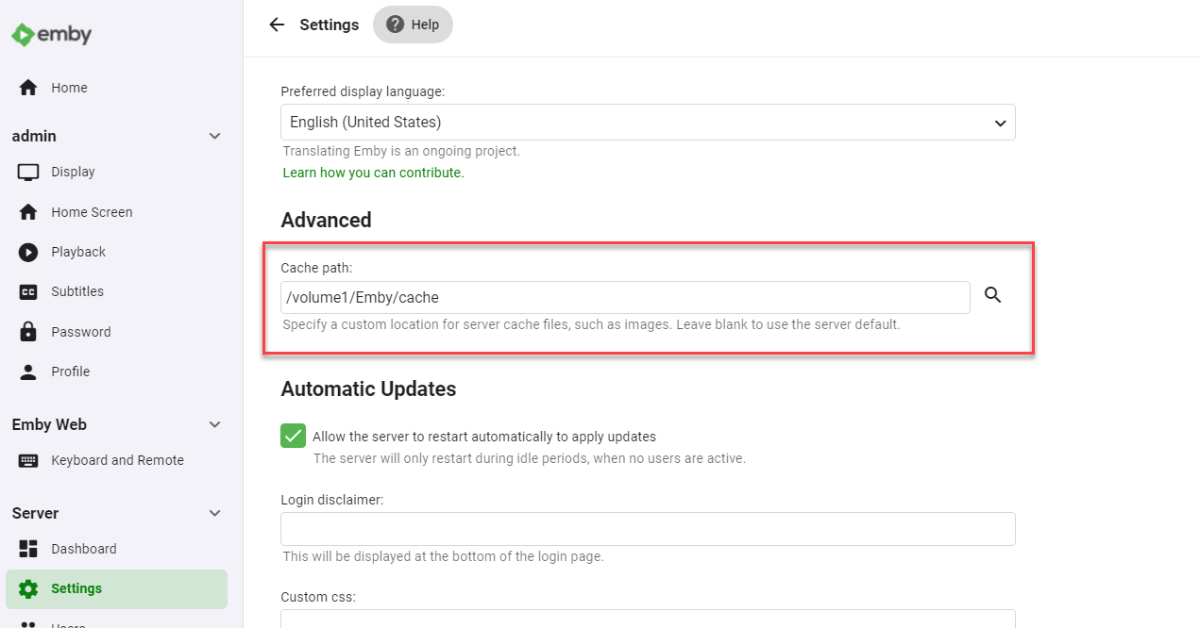
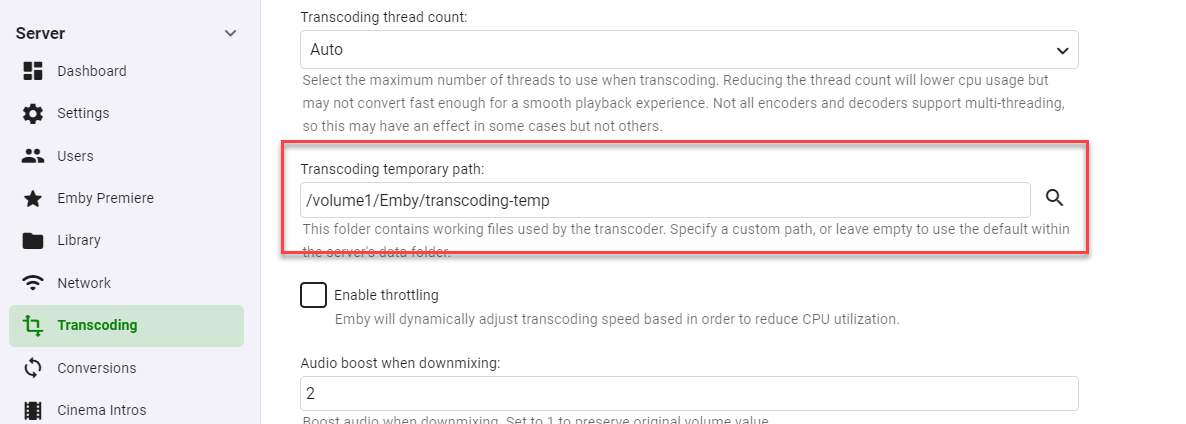
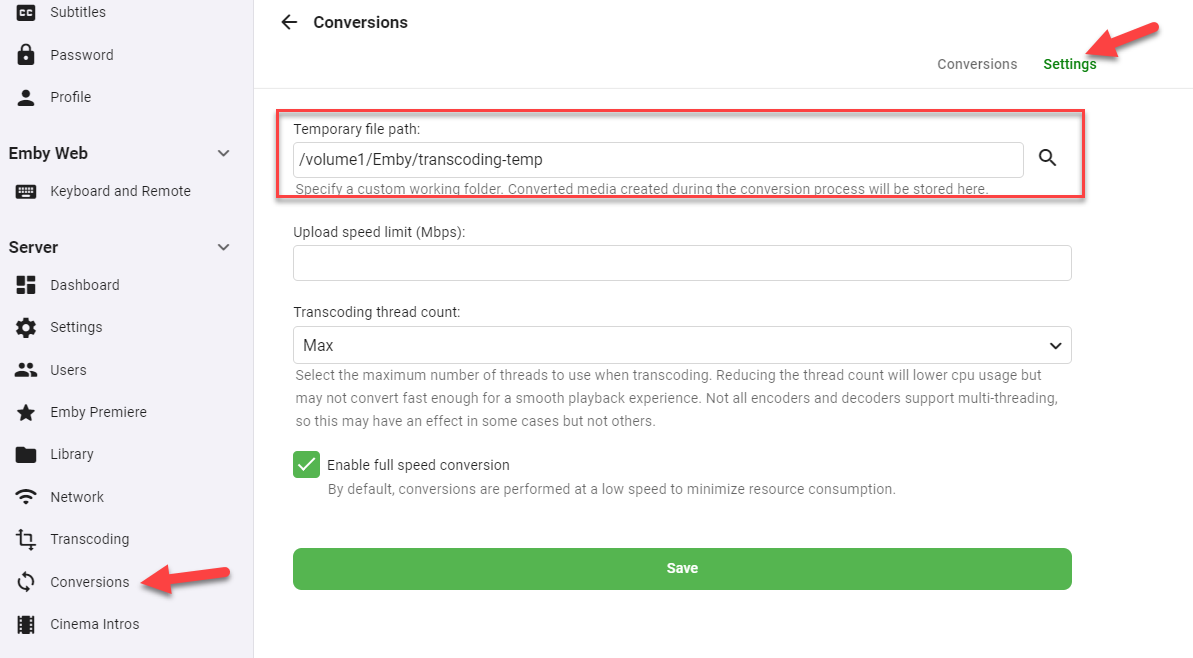
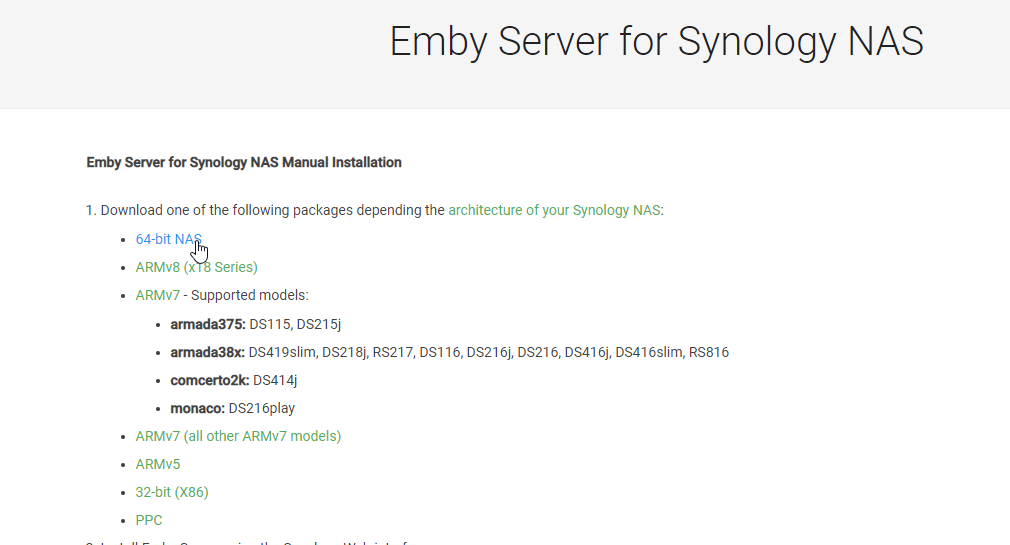
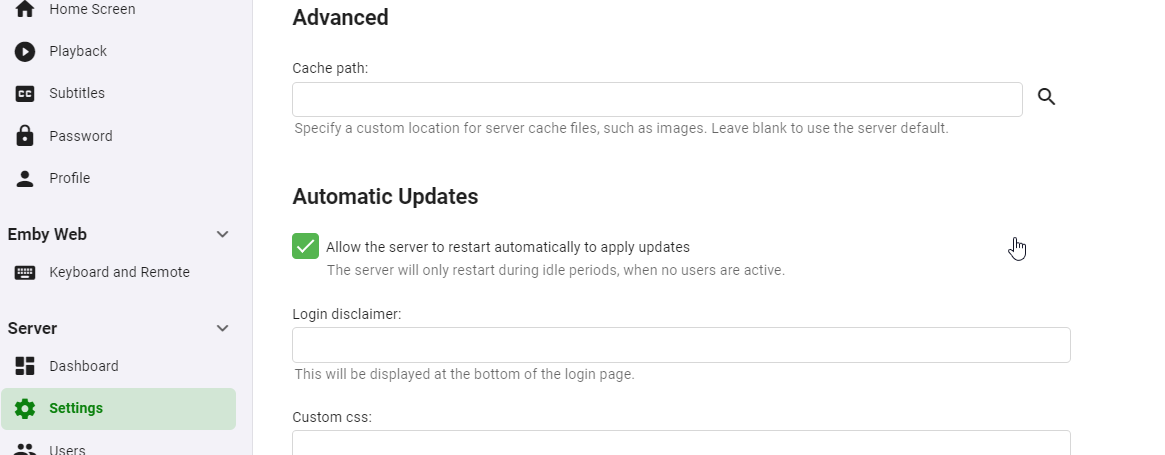
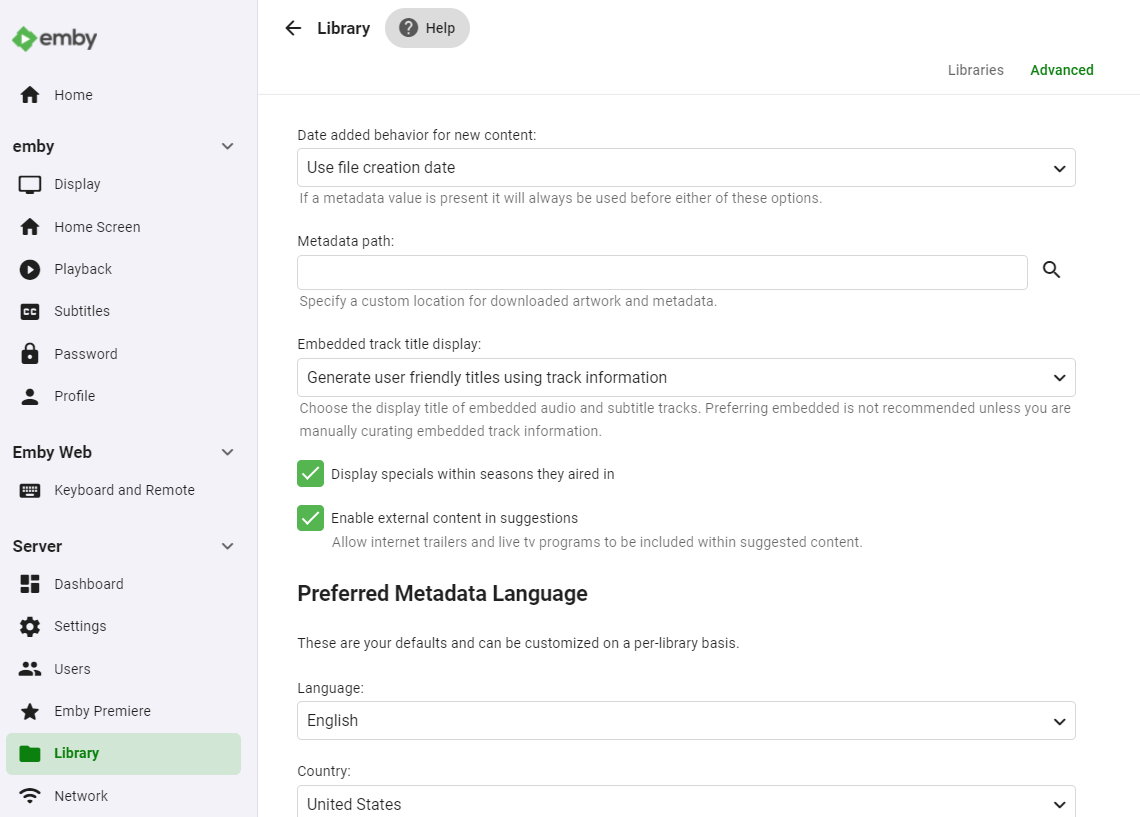
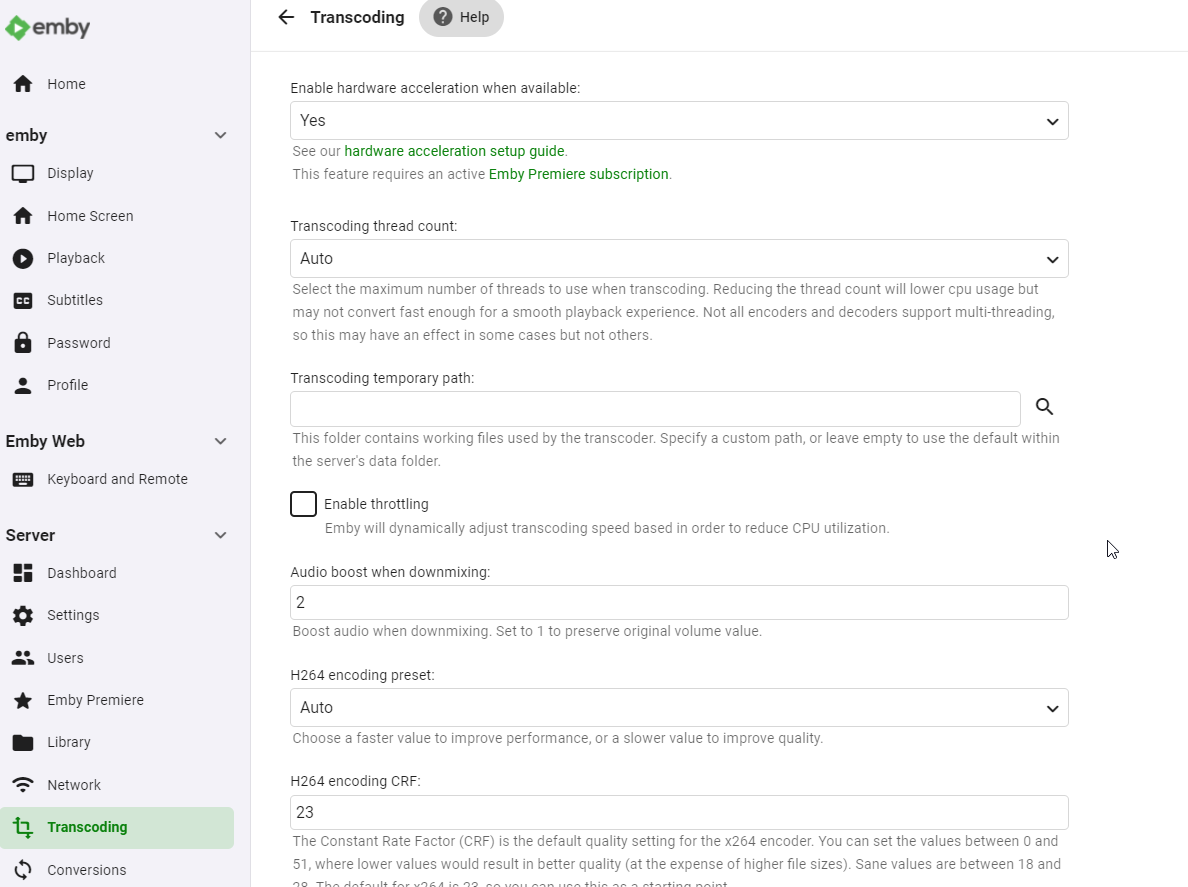
Hi guys, trying to do a complete tuto for those who don't understand what to do. hope it helps first, DSM migration is not a simple upgrade, there is a lot of changes that's why there is a DSM6 and a DSM7 version of emby ! it's not as simple as that, historically synology let devs to do some tricks to get access to some ressources that is not possible anymore in DSM7, emby guys need to recode the app. I created a VDSM6, last version, Emby last version, same configuration as I had before migration (at the difference I was in beta) : 1 share video with subdirectories DSM EMBY user full rights on it custom cache, logs, transcode files and metadatas paths some users by the way I recommand the nfo metadatas files creation for all your files and libraries... STEP 1 : DSM 6 - where are my datas ?? start by looking the paths on the dashboard then take a look on the settings go to the library advanced options then the transcoding temporary path and the conversion temp path keep in mind where are your datas ! wrote it somewhere. STEP 2 : Am I in the latest version of emby ? check it, double check, if not, stop emby, go download the latest package and upgrade. let's do a restart to be sure STEP 3 : stop and delete emby from DSM STEP 4 : leeeeeet's GO upgrade your DSM to version 7 now we can do hard stuffs STEP 5 : install emby FOR DSM7 https://emby.media/synology7-server.html choose the right package (to me 64-bit), and install it manually. the package is called synology7_4.6.4.0 let the run after installation check box, we need to let emby starts to let it create its files and stop it STEP 6 : remove emby_pkg user and video group go the control panel - user and group and remove the emby__PKG_ user no more user still in user and group, go to the group tab and delete de video group no more video group now, to be sure, go edit your user account to check if you still have all access to your shared folders. return to the user tab and edit your user, if you have multiple users, edit them all then go to the permission tab, I lost my access to the emby shared folder in the migration. check and double check your access to all your folders (if you have sonarr, radarr... you will do the same to give back the sc-xxx groups rights, but it's another subject) do the correction and SAVE for those who use the admin user, we talk about it later but yes you have to do the same with it STEP 7 : give rights to the emby user on your shared folders the emby user is a local system user, it is hidden, we need to give it the right to access the folders. stay in the control pannel and go to the shared folders, remember the paths on the step 1 ? in my case it was the shared folder called emby for the custom paths and the share called video to my libraries. edit your folders. go to the permissions tab, the emby user is not here, that's normal, click on local users and select system internal user now you can give read/write access to the emby user do the same FOR ALL THE SHARED FOLDERS emby has access to STEP 8 : technical stuff emby is still down, user rights are clean, now we have to copy/paste all the previous files from emby on DSM 6 to emby on DSM7. the reason is simple : the package is not installed in the same directory. to do that we need to go in cli (Command Line Interface) but synology is not that simple, you can't do it with your "classic" user you need to do it with the admin account and get an "elevation" to the root user. AND, the admin user is, for mostly people, disabled by default. (for those how the admin account is enable because they use it, just check if you can access all the folders, some rights disapeared with the migration) so, let's go the control pannel, user and group and edit the admin user, by default, it is disabled uncheck the box disable this account now go change password, because if you never used this account, it has no password the account is now ready to get access to the cli, we need to activate the SSH service, stay in the control pannel and go to terminal & snmp to activate the SSH service, let the port 22, don't forget to apply modification now you need an ssh client, I use mobaxterm but for you let's use putty, you can download it here https://www.putty.org/ we don't need to install the whole package, juste download the exe file then run it, check if you are in SSH and enter you synology IP if you can't access to your NAS, you did not apply on the SSH service page, go back and check.. accept the keys and log in with the admin account we now need an elevation, type the command sudo -i the password is the same as the admin account, you are now root STEP 9 : copy old file to the new location still remember the path of your files ? we have to copy them now with the command cp -rv /volume1/Emby/* /volume1/@appdata/EmbyServer it means Copy -RecursiveVerbose <old emby path/all file> to <new emby path> depends of the number of your files, the copy will take some times, when you returns to prompt, the copy is done now we have to give back the good rights to the user emby on those files, so we have to pass the command chown -R emby:emby /volume1/@appdata/EmbyServer keep putty open, just in case there is a users and library problem... FINAL STEP : START EMBY dark screen, starts good... check the paths (remember step 1..) and delete all custom, some paths keeps the old one, some paths are still in the emby shared folder settings, delete cache path library (empty, here we go...), metadata cache empty, save just in case transcoding path empty, save convertion, settings, delete path and save check all the previous old custom path and restart emby FINAL FINAL STEP : where are my users and libraries ??? now got a empty users and empty libraries, but the configuration is ok. don't panic. stop the emby server return to putty and do the command rm -r /volume1/@appdata/EmbyServer/* it will delete all the file in the new installation path of emby, don't delete file until emby is not completely down. then redo the command cp -rv /volume1/Emby/* /volume1/@appdata/EmbyServer and redo the command chown -R emby:emby /volume1/@appdata/EmbyServer start again emby and voilà ! all good ! when all done, you can close putty. you can also disable the SSH service and disable the admin account if you don't need it. remember control pannel user and group for the admin user, terminal and snmp for the SSH service
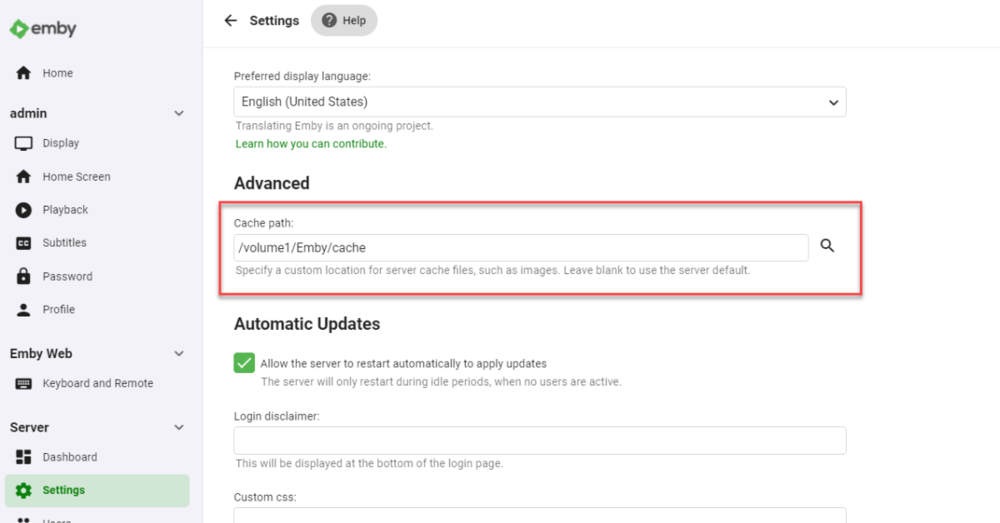
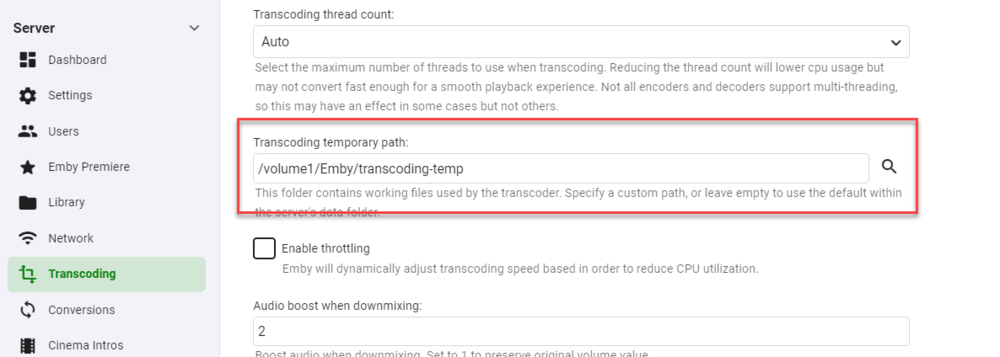
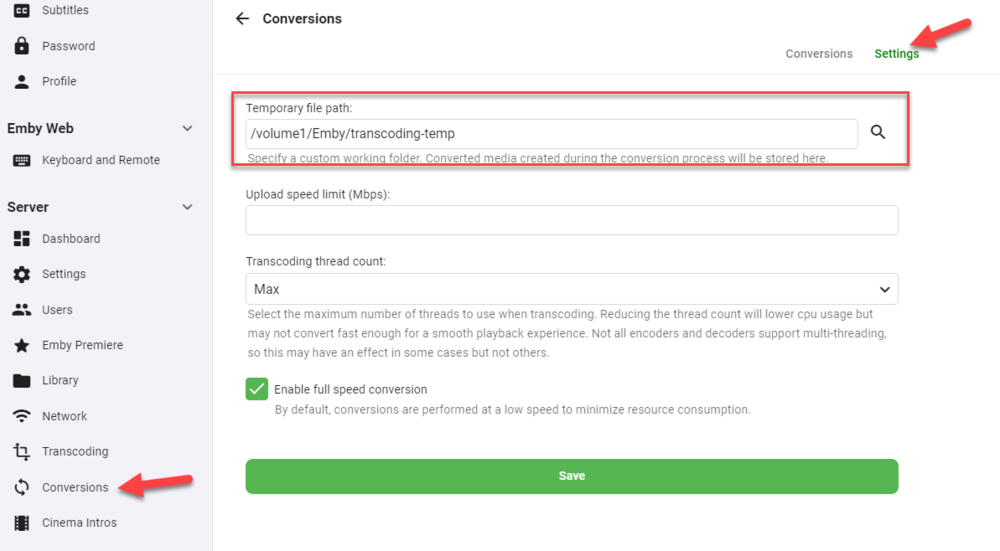
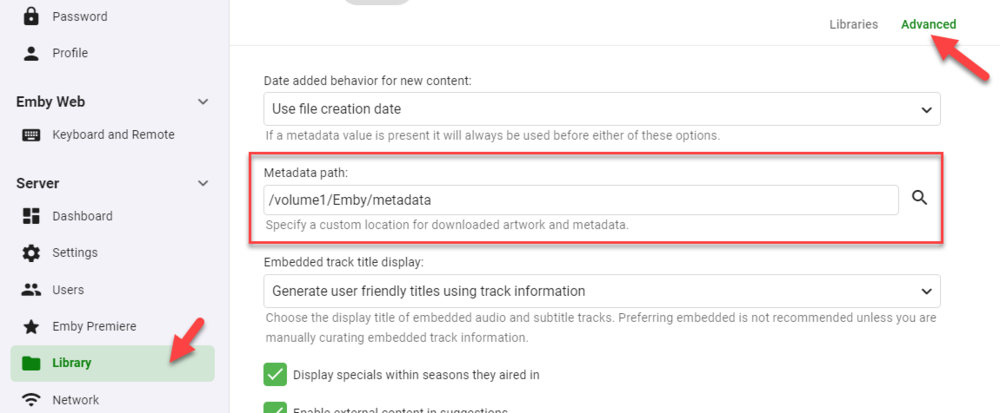




 1 point
 -
Updated to DSM7 and Emby for DSM7, without problem. Thank you! Copying the Emby data folder took a little while because it was 50gb, but otherwise everything was fine.1 point
-
thanks for the suggestion on mkvtoolnix. I setup a quick little script to fix the issue and will just have it run on a cron. Just saw the plugin scripter-x so might rewrite it to work with that instead of cron. I have this running on a mkvtoolnix container as my emby setup is on docker. Feel free to play with it. subtitle-strip.sh1 point
-
Personally I can see both sides of this discussion. The Emby devs view this as being redundant and unnecessary because the functionality that is needed for music exists. Completely valid perspective. With that said, I think that this is more about removing friction from the onboarding process for family & friends. Many of us have discovered the freedom of self-hosting and the value proposition of owning media and not subscribing to it. We want to share that freedom with other people that are coming from a traditional subscription experience (Apple Music, Spotify, Pandora, etc). For these people, the core Emby experience needs to be as close to those things as possible. Once they realize that functionality and utility is virtually the same, then they'll start to understand the value behind the scenes of owning the content and controlling it. And I do think that over time they'll develop the curiosity to see what else Emby has to offer. But Music is the gateway to this sort of thing and it needs to be on par with what is already expected by these kinds of users. So while a dedicated Music App is absolutely redundant, I do view it as being necessary in terms of evangelizing self-hosted media.1 point
-
It doesn't currently exist, but it was discussed somewhere in this thread and I have an open issue in my tracker covering it. The registered version should work the same way for you in this case. The reason is that when there's more than one rule with the same icon, there's no way to tell visually which one matched, so Iconic just displays a single badge/icon for those cases to avoid wasting image real estate.1 point
-
+1 This is specially useful if CoverArt is enabled, since CoverArt can process thumbs displayed on the home screen but not backdrops displayed as thumbs.1 point
-
Let's see if I can win dumbest person of the year . Thank you LOL. I think I kept skipping over that because it's the tag icon I'm used to seeing all over emby IDK.1 point
-
Hey up. My bad, I should have quoted @hjason7812 as that was related to his post, directly above. What might help in your case is play the item for which you know subs are present, try listing/selecting them, after that submit logs directly from within the Android TV app, either from OSD or Home Screen (need to have Debug options enabled in Settings>General Display). Edit: Upon submitting, post approximate time of the occurence and User logged at the time.1 point
-
Not much to set there, did you set your credentials in Dashboard>Open Subtitles tab? Are you a VIP user? Did you exceed your daily quota? Are you getting any timeouts in the log? Does your user have a permission to DL subtitles in User settings? Did you check that subs for particular movie actually exist in desired language on Open Subtitles website?1 point
-
Hi. Try running a guide data refresh.1 point
-
Thank you, i will try and post here.1 point
-
Found another way to solve this problem. Because the server is maintained and managed by Systemd. Thus configue the process itself might be helpful. For CentOS7, installed emby-server by yum. Edit /etc/emby-server.conf and add the code below: HTTP_PROXY=http://127.0.0.1:10809 HTTPS_PROXY=http://127.0.0.1:10809 then, systemctl daemon-reload systemctl restart emby-server to apply changes.1 point
-
Thanks for the info. We'll take a look.1 point
-
For a media server, unless really heavily loaded, I doubt you would notice a difference. Depending on what you mean by 'joining', if 1 drive fails, you could be at risk for loosing all of the data. I would have a tendency to use multiple individual drives each assigned a drive letter (assuming Windows). No matter which you choose though, make sure you have a way to backup the data. It can be painful to spend money on a 'what if', but even more painful to lose all your data!1 point
-
Is there any hardware that actually can direct play 10bit AVC?1 point
-
Hi, it looks like you've forwarded the ports to your iPad? They should be forwarded to your server machine.1 point
-
Works amazing in Plex and doesnt slow anything down. Not sure how they implemented it but it shows its possible.1 point
-
Thanks ! Never thought to try this - I have the same issue as I have a lot of collections. This works a treat1 point
-
It's getting closer but no ETA. Thanks1 point
-
Just a heads up, the link for the latest next-gen dev (6.0.3 build 151 (ex23) ) on the front page does not seem to be working.1 point
-
We could probably add a filter so that you can do this in the regular movies list.1 point
-
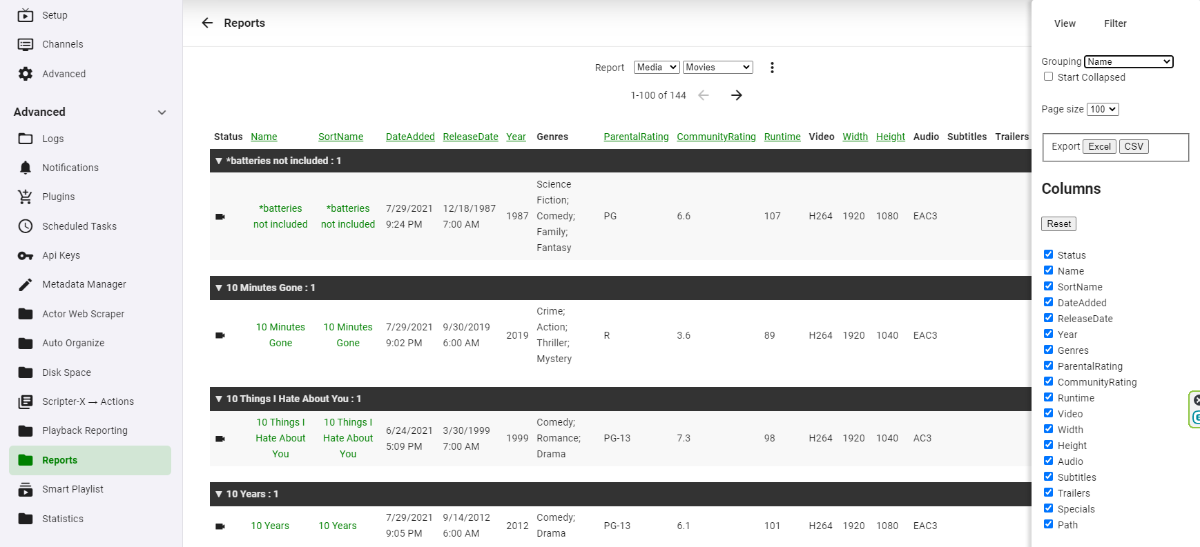
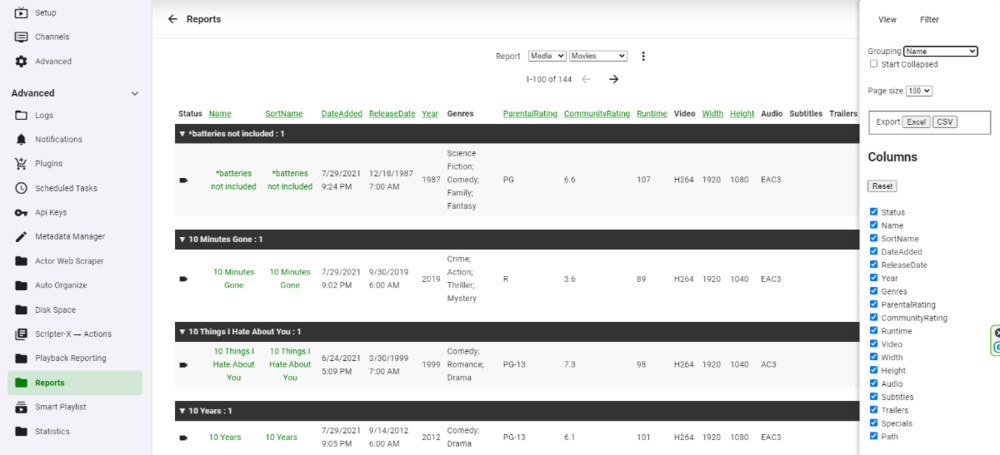
You could use Reports and group by Name. This list can be exported. Is this what you are referring to?
 1 point
 -
New version available: 6.0.3 build 151 (ex23) Delta changelog: - transcodeing issue fixed - reconnection issue fixed could be the next beta version...1 point
-
@all with the "distributed content over multiple folders" issue. Please try latest experimental version, I think it's fixed (requires complete db resync)1 point
-
With the Steam Deck, I see this suddenly becoming more popular .It'd be great to get a version of it hosted on Steam. They're talking about Plex doing the same.1 point
-
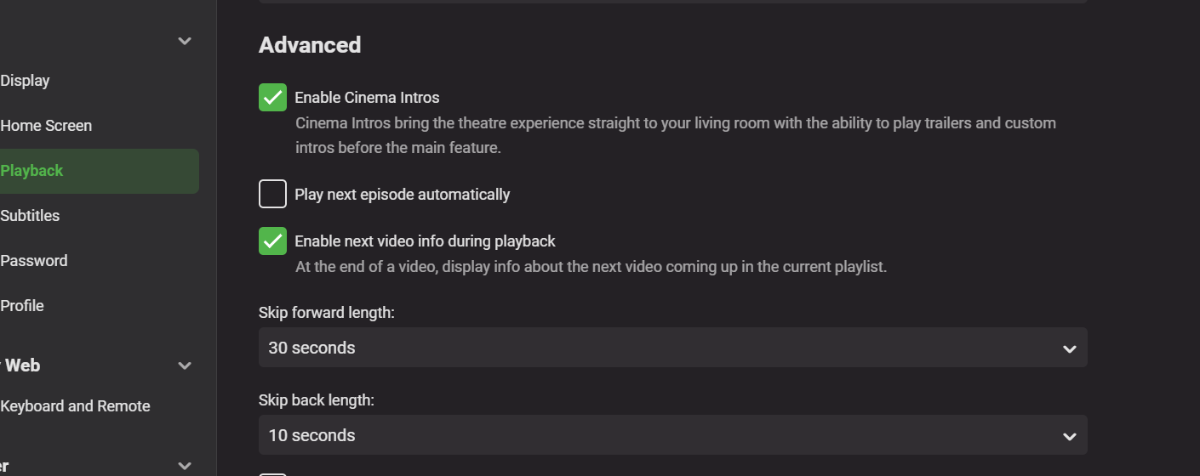
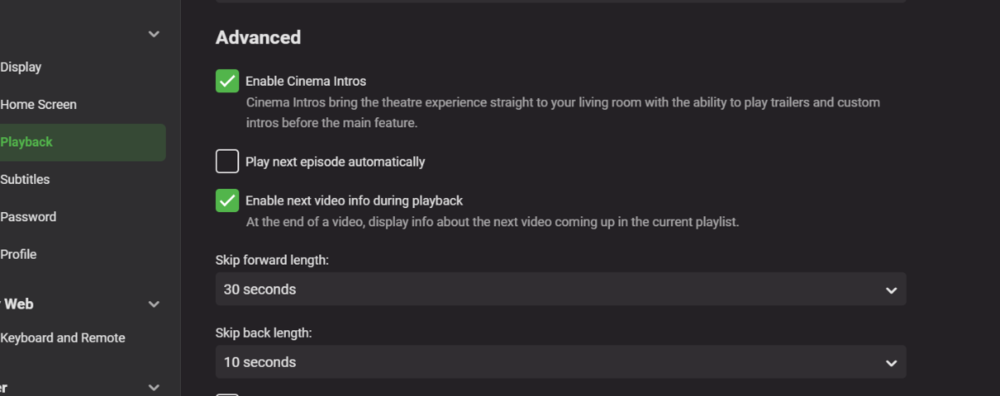
I'm fairly sure this could be implemented quite easily and would be happy to do it if i could get access to some core code. This is how i would see it working. User input for each Series for intro time - this can be set by user (because there is not database or online API to set this perfectly for each show) User Option - Enable skip intros for TV Shows (Global setting) if this is enabled, all Episodes play will automatically skip the number of ticks the user has input in setting one. A Field would need to be added to the metadata for time to skip in seconds A Check Box setting would need to be added for tv shows - probably in the Playback options below the "play next episode automatically"
 1 point
 -
That is already possible now - you just want a persistent validation method so that, when you "log in" it doesn't require your password all the time.1 point
-
So, you want to bypass the password for all users once authenticated once? You can already setup to not require a password on the local LAN.1 point
-
Luke, anything in the pipeline to have an app like 'PlexAmp' with the Emby Premiere Subscription?? Emby Music possibly?1 point


























_1.thumb.jpg.d4e6a650cb4552bc437a9e6156024102.jpg)