Leaderboard




Popular Content
Showing content with the highest reputation on 08/08/21 in Posts
-
New version available: 6.0.3 build 117 (ex18) Delta changelog - sync issues (virtual Emby server records crashes next-gen sync) - remove libraries from server3 points
-
I think I found it. In your second image above, at the top, where it has Play All, Shuffle, etc, click on the three dots and tick Group Items Into Collections. Hope thats the right one anyway, but knowing me...3 points
-
Thank you, that did the trick and the good thing about it is if you change your mind you can uncheck it and it reverts back to the original individual covers.2 points
-
Got it, thanks for your help!2 points
-
Wow guys, I mean to each their own.. I was just being polite. Pointing out that 30 out of 30k users isn't going to get this feature built into emby because you say its super super important, then start talking down to everyone (last part really doesn't help your case). You guys continue to be Karen's, the rest of us that want another DB well, we will wait until there is a technical requirement for it, or all of the sudden my parents that have an emby server, and the other 30k people like my parents, decide they want a different database that they have no idea is even running in the background or exists, hops on here and requests the feature. A total of 8 posts and 42 posts from these noobs that think they can come in here and act like fools just because they discovered emby. I mean, I've already turned off notifications on this post so i wouldn't even bother with a response, but you still will respond.. not worth any of our time addressing these temper tantrums.2 points
-
I mentioned it in another thread, but thought I'd put it here since this looks like a new section--just for posterity. Would like to have a bulk meta data editor function. For example, if I have 750 videos whose producing studio is the same, I want to select those videos and apply the name of the studio to those videos. Similarly, if there is a custom tag I want to apply to a subset of those movies, I want to be able to select them in bulk and apply the tag to those videos (instead of selecting them one by one).1 point
-
I'm a plex life time member, but I have been using Emby for over six years continuously, but there is a feature which I have always thought is missing in Emby which I would like and encourage the developer to consider including especially in this dispensation where families can social or commingle due to COVID 19. Today, I received a notification from Plex about it new feature titled Watch together you can read about it here https://support.plex.tv/articles/watch-together/ The feature allows friends and families at distance to watch same movies together instantly, you simply invite all your buddy, once they signed to the system which can be seeing in the server then play and pause as needed, this I think is cool feature should be added to emby. Let's here your though if Emby developer should consider adding this feature to our beloved Emby Media https://www.bing.com/news/search?q=Plex+Watch+Together&qpvt=plex+watch+together&FORM=EWRE1 point
-
As I mention in a related post, I love the additional subfolders for Movie Extras (eg, Shorts, Scenes, Interviews, etc.)! It would be awesome to extend this functionality to TV Series as well. Specifically to add support for many/all of the same folders supported for Movie Extras, eg, extras specials shorts scenes featurettes behind the scenes deleted scenes interviews trailers As well as any additional folders that get added in the future (eg, hopefully Galleries). Support Placement of "Extras" Folders Within Each Season Folder, Plus A Naming Scheme to Link A Particular Extras Folder with a Specific Episode (eg, "\Season 1\E1 - Deleted Scenes\" for episode 1 deleted scenes): I want to clarify that it would be great if these various "extras" folder types could reside within each Season folder. So for example, within a Season 1 folder we could then have an "Extras" folder, a "Deleted Scenes" folder, a "Featurettes" folder, etc. And furthermore, that we could designate a particular folder to refer to a specific episode (eg, "\Season 1\E1 - Deleted Scenes\" for episode 1 deleted scenes). See more below, particularly why I think this would be so useful: https://emby.media/community/index.php?/topic/55915-emby-server-theater-additional-extrasspecial-folder-types-for-tv-series-similar-to-movies/&do=findComment&comment=587195 Thanks for your consideration! PS - If this is something you might like to see implemented, be sure to "Like" this top/first post (as well as any subsequent posts in this thread that highlight particular aspects of what you are interested in) -- "Liking" the top/first post helps the Devs to know how much interest there is in a given Feature Request.1 point
-
Hi, in the Tizen app the light themes (including AppleTV) are pretty unusable. The problem exists in the latest 1.1.0 version and is there for already some versions. The problem is, if you enter detail screen or open the "logout/exit" menu, you get black font on darkened background, which is unreadable. It seems to only work right on the home screen, where you have black font on lightened background (which looks good). Could this please be checked? Thanks & Ciao, Alfred1 point
-
It would be useful to have a "scroll-to-top" button present universally for any given page of the web ui. If you need an example of what this means, scroll down on any page of these forums. After a certain point, you will see the button fade-in on the bottom-right of your screen. I can see this request being countered with "this can already be achieved by using the alphabet selector on the side". However, this is not present in many places where a scroll-to-top button would still prove to be incredibly useful. For instance, when viewing a full library with sorting options set to anything other than 'Title'.
 1 point
 -
I prepare a test version for you tomorrow that solves the video start issue and ads some extra logging around bumpers.1 point
-
You can choose a theme which will provide some different backgrounds. You can also select "Show Backdrop while browsing" in the display options and you will get backgrounds then. Also the "Enhanced Home Screen" may be of interest to you. CSS only works on the web app. Correct. Themes are an Emby Premiere feature (in both apps). Emby Premiere Feature Matrix1 point
-
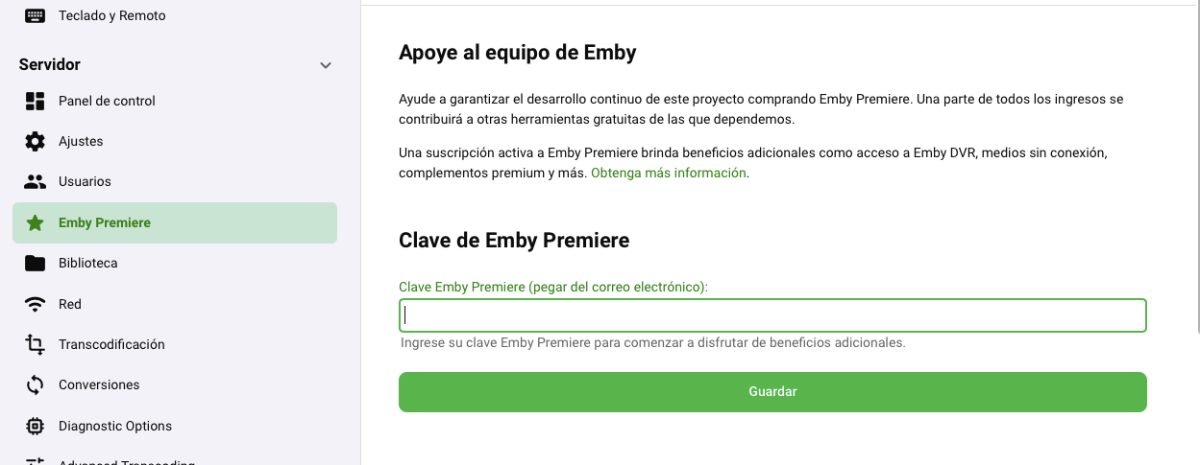
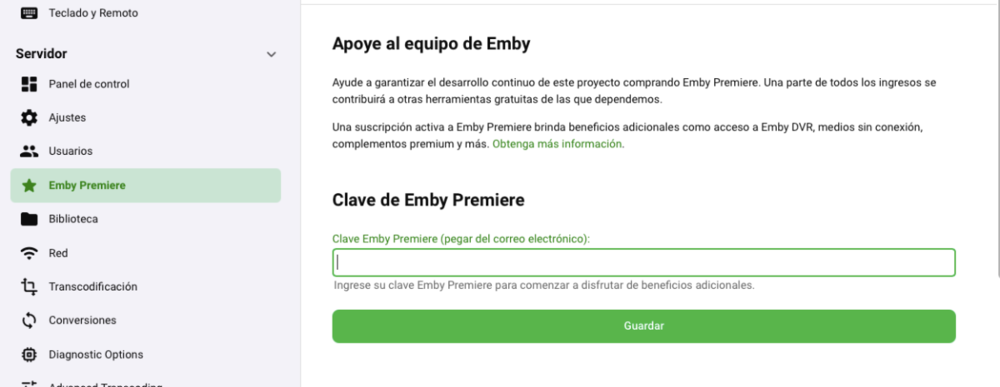
Aquí, en el dashboard de tu servidor:
 1 point
 -
In simplicity lies elegance. So... Thank you! (It worked.)1 point
-
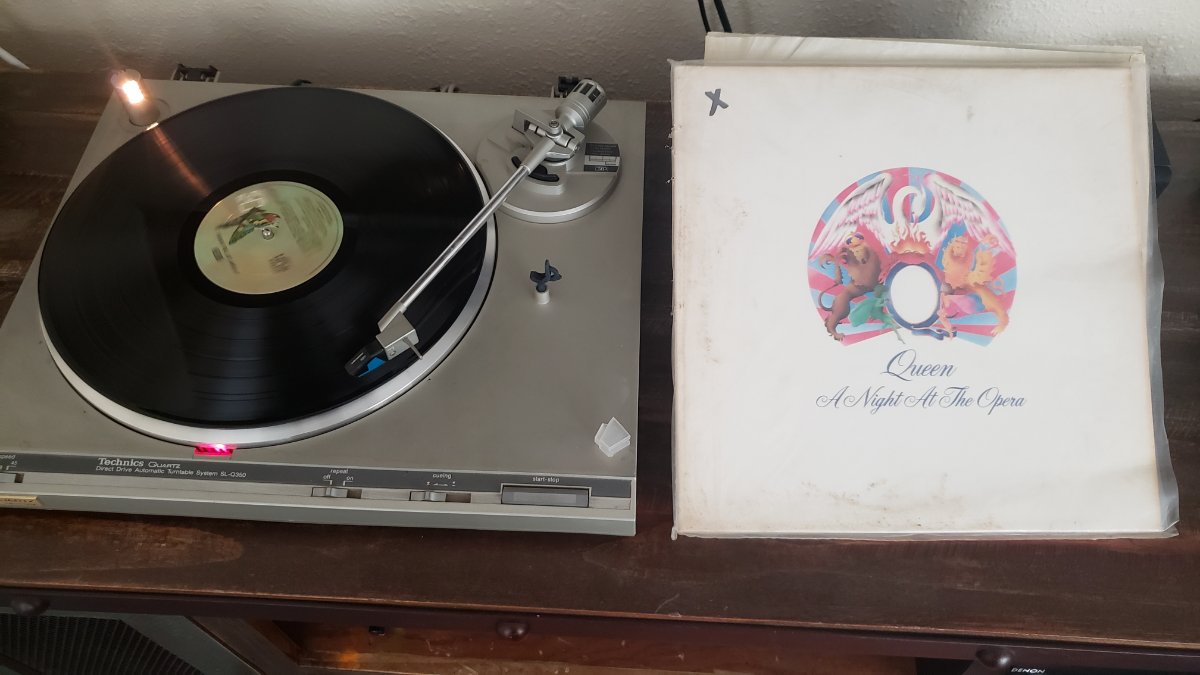
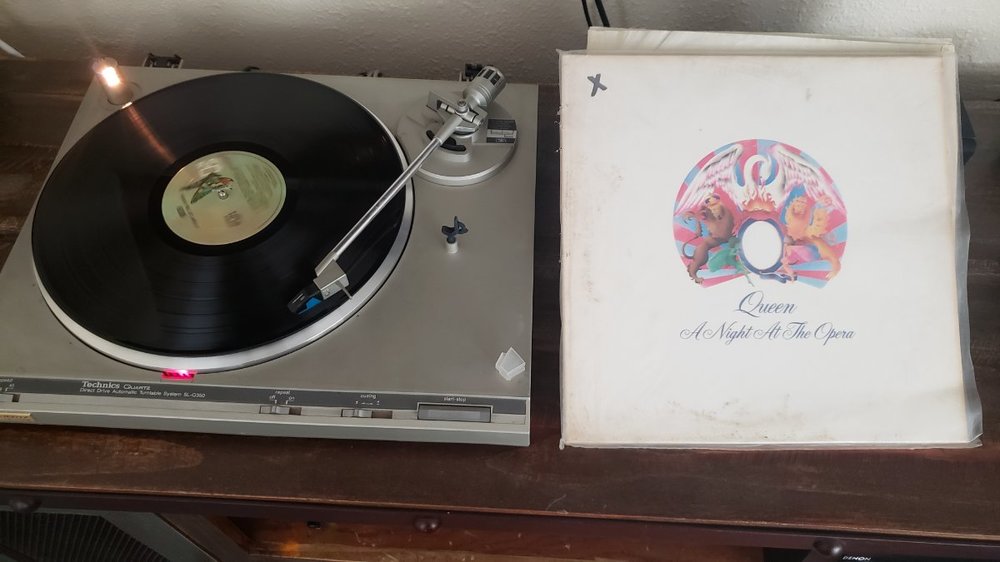
Black Vinyl is as lossless as it gets..1 point
-
it scrobbles to last.fm?1 point
-
Maybe I'll just stick to my trusty turntable circa 1980.. This morning's selection.
 1 point
 -
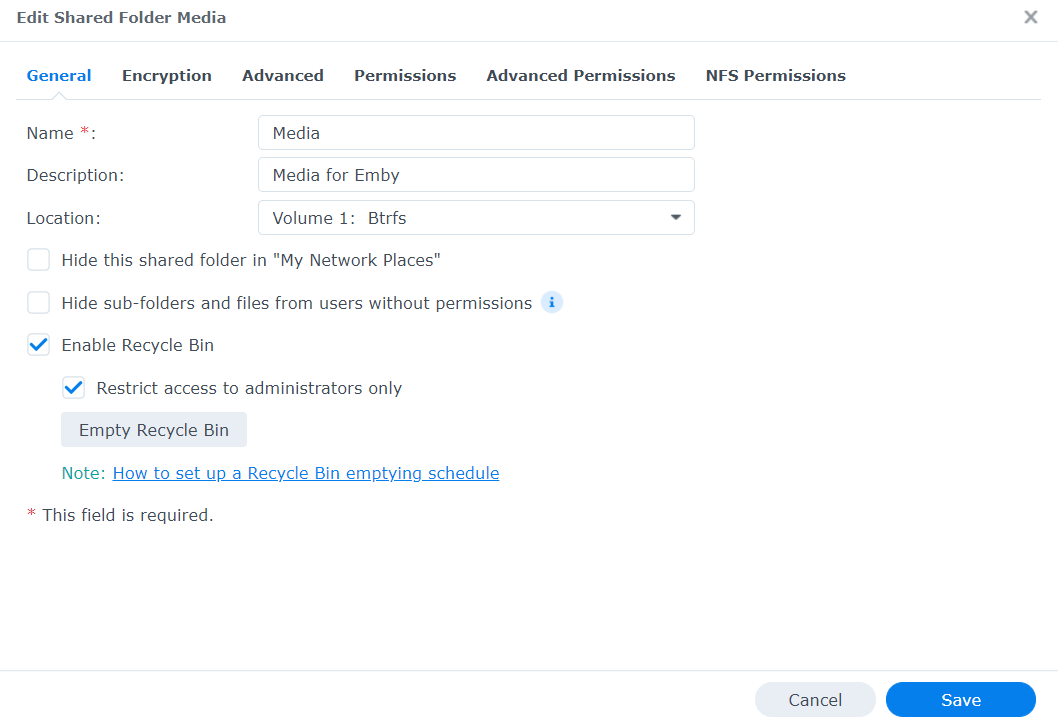
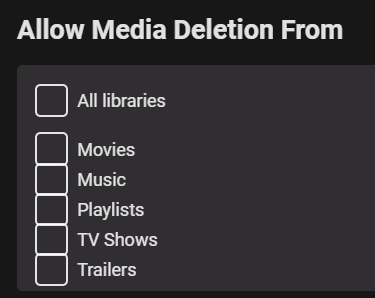
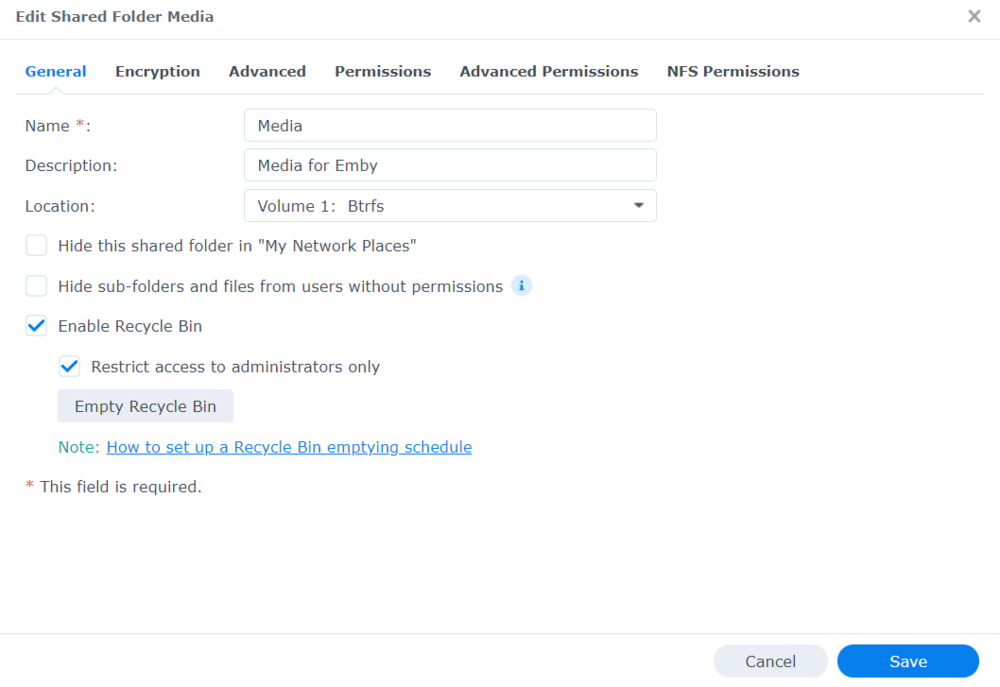
Sorry for your loss :(. Unfortunately it sounds like the files are gone for good. In order to have a chance of recovery, you need either a recycle bin or snapshots/other forms of backups. For the future I would recommend: Unless you really need it, turn off media deletion in Emby by going to Admin Dash -> Users -> Your user. In DSM, go to Shared Folders, select your media folder, and then select edit. You should see an option to enable a recycle bin. Utilize a tool like Hyper Backup or Active Backup for Business to automatically back up your media to either the cloud, or another file system you have.
 1 point
 -
Just some times it appears. I’m watching a show right now and it’s showing in the dashboard as expected.1 point
-
Multiversion is not supported for Emby connections but is in the roadmap. It has recently been introduced in Plex so I suppose sooner or later it will be introduced in Emby.1 point
-
I mean emby theater. I have the feature, I just unsure if there is any key combinationer where I can open it directly instead of haveing to push multiple time to get to the overlay.1 point
-
It scrobbles music to last.fm. But some apps aren't scrobbling property:1 point
-
Good question I have not tested on Synology as I haven't enabled it on any of my media volumes. I'd be happy to test it if you would give me a login on your system. LOL Kidding aside, I'll enable recycle bin on my 920+ and test on both internal volume drives as well as USB attached drives. This would be useful info to know but I think like you it may only be on Windows right now.1 point
-
Does Emby use the Synology recycle bin/folder when deleting within Emby? I thought it only did this for Windows? But ya, I would check there first.1 point
-
If your router supports custom dns entries, you can point the local address to anything you want. If not, you can run your own dns server - depending on the operating systems you have available - and then point your router to that. If you don’t want to enter the Emby port in clients and web browsers alongside the domain, you can take it a step further by setting up a reverse proxy to point the domain to the Emby port. From there you would just use the domain when connecting in web browsers, and in clients you would leave the port field empty.1 point
-
The pleasure is all ours to support our software and our customers! Especially a customer as friendly as you.1 point
-
I would just like to heap yet more praise on @cayarsand the help he offers. First off, DSM 7 is a big change and it's not Emby's fault that the instructions for upgrading are/seem complicated. The Emby team have done a great job at simplifying the needed steps. Having said that, when I upgraded, I has some small niggling problems. @cayars offered to do a remote session. Seems I had an unusual setup which had somehow caused a small problem with the migration. @cayars remoted in, totally transparently so you can see exactly what he is doing, and sorted out my problem. I cannot think of any other software company that would spend the personal time in this way to help a customer. Many many thanks Carlo1 point
-
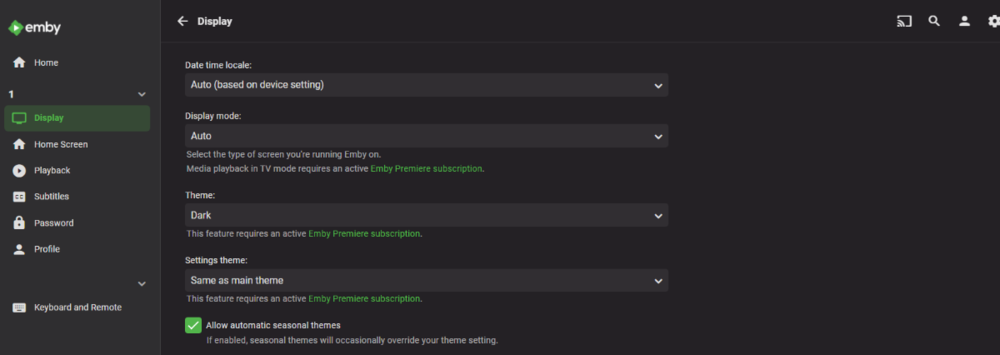
Did you apply both codes? I get same result for user and admin.
 1 point
 -
Yep, I've noticed a similar problem when trying to playback recorded ts files. It'll skip, but it's incredibly slow. @Luke Can you add the checkbox to disable direct play for ts files to the new app?1 point
-
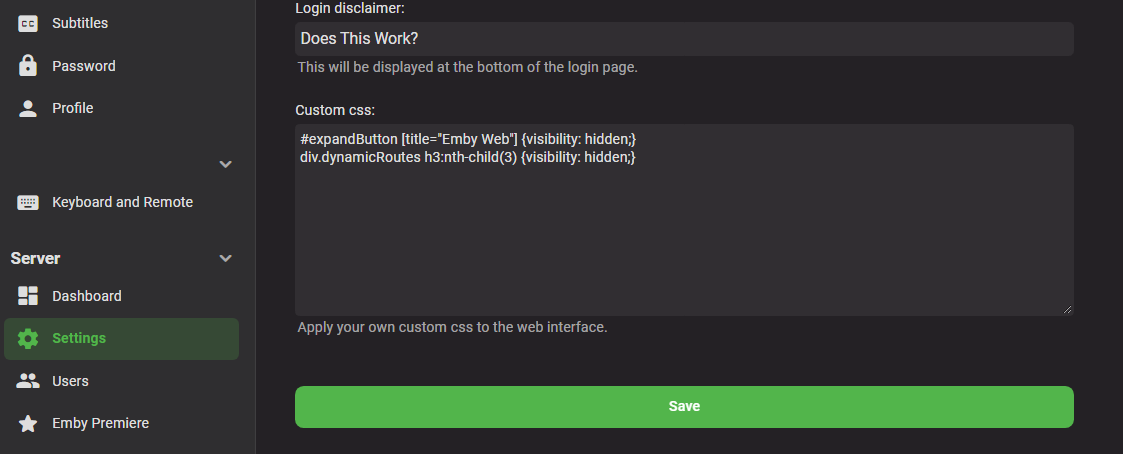
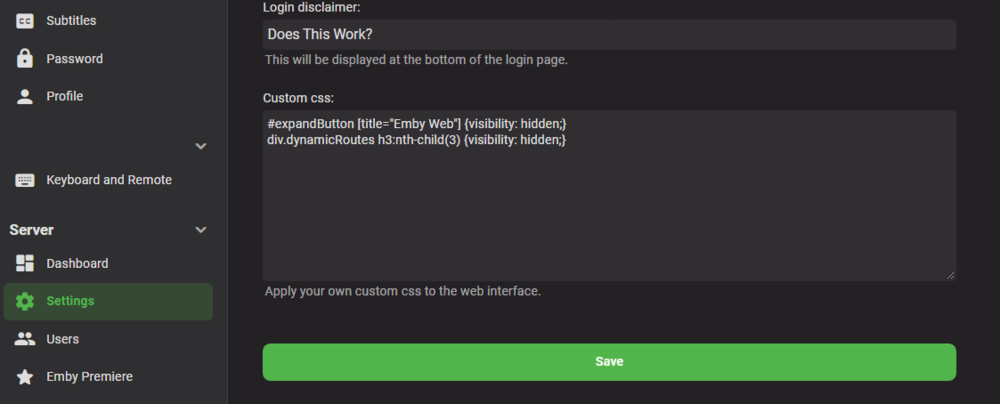
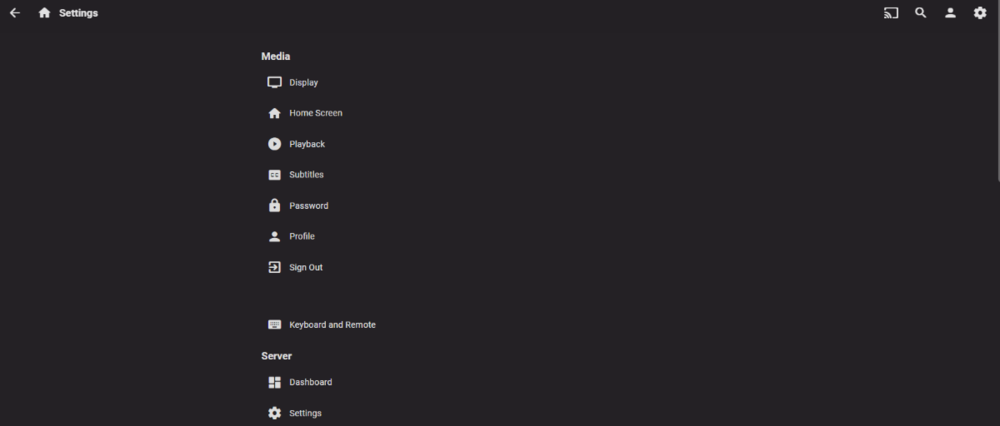
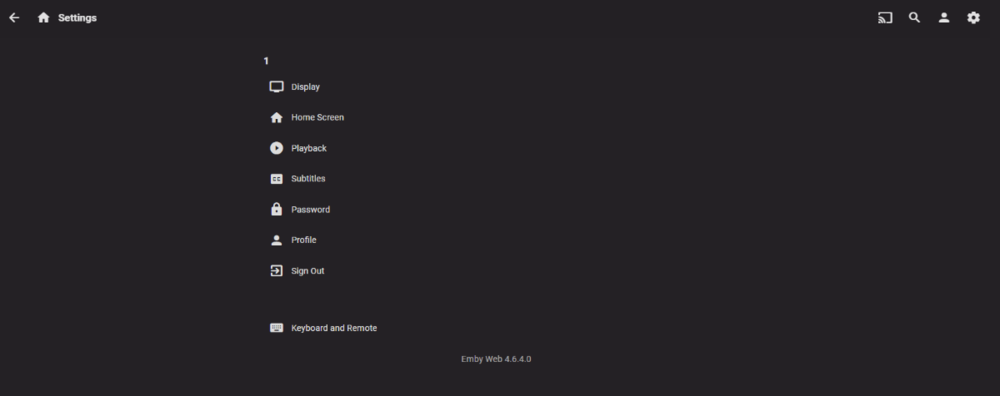
something like this for navdrawer #expandButton [title="Emby Web"] {display: none;} or #expandButton [title="Emby Web"] {visibility: hidden;} or #expandButton [title="Emby Web"] { text-indent: -9999px; line-height: 0; } and for the setting.html div.dynamicRoutes h3:nth-child(3) {display: none;} or div.dynamicRoutes h3:nth-child(3) {visibility: hidden;} or div.dynamicRoutes h3:nth-child(3) { text-indent: -9999px; line-height: 0; }1 point
-
Yes are continuing to work on improving playlist support for CarPlay. Thanks for the feedback.1 point
-
Totally agree with the “Back-to-top” idea. Requested it for the web app in December but it doesn’t have much traction unfortunately. Your scenario proves it would be useful on all clients.1 point
-
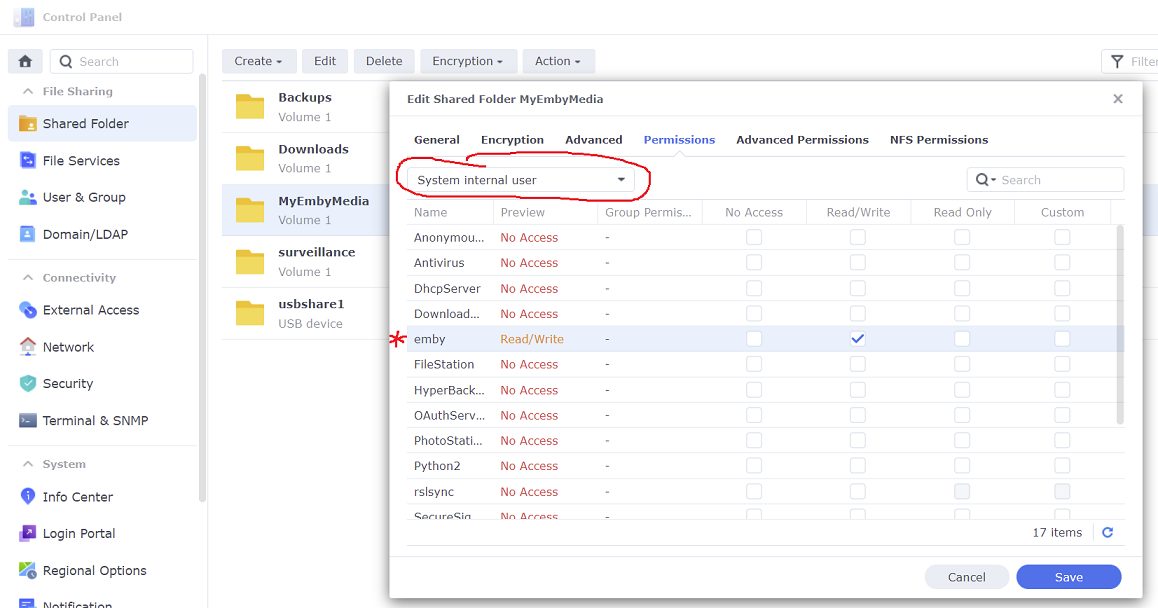
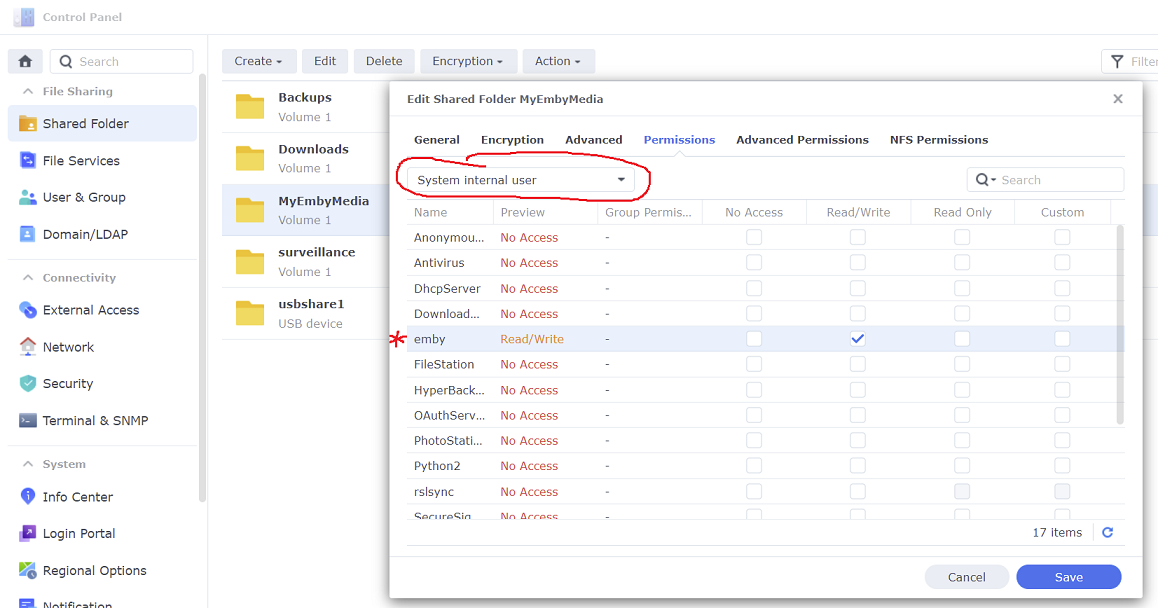
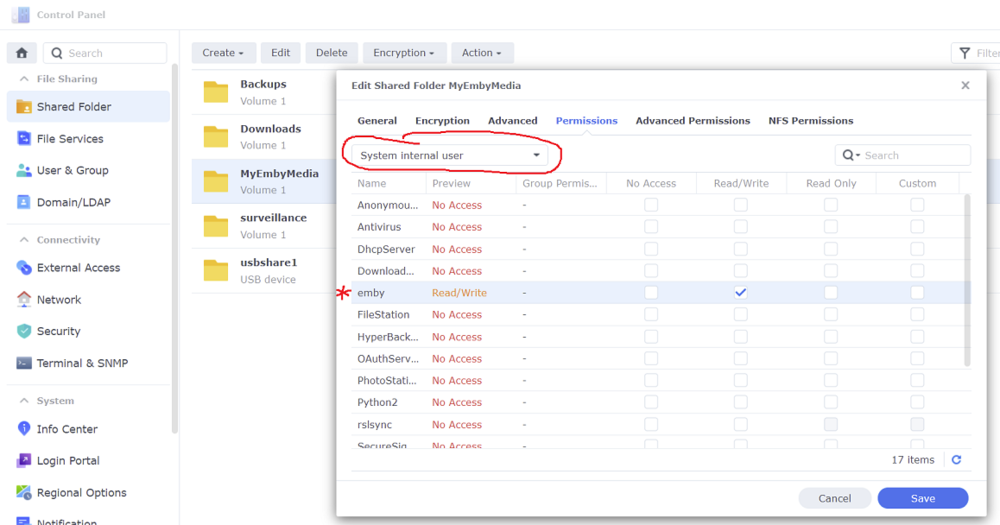
It sounds like you may not have given emby access to the shared folders using the new DSM 7 system internal user
 1 point
 -
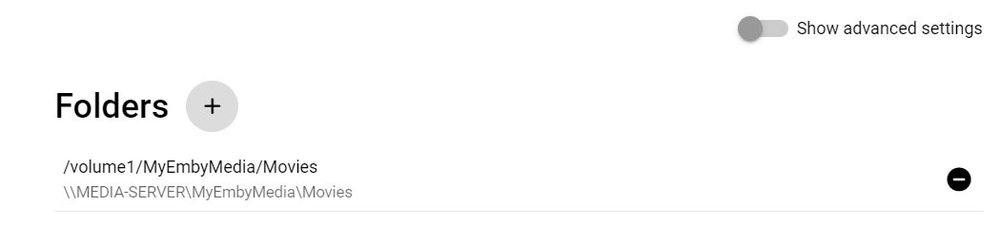
Here is a pic of my movie folder within Emby
 1 point
 -
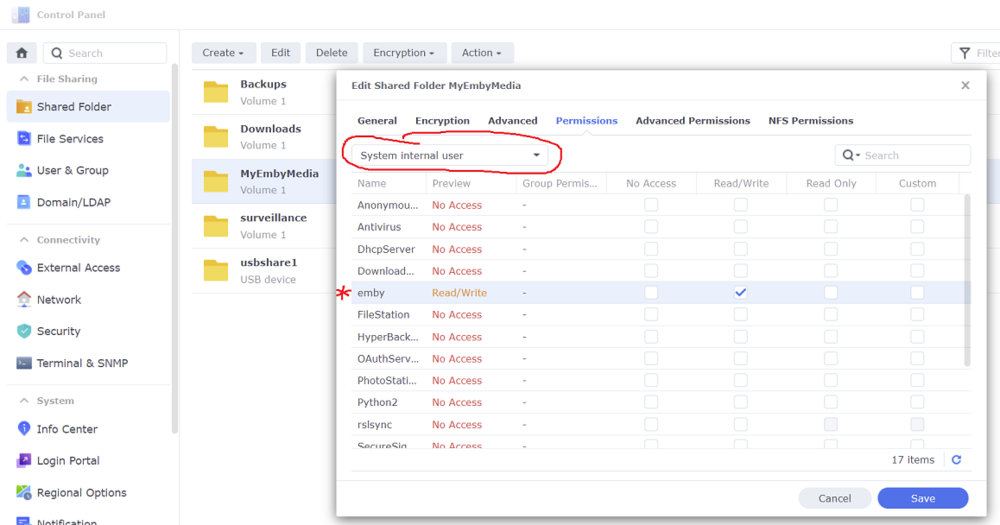
Did you accomplish the last step of the procedures to give Emby access to your shared folders? This has changed in DSM 7 and you need to use the system internal user now
 1 point
 -
Okay that was educational. noob here learning more about video compression. Both handbrake and videoproc produced similar results in similar timeframes, using similar settings (quality controls are different): handbrake produced a 3.6gb mp4 w/ 5563kbps videoproc produced a 2.5gb mp4 w/ 3930kbps Settings on both: keep 1080p, 23.976fps, audio bit rate 128kbps (sample rates slightly different 44.1kHz vs 48kHz handbrake, so I missed that one), encode h.264 level 4.2, image quality constant CRF 22, 2 pass. The interfaces are very different. Both have all the options, but videoproc defaults easier to use, handbrake more manual, but i'm still learning, so we'll see. Also, videoproc doesn't have a peak frame rate option, it defaulted to same as source, so I changed handbrake to same as source, and it made a huge difference in time to process, so the peak option takes a lot more time. Thanks all for the great feedback. I have two compression tools I can use. videoproc is easier for beginners, but handbrake looks to have a little bit more detail, so far, i'm still learning. Hope this exercise helps somebody. I'll continue to use both, until I learn more. Cheers1 point
-
Previous discussion on DTS:X and the other 'extra' metadata formats:1 point
-
Did I get this right that everything with DTS doesn't direct play on iOS?1 point
-
Hi, I suppose it's possible. Perhaps a floating button that only appears once you've scrolled down a certain amount.1 point
-
Watch together / multicast features are one of the most regularly requested new features on this site. And the current environment has only increased the relevance of it. Neither can be said of audiobook enhancements.1 point
-
Hi, this is great info, thanks for doing this !1 point