Leaderboard




Popular Content
Showing content with the highest reputation on 08/04/21 in Posts
-
New version available: plugin.video.emby-next-gen-6.0.3-build 59 (ex9) Delta changelog fixes: - add library - mandatory db reset (on Kodi start) - manual db reset - hide password - tvtunes - several minor fixes This could be the first beta version of 6.x I have no more issues on my list and start with edge case testing...3 points
-
As you've said it yourself, there will always be (at least) two groups/views on the matter, as with just about any topic. I reckon Emby's goal should be to provide for both, without favoring any in particular, else they'll be severely limiting their userbase. As long as certain feature doesn't come on the expense of one or other group (and it is not like that this particular one requires some fundamental changes in logic or behaviour nor does it negatively affect anyone), I don't quite understand the reluctance here. Not everyone has the urge to meticulously curate one's collection. Not everyone has the will to do it. Not everyone has time for it. But surely all want to enjoy it. And yeah, not ALL sync issues could be solved by offset saving - however majority would, and that's good enough, as it would drastically reduce the need for manual intervention.3 points
-
Blame the Devs, they spoiled us big time. Refer to above. Kidding aside: of course not, as I'm forced to. But it just makes me appreciate Emby more, once I come back into it.2 points
-
Esta genial característica se ha solicitado varias veces. En principio esto debería solucionarse en un futuro con Smart Playlists y que estas playlists se pudieran anclar a la Home Screen.2 points
-
I think you may be right in leaning towards that flexibility aspect that so many users of Emby clearly value. I’m wondering if I should remove or reword the part of my OP that says “completely remove my media, etc” as it seems some people just read that one line and get hung up on it. Like predetermine their disagreement with the actual request solely based on that.. Perhaps the option to use one or the other in some way is better? As long as all clients get the same options. That’s the important part.2 points
-
Was just stating that you can turn it off, nothing more, nothing less2 points
-
I like to have My Media at the top of the home screen in the web client, but at the bottom of the home screen in the Android TV( ATV) app. This isn't currently possible, so is there any chance of having client-side options please. Thanks.2 points
-
DSM7 Upgrade for Emby.mkvEDIT: The instructions assume default Synology install volume of /volume1. If your location is different use that instead! This is based on the release version of Emby which at the time of writing/video creation was 4.6.3. The video will become dated so just use the latest DSM 6 Emby version from the website https://emby.media/synology-server.html. If you happen to be running a beta version update to the latest beta version before the DSM 7 update. The idea is to do any updates on DSM 6 first before installing DSM 7. Since the creation of the video Emby Server is now availing in the Emby Package store (release version) so you can install Emby on DSM 7 now from that. ----------------------------------------------------------------------------------------------------------------------------- Attached is a quick video of upgrading DSM 6 to DSM 7 with Emby Updates. The video will show only browser items and not the PUTTY/SSH commands but everything done in browser is recorded. The SSH commands are included below. I converted this to MKV/H.265 to make it small enough to download and view offline. DMS7 Upgrade for Emby.mkv21.57 MB · 78 downloads Instructions used were: Download and have ready DSM 7 package for update. https://www.synology.com/en-us/DSM70 (I will be downloading both a virtualDSM 7 & for 920+) Download and have ready Emby Server 4.6.3 for both DSM 6 & DSM 7 https://emby.media/download.html - update Emby Server to current release of 4.6.3. - restart Emby Server and verify your on the latest release version. - uninstall Emby - update DSM to v7 - install Emby 4.6.3 (or same version that was running above (dsm7 version) - You can now install the DSM 7 version directly from the Synology Package store! (still on our website too) - stop Emby - remove emby_pkg user and video group - enable admin account if needed - enable ssh in Synology settings (Terminal & SSH menu) Not shown in video: - connect with Putty to Synology, login with admin user and get root rights with: sudo -i - copy files from old Emby share to new data location: cp -rv /volume1/Emby/* /volume1/@appdata/EmbyServer - adjust owner from copied files: chown -R emby:emby /volume1/@appdata/EmbyServer - close putty Shown again in video: - From Control Panel go to Shared Folder and edit each share that is used by Emby Server. Click the share, then EDIT, go to permission tab, select System internal user from drop down, grant emby user read/write access. - start Emby Notes: You can now disable the default admin account as well as SSH. You may also want to rename /volume1/Emby to /volume1/Emby6 as well. This will help make sure you don't have anything referencing the old directory. If you don't notice any issues in a week or two you can delete this old folder/share to free up space. DSM7 Upgrade for Emby.mkvDSM7 Upgrade for Emby.mkv1 point
-
I mentioned it in another thread, but thought I'd put it here since this looks like a new section--just for posterity. Would like to have a bulk meta data editor function. For example, if I have 750 videos whose producing studio is the same, I want to select those videos and apply the name of the studio to those videos. Similarly, if there is a custom tag I want to apply to a subset of those movies, I want to be able to select them in bulk and apply the tag to those videos (instead of selecting them one by one).1 point
-
Guys, The ebook side of Emby/MediaBrowser has been long stalled or rather stagnated. I would like to offer up a couple of suggestions. Many people use calibre as an ebook/comic book tool for scraping data and general management of their collection already. This program is absolutely astonishing in its ability to pull metadata from post calibre scans, as well as draw in metadata from the file source and/or directory structure. http://vaemendis.net/ubooquity/ Its a self contained .jar server/reader combination. And honestly I am very impressed by it's small footprint and wide range of abilities. The other option is COPS , which was written specifically with calibre in mind. It is open source, so making it work with emby I would think would be fairly easy. https://blog.slucas.fr/projects/calibre-opds-php-server/ Ever since the original release of MediaBrowser's bookshelf I have always wanted something that would allow me to 'read' my collection, rather than being basically nothing more than a place-set for images of books I own. I am sure that those who mainly have audiobooks are thrilled with bookshelf , but it's nothing more than an extension of the music library IMHO, not new features. We can have both right? Here I give you two suggestions free of charge.. Just because I love you, and Emby Personally I plan on running the Ubooquity Server along side of Emby from now on, just because of it's massive functionality and tiny footprint. But I sure hope that someone decides -- "yeah, ebook support should be in here too" and do something about it - rather than allow this now very very ancient issue to continue to remain an issue. And so I don't have to have 20 different ports open, some with SSL support - some not, because Emby isn't delivering the 'complete package'. (Please take some of this with humor, I know you have your hands full with improvements/bugs/suggestions/requests)1 point
-
Hello guys, I just posted a tutorial on Youtube where I explain all commands and steps to install your Emby Server and run it in a docker container. To do so, I explain how to install Docker and Docker-Compose. Then I show how to write a yaml descriptor file to setup your Emby container and then, I give different commands to see logs, run and automatically pull the last version of Emby container image, so you're always up-to-date! Let me know in comments if you have any questions or suggestions! Here we go: https://youtu.be/RthGsZVPdOU1 point
-
Don't know how many of you know what PseudoTV is on Kodi but basically it is a plugin that allows you to create an EPG full of your own custom TV channels using your entire media library into one big channel surfing experience on your library. Emby, I believe, would be amazing for this and really make it stand out if something like this was official supported as the only support for something like this is a little plugin on Kodi. Features: Create custom TV channels using smart filters (e.g. 500 random movies that are from 2010 and newer and genre is Horror, 25 random tv episodes that are from Fox network). Allow creation of an unlimited number of channels using these filters and assign them channel numbers Automatically generate an EPG/TV Guide using all of these custom channels and randomly assign the scheduled program at a specific time Allow sorting of the channel shows (random, in order, asc, desc) Allow channels like FX to play both TV shows from FX but also incorporate movies at specific time periods like primetime movies Allow trailers to play in between shows as well as Channel Bumpers/intro videos Allow integration with Live TV using PVR Allow YouTube channels, USTVNOW, Playon perhaps? Ability to add a logo to your custom channels Background updating that would auto generate / update all the channels and shows after a specific period of time And so on1 point
-
This is more of a "wouldnt it be cool if it did this...." It would be nice to keep the live tv stream active in a small picture in the corner of the screen and view the channel guide in full screen. For instance, I am watching a live show and want to look at what comes on next or on another channel without closing the show I am currently watching. Sent from my VS988 using Tapatalk1 point
-
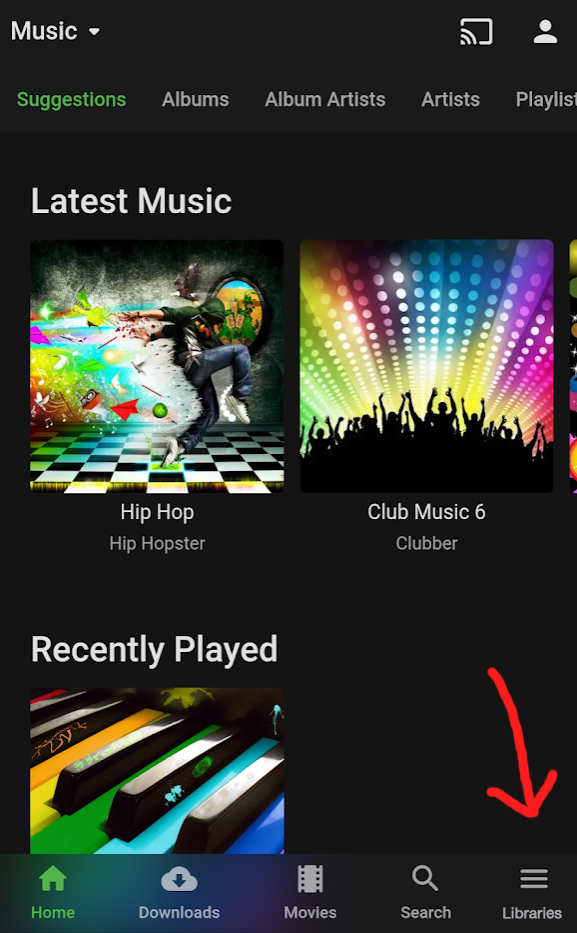
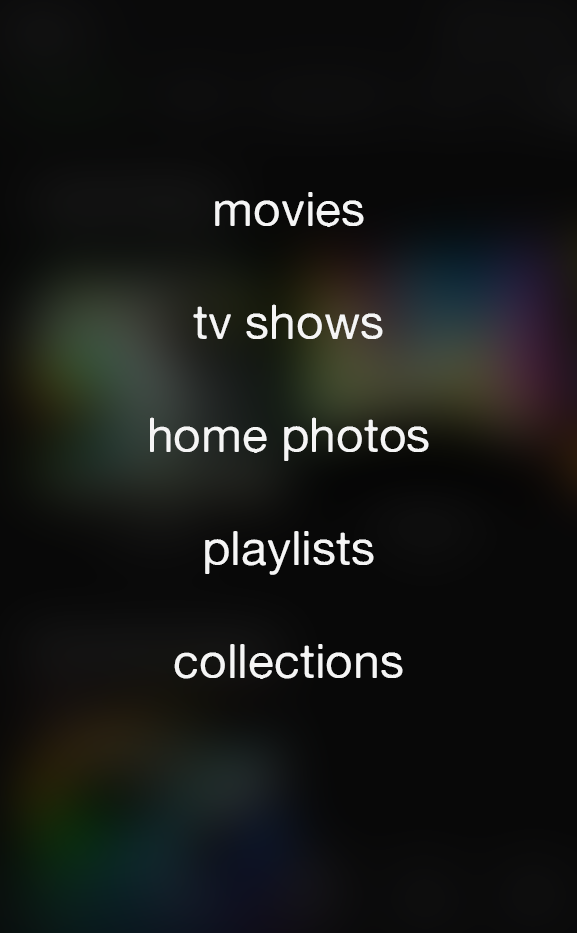
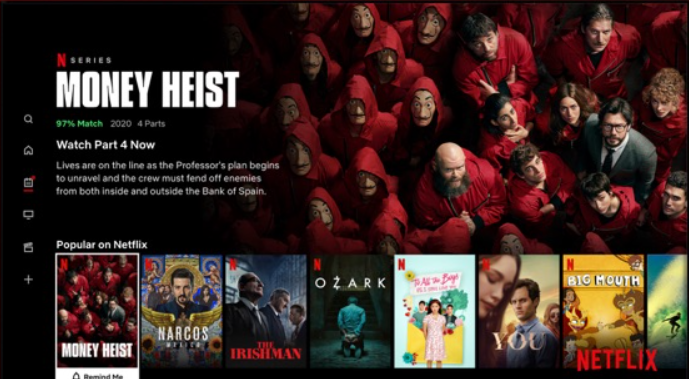
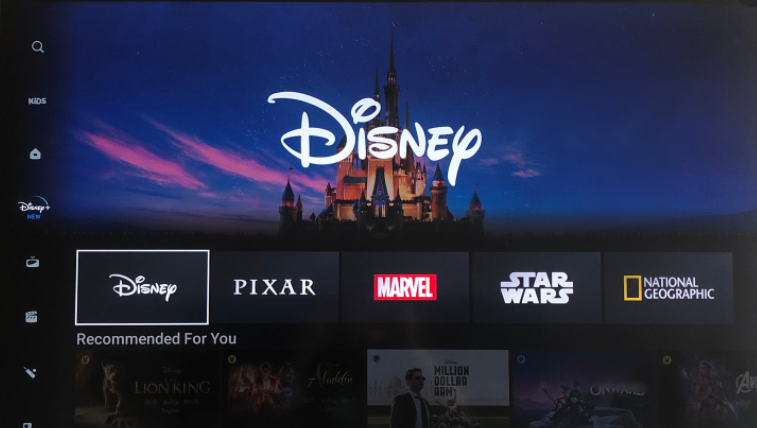
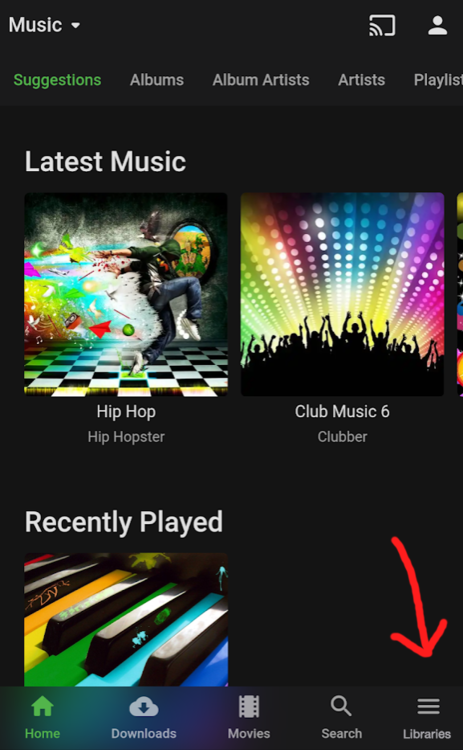
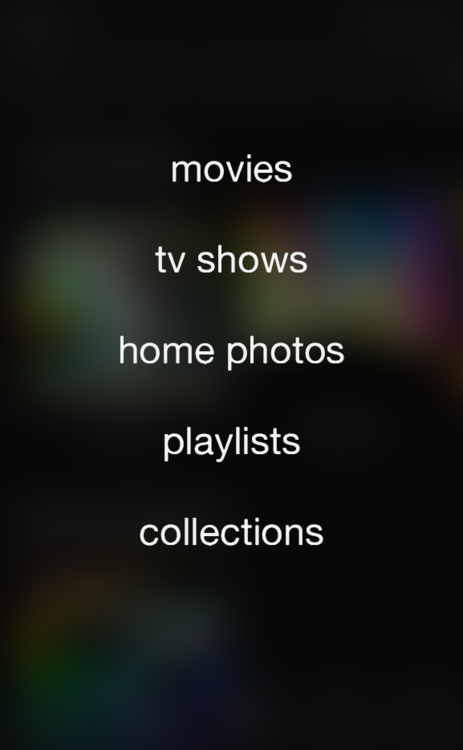
EDIT To clear things up: The title of my post is the feature request itself, while the bulleted content is one proposed solution that I’ve come up with to achieve it. It doesn’t have to be “solved” that way. Seeing as how many Emby users value customization, a different proposition could be the following. Allow users to chose navigation styles on all clients by giving the option to utilize a navigation drawer (like the web app already has). The point of this request is to accomplish exactly what the title says because, at the moment, different clients offer exclusive, different options that can lead to discrepancies described later in the thread. END OF EDIT ————————————————————— In order to streamline, modernize, and overall enhance library navigation through all of the clients, I propose the following changes: Completely remove the "My Media" and "My Media (small)" options from the Home Screen personalization. Utilize the navigation drawer approach (as seen in the web app) to display all of the library links. Examples of apps and services that utilize this approach on TV clients: All of these services offer an easy-to-use navigation menu for library links on the left-hand side of the screen. On the contrary, Emby's Android TV, Roku, etc apps lack this menu and rely exclusively on the users having "My Media" somewhere on their customized homescreen. As for mobile devices: In the Emby iOS app, there are multiple ways of getting to the same "Settings" menu; selecting the icon in the bottom-right or the profile picture in the top-right. As both of these icons are always on the screen at the same time, one of them is undeniably wasted space. Changing the bottom-right "Settings" icon to "Libraries" would replace the no-longer present "My Media" sections. This icon would slide up a small submenu of all libraries, or even a full-page list that blurs the background. Quick mockup: While customization - including the Home Screen section settings - is usually welcomed and praised, streamlining this particular aspect of the server across all clients should prove to be cleaner and more intuitive.
 1 point
 -
Hi, try looking in /volume1/@appdata/EmbyServer/config1 point
-
Awesome, glad you got everything working. Happy Streaming!1 point
-
https://support.emby.media/support/solutions/articles/44002137137-remote-setup Hi, This would be the main one. Emby Connect isn't going to do anything for you unless you have remote access working and tested.1 point
-
da meine Probleme gelöst sind kann der thread geschlossen werden1 point
-
When the beta goes stable.1 point
-
When the beta goes stable.1 point
-
While I fully respect both of yours preferences and you advocating for it (do continue, btw), I'm obviously on the other end of the spectrum and just voicing it, as I reckon Devs will need as many user input as possible before deciding on the course of action. I DON'T want my app to look like YouTube. I DON'T want it to look like Netflix. I want it to have its own charm - which, to me, it currently does. I like having a Home Screen which doesn't look like any other library view. I like the distinction between My Media, Continue Watching and Latest Section. I like nice custom folder images on my libraries. I don't feel removing a single row of images would make any difference - for what, to see one extra Latest row? For me, that trade ain't worth it. I don't feel Sidebar would reduce number of clicks in some drastic manner, and I detest things popping-up or sliding-out (and sliding-out again) on my TV. But that's just me.1 point
-
yeah, doesn't seem to offer anything more than my current work-around though.1 point
-
How would someone access their media if they don't show My Media on the home page? On the TV interface it's the only way to get to libraries.1 point
-
That is only done on interfaces where drag and drop is possible. We would not have those on a TV interface.1 point
-
Hi, the best thing to do in cases like this is to move these episodes or tv show out of the library and scan it. This removes them from the database. Then rename them as needed and add them back, followed by another scan.1 point
-
Yes, I was suggesting an option to hide my media on the home page not force removal.1 point
-
I, for one, would surely not like to see "My Media" section go. Don't mind the sidebar (and remember Android TV app times when it did have it "sort of" or "kinda" - and also remember not using it that much, if at all, simply scrolling through the sections was just as fast) but if it was introduced in a manner discussed here, kindly make it optional or at least do not revoke "My Media" Home Screen section.1 point
-
The server is rejecting very large uploads over a certain size. We can remove this restriction for the next release. Thanks.1 point
-
Its not a bad idea and we've toyed with it multiple times but know it will be controversial as any major interface change is. One of the issues with this design in our world is that some people have many libraries but maybe only regularly access a few of them. With the current layout, this works well and, even if you have 100 libraries, they never clutter the screen or inhibit your navigation. With a typical side bar layout - with the libraries at the top and then other options (like settings and exit) at the bottom, this could be a real pain - having to scroll past all those libraries to get to the other entries. Therefore, if we were to do this, I would suggest we break with the crowd and NOT put these other options at the bottom. Instead, they should be at the top but, when the side bar gets focus, it lands on the first library. Then you go up to get to the other options or down to get to other libraries. Just IMO.1 point
-
I'll take a stab at it! Playlist = Direct playback bypassing the live TV engine all together. Playback is fast and instant with no transcoding (unless its needed in a normal Emby situation). Emby is aware of the currently playing show. Continuous Playback (Live) = Plays via the live TV engine. Bigger chance of transcoding unless you have all optimized files. Playback, when initiated starts at the reported guide timeline (ie: if the guide says the show is already 15 minutes in it will start playback at that point). Continuous Playback (Archive): Same as Live but will start playback at the beginning of the show always. I use Playlist mode exclusively as my server cant keep up with the transcoding so I really cant tell you any other advantages/disadvatages one over the other. Please feel free to chime in if any of the above is not correct.1 point
-
Yeah, I can find ways around it but it would be nice not to be forced to use a ton of unnecessary disk space for converted files. Until now, I used to copy or access the files directly on the device I want to listen to my music with a specific software for that device but it would be nice to be able to use emby to listen to my library.1 point
-
1. I'm assuming my server dont support DV what if anything I need to get it to support DV. It's not a server issue - it's a Client Hardware issue. If you have no TV's that support DV, then if you have the choice, go for the normal HDR10 version. 2. How do I get the BL to play "as is" I assume this is a work around. Normally this is what happens and it works great - you get normal HDR10 from the file - but if the encoding has been messed up, then the BL is also messed up - thus there is no work around. 3. Should I just avoid DV media files like it is Covid 19. If you have the choice yes, but DV is becoming more and more popular so avoidance may not be possible but as said above, they should work with HDR10 only so this is only a problem for the media that has not been authored properly.1 point
-
I'm on the 'fix the source' side of the fence - relying on the server to do this for you is much more complex than 'just save the offset' as it may be correct for that user on that device at that time, but next time they play it on a different device, they may inherit the incorrect offset (as an example). I do agree it's hassle - but preparing the media to make it play correctly without server intervention (be it transcoding, stripping incompatible streams, syncing the subs or whatever) is something that pays dividends later as 99.9% of the time it 'just works' for the life of that media.1 point
-
Have a look here - Emby is pretty flexible when trying to identify various file/folder layouts - but I suspect, as @GrimReaper76 has said it's down to the file naming, which you can probably just modify slightly and keep both Emby and Plex happy.. https://support.emby.media/support/solutions/articles/44001159110-tv-naming If you can give an example of a show that isn't picked up - we can likely help you to rename it without modifying the file structure.1 point
-
I understand reorganising folder structure ain't feasible, but can you rename? If so, just dump 'Season x' from folder names and append episodes beneath with Sxx, that should work even without Season folders nested.1 point
-
Have added my support. I know Emby does a lot and I am a new user but this kind of stuff is fundamental to a working environment.1 point
-
tried DLNA again ,it's OK. No issue right now. Don't know why ,if I have more info ,I will give you the feedback.1 point
-
This has happened to me. This is because your database is in a partial sync with a previous version of the database. Please Reset your local Kodi database.1 point
-
Just curious, but what didn't you like about the Shield TV? Was it the Pro model? It's by far my favorite platform of all I have and I think the most mature/feature rich client for Emby.1 point
-
It's hardly about "looking" like other apps. There's a reason developers from some of the biggest companies in the world all opt for the same type of uniform navigation. Even if you were to provide a valid argument as to how it is a "horrible horrible idea" on its own, the very fact that it's what consumers are vastly used to holds some positive value. Not to mention, Emby literally already has this in the web client. The point in removing the "My Media" and streamlining hardcoded, persistent library links - like I've proposed - is to make the interface cleaner and more direct across all clients. Having the ability to remove/edit home screen sections such as "Up Next" and even "Continue Watching" can't really impact the necessary functions of the server. On the other hand, links to the libraries themselves are irrefutably so important that they deserve an immovable space. Currently, if a user wants to utilize various clients across different devices, they are forced to accept wasted space if they are to have access to their libraries. More specifically - say I want a clean and intuitive web-app home screen. Well, seeing as there is a handy sidebar with links to all of my libraries, keeping the "My Media" section only enables unnecessary clutter. Hence, the logical thing to do would be to disable "My Media" entirely. Next time I pull up Emby on the big screen, the problem created by my useless endeavor presents itself when I have no library links because the side drawer isn't present like it is in the web-app; because methods to access my libraries aren't standardized across all clients.1 point
-
Note that it very possibly was a collection on TMDB in the past. If you ran a library scan with the plugin installed when TMDB had such a collection it would have been created. The plugin wouldn't have deleted the collection when TMDB later removed that entry but someone starting from scratch wouldn't have that same collection recreated.1 point
-
Unfortunately upgraded DSM and Emby (beta) to V7 without realising there would be more to it, presented with clean install, no users, media or Lifetime Premiere Key Fortunately found and followed Cayers' "DSM 6 to DSM 7 Emby Migration Instructions" now all appears right with the world, thanks!1 point
-
I would say with an external player we should probably not even try to do multi-file playback at all for this very reason.1 point
-
You're running it as a Windows service? Then why not simply use the Windows facilities (GUI or command line) for shutting down a service? E.g. the really tricky: "net stop EmbyService". I take it that the service is not set to automatically restart if it stops? I presume you are not using nssm to control your service, as recommended by the documentation; if you were the command to stop the service would be the equally complicated: "nssm stop EmbyService" - that's the way I do it; nssm provides an easy way to set up all the parameters that a service might need. If the behaviour of your service has changed, you need to think of what might have changed in your system to cause this. Have you, for instance, made any changes in security settings or user rights? Paul1 point
-
New version available: EXPERIMENTAL VERSION 6.0.3 build 41 (ex6) Delta changelog: - sync issues - Pluginmenu fixes - blueray multiselection fixes - Kodi 18 bugfix - multiselection improvements for 3d and native content - minor Trailer bugfixes - starttime fixed for remote content1 point
-
Not so far. I'll post again as soon as I can, but will probably be weekend sorry. Thanks much appreciated the feedback from everyone.1 point
-
Awesome. Thanks @Luke And I am replacing all words of audio with subtitles. Just to try and make sense of what you said1 point
-
https://github.com/MRobi1/Hubitat Here you go. Emby Communicator app for Hubitat. Wrote it about a year ago just never got around to releasing it on the Hubitat boards.1 point
-
Sorry, no, not saying never. It just reminded me of the early days of web sites and all those colored, animated gifs... . In isolation (like on a detail screen), those could look cool. I don't think a whole poster wall of them at once would be desirable, however.1 point