Leaderboard




Popular Content
Showing content with the highest reputation on 07/27/21 in Posts
-
We are working to become listed in Synology's official catalog.3 points
-
It's pretty easy to figure out just using it but give this a quick read: https://support.emby.media/support/solutions/articles/44001159936-configuration-backup2 points
-
If "download" doesn't download, why is the button there? Apparently my first two attempts went to someone else's phone. One is transcoding at 0%, the other is "ready to transfer" whatever that means. My third attempt went to my phone and is "ready to transfer".2 points
-
Yep, mixed content library.. issue resolved, rebuilt library2 points
-
What sync job? I just want to download a copy of the movie to my phone so I can play it offline. Apparently that requires some sort of degree in Embying.2 points
-
That's a great little machine you've got there, I've been having NUC8i5BEK as my portable server for few years now, serving 10ish clients when it's in use - half of them transcoding at any given time - and it doesn't break a sweat, that Iris Plus with QS really does the job. Never stress-tested it to check what's the actual limit, but truth be told, it's a bit of an overkill, I can imagine i7 only to be even more so, but you'll have plenty of headroom. As far as transferring go, with all conditions being equal, try to keep your external drive letters same, so Server Configuration Backup plugin should make restoring your users and library definitions quite an easy and straightforward process. There's no special procedure involved to transfer Premiere key (as it is not tied to any server but user), just insert it into new server instance and you should be good to go.2 points
-
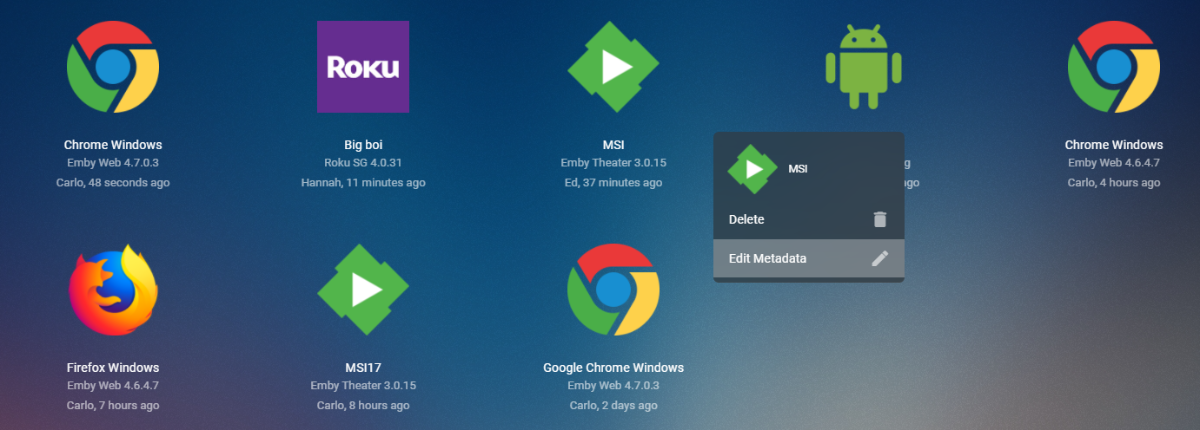
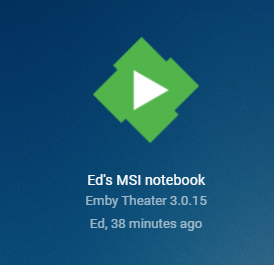
Right click on the device and edit data: Now the user's name is in the device name Now you get this in the list
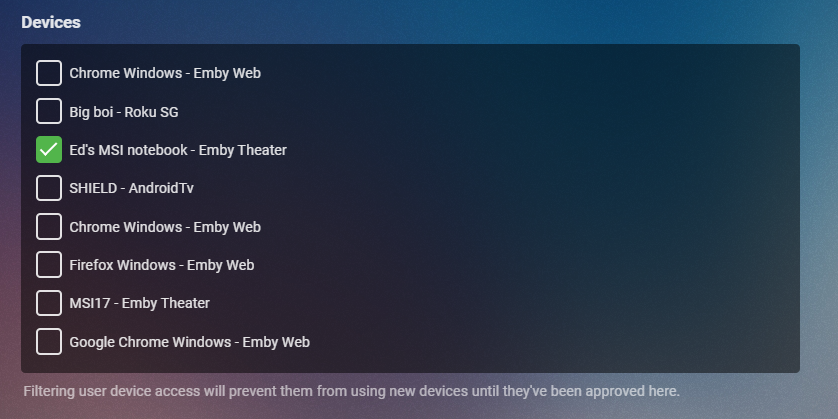 2 points
 -
Yes with the Default Device name this can be problematic, but you can apply a custom name on the Device screen (click on the device) or have the user apply a custom device name on their Roku account. Personally I just suffix the username to the end of the device as I have that control for a custom device name.2 points
-
Trailers not working properly anymore - Android TV / Fire TV - Emby Community Trailers doesnt work - Android - Emby Community2 points
-
Yep, they're just for Emby and I'll see how they go. They've just passed the vlc test so far...1 point
-
From decades of playing with video, my personal advise is don't change the video from standard resolutions as some clients won't like this and do weird things you don't expect unless you know exactly how to author the video and set aspect ratios, etc With that said, if these videos will only be used in Emby then test watching them in every client you have access to before committing to crop all your videos. Just a case of better safe than sorry.1 point
-
No, because there's no way to copy it. It's editing the picture, and therefore has to do a new video encode. -c:v copy would copy the video if you were doing an edit that could be done losslessly, but you aren't.1 point
-
After I grant the permission to all the media folders and files,the media info updated, it's working now.1 point
-
In theory if you have no customized paths and library paths are the same when you change machines, you can copy the entire Emby-Server folder from one machine to the other.1 point
-
I always have a tendency to try to read doc first, then play. I do store my nfo and other data in with the media. Great!1 point
-
Lol @cayars again.1 point
-
Yup, throw an eye here: https://support.emby.media/support/solutions/articles/44001159936-configuration-backup If you store nfos and artwork together with your media, restore process will be even faster. (Hint: if that's the case and you disconect your internet connection while doing so - or disable all inbuilt meta-scrapers AND subtitle providers - it'll be faster still).1 point
-
It doesn't happen all the time, but also happens to playlists. Here is where the icons are. Don't know. It's random and seldom, that I change the image back.1 point
-
I don't use Windows Update for NVIDIA drivers. They're up to date1 point
-
Theoretically you just need to uninstall 4.6.2, then install the latest 4.6.3 and continue with the guide.1 point
-
I haven't forgotten your issue, will reply shortly.1 point
-
But that is not true with /24 that is /16. Discussed in multiple topics. So is the note "/24" wrong? Just like the other topic discussion on 172.58.x.x network being considered as local. Overall the most of the network quirks are resolved by assigning them in the field provided.1 point
-
Yes. I'm using xeon e3-1650 v3 processor. Quite powerful. It has 6C/ 12T. 3C/ 6T are pinned to my VM, with gpu passed through. That keeps the gaming consistent and running fine. All the rest of the processor is used by Emby, and several other docker containers1 point
-
Have you tried navigating to the content in the Emby app on your phone and tried playing it? I didn't see anything in the downloads section in the app, but I see where the video is on my phone. If I start the the app, find the content and hit play it works. If you put you phone in airplane mode, it should continue playing, proving it's playing locally, rather than from the server.1 point
-
Yep you win again sir !! Yeah forgot to go under access to set the access for the new library. And now my original issue is resolved, case closed, thx all as usual !!!1 point
-
I didn't reload the skin or rebooted. I found this in the log every time I did a delete. ERROR <general>: Flush - timed out waiting for renderer to flush I will PM you a link to the full log.1 point
-
Is your movie library Mixed-content type?1 point
-
YT trailers still work in Emby for Android and the web client. I think it's just ATV that isn't working. In ATV I get a picture and the spinning circle of death.1 point
-
It's called not wanting to see results for other libraries. The whole idea about a narrowed search is to limit the results to make it fast to find what you are looking for. Nothing complicated about that at all. Am I going to search my entire PC for a file that I know is on a particular partition or am I going to narrow my search to that partition only? Same difference.1 point
-
Hi @VicMoore I use this tool to tag all my 4K library but frequently forget to hit CTRL to highlight items and thus it attempts to play the 4K item, killing my servers as it then needs to transcode. I can stop it of course, but it's just a niggle. Is there a way to easily remove the playback and/or swap around the functions - so a normal click is 'select' and CTRL is 'Play' for example ? Thanks.1 point
-
@MarcoAnto By the way you can disconnect the drive with Emby Server running. There should be no problems doing that, other than of course, trying to play something while the drive is not connected. You understand that's not an Emby problem, right?1 point
-
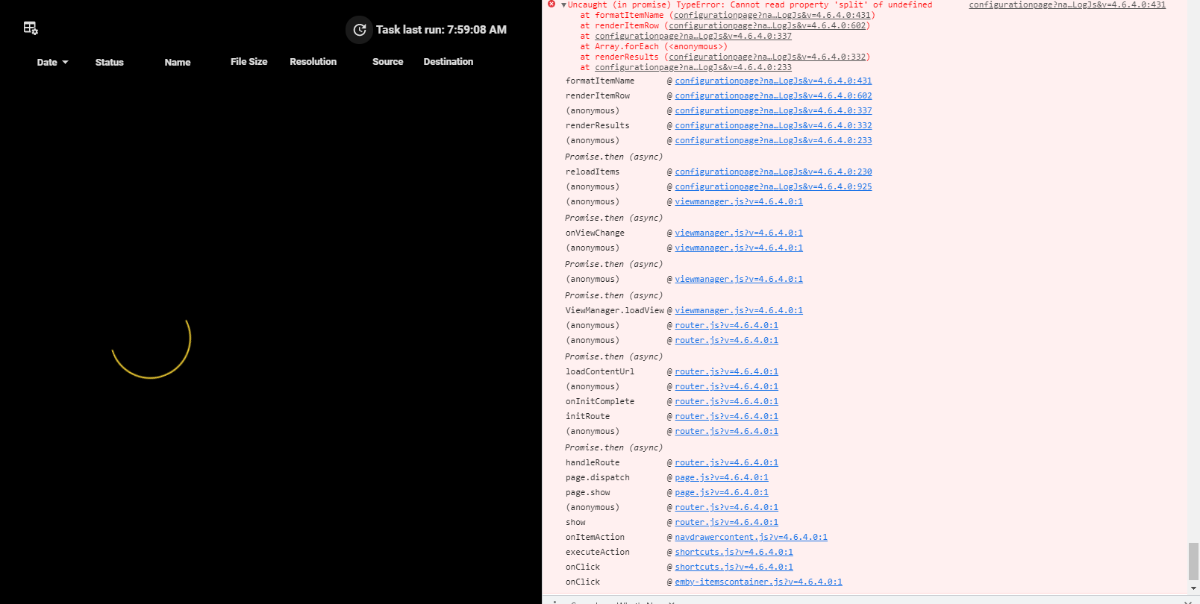
chef, I am having an, let's call it "infinity circle of death" when I try to open the auto organize UI. In the console I am seeing this:
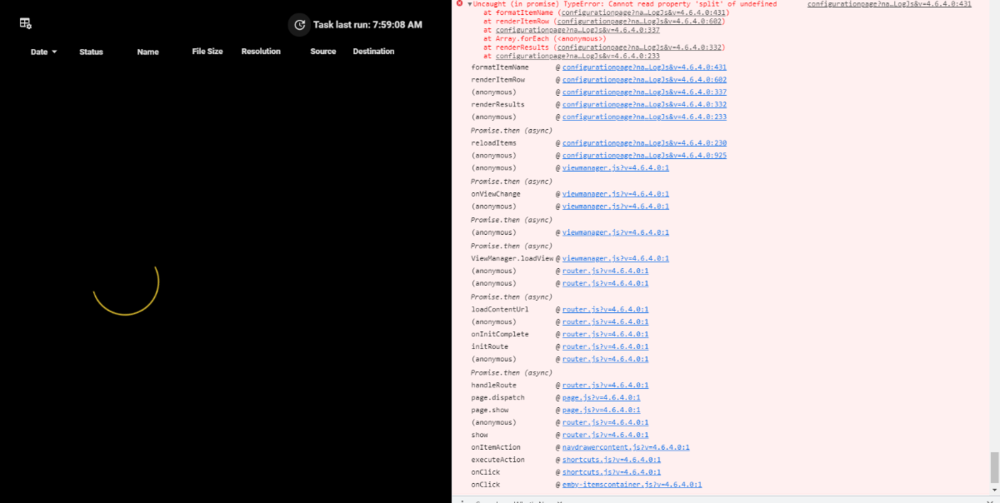 1 point
 -
Can you not reprogram the remote to control your optical sound bar? That's usually what you would do. You should be able to find a manual for both your new and old Samsung remotes that should be able to be programmed to control sound.1 point
-
Exelente ayuda, poniendo un nombre al dispositivo, luego en la parte del usuario lo muestra, muchas gracias1 point
-
When we do we'll let you know.1 point
-
Ok so I got this fixed. I ended up having to plug the PC directly into the modem and reset the mode. To factory which reset the Internal IP. Then I allocated the new IP in my modem so it wouldn’t change and then I forwarded the port and presto it works. Not sure why the other stuff was happening but I fixed it. Thank you guy for the help.1 point
-
And just to be clear, after 30 days you need to install the new release, you can’t just reinstall the old release.1 point
-
When I select a trailer it just spins… it use to work.1 point
-
S01E00 is none existent on TMDB or TVDB, and the episode is not listed either. But in theory it would be S00E01 as they are specials specific to that season. Some one would needs to add this episode to TMDB and TVDB. But this is a TV Movie on IMDB so there are issue when it come to applying these to a Series but that is a provider issue. Yes it is identifiable via OMDB as a Movie ie not part of a Series. Would need more specifics as a Series/episode can not be identified as a Movie.1 point
-
I think I can answer my own last question... I didn't see any global group versions option anywhere, so yes, per selection, by filename. Good enough for me.1 point
-
@quickmic sorry to have to tell you but tonight the issue with episodes still showing in Kodi after deleting happened again. Edot, same for the next episode1 point
-
Hi, yes they do work in the web app..1 point
-
An option to control this is something I'd like to add in future updates. thanks.1 point
-
OK we're looking into it. Thanks.1 point
-
Make sure that you're using port forwarding and not port triggering. Bittorrent is a p2p protocol with outbound and inbound connections. Emby is not and might explain why your access stops working after some time since the triggered ports will expire.1 point
-
Solved! I was able to figure out what I need to do. I like to record a lot of streams from church, music, gaming and such, and I finally figured out the best way. I can now capture 1080p@60fps with zero lost frames, with 5.1 surround sound, using OBS. That program is amazing! and free! I also cleaned my Windows 10 Home desktop pc, stopped all those gazillion processes from running in the background, by installing Simplewall (replaces windows firewall) which stops windows services from accessing networking, which basically puts them all to sleep YES! I'll open the firewall once a month maybe to allow updates, then lock it back down again. This link has a gazillion ways to clean your windows 10 install, to speed up windows even more, well worth doing! https://beebom.com/speed-up-windows-10-2/ Hope this helps somebody... Cheers1 point
-
It's on my to do list since the first version. I will try to get it ready this year. No promises though. The next evolution of Emby's live tv engine has this, but i don't know when we will see a first public beta. A like here and there is enough.1 point
-
@Neutrogen131313 Können Sie bitte das emby-Serverprotokoll von dem Zeitpunkt anhängen, an dem dies geschah? Vielen Dank.1 point
-
I was thinking something that started the same. This isn't the early 2000s any more.... stop zooming shit like you have a 4:30 tube TV1 point
-
When logged in as that user and on the grid screen you can press the "Star" button on your remote or navigate to the little gear/cog in the top right corner by the clock. It will produce a menu. Inside are choices for "Application Settings" or "Set Default Tab". You want to choose set default tab and you can choose your landing. After making this change it will act as you desire. We need to have some kind of dialog box prompt users that they can perform this action. You have to just press buttons to discover this. We need some text probably to explain. Apologies we aren't more intuitive in this regard.1 point