Leaderboard




Popular Content
Showing content with the highest reputation on 07/22/21 in Posts
-
Already implemented in beta branch, you can download from here: Emby Android TV Release Notes (BETA) - Android - Emby Community and sideload. Drop an eye here: Subtitle offset and position options are available sporadically - Android TV / Fire TV - Emby Community Just append your same-movie-name subtitles with language code and they'll all be listed.2 points
-
Thanks everyone! I just did a semi-scientific test LOL I streamed full HD on auto, got in my car, and drove around the city. Apparently all of Los Angeles has great cell phone tower signal, EXCEPT for about a mile radius around my house Figures, my luck... So, when home, I connect to our wifi, and away from home, OTA signal strength seems to hold up, for the most part. It is what it is, I guess. p.s. I did find the above mentioned settings THANKS!2 points
-
Hi, Since I am using more and more TMDb, (since tvdb is more and more a mess), I am missing a very important feature. tvdb had the feature of grouping stuff into aired, DVD and absolute, which is supported by emby. TMDb had also this feature. See this example for "La casa de papel" (Money Heist, Haus des Geldes): The Original Order is allways the "aired order" of the original country. "La casa de papel" was originaly released by "Antena 3" and was taken over by Netflix, which results in different episodes ordering, which is a mess. They solved it in episode grouping. This feature is missing from emby, but it's integrated in their API and is allready supported in other apps, like kodi. At least, Banana a TMDb Mod claims it, that it's supported by Kodi: https://www.themoviedb.org/tv/71446-la-casa-de-papel/discuss/5e7032d84f9a99001152704f?page=1#5eb76872ca7ec6001f7c53cb Is it possible to add this feature into emby? It is the last scraping feature, I really really miss for TMDb on emby. It adds much flexibility and is overall a much better solution, than on tvdb with their aired, dvd and absolute order. Another great example is Dragonball Super: As you see, it adds much more flexibility for different regions over the world. It's in my own eyes a must have for emby!

 1 point
 -
While Emby already has recommendations built in based on previously watched items I find they are not all that helpful. They seem to be based on genre only, for example, because you watched a comedy here are other comedies in your library. I do like how the also directed by/appear in recommendations work though. What would be great is if Emby could incorporate Trakt's recommendations as they are much more sophisticated. Trakt's recommendations are not only based off of what you have previously watched but also what your Trakt friends and other Trakt users have watched. It takes user ratings and trending/popular media into account. Ideally Emby would include full Trakt integration allowing users to rate media after watching, view lists and recommendations, and view upcoming media all from within Emby but for now I think recommendations would be a nice addition. Trakt has the potential to give Emby that community feel and allow users to discover new media, find something to watch, and recommend media to other users. http://docs.trakt.apiary.io/#reference/recommendations1 point
-
@cayars I'm still on Windows. My comments about Ubuntu before were to @dougward who moved from Windows to Ubuntu to resolve the problem. I do have a 'test' Windows server I use for trying different things before I roll them into production so happy to help with testing once the new TV Services are getting close if it is any help.1 point
-
@cayarsIts a bit hard to remember exactly when I got them. Freeview (Digital Terrestrial) hit NZ in about 2008 and I originally had Hauppauge cards in the media server. I probably swapped to the HD Homeruns around 3 years later so I'd guess they are around 10 years old? They have generally just kept working so I've kept using them. They are definitely the HDHR'3'. The new one is an HDHR'5' so a couple of generations later I guess and presumably there are HDHR'4's out there as well. It would be interesting to understand what versions other users have been using. Both those with no problems like yourself and the few who had problems on Windows like @dougward and myself. Then again... someone is bound to have had no issues at all with their HDHR3s !1 point
-
Thanks, much appreciated.1 point
-
@TheITJedi Thank you so much for the comprehensive answer. By the way, thanks for such a great tutorial, you should be proud!1 point
-
Okay, I was able to get the new option working in the UI, and also saving the data to the DB. All I have to do now is wire it up in the backend when we search the "Watched Folder".1 point
-
@Fender1978 Emby itself is listening on 8096. IIS is listening on 80 (configured to redirect to to 443/https) and 443. IIS is taking traffic hitting port 443 (https) and passing it to Emby on 8096. If you have an AppleTV (or other device) that just discovers the server on the network via Emby app, it will use the 8096 port for Emby itself. If you are manually setting up a client (like iOS app, Roku TV, etc) you will need to specify 443 as the port to use. Since you only have 80/443 poked through your router, 8096 is only open to clients on your internal network and will only be used by things that auto discover the server. Anything trying to hit your server via 80 will be redirected to 443. The only time anything will use insecure 8096 is if it is on your local LAN. if you are connected from outside your network, it will only be able to use 443/HTTPS.1 point
-
Don't use Aptoide as they often modify apk. Download it from our our website or forum and only use sourced files directly from Emby!1 point
-
That looks like a Movie or Mixed type library. You need a TV Shows type one.1 point
-
yes! that sounds good. I can add a text box with a coma delimited list of strings in file names to ignore in the "watched folder". I think a simple "string.contains" ,on the file name, should handle this alright. I'll add it now1 point
-
Hi, thanks for reporting. We'll take a look.1 point
-
Hi again, I've uninstalled and reinstalled 6.4.4 - which works after the 4.7.0.3 success.1 point
-
You could also try xteve.1 point
-
Ok yea and that makes sense, and I do see the issue with hevc on edge as well, didn't see it on chrome or other browsers. I do suspect it is something different with Tizen 6.0 possibly or maybe something needing to be corrected with firmware. My other samsung tvs on the same network, do not have the issue and have even tried the same port; they are just Tizen 5.5 and lower. I'm going test a plex install today and see if it has an issue with hevc direct play.1 point
-
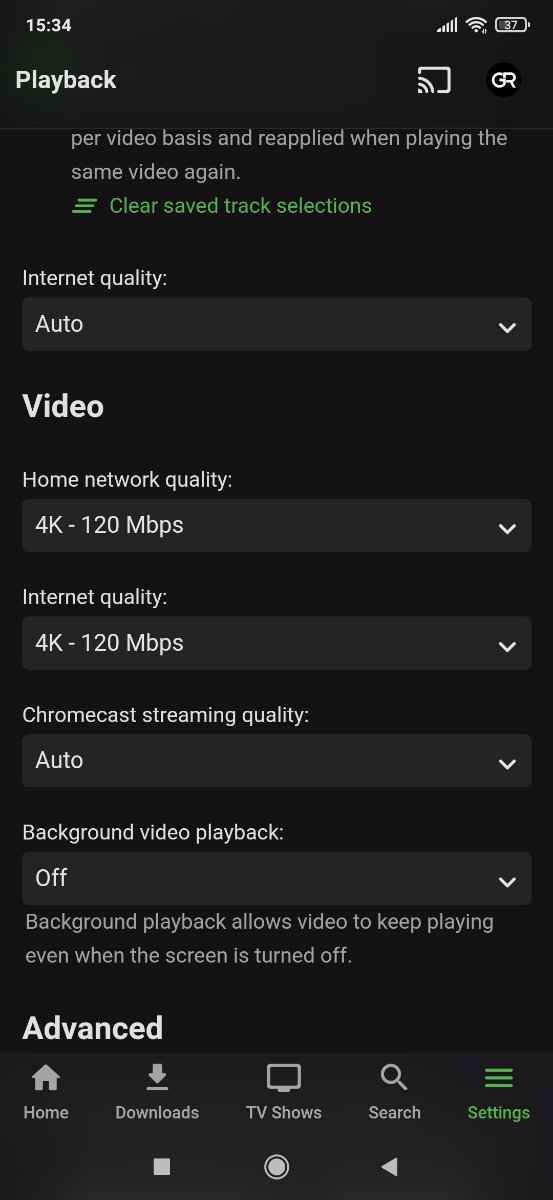
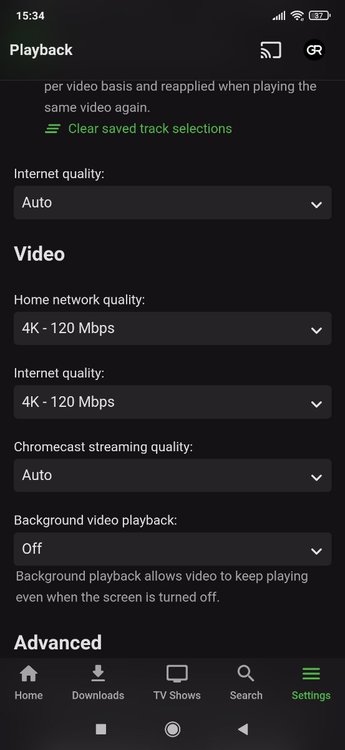
You can set this in the app as well which is likely the better way to do it as you only need one user. Look at the picture above and you will see bandwidth settings for home and internet (remote) use.1 point
-
User profile in the app. Your app level playback settings are there.1 point
-
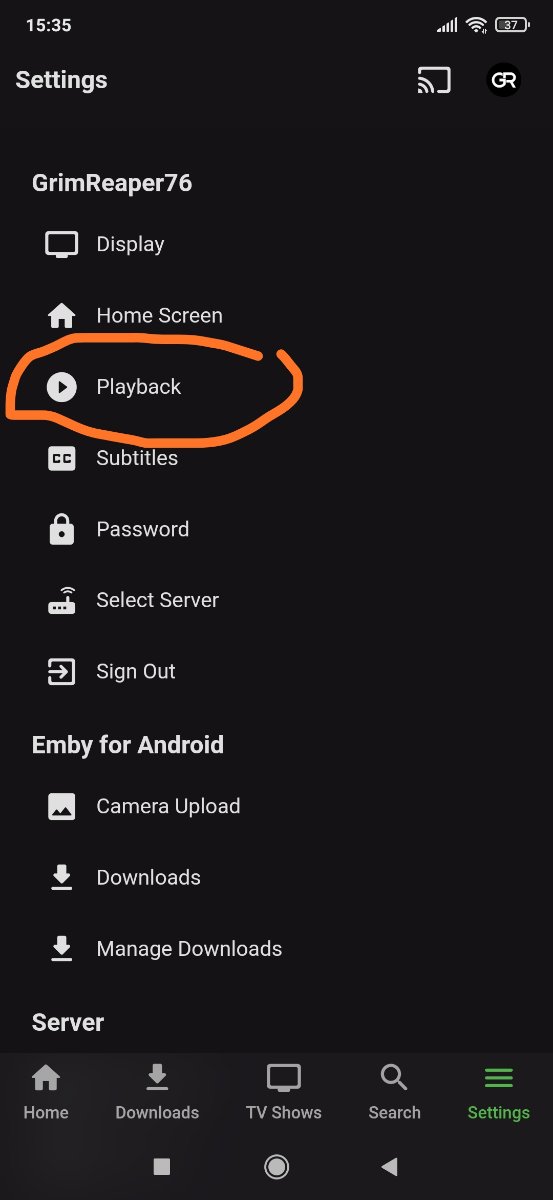
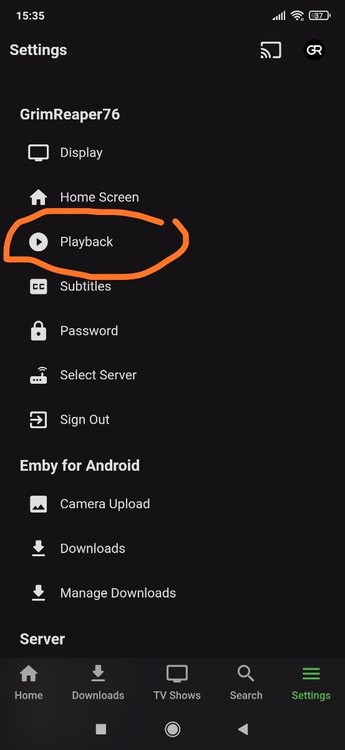
On Screen Display, press "down" during playback on Android TV app or touch screen on Android. But I misread your query, Settings>Playback section is the one you're after. Edit:
 1 point
 -
There's "global" and "per user". For any specific device, you limit quality/bandwidth from OSD during playback. Also, settings>Playback gives quality options.1 point
-
Install the Android app on your phone then connect to your server on LAN. If your server is setup correctly it will connect over mobile network automatically when you leave home.1 point
-
Hi, instead of setting a limit on the person why not just leave that open and make the bandwidth change directly on the client when needed?1 point
-
Doing at the Android level would be cool though because then it would cover all bases. This would be an interesting project for someone who wants to dabble in Android and Emby API development.1 point
-
What happens when you test with canyouseeme.org? You may want to review this KB article https://support.emby.media/support/solutions/articles/44002137137-remote-setup1 point
-
You can set a server wide internet streaming bitrate limit. You can set a per user internet streaming bitrate limit that overrides the server limit. In your Emby client apps under user profile you can set playback quality levels with corresponding bitrate for LAN, WAN and Chromecast. Some apps may differ.1 point
-
To add - there are also many flavours of Dolby Vision - and depending on the media format and construction (MKV, MP4 etc and Dolby Vision Profiles and Layers..) they may not necessarily work. The good news is you have the very best end user client capable of playing DV - so if the Shield Pro 2019 does not play it as DV, then it's almost certainly a media format or layering issue.1 point
-
You could write a .bat file and run it daily from task manager to create an .xml file for Emby to read some time later. Unfortunately, the script in that .bat file is beyond my skill set. Others here may be able to assist with that.1 point
-
Assuming you are asking how to access you emby server running on your nas through internet using an emby client app: Basically the ports must be forwarded on the router and you can connect either using you wan ip:port or a domain name if you configure this second option.1 point
-
You can already set a minimum file size and filter those out. At least that's what I do...1 point
-
I really like the "new" Auto Organize, thanks. But I wanted to ask if it is possible to add a kind of blacklist for filenames, such as SAMPLE1 point
-
Ok thanks for the update. It's a shame that in 2021 things as fundamental as gapless playback are still an issue on both Emby and Plex.1 point
-
yes, that is a server side request, however I know the response will be use the /Latest endpoint and we would but it has that issues when not specifying a parent that it does filtering pre query that returns less results than was asked for. So really what we are asking for is fix the /Latest endpoint1 point
-
I have already tried installing several different versions of the client application and in the version that if the owl sound works for me it is the old and outdated version 1.8.55g. As of version 2.0.09g the owl sound has disappeared and does not work.1 point
-
@cayars Thank you for coming to the rescue remotely tonight via AnyDesk, for the extraordinary time and help you gave me, not just fixing my login problem, but showing me all these useful features and for helping me to set up my account. Truly appreciated!1 point
-
Just an update, but we did a remote session and got things squared away and helped setup a new user with full parental permission and some other customized login stuff. All good now.1 point
-
these are all the available sort by values Album, AlbumArtist, Artist, Budget, CommunityRating, CriticRating, DateCreated, DatePlayed, PlayCount, PremiereDate, ProductionYear, SortName, Random, Revenue, Runtime1 point
-
Hi, What happens if you open Chrome (or other browser) on your phone and try and login directly using your Dashboard remote URL?1 point
-
Hallo, Emby kann mit großen Medienbibliotheken problemlos umgehen. Haben Sie zugelassen, dass der anfängliche Bibliotheksscan abgeschlossen wurde?1 point
-
OK yes a horizontal home screen option is always possible for the future. thanks.1 point
-
We have already found the problem, you are missing the owl's howl, why? no idea.1 point
-
Tool in development:1 point
-
Watchlist and more coming to Android TV1 point
-
Yes, you can buy something like this: ORICO Aluminum Dual bay 3.5" HDD Docking Station - Newegg.com1 point
-
The latest Version of the Plugin has the Production Year added to the 'Select' drop down to help better identify series with different years, but the same name. This fulfills this feature request: DOWNLOAD: Emby.AutoOrganize.zip @Luke still working away at it. It has some great extended functionality. and feature requests are being fulfilled.1 point
-
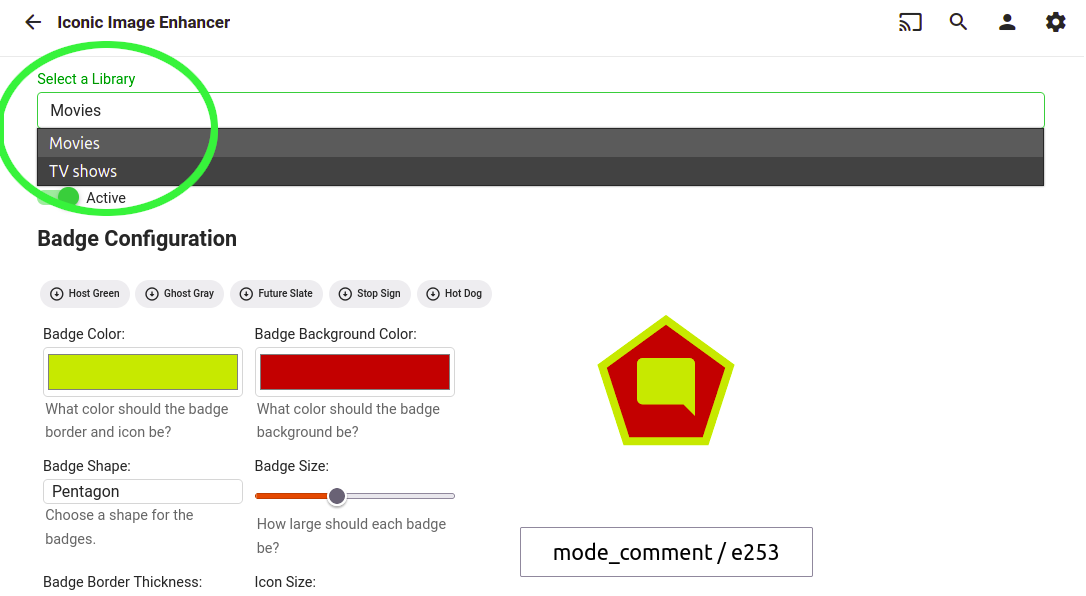
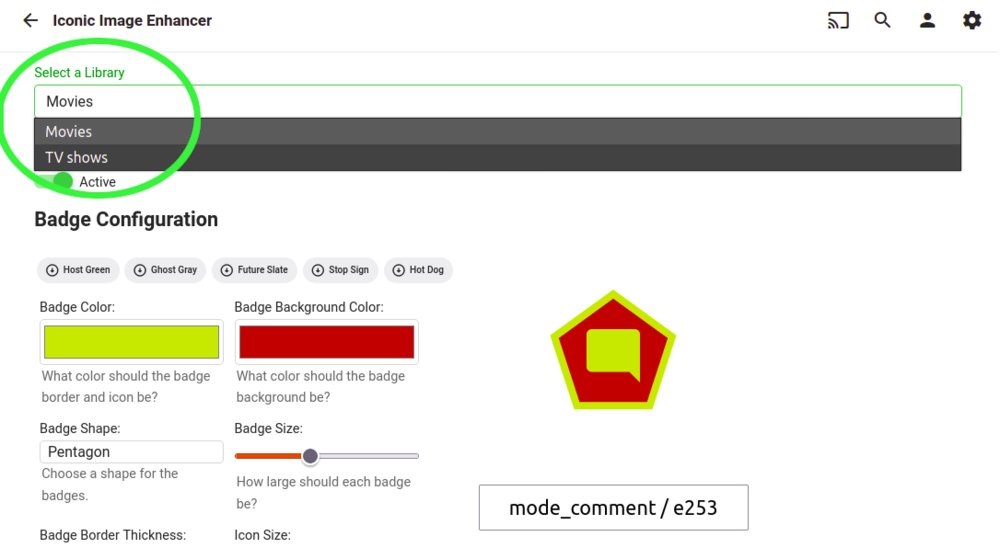
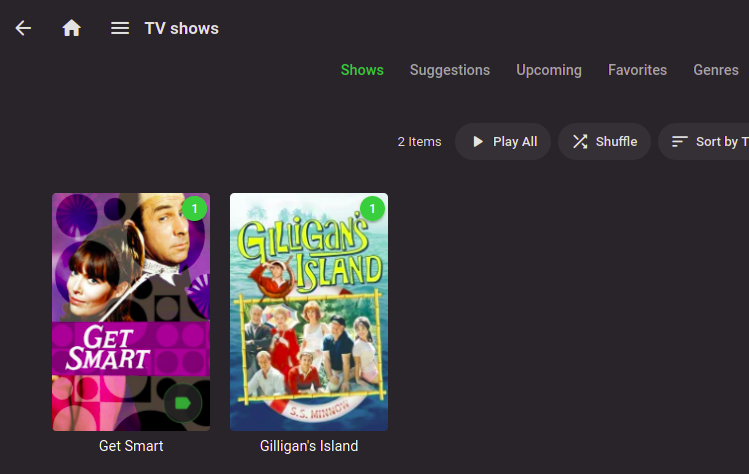
An update on the current state of Iconic development: I've been working on making the configuration Library driven. That means the ability to have different badge styling and rules per library and the ability to activate/deactivate per library. Right now, movie and TV Show type libraries are functional. Speaking of TV shows, initial support for Show level icons is functional. I still need to build a UI mechanism to filter the New Rule list based on type. Once that's in place, I'll be working on adding support for Collections, TV Seasons, and TV Episodes: As soon as all that's finished and mostly bug free, I'll package these features up as a new release. After that, there will be a sincere attempt to implement the custom font set idea. I can't offer any specific time frame for delivering any of this, but it is happening.
 1 point
 -
I would guess a bicephalous CEO: @ebr and @Luke.1 point
-
Collections are a good idea. We should probably have a way of getting to the media detail screen from a playlist though.1 point
-
A manual sort order for collections is a good idea for the future. Thanks !1 point