Leaderboard




Popular Content
Showing content with the highest reputation on 06/29/21 in Posts
-
You have to take an IQ test now to get into the beta which is pretty tough.3 points
-
Hi all, For the Mullvad people I see their Windows beta allows for split tunneling. Instead of port forward nightmares you can let your Emby Server ride outside of the VPN. In Mullvad scroll all the way down in Advanced you'll see it. In the beta Mullvad you'll have to add Emby Server to excluded yourself since EmbyServer.exe is installed in AppData\Roaming\Emby-Server\system Working great for me even though I rarely watch outside the house but might do it more often now for the music part. I'm just so excited I can't hide it. Have a good one.
.thumb.png.78175fbbeef22e715b86a99bdcd32a3c.png) 2 points
2 points -
Unless I'm being a bit blind (highly possible!), I'd love a way to hide a couple of the top green navigation items without hacking it in myself. For example, in Movies I don't want the 'Trailers' item to appear for any profile and for TV I don't need the 'Upcoming' nav link. Obviously not a major issue but thought it would be a nice thing to have, perhaps allowing them to be re-ordered like the home page items but again just a nice extra,1 point
-
It would be useful if the server (or perhaps clients) could cache most (if not all) content images (posters, backdrops, logos, etc) for movies, TV series and seasons. This would mainly be of benefit when a portion of someone's content is offline but the users would still like to view the content to know what exists. I think caching on the server would be preferable, then all clients could make use of the same cached images. if you think this would be a useful feature, please click the "Like This" button on this post.1 point
-
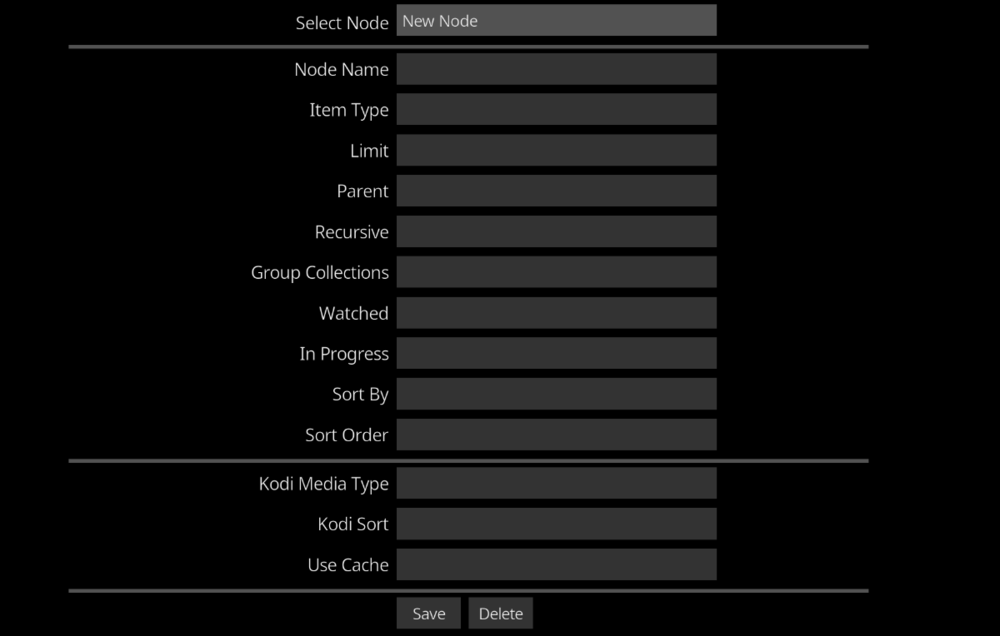
I have added a new EmbyCon main menu item that lets you create custom nodes that can be used in widgets and menus of skin home screens. The custom node has a bunch of filtering and options that let you specify what you want in the returned list and how Kodi should display it. It also lets you turn off caching for small quick widget lists. This is currently only available for Kodi 18 as beta.
 1 point
 -
As far as I know, emby "only" uses the tag-field "year". My suggestion is integrate the "Original release date" (maybe in brackets behind the date). lots of albums are remastered and I always get confused, though emby does not show the original date.1 point
-
Hi Guys, I recently moved from Kodi with MySQL for lack of proper multi user management and server side support, I have to say I'm impressed with Emby. Together with the Kodi Plugin it really takes the solution to a whole new level, count me in among the supporters! One feature I would like to see is the ability to recommend movies or shows to other users: I share my Library with close friends and family but it is a big library so they are always calling me to recommend them a movie to watch. It would be really cool if after watching a movie I can click a Recommend button and choose the users I think would like the movie, then it is displayed on their suggested movies at the top with the name of the user who recommended it... Sorry if there is something like this is already there, I am new to the interface and don't fully know it but could not find such feature... Thanks!1 point
-
Wow just noticed this now. Everything is perfect again Appreciate your efforts @TeamB cheers!1 point
-
No, The global one is a rule that apply to each user. The other is just user specific. If you use the global one and have 3 streams, and 10 users are connected to the server, every one of those 10 users will get 3 streams.1 point
-
The 4.6 server should no longer create it in the first place.1 point
-
Emby for Apple Watch:1 point
-
Emby for Apple Watch:1 point
-
This is a defect that will be resolved in 4.6.4.0 as mentioned in other topics, if you need a fix right now you can update to beta 4.7.0.3 then downgrade when 4.6.4.0 is released. But you can remove the database lock to your current system by removing the shm and wal files with Emby shutdown per the KB. Not that I know of as it is a detect of previous running session not shutting down properly causing the new session to not be able to take control of the database. But only dev can say the cause that was identified.1 point
-
This is really subjective on how often and currently this option is not built into Emby UI. Personally I vacuum the database with every Emby Update, so quite often on my beta system but not so often on my release system.1 point
-
Worked fantastically! Will continue to test it but it totally fixed the problem for now. Is this something I should do on a reoccurring basis? Is there an inbuilt function for this?1 point
-
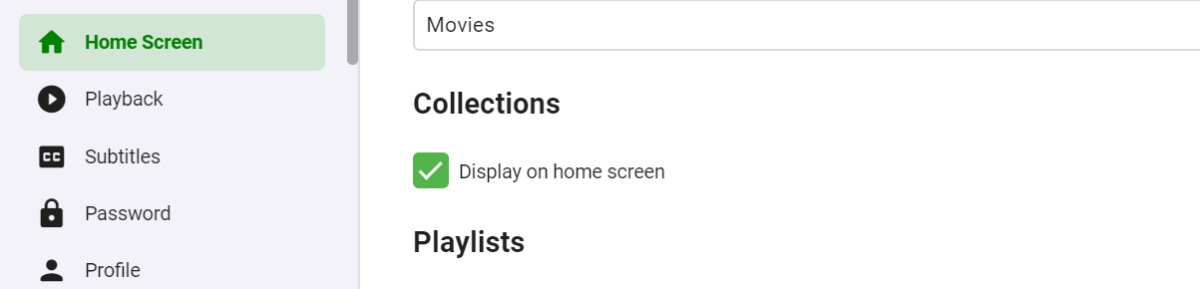
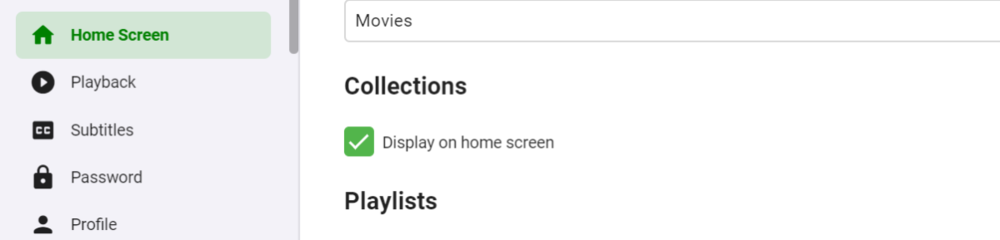
Go to your home screen settings and disable Display on home screen for collections
 1 point
 -
https://support.emby.media/support/solutions/440006106231 point
-
Not to seem unappreciative, I just noticed this and that's awesome. Such a quick turnaround, love it! Thank you!1 point
-
Thank you. Success! I played around with the settings, and it started working!1 point
-
I agree with @GrimReaper76. Manually take control of this series and just download them yourself.1 point
-
Or download subs manually. https://www.opensubtitles.org/en/ssearch/sublanguageid-pol/idmovie-5317461 point
-
So now that Emby has DTP for transcoding HDR content, I've been starting to acquire UHD movies. During testing I noticed it takes a good bit higher bitrate for 4K content to achieve similar quality as 1080. According to Stats for Nerds it takes 10Mbps to get 1920x1080 playback on 4K content. Where as it only requires 5Mbps on 1080 content. Cayars has explained to me that this is just a fact of life due to the difference in resolution. I get that. In light of that, I think it would be great if there could be an option for two bitrates based on the source resolution. So one value could be set for source content up to 1080 and the a second value could be set for 4K content. I would like to set my users at 10Mbps so that when they watch something that is a 4K movie, it looks good to them. But over 90% of my library is currently 1080 or lower content. So setting them at 10Mbps is overkill and a waste fo my upload bandwidth for the majority of the content they will watch. Currently, they watch that stuff at 5Mbps and they all think it looks good. It would be great if I could set it for 5Mpbs for 1080 and below and 10Mbps for 4K. Is that something that would be practical to implement?1 point
-
Ah, ok, didn't happen. It looks good. Love it. Emby really is a great media server, worth every pence I paid for it.1 point
-
Likely won't cause a problem but the Server could overwrite your changes on shutdown so you'd have to redo them.1 point
-
I try to target no more than three months between releases.1 point
-
Hi. Did anything on your network change? This sounds like a network throughput issue possibly.1 point
-
Hi. You can safely ignore these and nothing will happen. That is why we have this confirmation step. With a user name of "Joker" I would guess this may just be another mistaken identity situation.1 point
-
The SET command is only found in the NFO files, so yes to that.1 point
-
Could just be someone looking at usernames in the forum hoping to trade server links. (IE I give you access, you give me access). That of course isn't something you want to do giving access to someone you don't know. Best to just delete the invite and don't confirm it.1 point
-
thanks for the info. That explains alot. Bj1 point
-
Hallo allerseits - der Link für Telegram wurde geändert. Da wir nur eine inoffizielle Gruppe sind. https://t.me/emby_friends_DE Wir sind bis jetzt eine kleine Gruppe mit 12 Mitgliedern - wäre schön, wenn der eine oder andere Fan noch dazu stoßen würde.1 point
-
Depends on your needs all or selective. One is more targeted as mine is not limited to .md-icon.cardIndicator, but as far as I know it only exists this area though so same effect. As for div.CardText it affects all div.cardText were mine is limited to only div.cardText.cardTextCentered.cardText-first1 point
-
I never use it, but I did just try it, and it appears that it took the settings from the server. Defaulted to English without any interaction from me besides having the server set that way.1 point
-
About this issue, sometimes if you stop the playback while subtitles are being extracted, an empty cache file is left behind (had this happen a few times, until I realized that subtitle extraction took a long time on my underpowered server). That means that the next time you try to play the media, emby is not going to try to extract the subtitle and instead will feed the empty cached extract file.1 point
-
Good catch. It probably won't matter but extra spaces can sometimes be issues also. Jason X (2001) .mp41 point
-
The file has no extension. "mp4" is part of the file name, missing the "."1 point
-
The system.xml is in your Emby Datapath shown in your Log or on the Dashboard Path section. /volume1/Emby/config1 point
-
Both of these should be addressed in the next beta of the app.1 point
-
Thanks a lot @MRobi I've done the first option once my jail snapshoted and it worked like a charm. Another thanks to @Baenwortfor is two options for upgrading my Emby server. I've tried the first option just as @MRobisuggested me. Also thanks to @Luke who's always making his best by helping out or by doing some follow-up Best regards guys, Max1 point
-
We're looking into a couple of ways to better convey this info.1 point
-
It’s not hard to implement from what I understand. I just don’t think apple TV is a focus for the team. They say it is, but the app is so far behind the Android based apps and the Roku apps it’s sad. We all know that Infuse saves us lol.1 point
-
I have released a new version with the ability to save custom queries and also charting options to the custom query page.1 point
-
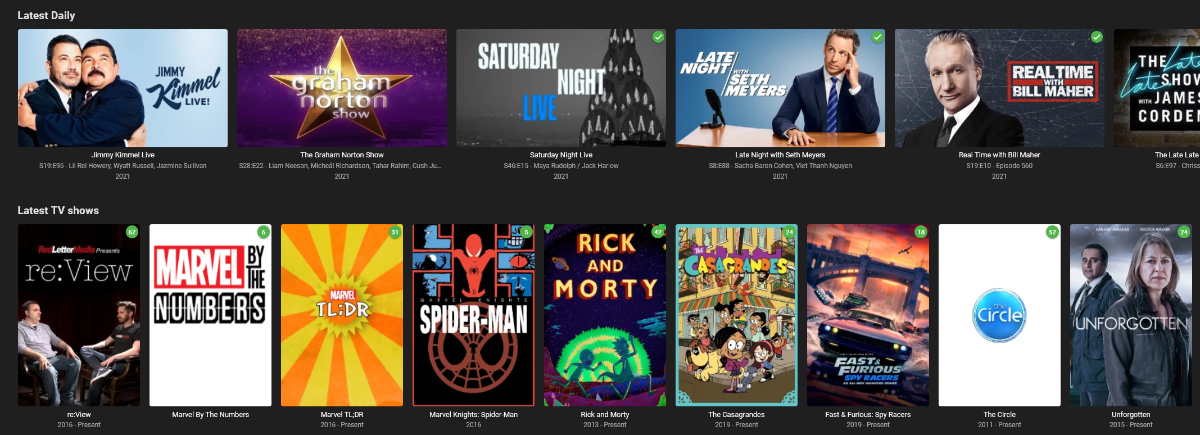
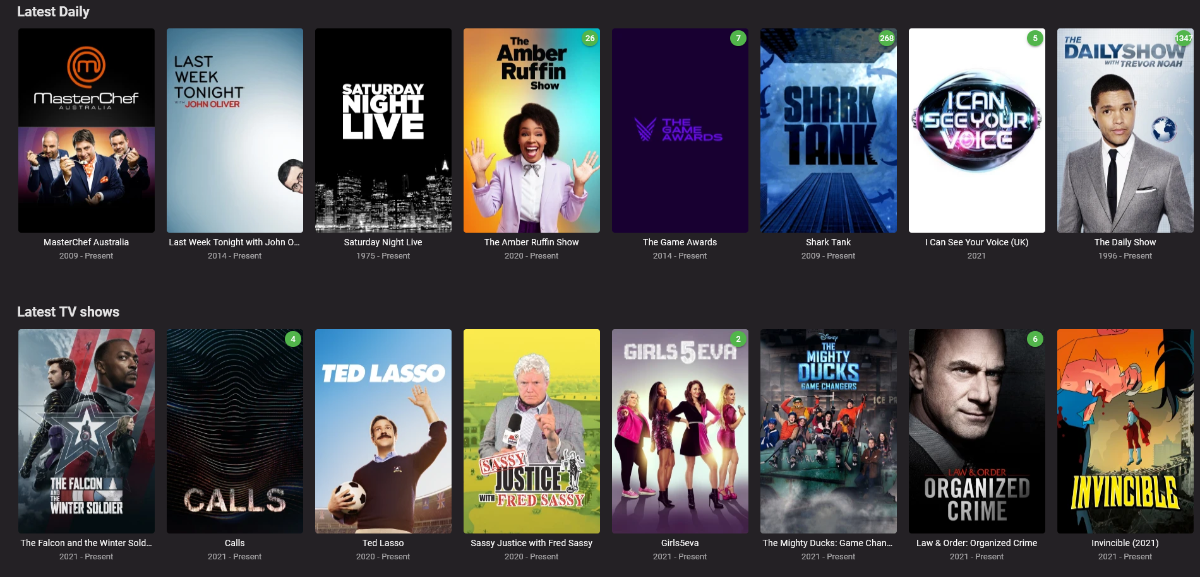
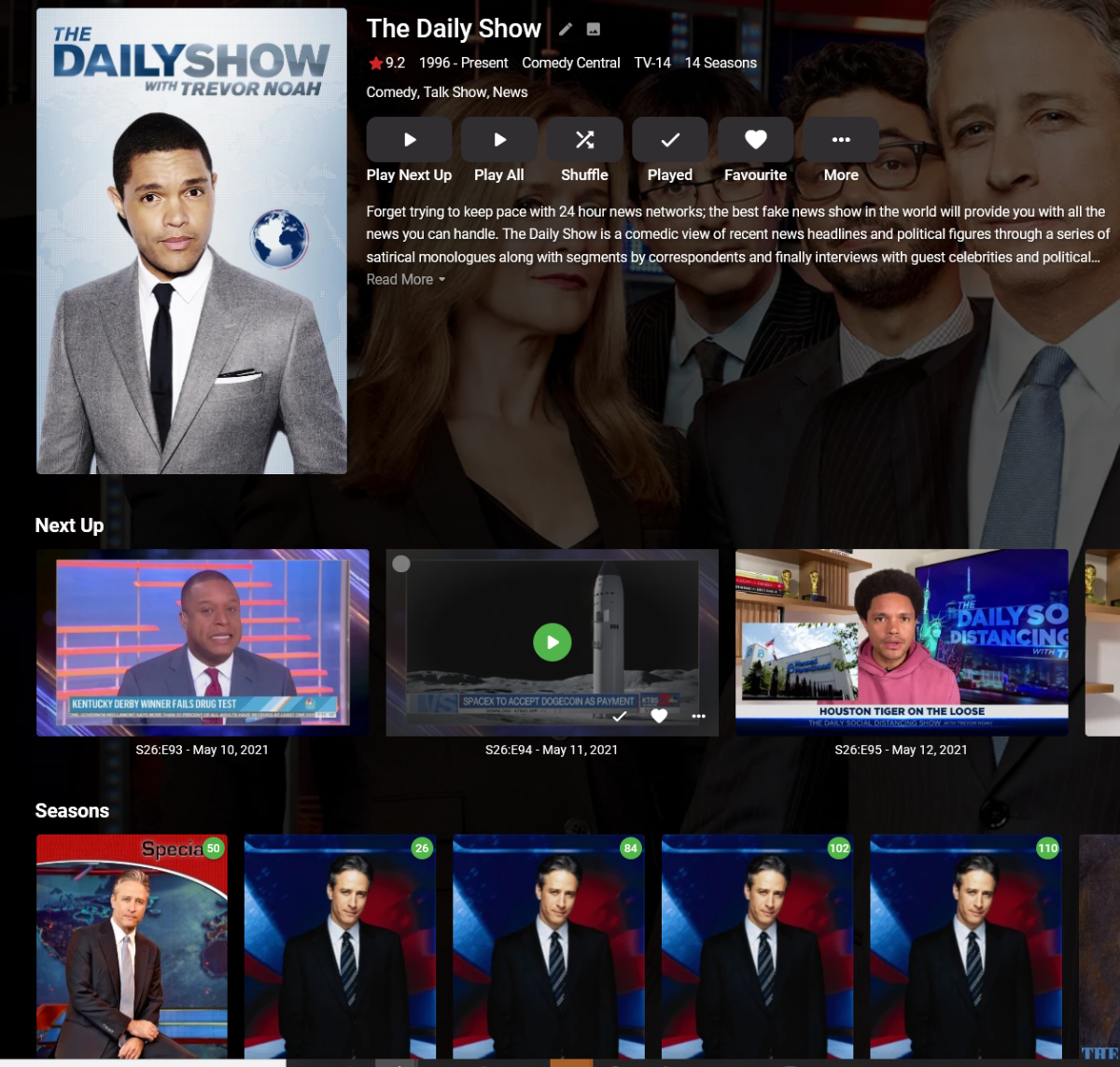
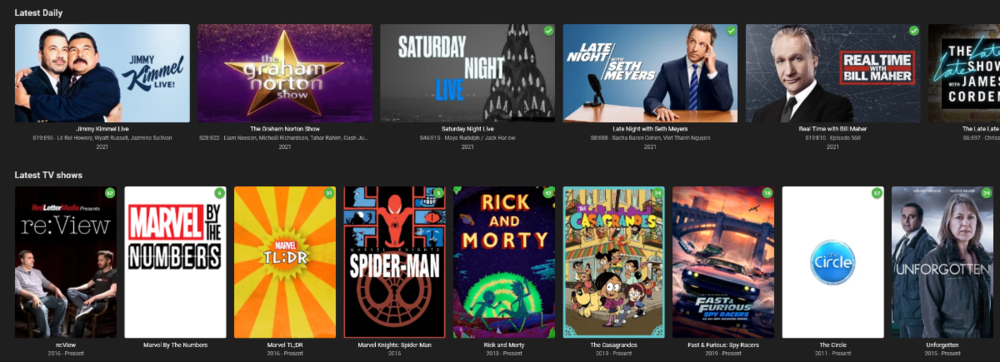
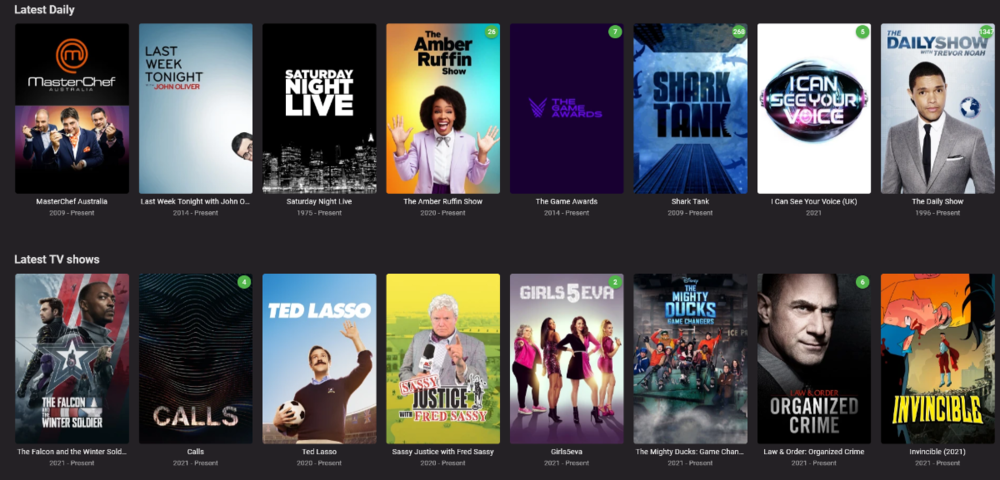
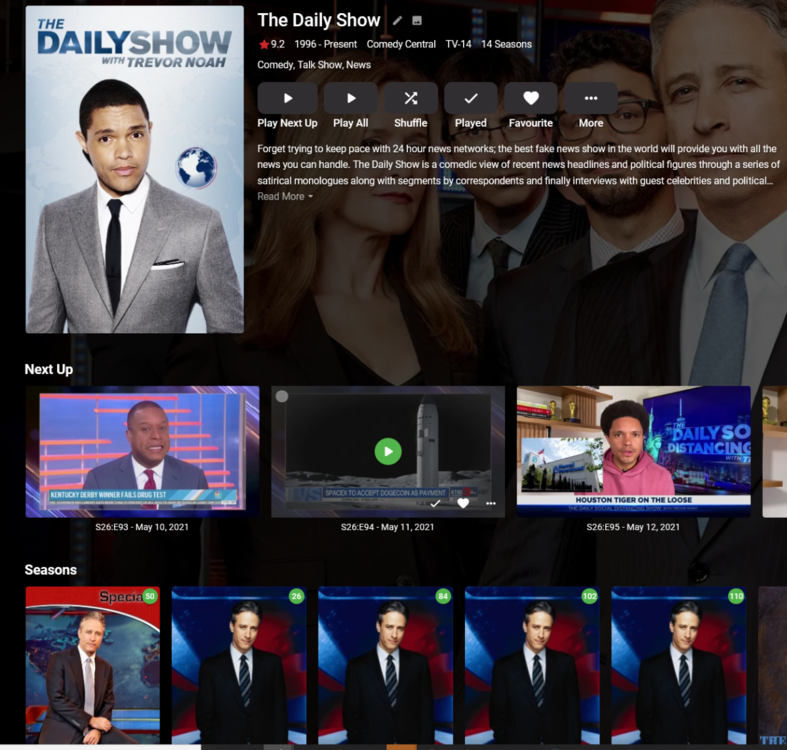
Hello! So with the brilliant changes that have come in on 4.6.0.50 where Mixed Media is now listed as a TV series (rather than as a per episode), my Documentary and Anime could be all grouped nicely. One of my old problems has reared it's head. There are whole categories of Television Shows where you don't watch every episode, you just watch the most current one. This typically relates to News programs, Talk Shows, Saturday Night Live, Award Shows, Panel Shows etc. Many of these shows are on 3-5 times a week and effectively my entire "Latest Television" was always 100% filled with this type of content. On any given day no "normal shows" would ever appear in the rotation as there are just so many episodes of "daily" shows. Okay, so simple solution, split them into there own Library, now I have two rows, this works out really nicely. However people tend to only watch SNL or a Talk show if that particular guest is good, usally these shows are never watched entirely. So you can see I haven't watched 1347 episodes of the Daily Show, but I have watched a lot. When I click on the Daily Show, it shows the episode *after* the last episode I watched. So its quite difficult to find the most current episode, as it's listed next episode first. People usually want to just watch the Latest News or Latest Talk Show or Latest SNL etc. I was using a nice hack prior where I was putting the "Daily" style shows in the Mixed media category. This produced a really nice experience for my users where they could see just the Latest episode of that series and even review the Guest in the episode name to see if they wanted to watch it. This also allowed the user to if they wanted to, to select the series and just watch any episode they wanted. I'm thinking this is still a really good experience, but I think I was probably the only one benefiting from it, and maybe there needs to be an official feature for this. Being able to toggle the view between episode and series view is obviously how I can get back to the above experience, but maybe there is another solution some where where we tag shows as Daily? Or something like that? Where the episodes are shown in reverse order where the latest episode is first, rather than the last one watched? Just thought I would throw it out there as I'm not sure the best solution, and obviously I'm not requesting change it back to how it was, as this is by far the better default option. Thanks

 1 point


.png.442a9ae8b462831e8ff71a0c01f73111.png)