Leaderboard




Popular Content
Showing content with the highest reputation on 06/16/21 in Posts
-
I received an alert on the Disk Space GitHub repo, that their security alert system had found an issue with the (older) chart.js library used in the plugin, and it had to be updated. I've updated the chart library and released a updated version of the Emby plugin. Make sure to install that updated version of the plugin. Perhaps even do a server restart to force that update if needed. Thanks! EDIT: There may be three consecutive updates for Disk Space. All the way to 1.0.5.6.3 points
-
Inclusive and Exclusive would be nice too. Where the tags are assumed to start with + and are inclusive. But you could start tags with - which would make them exclusive and not get included in results. It would make it possible to filter by tag XXX and use exclusive (-) mode get all results but XXX. Filter by XXX in inclusive (+) mode and only get XXX. If no mode (- or +) is put in front it is assumed inclusive. Having AND with OR would be icing on the cake and allow setting complex filter patterns. Those filter patterns could possibly be extended into view tabs at the top in the future. That would be user-defined custom view tabs created via the filter menu on the grid and saved into view tabs. That would rock. Are we there yet? Of course it would mean lots of view tabs would be up there. View tabs would need to scroll and such.3 points
-
Right click on the movie library and select Refresh Metadata. You don't need to replace graphics.2 points
-
@grimreaper76.. thats my bad i am helping him set this up and that's the step i missed. Thanks.2 points
-
Welp! that was sort of a PITA. I had to quickly learn a whole bunch of new stuff. Geesh! Looks like (from what I can tell) 1.0.5.6 (which has been release) is working.2 points
-
@Happy2Play Thanks for the tips mate, I use a Linux OS and used KFind with some wild-cards to track down the offending episodes. All sorted now. Cheers.2 points
-
i've also had this twice recently. i see recent complaints about it on both Synology and Linux OS's. I think you need to start accepting that a systemic problem was built into emby at the last major update. no-one is running two versions of emby. please stop offering it as a potential explanation2 points
-
Hello, Perhaps I am not the first one to ask this question but it will be very cool if this feature could be implemented. I have 2 servers one at home and the other at work. ( and soon a third one...) So I have a movies library called movies on each server. I would like to see all the movies from a single 'virtual server location' when I use the app (ios or android ) where I will see only one movies library containing movies informations from the movie library at work and the movie library at home. It's an aggregation of movies informations from the movie library at work and the movie library at home. In fact when a user have multiple servers it will be perfect if another choice in the server list called "all servers" for example appears automatically with a merge of media informations from librairies with the same name on different servers.1 point
-
ok, I haven't done that (I have many hand-edited movies). What I've always done is scan libraries. Let's go there....1 point
-
Oh really? Nice ok that'll work, I didn't realize I could do that... perfect, thank you!1 point
-
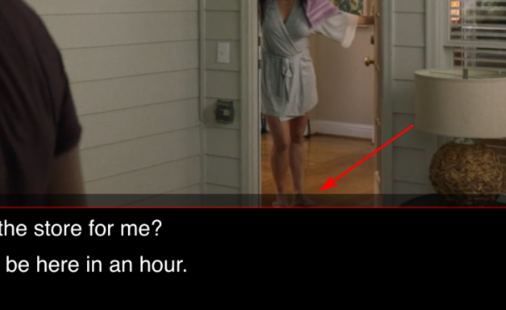
Maybe they are referring to this "background" which is separate to the standard letterbox It kinda seems a bit related to this topic, but not quite the same
 1 point
 -
It will rebuilt all images but you could delete the server image cache. You can see your cache location on Dashboard Paths and just delete the contents of the images folder.1 point
-
Then you apply a Custom Rating on the items that is not appropriate to you. All Custom Rating supersede actual rating.1 point
-
In theory just adding I:\ should work but I would restructure getting rid of all the TV Series numbers folders unless needed for a specific reason.1 point
-
OK so that means when direct playing, the android video player isn't auto-rotating. So that's something that needs to be looked at. Thanks.1 point
-
Have you linked a user on your server to Emby Connect account? (Dashboard>Users>[Select user]>Fill up field "(Optional) Emby Connect username or email address">Save).1 point
-
Sorry I did a mistake, I just figure it now. I followed this guide to install Emby con Kodi so it's EmbyCon what I have on my Kodi... Sorry about this1 point
-
Not natively integrated into Emby yet, but I just yesterday used the setup instructions from both here and Channels DVR to get the Channels generated M3U file and XML guide. It worked beautifully. I was even able to use the guide on Channels to integrate Pluto TV into ChannelsDVR and then produce the M3U. So now Pluto sits side by side with my OTA HDHomeRun and AT&T TV streaming channels all inside the Emby guide. The channels are in numerical order and everything. The only nit-noid I have with it is that Channels prioritized the Pluto channels above the AT&T channels so I have to scroll all the way down to the bottom to get to the AT&T channels (there are a LOT of Pluto channels to go through). I guess once we get channel grouping inside of Emby that will be the fix for that. It did however put the local OTA channels at the very top which is good. All in all, I'm loving it.1 point
-
Resolved in 4.7.0.31 point
-
Resolved in 4.7.0.31 point
-
OK so what is likely happening is that the client, not the server is trying to process this file and that is what is kicking in the fans. If you play this back in Theater and bring up stats for nerds what does it show? Can you grab a screen shot?1 point
-
Default location is in the app's private data folder, which is next to the logs folder:1 point
-
Yes. All is well now. Thanks.1 point
-
OK, thanks for checking. I just went back and re-read your op post. Do you have a NUC you use for running Theater as well as a separate Emby Server?1 point
-
I'm at work bud, I won't have a chance to test this until later this evening when I get home.1 point
-
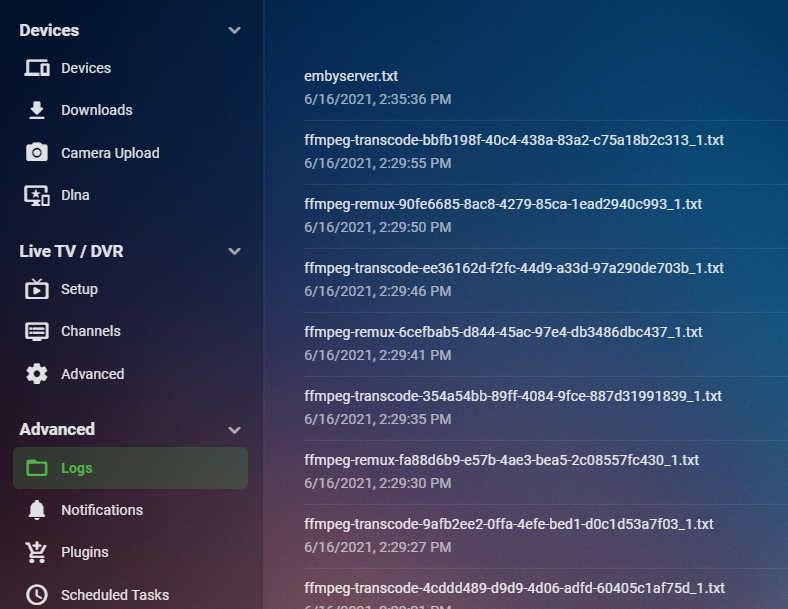
You don't have any ffmpeg named files looking at the Logs menu like this?
 1 point
 -
I may have finally found the cause of this. For those who run the beta server, please see if it happens in 4.7.0.3+. Please note that if it was already locked by an earlier version, it won't correct that. It just will prevent it from happening again hopefully. Thanks.1 point
-
Thanks for the feedback. Apologies for the disruption.1 point
-
Awesome! That worked The location was: C:\Users\USER\AppData\Roaming\MediaBrowser-Server\cache\images Thank you Guys for all the help!1 point
-
Thanks Chef, that seems to be working OK now.1 point
-
That is where they would be. Here's an example
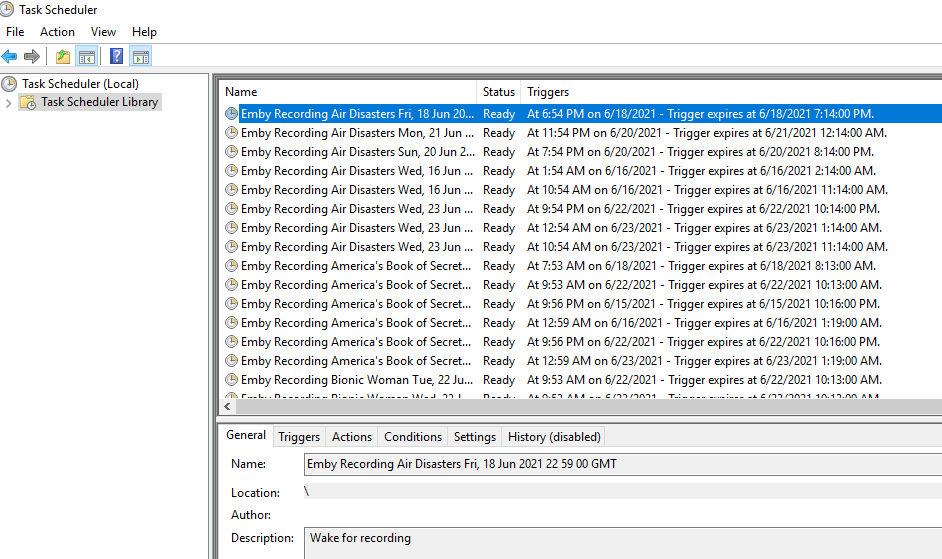 1 point
 -
Try this for me. Play back one of these media files then go look at your logs. Do you see a log file starting with ffmpeg with the same time as when you started playing this file? If so upload that ffmpeg file here please.1 point
-
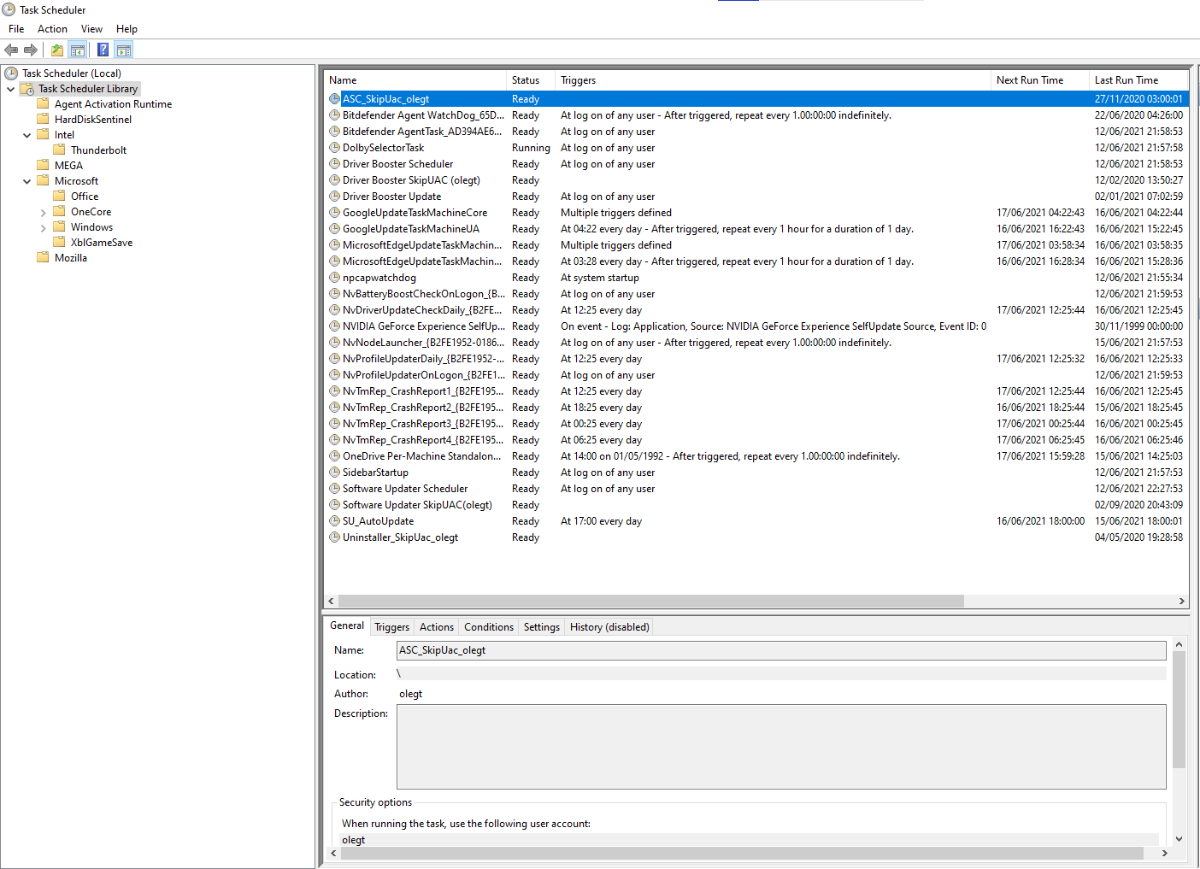
I was assuming, as I've never made any For Emby myself, but upon checking, still cannot find single Emby-created task, where would that instance be?
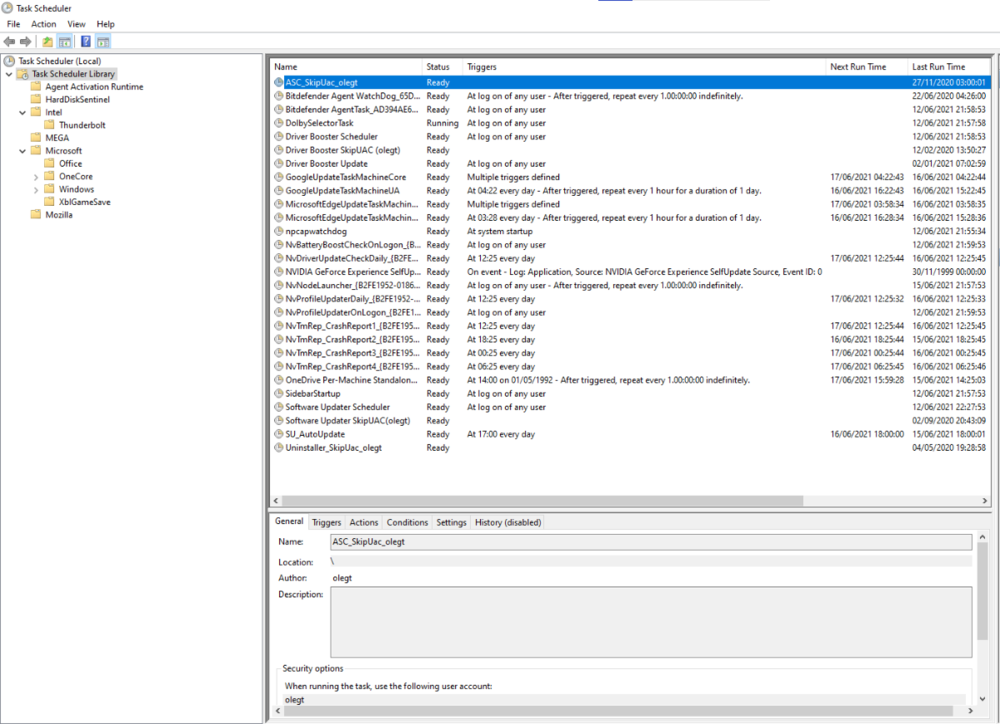 1 point
 -
Look on the positive: Emby hasn't stopped working on LG, its still working with newer server versions. Could be worse than just a wait for fixes or new stuff. Agree over a year is far too long wait, but the dev did have to contend with DTS being dropped on newer models and code around it whilst still doing the planned changes.1 point
-
when i first got a virgin hub i had issues, spoke with virgin and they said they don't expect them to be able to support more than 10 devices wirelessly. most people use the hub in modem mode only and get an additional router1 point
-
Hi, this would likely be because you're trying to playback HEVC on a client that can't play it back so the server has to transcode it to AVC. Likely you do not have GPU assisted transcoding so it's done on the CPU which makes it run hot and of course kick in the fans. What client are you currently using?1 point
-
Looking forward to test that soon. Thanks.1 point
-
Once that database is at that point there is no way around it from my understanding. So the issue of why the database is not closing properly is the underlying issue. I would assume disabling all these new database setting would be the first thing to do, but it does not affect everyone, so there has to be a environmental factor.1 point
-
Actually you have a different issue. Not positive on this one but believe there are other topics "SQLitePCL.pretty.SQLiteException: Error: cannot rollback - no transaction is active", will look. 2021-06-16 12:05:47.354 Error Server: Error processing request *** Error Report *** Version: 4.6.2.0 Command line: C:\Users\olegt\AppData\Roaming\Emby-Server\system\EmbyServer.dll Operating system: Microsoft Windows 10.0.19042 Framework: .NET Core 3.1.13 OS/Process: x64/x64 Runtime: C:/Users/olegt/AppData/Roaming/Emby-Server/system/System.Private.CoreLib.dll Processor count: 8 Data path: C:\Users\olegt\AppData\Roaming\Emby-Server\programdata Application path: C:\Users\olegt\AppData\Roaming\Emby-Server\system SQLitePCL.pretty.SQLiteException: Error: cannot rollback - no transaction is active SQLitePCL.pretty.SQLiteException: Exception of type 'SQLitePCL.pretty.SQLiteException' was thrown. at SQLitePCL.pretty.SQLiteException.CheckOk(sqlite3 db, Int32 rc) at SQLitePCL.pretty.StatementImpl.MoveNext() at SQLitePCL.pretty.DatabaseConnection.Execute(IDatabaseConnection This, ReadOnlySpan`1 sqlUtf8) at SQLitePCL.pretty.DatabaseConnection.RollbackTransaction(IDatabaseConnection This) at Emby.Server.Implementations.Security.AuthenticationRepository.Update(AuthenticationInfo info) at Emby.Server.Implementations.HttpServer.Security.AuthorizationContext.GetAuthorization(IRequest httpReq) at Emby.Server.Implementations.HttpServer.Security.AuthorizationContext.GetAuthorizationInfo(IRequest requestContext) at Emby.Server.Implementations.HttpServer.Security.AuthService.Authenticate(IRequest request, IAuthenticationAttributes authAttribtues, CancellationToken cancellationToken) at Emby.Server.Implementations.HttpServer.HttpListenerHost.ApplyRequestFilters(IRequest req, IResponse res, Object requestDto, CancellationToken cancellationToken) at Emby.Server.Implementations.Services.ServiceHandler.ProcessRequestAsync(HttpListenerHost appHost, IRequest httpReq, IResponse httpRes, RestPath restPath, String responseContentType, CancellationToken cancellationToken) at Emby.Server.Implementations.HttpServer.HttpListenerHost.RequestHandler(IRequest httpReq, ReadOnlyMemory`1 urlString, ReadOnlyMemory`1 localPath, CancellationToken cancellationToken) Source: SQLitePCL.pretty TargetSite: Void CheckOk(SQLitePCLEx.sqlite3, Int32)1 point
-
I believe @Spaceboy has/had a similar issue. If you have optimisation enabled on shutdown, that may be causing the issue.1 point
-
Until the core system can identify these properties, then I doubt this will be ever be extended to the Cover Art plugin. Please lend your support to the original request here :- https://emby.media/community/index.php?/topic/72953-add-dolby-vision-dolby-atmos-dtsx-hdr10plus-and-hlg-to-mediainfo/1 point
-
You can select delete on the "Collections\nMixed Content\n/var/lib/emby/data/collections" library as something did not update properly. The New Collection library is the one without a path. There have been reports of library content type changing on some systems, you will need to delete and re-add the library or try to change the content in the library options.xml. https://emby.media/community/index.php?/topic/98712-how-to-play-entire-album/&do=findComment&comment=1030763 As of 4.6 all music tabs are built from the embedded track metadata, they do not rely on folder structure. Folder view will present your folder structure for the library. You may need to adjust the library "Music folder structure:" option also. There is a option on your user Home Screen setting but it applies to Latest and Continue Watching. Display in secondary home screen sections such as latest media and continue watching 4.6 had to reprocess all Music do to database changes, but can't remember if I saw this. Are you referring to hiding them on a specific user and still visible on other users? You have this option per user by removing access to said library via user access. Dashboard-Users- select user and click access tab, uncheck "Enable access to all libraries" and select the libraries you wish to see. Note if you ever create new libraries you will have to allow them per user if you have disabled access to all libraries.1 point
-
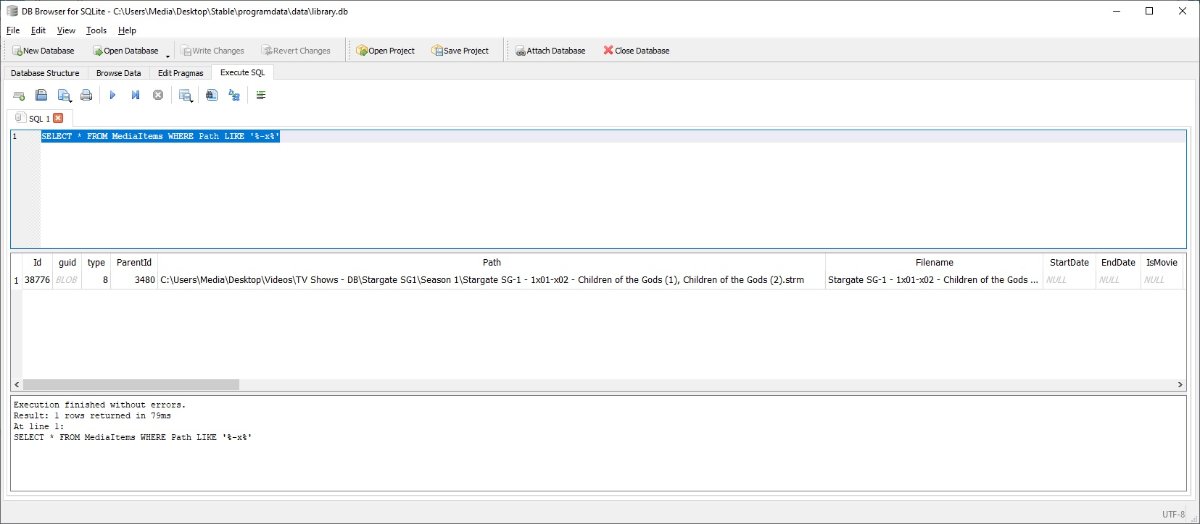
Or make a copy of your library.db run this on your copy in a database viewer. This will show you all your multi-episode items assuming you have used the same naming scheme. SELECT * FROM MediaItems WHERE Path LIKE '%-x%'
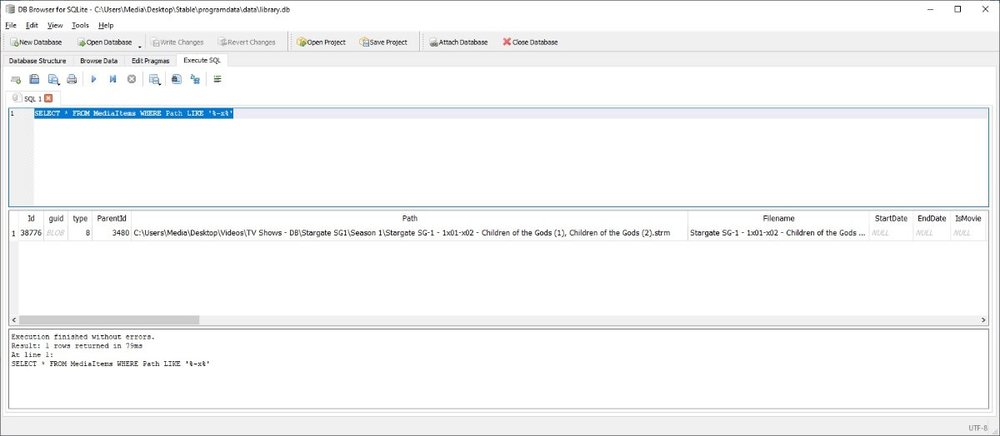 1 point
 -
@Luke it would make for a nice option in Emby to be able to choose a LOG directory like you can metadata and transcoding. This way on some platforms like Synology a user could move the location to a place they can access far easier without needing to SSH. Edit: I know one support guy who would appreciate it as it would make life a bit easier.1 point
-
I have released a new version with the ability to save custom queries and also charting options to the custom query page.1 point
-
I dont get this.. How come Plex is regularly and Emby not? I dont buy the reason above since they both offer basically the same thing. Sort this out.1 point
-
Indeed. It seems the plugin uses a different rc script (overwrites the correct one) than the one shipped in the FreeBSD pkg (which correctly uses the emby ffmpeg/ffprobe location). You can always override manually for the time being by setting this in rc.conf in the jail: emby_server_ffmpeg="/usr/local/lib/emby-server/bin/ffmpeg"' emby_server_ffprobe="/usr/local/lib/emby-server/bin/ffprobe" Even more so I see that in the rc script that is used to overwrite the shipped one, ffdetect is not mentioned. This is also needed in recent versions IIRC. I think the best would be to just delete that script from the plugin as it is installed through the emby-server package coming from the FreeBSD repo anyway... Although I don't know if that's allowed / possible as my experience with TrueNAS plugins is limited.1 point
-
Going from an 11 based jail to a 12 based jail will cause emby to break until you update it to a 12 based image. You should be able to update the jail just fine from the GUI.1 point
-
Thanks for the response and hopefully it can be resolved soon. I will tell you, its refreshing to actually get responses instead of years of silence like Plex.1 point
-
Yes, I know. I use it all the time on non-admin users if there is a playback problem. There is absolutely no reason it needs to be removed. Removing it provides no benefit. Oh well, it will probably be removed anyway. Removing features and making the entire system more difficult to use seems to be the development path these days.1 point