Leaderboard




Popular Content
Showing content with the highest reputation on 06/05/21 in Posts
-
Group channels by tag and then enter one of the groups that is produced. Now, "Channel Number" is no longer a sort option because the UI is not really aware that the content of the group (tag) is nothing but channels.2 points
-
Hi. In this case you can just tag the AlbumArtist as "Various Artists" (or anything, really, as long as it is the same).2 points
-
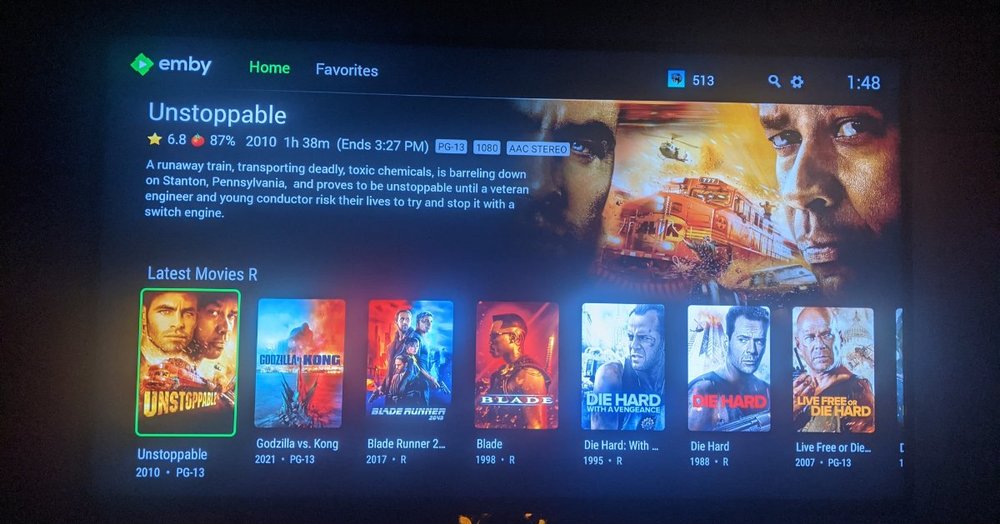
Hi. We changed it to match our other apps (which was requested multiple times). It is possible we could add a "pure black" theme option. Thanks.2 points
-
I'll look and see. To be honest (showing my age here...) I don't recall ever making it.2 points
-
Request that Emby server store Dolby Vision (including profile), Dolby Atmos, DTS:X, HDR10+ (smpte2094) and HLG for appropriate video in the db and use it for display in the media info and track selection sections of movie/episode details screen. This information once in the db can then also be used in numerous other areas like: Mediainfo Cover Art, Stats for Nerds, Distinguishing different DV profiles for hardware support and tone mapping Example Mediainfo app display of HDR10+ ffmpeg patch for HDR10+ https://patchwork.ffmpeg.org/patch/11491/ Related requested that may require DV profile information in order to prevent unneeded TM1 point
-
I would love the ability to increase the size of subtitles on the different platforms, specially android, chrome and roku... One additional thing that would be great would be the ability to change font color, outline, drop shadow, font background... Thank you1 point
-
Hello. Would be great to be able to adjust subitiles delay in Emby Theatre or Web client like we can in VLC with "H" and "J" shortcuts (up and down). Thanks !1 point
-
Not sure if this has been requested before, but i could not find anything in the forum. I think it would be nice to have a scrubbing (fast forward multiplier) feature in emby. Specifically in the Apps where all we have is a remote control. Or at least have the >| buttons on screen work. only the >> works and at a max of 30 seconds per skip. takes forever to get to say the middle of a movie. Background: We were watching a movie last night, toddler threw a tantrum so we stopped his movie. when he was calm he went to resume it, but, instead of hitting "OK" to resume he hit the "Play/Pause" button on the remote. It restarted the movie. the only way for us to get back to the 60% complete mark is hit the >> button over and over and over only going in 30 second increments. We use our MU8000 Samsung TV app 99% of the time.1 point
-
Don't see any reference to Edge of the World in that log, but it does show a permissions error. Would guess that movie is in the same location. 2021-06-06 00:22:50.696 Error ProviderManager: Error in metadata saver *** Error Report *** Version: 4.6.2.0 Command line: /opt/emby-server/system/EmbyServer.dll -programdata /var/lib/emby -ffdetect /opt/emby-server/bin/ffdetect -ffmpeg /opt/emby-server/bin/ffmpeg -ffprobe /opt/emby-server/bin/ffprobe -restartexitcode 3 -updatepackage emby-server-deb_{version}_amd64.deb Operating system: Linux version 5.4.0-74-generic (buildd@lgw01-amd64-038) (gcc version 9.3.0 (Ubuntu 9.3.0-17ubuntu1~20.04)) #83-Ubuntu SMP Sat May 8 02:35:39 UTC 2021 Framework: .NET Core 3.1.13 OS/Process: x64/x64 Runtime: opt/emby-server/system/System.Private.CoreLib.dll Processor count: 12 Data path: /var/lib/emby Application path: /opt/emby-server/system System.UnauthorizedAccessException: System.UnauthorizedAccessException: Access to the path '/home/judgey/rclone/gmedia/new films/Minamata (2020)/Minamata (2020) WEBDL-1080p.nfo' is denied. ---> System.IO.IOException: Permission denied --- End of inner exception stack trace --- at Interop.ThrowExceptionForIoErrno(ErrorInfo errorInfo, String path, Boolean isDirectory, Func`2 errorRewriter) at Microsoft.Win32.SafeHandles.SafeFileHandle.Open(String path, OpenFlags flags, Int32 mode) at System.IO.FileStream..ctor(String path, FileMode mode, FileAccess access, FileShare share, Int32 bufferSize, FileOptions options) at Emby.Server.Implementations.IO.ManagedFileSystem.GetFileStream(String path, FileOpenMode mode, FileAccessMode access, FileShareMode share, Int32 bufferSize, FileOpenOptions fileOpenOptions) at Emby.Server.Implementations.IO.ManagedFileSystem.GetFileStream(String path, FileOpenMode mode, FileAccessMode access, FileShareMode share, FileOpenOptions fileOpenOptions) at Emby.Server.Implementations.IO.ManagedFileSystem.GetFileStream(String path, FileOpenMode mode, FileAccessMode access, FileShareMode share, Boolean isAsync) at NfoMetadata.Savers.BaseNfoSaver.SaveToFile(Stream stream, String path, LibraryOptions libraryOptions, CancellationToken cancellationToken) at NfoMetadata.Savers.BaseNfoSaver.Save(BaseItem item, LibraryOptions libraryOptions, CancellationToken cancellationToken) at MediaBrowser.Providers.Manager.ProviderManager.SaveMetadata(BaseItem item, LibraryOptions libraryOptions, ItemUpdateType updateType, IMetadataSaver[] savers, CancellationToken cancellationToken) Source: System.Private.CoreLib TargetSite: Void ThrowExceptionForIoErrno(ErrorInfo, System.String, Boolean, System.Func`2[Interop+ErrorInfo,Interop+ErrorInfo]) InnerException: System.IO.IOException: Permission denied Source: TargetSite: 2021-06-06 00:25:59.591 Error ProviderManager: UnauthorizedAccessException: Emby Server is being write access to /home/judgey/rclone/gmedia/new films/Minamata (2020)/poster.jpg. Please check your file permissions. 2021-06-06 00:25:59.591 Debug ProviderManager: Saving image to /var/lib/emby/metadata/library/09/09dead266b63e6cf02cb77101fdeb512/poster.jpg1 point
-
Hi there, during "dpkg -i emby-server-deb_4.6.2.0_amd64.deb" on Debian, the following warning message is issued: Checking the user definitions for user "emby", the above-mentioned wrong shell entry is indeed present: admin@emby:~# cat /etc/passwd | grep ^emby emby:x:998:998:Emby Server:/var/lib/emby:/usr/bin/nologin The correct nologin shell definition under Debian is "/usr/sbin/nologin". I did adjust the entry accordingly.1 point
-
Do not enter any IP addresses in the Whitelist box for "Remote IP filter". There is a Connection Help button on the Server Dashboard. Have you read and tried what's in that article? It covers most things needed to get basic remote access working.1 point
-
First of all, try not using those advanced features unless you have a reason to. I wouldn't start adding an IP filter until you've first verified basic connectivity.1 point
-
With ransomware encryption on the rise, exploit chasing without bounties being offered on the rise, and hacking of credential storages rising fastest of all.. self signed certificates are garbage. If you accept one you might as well just be using normal HTTP since you are just fooling yourself. Do as @cayars suggests and invest in protection against threats. Do not create an exception to threats. Be smart not prey.1 point
-
I'm a power user with a lot of lineups and I don't need it. Just curious but could someone post a screenshot of all the tags being auto configured on m3u import? What OS are you guys running Emby Server on?1 point
-
My limited understanding is he is using two SAT>IP source in NextPVR with their OTA guide data. Otherwise If he was using an m3u from the SAT>IP source he could simply use that m3u in Emby. As you well know we often have to guess the full requirements on these wishlist requests Martin1 point
-
UPnP isn't a great protocol and has issues. Emby tries to make port forwarding as easy as possible so it supports UPnP but some routers don't like to see a change once a port is forwarded and become "dumb". Then at that point the best you can do is remove the entry and let Emby recreate the new port forward or just turn off UPnP updating in Emby itself (network menu) and configure the port forwarding yourself.1 point
-
We do support pulling them from both sources, but when both contain them, we don't currently offer way for you to indicate a preference of where they come from. That's something we need to add.1 point
-
We're looking into it. Thanks for reporting.1 point
-
Fixing this in MP3Tag will take just a few minutes. Open all the albums in question in MP3Tag. Select all the tracks with no Album Artist value. Put 'Various Artists' or 'Compilation Album' or something like that in the Album Artist field and save. After a library scan the problem will be solved.1 point
-
The prices on the decent 4K TVs are actually starting to come down, even the big ones. But not at the combination of price and available content that I have pulled the trigger on yet either. But every once in a while there is a big sporting event available in 4K that makes me rethink my stance1 point
-
It may be. Exo is very picky about the format of media streams. Anything that deviates from spec can sometimes cause a problem.1 point
-
Thanks guys. Both of these tips were helfpul.1 point
-
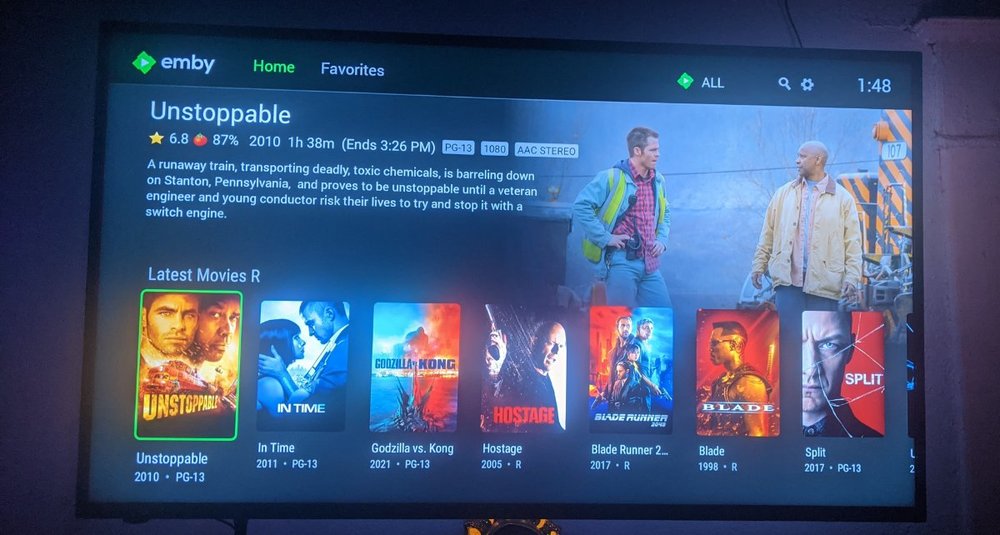
Idk if the update bugged it in some way. But I really liked the pure black background. It's easier in the eyes especially at night. It's not as obvious on pictures attached but in person that's very irritating and obvious
 1 point
 -
It should show the elapsed information on all the rows inside the Live TV view. If it is not doing that than yes, this is a bug.1 point
-
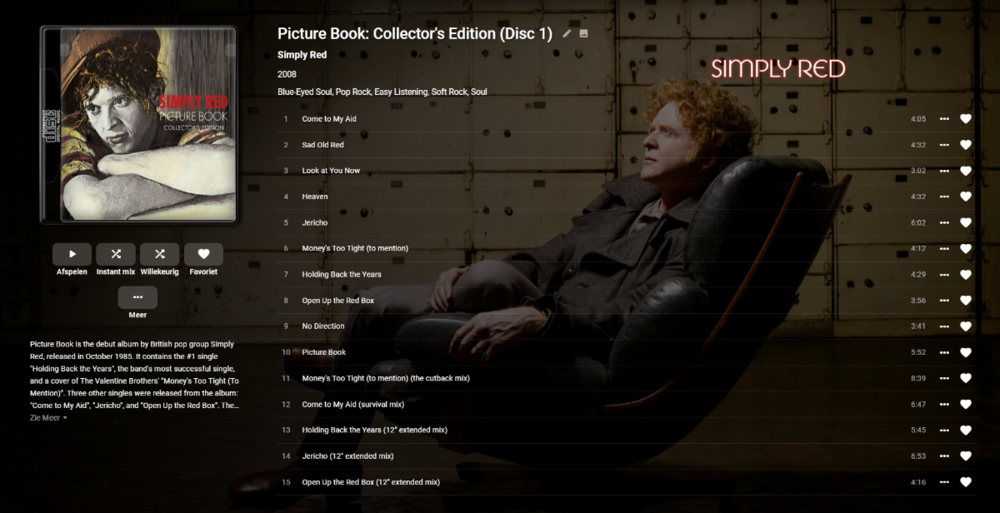
Added another album today. With the same result. I have added the log file. Thank you in advance for all your effort. 01_KODI.log
 1 point
 -
It's been long enough now that I'm confident the issue is resolved. I suspect the primary problem was the OS disk being full. Thanks for everyone's time and quick responses.1 point
-
Yes this des happen on Apple TV App; if I have created user "Home" - it will auto rename it as "home" on the Apple TV app.1 point
-
@Luke it is the exact same issue reported by Flexeire on 24 Sep. The user name is entered with an initial cap, because that's correct, but that's changed to a lowercase letter when the login steps progress to the Password. So I enter User Name "Abcdef" but it's changed to "abcdef" when the password step comes up. I created a new user with all lower case letters and was able to successfully log in to the server. I have logged into the same server on a Roku device which left the initial cap and there were no issues.1 point
-
I have my 'Sports' library configured as 'Movies', with TheMovieDB as its metadata provider. This works well for my UFC and PrideFC dvd rips, not so much King of the Cage and other smaller promotions. As for the 'as they happen' part...Tomorrow/tonight's UFC event is already up, so that's pretty quick.
 1 point
 -
Depends on how much work you want to do, but look like providers have them as Movies. Search UFC - TheTVDB.com ufc — The Movie Database (TMDb) (themoviedb.org)1 point
-
I'm on DS218+ and it was surprisingly quick in my case. It felt even quicker than than normal 6.x version updates. In the range of 5-10 minutes.1 point
-
Definitely has something to do with hibernation. Did a test adding 2 tv episodes. First while Kodi was running and active and everything updated almost instantly. The second was added while the TV was turned off. I waited a good amount of time before turning the TV on and Kodi never recognized that this second episode was added. After restarting Kodi it showed up as expected. Logs attached. kodi.log1 point
-
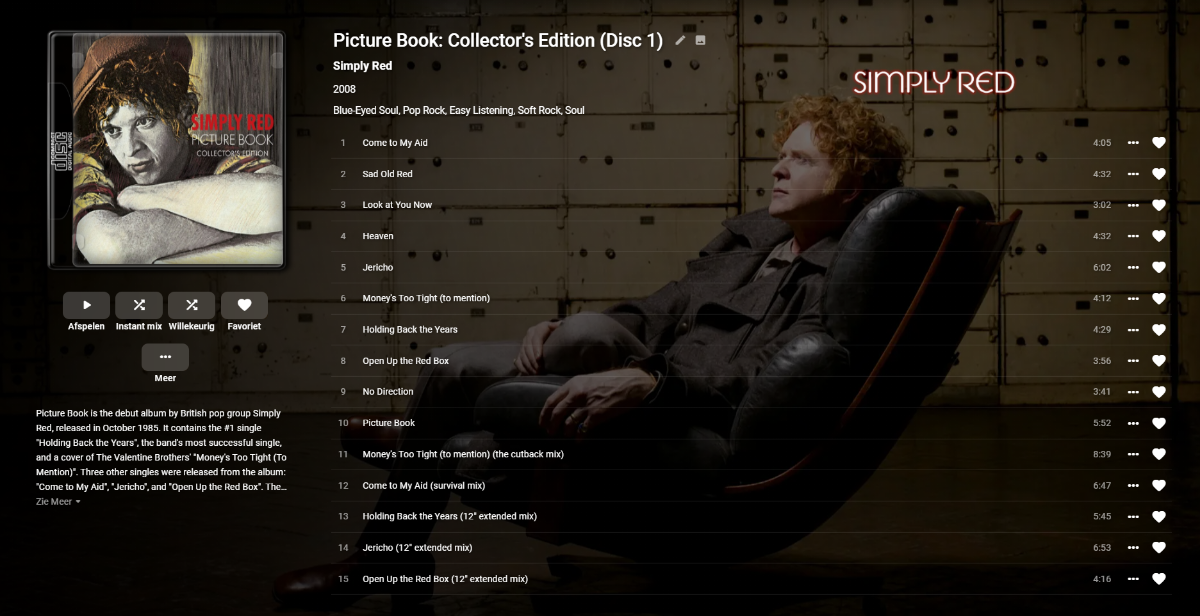
This is the album on emby server
1 point
-
Sorry for not replying. I haven't updated yet to 4.6. It looks like there is a lot of bug fixing with 4.6.1 and 4.6.2. I'll check if it changes anything for the subtitles once I update.1 point
-
Hi, beyond SSL, the other thing I would look at is ensuring all of your local server users have passwords.1 point
-
It should be, yes. Can you please attach the android app log,?1 point
-
https://emby.media/community/index.php?/topic/75510-42032-vacuum-database-config-switch1 point
-
Looking good @chef... now you just need to fill up all that empty space!1 point
-
Or just create them a 'disposable' email Connect account yourself and give them the credentials, it's not like it will be used for anything other than server access - AND you still have total control. That's how I do it for my technically inept users.1 point
-
I got into the settings-Library and chose remove. To add a library + new library. Is there another way to delete a library?1 point
-
Feature Request: A Global server broadcast message to all active clients: 1. Triggered on server reboot request (server restarting for updates.. will be back up shortly) 2. Manual global broadcast (server going down for maintenance.. will be back in 30min) Automatic notice to be optional setting.1 point