Leaderboard




Popular Content
Showing content with the highest reputation on 05/30/21 in Posts
-
TA-freakin'-DA! [small tear in my eye]4 points
-
I found the problem, only appears in native mode.3 points
-
Yo revisaría la redirección de puertos del router de Movistar. ¿Puedes pegar un pantallazo de la redirección?2 points
-
Took two restarts, but it worked finally worked. Nothing really exciting about what "we" updated though2 points
-
New beta version available: changes: fix artwork cache on plugin loading fix onPlay music playlist ops fix trakt issue in native mode fix delete dialog2 points
-
Try resetting the user on your server. Go to this user and remove the Emby Connect optional username/email and press the save button at the bottom of that page. Add the Emby Connect optional username or email back again and press save again. Now try logging in with it.2 points
-
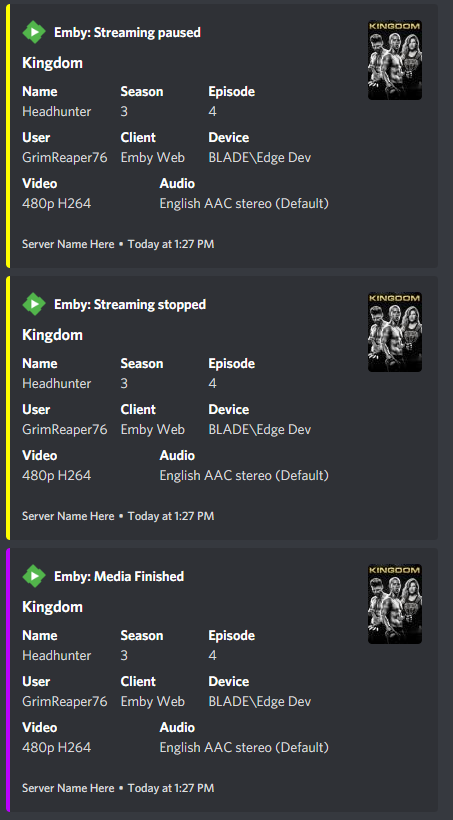
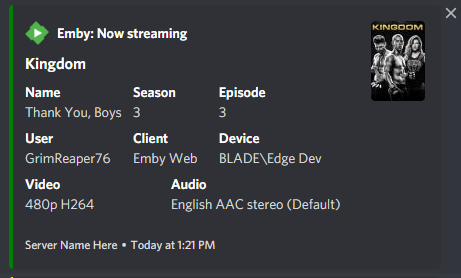
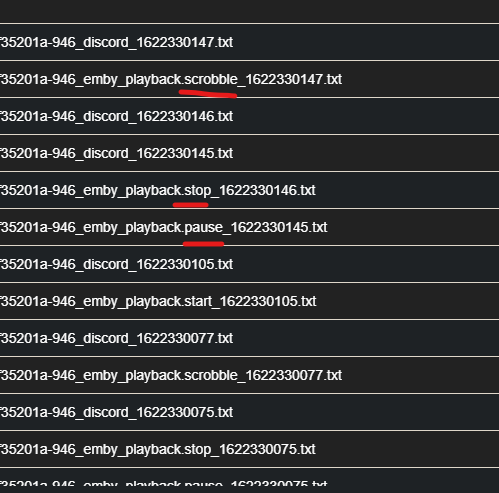
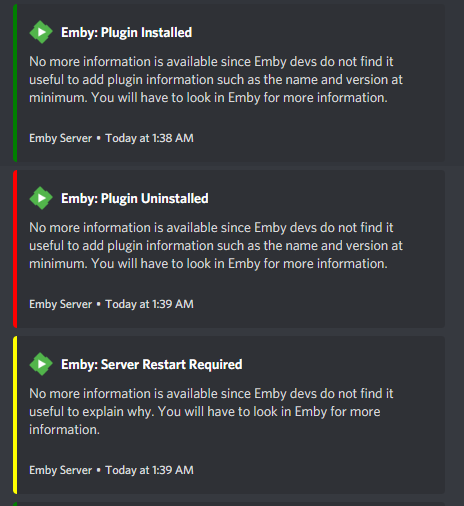
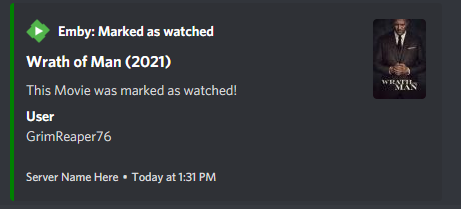
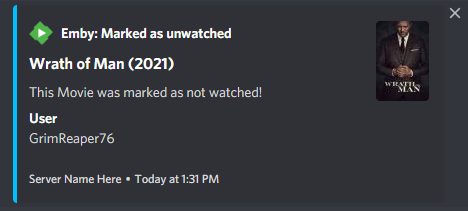
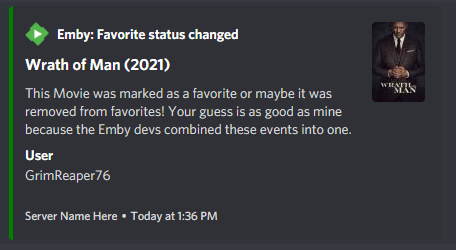
Been doing some tests with Notifiarr Dev for Emby integration, which has just gone live in early stage as of last night. With the obvious lack of " New content added" webhook, here's few of the observations: 1. While Playback events do work, per se: Triple webhook (Pause/Stop/Scrobble) is sent upon Playback finished: Could you adjust above so that only scrobble is sent upon finish? 2. System events also function but are fairly limited in info provided: Could you append same with some additional data? 3. Same goes for User events, which also do get through: However, same webhook is sent upon "Mark favorite" and "Unmark favorite", so there's no way to distinguish which event actually occurred. Sidenote: Had a good laugh on some of the notification descriptions when I saw them for the first time, Dev's got some spirit there.
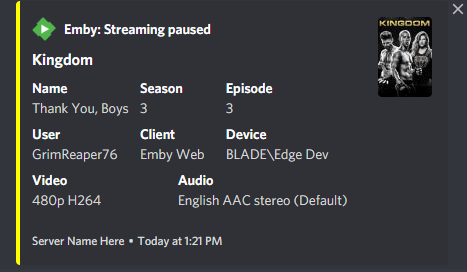
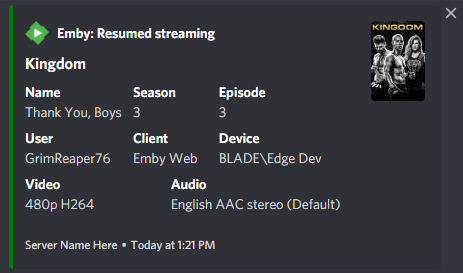
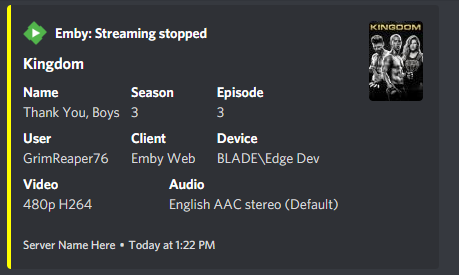
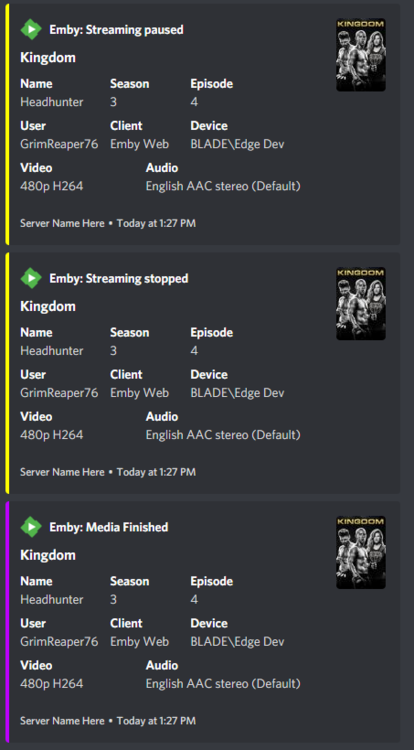
 1 point
 -
Please go here for info, bugs, issues and feature requests Been working on a plugin that bring the big screen experience and is user driven. Introducing Vantage Point Plugin for Emby. It can be downloaded in the Emby Server Plugin Catalogue. the order is pretty much set at the minute, But so far I’m happy with how it works. At the minute these are the following sections Personal Bumper Trivia Section intros, funnies and adds, select upto a max of 50 intros from your selected folder - good to use while your movie guests get drinks, popcorn, hotdogs etc, Personal Bumper Coming Soon Bumper coming attractions, select number of trailers to play from various sources. Courtesy intro - be quiet or mobile phones off. Only 1 is selected Personal Bumper audio codec intro matched to feature presentation audio track, only 1 is selected Feature Presentation Bumper countdown to feature presentation, only one is selected MPAA, BBFC, etc - certification screen which is matched to the MPAA rating tag in the nfo file. Feature Presentation Starts. For Bugs and Issues, please post them in the below thread Vantage Point - Big Screen Experience Intros - Plugins - Emby Community1 point
-
A thread about UI consistency in the beta forums got me thinking about a few items that I think make managing the DVR functionality harder than it needs to be. Perhaps these are already being addressed, but if not they might be worth considering- 1. Schedule and Upcoming deliver similar info, but from different sources. If a program is in Upcoming, but not schedule, it takes a bit of navigating to discover. Perhaps they could be unified and use the record icon to mark the ones in the schedule. For any that are not, provide a reason (not in guide, repeat, etc). 2. Recording history, which could be part of #1, provide a couple of days to a week of history. If a program was scheduled and was not recorded, list why (guide change, repeat, no tuner, no stream, etc) 3. While watching a recording I might notice that a given channel has a bad habit of starting late or early. Currently it requires a good bit of navigation to leave the program, go to LiveTV/Series to just pad the start/end time. Series options SHOULD be available when watching a program that is a recording AND part of a series. 4. Similar to #3, while browsing a series in a DVR library any changes require navigating to LiveTV to modify. If a Series is in the DVR library and has a matching entry in LiveTV as a series to record, it's settings should be available. I get that these might require more than a few changes to the database and code, but think they would be worth it.1 point
-
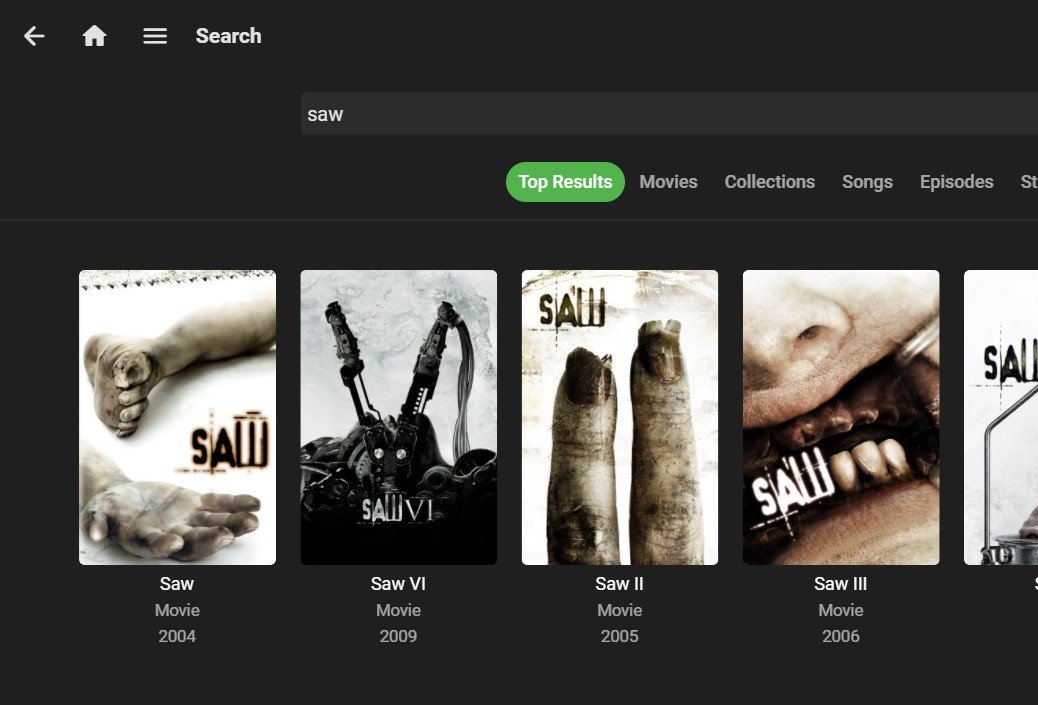
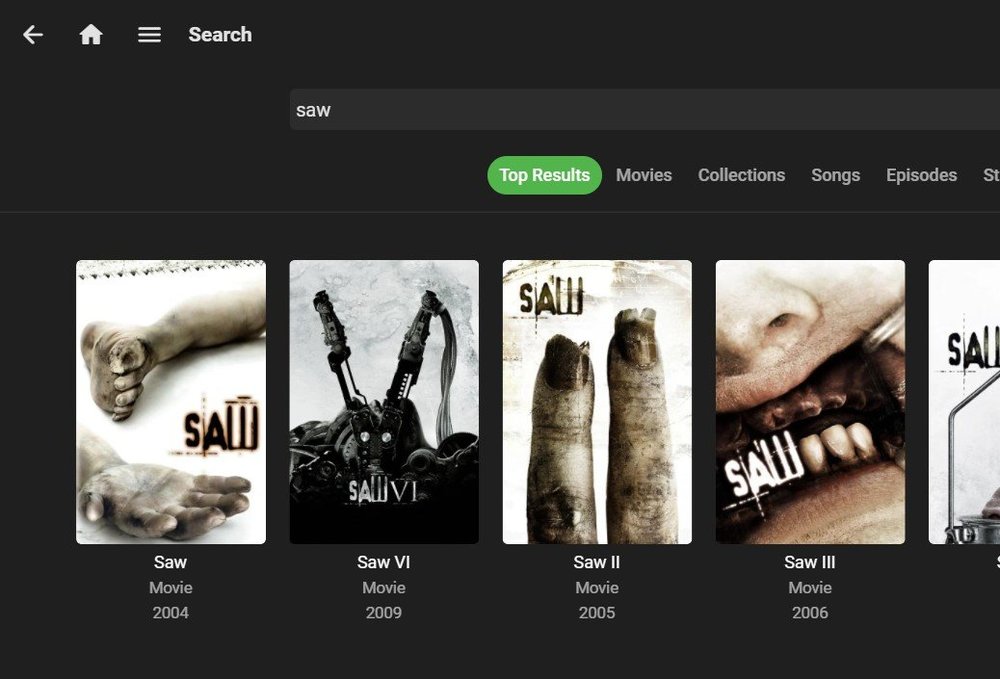
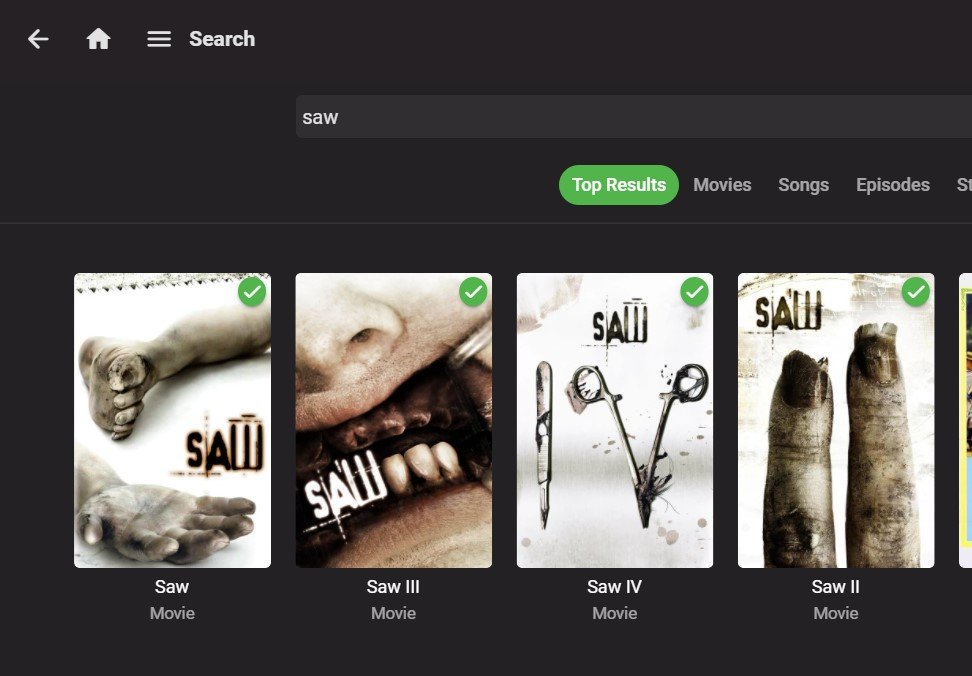
After upgrading to 4.6.1, years are not displayed on the search results page. This is important when looking for a specific version of a movie that has been remade many times (like 'Dracula'), or distinguishing between an original and remake(s). Please restore this feature. I've attached screen captures form a server 4.5.3, and my server running 4.6.1.
 1 point
 -
All my playlists are M3U, usually made in Windows Media Player. All my devices/programs can share the same M3U file with the exception of Emby since it needs the absolute path. If Emby could do a swap internally so that the absolute path could be deciphered from the "(Optional) Shared network folder:" path, it would be great. Example: Library Folder: /mnt/Music (Optional) Shared network folder: \\192.168.1.6\Music M3U needs to be: /mnt/Music/Songs/Backstreet Boys - Crappy Song.mp3 Would be great if Emby could figure this out based on shared network folder name so that this would also work: \\192.168.1.6\Music\Songs\Backstreet Boys - Crappy Song.mp31 point
-
I was having exactly the same issue. Deleting the db files didn't work. What worked for me was running the Setup.exe again1 point
-
Hey many thanks for the link and the folder sharing suggested as a temporary fix Hi mate thanks for your reply. I hope there is a fix soon. The folder based sharing seems to work for now. Hi mate thats great to hear i have done this and it has fixed the issue. Hi thanks for your reply. I have tried this and it does work im pleased to say. I did not know you were able to share individual folders of a library1 point
-
Thank you very much for the help. I had the outgoing port redirection set wrong on the router. A greeting.1 point
-
Justo eso era. Habia un puerto malamente, cuando lo he puesto, por algun motivo estaba el 8181 como puerto interno, y por eso cuando metia la direccion, aparecia el Nas. Pero lo curioso, es que reproducia sin problemas, pero sin vese las imagenes de las portadas, de fondo, etc, por eso no he vuelto a mirar lo de los puertos. Muchas gracias por todo.1 point
-
And that is likely your source of issue. Something on the NAS isn't configured correctly as you shouldn't be getting your NAS config but Emby. I'd go over your settings.1 point
-
Maybe if you send the app log after trying to restore the unlock, it can help to see what happens.1 point
-
I would say on the per library Suggestions tab just like Music has Recently Played.1 point
-
I don't use airplay, but Kodi should be capable. https://www.heise.de/tipps-tricks/Kodi-und-AirPlay-funktioniert-das-4024609.html1 point
-
Confirmed this fixes it.1 point
-
Well most people are not that audiophile as you are and not too many people use Kodi as an audioplayer. For your use case, I would doublecheck if Kodi (not the plugin) isn't "improving" the audio output. Probably you should use passtrough option in Kodi and let the amp be in charge.1 point
-
Merci, j'attends la dernière version avec impatience.1 point
-
Nvidia. Copy & Paste from Nvidia site1 point
-
Doh! I didn't see the word 'beta' anywhere before! Sorry about that.1 point
-
Correct and, even with the old (and the now legacy) Next Up what you did will cause that item to appear in Next Up. That is the same thing as watching the first episode in a series so, yes that will then cause the next up episode to be shown. Again, this is not new behavior.1 point
-
It's good. Thank you1 point
-
Merci pour ton retour. Je pense pas que ça soit le serveur ou la version Os aussi. Mais bon, en attendant une nouvelle mise à jour je préfère rester sur une version qui tourne bien. Le hic en plus maintenant, c'est qu'en faisant marche arrière, tout est OK. Donc il y a un truc qui tourne pas bien sur la nouvelle version sur ma config en tt cas1 point
-
Thank you, Luke.1 point
-
Worked perfectly, thank you.1 point
-
I'll fix it in next beta1 point
-
Thank you and thank you Suusepuus for reporting your results!1 point
-
@Abobaderis there a process for this or do we just unflag the account?1 point
-
Hi Luke, This is beautiful. Thanks so much for all your work.1 point
-
Ha, sorry, I forgot I posted this. Anyway, its a samsung galaxy tab 10A (2018 model). It can handle some x265 ok, but not all. Android 10. It would be a nice feature to have (that is, an option to force transcoding, if the device cant handle it, and emby doesnt realise it). The video stream itself from VLC Media Info; HVC1, 1920x1080 24fps 2001kbps [V: hevc main 10 L4.0, yuv420p10le] I ended watching it on a tv, via chromecast which could handle it.1 point
-
He has multiple specials that should air before Season 1. His problem is that this set is *not* sorted according to their episode number. They're all appearing correctly before Season 1, but not ordered correctly among themselves.1 point
-
Hi, try using the metadata editor to add tags to channels instead. This will do much more for you as the tag features are integrated into many of the live tv screens.1 point
-
Hi, the stats display there is incorrect. It's being transcoded to 5.1.1 point
-
If emby server is not running at that specific time then that would be why the task is not running. The default schedule is an interval of every 24 hours. Please try setting it back to default and removing the time limit.1 point
-
J’crois que t’as pas compris le principe de EMBY lol…. le serveur c’est toi qui le met en place et le contenu qu’il a dedans c’est toi aussi.1 point
-
Had one of those epiphany moments. You folks have always been amazing and quick to figure out problems. I figured if the problem was with Emby, you would have solved it by now. So I went back at this assuming the problem wasn't Emby. I redid the basics. I unplugged my TV for half an hour (instead of just rebooting android OS), plugged it back in, and now it's working again just fine with no stuttering and the volume is working fine. Thank you so much for your time. Emby is amazing! And thank you cayars for the suggestion to reboot the android TV. Seems I had to go the extra step of doing a hard reboot and not just a soft one. You'd think as a computer engineer for the past 20 years I would have thought of that.1 point
-
Yeah, that makes sense. I just noticed I had some images missing, found this collection ( https://is.gd/7rHSoS ), went to fill in the blanks but the server wouldn't display them, thought it was a glitch. I can certainly live with just the thumbs.1 point
-
Hi, yes Emby Server supports macOS 10.13+.1 point
-
Google only provides cast developer libraries for android apps, iOS app, and web apps. That's why you don't see Chromecast in the Play On menu of Emby Theater, although you will see other Emby apps in there. That's how Chromceast in web apps work. The dialog box you get to pick a Chromecast device is provided by the browser.1 point
-
What didn't work about it? If you happen to have gotten java errors that would because it needs to have java installed to work.1 point
-
Just FYI here is the opposite request:1 point
-
You could also try to re-acquire a different version from "your friend" which might also work.1 point
-
I'm putting a rush on things now. The network panel has been upgraded to Ubiquiti stuff. The cable management needs some follow up. I have flooring arriving tomorrow. to finally finish this project. It has been to long, but trying to get materials has been a nightmare.1 point
-
Assuming this will come sometime in the future, can I suggest a feature from Channels DVR that I haven't seen on any other EDL supported player? This should be an option, not forced though. What Channels DVR does (again, optionally!), is when a cut point is reached in a video file, a button will pop up to skip the commercials. I really like this, because a lot of the times, my cut points are a couple seconds before the commercials actually start, so I can wait to skip until they start. I know this wouldn't be for everyone, but for me, I almost always have the remote in my hand, and I found this feature to be extremely helpful!1 point
-
As already mentioned, go with an AndroidTV. The AndroidTV Emby app is much better than the Tizen Emby app. If you can still find a dumb TV you'd be better off with a stand alone AndroidTV device too.1 point
-
For users with Samsung Tizen SmartTVs (2015 - Present) who want to test the latest version of the Emby client app before it's submitted to Samsung for release in their app store. These installs should be considered beta until approved by Samsung, however they are the same ones submitted to Samsung monthly for inclusion in the Samsung store. Samsung's policy is that the only official way to distribute apps is through the Samsung store and that usb installs should be used for testing purposes only. Because of this policy Samsung has mandated that usb distributed apps must expire within 30 days of compiling. To help with testing you will be remined to update to the latest beta release as the app expires to ensure you are using the latest version when reporting issues. This install will also work for those who don't have access to the official client app in the Samsung app store. However, the same rules must be followed as indicated above. Release notes and version number For the latest release notes and version number click on this post https://emby.media/community/index.php?/topic/31461-emby-for-samsung-smarttv-release-notes-tizen-orsay/ Installation instructions Download this zip file: https://github.com/MediaBrowser/Emby.Releases/raw/master/tizen/tizen.zip Format a USB 2.0 stick using FAT16 (some larger USB 3.0 hard drives have been found to not work) (newer models may support other formats, check your users manual) Copy the tizen.zip file to the root of your USB stick Extract the contents of the tizen.zip file to the root. (This should create the folder 'userwidget' in the root of the USB stick and the folder should contain the two files needed) Turn on the TV Make sure your TV is connected to the Internet Plug the USB stick into the TV's USB port. Installation should start automatically. (There will be 3 quick messages in the upper right corner of the TV) Click 'OK' once the installation is complete. Optional, add the Emby app as a shortcut to Home Start the app from the Smart Hub or installed apps section of your TV. Troubleshooting If the installation does not start automatically, then please ensure your TV firmware is up to date and try again. If you get an installation error, try the process again with the USB stick formatted ass FAT32. We've received reports from users that installing from USB 3.0 hard-drive devices does not work, so please make sure to use a USB 2.0 thumb-drive device. Also, make sure the thumb-drive is unlocked/writable before plugging it in. The TV will need to write to your thumb-drive. Users with 2015 Samsung SmartTVs may experience an issue where the USB version of the app deletes itself upon restart of their TV. This is a security measure implemented by Samsung in which we have no control. If this is the case you may have to leave the thumb-drive in the TV and reinstall upon reboot, or install the latest release version of the client found in the Samsung app center. Updating from a previous USB install The app will notify you when an update is available. To update a previous USB install just repeat the instructions above. Notes: Certain Samsung SmartTVs have an issue where the app won't upgrade from USB drive if there is already a USB version installed. If this is the case you'll simply delete the old version before inserting the USB and then repeat the same installation process to install the new version. Also, try power cycling your TV after deleting the previous version if you have problems.1 point