Leaderboard




Popular Content
Showing content with the highest reputation on 05/26/21 in Posts
-
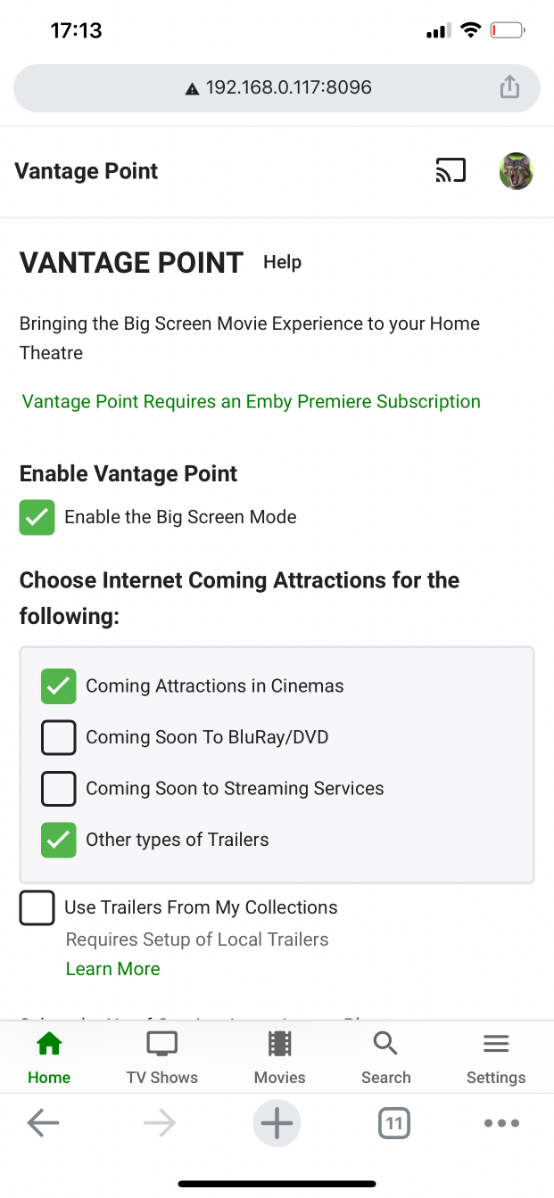
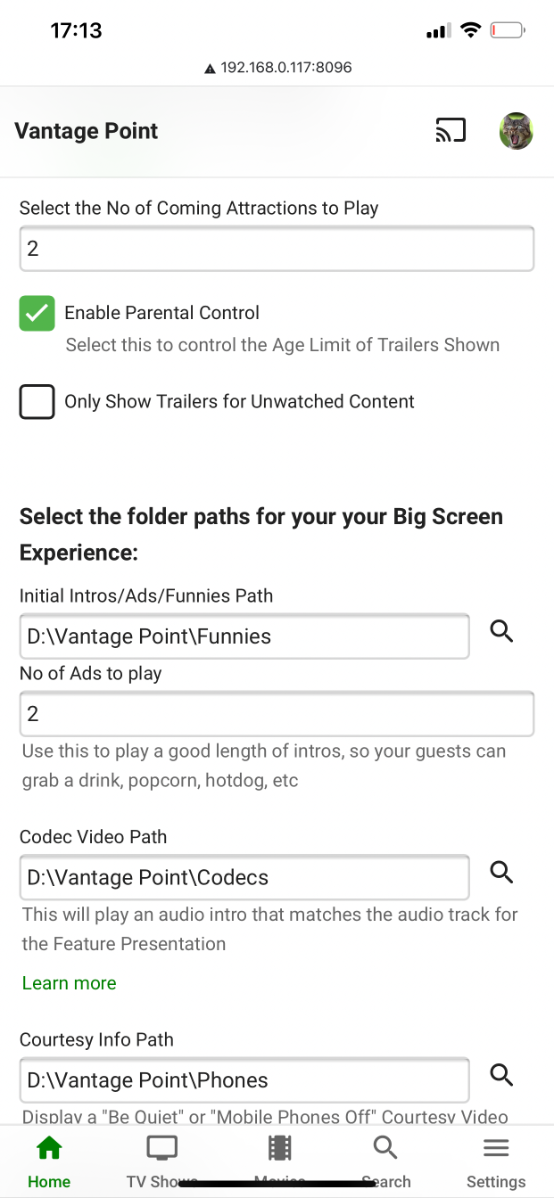
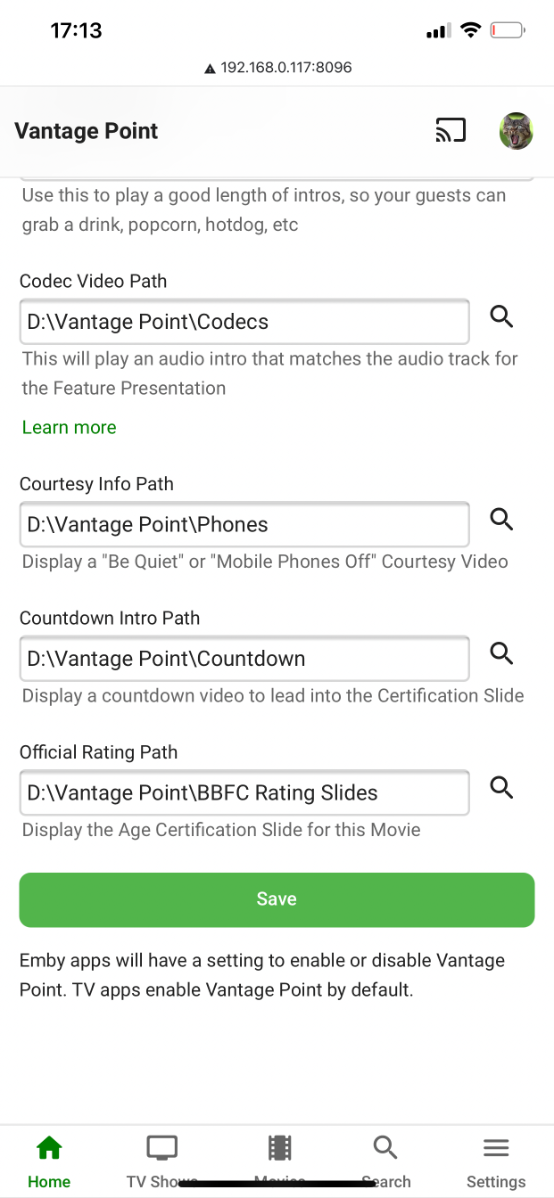
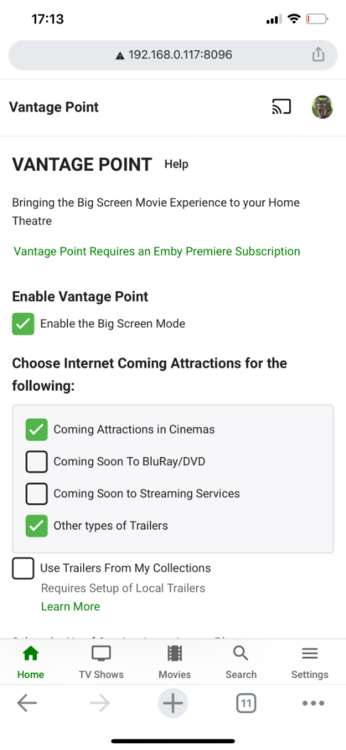
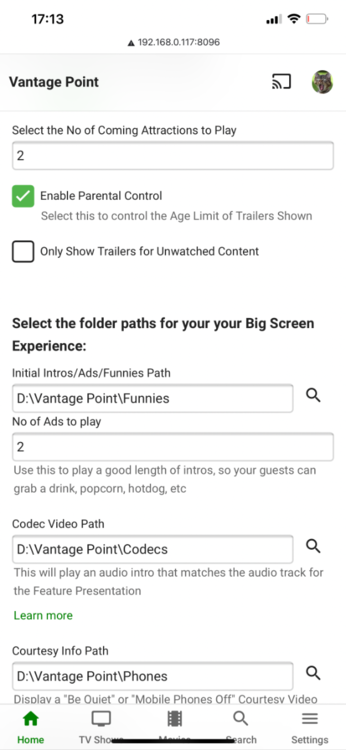
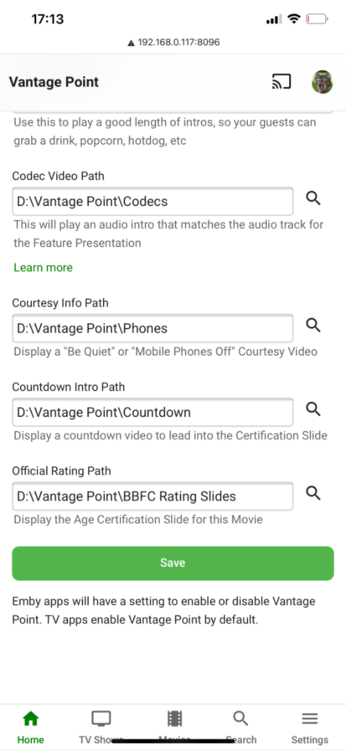
Please go here for info, bugs, issues and feature requests Been working on a plugin that bring the big screen experience and is user driven. Introducing Vantage Point Plugin for Emby. It can be downloaded in the Emby Server Plugin Catalogue. the order is pretty much set at the minute, But so far I’m happy with how it works. At the minute these are the following sections Personal Bumper Trivia Section intros, funnies and adds, select upto a max of 50 intros from your selected folder - good to use while your movie guests get drinks, popcorn, hotdogs etc, Personal Bumper Coming Soon Bumper coming attractions, select number of trailers to play from various sources. Courtesy intro - be quiet or mobile phones off. Only 1 is selected Personal Bumper audio codec intro matched to feature presentation audio track, only 1 is selected Feature Presentation Bumper countdown to feature presentation, only one is selected MPAA, BBFC, etc - certification screen which is matched to the MPAA rating tag in the nfo file. Feature Presentation Starts. For Bugs and Issues, please post them in the below thread Vantage Point - Big Screen Experience Intros - Plugins - Emby Community4 points
-
Info: Current 5.3.0 is quite stable. There is one tiny bugfix I'll upload in the next days to beta repo, but I will not release any experimental version in the next 2-3 weeks or implement new features. Reason: I want that everybody perform tests with the same version to get it stable. Sure, you can continue posting improvements or issues. I continue work none public till 5.3.x is declared as stable (no showstoppers). ... the current modifications I'm working on, impacts to much code...4 points
-
We're working on standardizing the definition of 'standard'. Please bear with us.3 points
-
As most of you have noticed, there were a lot of database and metadata structure changes between Emby 4.5 and Emby 4.6. The Emby devs did a great job to make that update as seamless as possible and it least from an end user perspective, looking at the frontend all is well. But i'm not really happy with the transition that happens in the background of Emby. If you have the nfo plugin installed, for existing collections nfo files will be created under "metadata\collection", but the images in the database are still referenced under "data\collection" (boxset folders). Similar things happen to people. New people and their images will be stored under "metadata\people", while existing people images are still referenced under "metadata\library\xx\yyyyyyyyyyyyyyyy". Those things make the great goal to make Emby really portable and to simplify backup/restore processes impossible, except you've started with a new Emby 4.6 installation. Here comes my plugin into play. Of course i don't have to tell you: Make a backup of Emby's programdata folder first!!! How does the plugin work? Please read carefully! People migration There are two modes to choose from. Either the people source is Emby's database or it is an older people folder with A to Z subfolders. What happens by selecting legacy people folder as source? For every person the plugin finds in the old A to Z folders, the images and metadata is first imported into the database to matched persons. After this the same process as with database as a source is happening. For persons where no match exists, a named folder under metadata\people is created and a nfo is written that holds the legacy xml metadata. The images are copied over from the old A to Z folders to the new people folder structure. What happens by selecting database as source? For every person the plugin finds in the database, a named folder under metadata\people is created and a nfo is written that holds the database metadata. The images are copied over from library\xx\yyyyyyyyyyyyyyyy to the new people folder structure and the database references for the images will be corrected. The now no more necessary library\xx\yyyyyyyyyyyyyyyy folder gets deleted. No matter what source mode you've chosen, if the metadata\people folder still has the old A to Z folders, they will be moved to a new folder "_legacy". This "_legacy" folder will also be migrated if you've selected legacy people folder as source, even if the path input field is empty. No existing people nfo or images under metadata\people will be touched, only new data gets written. Collection migration The collection migration queries the database for your collections. For each collection it finds, it will create a named folder under metadata\collections and writes the metadata to a collection.nfo file. It will not touch existing nfo files. Further if the images of the collection are still referencing files under the deprecated boxset folders, the images are copied over to the new collection folder and the database entries will be updated. Only image files that are stored in the database will be considered! Try to recreate missing collections from boxset folders, as the name suggests creates collections in the database that were not picked up by Emby's update procedure. There's a good chance that this will restore some missing music album collections, but at the same time it can also create some unwanted collections. Write set tags to existing media item nfo where possible trys to add missing "set tags" to the nfo files of the collection items. It will not create those nfo files, only modify them. This should work without problems for movies, tv shows and tv episodes. It maybe fails for music albums or music artists. Delete old boxset folders will delete the whole data\collections folder after the plugin migration has finished to make sure Emby will not pickup images from this location anymore. Although this all worked fine for me, use this at your own risk! I'm not responsible for any damage of your Emby installation! Make a backup of Emby's programdata folder first!!! MigrationPlugin.0.2.0_Emby.4.5.zip MigrationPlugin.0.2.0_Emby.4.6.zip MigrationPlugin.0.2.0_Emby.4.7.zip MigrationPlugin.0.2.0_Emby.4.8.zip2 points
-
You have made a good decision. Plex is so cluttered with junk, even if you disable all you can, that watching your media becomes a chore instead of fun. I keep a Plex server active, just in case but I almost never watch much using Plex because it is almost painful to do so. I cannot help much with a Linux based client but I thought the there was a version of "Emby Theater" for Linux. I know a lot of people use the Windows version. Having said that I really recommend one of the standalone clients, like the Rokus or Fire TVs or Shield TVs or one of the many Android boxes. I know that many people really like watching through a computer but I have always found it highly unsatisfying to do so and it requires giving your computer multiple duties. (a server should serve and do almost nothing else) I have Rokus, Fire TVs and a Shield TV. I also can use a computer. I almost never use the computer as it is too clumsy. When I want to watch that is all I really want to do and I do not want to be concerned if a big complex device like a computer will work correctly. Just about every stand alone client is a superior viewing experience to using a computer. But that is just my opinion and others might feel differently. I also recommend that you store artwork and nfos and other support stuff with the media files. It clutters up the directories a bit but it makes maintenance easier and it reduces problems if you ever need to perform a reinstall.2 points
-
https://datatracker.ietf.org/doc/html/draft-seantek-text-nfo-03 Good ol file-id.diz and file.nfo to tell where the things came from. Mainly for tracking releases across BBS as they spread. Expired in 2016. I do not see another RFC even drafted to represent NFO is basically a glorified XML.2 points
-
Just to bring some balance to the negative feedback there seems to be regarding this, I've just upgraded, and am very happy with the changes - my compilation albums (e.g. things like "Now That's What I Call Music) are now treated correctly (i.e. with the album artist listed as Various Artists, and individual artists showing up correctly for the various tracks) It did require a couple of small updates to my library (The defaults for EAC when ripping FLACs don't seem to write album artist tags), but using MP3Tag (https://www.mp3tag.de/en/), I could quickly bulk update any that were required.2 points
-
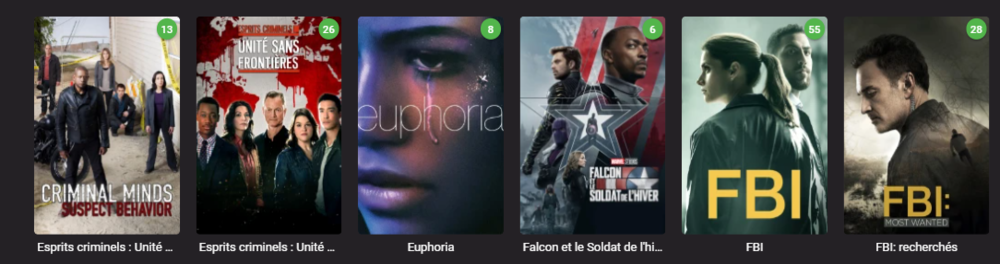
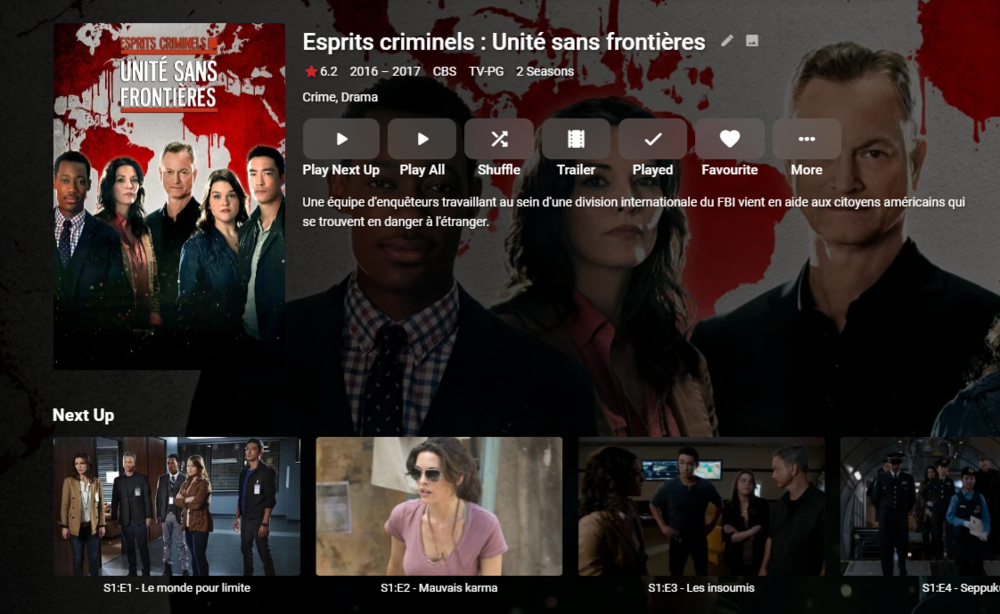
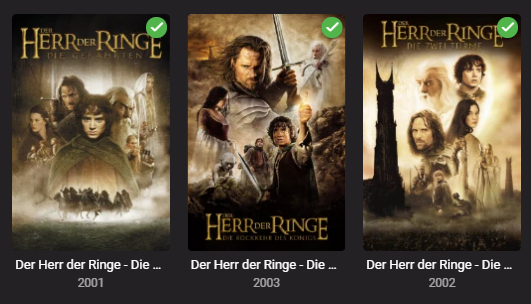
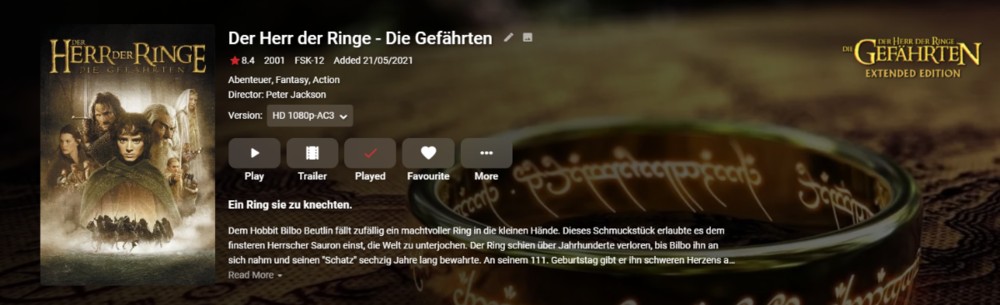
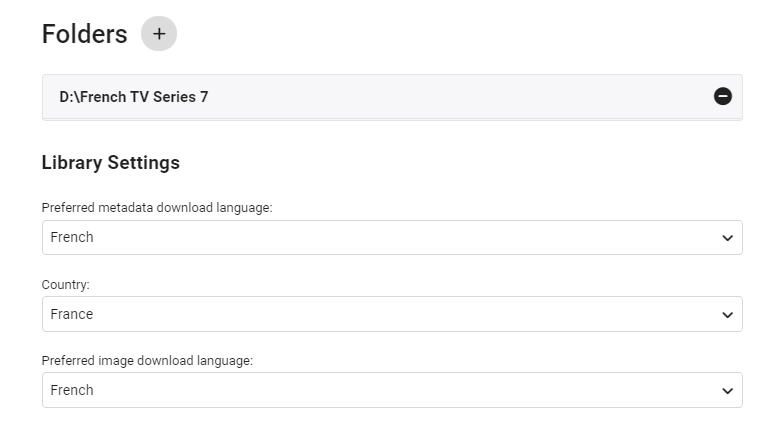
edit 30/08/2022 I've updated the script as follows - - On repeat usage, added Progress Monitor when skipping existing STRM files (rather than thinking it's hung ..) - Added Summary page of the New Libraries This also works with TV Series - due to the nature of each episode needing it's own STRM file - it takes a little longer, but works just as well. ------- I've created a simple script that creates a copy of the structure of an existing emby library (file path). It then populates this new structure with strm (link) files back to the original video files. You can then use this library as a new library within emby - and subsequently you can choose the metadata language as you would do as part of the normal setup. This means you can get : native language metadata (if it exists) native language artwork (if that exists) subtitle language as required (you can do multi language subs in the core system) The video file is played from the original library - so there is no need to duplicate the video files. If required, user permission can be removed from the main library, leaving just this new library to browse in the users native language. Usage (windows batch file) Copy the batch file 'libstrm.bat' and 'library.txt' to the emby server in a suitable directory. Modify the 'library.txt' file to match your system. In the example file I have - D:\TV Series\;D:\French TV Series\ D:\Films\;D:\German Films\ Also works with UNC - \\media\TV Series\;\\media\French TV Series\ \\media\Films\;\\media\German Films\ The first path is the original location, the second path is the new library location (with the strm files). Note - the path must end with a \ and the entries are separated by a semi-colon. The 'library.txt' file can contain any number of drives and folders - I suggest testing with a sample to start with. Run the 'libstrm.bat' file from a command. Depending on the number of folders/files - it may take a few seconds or more to complete - but it will show progress as it goes. Once complete - create new emby libraries pointing to the new locations - remembering to set the metadata language as required. For example :- Once setup and emby has scanned the new folders (it will do this automatically if set to monitor - or a manual scan) - all the relevant metadata will be imported. As an example - in my test French library :- Note the French metadata, episode names and artwork. In my test German library :- Again, German metadata & artwork. Keeping the system updated ... Because creating the strm files is manual - to add NEW media, the script can just be run again (via the Windows task schedule ever day for example). If the strm file is already there, it will not recreate it. However, if media is removed from the original library (remember it links to it, it is not a copy) - then the strm link will unfortunately break. It can of course just be removed manually by deleting the strm file. I've added a progress bar to now show when items are skipped (every 100 items gets a # displayed..) Media Playback ... The resulting playback will of course be identical to playing the original file (as it IS the original file) but any playback preferences will be remembered for that library. So if the Audio was set to French with French subtitles, then next time it is played, it will remember those settings. There may be a way of setting these to a library default in the native language - I have not experimented with this. Feedback welcome. (rename the libstrm.bat.txt file to libstrm.bat) library.txtlibstrm.bat.txt
 1 point
 -
After update to 4.6.0.1 my XMLTV tv guide for m3u list I always used before fails to refresh. I already deleted both m3u list and xmltv link and reinstalled again. IPTV plays fine but the guide stays empty. Attached are the logs and here is the link to the guide: https://epg.ovh/pltv.xml Of course there are errors in the logs but I cannot decipher them. embyserver.txt1 point
-
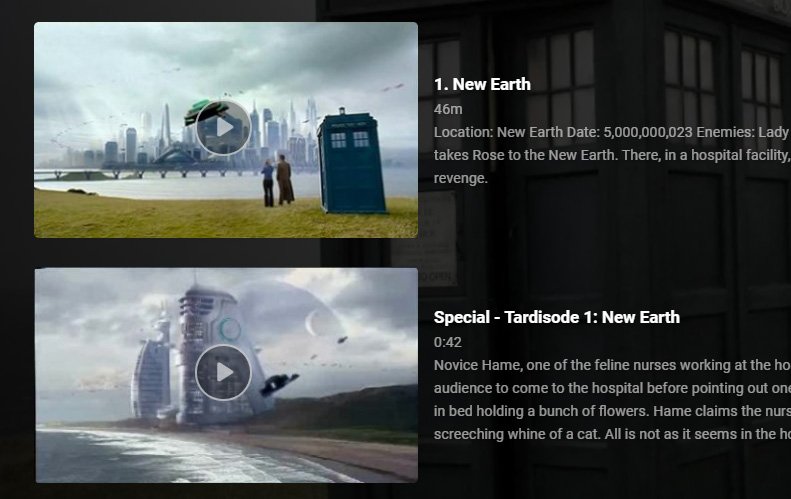
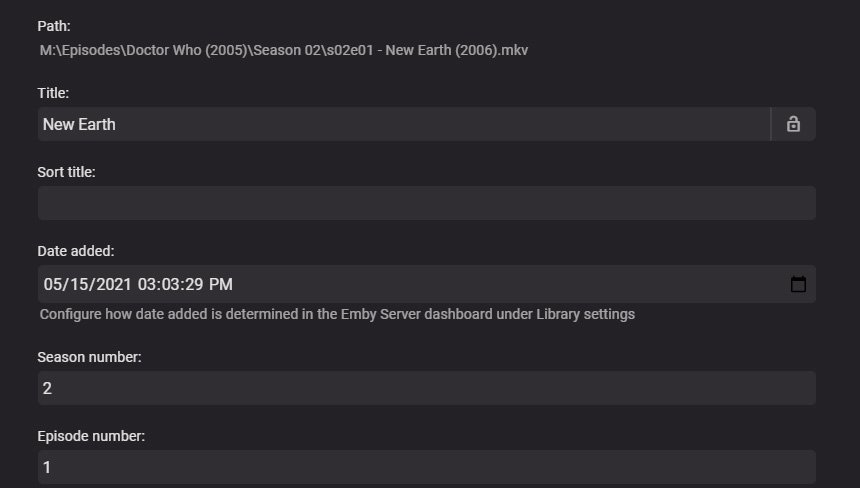
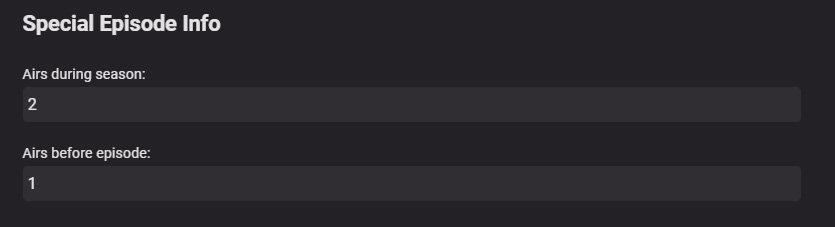
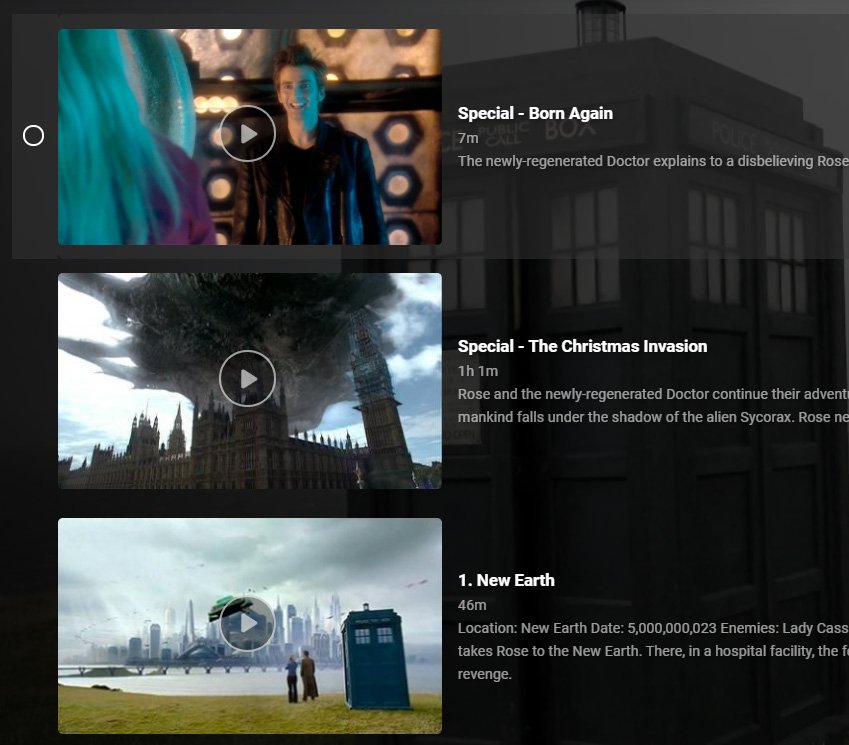
After upgrading to 4.6.0, I went through all of my episodes and verified they were placed in the correct spots in seasons. I just noticed -- having upgraded to 4.6.1 a few days ago -- that things are now mixed up a bit. Specials are still in the correct seasons, but they do not seem to be obeying the "Airs before episode" setting. An example from Doctor Who. The Special "Tardisode 1" should appear before episode 1 "New Earth." It used to, but now is listed after. Strangely, some things do appear in the correct spot, anyway, like the first two specials preceding episode 1. It seems to be very random. EDIT: just to verify, I restored an image with 4.6.0 on it and the order was fine. Definitely a 4.6.1 bug.
 1 point
 -
@Abobadershould be able to assist you with this.1 point
-
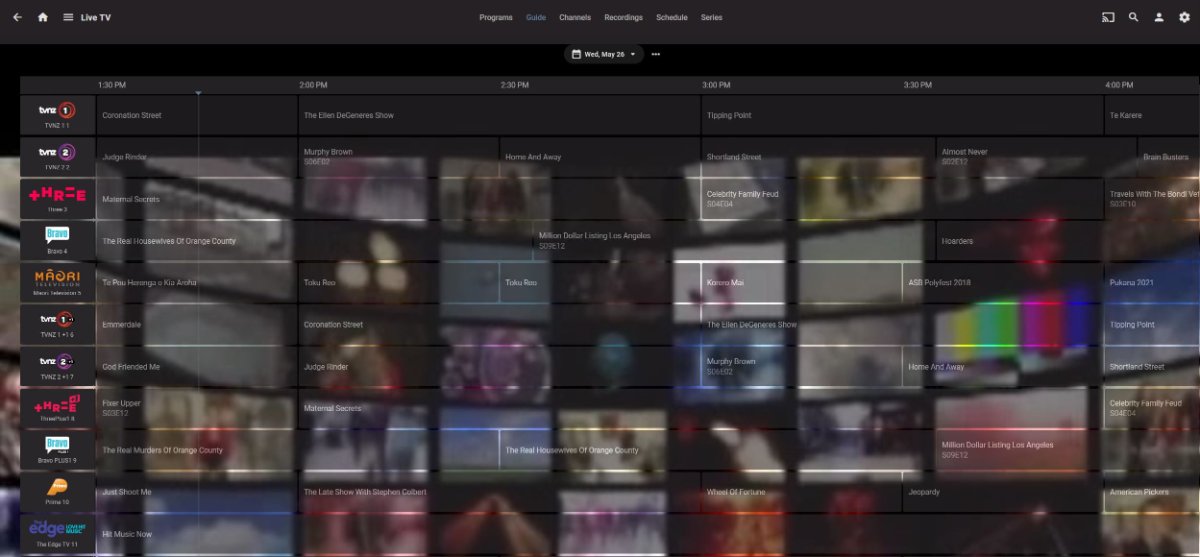
Hi, for now the only way would be to mark them as favorite and use the sorting options in the guide to put favorites at the top. Actually if they all have channel numbers then you should be able to use the channel number sort order. But in order for that to work well, every channel will need a number.1 point
-
As you discover little issues or have questions on things, try and use the wiki/KB for answers but don't struggle on your own if you are not getting the answers/results you need - just ask questions in the forums and somebody will gladly help you out.1 point
-
Ya, the media info is also saying the aac conversion is the same size as the original 24 bit uncompressed source. I don't keep ffmpeg commands in my head, but I suspect the one above isn't quite right.1 point
-
wow - I thought I finished the 'standard' conversation 3 hours ago with the above statement ... Don't you just love internet forums !1 point
-
Seeing as I'm just an ordinary user, I can't contribute much, except to look thought the Knowledge Base, I think its called now, especially perhaps the recommended naming section. Maybe also when setting up libraries click on the Advanced slider in the top right to see what there is there. You might want to add the Server Configuration Backup plugin. You might know all about this already of course. One of my personal favs is in a browser you can use css to customise things a bit, should you feel the urge. This doesn't extend to the apps unfortunately.1 point
-
HTML was not originally designed as it is now. It was part of the Apple Macintosh Hypercard application and ran cards on Hyperstacks. They used a markup called Hyper Textual Markup Language. That is where HTML came from. I took that class at the college in 1995 when Hypercard came out wrote a ton of HyperStacks filled with HyperCards. I understand entirely when it evolved. I am talking of standards. A standard evolves when you share an interpretation of such with others so they can also participate in using that format in their environment. This is where the RFC comes from. It is at that point it is designated important enough to be called a candidate for a request for comments. That is the only way to really share an open internet concept. You share it with the IETF as an RFC and see where it goes. Same with the ability to create a usenet group you must send a new group control message to the ISC.org through alt.config. There are governing bodies which help you openly discuss your contribution to make it the best it can be. https://macintoshgarden.org/apps/hyper-stacks Having that CD was basically the internet building blocks. Use that to construct your website.1 point
-
It's nothing to do with playlists. The music library gets rescanned, however there are a couple sporadic reports of obsolete items being left in the database. We will look into this. If you're willing to remove your music library altogether, do a full scan of all libraries to clean out the database and then add it back, this will resolve it.1 point
-
Looks like it should work. If you just setup the ssl certificate in emby server then make sure to restart the server after doing that.1 point
-
Hi roaku - Upgraded to 1.1.1 and I can confirm the Collection Rules now show correctly for Collections created in the latest version. Thanks for the speedy response and the great plugin again.
 1 point
 -
With all respect but at the moment it is not clear to me what this has to do with the issue in this topic. I apologize if it is related, otherwise start your own topic as many people are waiting for a solution for the problem at hand. Thanks.1 point
-
Here is the config page. Simples at the moment, my html and js sucks but i hope it to be more exotic in the future, not important now as the function is there and once set up you’ll probably never visit this page again
 1 point
 -
lol - the only mainstream media app that doesn't use NFO is Plex - it's used by pretty much all the major media applications and specialist managers as an option for local metadata. To me that is a 'standard' so lets agree to disagree on that.1 point
-
Hi, So I've uninstalled, rebooted again, then installed 4.6.1.0, and ...hey presto. All is fine again. Thanks for your help. Not sure I can pinpoint what has happened. I could now send Emby logs more easily if you wish. Let me know. But as it's fixed, I'm happy. (except lack of LG app but that's a whole different chat). I can't see anything I did to either break it or fix it. I did change my 'emby' user to 'Emby' at one point but then changed it back. Anyway, all's fine. Thanks kaj, cayars and Luke.1 point
-
That would work too, and if the NFO doesn't exist then still read the embedded title.1 point
-
@MisterDigit we've added this automatic detection into our Docker beta package if you'd like to try it. Thanks.1 point
-
Sure thing.1 point
-
No problem. Please install Iconic version 1.1.1 from your Plugin - Catalog view, restart, and let me know if that solves the Collection rule problem for you.1 point
-
I'm going to put this in with the option to prefer embedded titles, so if you enable that, then it will pull the sort title from within the file.1 point
-
It's on the list, but haven't found a good solution yet.1 point
-
Yes that is correct. It is used by many other applications so that was the reasoning.1 point
-
Whether tone-mapping works well depends not only on the algorithms and implementation, but also on whether the required meta-data is correctly included in the videos. This is especially true for the BT.2390 option. The others provide at least fair results when that metadata is missing, but with BT.2390, you can get pretty bad results in that case.1 point
-
@nwilging We have searched a lot with the developer of rffmpeg where the problem could come from but we did not manage to solve it. You can find all the information about it on the issue I opened: https://github.com/joshuaboniface/rffmpeg/issues/101 point
-
I really just need a helping hand. Never played around with NAS devices before. EDIT: THis can be deleted. Totally figured it out on my own after a massive brain fart.1 point
-
We've never done that as it's meant to be something user defined. That's not to say that we can't but we currently do not.1 point
-
Hi. We define "household" as your family and friends. Not the 200 friends you make in a FB group on sharing media, but your actual friends . The physical location of those people isn't as important to us.1 point
-
Hi, yes I like the idea of the padlock. Thanks for the feedback.1 point
-
You can do this now if you want to but it's a bit of manual work. What you do is manually add a tag to all channel that fall into A as "LiveTV-A" or similar and then "LiveTV-B" for the B list. Now all channels are tagged as being part of List A or B. Then in Users->Parental Control you can do this or all users of List A So no one on List A can see any B channels. You then do the same for B users but Restrict with tag "LiveTV-A". Meanwhile the DVR engine would still have access to all channels so it would likely use channels from the first tuner (keep that in mind).
 1 point
 -
Thanks, I used your plugin to move the collection images to the new folder, it worked perfectly!1 point
-
Always take a backup first I used the plugin to move the images and removed the old library, looks perfect now!1 point
-
There isn't really a way for us to be sure but I think that is a rational conclusion at this point.1 point
-
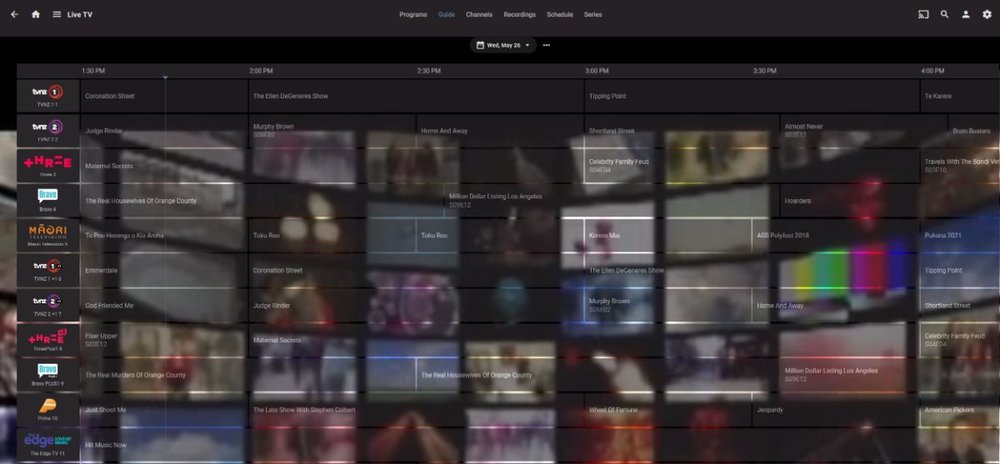
Getting there -
 1 point
 -
We'll take a look at it. Thanks for reporting.1 point
-
Alright, I can provide a quick update. As of Server 4.6.1.0 Emby is showing up properly in Bigscreen and I can play content through Bigscreen. The only lingering issue that I can find is that progress is not synced between what is viewed in Bigscreen through DLNA and Emby itself. I tested by watching about 15 minutes of a movie, stopping and waiting 15 minutes, and then checking Emby. It still shows that the particular movie has not been played and it doesn't show an option to resume. If this can be sorted, then Bigscreen will 100% be viable as an option to enjoy Emby content in VR.1 point
-
Now that Dolby Vision is available on Xbox, can you update the video player so we can play back Dolby Vision content?1 point
-
I'm with Sammy. For me the best device for the money right now (non hdmi dongle) is the MiBox-S. It has a decent home screen, good specs, handles higher bitrate files better then the Shield Tube does but is WIFI only out of the box. Like the shield it can do HDR->SDR. A $12 USB3 dongle allows Ethernet hookup if you prefer (I do) and it's a treat to use. For me this is "the box" for bedroom or auxiliary TVs or even the family room but I'd go with a Shield TV Pro for any setup with better than 5.1 sound. The Shield TV is the best device I know of for high end sound setups (you get what you pay for). The new style Shield TV remote is hands above the MiBox-S and Fire remotes as well. It just feels good in your hand and doesn't have a "cheap" feel.1 point
-
Audio passthrough will be needed to get Dolby Vision to work though unless Luke fixes the transcoding logic. Right now the Xbox app incorrectly transcodes supported audio formats causing all 4k to fail.1 point
-
HI, yes it's something we can look into. Thanks.1 point
-
Fully agree with that statement, changed from the old faithful E4K v4 not long ago and it's been smooth sailing. Having very few errors and warnings in my kodi.log now so great work by @quickmic1 point
-
@@Magik0722 Actually unfortunately it's the library.db file. Please shutdown the server and rename this file: F:\Niche Apps\Emby\programdata\data\library.db Then start the server back up and you'll need to run a library scan. Please note, the most common cause of a corrupt database is a sudden and abrupt termination of the emby server process - for example, a power loss, server machine crash, force killing the process, etc. Let us know how you get on. Thanks.1 point