Leaderboard




Popular Content
Showing content with the highest reputation on 05/16/21 in Posts
-
Is it possible to go back to a version prior to version 2.0.09a? My Fire TV (first Gen) recently auto updated Emby to 2.0.09a and now some content that was working a few days ago is no longer playing properly. I am still spot testing video's to see what works and what no longer works. I have so far found that when playing H.264 mkv video's with EAC3 audio or H.264 mp4's with AC3 audio, the audio starts playing prior to the video and then the video is choppy. I am running Emby server v.4.5.4.0. If I could go back to a release prior to 2.0.09a, I suspect that will correct the issue as I did not have this issue until the recent update. thank you in advance,2 points
-
I just rebuilt it with the latest emby dll. The settings page opens, but I don't have any way of testing it further. If someone wants to try this, and if it works I can try and figure out github enough to update the repo. Emby.Notifications.Discord.dll.zip2 points
-
Hi. I have no knowledge of their process but I'm sure it is not. We have expended quite a bit of effort that, I believe, gives us pretty much the best implementation around. Why don't you try it out and let us know? Welcome!2 points
-
I have confirmed this appears to be working as expected. It looks like you also prioritize the X-forwarded-for IP over x-real-ip which is also good IMO. I tested by passing the default headers to emby with no modification. Emby reported proper client IPv6 and IPv4 IP's. I then had my reverse proxy force x-real-ip to 1.1.1.1 and tested again, emby reported the correct IPv6 and IPv4 addresses (not the fake 1.1.1.1). This test seems to confirm that emby is preferring the x-forwarded-for over x-real-ip which is a very good thing again IMO. Thanks for taking the time to look into this small item. Its a big deal to some of us with proxies or other devices between the client and the server, especially if emby believes the remote client is actually on the LAN and not connecting remotely.2 points
-
Yeah, those are made by a community member. @puffytoes They are on the fourm. I'll try to find them. They are here:2 points
-
I am switching over from a Win7 box running MBC to Chromecast dongles. With the Win7 box I had a HDMI to Cat6 setup that allowed me to stream to up to 4 displays/TVs simultaneously. It was great while it lasted, but involved stapling cables to the ceiling to run it from room to room - plus it has borked Can there be an option to multi-cast to several receivers at once? i.e. simultaneously play to Chromecast dongles in my office and living room and kitchen simultaneously so i can walk from room to room without stopping and restarting the movie or show all the time? I realize that bandwidth could POTENTIALLY be an issue, but i have a fill gigabit network and a multi-port NAS so that really is the least of my worries... Thank you!1 point
-
Feature Request. A present I have several user accounts setup for family members. When we sit down together to watch a movie we currently log into one account (Mostly mine), so obviously only this account gets the watched status. What happens then is everyone uses my account because there's isn't up-to date and it's "just easier". This results in my account telling me I've watched something when I haven't... I would like the ability to log into my account and select/deselect which other users are present so that when a movie/TV episode is watched together, their watched statuses are updated accordingly? The next time you log in again all other users would have been deselected. It could be implemented so each user account can do this, or only select user accounts can. Even a special "Family" user account, or multiple viewers button as long as everyone's watched status is correct. Even just ticking the users present on the login screen before login into an account.1 point
-
Purpose/Reason what the script does onplaystart, all other paused sessions on the server for the said mediaitem on all other devices for the user are stopped. (prevents paused sessions muddying the playbackposition later on) installation: install powershell 7+ (Windows, Linux etc) configure onplaystart event on ScripterX to call script with parameters create apikey and add to config file. ClearPaused v0.0.0.2.zip
 1 point
 -
The only problem with the plug-in is when it restores libraries, it creates 2 of each, and when you delete one it deletes both. I’ve seen this issue for a very long time and through times I’ve seen users posting about it. I use it to restore everything except libraries, restoring libraries is a pain in the ass, is easier to do it manually from scratch.1 point
-
Setup - Server Version 4.5.4.0 (running on Unraid 6.9.2 Docker) ALL: I can confirm I am experiencing this identical issue for one channel 18.1 - Charlotte CW (that I have found so far) using the new HDHDR4k TV tuner as well. All clients (Android, ShieldTV, Emby Theater) fail to tune the channel Mine states: 2021-05-16 17:22:24.819 Info LiveTvManager: Opening channel stream from Emby, external channel Id: hdhr_18.1 2021-05-16 17:22:24.819 Info LiveTV: Streaming Channel hdhr_18.1 Recordings on this channel have been working for weeks without issue. Similar to Randall above I am able to tune the channel sucessfully via the HDHR app. HDHR Tuner Log Virtual Channel 18.1 WCCB-Dt Frequency 497.000 MHz Program Number 3 Modulation Lock 8vsb Signal Strength 94% Signal Quality 100% Symbol Quality 100% Streaming Rate 11.307 Mbps Resource Lock 192.168.0.60 However, unlike Randall, mine will not tune in the channel (even if I have the HDHR app open with 18.1 tuned in). Suggestions? Thanks. Pancho embyserver.zip1 point
-
1 point
-
OK, so let's clarify. The fans that I used are NF-F12 industrialPPC-3000 PWM. They are not standard PC fans. The fans that came with the Supermicro chassis are, Nidec V80E12BHA5-57. The air flow of the Noctua fans is 186.7 m³/h The air flow of the Nidec's is 124.02 m³/h (73 CFM). I am using 3 fans and the chassis came with 7. Noctua: 3 x 186.7 = 560.1 Nidec: 7 x 124.02 = 868.14 Of course we expect more air flow when you use more than twice the number of fans. In the original chassis design, there needs to be more air flow and static pressure because not only do the fans need to pull air through the drives, but the original design needed to push air over the passively cooled Xeons in a 2U space (it's a 4U chassis split top and bottom, with the CPUs on top), through the air shroud. So with side vents, the fans have to work much harder to maintain enough static pressure to achieve the necessary air flow through the front drive bays. With what I have done (no passively cooled CPUs), I only need to maintain enough static pressure and air flow for the front drives. My CPU has it's own fan. I'm not using a server mb or CPU. (100 / 868.14) x 560.1 = 64.51% So, using the 3 Noctua fans, I only lose 35.49% air flow. I sealed the side vents to increase the negative air pressure potential. This means that the higher air pressure potential of the Nidec fans is no longer required. Using a standard 120mm PC fan would not provide as much static pressure as the Noctua fans I have chosen to use. I also wanted to make sure that the back drive bays would get decent air flow pushed toward them. So I added two 80mm fans (these always run at 100%) behind the 120mm fans, to direct more air toward the back drive bays. These two fans also assist the 120mm fans in creating a little more negative air pressure for the front drives. The 80mm fan's air flow is 55.5 m³/h (2 x 55.5) + (3 x 186.7) = 671.1 (100 / 868.14) x 671.1 = 77.3% So I'm actually only losing 22.7% air flow, with all fans running at 100% In the final solution, it appears to work much better. Most of the time, the 120mm fans run at 62 - 68%, which keeps the drives between 35 - 41C. We've been having 90F (32C) weather, and I don't have air conditioning. To my delight, the fans didn't get above 80% and the drive temps were mid 40s. This is due to the fan curve I made. I could make it more aggressive, but it doesn't appear to be necessary at this point. The S.M.A.R.T. on the drives hasn't reported any warnings. It's been running for a long time, and is stable and quiet.1 point
-
Thanks for looking into it. Let me know if you need any other info.1 point
-
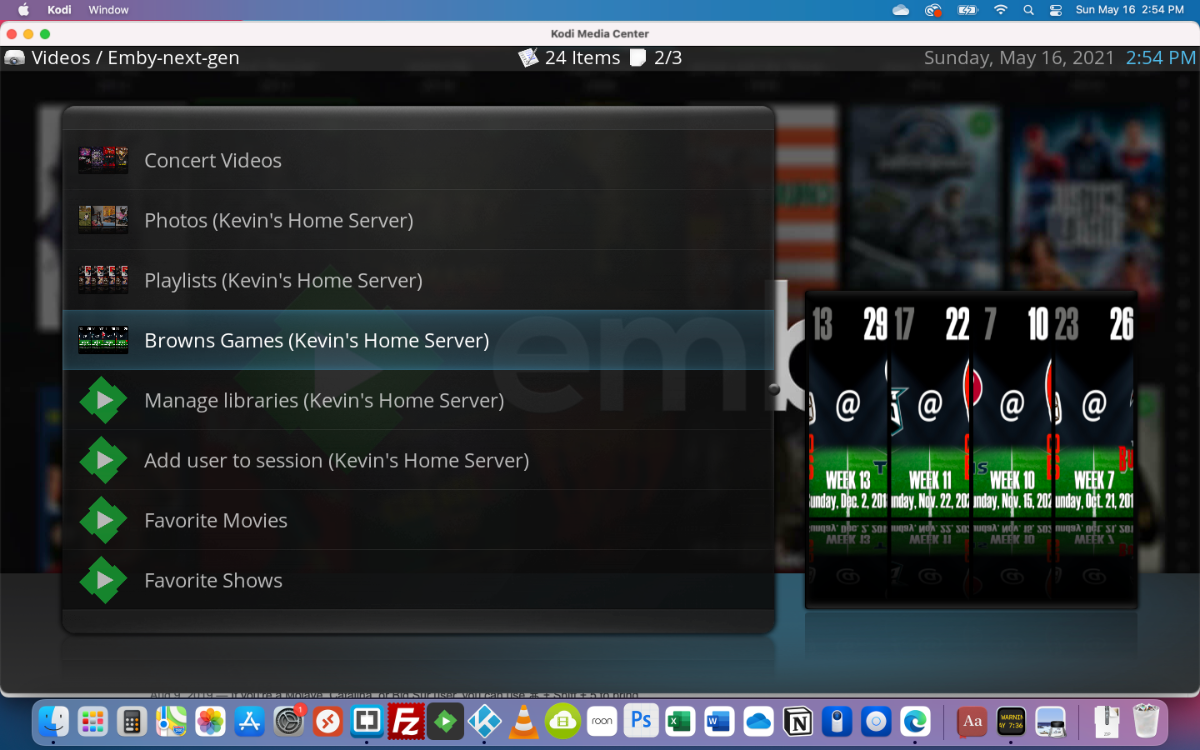
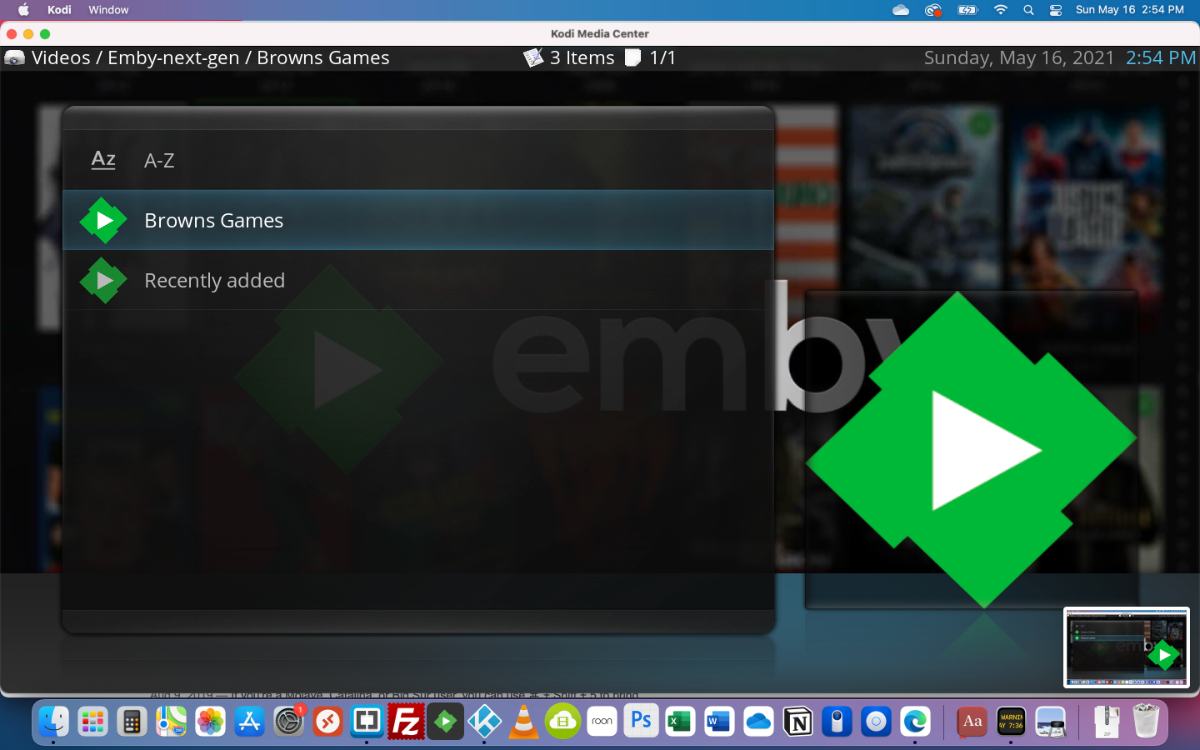
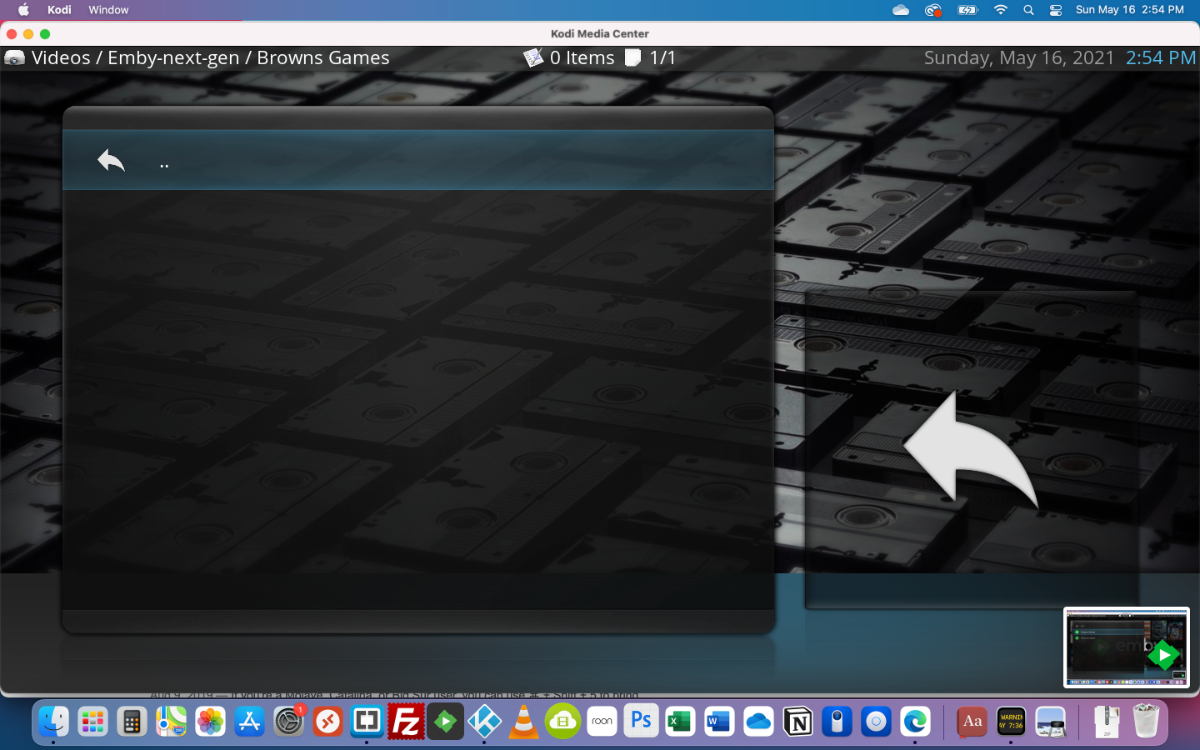
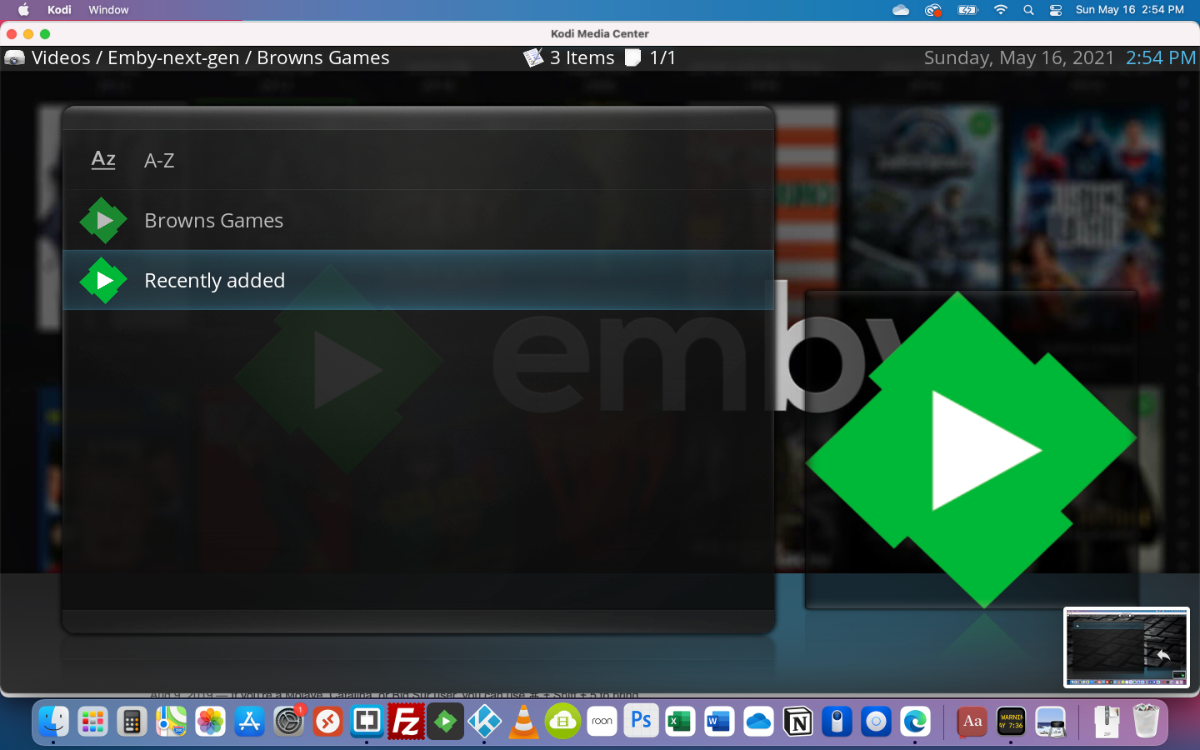
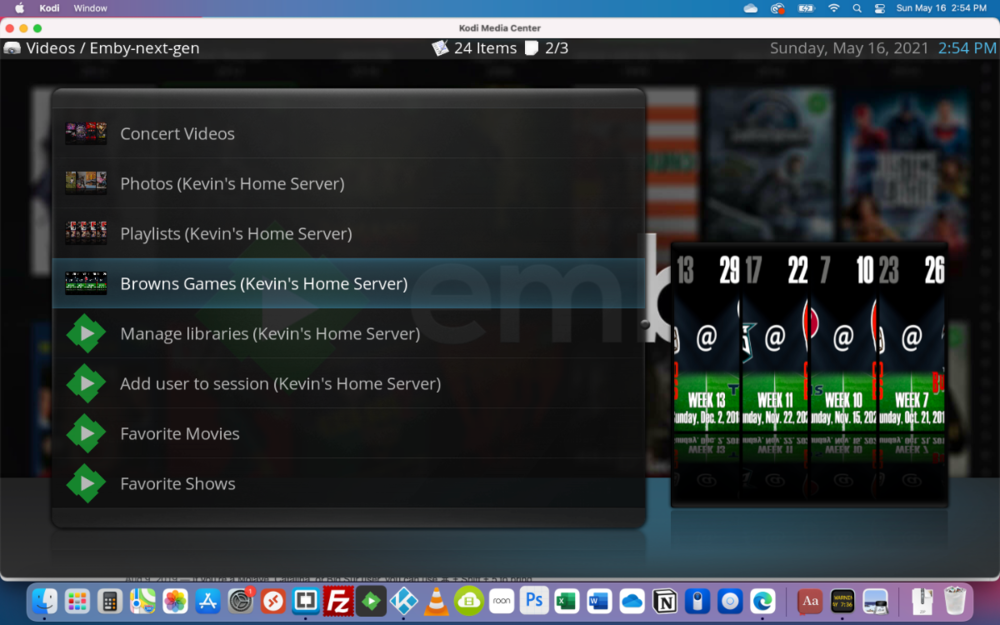
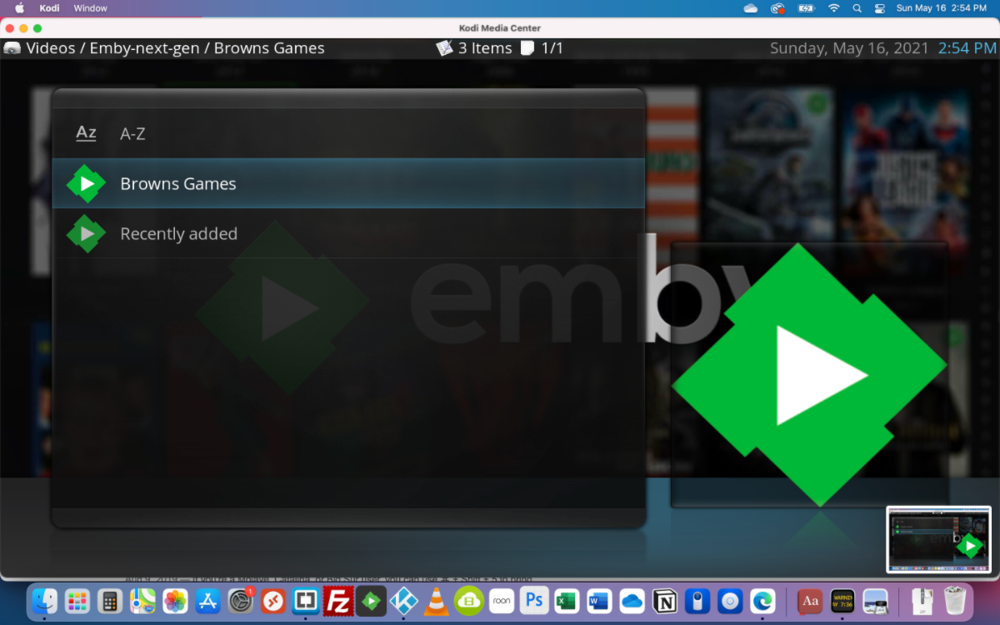
Just installed the experimental version and the problem is still there. Here are some screen shots: 1. is in the the Plugin showing the node (Browns Games) 2. shows me selecting Browns Games in that node 3. shows the empty contents 4. is back in the node with me selecting Recently Added 5. shows the displayed contecnt for Recently added under the Browns Gmees node
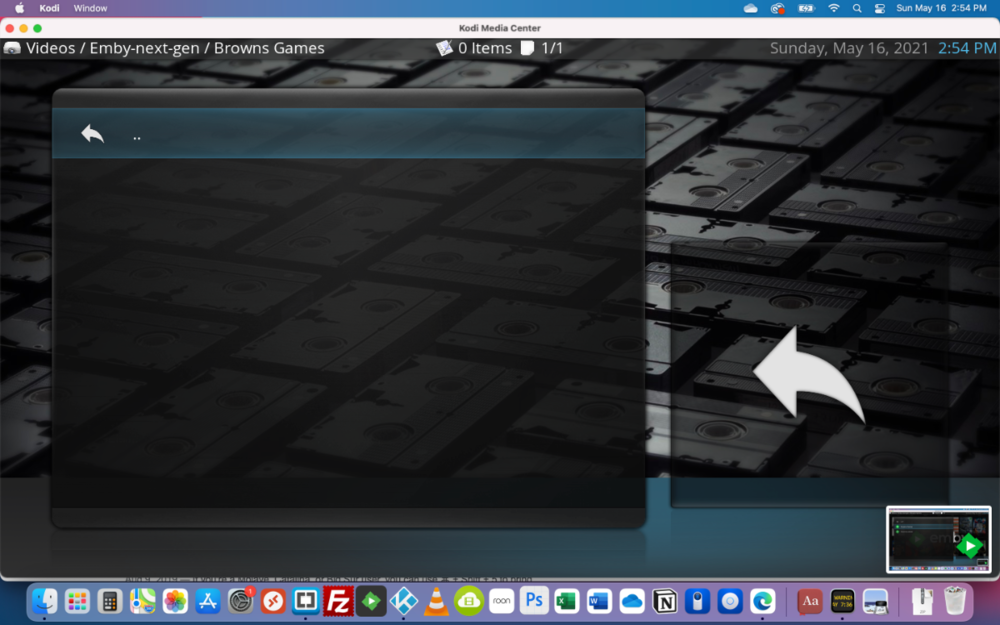
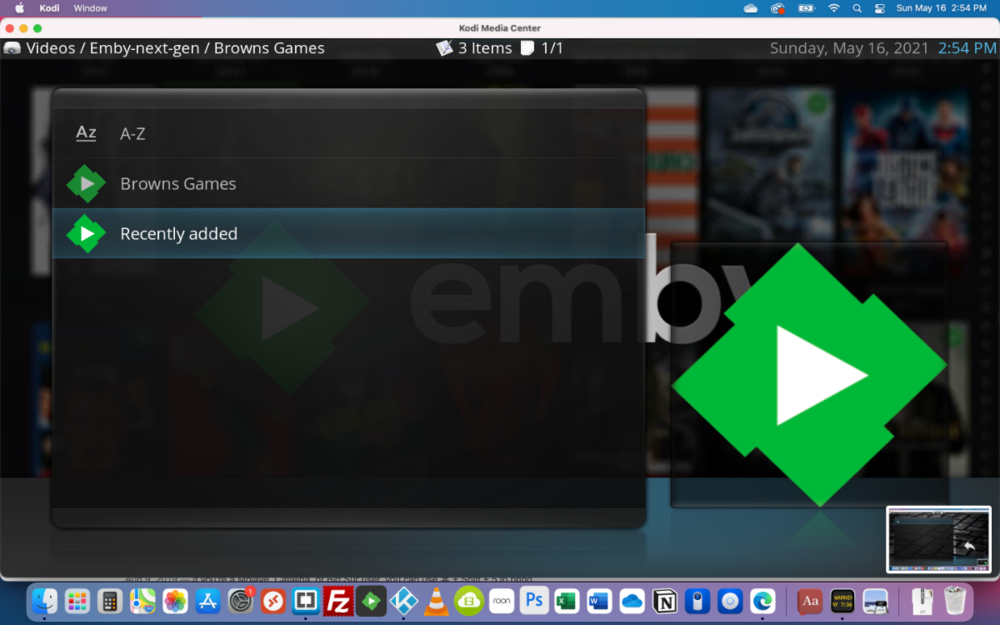
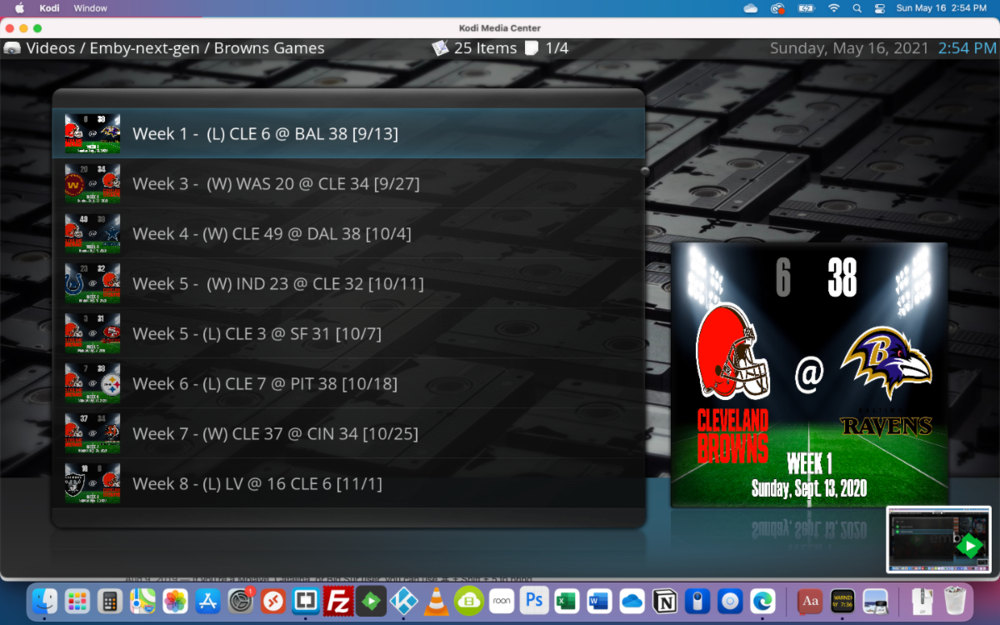 1 point
 -
Hi, gleiche Thema. Nach dem Update nur noch ein schwarzes Bild. Ton läuft. - zurücksetzen hat nicht geholfen - Updates alle installiert Alle anderen Video-Streaming Apps funktionieren. Nur emby nicht mehr…1 point
-
I was already on 5.2.0.7 but had manually installed from zip. I just reinstalled it through the beta repo and it still acts the same. Normally via nodes in a custom skin. But plugin menu yields the same results.1 point
-
It is fixed in 2.0.9 but there is a regression in the current beta. The fix hasn't gone up yet. Thanks.1 point
-
At first it crashed but a second try went well.1 point
-
Hi, try refreshing the metadata on the album and see if it helps.1 point
-
Let's hope that the next MPV player update promised by @Luke improves HEVC playback.1 point
-
Okay, sorry, maybe we are running down the wrong path here... Can you please play one of these items for a few seconds and then send a log from the app. You can send it right from the player during playback under the "cog" menu. Thanks.1 point
-
My bad, fixed.1 point
-
Daughter, but yeah.1 point
-
Hey Maisy, hold up your right hand. Now turn about 20 degrees toward the kitchen. LOL1 point
-
I was traumatized being the antenna too frequently when I was young. (There was no doubt I would be a Star Trek fan.) Broadcast signal was hardly ever good enough for us where ever we lived. We had foil on the antennas. If still bad for one of Dad's important shows, that was where I became part of the system. I love wired and even though traumatized, the idea of doing anything to get crystal clear pictures is my #1 objective: which is why I buy discs and do what I do as much as possible. I only hope my kids will keep my content and add to it someday. (locast2dvr is how I save some tv shows and movies, subpar content I spend way too much time on getting to be ok to save/watch. I don't watch LIVE TV, haven't much over the years since normal VCR's came out. My VCR was always showing the time too. )1 point
-
Hello, Sur la page d'administration où tu as acheté ton nom de domaine. Tu dois pouvoir accéder à la zone DNS et ajouter une entrée de type "IN A", exemple: ton-domaine.com IN A 93.92.156.12 (l'adresse IP devant être celle de ton serveur bien sur) Mick1 point
-
So i got an LC CX OLED and fired it up yesterday, to my big disappointment, sound did not work when playing movies with Emby. I google`d the issue, and found this thread. I had no idea that DTS did not work, even with passthrough to my soundbar. Had to use my Nvidia Shield to be able to play with sound. Looking forward to an Emby update for the LG tv.1 point
-
I remember watching the opening broadcast of the UK's second TV channel in 1955... Paul
 1 point
 -
there isnt one. you still have to uncheck what has been checked1 point
-
Thanks y'all. Keep up the great work.1 point
-
I was having an audio issue with my AndroidTV TV too. Dolby audio wasn't being downmixed so the dialog sounded very bad. There was no downmixing option in the settings. I installed the beta app, and there still was no downmix setting. However it appears to be automatically doing that now and it sounds normal.1 point
-
I can revisit this. I think it should be for raspberry pi. But, I'll create a web page that requests the currently playing item for a session and will display it, in portrait, in a kiosk browser window. We'll show a default image if the page loads and nothing is playing in the session. My development computer has been in pieces for several weeks, but I'll take a look as soon as is possible.1 point
-
Thanks, I think my solution has the same end result, only without manually having to edit the json file.1 point
-
Introduction When i am away from home, I like to have my Emby NextUp playlist downloaded to my mobile. However I needed more episodes against each series, in case i wanted to watch 2 or more whilst away from home. This script creates a version of Emby NextUp Continue Watching as a playlist (NextupPlusX) with more episodes included. By synchronising this playlist to a device, you can ensure you always have the next X episodes available locally without relying on an internet connection. issues/suggestions welcome. Installation copy files to a folder Schedule NextupPlusX eg hourly, ensure you are using pwsh v7.0+ Update config.ps1 for your requirement/environment. (pointers in the config file) emby url + api key userid + playlistname + lookaheaddepth Configure your playlist to sync, suggest you tick 'download unwatched videos only' 'automatically download new content' By instancing and scheduling multiple copies of this script, each with a unique playlist name, you can support multiple users. System Requirements Powershell 7, Should be Windows, QNAP, Linux agnostic (anything that has Pwsh7) Changelog v0.0.0.2 references the newer 4.6+ Continue Watching ribbon which can contain movies v0.0.0.1 its alive! tested on Pwsh 7.1, not tested to destruction, wonder what will happen if the playlist is updated, whilst the device is downloading. Downloads NextupPlusX v0.0.0.2.zip NextupPlusX v0.0.0.1.zip1 point
-
@Pansen No specific instructions in the QDK, however you might want to give either x41 package a try, looks like Qnap couldn't be bothered to name this device correctly. https://github.com/MediaBrowser/Emby.Releases/releases/download/4.6.0.45/emby-server-qnap_4.6.0.45_arm-x41.qpkg https://github.com/MediaBrowser/Emby.Releases/releases/download/4.6.0.45/emby-server-qnap-mono_4.6.0.45_arm-x41.qpkg The first one will most likely fail because of the Alpine CPU, hopefully the second one works.1 point
-
I certainly agree that audio and video are more important than ebooks, given that audio and video are what Emby is all about. That said, audio and video work perfectly for me and for many users, so if I were the project manager my thought would be that this is a good time to give a little love to other functionality. (Honestly, I don't care about live TV. I don't use it and don't intend to. I don't know if I'm odd in that regard or not, but when I turn on the TV I am far more likely to watch Emby than CNN.) The 3 areas of functionality I see that aren't entirely up to snuff from my perspective are books, video games, and remote use of Emby. I'm not quite sure how video games would work and I'm not sure Emby can do much about remote use given that Emby doesn't control the Internet router or firewall, so that leaves books. (I suspect Photos could use a little love too, but it works and I haven't paid a lot of attention to how it could be improved.) I am presently trying to group many ebooks into a collection with the related videos. In Calibre it's very easy for me to search the books, they're grouped as a "Series" of the collection name I am filling, so I can search on the series name in Calibre and I get them all. Emby doesn't integrate with Calibre, so when I search for them in Emby I don't get most of the books, because Emby only looks at the title, so I have to search up each book separately in Emby and add it to the collection. Another problem I am having is that Emby is pointed at my Calibre collection, and in cases where Calibre has more than one format of the book (most of my ebooks, because Calibre does conversions and I've changed reader devices several times over the years) Emby doesn't recognize that the ebooks have a cover image (even though it's in the folder with the name "cover.jpg") so either I have to manually add the cover to the books or delete formats I'm not using at the moment. I see this as a bug. Also while Emby allows you to group videos (for example) together when you have more than one copy of the same video (for example, The Avengers in 720p, 1080p, and 3D could be listed as one item with one poster), when you have more than one version of an ebook, all versions are listed separately and you can't group them. As I have up to 5 different versions of some books (and most of my ebooks are in multiple formats), my ebook collection looks very cluttered (and mostly without covers, although mostly they're there) in Emby. Here's my perspective: When I am at the TV, I choose to use Emby. When I am sitting at my server (which, being a normal person, is my desktop), I find the video or audio in the file structure and watch it with VLC, find the photo and open it with Windows Photos, and use Calibre for my ebooks. I would like Emby to be good enough that when I'm at my server I don't find it easier to go into the file system, find the file, and use a specialized program on it.1 point
-
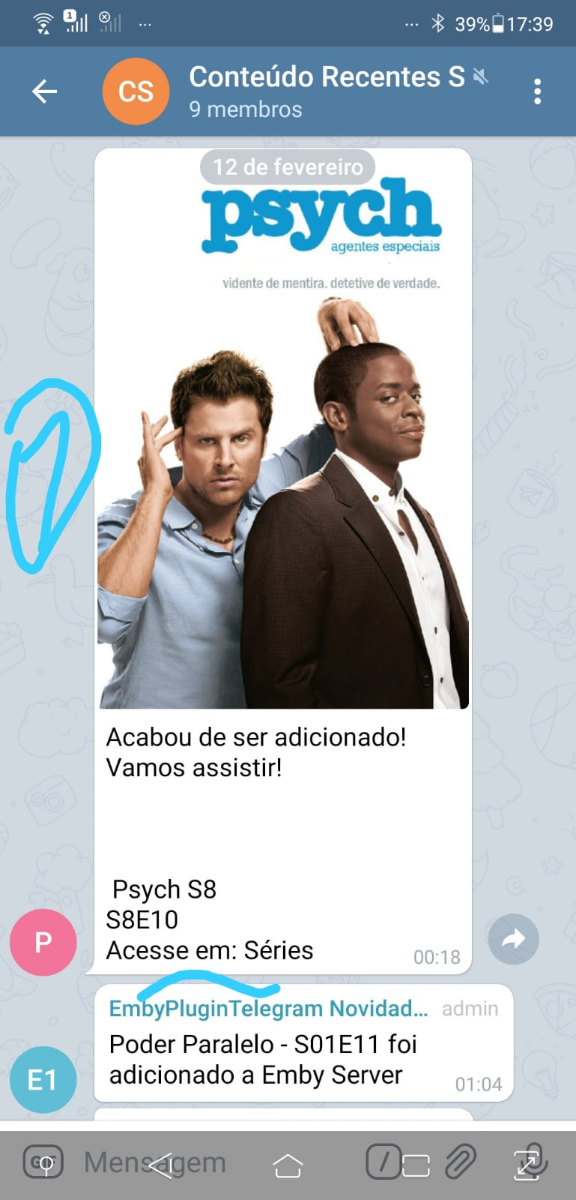
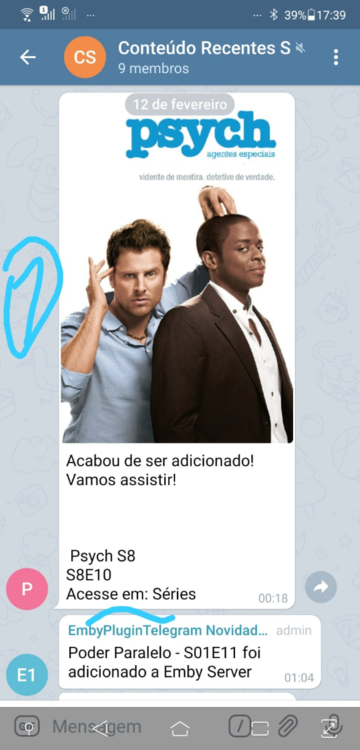
Hello friends developers or plugins creators, is there a possibility to have a feature closer to this plugin used in Plex? Follow the photo below, which was sent by a member of a group of which I participate.
 1 point
 -
We are working on getting our update released. Thanks.1 point
-
Think we may be talking apples and oranges. I have two locations, each has an HDHOMERUN providing live tv. The HDHOMERUNS want to be on the same LAN as the server so require a local server. I would like to view them both from EMBY and be able to see the channels from both devices at both locations in the same guide. Currently I can switch between servers but that is kind of a pain. I figured if I had a server at each location and could "merge" them, that would solve my problem.1 point
-
+1 this would be great to be able to seperate live TV from movie and tv collection1 point
-
This is exactly what I want.1 point
-
Merging Live TV channels from two servers into a single TV guide would be awesome.1 point
-
For the online web app it's not that simple. We have to allow http://app.emby.media to work so that users who haven't' setup SSL can connect. We could probably have it redirect to https://app.emby.media in certain circumstances, but there's still a couple problem with trying to do that. You'd have to login twice because http/https are two different urls, thus two different web apps as far as browser data storage is concerned. And also when you're inside your local network, it would have to use your remote https address all the time, because the local network http address is not allowed on the https protocol. So you have to make sure to understand these things and then decide what is best for you. If you want to have all possible features along with https, then the native android and iOS apps are your best option because those will be able to automatically switch between your local http address when inside your network, and your remote https address when outside.1 point
-
Can you actually give examples of what it is that you do not like about the appearance of Emby? Otherwise there's no way to improve on it. Personally I think it looks great on my ShieldTV's in the AndroidTV app.1 point