Leaderboard




Popular Content
Showing content with the highest reputation on 05/12/21 in Posts
-
Our support KB has answers for a lot of these questions. Thanks. Can I use my Emby Premiere Key on More than One Server3 points
-
At the end of playback instead of displaying the detail screen, a post-playback screen could be displayed. For example, in TV Shows you could offer to play the next episode, in movies, you can offer related movies or if the film is part of a collection, offer to play the next item.2 points
-
The scanning was the missing piece of the puzzle. Works great!2 points
-
Si, par exemple, l'utilisateur UserEmby1 utilise 2 device différents (une tablette et une télé par exemple), ça va utiliser 2 slot. Chaque slot est libéré lorsque le device n'a pas été utilisé pendant 1 semaine. Mais s'il n'utilise Emby que par un seul appareil, ça n'utilisera qu'un seul slot, oui.2 points
-
Hi guys, I wanted to move from plex to emby since a while for multiple reasons. I decided to make this guide first because I want to give back something to the amazing community behind UNRAID/REDDIT/EMBY and second because I couldn't find a step by step guide so I thought it would be nice to have a lot of useful information in a single place. If you just want to setup the hardware transcoding using intel quick sync video in emby on unraid go directly to STEP 8. I take also the opportunity to thank spaceinvaderone for the amazing videos he made about UNRAID, I learned a lot, and the linuxserver.io guys/gals for the amazing job they do supporting and maintaining the community images. Note: I am not affiliated with anybody nor I get paid to do this, this shows the steps I used to setup emby on unraid so to make it easier for you to do the same. Also english is not my native language so excuse me for any syntax/grammar error. Last premise before we start, if you want to add something or you think some steps needs additional informations to be clearer let me know in the comments. @Mods: I couldn't post it under "tutorial and guides" section. if you can please move it to the appropriate section, thank you. Let the fun begin... PREREQUISITES: -------------------- UNRAID 6.9-RC1 or newer UNRAID COMMUNITY APPLICATIONS (Refer to this post on how to install: https://forums.unraid.net/topic/38582-plug-in-community-applications/) EMBY v4.5 or newer EMBY PREMIERE SETUP: --------- STEP 1 - Setting up a dynamic DNS ----------------------------------------- Use your preferred dynamic dns provider to setup a custom dns tracking service. For example: "emby.hopto.org" where "emby" is the name you want and the rest is fixed depending on the dynamic dns provider. Ex.: "myembysrv.hopto.org" STEP 2 - CREATE A CUSTOM DOCKER NETWORK ---------------------------------------------------------- Inside the unraid web interface, open a terminal by clicking the terminal icon on the top right corner and type docker network create cdocknet where "cdocknet" is the name of our custom docker network. You can name it whatever you want. Press ENTER and then a long string of random characters (network id) should appear meaning the custom network was successfully created. If there is an error message make sure you correctly typed in the command otherwise search google for the error message and fix it before moving onto the next step. If everything is successful you can close the terminal window and proceed to the next step. STEP 3 - Install SWAG (Secure Web Application Gateway) ------------------------------------------------------------------- Inside the unraid web interface, go to apps then in the top right corner inside the search bar search for "swag" (without quotes) Click install and you will be redirected to the container settings. Change the following settings: Network type: -> Select Custom: cdocknet (or watherver name you assigned in step 2) HTTP: -> Change it to 8080 or another port that is not in use either in unraid or any docker you have HTTPS: -> Change it to 8443 or another port that is not in use either in unraid or any docker you have EMAIL: -> Your email address DOMAIN NAME: -> The Dynamic DNS domain name, so if we use the one I setup in the first step it is going to be hopto.org Yours can be different. Ex.: ddns.net, duckdns.org SUBDOMAINS: -> Delete the "www" and replance it with the custom name you chose in step 1, in our case emby. ONLY SUBDOMAINS: -> Set it to true (we tell swag to issue the cert. only for our subdomain as we don't own the top level domain be it hopto.org or whatever else you chose) You can leave the rest as default. Now before clicking "APPLY" open a new tab and go to your router setting and setup a port forward to unraid for the port 80 and 443. I cannot give a specific guidance here as every router setting is different. Try to search for port forwarding [your router model] in google and read how to do it. You should have a table/items like this. You need to setup 2 port forwarding, one for port 80 and one for port 443. NAME/APPLICATION NAME/SERVICE NAME: Swag80 IP ADDRESS: enter unraid ip address PUBLIC PORT: enter the default HTTP port, in this case 80 PRIVATE PORT: enter the custom port you setup for the docker, in our case 8080 PROTOCOL: TCP NAME/APPLICATION NAME/SERVICE NAME: Swag443 IP ADDRESS: enter unraid ip address PUBLIC PORT: enter the default HTTPS port, in this case 443 PRIVATE PORT: enter the custom port you setup for the docker, in our case 8443 PROTOCOL: TCP After you did so go back to unraid and click apply. Once swag is installed check the log setting to make sure everything is done without error thus a certificate is created and valid. Basically you shouldn't have any red/amber warning in the log and at the end you should see a "Server ready." message. If any red/amber shows then check the port are correctly forwarded (make sure the numbers are correct, the unraid server's ip address is correct) otherwise read what the error says and do a search to fix it. STEP 4 - Install Emby -------------------------- As before go under the apps tab in unraid to open the community applications and search for emby. You should see 3 or more emby containers, you can use the one you prefer. For our guide we use the official emby container. Click install and again you'll be redirected to the docker settings. Change the following settings: Network type: -> Select Custom: cdocknet (or watherver name you assigned in step 2; if you have multiple custom network make sure you use the same you setup in swag otherwise the reverse proxy won't work) Host path 2:* -> Path to your media folder share. Ex.: /mnt/user0/Media Then click apply and wait for the docker to be pulled. Once it's complete you can open emby web interface by clicking on the EmbyServer icon and select "WebUI". Emby asks you to setup a username and a password. Note this one will be the admin of the server so use a strong password. Don't worry about Emby connect, this is not required at this moment so you can leave it blank. If you have one feel free to enter it. Click next. You can already setup the library in this part or skip and do it later. For the purpose of this guide we skip it as it's not difficult and there is plenty of documentation on emby website on how to do that. So now you can click finish and you will have emby UI with all the libraries (if you setup any) and the possibility to access the server settings. STEP 5 - Configure SWAG proxy-conf --------------------------------------------- If you didn't change the default appdata config path in swag you will have all the config file under /mnt/user/appdata/swag. So from unraid webui set the appdata share to export with public access type. To do so just click on the appdatashare, then under SMB Security Settings set the following: Export: -> yes Security: -> Public Click apply then done. From your PC/MAC navigate to the appdata share and open the swag folder. In windows would be "This PC-> Network -> unraid_server_name -> appdata -> swag" Inside swag navigate to nginx and then open proxy-conf folder. Search and open a file named emby.subdomain.conf.sample with your preferred text editor be it notepad, notepad++, gedit or whatever. Inside this file you have to change: server_name emby.* to whatever name you setup in step 1 for the dynamic dns. Example if your dynamic dns is myembysrv.ddns.net in this line you would setup server_name myembysrv.* The other line we have to change is the set $upstream_app emby by replacing emby with the container name. If you used the official emby container and you didn't change it then you would set this up to set $upstream_app EmbyServer . You can find the container name in unraid. Now click save and rename the file by removing the ".sample" at the end. So the new file name will be "emby.subdomain.conf". Go back to unraid webui, click on the swag container icon and restart the container. (This reloads the configuration files in swag like the one we just modified) STEP 6 - Configure remote access on Emby --------------------------------------------------- Open emby webui by clicking on the emby docker icon in unraid, go to settings -> network. Tick the "Allow remote connections to this emby server" now some extra settings will appear. Scroll down till you find "Public HTTPS port number" and change it to "443" Right below you find the "External domain:" and set this to the dynamic dns we setup in step 1. In our case is "emby.hopto.org" Then scroll down a bit more till you find "Secure connection mode:" and change it to "Handled by reverse proxy" Then just below it untick the "Enable automatic port mapping" and then scroll at the end of the page and click save. Go back to unraid webui and restart emby docker. STEP 7 - Test the remote connection -------------------------------------------- Open a new tab and go to "https://emby.hopto.org", of course replace this with your custom dynamic dns entry. Ex.: "https://myembysrv.ddns.net" You should see a "Please sign in" page with emby logo asking you for a login and password. If you see a connection timeout then you did something wrong. Go back and re-read all the steps and make sure you did everything correctly. If you see an SSL cert error/browser warning that the connection is not secure then you messed up with the ports or skipped some steps. Again re-read and make sure you did everything properly. STEP 8 - Setting the HW (hardware) transcoding in Emby with intel QSV (Quick Sync Video) ---------------------------------------------------------------------------------------------------------- Requirements: Emby premiere Intel CPU that has Quick Sync Video (search your cpu at https://ark.intel.com/content/www/us/en/ark.html#@Processors) Compatible motherboards (sometimes iGPU has to be enabled in BIOS/UEFI, in some other cases you need a VGA/HDMI plugged-in to have it functional either by plugging in a monitor or by using a dummy VGA/HDMI adapter) If you meet the above requirements please read on... Open a terminal window in unraid (top right corner, click on the terminal icon inside the unraid webui) and type the following: ls /dev/dri and press ENTER If you see something like by-path/ card0 renderD128 this means that the QSV is already enabled in your unraid server and you can skip to the docker setting step otherwise read on. In the terminal window type: modprobe i915 then press ENTER (if there is any error stop and solve this before moving on. Make sure you meet all the requirements) Then type: ls /dev/dri and press ENTER. Now you should see something like this: by-path/ card0 renderD128 Now type chmod -R 777 /dev/dri to set the permission on the folder so we can access to it from the emby docker container. Once that's done close the terminal window, go over Emby docker container icon and click "Edit". This will bring the container settings up like the first time we installed it. Scroll down at the bottom and click on "+ Add another path, port, variable, label or device". A new window/popup will open. Change the following settings: Config Type -> Device Name -> /dev/dri Value -> /dev/dri Description -> Intel Quick Sync Video Then click "ADD" and the "APPLY" and after the container is pulled down again click on "DONE". Now open emby webui, go to "Settings -> Transcoding" and make sure you have "Enable hardware acceleration when available:" set to "Yes" or "Advanced". With advanced you can see the various preferred hardware encoders/decoders emby will use and tick/untick the ones you want. Scroll to the bottom and click on "Save". STEP 9 - Testing the hardware transcoding and make Intel QSV persistent across unraid server reboots ------------------------------------------------------------------------------------------------------------------------- To test if the hardware trascoding is working as intended just go to your library, open a movie and select a different quality. For example you can set it to 480p - 1Mbps and click play. If you go in your server dashboard inside emby webui settings you will see under Active devices the client name that is reproducing the movie and just below informations about wether it is being transcoded or not and which encoder/decoder is being used. For example if you see VAAPI (Video Acceleration Api) means the hardware transcoding is working using the intel QSV by accessing /dev/dri (Direct rendering infrastructure). Finally last step is to go back into unraid webui, open a terminal window and edit the go file to make sure Intel QSV is always on even if we reboot the server. To do so type: nano /boot/config/go and press ENTER Nano editor will open and you will see the content of the file. If you never modified it before it should be similar to: #!/bin/bash # Start the Management Utility /usr/local/sbin/emhttp & Just add the following lines to the bottom of the file modprobe i915 chmod -R 777 /dev/dri Your go file should look like this: #!/bin/bash # Start the Management Utility /usr/local/sbin/emhttp & modprobe i915 chmod -R 777 /dev/dri Save using the CTRL + O and then CTRL + X to exit Done! If you read it this far I thank you for the attention and I hope you found this guide useful. Finally you can enjoy your media on the sofa.1 point
-
I suggested in a totally different thread a bit ago about possibly adding Discogs as a meta fetcher... https://emby.media/community/index.php?/topic/79280-duplicate-music-artists-entries-how-to-get-rid-of-them/ That thread has had a few +1 reply posts. As such i figured adding it to the feature requests was the proper way to gauge interest. If you have used MP3tag you should be familiar with Discogs. Its a GREAT alternative to Musicbrainz.1 point
-
Hi, I hope Emby developers can find the time to integrate CinemaVision into Emby so we can use this great Cinema experience tool in emby Theater. I know Ragnarok has been excited to assist in integrating it into emby. The only reason I am still using KODI is for this add-on as it makes my cinema room like a real theater. It might not be a to hard of an integration as both emby and cinemavision were both originally build on xbmc if not mistaken. For anybody who is not familiar with CinemaVision, please have a look here: https://www.youtube.com/watch?v=9yrs1xRgIvk https://cinemavision.tv/1 point
-
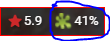
Popularity/review ratings metadata seem to be spotty and I'm not sure why - popular movies, bad movies, auto-matched movies, doesn't seem to matter. Some have ratings, some have none, some have only one rating, some have two ratings. Is there a way to consistently get ratings? Some have Rotten Tomatoes rating, but it is the Tomatometer rating - is there a way to get the 'audience score' rating instead?
 1 point
 -
I know when using Emby Theater Desktop lately the cursor doesn't always fade very fast and if I flick it to the right to make it go off screen instead it gets the horizonal resizing look and doesn't go away, that's with full screen on. Emby Theater 3.0.15 The screenshot I took is useless, it doesn't show what's happening. Also the cursor won't disappear on the left side of the screen for me either. Right side it should float away, but it's not working right, it's grabbing instead when it shouldn't.1 point
-
It sounds like there's something we need to look into. Thanks for reporting.1 point
-
Any new file needs to be scanned in by the server, regardless of where it is .1 point
-
That's the goal of this FR. I like the Netflix post-play screen when auto queue episodes is disabled. Just pressing OK, you play the next episode. Using Emby you have to scroll down to the Next Up hub, scroll right, press Ok for next episode detail, and press ok again to start playback.1 point
-
The client can obviously only connect to one server at a time - but are you saying if you do a 'disconnect', the two servers are no longer listed ? You have to keep manually/discover the server each time ? I'm not familiar with the Roku, but on the Android and FireTV, it keeps all the previous settings - so you can pick the server from a previous list. This is what you want correct ? btw - if they are using separate IP's - then there is no need to use separate ports. Only if they are the same IP do you need to use an alternative port for the nth instance.1 point
-
OK I will circle back to you soon as I am heading out shortly Thanks for your relentlessness support1 point
-
Worked like a champ! The mapping was the part I was missing. None of the channels mapped automatically, but once I went through the process, the guide is fully populated. Thanks!1 point
-
It is buggy and things do not behave like in other apps (channel logo resizing in GUIDE or CHANNELS, sticky view for Music library, square artist pictures rather than round in the other apps, frame rate match on playback, de-interlacing of interlaced content, embededd basic subtitle support, and others). Its a work in progress - shame its taken so long, as Emby on Apple TV really shows promise. Really hope they get there and not too much longer....1 point
-
This is exactly what I wanted! Thank You1 point
-
That won't cause a problem. We never read that. It is only written for 3rd party applications.1 point
-
Delete option is working1 point
-
It an issue of "script.mode.metadatautils". Multiprocessing function has a bug (probably Windows specific).1 point
-
La licence s'applique à l'appareil, pas à l'utilisateur. Par exemple, un utilisateur peut avoir un téléphone, une tablette, une box Android TV ... L'utilisateur consommera trois licences.1 point
-
Oui, tant qu'il n'y a que 25 appareils qui utilisent Premiere. Pensez à 25 emplacements d'appareil, chaque fois qu'un appareil utilise Premiere, un emplacement est rempli. Si l'appareil n'est pas utilisé pendant une semaine, l'emplacement est libéré.1 point
-
Ce n'est pas correct C'est correct1 point
-
Bonjour, j'avais cru comprendre qu'on pouvait l'installer sur plusieurs serveurs tant qu'on ne dépassait pas la limite de 25 utilisateurs1 point
-
I found the solution and its a weird one. Remuxing the original video with mkvtoolnix fixes it. This is probably due to the FLAC metadata not properly written. So it's the audio's fault and not the media player.1 point
-
@cayarsI went ahead and put the script together with the group-title tags separated by semicolon and it seems to be working. If anyone is interested I have a python script that will compose a m3u file from TVHeadend with the proper group-title tags included.1 point
-
Before you fully commit to this, verify remuxing does actually correct the issue. Test with one file, first. And unless you're familiar with running a command line for something like ffmpeg, remuxing to mp4 can be a pain (apple sucks!). Using a tool like mkvtoolnix is more user friendly. And if you remux to mkv and a player doesn't support it, the server will very easily and quickly remux to a supported container. Most players support mkv these days, browsers are one exception, and apple is another (because apple are douchebags and want to only use their own mp4 creation).1 point
-
No option to disable HTTP. If you disable that you would not be able to access the server on LAN. If you don't want HTTP on WAN then don't forward the HTTP port on the router and only forward HTTPS. The server won't bind on HTTPS port until a valid cert is installed.1 point
-
It is possible but documentation says it is armv8. ARMADA 3700 Hardware Specifications (marvell.com)1 point
-
I can duplicate this as well with your zip. Once I add the two WOW Huntsville entries I see different codes show up in Emby for each guide so they are different. They could have done a repack or maybe have a basic and "digital package" or similar. In any event try the first one and if all your channels map then call it a day. If you're missing channels remove the guide and try the second one. I just reported this to our provider so they can get this fixed. THANK YOU!1 point
-
Per your other topic it appears you need armv8. https://github.com/MediaBrowser/Emby.Releases/releases/download/4.6.0.44/emby-server-synology_4.6.0.44_armv8.spk But don't really know the issue if you have already tried it. But could be the processor itself. Marvell A3720 dual-core 800MHz1 point
-
Is that like an Emby multi-personality disorder? LOL1 point
-
It uses TV Theme Music - TelevisionTunes.com.1 point
-
You may need to set this up manually in Emby but it's all spelled out in the link I gave you. If you get stuck or don't understand something, send me a PM and I can personally help you with the setup.1 point
-
Actually we made the change to reenable this, I'll get a test build up soon. Thanks.1 point
-
I'd like to give a notification or pop up on playback to notify users their Emby client is transcoding, especially if they are transcoding 4k as it cripples the server. Whenever I find issues the user is usually completely unaware they are transcoding or causing issues for others as their steam is buffered.1 point
-
Improved channel management coming in Emby Server 4.6:1 point
-
And how many poor children get named after these by doting parents with an obsession? Names are commonplace... Paul1 point
-
Hello all, Thanks again so much for this plug in. I think this may have been asked before, but I was wondering how difficult it would be to have a selectable number of bumpers to play instead of the hard 3. Additionally, is there some way to select say only play 2 bumpers after every 3 shows/items. For instance I have set up a old mtv style channel with music videos, but it gets a bit annoying to have 3 bumpers play after every video. I was thinking more like a radio station format, say 3 or 4 songs (music videos), then insert one bumper, etc. Not sure if this is possible but thought it couldn't hurt to ask. Thanks again for all the hard work on this and please know it doesn't go unappreciated.1 point