Leaderboard




Popular Content
Showing content with the highest reputation on 05/09/21 in Posts
-
I made my own2 points
-
Agreeed. Or just a new row that shows all new shows or episodes for that week or two??2 points
-
Gotcha. This helps explain some of why this is such a pain to implement. The other guys haven't even bothered to try it, so I really appreciate that it works at all and that you've taken the time out to implement it and respond to questions. Thanks again for all you do!2 points
-
Yes. The item can still direct play and have the app decode the audio instead of sending the bitstream to the outboard equipment. But, when you do that (on an Android device), you are almost always giving up your surround sound - something that is irrelevant on a phone but not necessarily a TV.2 points
-
Hi, This has been talked about a lot on the Apple TV forums, but there is no formal request for it. So I do it here, please add support for MKV HEVC HDR playback using Apple TV (without tone mapping). I don't care what technique you use. Either adding HLS fPM4 support to the server or improving the MPV player. I anticipate that I am not satisfied with you saying that Apple TV does not support that, since most players on the market support it. Thanks1 point
-
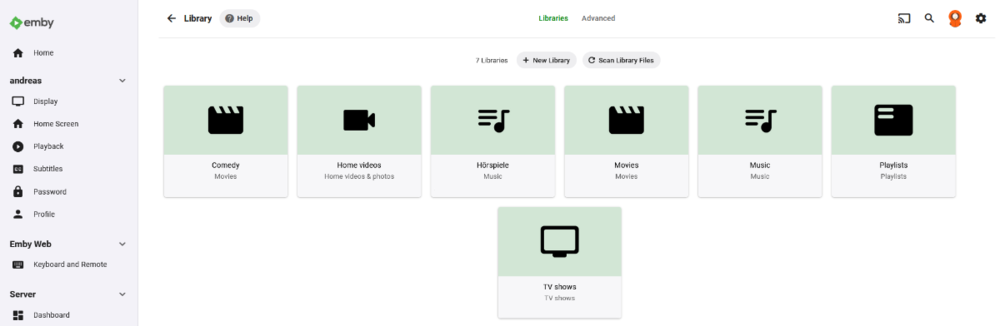
I made some default library images for those who like a clean, simple interface. The idea is to put the content in first place. Just in case anyone wants to use them. I used the green from the default Emby theme, the icons are from the google material icon set, style set to rounded, to match the recent Emby style. (Although I do not like that everything needs to be round nowadays). Images are 16:9 / 1920x1080px png-files. Movies: TV: Music: Home Videos: Playlists: All.zip






 1 point
 -
At present, the following fields aren't able to be locked: Original title Community rating Critic rating Tagline Overview Release date Year1 point
-
At the end of playback instead of displaying the detail screen, a post-playback screen could be displayed. For example, in TV Shows you could offer to play the next episode, in movies, you can offer related movies or if the film is part of a collection, offer to play the next item.1 point
-
its the start of the BTCC motorsport in the UK which is probably one of the longest single-program EPG broadcasts around. while we originally started watching the recording almost-live, we've stopped & turned TV off and came back to it throughout the day. this means mid-recording playback resume. now we're around the 3h30min mark of playback (off around 8hours) then emby is refusing to play back via any frontend; androidTV, sheild or web based. in an effort to figure out whats going on i play from the start of the recording and it immediately playbacks, however skipping forward manually (about 1 hour) appears to just make emby upset and refuses to actually play back. i've attached the transcode log of this attempt. server is linux and there doesnt appear to be any excess resource usage - system resources all seem good (nvidia-smi, disk space and general system resources) theres another 30mins of the EPG broadcast so once finished i'll try again & try transcoding via handbrake to see what result those give. ffmpeg-transcode-cf4b97c1-0eef-4534-afc5-cd55fe0d21bb_1.txt1 point
-
Hi Emby I'm a long time user of EMBY and I wanted to know if there is a better way to show photos and home videos as I have a massive amount of content of my kids. I have a media library setup with "Home Videos and Photos" media type and the video part just doesn't work very well. Before I looked at another option I wanted to ask if I was doing something wrong and if I could get this working more smoothly? The photos part works as you'd expect but when it comes to movies, it sucks. I shoot all my movies on my iPhone and then upload them to my library so we can view them there and also Chromecast them. All the videos are really jerky, they don't play easily and I get a thumbnail with the video image and a "1080" stamp but they don't play well. I often find myself leaving EMBY to use VLC or something similar. I'm running on Windows 10 fully updated but I'm wondering if I'm missing something like CODEC's or similar? To my mind this should be really smooth and easy but I might have this setup incorrectly. Any help greatly appreciated. Cheers1 point
-
About 300 channels1 point
-
@cayars Thank so much Helped me and learned along the way1 point
-
Got Luis up and running using a VPN and alternate port. I was able to connect and playback as well as he using his phone.1 point
-
Yes Emby does this differently by user request over time. If you load up a couple of m3u files with duplicate IDs this can be a real pain to dedupe. It's far easier to remove feeds that duplicate the ID to simplify the Guide for users. Those users who have more advanced needs are in control to modify the m3u file to give them exactly what they need. This is the best of both worlds to dedupe/simply for those who don't understand this stuff while allowing the more advanced user control over their feeds. This could likely change in th future but for now to allow these additional channels you'll have to modify the ID maybe add an "-2" or similar to make it unique.1 point
-
They Said i only do those for Buisness Accnts1 point
-
He showed that above. I think the only conclusion is that something on the network is blocking access or the two devices are on different networks.1 point
-
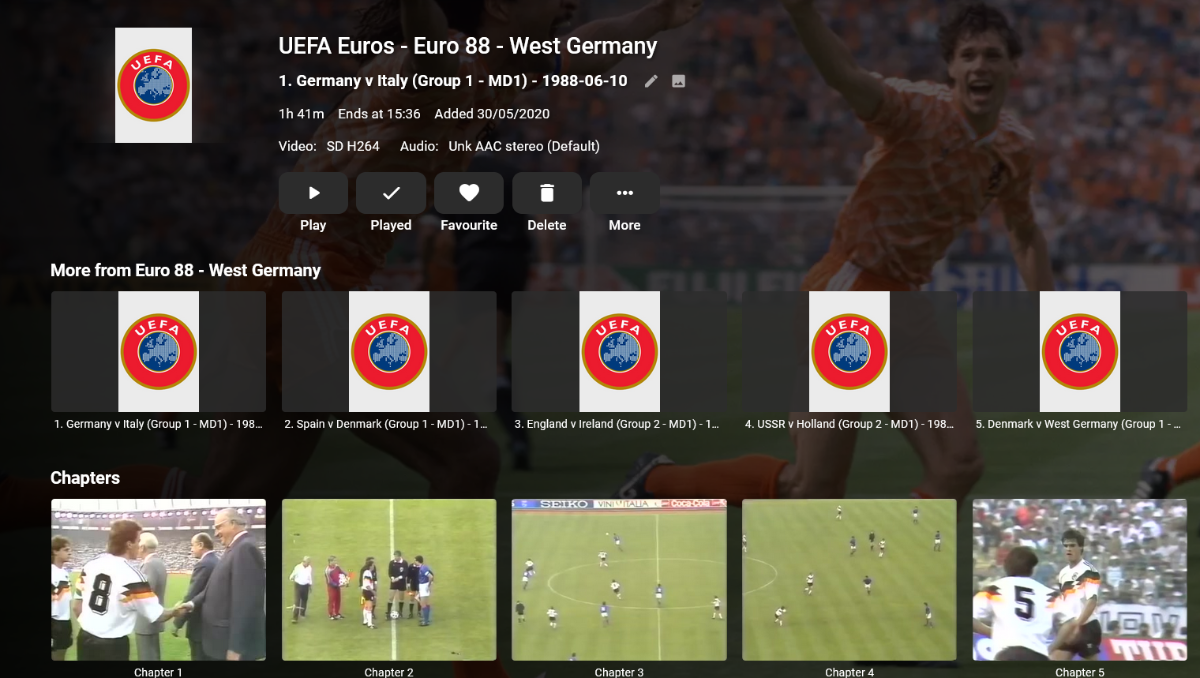
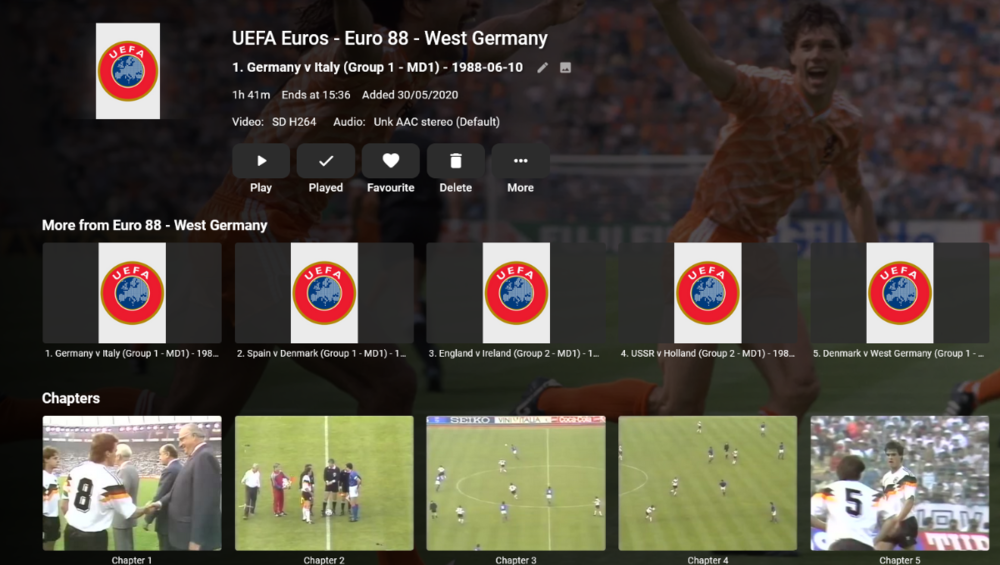
I have a couple of sports related libraries with matches I've recorded from TV, when setting them up in libraries I have the library set to use 'Thumbnail Images' (Generate video preview thumbnails = 'as a scheduled task and when media is added'), I can see this works great in the 'Chapters' part of an entry (ie a match) but the screenshots aren't used for the entry itself, instead the main image for the top level item is used (see screenshot attached). The absolute ideal scenario would be to be able to select one of the chapter images as the main image for the entry or, if not that then, to click a button in 'Images' that will show a few screenshots to select from. Thanks
 1 point
 -
Yes exactly, the skip length in the playback settings, they are unreachable for me in this version. Samsung Q90R1 point
-
Well, that wouldn't be the exact same thing would it? If they really were the exact same thing then you wouldn't have a need to access them individually.1 point
-
Where? Media does not vanish, unless you have say a unplayed filter applied or you are talking about the Home Screen (and there is a setting for that). Currently there are no private/public playlists. The Playlist system has to be reworked. lots of discussion here.1 point
-
Looks very nice. Thanks for sharing.1 point
-
@EricOnEmby - Sorry for the confusion! Emby works perfectly on a headless server with Nvidia GPUs, including hardware transcoding This was just about a reduced driver package for Nvidia that Ubuntu has named 'headless..' That reduced driver package doesn't support hw transcoding, so you need to install a different driver package. That's all.1 point
-
Great!!! It wasn't mentioned in the beta release notes.1 point
-
What server platform? Does removing CoverArt plugin resolve the issue? But will guess these are related. My Movie primary images all turned grey? - General/Windows - Emby Community1 point
-
Right I'm just saying that you may need to do this once they resolve the underlying problem.1 point
-
Emby does work work it. This is only about trying to use hardware transcoding.1 point
-
Solved it! Just in case anyone what the issue was, it turned out the music didn't have any media identifiers attached. Don't know personally why this would be the issue for mobile app but not the desktop app?1 point
-
You are looking at values you edited in Emby vs. tags existing in the media itself. Local metadata (being either tags within the media or an accompanying metadata - nfo - file) will always take precedence over values you enter in the UI - unless you lock those values. This is because the media tagging/local file should be the most accurate (from the standpoint of what the user wants) source. Music is even more stringent to the above because music is very commonly tagged with all the proper metadata. Also, you are saying "didn't fetch". Exactly what were you expecting to be fetched and from where? Did you enable metadata fetchers for your music library? Even still, this will depend heavily on the tags in the music because that is the only accurate way to identify most music.1 point
-
That is the logic. YOU provide DATA by making sure YOUR files are TAGGED correctly. Once the media is tagged correctly you could reload Emby a hundred times and it will always pull the same correct data in.1 point
-
Yes. I will PM you with link as i upload it. (It will take some time)1 point
-
Those are actually generated on the fly I think from the material icon set. You could make your own from there. You may also want to check out: https://emby.media/community/index.php?/forum/70-fan-art-videos/1 point
-
Hi. Yes. Give them a custom image via that same dialog instead of just deleting the automatic one.1 point
-
In my (fairly simple) testing, changing the SRT file resulted in a new VTT file being generated. However the old VTT file is not deleted and the new one is retained. I don't know when/if Emby ever cleans up these cache entries. As @rbjtech said, for something like this where the VTT file can be generated in a fraction of a second I don't really see the point of caching it to be honest and that would avoid any potential issues with using a stale file by accident (i.e. due to some bug).1 point
-
Yes, for now, everything works fine. I recently updated the libraries with new content without any issues. I still haven't installed the plugins. I'll do it one by one and watch if something goes wrong1 point
-
Hi, Update: I deleted all of the' blank' images, rebooted the server, and after a random amount of time (an hour or so) Emby updated itself and all of the library images are now showing as expected. Don't know why they weren't showing before, but all seems fine now.1 point
-
@ChrisJ60 Good to know it is now working as expected - Agreed on needing to know what happened - very odd ?! @SamES Anytime that SRT changes, be it a replacement / new file or simply modifying the contents of the existing file, a new vtt is generated and used - I tested that during my initial investigation. This rules out if the SRT was incorrect in the first place (thus the cached version would also be incorrect) - so it's a bit of a mystery why the generated vtt was out of sync. I'm questioning why the cached vtt file is kept at all after use - it takes a fraction of a second to create - so personally I would always re-create it each time rather than use an existing file as emby is unlikely to know its history. An interesting thread.1 point
-
I modified the script above to work with my unraid setup and did some code cleanup as well, you might need to do some changes to work natively with out using docker It is hosted on my github page https://github.com/LePresidente/unraid_scripts/blob/master/extract_subtitles.txt1 point
-
That's not happening so let's please look at details of an example. Thanks.1 point
-
Hello, it is just that I have an external tool to download missing subtitles in multiple languages, which mostly downloads in SRT format. I can manually change it to SSA files, but this means changing all files instead making the change once on the server. for now, I will check https://emby.media/community/index.php?/forum/98-feature-requests/ to see if similar request exists. thanks.1 point
-
Hi guys, thank you so much for the very useful information / explanations. I have been experimenting with this again today, observing what appears in the Emby cache etc. etc. In typical fashion, now I cannot re-create the issue. I started with a fresh SRT subtitle file that is in sync with the video file when viewed using VLC and I put that file (as the only subtitle file) in the folder with the video file. I removed all the cached subtitles from the Emby cache and viewed the video via Emby, with subtitles enabled, on Apple TV and on my iPad. The subtitles appeared exactly as they did in VLC (i.e. the timings were correct). Nothing appeared in the Emby subtitle cache (as expected). I checked the generated .vtt file and, no surprise, the timings there were the same as in the SRT file. Next I played the video, via Emby, using Safari on my Mac. Again the subtitles appeared correctly. This time there was a .vtt file created in the cache (as expected). Then I viewed the video via Emby on my LG TV and again everything was fine. No new files appeared in the subtitle cache (as expected). I then tried replacing the .SRT file with one which had bad timings. Viewing this via Apple TV and iPad now showed the incorrect timings. I then viewed the file using TV and also via the Web browser. Emby generated a *new* .vtt (presumably as it knew that the SRT file had changed - newer timestamp) and this file had, as expected, the incorrect timings. The video also showed the incorrect timings as well when viewed. I checked the newly generated .vtt file and of course the timings there were the same as in the (new) SRT file. So everything appears to be working correctly / as expected. So I am baffled as to why previously we were seeing a few seconds discrepancy. It wasn't just me, my wife first brought it to my attention! I'm not sure where to go from here. The good news is that things now seem to be working as they should, but the reason for the original problem is unexplained, and I don't like those kind of mysteries. Thank you both for all your help; much appreciated. I learnt a few new things, which is nice. In case it is of interest, here is the MediaInfo output for the video file... General Complete name : /Users/chris/Desktop/Subtitles/Babylon Berlin - s03e04.m4v Format : MPEG-4 Format profile : Base Media / Version 2 Codec ID : mp42 (isom/iso2/avc1/mp41) File size : 1.51 GiB Duration : 45 min 46 s Overall bit rate : 4 735 kb/s Collection : Babylon Berlin Season : 3 Part : 4 Track name : Episode 4 Director : Achim von Borries / Henk Handloegten / Tom Tykwer Actor : Anton Rattinger / Arno Frisch / Benno Fürmann / Caro Cult / Christian Friedel / Christian Sengewald / Detlef Gode Benedix / Friedrich Küppersbusch / Fritz Roth / Fritzi Haberlandt / Hannah Herzsprung / Hanno Koffler / Inga Birkenfeld / Irene Böhm / Jacob Matschenz / Jan Georg Schütte / Jens Harzer / Johann Jürgens / Jördis Triebel / Julius Feldmeier / Karl Markovics / Katja Hiller / Lars Eidinger / Laura Kiehne / Leonie Benesch / Liv Lisa Fries / Lola Witzmann / Luc Feit / Meret Becker / Mišel Matičević / Rike Eckermann / Ronald Zehrfeld / Rüdiger Klink / Sabin Tambrea / Sabrina Strehl / Saskia Rosendahl / Thimo Meitner / Thomas Thieme / Thorsten Merten / Tim Fischer / Trystan Pütter / Udo Samel / Volker Bruch / Zeljka Preksavec Screenplay by : Achim von Borries / Henk Handloegten / Tom Tykwer Producer : Michael Polle / Stefan Arndt / Uwe Schott Production studio : Beta Film Genre : Drama;Crime;History ContentType : TV Show Description : Colognian commissioner Gereon Rath moves to Berlin, the epicenter of political and social changes in the Golden Twenties. Recorded date : 2020-01-31 Encoded date : UTC 2020-03-21 18:48:36 Tagged date : UTC 2020-08-12 18:01:41 Writing application : HandBrake 1.3.1 2020010400 Cover : Yes Rating : None MEDIA : TV Show LABEL : Beta Film PRODUCER : Michael Polle,Stefan Arndt,Uwe Schott INVOLVEDPEOPLE : Director;;;Achim von Borries,Henk Handloegten,Tom Tykwer;;;Screenwriter;;;Achim von Borries,Henk Handloegten,Tom Tykwer MUSICIANCREDITS : Actor;;;Anton Rattinger,Arno Frisch,Benno Fürmann,Caro Cult,Christian Friedel,Christian Sengewald,Detlef Gode Benedix,Friedrich Küppersbusch,Fritz Roth,Fritzi Haberlandt,Hannah Herzsprung,Hanno Koffler,Inga Birkenfeld,Irene Böhm,Jacob Matschenz,Jan Georg Schütte,Jens Harzer,Johann Jürgens,Jördis Triebel,Julius Feldmeier,Karl Markovics,Katja Hiller,Lars Eidinger,Laura Kiehne,Leonie Benesch,Liv Lisa Fries,Lola Witzmann,Luc Feit,Meret Becker,Mišel Matičević,Rike Eckermann,Ronald Zehrfeld,Rüdiger Klink,Sabin Tambrea,Sabrina Strehl,Saskia Rosendahl,Thimo Meitner,Thomas Thieme,Thorsten Merten,Tim Fischer,Trystan Pütter,Udo Samel,Volker Bruch,Zeljka Preksavec LongDescription : Evidence from Krempin's home reveals his and Rot's interest. A neighbour gives Charlotte something her mother left. Gräf accesses the Benda case file. TVNetworkName : Sky Deutschland ContentRating : uk-movie|15|350| GenreID : 4406 Video ID : 1 Format : AVC Format/Info : Advanced Video Codec Format profile : High@L4 Format settings : CABAC / 4 Ref Frames Format settings, CABAC : Yes Format settings, Reference frames : 4 frames Codec ID : avc1 Codec ID/Info : Advanced Video Coding Duration : 45 min 46 s Bit rate : 4 441 kb/s Width : 1 920 pixels Height : 1 080 pixels Display aspect ratio : 16:9 Frame rate mode : Constant Frame rate : 25.000 FPS Color space : YUV Chroma subsampling : 4:2:0 Bit depth : 8 bits Scan type : Progressive Bits/(Pixel*Frame) : 0.086 Stream size : 1.42 GiB (94%) Writing library : x264 core 157 r2935 545de2f Encoding settings : cabac=1 / ref=3 / deblock=1:0:0 / analyse=0x3:0x133 / me=umh / subme=8 / psy=1 / psy_rd=1.00:0.00 / mixed_ref=1 / me_range=16 / chroma_me=1 / trellis=1 / 8x8dct=1 / cqm=0 / deadzone=21,11 / fast_pskip=1 / chroma_qp_offset=-2 / threads=12 / lookahead_threads=2 / sliced_threads=0 / nr=0 / decimate=1 / interlaced=0 / bluray_compat=0 / constrained_intra=0 / bframes=3 / b_pyramid=2 / b_adapt=2 / b_bias=0 / direct=3 / weightb=1 / open_gop=0 / weightp=2 / keyint=250 / keyint_min=25 / scenecut=40 / intra_refresh=0 / rc_lookahead=40 / rc=crf / mbtree=1 / crf=22.0 / qcomp=0.60 / qpmin=0 / qpmax=69 / qpstep=4 / ip_ratio=1.40 / aq=1:1.00 Encoded date : UTC 2020-03-21 18:48:36 Tagged date : UTC 2020-03-21 18:48:36 Color range : Limited Color primaries : BT.709 Transfer characteristics : BT.709 Matrix coefficients : BT.709 Codec configuration box : avcC Audio ID : 2 Format : AAC LC Format/Info : Advanced Audio Codec Low Complexity Codec ID : mp4a-40-2 Duration : 45 min 46 s Bit rate mode : Constant Bit rate : 265 kb/s Channel(s) : 2 channels Channel layout : L R Sampling rate : 48.0 kHz Frame rate : 46.875 FPS (1024 SPF) Compression mode : Lossy Stream size : 88.0 MiB (6%) Title : Stereo Language : German Default : Yes Alternate group : 1 Encoded date : UTC 2020-03-21 18:48:36 Tagged date : UTC 2020-03-21 18:48:361 point
-
Hi, it should be resolved in the upcoming emby server 4.6 release that will be out soon. Thanks.1 point
-
New experimental version available. Favorite nodes currenlty not available1 point
-
BTW: This is working now for me in the latest beta 2.0.12 Tested with VLC as an external player and it sent the correct version of the film where it wasn't working properly before the update From release notes: Send proper version info to external player1 point
-
1 point
-
Emby for iOS 2.0.3 has been released. Here are the highlights: Improved CarPlay browsing Fix duplicate devices displayed in Emby Server activity Various subtitle fixes Add support for multi-select filtering Fix genre screen occasionally being empty depending on where you came from Restore death date on person detail screen Improve dynamic data refreshing on detail screen Add home videos landing screen option View the full article1 point
-
An update to Emby for Apple TV is currently rolling out. Here are the highlights: tvOS user support. App data is now stored per user on Apple TV MPV is now the default player when the app is freshly installed Filtering by favorite Live TV Channels is now available in the Channels tab of Live TV You can now sort Live TV Channels in the Channels tab of Live TV Live TV, Movies, Shows, Music and Home search screens have been updated to align with the webapp. You may see additional item types returned on these screens now TV Channels and Songs now display on the Home favorites menu Improved handling of Genres, Studios and Tags in search results Native Player Audio content in M4A containers should direct play Program information when playing a channel is displayed in the OSD Live TV Info in the OSD refreshes automatically If you're controlling the app remotely you can now mute / unmute MPV MPV now uses "bwdif" for when playing interlaced content. Program information when playing a channel is displayed in the OSD Live TV Info in the OSD refreshes automatically Tabs in OSD now match the orderding of the native player Tabs in OSD are now hidden when appropriate instead of disabled to match native player Look and feel updates to OSD and transport/seek bar to match native player Bug Fixes Fixed a bug that prevented Live TV Series recording settings from being changed Fixed a bug in MPV where the menu button would not work to stop playback Fixed a bug that stopped playback when using MPV when invoking Control Center Fixed a bug that prevented the ability to change music quality settings View the full article1 point
-
Is that the "PC" way of saying its a "chick flick"?1 point
-
Emby Server 4.5.4 is currently rolling out to address a few small issues with the previous release. Here are the highlights: Fix regression in 4.5.3 causing slow browsing and search performance in certain situations Fix regression in 4.5.2 causing incorrect items to be queued to conversion tasks Fix Nvidia HEVC level detection View the full article1 point
-
Emby for Apple TV 1.4.9 has been released with improved support for HDR ! Here are the highlights: Improved support for HDR Support in-app AV1 video decoding Implement support for tvOS 14 search suggestions On episode detail use the series logo as the hero image. View the full article1 point
-
Would it be possible to add an option to force Emby to use these instead of generating replacements from the library content (or in other words, an option to disable the generation)? While I don't care that much what kind of icons my libraries have (nicer is always better though), I do not like the generated icons at all and would rather just use the default 'empty' icons.1 point