
Leaderboard




Popular Content
Showing content with the highest reputation on 05/05/21 in Posts
-
I suspect he's running into the issue of stream-copying HEVC HDR so those won't have an effect.3 points
-
Not if you had it working before. In that case, I believe the next release (which you can have in beta as soon as this evening if you wish) should solve this for you.2 points
-
maybe, but it looks like emby is not using it.. I tried to blank out X-Real-IP and emby just picks the last connecting IP of my local nginx 127.0.0.1 and emby NEVER shows the comma separated list of IP's in the dashboard any longer. I'm not sure the logic flow of how emby picks the user IP.... X-Forwarded-For should be the highest priority for selecting the user IP, then fall back to other methods. IMO2 points
-
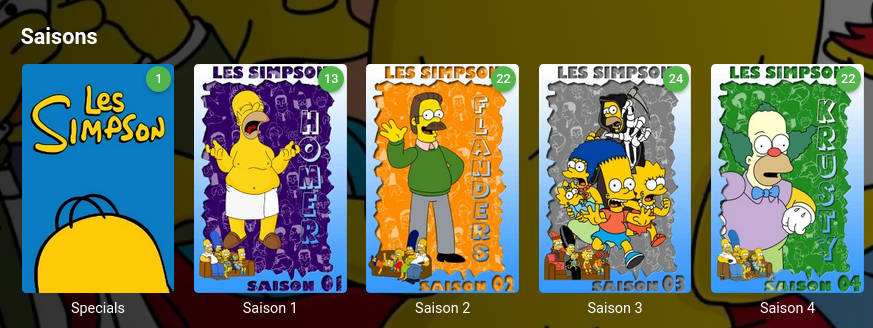
C'est parfait, merci ! Dans un dossier "Specials" je n'ai plus le problème J'ai essayé juste avant de tout déplacer et de refaire un scan mais le problème est réapparu. Avec Specials c'est bon.
 2 points
 -
BTW I forgot to mention that as long as we have enough bandwidth, using Infuse we have direct play of any kind of content including DTS, DTS-MA... HDR passthrough and if necessary (our display does not support HDR) HDR to SDR tone-mapping perfect.2 points
-
Version 2.0 of our popular Android TV and Fire TV apps are rolling out to stores now. This version brings many internal improvements for playback and also supports the new features in the upcoming 4.6 release of the server. Your device should update automatically when available. Improved Subtitle Support These apps can now natively render most types of advanced subtitles (Dual Layer PGS/SSA etc.) with full formatting and multiple sub placements without requiring the server to transcode or burn in. With supported external subtitles you can also adjust the placement and time offset of the subtitle display. Improved Playback We've implemented several customizations to the Google player the app utilizes that provide us with even more direct play in more situations and also simplified some of the playback options to allow you to choose how your media plays. Tags View You can now see tags for movies and albums on their detail page and also view other items with the same tags by clicking on them. Tags are also returned in search results. Artist Songs Directly view and access songs right from an artist page. 4.6 Server Support Version 2.0 of these apps fully support some of the new features coming in the 4.6 server release like channel grouping, improved channel logos and an improved Continue Watching display. Other Enhancements and Fixes In addition to the above, many more improvements and small fixes have been made. Including: Fix play from grid when folder browsing music Increase size of cast on OSD Tweak default background Update translations Fix stream copy for interlaced content (requires server 4.6) Increase playlist and album limits to 1500 No longer try to auto play from "Play Next" channel Fix series date display in folders Fix bad price display in purchase screen Add send logs to video playback menu Force player interface to LTR presentation Group by tags in channel grid (requires server 4.6) Implement filter by tags in TV guide (requires server 4.6) Simplify filter selection (fewer clicks) Fix shuffling video playlist Implement playlist and collection tabs in library for 4.6 server Remove collections from individual genre display Align EQ animation with other apps Improve list screen in Apple TV theme Allow screen saver during pause (except for live TV) Implement new search Improve hi-res flac audio Add a default poster size setting Make library prefs a popup for better navigation (can back out) Make library cog button a menu for app or library settings Add "All Items" button to Collection screen Add music videos to Artist view Allow converting dts-hd and not plain dts Indicate https in SFN when using SSL Implement play options from music genre Improve spinner layout Adjust home screen layout settings for server 4.6 Fix DTS HD badge not always showing properly Indicate in SFN when software audio decoding is occurring Clarify display HDR support labels RTL fixes Fix play first unwatched on some series Implement subtitle offset (external subs only) Improve play next up button when no next up episode Improve usability of DTS options Simplify audio option Fix crash on startup on non-standard boxes Add new "Extra Info" option and reduce clutter by default View the full article2 points
-
Hi, yes we are working on getting it into all Emby apps. Thanks for the feedback.2 points
-
Hi, This has been talked about a lot on the Apple TV forums, but there is no formal request for it. So I do it here, please add support for MKV HEVC HDR playback using Apple TV (without tone mapping). I don't care what technique you use. Either adding HLS fPM4 support to the server or improving the MPV player. I anticipate that I am not satisfied with you saying that Apple TV does not support that, since most players on the market support it. Thanks1 point
-
Be able to create playlist based on a certain criteria, like genre and or year, in order to create a dynamic playlist that it refreshes automatically when new content is added. This way you can for example, create a tv comedy playlist from the 90's, or a new sci-fi Movies playlist. Some other criteria for rules could be the rating, watched/unwantched, score, tags, language, audio codec, etc The possibilities could be endless1 point
-
Hi there, Currently testing Emby and have to say: Good Alternative to Plex. There are two things im missing: 1: Photo Timeline. A View of all photos not sorted by folders. A Scrollable Timeline would to navigate. 2: Show Photos by specific days: In Amazon photos i have a great function, that changed my behaviour for watching photos: Watch photos that were taken exactly 1 year ago or 2 or 3 or.... Both Requests offer the ability to not only browse photos by browsing folders. You get photo recommendations. Whats better than watching photos of your kids 3 years ago? From my understanding it could be done by making a Select Statement each day that dynamically updates the year folders. I think it would be Great!1 point
-
While Emby already has recommendations built in based on previously watched items I find they are not all that helpful. They seem to be based on genre only, for example, because you watched a comedy here are other comedies in your library. I do like how the also directed by/appear in recommendations work though. What would be great is if Emby could incorporate Trakt's recommendations as they are much more sophisticated. Trakt's recommendations are not only based off of what you have previously watched but also what your Trakt friends and other Trakt users have watched. It takes user ratings and trending/popular media into account. Ideally Emby would include full Trakt integration allowing users to rate media after watching, view lists and recommendations, and view upcoming media all from within Emby but for now I think recommendations would be a nice addition. Trakt has the potential to give Emby that community feel and allow users to discover new media, find something to watch, and recommend media to other users. http://docs.trakt.apiary.io/#reference/recommendations1 point
-
This is quite an unusual request, I'm asking for a way to name 1 file containing 2 episodes that are not adjacent to eachother For example: S1E01-06 will be episodes 1 THROUGH 6 S1E01+06 will be episodes 1 AND 6 Is that possible?1 point
-
I just checked back. In case of arch Linux you'll need to wait for the release, I'm afraid.1 point
-
Good idea. Then you can say "To purchase Premiere, go to the Premiere tab in your server's console". That seems bomb-proof. Paul1 point
-
The only way I can think to make it more clear is to simply hide any links to purchase it but embed the links directly in the web console so you can't get to do a Premiere purchase without having already installed the server.1 point
-
1 point
-
I think he just indicated that we're currently looking at the wrong end in that case .1 point
-
I would create the file "update-emby.ps1" (name it whatever, save it wherever) with the following: $EMBYIP = "127.0.0.1" $APIKEY = "YOUR API KEY" $FOLDERS = @(FOLDERID1, FOLDERID2, FOLDERID3) foreach ($FOLDER in $FOLDERS) { Invoke-WebRequest -Uri "http://$EMBYIP/emby/Items/$FOLDER/Refresh?Recursive=true&ImageRefreshMode=Default&MetadataRefreshMode=Default&ReplaceAllImages=false&ReplaceAllMetadata=false&api_key=$APIKEY" ` -Method "POST" ` -Headers @{ "Accept"="*/*" "Accept-Encoding"="gzip, deflate" } } Modify the first 3 lines to your environment; 127.0.0.1 may work since you are already on that machine. Then go into your Task Scheduler (win+R and enter taskschd. msc) Create a new Scheduled Task to run your powershell script every... X minutes. This is largely untested, as I am recombining my libraries into one so it needs to do the massive scan; it wont let me use this until that is done. If any of these instructions are confusing, you might hold off. There's little risk but scheduled tasks can be pretty powerful to play with1 point
-
It depends on your normal usage. My advice would be to leave the direct play on and only engage the seek mode when you really need it - unless you are in the habit of always pausing your live TV. In that case, I would leave it off.1 point
-
1 point
-
"X-Real-IP is the IP address of the actual client the server is talking to (the "real" client of the server), which, in the case of a proxied connection, is the proxy server." Is the definition i found for x-real-ip, which is why we are all seeing the wrong ip in emby.. This could read wrong in emby for proxies, CDN's, cache servers that some isp's and companies use. It opens the doors for you to get the wrong ip in many different scenarios. Which is why grabbing the left most value from X-Forwarded-for is the correct method.. For example: CLIENT-----------Cloudflare----------Proxy----------Cache Server----------EMBY x-forwarded for would look like: CLIENTIP, CF-IP, PROXY IP, CACHE SERVER IP and emby would just use the client IP in that string. However the way you have it today using X-Real-IP you only get the ip of the device right outside of emby, in the above example emby would use CACHE SERVER IP which is not the client, that IP could be local to a lan, causing emby to use the LAN transcoding rules, or auto login local users... again incorrect IMO.1 point
-
@Painkiller8818 I think you have screwed up things by using RDP for all the setup. Generally, with the the use D3D11 codec variants, things should be working safely, even when logging in via RDP, but the two mistakes you probably made are these: You must not do graphics driver installations from within an RDP session You must not start Emby Server from within an RDP session To clean up all that mess, you should do the following: 1. Find a way to access the computer without RDP Either connect a real monitor and keyboard or install a non-RDP-based remote access software - like VNC or TeamViewer (you might or might not need a dummy plug for this => Don't even think about proceeding as long as you don't have that! 2. Get the graphics driver installation right Have step 1 completed, don't be logged in via RDP If you have any other GPU boards installed, remove them Reboot the server Make sure, nobody is logged in via RDP and nobody will log in via RDP Uninstall all previous Intel Driver installations Reboot after each uninstall Reboot Open a console as administrator enter SET DEVMGR_SHOW_NONPRESENT_DEVICES=1 enter devmgmt.msc Menu: View >> Show Hidden Device Group "Display Drivers": Make sure, no hidden devices exist, if there is any: Right-Click >> Uninstall Next, check the graphics driver If there's still an Intel driver (rather than the MS generic driver): Right-Click >> Uninstall Reboot Install the latest Intel Graphics driver Reboot 3. Run Emby Server - The right way There are two ways to do that: Either run as a service or run in the console session with auto-login Preparation for both ways is the same: Have steps 1 and 2 completed, don't be logged in via RDP Uninstall any previous Emby Server installation will need to login with the account under which it was previously installed uninstall Create a new user account under which Emby will run Log in to that user account Install Emby server for that account Set up Emby Server Make sure everything is working Now you have two choices Set up Emby Server to run as a service Instructions for this are available in the knowledge base Make sure to run it under the newly created user account Configure Emby Server to run on "Windows startup" (this setting actually means "User Login" rather than Windows startup) To make this work, you need to configure the console (=connected monitor, keyboard) session to automatically log on when Windows starts of course it must log on with the Emby user account Instructions for this can be found on the web Finally Now all things will work fine and you can log in via RDP without issues1 point
-
...you turn off all the scan's using the scheduler and turn on the ones you need using the above API calls - it achieves the same goal.1 point
-
Correct. Turn that option off if you want it to remux (for seeking).1 point
-
I wasn't able to get this working either. You did however give me an idea and lucky enough, there is a way to do this via API. In the UI if you go into the media library and go to Folders, you can click on the "options" of the folder and scan. Turns out, this scans that particular folder for new content while ignoring the others. So I grabbed the API call and simplified it a touch (It may be able to be further simplified) but I got this: curl 'http://EMBY-IP/emby/Items/FOLDER-ID/Refresh?Recursive=true&ImageRefreshMode=Default&MetadataRefreshMode=Default&ReplaceAllImages=false&ReplaceAllMetadata=false&api_key=API-KEY' -X 'POST' -H 'Connection: keep-alive' -H 'Content-Length: 0' -H 'Accept: */*' --compressed --insecure While this is not as intuitive to customize as your example, it's not an extreme task to get the info needed. Of course, replace EMBY-IP with your instance IP address and API-KEY with your API key. The hard part is the FOLDER-ID. What you'll need to do is browse to Emby, and go into the library in question. Select the Folders tab and click on the folder you want to scan. Look at the URL, you should have something like this: http://IP-ADDRESS/web/index.html#!/list/list.html?parentId=49264&serverId=SERVERID The parentID in the URL is your FOLDER-ID In my tests I put an empty file named for The Mask (1994) into "New Movies" folder and The Wolfman (2010) into my "Static Movies" folder. When I scanned using the "New Movies" FolderID I got The Mask in my library moments later but The Wolfman did not appear. I repeated this for about 10min and The Wolfman never appeared. Then I changed to the Static Movies FolderID and ran the curl command once and instantly The Wolfman appeared in my library. Could somebody a little better with curl and APIs maybe strip the command down a bit to be less of a mouthful?1 point
-
I've never used this in Plex. I'll read your enhancement request when I get some time later and see if that'd work for what I'm trying to do.1 point
-
Builds reposted. @alscaldas An updated libreELEC build is attached. It is based on 10.0 beta 2 + fix applied since then. Cheers, LongMan LibreELEC-RK3399.arm-10.0-devel-20210505091805-83202cd-rockpro64.img.gz1 point
-
Oh, I'm sorry, in my haste to find similar issues I misunderstood what this was asking for. What I want is the ability to add both grant-restriction tags and deny-restriction tags. Thanks for clearing that up for me.1 point
-
Hi. What is the hardware on the server? What kind of hard drives and how are they setup? Any USB drives? This definitely sounds like an I/O bottleneck somewhere.1 point
-
Hello all, Thanks again so much for this plug in. I think this may have been asked before, but I was wondering how difficult it would be to have a selectable number of bumpers to play instead of the hard 3. Additionally, is there some way to select say only play 2 bumpers after every 3 shows/items. For instance I have set up a old mtv style channel with music videos, but it gets a bit annoying to have 3 bumpers play after every video. I was thinking more like a radio station format, say 3 or 4 songs (music videos), then insert one bumper, etc. Not sure if this is possible but thought it couldn't hurt to ask. Thanks again for all the hard work on this and please know it doesn't go unappreciated.1 point
-
I believe that's what I previously said. To note - DD+ is not HD Audio. As explained, eARC has the capability to pass HD Audio (ie it has the necessary bandwidth) but no TV manufacturer has either allowed this as an OUTPUT stream via their app API and/or has hardware limitations.1 point
-
That's an Emby plugin that helps to sync Apple TV local data with Emby server. It even works in background with the Apple TV on standby. Metadata is synced and artwrok is fetched on the fly.1 point
-
Thanks a lot for your answers. I think i will go the telerising api way, because it seems more supported. pOpY1 point
-
confirmed, there is a problem in music sync. Will be fixed in next release, probably this weekend.1 point
-
Yea emby "USED" to abide by the "forwarded for" header.. Something changed a while back, where emby no longer displays the proxy hops and end user IP correctly.. Emby seems to ignore the "X-Forwarded-For" header, or only displays one ip from that header. The only work around is if you use nginx as a local reverse proxy as well. and then you use the "http_CF_Connecting_IP" header as a fix. That said @Luke any chance on getting this fixed? Here is an example. The first image is what emby "sees" or shows for a user connecting to emby. in my setup EVERYTHING goes through a proxy so I should ALWAYS see two addresses for every connecting user. The only reason the below image has the real ip of the user is because I am forcing it using nginx, otherwise it would display 127.0.0.1 because my local proxy is connecting to emby. PLEASE SWITCH BACK TO USING X-FORWARDED-FOR first ip in the string as the user IP. Real-IP only gives emby the last known ip to connect to emby which is totally wrong. Yet if you look in the emby logs it shows the proper chain of forwarded for IP's but emby us using something else. 2021-05-04 02:46:56.470 Info Server: http/1.1 GET http://removed.com/emby/videos/11187405/hls1/main/14.ts?DeviceId=REMOVED-9bac-aa0be8f56db3&MediaSourceId=REMOVED66490e27ef9a010181ac4&PlaySessionId=8REMOVED59ce2b823a4ab&VideoCodec=h264,mpeg2video&AudioCodec=ac3,aac,mp2,mp3,eac3,flac,vorbis,lpcm&VideoBitrate=3616001&AudioBitrate=384000&MaxFramerate=60&MaxWidth=3840&MaxHeight=2160&AudioStreamIndex=1&TranscodingMaxAudioChannels=6&SegmentContainer=ts&SegmentLength=3&MinSegments=1&BreakOnNonKeyFrames=True&ManifestSubtitles=vtt&h264-maxrefframes=16&h264-videobitdepth=8&h264-profile=high,main,baseline,constrainedbaseline&h264-level=51&aac-audiochannels=6&eac3-audiochannels=6&ac3-audiochannels=6&flac-audiochannels=6&lpcm-audiochannels=6&mp3-audiochannels=2&mp2-audiochannels=2&vorbis-audiochannels=6&TranscodeReasons=ContainerBitrateExceedsLimit. Connection=Keep-Alive, Accept=*/*, Accept-Encoding=gzip, Host=removed.com, User-Agent=Roku/DVP-9.40 (559.40E04210A), X-Real-IP=69.47.146.93, X-Forwarded-For=69.47.146.93, 108.162.216.48, CF-RAY=64a01e3ea8b48516-ORD, X-Forwarded-Proto=https, CF-Visitor={"scheme":"https"}, CF-Connecting-IP=69.47.146.93, CDN-Loop=cloudflare, cf-request-id=09d7f13b2c00008516d01b1000000001 X-Forwarded-For=69.47.146.93, 108.162.216.48, is what emby should abide by, and the first ip in that list should always be the user IP. everything else in that string will be the servers that user passed through. in my case cloudflare. Those without nginx, you are some how picking up the connecting ip which will be the proxy or forwarding server.. I'm not sure how you are getting the ip but you are getting the wrong one in proxy configurations. After looking a bit, it looks like emby is looking at X-Real-IP which is NOT actually the real ip... its the connecting IP not the client ip. Here is an example of what emby does when I do not overwrite the X-Real-IP It shows my local server proxy ip. and I'm logged in from a remote internet connection here...

 1 point
 -
Hola, he vuelto con noticias positivas respecto a toda mi pregunta. Tuve la ocasion de poder cambiar de NAS, ahora el QNAP ya no está, y ahora entra un ASUSTOR. He vuelto a instalar Emby server para probar, y vaya que se notó el cambio. El proceso de scanear los archivos, ha sido muy rápido, mucho mas rapido que en el anterior QNAP. El disco, si, se escuchca que esta trabajando, pero lo hace de una manera mucho mas suave. Ahora mismo, estoy probando, y estoy enviando musica a tres dispositovs distintos, sin ningun problema :). Ahora si Emby me funciona como queria. Aprovecho de consultar. En alguna actualizacion, se podria agregar la funcion de mostrar la calidad de la musica, en la barra donde se ve el avance de la musica? Por ejemplo que muestre FLAC a 192kb? Siempre pensando en musica. Tal vez es una funcion que esta, cuando se cuenta con Emby premiere? No se si podra ser efectivo, pero seria genial disponer de esa info adicional, como lo hace plex.1 point
-
Sadly I catch myself using Plex more and more because of all of that. I don't love Plex by any stretch, but on the Apple TV devices, I do catch myself using Plex a lot more. So I do have to run Emby and Plex side by side. I'd love for there to be a bigger focus on Apple TV. Plex has uniform apps across all their devices including Apple TV. Emby seems to say Apple TV won't allow that somehow. Still have yet to figure out why the Apple TV experience is so different on Emby when using the Apple TV versus an android based device or Roku.1 point
-
1 point
-
Gandalf is a Jedi Master ? Why does nobody tell me these things...1 point
-
next beta... Currently I'm re-adding the function1 point
-
Ok, figured out how to do what I want: First, real time monitoring with rclone mount is not possible so a scan is needed indeed. Second this is what I'm doing: 1. Disable any schedule library scan 2. you will need something running scripts on linux, I have an unraid box running user scripts. 3. install curl 4. Example: curl -d '{"Updates":[{"Path":"/movies/movies/TV Shows Recent/","UpdateType":"Created "}]}' -H "Content-Type: application/json" -X POST http://serverip:8096/emby/Library/Media/Updated?api_key=YOURAPIKEY 5. In bold are the things you need to change for your particular setup.1 point
-
Good to know Plex can play 4K HDR on Apple TV. I have a lifetime Emby and Plex pass, so I will move back to Plex, however I prefer Emby. But I really want to get the most out of my HomePods with Apple TV. Shame on Emby developers and the silence on this matter.1 point
-
I really don’t understand how, something that is at the core of the media server experience, has been set aside for so long. It’s really strange how it has not really received many improvements over the last few years, while many third-party apps have received improvements in this area. I understand that there might be obstacles in getting to that point, but it really feels like Apple TV users are being ignored.1 point
-
I would love to hear from some of the developers on this? Beyond just "we are focused on improving all of our applications". Is there any focus on the Apple TV interface at all? I don't need/want a specific road map, but just a general, this is what we'd like to see down the road. Sadly I find myself going back to Plex more and more for things like 4K HDR movies and live TV when using Apple TV. I just prefer the Apple TV interface over Roku, Android etc etc. Infuse is great, but why pay for multiple programs (I'm a lifetime Emby premier subscriber) when Plex does it all built in? Just my thoughts on all of this and someone who genuinely wants to see improvement here.1 point
-
Not only the Infuse App ,MrMC and Plex can do it as well. For me it looks like, that Emby had no focus on Apple TV. In my opionen is that a big fault. The Apple TV Hardware and Software is much better then the most of the Android Boxes. I had a lot of those Android Devices in the past, but they are only good for Kodi, Plex and so on, but if you like to have Netflix, Prime and so on also in 4K without any Problems, they all runs into big problems I´m thinking about to switch back to Plex. everything works for now in abo pricing modells. And paying two apps monthly for one function feels not right.1 point
-
Yes angleblue was a she. I think she just moved on to new things, supporting an addon like this can be very time and energy consuming, after a while if you can not get the balance correct you can burn out. I have been working on these addons on and off for years now (originally as null_pointer but I changed names due to confusion), you need to be able to take a step back sometimes, users can and will be very demanding at times, I have a strong idea what I want EmbyCon to be so stick to that but it can be an easy trap to fall into to try to add all the things to a project users ask for. This will end in a bloated hard to support mess that will quickly cause frustration and consume you. I am not part of the Emby team, I built EmbyCon because I use it, I am just a user. I am not sure if quickmic is team emby or not, if the new next gen is an emby made and supported addon or not, this has not been made clear at this point. EDIT: actually that is not true, it looks like this is the official emby addon now as the first post states it is from team emby, so there you have it, this is the official supported team emby addon now.1 point
-
The main reason the vaccine came quickly is that it turned out the preexisting mrna delivery mechanism was effective for covid19.1 point
-
To gauge interest... What if you had the ability to "Forget" a series for the purposes of Next Up display. That is, it would no longer show in Next Up - unless you watched another episode. Sometimes you maybe watch a series for a while and, even though there is more of it or more is made later, maybe it isn't as good as the earlier seasons or maybe you just don't have time for it anymore. So you'd like it to quit showing up in your Next Up list so it is less cluttered and you can focus on the series you are actually watching now. If you start watching it again, the "forget" would be forgotten and it would start to show up in Next Up again.1 point
-
Didn't see this request anywhere so... I would like to see a prompt when I try to add a song to a playlist that already contains that song. Something like: "This song is already in this playlist, Add anyways?" "OK Cancel" So I dont have to have two windows open to make sure I'm not duplicating songs in my playlist.1 point
-
Not at this time, no. You can use the option to convert on the server though.0 points

























.thumb.jpeg.1f6f89ab6ab9e63551e513f3762b58cf.jpeg)