Leaderboard




Popular Content
Showing content with the highest reputation on 04/22/21 in Posts
-
The movie name before the -cd# must be identical to the folder name - you have left in all the technical info in brackets as part of the movie name but not the folder. Paul P.S. I really wouldn't set up Evangelion that way, though! I have the series in the TV series library in a "Season 1" folder (with the DC episodes as alternate versions) and with Death(true²) and EoE (which is alternate versions of eps 25 & 26, after all) alongside in the "Specials" folder (which I've actually named "Movies"). If you want the earlier versions of Death and Renewal I'd either put them in a different specials folder with a non-standard name so it doesn't get combined, or as alternate versions. The Theatrical movies ("Rebuild") I have as three (so far) films in the movies library, brought together as a collection. This helps emphasise that they are a separate telling of a different story.2 points
-
The majority of users have requested unification across all app/clients and that is what is happening. Personally if I could remove horizontal scrolling from everywhere I would.2 points
-
CURRENT STABLE VERSION: Changelog: https://github.com/MediaBrowser/plugin.video.emby/releases/tag/6.2.11 Introduction: Emby team is glad to present a new addon for Kodi media center. It's available in our Kodi repository labeled as "emby-next-gen". The new plugin is not just an evolution of the previous "Emby" plugin version, it's a complete (70%) rewritten code. Design flaws of the previous version are now fixed and covers a lot of issues and incompatibilities. Most 3rd party Kodi plugins are supported by default. System requirements: Emby server: 4.2.0.23 or higher Kodi: 18 or higher Migration: The old "Emby" plugin supports up to Kodi 18.X. "Emby-next-gen" plugin supports Kodi 18.X and higher. Migration mode is available in "emby-next-gen". It keeps the "Emby" settings for "Emby-next-gen" however, a full database resync is still mandatory and not reversable after migration was initiated! Recommendation is a complete wipe of Kodi and its addons and begin with a clean installation. Kodi backups are recommended before migration. Limitations: Even if "emby-next-gen" is declared as stable there are still some limitations. - Sleep mode/hibernate is not supported - Multi (Emby) server not supported - Playlist (Dynamic) Artwork not supported - Distributed TV Shows over multiple Folders/Hard drives not supported We are still working on those limitations and will be fixed in the next releases... Installation: There are two options available: Native and Addon mode Addon-mode is highly recommended! Even if you used native mode in past, don't use it with "emby-next-gen" unless you have a very special case. Most of the drawbacks of native mode with the "old" plugin are covered. Addon-mode supports all "emby-next-gen" features, while native mode doesn't. e.g., multi-video, trailer, 3D, transcoding support etc. Finally: If you still use Kodi 18, you can choose between "Emby" or "Emby-next-gen". Kodi 19 requires "Emby-next-gen". If you are happy with "Emby", keep it a bit longer and wait a few weeks. Even lots of people participated in testing (many thanks for all the feedback), it's still quite new.1 point
-
I would like the ability to disable the camera upload feature, both per-user and globally. It seems odd to me that that isn't already there as far as I can find... Sure I could just not use it, but that depends on trust that your other users wont decide to enable it, as the only on/off is in each users personal preferences.1 point
-
https://www.leawo.org/tutorial/turn-on-or-off-hardware-acceleration-in-wmp-1389.html#:~:text=Nowadays%2C for most people%2C Windows,systems for so many years. "Nowadays, for most people, Windows Media Player is the easiest to use and has the very best support of GPU accelerated video. After all, it has been used as the default media for Windows operating systems for so many years." I would do remote using AnyDesk (www.anydesk.com).1 point
-
From a player aspect not that I am aware of. That is why there are no option in the version verses the desktop version options. There will always be differences and limitation between the versions.1 point
-
If the Desktop version of Theater works, just use it.1 point
-
Emby is fine on every other device, just the AppleTV, a device that makes it difficult for users to play their own content, has a "bad" experience. If you want HDR/DolbyVision move to Android or Roku.1 point
-
Ok i believe to have uncheck all checkbox. Thanks for your advices. I will try some days. I hope to have solve my issue.1 point
-
If I "rewatch" a series I first mark it unwatched then I watch the series just like normal. I almost never use the "season" view from my clients (Roku, Fire Stick, Shield or other). I use the web interface after marking it unwatched to place the first episode in "continue watching" by partially playing it. After that first episode is played all the way through the show is placed in "Next up" and then everything is fine and I play the rest of the series from "Next up." In fact I kind of wish that all the complexities like "season" view could be turned off in the clients and thereby save the overhead from being used on my clients. To me clients are for watching and nothing else. The web interface does everything else I need to do. Clients and the web interface have a lot of duplicate functionality and I just wish a lot of the duplication could be removed from the client.1 point
-
Hi, we don't have a play and auto-save feature if that's what you're asking, but stay tuned. You might see it in the near future.1 point
-
Hi, version 3.1.92 has been pushed to the store to resolve this. Thanks.1 point
-
Hi All, I spent the entire day endurance testing various types of media (FLAC, H.264, Live TV, MP3, BluRay) and the audio never fails. At this point I'd say the solution works! I'm a heavy user of the Android client, so I will update this thread if anything changes, but for now the solution is delivered. Thanks for the help! Jason1 point
-
The beta v 4.0.28 seems to fix this issue. Tried it on both my Rokus. Thanks!1 point
-
It's in the 4.6 Beta. Click the 3 dot menu next to filter up top in the main library view and you can select what shows up.1 point
-
I think you'll find our player should play just about everything now.1 point
-
Looks good in the new beta.1 point
-
First thing is to take a copy of the non-working ..\programdata\data directory - as this contains all the databases. Ideally take a backup of the entire emby non-working directory if you can. Shutdown the new version, as both cannot run on the same port. Is the non working and working version the same release version do you know ? If yes, then you should be able to reinstall 'over the top' of the non-working install using the RELEASE direct download below. Existing databases will not be overwritten. https://github.com/MediaBrowser/Emby.Releases/releases/tag/4.5.4.0 If on Beta - then again, same should apply, but use the Beta that matches your last install if you can. https://github.com/MediaBrowser/Emby.Releases/releases/tag/4.6.0.40 Once the zip has overwritten the files, restart the machine and see if emby then starts. It should pickup your existing databases. Remove the new version once you are satisfied the previous version is working ok.1 point
-
Please test this in the latest beta of the app. Thanks.1 point
-
@cayars > BTW, what ratings is the middle one (m)? That's metacritic, I've been getting various feature requests for other types of ratings as well, such as Letterboxd, the system is flexible enough to support pretty much anything at this point. > but would assume it's based on demand Although I have hundreds of users of the service right now, in less than a month.. I'm uncertain of how I could get more users to this post, I guess time will tell if it becomes popular or not. I'm very happy you chose to show ratings in the catalog btw. As a rating buff, this was one of the primary reasons why I created this service.1 point
-
See. We are both mad.1 point
-
Well, I have that too, but didn't mention it... In fact, I uploaded an optimised version of one of the earlier captures of the public showing of that to a well-known torrent site. Paul PS - I guess you realise that my avatar here is Shinji (from the volume of settai for the series).1 point
-
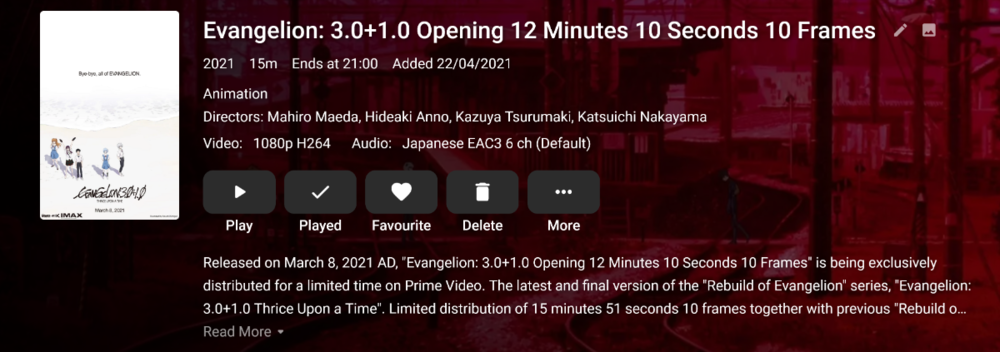
Hahaha, then you will be even more confused why I have things like the following for the previous Rebuilds. It's all mostly for academic reasons as it's good to track how things came out, in an attempt to capture something not possible to capture.
 1 point
 -
I see the point of the three-part split of Death & Rebirth, sort of. But as Rebirth is simply an incomplete unfinished edit of EoE, I really do not see the necessity of viewing it at all; it was only released at all to keep up interest during the longer than hoped production of the complete EoE. Similarly the earlier versions of Death, which presented new material originally, but had that removed once the material concerned was edited into its proper places in the DC episodes. There's an argument for splitting EoE itself, as was actually done for the Laserdisc release which explicitly described the two parts as episodes 25' and 26', but that's an individual choice these days. On the rather completist Japanese Bluray release EoE is presented in both forms; but the parts are digitally identical other than the split - there are no subtle differences to nerd out over in this case. Paul1 point
-
It's on the list, not sure if it will be already added in the next version.1 point
-
There are changes to this in 4.6 but may require media Refresh.1 point
-
I don't have anything set up like that now, but when I tried it (using "part#"), it worked, but I disliked the result. The example in the naming guide has no space after the "-", so maybe you could try changing that? Another constraint is that there must be no other files in that folder. Or maybe it's a problem with "cd" specifically - try using "dvd" or "part" instead and see if that works. After all, they're not CDs, are they! Paul1 point
-
If infuse can do the job why can’t Emby ?1 point
-
There was a new nvidia experience, but everything is now completely up to date.1 point
-
Guess we can close up this thread. The OP has gone off on some tangent that even calculus can't determine plot points of. You can't protect someone from themselves. Not sure what asking for help and attacking the help is accomplish. Maybe you wanted to see how far the rabbit hole goes? It goes all the way to Wonderland.1 point
-
Try to uninstall the app, power cycle the TV then try again. If that doesn't work then you might need to reset the SmartHub (which I think will also mean reloading your store apps as well, so take note of what you have installed first)1 point
-
IDK how many people are going to pay for this as a monthly sub price, if it was like a 20$ lifetime maybe but 7$ a month is overrated when you can see these rating one level in, or just "sort" by ratings. Also arent plex plugins not support and probably violate their TOS, you might want to check that1 point
-
Yes occasionally you may have to just update nuget and recompile, without actually making code changes.1 point
-
Apple TV only uses Atmos EAC3, used in streaming services. Most Atmos content is TrueHD, and that is not supported by Apple TV. If you need Atmos TrueHD you should use another device.1 point
-
Glad you've resolved it.1 point
-
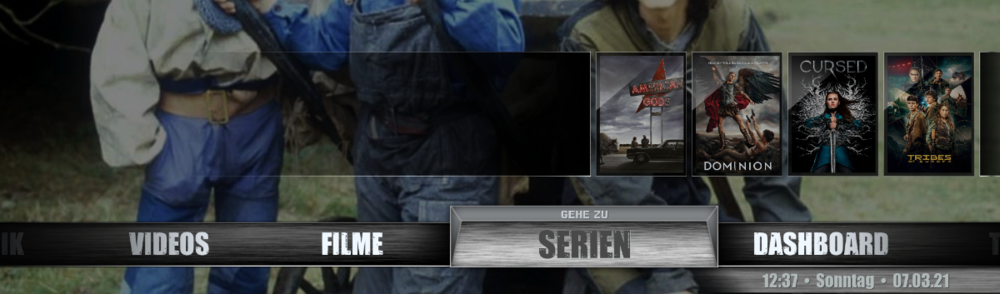
Many thanks for the great addon and the further development of the integration in Kodi. It really runs very well. What bothers me a bit, however, is the skin rebuild that your addon initiates... I mean, you said that you had solved some problem with it. It's not a big deal, but I can't keep the set focus (on FILMS) this way. For example, I want the main menu to be set to "FILMS" at the beginning. Kodi is also there. But then EmbyNextGen starts and immediately jumps to the menu item "SERIES". It practically jumps once to the right. (In reality, WHEREVER I AM, it always jumps to "SERIES". This is just a hint or constructive criticism. It would therefore be nice if you could somehow avoid this "skin rebuild". Then something about your predecessor @Angelblue05: I would like to thank you here as well, because without her/him this addon would probably not exist, right? Besides, it's kind of strange that he/she has disappeared so secretly... Well... Kind regards Tommy
 1 point
 -
[removed]1 point
-
A plugin that lets you search for a tmdb collection, shows you your entries for that collection, then lets you add them all to a new/existing Emby collection with a confirmation click might be interesting.1 point
-
tbh all the live tv things like on now, shows, movies etc in the live tv section should be provided by plugins so that the content can be completely customized, for example i don’t care for sports, but maybe a sci fi section or a “what’s popular” section would be great to be added via plugin. provide api hooks to query the EPG (don’t know if this is possible at the moment) so that this information can be used to populate custom sections.1 point
-
That and my incompetency in Javascript.0 points